Free Asana Content Calendar Templates to Plan & Schedule Smarter

Sorry, there were no results found for “”
Planning content can often be more demanding than content creation itself.
You need to track key dates, company announcements, product updates, and your target audience’s online activity to maximize engagement.
That’s where a content calendar becomes essential. It helps maintain consistency, arguably the most effective strategy for any campaign.
To simplify your workflow, we’ve curated the best content calendar templates from Asana, which can help you save time, stay organized, and align your content strategy from day one.
Here’s a summary table for the best Asana and ClickUp content calendar templates:
| Template Name | Download Template | Best Features | Ideal For | Visual Format |
| Asana Social Media Calendar Template | Download this template | Calendar view, task dependencies, custom fields, real-time updates | Social media managers, content marketers, digital teams | Asana Board, Calendar |
| Asana Editorial Calendar Template | Download this template | Draft/edit/review/publish stages, tags, calendar/list views | Content marketers, editorial teams, marketing leads | Asana Board, Calendar, List |
| Asana Email Marketing Calendar Template | Download this template | Send scheduling, approvals, CRM integrations, A/B tracking | Email marketers, CRM teams, marketing leads | Asana Board, Calendar, List |
| Asana Design Project Plan Template | Download this template | Briefs, asset creation, reviews, Figma integration, dependencies | Designers, creative teams, project leads | Asana Board, Timeline, List |
| Asana Marketing Strategy Template | Download this template | Objectives, metrics, campaign linking, CRM/doc integrations | Marketing leads, strategy teams, campaign managers | Asana Board, List |
| Asana Project Schedule Template | Download this template | Visual roadmap, milestones, auto-shift dates, blockers | PMs, ops teams, cross-functional leads | Asana Timeline, List |
| Asana Creative Requests Template | Download this template | Intake forms, auto-routing, SLAs, asset/approval tracking | Creative leads, designers, content teams | Asana Board, List, Form |
| ClickUp Monthly Content Calendar Template | Get free template | Consolidated calendar, tags, drag-and-drop, dependencies | Content managers, campaign planners | ClickUp Calendar, List |
| ClickUp Weekly Content Calendar Template | Get free template | Weekly sprints, batch work, due/overdue views | Marketing teams, recurring workflows | ClickUp List, Board |
| ClickUp Content Calendar List Template | Get free template | Sortable list, due dates, bulk-edit, filters | Content coordinators, solo marketers | ClickUp List |
| ClickUp Content Plan Template | Get free template | Audience/funnel mapping, segmented views, asset tracking | Content strategists, performance teams | ClickUp List, Board |
| ClickUp Modern Social Media Calendar Template | Get free template | Platform goals/tags, performance fields, multi-account | Social media managers, campaign planners | ClickUp Board, Calendar |
| ClickUp Social Media Posting Schedule Template | Get free template | Asset/format/order mapping, readiness checklists | Teams managing multi-format posts | ClickUp List, Board |
| ClickUp Social Media Content Plan Template | Get free template | Campaign themes, owner/date assignment, dual views | Social teams, multi-platform campaigns | ClickUp List, Calendar |
| ClickUp Editorial Calendar Template | Get free template | Briefs, deadlines, owner tracking, review cycles | Editorial teams, multi-format content | ClickUp List, Calendar |
| ClickUp Blog Editorial Calendar Template | Get free template | Topic/SEO/funnel tags, writer/reviewer assignment | Blog editors, content marketers, solo writers | ClickUp List, Calendar |
| ClickUp Podcast Calendar Template | Get free template | Episode planning, guest logistics, asset tracking | Podcast teams, solo creators | ClickUp List, Calendar |
| ClickUp Content Marketing Editorial Calendar Template | Get free template | Campaign/KPI alignment, role assignment, status reporting | Content marketing teams, campaign managers | ClickUp List, Board |
| ClickUp Promotional Calendar Template | Get free template | Promo centralization, dependency tagging, single view | Marketing/product teams, cross-channel promos | ClickUp List, Calendar |
| ClickUp Posting Calendar Template | Get free template | Scheduled/in-review/delayed tracking, recurring tasks | Marketing/content teams, audience building | ClickUp List, Calendar |
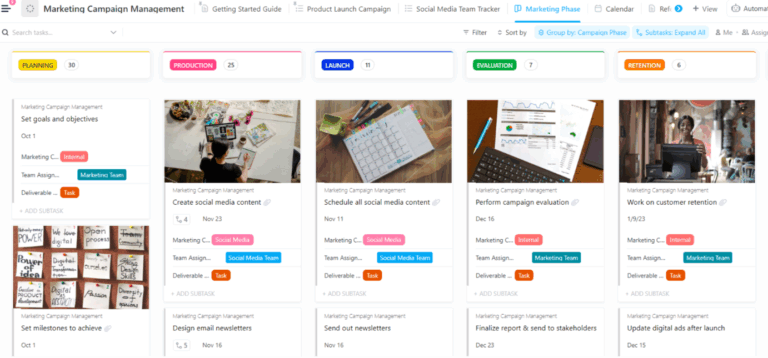
| ClickUp Campaign Calendar Template | Get free template | Phase/milestone mapping, cross-functional tasks, impact fields | Marketing teams, campaign managers | ClickUp List, Calendar |
| ClickUp Content Production Scaling Template | Get free template | Briefs, statuses, checklists, monthly volume tracking | High-output content teams | ClickUp List, Board |
Asana content calendar templates are ready-made frameworks in Asana designed to help content marketers, social media managers, and teams plan, manage, create templates, and track their entire content creation workflow.
Remember: An effective template should include essential fields such as publish date, platform, content type, and status (e.g., Draft, In Progress, Published). It should also double as content collaboration software and offer clear visibility into your content calendar, facilitating cross-team communication.
Whether you’re managing a social media content calendar, blog pipeline, or editorial calendar, these templates:
✅ Provides pre-built structures to create a content calendar from scratch or optimize an existing one
✅ Helps visualize every piece of content—posts, videos, campaign assets—in a shared calendar view
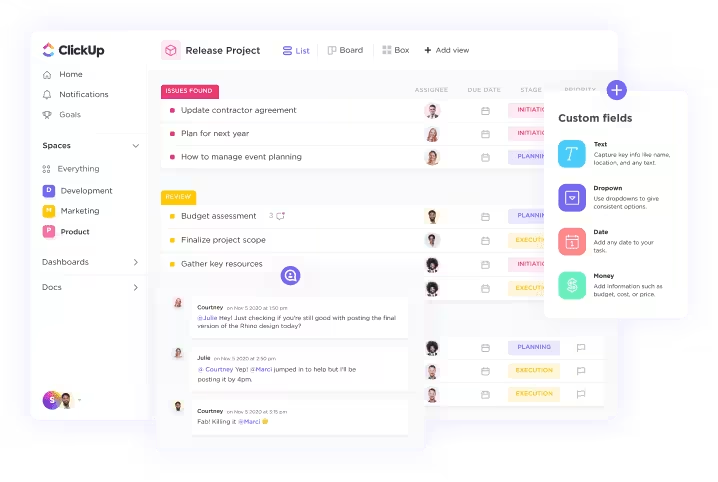
✅ Enables teams to assign tasks, set due dates, and add custom fields for categories, channels, or status
✅ Improves coordination across team members, including writers, designers, and approvers
✅ Allows you to track progress, fill content gaps, and maintain a predictable publishing schedule
While we’ve covered the fundamental features of an Asana content calendar template above, look for the following offerings for a richer experience:
👀 Fun Fact: Hollywood may have coined the term “content.” In the 1990s, as studios explored new digital distribution channels, executives began referring to movies, TV shows, and promos as “content”—a catch-all term that has since exploded into marketing vocabulary.
Free templates are your best option if you want to skip the setup process and begin planning immediately.
Here are seven free Asana content calendar templates that offer ready-to-use structures to organize your content ideas and manage your publishing schedule, making it easy to assign new tasks.

If you are organizing social media posts across platforms like Facebook, LinkedIn, and Instagram, this template combines consistency with your overall content strategy.
The Asana Social Media Calendar Template is a free content calendar designed to help teams create, track, and manage social media content in one centralized workspace.
With features like calendar view, task dependencies, and custom fields for publish date, channel, content type, and post status, this template ensures full visibility into your publishing schedule.
Plus, you can allow team members to assign tasks, review post details, and update status in real time.
✨ Ideal For: Social media managers, content marketers, and digital teams managing high-volume social media content.

Are you managing blogs, newsletters, videos, or multi-channel articles? The Asana Editorial Calendar Template is a free content calendar designed to organize and track content across stages—from ideation to publishing.
Custom fields allow you to tag each task by content type, platform, and status, while calendar view lets you visualize what’s going live and when. You can also assign tasks for drafting, editing, and reviewing, and easily collaborate across marketing, PR, and design teams.
From long-form articles to bite-sized social posts, this content calendar in Asana helps you plan ahead, track progress, and manage updates.
✨ Ideal For: Content marketers, editorial teams, and marketing leads managing cross-functional content creation.
📖 Also Read: Top Social Media AI Tools for Marketers

If your team regularly sends product updates, campaign emails, or newsletters, this template helps you organize every message and prevent overlaps across departments.
The Asana Email Marketing Calendar Template gives you a structured way to schedule send dates, assign tasks, and monitor progress.
With built-in project views like List and Calendar View, you can manage everything from subject lines and A/B testing notes to content assets and segmented email lists. You can also use integrations with tools like Gmail, Outlook, and Salesforce to streamline collaboration and eliminate missed deadlines.
✨ Ideal For: Email marketers, CRM teams, and marketing leads coordinating multi-team email campaigns.
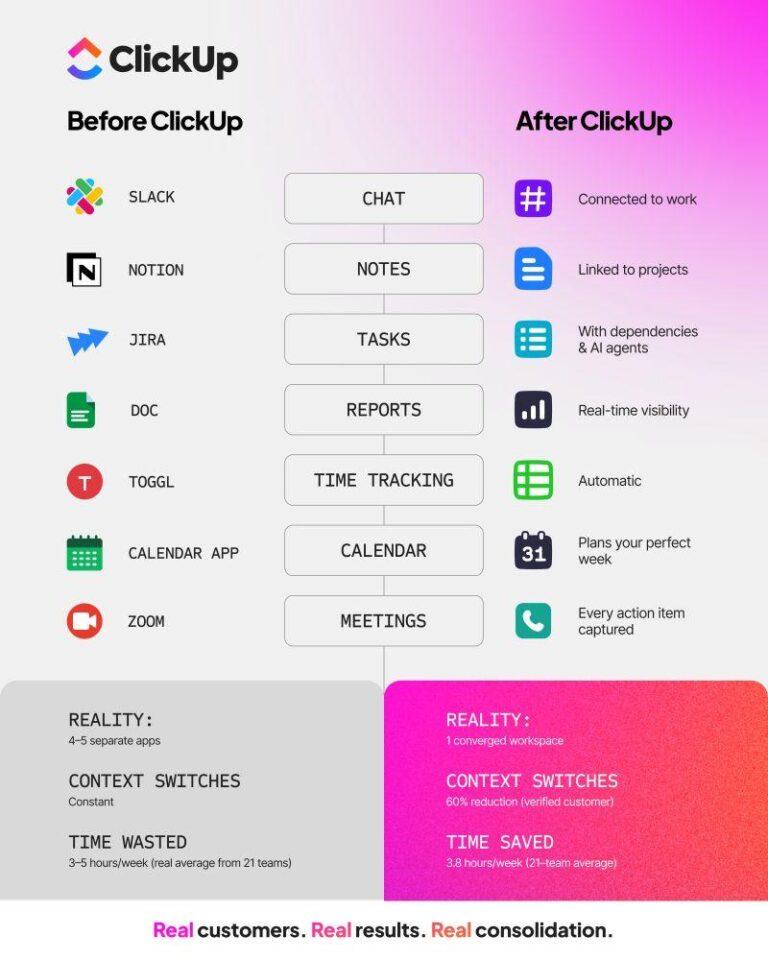
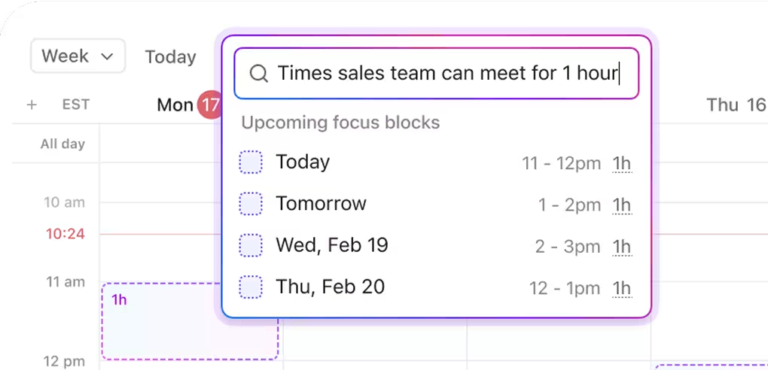
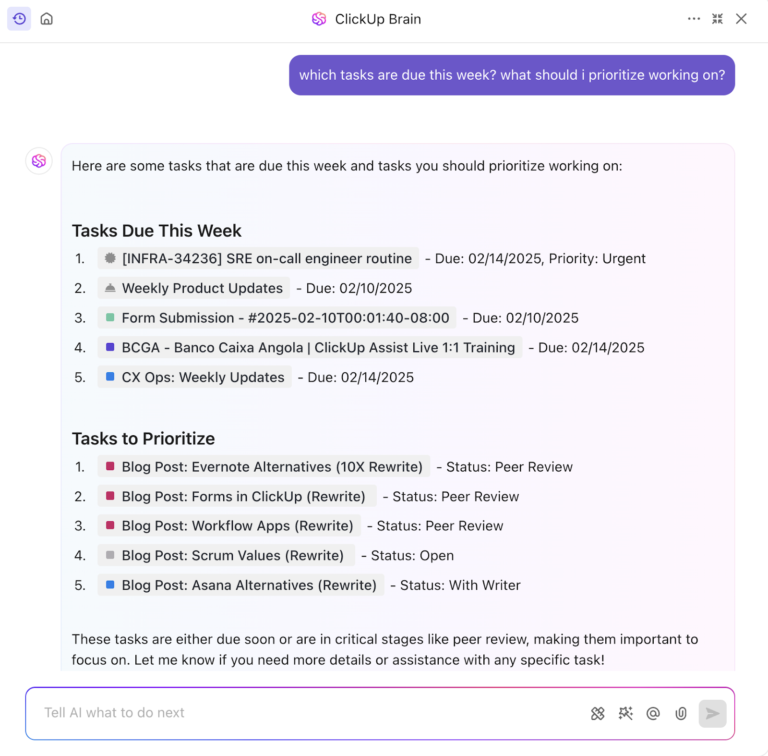
👋🏾 Need a better way to manage multiple calendars? Unify all your workflows under one AI-powered calendar solution:

If your creative team spends more time chasing approvals than producing assets, this template helps you simplify the design process from brief to delivery.
The Asana Design Project Plan Template structures your work into clear steps: brainstorming, asset creation, reviews, and approvals, while organizing files, feedback, and action items in one shared workspace.
Calendar and List Views offer flexible ways to manage timelines, while integrations with tools like Figma ensure that design files and project context stay connected. Additionally, this content calendar in Asana also supports task dependencies, ensuring that nothing moves forward without the necessary approvals.
✨ Ideal For: Graphic designers, creative teams, and project leads managing multi-stage design deliverables.
💡 Pro Tip: If you’ve ever struggled to stay ahead of what’s trending in your industry, How to Use Trendspotting (with Examples) breaks down exactly how to spot shifts early.

The Asana Marketing Strategy Template is a free, project-based framework that helps teams define, implement, and track their content.
Here’s how: This content marketing strategy template breaks down your marketing strategy into structured components like business objectives, key metrics, and marketing initiatives.
You can link strategy to ongoing projects, set timelines, and keep content, sales, and product marketing teams aligned.
Plus, integrations with HubSpot, Salesforce, and Google Workspace make it easy to create tasks from CRM updates and attach relevant documents.
✨ Ideal For: Marketing leads, strategy teams, and campaign managers aligning goals across content, sales, and digital marketing.


If you’re managing a complex project with multiple moving parts, the Asana Project Schedule Template helps teams break down large initiatives into actionable steps. For accountability, you get clear deadlines and owners.
Using Timeline View and task dependencies, you can create a visual roadmap that connects each task to the next. Built-in automation features let you shift dates and trigger updates when priorities change.
Lastly, custom fields, rules, and milestones keep your team aligned, while integrations with Gmail, Outlook, Clockwise, and Google Workspace bring scheduling into your daily workflows.
✨ Ideal For: Project managers, operations teams, and cross-functional leads managing detailed, time-sensitive deliverables.
💡 Pro Tip: Feeling swamped by scattered blogs, assets, and content ideas? How to Build a Content Database (with Templates) shows you how to organize everything in one scalable, searchable system.

If your creative team gets overwhelmed with scattered requests from email, Slack, and meetings, the Asana Creative Requests Template brings structure and clarity to the intake process.
Instead of manually collecting scattered briefs, teams can use built-in forms to capture creative requirements up front.
Meanwhile, task rules automate handoffs, while integrations with Figma and other tools keep feedback and assets in one place.
✨ Ideal For: Creative leads, designers, and content teams managing high volumes of incoming requests across departments.
📖 Also Read: Best Social Media Management Tools for Agencies
Asana is widely used for content planning, but like any platform, it has trade-offs. Understanding these limitations can help teams decide whether Asana fits their specific needs or if Asana alternatives are required to fill the gaps.
💡 Pro Tip: Feeling stuck between scaling content and keeping quality high? The blog How to Automate Content Creation shows you how to use AI to handle repetitive tasks—so you can focus on strategy, not burnout.
If you’ve encountered limitations with Asana, ClickUp provides immediate solutions to many of these issues. The content calendar software offers built-in time tracking, multiple assignees per task, and more flexible workflows.
Here are 15 powerful content calendar templates from ClickUp that help teams create, organize, and track content more efficiently:
Let’s say your team is planning a product launch, a Q3 blog series, and a LinkedIn thought leadership push. To make sure you don’t miss the deadlines, you need to see how these content streams align across weeks without jumping between boards.
The ClickUp Monthly Content Calendar Template gives you a consolidated calendar view that maps out everything at a glance.
It’s built for high-level planning, letting you track campaigns, coordinate assets, and set realistic deadlines month-over-month. With Custom Fields for content type, publish date, and assigned team members, you can prevent scheduling conflicts and ensure every piece supports your broader strategy.
✨ Ideal For: Content managers orchestrating multiple streams of content across monthly timelines.
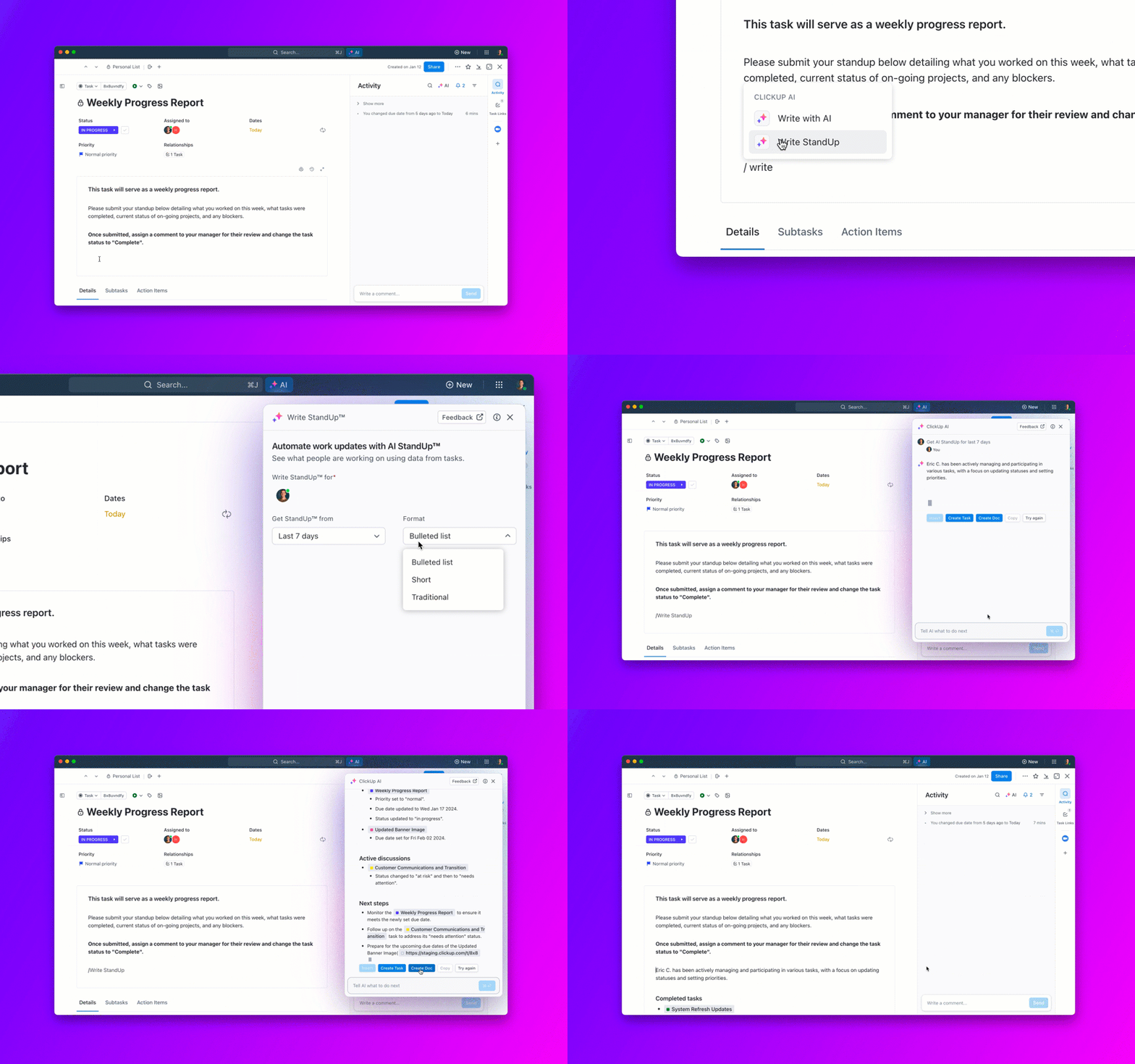
🎥 Learn how to build a complete content production workflow with ClickUp:
If your content team works in weekly sprints, for instance, publishing blog posts every Monday, prepping social posts midweek, and reviewing newsletter drafts by Friday, this template gives you just the right level of control.
The ClickUp Weekly Content Calendar Template is ideal for fast-moving teams that need to manage detailed week-by-week publishing schedules without getting bogged down in spreadsheets.
It’s especially designed to help you batch tasks, coordinate short-term campaigns, and quickly adjust to last-minute changes.
✨ Ideal For: Marketing teams operating in weekly sprints or managing recurring content workflows.
💡 Pro Tip: Managing campaigns across multiple clients without dropping the ball? What Is Marketing Campaign Management (with Examples and Templates) shows you how to streamline your process from planning to execution.
If your team prefers structured checklists over visual boards, and you need a way to move fast without toggling views, this list-based template keeps everything clear.
The ClickUp Content Calendar List Template is perfect for content marketers who want a no-frills way to plan, schedule, and publish content.
Plus, it gives you a linear, sortable list of content tasks—complete with due dates, assignees, status, and channels—so you can manage content production like a to-do list.
✨ Ideal For: Content coordinators and solo marketers who prefer working from structured, list-based views.
Your CMO just requested a quarterly content roadmap broken down by audience segment, funnel stage, and distribution channel…by the end of the day.
To pull this off, you need the ClickUp Content Plan Template. This template gives you a strategic framework to organize content initiatives by campaign, audience, and objective. It’s built to help you track not just what’s being created, but why.
With custom views for blog, video, and gated content, you can assign tasks, map deadlines, and monitor performance, all while keeping your messaging aligned across formats.
✨ Ideal For: Content strategists building structured, segmented content plans for performance-driven teams.
👀 Fun Fact: The oldest known calendar dates back over 10,000 years. Archaeologists discovered a series of 12 pits in Scotland believed to track lunar months. While not quite a blog calendar, it shows our tendency to plan dates is ancient.
Let’s say you’re managing three brand accounts, prepping launch content for two industries, and fielding last-minute promo requests from sales. But you also have to keep your regular postings consistent on Instagram, LinkedIn, and X.
The ClickUp Modern Social Media Calendar Template is built for this exact level of chaos (read: multitasking).
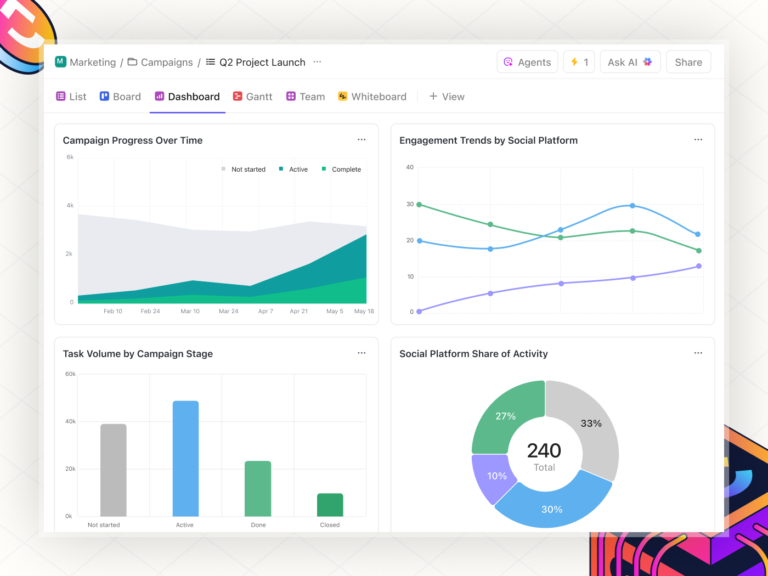
This template uses a single dashboard to designate all tasks: organize posts by platform, assign owners, track real-time performance, and align messaging across campaigns.
With integrated scheduling views, goal tracking, and performance tags, you can stay agile without losing sight of long-term strategy.
✨ Ideal For: Social media managers juggling multiple accounts and campaigns who need real-time control and cross-channel alignment.
💡 Pro Tip: Struggling to manage campaigns, creators, and content calendars all at once? The blog Social Media Project Management in 2025 breaks down how to run smoother, smarter social projects…step by step!
Your graphic is ready, the copy’s approved—but the video team is still editing, and no one’s sure which post is actually going out first. Everyone’s working, but the sequence keeps slipping.
The ClickUp Social Media Posting Schedule Template solves this dilemma by giving your team a centralized schedule where every asset, format, and publish date is mapped out clearly. It’s designed to help you coordinate cross-functional inputs, copywriting, design, and video without losing the bigger picture.
Plus, you can track each post’s readiness and ensure that timing, order, and messaging stay intact across channels.
✨ Ideal For: Teams managing multi-format posts that require coordination across content, design, and media.
One of the most common mistakes social teams make is posting without a clear structure.
This is what it looks like: launching a campaign where the Instagram teaser drops a week late, the Twitter thread never goes live, and the call to action varies across platforms. The scenario often leaves your message fragmented and forgettable.
The ClickUp Social Media Content Plan Template helps prevent this by giving teams a centralized space to map out platform-specific content tied to clear objectives.
You can even plan each post with consistent messaging, assign content owners, and schedule everything in advance with this media planning template.
✨ Ideal For: Social teams managing multi-platform campaigns that require tight coordination and message consistency.
👀 Fun Fact: The word “calendar” comes from Roman tax records. The Latin word calendae referred to the first day of the month, when debts were due and accounting books were settled.
Unlike basic content calendars that stop at publish dates, this template gives you visibility into the entire editorial process, from idea intake to final approval.
The ClickUp Editorial Calendar Template is built for teams managing multi-format content across blogs, email, and campaign tracks.
Moreover, the document features dedicated spaces for content briefs, deadlines, owners, and review cycles, so every piece gets the attention it needs before it goes live.
✨ Ideal For: Editorial teams juggling blogs, newsletters, and cross-channel content with multiple layers of review.
When your blog is a key traffic channel fueling SEO, thought leadership, and campaign tie-ins, you need more than sticky notes or a Notion table.
This template is purpose-built for blog teams who treat publishing like a process, not a scramble.
The ClickUp Blog Editorial Calendar Template gives you full visibility into each post’s status, assigned writer, and deadlines, while surfacing gaps in your pipeline before they become fires. With access to ClickUp Calendar, you can organize blog posts by topic, funnel stage, or content type and set realistic deadlines.
✨ Ideal For: Blog editors, content marketers, and solo writers who want full control over their blog publishing schedule.
The ClickUp Podcast Calendar Template turns podcast production into a repeatable, organized process.
Here’s how: From ideation to promotion, this template gives teams a centralized place to manage tasks, assign roles, and visualize deadlines. It lets you plan upcoming episodes, assign tasks to editors and hosts, and set deadlines for recording and publishing.
Plus, with calendar and list views, you can track each stage of production, ensure guest logistics are handled, and maintain a consistent publishing schedule.
✨ Ideal For: Podcast teams and solo creators who need a structured workflow to keep episodes organized and on schedule.
A clear editorial structure often distinguishes a results-driven content strategy from scattered blog posts.
The ClickUp Content Marketing Editorial Calendar Template is built for marketing teams that need full visibility into what’s being created, why it matters, and when it’s going live.
The template helps align writers, editors, and stakeholders around campaign goals by mapping each piece of content from brief to promotion. Plus, marketing teams on ClickUp enjoy built-in task tracking, role assignments, and deadline management for every phase of production.
✨ Ideal For: Content marketing teams managing long-form, multi-format campaigns with strict deadlines and strategic goals.
Your Q4 calendar includes a holiday sale, a Black Friday launch, and an end-of-year bundle. Each of these buckets is owned by different teams with overlapping timelines.
Without a centralized calendar, you risk promo fatigue, internal confusion, or worse…publishing conflicting messages.
The ClickUp Promotional Calendar Template is built to prevent that. This template gives your team a single source of truth to schedule, organize, and track every promotion. You can map campaigns by product line, assign owners, and tag cross-functional dependencies to avoid clashes.
✨ Ideal For: Marketing and product teams managing overlapping promotions across channels and departments.
When your audience sees a steady flow of timely, relevant content, they begin to rely on your brand. This is why consistency is essential to building long-term trust.
The ClickUp Posting Calendar Template helps you deliver that consistency by giving your team a clear, centralized system to manage every blog post, social update, and announcement.
Instead of drowning in deadlines across tools or channels, you can gain visibility into what’s scheduled, what’s in review, and what’s falling behind to maintain a reliable posting rhythm.
✨ Ideal For: Marketing and content teams committed to building audience trust through timely, organized publishing.
What sets this template apart is its ability to connect campaign goals with tactical execution, so you’re not just scheduling tasks, you’re tracking impact.
The ClickUp Campaign Calendar Template is built to manage multi-phase campaigns with moving parts across teams.
Whether you’re launching a product or running a lead generation push, this marketing plan template lets you map out timelines, assign cross-functional tasks, and visualize dependencies to ensure campaigns stay aligned from kickoff to delivery.
✨ Ideal For: Marketing teams managing high-level campaign timelines with multiple contributors and deliverables.
Scaling content may seem appealing, but it can become overwhelming when you have to manage dozens of briefs, draft URLs, CMS statuses, and publication timelines across various tools.
ClickUp’s Content Production Scaling Template is built for high-output teams that need to move fast without dropping quality.
It centralizes backlog creation, task assignment, and production timelines into one workspace. Plus, you get views for monthly output, task ownership, and real-time draft links.
✨ Ideal For: Marketing and content teams producing high volumes of content across multiple channels who need structure without slowing down.
We began by saying content calendars are vital for planning, but they’re more than that. Templates eliminate the guesswork by offering ready-to-use frameworks, so your team can spend less time organizing.
While Asana templates give you a decent starting point, teams often hit a ceiling when workflows need more flexibility, automation, or cross-functional visibility. That’s where ClickUp picks up the slack.
ClickUp is a full workflow engine with the structure, views, and templates to support every kind of content project, from onboarding emails to campaign launches.
As Alexis Valentin, Head of Global Business Development at Pigment, put it:
With ClickUp, we reduced the time it takes to dispatch tasks and execute them from a couple of days to a couple of hours. Now people know which tasks are pending for their onboarding and what they have to do—which is a nightmare to try to organize by email. Managers are one click away, thanks to templates, from creating onboarding boards for each new joiner. Game changer.
Give your team the tools to keep up by signing up for ClickUp today!
© 2025 ClickUp