Sorry, there were no results found for “”
Sorry, there were no results found for “”
Sorry, there were no results found for “”
Your Level 10 meeting started fine. The team showed up. You did the segue, and you went through the scorecard. Then by week four, things slipped. The scorecard stopped getting fresh numbers, and the issues grew into a long backlog.
Flowtrace’s State of Meetings Report found that 67% of meetings are still unproductive in the eyes of the people in them. A weekly leadership meeting without a fixed format ends up in that 67%.
A good Level 10 meeting template puts the whole meeting in one place. Rocks, scorecard, headlines, to-dos, and issues sit in the same doc each week. The format locks all sections in order and saves you from rebuilding the meeting doc every Monday.
This guide reviews eight free Level 10 meeting templates. Each one fits a different stage of business and a different way of working. For each, we cover use case, best fit, and when to skip it. The right pick is the one your team will open at 8:55 AM on a Monday without flinching. All eight are free to grab and ready to use this week!
A Level 10 meeting template is a fixed format for the weekly leadership meeting defined by EOS (Entrepreneurial Operating System), a framework for running small to mid-size businesses. It holds the seven sections in order: Segue, Scorecard, Rock Review, Customer/Employee Headlines, To-Do List, IDS (Identify, Discuss, Solve), and Conclude.
The right Level 10 meeting template depends on three things:
Here’s a brief overview of the top Level 10 meeting templates.
| Template | Download link | Best for | Best features | Format |
| ClickUp Level 10 Meeting Template | Get free template | Teams who already run their work in ClickUp | Doc + task creation in one tool, KPI Custom Fields, recurring reminders | ClickUp Doc |
| ClickUp Leadership Meeting Agenda Template | Get free template | Leadership teams that want one agenda doc connected to task tracking | Topic owners, inline task assignment, follow-up tracking | ClickUp Doc |
| ClickUp Meeting Checklist Template | Get free template | Teams that struggle with meeting prep and follow-through | Before/during/after checklist, automated reminders, action-item tracking | ClickUp Doc |
| EOS Worldwide Level 10 Meeting™ Agenda | Get free template | Teams new to EOS who want the original | Official source, prints well, fits one page | |
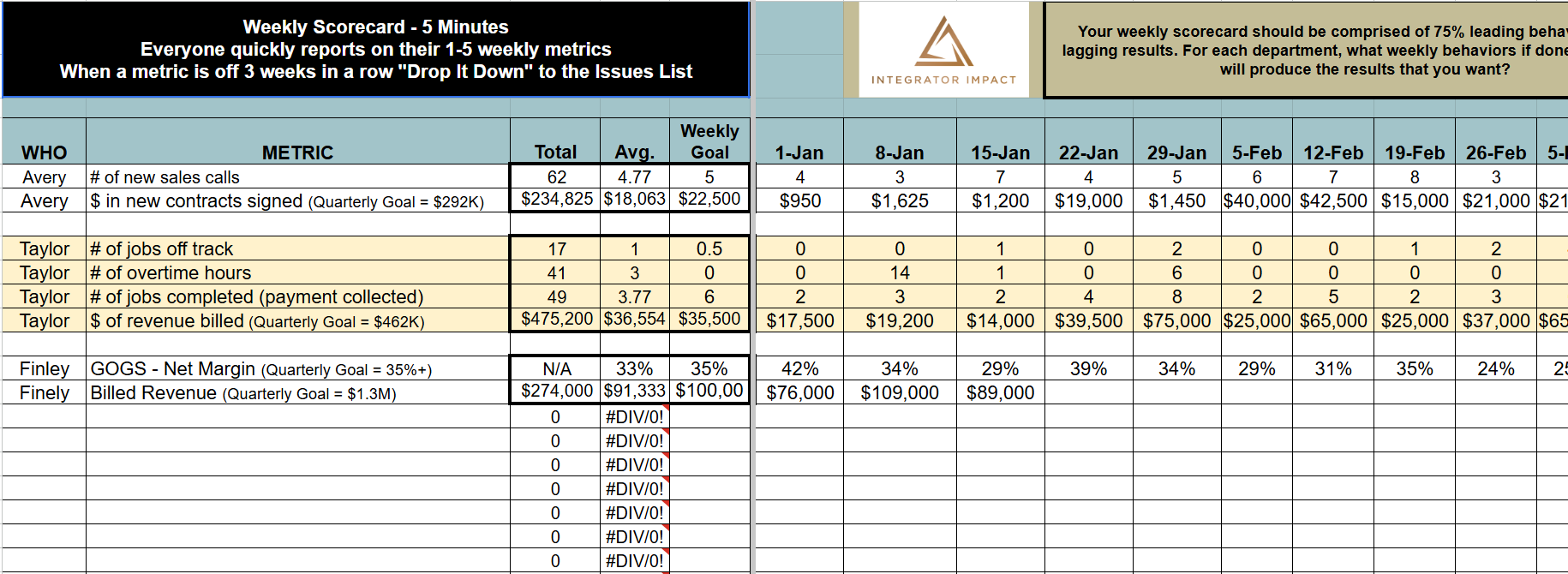
| Integrator Impact Leadership Meeting Template | Get free template | Self-implementing EOS teams without an outside coach | Section tabs, real examples, pro tips | Spreadsheet |
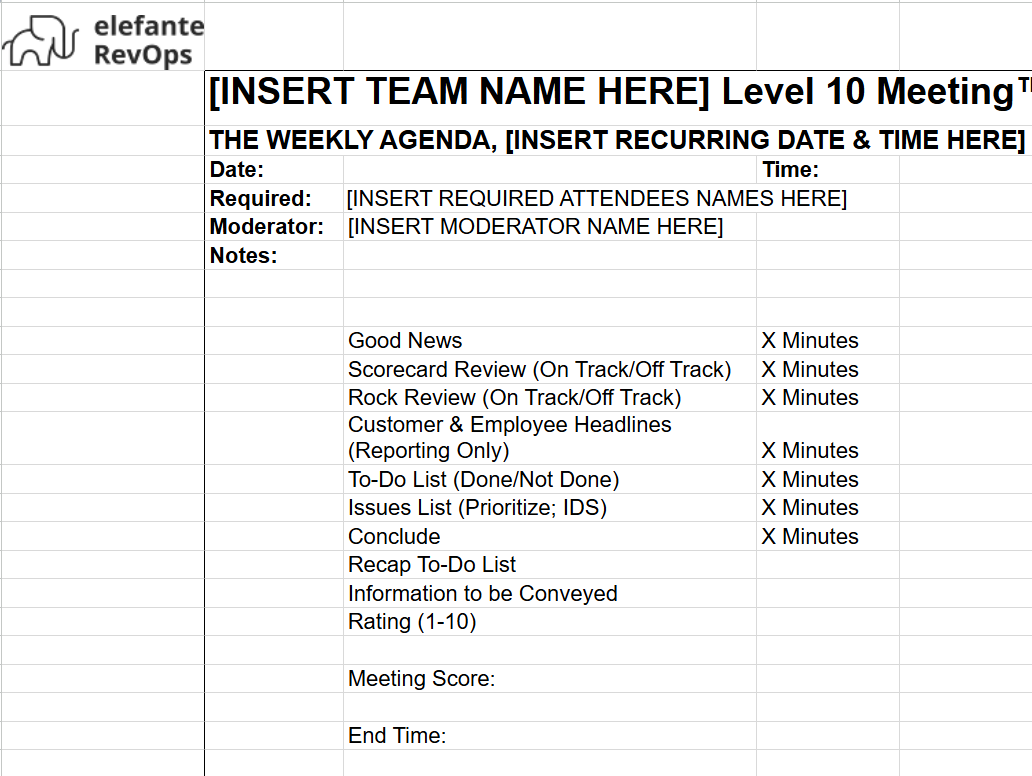
| Elefante RevOps L10 Meeting Agenda Template | Get free template | RevOps and sales leaders who live in Excel | Copy-and-go Excel, weekly rhythm built in, owner column | Excel |
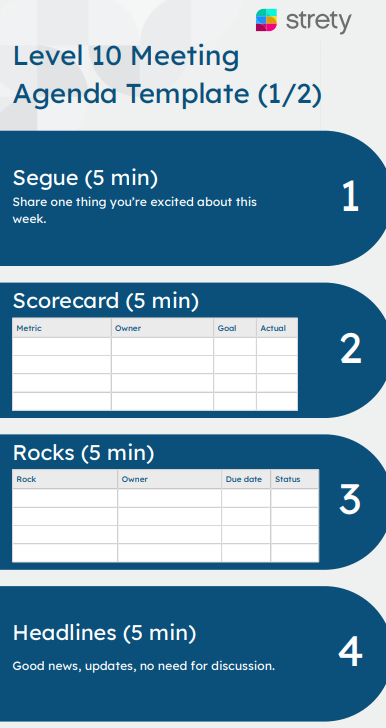
| Strety Level 10 Meeting Agenda Template | Get free template | Teams that want a printable agenda paired with a shared spreadsheet | 2-page PDF, companion Google Sheet for scorecard and V/TO | PDF + Google Sheet |
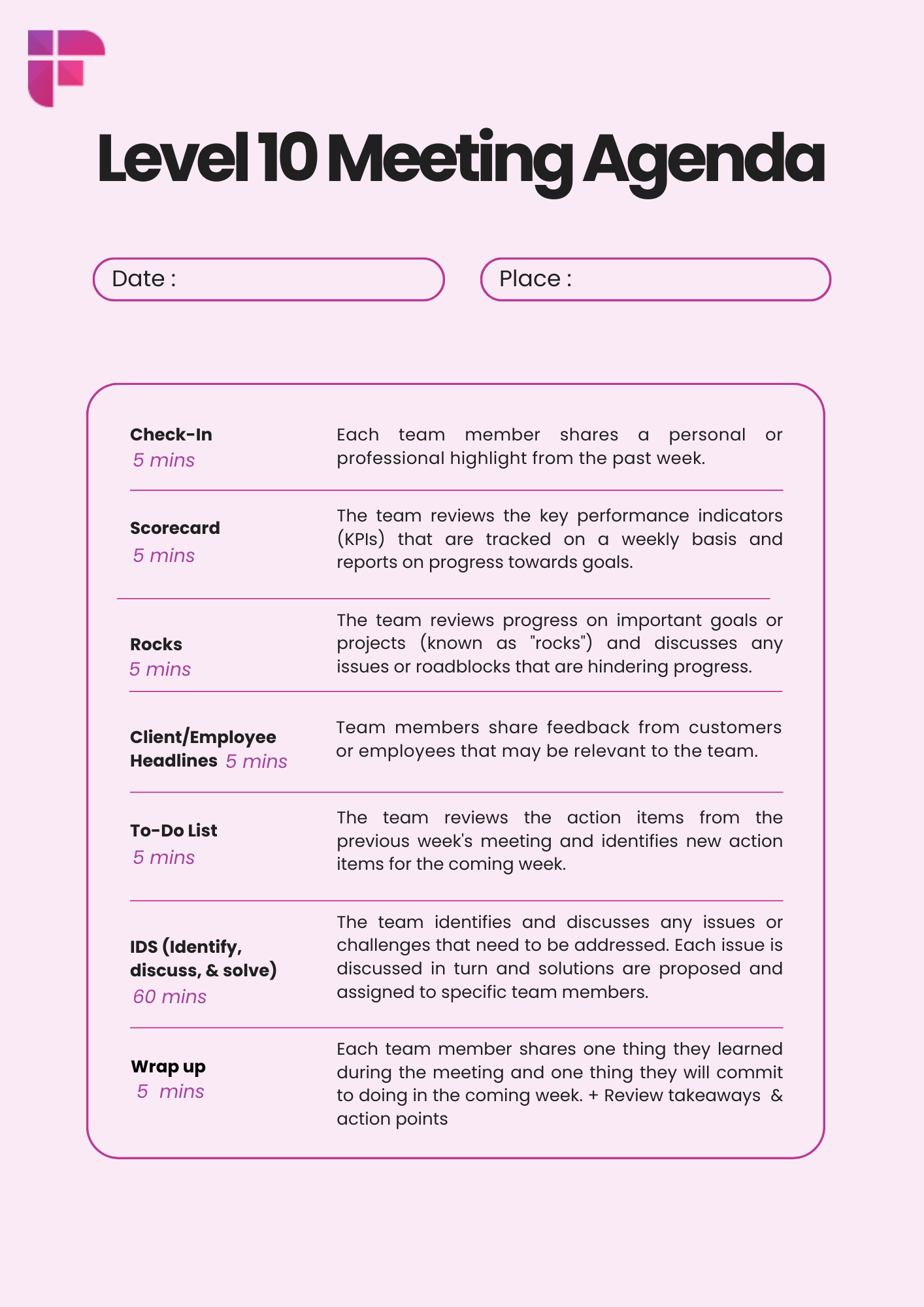
| Fireflies.ai Level 10 Meeting Template | Get free template | Teams that want a visual reference card for the L10 agenda | Single-page visual with all 7 sections and time limits | PNG image |
These are our top picks for Level 10 meeting templates, including options from ClickUp and EOS Worldwide.
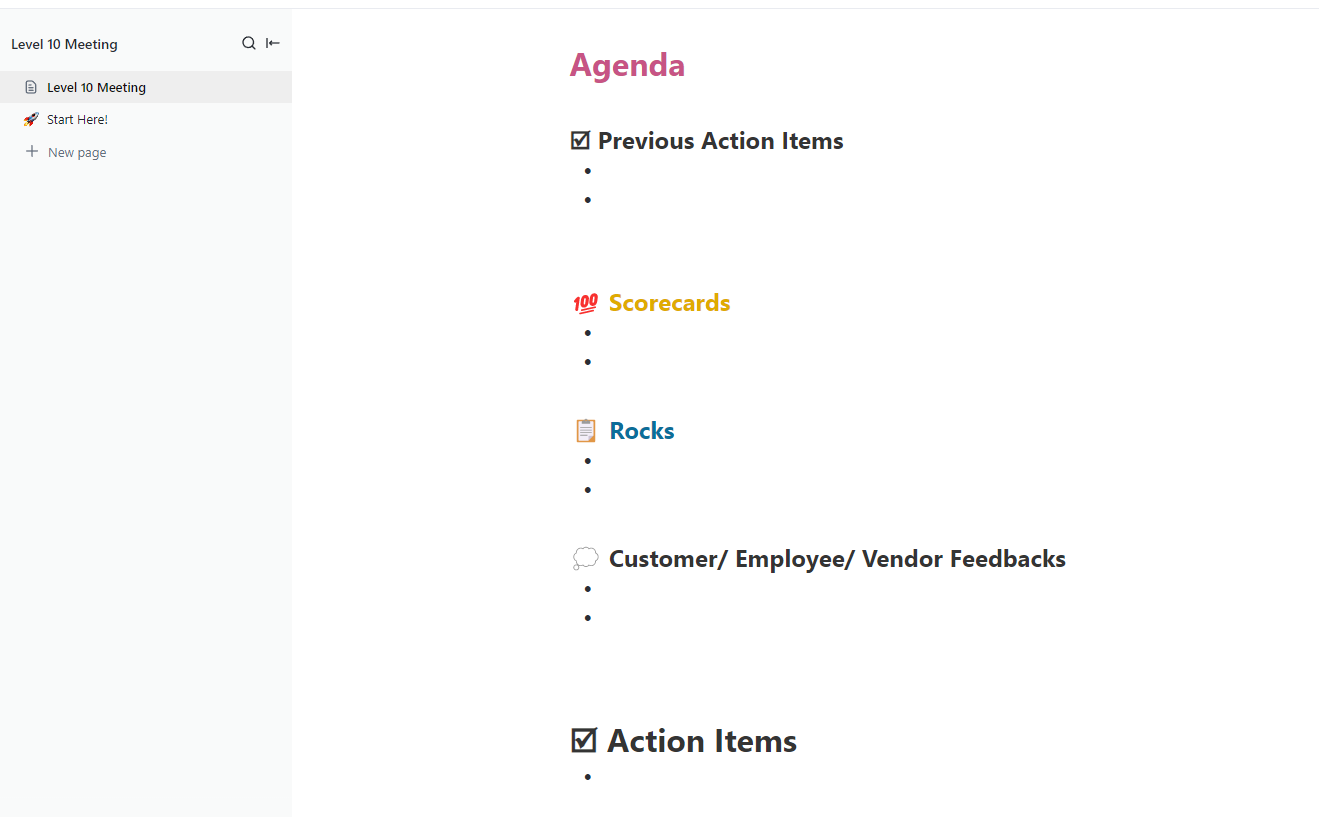
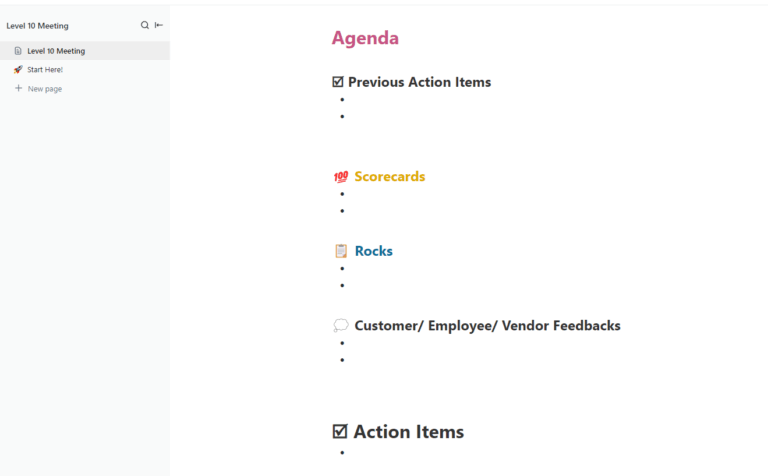
ClickUp’s Level 10 Meeting Template is a ready-to-use doc that sits inside your ClickUp workspace. The doc holds the seven-section agenda, while every to-do you log during the meeting can be created as a real task with an owner and due date in the same tool.
Use case: Your team already runs work in ClickUp. You want the weekly meeting to sit next to the projects, tasks, and KPIs the team works on every day.
Instead of logging to-dos in one tool and tracking them in another, the template lets you create assigned tasks inline as you talk through IDS. Scorecard metrics can live in Custom Fields, so the numbers update without copy-pasting from another sheet.
Best for: Teams who already run their work in ClickUp and want the meeting to sit next to the tasks
Skip it if: You don’t use ClickUp and don’t plan to, since the template needs a workspace to live in
Want to see how the full L10 structure works before you grab a template? This 3-minute walkthrough breaks down each section of the meeting and shows how to run it inside ClickUp, from scorecard tracking to turning issues into assigned tasks.
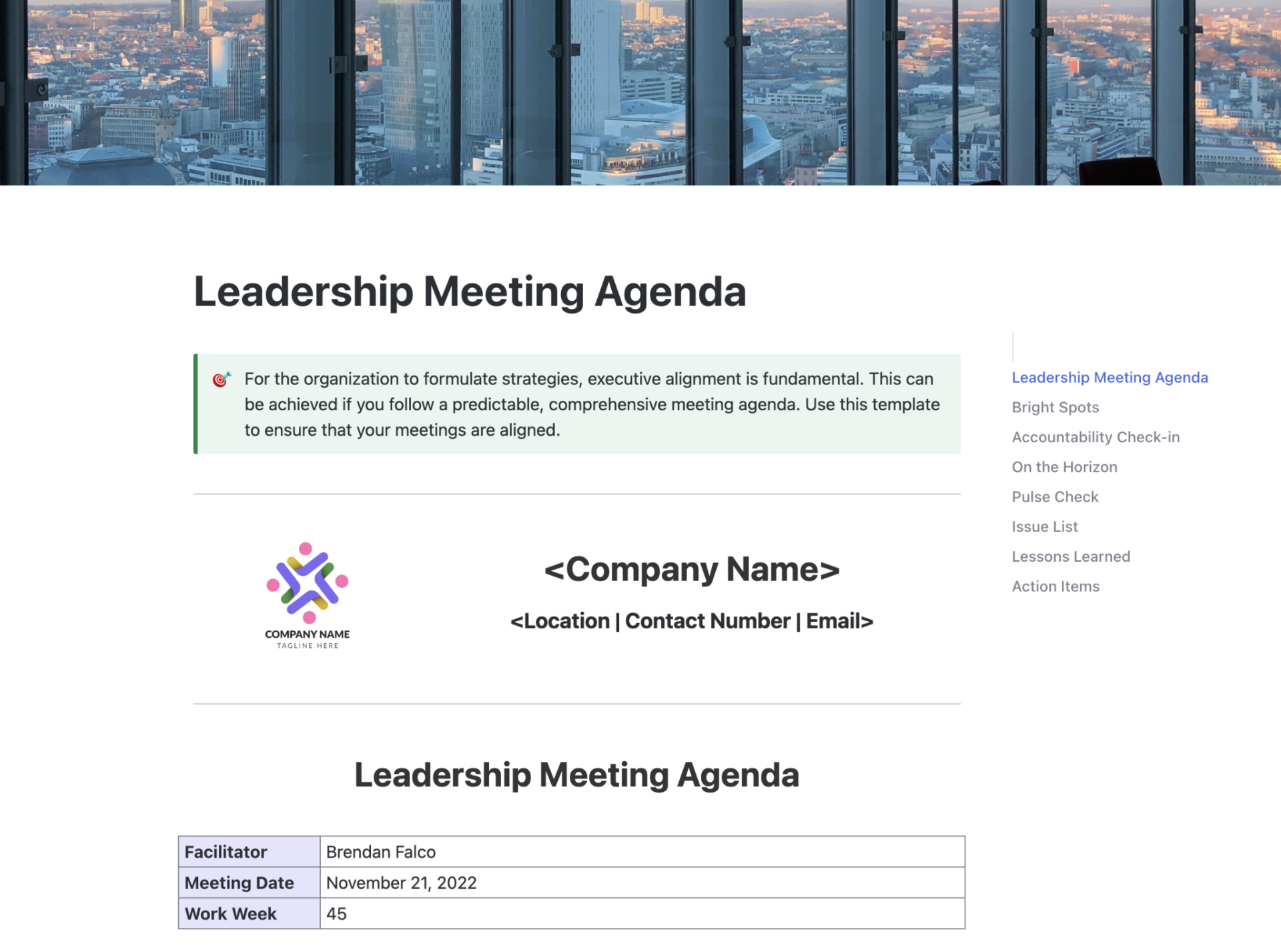
ClickUp’s Leadership Meeting Agenda Template is a ready-to-use doc that gives any leadership meeting a fixed agenda, task assignments, and follow-up tracking in one place. It works for L10 meetings and any weekly leadership sync where topics, owners, and deadlines need to stay together.
Use case: Your leadership team needs a reusable agenda that connects discussion topics directly to tasks. You want to assign action items during the meeting and track them without switching tools.
Why use this template?
Best for: Leadership teams that want one agenda doc connected to real task tracking
Skip it if: You need the strict 7-section EOS format out of the box (use the L10-specific ClickUp template instead)
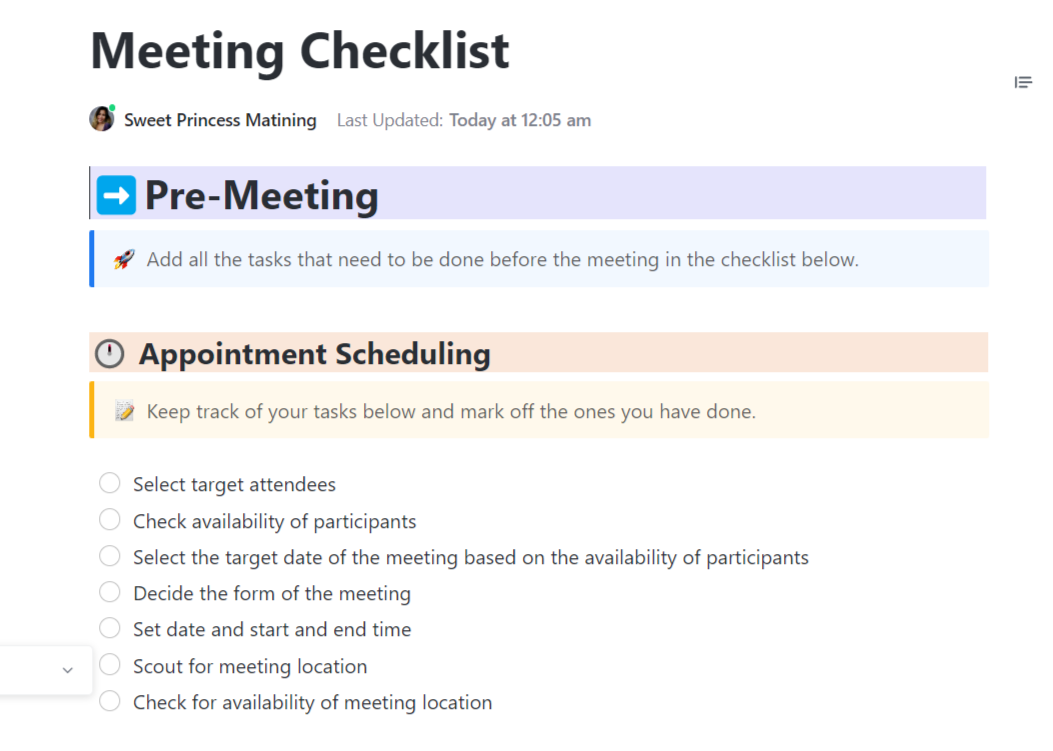
ClickUp’s Meeting Checklist Template is a doc-based checklist that covers meeting prep, the meeting itself, and post-meeting follow-up. Think of it as the operational backbone that makes sure nothing falls through the cracks before or after your L10.
Use case: Your meetings keep losing momentum because prep doesn’t happen and action items die after the call ends. This template forces a before/during/after checklist, so the meeting host and attendees each know what to do at every stage.
Why use this template?
Best for: Teams that struggle with meeting prep and follow-through, not just the meeting itself
Skip it if: You already have a locked agenda format and only need the discussion structure
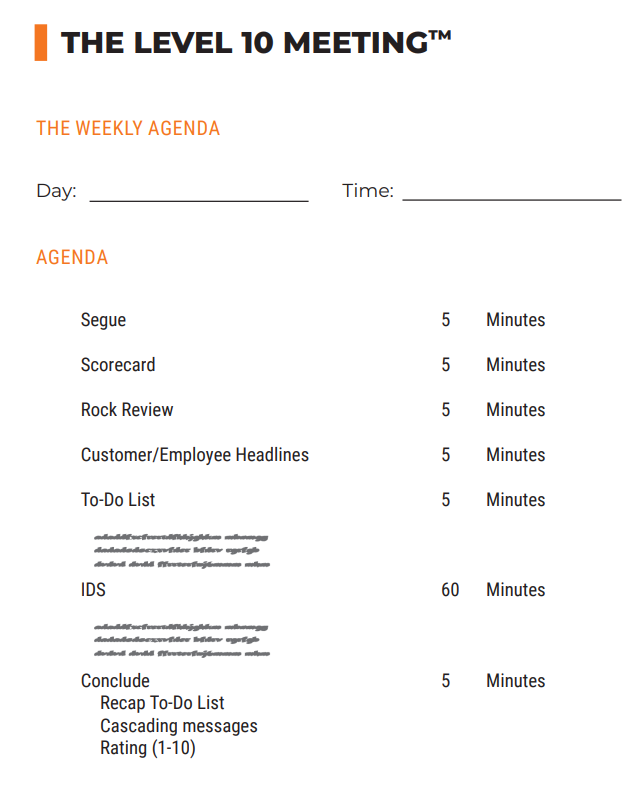
The EOS Worldwide Level 10 Meeting™ Agenda Template comes from the team that wrote the book Traction (the book that introduced the world to Level 10 meetings). It’s a one-page PDF that lays out the 90-minute agenda with set timings for each section.
Use case: You run a 5 to 7-person leadership team that meets weekly in a boardroom. You want to print the agenda, write on it during the meeting, and file each copy in a binder. The PDF lists the seven sections, time limits, and a box for the team’s rating at the end.
Why use this template?
Best for: Teams new to EOS who want the agenda exactly as the book defines it
Skip it if: Your team meets fully remote and needs a digital, fillable version
According to ClickUp’s 2026 Survey on Meeting Effectiveness, 34% of workers say the biggest issue with meetings is a lack of a clear agenda, leading to wasted time.
Learn more about writing a meeting agenda in this video:
Integrator Impact’s Leadership Meeting Template is a step-by-step agenda. It comes with section tabs and pro tips that explain what to do in each part of the Level 10 meeting.
Use case: Your team runs EOS without an outside implementer. You need a template that walks the meeting host through every step, with real prompts and examples. This one fits that case exactly. The pro tips push you to ask the right questions when the issues list gets messy.
Why use this template?
Best for: Self-implementing EOS teams that don’t have an outside coach in the room
Skip it if: You don’t want to enter your email to access the download
The Elefante RevOps L10 Meeting Agenda Template is meant for sales and revenue teams that already live in spreadsheets. The Excel format lets you drop in your data and start the next meeting in just minutes.
Use case: You run a sales or RevOps leadership meeting where every metric is already in Excel, and want a Level 10 format that fits your existing workflow without making the team learn a new tool. This one ships as an Excel file with the seven sections built in.
Why use this template?
Best for: RevOps, sales, and finance leaders who run their week out of a spreadsheet
Skip it if: Your team prefers a typed-up doc over a grid of cells
Strety is an EOS-specific software platform built for teams running on the Entrepreneurial Operating System. The Strety Level 10 Meeting Agenda Template is a two-page PDF with all seven L10 sections laid out with fill-in fields for metrics, rock status, issues, and the meeting rating.
Use case: You want a printable, clean PDF that follows the exact L10 format and also links to a companion Google Sheet for your scorecard, rocks, accountability chart, and V/TO. The PDF works for the meeting itself. The sheet holds the data between meetings.
Why use this template?
Best for: Teams that want a clean printable agenda paired with a shared spreadsheet for ongoing EOS tracking
Skip it if: You need everything in one digital tool with real-time updates and task assignment
Fireflies.ai’s Level 10 Meeting Template is a single-page visual agenda that lists all seven L10 sections with time allocations and one-line descriptions of what happens in each block. It’s a PNG image, so you’d save it as a reference card or print it as a wall poster for the meeting room.
Use case: You want a quick visual reminder of the L10 structure pinned near your whiteboard or screen-shared at the start of the meeting. It breaks down Check-In, Scorecard, Rocks, Headlines, To-Do List, IDS, and Wrap-Up with time limits and short prompts for each.
Why use this template?
Best for: Teams that want a visual reference card for the L10 agenda, instead of a working document
Skip it if: You need a fillable, editable template you can type into each week (the template is an image)
The right Level 10 meeting template is the one that matches your team’s existing workflow: a PDF for in-person teams, a spreadsheet for sales and RevOps, a connected doc for teams that live in a project tool. Pick the format your team already opens every day, and the meeting will stick.
Most teams overthink this. But the right template is the one you will actually want to use.
| If you need to… | Start with this template |
| Run the meeting inside the same tool where your tasks live | ClickUp Level 10 Meeting Template |
| Link agenda topics to tasks with owners and due dates | ClickUp Leadership Meeting Agenda Template |
| Make sure prep happens before and follow-up happens after | ClickUp Meeting Checklist Template |
| Follow the original format from the book Traction | EOS Worldwide Level 10 Meeting Agenda |
| Walk through each L10 section with prompts and examples for a self-implementing team | Integrator Impact Leadership Meeting Template |
| Run the meeting from a spreadsheet your sales or RevOps team already uses | Elefante RevOps L10 Meeting Agenda Template |
| Print a clean agenda and track data in a companion spreadsheet | Strety Level 10 Meeting Agenda Template |
| Have a one-page visual you can pin up or screen-share | Fireflies.ai Level 10 Meeting Template |
Pro Tip: Skip the by-the-book format if your business is still finding its core process.
Most teams set up Level 10 meetings with good intent. Then the meetings drift after a few months. The L10 format breaks down when the to-do list stops getting owners and due dates. Here’s where they usually break:
A template can’t fix bad behavior on its own. But a clear, repeatable format makes each of these problems easier to see in the moment.
Red Sky, a private equity services firm, was drowning in meetings that ran long and repeated the same updates. After moving to ClickUp, they built standardized agendas tied to a shared dashboard. Every attendee could see the key topics and real-time task updates before the meeting started. The prep alone cut the number of meetings by 80% and shortened the ones that remained by 50%.
Ewa Lale, Recruitment Business Partner at Red Sky, shares:
This preparation phase has proven invaluable. It allows us to maintain consistency throughout each meeting and highlight the essential insights while ensuring that the meeting runs efficiently.
Run this check on your Level 10 meeting template once a month:
| Check | What to ask | What to fix |
| Ownership | Does every to-do have one named owner and a due date? | Cut any to-do that has no owner |
| Scorecard | Are all 5 to 15 metrics still useful? | Trim metrics that no one acts on |
| IDS list | Are issues older than 4 weeks still on the list? | Move them to a longer-term tracker |
| Rating | Does the team score the meeting every week? | Make the rating the last 2 minutes |
| Cascade | Are cascading messages getting to the rest of the company? | Add a 30-second cascade step at the end |
A good Level 10 meeting answers three questions every week: what’s blocking the team, who owns each to-do, and what has improved since last Monday.
A good template keeps that answer in one place. A locked weekly slot at the same time keeps the meeting alive after the first month.
ClickUp works well when your meetings need to connect directly to tasks, owners, KPIs, and reminders. External templates work when all you need is a printed page or a shared sheet.
Pick the template that matches your biggest L10 risk: a messy issues list, missing to-do owners, a scorecard nobody updates, drift on quarterly rocks, or burnout from running the meeting alone.
Run your next Level 10 meeting in ClickUp. Get started for free today!
A Level 10 meeting follows a fixed 90-minute agenda with seven sections in order, ending with a team rating out of 10. A standup is a short daily sync with no required structure. The L10 format comes from the book Traction by Gino Wickman and is built specifically for leadership teams running on EOS.
Yes, you can. The format works for any leadership team that wants a weekly accountability rhythm. You can use the same agenda structure, the rating, and the IDS pattern without using the rest of the EOS toolkit.
About 60 minutes of the 90-minute meeting. IDS is the largest block because it’s where the team works through the issues list. If one issue eats the entire IDS section, the EOS guidance is to identify the root cause faster and move on. Anything that can’t be solved in the meeting gets a to-do with an owner and a due date.
The book Traction by Gino Wickman, which introduced the Level 10 meeting format, recommends 3 to 7 people on the leadership team. Once you go past 10 people in the room, the IDS section slows down. Larger teams should split into smaller L10s by function or department.
At the end of the meeting, each person gives a score out of 10. Anything below an 8 is a sign the meeting needs work. The host should ask why and log a low score as an issue for the next meeting.
Yes. Remote teams need a fillable digital template that all attendees can edit in real time during the meeting. Static PDFs work for in-person teams writing on paper, but fall apart over video. Google Docs, ClickUp Docs, or shared spreadsheets all work for remote L10s.

Praburam Srinivasan
Max 10min read
Praburam Srinivasan
Max 19min read

Manasi Nair
Max 24min read

© 2026 ClickUp