Sorry, there were no results found for “”
Sorry, there were no results found for “”
Sorry, there were no results found for “”
Building better habits may sound simple, but staying consistent is a challenge.
How often have you promised yourself to drink more water, exercise daily, or meditate, only to lose track and fall off the wagon after a few weeks?
I’ve been there too. Life gets busy, and suddenly, it’s back to square one.
That’s where a habit tracker app comes in.
Over the past few months, my team and I at ClickUp have tested dozens of habit tracker apps to find ones that actually deliver.
In this blog post, I’ll walk you through 11 habit tracker apps we tried and loved. Let’s dig in. 🎯
Our round-up of the 11 best habit trackers includes:
I recommend choosing a habit tracker app that tracks your daily habits and supports better time management down the line. Nonetheless, I believe the best habit-tracking apps share a few key qualities. 👇
🔍 Did You Know? Even bad habits are driven by dopamine, the ‘feel-good’ chemical in your brain. Activities like scrolling social media or eating junk food provide immediate rewards, making these habits harder to break.
Our editorial team follows a transparent, research-backed, and vendor-neutral process, so you can trust that our recommendations are based on real product value.
Here’s a detailed rundown of how we review software at ClickUp.
There’s no shortage of habit tracker apps promising to help you build better habits, but not all of them deliver.
After trying out a wide range of tools, I’ve narrowed it down to 11 habit tracker apps that really make a difference. Here we go! 💪🏼
ClickUp is a globally reputed productivity, habit tracking, and project management app.
Personally, I’ve used its features to stick to my own goals, and they’ve made a world of difference in how I manage day-to-day routines.
ClickUp Recurring Tasks simplify habit tracking by automating your routines. Once you set up a reminder to complete a habitual task, it repeats automatically, keeping your routines on schedule without extra effort.
I no longer have to remind myself to journal every evening—it’s already set up as a recurring task in my ClickUp workspace.
Once I complete it, it resets for the next day, making sure I never skip a beat.
I’ve also found that using ClickUp Goals for habit tracking makes staying consistent so much easier. I can set clear goals for the habits I want to build and break them down into measurable targets.
Tracking progress feels rewarding too. I use the Targets feature to break my habits into achievable steps.
For example, I can set a Target to spend 30 minutes outdoors daily, limit screen time to two hours in the evening, or cook three healthy meals weekly. Every time I update my progress, seeing how much I’ve accomplished motivates me to stick with it.
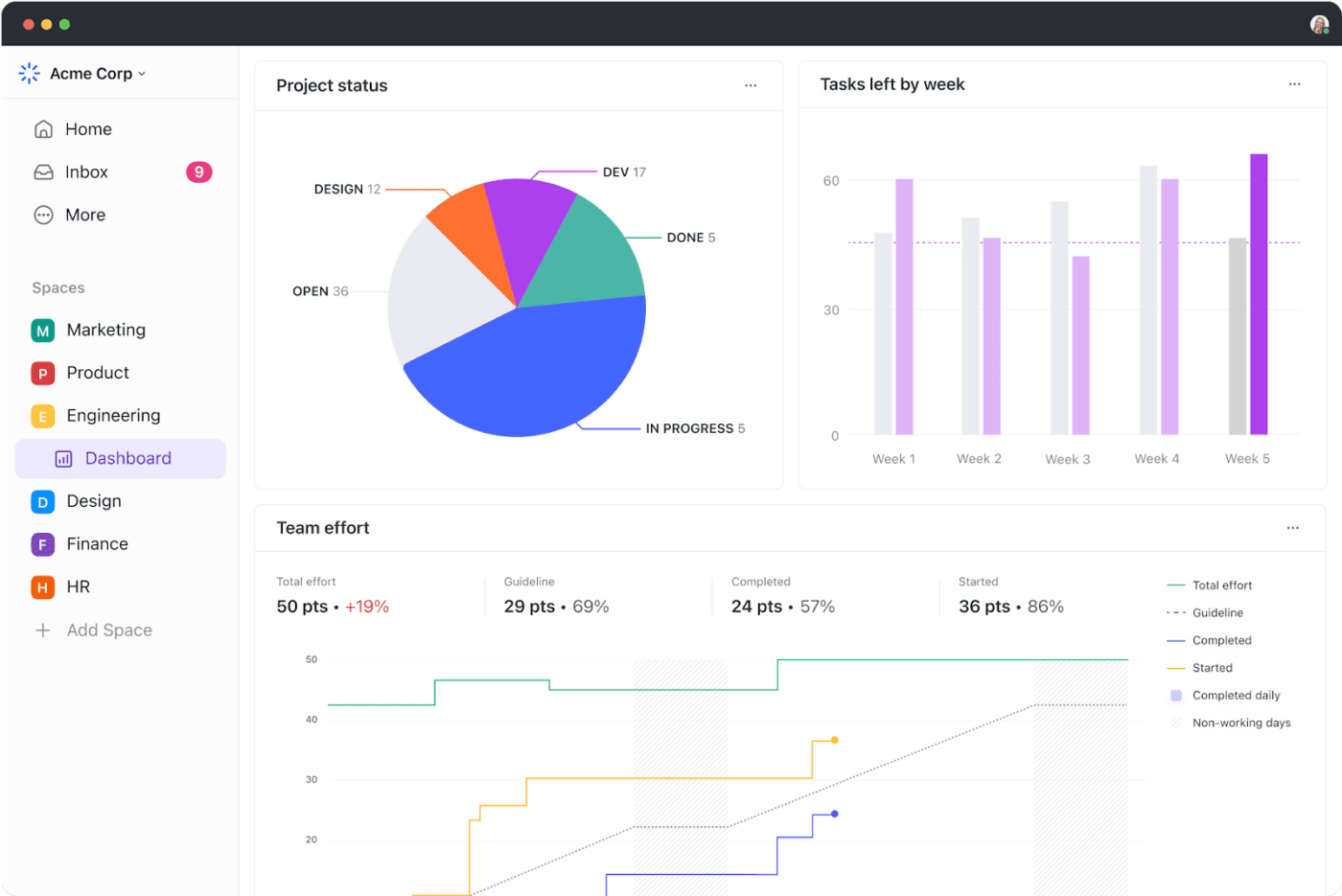
To keep everything organized and measurable, I rely heavily on ClickUp Dashboards. They allow me to see a clear picture of my habits in one place.
I’ve added cards to track my exercise frequency, the number of books I’ve read, and my meditation streaks.
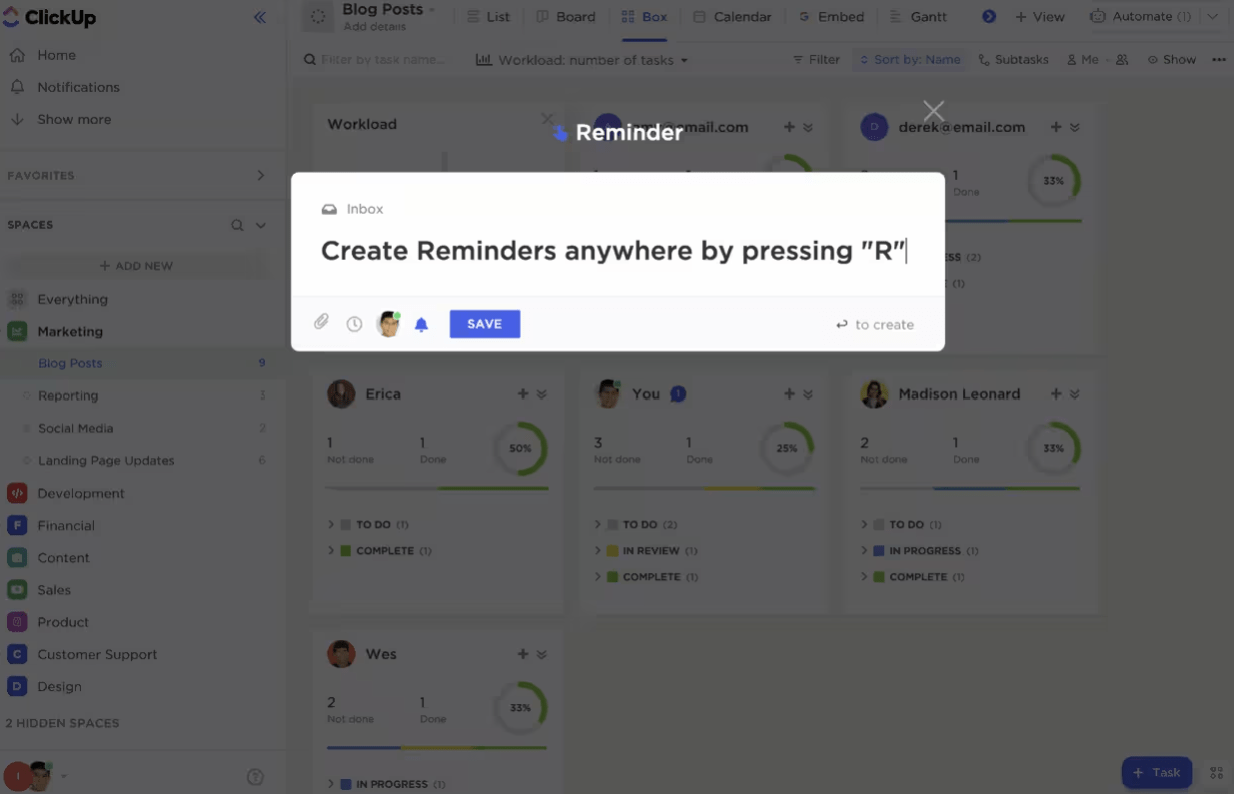
For those moments when life gets hectic, ClickUp Reminders are incredibly helpful. I use them to prompt me for specific habits that I might otherwise overlook.
For example, I’ve set up a reminder for my evening meditation habit. At 7 p.m., ClickUp notifies me with a simple nudge: ‘Take 10 minutes to meditate.’
Additionally, I used many ClickUp templates to improve how I track good habits.
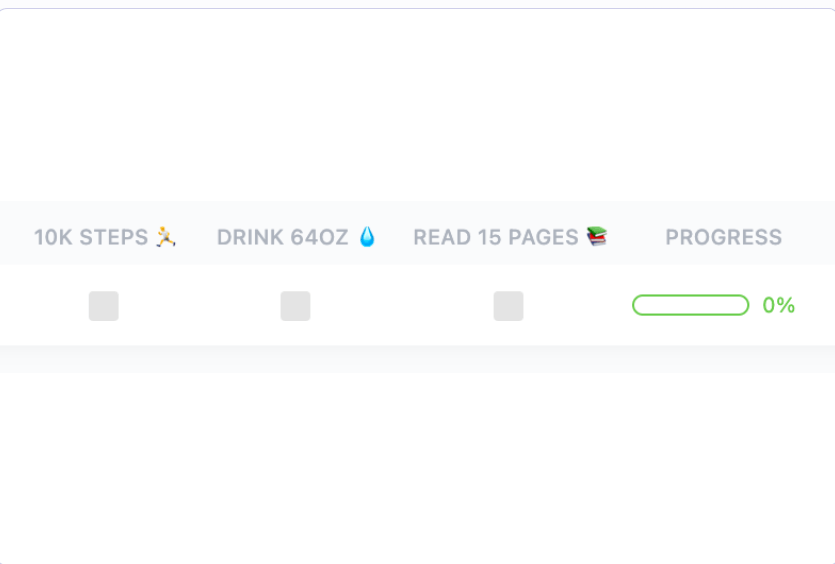
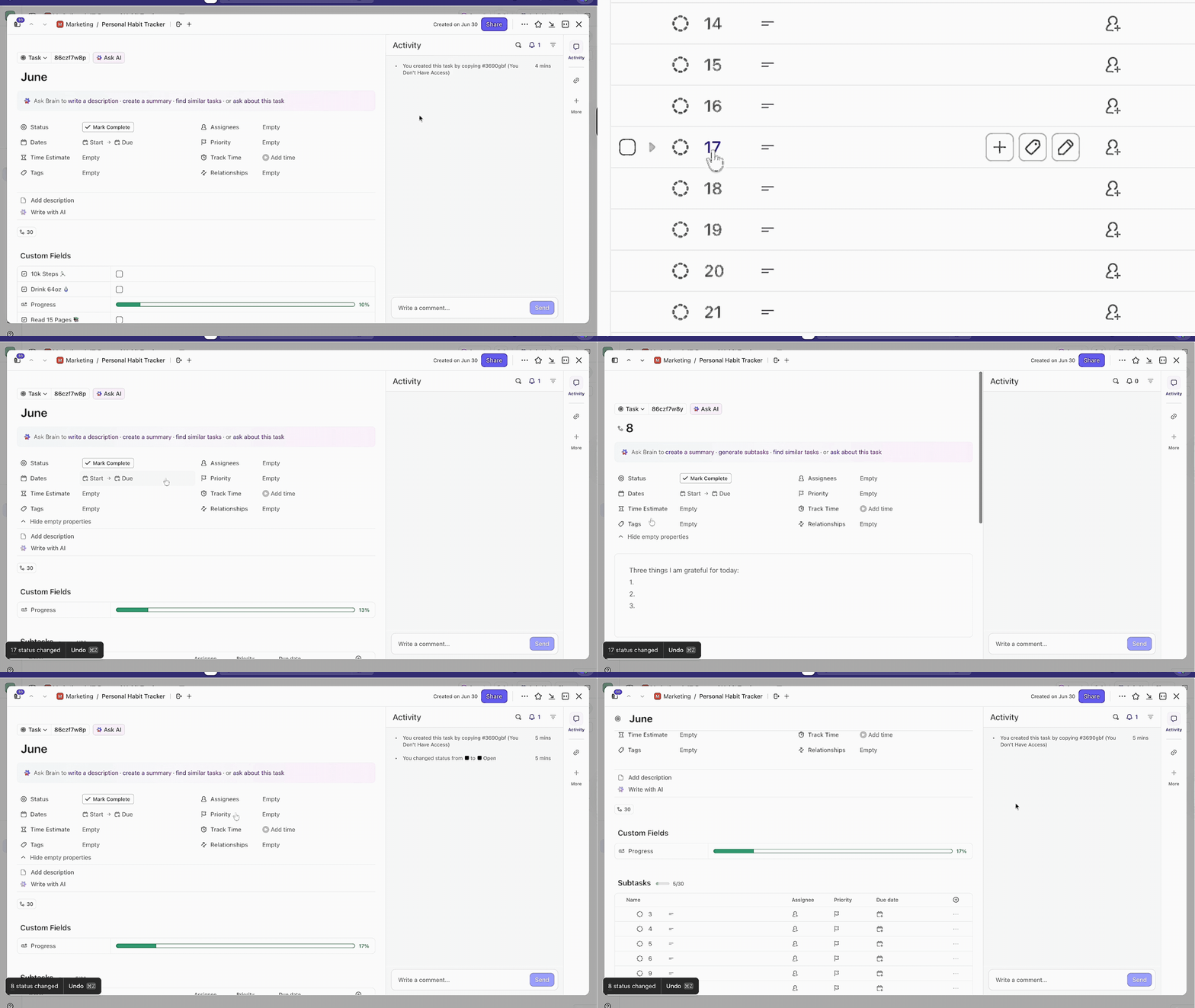
For example, the ClickUp Personal Habit Tracker Template is a fantastic way to get started with habit tracking.
One feature I particularly love is the visual progress tracking. It shows you at a glance how consistently you’re sticking to your habits, and this feedback is incredibly motivating. The template also encourages reflection, allowing you to add notes or comments about your experience with each habit.
💡 Pro Tip: In addition to ClickUp’s Habit Tracker Template, you can use ClickUp Brain‘s smart AI suggestions to personalize your habit-tracking journey.
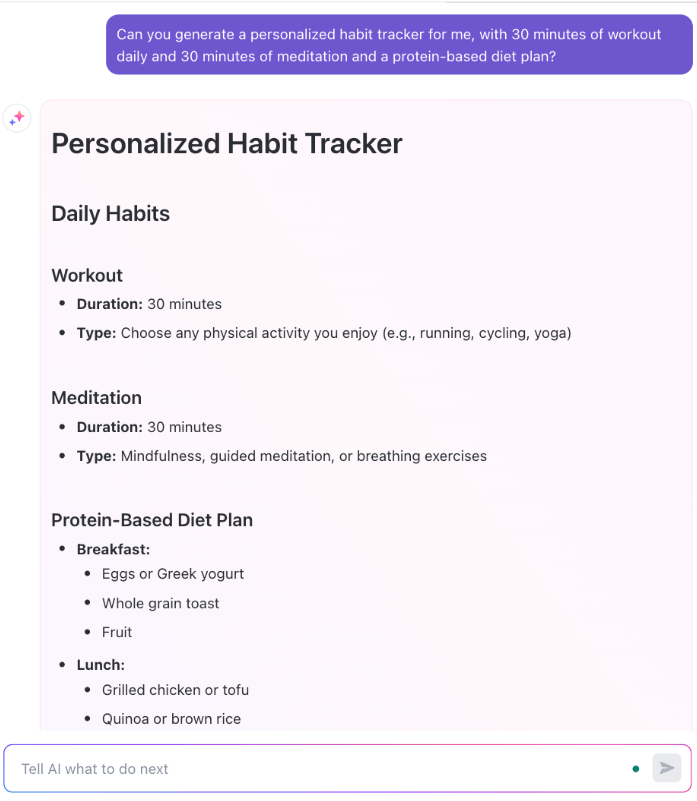
ClickUp is an exceptional project management tool that allows us to organize our work team, collaborate efficiently, and automate tasks in a single environment. It offers us features such as Kanban boards, Gantt charts, collaborative documents, codeless automations, and time tracking. It’s ideal to unify all workflows in the organization and keep teams aligned without the need for other tools.
📮ClickUp Insight: 88% of our survey respondents use AI tools for personal tasks every day, and 55% use them several times a day.
What about AI at work? With a centralized AI powering all aspects of your project management, knowledge management, and collaboration, you can save up to 3+ hours each week, which you’d otherwise spend searching for information, just like 60.2% of ClickUp users!
🧠 Fun Fact: James Clear’s best-selling book Atomic Habits highlights the power of small, incremental changes. He explains that improving by just 1% daily can yield significant results over time.
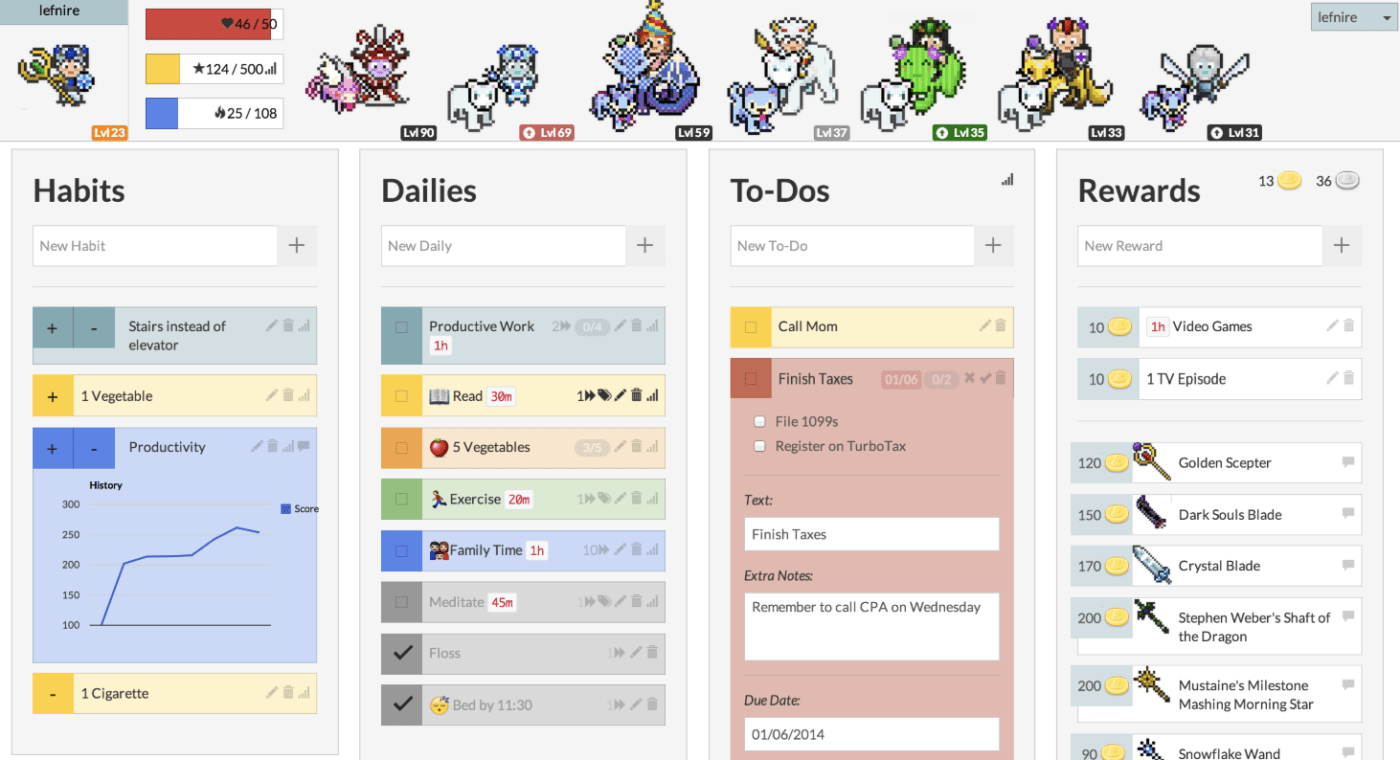
Unlike most digital planner apps I’ve tried, Habitica’s habit-tracking features transform your daily tasks and goals into an engaging role-playing game (RPG). It gamifies your routines and turns habit-building into an adventurous quest, making personal development fun and motivating.
One of the features I found particularly useful is Habitica’s social integration. I was able to form parties with friends, tackle quests together, and create a sense of community and accountability.
I describe it as life-changing. It really has been. Although I know if I’d tried it say five years ago, it wouldn’t have worked for me. But right now, it’s exactly what I needed, so I’m glad I only discovered it a few months ago.
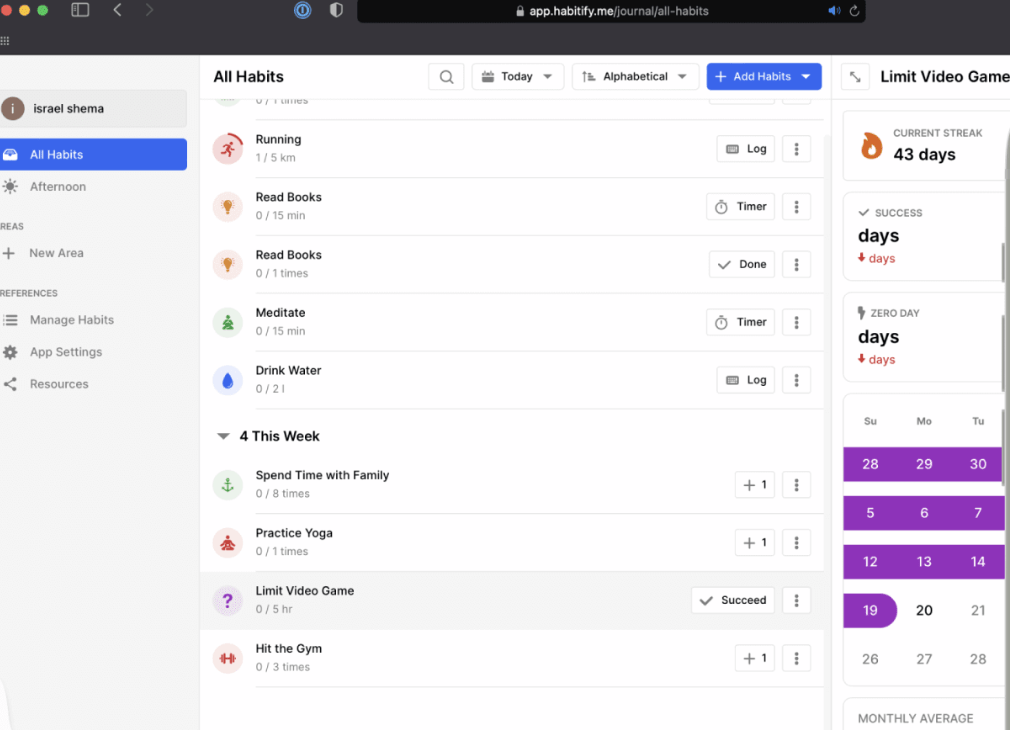
Habitify is a reliable tool for habit tracking. Thanks to its clean interface and availability across multiple platforms, such as iOS, Android, Mac, Windows, and the web, I’ve found it easy to access my habit data wherever I am.
The habit tracker app tracks streaks, completion rates, and habit trends, providing a clear overview of my strengths and areas for improvement. Its minimalist design keeps distractions at bay, allowing me to stay focused.
🧠 Fun Fact: You might have heard that it takes 21 days to form a habit, but this idea originated from a 1960 book by Dr. Maxwell Maltz, a plastic surgeon who noticed his patients took about 21 days to adjust to physical changes. Research now suggests habit formation takes an average of 66 days.
Want to start building better work habits? This video explainer has got you covered:
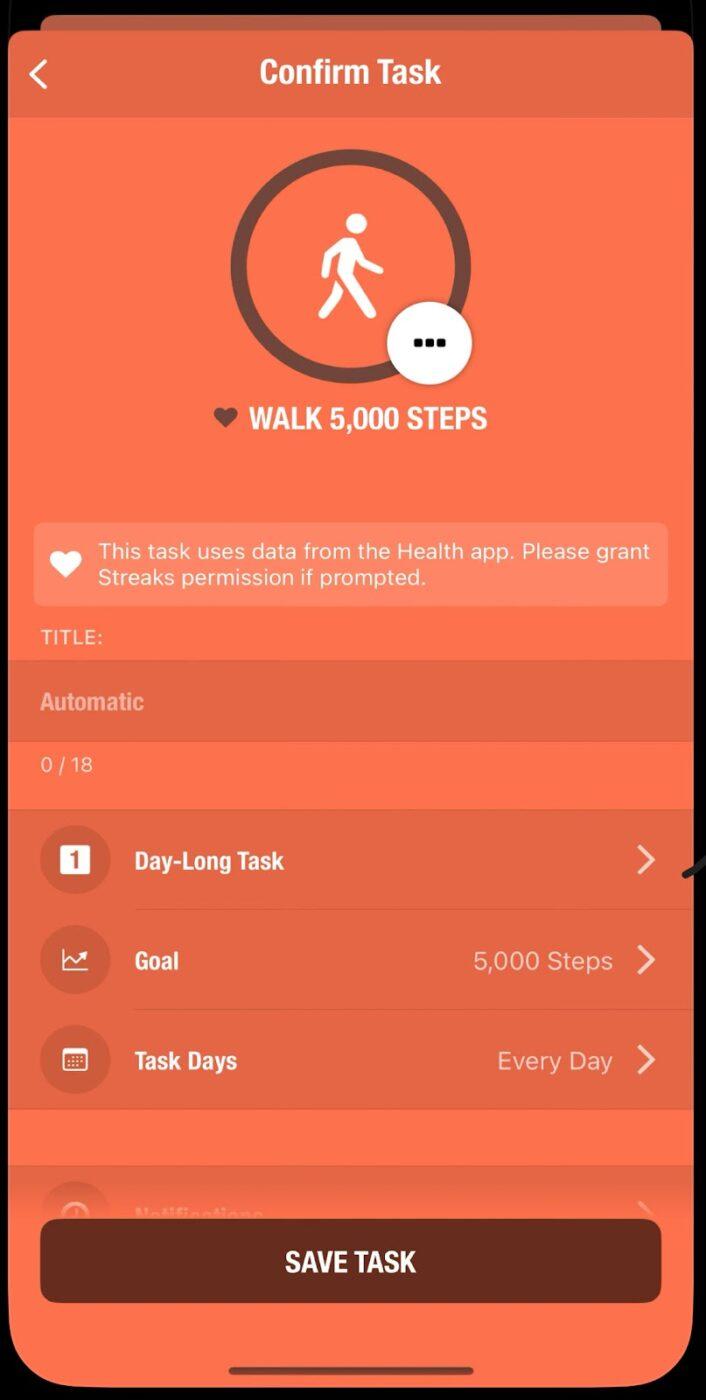
Streaks is a habit tracker designed for iOS users, focusing on simplicity and effectiveness. Its primary goal is to help users build positive habits by maintaining consecutive daily streaks, using the ‘Don’t Break the Chain’ methodology to encourage consistency.
The app’s clean interface and intuitive design make navigation easy, especially for those who want to establish and maintain new habits.
$5.99 (one-time purchase)
Its value and customization is insane. An example, I usually end my day at around 01 am, not 12 am because I workout late at night. One of my habits is doing cardio everyday. I finish my cardio at around 1230 am. In a regular app, when I complete this task, it would count for the next day, not the intended “current” day. With Streaks, you can set the time when your day ends. That feature alone is worth it. There’s a ton more.
💡 Pro Tip: To better understand your progress, you might consider pairing Streaks with habit tracker templates for a more comprehensive view of your habit-building journey.
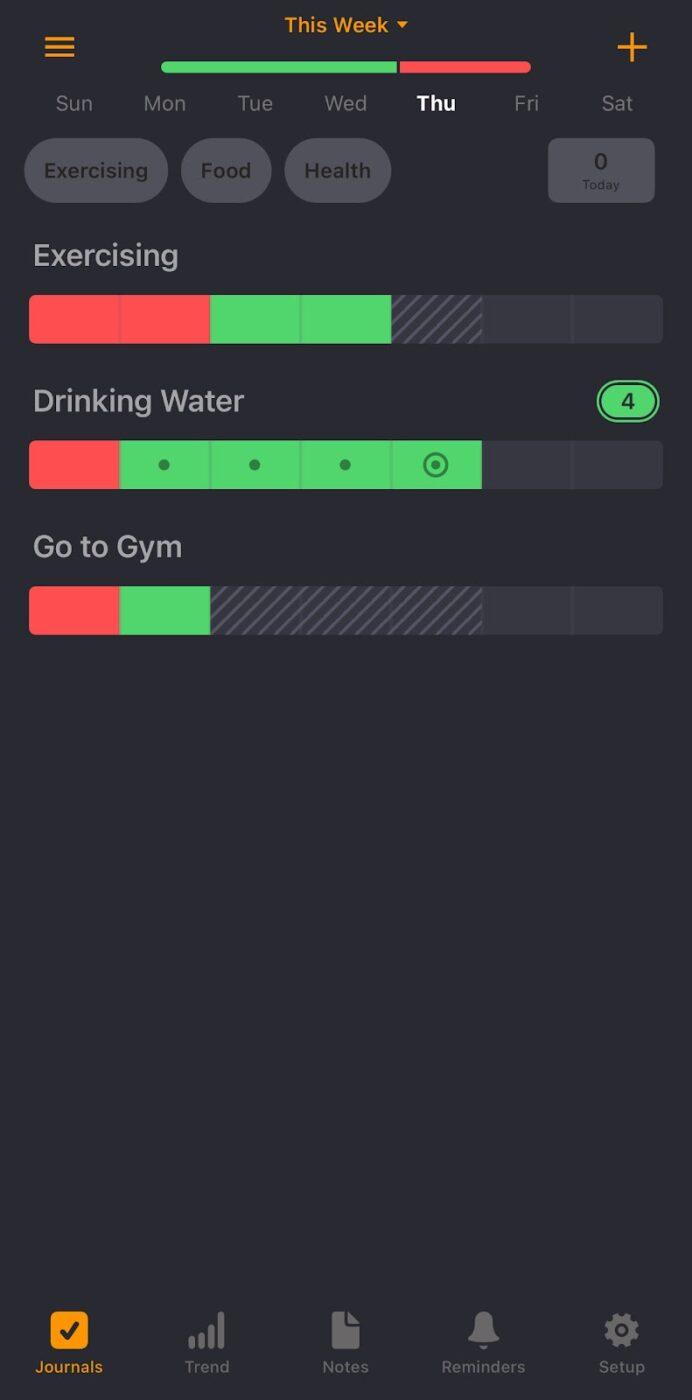
Way of Life offers a straightforward habit-tracking system with color-coded tracking. You can mark habits as green (success) or red (failure) or leave them blank if skipped, making viewing performance at a glance easy.
One feature I found helpful is the ability to add context to each habit, such as documenting challenges, achievements, or triggers. For example, if I missed a workout, I could note something like, ‘Felt too tired after work.’
🔍 Did You Know? Most New Year’s resolutions are about forming better habits, yet research shows that 80% of people abandon them by February. Setting smaller, specific goals can help improve success rates.
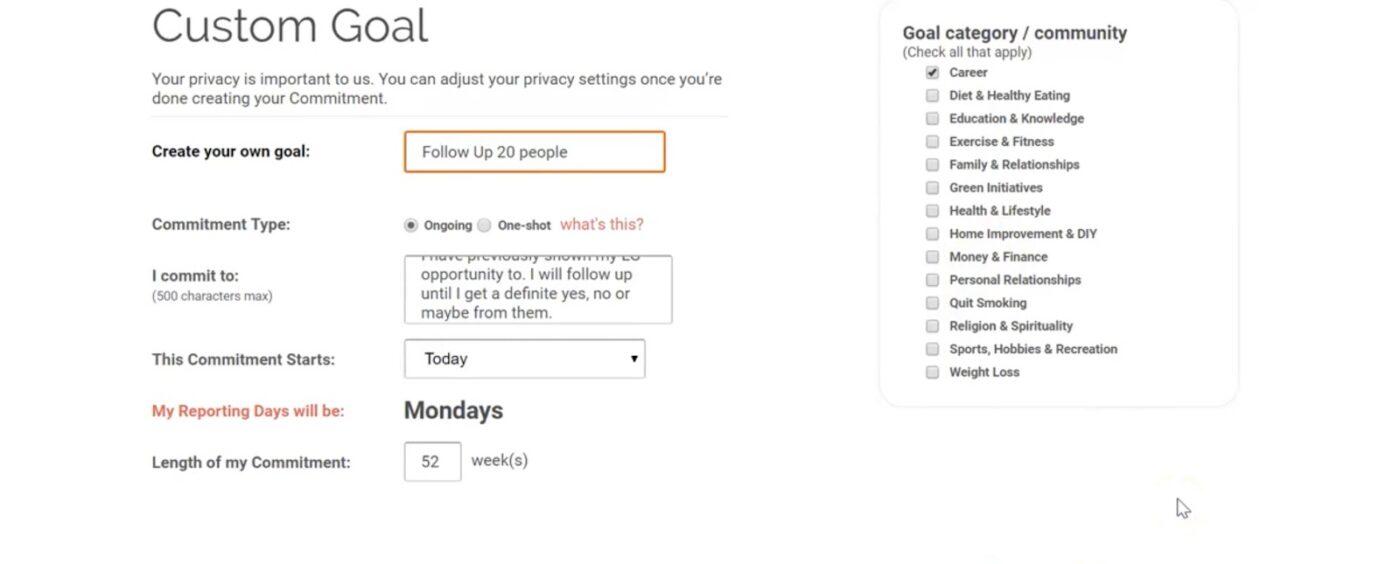
StickK is a habit tracker app developed by Yale University behavioral economists. It uses behavioral economics principles to help users achieve their goals.
This habit tracker app lets users create ‘Commitment Contracts,’ where they pledge money to meet specific objectives. This method leverages loss aversion, the tendency to avoid losses more than equivalent gains, which I found effective in encouraging consistency with my commitments.
Stickk is great because it keeps me on track each week. I put down $100 per week as a stake. The thought of losing that $100 would bother me a lot, so I remember to eat. I also have a trusted friend as the referee and 1 or 2 spectators that I send my weigh in reports each week. It’s been 4 weeks in, and I’ve completed all my targets so far.
🧠 Fun Fact: Habits are formed through a psychological pattern called the habit loop, which consists of three parts:
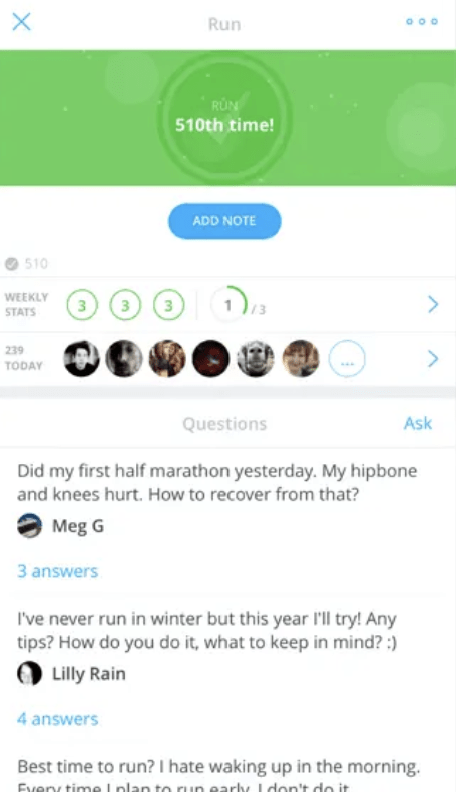
Whether you’re building new habits, breaking old ones, or habit-stacking, this habit tracker app provides the tools and support to help you succeed. Its integrated coaching feature sets Coach.me apart, allowing users to connect with certified habit coaches for personalized advice and motivation.
Customizable reminders ensure you stay on top of your commitments, while integrations with other health and productivity apps allow an end-to-end approach to habit tracking.
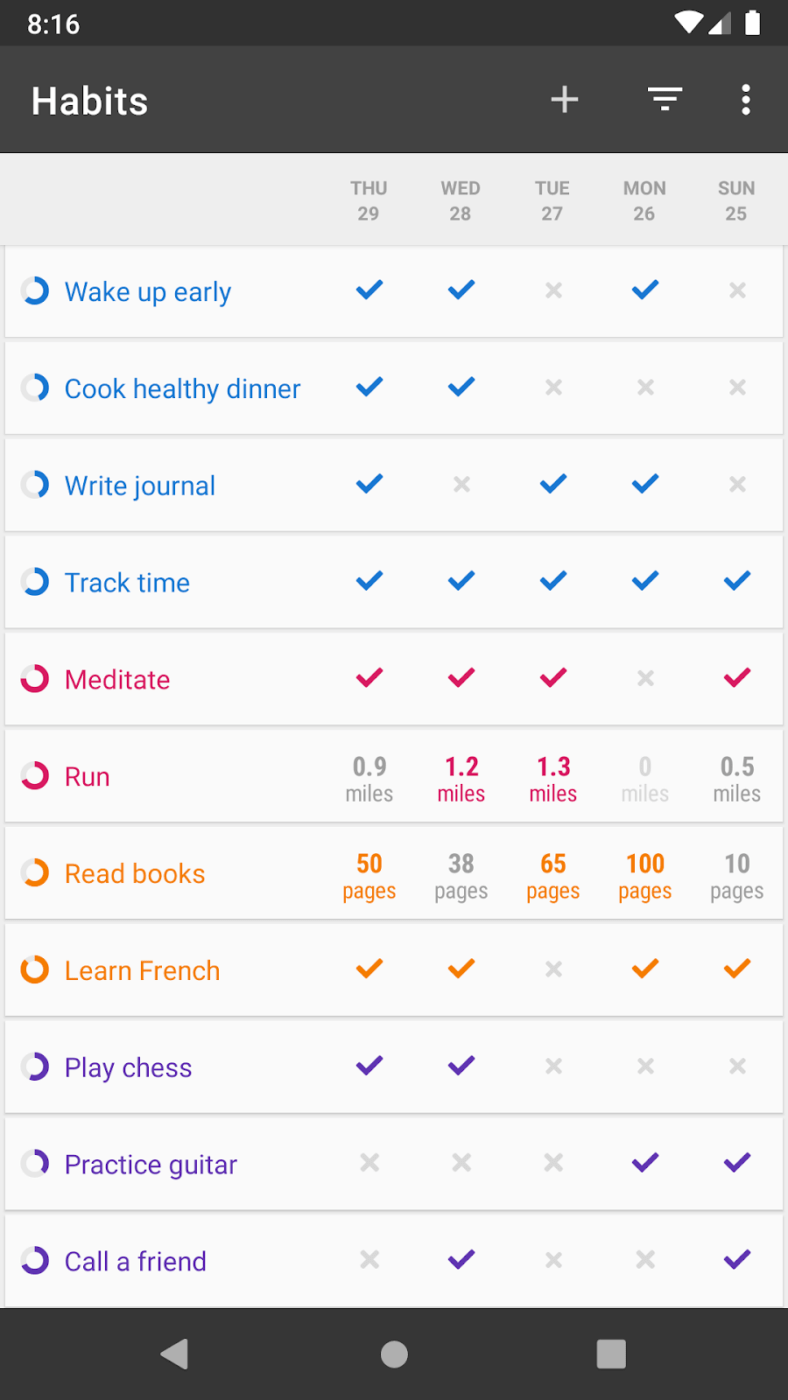
Popular among Android users for its minimalist design, Loop appeals to those who demand utmost privacy. It’s free of intrusive ads, operates entirely offline, and doesn’t track user data.
Even better, its advanced habit-scoring algorithm steers away from simple streak-based systems and calculates the strength of your habits based on consistency over time. This approach ensures that occasional lapses don’t entirely derail your progress, which is especially encouraging if you wish to establish long-term habits.
Free
Loop Habit Tracker – free, clean UI, has multiple configurations for habits (yes/no, how many times, frequency), and my favorite is that it calculates how strong the habit is based on your performance (0% = weak/just started, 100% = strong/pretty much muscle memory).
👀 Bonus: Work with self-care plan templates to organize and prioritize your well-being. Customizing them based on your preferences helps make your self-care routine more manageable and tailored to your lifestyle.
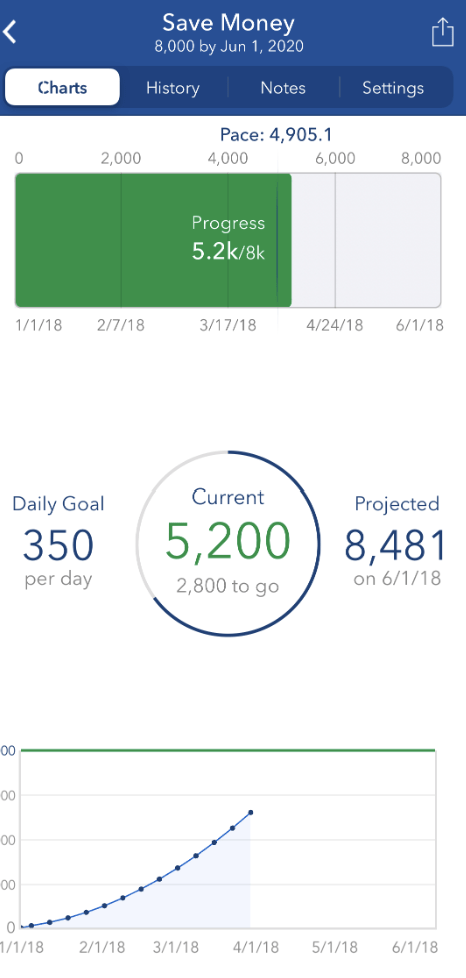
Strides allows users to categorize goals by themes like fitness, personal growth, or work habits. This feature enables a higher level of organization and focus, making it easy to prioritize and manage multiple goals simultaneously.
I also found that tracking good and bad habits—such as building a reading routine or reducing screen time—makes it an all-encompassing tool for self-improvement.
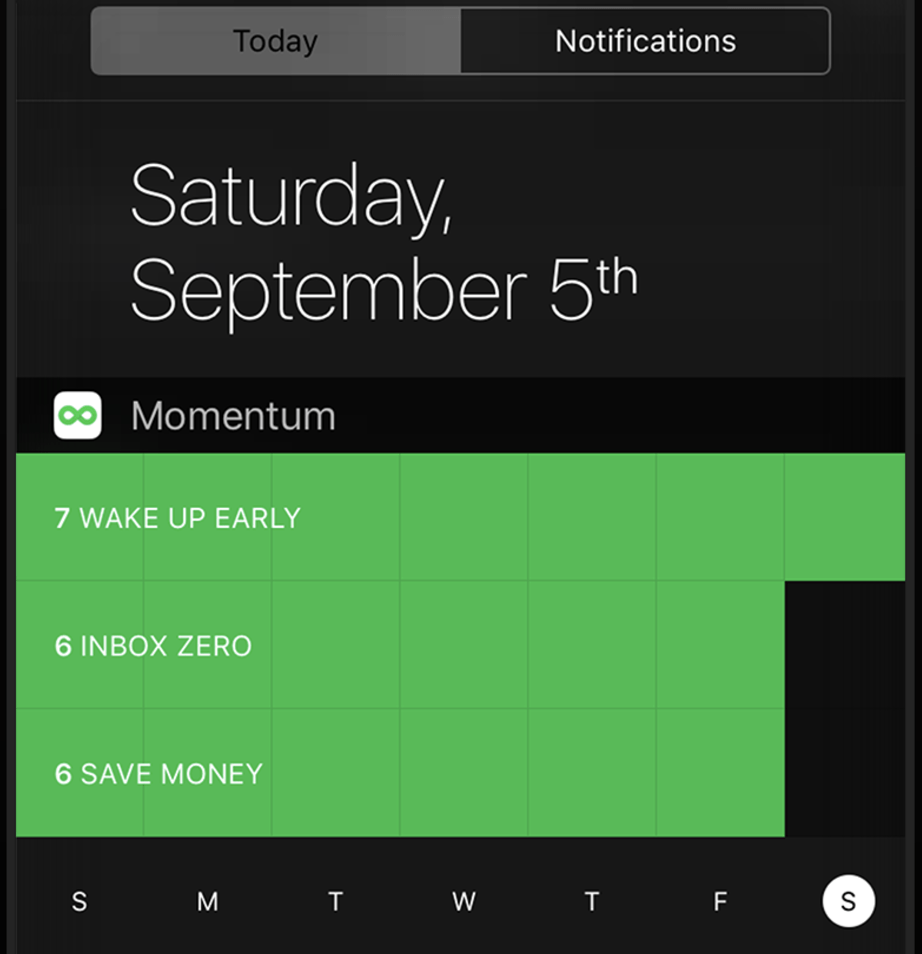
Momentum simplifies habit-building by syncing data across iPhone, iPad, Apple Watch, and Mac, eliminating unnecessary complexity.
The app’s Today View Widget and Apple Health compatibility make it even more convenient. I can update my habits with a single tap, ensuring that tracking multiple habits becomes a natural part of my routine rather than an added task.
🧠 Fun Fact: Your chronotype can influence your daily habits, whether you’re a night owl or a morning bird. Night owls might be more productive in the evening, while morning larks thrive on early starts.
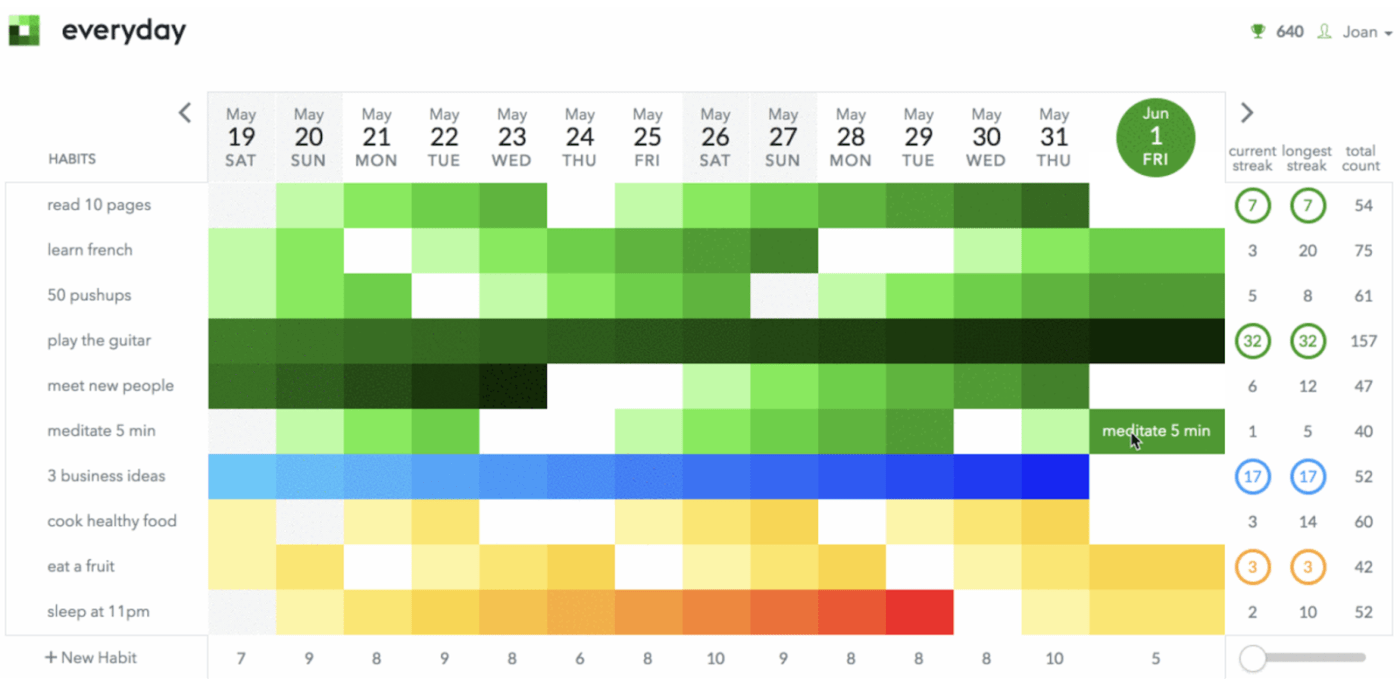
After trying out Everyday, I found that its visually driven design helps build consistency by clearly representing habit streaks. The clean interface makes it easy to log habits, and the customizable reminders ensure I never forget my tasks.
For anyone who prefers straightforward functionality over flashy features, Everyday is a reliable habit tracker app.
Everyday – amazing little app for iOS, which lets you make a widget that shows last 7 days as 7 columns of stacked habits shown as coloured boxes. […] The added benefit of you seeing your past days and wanting to keep it up (and avoid the gap or missed box) on your homescreen is amazing.
From Habitica’s gamified experience to Everyday’s visually engaging interface, each habit tracker app offers unique approaches to building good habits. Yet, the best choice depends on your goals and the level of accountability you need.
I believe what sets ClickUp apart is its versatility.
Beyond habit tracking, it becomes a hub for goal setting, task management, and collaboration. With features like Goals, Recurring Tasks, Dashboards, and Reminders, it’s a valuable tool for monitoring habits and eventually transforming your day-to-day workflow.
If I were you, I’d sign up to ClickUp for free today! (Oh, wait, I already did 🤩)

Manasi Nair
Max 26min read
Manasi Nair
Max 20min read

Arya P Dinesh
Max 23min read

© 2026 ClickUp