


As the iconic April Ludgate once said, “time is money, money is power, power is pizza, and pizza is knowledge.”
Whether she knew it or not, April precisely summarized the importance of time management and tracking software in those few words. Kind of. 🍕💜
Time tracking software is a must-have for any team, agency, or freelancer looking to increase productivity, fast track a project, time block their day, and more. These tools can be used by team members to clock in and out, organize their workload, and record the time they spent on individual tasks to optimize their workdays and stay nimble during the week.
Plus, project time tracking is a win-win for both employers and employees. By making the most of your time at work, you then have more time back to focus on family, passion projects, relationships, and hobbies. 🏆
The biggest challenge is investing in the right time tracking software to fit your needs.
…and with the number of software at your disposal, that trial and error process could be a major headache. 😳
But you’ve come to the right place! We’ve created this detailed list of the 10 best time tracking apps to guide your search and help you compare the top features, pros and cons, pricing, and ratings.
10 Best Time Tracking Software 2023 (App Features and Pricing)

 Summarize this article for me please
What is a Time Tracking App?
A time-tracking app is an online or mobile-friendly tool that records the time you spend at work, on certain tasks, or on various projects during the day, week, month, or even year! The insights from these apps can be used to help you better understand your productivity or be used to accurately calculate payroll or billable time.
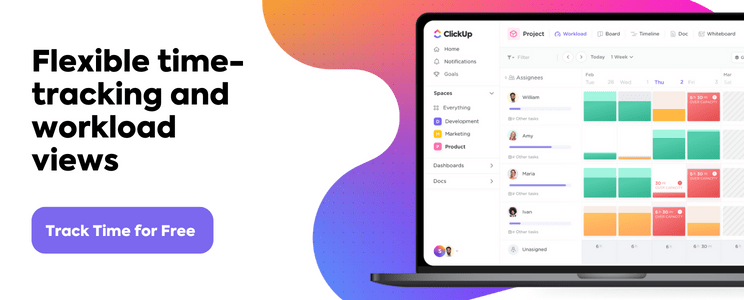
By understanding where your time goes in the day and how much your time really costs you, employees and companies can make more informed decisions about how to streamline processes and increase overall profitability.
Especially for hourly employees and contractors, time tracking software is used to monitor shifts, lunch breaks, PTO, sick time, and more! Plus, some teams rely on it to meet state, union, or project requirements.
Sounds like a lot already, but there’s still more that time tracking software can do! The real question is—what features do you actually need?
Summarize this article for me pleaseWhat Should You Look for in Time Tracking Software?
The beauty of time tracking software is that it has the power to combine tons of different time management techniques into a convenient and intuitive app—ideally.

Not all time tracking or time blocking apps pack the same functionality, ease of use, and cost efficiency as the next, which is why it’s key to know what you’re looking for before you buy. Here are our top five must-have features in high-quality and useful time tracking software:
- Global time tracking: Starting and stopping your digital clock every time you jump between browser windows, tasks, or meetings is not the best use of your time. Look for software that can record, manage, and add up the time you spend on all of your work.
- Time reporting: Getting a high-level glimpse at your time entries, estimates, timelines, and project milestones will help you make strategic decisions regarding your processes.
- Formulas: Formulas help you easily calculate key numbers automatically including time worked, hourly costs, budgets, and more.
- Sorting and filtering: Notes, labels, or tags will help you organize and access your time entries easily.
- Integrations: Finding a time tracking software with tons of integrations will help you view and manage the time you spend in different apps with ease.
The good news is: There are a ton of software that meet these criteria—and several that go above and beyond!
Summarize this article for me please10 Best Time Tracking Tools
You didn’t think we’d make you fend for yourself on your time tracking software search, did you?
Put your newfound time management knowledge to the test to find the time tracking tool of your dreams using this detailed list as your guide. Compare key features, pros and cons, price, and ratings of the 10 best time tracking software to find the best time software for you!
1. ClickUp
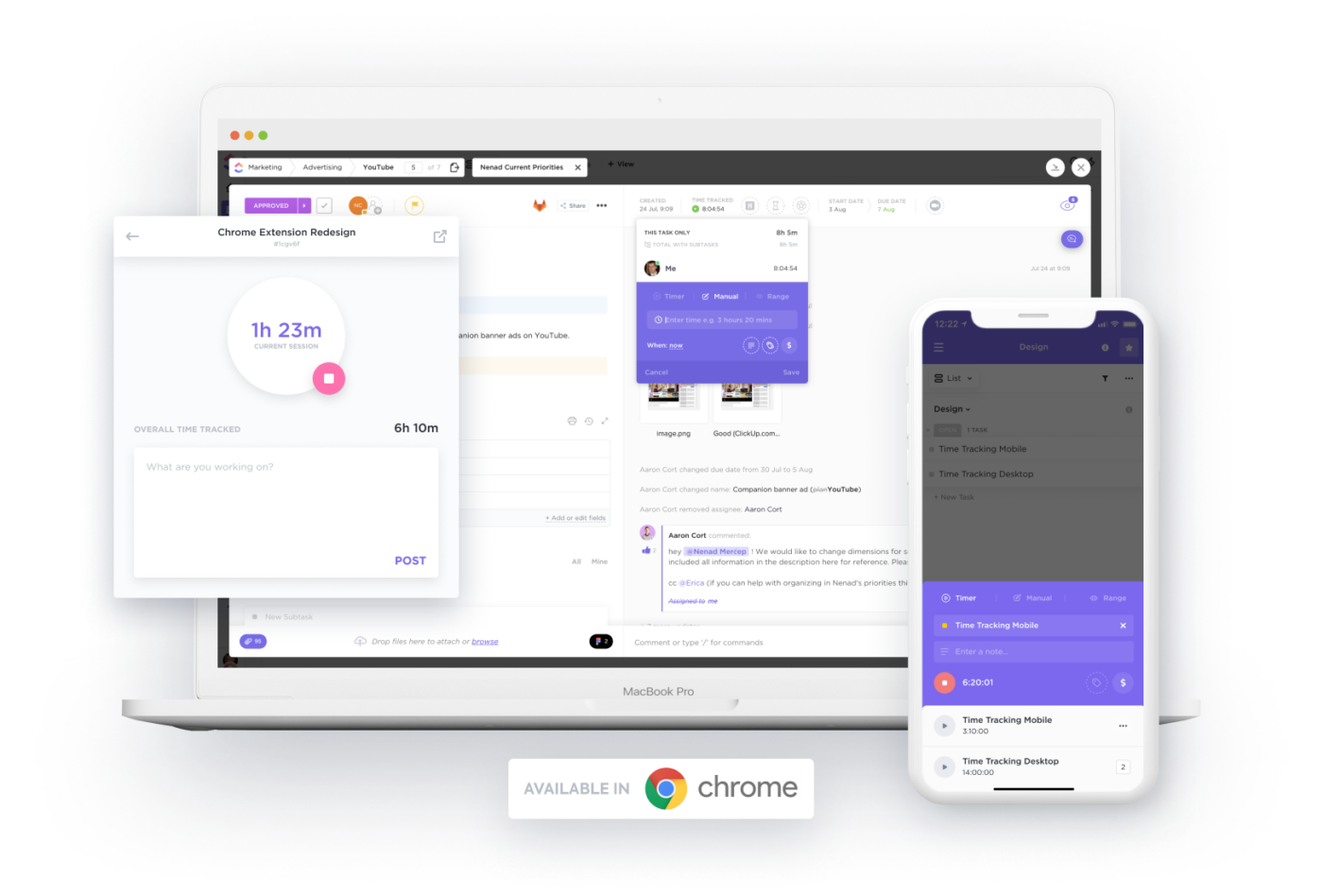
ClickUp is the only all-in-one productivity software powerful enough to consolidate your work across apps into a single platform—including the time you spent in other tabs, apps, and tasks! It is the ideal time tracking app for individuals and managers who want to stay ahead of their productivity with ClickUp’s project time tracking features, a free Chrome Extension to track time between windows, and more!
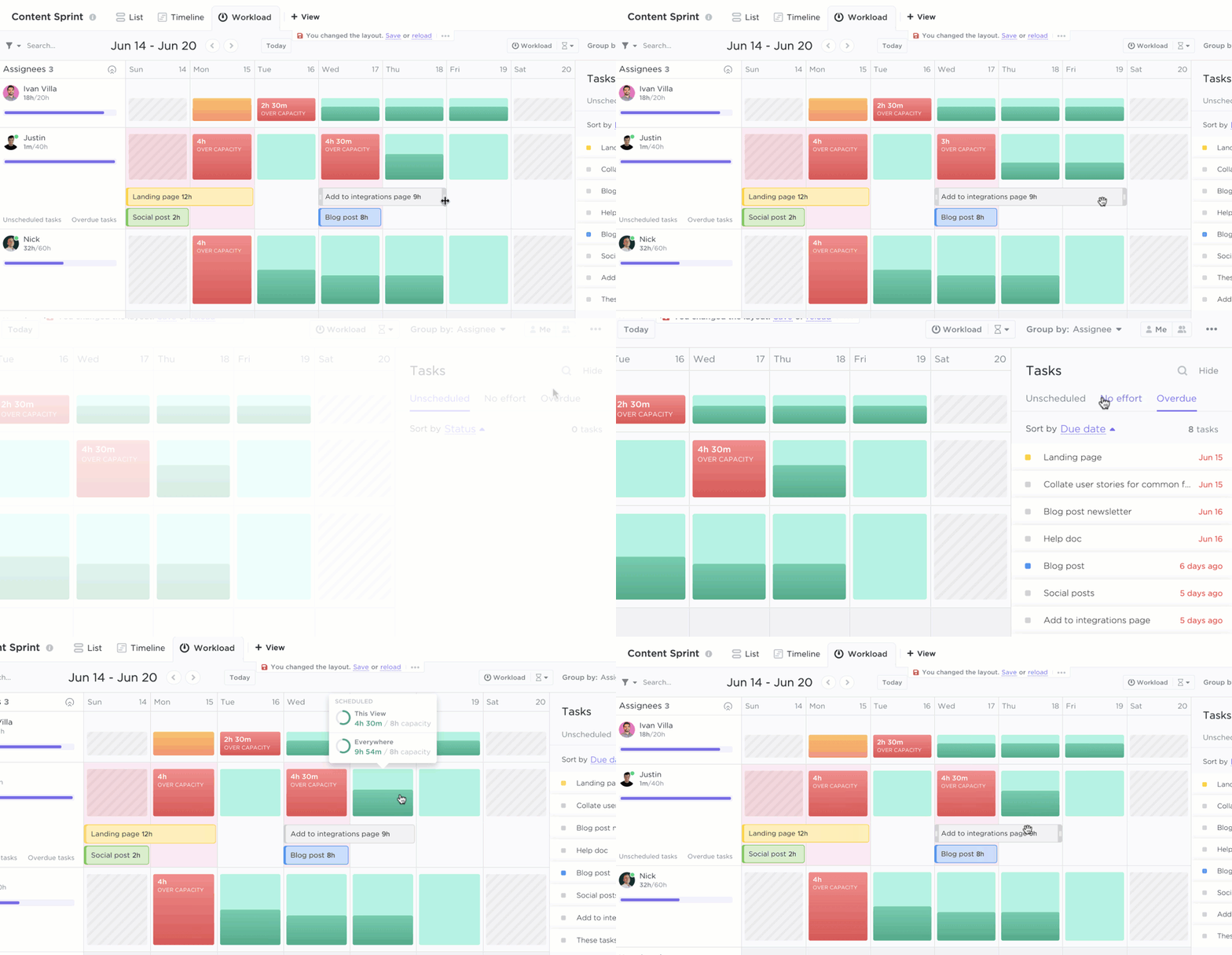
Plus, ClickUp is the only time tracking software to offer Workload view for a high-level glimpse at the amount of work each team member is scheduled on a weekly or monthly basis.
ClickUp best features
- Flexible time tracking from any device, window, app, or task with the global timer
- Build custom timesheets, reports, and insights with time tracking widgets
- Plan your week ahead of time with time estimates per task or workload
- Add context to every time entry with notes on how you used your time
- Automatically calculate billable time for accuracy across all invoices
- Filter, sort, and categorize your time entries with labels
ClickUp limitations
- Can be a bit of a learning curve adapting to ClickUp’s rich set of features
- Not all views are available on the mobile app—yet!
ClickUp pricing
- Free Forever
- Unlimited: $5 per user, per month
- Business: $12 per user, per month
- Business Plus: $19 per user, per month
- Enterprise: Contact ClickUp for custom pricing
ClickUp ratings and reviews
- G2: 4.7/5 (5,510+ reviews)
- Capterra: 4.7/5 (3,510+ reviews)
2. Timely
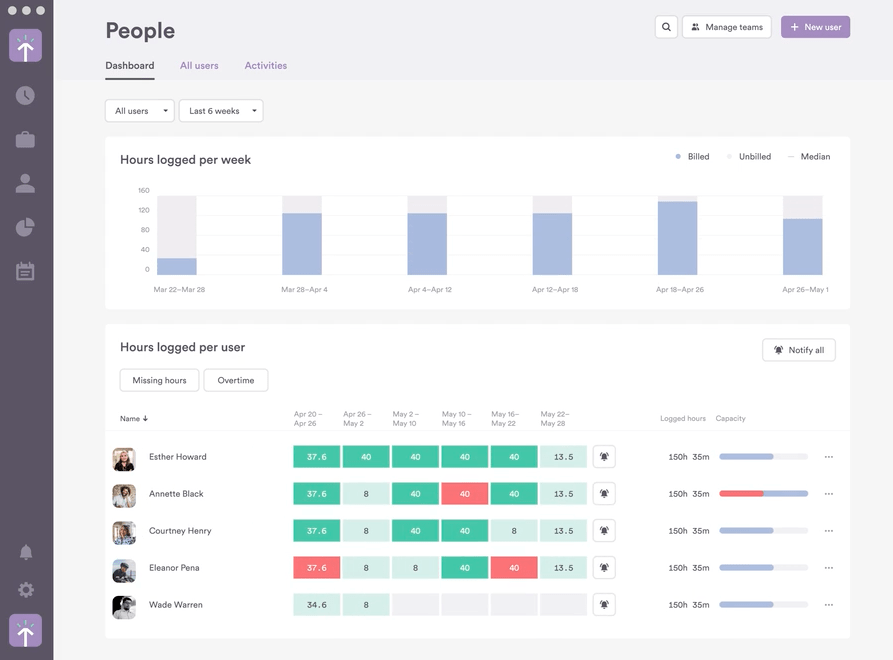
Timely’s goal is to make the process of planning out tasks simpler and more efficient by giving users access to automatic scheduling technology. This ensures tasks will always be completed on time without requiring any manual input from users. The time tracking tool also has powerful analytics that helps users determine which activities take up the most time and effort so they can make informed decisions about how best to use their resources.
Timely’s features allow users to collaborate with others, set reminders, monitor progress, and stay on top of tasks. Its drag-and-drop interface makes managing multiple projects and prioritizing tasks a breeze.
Overall, Timely simplifies task management for teams and individuals alike by providing an intuitive interface with powerful features that allow users to easily stay organized and be more productive in their day-to-day!
Timely best features
- Native integrations and open APIs to connect data across your tech stack
- Tag lists to standardize the way you report on hours logged
- Apps on Mac, Windows, iOS, and Android
- Automatic time tracking
Timely limitations
- Issues with AI performance cause more work for the users to troubleshoot
- Time accuracy might be a hassle if you’re changing timezones
Timely pricing
- Starter: $9/user per month, billed yearly
- Premium: $16/user per month, billed yearly
- Unlimited: $22/user per month, billed yearly
Timely ratings and reviews
- Capterra: 4.7/5 (600+ reviews)
- G2: 4.8/5 (200+ reviews)
3. Toggl Track
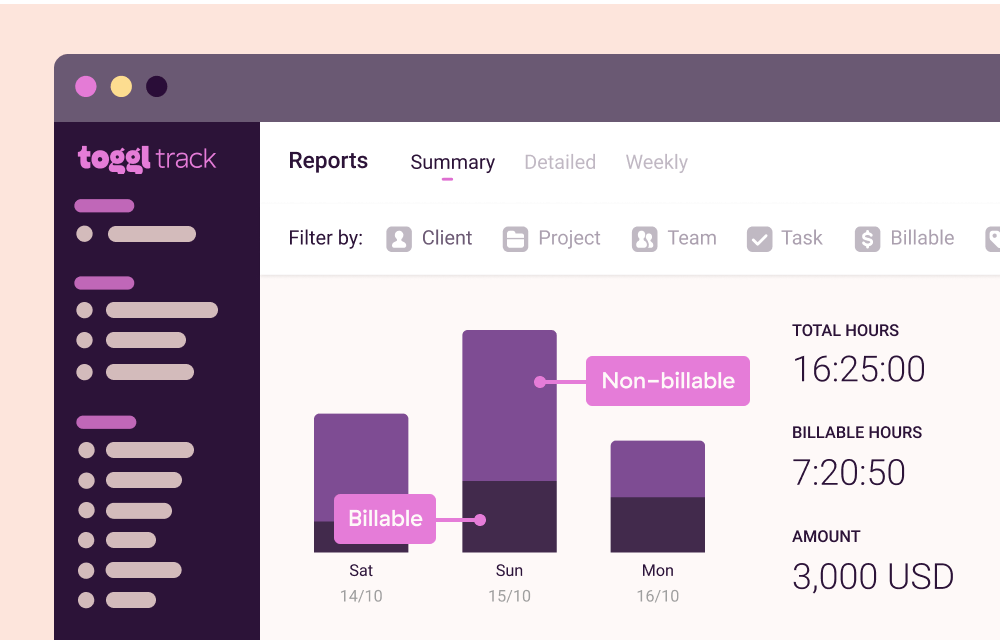
Toggl Track is a time tracking tool allowing users to easily track time spent on different tasks and projects, and provides detailed reports and analytics that can help teams identify areas where they can improve efficiency and productivity.
This is a flexible tracking software that can be customized to the specific needs of team workflows. To see what activities are generating revenue, assign billable rates to workspaces, team members, projects, or project members!
Also, it can integrate with other tools such as GitLab, Notion, Adobe XD, and more. This makes it accessible to use Toggl Track paired with other tools and platforms your team already uses.
Manage your team’s time with the Toggl Track and ClickUp integration!
Toggl Track best features
- 100+ integrations with Chrome and Firefox browser extensions
- Payroll calculations for contractors and employees
- Web, mobile, and desktop apps
- Real-time or offline tracking
Toggl Track limitations
- Free plan members can’t pin the most frequently-used time entries for easy access
- Not suitable as a task management tool on its own
Toggl Track pricing
- Team: $9/user per month, billed annually
- Business: $15/user per month, billed annually
Toggl Track ratings and reviews
- Capterra: 4.7/5 (2,000+ reviews)
- G2: 4.6/5 (1,000+ reviews)
4. RescueTime
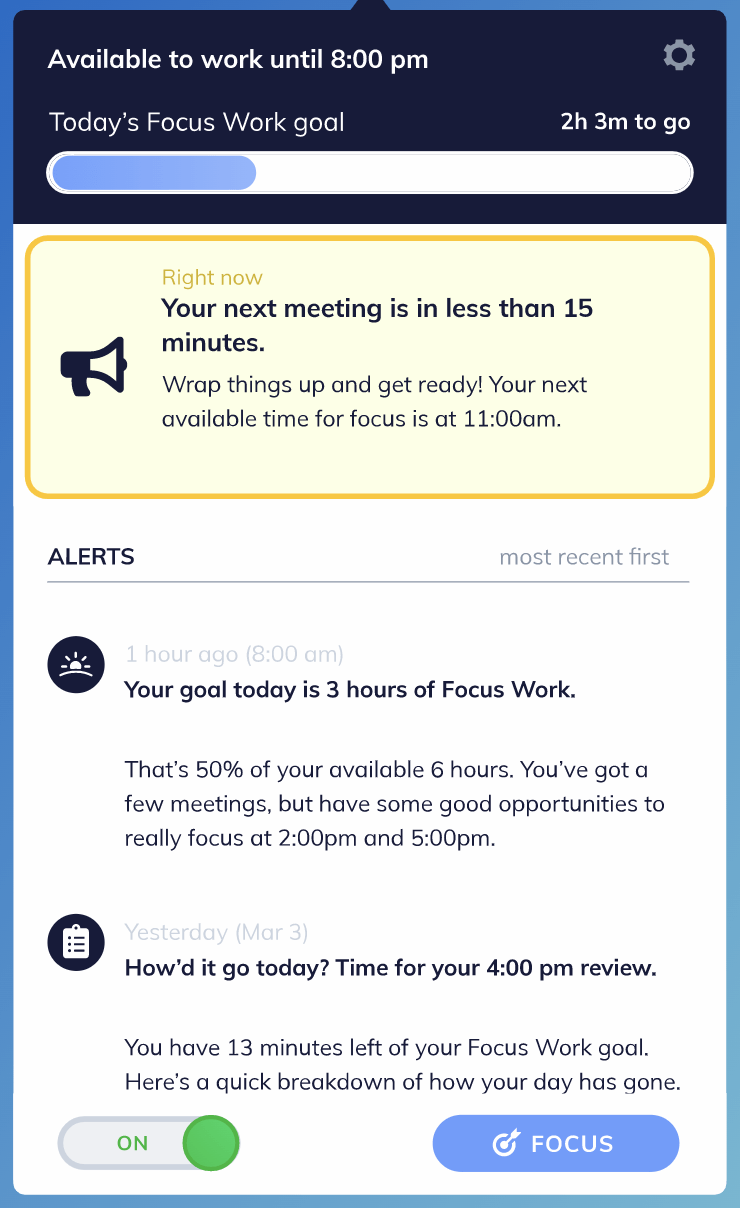
RescueTime is fully-automated time tracking software that runs in the background on computers and mobile devices, tracking the platforms and websites used, and providing detailed reports on time spent on different activities. One of the main benefits of RescueTime is that it helps users to gain insights into their time usage and identify distractions and time-wasters, which can then be addressed to improve productivity.
This time tracking app also provides a handy feature called the Focus Work Goal, which assesses your work style and meeting schedule to give you a daily focus goal. Users can set productivity goals and receive alerts when they are spending too much time on non-productive activities, such as social media or entertainment websites.
RescueTime best features
- Integrations with calendar software like Google Calendar and Outlook
- Smart coaching throughout the day to keep you on track with tasks
- Focus Sessions block sites that are unproductive and distracting
- Windows and Mac apps to track desktop activity
RescueTime limitations
- Falls short in project and task management
- No collaboration features
RescueTime pricing
- Contact RescueTime for details
RescueTime ratings and reviews
- Capterra: 4.6/5 (120+ reviews)
- G2: 4.1/5 (70+ reviews)
5. Clockify
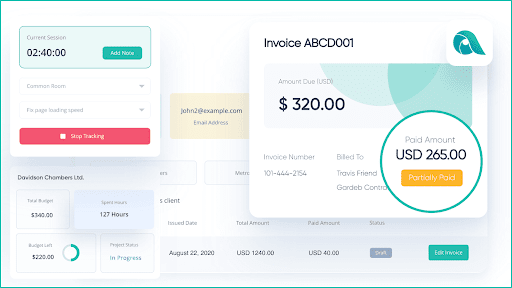
Clockify is a time tracking application that can be used to track the amount of time spent on projects and tasks. It allows users to create accurate timesheets, set billable rates for their work, and generate detailed reports about their work progress. To use Clockify, users need to create an account on the app and then log in to start tracking time from the Clockify dashboard.
A unique feature Clockify offers is changing the start time of the running timer. For example, if you forget to start the timer at the beginning of the day, you can manually adjust the timer to reflect when you began working. The feature is particularly useful for those who don’t track their time regularly. This prevents you from overcharging clients or working more than you should be!
Clockify best features
- Quick time blocking on your calendar
- Time activity charts on a dashboard
- Idle app detection
- 80+ integrations
Clockify limitations
- Teams may require training to learn all of its features
- Less-intuitive interface
Clockify pricing
- Basic: $3.99/user per month, billed annually
- Standard: $5.49/user per month, billed annually
- Pro: $7.99/user per month, billed annually
- Enterprise: $11.99/user per month, billed annually
Clockify ratings and reviews
- Capterra: 4.7/5 (4,000+ reviews)
- G2: 4.5/5 (100+ reviews)
6. Float
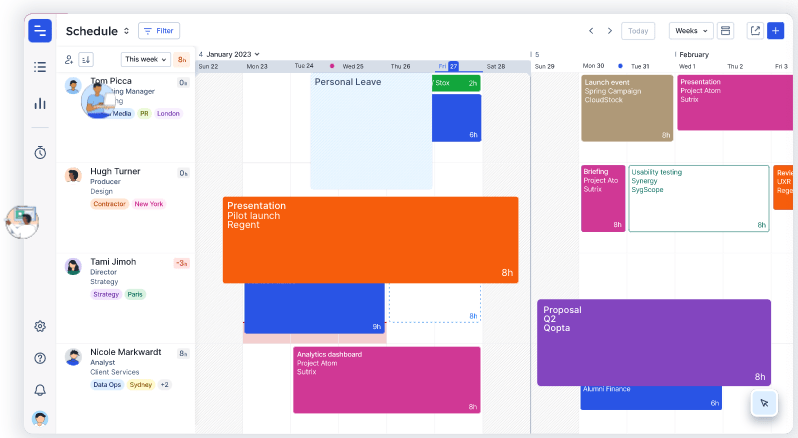
The Float resource management tool is designed to help organizations streamline their resource management processes. It offers advanced analytics and algorithms to provide detailed information about resources such as employees, finances, and processes.
This data can then be used to optimize efficiency, reduce costs, increase profitability, and make informed decisions. Real-time resource planning and tracking with Float enables organizations to react quickly to any changes.
Using its analytics feature, organizations can spot trends and opportunities, staying ahead of their competitors. This helps teams make better decisions faster and be more productive!
Float best features
- Finance tools capture the team’s logged billable hours to generate invoices
- Automated reminders via Slack, email, and mobile
- Pre-filled timesheets based on scheduled tasks
- Estimate vs. actual hours comparison
Float limitations
- Steep learning curve to build a stable workflow within the platform
- Lacks advanced data exporting capabilities
Float pricing
- Resource Planning: $6/person per month, billed annually
- Resource Planning and Time Tracking: $10/person per month, billed annually
- Plus Pack add-on: $6/person per month
Float ratings and reviews
- Capterra: 4.5/5 (1,000+ reviews)
- G2: 4.2/5 (1,000+ reviews)
7. HourStack

HourStack is a project and time management tool helping users get organized, boost productivity, and reach their goals. Users can organize tasks into blocks of time, prioritize tasks, and manage their day-to-day activities from a single view.
HourStack’s modern, intuitive interface lets users visualize progress over time with progress bars, quickly capture data points with notes and tags, and switch tasks between days and weeks with ease. This time tracking app lets you stay on top of projects with features like task reminders, advanced filtering, and collaborative workspace support.
HourStack best features
- Individual and Team calendar views to optimize schedules
- Customizable reports with filters, grouping, and sorting
- Excel, Google Sheets, and CSV file exports
- One-click calendar timers
HourStack limitations
- Time accuracy depends on consistent user check-in and maintenance
- Short free trial period to experience any true impact on productivity
HourStack pricing
- Personal: $9/month for 1 member, billed annually
- Team: $12/month per member, billed annually
HourStack ratings and reviews
- Capterra: 4.8/5 (10+ reviews)
- G2: 4.4/5 (5 reviews)
8. Paymo

Paymo’s time tracking tool lets businesses track how much time their employees spend doing different things. It helps teams improve their billing and invoicing processes by providing accurate, detailed time tracking data—one of its key benefits.
With this data, users can generate accurate and transparent invoices, which builds better client relationships. Aside from tracking billable and non-billable time, the Paymo time tracking tool can also be used to understand costs to improve pricing models.
Project managers can also use the tool to set project timelines and deadlines. For example, the project manager establishes milestones that each team member should work towards and then track their progress with regular check-ins.
Paymo best features
- Daily, weekly, or monthly timesheet views
- Timesheet personalization settings
- Pie and bar chart reports
- Resource management
Paymo limitations
- No advanced task management on the free plan
- Integrations are only available in the paid plans
Paymo pricing
- Free
- Starter: $4.95/user per month, billed annually
- Small Office: $9.95/user per month, billed annually
- Business: $20.79/user per month, billed annually
Paymo ratings and reviews
- Capterra: 4.7/5 (400+ reviews)
- G2: 4.6/5 (500+ reviews)
Run a small business? Check out these small business time tracking tools!
9. Time Doctor
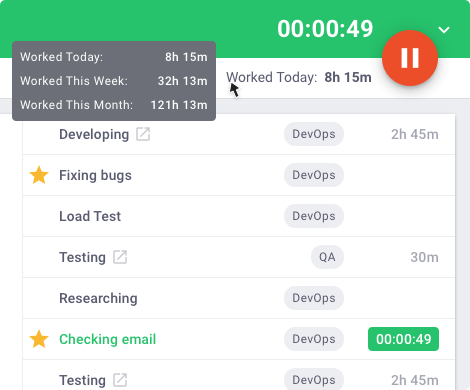
Time Doctor is a time tracking software helping businesses and individuals better understand how they are spending their time. It runs in the background on computers and mobile devices, tracking the applications and websites that are used, and providing detailed reports on time spent on different activities.
One of the main benefits of Time Doctor is that it helps users to gain insights into their distractions and time-wasters, which can then be addressed to improve productivity. The software also provides a range of employee monitoring software features to help users to stay on track.
Check out the ClickUp and Time Doctor integration!
Time Doctor best features
- Automatic verification of employee attendance and timesheets
- Work-life Balance widget to monitor employee workloads
- Custom user roles and permission settings
- Real-time dashboards and customized reports
Time Doctor limitations
- Screen monitoring might capture personal information when it takes screenshots at random
- Lacks native project management software
Time Doctor pricing
- Basic: $70/user per year
- Standard: $100/user per year
- Premium: $200/user per year
Time Doctor ratings and reviews
- Capterra: 4.5/5 (400+ reviews)
- G2: 4.4/5 (300+ reviews)
10. TickTick
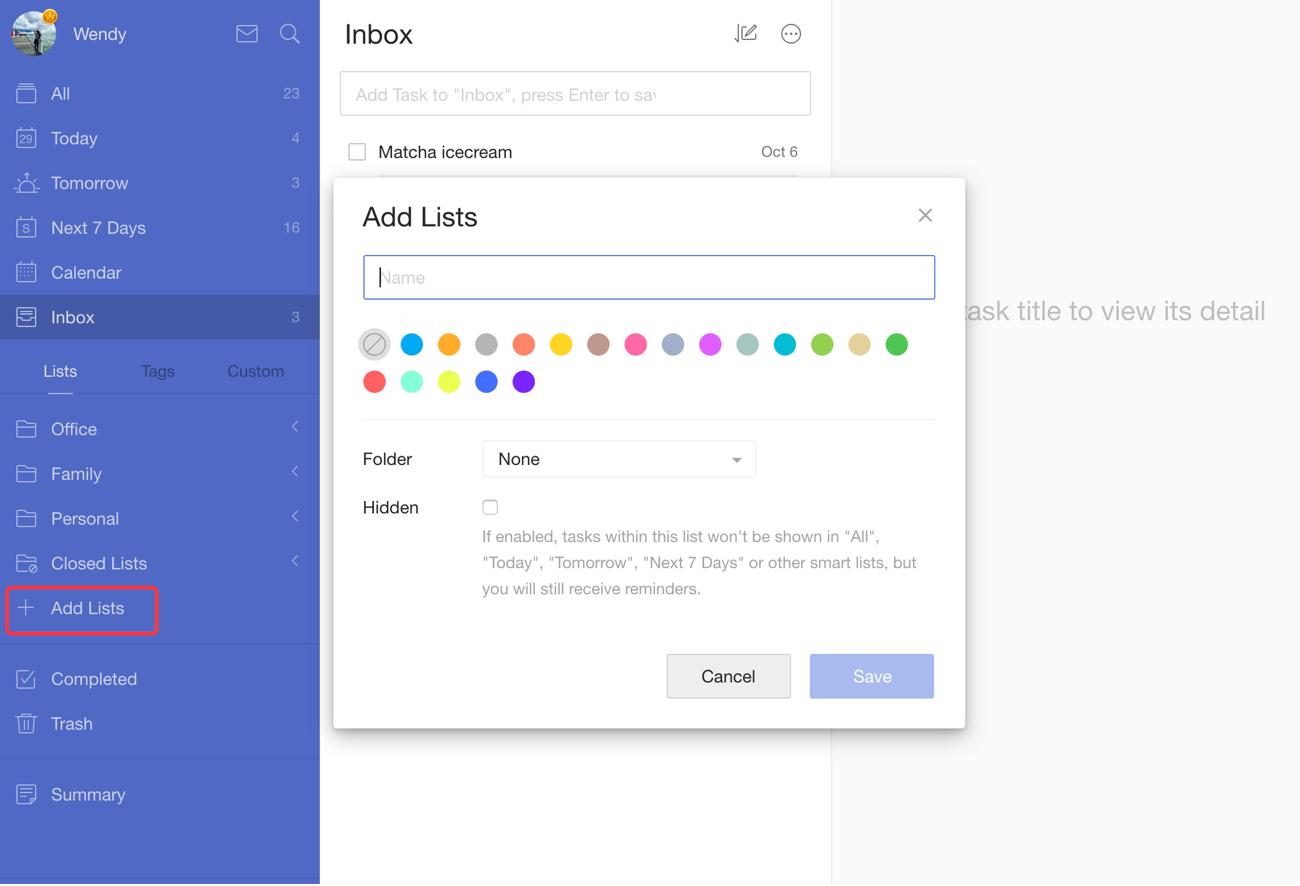
The main characteristic of TickTick is that it provides a clear and structured way for anyone to manage their to-do list. In TickTick, users can make task lists, set reminders, and prioritize their tasks.
TickTick is also a handy time tracking app for remote teams and collaboration. Users can share tasks and lists, assign tasks to team members, and track progress on team projects. This can help teams communicate effectively and ensure that everyone is on the same page. This leads to a more productive and efficient working environment.
Instead of typing out tasks, users can use their voices to add them to their to-do lists! The TickTick app converts your spoken words into text and adds them to your list using voice recognition.
TickTick best features
- Simple organization hierarchy (folders, lists, tasks, and check items)
- Various calendar views and calendar subscriptions
- Location reminders
- Pomodoro timer
TickTick limitations
- Not suitable as a task management tool on its own
- Limited progress tracking functionality
TickTick pricing
- Contact TickTick for pricing details
TickTick ratings and reviews
- Capterra: 4.8/5 (80+ reviews)
- G2: 4.5/5 (80+ reviews)
Summarize this article for me pleaseTime To Get on Track—With ClickUp
Speaking of staying on track…it’s time to pick your time tracking software! Use this detailed list to guide your search and make sure you’re getting the best of the best out of your time tracking software. And if you’re looking to be extra time efficient with your decision, choose the software rated highest among this list—ClickUp!
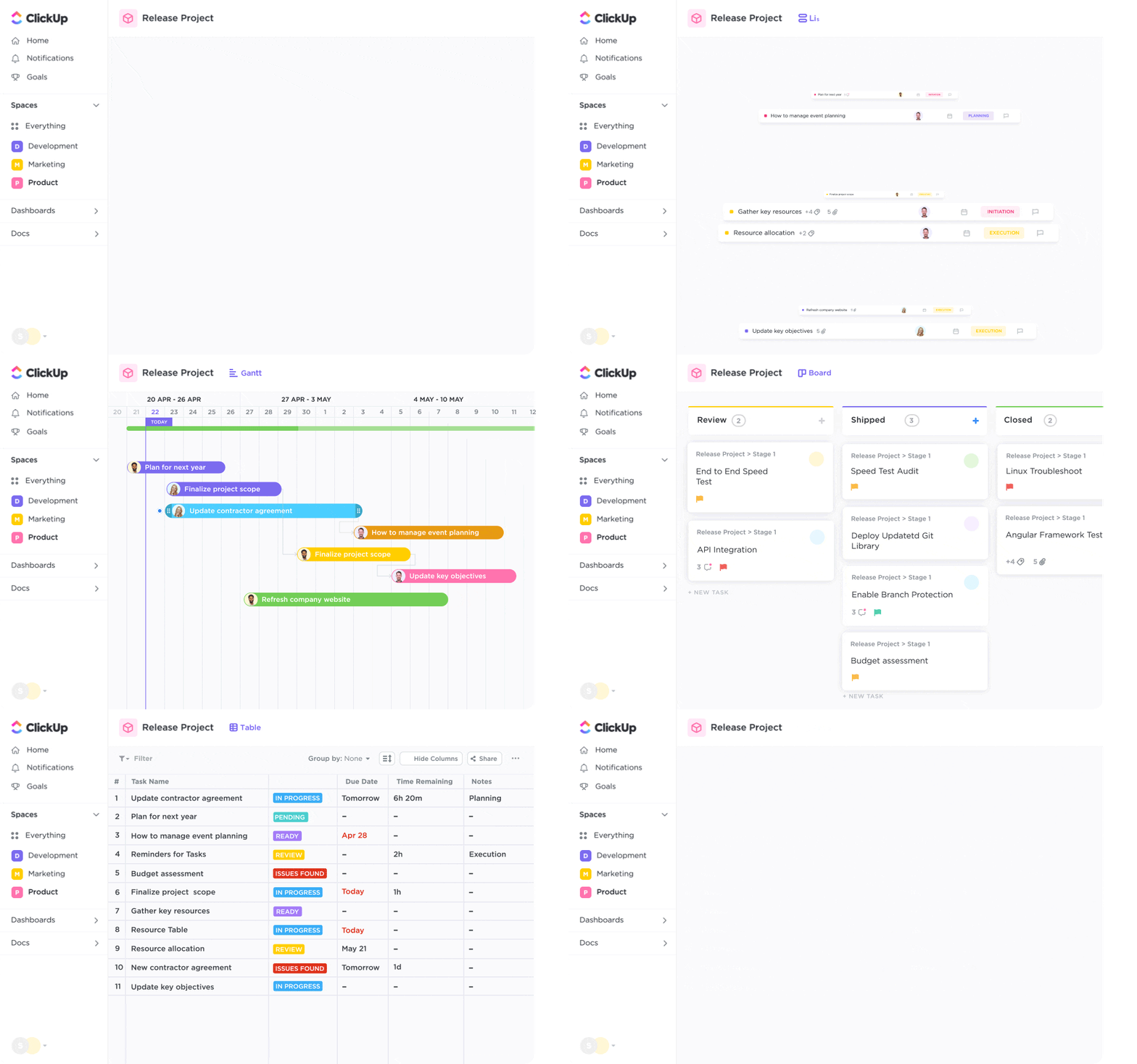
Access tons of time-saving features, more than 15 customizable project views, hundreds of templates and so much more, all from a single platform! Plus, ClickUp is as powerful as it is cost effective, so you’ll never have to compromise on your favorite features. 🙂
Boost your productivity and watch profits soar when you sign up for ClickUp today! 🏆


Everything you need to stay organized and get work done.

Recent Articles
Confluence vs. Google Docs: Which Should Your Team Use in 2026? 
Confluence vs. Google Docs: Which Should Your Team Use in 2026?

