
Sorry, there were no results found for “”
Sorry, there were no results found for “”
Sorry, there were no results found for “”
As we grow older, many of us feel like time is running by increasingly faster. While scientists can’t explain the exact reason for this phenomenon, one thing is for sure—we need to do something about it! ⌛
Being more mindful of how you organize your activities may help you regain control of your time. Instead of letting hours slip away, you can make the most of each day with careful planning through calendar apps.
If you’re using an Apple computer, you’ve come to the right place—we’ve curated a list of the 10 best calendar apps for Mac.
After reading about their most notable features, shortcomings, and pricing, you’ll be able to pick a perfect calendar companion for your personal or professional needs.
Calendar apps for Mac are tools designed to help individuals using Apple computers manage time efficiently. These apps can be used in both personal or business contexts, by individuals or teams.
By visualizing your schedule with a calendar, you can stay on top of all upcoming events, from birthdays to project deadlines. Calendar apps also allow you to schedule meetings and appointments effectively, preventing overlaps.
Digital calendars offer many benefits compared to traditional paper-based calendars, including reminder notifications and syncing between different devices. 🔄
When choosing a calendar app for your Mac device, pay attention to the following:
With so many calendar apps for Mac at your disposal, it may be difficult to figure out which ones are worth your time. This top 10 list aims to simplify the process by presenting the finest available options, helping you find the perfect tool to streamline your scheduling and up your time management skills. ☝️
Although it offers all the functionalities of a calendar app, ClickUp is much more than that. It’s a comprehensive yet free project management tool that can make any task or process more efficient.
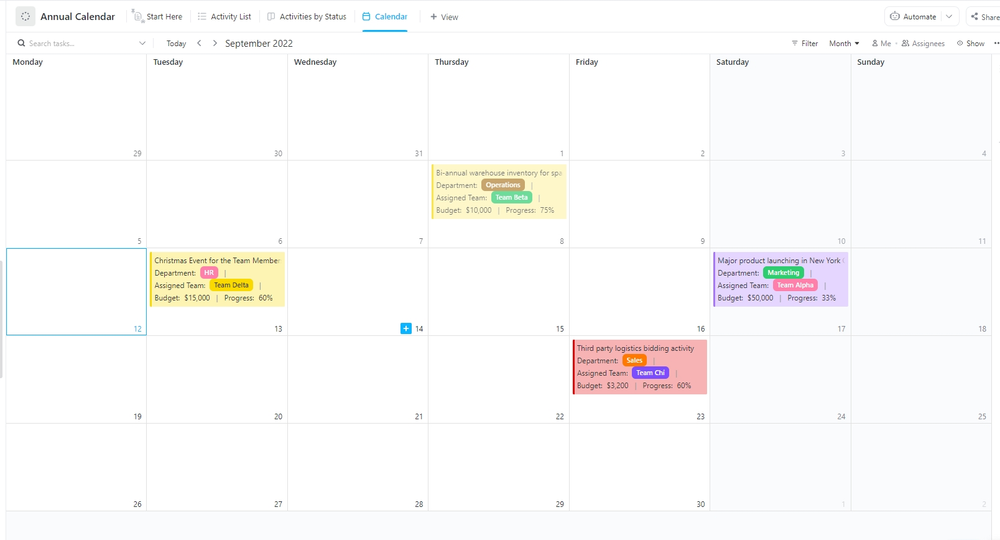
Download the ClickUp app for Mac and use its Calendar view to schedule and reschedule any event with a simple drag-and-drop action. Have an existing schedule you want to use? You can integrate ClickUp with your iCloud Calendar to continue where you left off.
The ClickUp Calendar view is highly customizable—you can hand-pick exactly what you want to see with daily, weekly, and monthly views, task color-coding, and filters. To collaborate with others, invite them to view and edit, or add comments to tasks.
If you’re unsure how to start organizing your time, use the ready-made ClickUp Annual Calendar Template, which can help you make the most of this awesome view. 🗓️
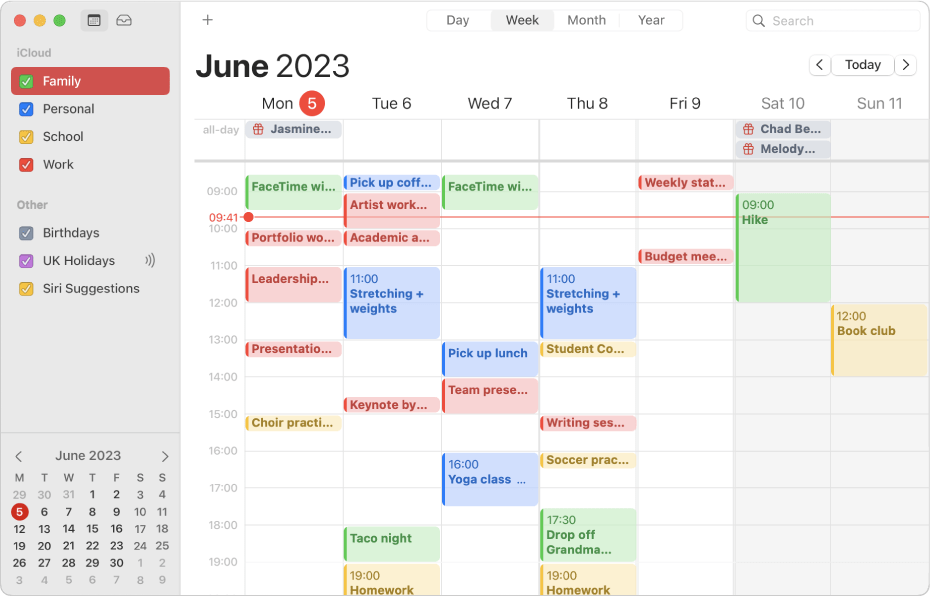
If you’re an avid Apple user, you’ve likely already crossed paths with the iCloud Calendar. Seamlessly synchronizing across all Apple devices, this Apple default calendar app has a uniquely minimalistic design and is easy to use. You can set up events in a few clicks and share them publicly or privately in a few more.
The Apple calendar app can also autofill details of events once you provide the main information, showing you the exact location on a map and the expected weather for that day. 🌤️
Besides its unparalleled simplicity, the most notable benefit of the iCloud Calendar is the ability to create calendars for different aspects of your life and switch events between them.

As its name suggests, BusyCal is designed to save precious time for those with bustling schedules. The app allows you to import calendars from multiple sources, such as iCloud and Google, and manage them all under one roof, so you don’t have to switch between apps.
Another major time-saver is BusyCal’s ability to create events using natural language prompts. You can quickly jot down the details, and the app will recognize the time, date, and location.
BusyCal deserves praise for its flexibility as well. You can choose between five views:
Customize the views further by selecting the number of days or weeks shown, changing the font face and size, or adding colors and cute little graphics to make your work schedule less mundane! 🌈
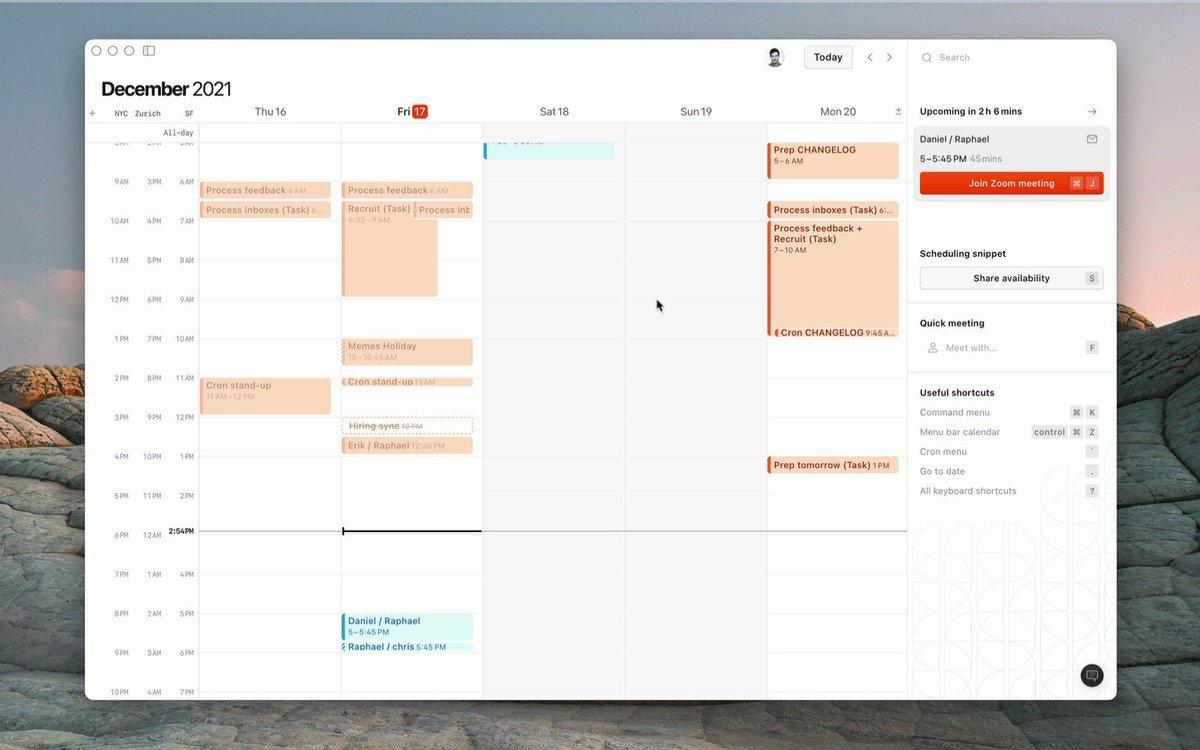
Acquired by the planning app Notion in 2022, Cron is an up-and-coming calendar app for individuals and businesses. The app is simple but good-looking, allowing you to choose between a light and dark theme. 🌓
It offers basic calendar functionalities, such as repeating events and time zones, with a few mention-worthy exceptions. For instance, you can use keyboard shortcuts to navigate around the app. In order to facilitate teamwork, the app lets you easily share your availability and overlay teammates’ schedules for efficient resource allocation.
Keep in mind that to sign up, you need to have a Google account. The iCloud syncing option is still in the works at the time of writing this article.
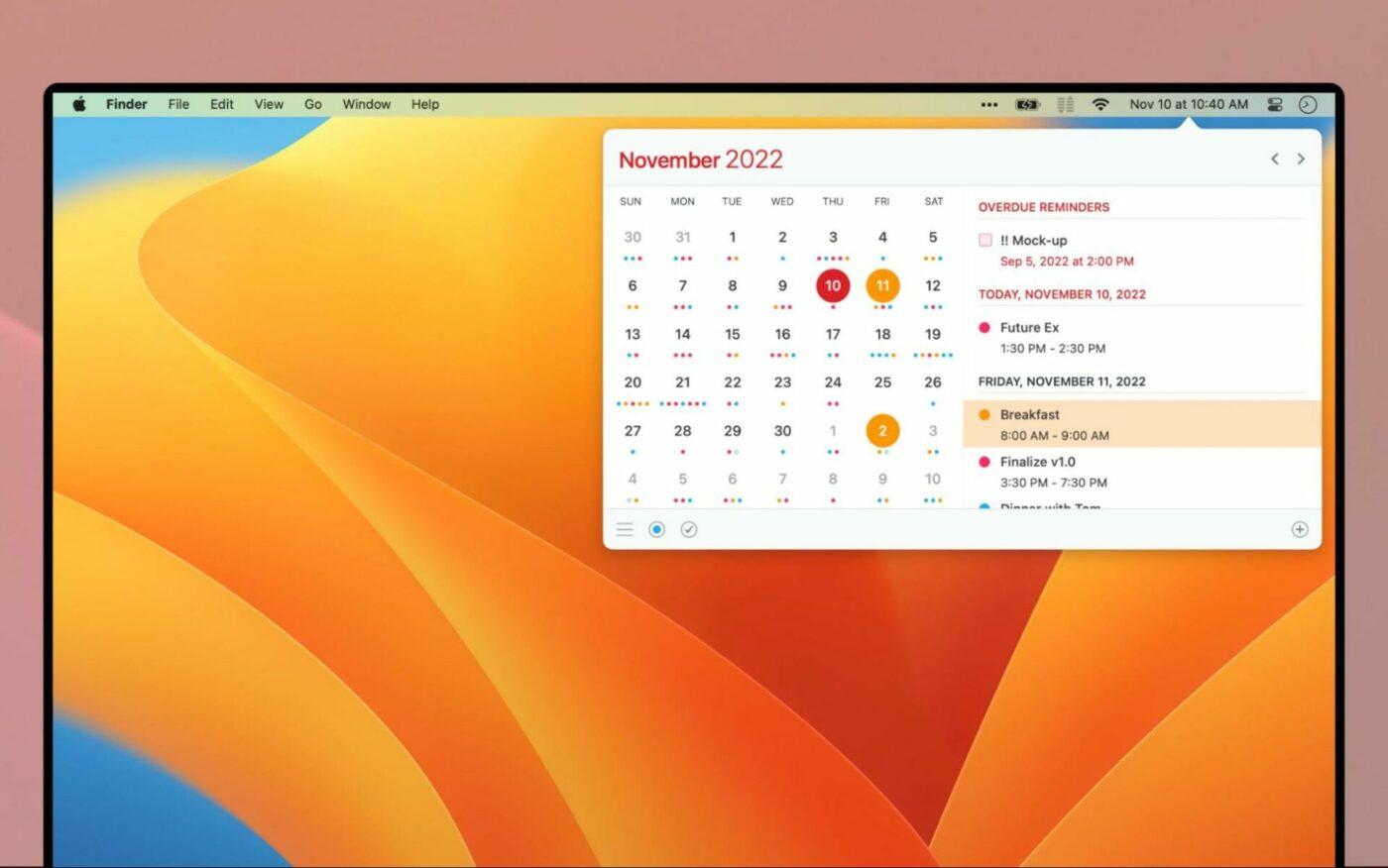
With the Calendar 366 II app, your schedule can be by your side no matter what you’re working on. It’s a customizable menu bar calendar that you can optimize for portrait or landscape. Besides new features, the second version of Calendar 366 sports a fresh design with eight views and nine themes to choose from.
This calendar app for Mac is easy to use with hotkeys, shortcuts, and drag-and-drop appointment rescheduling. Like BusyCal, Calendar 366 II can create events based on your natural language input.
This calendar app is available in nine different languages, so it can assist you no matter where you’re from or how proficient you are in English. 💬
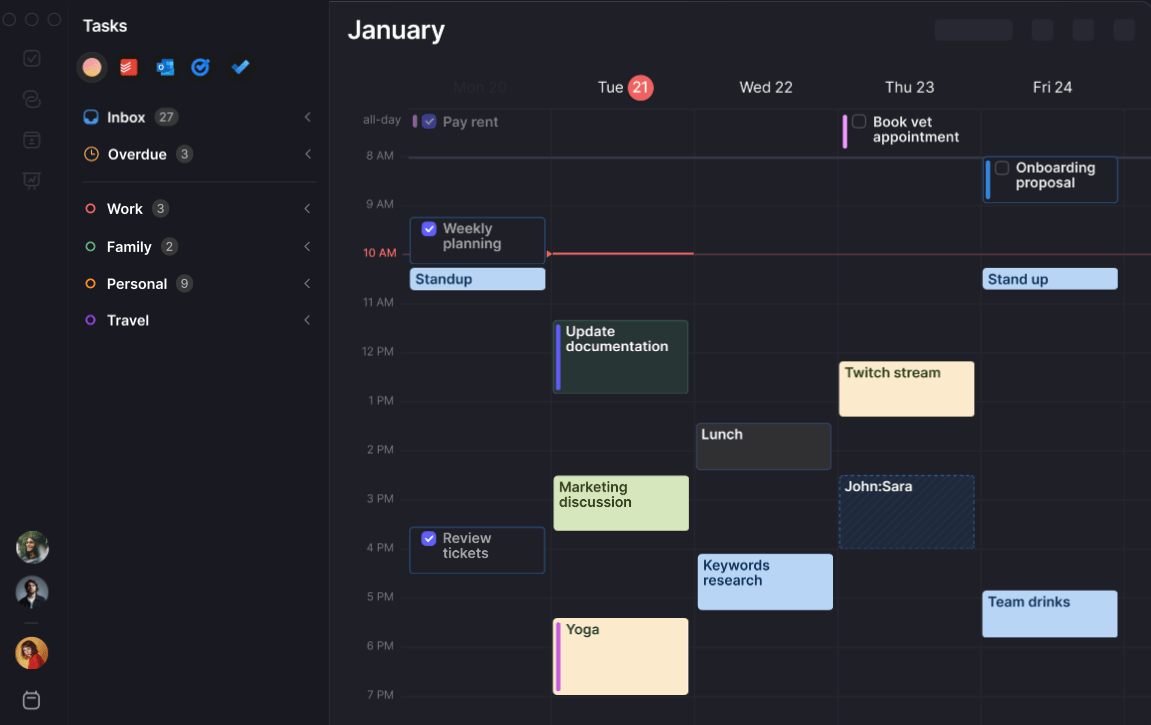
Morgen offers a comprehensive suite of tools that allow you to keep up with your schedule, no matter how crammed it may be. Everything about this platform is designed to save you time—from natural language event creation to personalized booking links for easier scheduling.
With Morgen, you can compile calendars from various sources, including Apple, and manage them from a centralized platform. It even merges duplicate events across different calendars. Morgen makes time blocking simple, as you can drop items from the Task Manager directly onto your calendar.
Where Morgen stands out the most among calendar apps for Mac is its ability to facilitate team coordination.
When you want to schedule a meeting, Morgen not only shows you when your teammates are available but also suggests a time that will cause minimal disruption to participants’ daily schedules and focus. 🧑💻
📮 ClickUp Insight: 50% of workers are still tied to the office, even though 48% prefer a hybrid setup for better work-life balance. The result? Rigid schedules, commuting fatigue, and poor boundary control. 🚗💨
With automated scheduling and time blocking, ClickUp’s Calendar helps you stay organized across work environments. Whether you’re at home or in the office, your workflow stays consistent on ClickUp, and personal time stays protected!
💫 Real Results: Lulu Press saves 1 hour per day, per employee using ClickUp Automations—leading to a 12% increase in work efficiency.
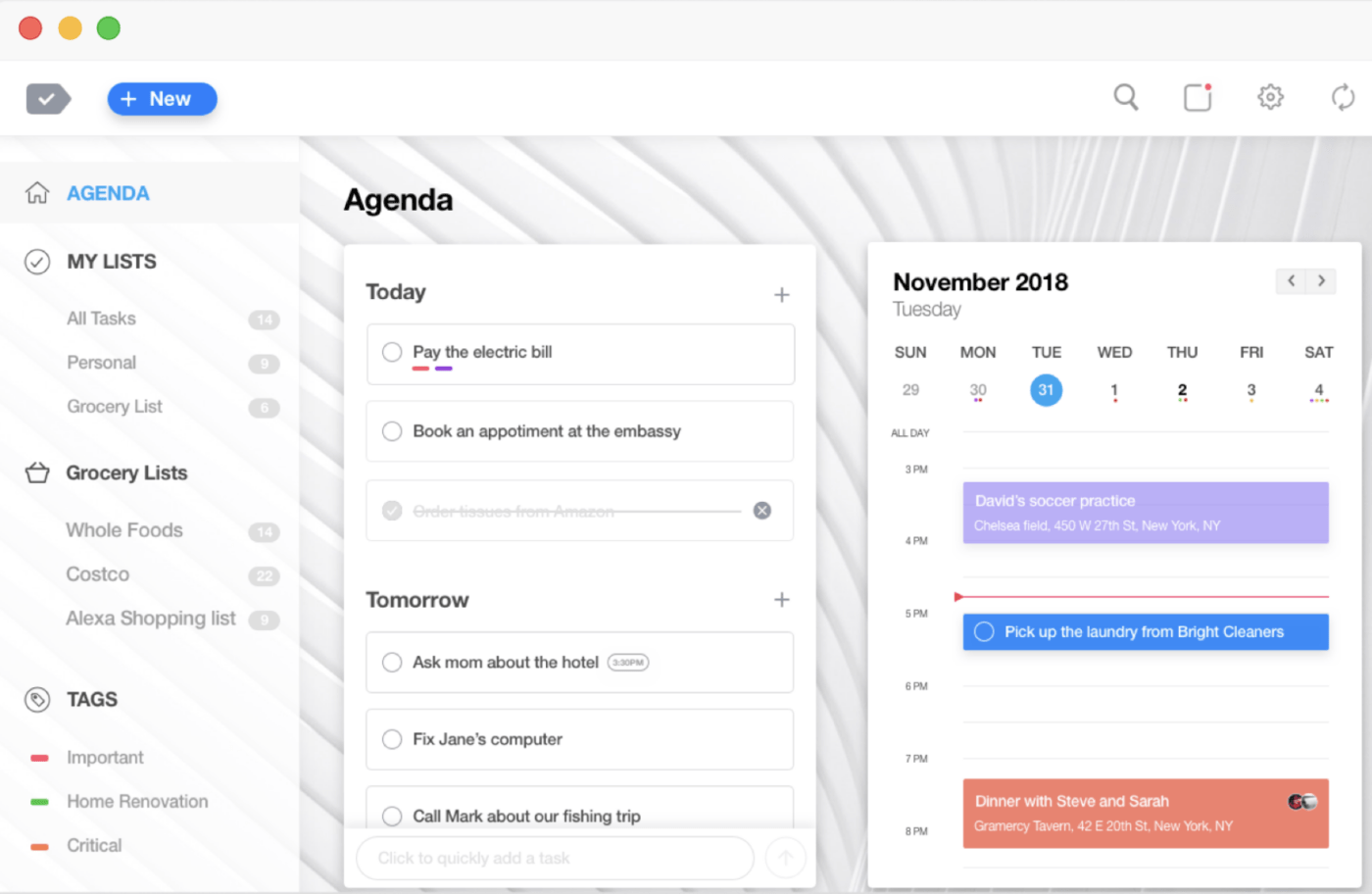
With its calendar, daily planner, and collaboration tools, Any.do helps you stay on top of any project and project timeline. You can create separate calendars for personal and business needs, striking that sweet work-life balance. ⚖️
The calendar app integrates with numerous other calendars, including the iCloud’s, and syncs seamlessly between different devices for a real-time schedule overview on the go.
You can use Any.do alongside your coworkers, assigning tasks to each other and communicating via comments and chat. Include subtasks, notes, and files to give assignees all they need to easily complete tasks and minimize unnecessary back-and-forth.
*All listed prices refer to the yearly billing model
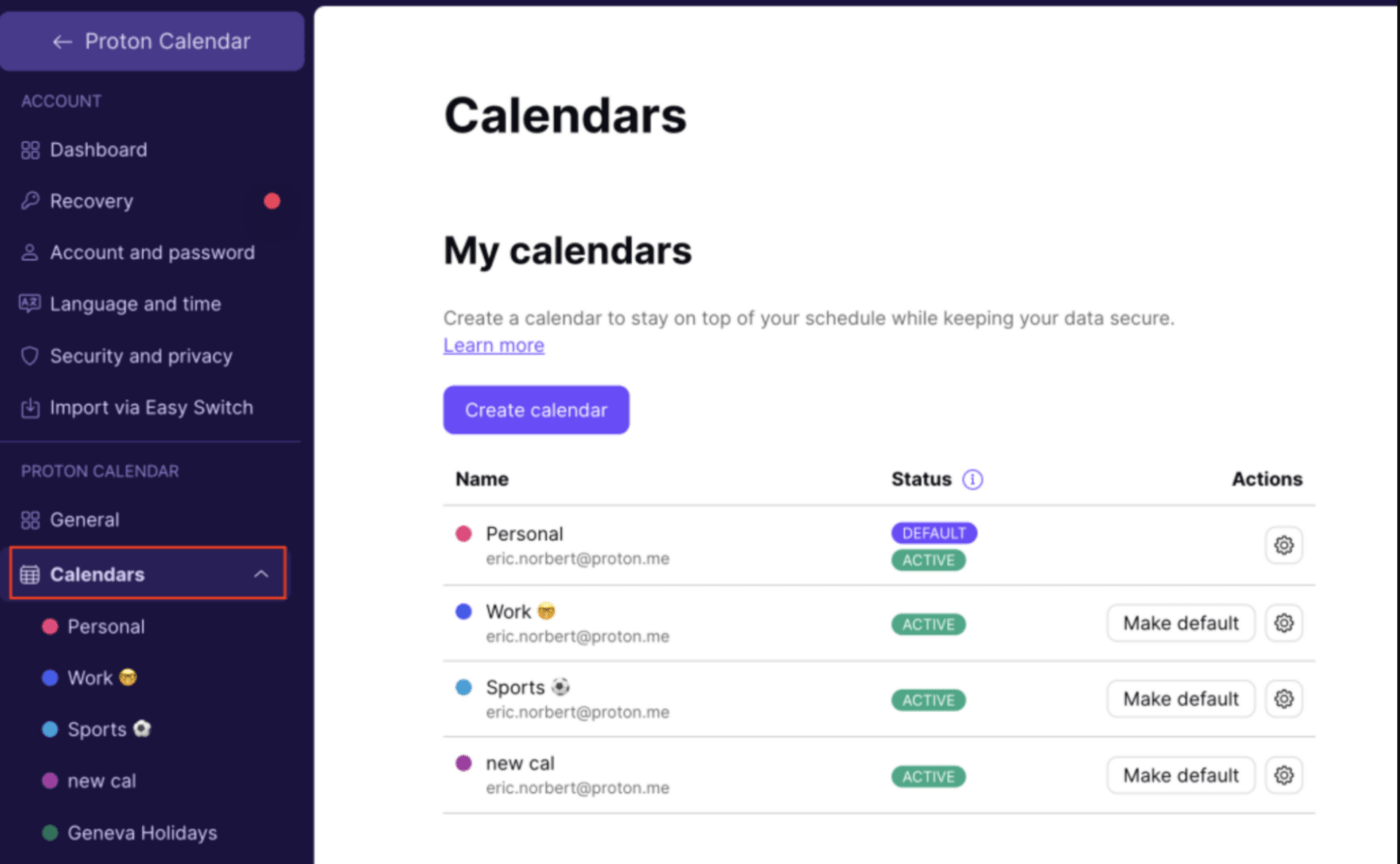
Proton is a well-known Swiss email client that has expanded its services to scheduling. As do other Proton tools, the Proton Calendar puts a big emphasis on data protection. All event information within your calendar is encrypted end-to-end, even when the event is shared from an external user and source. 🔒
As far as customization is concerned, you can choose between different views, edit the theme, and define when and how you want to receive notifications. If you already use Proton Mail, leveraging the Proton Calendar should be a smooth experience, as you can create events and manage invitations without leaving the email app.
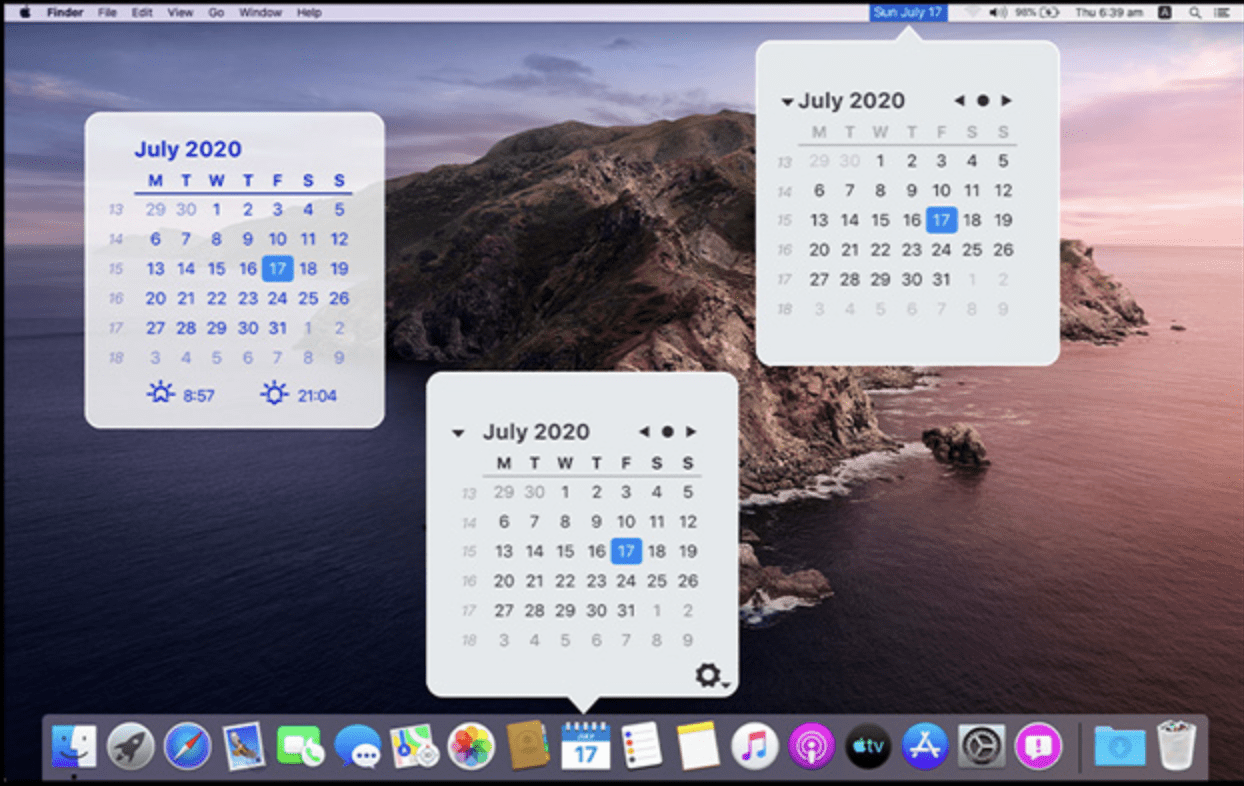
Sometimes, you don’t need all the bells and whistles but rather a subtle calendar app that you can glance at when necessary. The Mini Calendar is precisely that—a lightweight tool that doesn’t distract you from the important work you do. 🪶
You can access your Mini Calendar in the following places:
If you place the Mini Calendar on your desktop, you’ll be able to change its color and opacity. You can also choose to display the calendar on top of other windows in case you need it within reach at all times.
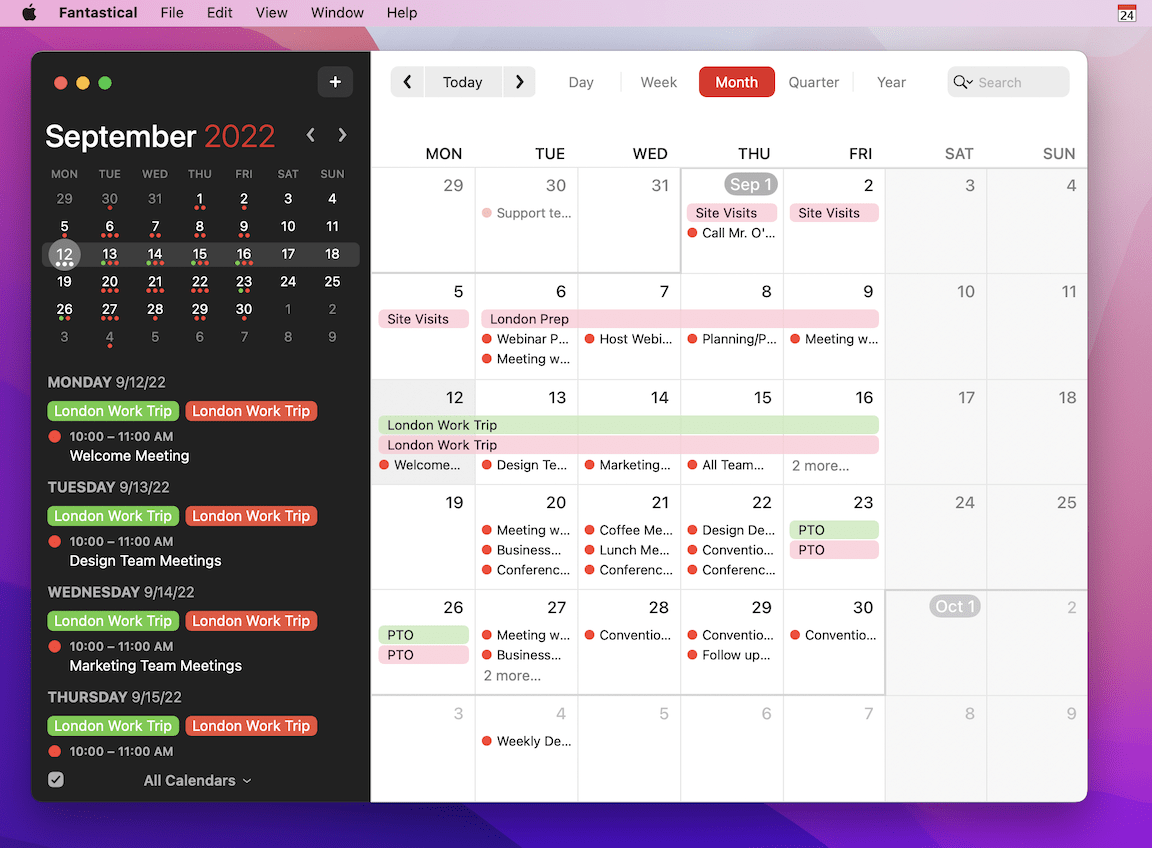
With six views, six language options, and many other nice-to-haves, Fantastical lives up to its name. You can upload existing accounts to Fantastical and create custom calendar sets. Focus filters let you separate your work and personal schedules with a few clicks. 🖱️
As Fantastical has all the standard features, let’s focus on what’s unique. For example, it allows you to not only share openings but also propose multiple time and date options when scheduling events involving others. Help participants prepare by uploading files and images directly to your iCloud or another provider, syncing them across all devices.
Want to learn about important upcoming dates and public happenings? Search, browse, and read relevant content within Fantastical, then add the event to your calendar so you don’t miss it.
*All listed prices refer to the yearly billing model
These 10 calendar apps for Mac revolutionize how you view and organize your time. When it comes to your personal life, they ensure you never miss a friend’s birthday again. In the business context, these calendar apps enable you and your team to work more efficiently and stay aligned with your process map regardless of circumstances.
If you need additional features to boost your productivity, go with ClickUp. This project management tool has all you need to create amazing things, and do so in record time. ⏱️

Praburam Srinivasan
Max 22min read

Manasi Nair
Max 45min read
Manasi Nair
Max 32min read

© 2026 ClickUp