Sorry, there were no results found for “”
Sorry, there were no results found for “”
Sorry, there were no results found for “”
When multiple teams touch the same data, chaos spreads fast. Marketing logs leads one way, while sales logs them another. Ops adds new tags. Dev updates the schema. Suddenly, no one knows which version is the correct one.
That’s where great database builder software comes in—it lets you collect, store, and sync data across teams while keeping it clean, connected, and usable.
In this post, we’ve rounded up 11 of the best database builders to help you keep collaboration smooth, structure consistent, and data crystal clear—no matter how many hands are on deck. 🤝
These are the top options for database builder software compared.
| Tool | Best for | Best features | Pricing |
|---|---|---|---|
| ClickUp | All‑in‑one database and project management Team size: Individuals & teams of all sizes | Tasks as records, Custom Fields, Table View, Automations, Dashboards, ClickUp Brain | Free forever; Customizations available for enterprises |
| Google AppSheet | No‑code app building inside Google Workspace Team size: Individuals to mid‑sized firms | Drag-and-drop logic, Google Sheets database integration, offline sync, mobile-ready dashboards | Free; From $5/month per user |
| Microsoft SQL Server | Enterprise‑grade relational DBMS Team size: Developers & DB admins | In‑memory OLTP, JSON/graph support, Always On availability | Custom pricing |
| Microsoft Access | Desktop database creation & local use Team size: Small teams & admins | Table wizards, VBA macros, form‑based UI | $179.99/user (one‑time) |
| Zoho Creator | Low‑code business apps with workflow automation Team size: Small to mid‑sized marketing & ops teams | Drag‑&‑drop builder, Deluge scripting, mobile deployment | Free trial; From $12/month per user |
| Knack | Online databases without coding Team size: Individuals, DBAs & small teams | Role‑based permissions, embeddable apps, charts/maps | From $19/month per user |
| Caspio | Low‑code apps with enterprise compliance Team size: Mid‑sized firms & enterprise ops teams | HIPAA/SOC 2‑compliant, REST APIs, point‑&‑click builder | Custom pricing |
| Zapier | Automation platform connecting apps & workflows Team size: Individuals & mid‑sized marketing/ops teams | 6,000+ integrations, multi‑step flows, error handling | Free; From $19/month |
| Tadabase | Build complex web apps fast Team size: Enterprise teams & system admins | Multi‑table layouts, white‑labeling, PDF/email automation | From $50/month per user |
| PostgreSQL | Advanced open‑source SQL engine for large datasets Team size: Mid‑sized to enterprise firms | JSONB/arrays, PostGIS, replication, extensibility | Free (open source) |
| Airtable | Relational spreadsheets with collaboration Team size: Small to mid‑sized product & content teams | Custom views, automations, Slack/Gmail integrations, and internal data visualization tools | Free; From $20/month per user |
Here’s a list of what to look for in a free database software:
🔍 Did You Know? The first real computer database appeared in the 1960s, with Charles Bachman’s Integrated Data Store (IDS) often considered the first true DBMS.
Does your current system feel more like a workaround? Here are some of the best free project management software tools to create structured, flexible, and scalable systems. 🎯
Our editorial team follows a transparent, research-backed, and vendor-neutral process, so you can trust that our recommendations are based on real product value.
Here’s a detailed rundown of how we review software at ClickUp.
First on our list is ClickUp. It’s the everything app for work that combines project management, knowledge management, and chat—all powered by AI that helps you work faster and smarter.
Combined with the ClickUp CRM Project Management Software, it blends relational database functionality with project execution features. That means you can track contacts like a CRM, build workflows like an ops team, and assign action items like a project manager.
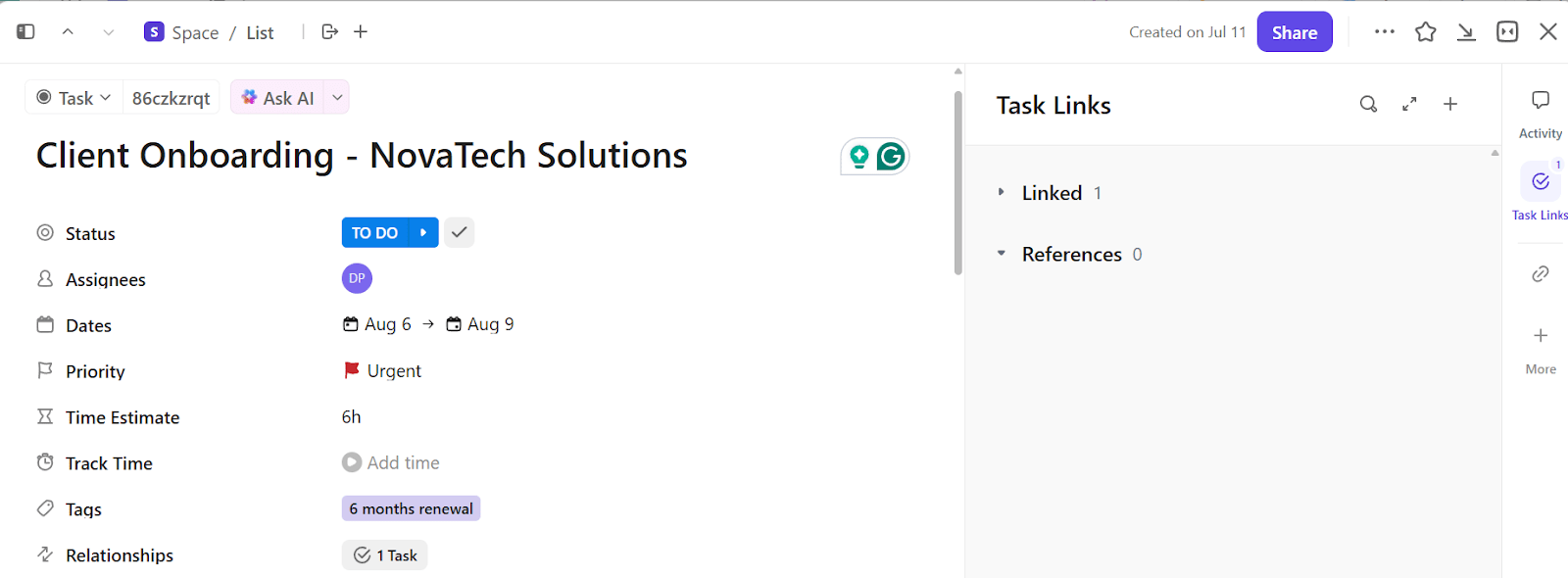
Think of ClickUp Tasks as your ‘record’ in database terms. Each task holds a title, description, checklist, files, assignees, and comments.
Let’s say you’re using ClickUp as a client management system. Each client gets a task where you can add a checklist for onboarding steps, upload signed contracts or NDAs, and leave internal notes.
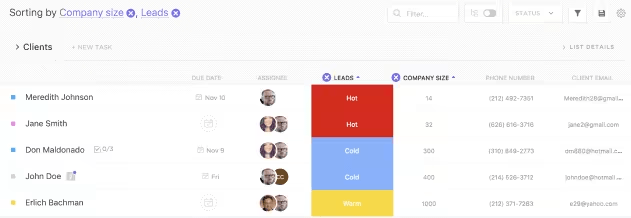
ClickUp Custom Fields is where the platform truly begins to function like a database. You can add dropdowns, dates, phone numbers, checkboxes, URLs, and even calculated fields. These fields create a structure tailored to your needs.
For instance, you’re managing influencer partnerships. For each campaign task, add:
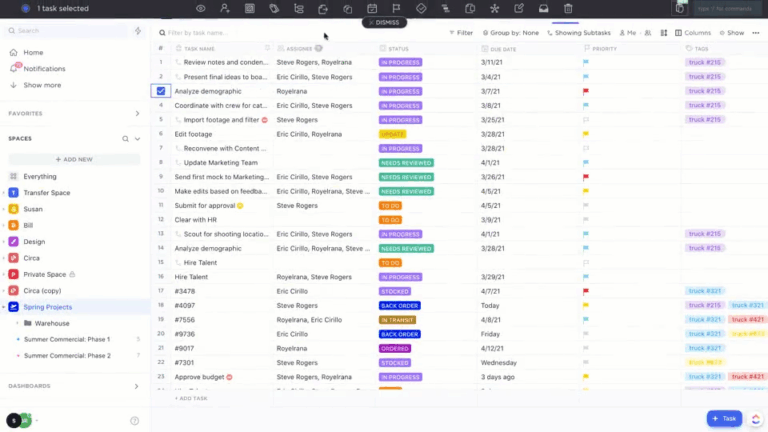
Pair this with ClickUp Task Dependencies, and you’ve got control over sequence. All you have to do is set relationships between consecutive tasks, and ClickUp will notify you when overdue tasks affect your timeline.
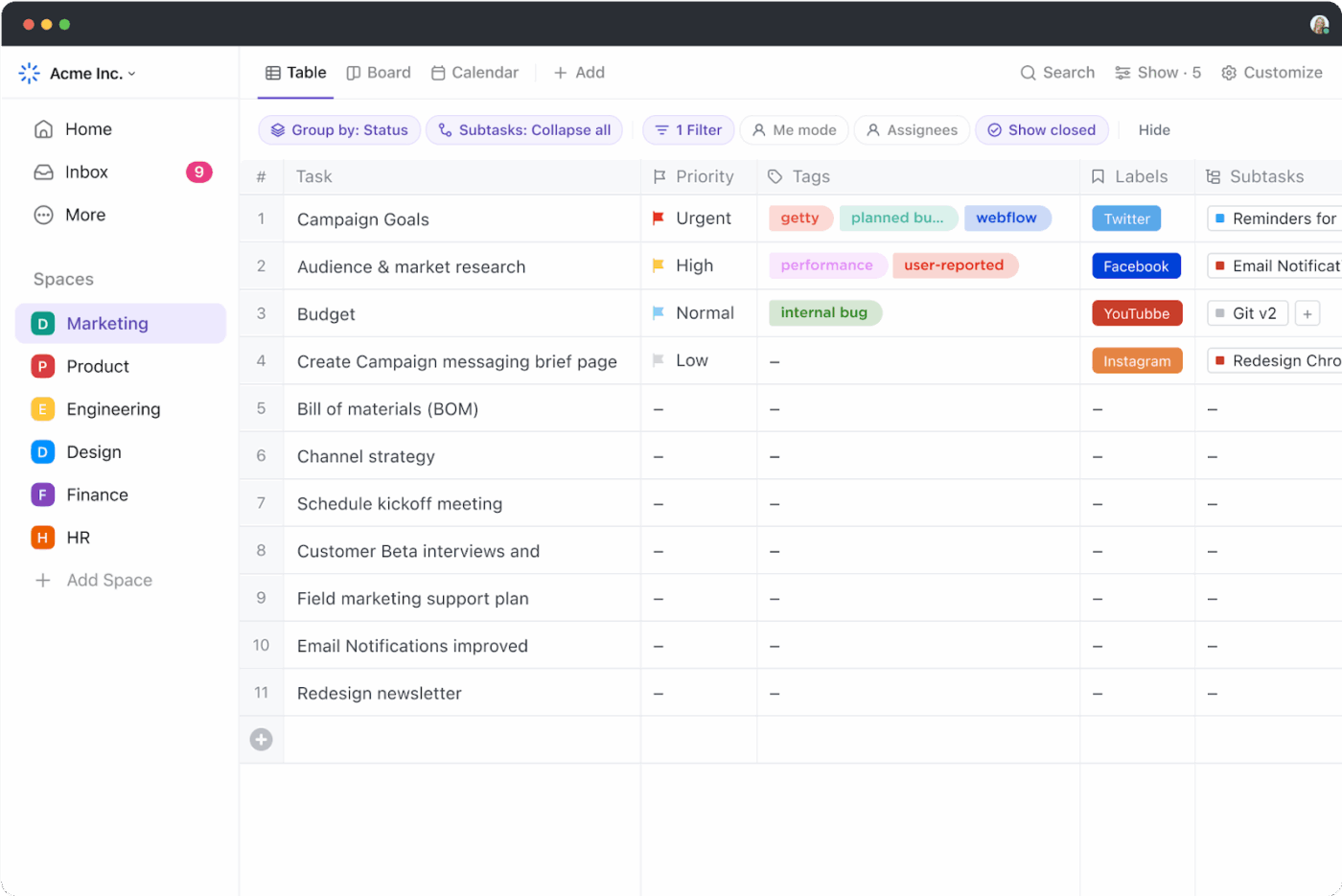
If you live in spreadsheets, the ClickUp Table View will feel pleasantly familiar.
Each row represents a task, and each column corresponds to a field (status, assignee, custom data), with all updates occurring in real-time.
If you’re running a content calendar, you can view article topics by assigned writer and word count, sort by who’s overdue, and add advanced filter options.
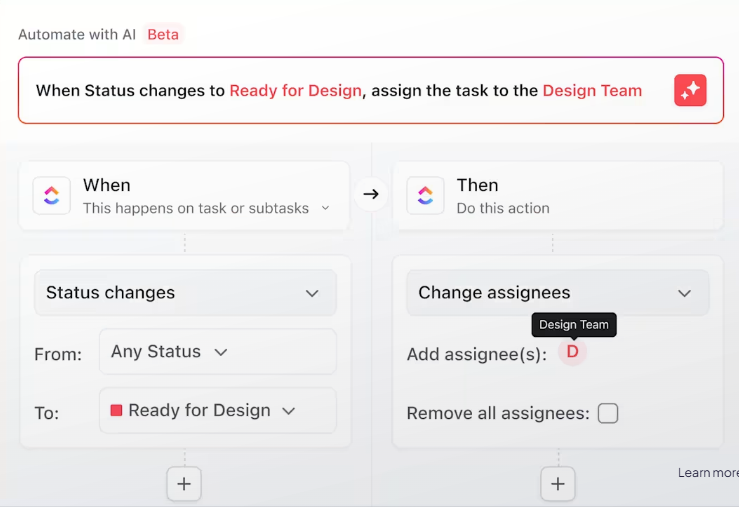
Now, layer in ClickUp Automations, and your workspace starts thinking intelligently. You can create no-code ‘when.. if’ rules.
Say you’re managing customer feedback. Every time someone fills out a feedback form, an automation can assign it to the support team and set the priority based on sentiment analysis.
Building a database is only the first step—keeping it updated is where the real challenge begins.
🎥 In this video, you’ll learn how to automate workflows in just five minutes, so your database stays accurate, your processes stay synced, and your team spends less time on manual updates.
This G2 review really sums it all up:
ClickUp offers an impressive range of features that make it easy to customize workflows, manage tasks, and track progress in one place. I love how I can create views tailored to each project, set automations, and integrate it with other tools I already use. It’s very versatile, whether for personal task tracking or complex business operations. The templates and dashboards are especially helpful for keeping everything organized and easy to follow.
📮 ClickUp Insight: 43% of people say repetitive tasks provide helpful structure to their workday, but 48% find them draining and a distraction from meaningful work.
While routine can offer a sense of productivity, it often limits creativity and holds you back from making meaningful progress.
ClickUp helps you break free from this cycle by automating routine tasks via intelligent AI Agents, so you can focus on deep work. Automate reminders, updates, and task assignments, and let features like Automated Time Blocking and Task Priorities protect your power hours.
💫 Real Results: Lulu Press saves 1 hour per day, per employee using ClickUp Automations—leading to a 12% increase in work efficiency.
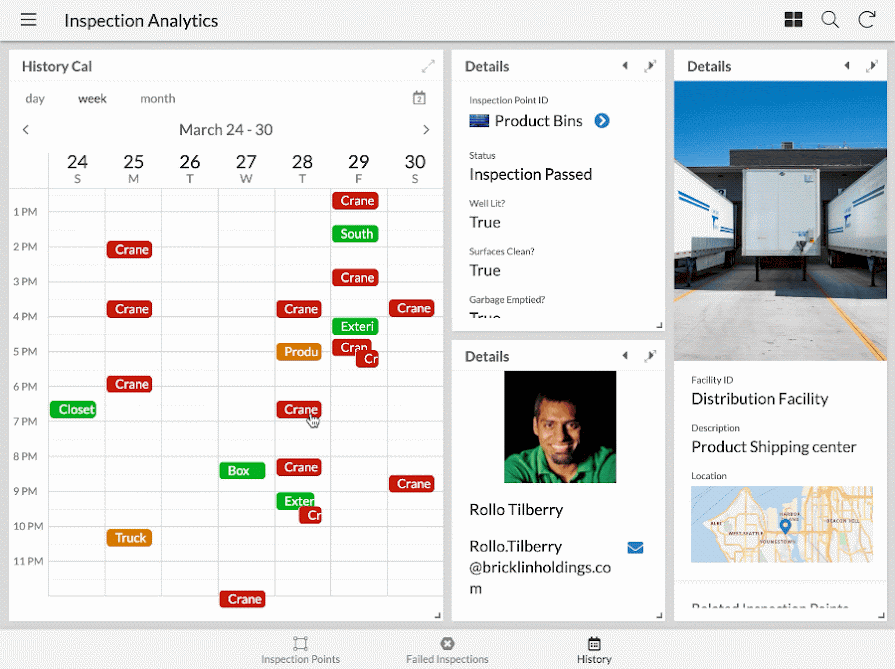
via Google AppSheet
AppSheet integrates with Google Workspace, allowing teams to turn Sheets data into mobile-ready apps without writing code. Drag-and-drop expressions handle business logic, while role-based permissions pull directly from Google accounts, reducing IT involvement.
Once deployed, team members capture field data, approve requests, and trigger Drive or Gmail automations from any device. And because everything is stored in BigQuery or Sheets, analysts can keep their existing reporting pipelines intact, rather than rebuilding them around a new tool.
This is how one user described their experience:
I am extremely satisfied with AppSheet. The platform has exceeded my expectations in terms of its flexibility, ease of use, and powerful features for building custom applications without writing code…While AppSheet allows for a significant degree of customization without writing code, some users may find that certain customization options are limited compared to traditional coding approaches, particularly for complex or specialized requirements…
💡 Pro Tip: Create reference fields, not just text fields. Instead of entering a project name manually, create a reference field to another table; this ensures data integrity and allows lookups and rollups down the line.
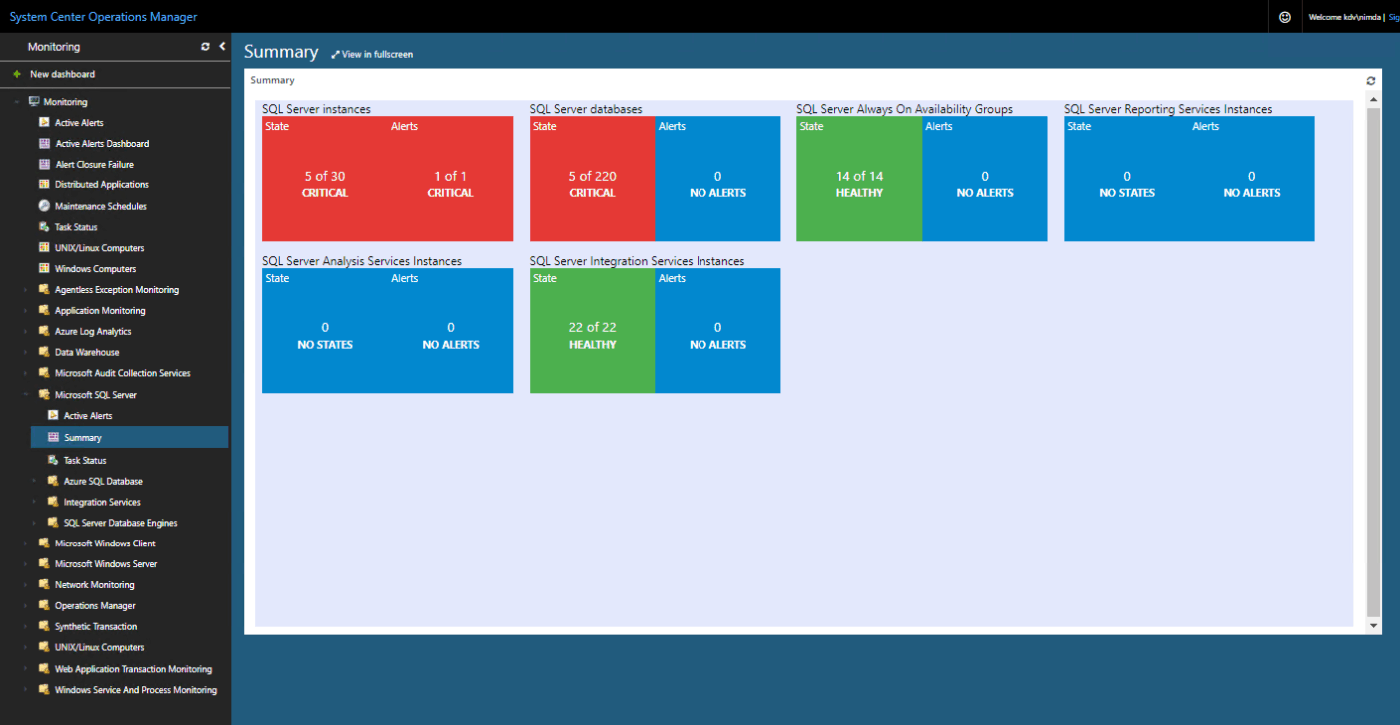
SQL Server offers a mature RDBMS, along with integrated tooling, that enables developers to focus on schema design and query tuning, rather than infrastructure plumbing. T-SQL supports complex joins and window functions, while columnstore indexes and in-memory OLTP handle sizable transactional loads.
Built-in JSON and graph extensions keep modern data types in the same engine, simplifying tech stacks. DevOps pipelines slot in through native Docker images and the SQL Server Data Tools extension. Automated unit tests validate stored procedures, and Query Store surfaces regressions before they reach production.
One Capterra review puts it this way:
It’s a rock solid DBMS, fast and customizable. Reliability very high and for years that I’ve been using I didn’t got any problems with it or lost any data. SQL Management Studio is intuitive to use and allows you to configure almost every aspect of the Database or the server without having to write SQL queries…Licensing is confusing, whenever you have license by call or by CPU core, it’s a bit hard to understand how they apply the prices.
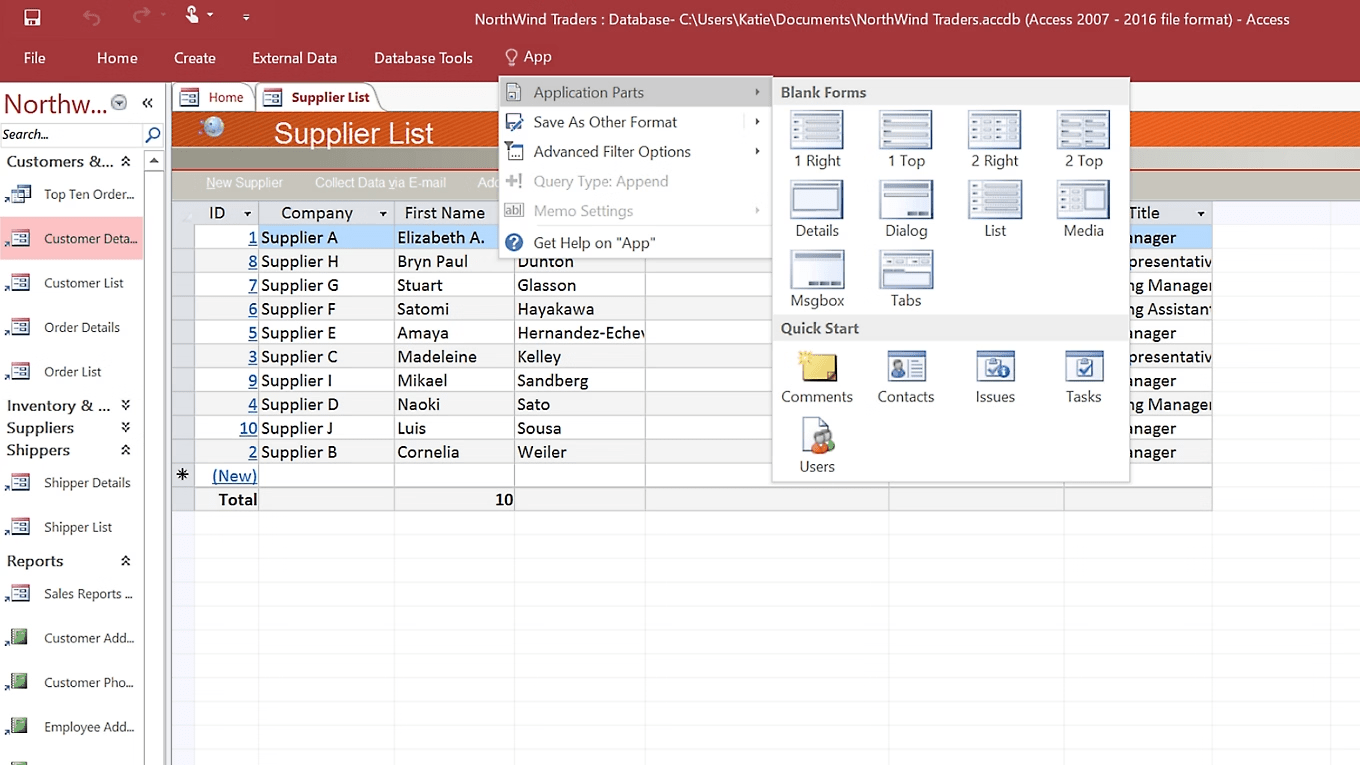
via Microsoft Access
Microsoft Access helps operations managers centralize scattered spreadsheets into a single desktop database without hiring a DBA. Table wizards import CSVs, invoices, or equipment logs in minutes, and the Relationships view makes entity links visible at a glance.
You can run routine tasks, like monthly variance checks, through saved queries and macros. Additionally, because Access syncs with SharePoint or SQL Server, you can start locally and later migrate data online without needing to rewrite processes.
A user shared this feedback:
As a user in my opinion and commonly cited by alot of users , I like Microsoft Access for its user-friendly interface, ease of creating databases, and its ability to manage and analyze data without requiring advanced programming skills…While Microsoft Access has its strengths, there are some limitations and drawbacks to consider: Scalability,Security Concerns Limited SQL Support Integration Challenges Reliability
💡 Pro Tip: Use a single-select field named _OwnerCheck in every table, and filter ‘My Tasks’ views based on it. This enforces clear ownership, prevents orphaned records, and keeps task accountability front and center.
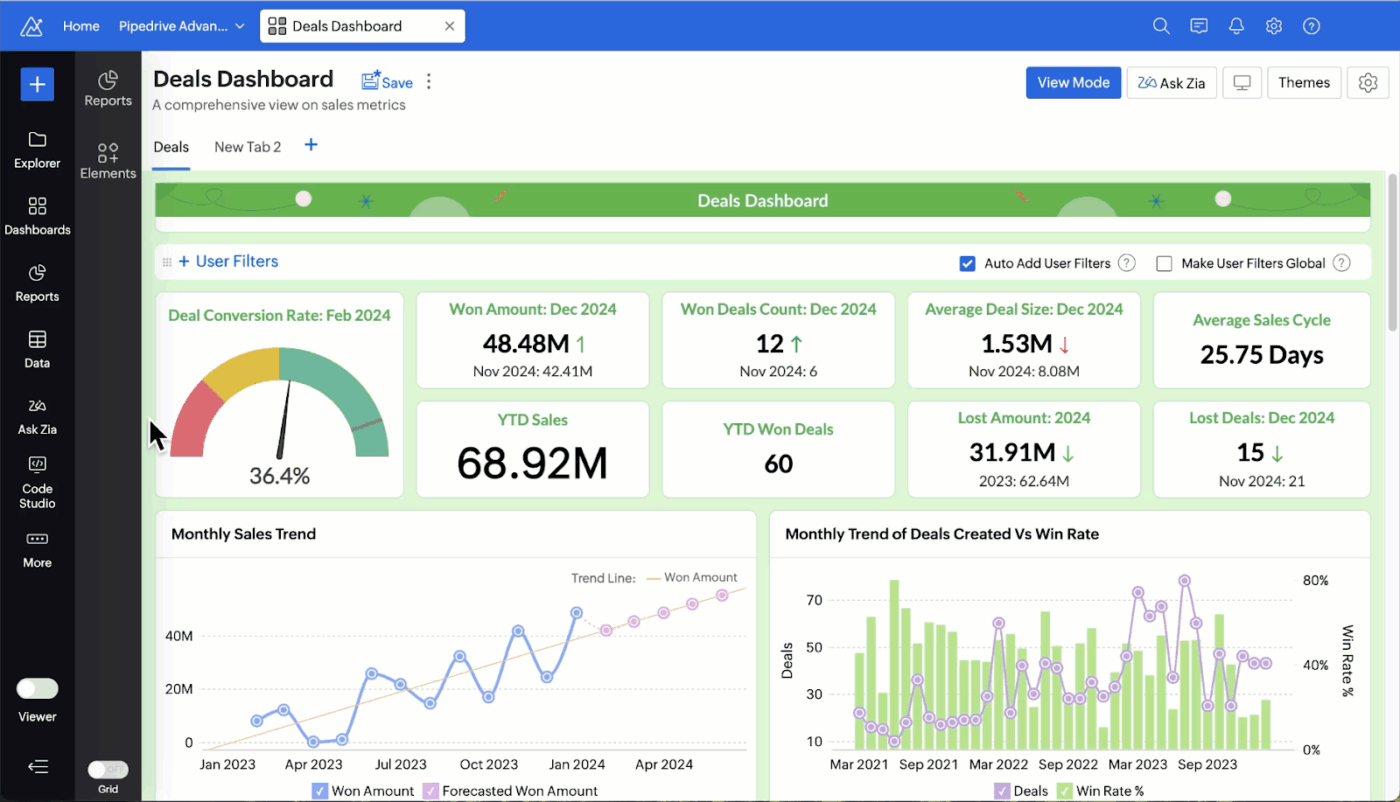
via Zoho Creator
Zoho Creator lets marketing teams spin up campaign trackers, lead routers, and content calendars without waiting on engineering sprints. Its Deluge scripting language resembles plain English and plugs directly into Zoho CRM, Google Ads, and Facebook Lead Ads, keeping attribution and ROI metrics in one place.
Plus, custom workflows send nurture emails or Slack alerts when prospects cross score thresholds. You can also use embedded analytics to reveal channel performance down to the creative variant. Marketers gain a self-service hub that scales as funnels evolve, without brittle sheets or one-off SaaS silos.
Straight from a G2 review:
One can customize any form and create a personalized dashboard. It also has apps and a secure login method through an authenticator app…The software is clunky and takes some getting used to, and the dashboards need major customization to be effective.
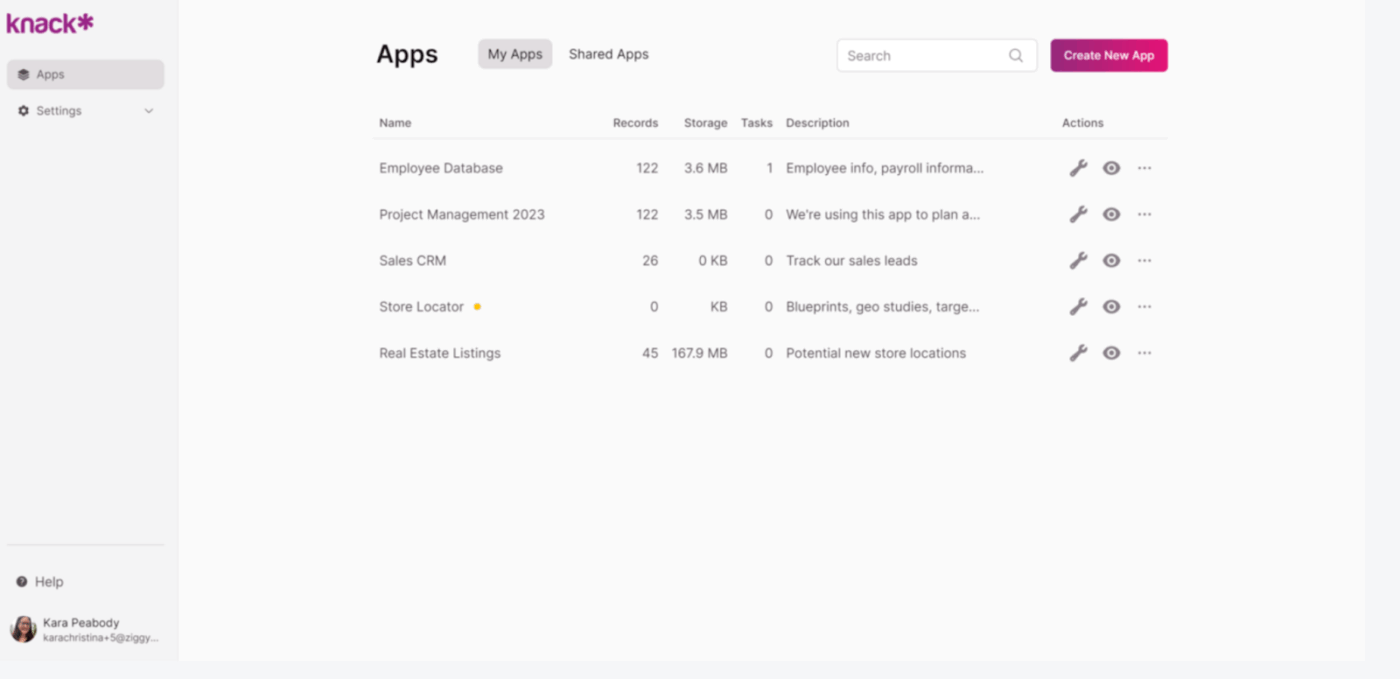
via Knack
Knack provides a browser-based builder where teams can map out tables, define connections, and generate responsive interfaces all within the same canvas. Pre-built database templates jump-start common use cases, such as asset logs, client portals, and volunteer rosters, so setup time is measured in hours.
The rules engine filters views based on user roles, so each stakeholder only sees what’s relevant to them. For integrations, API endpoints make it easy to access and connect any object, while tools like Zapier or Make can handle quick automations without coding. Since hosting, backups, and SSL security are included, teams can skip the hassle of managing servers or configuring firewalls—yet still retain full control over their data model.
See what this reviewer had to say:
Knack is easy to configure and use. It makes light work of the heavier loads. Forget the complexities of Excel…Knacks only short coming is the lack of some native integrations into pre-existing tables such as Sales and Products for Shopify as an example, but the API is easy to use so we’ve solved that problem.
💡 Pro Tip: Always create a custom _ID field using a formula like RecordType + ‘-‘ + RANDOM_STRING(6). Even if your platform auto-generates record IDs, this makes integrations, reporting, and filtering more human-readable and dependable.
Use ClickUp Brain MAX to capture and clean data instantly
Manual data entry is one of the biggest productivity killers when managing shared databases. That’s where ClickUp Brain MAX comes in—ClickUp’s desktop AI assistant that lets you update or create records hands-free with Talk to Text.
Instead of switching tabs or typing every field, you can speak updates like “Add a new client to the database with priority = high and due date = Friday,” and ClickUp Brain MAX will instantly convert it into a task or record.
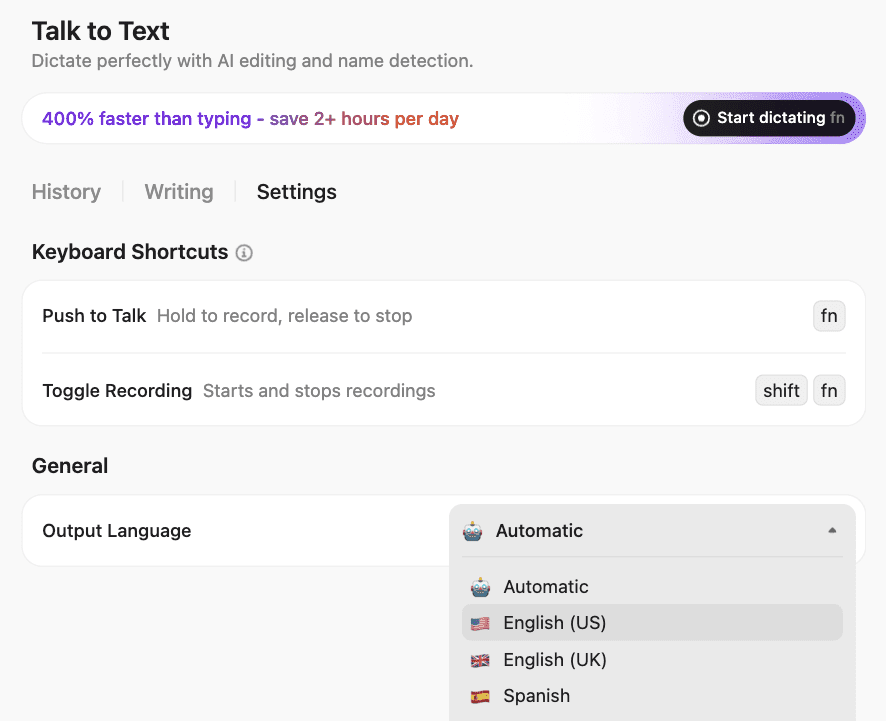
Once captured, ClickUp Brain (in-app) can summarize your latest project entries, detect duplicate records, and even generate quick insights across related data. Together, they turn your workspace into an intelligent, self-maintaining database—so your team spends less time fixing data and more time using it.
💫 Think of it as your voice-powered database assistant that keeps every field, task, and report in perfect sync.
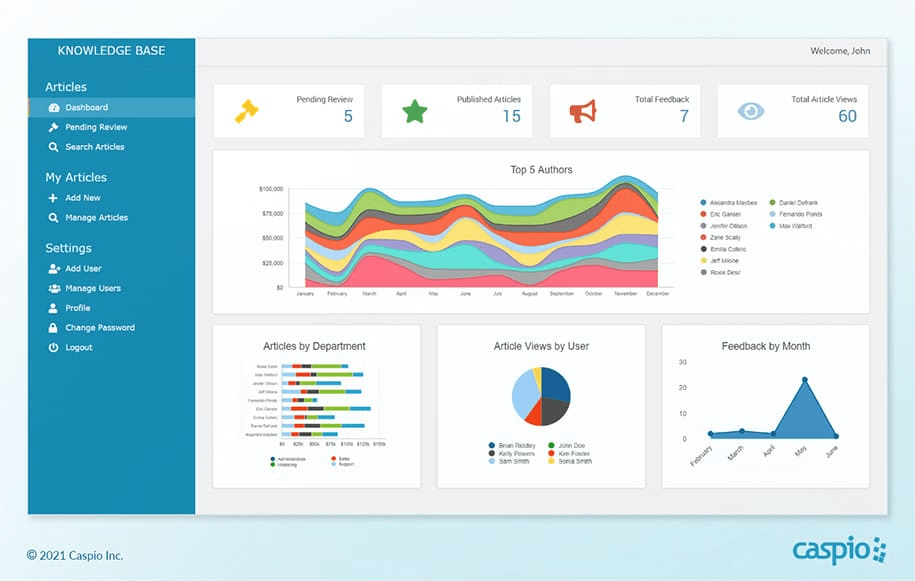
via Caspio
Caspio is built for operations leaders who need governance-ready web apps. Everything lives in a secure, SOC 2- and HIPAA-compliant cloud, making audits significantly less painful. You can build with point-and-click triggers that handle field-level validations (no SQL needed), but if you’re more technical, you can drop into JavaScript or plug into REST APIs.
Need structured workflows? The database design tool’s multi-step automation can route service tickets or quality checks through a chain of approvers, while granular logs track every change, so you’re always audit-ready.
Straight from a Capterra review:
We chose Caspio after planning our forms in Excel, and transferring the structure over was relatively smooth—especially with the help of Caspio’s excellent technical support. The individual training sessions were incredibly helpful during the setup phase and made the learning curve more manageable, even for someone who hadn’t done any coding in a while.
🔍 Did You Know? Graph databases, built on graph theory and ideal for mapping relationships, originated in 2006, inspired by Tim Berners-Lee’s vision for linked data.
via Zapier
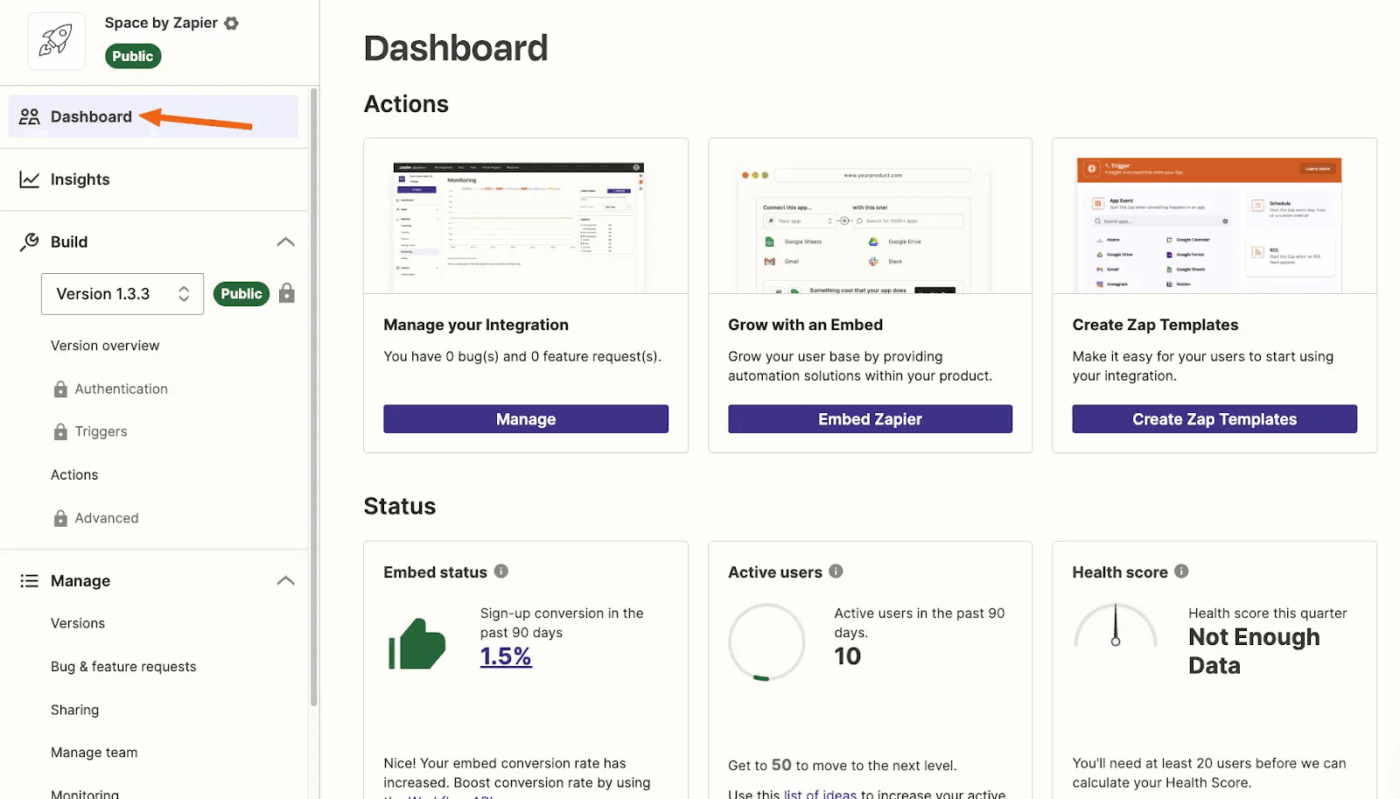
Zapier connects over 6,000 SaaS apps through Zaps, allowing marketers to stitch together campaigns without writing middleware. A trigger (such as form fill, purchase, or webinar registration) initiates step-by-step actions, including updating CRM fields or sending nurture emails.
Path rules enable you to branch flows based on lead score, UTM source, or other key fields, ensuring the right contacts receive the right treatment. And if something goes wrong? Error handling automatically retries failed runs and alerts the owner, reducing the likelihood of silent failures.
A G2 review puts it this way:
Zapier is incredibly useful but there are a few limitations once you start scaling your automations or need more advanced logic like branching or multi step conditions it can get expensive quickly some apps also have limited triggers or actions available which means i sometimes have to look for workarounds. Occasionally a zap might fail without a clear explanation unless you dig into the task history.
via Tadabase
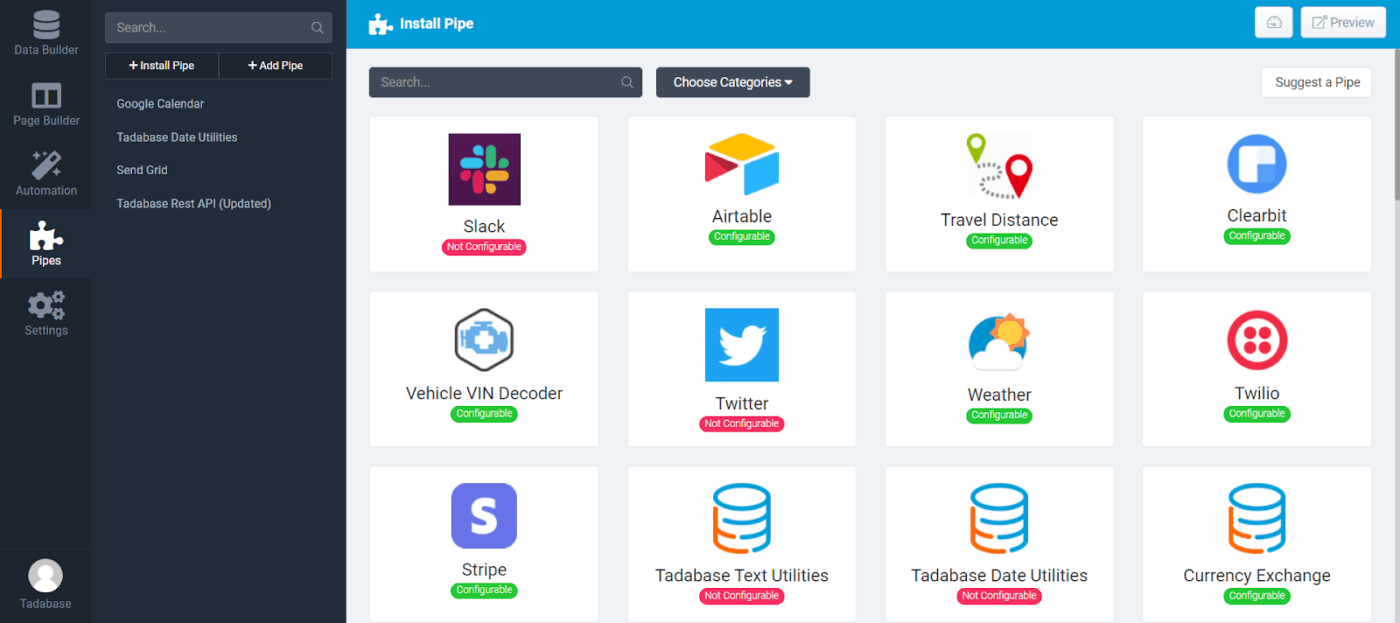
Tadabase excels at building internal tools that mirror complex processes, such as multi-table manufacturing trackers, field-service dispatchers, and HR onboarding portals. The schema designer handles many-to-many links, and component-based layouts display related records side by side for quick context.
Automations execute on schedule or in response to an event, with native support for PDF generation and email steps. Self-host or deploy to Tadabase’s managed cloud; both options include role-based access controls and audit logs. You can also replace legacy Access files or outdated intranet forms with a secure, browser-based system that adapts to changing policies.
Here’s what one reviewer has to say:
Tadabase is a powerful tools to creat app very quickly. Some features could be better but i use it and I will continue tu use it!…The data management and the templates (on mobile) could be better.[sic]
💡 Pro Tip: Build a CRM database with a ‘lookup rollup’ field to count related child records. For example, in a client table, display the number of active projects by rolling up from the Project table, where the Status is not Complete. ‘Great for capacity planning and prioritization.
via PostgreSQL
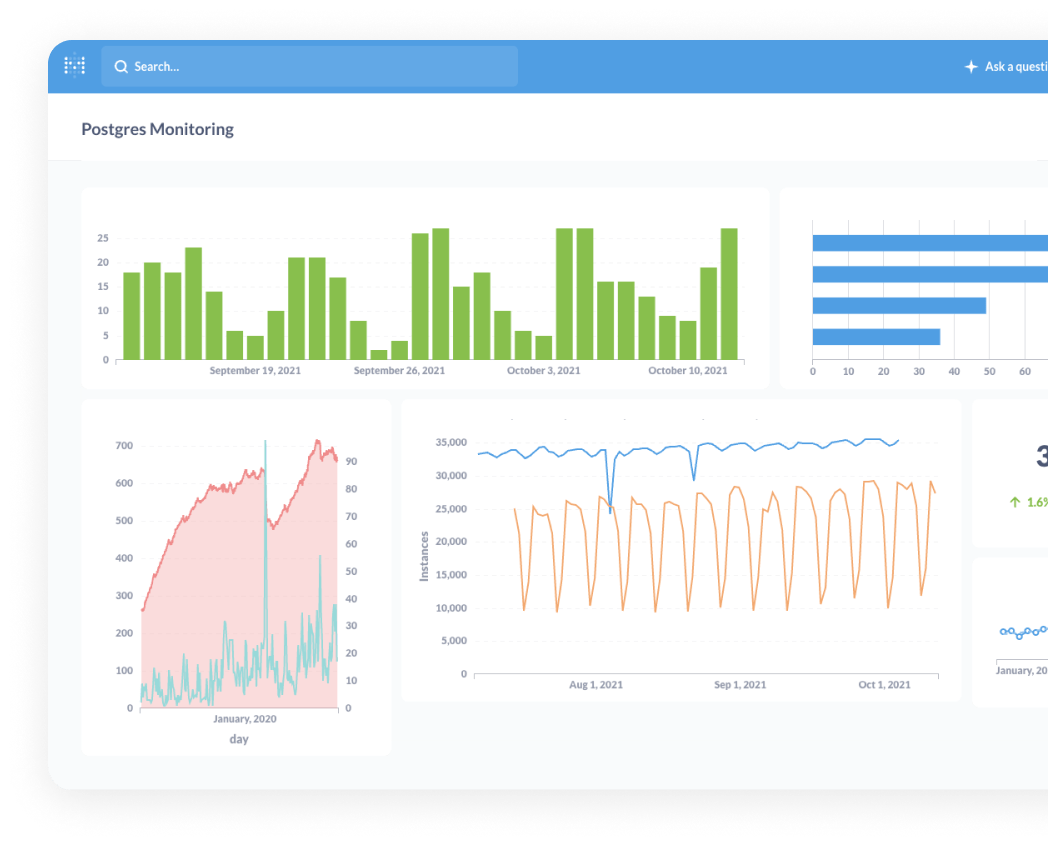
PostgreSQL gives developers a powerful, extensible SQL engine they can prototype with locally and scale to terabytes without changing syntax. With support for rich data types, such as JSONB, arrays, and PostGIS geometry, there’s often no need to juggle multiple databases to handle diverse workloads.
Built-in features, such as declarative partitioning and logical replication, cover everything from analytics to high-availability setups. Tools like PGAdmin, psql, and a broad driver ecosystem plug seamlessly into CI pipelines, making integration smooth.
A quick snippet from a real user:
Strong support for advanced indexing techniques like BRIN, GIN, and GiST, which optimize query performance for large datasets. Plus, its built-in JSON support makes it an excellent choice for handling semi-structured data without sacrificing relational capabilities…Replication and clustering can be more manual compared to solutions like MySQL’s built-in replication
via Airtable
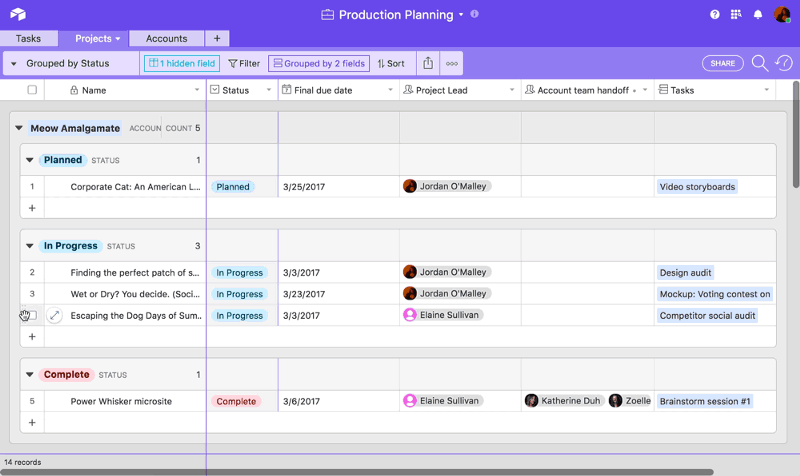
Airtable gives product teams a single workspace to plan roadmaps, gather user feedback, and manage releases. You can pivot, group, or calendar your data with just a few clicks without formulas. Each record supports file uploads, rich text, and checklists, making it easy for designers, engineers, and PMs to collaborate in one place.
And with Interfaces, you can turn complex spreadsheet project management into clean, lightweight dashboards that give execs the high-level view they need.
According to one reviewer:
No major downsides in my experience so far, however I could see the many different options to view, sort, or setup data and workspaces taking a long time to optimize for users that are less familiar with Airtable’s capabilities. The implementation process does seem daunting for my team, as we deal with hundreds of stakeholders, with an extensive list of products, each with different levels of permission and details.
Now that we’ve gone over the best database builder software out there, you know that he right fit depends on your team’s skill level, the complexity of your use case, and the level of flexibility you require.
If you need more than just a database, turn to ClickUp. The no-code tool lets you build custom views, connect fields, organize unstructured data, and collaborate in real time with multiple users.
Sign up to ClickUp for free today! ✅

Manasi Nair
Max 14min read
Manasi Nair
Max 9min read

Arya P Dinesh
Max 17min read

© 2026 ClickUp