Sorry, there were no results found for “”
Sorry, there were no results found for “”
Sorry, there were no results found for “”
Tracking work hours on a construction site is crucial for managing payroll, project costs, and productivity. A construction timesheet template simplifies this process, ensuring you get accurate records without the hassle.
Whether you’re a contractor, project manager, or worker, using structured construction timesheets helps keep everything in check. The right template eliminates confusion, reduces errors, and helps you correctly pay workers.
Below, we’ll explore construction timesheet templates, what makes a good one, and suggest the best free templates from ClickUp, the everything app for work.
A construction timesheet template is a preformatted document used to track the hours worked by employees on a construction site. It helps employers monitor attendance, calculate wages, and ensure high productivity. These templates streamline record-keeping, making payroll processing easier and allowing you to find opportunities for optimization.
Here are the standard elements of a construction timesheet template:
Here’s a list of the top construction timesheet templates for tracking working hours, ensuring accurate payments, and boosting productivity.
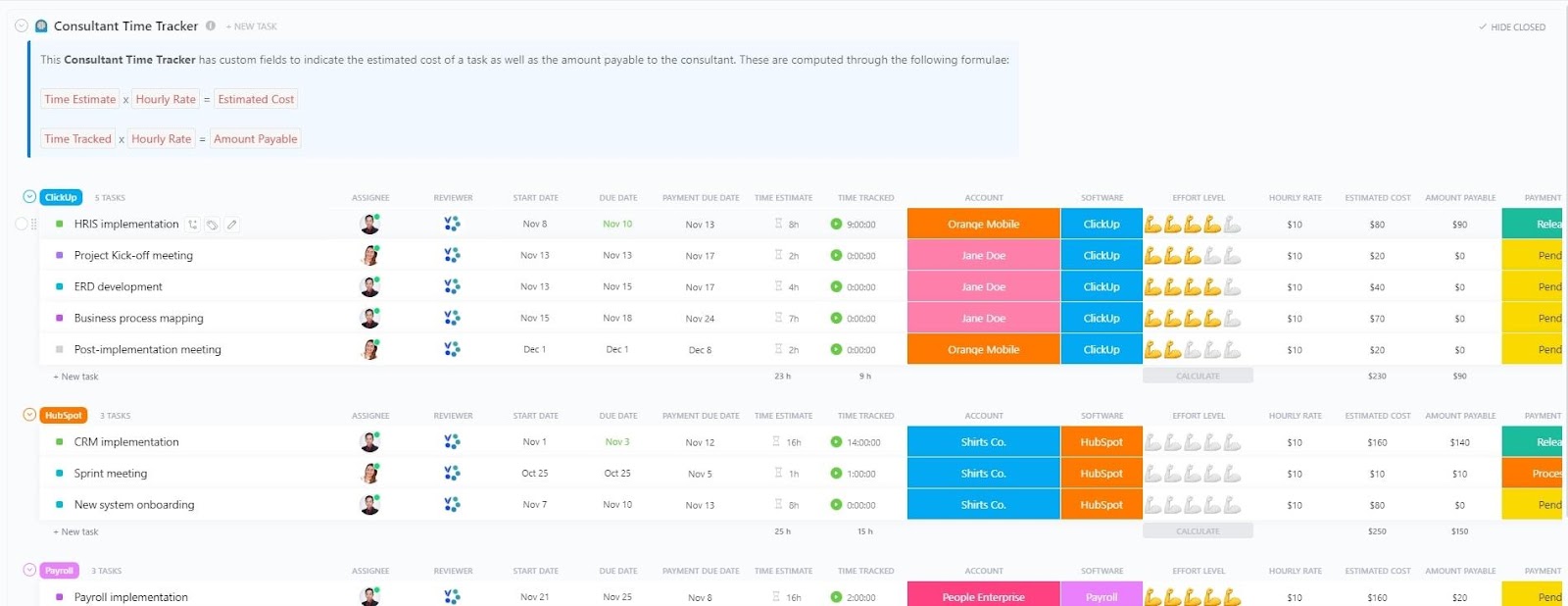
The ClickUp Consultant Time Tracking Template is designed to help you effortlessly monitor billable hours as a contractor, track progress on assigned tasks, and collaborate with your clients in real time.
You get a clear picture of the time spent on each project, making invoicing easier and reducing administrative expenses. The template helps internal teams and consultants collaborate so that each milestone is achieved on time and the project runs smoothly.
👉🏼 If you’re a consultant using ClickUp for client collaboration, learn how to enable time tracking in ClickUp here:
🤝 Ideal for: Consulting firms, contractors, and managers looking to organize multiple projects better
💡 Pro Tip: If you are struggling to meet deadlines for your construction projects, use construction scheduling software to optimize resource allocation.
🎁 Bonus: ClickUp Timesheets bring time tracking, timesheet submission, and approvals into one seamless workflow. From individual tasks to complex projects, gain precise control over your time, ensuring accurate billing and efficient resource management.

Here’s how ClickUp Timesheets further benefit you:
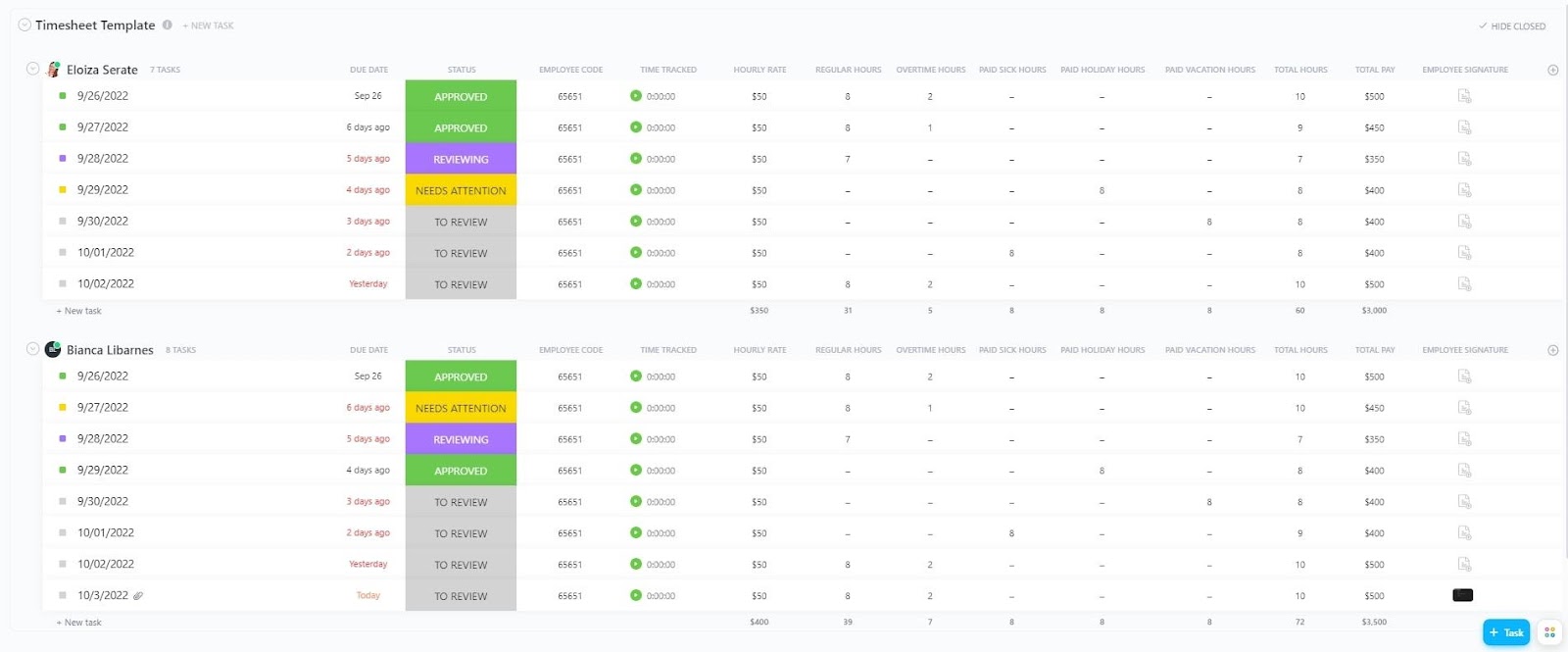
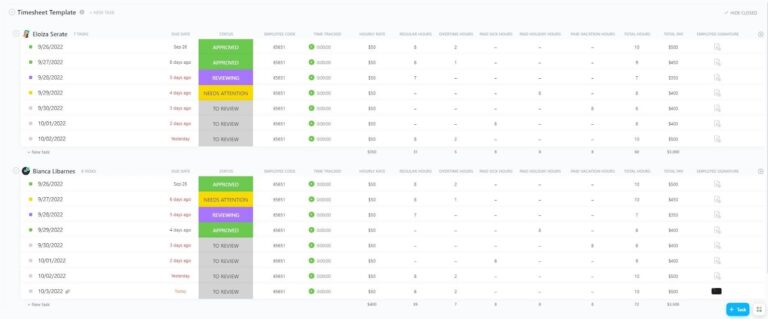
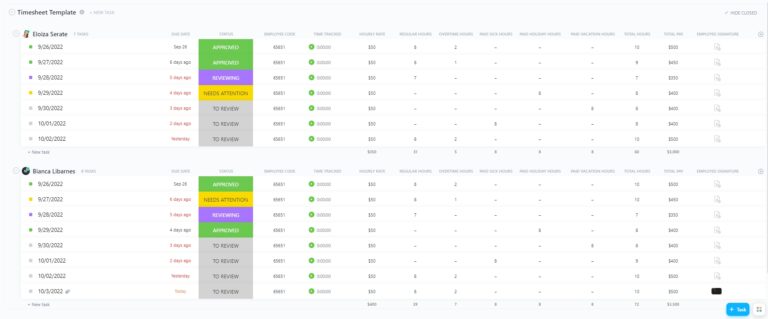
The ClickUp Services Timesheet Template helps track the time employees spend on each task to ensure efficient resource utilization. With everything in one place, managing and allocating resources across projects has never been easier.
The template lets you evaluate the effectiveness of your training programs, monitor excessive hours logged, and ensure that the service hours are used responsibly.
🤝 Ideal for: Contractors, project managers, and freelancers looking to manage employee working hours and productivity
💡 Pro Tip: Struggling with delayed timesheet submissions? Use timesheet reminders to keep your team on track.
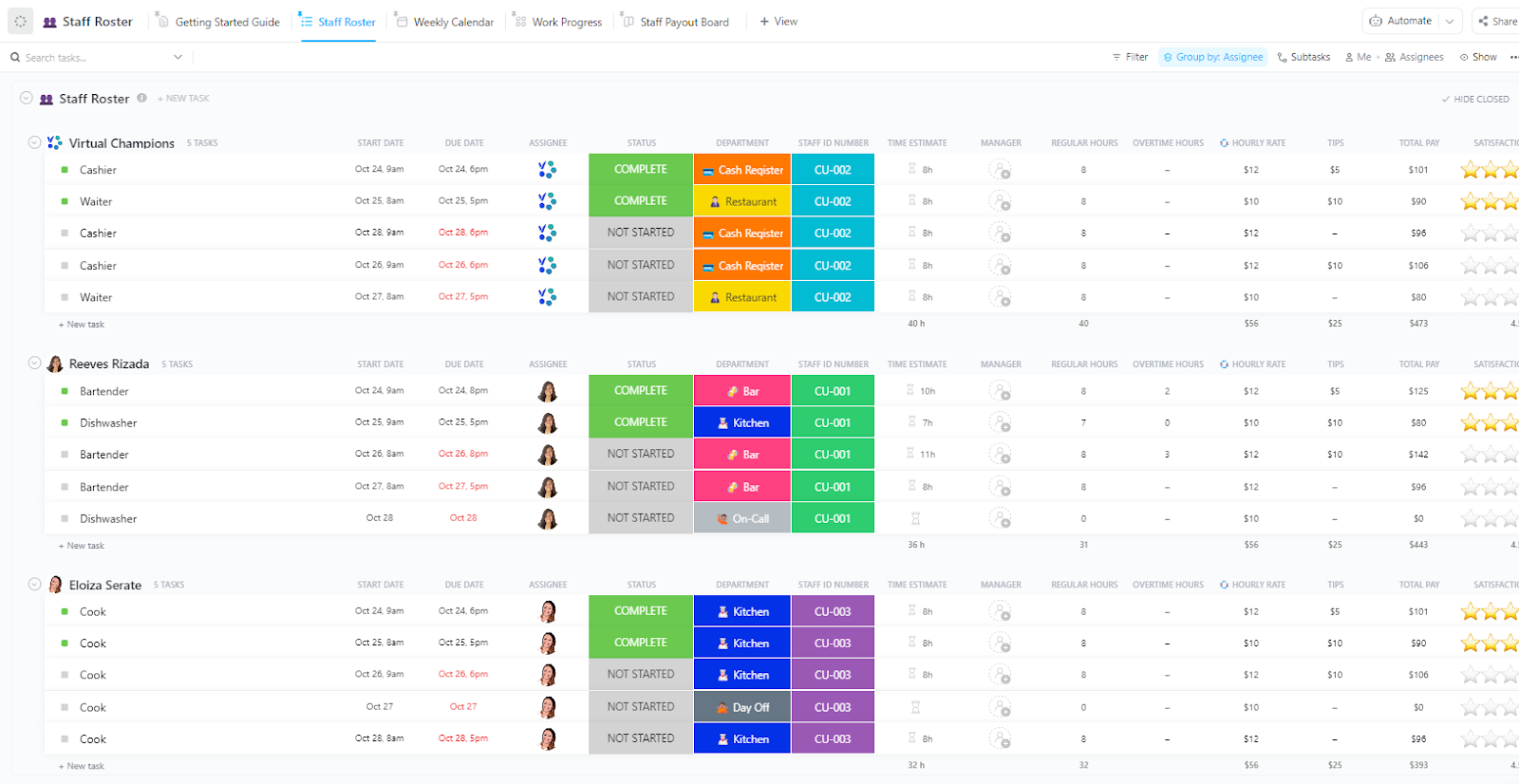
Coordinating work schedules for construction crews ensures projects stay on track. The ClickUp Staff Roster Template simplifies shift planning, tracks employee availability, and organizes work schedules seamlessly.
From daily task assignments to accurate records of working hours and overtime tracking, this employee roster template ensures that every worker is scheduled effectively while reducing conflicts and miscommunication. Moreover, construction managers can use it to update rosters in real time, keeping workforce allocation smooth and efficient.
🤝 Ideal for: Construction project managers, site supervisors, and HR teams handling workforce scheduling
📮ClickUp Insight: 92% of knowledge workers use personalized time management strategies. But, most workflow management tools don’t yet offer robust built-in time management or prioritization features, which can hinder effective prioritization.
ClickUp’s AI-powered scheduling and time-tracking features can help you transform this guesswork into data-driven decisions. It can even suggest optimal focus windows for tasks. Build a custom time management system that adapts to how you actually work!
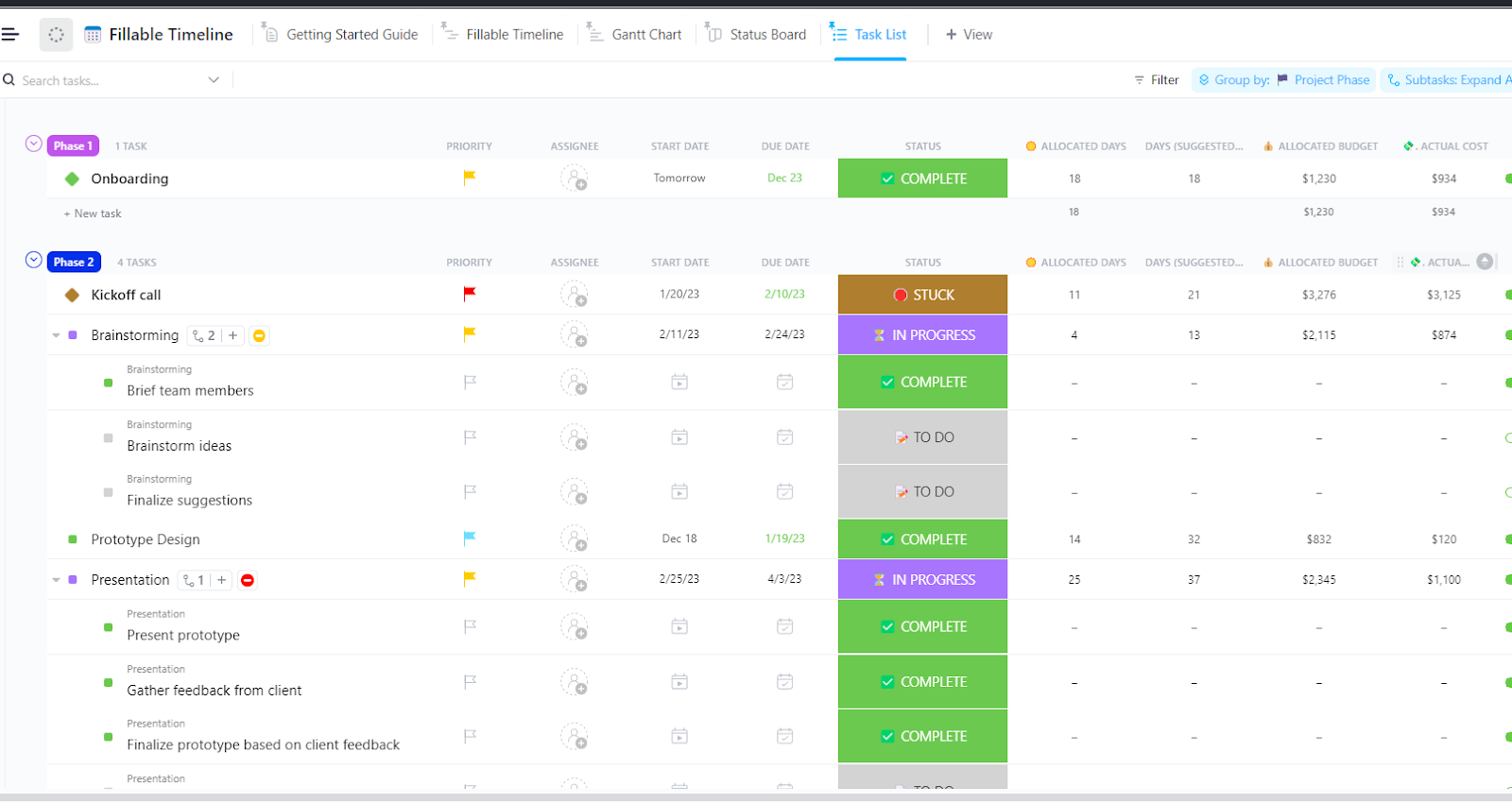
An accurate timeline is the backbone of any project, and the ClickUp Fillable Timeline Template makes it easy to map out projects and events quickly. Designed for efficiency, it visually represents project phases, deadlines, and key milestones, ensuring teams stay aligned.
By mapping out these critical touchpoints, construction managers prevent bottlenecks, adjust schedules as needed, and keep all stakeholders informed about progress.
🤝 Ideal for: Project planners and managers looking to visualize timelines and keep everything on track
Want to switch to a single tool for submitting, reviewing, and approving time? Find out why ClickUp is a great choice, in this video 👇🏽
➡️ Read More: Top Timesheet Apps for Efficient Time Tracking
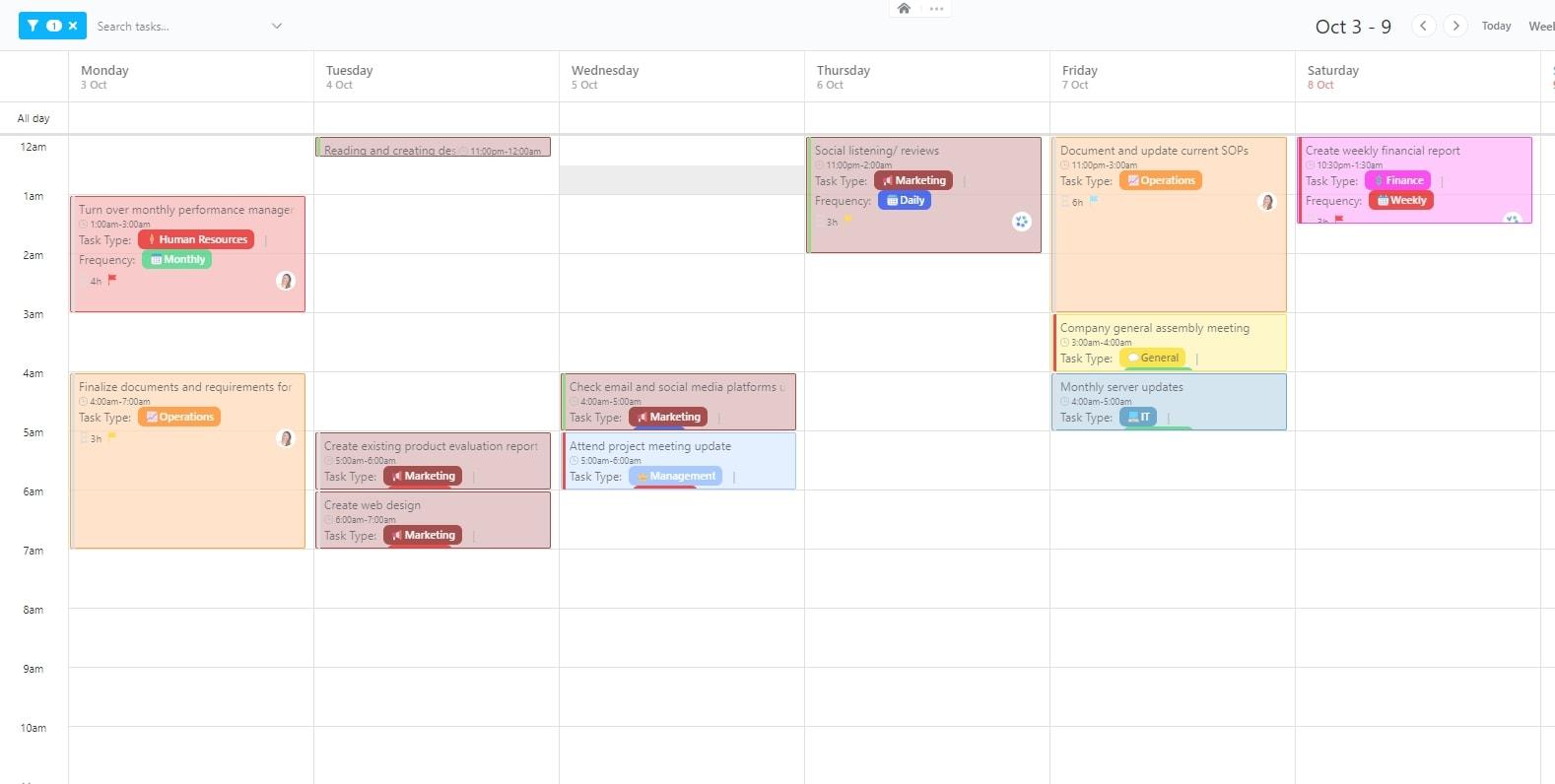
Construction projects require precise work schedules and labor hours tracking to ensure accurate payroll and budget control. The ClickUp Hourly Time Tracking Template allows teams to log work hours, track overtime, and ensure compliance with labor regulations.
A user-friendly format makes it easy for workers to clock in and out, while managers gain real-time insights into billable hours, reducing payroll errors and boosting efficiency. Reduce administrative overhead, set clear priorities, and improve construction productivity with this template.
🤝 Ideal for: Construction site supervisors, payroll administrators, and HR teams managing hourly workers
Here’s what Will Helliwell, Assistant Head of Engineering at Inform Communications Ltd, thinks about using ClickUp:
Management projects have become a lot easier between all departments at the company. When a new project comes in, we can use a template that raises all the tickets for us straight away. Not only that, but everyone is automatically assigned their tasks, so there’s no confusion about who should be doing which bit of work.
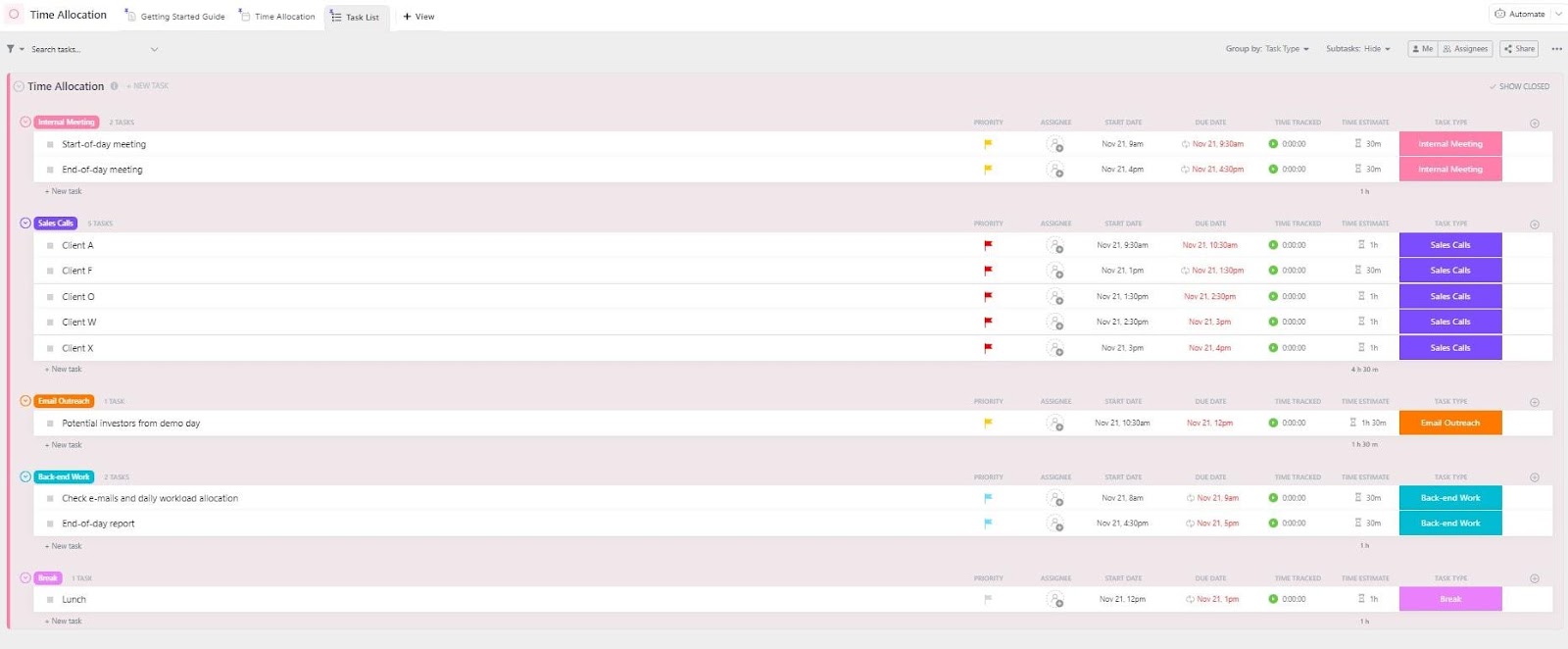
The ClickUp Time Allocation Template provides a structured way to assign tasks, estimate workloads, and track time spent on each project phase. Easily visualize progress, adjust schedules, track employee hours, and ensure everyone works on the right tasks at the right time.
Work hours should be distributed based on task priority and resource availability, eliminating inefficiencies and optimizing labor allocation for maximum productivity.
🤝 Ideal for: Construction project managers, freelancers, contractors, and teams to track and manage timelines efficiently
💡 Pro Tip: Time log templates can help you gain control of your schedule and optimize your daily activities for maximizing productivity.
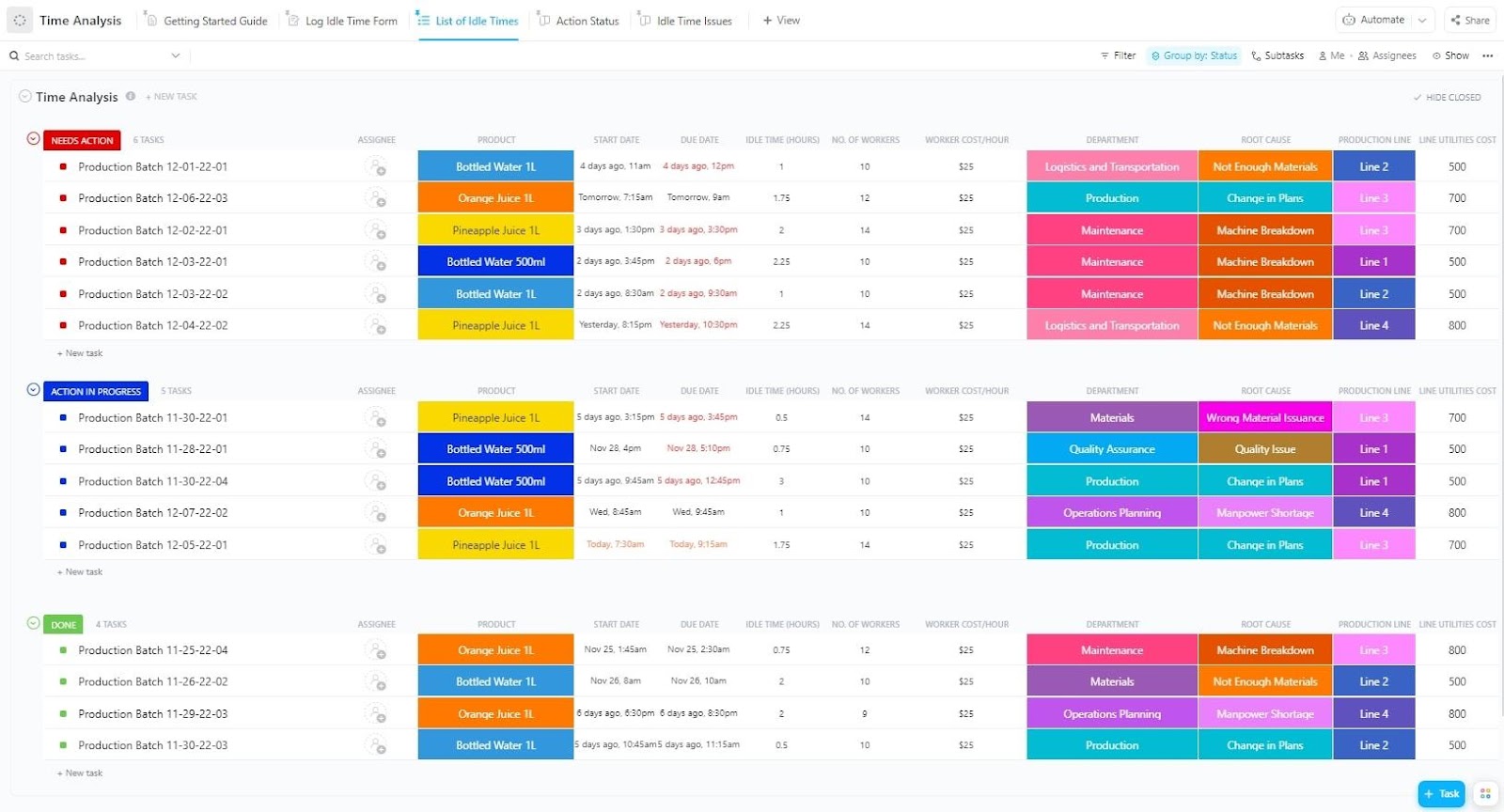
The ClickUp Time Analysis Template tracks work hours, task duration, and workforce productivity, offering actionable insights.
Gain better visibility into project time allocation, identify inefficiencies, and quickly spot areas for improvement. Additionally, use data-driven reports to ensure every hour is maximized for project success.
🤝 Ideal for: Project managers, contractors, construction site supervisors, and business owners who want to ensure efficient time management and boost productivity
📮 ClickUp Insight: 32% of workers occasionally work beyond their scheduled hours, while 24% put in extra hours most days. The problem? Without boundaries, overtime becomes the norm instead of the exception.
Sometimes, you need a little help setting those boundaries. Ask ClickUp Brain, ClickUp’s built-in AI assistant, to step in and create an optimized schedule for you. Built directly into your workspace, it shows which tasks are actually urgent and which ones are not!
💫 Real Results: Lulu Press saves 1 hour per day, per employee using ClickUp Automations—leading to a 12% increase in work efficiency.
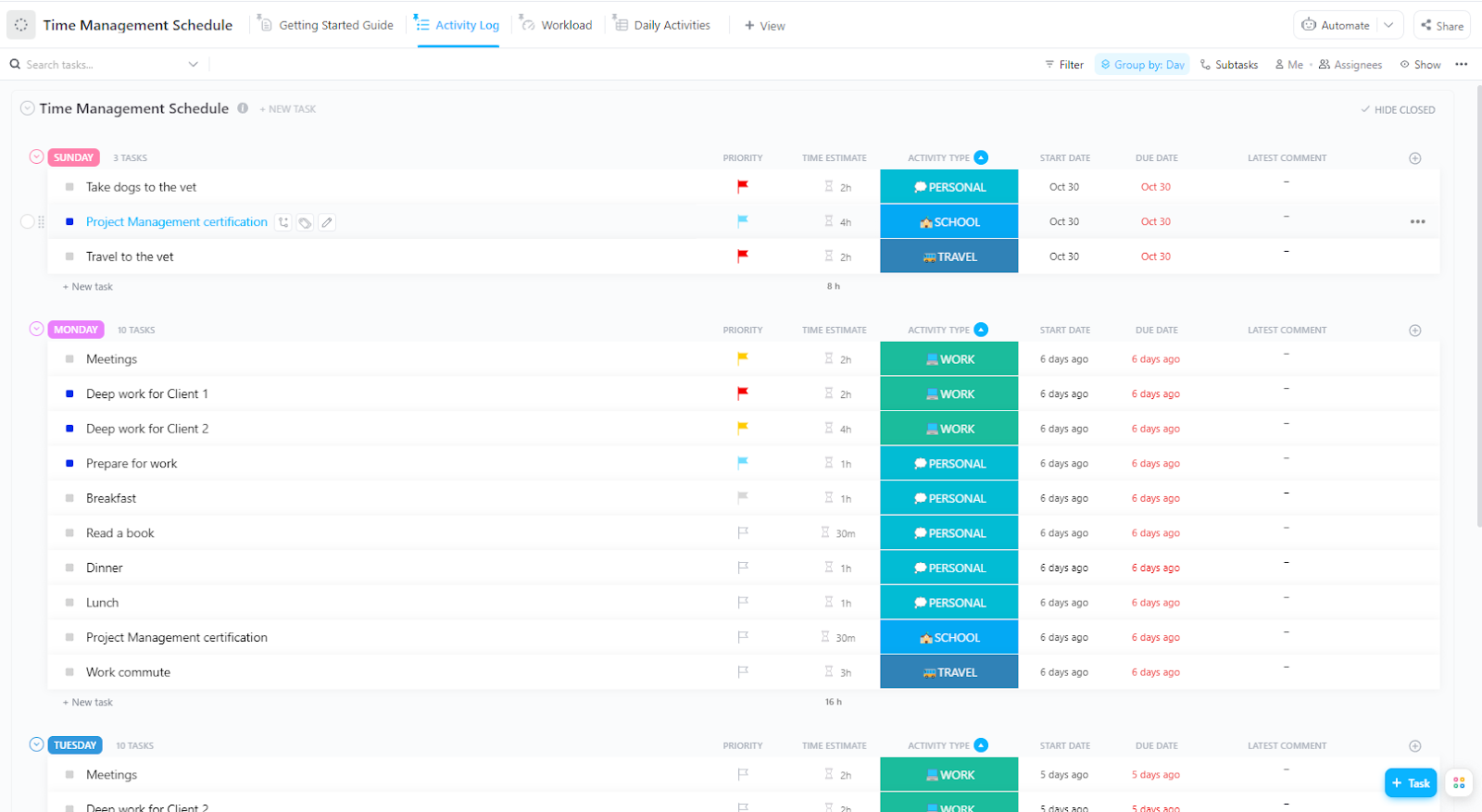
Time management is the key to completing construction projects successfully, and the ClickUp Time Management Schedule Template is purpose-built for it.
Whether you’re managing a team or tracking personal goals, this template ensures you can plan better to meet deadlines, prioritize tasks, and focus on what matters most.
🤝 Ideal for: Contractors, freelancers, project managers, students, and corporate employees looking to eliminate inefficiency
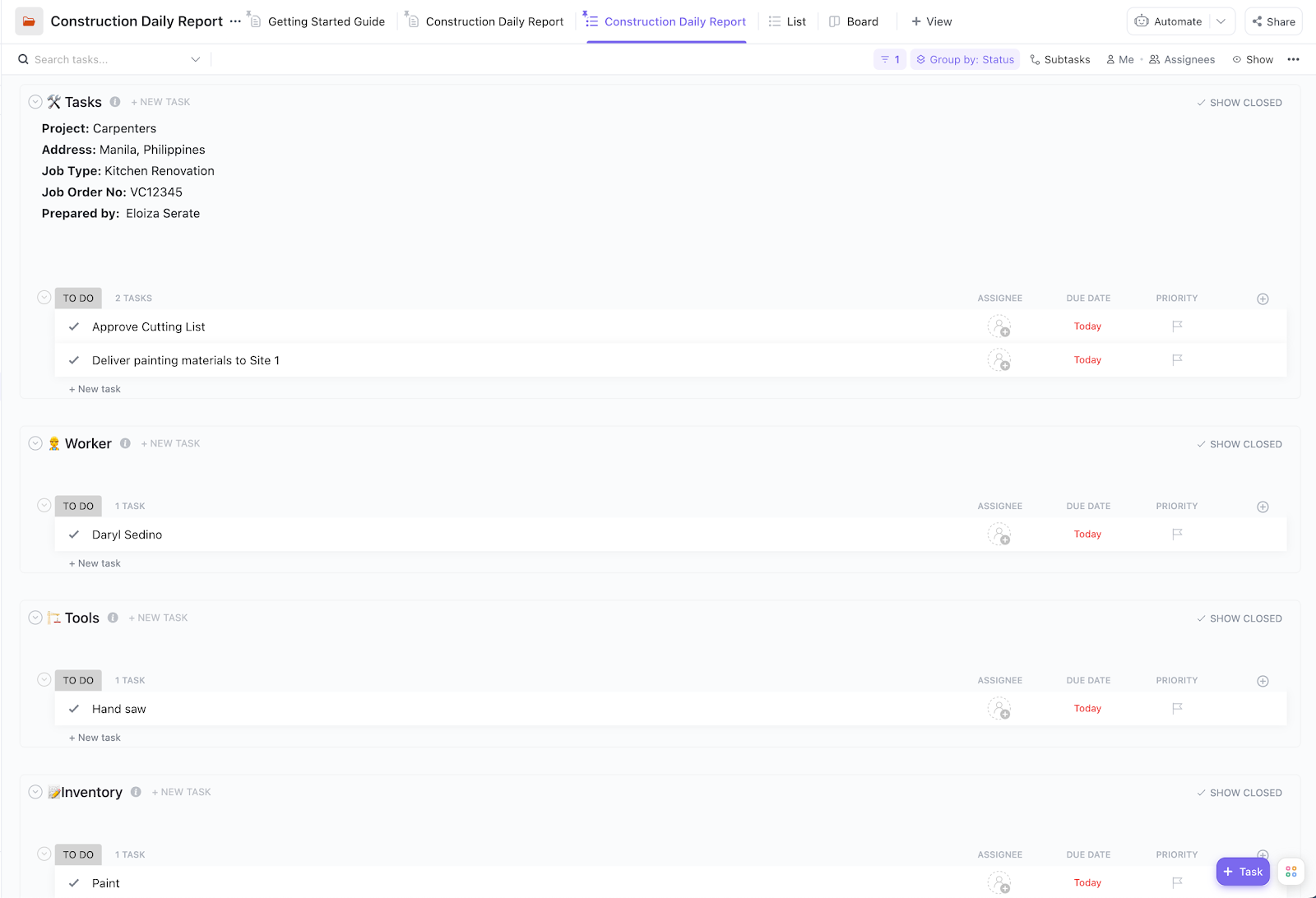
The ClickUp Construction Daily Report Template ensures that every workday is documented with key updates, safety observations, and completed tasks.
It provides a clear overview of ongoing tasks and a detailed breakdown of construction workers’ schedules. It also doubles as a daily timesheet template, keeping everyone on the same page. Use it to generate structured reports quickly, helping stakeholders stay informed while ensuring compliance with safety and reporting standards.
🤝 Ideal for: Construction project managers, site engineers, and safety officers who need daily reports while managing multiple employees
➡️ Read More: Best Employee Rostering Software
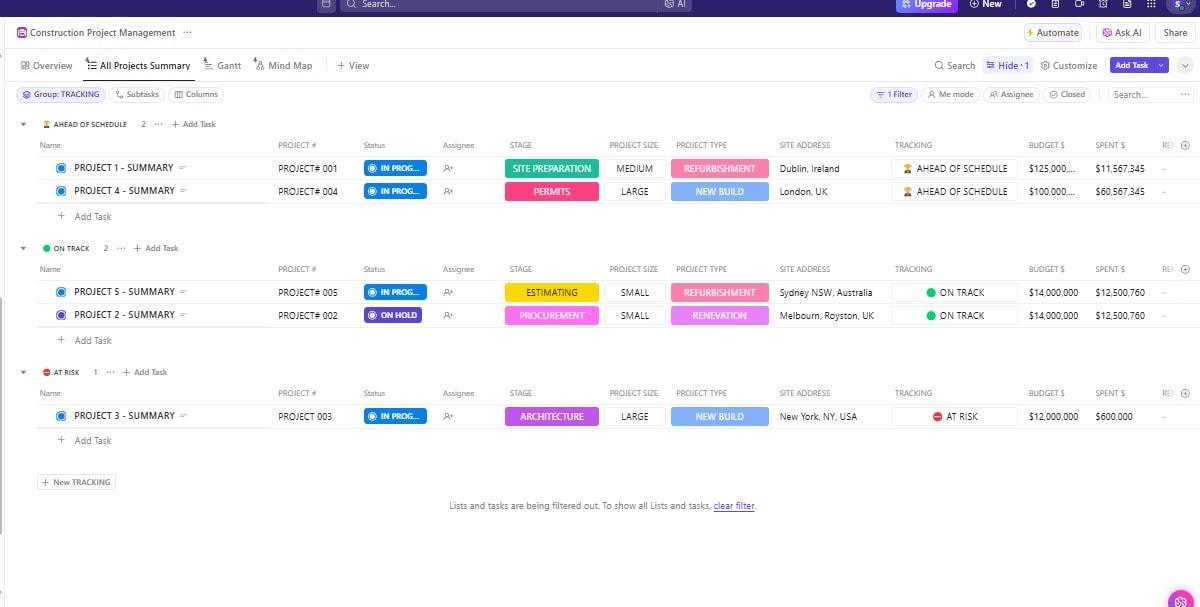
Coordinating construction projects involves juggling multiple moving parts. The ClickUp Construction Project Management Template simplifies the process by centralizing project planning, task assignments, and real-time updates to keep everything organized.
This template eliminates guesswork and optimizes team communication for every activity, from scheduling subcontractors to tracking material orders. As a result, you stay on top of the project budget to ensure better construction management.
🤝 Ideal for: General contractors, project managers, and construction firms handling multi-phase projects and looking to manage schedules, budgets, and resources efficiently
🎁 Bonus: Construction projects demand precision everywhere, from blueprints to budgets. ClickUp for Construction Management simplifies every stage, transforming scattered data into actionable insights.
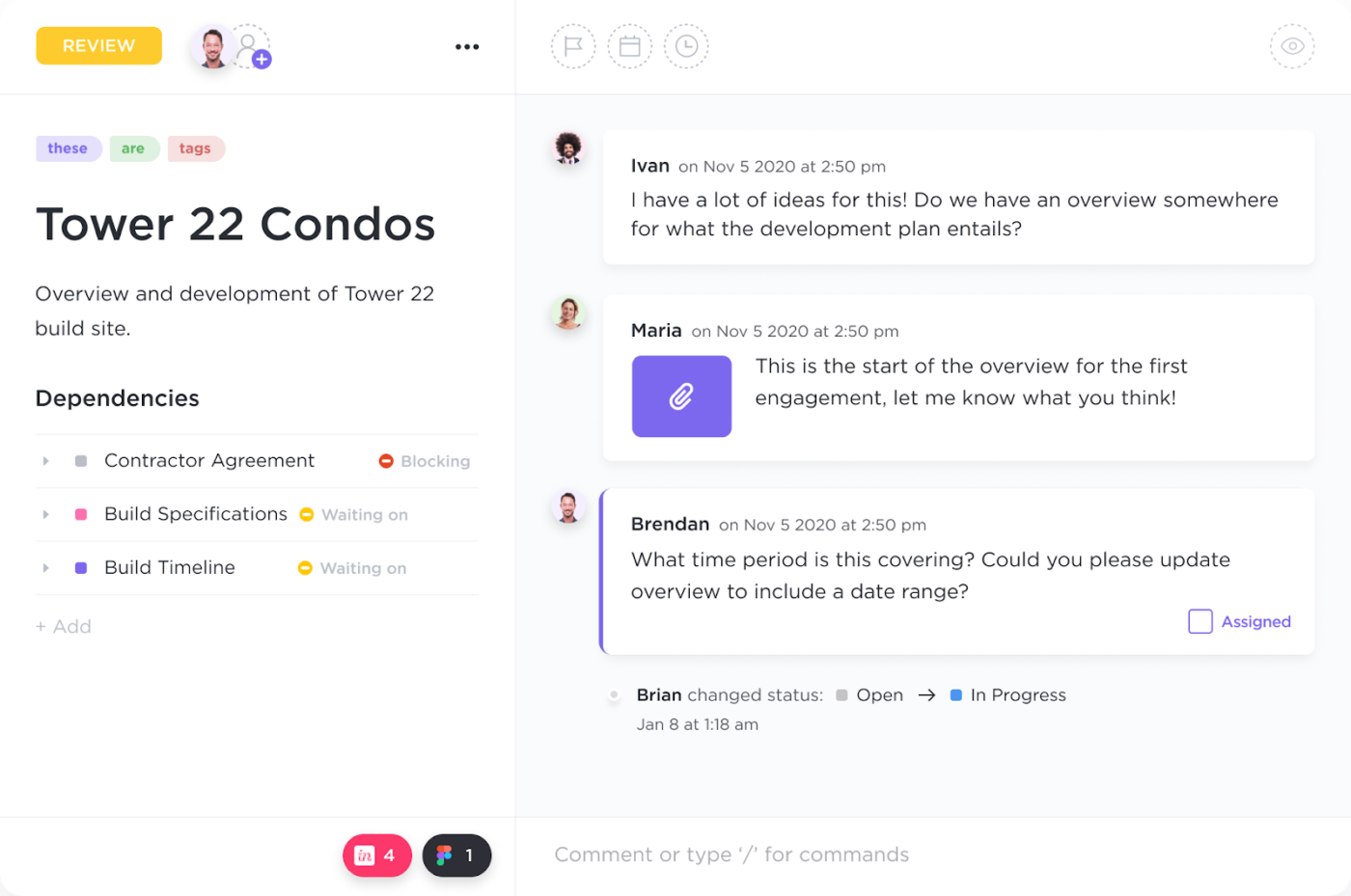
Visualize project schedules with Gantt charts, collaborate seamlessly from site to office with built-in ClickUp Chat, and track progress with real-time updates.
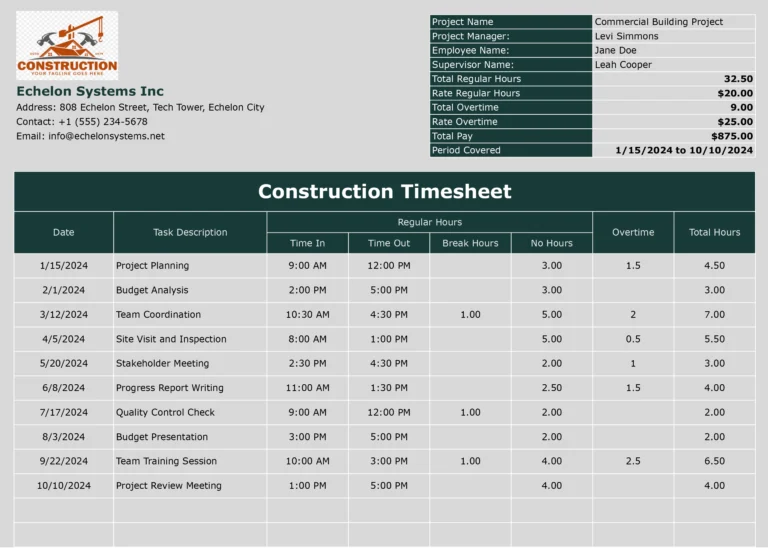
The Excel/Google Sheets Construction Timesheet Template by Coefficient makes tracking project progress and labor costs simple. This Excel timesheet template ensures accurate hour tracking, including overtime, for fair and timely payroll processing.
Maintaining detailed records of attendance and work helps identify efficiencies, streamline labor management, and improve overall workforce productivity in construction projects. You can use it as a weekly or monthly timesheet template.
🤝 Ideal for: Contractors, construction managers, and site supervisors looking to keep costs in check through accurate workforce management
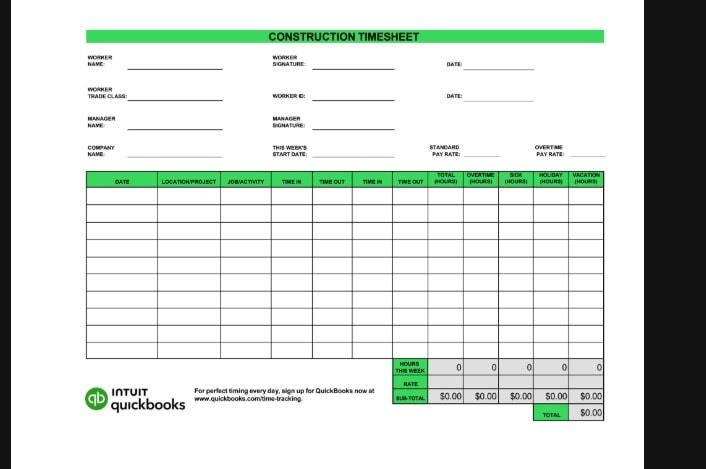
The Word Construction Timesheet Template by QuickBooks simplifies labor tracking. It records work hours across tasks, ensuring accurate payroll processing and fair compensation.
With clear insights into project progress and labor costs, it identifies inefficiencies, streamlines construction project management, and keeps construction projects running smoothly and on budget.
🤝 Ideal for: Contractors, construction managers, and site supervisors who want to manage project deadlines and budgets better
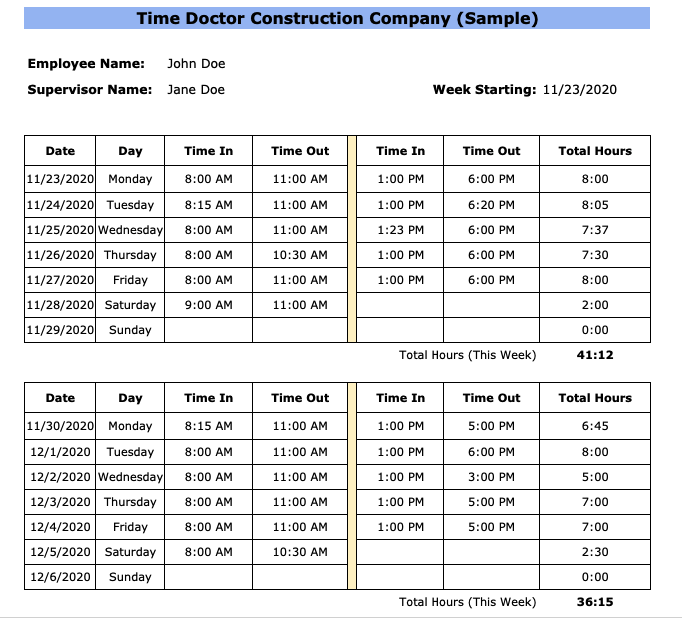
The Excel / Word Bi-Weekly Construction Timesheet Template by Time Doctor helps track employee and contractor work hours for accurate billing and payroll processing. It ensures fair compensation while providing clear insights into individual job durations and site activities.
Designed for contractors and teams, this construction weekly timesheet template helps managers oversee workforce efficiency.
🤝 Ideal for: Employers, HR professionals, foremen, or managers looking to easily track working hours and payments for employees
📚 Also Read: How to Optimize Your Team’s Leave Management System
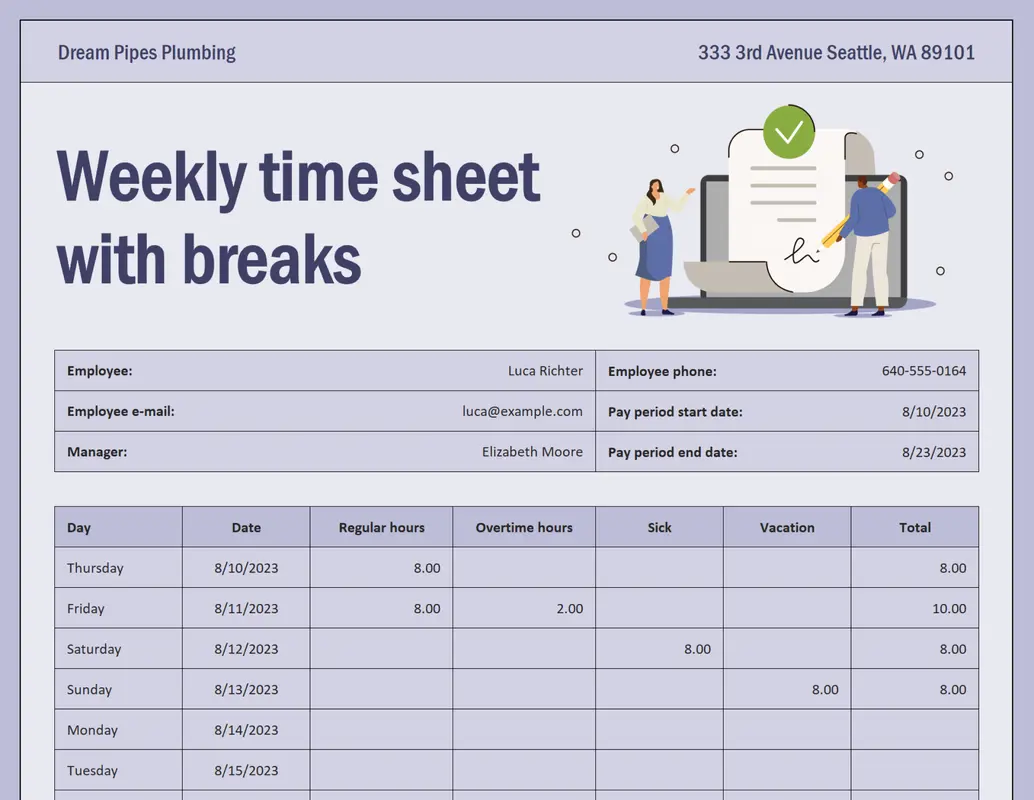
Stay organized and simplify your payroll process with this accessible Biweekly Time Sheet Template from Microsoft. Designed for Excel, this customizable template enables employees to efficiently log regular hours, overtime, sick leave, and vacation days over a two-week period. Built-in formulas automatically calculate totals, reducing manual errors and saving time. Ideal for businesses of all sizes, this template helps ensure accurate time tracking and streamlined payroll management.
🤝 Ideal for: Any employer, HR professional, foreman, or manager who wants to track working hours and process payment efficiently
🧠 Fun Fact: Ancient Egyptians used limestone tablets, known as ostraca, to record employees’ leaves.
Now that you’ve seen the options available, how do you choose what’s best for you?
Firstly, a good construction timesheet template should make monitoring work hours, productivity, and efficiency seamless. It should let you easily detect trends, identify delays, and ensure proper labor management.
Here’s what you should look for in a construction timesheet template:
Tracking employee hours, hourly rates, and performance on construction projects doesn’t have to be complicated, especially with the right timesheet template.
ClickUp simplifies every aspect of managing construction timelines and team productivity. Whether you’re an independent contractor or running a full-scale construction business, ClickUp helps you accurately track work hours, streamline payroll, and stay on top of project costs—all from one powerful platform. Say goodbye to scattered spreadsheets and clunky workflows.
Try ClickUp today and turn every hour into progress. 🚀

Praburam Srinivasan
Max 19min read
Praburam Srinivasan
Max 20min read
Praburam Srinivasan
Max 27min read

© 2026 ClickUp