
Sorry, there were no results found for “”
Sorry, there were no results found for “”
Sorry, there were no results found for “”
Of course, I’ll remember that!
Whether you’re a freelancer with many clients, a remote worker coordinating across time zones, or a student drowning in assignments, missing deadlines is all too common. Without a proper schedule, it’s easy to fall behind.
But, hey, time management has become much easier with dedicated AI tools like the Amie calendar. You can record your routine events, set up reminders, and never miss a commitment again.
If you are still struggling to stay organized, this blog is for you. Stick around to discover how Amie can help you manage tasks, hit personal goals, and take your AI calendar game to greater heights!
Ready for a comprehensive Amie calendar review? Let’s go!
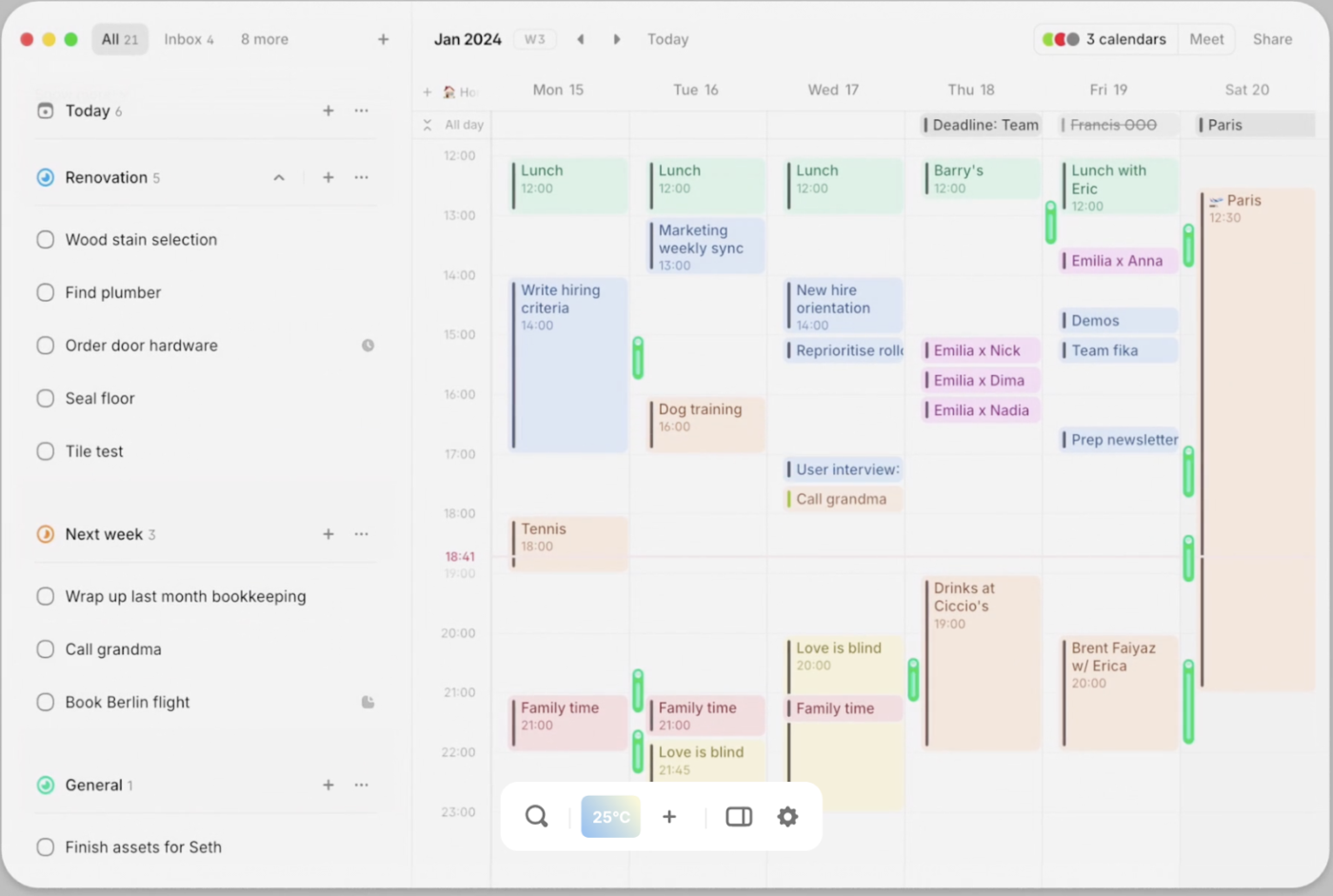
Amie is an AI-powered calendar app designed to help you stay organized and on top of your schedule. With Natural Language Processing (NLP), it can add events to your schedule, without worrying about calendar organization.
For example, you can add events by typing phrases like, “Go to the grocery store @this Sunday at 3:00 p.m.” This will automatically place them on your calendar with a time block.
A standout feature is AI Chat, which understands your instructions better.
For instance, if you say, “Do house repairs on Sunday,” it’ll automatically schedule the task for a couple of hours with time blocking. It knows house repairs take time.
Amie’s task management is great for busy professionals. It suggests the best time slots for unscheduled tasks, so you don’t waste time figuring out when to do them.
You can use Amie for its task management capabilities. The calendar app is also mindful of not letting you forget your commitments.
So you won’t need to worry about prioritizing your work—the app does it for you.
📮 ClickUp Insight: 37% of workers send follow-up notes or meeting minutes to track action items, but 36% still rely on other, fragmented methods. Without a unified system for capturing decisions, key insights you need may get buried in chats, emails, or spreadsheets.
With ClickUp, you can instantly turn conversations into actionable tasks across all your tasks, chats, and docs, ensuring that nothing falls through the cracks with your small business!
Amie calendar has some interesting features that make scheduling and task management smoother. Whether you’re handling work deadlines or personal commitments, these features help you stay on top of everything, all in one app.
Let’s look at what makes Amie a practical tool for managing your day.
Amie makes it easy to manage multiple calendars and create events, whether they’re for personal or work purposes. With its drag-and-drop scheduling and split-view feature, you can quickly move tasks around without hassle.
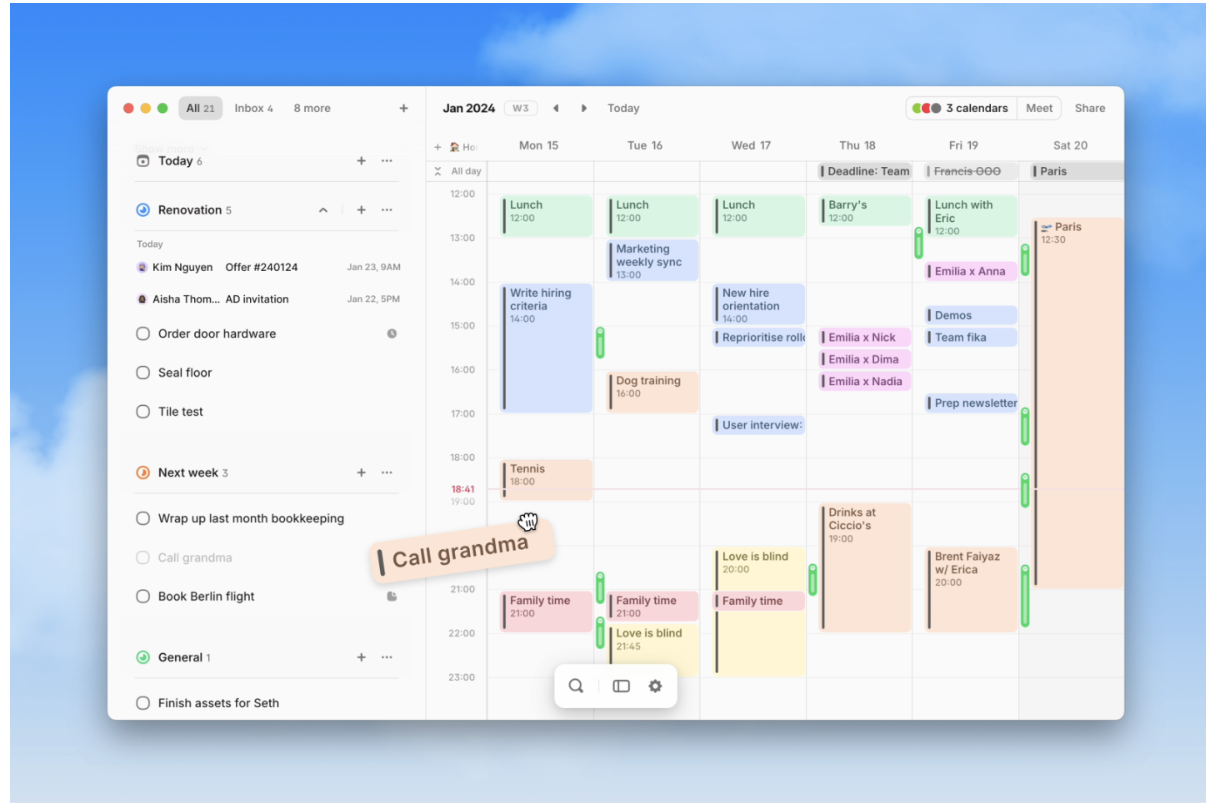
With Amie, you can easily drag and drop emails directly from your inbox into your task list. This turns important messages into actionable items without having to switch between apps. You can also sync your Google Calendar events with Amie for scheduling.
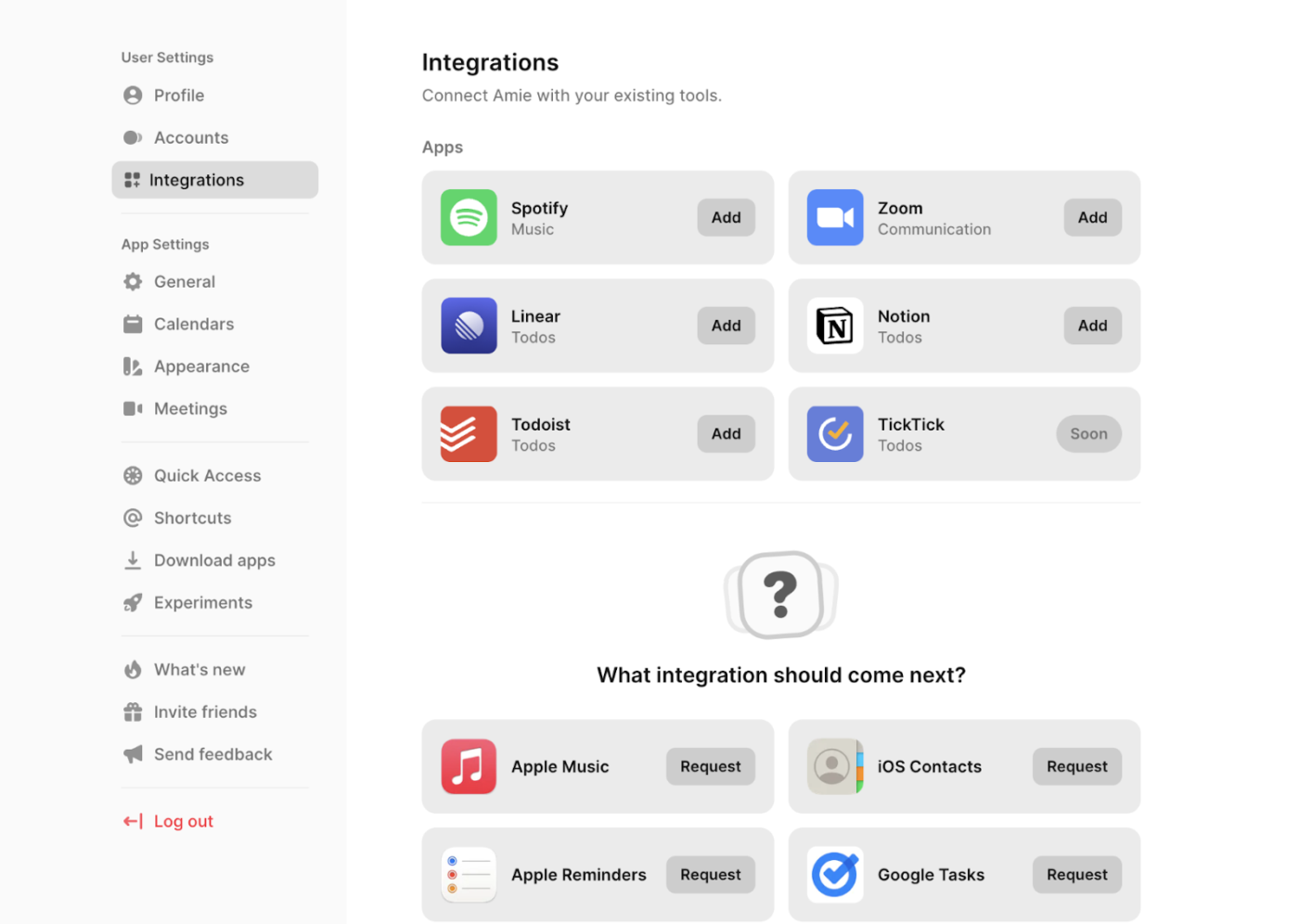
If you use fitness trackers like Apple Health, Amie integrates there, too. Plus, if you want to track your listening activity, the Spotify integration makes it simple to keep track of your tunes while staying organized.
You can color-code your Amie calendar events to keep everything organized at a glance. The built-in Pomodoro Timer helps you work without distractions when you need to focus.
When collaborating with your team, you can easily send scheduling links to share your availability. This cuts out the back-and-forth emails and helps eliminate time-zone confusion, making scheduling smoother.
Amie helps optimize your day by suggesting the best times for tasks based on your schedule.
If you’re busy, it will find open slots for things like “Respond to emails” or “Make phone calls,” ensuring you stay productive without overloading your day or missing important tasks.
Amie calendar offers several standout features that can make managing your schedule and tasks much easier.
Here are three reasons why it may be a good fit for your tasks and calendar management:
Amie’s NLP is truly its USP. Creating events simply by writing out what you must do can save you time and mental bandwidth.
The difference between choosing a slot on a calendar versus simply telling your calendar, “Meet Rachel @Friday 9 PM,” can be huge when you’re buried under work.
Amie gives you unlimited access to track team activities and individual tasks if you manage a team. You can see who’s doing what and when, making coordinating across different roles easier and avoiding scheduling conflicts.
It’s great for professionals who need a clear view of the team’s schedule to stay organized and ensure everything gets done.
Amie doesn’t just show you individual tasks—it helps you see the bigger picture. With daily and weekly overviews, you can get a snapshot of what’s coming up, from personal tasks to team deadlines.
This feature helps you stay proactive and ensures nothing slips through the cracks. Plus, the overviews are designed to give you a clear and organized look at your schedule, helping with time management and planning your days smoothly.
🧠 Fun Fact: The calendar as we know it today started as an underdeveloped, essential measurement of time produced by the Sumerians in 2700 B.C. This calendar is regarded as crude and inaccurate regarding technical requirements, but it laid the foundations for the excellence we can take advantage of today.
Amie calendar is an excellent tool for personal task management compared to executive calendar management apps. But like any app, it has limitations. While it shines in organizing your day and simplifying task scheduling, it might not be the best fit for everyone.
Here are a few common pain points users have experienced that might affect your decision.
Amie offers great compatibility on macOS and iOS, as well as through its desktop app.
However, its one downside is that it’s not available on Android. If you’re an Android user, this can be a dealbreaker, as you’ll need to look for alternatives to access all the features Amie has to offer.
This also severely restricts the app’s platform-switching ability.
While Amie is excellent for personal task management, it may fall short for those needing advanced project management tools. It doesn’t provide complex features like Gantt charts or in-depth resource allocation.
Its lack of task management functions makes it less ideal for teams that rely heavily on detailed project tracking and planning.
Amie doesn’t provide complete email client management. While you can drag emails into your task list, it lacks more advanced features like complex filtering, folder management, or large-scale email organization.
This could be limiting for users who need more robust email handling alongside their calendar management.
Also Read: How To Avoid Planning Fallacy Bias?
We took to Reddit to see what Amie calendar users have been saying about the AI scheduling calendar app.
A user said they love the app, but the lack of an Android app is an issue:
I really like Amie. It’s beautiful and meets my needs… The interactive interface on iOS is also very novel, but it’s really heartbreaking that there is no Android version, and they don’t have a webpage adapted to mobile browsers. You can only use computer mode to enter, which is equivalent to completely shutting out Android users. It keeps saying Android is coming soon, but there is no news at all.
Another user pointed out that Amie’s interface can be a problem.
I’ve just been trying out Amie, seems nice, but for whatever reason the MacOS app is unsustainably laggy, and using Amie (even the web version) is super jittery.
👀 Did You Know? 48% of people use to-do lists to improve productivity.
While Amie offers interesting features as an AI calendar app, its lack of Android functionality may limit its appeal. Additionally, the lack of full-suite project management features could be a drawback for users who rely on advanced project tracking or need a cross-platform experience.
ClickUp, the everything app for work, can be a solid alternative to Amie calendar.
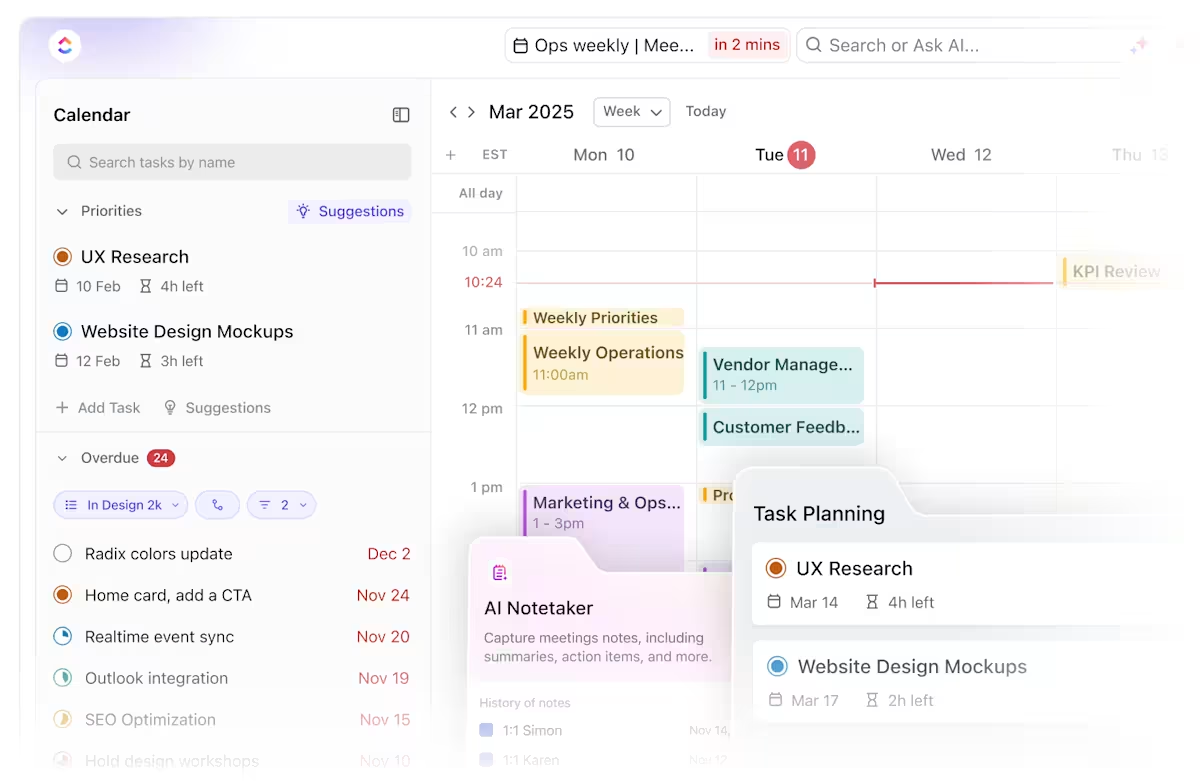
ClickUp Calendar is the AI-powered calendar designed to manage your workload and streamline your productivity intelligently. Imagine having a virtual assistant that not only analyzes your backlog but also prioritizes your tasks and automatically time-blocks them for optimal efficiency.
This is precisely what ClickUp’s AI does—it intelligently identifies the best times for you to focus on your most important work, ensuring that your priorities are met.
It has advanced features to enhance scheduling, task management, and collaboration. Here are some highlights:
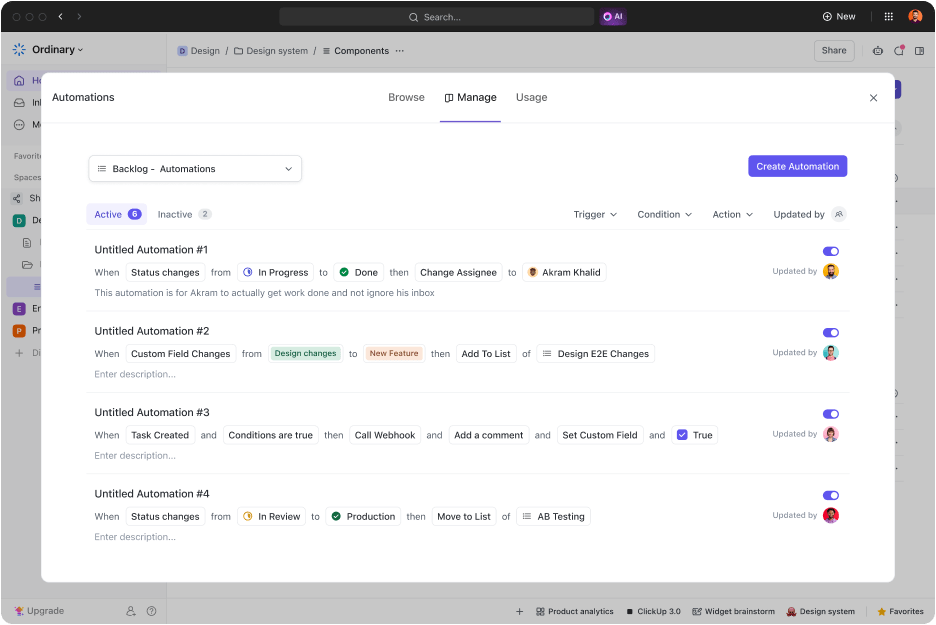
ClickUp Automations is another reason the platform stands out. You can set rules that automatically trigger actions when certain conditions are met.
For example, if a task is marked as “done,” ClickUp can automatically move it to a different list or notify your team. Automating these repetitive tasks saves you time, letting you focus on the bigger picture without manually updating everything.
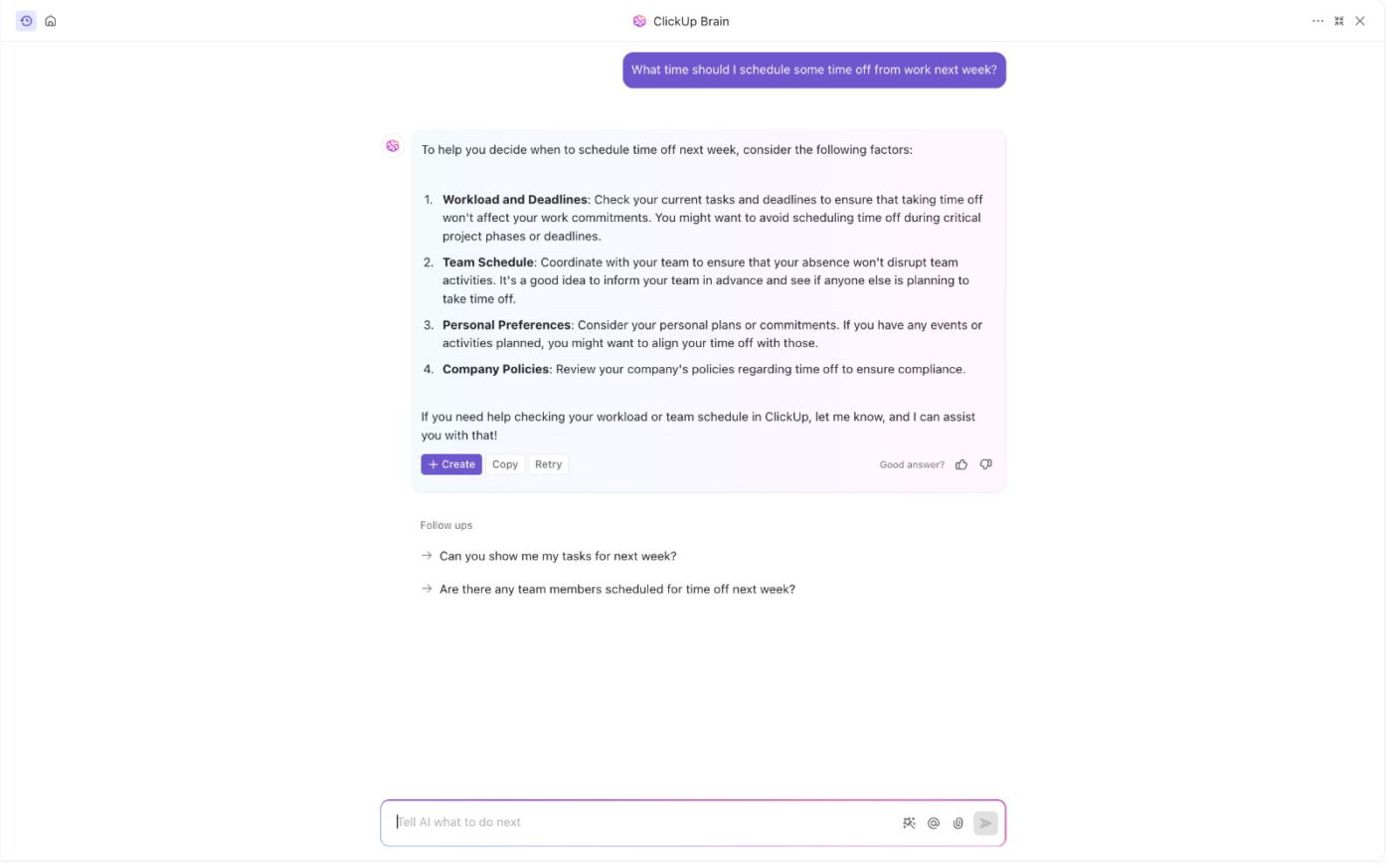
And then there’s ClickUp Brain, an AI personal assistant that helps you organize and prioritize tasks based on your goals and deadlines.
Think of it as your calendar genie for all your tasks and projects. It uses data from your work to make smart suggestions and help you stay on top of your workload, ensuring you’re on track and productive.
💡Pro Tip: In addition to the ClickUp Calendar, you can explore schedule templates on the platform, offering quicker alternatives to Amie.
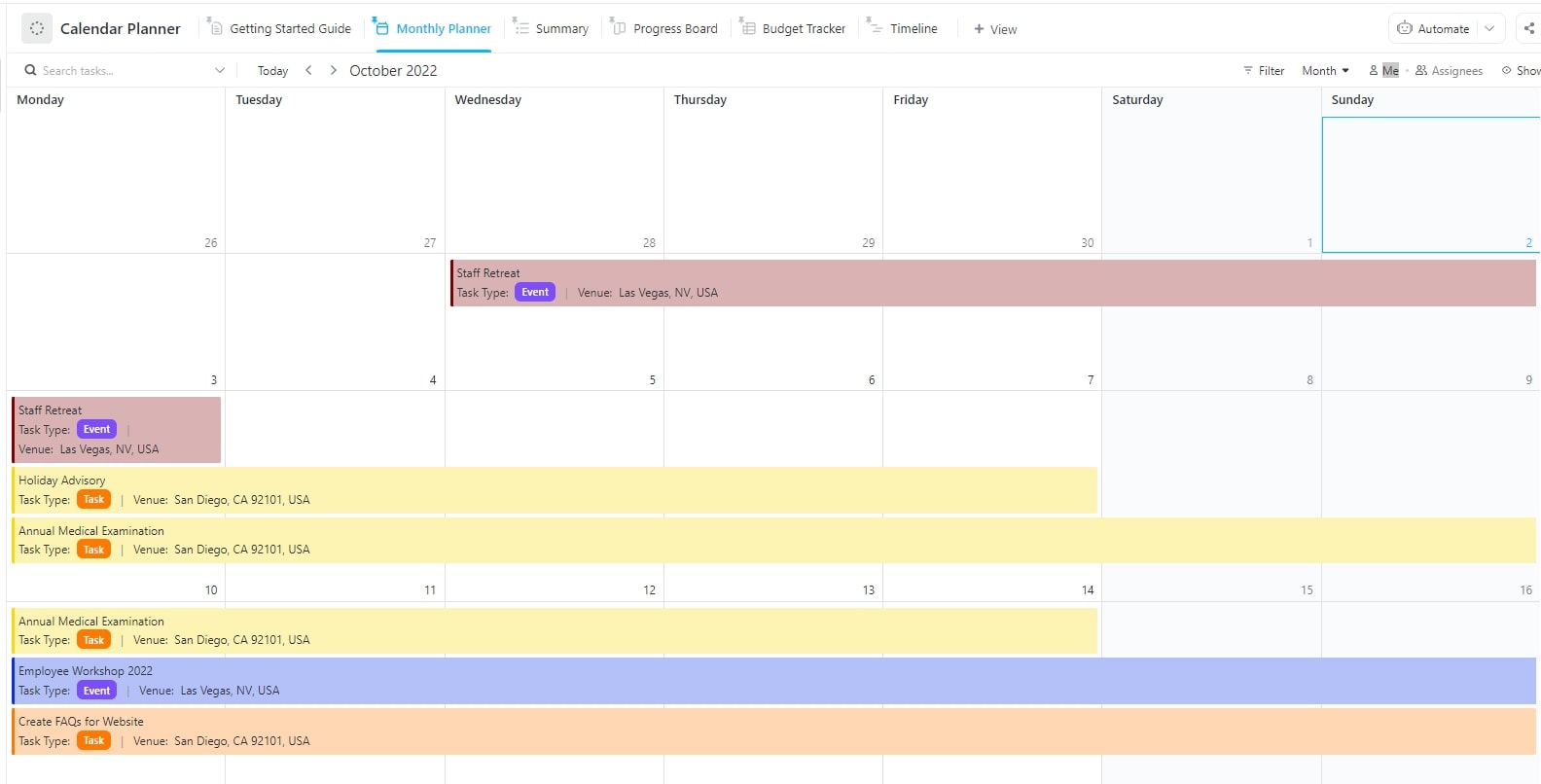
To start quickly, check out the ClickUp Calendar Planner Template—a handy tool for focusing on long-term projects, events, and milestones.
Sync this template with external calendars to consolidate tasks in one place or rotate the schedule whenever necessary!
It includes milestone tracking and resource management for complex project planning and event coordination. Plus, automated reminders help users meet deadlines without missing a beat. You can also track the summary of your tasks to manage resources better.
Here’s how it can help you:
💡Quick Hack: In ClickUp, use priority flags (Urgent, High, Normal, Low) to tackle the most critical tasks first. This helps you stay aligned with deadlines and key goals.
While this template is best for those working on complex projects or managing events, ClickUp’s to-do list templates are for daily task-centric management.
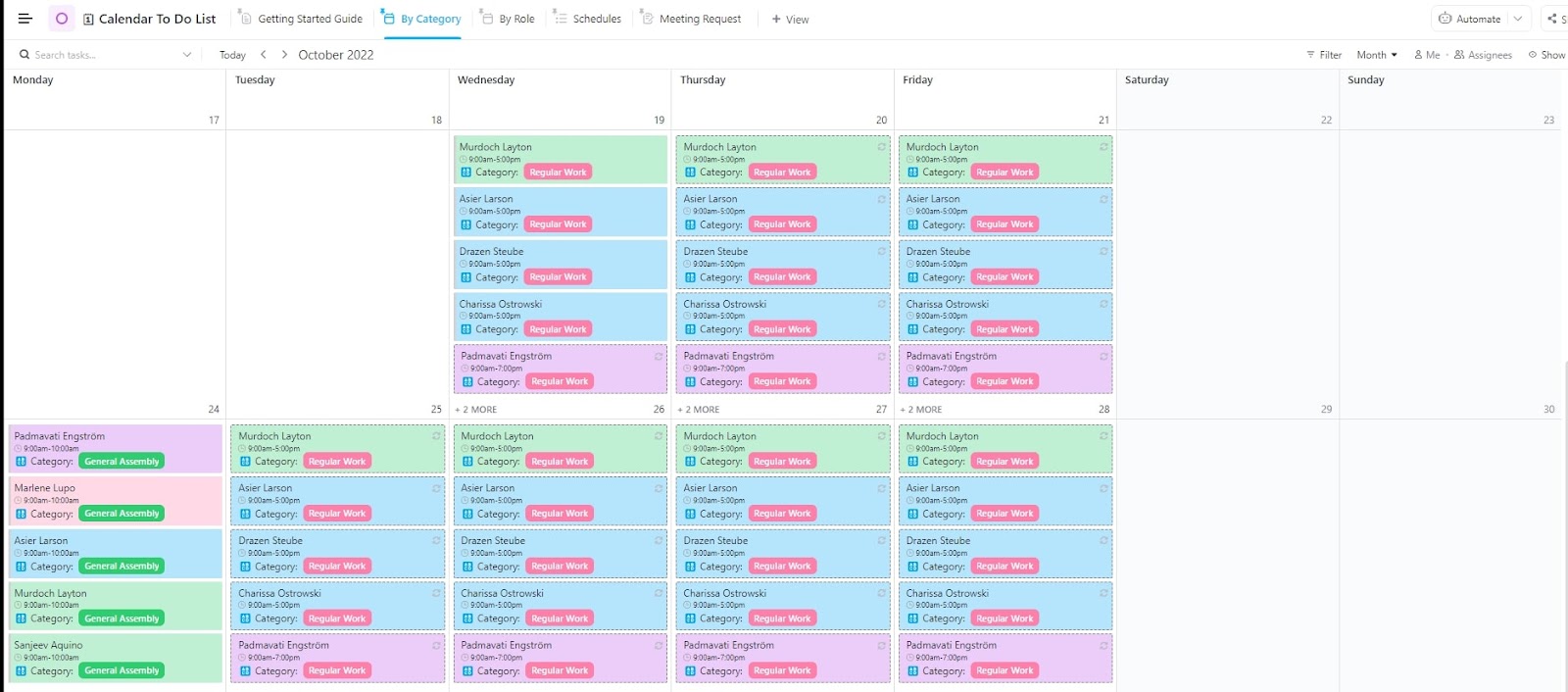
You can get started with the Calendar To Do List Template by ClickUp.
It’s ideal for people who need a simple overview of their tasks and deadlines to manage daily, weekly, or bi-weekly goals. You can also use it to learn how to create a work-from-home schedule.
It breaks down tasks into manageable to-dos, offering a more straightforward management without the extra layers of project milestones or resource tracking.
Use of calendars to complete tasks before deadlines is always critical. With ClickUp this is very easy as your deadlines are visible on your calendars along with the tasks so planning your day/week bandwidth is super easy and fast.
🧠 Fun Fact: Your calendar app would’ve hated the year 1582! To correct the drift of the Julian calendar, the Gregorian reform omitted 10 days. The calendar skipped directly from October 4 to October 15, 1582, in countries that adopted the change. This adjustment realigned the calendar with the equinoxes but confused the populace.
Amie is a minimalist productivity app built for AI scheduling and task management. It offers an intuitive interface, supports focus time, and has rich calendar integrations. However, it lacks advanced project management capabilities and is a no-go for Android users.
Because of its basic feature set, the Amie calendar app may not be the best choice for corporate folks who lead a busy life or need in-depth task tracking.
For scalability, collaboration, and advanced project management tools, ClickUp stands out. From basic to-do lists to managing complex workflows, ClickUp provides a flexible, all-in-one workspace.
If you need a powerful, team-friendly solution, ClickUp is the better choice.
Sign up for a free ClickUp account and see how it can streamline your workflow!

Manasi Nair
Max 26min read

Arya P Dinesh
Max 18min read
Arya P Dinesh
Max 20min read

© 2026 ClickUp