







Still downloading templates?
There’s an easier way. Try a free AI Agent in ClickUp that actually does the work for you—set up in minutes, save hours every week.
Sorry, there were no results found for “”
Sorry, there were no results found for “”
Sorry, there were no results found for “”
The Joker from The Dark Knight once said: I’m like a dog chasing cars, I wouldn’t know what to do if I caught one.
Many of us experience a similar sentiment when we finally get a new job—we’re not exactly sure what the next step will be. Sure, there’s excitement in meeting new people and starting afresh. 🤝
However, starting a new job can also involve an overload of information or a completely different work culture compared to your previous company’s. That’s where we come in.
Today, we’ve prepared an all-in-one guide to help you avoid getting overwhelmed and excel at your job right from the first few days! We’ll also add a valuable tool to the mix to help new hires be more productive and streamline the onboarding processes for managers.
The initial days at your new job will require dedicated observation. If you can quickly understand the basics of adapting to your new role, the rest of your journey will become easier. We’ll list seven tips to help you make a top-notch first impression:
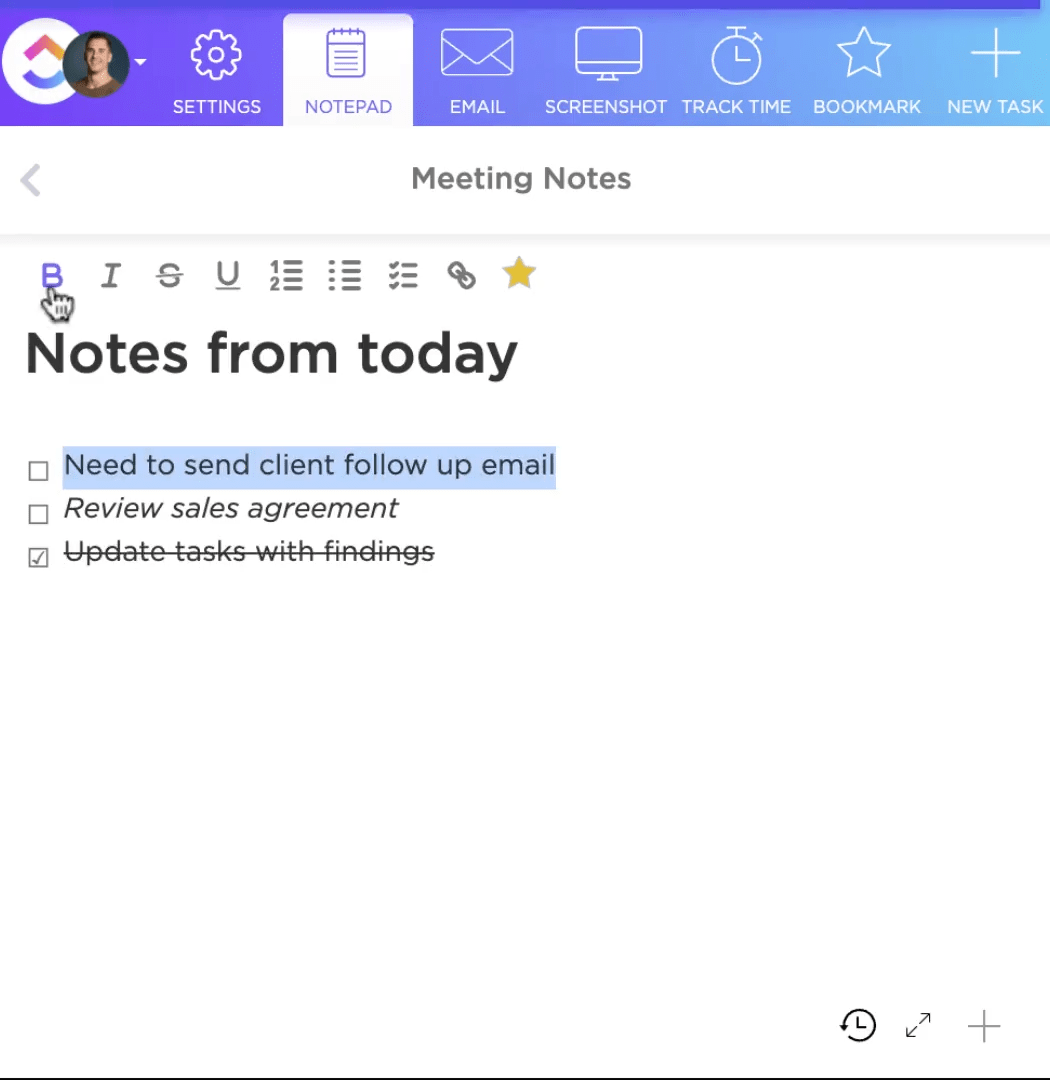
Pro tip: Use a productivity tool like ClickUp to get a head start in your new work environment. For example, you can expedite note-taking with ClickUp Notepad! Use checklists to break down training tasks in your new work schedule and turn every note into a trackable task—from any device.
Preparing in advance for any new job is always a good idea. From your dress code to the daily traffic, here’s all you should strive to get done before your first week.🚦
Before your first week begins, remember to stay positive. Having anxiety is completely normal, but as long as you’re confident in yourself, you’ll be able to subside it in no time. Bringing a positive attitude also helps you make a good first impression and communicate easily from the start.
Bonus read: Feed your curiosity and learn how HRs plan their interviews with templates
Don’t make last-minute preparations. Ensure you understand the dress code and have all the necessary workspace tools in advance. Double-check if your company provides a desktop/laptop or follows a BYOD (buy your own device) policy before showing up.
First impressions are your last impressions in an office. A great work habit and technique to show up on time within the first week is to scope your entire journey a day prior. Confirm the start date, discover the shortest route to your office, and learn the usual traffic pattern during your traveling hours.
This will help you schedule when you should ideally leave your home. You can also try:
Once you start adapting to your new role, it’s time to become more proactive with coworkers and work on upskilling in the first few months. 🔼
Making the first move to communicate with your team helps you build trust and prevents misconceptions about how you’re fitting in your new position. Try getting in touch with seniors or managers during a weekly/monthly departmental or all-hands meeting. Be open to discussing the daily news, sports, or any topic that interests both you and your colleagues to lighten the room.
While no one likes working more than needed, lending a hand from time to time doesn’t hurt. Blatant rejections can be seen as rude in a proactive workspace. If you genuinely can’t help out at the moment, word it out in a kind manner.
These little efforts help you create better relationships in your team and present you as a reliable person, giving your manager a reason to keep you on board in the long run.
Pro tip: Use ClickUp Clips to record your screen and visually explain any subject you’re working on simply get opinions on a new video tutorial. Share clips with your team instantly via a public link or as a multimedia file.

Your company may not provide training materials for every task—and that’s when a little upskilling can do wonders. Consider enrolling in a course on a skill you’re struggling with or want to acquire for better work performance. 🏋️
Several educational platforms can help you upskill for free, including:
Apart from gaining skills, you can earn credible certificates proving your expertise in a particular field. This is great for new graduates who’ve just landed their first job and are looking to develop their roles further.
Every job entails varying obstacles—for data scientists, cleaning up raw data may be their top concern, while project managers may struggle with building viable communication strategies. Regardless of your role, you can follow a few general tips to overcome challenges and maximize productivity. 💯
A bit of talking here and there can help lighten the mood at your workplace and help the team relax. Still, you should avoid spending the entire day looking busy, talking, and not getting anything done. Give these steps a try to keep workplace gossip at a minimum:
Don’t let your job consume your personal life. Yes, exceeding expectations is a good thing, but not at the cost of your mental health. Allocate adequate hours of the day to having fun or doing what you love. 🎮
Divide your daily schedule into five parts:
| Activity | Hours |
| Sleep | 7–9 |
| Work | 8 |
| Physical exercises | 0.5–1 |
| Hobbies | 1–2 |
| Other activities | 4–8 |
While you can have a general idea of your daily schedule, factors such as transport can sometimes take up hours.
Pro tip: Use the ClickUp Daily Hour Schedule Template to plan out your entire day and dedicate specific hours to activities outside of work.

There are unique cases where you may discover a new skill after taking some time off and introspecting due to a personal loss. Events such as the death of a family member or facing financial losses can often put you down and demotivate you from giving your best.
A way to overcome such challenges is to accept your grief. You’re only human, and embracing your feelings is completely fine. Be yourself, and don’t force yourself to be strong at all times.
If excelling on your first day at a new job sounds like a dream, then ClickUp is here to make that dream come true. As project management software, the platform is versatile enough to act as a go-to companion to set goals, create checklists, manage your schedule, and organize every task.
ClickUp also allows you to organize all goals according to their priority, helping you do what’s most important from the moment you’re hired! Let’s explore some of the features all new hires can benefit from when transitioning into a new position or company.
Ever had a moment where you lost sight of the big picture? Well, with ClickUp Goals, you can visualize all your objectives with a timeline and never steer off the road. As a new hire, you can leverage this feature to add targets like:

View multiple tasks and their progress toward a specific goal in one place. You can measure each goal differently and add multiple tasks to a single target. Choose from true/false, monetary, or percentage rules and start tracking goals automatically.
To keep all your goals organized, create multiple folders that label the types of goals they contain—quite handy when you need to set apart communication and training objectives.
From the massive array of questions to the essential details that you want to note—ClickUp Tasks helps you take care of everything. Manage all your day-to-day activities by creating individual workflows and keeping track of everything you want to do daily.

Build your own to-do list by creating custom task types for collaborating, inquiring about the workspace, and learning your new work environment. With Custom Fields, every task can include a priority level and deadline, helping you tackle the super-important ones first.
Get a holistic look at all tasks you’ve created with 15+ ClickUp views that let you see all entries in a list or board format. To manage daily schedules—we recommend using the Calendar view.

Using an intuitive drag-and-drop feature, you can add tasks to specific dates and visualize your entire month. Add priority work first and enter newer tasks later to create a hierarchy of activities you need to complete.
Did we mention that you can add all your onboarding meetings, too? 😏
Try toggling between each view to see which one fits your work style best, and never be late with any tasks!
Bonus read: Learn how these business process mapping tools help visualize your daily workflow!
Here’s some free career advice: taking things slow on your initial run is completely fine. No one in your team expects you to nail things in the beginning or create a huge impact. Still, tracking how much time you spend doing work is crucial.
As the first few months go by, you should ideally strive to keep lowering the time it takes you to complete work. With ClickUp Time Tracking, you can easily monitor and document how many minutes/hours you spend on one task. Use your phone or laptop to start tracking time and sync them across all devices.
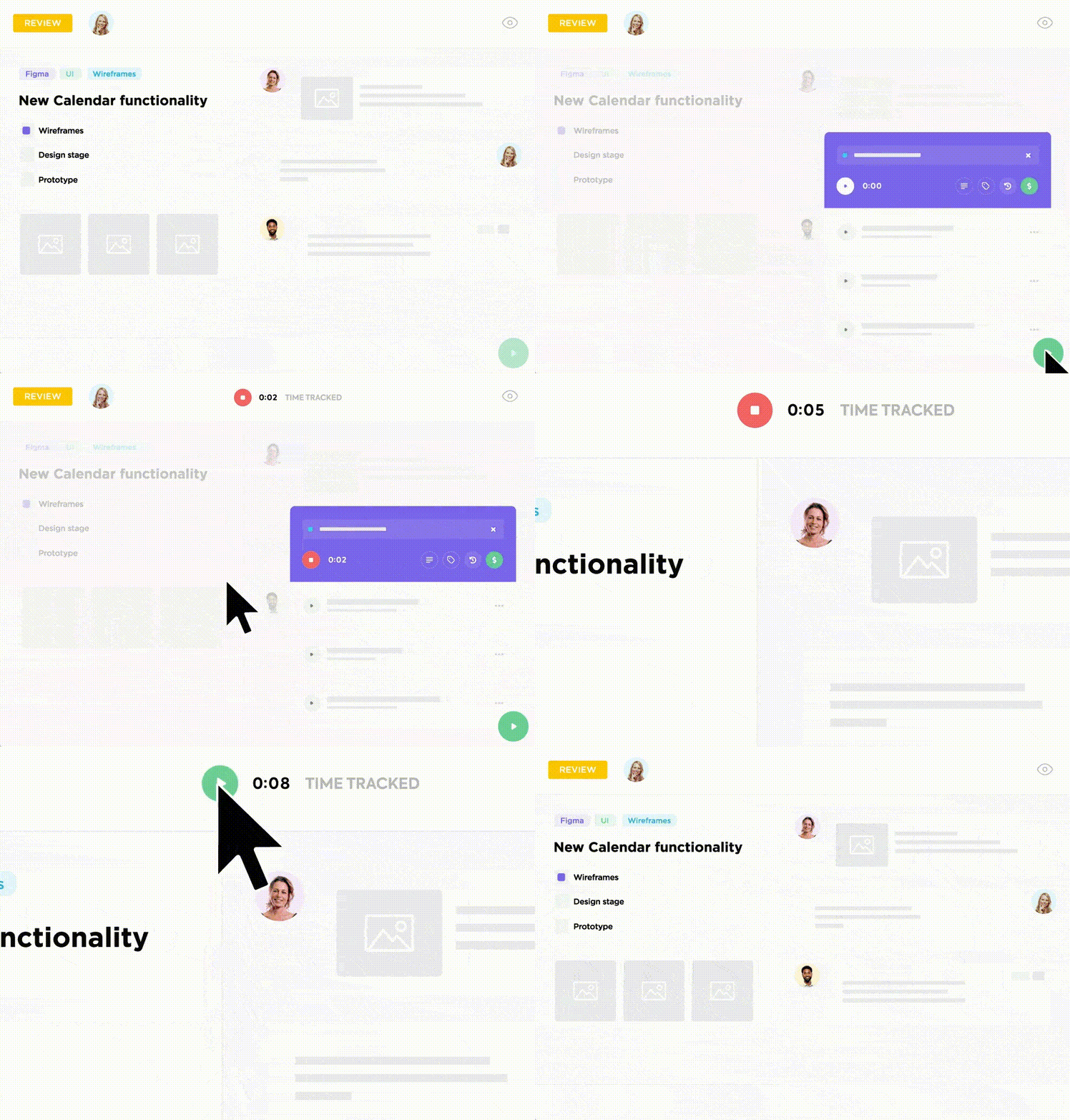
Add notes and labels, and sort every task to quickly identify which ones pertain to a specific type of work. Forgot to hit the stop button once you were done? No pressure! ClickUp lets you edit the recorded time of any task or simply delete it within seconds.
Pro tip: Already use a time tracking tool like TimeDoctor or Toggl? ClickUp can integrate with both to help you sync things up!
Whether it be a new job or one you’ve been at for years, one thing will never change—feedback. You may not always excel in your new role, and that’s where some career advice is helpful. ✨
Actionable feedback helps you identify the shortcomings in your approach. It’s the only thing that shows you the other side of the coin—how people look at your work. Plus, asking for feedback shows your manager you’re genuinely striving to make things right.
It may not always work how you want it to, and you may not hear the words you want to hear, but at the end of the day, it helps you grow and become successful in your field.
If that’s not enough, here are some more benefits of asking for feedback when starting a new job:
ClickUp isn’t merely your companion in a new role. As a platform that helps every manager communicate better, handle multiple projects, and ultimately reach their project management goals, ClickUp can wear many hats.
ClickUp eliminates the need to personally contact every team member to gather feedback. With its form-building features, the tool lets managers streamline the onboarding process with pre-built free HR templates and a dedicated ClickUp human resource suite.
Let’s explore some of its functionalities that let you make receiving feedback a piece of cake! 🥧
Don’t spend hours finding a form tool and navigating its design features. In the ClickUp Form view, you get an easy-to-use space where you can add conditional logic to each question in a form. This enables questions to keep changing according to responses.
Turn any feedback response into a trackable task, set its priority, and give your team the freedom to provide feedback beyond words using format options like dropdown lists.
This feature opens the door to asking more subtle yet direct questions like:

As a manager in charge of multiple workflows, you must employ SMART HR goals to improve employee morale and help them stay focused on meeting current business goals. 🎯
This includes creating a quick and easy onboarding process. The quicker you can have a new employee join the team, the sooner they’ll be able to start learning.
The ClickUp Employee Onboarding Template is your one-stop solution for helping new hires understand your office culture from day one.
Within three steps, you can ensure a smooth onboarding process:

Apart from this, you also get a complete view of each employee and their current status at the company, and you can filter records according to department, onboarding stage, and hire type.
Bonus read: Take inspiration from these great employee onboarding examples!
Starting a new job brings a ton of emotion to all employees. That’s when you have to get things together, avoid panicking, and be your real self.
Being good at your new job from the get-go isn’t as hard as many make it out to be. Once you’re in, use ClickUp’s wide range of task management, scheduling, and tracking features to help you be a standout candidate from day one!
Sign up for ClickUp and excel at your new job!🍀

© 2026 ClickUp

There’s an easier way. Try a free AI Agent in ClickUp that actually does the work for you—set up in minutes, save hours every week.