


Sorry, there were no results found for “”
Sorry, there were no results found for “”
Sorry, there were no results found for “”
Microsoft Loop is a collaboration layer built for Microsoft 365, while Notion is a flexible workspace that rewards teams willing to build their own systems from scratch.
This comparison breaks down how the two tools stack up across AI, structured tracking, collaboration, project management, and more.
We’ll also look at where ClickUp fits in as the option that brings collaboration, documentation, and execution together in one place. 🎯
Here’s how these tools stack up against each other:
| Feature | Microsoft Loop | Notion | ClickUp |
| Core purpose | Collaboration layer for Microsoft 365 | Flexible workspace for docs + databases | All-in-one workspace for tasks, docs, chat, and AI |
| AI & automation | Copilot (paid add-on, limited to Microsoft ecosystem) | Notion AI (useful but limited context) | ClickUp Brain built into tasks, docs, chat with full context awareness |
| Databases & tracking | Basic tables only | Powerful relational databases (high setup effort) | Flexible tracking with Views + Custom Fields built on tasks (practical + scalable) |
| Real-time collaboration | Strong cross-app syncing (Teams, Outlook) | Real-time editing inside workspace | Chat + tasks + docs connected in one place (no context loss) |
| Project & task management | Very basic task lists | Workarounds needed for advanced workflows | Full system with dependencies, subtasks, statuses, time tracking, automations |
| Documentation & knowledge base | Simple pages, limited structure | Best-in-class wiki capabilities | Docs + wiki + direct connection to tasks and workflows |
| Templates & customization | Limited templates | Large template marketplace | Operational templates with workflows, not just structure |
| Integrations | Deep Microsoft-only integration | Broad but shallow integrations | Wide integrations across Microsoft, Google, Slack, GitHub + API + Zapier |
| Mobile & offline | No dedicated app, fragmented | Good app, limited offline support | Full mobile app with offline mode |
| Scalability | Limited beyond collaboration use cases | Can become complex and messy at scale | Built to scale with teams, workflows, and automation |
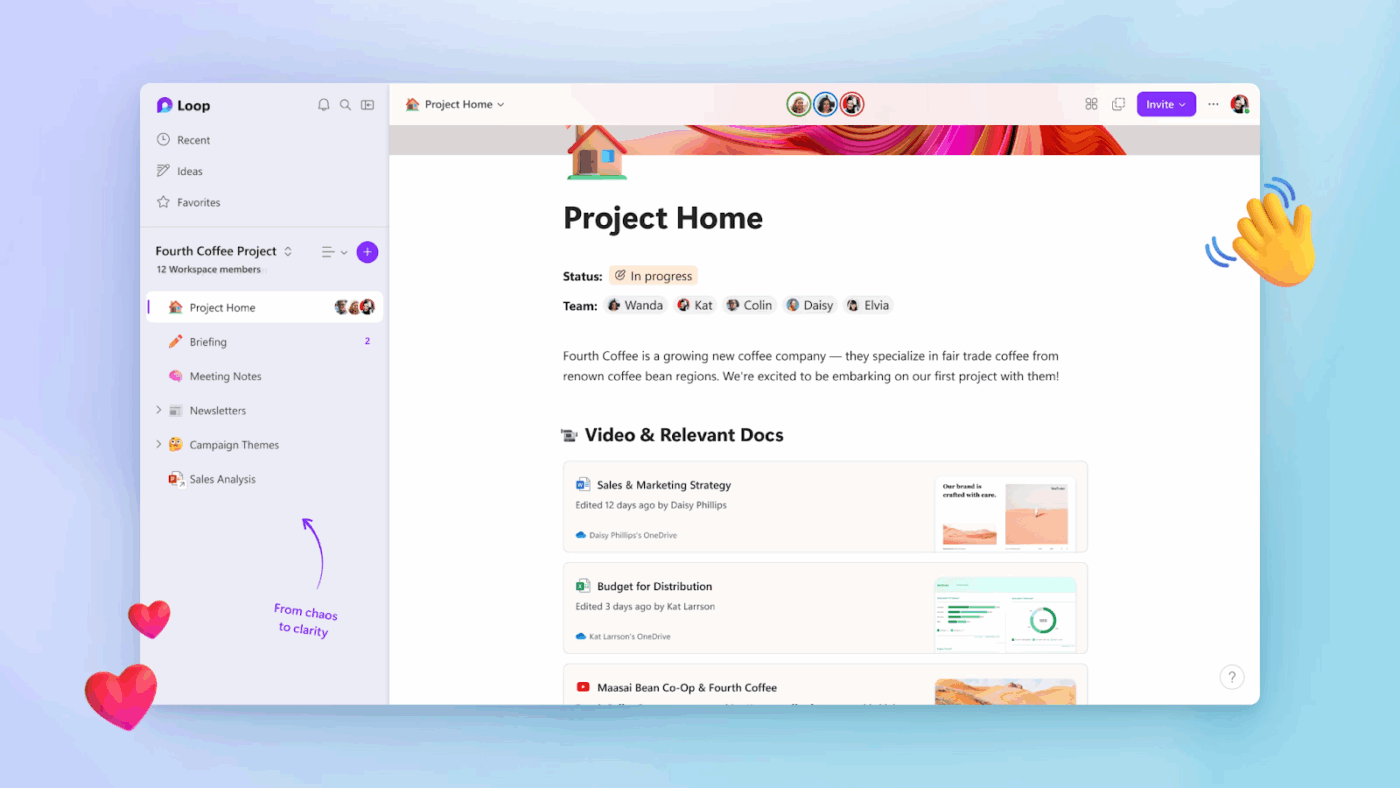
Microsoft Loop is a collaborative workspace tool launched as part of Microsoft 365. It’s built around three core concepts: Loop workspaces for shared team areas, Loop pages for flexible content canvases, and Loop components.
What makes Loop different is its components model: portable content blocks that sync live across Teams, Outlook, Word, and other Microsoft apps. This makes it ideal for quick, cross-app real-time collaboration.
It’s not trying to be a database tool or a project management platform. Instead, it acts as a collaboration layer on top of Microsoft’s existing stack.
📖 Also Read: Google Workspace vs. Microsoft 365 Comparison
Let’s see how Microsoft Loop is designed to extend the Microsoft 365 ecosystem:
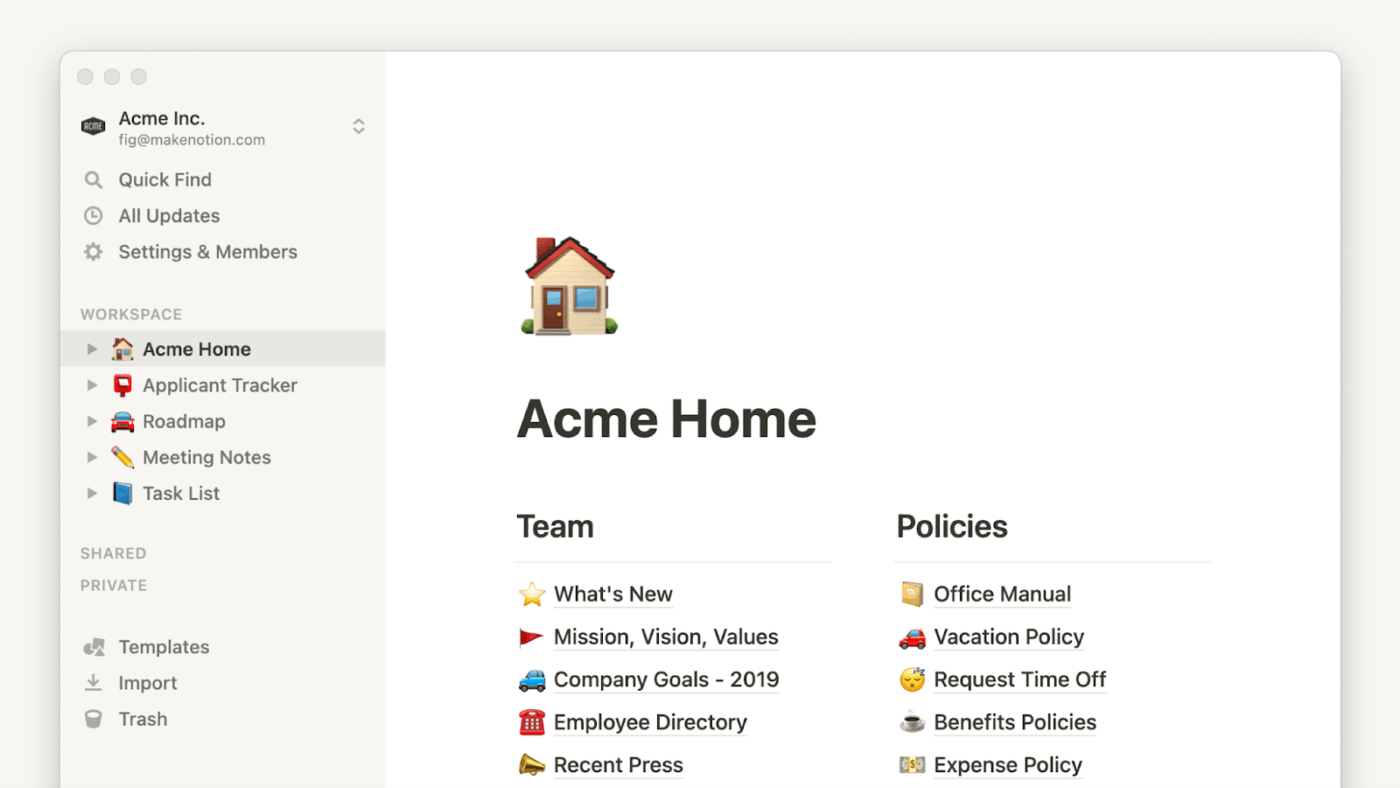
Notion is a modular workspace built around pages, blocks, and databases. Pages hold your content, while blocks are the individual units, like text, images, and toggles that make up a page. Databases are structured collections equipped with properties, filters, and multiple views.
Notion’s flexibility means it can serve as a wiki, a project tracker, or a CRM, depending on how you configure it. This ‘build anything’ approach is its biggest strength and its biggest challenge. The community template ecosystem gives teams a head start, but serious setups still require time and intention.
Notion is best for teams that want maximum customization and are willing to invest in building their own systems. It shines as a documentation hub but requires heavy workarounds for true project management.
Let’s see how Notion allows you to build your own company knowledge base:
Side-by-side comparisons are only useful if they help you make a real decision. So this section breaks down the key differences between Microsoft Loop and Notion, while also showing where ClickUp fits for teams that need stronger structure, better visibility, and real project execution alongside collaboration. 💁
Microsoft Copilot integration generates content and drafts text within Loop. However, Copilot requires a separate, paid license on top of your existing Microsoft 365 subscription.
Notion AI offers writing assistance, workspace search, and database autofill. Plus, it’s included on higher-tier plans but remains limited on lower tiers.
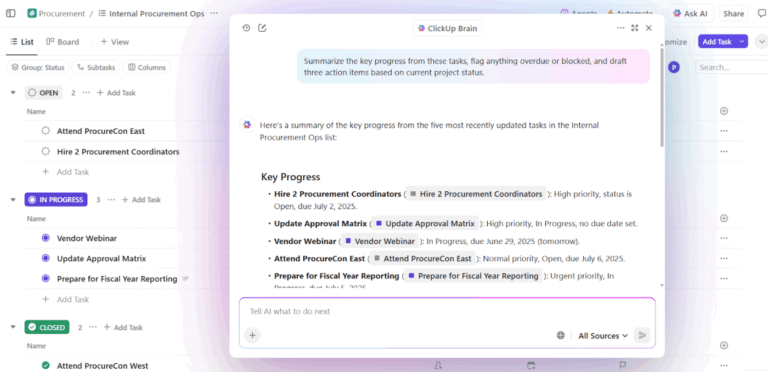
ClickUp Brain is built directly into tasks, docs, chat, and dashboards, so teams can use AI with real workspace context instead of starting from scratch each time. It can answer questions, draft content, and create tasks from conversations without requiring a separate add-on.
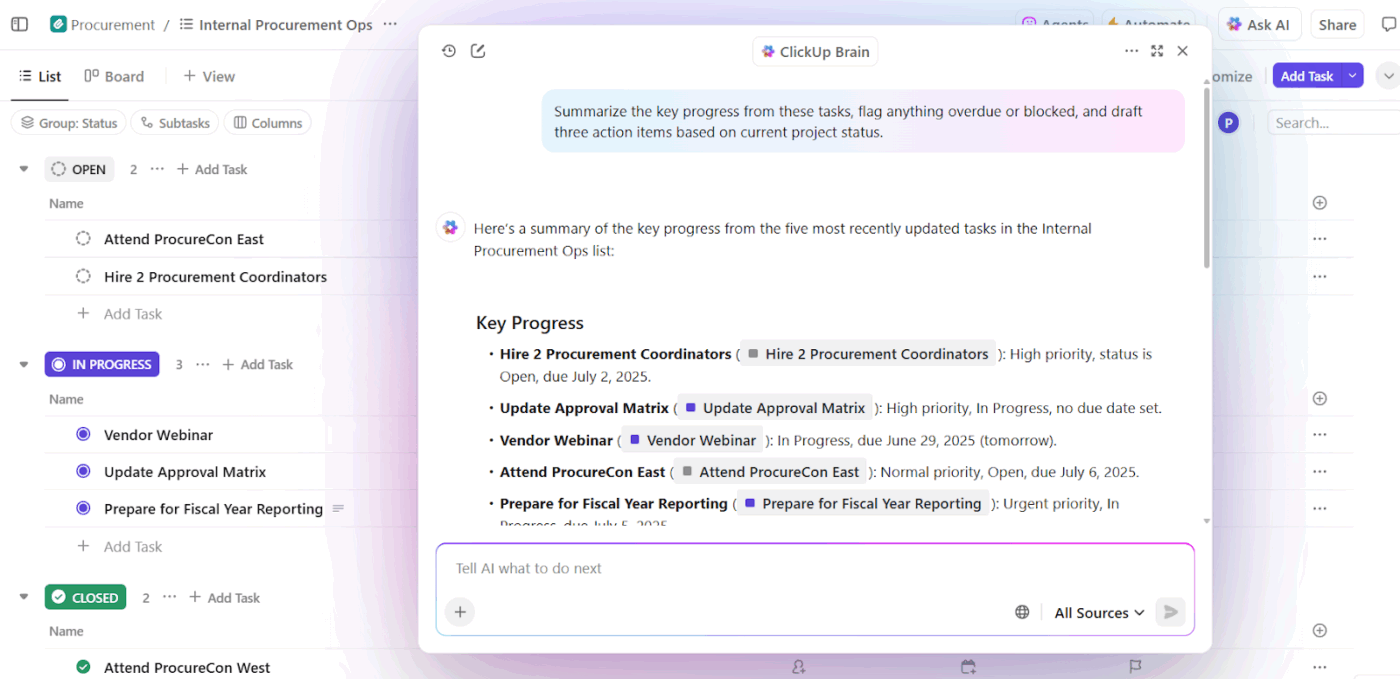
The biggest difference is context. Instead of feeding background into every prompt manually, ClickUp Brain can work with what is already happening across your projects.
📌 Example prompt: Summarize all tasks related to the product launch, highlight blockers, and suggest next steps
🏆 Winner: ClickUp! Notion AI is useful for knowledge work, and Loop’s Copilot is strong inside the Microsoft ecosystem, but ClickUp stands out by embedding context-aware AI directly into project execution.
📮 ClickUp Insight: Only 12% of our survey respondents use AI features embedded within productivity suites. This low adoption suggests current implementations may lack the seamless, contextual integration that would compel users to transition from their preferred standalone conversational platforms.
For example, can the AI execute an automation workflow based on a plain text prompt from the user? ClickUp Brain can! The AI is deeply integrated into every aspect of ClickUp, including but not limited to summarizing chat threads, drafting or polishing text, pulling up information from the workspace, generating images, and more! Join the 40% of ClickUp customers who have replaced 3+ apps with our everything app for work.
Loop offers basic tables within pages for simple sorting and row, but it lacks relations between tables, rollups, formulas, and multiple views.
Relational databases are Notion’s crown jewel. You can build a CRM or product roadmap entirely within the platform using linked records and multiple views, though it takes heavy setup time.
ClickUp takes a more practical approach by combining task management with flexible tracking through Custom Fields and multiple Views. Additionally, ClickUp Custom Fields let you define exactly what matters (budget, priority, client, stage), while ClickUp Views let you see the same data in different ways.
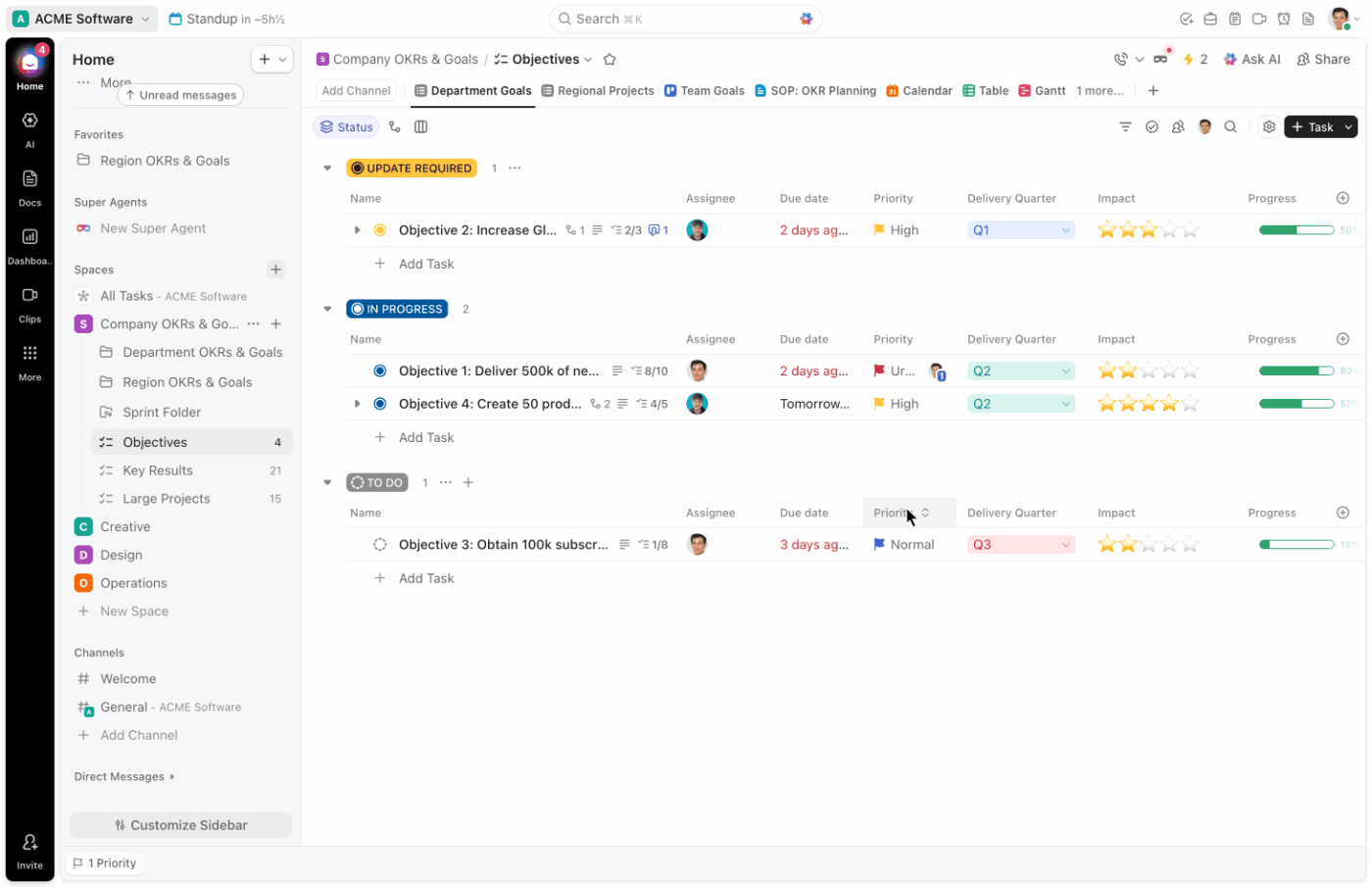
For instance, a growth team tracks campaigns using:
🏆 Winner: It’s a tie! Notion wins on raw database flexibility. Loop is not built for structured data. ClickUp offers the practical middle ground with powerful tracking built on a solid project management foundation.
Loop components allow you to create a task list in Microsoft Teams that stays live when pasted into Word. Multiple people can edit simultaneously with presence indicators.
Notion provides real-time co-editing on pages with comments and @mentions. Collaboration is strong but contained entirely within the Notion workspace.
ClickUp Chat keeps conversations connected to the work itself instead of leaving them scattered across separate tools.

Unlike traditional chat tools, you can:
🏆 Winner: ClickUp! Loop’s cross-app syncing is innovative for Microsoft users, and Notion’s collaboration is solid inside its own workspace. But ClickUp does the best job of connecting conversations directly to execution, which reduces context switching.
Loop handles lightweight task lists with assignments and due dates but lacks dependencies, subtasks, automations, and dashboards.
Notion allows you to build a task database with statuses and dates. However, dependencies and time tracking require manual workarounds or third-party integrations.
At the core of ClickUp is a dedicated task management system built for end-to-end execution.
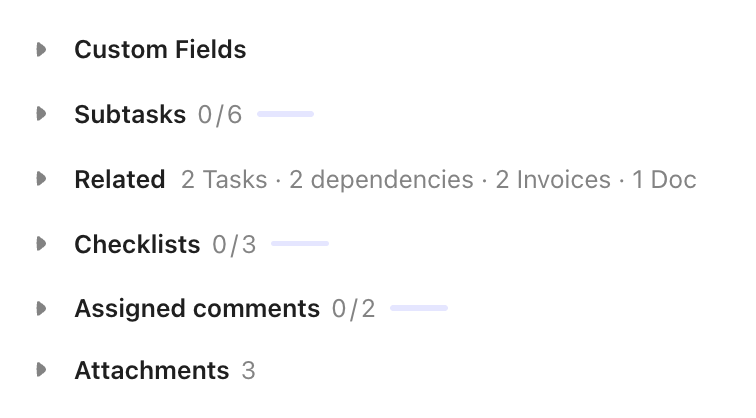
They support complex workflows through:
🏆 Winner: Neither Loop nor Notion was designed as a full project management platform. ClickUp is the strongest choice for teams that need structured execution alongside collaboration and documentation.
Loop pages are simple, clean documents perfect for meeting notes. However, there’s no nested page hierarchy or wiki structure for serious documentation.
Notion features deeply nested pages, toggles, and synced blocks. Popularly, it’s one of the best tools available for building a comprehensive team wiki.
Connect your knowledge base directly to your Tasks with nested pages, rich formatting, and wiki capabilities in ClickUp Docs. You can embed task lists in docs and search across everything simultaneously. It also supports real-time collaboration and can serve as a source of truth for teams.
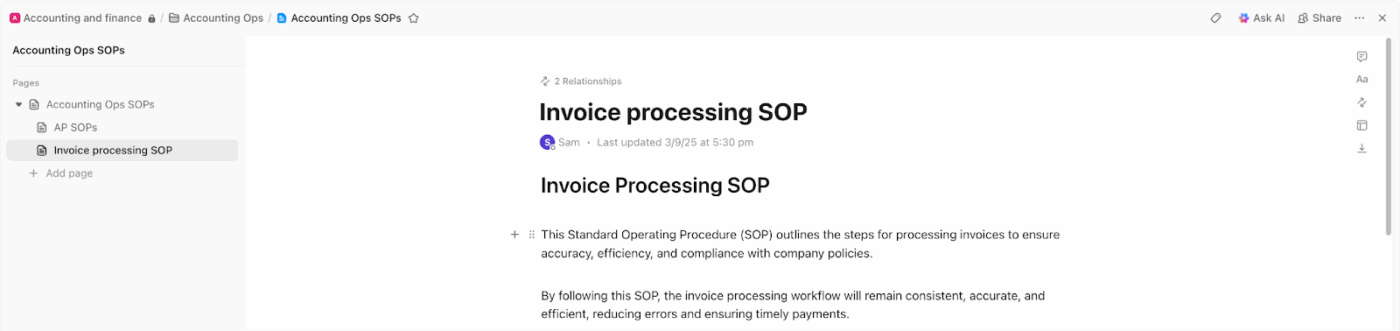
🏆 Winner: It’s a tie! Notion is the strongest standalone knowledge base and Loop is too basic for company wikis. ClickUp bridges the gap by connecting your knowledge base directly to your daily project work.
Loop ships with very limited built-in templates for common scenarios but there’s no community marketplace to pull inspiration from.
Notion boasts a massive community template ecosystem covering nearly every use case. The volume means you will almost always find a starting point for your workspace.
ClickUp Templates help teams launch projects faster with pre-built setups for project management, docs, and whiteboards. Many include structure, fields, and workflow logic, so teams do not have to build everything from scratch.
🏆 Winner: Notion or ClickUp, depending on your needs
Notion wins on template volume and community variety. ClickUp wins on operational depth, since its templates are more likely to include workflow logic, not just structure.
Mary Zargarian, CEO and Principal Consultant at Zargarian Consulting LLC, said:
ClickUp is the heart of our business – our go-to business management platform. We have managed to consolidate our collaboration and reporting all in one system, giving our team visibility into our work and our clients visibility into what we’re doing for their business.
Loop features deep, native integration within Microsoft 365 apps like Teams and SharePoint. Outside of that specific ecosystem, integration options are highly limited.
Notion connects broadly through its API and native connectors for Slack, Google Drive, and Figma. But it lacks deep Microsoft 365 integration, acting more as a standalone hub.
Connect your entire tech stack seamlessly through ClickUp Integrations with Microsoft 365, Google Workspace, Slack, and GitHub. A robust API and Zapier integration ensure you never get locked into one ecosystem.
🏆 Winner: It’s ClickUp! Loop wins for pure Microsoft depth, and Notion wins for standalone flexibility. ClickUp offers the broadest compatibility across all major developer and business tool stacks.
Watch ClickUp compared with Microsoft tools: This walkthrough gives more context on how ClickUp fits for teams that need broader project execution beyond the Microsoft ecosystem.
Loop content is accessible through the Microsoft 365 and Teams mobile apps. However, there’s no dedicated Loop mobile app, making the experience feel fragmented.
Notion has a polished mobile app that mirrors the desktop experience but it doesn’t support true offline editing and syncing.
ClickUp offers a full-featured mobile app with offline support, so teams can keep working even without a stable connection. You can view tasks, add comments, and sync changes when you reconnect.
🏆 Winner: It’s ClickUp! ClickUp’s offline-capable mobile app is the strongest option for traveling teams. Notion is polished but requires connectivity, and Loop’s mobile story remains fragmented across multiple apps.
🚀 ClickUp Advantage: ClickUp Brain MAX extends AI and search across your connected work, helping teams find information and act on it faster.
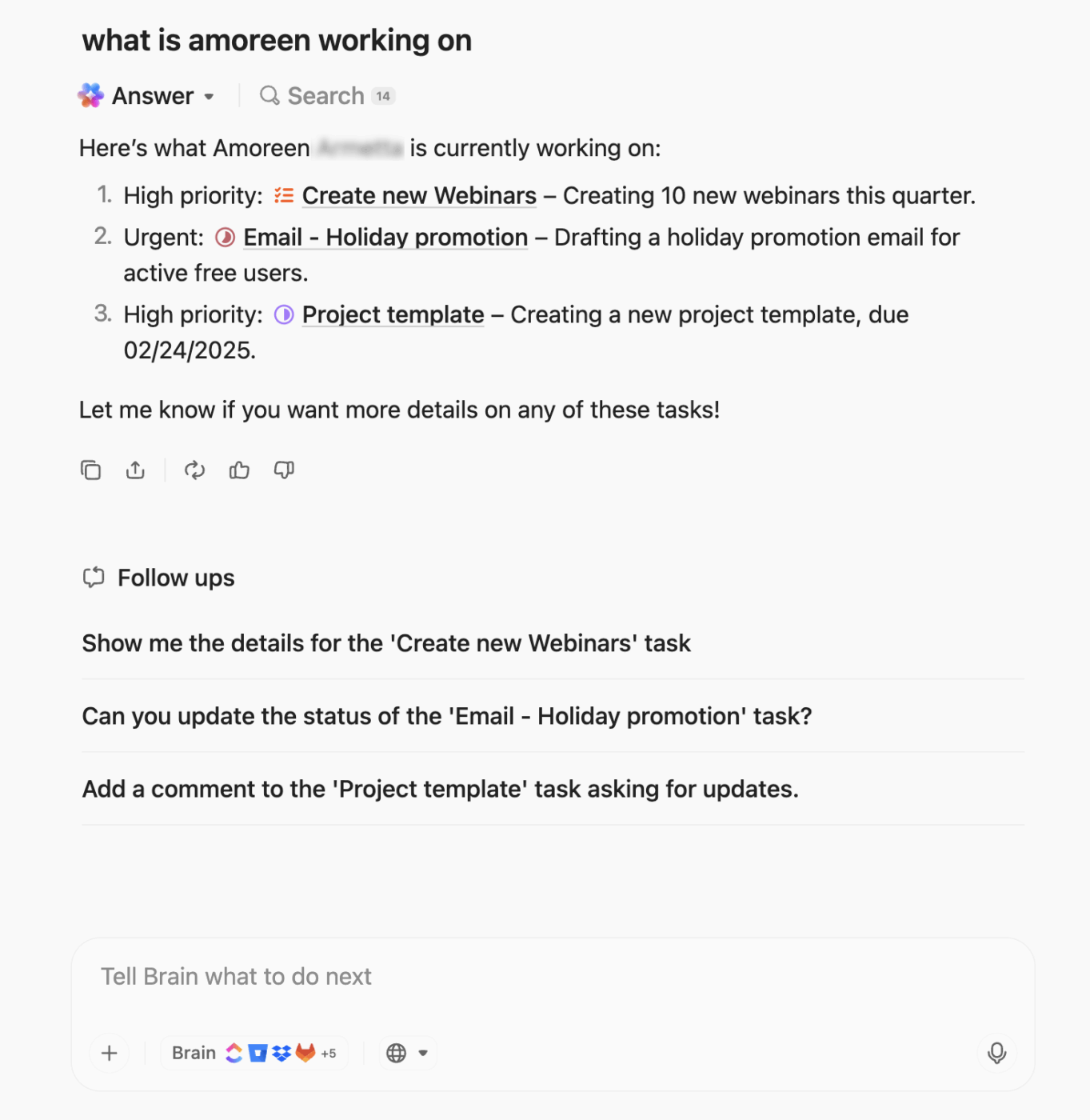
It offers:
The right choice depends on what your team needs today and what you expect the tool to support as you grow:
Choose Microsoft Loop if: Your team is fully embedded in Microsoft 365 and mainly needs lightweight, real-time collaboration across Microsoft apps
Choose Notion if: You want maximum flexibility for docs, wikis, and custom databases, and are willing to invest time in setup
Choose ClickUp if: You want one platform for collaboration, documentation, and project management, with AI, automation, and reporting built in
Microsoft Loop is useful for lightweight collaboration inside Microsoft 365, and Notion is strong for flexible docs and custom-built systems. But both still leave many teams stitching together separate tools once work becomes more complex.
ClickUp takes a different approach. As the world’s first Converged AI Workspace, it brings tasks, docs, chat, and AI into the same system, so work stays connected, and execution does not depend on constant handoffs between tools. Instead of AI sitting beside your workflow, it works inside it with the context of your projects, conversations, and priorities already in place.
That means teams get more than collaboration or documentation in isolation. They get a connected workspace where planning, coordination, and follow-through happen with less fragmentation, better visibility, and fewer workarounds. For teams that have outgrown lightweight collaboration or DIY setups, ClickUp is the more scalable long-term choice.
Sign up for ClickUp for free today! ✅
No, Loop offers basic tables for simple lists, but it lacks Notion’s relational databases, formulas, and multiple views. For teams needing structured data without building from scratch, ClickUp Custom Fields offer a practical middle ground.
Both require heavy workarounds, as Loop only handles lightweight lists and Notion needs custom database setups. It’s best to get project management built from day one with native Tasks, Dependencies, and Automations in ClickUp.
Loop adds great value for quick cross-app collaboration within Teams and Outlook, but it’s not a standalone workspace. If your team needs project tracking or a knowledge base, you will still need a comprehensive platform like ClickUp.
ClickUp is the leading alternative for teams seeking collaboration, documentation, and project management in a single platform. Teams switch to ClickUp to eliminate tool sprawl and gain AI-powered productivity through ClickUp Brain.

Manasi Nair
Max 24min read
Manasi Nair
Max 30min read
Manasi Nair
Max 28min read

© 2026 ClickUp




