Sorry, there were no results found for “”
Sorry, there were no results found for “”
Sorry, there were no results found for “”
Agency work is messy by nature—multiple clients, shifting priorities, and constant updates. When context is scattered, work slows down. You might try adding AI to help. But when AI lacks context, it becomes just another chatbot.
ClickUp AI Project Assistant for agencies changes the game. Instead of juggling disconnected apps, chat threads, and documents, you get one AI that understands your entire workspace.
This article breaks down 12 benefits of the ClickUp AI Project Assistant for agencies. You’ll see how ClickUp Brain’s AI and project management features work together in a single, converged workspace.
Cut admin overhead, eliminate tool sprawl, and give your team AI that actually knows the full picture of every client campaign. 👀
ClickUp AI Project Assistant is the native AI layer inside ClickUp, not a separate tool or add-on. It’s a collection of conversational, contextual AI features available everywhere in ClickUp that connect your organization’s people, work, and knowledge. 👀
For agencies, this is a big shift. Most teams stack tools—project management software, docs, chat apps, and now AI tools on top. That leads to AI sprawl layered on top of tool sprawl, where nothing has the full picture.
👀 Did You Know: According to a Salesforce/YouGov survey, 76% of workers say their preferred AI tools lack access to company data or work context.
When briefs live in one tool, feedback in another, and client information in a separate platform, agencies spend too much time dealing with context sprawl.
ClickUp solves this by bringing everything together:
Because all of this lives inside the same workspace, the AI doesn’t guess—it works with real data.
Agency knowledge is everywhere—and nowhere. It’s buried in old docs, Slack threads, and people’s heads. ClickUp Brain turns your entire workspace into an AI knowledge base you can actually use.
Here’s what that unlocks:
Ask natural-language questions like:
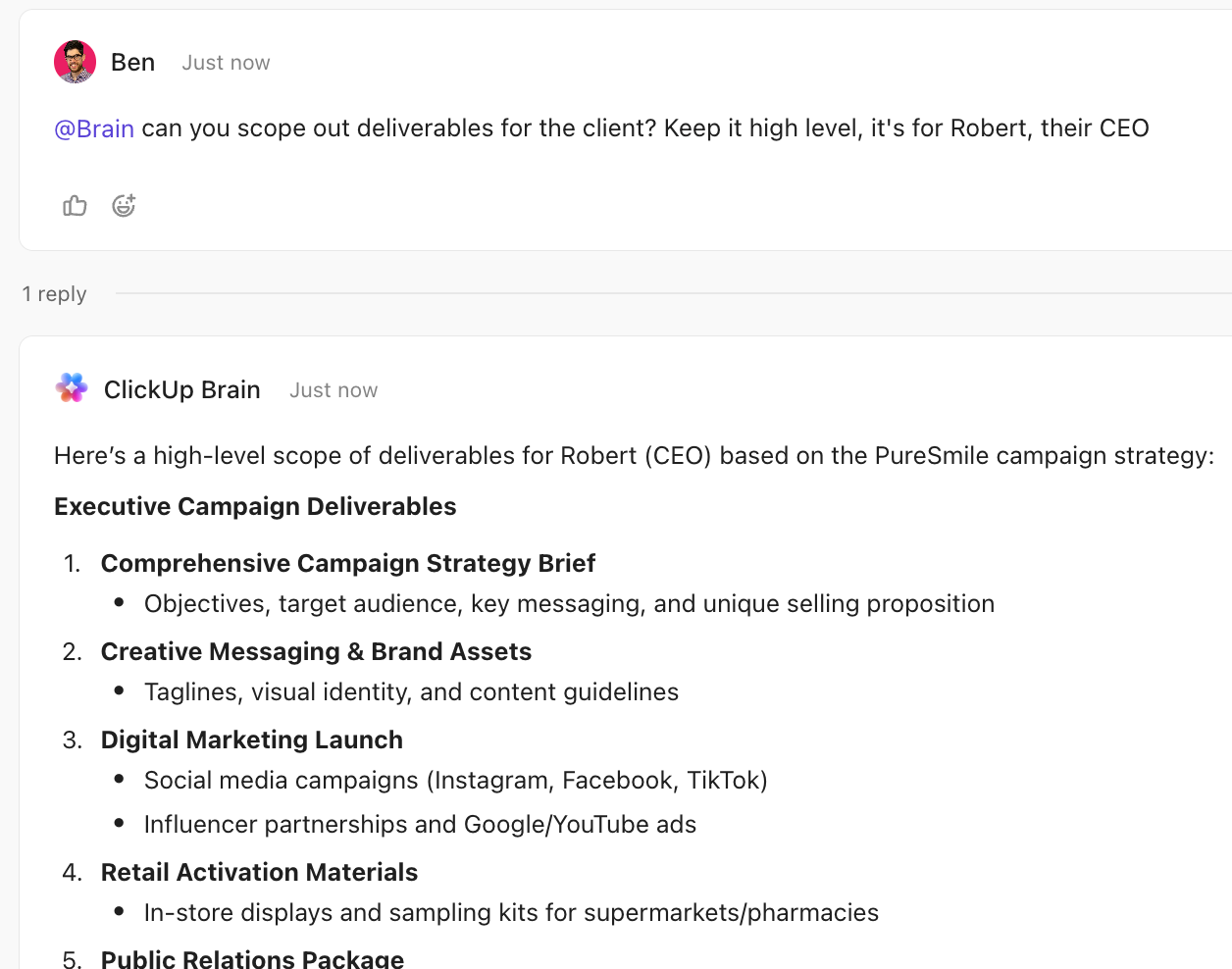
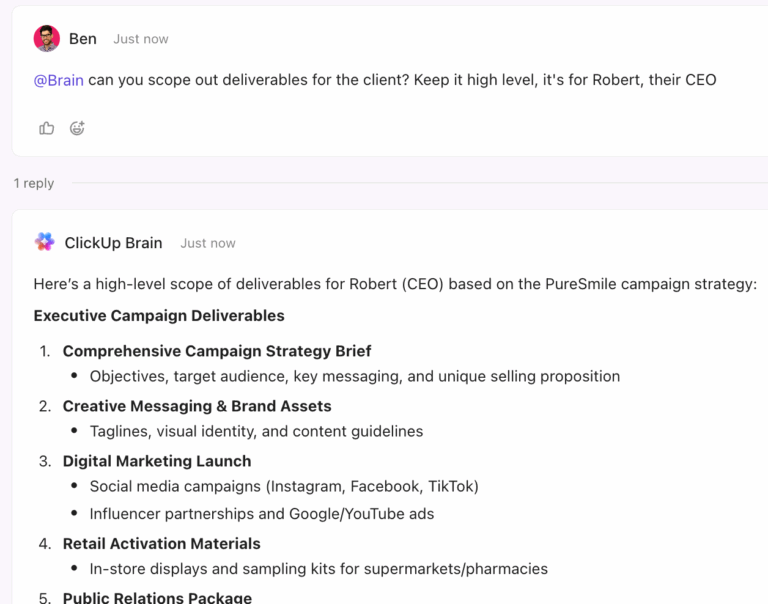
ClickUp Brain gives clear answers with source links, pulling from tasks, docs, comments, and chat threads. No digging into files or chasing people.
For account managers, this means fewer interruptions and faster client responses.
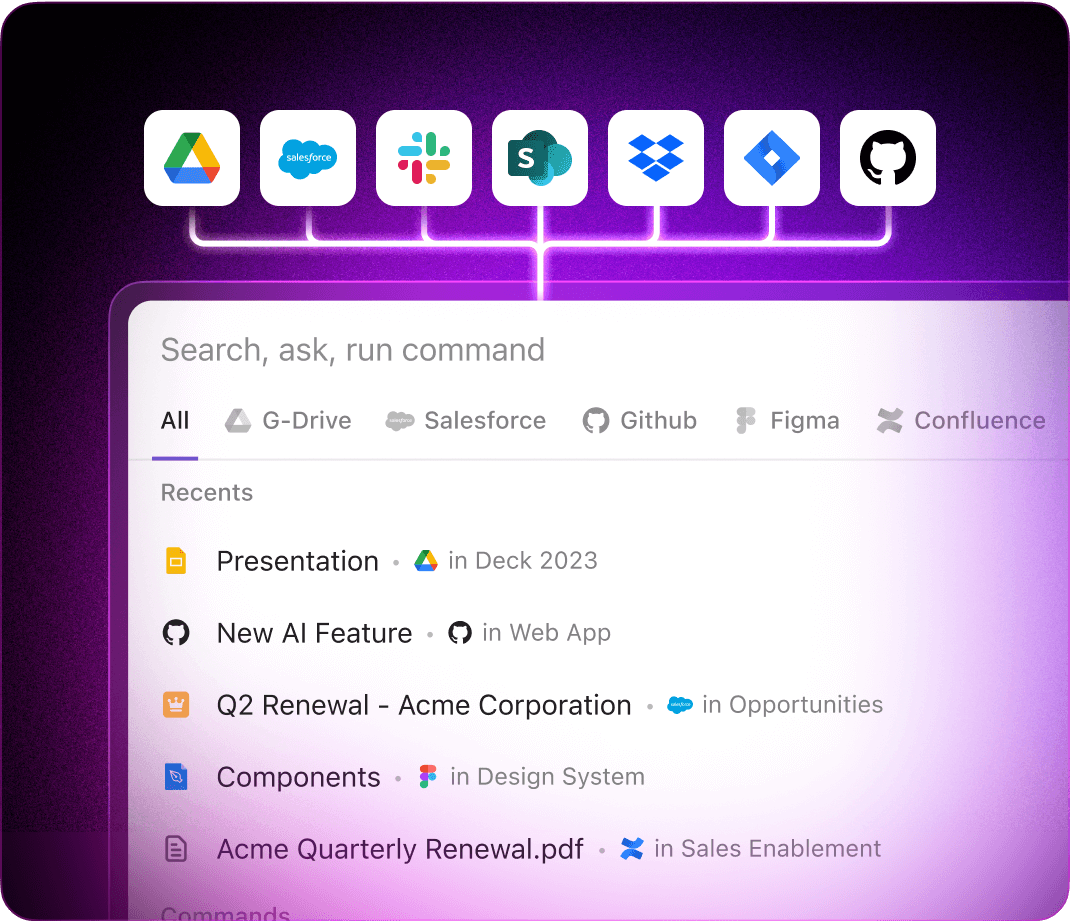
Agencies use multiple tools like Google Drive, Figma, HubSpot, and Slack. The problem is remembering where something lives.
ClickUp’s Connected Search fixes that by indexing files from cloud storage, design tools, and CRMs. One search bar pulls results from across your entire stack—no guesswork required.
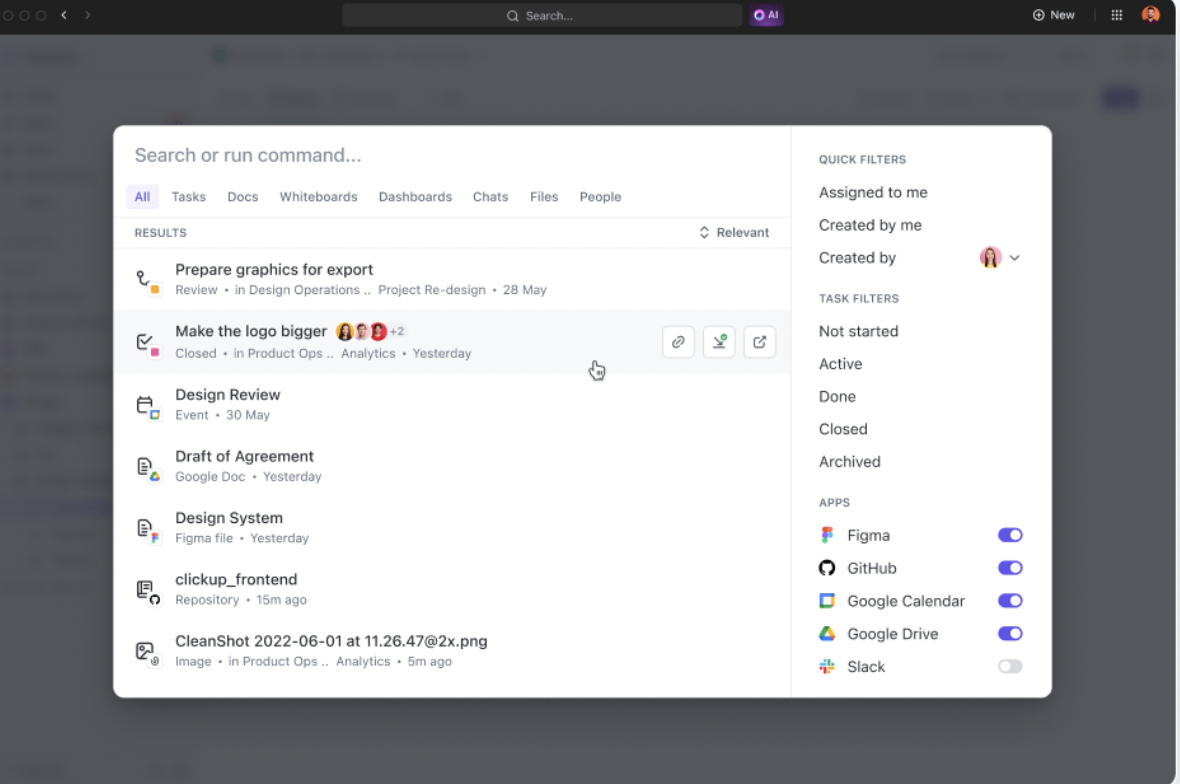
📮ClickUp Insight: The average professional spends 30+ minutes a day searching for work-related information. That’s over 120 hours a year lost to digging through emails, Slack threads, and scattered files. An intelligent AI assistant embedded in your workspace can change that.
Enter ClickUp Brain. It delivers instant insights and answers by surfacing the right documents, conversations, and task details in seconds—so you can stop searching and start working.
💫 Real Results: Teams like QubicaAMF reclaimed 5+ hours weekly using ClickUp—that’s over 250 hours annually per person—by eliminating outdated knowledge management processes. Imagine what your team could create with an extra week of productivity every quarter!
Reclaim hours of admin work with ClickUp AI Agents. These are AI agents for agency management that you set up in Chat Channels or Lists.
They act like extra team members for admin work, such as:
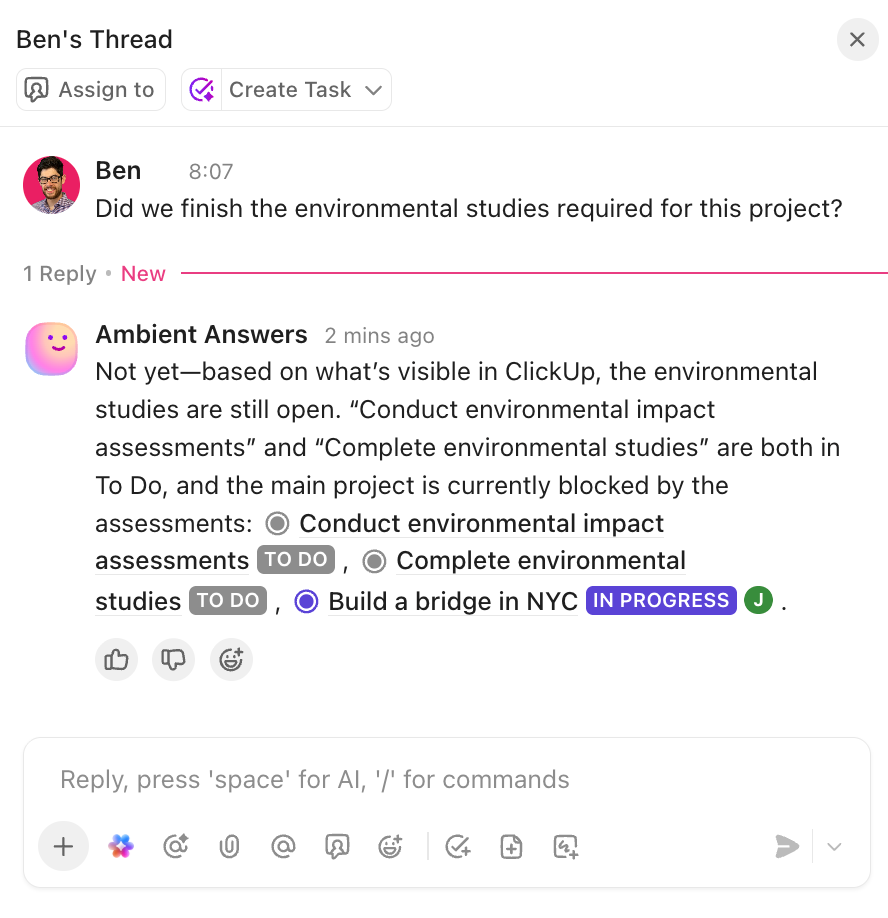
Because they operate inside your workspace, they make decisions based on real project data—not generic rules.
Take things up a notch with ClickUp’s Super Agents. These are your ambient, contextual, and autonomous AI teammates that handle multi-step agency workflows end to end.
For example, a Super Agent can monitor a client intake form, create a project using the right template, assign tasks to each team, set deadlines, and generate a kickoff brief—all without manual input. This turns your repeatable processes into scalable systems, so your team spends less time setting up work and more time executing it.
🎥 See how ClickUp’s Super Agents can transform your agency’s productivity by automating routine workflows.
👀 Did You Know: Microsoft’s Work Trend Index found 48% of employees say their work feels chaotic and fragmented.
The average agency juggles separate apps for agency project management, work files, time tracking, client communication, and reporting. Every tool switch costs context. Every data silo makes your AI more ineffective.
With ClickUp, tasks, docs, chat, dashboards, whiteboards, time tracking, and AI all live together. No switching tools or lost context.
When everything is in one place, ClickUp Brain can reason across all of it.
💡 Pro Tip: Use ClickUp Brain MAX as your cross-workspace command center 🧠
Instead of jumping between tools to check updates, use Brain MAX as a single interface to ask questions, trigger actions, and generate work across your entire workspace.
For example, you can ask it to:
All this, without opening individual tasks or dashboards. This is especially powerful for agency leaders and account managers who need a high-level view without getting pulled into execution details.
Agencies run repeatable processes—campaign launches, content calendars, approval workflows, etc. Without workflow automation, your team spends hours on manual handoffs.
ClickUp Automations handle this without code, using trigger-based workflows. Each Automation has three parts:
ClickUp Brain also suggests automations based on your work patterns, helping you spot hidden inefficiencies.
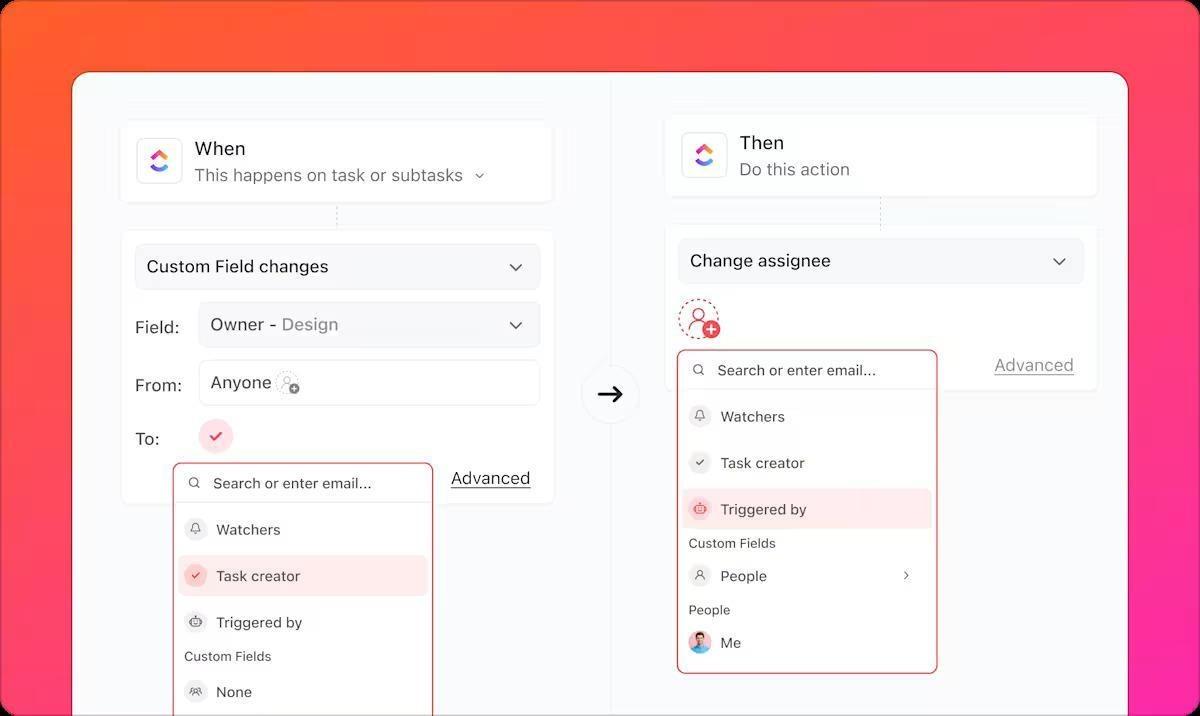
Here are some examples of daily work you can automate:
📚 Also Read: How Marketing Agencies Save 15+ Hours Per Week
Designers, project managers, copywriters, and clients all need to see the same work differently. Maintaining separate spreadsheets or duplicate boards for each stakeholder wastes time and creates confusion.
ClickUp Views let everyone work from the same data, just seen differently.
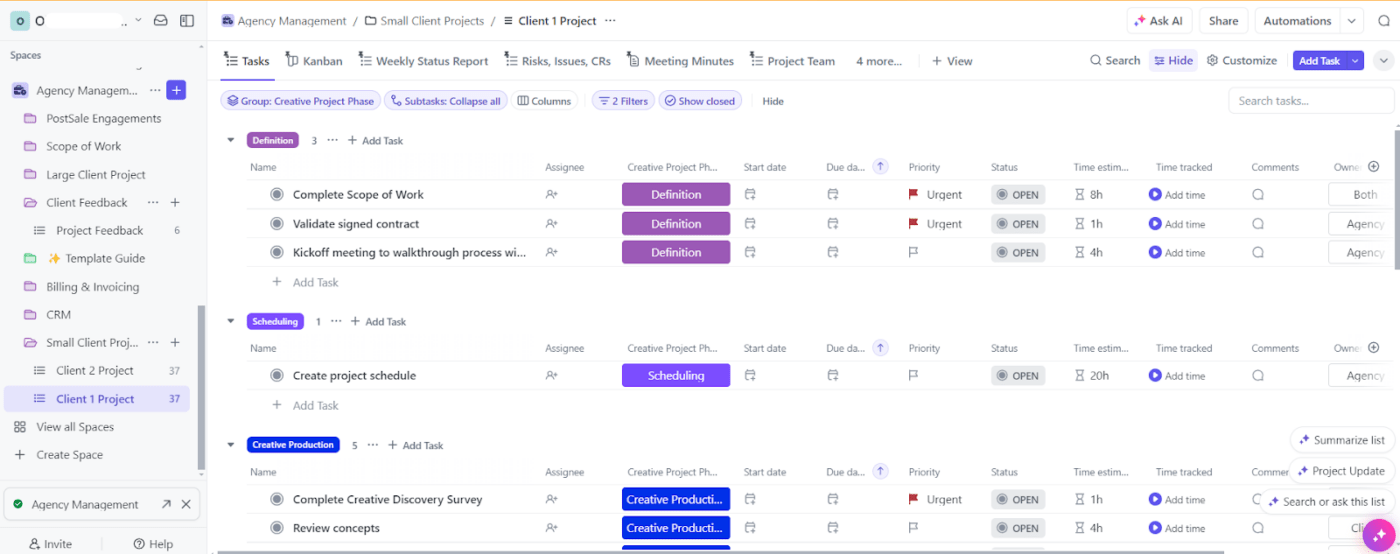
Here are some examples:
| Stakeholders | Relevant View |
|---|---|
| Designers | ClickUp Board View for tasks grouped by status |
| Project managers | ClickUp Gantt Chart View for campaign timelines with dependencies |
| Team leads | Workload View that helps track team capacity |
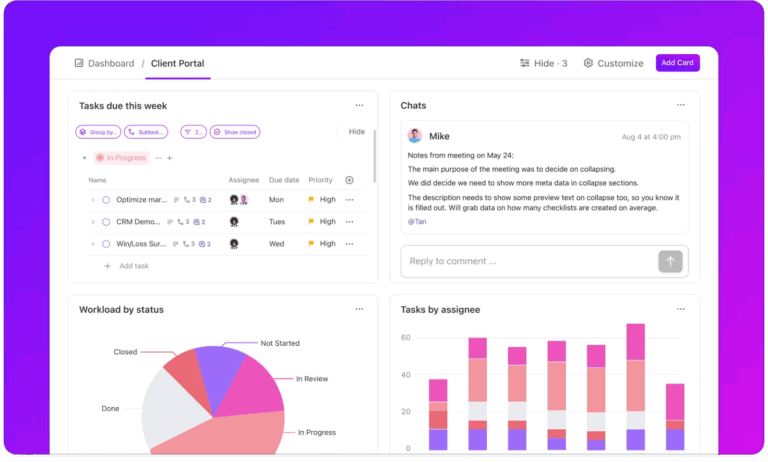
| Executives | ClickUp Dashboards with real-time reporting widgets |
| Content writers | ClickUp Calendar View showing their deliverables by date |
| Clients | A simplified Board showing only their deliverables |
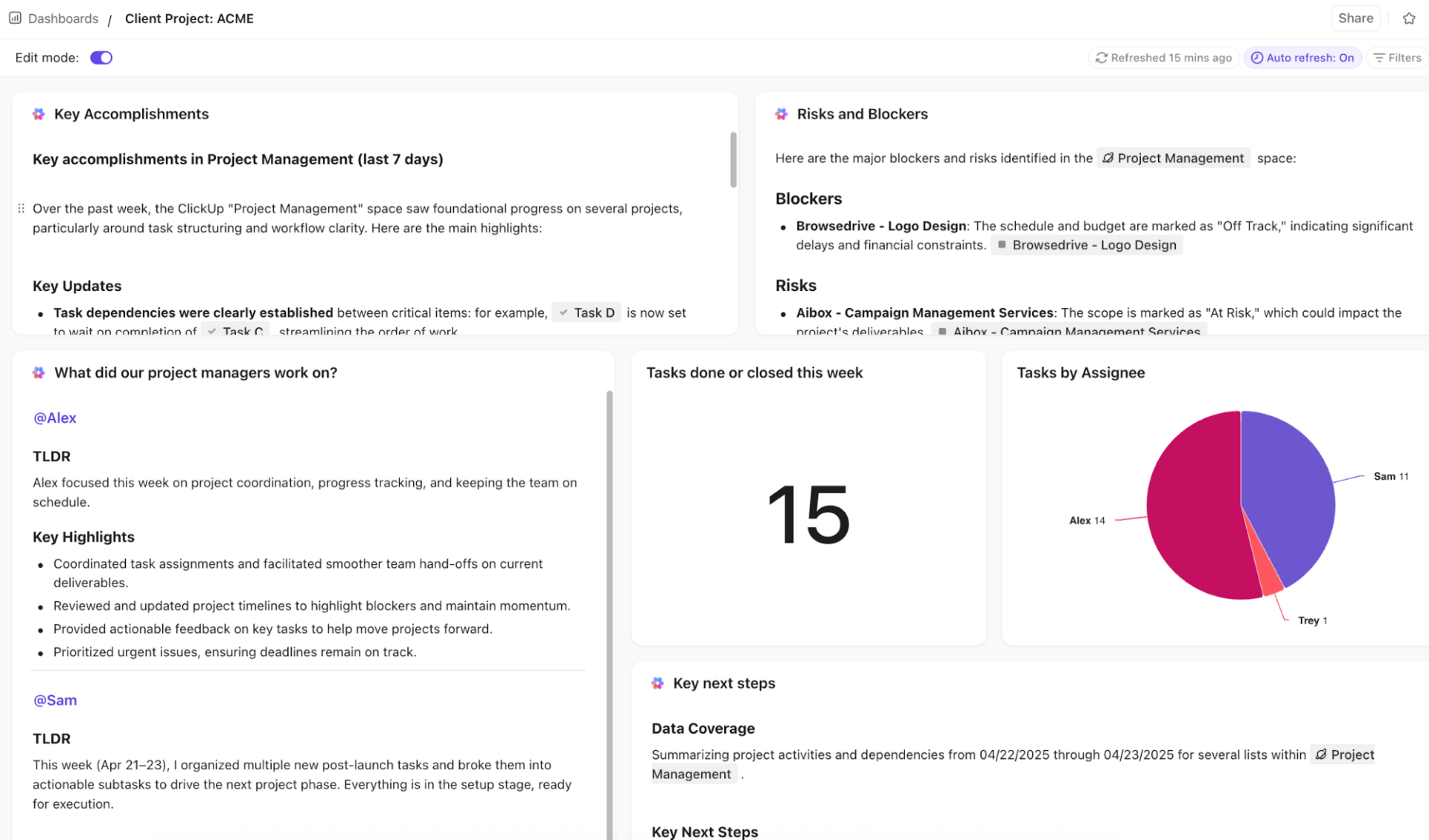
💡 Pro Tip: Never manually create another status report. Build client-facing dashboards that auto-update through ClickUp Dashboards. For your agency, it means fewer reports and more transparency.
Add AI Cards to automatically interpret the data for you. Instead of manually analyzing campaign performance or project status, AI Cards can highlight trends, summarize progress, and flag risks (like delays or budget overruns) in plain language.
This is especially useful for client reporting, where you can move from “here’s the data” to “here’s what it means and what to do next”—without extra analysis work.
Agency collaboration is usually scattered across tools. Feedback in email, decisions in Slack, files in Drive, tasks in the PM tool. Knowing why a decision was made requires checks across four apps.
That fractured project collaboration costs agencies hours every week.
ClickUp fixes this with collaboration tools built right into the workspace:
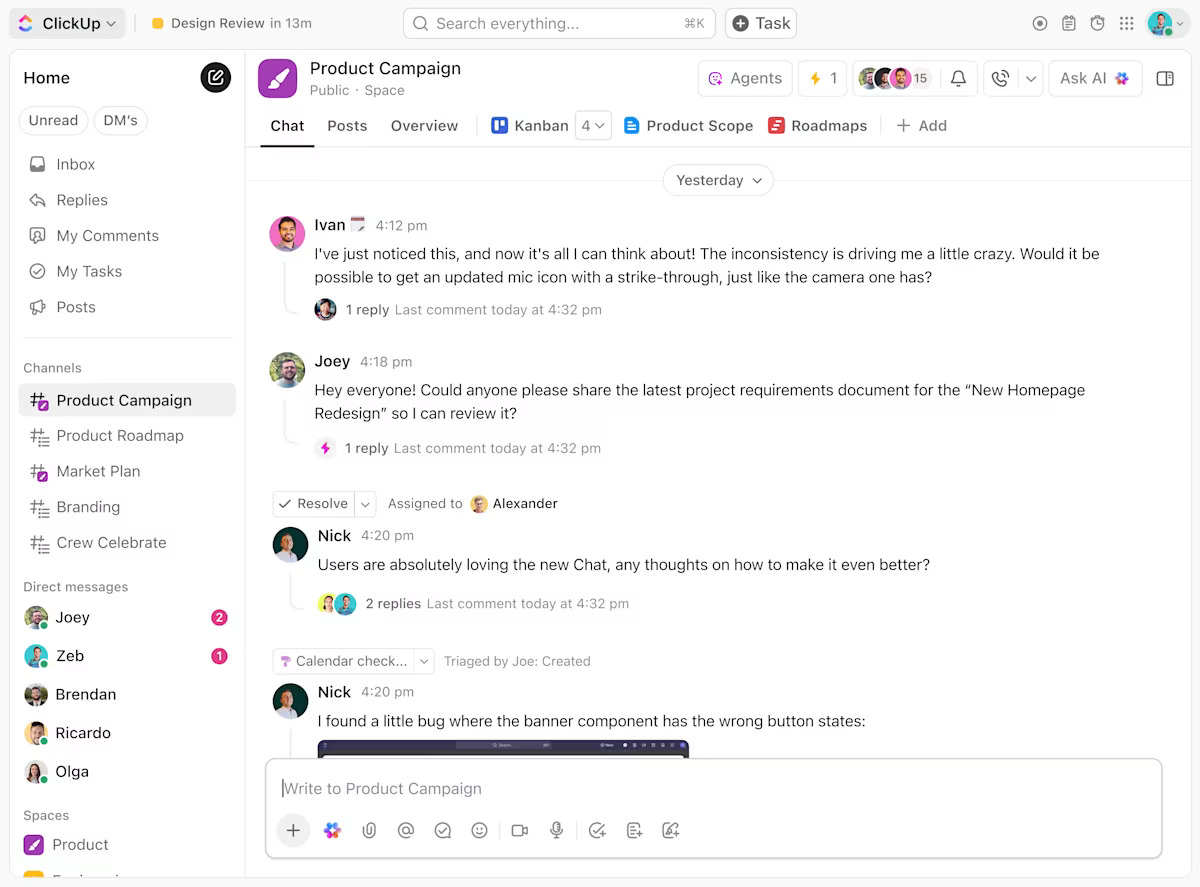
ClickUp Chat links messages directly to tasks, docs, or projects. This keeps every conversation tied to the work it references, so everybody sees the same updates. For example, when a copywriter and account manager discuss revisions, that conversation lives on the task itself.
You can also turn chat messages into tracked tasks instantly—no copy-paste required.
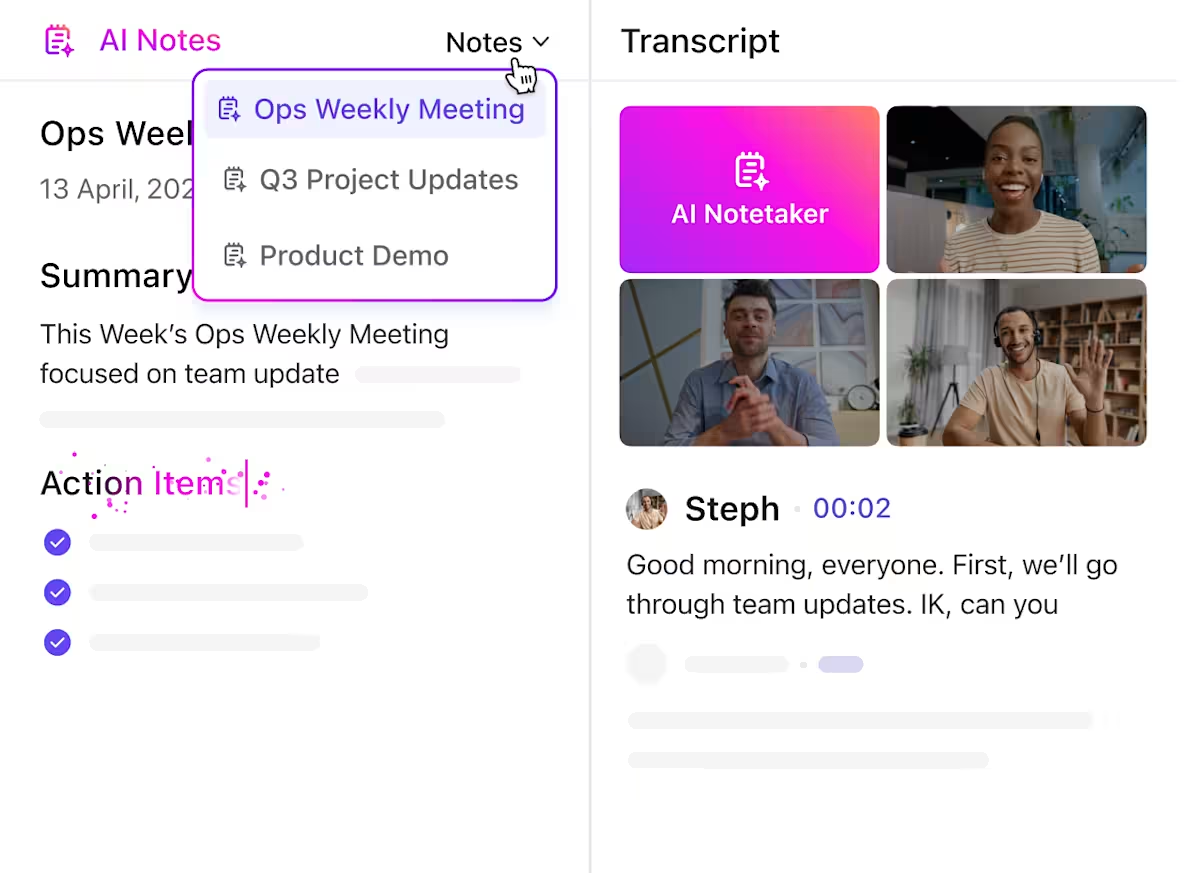
Stop losing track of who’s supposed to do what after client calls. Capture every meeting decision automatically with ClickUp AI Notetaker. It joins calls, generates transcripts, summarizes key points, and auto-creates tasks from action items.
The notes and tasks stay linked, creating a clear audit trail from meeting to delivered work. For agencies running multiple client calls daily, this removes confusion and keeps accountability clear.
📮ClickUp Insight: ClickUp found that 27% of respondents struggle with meetings that lack follow-through, leading to lost action items, unresolved tasks, and ultimately, sub-par productivity.
This issue is compounded by how teams track their work. Our team communication survey reveals that nearly 40% of professionals manually track action items, a time-consuming and error-prone process. 38% rely on inconsistent methods, increasing the risk of miscommunication and missed deadlines.
ClickUp eliminates this action item chaos! Instantly convert meeting decisions into assigned tasks—all in the same platform where work happens.
Agencies bill by the hour or scope projects based on estimated effort. Without proper resource management and visibility into who’s overbooked, you stay vulnerable to last-minute surprises.
ClickUp gives you the visibility you need for accurate capacity planning. Track time directly on tasks with native ClickUp Time Tracking, then see capacity across all client projects with the Workload View.
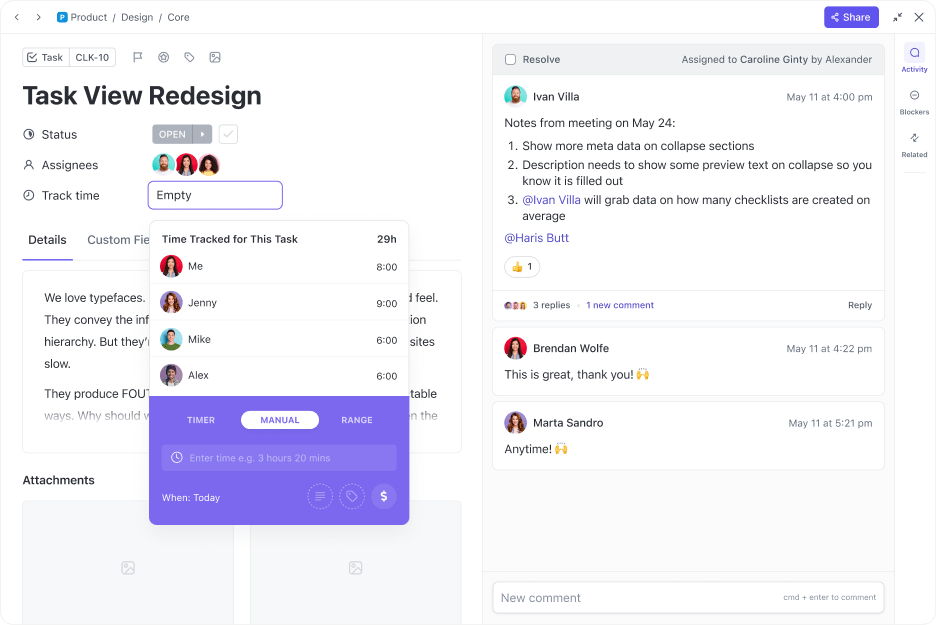
This can help you, for example:
💡 Pro Tip: Plan more effectively with AI! ClickUp Brain can analyze historical time data and help you set more realistic timelines for new pitches.
Building project structures from scratch burns time you could spend on billable work. Stop reinventing the wheel each time. ClickUp’s Template Library includes agency-specific templates complete with pre-built task structures, ClickUp Custom Fields, and automations.
They help you save time on things like client onboarding, campaign management, content calendars, and creative briefs. Work stays consistent, without slowing teams down.
🚀 Try this template today
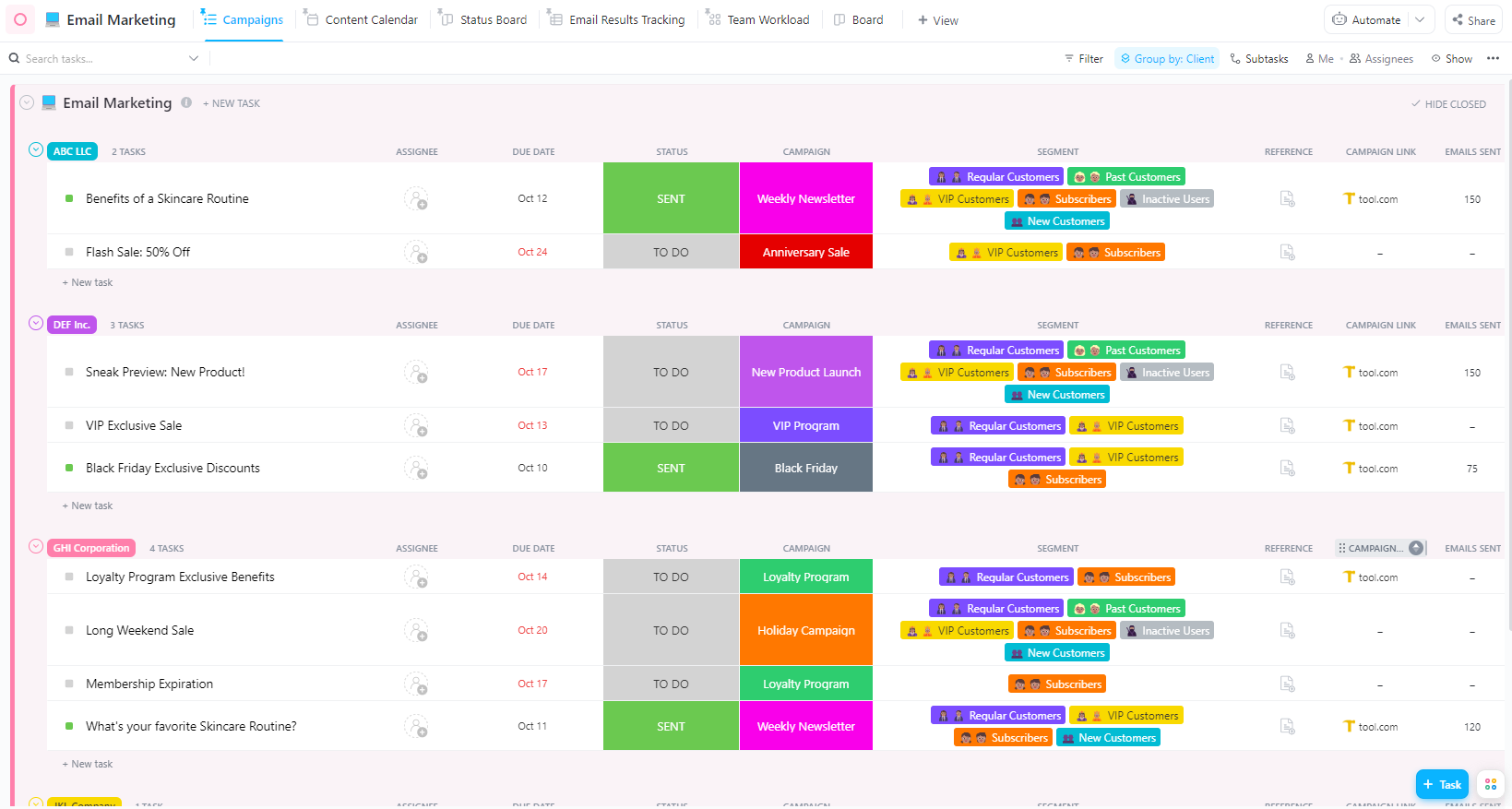
ClickUp’s Marketing Agency Business Template helps you easily keep track of your projects.
💡 Pro Tip: Customize templates on the fly by asking ClickUp Brain. Win a new e-commerce client? Grab the campaign management template and have Brain adjust it for e-commerce deliverables.
You can even get Brain to save your favorite workflows as custom templates. 🤩
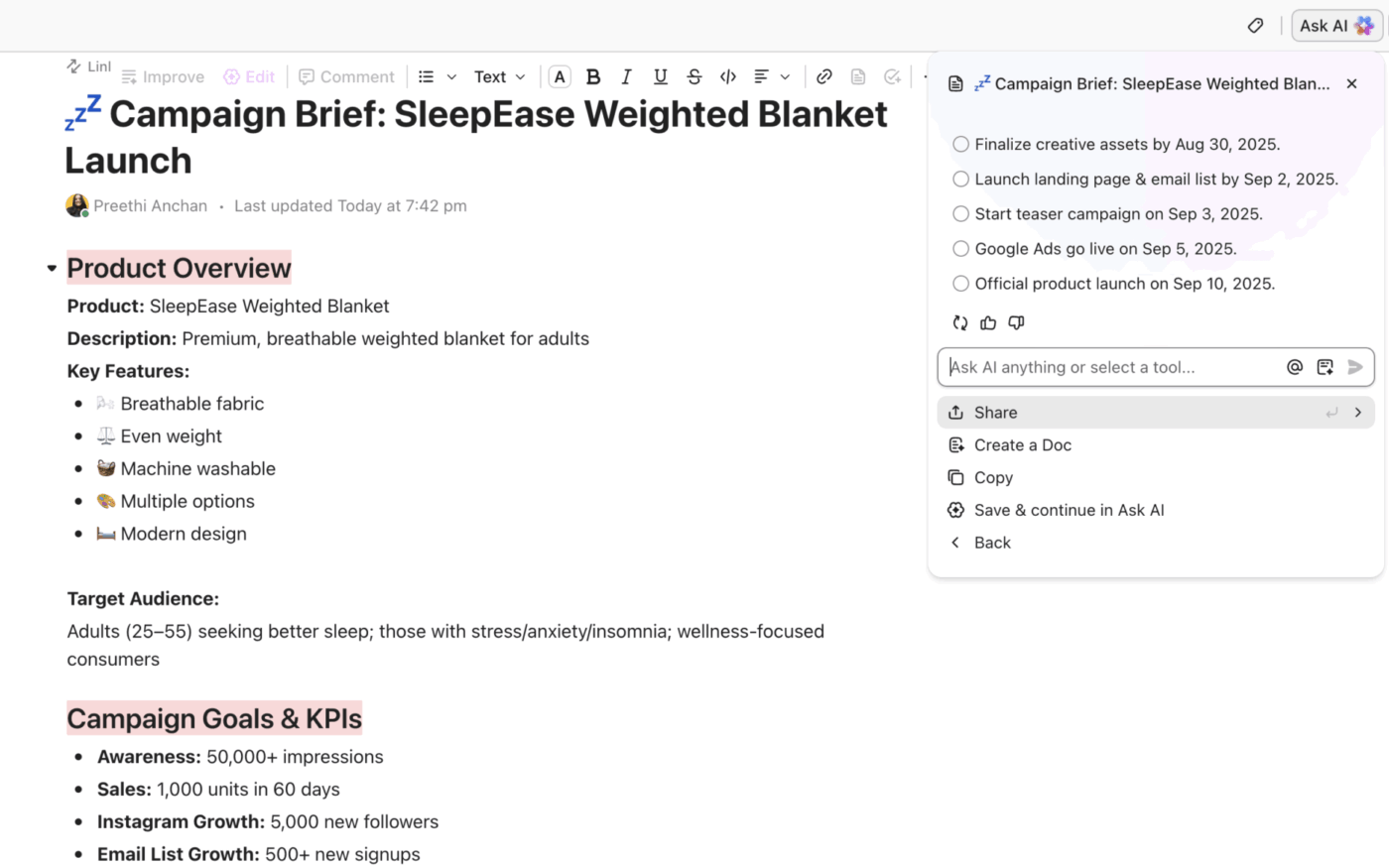
Agency teams produce enormous volumes of written content—client briefs, proposals, social copy, reports. Generic AI writers like Jasper and Copy AI lack context and require you to re-explain the project context every single time.
With ClickUp, you stop re-explaining project context to your AI.
Draft, edit, summarize, and repurpose content with full project context using ClickUp Brain’s AI Writer, directly inside ClickUp Docs and tasks. The contextual AI already knows the client, the brief, and the campaign objectives because they’re all in the same workspace.
📚 Also Read: How To Manage Clients As Your Agency Scales Up
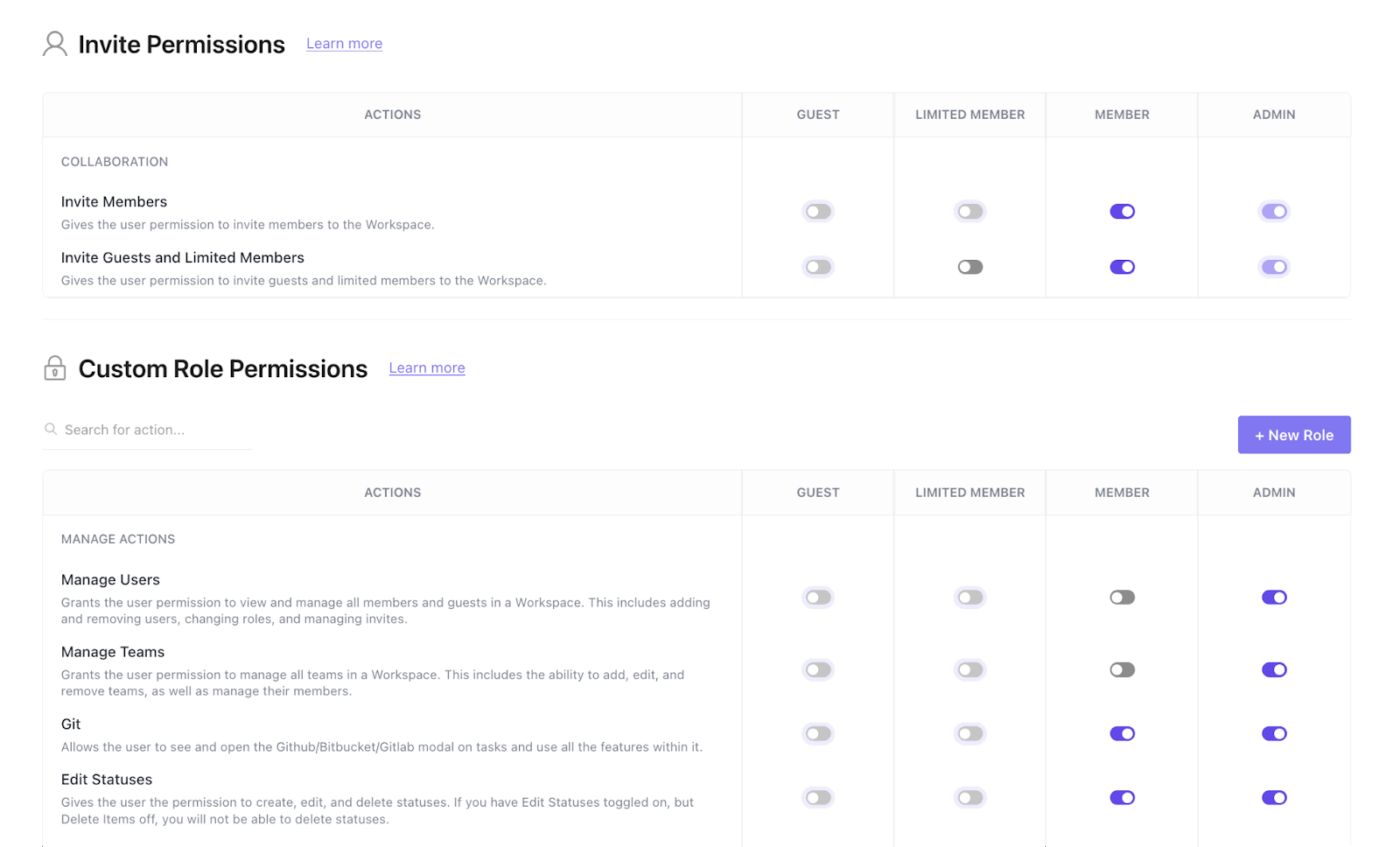
Your agency handles sensitive client data—brand strategies, unreleased creative assets, and financial information. One accidental data leak between client accounts can destroy trust overnight.
ClickUp provides enterprise-grade security and data privacy with:
You can also set granular permissions at the Workspace, Space, Folder, List, or task level. This ensures clients and freelancers only see their work. That’s what PharmacyMentor’s team does.
We communicate inside ClickUp, and everyone who is part of a project is added as a Watcher from day one. We also have Master Client Cards, and if someone works on something for a client away from this card, they then make a note and backlink the activity so the account executives can see everything that goes on.”
Rest easy knowing AI won’t leak sensitive data—ClickUp Brain respects the permissions you set and won’t surface information from spaces a user can’t access.
Even with a converged workspace, your team will have tools they won’t give up. The key isn’t just connecting them—it’s making their data searchable and actionable inside ClickUp.
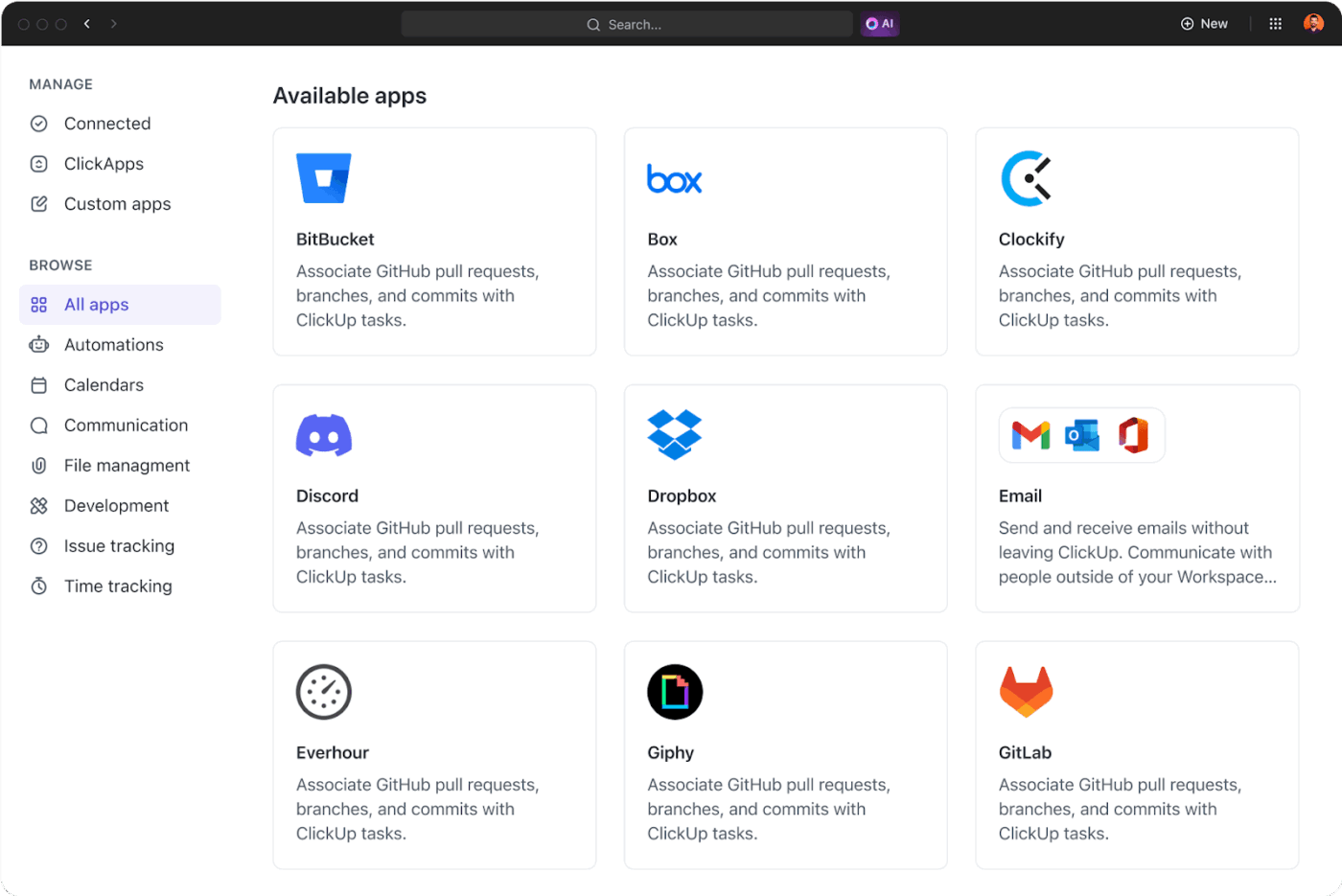
Make data from external tools searchable and actionable inside ClickUp through ClickUp Native Integrations and an open API.
The key difference: integrations feed data back into ClickUp, making it a part of your knowledge base so the AI can use it.
🎥 This video walks through the best agency management software for creative, marketing, and consulting agencies that want better visibility and less chaos.
Agencies grow fast, and most tools don’t keep up. What works for a five-person team starts to break at 20, and completely falls apart at 50.
The usual result? A painful cycle of migrating tools every few years—rebuilding workflows, retraining teams, and risking client disruption in the process.
ClickUp avoids that by scaling with your agency at every stage:
This means you’re not switching systems—you’re evolving the same workspace as your agency matures.
Graphite, a tech-first growth agency, faced this challenge of tools that didn’t keep up as the team grew. With collaboration and productivity impacted, they decided to eliminate tool fragmentation and move to ClickUp.
✨ The outcome was:
In the words of Ethan Smith, CEO:
ClickUp allows our team to do their best work by optimizing processes to ensure on-time delivery, driving impact.
Stay ahead with AI that keeps getting better, with ClickUp.
At ClickUp, AI isn’t a one-time feature drop; it’s built into the core of the product. That means what you’re using today will keep getting smarter without you needing to switch tools or rebuild workflows.
Recent additions already show the direction and pace of innovation:
With multi-LLM access, ClickUp Brain isn’t locked to a single AI provider. It picks the best model for each task type, from writing to data analysis to code generation.
Most tools add a basic AI chatbot and stop there. Teams still copy-paste context, switch between tools, and manually connect the dots.
ClickUp takes a different approach. Because AI is embedded in a converged workspace, every new capability improves how the entire system works.
📚 Also Read: 15 Proven Ways to Manage Multiple Clients
| Feature | ClickUp | Asana | Monday.com | Notion | Wrike |
|---|---|---|---|---|---|
| Native AI built into workspace | ✅ | Limited | Limited | Limited | Limited |
| AI knowledge management across all work | ✅ | ❌ | ❌ | Partial | ❌ |
| Built-in docs, chat, and time tracking | ✅ | Partial | Partial | Partial | Partial |
| Multi-LLM AI access | ✅ | ❌ | ❌ | ❌ | ❌ |
| AI Agents for autonomous tasks | ✅ | ❌ | ❌ | ❌ | ❌ |
| Client guest permissions | ✅ | ✅ | ✅ | ✅ | ✅ |
Most tools offer strong features in isolation. Notion is great for docs. Asana is strong for task tracking. Monday.com is flexible for workflows.
But your agency doesn’t need isolated strengths; it needs everything working together. That’s what turns AI in ClickUp from a helper into a real operator. When your AI sees every task, doc, chat message, and time entry in one place, it stops being a novelty and starts being a competitive advantage.
Agencies that win aren’t the ones using the most tools—they’re the ones using the right system. A converged AI workspace eliminates context sprawl, reduces busywork, and gives AI the full picture it needs to be useful.
The alternative is stitching together disconnected tools and AI that never quite understands your work.
Get started for free with ClickUp and see how it changes the way your agency operates. ✨
Standalone AI PM tools add intelligence on top of a basic task manager, but they lack full workspace context. ClickUp combines project management, docs, chat, and integrations in one platform. This means its AI reasons across all your agency’s work rather than just task lists.
Yes—ClickUp AI features work for teams of any size. Smaller agencies often see an outsized impact because AI handles administrative overhead that would otherwise require hiring additional staff.
ClickUp Brain uses Multi-LLM Access, meaning it leverages multiple AI models (Gemini, Claude, ChatGPT, etc.) rather than being locked into a single provider. This lets it choose the best model for each task type, from writing to data analysis to code generation.

Praburam Srinivasan
Max 10min read

Manasi Nair
Max 22min read
Manasi Nair
Max 24min read

© 2026 ClickUp