You spent an afternoon wiring Claude into your CRM, ad platform, analytics, and content repo. Then nothing happened. The Claude MCP connectors for marketing are fine: green dots, authenticated, ready. What’s missing is the job itself. Claude has access to everything and a reason to touch none of it, like a new hire with admin rights and no onboarding.
That’s the part every “best connectors” roundup skips. A connector isn’t an item you collect. It’s a standing relationship between Claude and a system of record, and every one you leave switched on quietly taxes each conversation you start. Three wired into a workflow you genuinely repeat will beat twelve you installed and forgot.
Here’s which ones earn a slot, and what to tell Claude once they’re live.
TL;DR
A Claude MCP connector gives Claude live, authenticated access to an outside tool, so you can query and act on real data without exports.
For marketing, HubSpot and Supermetrics cover CRM and campaign data. Klaviyo runs lifecycle emails, and Amplitude handles product analytics. Ahrefs and Similarweb take on SEO and competitive research. Canva and Figma cover creative, while Notion, Google Drive, and Slack handle briefs and handoffs.
In this blog post, we break down the best Claude MCP connectors for marketing, what each one can read and change, how to chain them into a single campaign workflow, and what to do when a connector stops working.
Summarize this article with AI ClickUp Brain not only saves you precious time by instantly summarizing articles, it also leverages AI to connect your tasks, docs, people, and more, streamlining your workflow like never before.
Summarize this article for me please
Best Claude MCP Connectors for Marketing At a Glance
Connector
Main marketing job
Access
Can write?
Best for
Where it taps out
HubSpot
CRM and pipeline analysis
Contacts, deals, campaigns, and engagement data
Yes
Revenue and lifecycle teams
Bulk actions are capped
Supermetrics
Cross-channel reporting
Data from 200+ marketing and sales sources
Limited
Performance marketing teams
Writes limited to four ad platforms
Klaviyo
Lifecycle campaign management
Profiles, segments, flows, campaigns, and events
Yes
E-commerce and retention teams
Multi-account setup takes more work
Amplitude
Product-behavior analysis
Funnels, cohorts, experiments, and feature data
Limited
Growth and product marketing
Depends on clean event tracking
Ahrefs
SEO and content research
Keywords, backlinks, rankings, and AI visibility
No
SEO and content teams
Queries consume API units
Similarweb
Competitor and market research
Traffic, audience, app, keyword, and market data
No
Strategy and competitive research
Estimates may differ from first-party data
Canva
Campaign asset production
Designs, templates, folders, and brand assets
Yes
Content and creative teams
Some actions require Enterprise
Figma
Design review and production
Files, frames, components, variables, and FigJam
Yes
Design, web, and launch teams
Local server has fewer features
Notion
Brief and knowledge management
Pages, databases, research, and campaign records
Yes
Content and campaign operations
Access follows workspace permissions
Google Drive
Campaign file retrieval
Docs, Sheets, Slides, and shared files
No
Teams with scattered source material
Poor folder hygiene weakens results
Slack
Decision capture and handoffs
Messages, threads, channels, files, and canvases
Yes
Cross-functional campaign teams
Informal chat may contain stale decisions
*Plan availability and features reflect what was available at the time of writing and can change. Always verify current details on the tool’s official documentation before making a decision.
How we review software at ClickUp
Our editorial team follows a transparent, research-backed, and vendor-neutral process, so you can trust that our recommendations are based on real product value.
Summarize this article with AI ClickUp Brain not only saves you precious time by instantly summarizing articles, it also leverages AI to connect your tasks, docs, people, and more, streamlining your workflow like never before.
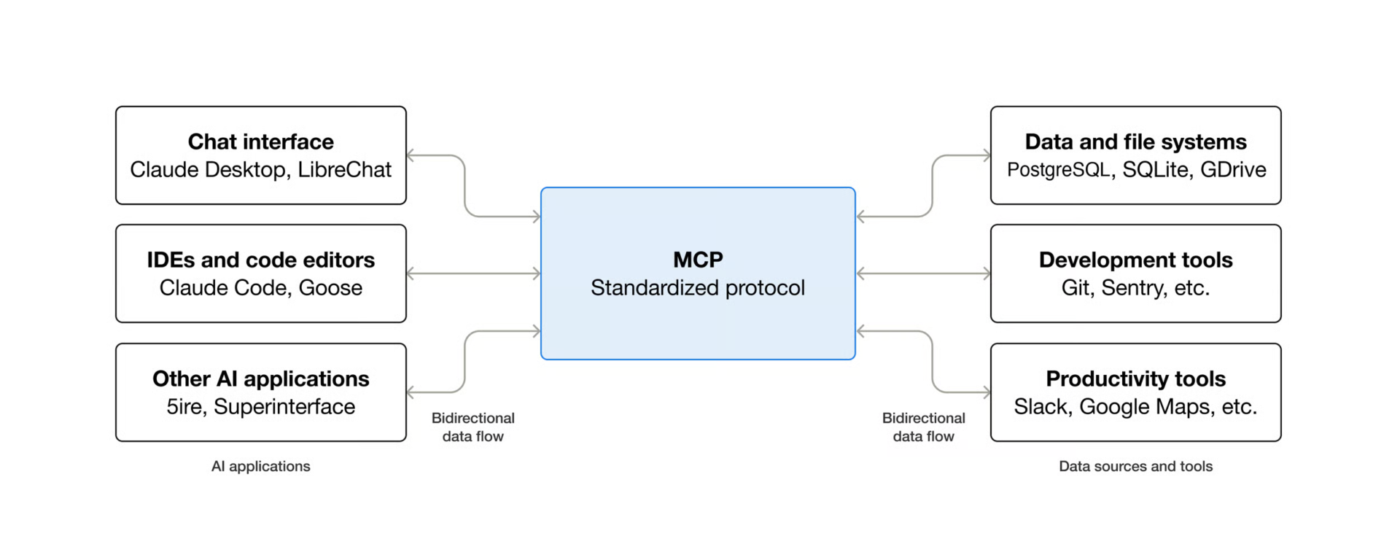
A Claude MCP connector is a Model Context Protocol (MCP) server that Claude connects to, giving it real-time access to an external tool, data source, or service. Directory connectors are reviewed by Anthropic before listing. Custom connectors, which you add by URL, are not.
Anthropic says that connectors let you bring services like Google Drive, Slack, or a CRM into a Claude conversation. They work everywhere Claude does, on the web, on the desktop, in Claude Code, and through the API. Once a service is connected, Claude can pull data from it and sometimes act inside it without you pasting a single CSV.
MCP is an open protocol, and Anthropic open-sourced it in late 2024 to replace fragmented, one-off integrations with a single standard. Before it, wiring an AI assistant into HubSpot or Google Ads required building a custom API every time. MCP turns all of that into one reusable connection that any MCP-compatible tool can speak to.
Claude Connectors vs. MCP Servers vs. Custom Connectors
These terms describe related parts of the same system, but they are not interchangeable.
An MCP server is the technical layer that exposes data, tools, and actions through the Model Context Protocol. A Claude connector is the user-facing connection that lets Claude work with that server. The difference between a directory connector and a custom connector is mainly how it is reviewed, discovered, and installed. Both run on the same MCP infrastructure.
Term
What it is
When a marketer uses it
MCP server
A service that exposes an app’s data and actions through the open Model Context Protocol
Usually the underlying technology. You deal with it directly when adding a remote server or building an internal integration
Directory connector
A reviewed MCP integration listed in Claude’s Connectors Directory
The default route for tools such as HubSpot or Canva: find the connector, connect your account, and authenticate
Custom connector
A remote MCP server added to Claude manually through its URL
Useful when a tool is not in the directory, your company runs its own server, or a vendor provides a separate enterprise endpoint
Anthropic reviews directory connectors for security, reliability, and compatibility before listing them. Custom connectors use the same runtime and tool-calling infrastructure, but they have not gone through that directory review.
That review is useful, but it is not a blanket security guarantee. Each connector provider still has their own terms, privacy policy, permissions, and data-handling practices. With a custom connector, the trust decision falls more heavily on your team because Claude may be able to read or modify data within the access you grant.
Summarize this article with AI ClickUp Brain not only saves you precious time by instantly summarizing articles, it also leverages AI to connect your tasks, docs, people, and more, streamlining your workflow like never before.
Summarize this article for me please
The 11 Best Claude MCP Connectors for Marketing
The right connector depends on where your marketing data lives and what you need Claude to do with it. Some are built mainly for analysis, while others can create records, update campaigns, or produce assets outright.
The entries below stay on the connector itself: what Claude can read, what it can change, where it slots into a marketing workflow, and which limits still need a human check.
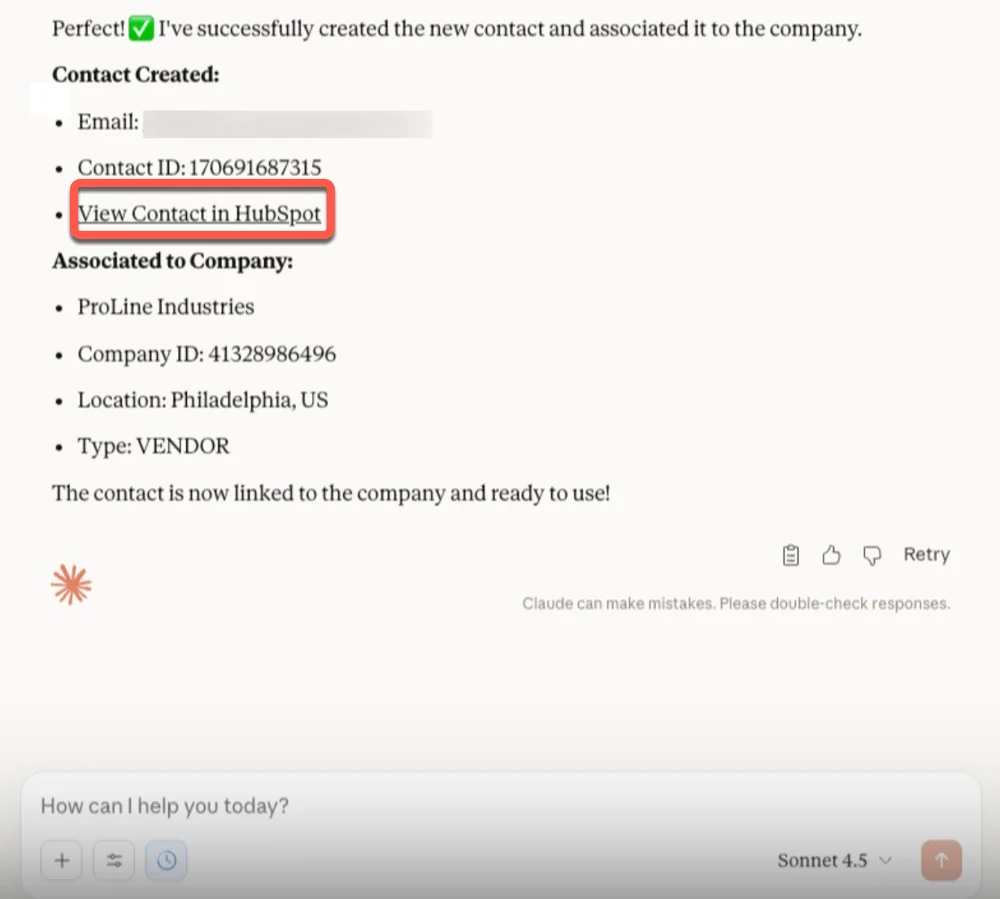
The HubSpot connector pulls live CRM context into Claude, including contacts, companies, deals, tickets, and products, as well as campaigns, segments, and engagement history. That means your team can ask about lifecycle movement, campaign revenue, lead quality, or email activity without exporting a thing, and Claude answers with summaries, tables, charts, or graphs.
It also handles selected write actions. Claude can create or update records and log calls, meetings, notes, tasks, and emails. Meaning it can flag campaign contacts with no next step, then spin up follow-up tasks or update a few properties.
For the ready-made Claude connector, connect HubSpot through Claude’s connector directory and complete the OAuth flow. The connector follows each user’s existing HubSpot permissions. HubSpot recommends setting write tools to Needs Approval, so you review any change before it reaches the CRM.
HubSpot also runs a separate remote MCP server for teams building custom connections: https://mcp.hubspot.com
Try this prompt:
Track contacts created by our Q2 paid campaigns through each lifecycle stage. Show the average time spent at each stage, identify the segments that produce the most qualified pipeline, and create follow-up tasks for recent email openers with no next activity.
Plan: Requires a paid Claude plan (Pro, Max, Team, or Enterprise). Available to HubSpot customers on all HubSpot tiers.
Best for: Revenue and lifecycle teams who want CRM answers without exports, plus light record upkeep behind approval.
Where it taps out: Write access is still public beta, bulk create and update cap at 10 records, and switching on Sensitive Data strips engagement history from what Claude can see.
2. Supermetrics: Query cross-channel campaign data from one place
Supermetrics is a marketing data platform. Its connector links Claude to live ad, analytics, CRM, ecommerce, and sales data across more than 200 sources. That list runs from Google Ads and Meta to GA4, Shopify, HubSpot, and Search Console. The trick is that Claude sees a single Supermetrics connection, not a separate connector for each tool.
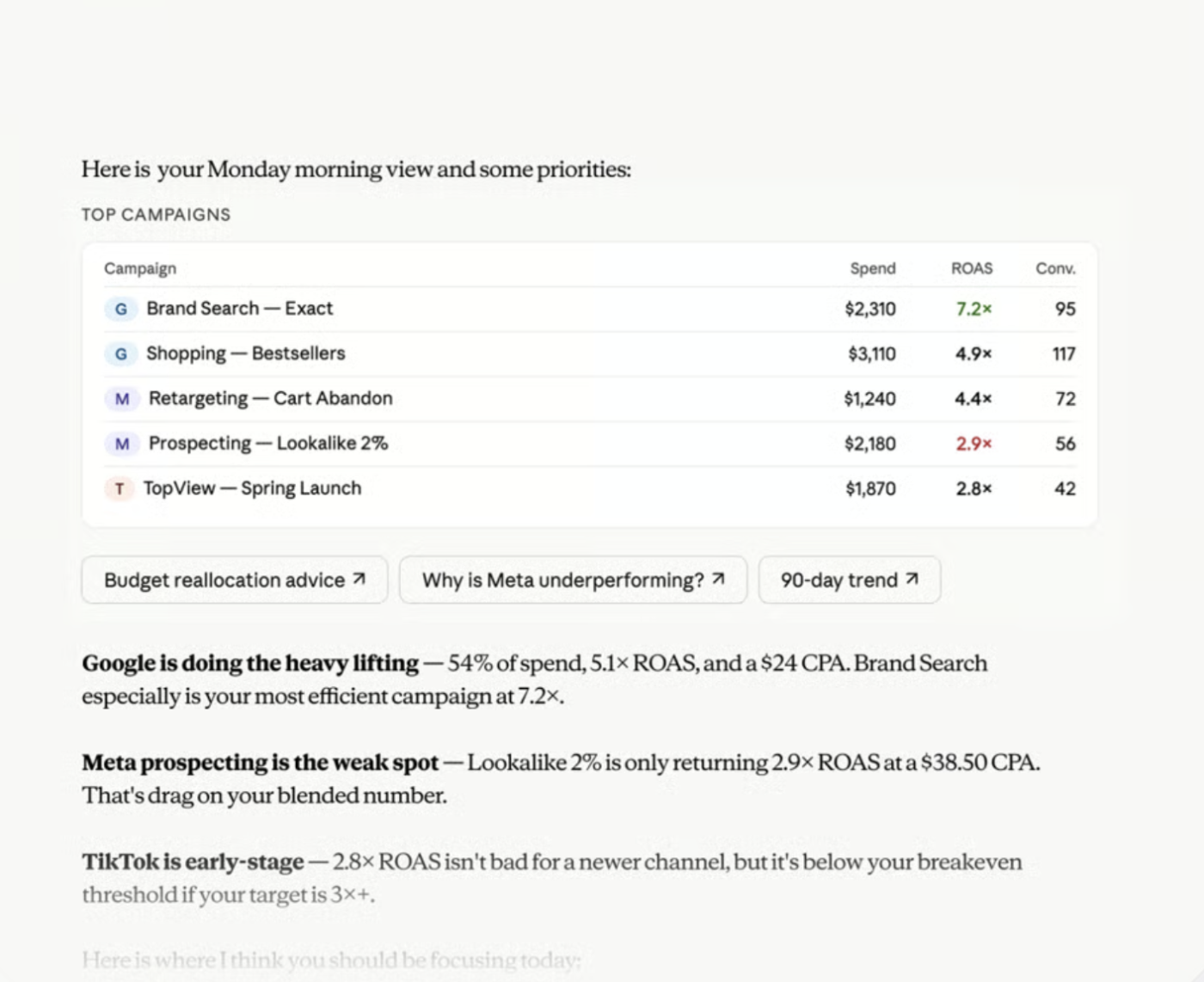
It’s great for reports that usually take a stack of exports. You can ask Claude to compare spend, revenue, CPA, ROAS, and campaign results across channels. Plus, it can dig into an odd change and turn what it finds into an exec summary or a shareable dashboard. Supermetrics also says Claude can create, pause, start, or update supported ad campaigns, with each change queued for your review.
Custom MCP setup: Visit mcp.supermetrics.com to configure the standalone Supermetrics MCP server.
Try this prompt:
Compare last week’s Google Ads, Meta Ads, and LinkedIn Ads performance. Show spend, revenue, ROAS, CPA, and the five strongest and weakest campaigns. Flag unusual changes, explain the likely causes from the available data, and suggest budget shifts for human review.
Plan: Available across Claude plans. The directory connector needs no Supermetrics subscription; the standalone MCP server does.
Best for: Performance marketers reporting across more channels than any single platform can show.
Where it taps out: Campaign writes reach Google Ads, Meta, Microsoft Advertising, and TikTok only, not all 200+ read sources.
3. Klaviyo: Turn live customer data into lifecycle campaigns
Klaviyo’s connector gives Claude direct access to your campaign reports, flows, profiles, segments, and events. So lifecycle teams can drop the generic copy prompts and ask questions rooted in what customers did. Claude can compare campaign revenue, inspect an abandoned-cart flow, find engaged customers who haven’t bought, or check how a segment is built.
It handles read and write operations as well. Claude can create campaigns, assign templates, and build or translate emails. Plus, it updates profiles, changes list membership, and manages sign-ups. It can even pull catalog items and add product images from URLs when you prep a product-led campaign.
For a single Klaviyo account, connect through Claude’s connector directory and complete the OAuth flow. Agencies or teams juggling several accounts can add Klaviyo as a custom connector using the official remote MCP URL: https://mcp.klaviyo.com/mcp
Try this prompt:
Compare our abandoned-cart flow performance for the past two months. Find the step with the largest drop, identify recently engaged customers who did not purchase, and create a draft re-engagement campaign for that segment using our strongest recent subject-line patterns.
Plan: Available across Claude plans, including Free.
Best for: E-commerce and retention teams whose next email should be shaped by what customers actually did.
Where it taps out: Claude drafts the campaign; a human still owns the send. Agencies running several accounts need the custom connector, not the one-click install.
4. Amplitude: Ask product-behavior questions without rebuilding the dashboard
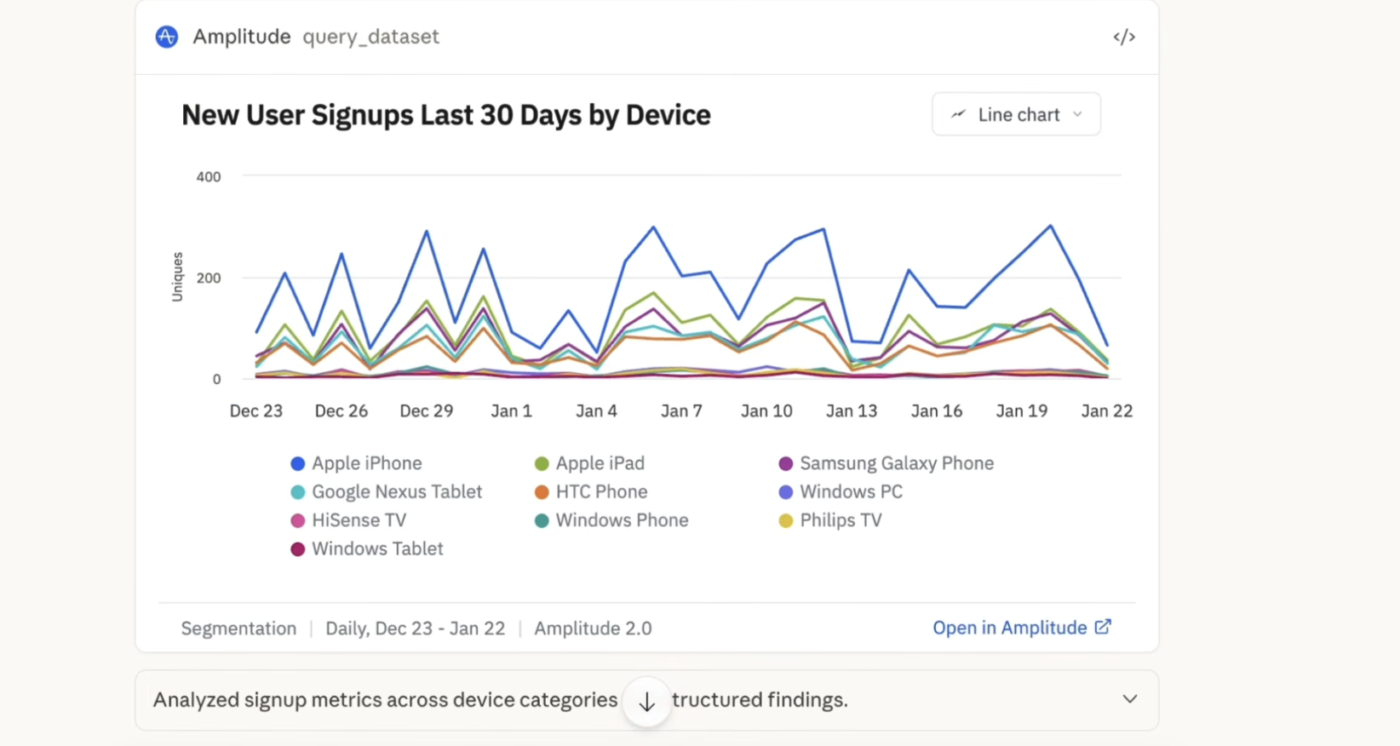
Amplitude is a product analytics platform, and its connector brings that behavioral data into Claude. Marketing and growth teams can explore their charts, dashboards, cohorts, experiments, and feature flags right in the chat. A question that used to mean filing a request with the data team or learning Amplitude’s query builder yourself becomes a sentence you type and answer in the same breath.
Claude can compare activation by campaign source, spot where users drop out of a funnel, find the behaviors tied to retention, or flag segments at higher risk of churn.
Amplitude also provides a remote MCP endpoint for custom setup: https://mcp.amplitude.com/mcp. EU-hosted accounts should use: https://mcp.eu.amplitude.com/mcp
Claude handles authentication through OAuth, so you don’t need to create or store an API key.
Try this prompt:
Compare users acquired through paid search, paid social, and organic search over the past eight weeks. Show activation, completion of our core funnel, and four-week retention by channel. Create a cohort for the strongest segment and build a chart showing the behaviors that separate it from low-retention users.
Plan: Available across Claude plans, including Free.
Best for: Growth and product marketers who need funnel and retention answers without filing a data request.
Where it taps out: The answer is only as good as your event taxonomy. Inconsistent tracking produces confident, wrong reads.
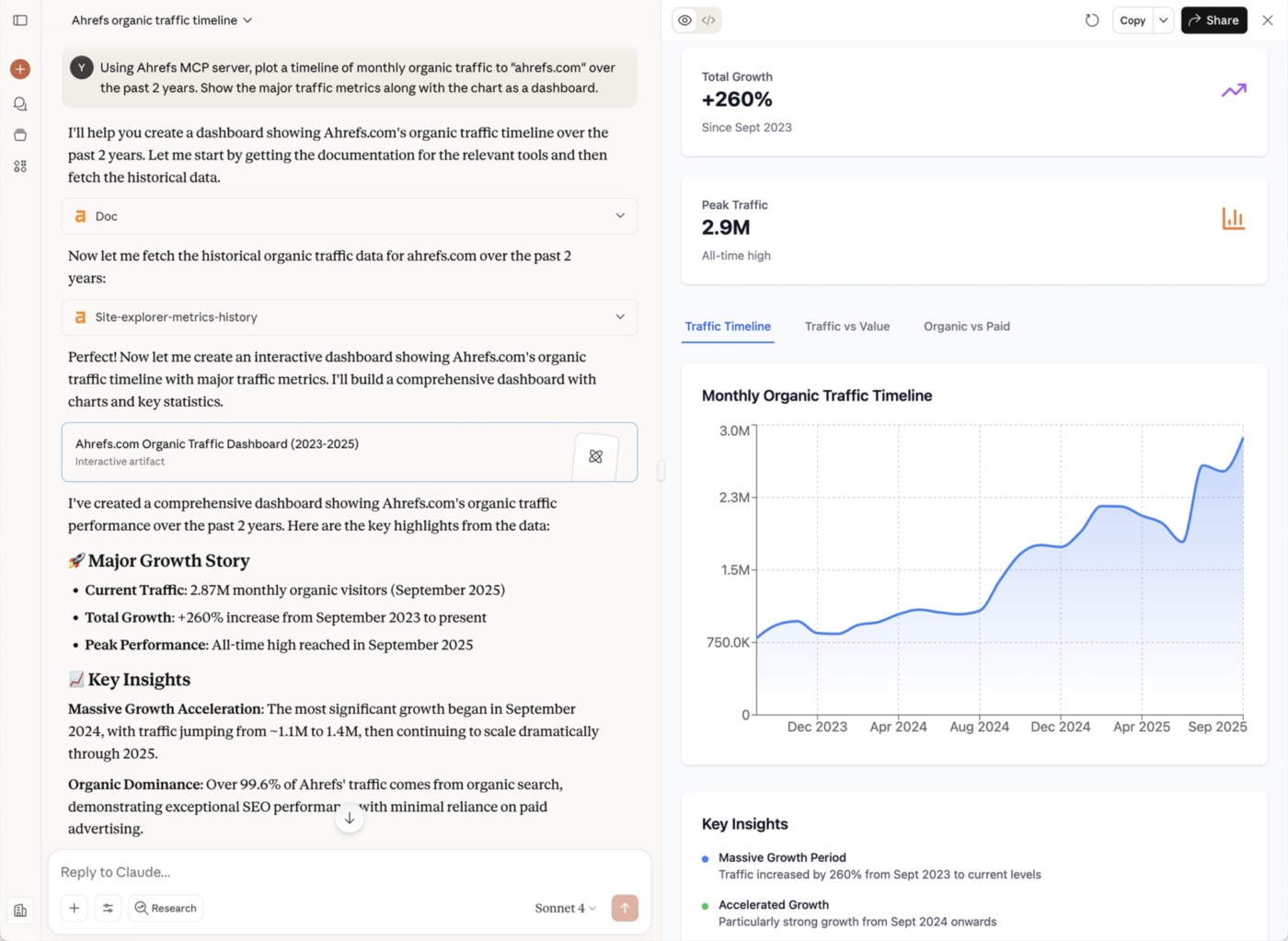
Ahrefs is an SEO toolset, and its connector grants Claude read access to keyword research, competitor analysis, backlink checks, rank tracking, and AI search visibility. Instead of pulling one report at a time, you can ask a broader question and let Claude fold several Ahrefs checks into a single chat. Then it can shape all of that into a research summary or a content plan.
Ahrefs runs a hosted remote MCP server, which you add to Claude as a custom connector and authenticate over OAuth (or with an MCP-scoped key, which isn’t the same as an Ahrefs API v3 key): https://api.ahrefs.com/mcp/mcp
Try this prompt:
Compare our domain with three competitors. Find high-intent keywords where they rank and we don’t, identify the pages earning the strongest backlinks, and show which brands receive the most visibility in AI search. Turn the findings into a prioritized content brief.
Plan: Available across Claude plans as a custom connector. Requires a paid Ahrefs plan, Lite or higher.
Best for: SEO and content teams grounding a brief in real ranking, backlink, and AI-visibility data.
Where it taps out: Read-only, so nothing gets published. The hosted MCP is also meant for supported AI clients, not as a general-purpose API for custom scripts.
6. Similarweb: Benchmark competitor traffic and audience demand
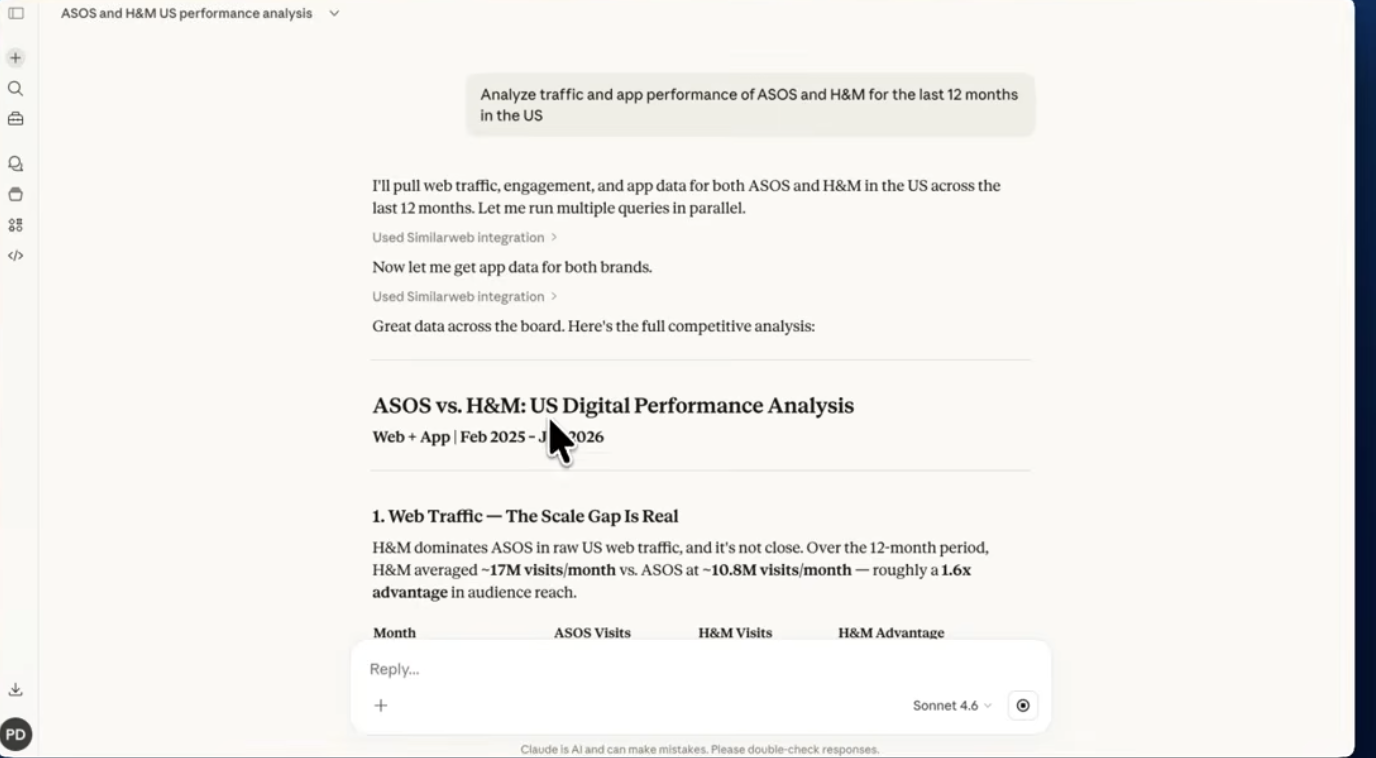
Similarweb is a digital intelligence platform. Its Claude connector pulls web, app, audience, keyword, and market data into Claude. Reach for it when your question is about where rivals get their traffic, which channels drive their growth, and how a brand stacks up against the category.
That gives it a different job from Ahrefs. Ahrefs goes deep on search rankings and backlinks. Similarweb pulls back for the wide shot: traffic sources, audience makeup, app performance, and industry benchmarks. So you could test whether a rival’s growth comes from search, paid media, referrals, social, or direct before you decide where to dig deeper.
Similarweb also provides a hosted MCP server for custom setups: https://mcp.similarweb.com
Try this prompt:
Compare our site with four competitors over the past six months. Break down traffic by channel and geography, show each site’s leading organic keywords, and identify audience or market segments where competitors are growing faster than we are.
Plan: Available across Claude plans, including Free, but you’ll need a Similarweb subscription with API access (API-only, Business, or Enterprise plans).
Best for: Strategy and competitive research, where the question is about the category rather than your own site.
Where it taps out: The numbers are modeled estimates, not a competitor’s analytics. Directionally useful, not something to defend in a board deck.
7. Canva: Create campaign assets without leaving Claude
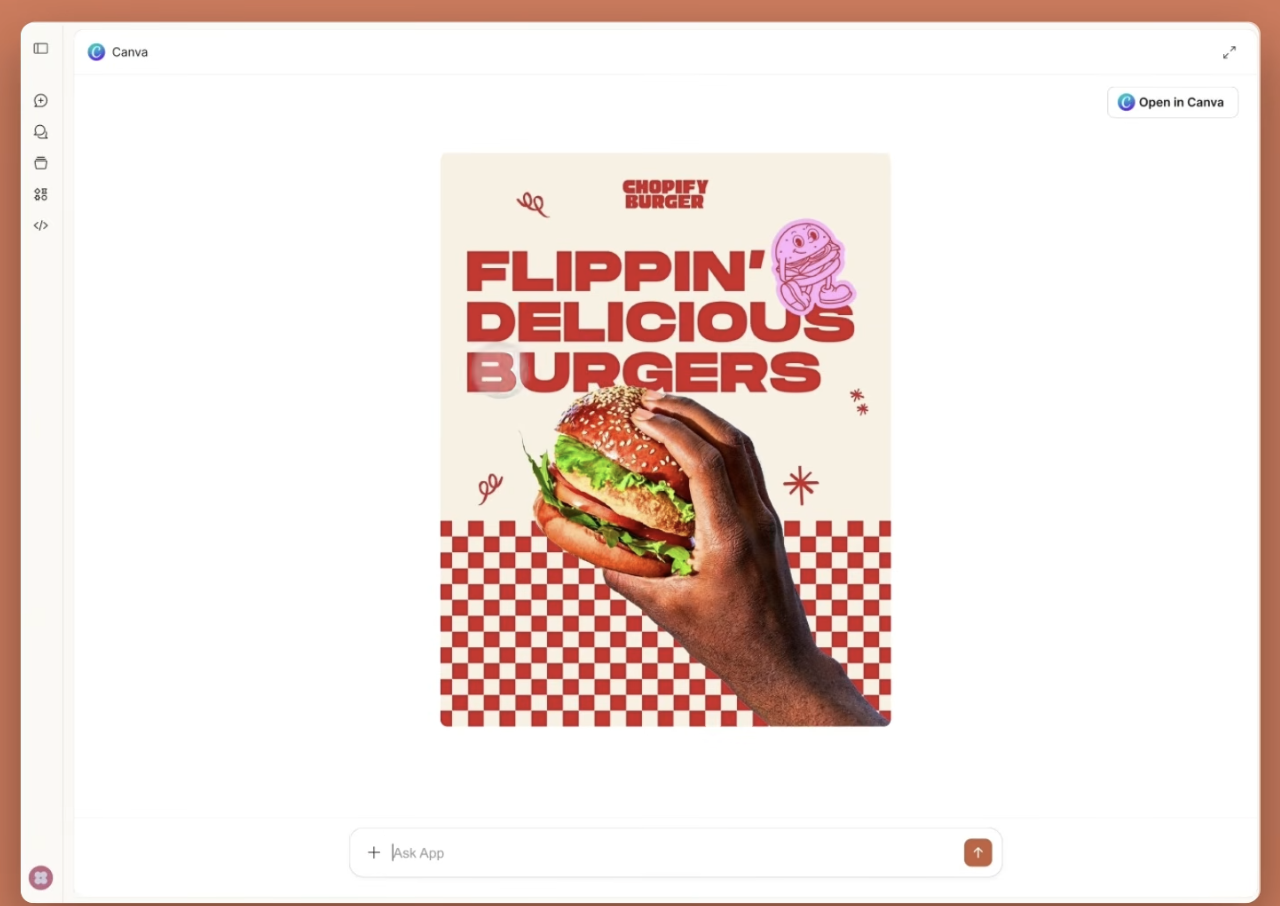
Canva is a design platform. Through its connector, Claude can search, create, autofill, and export designs straight from your Canva account. For marketers, that means real production work. You can turn a brief into a deck, spin up social graphics, fill a branded template with fresh copy, or dig out a design lost in a workspace.
The useful part isn’t image generation on its own. Claude can work with your existing Canva content and templates. That makes it much better at repeatable campaign production. You could ask it to find last quarter’s launch deck, sum up the messaging, build a new version for another audience, and export the result for review.
Canva runs an official remote MCP server: https://mcp.canva.com/mcp
Try this prompt:
Find our latest product-launch presentation, summarize the core message, and create a five-slide partner version using the same branding. Keep the claims from the original deck, shorten the copy, and export a review copy.
Plan: Available across Claude plans. Search, create, and export work on any Canva plan; brand templates need Pro, Teams, or Enterprise; autofill is Enterprise-only.
Best for: Content and creative teams producing repeatable campaigns from existing templates.
Where it taps out: Check which Canva workspace, folders, templates, and brand assets the connected account can reach. Also, Claude can’t judge whether a design fits your brand system, legal rules, or campaign brief unless those standards live in the source material.
8. Figma: Move campaign designs between context, critique, and production
Figma is a design and prototyping platform. The connector hands Claude structured access to your Figma files, from components and variables to layouts and FigJam content. It earns its keep when campaign work sits between design and dev. Think landing pages, product demos, launch decks, and web experiences.
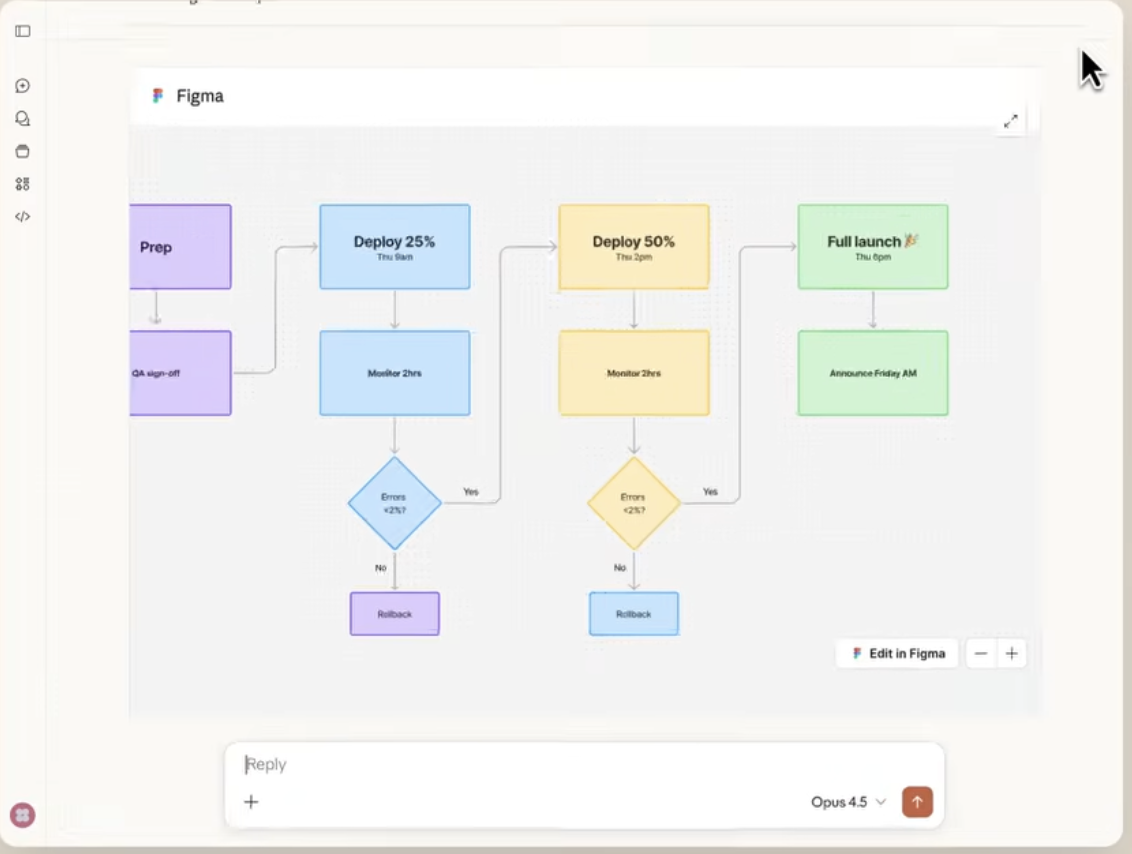
The connector is two-way. Claude can read design context, generate code from selected frames, spin up FigJam diagrams, and write editable content back to the canvas. So a team can go from a live interface to editable Figma layers, review the design, then take approved changes into the build.
Figma’s preferred remote MCP endpoint is: https://mcp.figma.com/mcp; they also offer a local desktop endpoint: http://127.0.0.1:3845/mcp
Try this prompt:
Review the selected landing-page frames against the messaging in our launch brief. Flag copy that conflicts with the approved positioning, list missing states or assets, and create a FigJam diagram showing the proposed revision flow.
Plan: The remote server works on all Figma seats and plans; the desktop server needs a Dev or Full seat on a paid plan.
Best for: Design, web, and launch teams moving campaign work between critique and build.
Where it taps out: Only clients in Figma’s MCP catalog can connect, so check yours before planning around it.
9. Notion: turn campaign knowledge into working documents
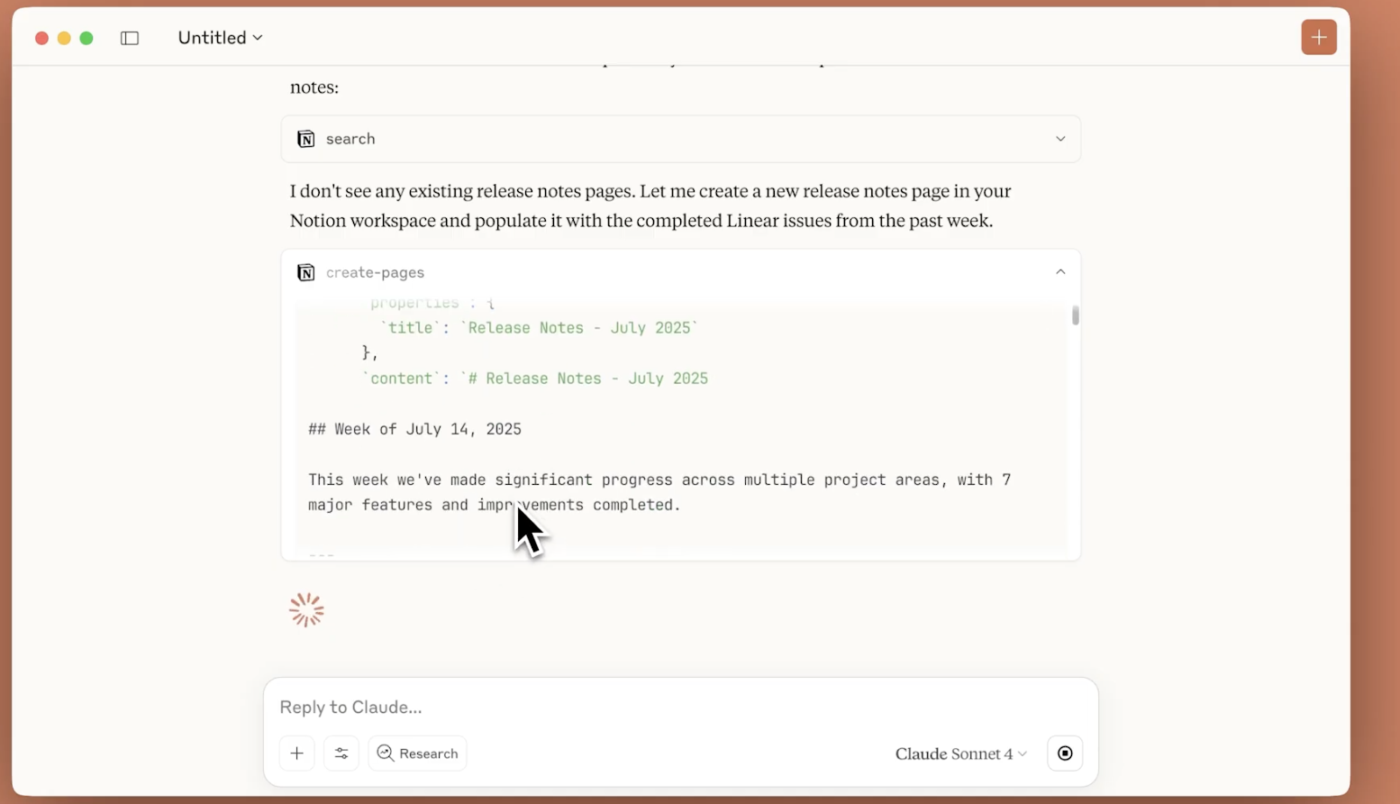
The Notion connector gives Claude read-and-write access to the parts of your workspace that the connected account can reach. Claude can search pages, retrieve campaign context, create new pages, edit content, and update database entries. For marketers, that’s useful when briefs, positioning, editorial guidance, research, and campaign trackers already live in Notion.
So Claude can gather decisions spread across launch pages, or turn a finished analysis into a clean brief. And unlike a read-only connector, it writes the result right back into Notion instead of leaving it in the chat.
Remote MCP server: https://mcp.notion.com/mcp
Try this prompt:
Find the approved positioning, audience research, and launch notes for our enterprise campaign. Create a campaign brief with the core message, proof points, channel plan, open questions, and named owners, then save it in the campaign database.
Plan: Available across Claude plans, including Free.
Best for: Content and campaign ops teams whose briefs and trackers already live there.
Where it taps out: Claude’s reach follows the permissions granted through Notion, and write access means it can change live pages and database records. Check which workspace and pages are in scope, and review consequential edits before Claude updates a source-of-truth brief or campaign tracker.
10. Google Drive: Search the source files behind a campaign
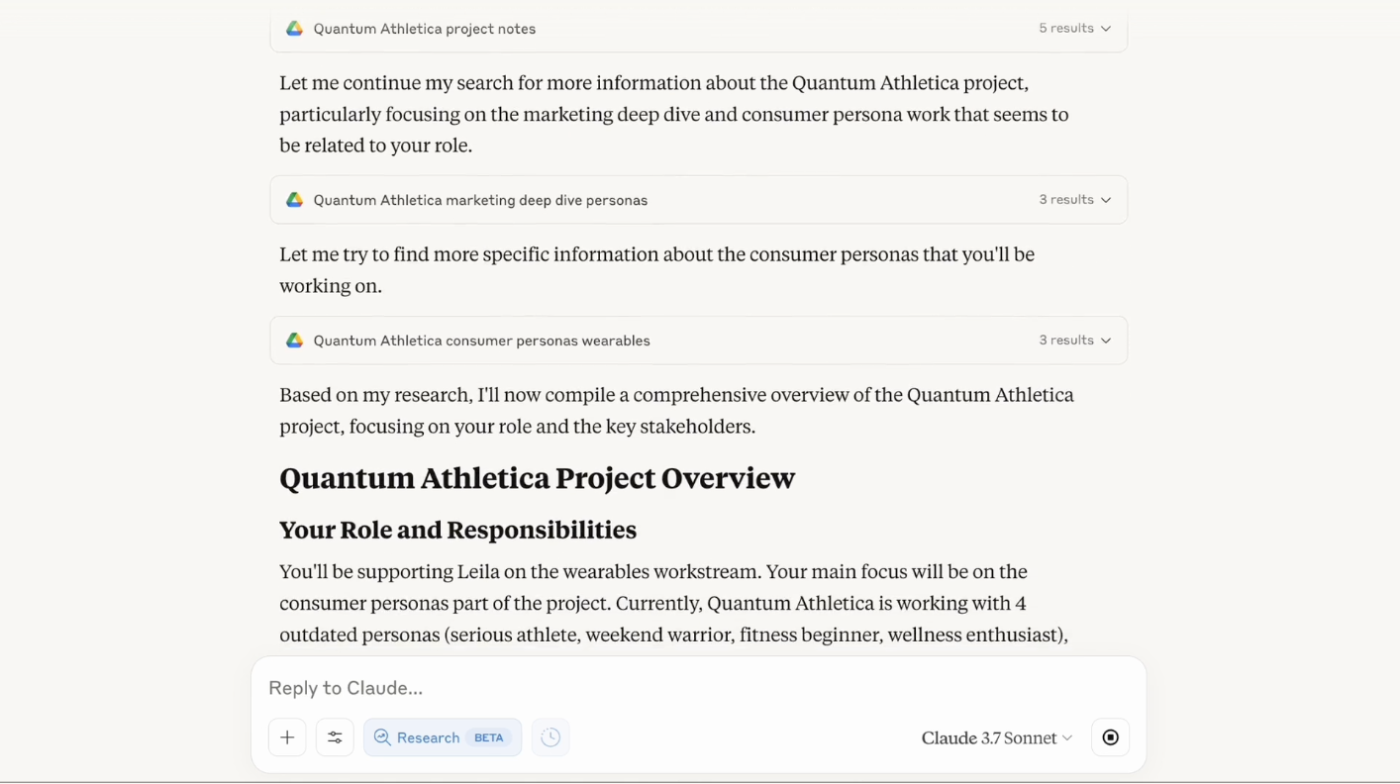
Google Drive is where a lot of campaign work accumulates. The connector lets Claude search Drive and work across Docs, Sheets, and Slides. It can read a Doc, pull Sheet data as CSV, and extract the text from Slides. That helps when the evidence is scattered across research files, performance spreadsheets, decks, and approved copy.
You could ask Claude to find the latest messaging deck, check it against the final landing-page copy, and pull results from a Sheet, all without opening each file.
Try this prompt:
Find the latest approved campaign brief, positioning deck, and performance spreadsheet for the Q3 launch. Compare the final messaging with the approved claims, then summarize results by channel and cite the source file for each finding.
Plan: Available across Claude plans, including Free.
Best for: Teams whose source material is scattered across docs, sheets, and decks.
Where it taps out: Google Drive is connected through Claude’s built-in Google Workspace flow and OAuth and offers read-only retrieval. Poor folder hygiene and vague file names in your Google Drive weaken every answer, and nothing in Claude fixes that for you.
11. Slack: Turn campaign conversations into decisions and handoffs
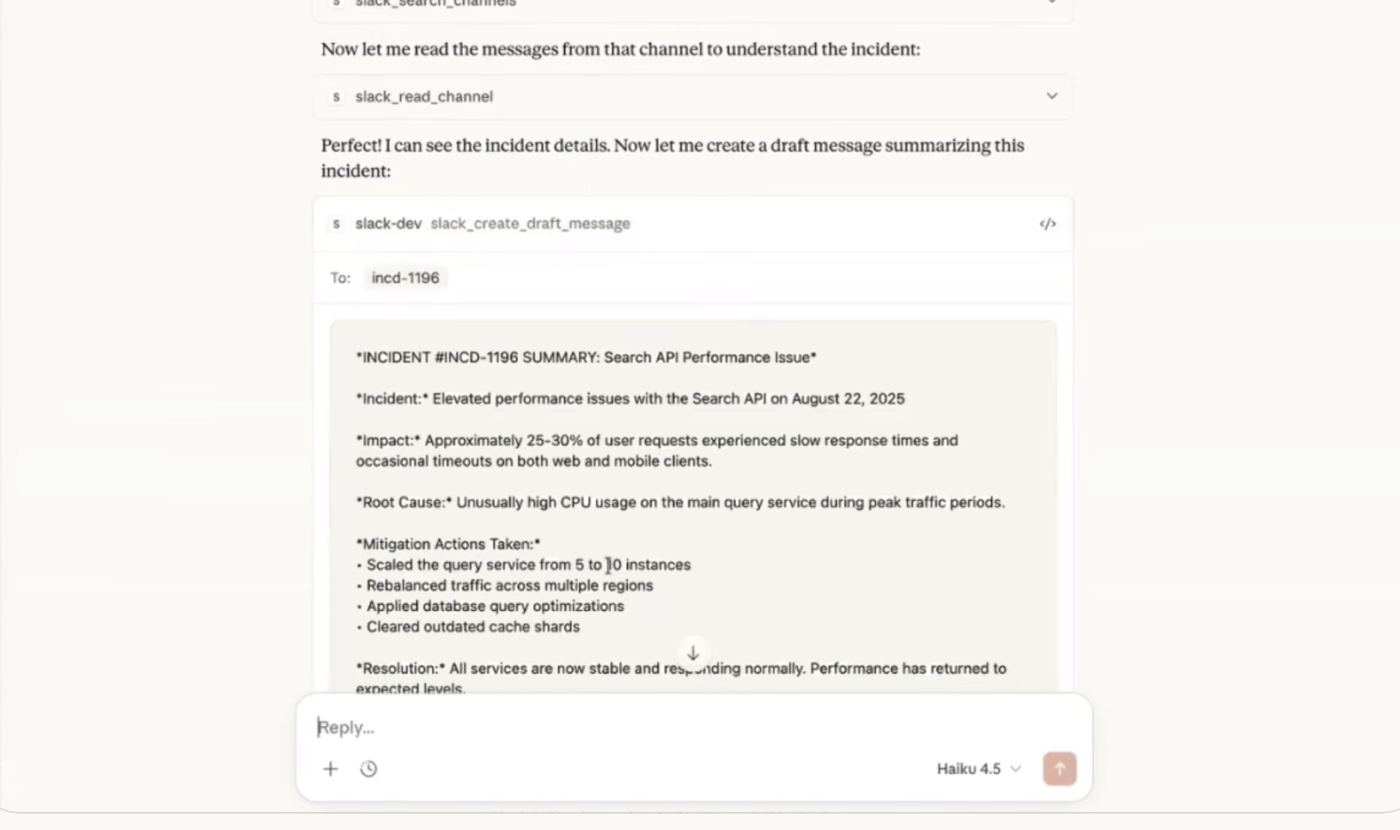
The Slack connector lets Claude search messages, channels, threads, files, users, and canvases, then draft or send messages. So it’s handy for the campaign work that rarely reaches the formal brief. Think late feedback, launch calls, stuck approvals, and changes agreed in a thread.
Claude can sum up a long launch channel, split decisions from suggestions, and draft a clean status update for stakeholders. It can also create a Slack canvas to lock down the final plan. That keeps important context from vanishing into message history.
Try this prompt:
Review the #q3-launch channel from the past seven days. Separate final decisions, unresolved questions, blockers, and assigned actions. Draft a stakeholder update for review, then create a canvas with the approved launch status.
Plan: Available across Claude plans, including Free.
Best for: Cross-functional campaign teams where decisions get made in threads.
Where it taps out: Chat holds superseded decisions right next to current ones, and Claude can’t reliably tell which is which. Name the brief as the tiebreaker.
Summarize this article with AI ClickUp Brain not only saves you precious time by instantly summarizing articles, it also leverages AI to connect your tasks, docs, people, and more, streamlining your workflow like never before.
Summarize this article for me please
Connectors are a Living System, Not a Catalog
Every “best connectors” list treats connectors as things to collect. That’s the wrong unit. A connector is a standing relationship between Claude and a system of record, and standing relationships need tending. Auth expires. Vendors ship new objects and retire old ones. The access you granted in January is still open in July, quietly pointing at data you no longer query.
There’s a concrete mechanism under this, and it costs you on every single chat. Connectors load at the account level rather than per project, so each one you leave enabled injects its tool definitions into every new conversation you start. A single heavy connector can carry dozens of tools. Enable twelve, and a real slice of the context window is gone before you type a word. Claude Code is the exception, since it can scope servers per project.
Claude offers a “load tools when needed” setting meant to defer this, though users have reported it doesn’t always hold, with full definitions still loading upfront. Treat it as a help, not a guarantee.
So the fix is a habit rather than a setting. Before a work session, enable what the task needs and switch off the rest. Once a quarter, open your connector list and ask which ones you’ve actually used, then disconnect the rest at the source tool, not just in Claude. Revoking OAuth access where you granted it is the only way to close the door properly.
Summarize this article with AI ClickUp Brain not only saves you precious time by instantly summarizing articles, it also leverages AI to connect your tasks, docs, people, and more, streamlining your workflow like never before.
Summarize this article for me please
How to Set Up a Claude Connector
Setting up a directory connector takes a few minutes and no code. The path is almost the same for every marketing tool you add.
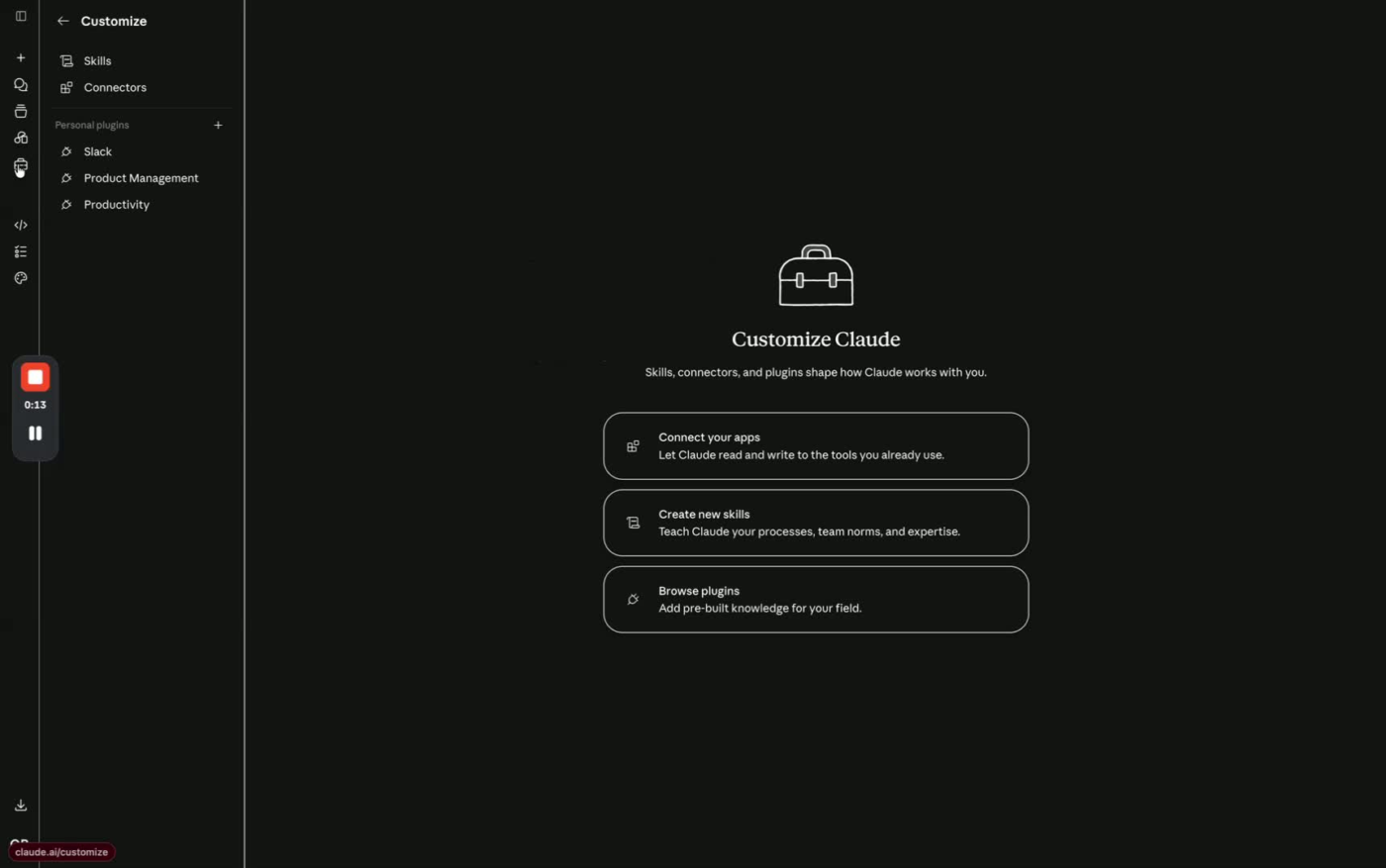
In Claude, go to Customize > Connectors and browse the Connectors Directory
Find the connector you want and click Connect
Complete the OAuth flow in the browser tab that opens. You log in to the tool itself and grant Claude permission within the scopes you approve
Back in Claude, the connector shows up in your chat, and you enable it as a data source for the conversation
For a tool that isn’t in the directory, you add a custom connector instead. Go to Customize > Connectors, click the +, choose Add custom connector, and enter the name and the remote MCP server URL. Add OAuth credentials under advanced settings if the server needs them.
One setup detail saves hours of confusion. Anthropic notes that custom connectors reach your MCP server from Anthropic’s cloud, not from your local machine. So a server behind your company firewall will fail unless you allowlist Anthropic’s IP ranges. That holds even in Claude Desktop, which otherwise runs on your machine.
One more note: any plan can add a custom connector, but free users are capped at one. Directory connectors are broadly available across plans.
Summarize this article with AI ClickUp Brain not only saves you precious time by instantly summarizing articles, it also leverages AI to connect your tasks, docs, people, and more, streamlining your workflow like never before.
Summarize this article for me please
MCP or Automation Platform: Which One Do You Need?
Claude connectors can look like another version of Zapier, Make, or a native app integration. They overlap, but they solve different problems.
An automation platform works best when the path is fixed. A trigger happens, a predefined action follows, and the same sequence runs each time. For example, when someone submits a campaign request form, it can create a task, assign the marketing operations lead, and send a Slack alert.
MCP is better when the path depends on what Claude finds. You might ask it to investigate why paid conversions fell, compare ad data with CRM outcomes, check whether the landing page message changed, and recommend the next action. Claude decides which connected sources to inspect and how to interpret them within the rules you set.
Summarize this article with AI ClickUp Brain not only saves you precious time by instantly summarizing articles, it also leverages AI to connect your tasks, docs, people, and more, streamlining your workflow like never before.
Summarize this article for me please
How to Wire Connectors Into a Campaign Workflow
You’ve met the connectors. The real payoff comes when you chain them into one sequence. A single connector answers a question. A workflow goes further and tells Claude the order to work in, which source wins when two of them disagree, and where it must pause for your approval. The connectors never talk to each other on their own. Claude runs the sequence, and your instructions are the operating rules it follows.
1. Start with the campaign brief
Everything downstream inherits whatever you anchor here, so start by naming one authoritative page as the source of truth. Once Claude treats that Notion page as the tiebreaker, every later step pulls from the same positioning, audience, and approved claims.
“Use the approved Q3 campaign brief in Notion as the source of truth for positioning, audience, offer details, and approved claims. Flag any later source that conflicts with it.”
2. Review the creative against the brief
Now Claude evaluates the design against that brief, and the guardrail you set is what carries the step. Ask it to flag copy conflicts and leave the file untouched until you approve. Spotting drift is a fair use of connector access, while brand judgment still belongs with a person.
“Review the landing-page design against the Notion brief. Flag claims, headlines, calls to action, or audience language that conflict with the approved positioning. Don’t edit the file until I approve the proposed changes.”
3. Compare platform results with CRM outcomes
Post-launch, Claude reads the advertising numbers from Supermetrics and the CRM outcomes from HubSpot in one pass. The orchestration challenge is keeping the two apart. Since an ad-platform conversion rarely equals a qualified lead, instruct Claude to report them as distinct measures so the numbers stay honest.
“Pull spend, CPA, and ROAS from Supermetrics. Then use HubSpot to show contacts created, lifecycle progression, qualified pipeline, and closed revenue tied to those campaigns. Keep ad-platform conversions and CRM outcomes as separate measures.”
4. Turn the findings into a team handoff
Finally, Claude drafts the report and stages it for Slack. The rule to add here is a clean approval gate: have Claude write the update and show it to you, then hold the post until you sign off.
“Draft a Slack update with the executive summary, three material changes, unresolved data gaps, and named action owners. Show it to me before posting it in #marketing-performance.”
No CSV export sits between any of these steps. Access alone still falls short of a workflow. The order, tiebreaker, metric definitions, and approval points are what turn four connectors into one repeatable loop. Connectors provide the access, Claude provides the orchestration, and your instructions set the rules.
Prompt that wires the full loop together:
Use the approved Q3 campaign brief in Notion as the source of truth for audience, positioning, offer details, and approved claims.
Review the current landing-page design in Figma against that brief. List any copy or messaging conflicts, but don’t edit the design.
Next, use Supermetrics to retrieve spend, CPA, ROAS, and campaign-level performance across Google Ads, Meta Ads, and LinkedIn Ads for the past seven days.
Use HubSpot to show contacts created, lifecycle movement, qualified pipeline, and closed revenue tied to those campaigns. Keep platform conversions and CRM outcomes separate, and flag any campaign names or records you cannot match.
Draft a concise weekly report with an executive summary, a channel comparison, the three largest changes, and no more than five recommended actions. Then prepare a Slack post for #marketing-performance, but wait for my approval before sending it.
I think of it kind of like a USB-C for your marketing stack. If you’re using Databricks as your CDP and Hubspot as your ESP, MCP could potentially let them talk to each other in a more seamless way. You wouldn’t need a BI ticket every time you want a new data field.”
That is the shift from AI that talks about your marketing to AI that operates on it. If you want a broader tour of where AI fits across marketing work before you wire it up, watch this:
Summarize this article with AI ClickUp Brain not only saves you precious time by instantly summarizing articles, it also leverages AI to connect your tasks, docs, people, and more, streamlining your workflow like never before.
Summarize this article for me please
Are Claude Connectors Safe for Marketing Data?
They can be. Safety comes down to three things: the connector you choose, the permissions you grant, and the actions Claude is allowed to take. Most directory connectors use OAuth, so you sign in through the source platform instead of sharing a password. Custom MCP servers might use OAuth, API keys, or something else, so check the vendor guide first.
For marketing data, follow four rules:
Prefer directory connectors or first-party MCP servers. Anthropic points out that custom connectors can link Claude to services it hasn’t verified. Add a custom endpoint only when it comes from the vendor’s own docs. And confirm who runs the server and what data it can reach
Keep write actions behind approval. Claude lets you set each tool to Always allow, Needs approval, or Blocked. Start with read-only access where you can. Require confirmation before Claude changes budgets, updates CRM records, edits an audience, sends messages, or overwrites live documents
Check the connected user’s permissions. Claude inherits that person’s access in the source platform, so it can only see or do what they already can. OAuth scopes, org settings, and per-tool permissions can narrow it further
Expect some data to be held back. HubSpot, for one, blocks all engagement history when Sensitive Data is turned on. That covers emails, calls, meetings, notes, and tasks. So an answer can be incomplete by design
Add this instruction to sensitive workflows:
List any records, fields, files, or channels you could not access. Don’t infer missing values.
The safest path is simple. Grant the smallest useful level of access, keep consequential actions behind human approval, and widen permissions only when a real workflow calls for it.
Summarize this article with AI ClickUp Brain not only saves you precious time by instantly summarizing articles, it also leverages AI to connect your tasks, docs, people, and more, streamlining your workflow like never before.
Summarize this article for me please
Why Your Claude Connectors Aren’t Working
When a connector acts up, the cause is usually one of a few predictable things. Rarely is it your prompt.
The server is unreachable: Custom and remote connectors reach out from Anthropic’s cloud, not your machine. If your MCP server sits behind a firewall or on a private network, it will keep failing until you allowlist Anthropic’s IP ranges
Auth quietly expired: Custom-connector OAuth tokens don’t always survive an app restart. Anthropic’s own Claude Code repository documents connectors that show “connected” while loading zero tools. The reliable fix is the in-chat authentication prompt, run once per session
The outage is upstream: Remote connectors can break on the server side even when nothing on your end has changed. When a tool ships an update to its MCP server, your connection can go dark through no fault of your own
Plan limits: Free users get a single custom connector, and several connectors need a paid Anthropic plan
Summarize this article with AI ClickUp Brain not only saves you precious time by instantly summarizing articles, it also leverages AI to connect your tasks, docs, people, and more, streamlining your workflow like never before.
Summarize this article for me please
How ClickUp Keeps the Marketing Stack Connected
By now, the connectors have done their job. Claude pulled the ad numbers, cross-referenced the CRM, and handed you a sharp read on what worked. Then someone has to copy those recommendations into a task tool, assign owners, link the brief, and re-explain the decision at the next review. A week later, nobody can say which recommendations were approved, which shipped, and which are stuck.
That is the gap ClickUp fills. Connectors bring campaign data into Claude. ClickUp keeps the brief, decisions, deliverables, and follow-up work tied to the same campaign record.
From Claude’s read to an owned task
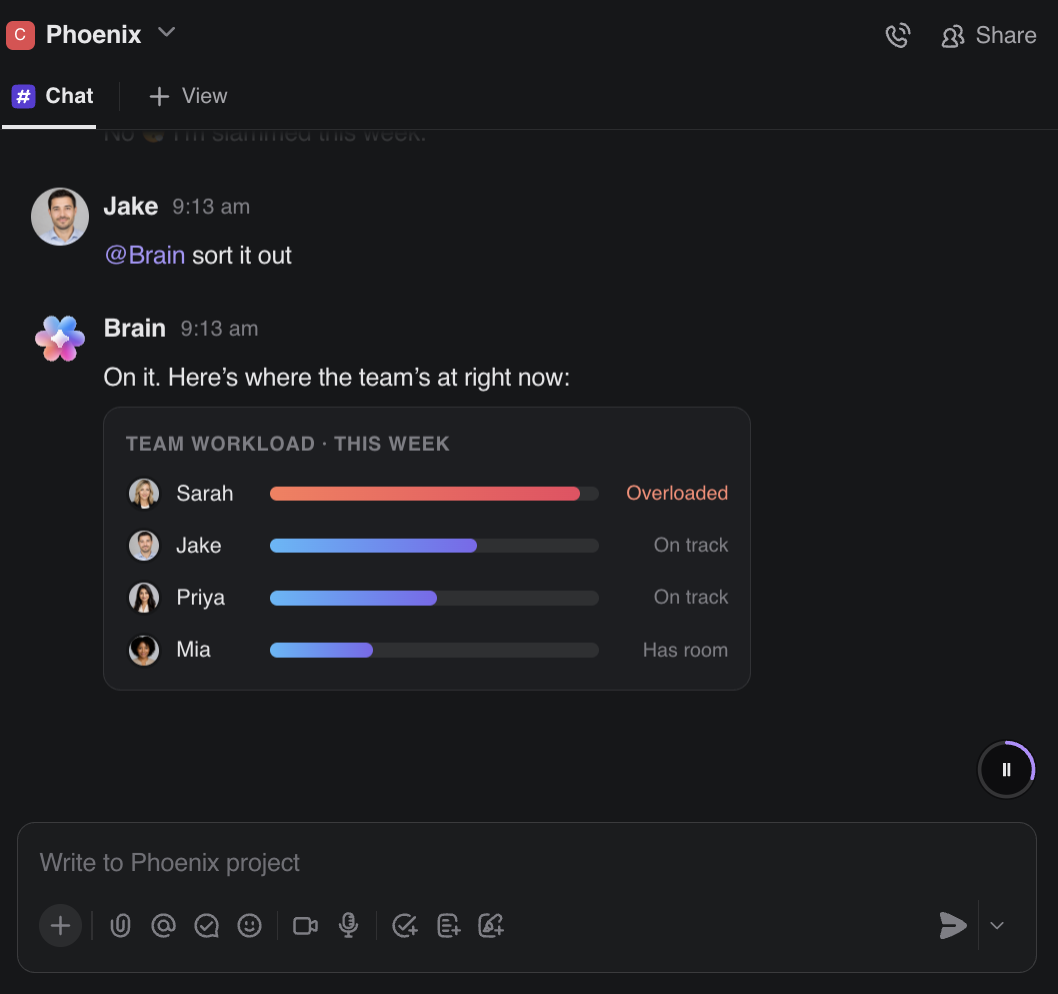
When Claude flags a landing page that’s leaking conversion, ClickUp Brain can open the task right there, assign an owner, set a due date, link the source brief, and split it into copy, design, and QA subtasks.
Use ClickUp Brain to assign tasks, set due dates, assess workloads, and so much more
And for the checks you run on every campaign, a ClickUp Super Agent handles them autonomously. It screens new intake against your criteria, builds production tasks from approved briefs, and surfaces a stalled review before it slips a deadline. You decide which sources it reads and which actions need your sign-off, so the automation never runs ahead of a human.
Brief, decisions, and status in one record
Your positioning, claims, and approval history sit in ClickUp Docs, right beside the tasks that deliver on them. And, Brain reads both when you ask it a question. So the reasoning behind a decision stays with the work instead of getting buried in an old thread. You can draft the next brief in the same Doc and have Brain update the linked task as you go, and the two never fall out of sync.
A ClickUp Dashboard then pulls the same campaign into one live view: progress by workstream, workload, and blockers, updating as the work does. Ask Brain what changed, and it reads straight from that live data, which replaces most of the weekly status scramble.
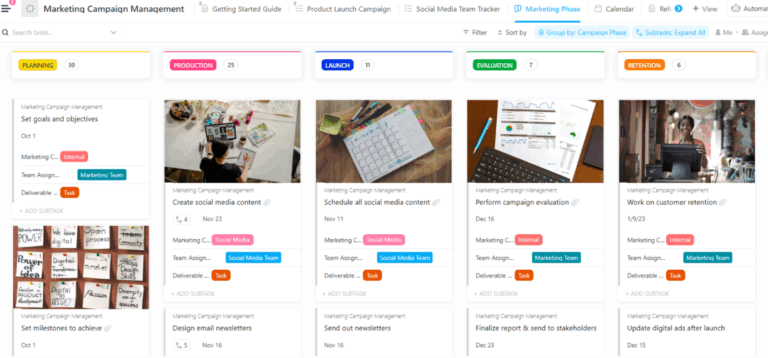
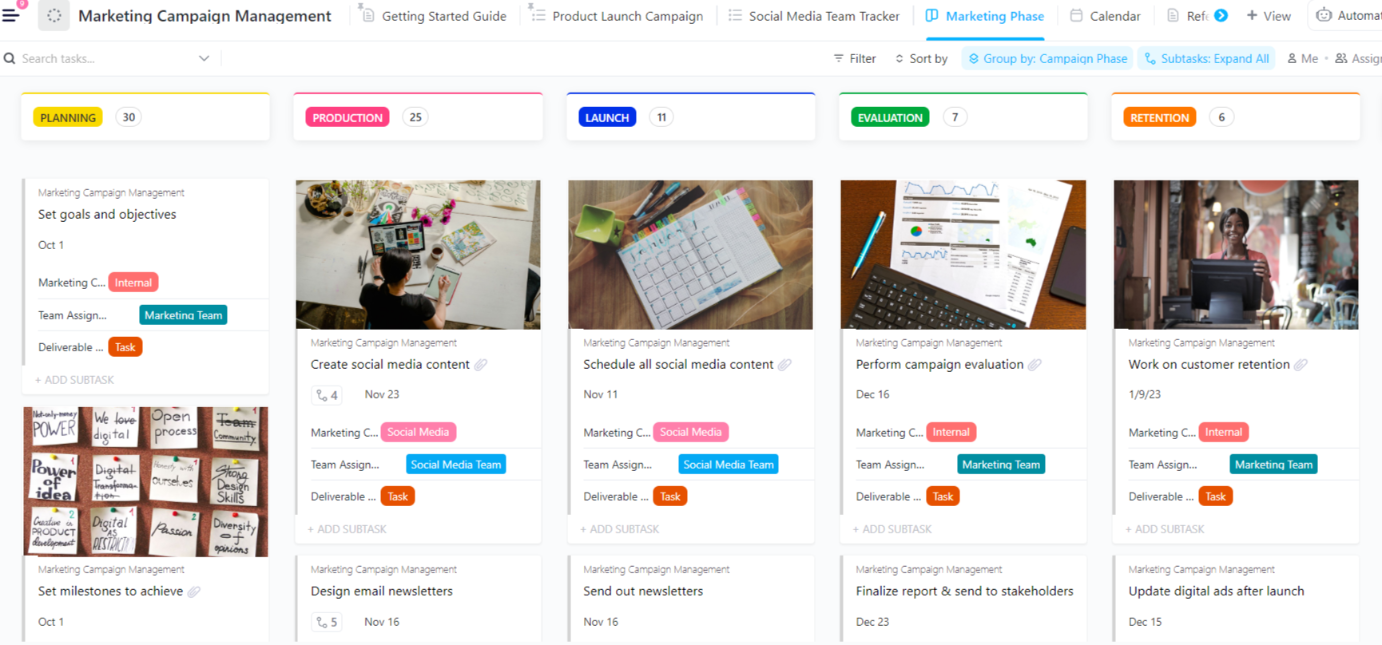
Use the ClickUp Marketing Campaign Management Template to map your campaign across five phases
If you’d rather not build that structure from scratch, the ClickUp Marketing Campaign Management Template maps a campaign across five phases: Planning, Production, Launch, Evaluation, and Retention. Custom Fields capture the team, channel, budget, and deliverable type, and you get a phase board, a calendar, and ready-made launch and social views.
The honest limitation: None of this makes ClickUp a replacement for the tools that hold your live campaign data. HubSpot, Supermetrics, and the rest still own the raw numbers, and if most of your work happens in those tools, the specialist connectors keep you closer to the source. ClickUp earns its place once the deciding and the doing need to share one home.
Who it fits: Marketing teams running several campaigns at once, where priorities shift, and stakeholders want a status update without having to ask. A solo marketer firing off the occasional query will find it heavier than the moment calls for.
Decimal Point Analytics cut marketing work by 40% with ClickUp
Decimal Point Analytics had the same sprawl: campaign context, requests, and reporting spread across spreadsheets, forms, email threads, and separate AI tools. After moving 800+ employees onto ClickUp and making Brain part of the marketing team’s daily routine, the company reports marketing output running 40% faster and about two hours saved per person per day on content and research. Live Dashboards replaced hand-built decks for management reviews.
The lesson for connector-heavy teams: pulling data into Claude speeds up the analysis, which is the easy part to love. The real gain shows up later, when the decisions, tasks, and reporting stay connected long after the chat closes.
Summarize this article with AI ClickUp Brain not only saves you precious time by instantly summarizing articles, it also leverages AI to connect your tasks, docs, people, and more, streamlining your workflow like never before.
Summarize this article for me please
Connectors Give Claude Access. You Still Have to Give It a Job.
Access is the easy part. The orchestration is the work. What separates a Claude connector set that earns its keep from one that just sits there is the set of rules you write around it: which source wins a tie, how each metric is defined, and where Claude has to stop and wait for a human.
So start narrow. Pick one job you run every week, whether that’s the Monday performance pull, the pre-launch creative check, or the monthly competitive read. Wire only the connectors that the job touches, in the order it needs them. Then run it enough times that the prompt stops changing. That’s your first workflow, and it will teach you more about what you actually need than any install spree.
There’s one gap that connectors alone won’t close: the moment insight has to become action. Claude can tell you a landing page is leaking conversions, but someone still has to own the fix, set the deadline, and track it to completion. That’s where keeping the deciding and the doing in one place pays off, and where ClickUp fits.
ClickUp’s converged AI work platform turns a Claude recommendation into an assigned task with the brief, owner, and dashboard already attached. So go ahead and get started with ClickUp for free.
Summarize this article with AI ClickUp Brain not only saves you precious time by instantly summarizing articles, it also leverages AI to connect your tasks, docs, people, and more, streamlining your workflow like never before.
Summarize this article for me please
Frequently Asked Questions About Claude MCP Connectors
Can Claude create and update records, or just read my data?
It depends on the connector. Read-only ones like Ahrefs and Similarweb only pull data, while HubSpot, Klaviyo, Supermetrics, Notion, and Slack support write actions such as creating records, updating campaigns, or sending messages. You control this per tool in Claude, setting each to Always allow, Needs approval, or Blocked, so keep consequential writes behind approval.
Do I need to know how to code to use Claude connectors?
No. Directory connectors install with a few clicks and an OAuth login, no code required. Even a custom connector only asks for a name and a remote MCP server URL, though building the MCP server itself is a developer task if your tool doesn’t already offer one.
How is MCP different from a regular API?
An API is a custom integration you build per service, so wiring Claude into HubSpot and Google Ads separately used to mean two builds. MCP replaces that with one open standard that any MCP-compatible tool can speak. Anthropic open-sourced it in 2024 specifically to kill fragmented, one-off integrations.
Does Claude connect to Google Ads and Meta?
Not with dedicated first-party connectors, but yes, through Supermetrics, which links Claude to 200+ sources, including Google Ads, Meta, GA4, LinkedIn Ads, and Search Console via a single connection. Claude sees one Supermetrics connector rather than one per platform and can compare spend, ROAS, and CPA across channels.
Are Claude connectors free?
Most directory connectors are available across plans, including free, though free users are capped at one custom connector. Some specific connectors, like HubSpot’s, require a paid Anthropic plan (Pro, Max, Team, or Enterprise). The connector itself is generally included; your cost is the Claude subscription plus any paid account for the tool you’re connecting.
Can Claude connectors replace Zapier or Make?
Not entirely. Claude connectors are better for flexible, context-heavy work where the next step depends on what the model finds. Zapier, Make, and similar tools are better for fixed trigger-action automations that must run the same way every time. Many teams will use Claude to analyze and decide, then hand an approved action to a deterministic automation.
Everything you need to stay organized and get work done.