
Claude Code for Marketers: A No-Code Guide to Building Your Own Marketing Tools
Sorry, there were no results found for “”
Sorry, there were no results found for “”
Sorry, there were no results found for “”
Every marketing team has workflows that are too repetitive to justify a strategist’s afternoon but too specific for off-the-shelf tools. A landing page QA checker. A campaign brief generator. A metadata formatter. A Google Ads export cleaner. The kind of thing you do by hand, patch together in spreadsheets, or ask ops to build when they have a spare sprint.
That’s exactly the promise of Claude Code for marketers.
Claude Code turns those into tools you own. You describe the workflow, review the output, and tune the prompts. Claude Code writes the scripts, API calls, and error handling. One marketer documented three builds (content production, lead enrichment, reporting), and the pattern was the same each time: the human defines the logic, the agent writes the code.
No-code doesn’t mean no thinking, though. Claude Code needs sharp instructions, clean examples, guardrails, and deep human review. You need to know exactly what the workflow should do, where it can fail, what the input looks like, and what “good” output means. And you need to provide this information in explicit detail to Claude.
This guide covers what Claude Code is, how Claude Code helps marketers, what it costs, how to set it up, how to get started, and how to prompt it well.
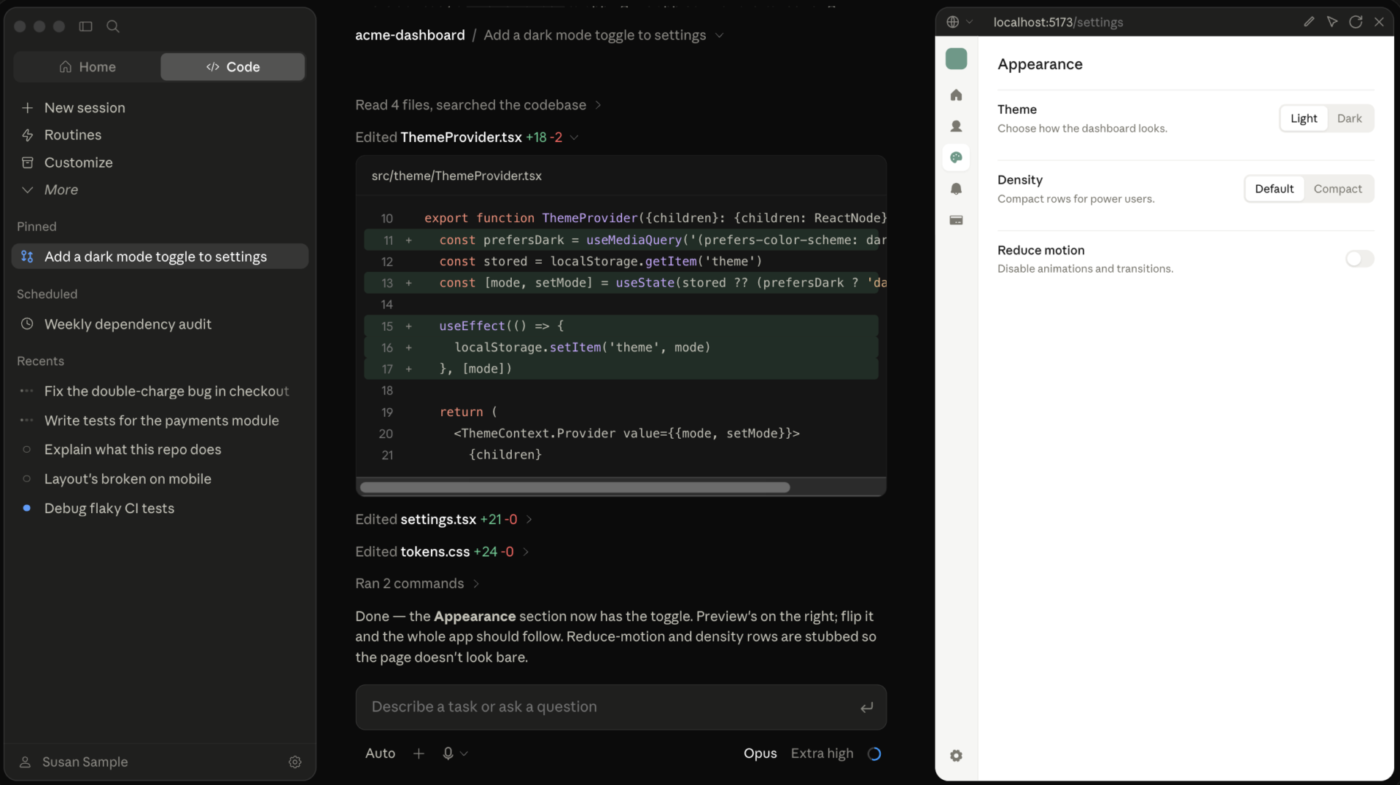
Claude Code is Anthropic’s agentic version of Claude. It runs locally, either in a terminal or a desktop app, and it has direct access to your files, connected apps, and multi-step workflows.
If you’ve used Claude in a browser tab, think of Claude Code as the same intelligence with a longer reach. Instead of just replying in a chat window, it can open your documents, pull from Google Drive, call other connected tools, and actually produce and edit files on your computer.
Marketers reach for Claude Code because it builds reusable workflows that integrate with real business systems such as CRMs, ad libraries, analytics exports, and communication tools. A regular chatbot can’t reach any of those.
Set it up once to pull last month’s campaign numbers into a formatted report, and it doesn’t forget how to do it the next time you ask.
The “code” in the name throws people off, and honestly, it’s a bit of a misnomer here. You drive Claude Code in plain English, just as you’d prompt any chatbot. What comes back is a capability you built, and you can run it again whenever you need it.
That distinction, one-time output versus reusable capability, is the whole story of this guide. It’s also why it’s worth being precise about which version of Claude gets you there, since not every version works the same way.
Claude Code comes with developer language, but the main concepts are fairly simple:
| Term | What it means | Marketing example |
|---|---|---|
CLAUDE.md | A project instruction file that Claude reads automatically | Store your audience, brand rules, approved claims, and review checklist |
| Skill | A reusable set of instructions, examples, and supporting files | Run the same content refresh or landing page review process each time |
| Slash command | A shortcut that starts a saved action from the command line | Type /rsa to run a Google Ads copy workflow |
| Agent or subagent | A separate Claude worker given one part of a larger task | Have one agent research competitors while another checks claims |
| MCP connector | A connection that lets Claude use external tools and data | Pull a brief from Google Drive or create a task in ClickUp |
| Hook | An automatic action triggered at a set point in the workflow | Run a format check whenever Claude finishes editing a CSV |
Use Claude Chat for quick thinking and copy, Claude Cowork for multi-step work across your connected apps, and Claude Code for building reusable skills and tools with deep file access. All three run on the same underlying Claude models. Reach is what changes between them.
To show you the differences:
| Dimension | Claude Chat | Claude Cowork | Claude Code |
|---|---|---|---|
| What it is | The chat window you already know | An agentic app for knowledge work | An agentic tool that runs on your computer, in a terminal, desktop app or web (new) |
| Best for | Fast drafts, brainstorming, one-off answers | Multi-step tasks across connected apps | Building reusable skills, agents, and tools tied to your files |
| File access | Uploads but supports some connectors like Google Drive | Yes, via connectors | Direct access to local files and folders |
| Scheduling | No | Yes, natively | Yes, via cloud-scheduled tasks; cloud Routines are explicitly labeled research preview by Anthropic. |
| Non-technical friendliness | Highest | High | Rougher at first, then fast once set up |
The honest reality is that the lines blur. All three can technically touch files, run multi-step tasks, and now, schedule work. The real difference comes down to how much setup you’re willing to do upfront in exchange for how much you can automate later.
If you are only ever writing copy, Chat is faster, and you can stop reading here. The rest of this guide is for the moment you catch yourself doing the same review or research task for the fifth time and think, “This should be a tool.”
The most useful Claude Code projects aren’t generic content generators. Marketers are turning existing frameworks, quality checks, and repetitive tasks into small tools built around how they already work. Here are some examples of Claude Code making life easier for marketers.
A growth marketer at Anthropic, Austin Lau, had never written code before Claude Code. He built both in a week:
/rsa workflow that drafts Google Ads copy against brand voice guidelines and exports it as an upload-ready CSV, cutting per-ad turnaround from 30 minutes to 30 secondsThis one grades B2B homepages against a specific positioning framework: does the hero section answer who it’s for and why it’s different? It scores the hero and full page separately, then suggests rewritten headlines. Emily Kramer, founder of MKT1, built it as a Claude Skill connected to her own templates, tested it on real company sites, and ran four revision rounds to push accuracy from roughly 60% to 90%.
Not built in one sitting. This system grew skill by skill, each added once a real gap showed up in the workflow. It researches topics, drafts posts, and revises them based on what’s actually performed before, all tied together with shared memory. Kieran Flanagan, SVP Agentic GTM & Systems at HubSpot, spent months assembling it, which is closer to how most of these builds actually happen.
This workflow handles blog production end-to-end: drafts the post from an editorial brief, generates and places images, writes SEO metadata, and cross-links to related content, all through tools connected via MCP. Rahul Lalia, founder of the two-person agency RSL/A, built it to replace a full-day process.
He’s upfront about the limits. The tool executes what he describes, but strategy, client relationships, and pushing back on a bad idea are still entirely on him.
Most dashboards show you charts. This one tells you what changed, whether it matters, and what to do next. Its core feature is an “At a Glance” section that delivers:
Victoria Boyd, an independent marketing strategist with no coding background, built it over a couple of afternoons.
That’s where Claude Code is most useful for non-technical marketers. Basically, turning a process they already understand deeply into a tool their engineering team would probably not have had time to build for them.
You don’t need to learn programming or spend an afternoon configuring developer tools. The easiest route is through the Claude desktop app, where Claude Code works directly with a folder on your computer. The terminal is still there if you want it, but marketers can skip it at the start.
Here’s the simplest path from an empty folder to a reusable marketing workflow:
Claude Code comes included with Claude Pro and Max plans, and it’s also available through Team, Enterprise, and Claude Console accounts. The free Claude plan doesn’t include Claude Code.
If you’re a marketer working solo, Pro is usually enough for testing basic workflows. Heavier use, like reviewing large research folders or running several jobs at once, may call for a higher usage limit.
Download Claude for macOS or Windows, sign in, and open Claude Code inside the app. Anthropic now runs Chat, Cowork, and Claude Code through the same desktop application, so there’s no separate install for each.
This is the no-code route. Meaning no Node.js, terminal, or installation commands. You can add the command-line version later if you want it. Anthropic recommends its native installer, with separate setup commands for macOS, Linux, Windows PowerShell, and Windows Command Prompt.
Claude Code works best when every file tied to a project lives in one clear folder.
Say you’re launching a product. Create a folder called Product launch campaign and drop in:
Then open that folder in Claude Code. This matters because it sets Claude’s working area. Claude can read, create, and edit files inside that folder, but it can’t freely touch files elsewhere on your computer without further permission.
Don’t start by handing Claude your entire Documents folder. A smaller workspace is easier to follow, and it lowers the odds of the wrong file getting edited.
Your first instruction should focus on understanding the material before anything gets produced.
Try this:
Read the files in this folder. Explain what each file contains, identify any conflicting information, and tell me what context is missing. Don’t create or edit anything yet.
Claude Code reads the actual files in the folder instead of relying only on what’s pasted into a chat. You can also use Plan mode, which lets Claude examine the project and propose an approach without touching the source files.
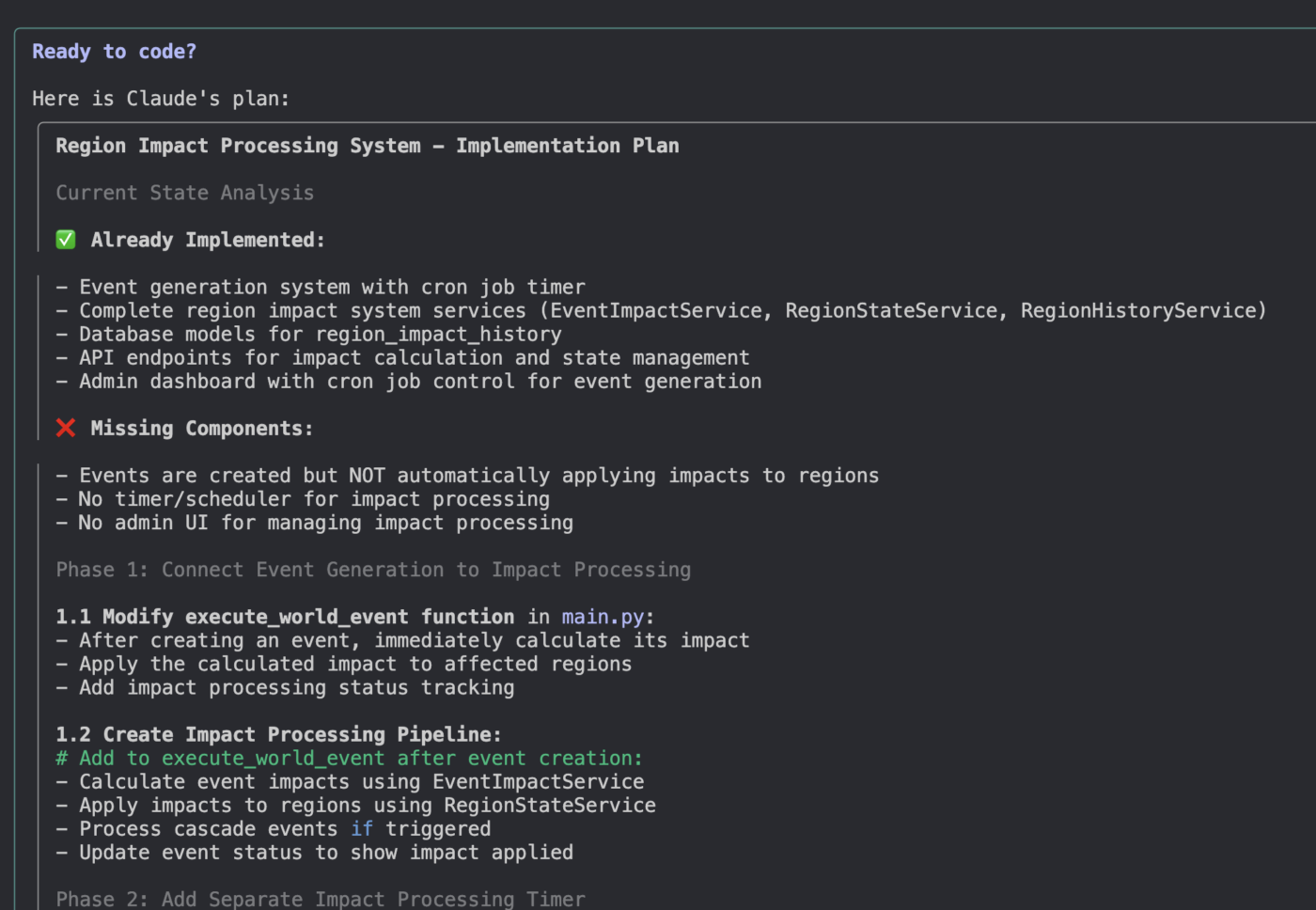
Review its summary carefully. Correct product names, audiences, claims, dates, and brand rules before moving ahead.
Once Claude understands the material, ask it to create a CLAUDE.md file.
This is a plain-text instruction file that Claude reads at the start of every future session. It holds the context you’d otherwise repeat every time. Anthropic recommends using it for persistent project rules and common workflows.
For a marketing project, that might cover:
You don’t need to write this yourself. Just tell Claude:
Create a concise CLAUDE.md file for this project. Base it only on the files you reviewed and the corrections I gave you. Include our audience, voice, approved claims, formatting rules, and a checklist for verifying every draft.
Read the finished file and strip out anything Claude inferred without evidence. These instructions guide Claude, they don’t guarantee perfect compliance, so keep them specific and free of contradictions.
Don’t ask Claude to “run the marketing campaign.” Give it a task with a clear input, output, and stopping point.
For example:
“Using the campaign brief, customer research, and brand guide, create three landing-page outlines. Save each outline as a separate Markdown file. Add a source note beside every product claim. Do not write the full page yet.”
Or:
“Compare the five competitor pages in this folder. Create a table showing positioning, audience, proof points, calls to action, and gaps we could address. Separate direct observations from your interpretation.”
Once you’ve repeated the same workflow a few times, package it as a Claude Code skill.
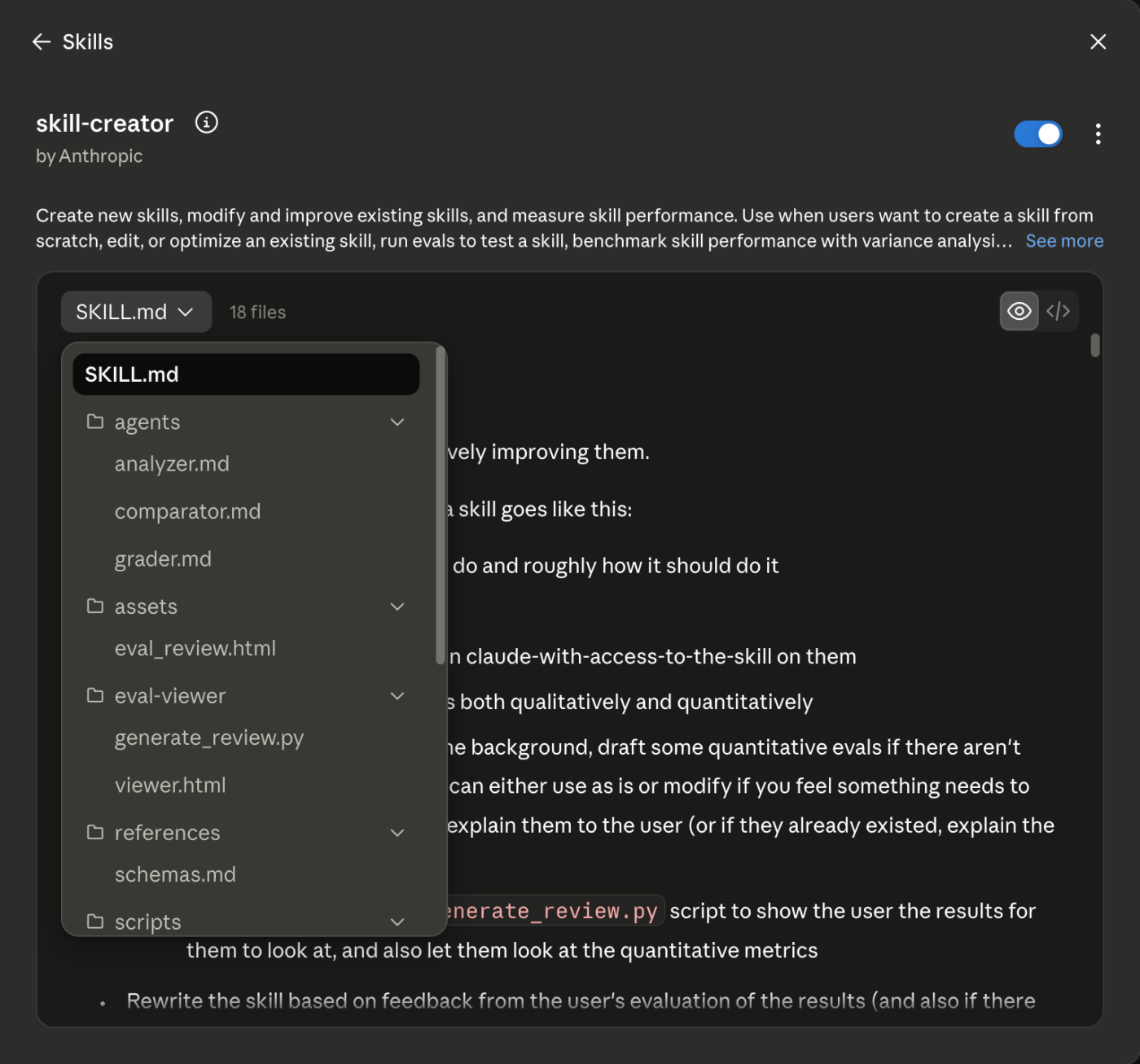
A skill stores instructions, reference material, and steps for a repeatable job, so you can run that process again without rebuilding the prompt from scratch. Skills can stay private to you, get shared within a project, or roll out to a whole team.
A content refresh skill, for instance, could tell Claude to:
You can build this in plain English:
Turn the process we just followed into a reusable skill called content-refresh. Include the source-checking rules and approval points we used. Show me the skill before saving it.
Build the workflow by hand first. Skip that, and you risk automating a process that still has gaps.
Claude Code can connect to external tools through the Model Context Protocol, or MCP. These connections let it read from or act on supported services instead of waiting for you to paste information into the folder.
For marketers, that might mean connecting Google Drive, Slack, Notion, a project tracker, or an analytics system.
Connectors aren’t required for your first workflow, though. Add one once you notice yourself repeatedly exporting or copying the same information. Each connection widens what Claude can reach, so review its permissions and limit it to the accounts, folders, or workspaces the job actually needs.
Your first result will probably need corrections. When it does, go beyond fixing the document. Update the project instructions or skill that produced it.
For example:
You described trial users as customers. Update CLAUDE.md so those groups stay separate in every future task.
Or:
The report mixed sourced facts with recommendations. Update the skill so observations, evidence, and recommendations always appear in separate sections.
After a few rounds of this, you’re building a working process that already knows where your source material lives, what standards to follow, and where it needs to stop and wait for you.
Also Read: Claude Skills for Marketing
Quick Check-in: AI can boost your ROI in several ways. Want to watch? See below:
Claude Code doesn’t have a separate subscription for individual users. It comes bundled with Claude’s paid plans, while the free plan doesn’t include access at all.
For most marketers, Claude Pro at $20 a month is the right place to start. That gets you Claude Code, regular Claude chats, and enough capacity to test real workflows like research reviews, content updates, campaign planning, and reusable skills.
You don’t need:
Pro should cover focused work: reviewing research, checking copy against a brand guide, comparing competitor pages, or updating an article from source files.
Usage depends on file size and task complexity. A large research folder will eat more capacity than editing a single landing page, but Pro is still the sensible starting point either way.
Claude Max runs $100 or $200 a month, depending on the usage tier.
Consider it once Claude Code has become part of your daily work and Pro’s limits start interrupting active projects regularly. One unusually large task isn’t a good reason to upgrade on its own.
Worth knowing: Anthropic now lets you turn on “extra usage” once you hit your plan’s limit, billed at standard API rates with a spend cap you set, instead of just cutting you off. That can cover the occasional heavy week without forcing a full upgrade.
Not at the start.
When you sign in with a Pro or Max account, Claude Code draws from that plan’s allowance. API billing runs separately and suits automated or high-volume workflows better than everyday marketing use.
For most marketers, the ideal starting setup looks like this:
Test two or three real workflows before paying for anything more.
A strong Claude Code prompt names six things:
Claude Code understands plain English, but vague prompts still produce vague work.
| Weak prompt | Strong prompt |
|---|---|
| Review the landing page and improve it. | Read launch-brief.md, customer-research.md, brand-guide.md, and landing-page-v1.md.Review the landing page for clarity of messaging, unsupported claims, and conflicts with the brand guide. Save your findings in landing-page-review.md. For each issue, include the original wording, why it may be a problem, the supporting source, and a suggested revision.Separate factual errors from editorial suggestions. Don’t edit the landing page yet. |
The second version works because Claude knows what to read, assess, create, and where to stop. To replicate the process, here’s what you need to do:
Open-ended instructions like “make it stronger” or “keep it on-brand” give Claude nothing to measure against. Give it standards it can check.
Example: Keep the email between 120 and 160 words. Open with the customer problem, use short paragraphs, avoid unsupported claims, and end with one clear call to action. Match the approved examples in the examples folder.
Examples often work better than long explanations. Give Claude two or three approved samples when you have them.
Tell Claude what wrong looks like, not only what right looks like. Naming the specific ways a task goes sideways catches more than any amount of positive instruction.
Example: Flag any sentence that states a metric without a linked source. Flag any claim about competitor pricing. If the brief and the customer research contradict each other, stop and ask me instead of picking one.
Every time a task surprises you, add the surprise to the list.
State the file name, format, structure, and save location.
Example: Save the findings as competitor-analysis.csv in the outputs folder. Use these columns: company, audience, primary claim, proof points, CTA, weakness, and source URL. Also, don’t overwrite an existing file.
Tell Claude what to verify before it finishes:
Example: Confirm that every claim has a source, no figures were changed, all required sections are present, and the file follows the rules in CLAUDE.md.
Then add approval points for actions you don’t want it to take alone: “Propose the changes, but don’t apply them. Stop before sending, publishing, deleting, or updating any live record.”
- Goal: What should Claude accomplish?
- Use: Which files, folders, or tools should it examine?
- Follow: Which rules, definitions, and constraints matter?
- Produce: What should it create, and where should it save it?
- Verify: What should it check before finishing?
- Stop before: Which actions require approval?
Skip Claude Code when the job is a one-off, when you need to build a customer-ready product for a client, or when the win doesn’t come from repeating the task. Claude Code earns its setup cost through reuse. If there’s no reuse, there’s no payoff.
A few situations where that plays out:
Claude Code rewards depth and repetition. That’s exactly what makes it the wrong pick for anything you only need once. If your need is “write me five subject lines,” open Claude Chat, or reach for a purpose-built option from ClickUp’s guide to AI content creation tools. If your need is “build me a system I can run every week without touching it again,” Claude Code is worth the setup time. Most marketers land somewhere in between, and that’s the territory this guide is built for.
It invents figures that sound reasonable. Ask for a performance summary and Claude may fill a gap with a plausible number rather than flag that the data is missing. A 12% lift becomes a 14% lift. The fix is to add an explicit rule in your CLAUDE.md: ‘every metric must cite the file and row it came from, and any number without a source gets marked UNVERIFIED instead of guessed.’ Then spot-check three figures against the raw export before anything ships.
It edits the wrong file. Point Claude at a folder with five drafts and ask it to “update the landing page copy,” and it may confidently pick the wrong draft. Use Plan mode so it tells you which files it intends to touch before it touches them, keep your working folder small, and version your source files so an overwrite is recoverable.
It works from stale material. Claude reads what’s in the folder. If your brand guide is eight months old or the brief was superseded in Slack, Claude will follow the outdated version with total confidence and no warning. Before any high-stakes task, ask it to list every file it’s using and the date each was last modified. Then confirm those are the current versions.
It burns usage on bloated context. A folder stuffed with fifty files means Claude re-reads a lot of irrelevant material on every task, which eats your plan’s capacity and dilutes the output. If a task only needs the brief, the brand guide, and one draft, put those three in a subfolder and point Claude there.
The pattern across all four: Claude Code is reliable at execution and unreliable at knowing what it doesn’t know. Build the check into the skill, not into your memory, and never let anything pass before a human review.
After the build, Claude Code works best inside a work management platform, like ClickUp. Put simply, a finished skill produces files. But it doesn’t assign work, set a deadline, or tell anyone the draft is ready. That’s a problem once your workflow touches more than one person, because a CSV sitting in a folder isn’t a task anyone owns.
Take Lau’s /rsa workflow from earlier. It spits out a CSV of ad variants. Someone still has to open it, split each line into individual items, and assign them by hand. Feed that same output into a ClickUp Task, and each ad variant becomes an item with an owner, a due date, and a status, sitting alongside the rest of the campaign.
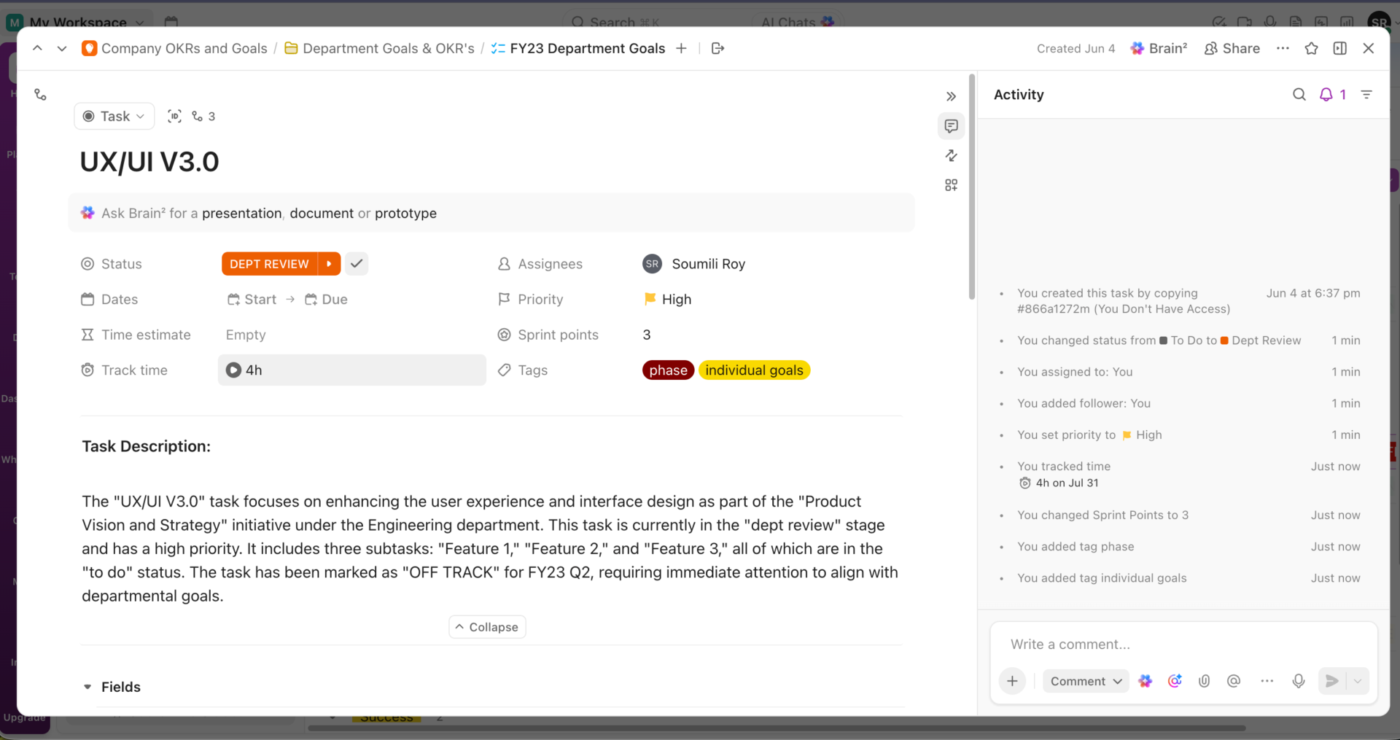
That’s the shift: Claude Code handles the production. ClickUp handles the accountability.
Not every handoff needs a person watching for it. ClickUp Automations run on triggers and actions: when a status changes, when a due date passes, when a task is created, an Automation can post a comment, notify someone, or move the task forward, all without anyone opening it.
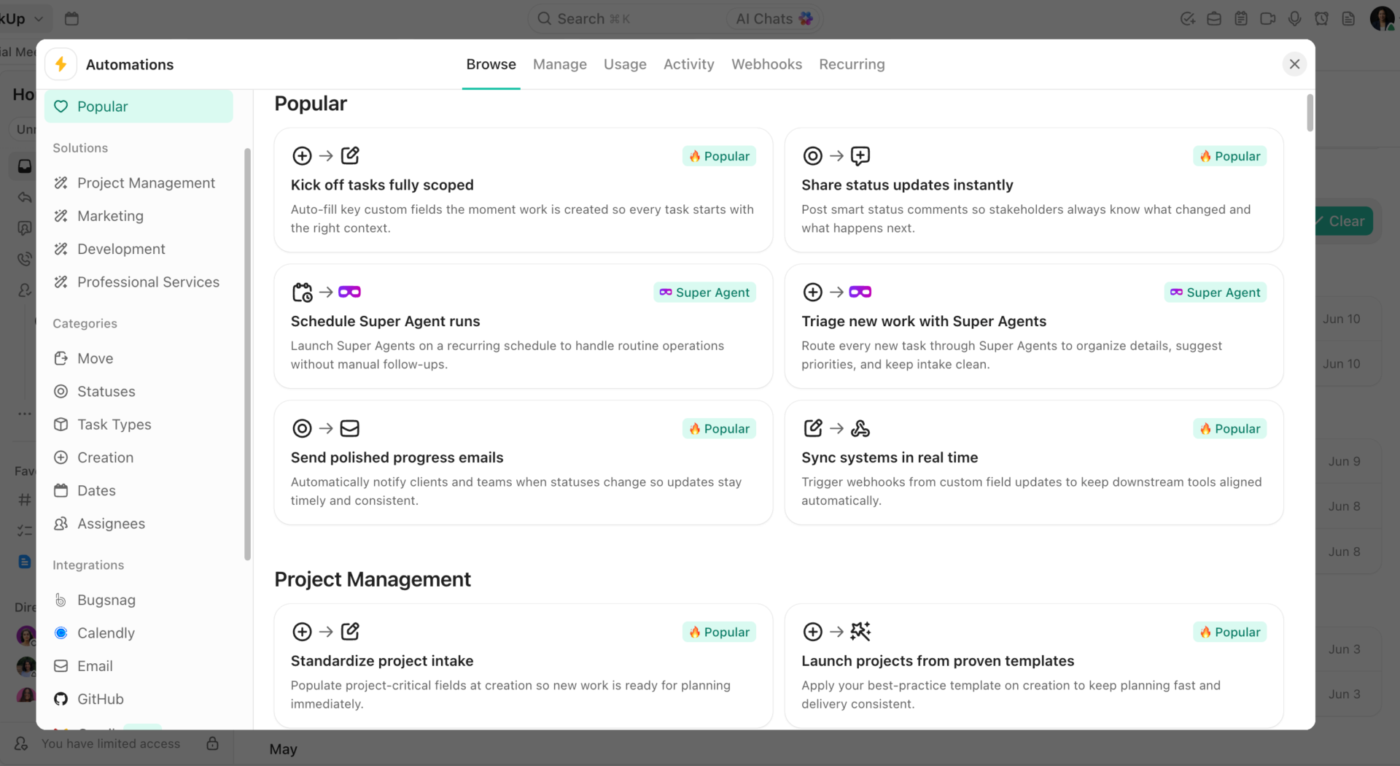
Pair this with a Claude Code skill, and the handoff closes the loop by itself. A skill drops a finished draft into a task. An Automation sets the status to ‘Needs review’ and pings the editor the moment that task lands. The skill still does the writing, but the routing, which used to depend on someone remembering to check a folder, happens on its own.
None of the above happens on its own unless Claude Code and ClickUp can talk to each other. ClickUp’s MCP server is the official, hosted connection that makes that possible, built to work with AI assistants including Claude.
Once it’s connected, Claude Code can read from and write to your ClickUp workspace directly: creating tasks, updating Docs, pulling status from a list, all without copying anything by hand. The skill you build in Claude Code and the workspace your team runs on stop being two systems you keep in sync manually.
Best for: Marketers whose Claude Code skills produce work other people act on, like drafts that need approval, reports that trigger decisions, or batched deliverables with cross-functional handoffs and deadlines.
Skip it if: You’re the only person who sees the output and nothing you build needs a reviewer, a schedule, or a status trail.
Worth knowing: Claude Code and ClickUp cover different halves of the job, and they work best together. Claude Code is the workshop where you build the capability and iterate on a skill file locally. ClickUp is where the resulting work gets assigned, tracked, and measured across a cross-functional team. Teams get frustrated when they ask one to do the other’s job.
The marketers getting the most out of Claude Code are the ones who started encoding their own judgment into skills that compound. Technical skill has little to do with it.
Begin with one review process you already run, turn it into a skill, and correct it against real work until it earns its place. Then connect what you build to where your team actually executes, so the output moves work forward instead of sitting in a folder. Get started with ClickUp for free and give your marketing brain a place to live.
No. You operate Claude Code in plain English, and the no-code route runs entirely through the Claude desktop app with no terminal, Node.js, or install commands. For example, Austin Lau, a growth marketer at Anthropic, had never written code before he built a Figma plugin and a Google Ads workflow in one week. The “code” in the name points to the tool’s engineering roots. The skill it actually asks for is knowing your own workflow well enough to describe it precisely.
It depends on whether you want output or a reusable tool. Claude Code’s edge is building file-connected skills that run on your machine and remember project context between sessions through a CLAUDE.md file. ChatGPT is faster for conversational drafting and has its own agent and connector features. Most marketers who use both pick per task rather than standardizing on one, so the useful question is which fits the specific workflow.
Zapier and Make connect existing apps through prebuilt triggers and actions, and they run in the cloud without supervision once configured. Claude Code builds custom tooling around your own files and judgment, which covers work no prebuilt connector exists for: grading a homepage against your positioning framework, or reviewing copy against your brand guide. For straightforward app-to-app handoffs, a dedicated automation platform gets you to zero-touch faster. Many marketers run both.
Yes, when you scope it deliberately. Claude Code only reads and edits files in the folder you open, and it can’t access files elsewhere on your machine without additional permissions. Use Plan mode so Claude proposes an approach before touching source files, and keep built-in approval controls on. Every MCP connector widens that reach, so limit each one to the accounts, folders, or workspaces the job needs.
Yes. Claude Code supports cloud-scheduled tasks, and Claude Cowork runs recurring jobs natively on paid Pro, Max, Team, and Enterprise plans. The practical catch is that skills don’t sync automatically across Chat, Cowork, and Code, so a workflow created in one must be exported to run in another. Give any new workflow a few supervised runs before leaving it to run autonomously.
No. Claude Code compresses execution time on repeatable production work but the critical judgement layer must always stay human-led. For example, a homepage grader can score a page against a positioning framework, but someone had to define the framework and decide it was the right one.
What changes when you use Claude Code as a marketer is the output-to-headcount ratio. Agencies and ops teams that treat Claude Code as a way to do more of the work they’re already good at will pull ahead, as long as they always have a human with great taste reviewing the system input and the final product.

Manasi Nair
Max 22min read
Manasi Nair
Max 24min read
Manasi Nair
Max 18min read

© 2026 ClickUp




