10 Best Affordable Small Business Database Software in 2026 (Reviews & Pricing)

Sorry, there were no results found for “”
Sorry, there were no results found for “”
Sorry, there were no results found for “”
Customers fuel growth, but for sustainable growth, you must build loyalty and trust in them. Building a relationship takes time and effort, and so does getting access to their data and preferences.
This is especially true for smaller, fast-growing businesses. Capturing customer data is the foundation of sustainable, profitable relationships. The more information you have, the more likely you’re able to convert customers.
However, rows and columns of numbers and attributes are of little value if you don’t establish a system to leverage the data. In other words, data must generate insights that eventually drive decisions.
Building such systems only makes sense once you store, sort, and analyze trends and patterns. The most convenient way is to get your business a database software tailor-made for small businesses.
Database software captures and stores customer data and transforms the information into actionable insights, fostering growth and improving customer interactions.
We’ve scoured the market and compiled a list of the best database software for small businesses. Each has unique features that blend functionality, user-friendliness, and cost-effectiveness.
Go through the list and choose the one that best aligns with your business needs.
Here’s a quick summary to get you started:
| Tool | Best for | Best features | Pricing* |
| ClickUp | Best for unified, AI-powered data management & execution Team size: All business sizes | AI-powered Table View, ClickUp Brain for data insights, custom automations, and integrated docs. | Free forever; Paid plans available |
| Oracle Database | Best for enterprise-grade security & scale Team size: Growing to large firms | Advanced data encryption, automated management tasks, and high-performance SQL interactions. | Custom pricing |
| SQL Connector for Jira | Best for Jira-based project data Team size: Software & dev teams | Direct SQL integration with Jira, automated data exports, and customizable access permissions. | Free for up to 10 users |
| PostgreSQL | Best for complex, open-source data needs Team size: Tech-heavy small teams | Support for complex data types, high extensibility, and robust open-source security features. | Free |
| Quickbase | Best for rapid custom app development Team size: SMBs needing custom tools | No-code app building, automated workflow triggers, and seamless third-party data integration. | Starts at $35/month per user |
| Microsoft SQL Server | Best for advanced analytics & performance Team size: Mid-market & data-heavy SMBs | High-speed query handling, advanced security protocols, and deep data visualization capabilities. | Custom pricing |
| Kintone | Best for no-code team collaboration Team size: Non-technical small teams | Drag-and-drop interface, multi-user collaboration tools, and easy data visualization dashboards. | Starts at $16/month per user |
| Zoho Creator | Best for low-code ecosystem integration Team size: Businesses using Zoho suite | Multi-platform app deployment, automated business processes, and real-time data analytics. | Starts at $12/month per user |
| MySQL | Best for web applications & reliability Team size: Developers and web startups | High-speed data retrieval, multi-language support, and a massive open-source community. | Custom pricing |
| Caspio | Best for unlimited users & public apps Team size: Teams with high user counts | No-code application building, visual data modeling, and seamless website integration. | Free; Paid plans start at $100/month |
Our editorial team follows a transparent, research-backed, and vendor-neutral process, so you can trust that our recommendations are based on real product value.
Here’s a detailed rundown of how we review software at ClickUp.
Before we delve into the top database software options, let’s understand the key features you should consider as they impact the efficiency of your database management strategy:
Here are the 10 best database software for small businesses available today:
Most small businesses don’t struggle with storing data. They struggle with what happens after it’s stored.
Customer details sit in one tool, tasks in another, notes in docs, and follow-ups happen in chat. Everything exists, but nothing is connected. So teams spend more time piecing together context than actually moving work forward.
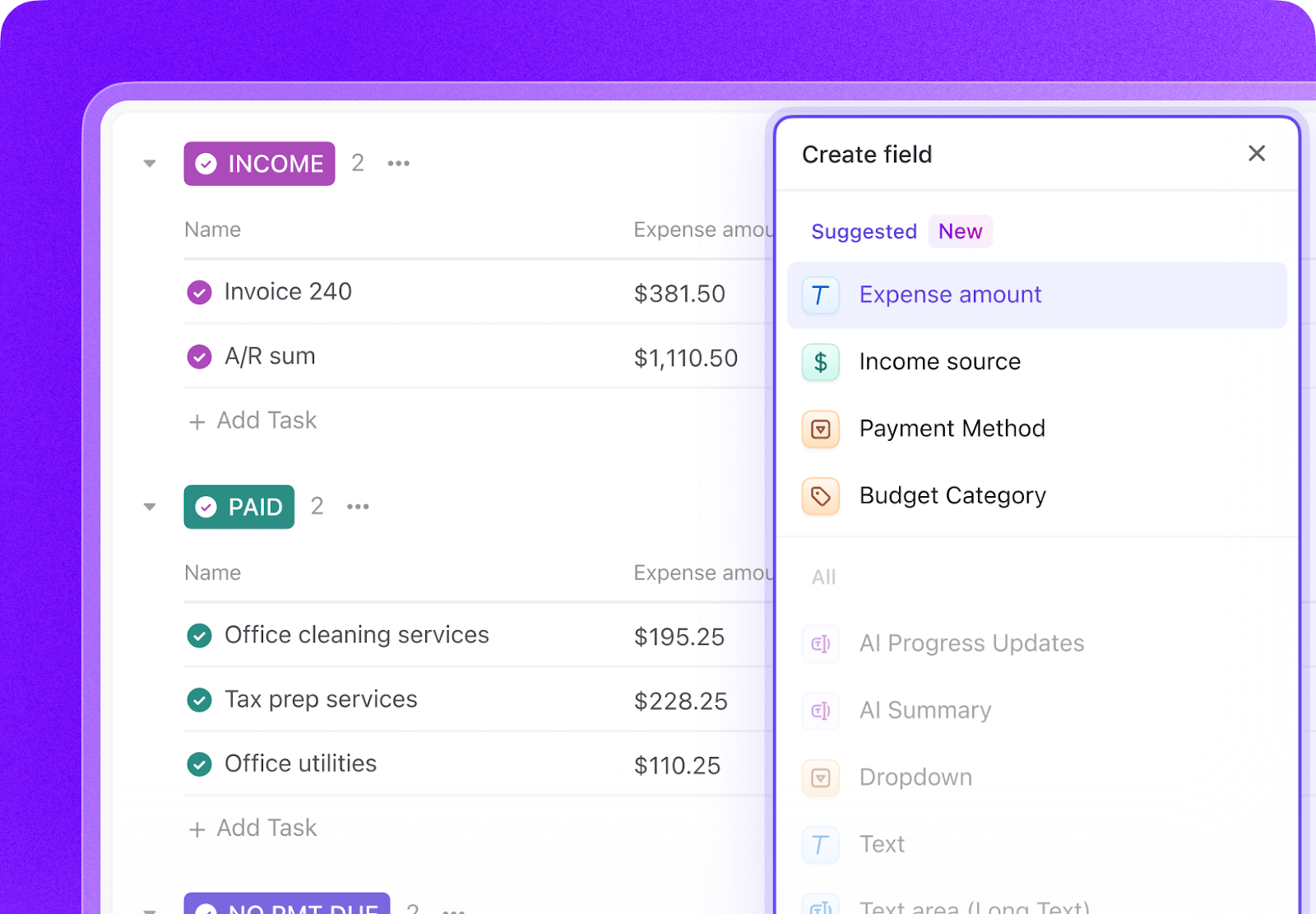
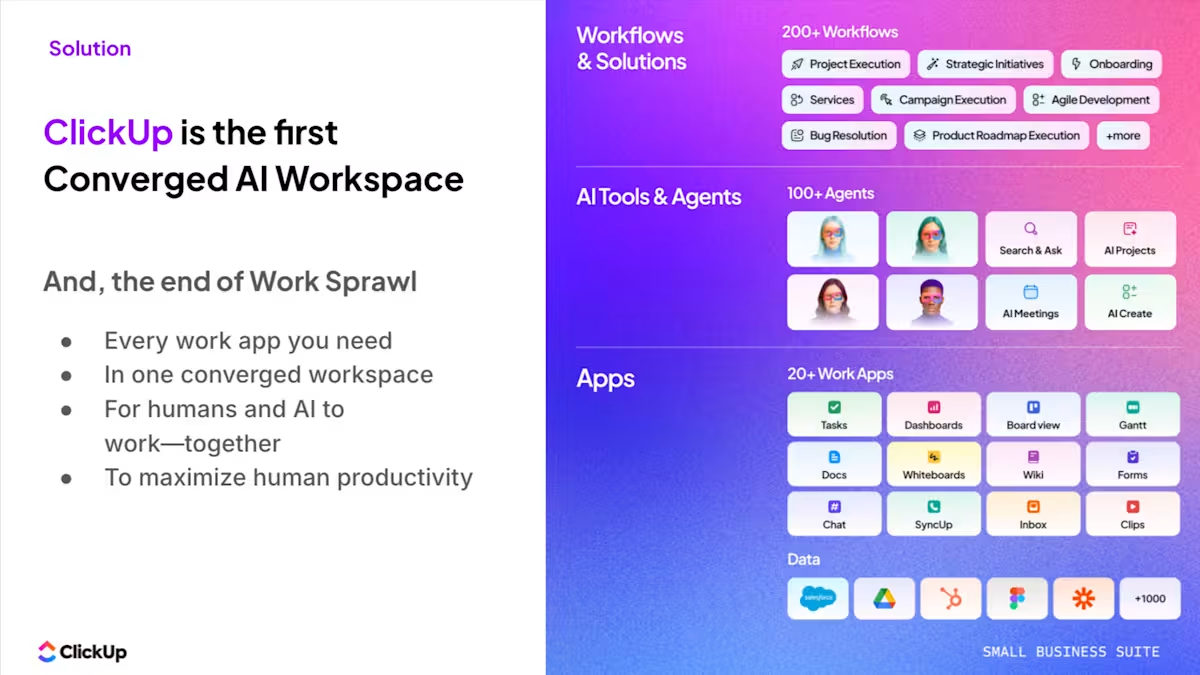
ClickUp approaches this differently. Instead of acting like a standalone database, it works as a single workspace where data and execution live together. You can still structure your information using Table View and List View, whether you’re tracking leads, managing inventory, or organizing internal operations. But each entry isn’t just a static record. It’s directly connected to tasks, documents, timelines, and conversations.
Take a simple example of managing leads using ClickUp’s CRM. You get to see all your relevant customer data in one place. A deal in ClickUp isn’t just a row in a database. It sits as a ClickUp Task, with notes in ClickUp Docs, conversations in ClickUp Chat, and status updates, all in one place.
Features like AI Fields make your database more dynamic. Instead of manually updating or analyzing data, AI Fields can automatically generate summaries, extract key details, or categorize information as it comes in. For example, a new lead can be enriched with context, tagged by priority, or summarized instantly, without manual input. Over time, this turns your database into something that actively maintains itself, rather than something your team has to constantly update.
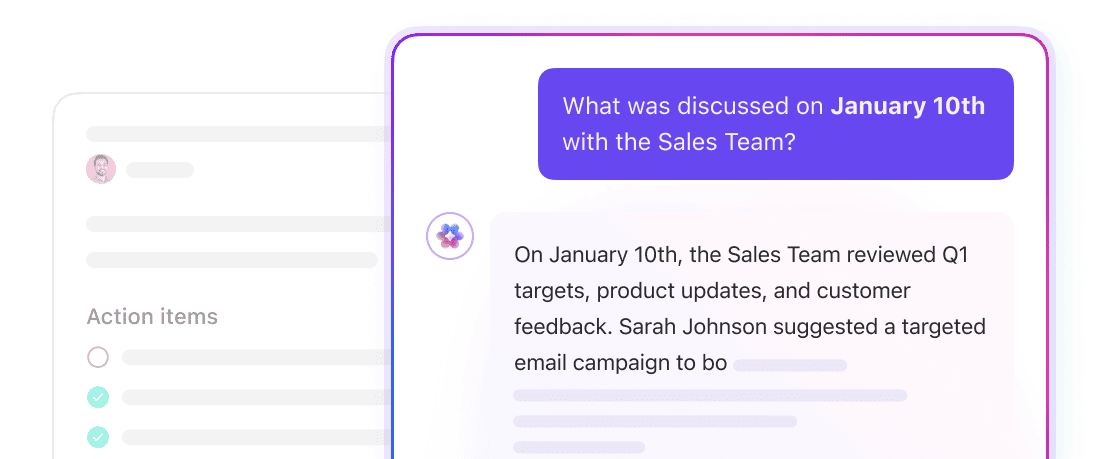
ClickUp Brain amplifies this connectivity further. Instead of manually reviewing records or chasing updates, Brain pulls together information across your workspace and turns it into something usable. You can ask for the latest status on a deal, get a summary of account activity, or generate next steps without digging through tasks and notes. It acts as a connective layer, turning scattered inputs into clear, usable insight.
Execution in ClickUp is handled through a combination of ClickUp Automations and ClickUp Super Agents.
Automations handle predictable workflows, such as assigning follow-ups when a deal moves through stages or notifying someone when new data is added. Super Agents go a step further by monitoring activity across your system and stepping in when something is out of place. If a lead goes cold, a task is missing, or an update hasn’t happened, it’s surfaced without anyone having to check manually.
Over time, this changes how the “database” behaves. It becomes a system that actively keeps work moving, connecting data to decisions and decisions to action.
ClickUp’s templates streamline database creation, ensuring efficiency and customization. Incorporating a strategic approach to customer relationships into your database system will further enhance customer engagement.
📊 Mini case study: Replacing 5+ tools with one workspace
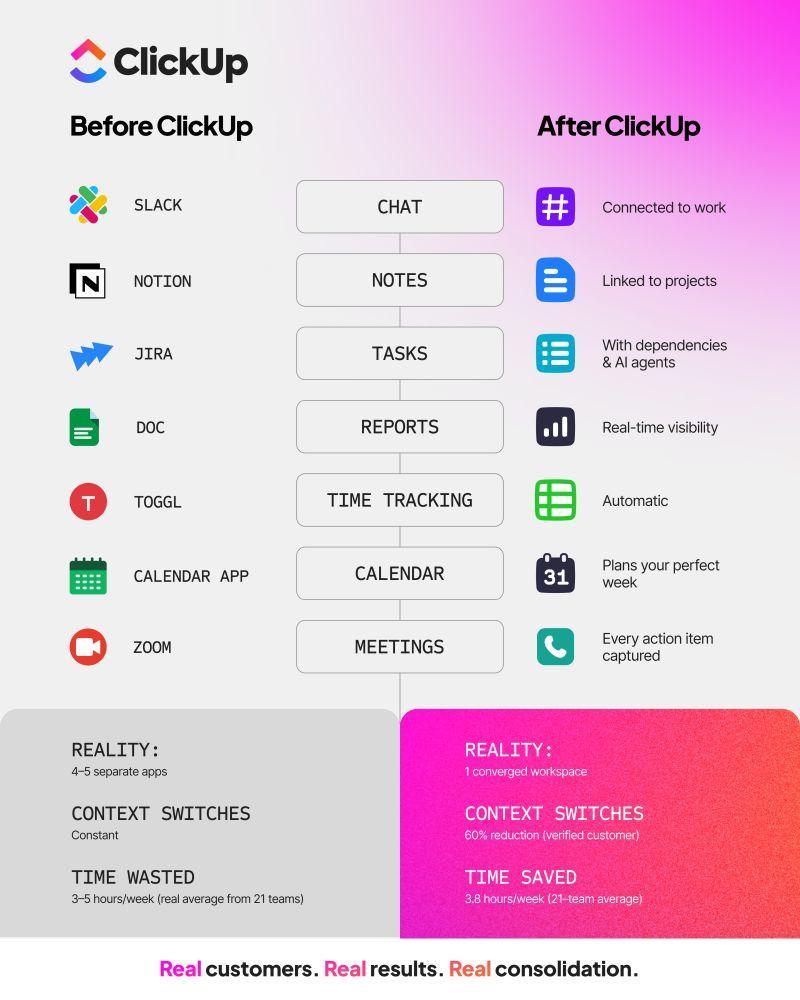
When marketing agency Hit Your Mark Media examined its operations, the problem was obvious. Work lived across Slack, Miro, Toggl, Loom, and other tools. Projects moved more slowly than they should have because information was scattered across multiple tools.
So the team consolidated everything into ClickUp.
⚡ The results were immediate:
Founder Derek Archer says the shift changed how the agency operates.
Instead of stitching together updates across multiple apps, the team now runs client work, communication, documentation, and reporting from one workspace. 🚀

The enterprise-ready Oracle Database can also double as a small business database software. Its notable feature for smaller enterprises is its advanced security, ensuring data protection.
Additionally, Oracle offers scalability and reliability, allowing small businesses to manage their data efficiently as they grow.
Oracle’s ability spans storing data, handling structured data, and mining valuable insights. This aids in strategic decision-making for small businesses looking to expand their operations and leverage their data effectively.
📖 Read More: Why Small Businesses Pay More for Less

The SQL Connector for Jira by Alpha Serve enhances the capabilities of Jira users by integrating directly with SQL databases like MySQL and Oracle.
This tool simplifies the process of data connection and export, eliminating the need for intermediary tools. This is particularly beneficial for businesses that rely on efficient data handling.
The SQL Connector for Jira is known for its direct integration capability. It allows for seamless data flow between Jira and various SQL databases, streamlining data management processes.
This makes it an essential tool for software development or businesses looking to optimize their project management and data analysis within the Jira ecosystem.

PostgreSQL is an open-source object-relational database system that stands out for its reliability and performance. It’s ideal for businesses requiring advanced data management and supports complex data types and optimization.
Its extensibility allows for custom functions and types, making it adaptable to various business needs. It’s robust in handling large and complex datasets, ensuring data integrity and speed.
PostgreSQL’s adaptability to different environments and comprehensive feature set make it an ideal choice for businesses looking for a dependable and scalable database solution.
👉🏽 Our Small Business AI Playbook breaks down exactly how to use AI to reduce complexity rather than adding more tools.

QuickBase is a cloud-based platform that empowers small business owners to easily build custom applications, web apps and workflows—all without requiring extensive programming skills.
It has a user-friendly interface and rapidly develops and deploys applications. This makes it ideal for businesses that need quick solutions to complex process management issues.
This accessibility and ease of use make QuickBase a favored choice among small businesses seeking to enhance their operational efficiency.
📖 Read More: 15+ Best Small Business Apps to Simplify Your Work
Microsoft SQL Server is a comprehensive database management system offering high performance, robust security, and scalability.
It handles large-scale data storage, processing, and analysis efficiently. It’s known for its advanced analytics capabilities—helping you analyze data and uncover deep insights. Store data, host large amounts of unstructured data in data warehouses, perform data analysis, and build data visualization—all in one platform.
This combination of performance, scalability, and analytics makes it a robust solution for businesses to leverage their data assets effectively.

Kintone is a cloud-based platform that empowers small businesses to develop and customize applications without extensive coding knowledge.
It fosters teamwork and collaboration by letting users create, share, and automate custom business applications and workflows.
Kintone’s user-friendly interface makes it accessible for non-technical users to build applications. This boosts productivity and team collaboration in small business environments.
📮 ClickUp Insight: 46% of knowledge workers rely on a mix of chat, notes, project management tools, and team documentation just to keep track of their work. For them, work is scattered across disconnected platforms, making it harder to stay organized. As the everything app for work, ClickUp unifies it all.
With features like ClickUp Email Project Management, ClickUp Chat, and ClickUp Brain, all your work is centralized in one place, searchable, and seamlessly connected. Say goodbye to tool overload—welcome effortless productivity. See how. 👇🏼

Zoho Creator is a cloud-based platform that helps small businesses easily develop custom applications. Its user-friendly interface and flexibility stand out, making it accessible even to those with minimal programming knowledge.
Zoho Creator features a low-code development environment and helps create and customize apps quickly.
This makes it an ideal solution for small businesses looking to streamline processes and increase productivity without investing heavily in technical resources.

MySQL is an open-source relational database management system known for its reliability, performance, and user-friendliness. Widely utilized in various scales of projects, MySQL stands out for its versatility in managing relational databases.
It offers a balance between ease of use and powerful database management capabilities. This makes it suitable for small businesses looking for a reliable database solution that is efficient and easy to manage without extensive database administration expertise.
📖 Read More: Why Small Businesses Love ClickUp

Caspio offers a no-code solution for small businesses to build online database applications. It’s easy to use, versatile, and suitable for CRM, project management, and custom databases.
The standout feature of Caspio is its user-friendly interface and no-code application development, which democratizes the process of building complex database applications.
This makes it accessible to businesses without technical expertise, allowing them to create and customize applications.
📖 Read More: Best Free Database Software
Choosing the right database software is a critical decision for small businesses. Each software offers unique features. Some are scalable and user-friendly, while others have robust security measures and insightful analytics.
Select a database solution that meets your current needs and aligns with your future business growth and goals. The right database software, be it CRM marketing software or customer database software, will streamline your operations and provide valuable insights.
ClickUp offers tailored solutions for efficient data management, growth, and unparalleled customization. If you’re ready to unite your data workflows under one connected platform, talk to us today!

Manasi Nair
Max 32min read
Manasi Nair
Max 14min read

Arya P Dinesh
Max 21min read

© 2026 ClickUp