Sorry, there were no results found for “”
Sorry, there were no results found for “”
Sorry, there were no results found for “”
As a founder, marketer, or content strategist, why do you need a website content plan for your brand?
Because your website is your calling card to the world. Simply adding the basics: “About us”, “Products/Services” and “Contact us” pages without a solid content plan is going to leave your website looking more like a digital junk drawer and less like your brand’s flagship online property.
And there is a science to creating and mapping out the content for a website. You don’t want your web pages to over-explain what you do to your target audience. But you don’t want to offer too little information either.
At its core, a strong website content plan ensures that your website attracts your target audience, engages them, and gets them to make a positive decision in your favor.
If you’re wondering where to start, we’re here to help. In this guide, we show you how to create a website content plan that compels your target audience to take the next step.
Let’s get into it because your future customers are one plan away from clicking ‘let’s talk.’ 😎
A website content plan is a strategic blueprint that defines what content you’ll create, why it matters, who it’s for, and where it lives across your site. It covers everything from details about landing pages and blogs to FAQs and product descriptions—each mapped to a clear goal like driving conversions, boosting SEO, or educating users.
In short, it is a structured system that aligns your messaging, product positioning, and customer journey into one cohesive framework.
Whether you’re creating content for brand awareness, improving SEO, or supporting sales and other teams, or a combination of all of the above (which is the most likely option), your website content plan should include these core elements.
💡 Pro Tip: Implement a ‘user journey heat mapping’ exercise before finalizing your site structure. Map each content piece to specific stages in your customer journey (awareness, consideration, decision, retention) and visually identify gaps. Most websites accidentally overload the awareness stage while neglecting mid-funnel content.
Without a website content plan, you’re essentially guessing at what content to create, which often leads to duplicated pages, inconsistent messaging, and missed opportunities to convert visitors.
Here’s why a website content plan matters:
🔍 Did You Know? Articles of 2500-3,000 words get more traffic, more shares, and more backlinks than your average blog post, proving that readers do stick around when the content is high quality
You can’t build effective content if you don’t know your target audience. So start by understanding the people who’re landing on your web pages and their pain points.
Start by identifying your key audience segments. Go beyond surface-level traits like age or job title. What are their goals? Their motivations? What frustrates them? What questions do they type into search engines when they’re stuck?
Then map out the buyer journey stages:
This journey gives context to your content strategy. Your target audience may have discovered you through social media platforms. Or a blog article might attract attention, but a comparison page or testimonial might be what drives a purchase.
When you understand where each user is coming from (and where they need to go), you can build content that guides, not just informs.
📚 Read More: Best Content Marketing Software Platforms
Before you start content publishing, conduct a website content audit.
For example, if it’s an existing online store, you might already have outdated, underperforming, or off-brand content. And also pages that quietly bring in traffic or conversions.
Start by listing every page on your site. Then review each one for:
Group your findings into four categories:
Audits before content creation help avoid duplication, identify quick wins (like refreshing top pages with outdated stats), and spot content gaps worth filling.
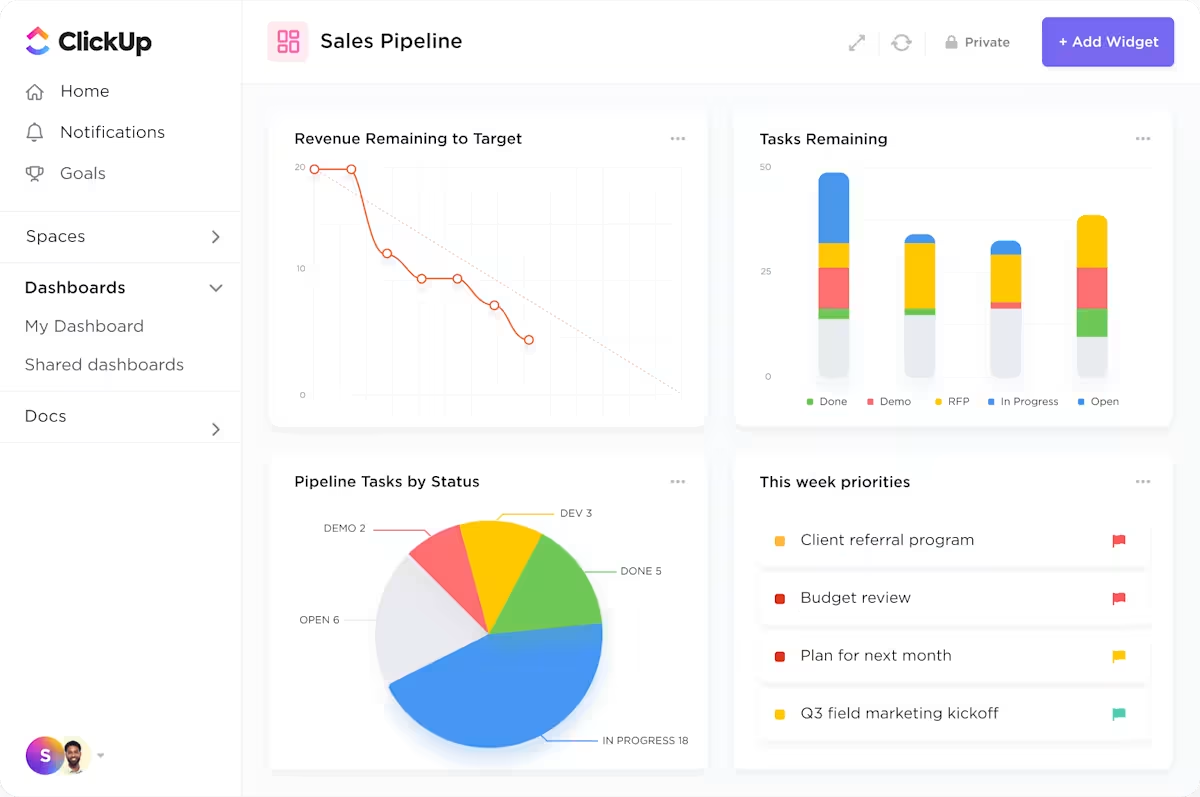
💡 Pro Tip: Use ClickUp Dashboards to track your website content audit progress. Create widgets for total pages reviewed, number of updates needed, content health by topic, or even top performers by traffic. It turns your audit from a spreadsheet mess into a visual, real-time command center your whole team can rally around.
Your content strategy must have clear goals.
You can break down everything into three content marketing funnels:
Although the buyer’s journey is no longer linear, your content plan should guide the user from awareness to conversion.
📚 Read More: Top Content Collaboration Platforms
Your website content map guides you in developing content that matters and where it should live. The core pages are:
Beyond these, think about additional types that align with your content workflow, such as landing pages for paid campaigns, comparison pages for high-intent buyers, or gated resources that support lead generation.
Here, use content writing templates to streamline the writing process and ensure your team creates high-quality assets for conversions.
💡 Pro Tip: Use ClickUp Whiteboards to visualize your site structure. You can drag and drop page types, link them to tasks or content owners, and even map internal linking opportunities. This helps you build a content architecture that flows logically for both users and search engines.
Keyword research is the backbone of any good content strategy. You need to understand what your target audience is searching for at each stage of the journey and build your content around that.
Here’s how to break it down, along with the right tools for each step:
💡 Pro Tip: Store all your keyword research in a ClickUp Table View. Add fields like ‘Keyword,’ ‘Search Intent,’ ‘Volume,’ ‘Difficulty,’ and ‘Assigned Page.’ Link each row to a task or page in your website content map so that your team knows exactly what each piece of content should target.
How do you know what comes next in your content publishing schedule? What marketing strategies to prioritize?
A content calendar is like your guiding light. Your team knows exactly what to publish, when to publish, the goals, and so on.
Here’s what you need to lock in:
Content strategy templates for marketing teams are a great way to house all these details in a centralized location, with easy access for the respective teams.
Here’s a sample content calendar to help you get an overview of what it should include:
| Publish Date | Content Title | Type | Funnel Stage | Goal | Owner |
| May 2 | How to Choose the Right CRM for Your Team | Blog post | TOFU | Drive organic traffic | Rachel |
| May 6 | Customer Story: Boosting Productivity 30% | Case study | MOFU | Build trust with leads | Priya |
| May 8 | Content Calendar Template (Free Download) | Resource page | BOFU | Drive conversions | Alex |
| May 10 | LinkedIn Post: Behind-the-Scenes Workflow | Social media | TOFU | Build brand visibility | Taylor |
| May 13 | Email: Monthly Roundup & Blog Highlights | Email newsletter | BOFU | Re-engage subscribers | Lily |
| May 15 | How Our Product Compares to Competitors | Comparison page | BOFU | Support decision-making | Omar |
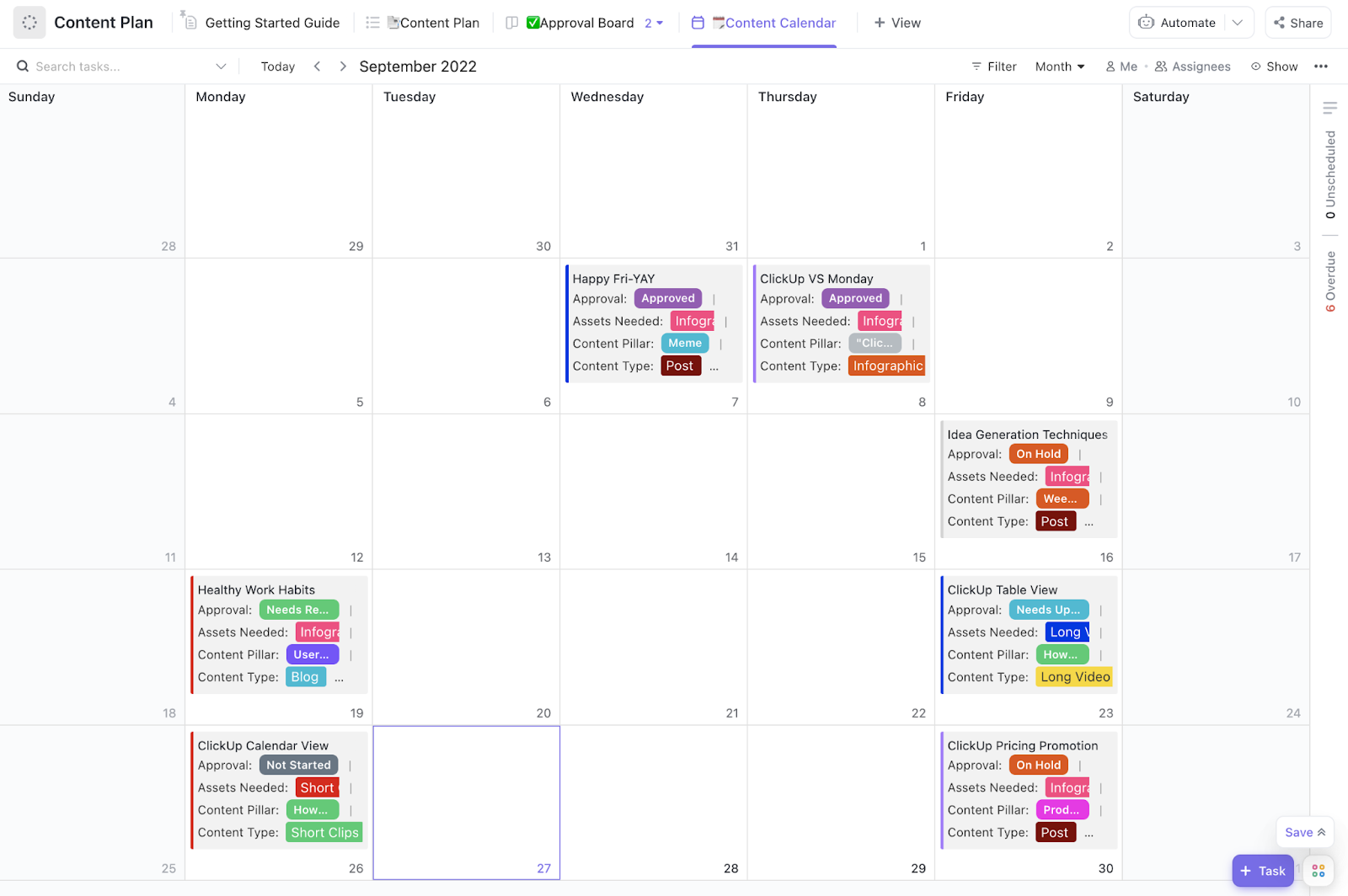
To save time, you can use the ClickUp Content Calendar Template. It offers more than just a list of blog titles. With custom fields for content type, funnel stage, assigned writer, and SEO priority, this template ensures every piece of content has the context it needs, not just a due date.
You can link each task directly to its brief via ClickUp Docs and easily toggle between Calendar and List Views based on your preferred way of working. Add subtasks for things like meta descriptions, visual assets, or final approvals to ensure everything you need to run your content plan is in one place.
Your content is only as strong as its consistency. Without clear guidelines, even great writers can produce content that feels off-brand, overly formal, or completely misaligned with your audience.
Set guidelines to keep the voice, formatting, and structure of everything you publish aligned, regardless of who in the marketing or content team publishes it.
🔍 Did You Know? You may have heard of the 8-second human attention span, but modern neuroscientists and researchers think of that stat as mostly misleading. Today, the average time that a person can focus on one thing is estimated at about 45 seconds.
That’s still precious little time to get someone to read your killer headline, scan through your content, and (hopefully) decide to purchase/sign up for your offerings.
If you’re not tracking what happens after something goes live, you’re missing out on room for improvement.
Start by aligning each content type with its most relevant content marketing KPIs:
Tools like Google Analytics 4 help track traffic and user behavior, while Search Console monitors search performance. And if you want to know how people interact with your pages, add Hotjar or Microsoft Clarity to see heatmaps and recordings of real user behavior.
One of the biggest challenges with managing website content isn’t the writing; it’s everything around it.
Scattered briefs in emails, unclear deadlines, lost feedback, and team members working in silos. Add multiple content types, shifting priorities, and the need to tie it all back to results, and even the best strategies start to fall apart.
At times when an entire content marketing initiative starts to fall apart, ClickUp comes to the rescue.
ClickUp is the everything app for work, built to help teams manage the full lifecycle of a website content plan, from strategy to content creation and shipping. One of its most powerful features is ClickUp Docs.

This is how you can use it:
📚 Read More: Free Content Calendar Templates for Social Media
Now that the content briefs are ready in ClickUp Docs, the next step is to keep production on track. With multiple stakeholders involved (writers, editors, social media marketers, content strategists, designers, SEO teams), it’s easy for anyone to get lost in all of it.
Enter ClickUp Kanban Boards. A simple way to manage complex workflows without constant follow-ups.
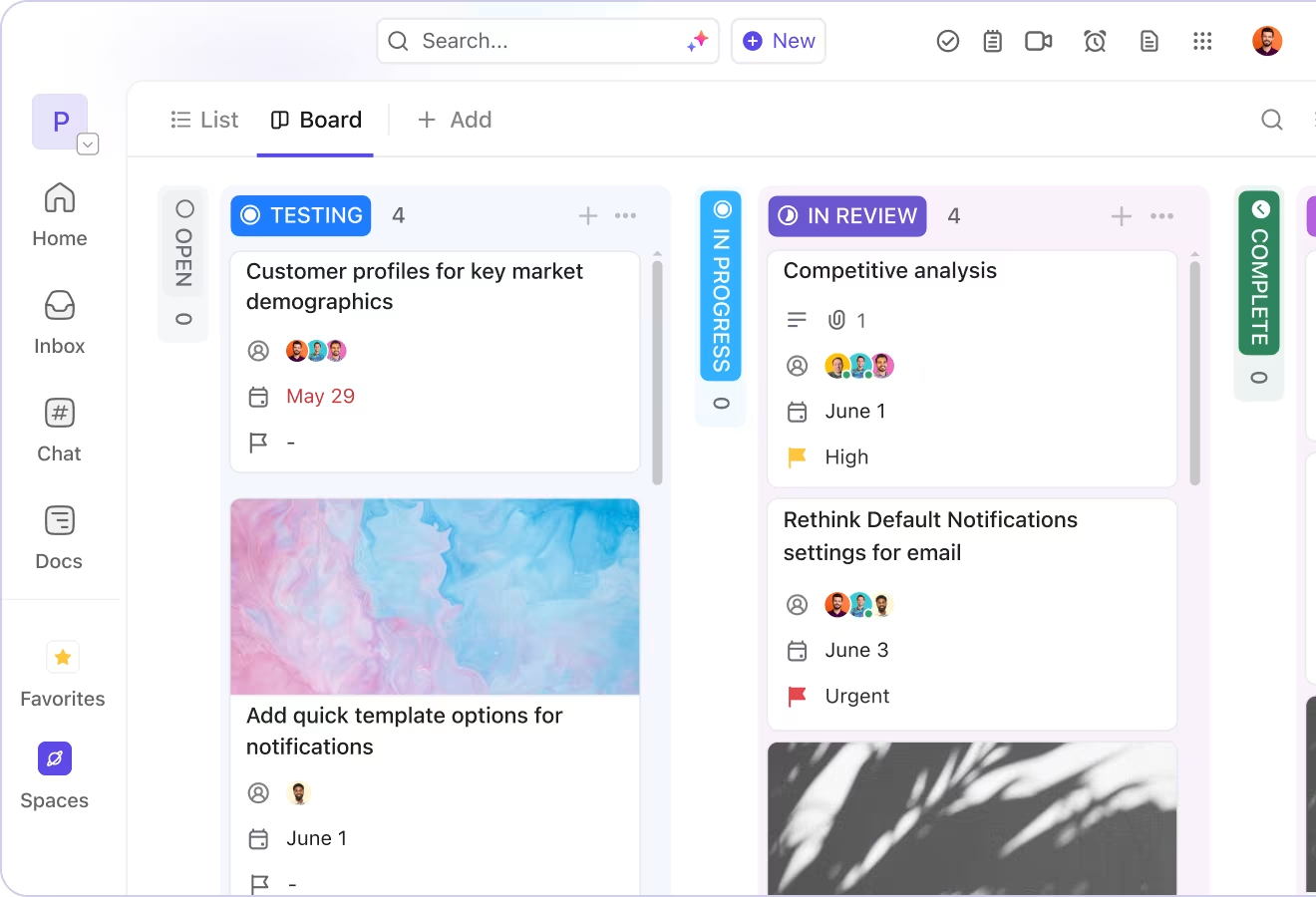
It gives you a clear visual of every content item’s status, from ‘To Do’ to ‘In Review’ to ‘Published.’ You can drag tasks across stages, assign owners, set due dates, and even attach the Doc directly to the card. It’s a simple way to manage complex workflows without constant follow-ups.
💡 Pro Tip: Implement a content gap analysis before finalizing your content calendar. Identify the top 5 keywords your competitors rank for that you don’t, then create superior, more detailed content addressing those topics.
And right when you thought it couldn’t get better, ClickUp brings the ultimate work AI assistant: ClickUp Brain 🧠.
Say your developer is using a website builder to code the ‘About us’ page and sees that the meta description is missing. Instead of going to the SEO team, they can use ClickUp Brain as the AI content generator to come up with a 160-character description.
Or you’re working on a bottom-of-funnel landing page and need actionable CTAs. Try: ‘Suggest 5 high-converting call-to-action phrases for a pricing page targeting enterprise buyers.’
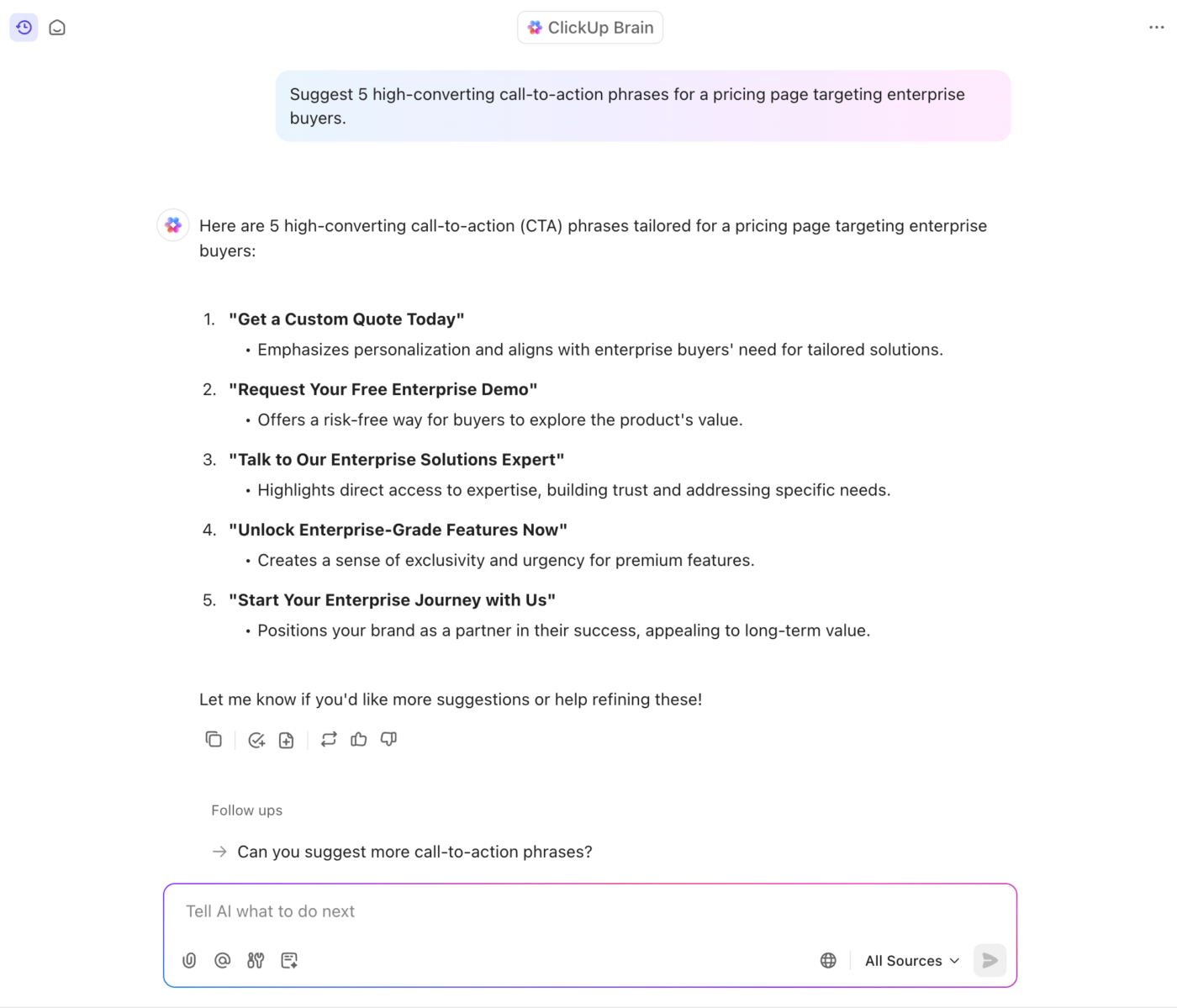
Even better, you can use Brain to repurpose a blog intro into a social media caption, rewrite dense product copy into a more engaging copy, or tweak the tone of your website copy for different audience personas—everything within ClickUp (can you imagine!?).
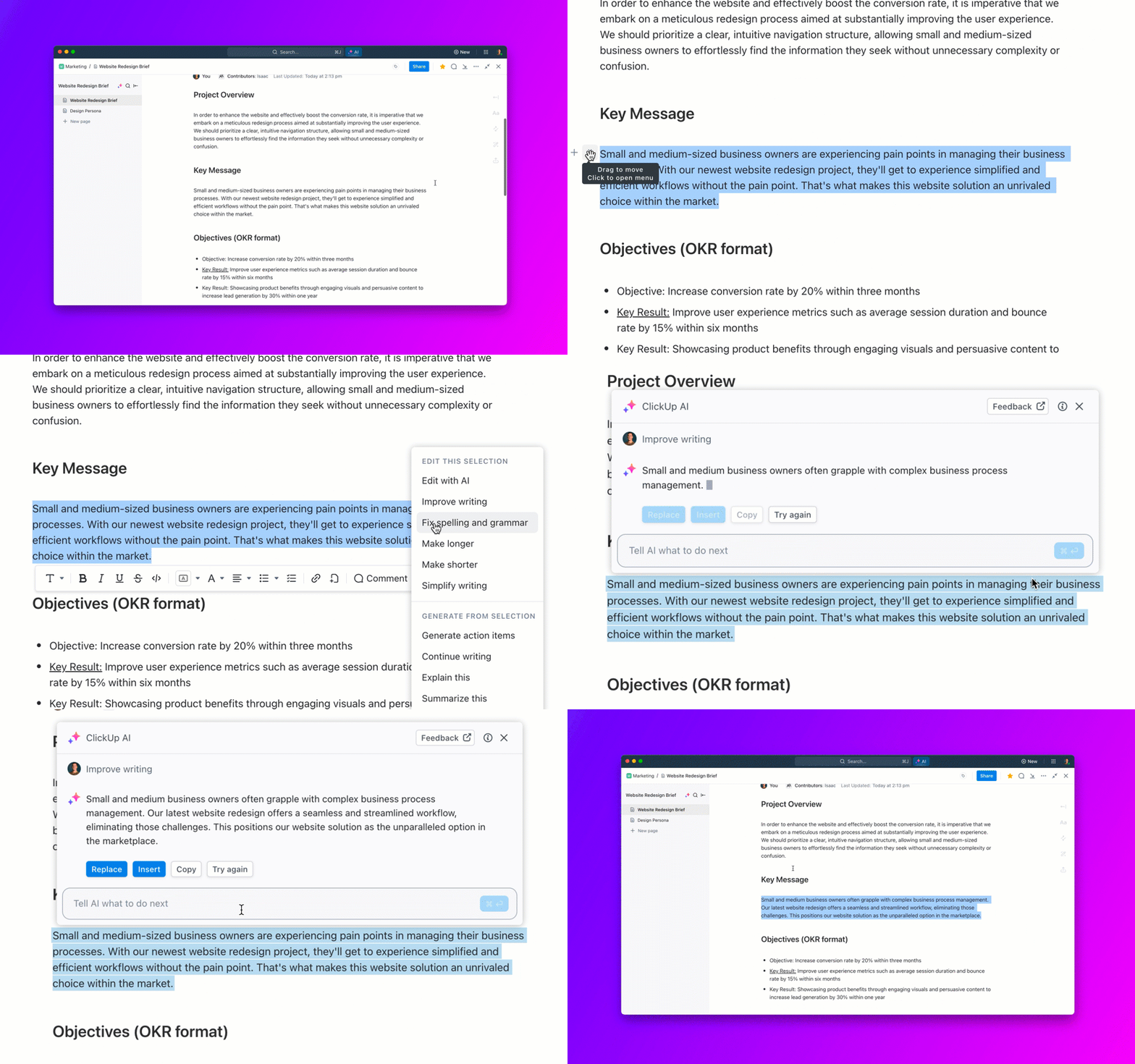
For content leads overseeing the website content plan, this kind of in-the-flow support is a huge time saver. It helps hit deadlines, reduce back-and-forth edits, and maintain quality across every touchpoint on your site.
📮 ClickUp Insight: 88% of our survey respondents use AI tools for personal tasks every day, and 55% use them several times a day.
What about AI at work? With a centralized AI powering all aspects of your project management, knowledge management, and collaboration, you can save up to 3+ hours each week, which you’d otherwise spend searching for information, just like 60.2% of ClickUp users!
Of course, publishing content is only half the job. The real question is: Is your content strategy working?
To make sure it is, use ClickUp Goals.
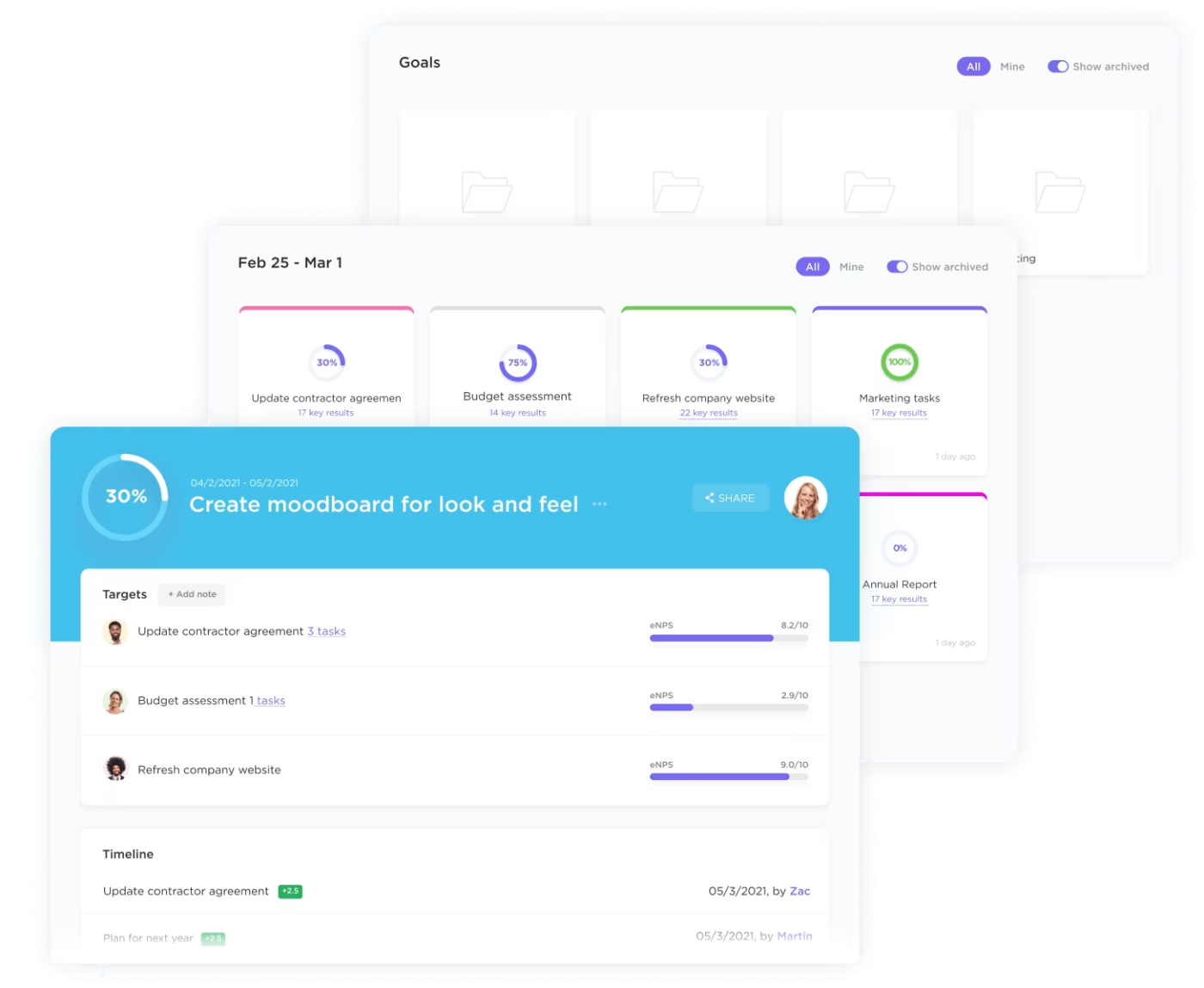
There are many moving parts in a website content plan—SEO, lead generation, engagement, and conversions. ClickUp Goals helps you define clear outcomes and tie them to your content strategy and its success (or failure).
For example:
Try it yourself:
From ideation to writing, from workflows to performance tracking, ClickUp doesn’t leave you stitching systems together on your own. That’s because it has thought of everything.
To tie it all together, the ClickUp Marketing Team Solution is built to bridge gaps across departments. Writers, designers, SEO leads, and marketing managers can all work from one unified space, with total visibility into who’s doing what, when, and why.
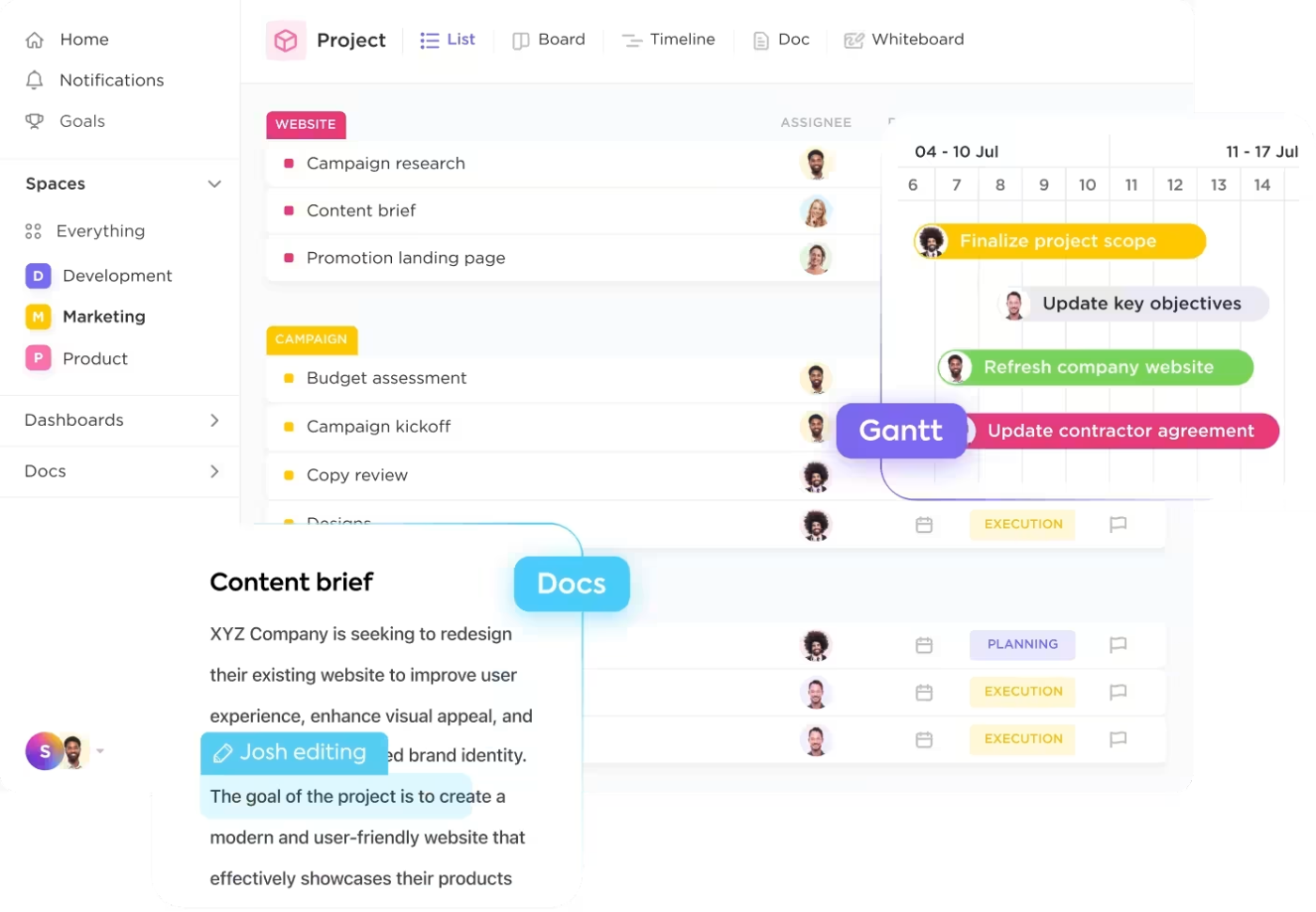
It comes packed with features that make execution feel effortless 👇
And with a list of 1,000+ ClickUp Templates, you’re never starting from scratch again. One of its highlights is the ClickUp Content Plan Template.
Here’s what you get using this free template:
✅ Pre-built statuses for every content stage: From ‘Briefing’ to ‘Editing’ to ‘Scheduled,’ it comes with a full workflow already mapped out. Just plug in your content and get moving
📊 Custom Fields that track format, funnel stage, and SEO priority: You can instantly filter by asset type (e.g., blog, landing page), see where it fits in the funnel (TOFU, MOFU, BOFU), and prioritize based on search opportunity
📅 Drag-and-drop calendar views for real-time visibility: Switch from List to Calendar instantly. See what’s publishing when, who’s responsible, and how it aligns with your campaigns
Most website content plans start with a lot of enthusiasm and checklists … and end with a folder full of half-finished docs, deadline gaps, and zero visibility of who’s doing what.
That’s exactly why ClickUp exists. It’s a single source of truth for your website content plan. Your content strategy is not scattered across different tools. Relevant keywords not buried in spreadsheets. Content assets are not spread across different folders.
Need to outline a case study? Open Docs. Want to see what’s going live next week? Check your Calendar. Wondering why that blog hasn’t moved past ‘Review’? Boards will show you in a second. You can even track real goals without opening another tab.
And the best part? You don’t have to build it from scratch. You get access to pre-built templates with a ready-made workflow, so you can get straight to doing.
Sign up for ClickUp to take your content plan from ‘we should really get organized’ to ‘wow, we’re actually ahead of schedule.’

Sudarshan Somanathan
Max 29min read
Sudarshan Somanathan
Max 17min read

Manasi Nair
Max 21min read

© 2026 ClickUp