Sorry, there were no results found for “”
Sorry, there were no results found for “”
Sorry, there were no results found for “”
The cracks in your company’s operations structure usually don’t show until you’re already 35 people deep and every cross-team decision requires a calendar invite.
Microsoft’s Work Trend Index reported that 48% of employees find their work chaotic and fragmented—and that problem only compounds as headcount grows without a clear structure.
This guide breaks down what an operations structure looks like for 20 to 50-employee teams. It covers which organizational models work best for different business types and how to set manager-to-employee ratios that don’t burn people out. It also explains how to keep the whole system from going stale as your headcount climbs.
An operations structure is the system that determines who owns what, who reports to whom, and how work moves between people and teams. It’s the living set of rules for how your company makes decisions, shares information, and holds people accountable.
It’s not the same thing as an org chart.
An org chart is a snapshot—a visual of your company hierarchy at a moment in time. An operations structure is the living system behind it: how decisions get made, how information flows, and how accountability is enforced. It decides what actually happens when two departments disagree, when a task needs a handoff, or when someone new joins the team.
At 20 to 50 employees, this structure usually doesn’t exist in any documented form. It lives in the founder’s head or gets passed along as tacit knowledge during onboarding.
That gap is the root cause of most scaling pain at this company size. 👀
📚 Also Read: What Is the Right Team Structure for Your Company?
At roughly 20 people, the founder can no longer be involved in every decision. At 30, “just ask Sarah” stops working as your knowledge management system. By the time you’re approaching 50, you need a middle management layer, and cross-functional handoffs become daily events.
Here’s what typically breaks:
A good operations structure at this stage should feel like removing friction, not adding red tape.
📊 At 20–50 employees, your structure doesn’t break on paper. It breaks in execution.
You’ve defined roles. You’ve discussed ownership.
Maybe you even have an org chart. But day to day?
That’s the gap between structure and reality. The ClickUp Small Business Suite closes that gap by turning your operations structure into a working system:
So instead of your structure living in your head or in a static org chart, it’s reflected in how work actually moves every day.
There’s no single “correct” organizational structure at this stage. Your choice depends on how your work flows and what you’re optimizing for. Before we go into the details of each, here’s a quick overview:
| Structure type | Best for | Decision speed | Main risk |
|---|---|---|---|
| Functional | Specialized teams | Medium | Silos |
| Flat | Small, senior teams | High | Decision ambiguity |
| Matrix | Cross-functional work | Medium | Role confusion |
| Hybrid/Divisional | Multi-product setups | Medium-High | Coordination overhead |
A functional organizational structure groups teams by specialty, such as engineering, marketing, sales, operations, and finance. Each department has a lead who reports to the founder or CEO. This is the most common default at this size because it mirrors how companies naturally cluster as they hire specialists.
When it works best:
The main limitation is functional silos. When a customer issue requires marketing, product, and support to coordinate, nobody “owns” the cross-functional workflow.
A flat structure means minimal management layers, broad spans of control (how many people report to one manager), and high individual autonomy. Many startups begin flat by default—not by design.
When it works best:
Flat structures strain past roughly 30 people. Without clear ownership, decisions stall because everyone has input and no one has final say—consensus paralysis.
In a matrix structure, employees report to both a functional manager and a project or product manager. A full matrix is rare at 20 to 50 employees, but a lightweight version is more common than you’d think. Any time someone on the marketing team is “embedded” in a product squad, that’s matrix-adjacent.
When it works best:
The risk is confusion. Without clear role definitions, dual reporting creates friction over priorities and ownership.
👉🏽 Our Small Business AI Playbook breaks down exactly how to use AI to reduce complexity across your org structure.
A divisional structure organizes teams around a product line, customer segment, or geography instead of function.
Pure divisional structures are uncommon at 20 to 50 employees because you can’t duplicate functions across divisions. Hybrids are increasingly popular, though—like a shared operations team supporting two product-focused squads.
When it works best:
The main risk is resource duplication. You can’t afford multiple full-stack teams at this size, so hybrids introduce coordination complexity.
📚 Also Read: How to Do Effective Organizational Planning
Building an operations structure isn’t a one-time project. It’s an ongoing discipline. The order matters: define structure first, then align hiring, decision-making, and workflows around it. ✨
The most common mistake at this stage is hiring for a role before deciding where it sits in the structure. Mapping reporting lines first forces you to answer hard questions—does this new hire report to the VP of Product or the Head of Engineering?
Try this: draw the org chart you need at 50 employees, then work backward to today. Identify the gaps. That becomes both your hiring plan and your structure.
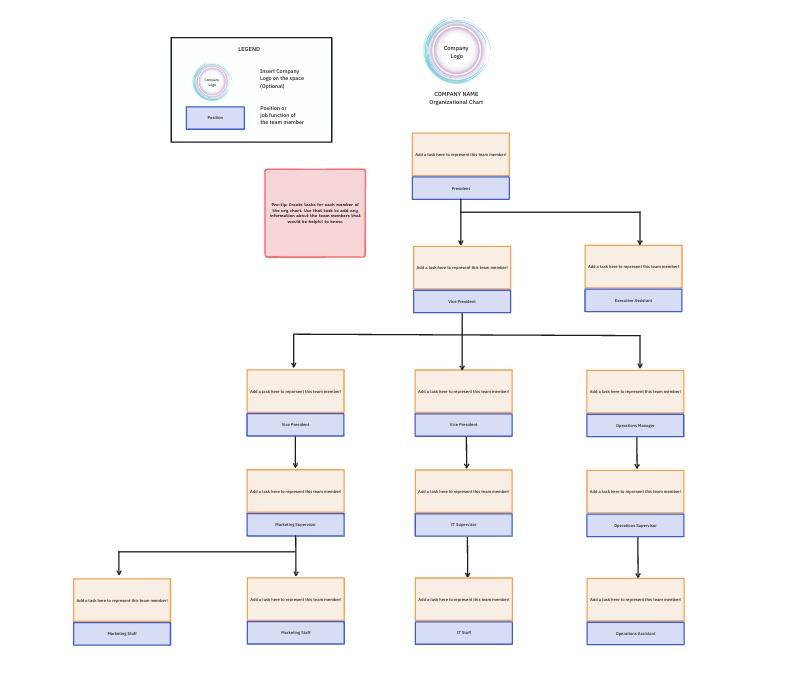
Build your org chart in minutes with the Organization Chart Template by ClickUp. This whiteboard template is editable and shareable!
The general range that works for most teams at this size is five to eight direct reports per manager. Fewer than that and you’re probably top-heavy. More than that, managers can’t give meaningful feedback or remove blockers fast enough.
What influences the right ratio:
If you’re nearing 50 employees and managers only have 2–3 reports, you’re likely too top-heavy.
Work crosses team boundaries constantly. A new feature needs design, engineering, and marketing to be aligned. A client escalation touches sales, support, and product. Without a documented framework, these moments default to whoever talks loudest.
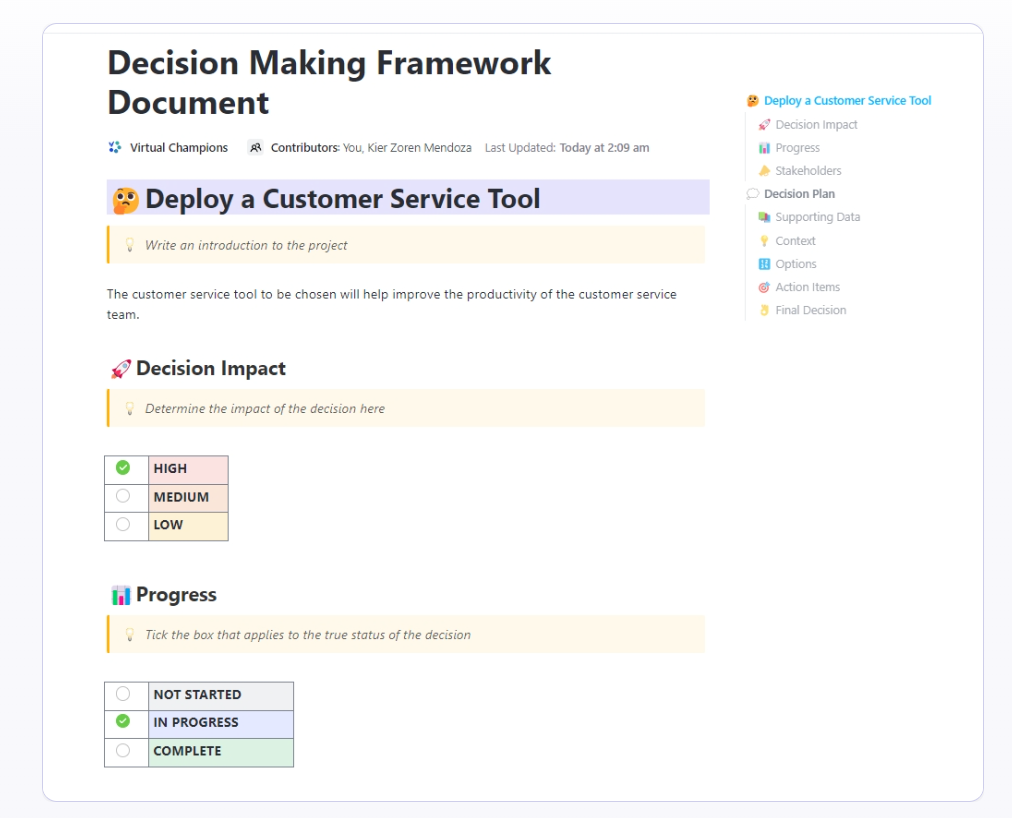
ClickUp’s Decision Making Framework Document Template is designed to help you swiftly and accurately weigh the pros and cons of any decision, then document and store it.
Every recurring workflow should define:
When everyone knows who makes the call, meetings get shorter and async threads get quieter.
📮ClickUp Insight: 1 in 3 employees (33%) say decision ownership within their project is vague or always shifting.
When responsibility is a moving target, progress can easily be lost in the confusion. 🌀
ClickUp changes that. With Assignees in Tasks and Dashboards, ownership becomes unmistakably clear. You always know who’s accountable, what’s holding things up, and what’s coming next.
A setup that works for 25 employees will show cracks at 40. Review your ops structure quarterly during rapid growth and at a minimum twice a year during stable periods.
Each review should ask:
Companies that scale smoothly treat structure as a living system, not a one-time decision.
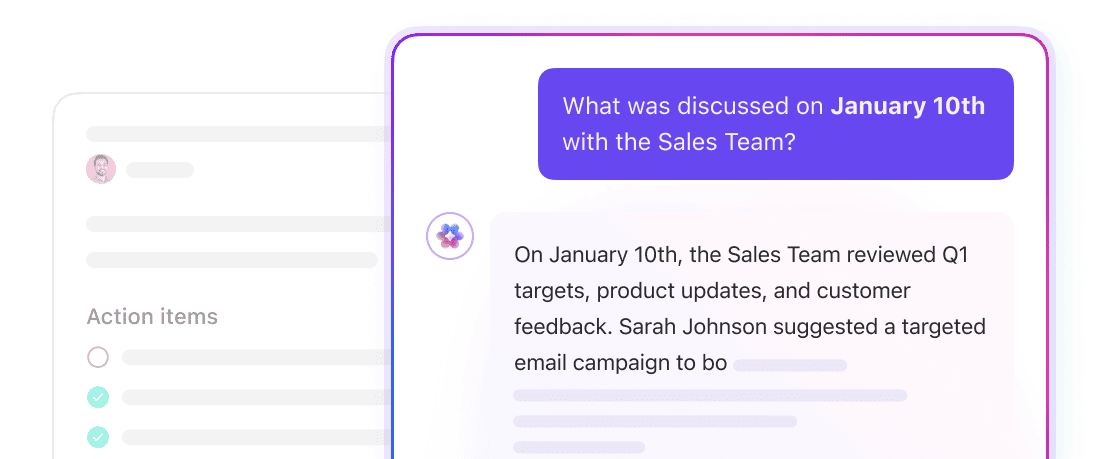
💡 Pro Tip: Use a Super Agent to catch structural cracks before they slow you down.
Super Agents in ClickUp can continuously scan your workflows to flag bottlenecks, unclear ownership, and overloaded managers. Instead of waiting for quarterly reviews, you get real-time signals on where your structure needs to evolve—so you can fix issues while they’re still small.
Here’s an Agent in action:
Everything we covered above is strategy. But strategy falls apart fast when execution is scattered across tools.
When your team’s context is scattered across email, spreadsheets, chat apps, and point solutions, the structure you designed on paper falls apart in daily work. That fragmentation of work means nobody can find who owns what, what’s in progress, or what’s blocked.
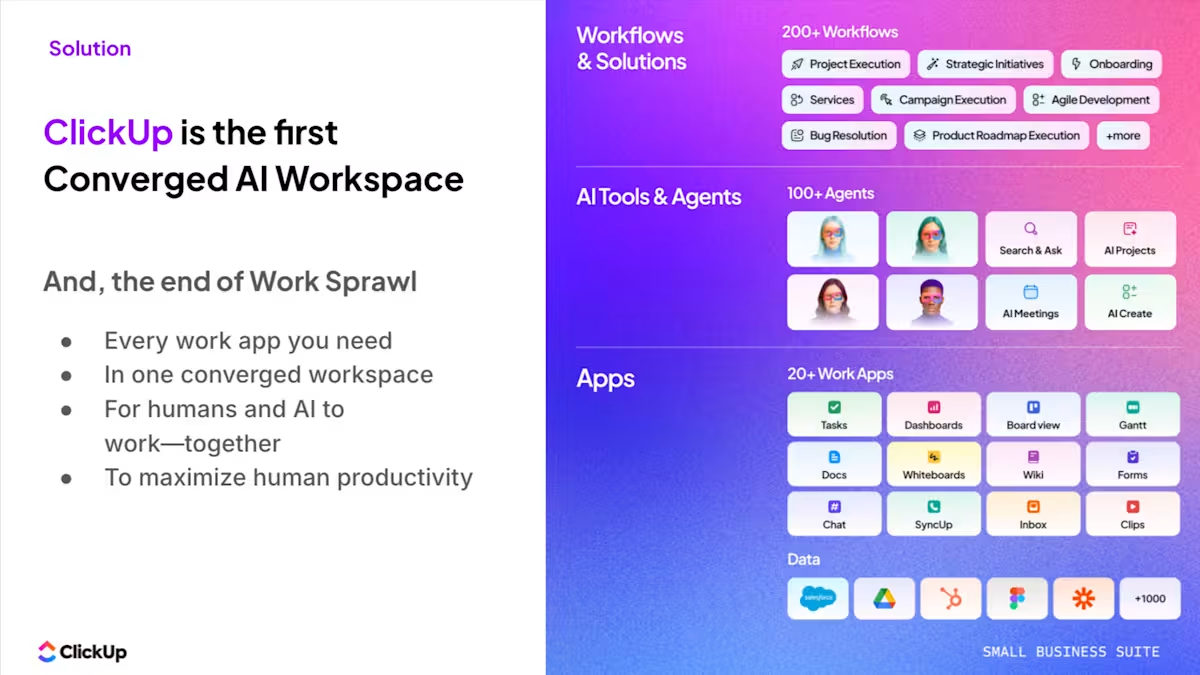
ClickUp’s Small Business Suite is a converged AI workspace that brings project management, docs, and communication into one platform—so your operations structure actually works in practice. For companies building an operations structure of 20 to 50 employees, ClickUp eliminates the context sprawl that makes clarity impossible.
Every team member should be able to answer “who owns this?” without having to ask.
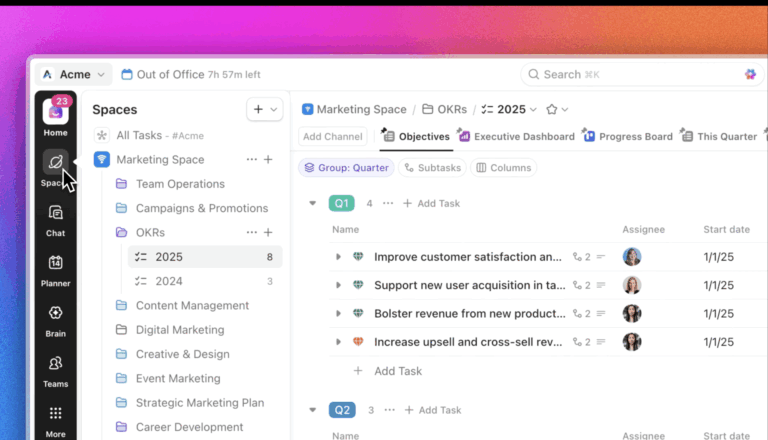
ClickUp’s converged hierarchy lets you map your teams, reporting lines, and team structures visually, right where work actually happens.
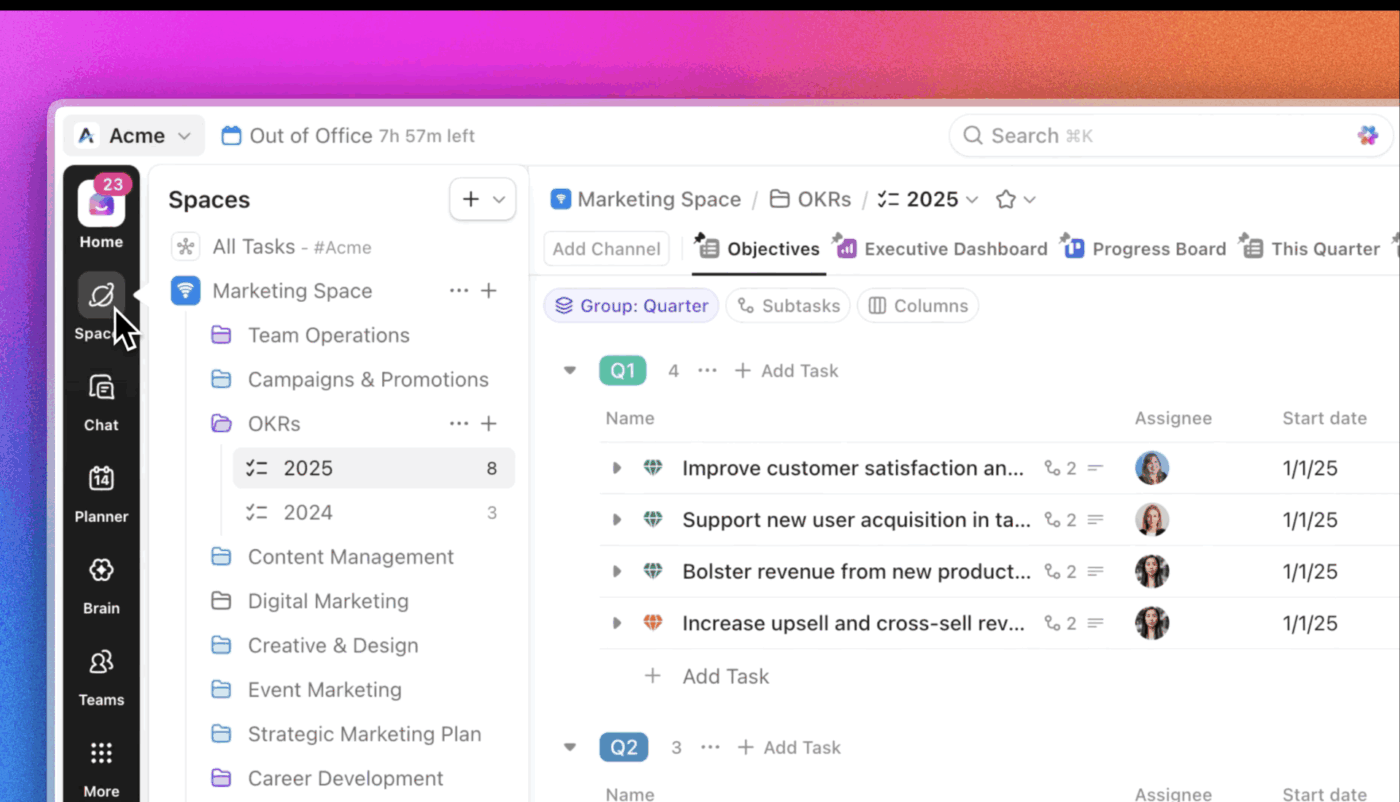
Set up a scalable structure using Spaces and Folders. Spaces let you organize workflows or work types by department, team, or initiative, each with its own settings, statuses, and privacy controls.
This structure grows from a handful of tasks to enterprise-level portfolios without requiring a different tool at each stage. Plus, with ClickUp’s converged hierarchy, you can access your chat, calendar, AI, and more directly from the sidebar. Customize it your way!
Tired of guessing what people are up to? ClickUp’s Teams Hub brings together analytics, priorities, and resource planning into a single interface, giving managers and team leads visibility into how work is distributed across the organization.
The hub shows real-time activity across the team, including what team members are working on, how effort is spread across projects, and where potential bottlenecks or overload may occur. Workload views make it easier to assess capacity and rebalance assignments, while priority management ensures that the most important work stays visible and aligned.
Overall, Teams Hub acts as a single source of truth for team performance and capacity, enabling more informed planning, better resource allocation, and consistent visibility into how work is moving across the team.
You may not yet have a dedicated IT department, and with the Small Business Suite, you don’t need one. It brings enterprise-grade, white-glove support directly to your lean team so you never get stuck in a standard, 48-hour help desk queue.
From live 1:1 expert training to priority, fast-lane troubleshooting, ClickUp Assist Team acts as your personal operations pit crew. This service handles technical heavy lifting, system setup, and workflow optimization, ensuring your AI and apps run flawlessly so you can focus entirely on growing your business.
The hardest part of an operations structure isn’t drawing the lines—it’s making sure work actually flows across them without manual chasing. At 25 to 50 employees, you’ve got enough teams that a missed handoff between design and engineering, or between sales and onboarding, costs you days. And those days compound.
Eliminate repetitive handoff work with AI-powered ClickUp Automations. Each Automation has three components:
For example, when a task moves from Design Complete to Ready for Dev, the assignee, priority, and due date are automatically updated by a preset automation. When a client signs a contract in your sales pipeline, an onboarding task can spin up in the customer success Space with the right owner already attached.
No one has to remember to notify the next team. No one has to copy and paste details into a new task.
💡 Pro Tip: You can build these automations without writing a line of code using ClickUp’s visual builder or the AI Automation Builder, which lets you describe what you want in plain language.
Surface what’s blocked across teams and summarize project status in minutes with ClickUp Brain—the native, conversational, contextual AI available everywhere in ClickUp.
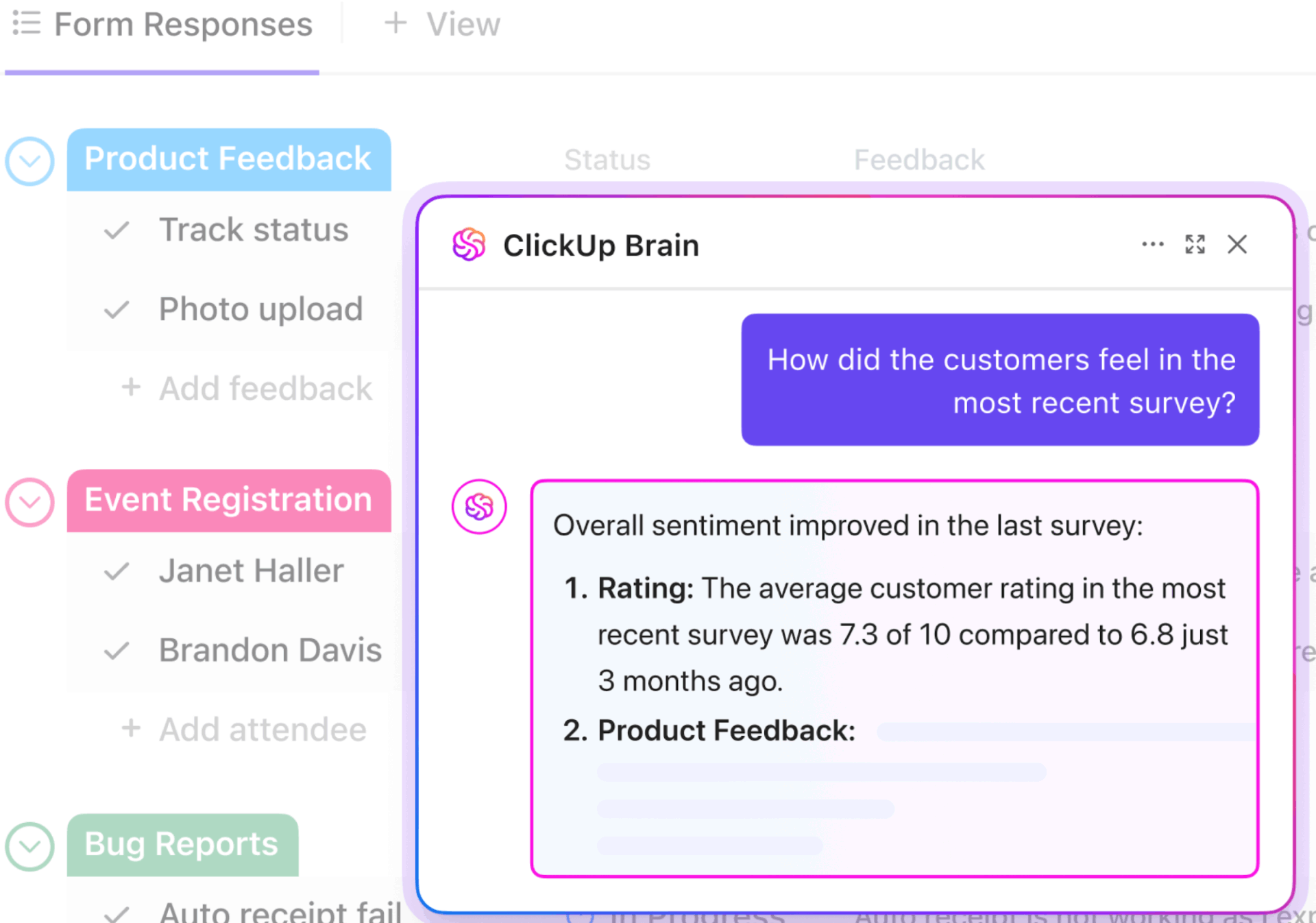
Brain has full context on your tasks, docs, and conversations across the entire workspace. It connects your organization’s people, work, and knowledge, and can draft real-time project summaries without opening a single task. It’s not a third-party add-on; it’s native to how ClickUp works.
💡 Pro Tip: Get context-aware AI that works across your entire workspace, connected tools, and even the internet, with ClickUp Brain MAX. This AI desktop agent has access to your tasks, docs, and conversations. No separate add-on AI tool needed. ✨
Oh, and it also gives you access to premium AI models like ChatGPT, Gemini, Claude, etc., in the same place!
Decision records and cross-functional communication stay in one place with ClickUp Docs and ClickUp Chat. ClickUp Docs integrates directly with tasks, so the decision-making framework you defined (who decides, who’s consulted, who’s informed) lives next to the work it governs.
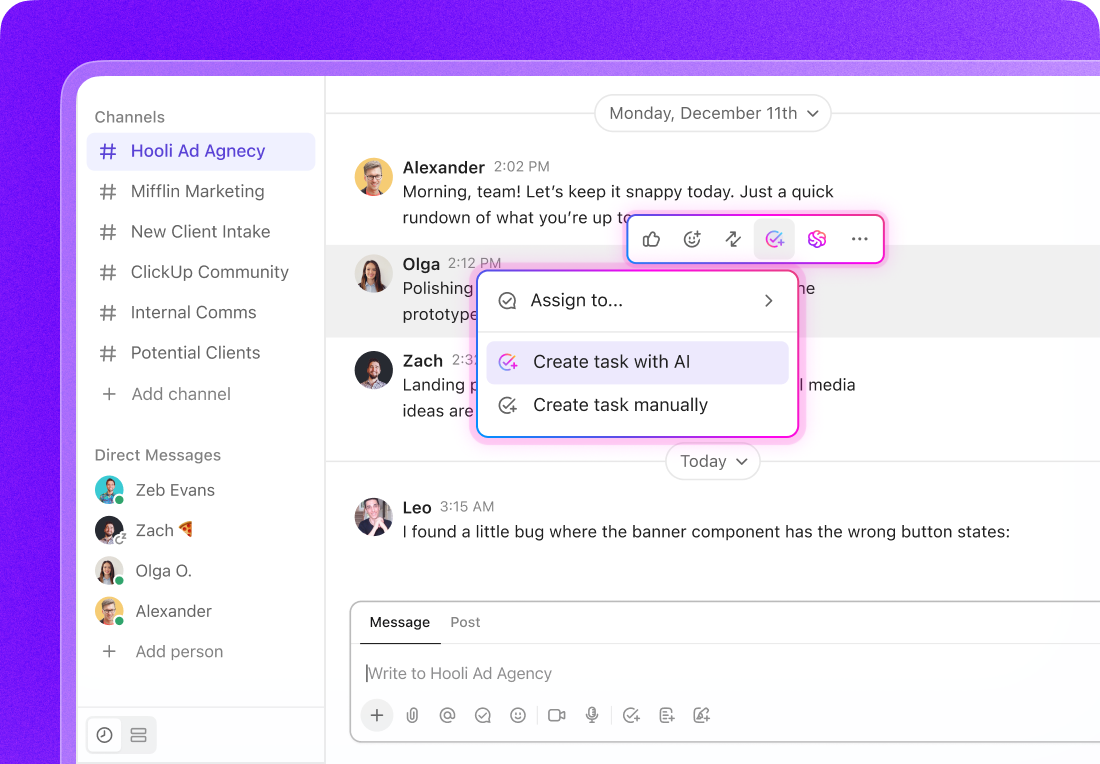
ClickUp Chat lets your team communicate through Channels or direct messages, create action items from messages, and use AI to summarize threads—all without switching tools.
When a cross-functional discussion is needed, ClickUp Chat keeps it threaded and searchable right next to the relevant work, so context doesn’t scatter across email, Slack, and meeting notes.
An operations structure for a 20 to 50-employee company isn’t about picking the “right” org chart template. It’s about creating clarity—clear roles, clear decision rights, clear handoffs—so you can grow without the founder becoming the bottleneck for everything.
Map the structure you need for 50 employees and work backward. Set honest manager-to-employee ratios. Document who makes cross-functional calls.
Review it regularly, because a structure that doesn’t evolve with the team becomes the biggest drag on performance. The companies that navigate this growth stage well treat operational structure as a living system.
ClickUp makes your operating cadence actionable because the data—workload, bottlenecks, ownership gaps, decision logs—is all in one place. You’re not assembling a quarterly review from six different tools and praying the data matches. You’re reading what’s already been captured as your teams work. 🙌
An org chart is a visual snapshot of names and reporting lines. An operations structure includes the ongoing rules for how decisions get made, how work moves between teams, and how accountability is distributed.
Most companies need their first middle management layer when team leads have more than eight direct reports. This typically happens when the founder can no longer participate in daily departmental decisions, around 20 to 25 employees.
Yes, many companies at this size run a hybrid approach. For example, a functional structure for shared teams like finance and HR can be combined with project-based squads for product delivery.

Sudarshan Somanathan
Max 22min read
Sudarshan Somanathan
Max 23min read
Sudarshan Somanathan
Max 29min read

© 2026 ClickUp