Sorry, there were no results found for “”
Sorry, there were no results found for “”
Sorry, there were no results found for “”
Enterprise operating model templates document how decisions, processes, roles, metrics, and governance work across large organizations. Most enterprises still run on operating models nobody has written down. Ask “who approves vendor contracts?” or “who owns this decision?” and the answer often lives in someone’s head, not a system.
That’s a fragile way to operate, especially when 66% of leaders have redesigned their operating models in the past two years.
Enterprise operating model templates make that work visible.
They turn the invisible “how we work” into something documented and usable. As a result, new hires stop decoding tribal knowledge. Strategic pivots don’t evaporate between leadership and the teams doing the work.
This guide covers 10 free ClickUp enterprise operating model templates, when to use each one, and how they help teams document governance, processes, goals, routines, and execution.
Did You Know? 63% of companies have met most of their operating model transformation objectives—but only 24% are highly successful. The gap often comes from documentation that is disconnected from daily work, ownership, and decision-making.
| Template name | Download link | Ideal for | Best features | Visual format |
| Book of Work Template by ClickUp | Get free template | PMOs, strategy, and operations leaders managing multiple initiatives | Portfolio visibility across teams; resource allocation tracking; strategic alignment mapping; dependency tracking | Dashboard-style portfolio view with real-time widgets |
| Operational Plan Template by ClickUp | Get free template | Managers and team leads executing quarterly and monthly plans | Strategy-to-execution mapping; ownership assignment; KPI tracking; automatic progress updates via tasks | Structured plan view connected to tasks and timelines |
| Company OKRs and Goals Template by ClickUp | Get free template | Leadership and department heads aligning goals across teams | Hierarchical goal alignment; measurable key results; progress check-ins; cross-team visibility | Goal hierarchy mapped across workspace levels |
| Vision to Values Template by ClickUp | Get free template | Founders and leadership teams defining strategic direction | Mission and vision documentation; core values mapping; strategic principles; centralized reference via Docs | Document-based framework with linked references |
| Implementation Plan for Simple, Complex, and Enterprise Teams Template by ClickUp | Get free template | Teams rolling out projects across varying complexity levels | Tiered implementation frameworks; stakeholder mapping; phased rollout planning; risk mitigation tracking | Multi-view workspace (Gantt, Board, List) |
| Company Processes Document Template by ClickUp | Get free template | Operations teams documenting and maintaining workflows | Process inventory; ownership assignment; version control; cross-process mapping | Nested Docs with structured process pages |
| Standard Operation Procedures Template by ClickUp | Get free template | Teams managing repeatable workflows like onboarding or support | Step-by-step SOPs; role-based execution; prerequisites tracking; exception handling | Task templates with checklists and automation triggers |
| Daily Method of Operation Template by ClickUp | Get free template | Sales, customer success, and ops teams with structured routines | Time-blocked workflows; priority sequencing; daily metrics tracking; recurring task automation | Daily task planner with time tracking and dashboards |
| Process Map Whiteboard Template by ClickUp | Get free template | Teams analyzing and improving cross-functional workflows | Visual process mapping; handoff identification; bottleneck detection; collaborative whiteboarding | Interactive whiteboard with connected workflows |
| Governance Plan Template by ClickUp | Get free template | Leadership teams and PMOs defining decision-making structures | Decision ownership mapping; approval workflows; escalation paths; governance checkpoints | Structured governance framework with workflow automation |
An enterprise operating model template documents how a large organization makes decisions, assigns ownership, manages processes, tracks performance, and connects strategy to execution.
The best enterprise operating model templates cover five core areas: governance, processes, people, technology, and metrics. In ClickUp, these templates become living workflows because teams can connect documentation to tasks, owners, dashboards, approvals, and automations.
Start with the template that matches your biggest operating gap. Use a governance template if decisions are slow. Use a process template if work happens differently across teams. Use an OKR template if strategy is not translating into execution.
| If your organization needs to… | Start with this template |
|---|---|
| See all active strategic work | Book of Work Template |
| Turn strategy into monthly execution | Operational Plan Template |
| Align teams around measurable goals | Company OKRs and Goals Template |
| Clarify mission, vision, and values | Vision to Values Template |
| Roll out complex initiatives | Implementation Plan Template |
| Document repeatable workflows | Company Processes Document Template |
| Standardize execution steps | Standard Operation Procedures Template |
| Improve daily operating rhythm | Daily Method of Operation Template |
| Visualize handoffs and bottlenecks | Process Map Whiteboard Template |
| Define approvals and decision rights | Governance Plan Template |
Each template below addresses a different layer of the enterprise operating model, from high-level strategic alignment down to daily operational execution. All templates are available in ClickUp and can be customized to fit your specific organizational structure.
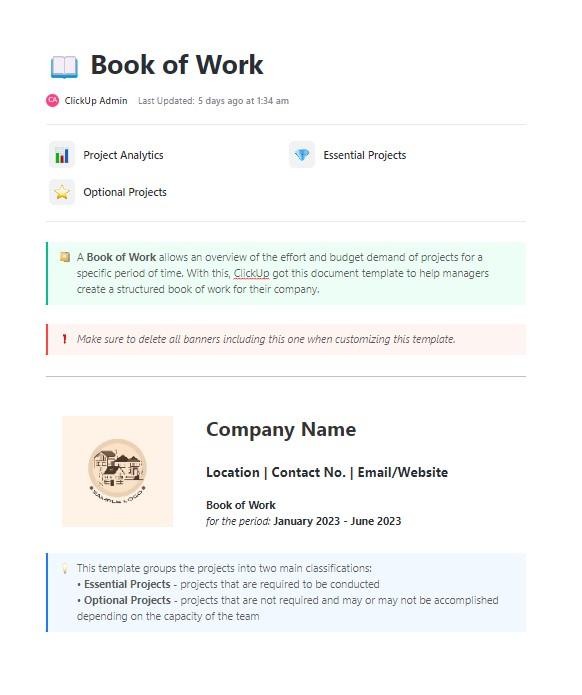
The Book of Work Template by ClickUp captures the complete portfolio of initiatives and projects across your enterprise. It answers the fundamental question: What is everyone actually working on?
When dozens of initiatives run across departments, leaders can lose visibility into ownership, dependencies, resources, and strategic alignment. Leaders end up making decisions without the full picture—a classic sign of poor strategic alignment that contributes to only 48% of initiatives meeting their business targets.
Instead of chasing updates across tools and teams, you can use ClickUp Dashboards to pull real-time data from every initiative into one place. ClickUp Brain helps you go a step further by summarizing portfolio health and flagging at-risk work based on task progress patterns.
Ideal for: PMOs, strategy teams, and operations leaders handling multiple projects who want a centralized view to track progress, align work with goals, and stay coordinated across initiatives.
Pro Tip: Treat your Book of Work as a living document, not a quarterly snapshot. Review it in every leadership sync—if an initiative can’t be found in the Book of Work, it shouldn’t be getting resourced.
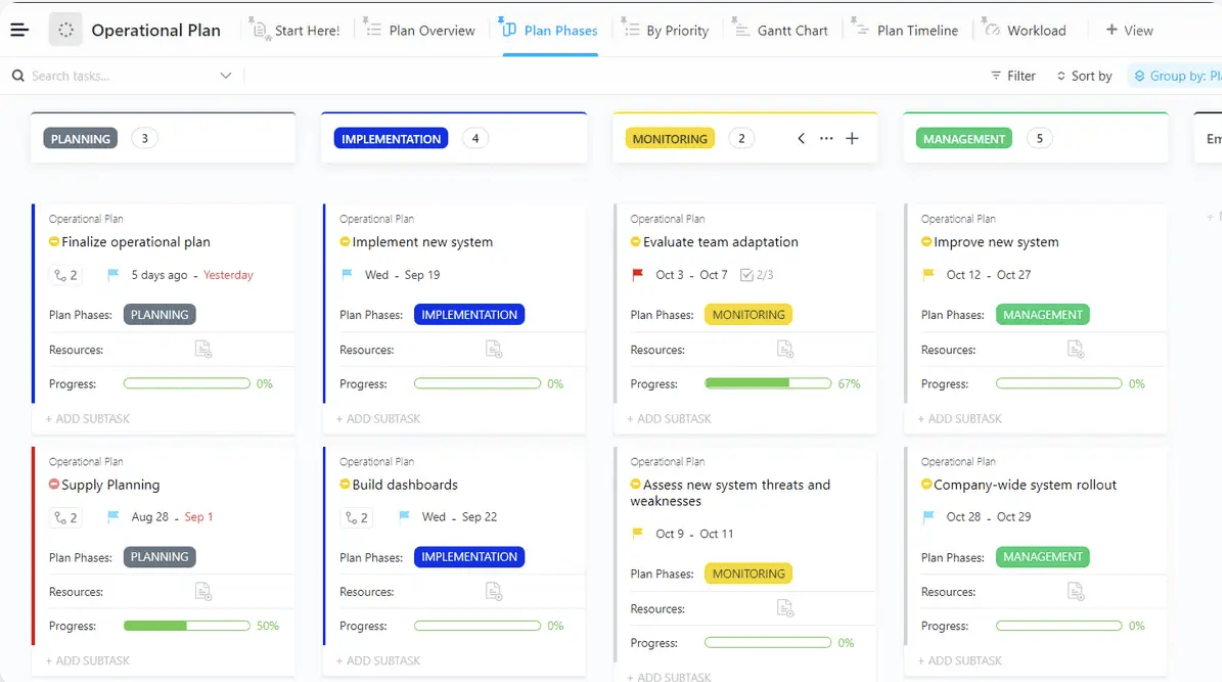
The Operational Plan Template by ClickUp translates your annual strategy into quarterly and monthly project execution plans. It connects the annual strategy to quarterly milestones, monthly priorities, and weekly execution.
Too often, strategic plans sit in slide decks while teams operate on autopilot. This creates drift where teams stay busy but not necessarily on the right things. The template lets you create a live connection between strategy and execution by linking operational plan items directly to ClickUp Tasks and Projects. When a team completes work, the operational plan updates automatically, so you can stop relying on manual status reporting.
Ideal for: Managers and team leads responsible for executing operational plans, tracking tasks, timelines, and progress across teams.
In many organizations, goals are set at the start of the year but quickly lose visibility by Q2. As a result, teams end up moving in parallel without a shared view, and priorities start to drift.
That’s where ClickUp’s Company OKRs and Goals Template helps. It brings structure to how OKRs are set and tracked, connecting company-wide objectives to the work teams, and the individuals are actually doing.
It maps your OKRs directly into ClickUp’s hierarchy of Workspace, Spaces, Folders, and Lists, so everything stays connected. Teams can link daily tasks to key results, making it easier to see how everyday work contributes to the larger company goals.
Ideal for: Leadership teams, PMOs, and department heads aligning company-wide OKRs with team-level execution, with clear visibility into progress across business units.
Fun Fact: Only about half of employees strongly agree they know what’s expected of them at work, according to Gallup’s research.
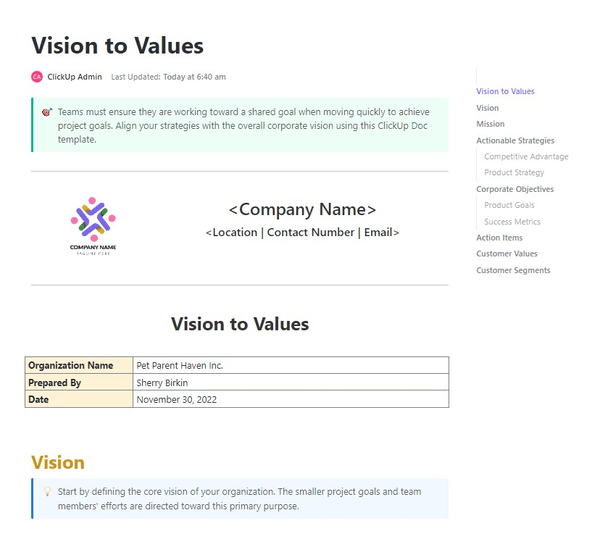
The Vision to Values Template by ClickUp documents the foundational elements that guide your enterprise’s decision-making: mission, vision, values, and strategic principles. It’s the ‘why’ behind the ‘how’ of your operating model. When these foundational elements are buried in onboarding decks, decision-making becomes inconsistent.
Store your Vision to Values template in ClickUp Docs and link it across your workspace so it’s always within reach. As new initiatives take shape, teams can refer to these documents to keep decisions and proposals aligned with your core values.
Ideal for: Founders and leadership teams defining company vision, mission, and values, seeking a shared reference point for teams to align decisions and initiatives.
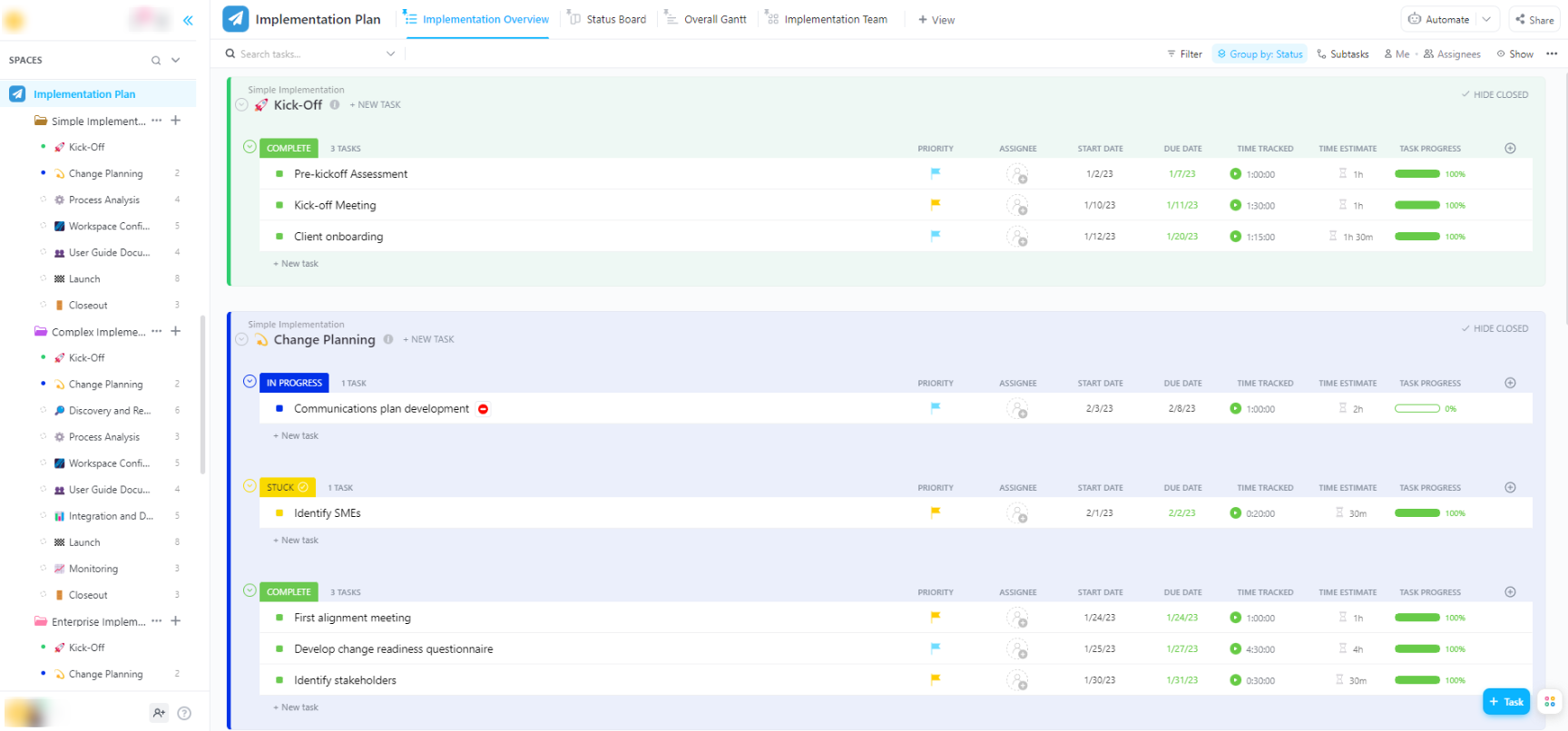
Implementation Plan for Simple, Complex, and Enterprise Teams Template provides tiered project implementation frameworks based on organizational complexity. It recognizes that a startup’s implementation approach is fundamentally different from that of a multinational enterprise.
Manage implementation complexity using ClickUp’s multiple views—ClickUp Gantt charts for timeline dependencies, ClickUp Board views for stage-gate progression, and ClickUp List views for detailed task management. Trigger stage transitions and stakeholder notifications automatically with ClickUp Automations.
Ideal for: Teams rolling out new initiatives or systems, with a clear plan to manage timelines, dependencies, and cross-team coordination at any level of complexity
Ever had to ask someone how a process works because it isn’t written down anywhere?
That’s usually when things start to break. Teams rely on memory; different versions of the same process float around, and work becomes inconsistent as the team grows.
ClickUp’s Company Processes Document Template gives you one place to document how things are actually done. It becomes a shared reference point that teams can rely on for future initiatives.
You can organize processes using ClickUp Docs and nested pages. Link them directly to the workflows that execute them, so documentation stays connected to the work itself.
Ideal for: Operations teams and process owners building a centralized system to document and maintain business processes across teams.
Pro Tip: When documenting processes, write for your newest hire, not your most experienced one. If a process doc assumes too much context, it won’t survive turnover.
Ever noticed how the same process gets done differently depending on who’s handling it?
That’s where things go out of control. Teams skip steps, interpret instructions differently, and deliver inconsistent results.
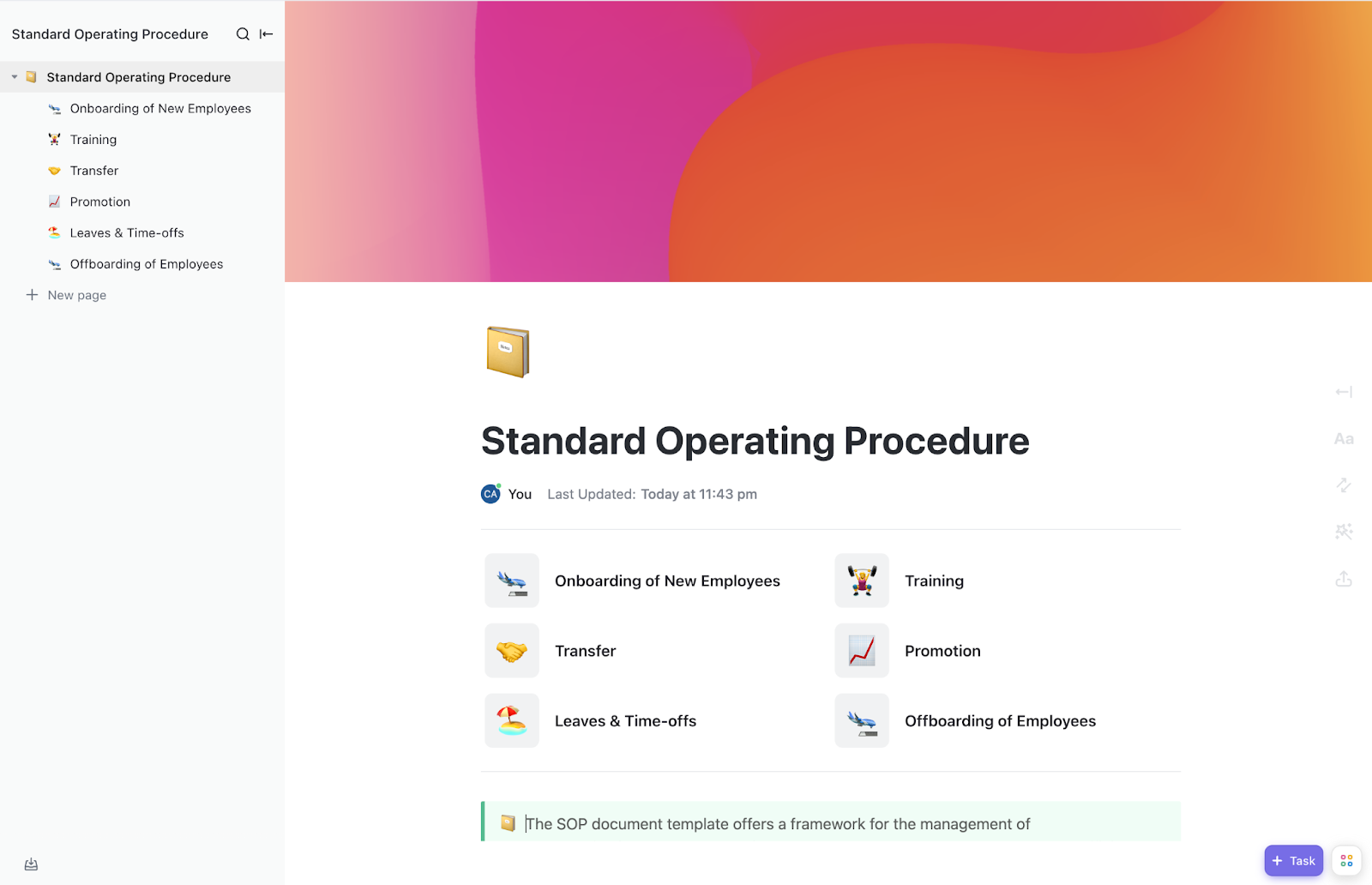
ClickUp’s Standard Operating Procedures Template gives your team a clear, repeatable way to run processes. You define each step once, and everyone follows the same path.
Turn each SOP into a ClickUp Task Template with pre-built ClickUp Checklists, ClickUp Assignees, and due dates. When someone runs a process, they create a task and follow the steps. You can also use ClickUp Automations to require checklist completion before closing a task.
Ideal for: Teams handling repeatable workflows like onboarding, support, or operations, with a clear step-by-step system that everyone must follow the same way.
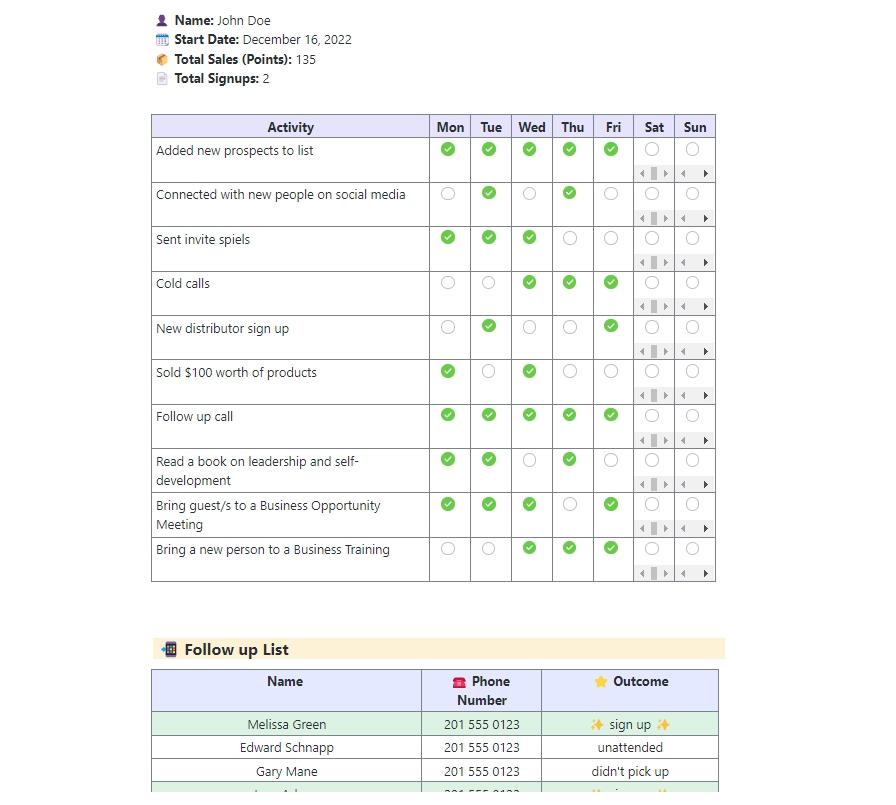
Some roles run on routines. When those routines aren’t clearly defined, performance becomes uneven and hard to measure.
ClickUp’s Daily Method of Operation Template gives teams a structured way to plan and follow through on the activities that need to happen every day. It’s especially useful for roles like sales, customer success, and operations, where consistency drives results.
You can set up recurring tasks to build each day’s plan automatically and track how time gets spent using ClickUp’s Project Time Tracking.
Use Dashboards to see how consistently teams complete their daily activities and where performance starts to drop.
Ideal for: Teams with structured daily workflows, like sales, customer success, or operations, that want a consistent system to plan, track, and follow through on daily activities.
ClickUp Insight: More than half of all employees (57%) waste time searching through internal docs or the company knowledge base to find work-related information. And when they can’t? 1 in 6 resorts to personal workarounds—digging through old emails, notes, or screenshots just to piece things together.
ClickUp Brain eliminates the search by providing instant, AI-powered answers pulled from your entire workspace and integrated third-party apps, so you get what you need—without the hassle.
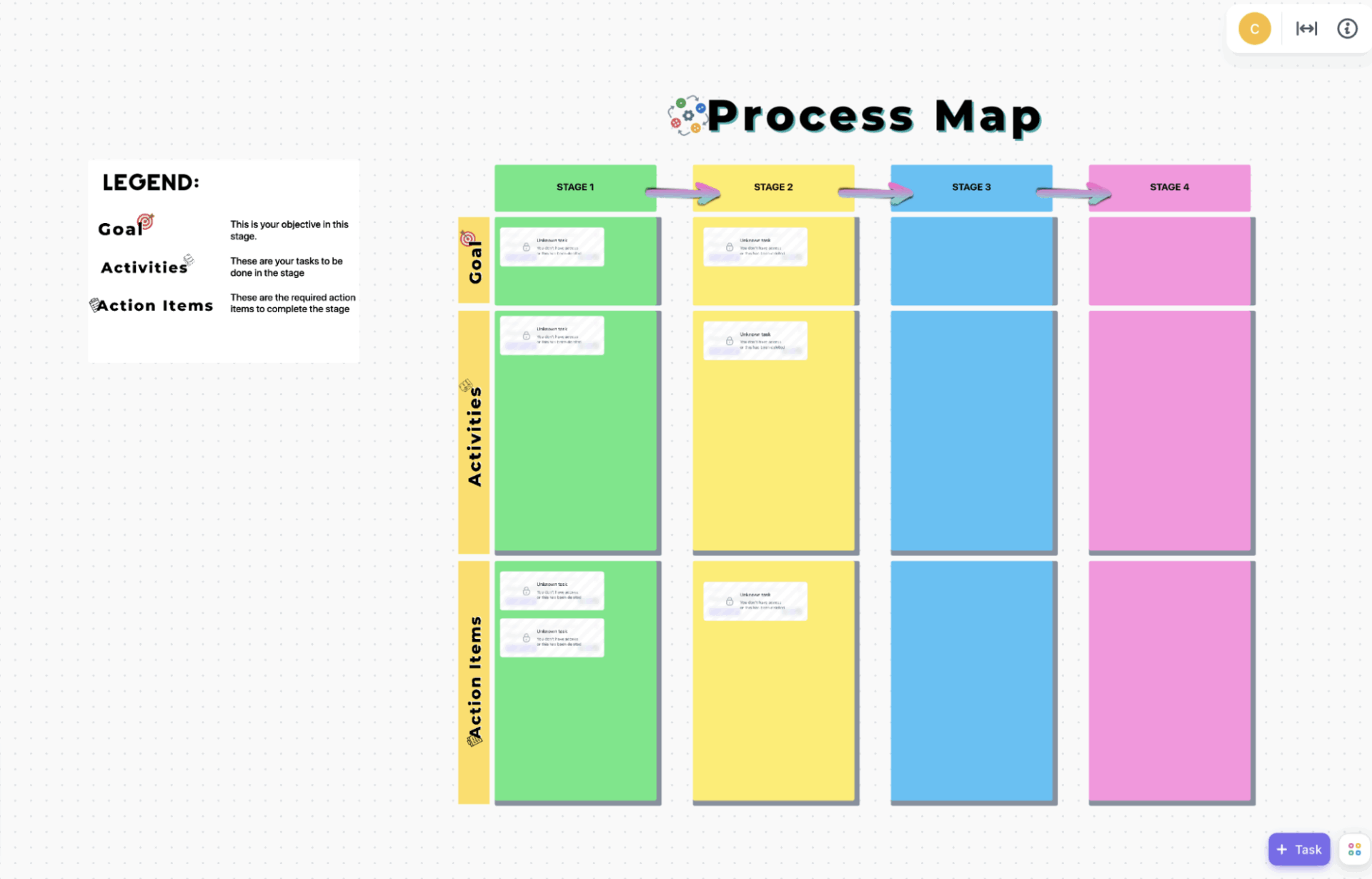
When you’re trying to understand how work moves across teams, text-heavy docs rarely help. They miss the bigger picture, especially where processes overlap or slow down.
ClickUp’s Process Map Whiteboard Template gives you a visual way to map how processes flow across your organization. It works well for workshops, process reviews, and cross-functional discussions where teams need to see how everything connects.
You can map processes together in real time using ClickUp Whiteboards. Then turn ideas into tasks and link them to the workflows they represent.
Ideal for: Teams mapping and improving workflows across departments that need a shared visual space to align on work processes and identify bottlenecks.
Decisions slow down when ownership isn’t clear. People wait for approvals, escalate too late, or involve the wrong stakeholders.
ClickUp’s Governance Plan Template gives you a way to fix that at the system level. It helps you define who makes decisions, how they move forward, and what happens when something needs to be escalated.
Instead of figuring things out on the fly, teams follow a clear path. Roles, responsibilities, and expectations stay visible, so decisions move faster and with less back-and-forth.
You can take it further by building project governance frameworks directly into your workflows. Use ClickUp Custom Fields and Automations to set approval thresholds and escalation triggers. When a request goes beyond someone’s authority, ClickUp automatically routes it to the right approver, so nothing gets stuck in limbo.
Ideal for: Leadership teams and PMOs setting clear decision ownership and approval flows across projects/departments.
ClickUp brings operating model documentation and daily execution into one workspace. Teams can connect governance plans, SOPs, OKRs, process maps, daily routines, and portfolio work to the tasks and dashboards that keep work moving.
Enterprise operating model templates turn abstract strategy into something teams can use. The best templates define who owns decisions, how work moves, and how success gets measured.
When your operating model lives where work happens, it stops becoming shelfware and starts guiding execution.
Get started for free with ClickUp today!
The five core components are processes (how work gets done), people (roles and structure), technology (tools), governance (decision rights), and metrics (how performance is measured).
A business model canvas describes how you create value for customers externally, while an operating model template describes how you operate internally to deliver that value.
Yes, ClickUp’s operating model templates work just as well for smaller teams. They help you document processes early, so important knowledge doesn’t stay in people’s heads, and give your team a clear structure to grow on.

Praburam Srinivasan
Max 20min read
Praburam Srinivasan
Max 27min read

PMO Team
Max 9min read

© 2026 ClickUp