The Best Free CRM Excel Templates to Build Efficient Customer Management Systems

Sorry, there were no results found for “”
Sorry, there were no results found for “”
Sorry, there were no results found for “”
One of the most important things you can do for your company’s long-term success is to develop strong, positive relationships with your consumers.
Whether you’re a small business, a startup, or an established company, managing interactions and prospects and ensuring no customer goes unnoticed eventually becomes a nightmare.
44% of respondents surveyed in a Validity report estimated their company loses over 10% of annual revenue due to poor data quality.
A well-organized CRM (Customer Relationship Management) is almost like a silver bullet.
However, a dedicated CRM system or CRM software may not be immediately necessary for every company. If you want to simplify client management without breaking the bank on expensive CRM software, consider using one of the freely available Excel CRM templates online. These templates offer a quick and convenient way to organize customer information, automate outreach and follow-ups, and improve the ROI from your customer interactions.
In this article, we’ll explore the value of these free CRM Excel templates and how they simplify your customer management process. We’ll also offer you a range of customizable free CRM templates to make the most of your customer relationships.
A quality CRM Excel template is more than a simple spreadsheet on Microsoft or Google Sheets. It should be your go-to resource for managing customer relationships. Such CRM templates centralize contact data, track interactions, and keep you on top of customer needs, helping you build lasting relationships while saving time.
Here’s what to look for in a great Excel CRM template to optimize your workflow:
We’ve handpicked these CRM templates below for simple and effective options to simplify your business operations and stay on top of customer relationship management:
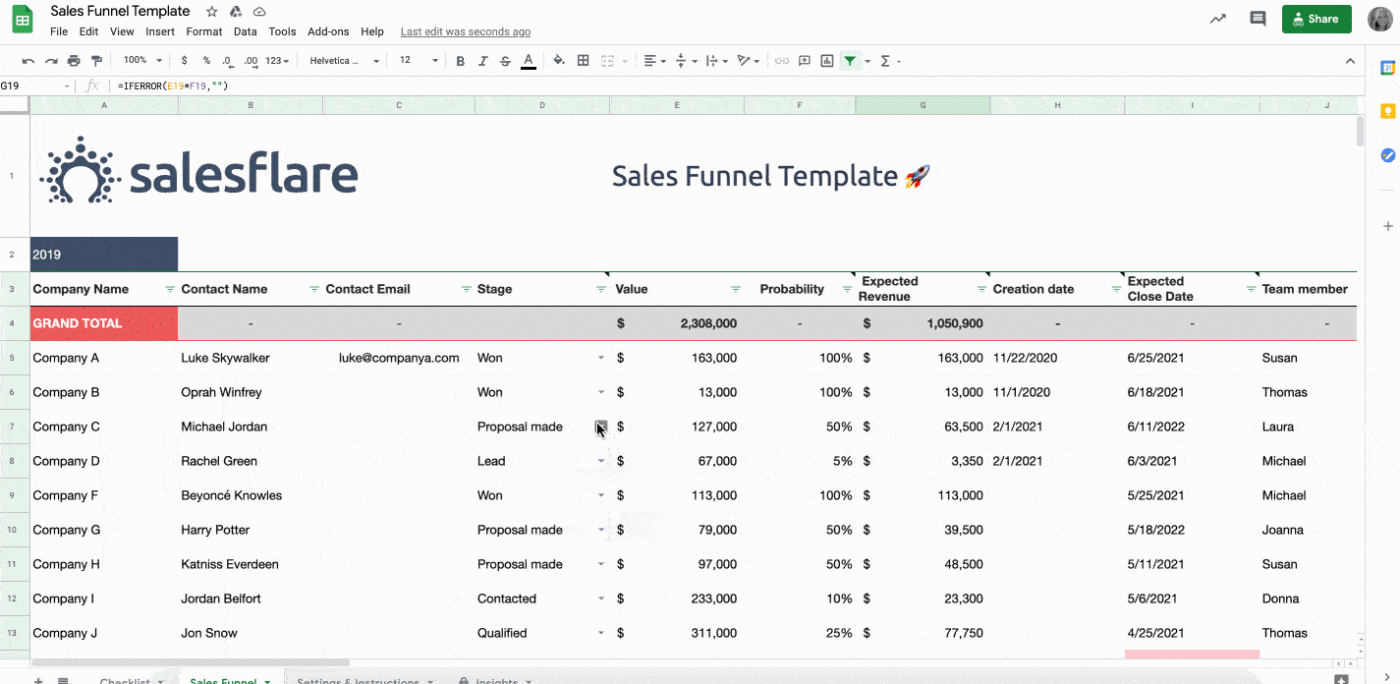
The Salesflare CRM Template is designed to help businesses manage leads, contacts, and sales opportunities, all within a customizable Excel sheet.
This free CRM spreadsheet template allows users to customize sales process stages, track leads through a funnel view, and analyze performance metrics through the built-in insights tab.
Ideal use case:
It is perfect for small businesses looking to manage leads and sales opportunities without investing resources in complex CRM software.
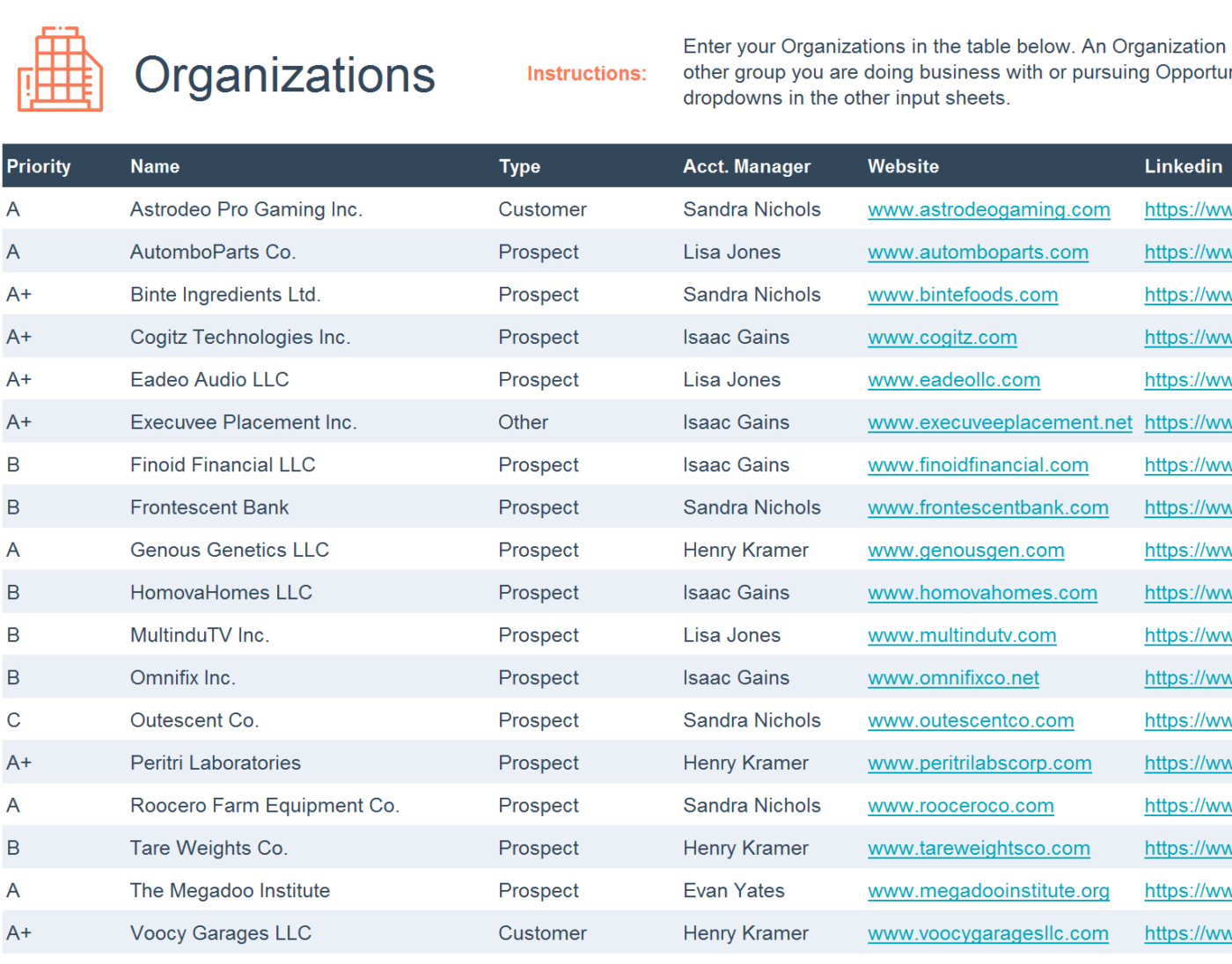
The HubSpot Mini CRM Tool Template is a CRM solution for Microsoft Excel and Google Sheets that tracks communications, interactions, and sales activities. This CRM spreadsheet template helps you easily access CRM data regularly and optimize efforts toward smoother relationship management.
Moreover, you can use it to manage, prioritize, and address your sales leads in one place with built-in sorting, filtering, and customizable fields.
Ideal use case:
It’s ideal for small businesses, startups, or individuals getting started with CRM tools who need a simple solution for sales follow-ups and customer engagement.
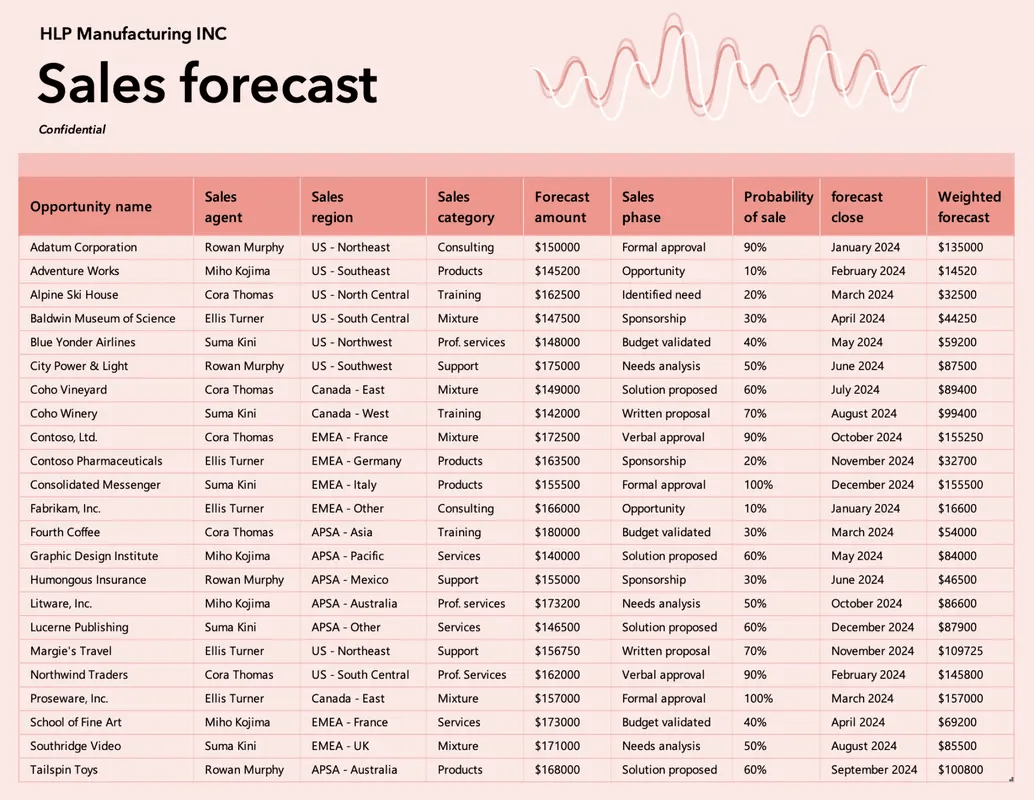
As the name suggests, the Microsoft Sales Forecast Tracker Template helps small businesses project sales and track revenue over time.
With this CRM spreadsheet template, you can clearly monitor performance against sales targets and plan capacities and resources better for future growth. Visualize performance trends and track progress over time with its intuitive layout and built-in charting tools.
Ideal use case:
This template is perfect for sales teams and managers who must project revenue, set targets, and regularly track performance. It’s particularly useful for businesses that aim to analyze sales trends to adjust their strategies based on forecasts.
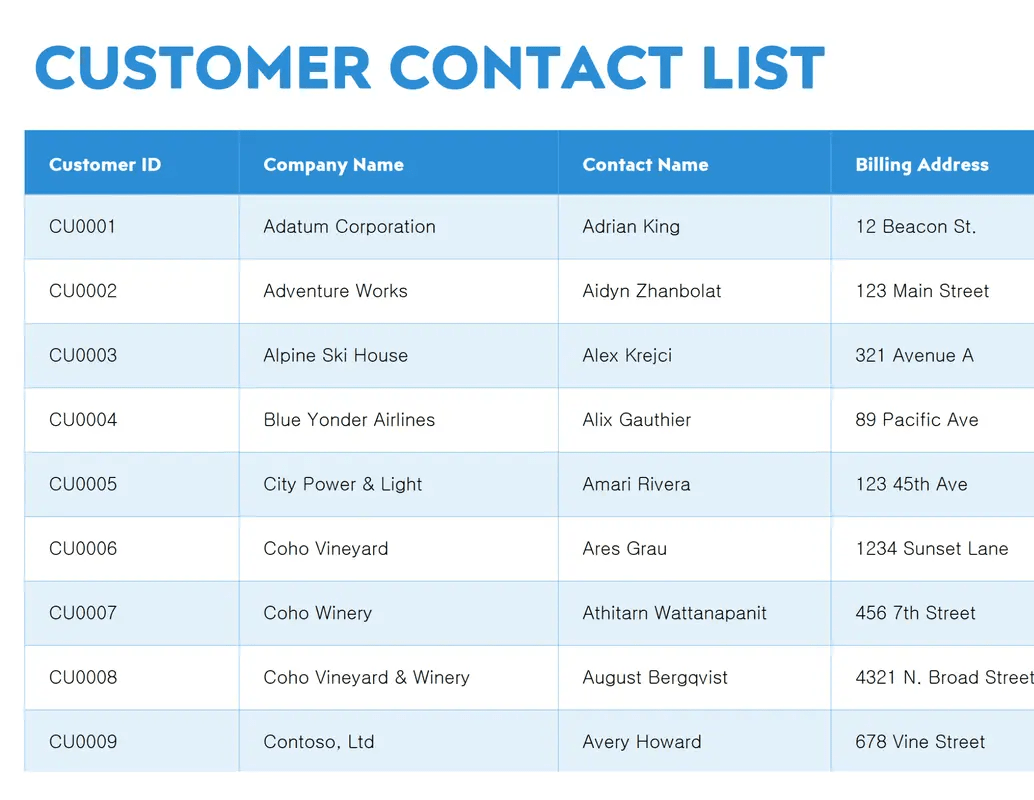
Microsoft’s Contact List Template is a straightforward tool designed to organize contact details in a clear and easily accessible format. This Excel spreadsheet template has fields for names, phone numbers, emails, and billing addresses. Its simple structure allows for quick data entry and easy sorting, keeping essential contacts at your fingertips.
Ideal use case:
This template is suitable for a small business or an individual needing a reliable, organized way to store and retrieve contact information of existing and potential customers.
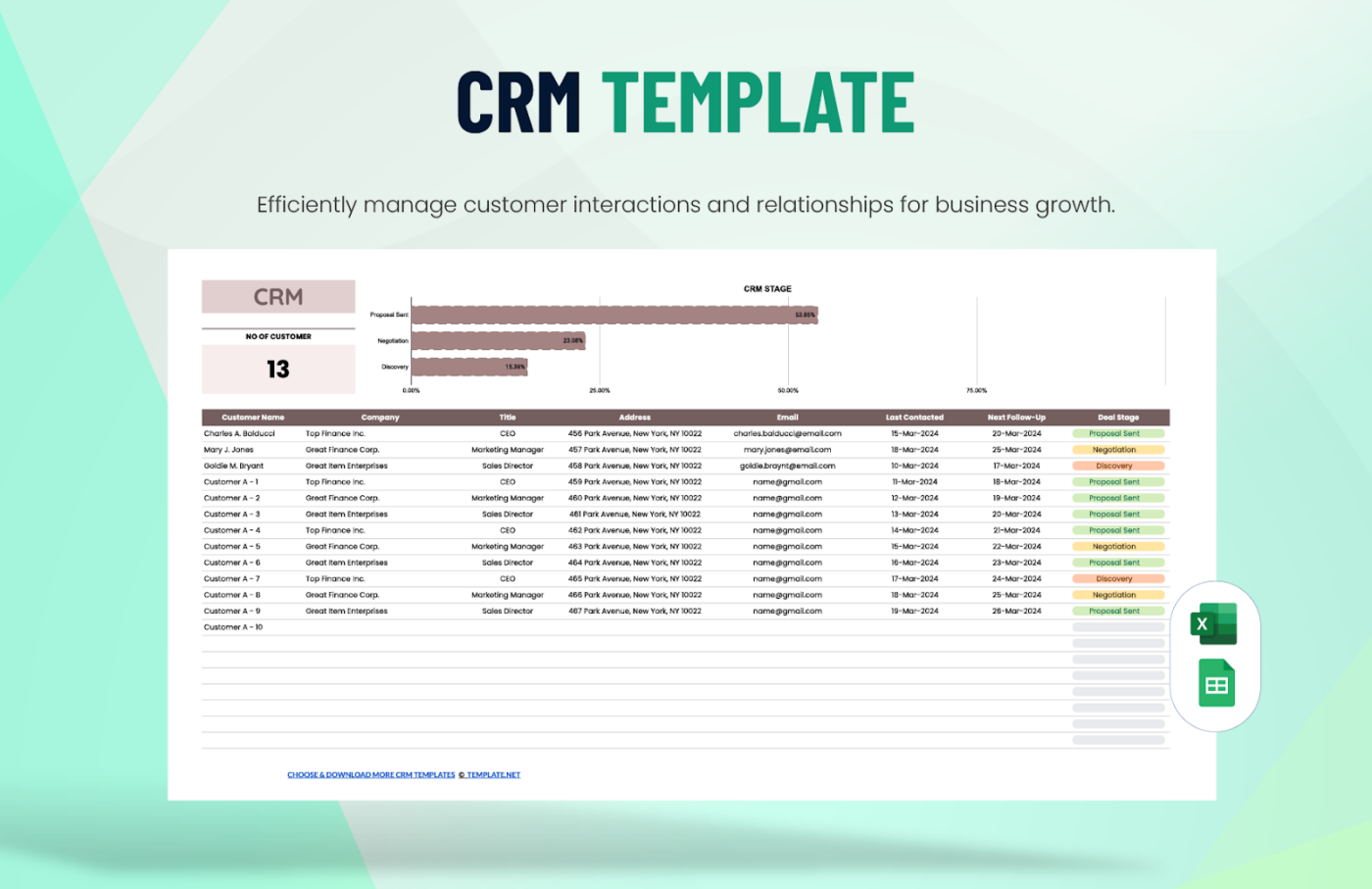
The CRM Template by Template.net offers businesses an intuitive way to manage customer relationships and sales pipelines. With sections for tracking leads, tasks, and follow-ups, this Excel and Google Sheets CRM template helps ensure no opportunity is missed.
Input information systematically in the sections for better time management and record-keeping!
Ideal use case:
This template is good for businesses seeking a user-friendly, adaptable CRM solution to maintain customer records and improve follow-ups.
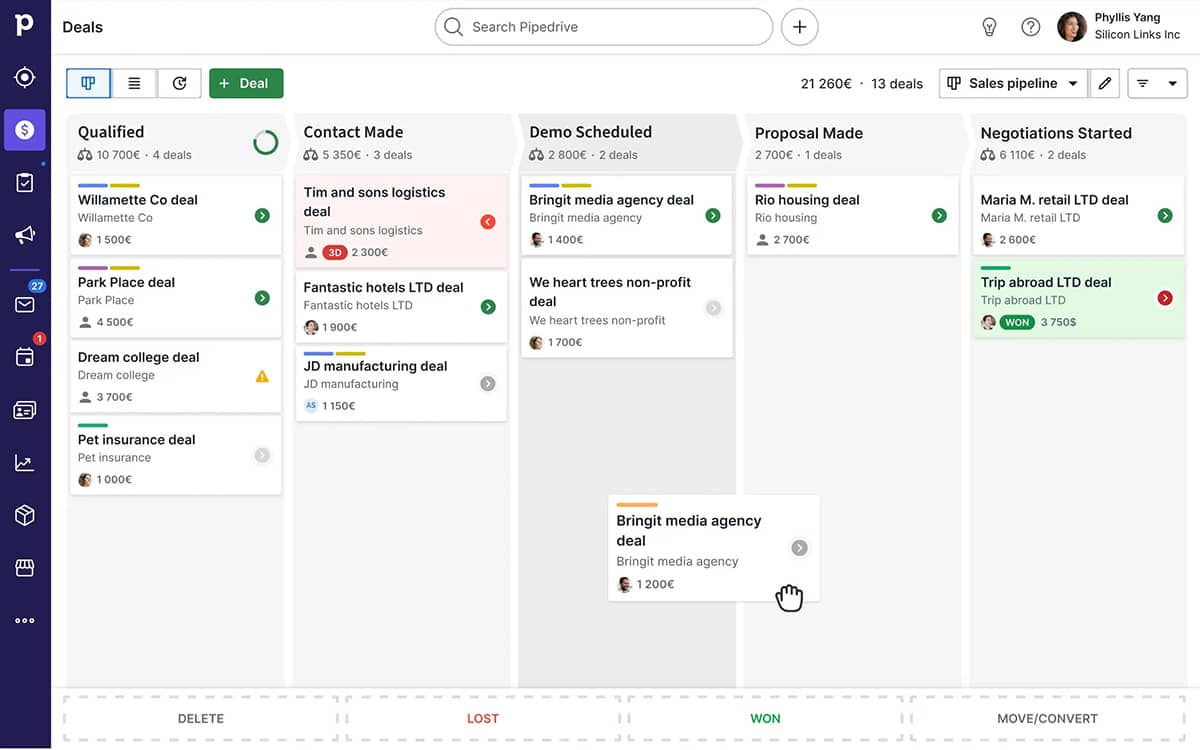
The Sales Pipeline Template by Pipedrive provides a structured approach to tracking leads through each stage of the sales process, from prospecting to closing. Manage sales funnels and pipelines and visualize them with customizable columns for deal stages, expected revenue, and follow-up dates.
With the drag-and-drop functionality from Pipedrive, your sales reps can move leads between sales stages easily.
Ideal use case:
The template helps sales teams organize and monitor their pipeline closely, leading to better deal closure rates.
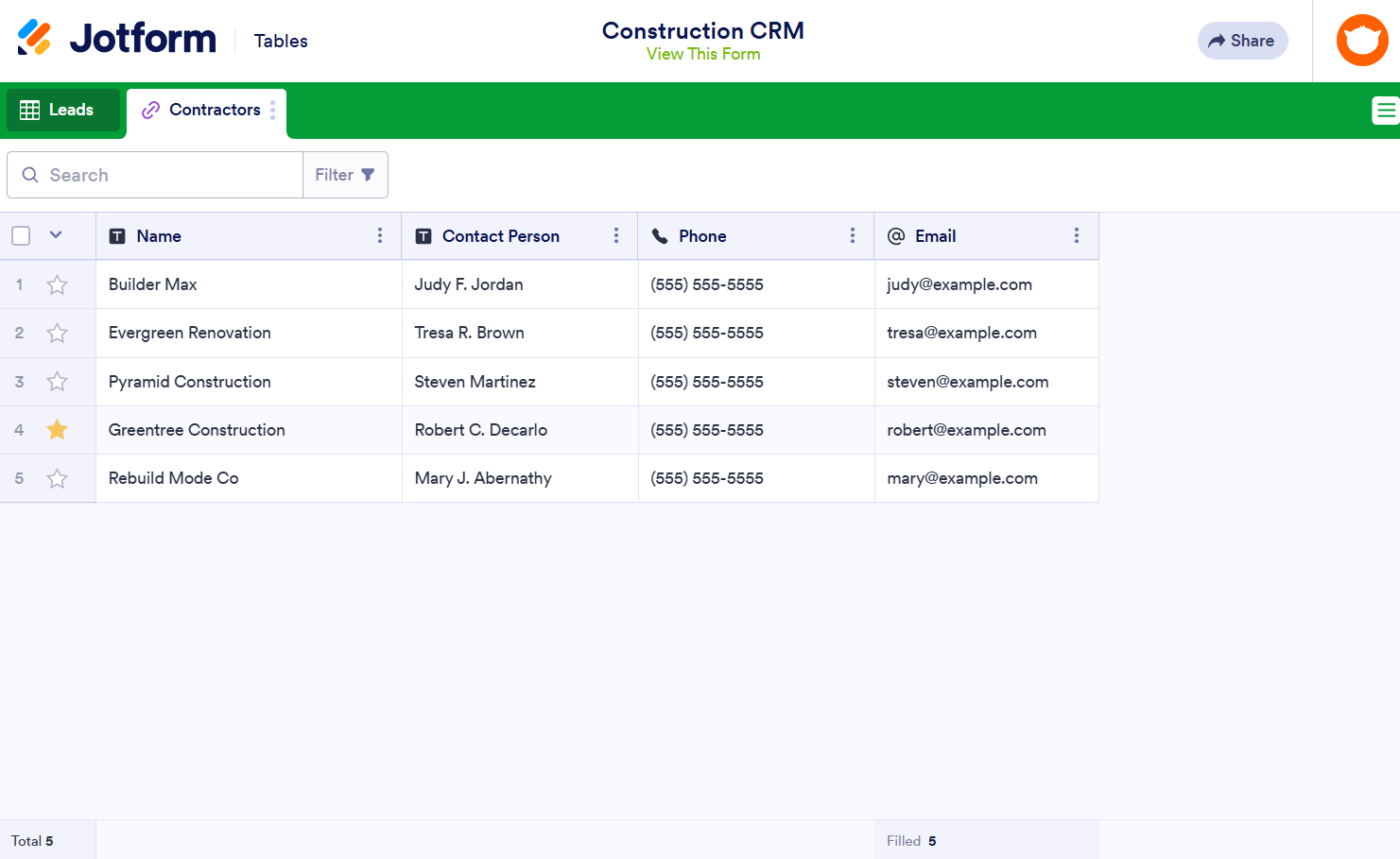
The Jotform Construction CRM Template is specifically designed to help construction businesses manage customer relationships, track leads, and simplify project-related communications.
It offers customizable fields to record contact details, service descriptions, and assigned team members, encouraging organized tracking of interactions and project assignments.
Ideal use case:
This free CRM template is aimed at construction companies looking to enhance their customer management processes.
Some benefits of using a Microsoft Excel, Google Docs, or Google Sheets CRM template include their familiarity, ease of use for simple activities, and the fact that they’re free. Nevertheless, some significant constraints will impact your capacity to scale and handle client data efficiently:
To overcome these limitations, you need more flexible templates that support advanced functions, integrate with a wider variety of tools, offer robust access control and security, and can adapt to your organization’s workflows.
Project management platforms like ClickUp offer customer relationship management templates, which are excellent, more customizable Excel alternatives for tracking client interactions, leads, and sales data.
If you want to improve your CRM process without using any CRM software, try using one of these advanced yet free CRM Excel template options from ClickUp.
The ClickUp Advanced CRM Template lets you store vital customer information in one place using eight different Custom Fields (e.g., Contact Name, Email, Industry), enhancing customer communication and support processes.
You can use it to create custom pipelines to monitor leads and opportunities effectively. It also allows you to manage tasks by sales stage to enhance workflow efficiency.
This CRM template further simplifies monitoring client interactions. Users create Custom Statuses such as ‘Need Approval’ or ‘Qualified’ to monitor the development of customer interactions at every step.
Ideal use case:
This ClickUp CRM template is perfect for companies that want to integrate CRM features with project management. Even small businesses or teams could use this free template to solve their CRM issues.
The ClickUp Simple CRM Template is a great pick for companies that need a simple CRM system that manages client interactions dependably.
With this free template, you centralize crucial customer data, like contact details, sales status, and feedback. It simplifies customer data management by providing a single source of truth that eliminates manual entry errors. It’s easy to set up and works great for novices or small teams that want to monitor client interactions and contact management.
Ideal use case:
This CRM template allows companies to simplify their customer relationship management (CRM) process without committing to too many complicated tools.
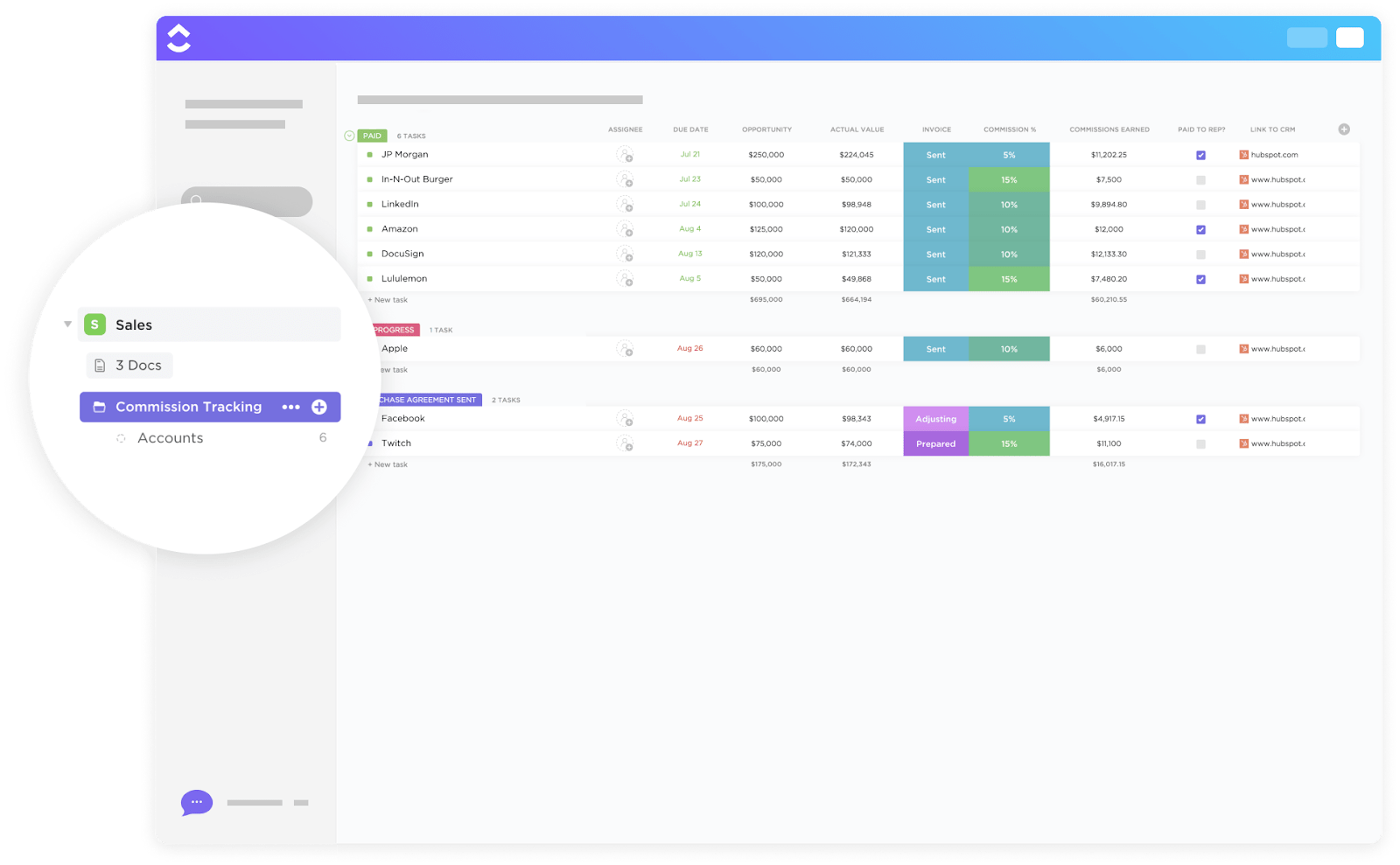
Choose the ClickUp Commission Tracking Template to help sales teams manage their commission computing processes within a single platform.
The template simplifies commission calculations and allows sales managers to monitor lead development easily. Oversee important data such as real sales value, commission percentages, earned commissions, and contact information with the 14 Custom Field attributes.
Ideal use case:
This template is best suited for simplifying sales rep commission tracking so that you spend more time devising the proper sales strategy for new leads and current customers.
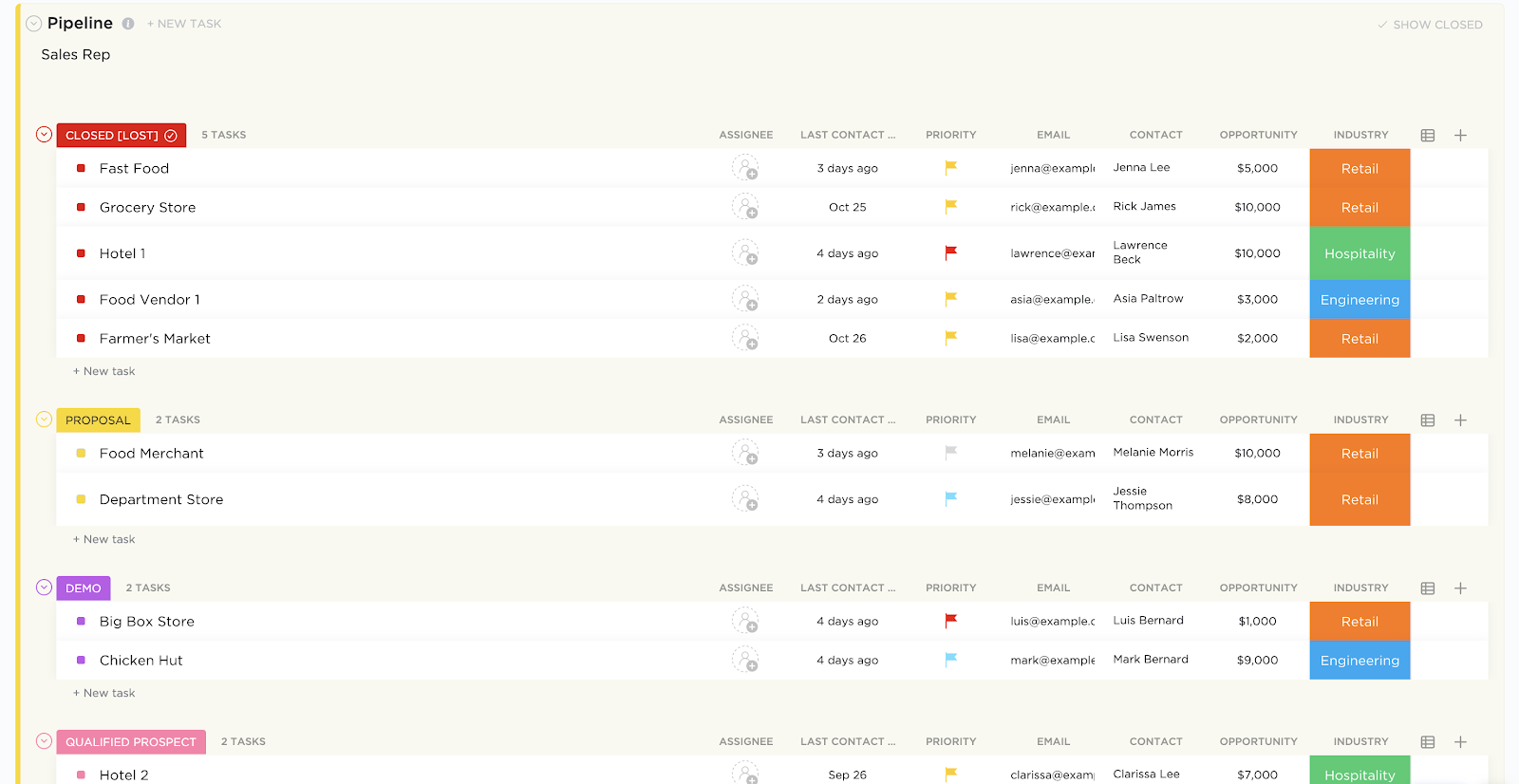
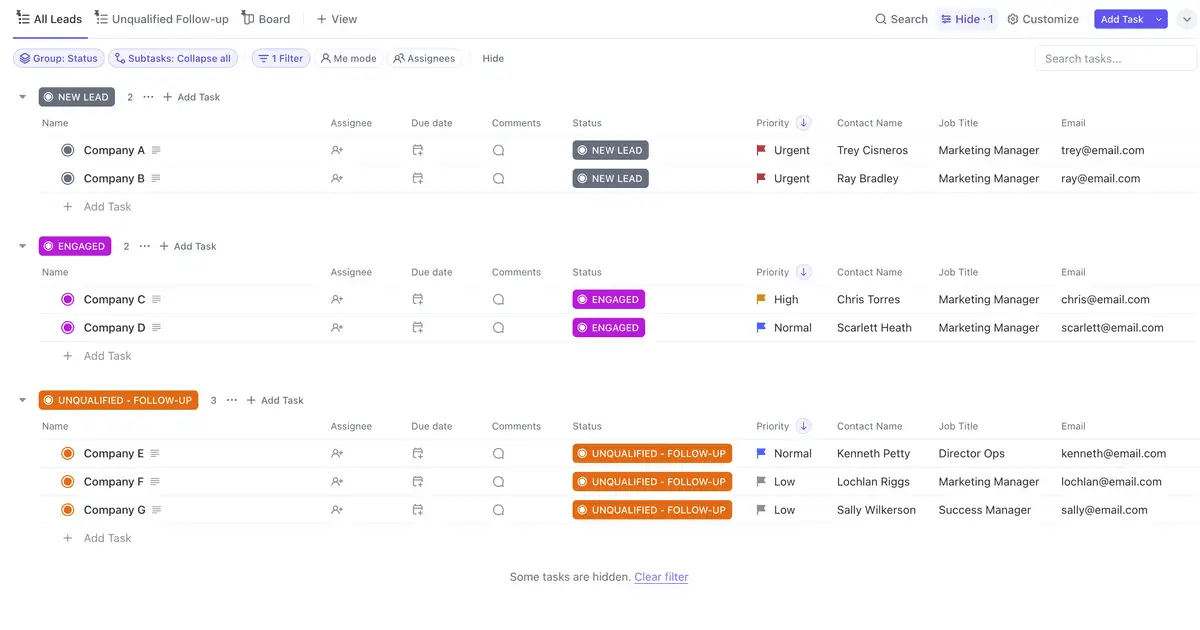
The ClickUp Sales Pipeline Template is designed to help businesses efficiently manage their sales process from lead generation to deal closure. Accurately track each stage of your sales pipeline, ensuring no leads are missed and every deal is followed through effectively.
This template features Custom Statuses like ‘Churned,’ ‘Follow Up,’ ‘Qualified Prospect,’ and ‘Attention Needed,’ allowing you to follow customer progress through various custom stages. Seven personalized fields allow you to handle critical customer information such as last contacted dates, deal value, and more.
Ideal use case:
This template is ideal for businesses looking to improve their sales tracking, forecasting, and team collaboration processes by having all the necessary tools in one place.
The ClickUp Sales CRM Template is designed to help sales teams manage their entire customer lifecycle, from lead generation to closing deals, within a single, streamlined workspace. This template lets you effectively track customer interactions, sales opportunities, and communications.
Ideal use case:
This template is highly adaptable for small teams and large enterprises looking to enhance sales performance and customer satisfaction. It also doubles down as a powerful CRM tool for businesses that want comprehensive, customizable CRM systems that scale as they grow.
Still undecided about using ClickUp’s CRM solution and templates? 🤔
Here’s what Brenna Keenan, Digital Marketing Director at SSM Creative Collective, has to say about the impact ClickUp had on their workflows:
“ClickUp is the best project management and CRM tool that I’ve come across. The versatility allows you to truly tackle all of your tasks in one place without numerous subscriptions to other services.” ✨
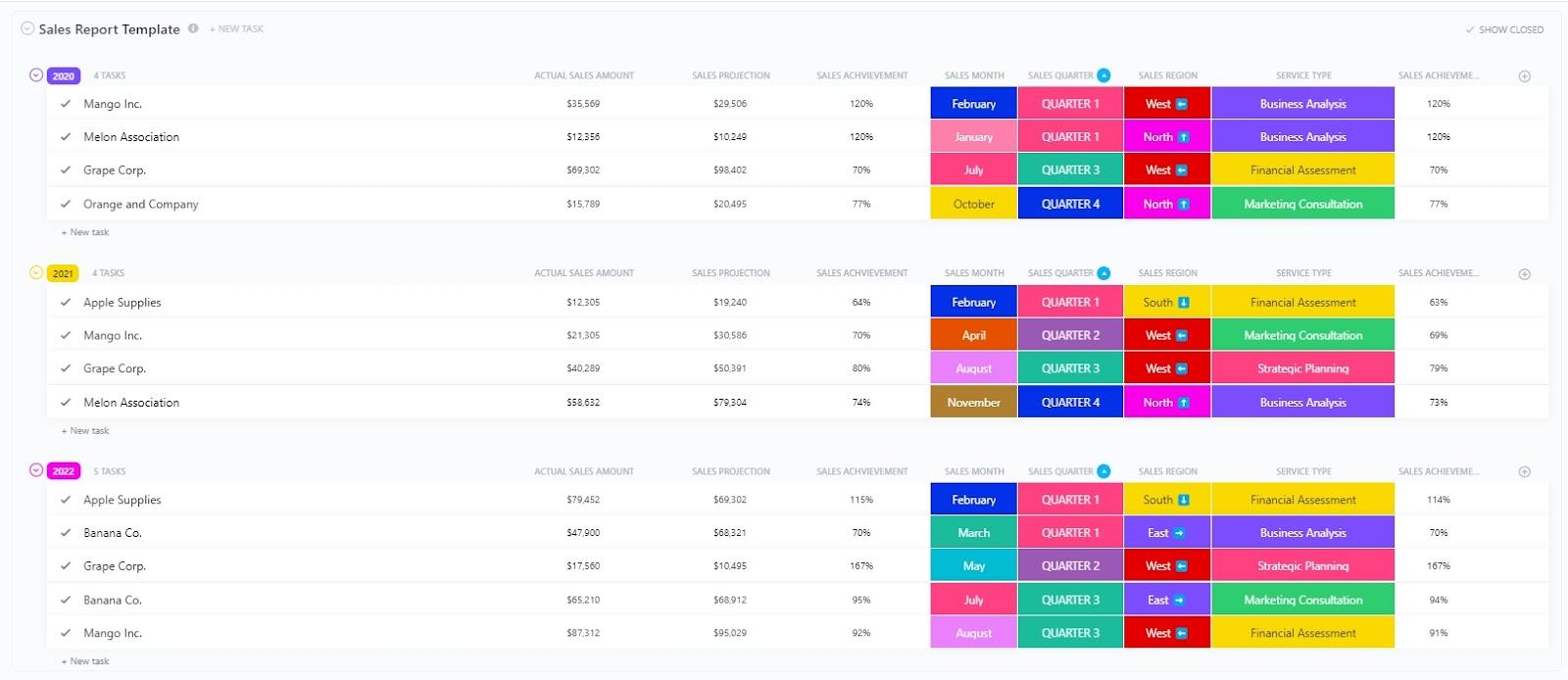
The ClickUp Sales Report Template is designed to help you track and analyze data on your team’s sales performance—whether it’s monthly, quarterly, or annual.
Using this configurable report template, monitor critical sales indicators, spot patterns, and visualize performance data. This CRM template also organizes and monitors data for improved decision-making, with Custom Fields such as sales region, sales achievement, and sales year appended to each account.
Ideal use case:
The ClickUp Sales Report Template is an excellent tool for all sales teams. It allows you to effortlessly collect important data, monitor departmental performance, and present your results in a visually appealing and direct manner.
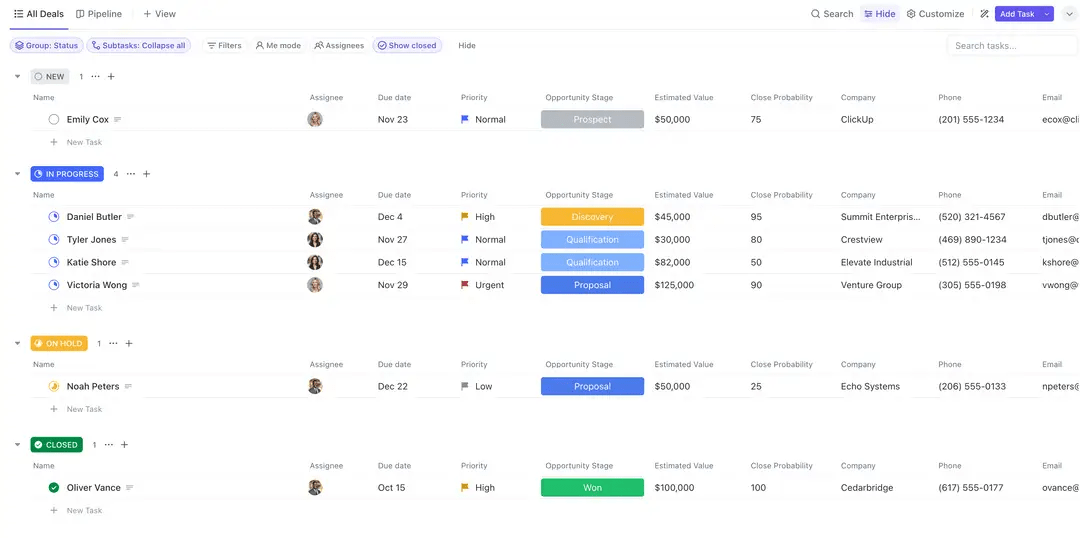
Sales teams will appreciate the ClickUp Sales Tracker Template to better understand their sales process. This template simplifies tracking weekly and monthly sales targets and keeps tabs on individual and team success. Custom Fields make it easier to track and evaluate critical sales metrics, including unit costs, shipping charges, returns, and profit targets.
Ideal use case:
Sales managers will find this template very helpful for monitoring customer interactions, creating follow-up appointments, and identifying patterns.
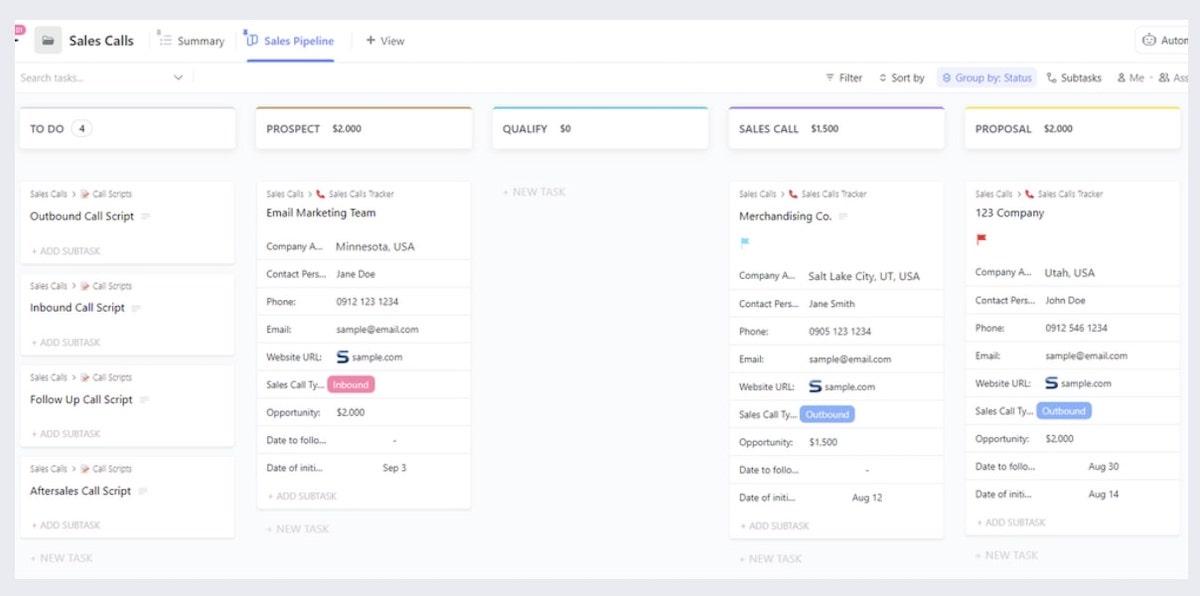
Streamline your sales calls and monitor customer interactions with the ClickUp Sales Calls Template. Featuring five Custom Fields, the template allows you to store valuable information such as contact details, follow-up dates, and call outcomes, ensuring your team remains up-to-date and informed.
With this efficient system, you’ll always catch up, optimizing your sales outreach and minimizing the chance of lost deals.
Ideal use case:
This template is ideal for any sales rep or team member looking to prepare for calls, organize necessary materials, track results, and ensure successful customer outreach.
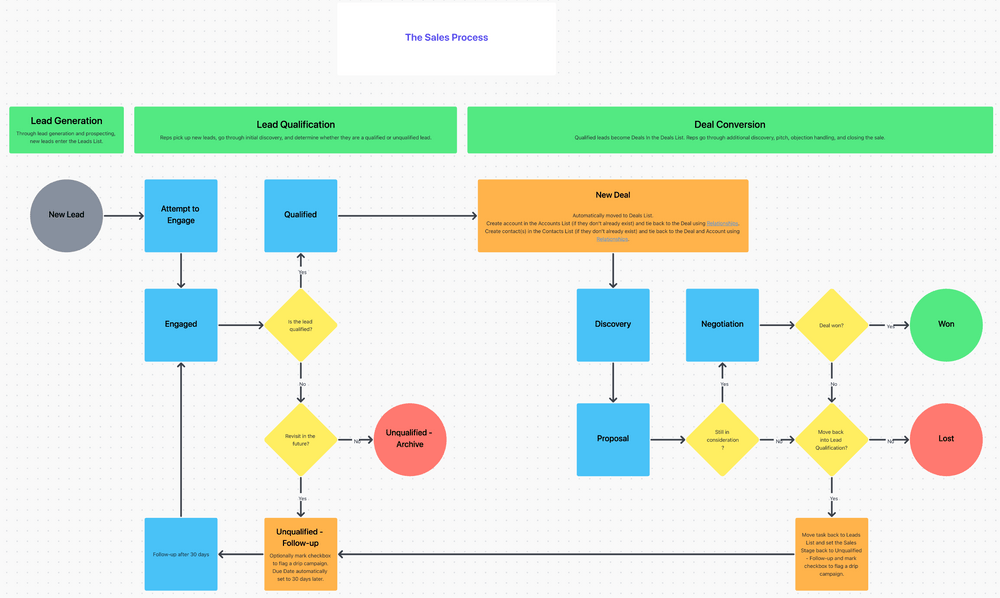
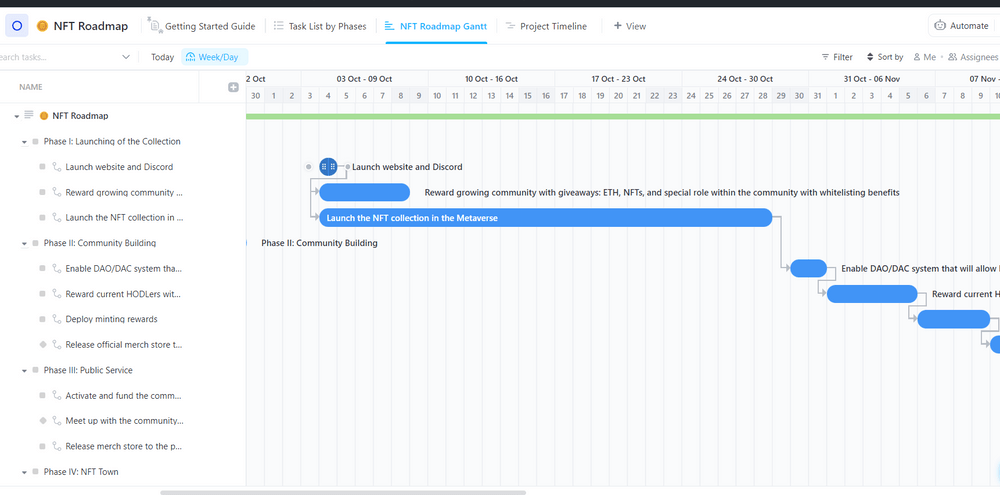
The ClickUp Sales Process Template provides a clear framework that helps sales representatives understand the necessary steps and tasks involved in the sales process, reducing confusion and increasing efficiency.
To implement the Sales Process Template, users can add it to their ClickUp Workspace, designate a location for it, and invite team members for collaboration. The template supports teams in creating projects for specific sales goals, assigning tasks with timelines, organizing tasks into categories, and holding regular meetings to discuss progress
Ideal use case:
If you’re closing deals or looking to make internal operations more efficient, this template will give you the framework you need to succeed.
While Excel CRM templates may help you track customer relationships, they become cumbersome as your business grows. Updating disjointed spreadsheets, tracking versions across multiple files, and sharing data across teams will always lead to confusion and missed opportunities.
That’s where ClickUp and its CRM templates come in.
As a comprehensive work management platform, ClickUp transforms how you handle customer relationships through its alternatives to Excel CRM templates. Our customizable CRM templates provide real-time collaboration, automated follow-ups, and powerful reporting in one unified space. Instead of tackling the frustration of Excel CRM templates, you focus on what matters most: building lasting customer relationships.
With a ClickUp CRM template, you empower your team to deliver exceptional customer experiences. Sign up for free today and say hello to an affordable, tailor-made CRM solution!

Praburam Srinivasan
Max 19min read
Praburam Srinivasan
Max 20min read
Praburam Srinivasan
Max 27min read

© 2026 ClickUp