






Still downloading templates?
There’s an easier way. Try a free AI Agent in ClickUp that actually does the work for you—set up in minutes, save hours every week.
Sorry, there were no results found for “”
Sorry, there were no results found for “”
Sorry, there were no results found for “”

AI-powered mobile apps are making life easier—whether it’s organizing your tasks, generating content, or even helping you perfect your English pronunciation.
The right AI app can save you time and effort—without sacrificing quality.
In fact, AI could help professionals reclaim up to four hours per week. That’s extra time to focus on what truly matters, whether you’re on the go or deep in a creative flow.
With 72% of companies already integrating AI into their workflows, this technology is far from just a trend—it’s becoming essential.
From real-time transcription to intelligent task management, these top AI apps for iOS can supercharge your productivity and creativity. Let’s explore which ones deserve a spot on your home screen!
Here’s a closer look at the top 10 AI apps for iOS that can transform your daily tasks and creative projects:
The right AI app should do two things: save you time and make life easier—whether you’re a busy professional, a content creator, or just someone who loves smarter, more creative tools. Here’s what to consider:
Before you reach for that credit card and lock yourself into a subscription, check your requirements off against this quick list. We hope it helps you select the right app.
With so many AI-powered mobile apps available, picking the ideal one can feel overwhelming.
That’s why we’ve handpicked these 10 standout AI apps for iPhone users like you, based on an objective analysis of their features, pricing, and user reviews.
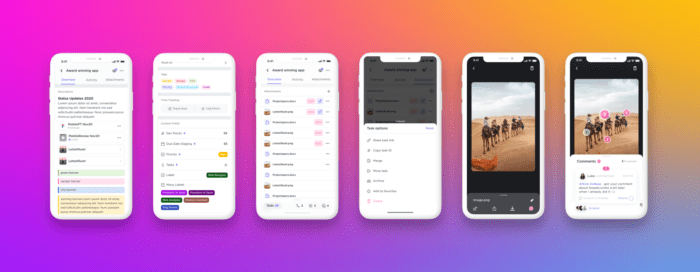
If you’re juggling multiple projects, deadlines, and daily to-dos, ClickUp is here to help.
The everything app for work is one of the best iOS project management apps you can use to stay organized and on top of everything—without the stress.
How?
Work today is broken. 60% of our time is spent sharing, searching for, and updating information across different tools. Our tasks, documentation, and communication are scattered across disconnected tools that drain productivity. ClickUp solves this problem by combining your projects, knowledge, and chat in one place—all powered by the world’s most cohesive work AI.
This AI-powered productivity tool eliminates guesswork from task management for your team, allowing everyone to focus on what matters most.
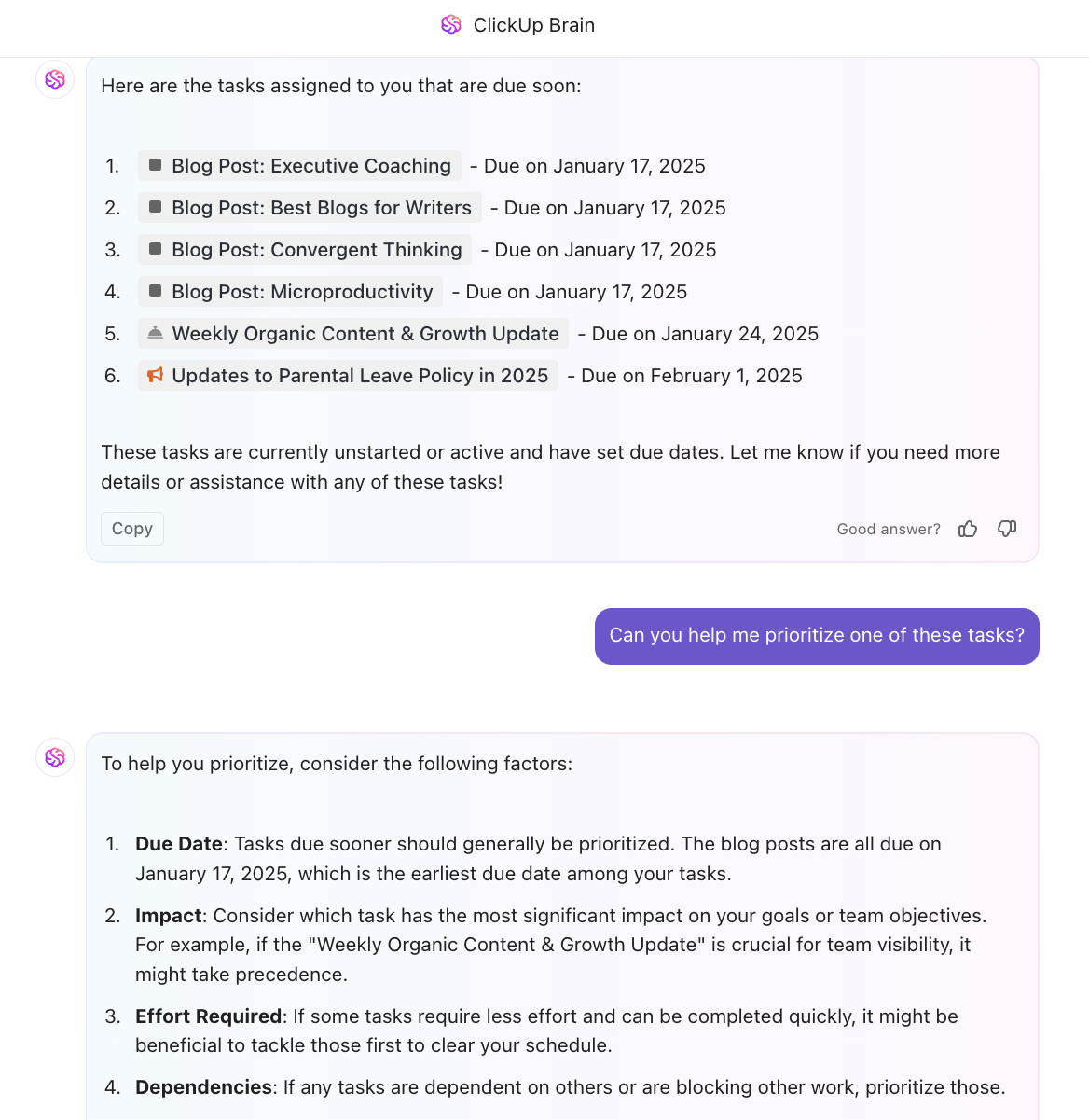
How does that work? Say hello to ClickUp Brain, your trusty AI assistant that lives right inside your phone. With it, you can analyze your workload and get priority recommendations, so you always know what to tackle next.
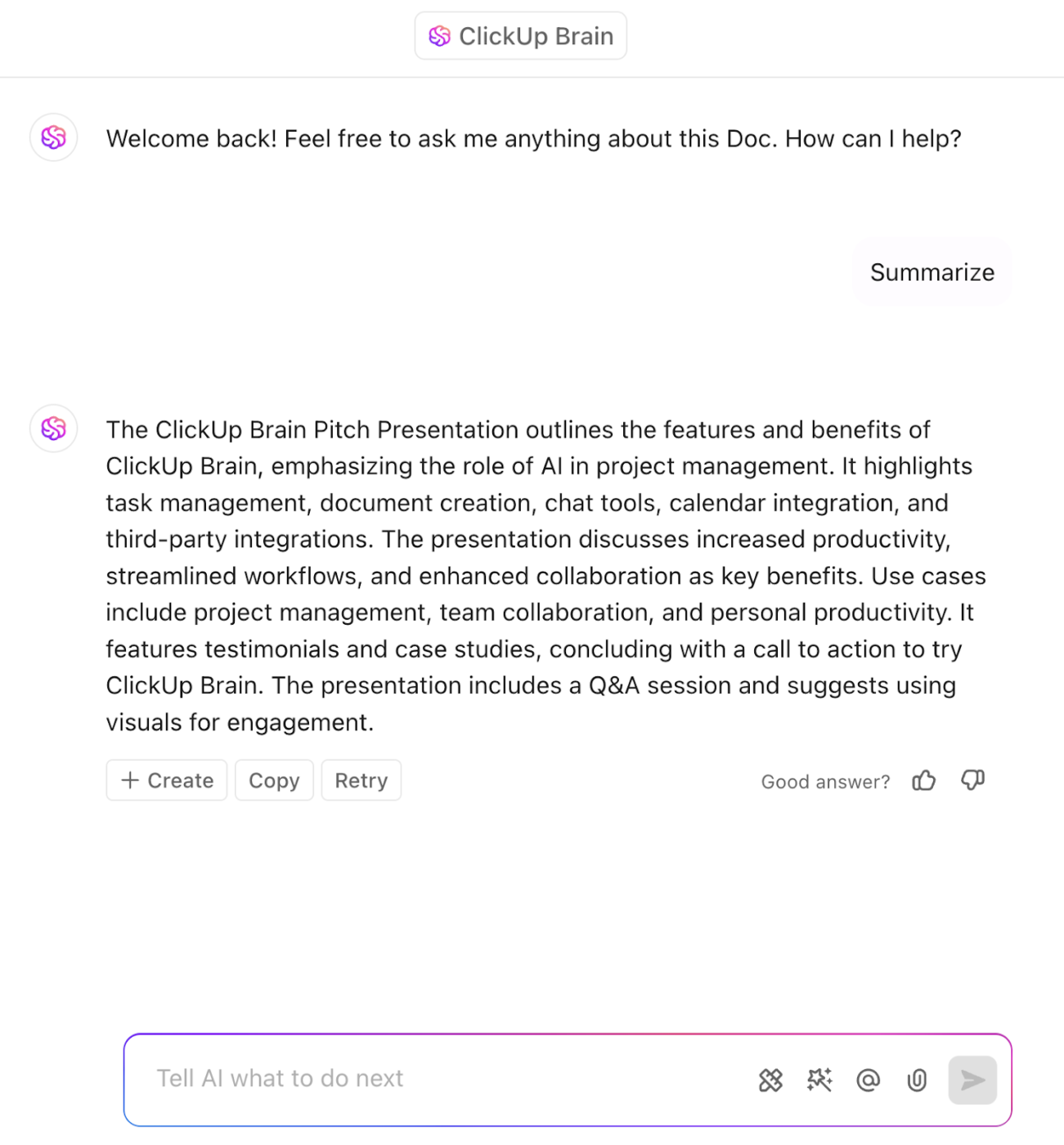
Need to summarize a long document or comment thread? Brain can extract key takeaways, saving you time.
And what about summarizing meetings?
The ClickUp AI Notetaker takes automated meeting notes for you, complete with an audio recording, transcript, summary, and action items. This way, you can focus on the actual discussion, instead of frantically taking notes manually during your most important meetings.
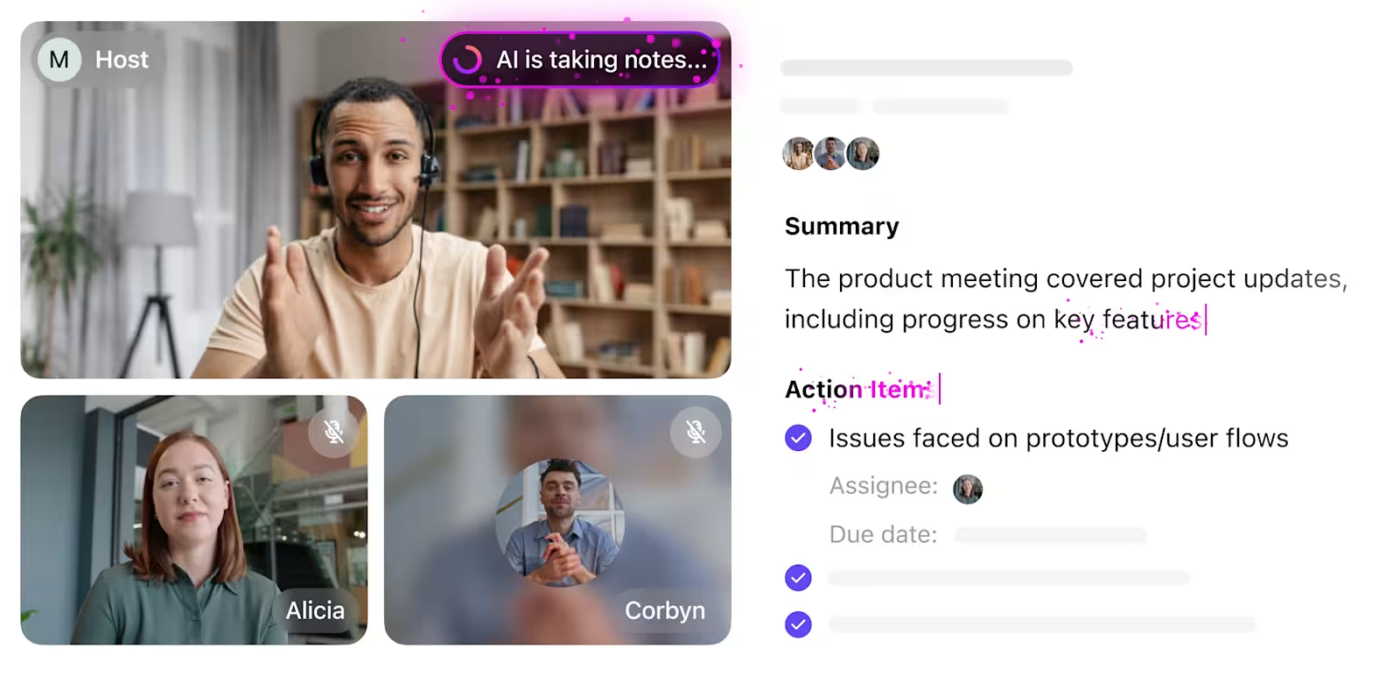
The best part? These notes connect to your tasks and docs in ClickUp—so every meeting becomes instantly more actionable.
Learn how to make the best use of artificial intelligence for meeting notes here:
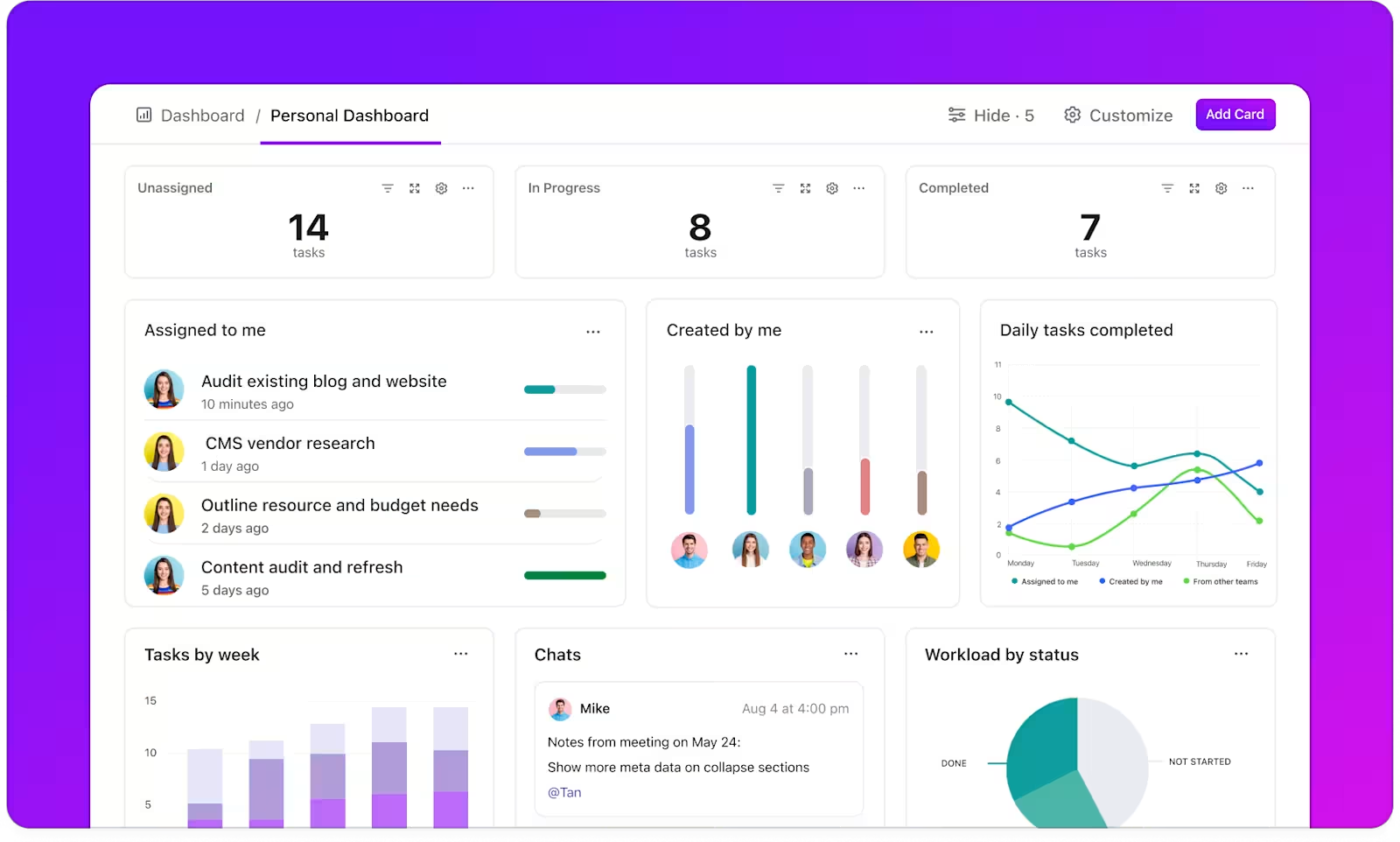
Beyond AI, ClickUp’s Dashboards let you track goals, visualize task timelines, and monitor team performance—all in one place. Choose from 50+ custom cards such as line, bar, and pie charts, sprint cards, priority cards, assignee cards, table cards, and more to visualize your workflows.
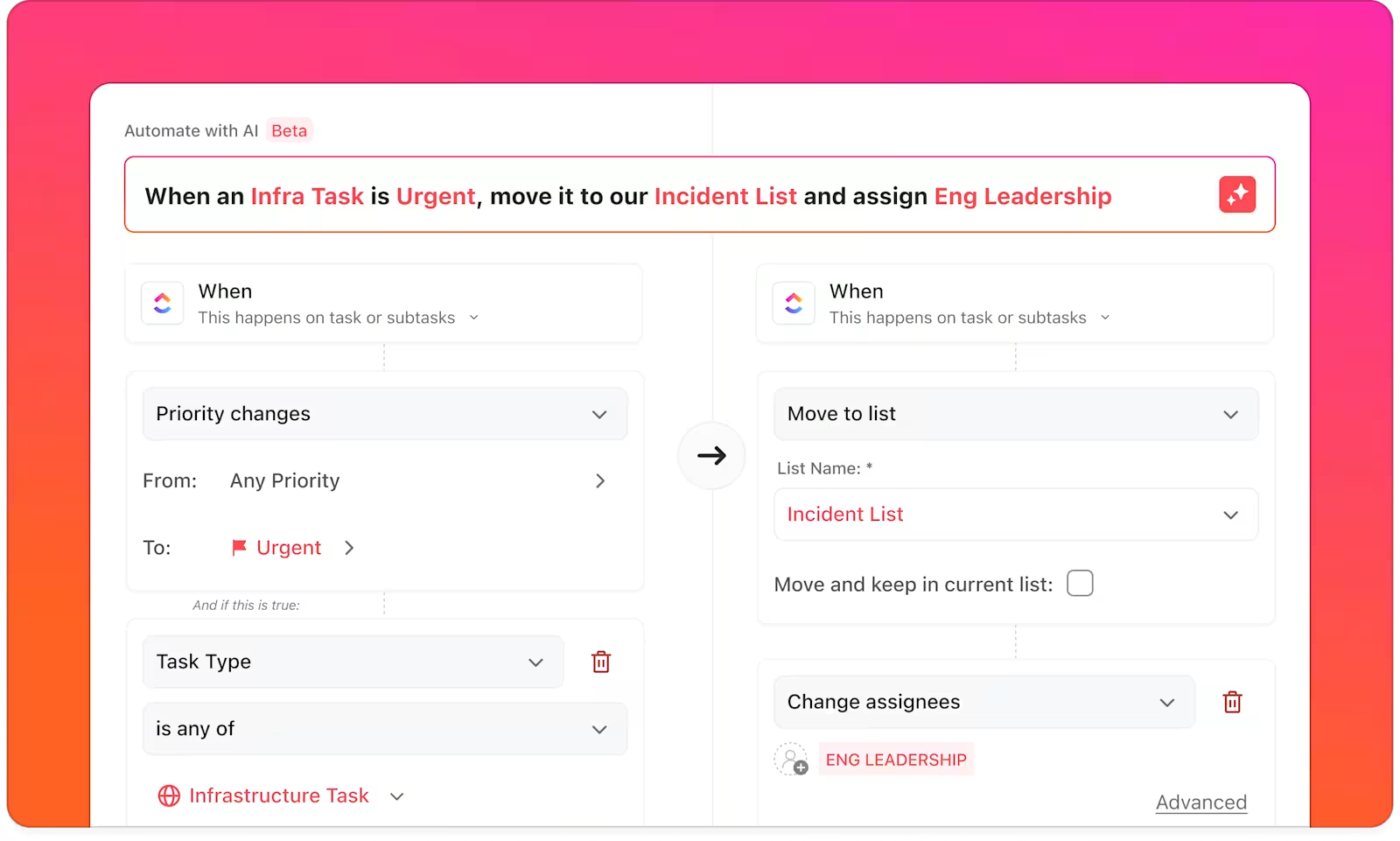
Finally, you can use ClickUp Automations to delegate routine, repetitive tasks and focus on work that moves the needle. There are three simple ways to build no-code automations in ClickUp:
📮 ClickUp Insight: Knowledge workers send an average of 25 messages daily, searching for information and context. This indicates a fair amount of time wasted scrolling, searching, and deciphering fragmented conversations across emails and chats. 😱
If only you had a smart platform that connects tasks, projects, chat, and emails (plus AI!) in one place. But you do!
I love the blend of personal task management, with business knowledge management, quick notes and the AI ClickUP brain is FANTASTIC. it is amazingly context aware and literally a beast of an assistant.
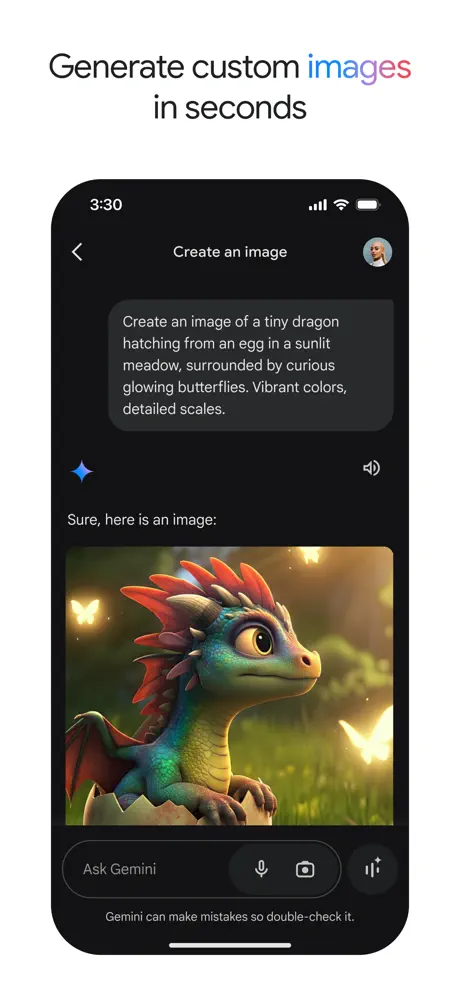
Need quick answers without scanning multiple web pages or a little help brainstorming? Google Gemini has your back. This AI-powered tool makes research and content creation more manageable and less time-consuming—whether you’re a student tackling an assignment, a professional organizing ideas, or a creator looking for inspiration.
While there’s an app for iOS users, it works best with Google apps. So you can pull insights, refine concepts, or get writing suggestions without jumping between platforms.
How to use Google Gemini best? Just ask a question in plain English, and Gemini uses natural language processing to give you smart, context-aware responses—whether you’re clarifying a tricky concept or exploring creative solutions.
👉🏼 P.S. This video showcases our best tips for asking AI tools questions the right way. If you ever wanted a 3-minute course in prompt engineering, check it out!👇🏽
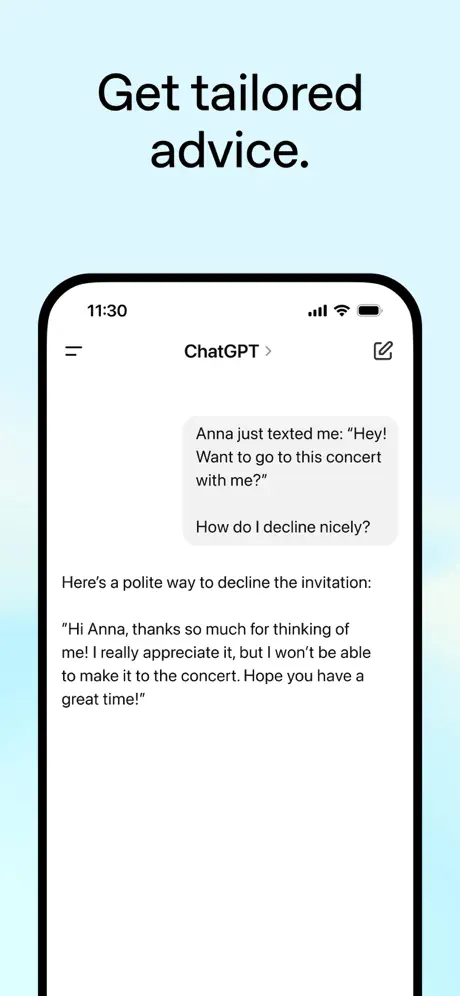
ChatGPT is a top choice for iPhone users looking to brainstorm ideas, draft content, or tackle creative projects. Whether you’re crafting an email, summarizing notes, or scripting a YouTube video, its powerful generative AI models make the process smoother and almost effortless.
Need a simple, no-nonsense way to use AI tools? ChatGPT’s conversational interface keeps things simple, making it a go-to for beginners and pros alike. It’s suitable for content creators, professionals, and anyone who wants a little extra brainpower on demand.
💡ProTip: Use custom instructions in ChatGPT—and other ChatGPT alternatives—to tailor replies to your specific industry, tone, or content needs.
That is practically useful for everything, there is no task too big for it. I use it every day for my work, for my daily life, to help my daughters with their homework, to learn. There are many good things about having the tool. It changed my life.
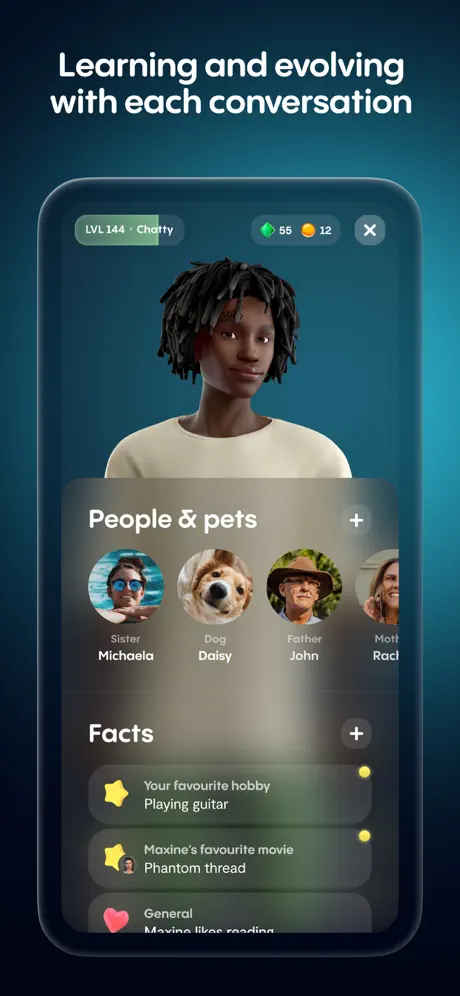
Sometimes, you just need someone to talk to, and Replika excels at that. The app offers AI chatbot characters designed for companionship and emotional support, offering a safe space to vent, reflect, or just chat.
The character AI learns from your conversations, adapting to your personality over time to feel more like a real friend. Whether you’re managing stress or just need a judgment-free space to share, Replika makes it easier to express your thoughts and emotions.
⚠️ Friendly Reminder: AI companionship can be fun and engaging, but remember, it’s not a substitute for real human connection. To stay safe online, be mindful of the personal data you share with AI chatbot tools.
📖 Also Read: Best AI Tools for Video Editing
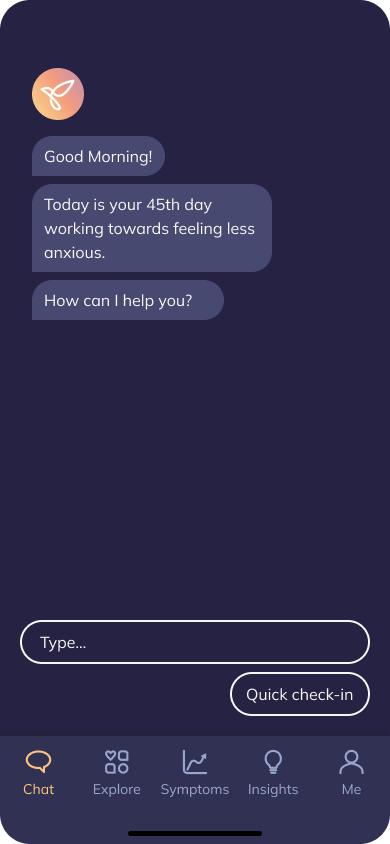
Managing mental health is just as crucial as managing the tasks on your to-do list. Youper acts as a personal assistant for regulating, tracking, and managing your emotions, helping you stay balanced while tackling daily challenges.
Built on cognitive behavioral therapy (CBT) techniques, Youper offers smart mood tracking and guided reflections to keep stress in check. Whether you’re juggling tight deadlines or caught in a spiral of overthinking, Youper helps you pause, reflect, and regain perspective—all from your iPhone.
🧠 Fun Fact: Siri wasn’t the first AI assistant. Apple’s famous AI assistant debuted in 2011, but AI-powered virtual assistants date back to 1966 with ELIZA, a chatbot that mimicked a psychotherapist.
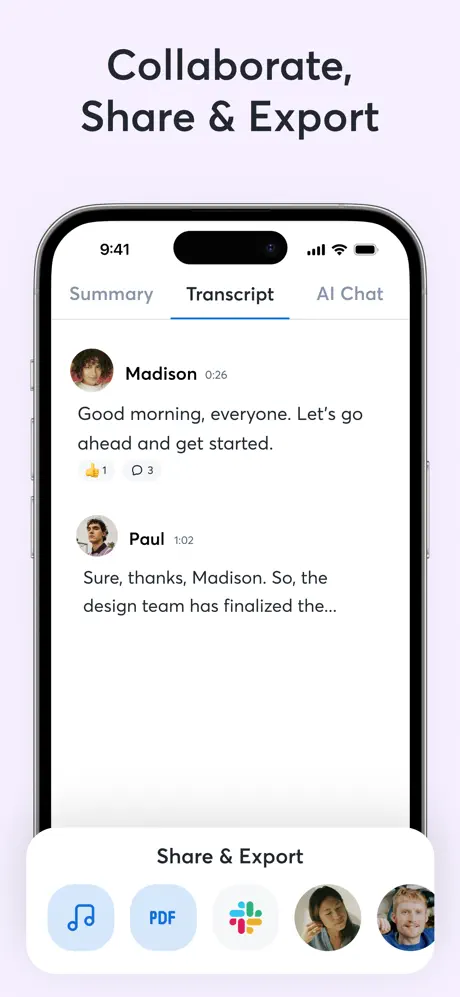
Tired of spending all your time on note-taking during meetings or lectures? After all, there’s no substitute for participating in the discussion live. Otter.ai makes it possible for you to do that—without worrying about capturing meeting notes.
It transcribes spoken words in real time while identifying speakers—so you can stay focused on the conversation. Plus, with its searchable transcripts and AI-powered summaries, you can easily revisit key points without sifting through hours of audio.
💡 Pro Tip: For those needing extra features, Otter.ai alternatives like ClickUp, Sonix, and Descript combine transcription with powerful editing and collaboration tools, offering more ways to refine and share your notes.
A fantastic app that has saved me so much time. I am a self-confessed tragic when it comes to losing paper. I can’t stand taking long notes, so Otter has been great for me.
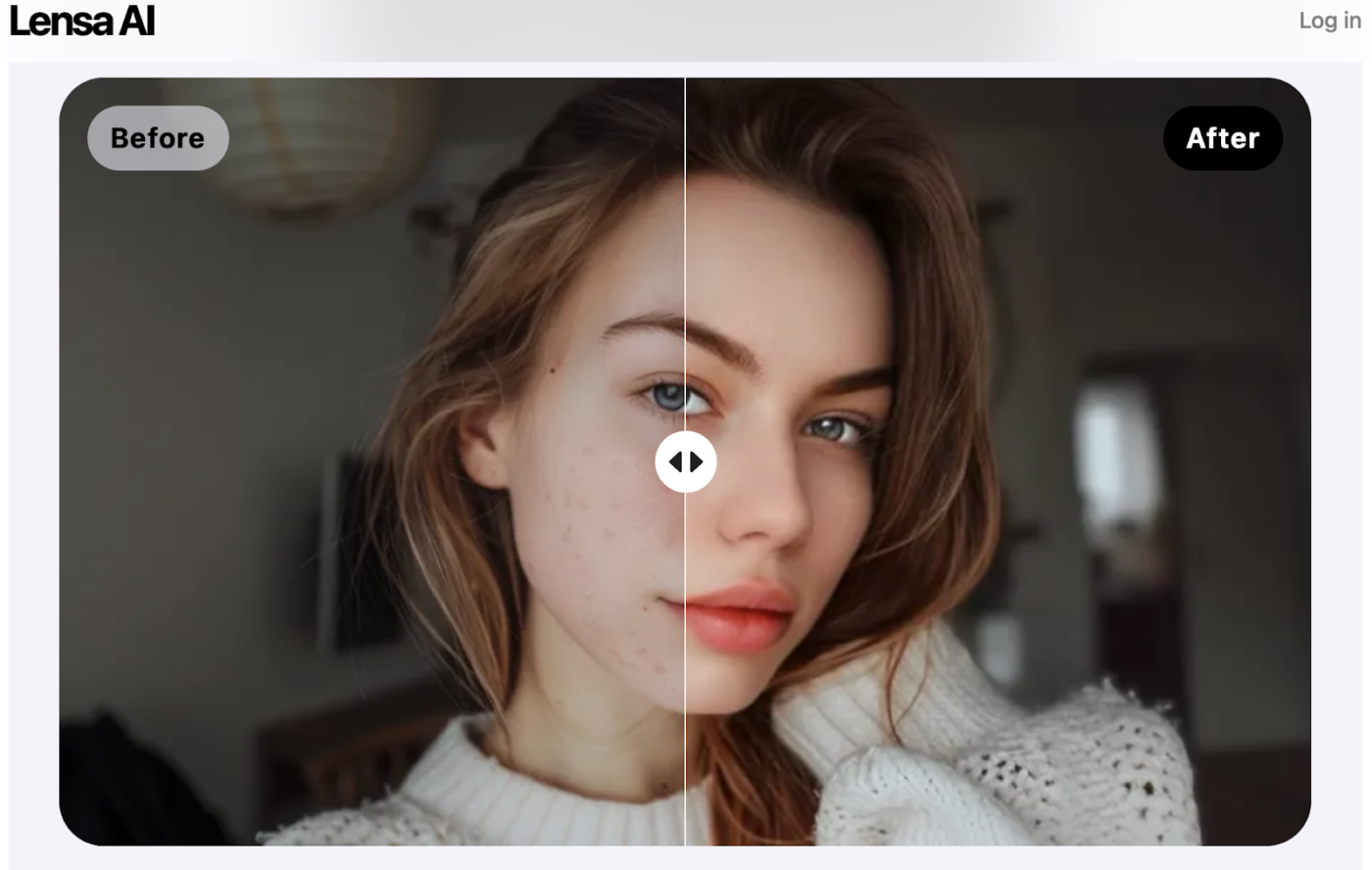
Designed for creatives, Lensa makes photo editing effortless with AI-powered tools. Retouch selfies, remove unwanted objects from the frame, and fine-tune backgrounds—all in just a few taps.
As one of the most intuitive photo editing apps for iPhone users, Lensa offers features like skin smoothing, background adjustments, and AI-driven image generation and enhancements. It’s a powerful yet simple way to make your photos stand out without the steep learning curve (and high price tag) of pro editing software.
📖 Also Read: Mind-Blowing Examples of AI-Generated Art
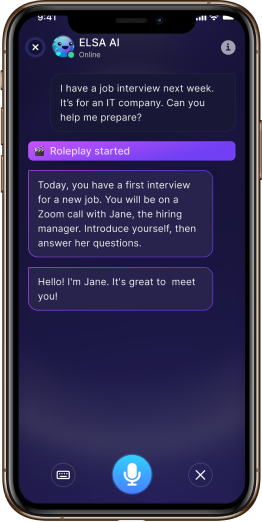
Are you struggling with English pronunciation? ELSA Speak listens to your speech, spots mistakes, and gives instant feedback to help you sound more precise and closer to a native speaker.
Powered by AI, ELSA tailors lessons to your strengths and weaknesses, making practice effective and easy. Whether you’re prepping for an interview, a presentation, or just daily conversations, it helps you improve with quick, targeted exercises.
💡 Pro Tip: Use ELSA’s “mock interview” feature to practice answering job interview questions with real-time AI feedback. This feature is great for professionals looking to sharpen their speaking skills!
This is the best English learning app I’ve had experience with at the moment. It’s perfect for speaking practice and that is what I like most because this is the weakest part of my English – excellent written English and stuck when it comes to speaking. I just repeat dialogues and become quite more confident while speaking exprompt day after day I practice.
🧠 Fun Fact: AI-generated music is on the rise. Apps like AIVA and Soundraw can compose entirely original songs, and some AI-generated tracks have even gone viral on streaming platforms!
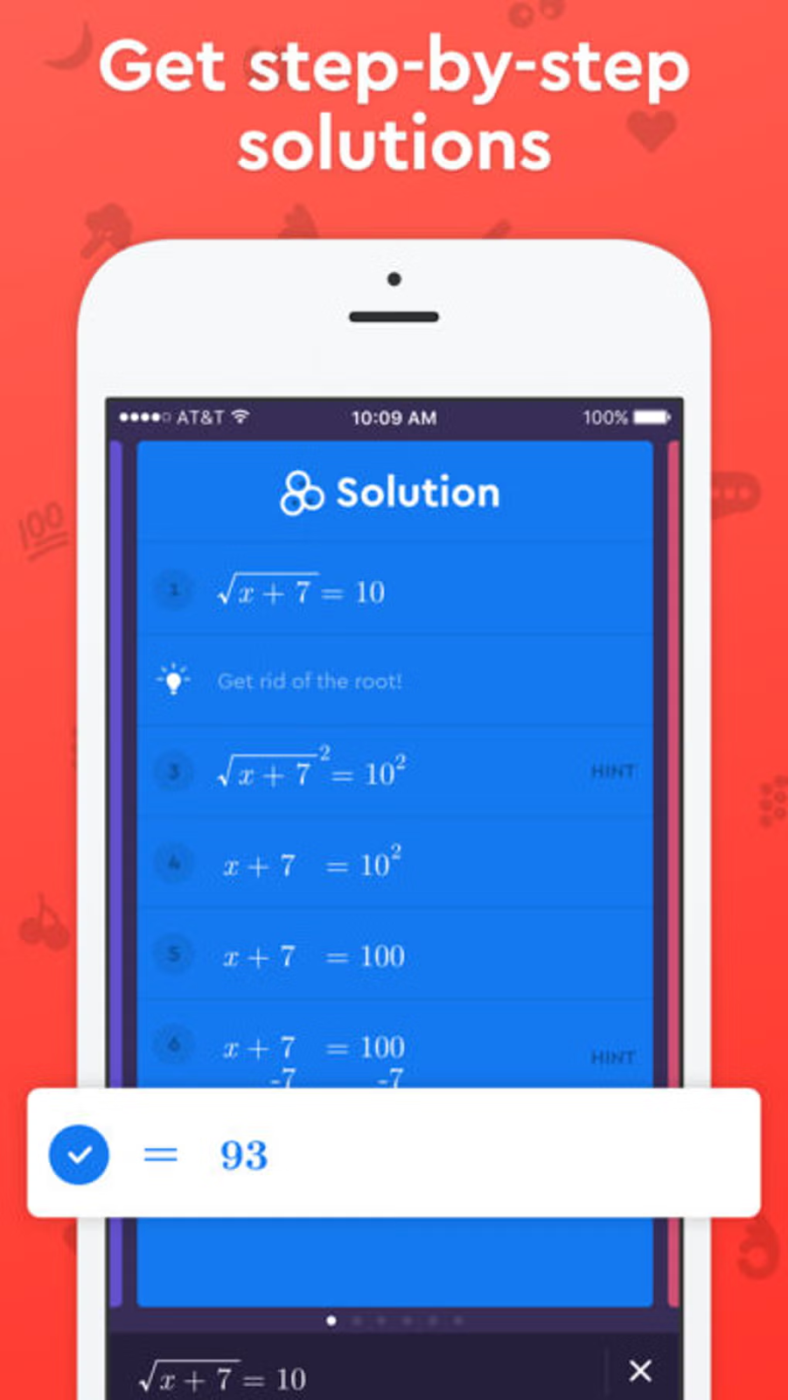
Socratic by Google makes learning easier by turning questions into clear, step-by-step answers. Simply snap a photo of a problem or type in your query, and Google Gemini’s AI technology delivers accurate explanations in seconds.
Designed for iPhone users, Socratic simplifies studying by breaking down complex topics into easy-to-understand insights. Whether you’re tackling math, science, or history, it’s like having a personal tutor in your pocket—one that’s ready to help anytime.
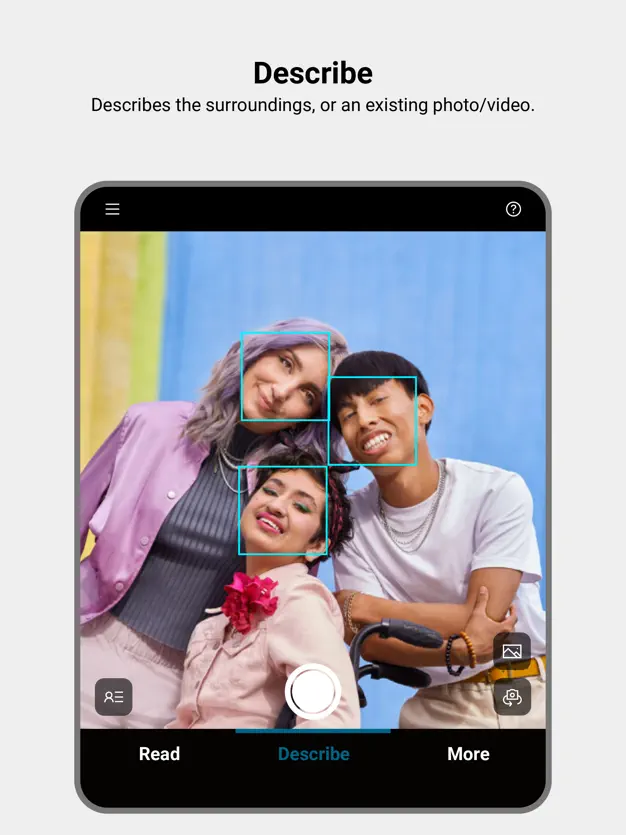
Seeing AI narrates the world in real time, helping people with visual impairments recognize objects, people, and text. From reading menus to identifying products, it turns visual information into spoken words, making everyday tasks more accessible.
For iPhone users, it’s like having a personal assistant that scans barcodes, detects currency, and even describes scenes. Seeing AI makes navigating the world more straightforward and more independent, both inside the home and on the go.
Forget ordinary productivity tools for your iPhone—AI applications are fundamentally reshaping how we work and create. ClickUp’s iOS app really stands out by adapting to your needs and cutting through the digital clutter that eats up your day.
If you use an iPhone and want to truly do impactful work, ClickUp gives you what counts: more time to think creatively and less time dealing with busy work. Every feature is smart enough that your phone finally works as hard as you do.
Take back control of your work life with tech that gets your challenges.

© 2026 ClickUp

There’s an easier way. Try a free AI Agent in ClickUp that actually does the work for you—set up in minutes, save hours every week.