Sorry, there were no results found for “”
Sorry, there were no results found for “”
Sorry, there were no results found for “”
While both ClickUp and Workzone serve project management needs, they approach the problem very differently—a core tension behind the Workzone vs. ClickUp decision.
On one side, you have Workzone, built specifically for marketing and creative teams that need highly structured, approval-heavy workflows. On the other hand, you have ClickUp, a powerful, all-in-one workspace that brings all your tasks, documents, and collaboration into one place for every team type.
Before you commit, this guide will break down the features, clarify the best use-case fit, and help you make a final decision based on your team size and workflow complexity.
| Feature / Category | ClickUp | Workzone |
| Core approach | Converged AI Workspace combining tasks, docs, chat, and AI in one platform | Structured project management tool built for creative and marketing workflows |
| Best for | Teams of all sizes across departments needing flexibility and cross-functional workflows | Marketing and creative teams managing approval-heavy projects |
| Team size | Scales from individuals to enterprise organizations | Mid-size to enterprise teams, primarily marketing-focused |
| AI capabilities | ClickUp Brain for summarization, content generation, task creation, and knowledge retrieval | No native AI assistant; relies on manual workflows and rule-based automation |
| Automation | AI-powered and rule-based automations that act on task context and workflow triggers | Rule-based automation for task routing, notifications, and approvals |
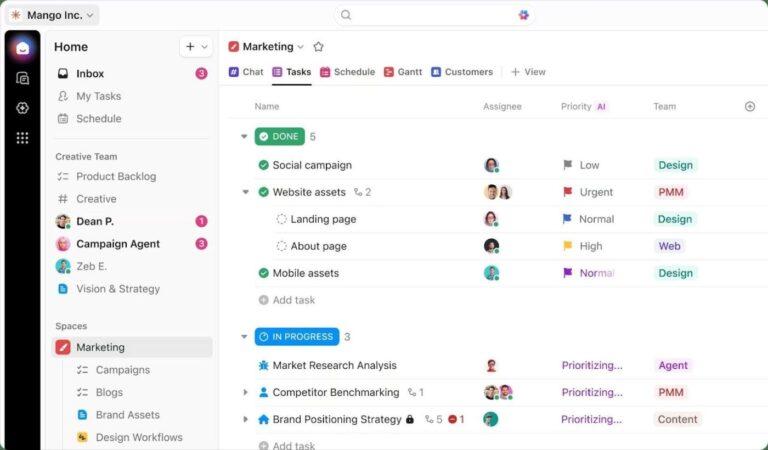
| Views | 15+ views including List, Board, Gantt, Calendar, Timeline, Workload, and more | Gantt, task lists, calendar, and workload views |
| Task structure | Flexible hierarchy with Spaces, Folders, Lists, Tasks, Subtasks, and multi-list relationships | Project → task → subtask structure suited for linear workflows |
| Cross-team visibility | Tasks can exist in multiple Lists without duplication, supporting cross-functional work | Tasks are contained within projects; cross-team visibility relies on updates and reports |
| Collaboration | Docs, Whiteboards, Chat, Comments, and real-time editing built into tasks | Focused on approval workflows, proofing, and client collaboration |
| Approval workflows | Flexible approvals using Assigned Comments, Automations, and task statuses | Strong multi-stage approval workflows with structured sign-offs and client portals |
| Integrations | 1,000+ integrations including Slack, Google Workspace, GitHub, Figma, Salesforce, plus API and webhooks | Integrates with tools like Google Drive, Dropbox, and Slack; API available but fewer native integrations |
| Use case flexibility | Adapts to marketing, product, engineering, operations, and more | Best suited for structured creative production and campaign management |
🧠 Fun Fact: Our survey found that knowledge workers maintain an average of 6 daily connections at their workplace. This probably entails multiple pings back and forth across emails, chat, and project management tools.
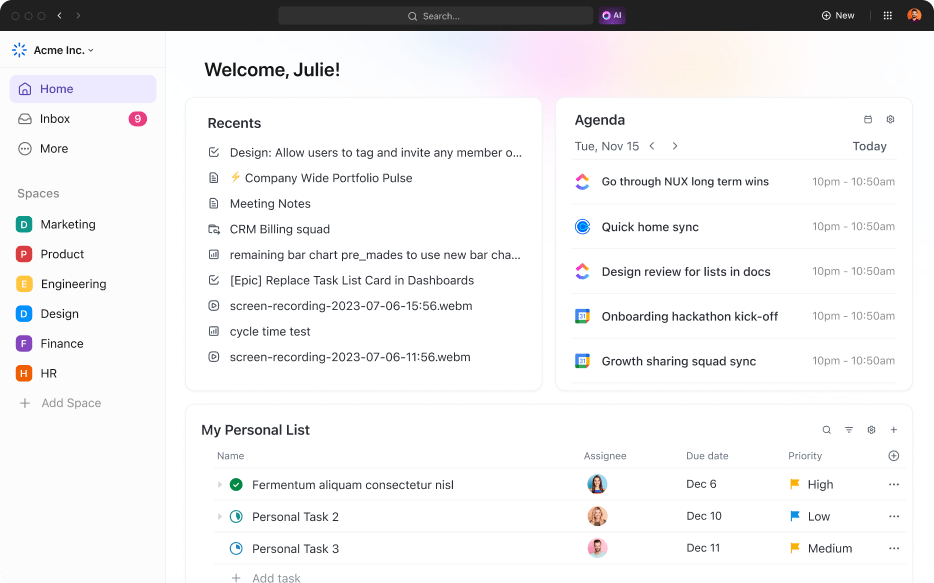
ClickUp converges all these conversations in one place for you. It’s a converged AI workspace that combines projects, knowledge, and chat in one place—all powered by AI that helps you and your team work faster and smarter.
This eliminates work sprawl and saves you from context switching, ultimately preserving your time and resources.
Key features include:
Considerations:
📮 ClickUp Insight: Low-performing teams are 4 times more likely to juggle 15+ tools, while high-performing teams maintain efficiency by limiting their toolkit to 9 or fewer platforms. But how about using one platform?
As the everything app for work, ClickUp brings your tasks, projects, docs, wikis, chat, and calls under a single platform, complete with AI-powered workflows. Ready to work smarter? ClickUp works for every team, makes work visible, and allows you to focus on what matters while AI handles the rest.
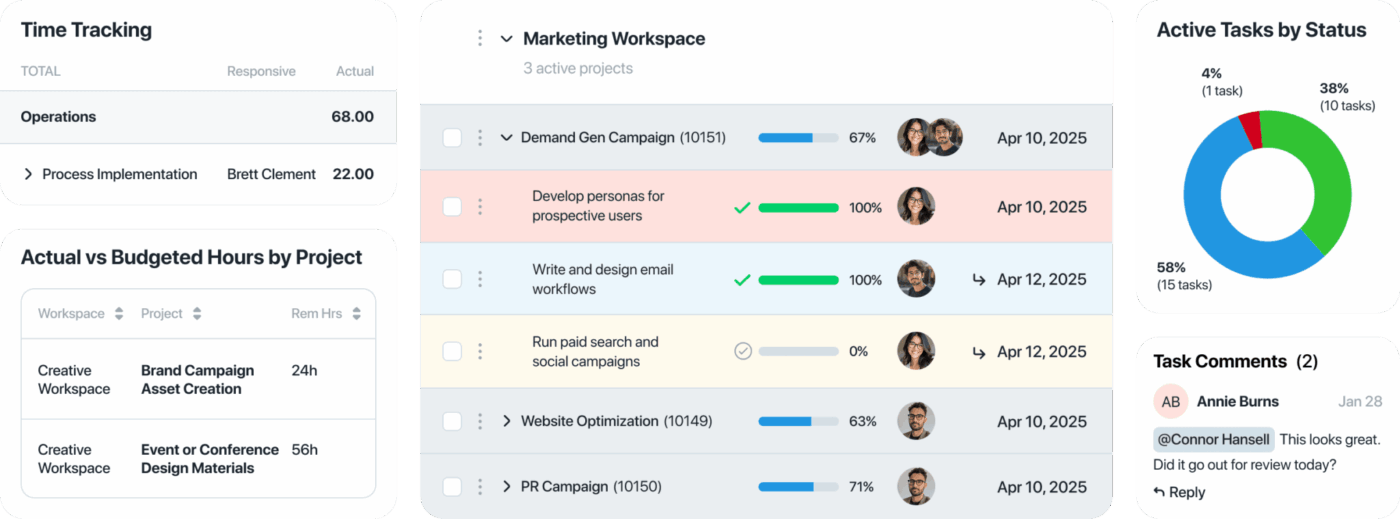
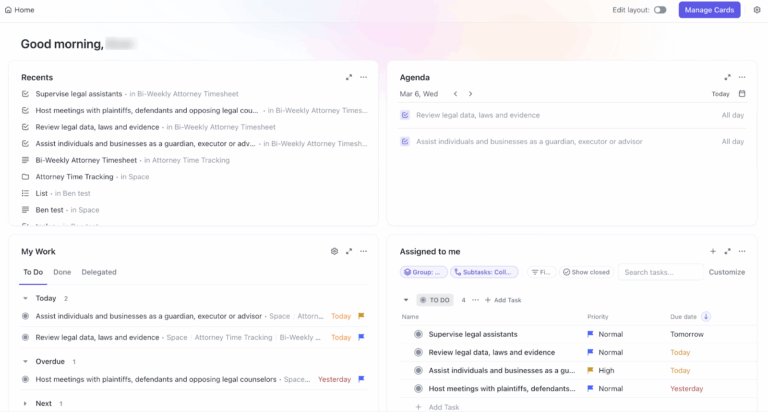
Workzone is a project management software that manages chaotic creative review and approval cycles. It gives creative teams a clear view of their portfolio, documenting every internal revision or external client markup. This focus on process discipline makes it a reliable choice for teams that need to hit rigid deadlines across multiple overlapping campaigns.
Key strengths:
Potential drawbacks:
🧠 Fun Fact: The Gantt Chart used by both tools was revolutionary when Henry Gantt popularized it around 1910-1915 to track the construction of the Navy’s ships. Before software, these charts were hand-drawn on paper and had to be redrawn from scratch every time a deadline shifted.
Beyond the surface-level features, the true distinction between ClickUp and Workzone lies in their core philosophies: specialized process management versus a converged, AI-powered workspace. This comparison breaks down how their differing approaches affect critical areas, including collaboration, customization, and automation.
In most teams, automation handles task movement, not task understanding.
A task moves from ‘In review’ to ‘Changes requested,’ and the notification is sent. Next, the assignee gets pinged.
But work starts after that.
Someone still has to read through all the comments, figure out what changed, and turn that into clear next steps. If there are 6–7 comments across stakeholders, it usually means rewriting the task description or creating a fresh checklist to keep execution clean.
ClickUp works directly on that step.
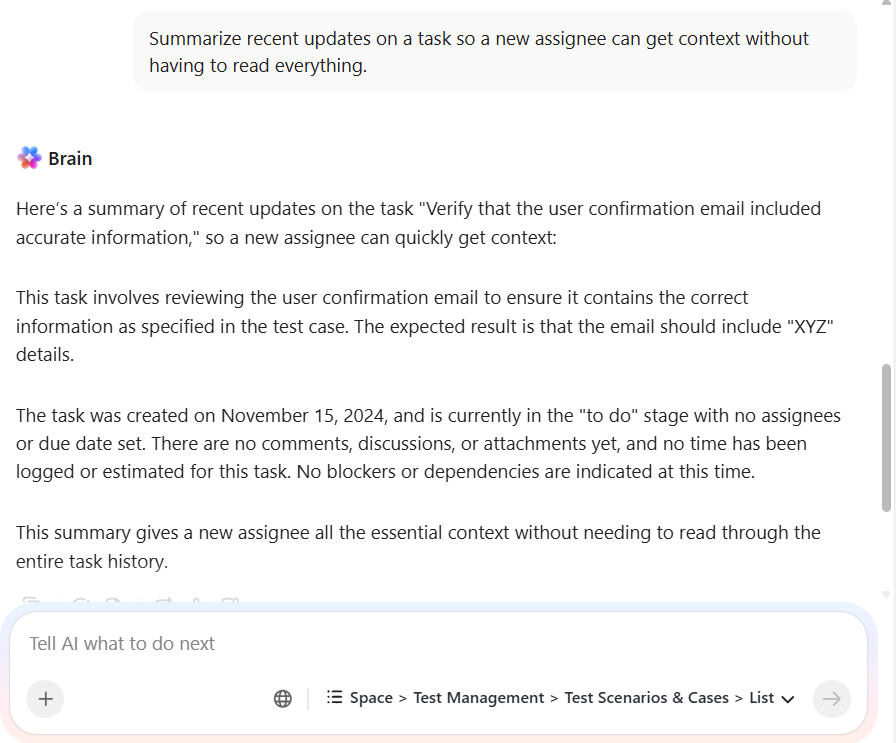
With ClickUp Brain, you can use the existing task context to generate what the team needs next:
🧠 Fun Fact: While we use digital checklists in ClickUp today, the formal ‘Checklist Manifesto’ approach actually stems from Boeing in 1935. After a complex new bomber crashed during a test flight, pilots realized the plane was too much for one man to fly from memory, leading to the first standardized project management tool: the pilot’s checklist.
📌 For example, imagine a content task in review.
Three stakeholders leave detailed comments. One suggests tone changes, another flags SEO gaps, and a third requests structural edits.
Instead of manually going through each comment and rewriting instructions, you can generate a consolidated action list inside the task. The writer gets a clean set of next steps without having to interpret scattered feedback.
💡Pro Tip: You can offload repetitive work as instructions come in, so no one has to do it manually using ClickUp Automations.
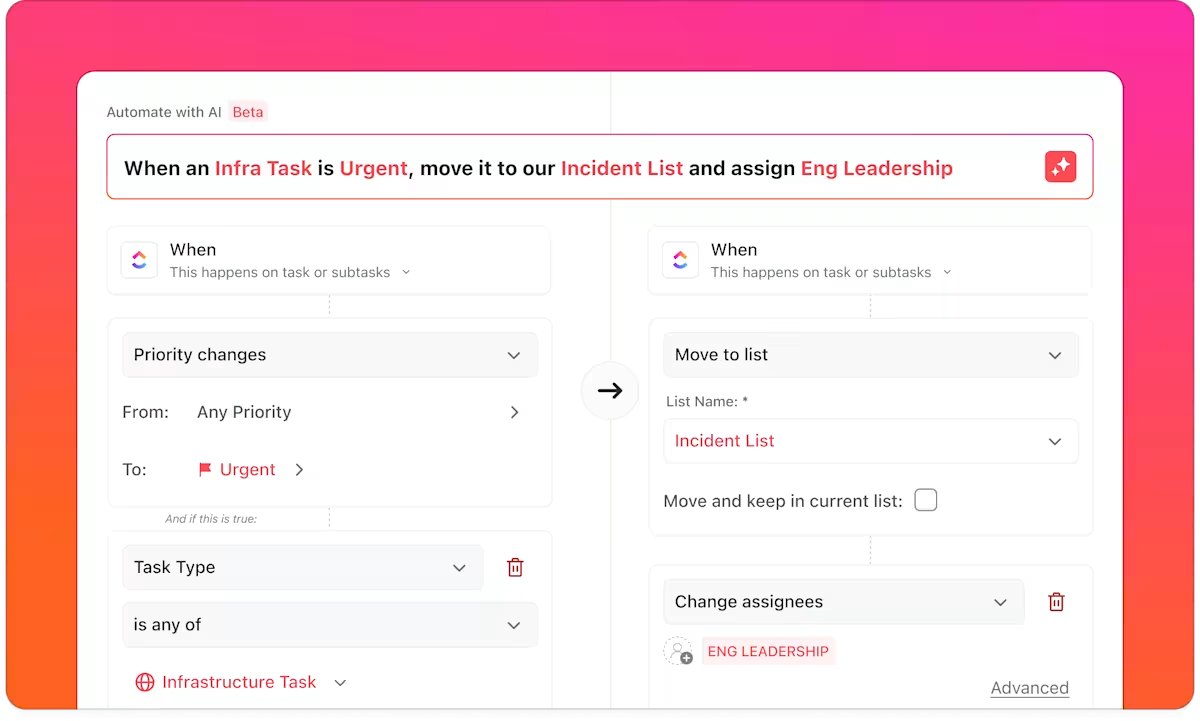
Inside the builder, start by describing what should happen. For example, you can write:
‘When a task priority is marked urgent, move it to the Incident List and assign Eng Leadership.’
ClickUp converts that into a structured automation behind the scenes. It sets the trigger (priority change), applies the condition (urgent), and defines the actions (move task + assign team). You can then review or tweak each step before activating it.
This changes how you build workflows. Instead of configuring multiple fields manually, you describe the outcome once and let the system map it into triggers and actions.
Workzone handles this stage differently.
Its workflow automation is built around moving work through defined steps:
This works well when your process is fixed, and the main goal is visibility. However, once feedback is added, the system does not convert it into actionable information.
If multiple reviewers leave input, your team still has to read, interpret, and manually rewrite the next steps. The platform tracks progress, but it does not reduce the effort required to move from feedback to execution.
▶️ The verdict: ClickUp reduces the time spent turning feedback into clear work. Workzone keeps the review process structured but leaves that conversion step to your team.
🔎 Did You Know? According to the PwC 2025 Global AI Jobs Barometer, industries most exposed to AI (like software and professional services) have seen a fourfold increase in productivity growth.
In many tools, switching from a task list to a timeline or board either removes detail or requires a separate setup. Your team ends up maintaining parallel structures just to answer different questions.
ClickUp Views preserve the structure while changing how you read it.
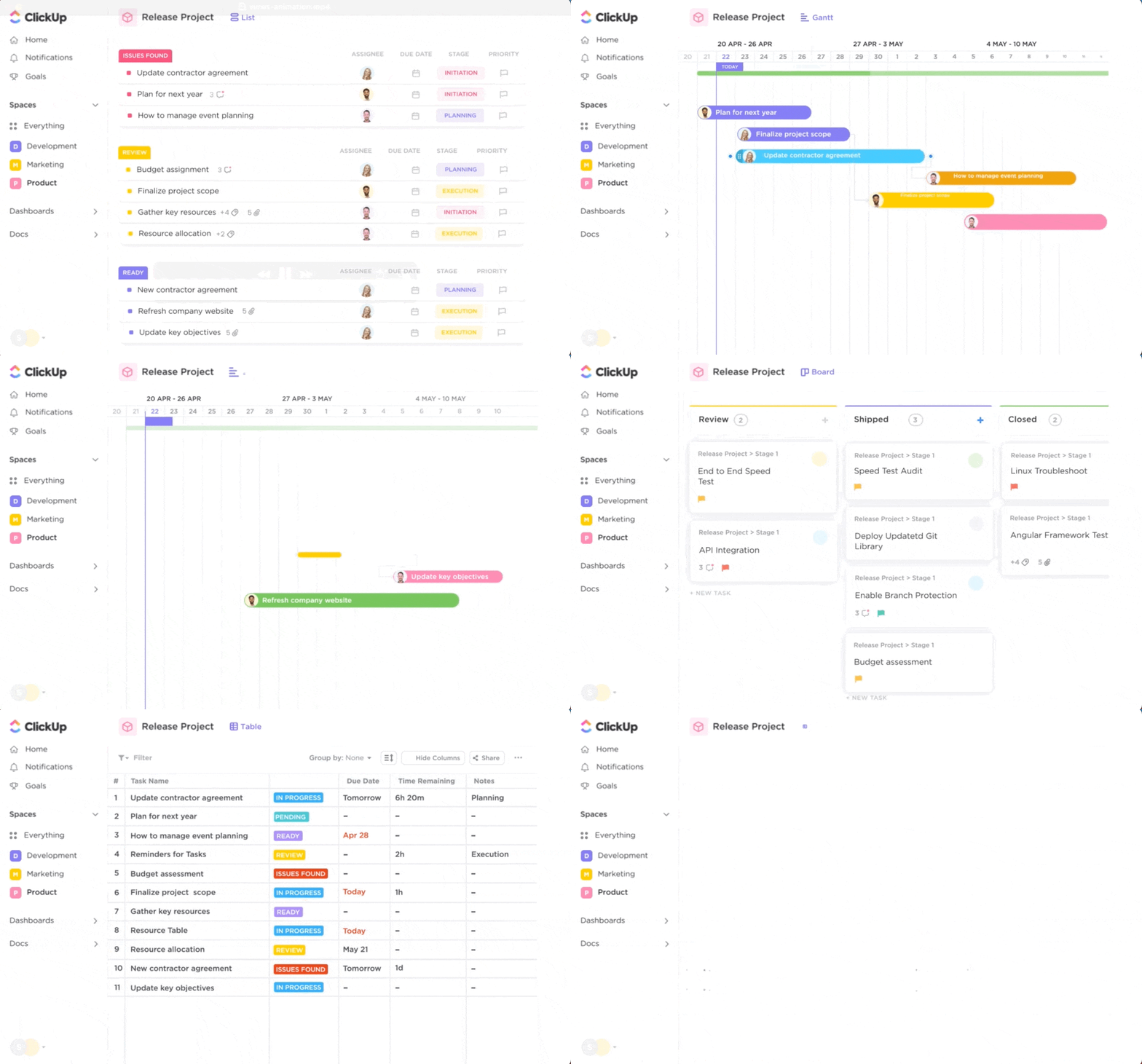
📌 For example, consider a team managing multiple client retainers.
Tasks are organized by client and priority in List View. Midweek, timelines shift.
Instead of restructuring anything, the team switches to Gantt Chart View to push deadlines and adjust dependencies. Those changes are reflected immediately in List View for execution and in Workload View for resource planning.
In simpler words, you continue working with one set of tasks. ClickUp Views only change how that same data is organized, filtered, and acted on.
Workzone follows a more predefined structure.
Its views—Gantt, task lists, calendar, and workload reports—are built to support consistent project tracking. This works well when projects follow a set flow, and the main requirement is visibility across stages.
However, the system is less flexible when teams need to reinterpret the same work across roles. Adjustments tend to happen at the project or template level rather than through dynamic view changes.
▶️ The verdict: ClickUp lets teams shift perspective without restructuring their work. Workzone supports stable workflows where the structure stays consistent and doesn’t need to adapt frequently.
Take a common setup: a marketing team is launching a campaign that involves content, design, and paid media.
The campaign starts as a single initiative. It needs to be broken down, assigned across teams, tracked at different levels, and still stay connected.
Here’s how that plays out in ClickUp.
The campaign lives inside a ClickUp Space (for example, Marketing). Within that, it sits in a ClickUp Folder for ‘Q2 Campaigns.’ Inside the Folder, each channel: content, ads, design, can have its own ClickUp List.
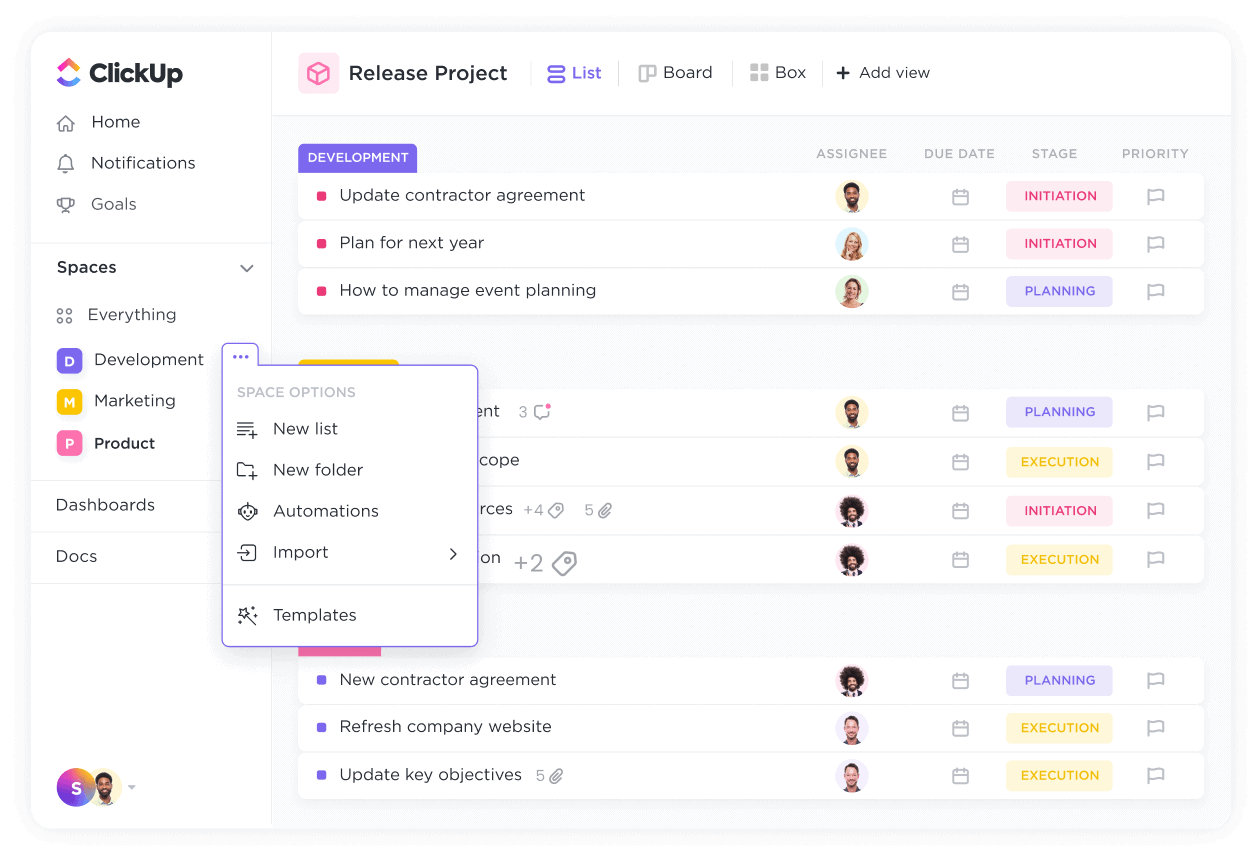
Now the actual work begins.
A Landing page task is created in the Content List. That same ClickUp Task can also appear in the Design List without being duplicated. The copywriter, designer, and marketer are all working on the same task, not separate versions of it.
As work progresses:
Now zoom out.
The marketing lead can track the entire campaign at the Folder level. Each team still works inside their own Lists. No one is duplicating tasks or manually syncing updates.
The structure holds because everything connects back to the same underlying ClickUp Task, making cross-functional collaboration easier.
Watch this video to learn more about Tasks in ClickUp:
The same campaign would sit within a single project in Workzone, with tasks and subtasks.
That works well when the workflow is linear:
For example, a design asset can move from draft to review to approval with clear ownership at each step. But when the same work needs to be visible across teams, the structure becomes tighter.
If multiple teams need visibility, coordination happens through updates, reports, or manual tracking rather than shared task placement across workflows. This works for teams that operate within defined pipelines, especially when handoffs are sequential.
▶️ The verdict: ClickUp keeps one version of work visible across teams without duplication, which supports multi-team execution. Workzone keeps work contained within structured projects, which works best when tasks move through a fixed sequence.
Review cycles break when feedback and execution live in different places.
A file is shared. Comments come in. Then someone has to go through all of it and turn it into actual changes before work can continue.
ClickUp keeps that entire loop inside the task.
Start with the asset. A designer uploads a draft to a task. Stakeholders open that file and use ClickUp Proofing to leave comments directly on specific parts of the image, video, or PDF. Your comment will stay anchored to the exact point it refers to, so there is no ambiguity about what needs to change.
Now move to execution. Instead of treating comments as passive feedback, ClickUp Assigned Comments turns each comment into a tracked action item. A reviewer can assign a comment to a designer or writer, and it will remain open until it is resolved.
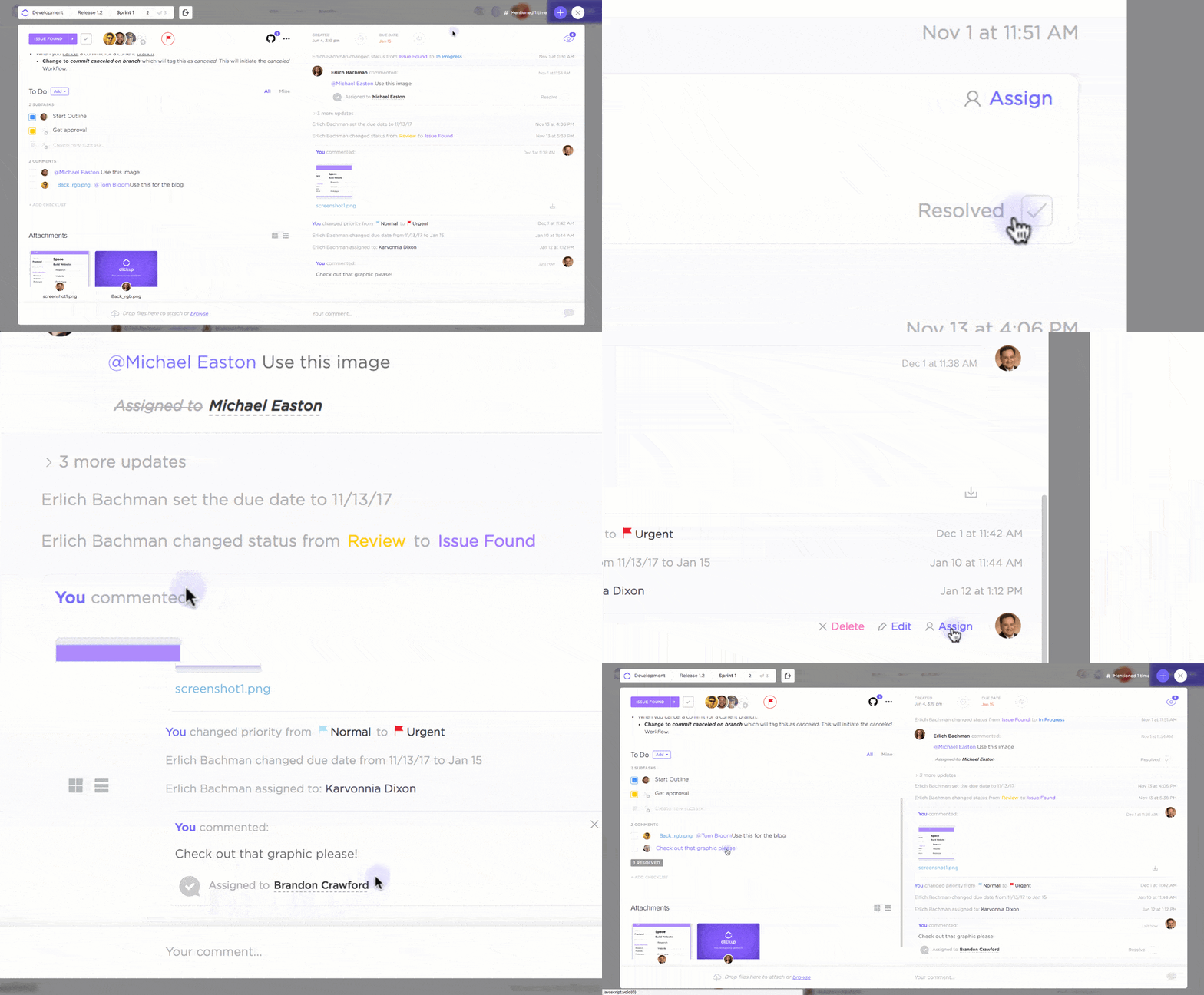
The assignee can address these comments individually. The best part? The task will stay incomplete until your team addresses all feedback.
At the same time, the supporting context stays connected.
The brief can exist inside ClickUp Docs, which which you can link to the same task. If the direction changes, the team updates the Doc and continues working without restarting the process elsewhere.
On the other hand, if the team needs to sketch out changes, ClickUp Whiteboards lets them map ideas visually and convert them into tasks.
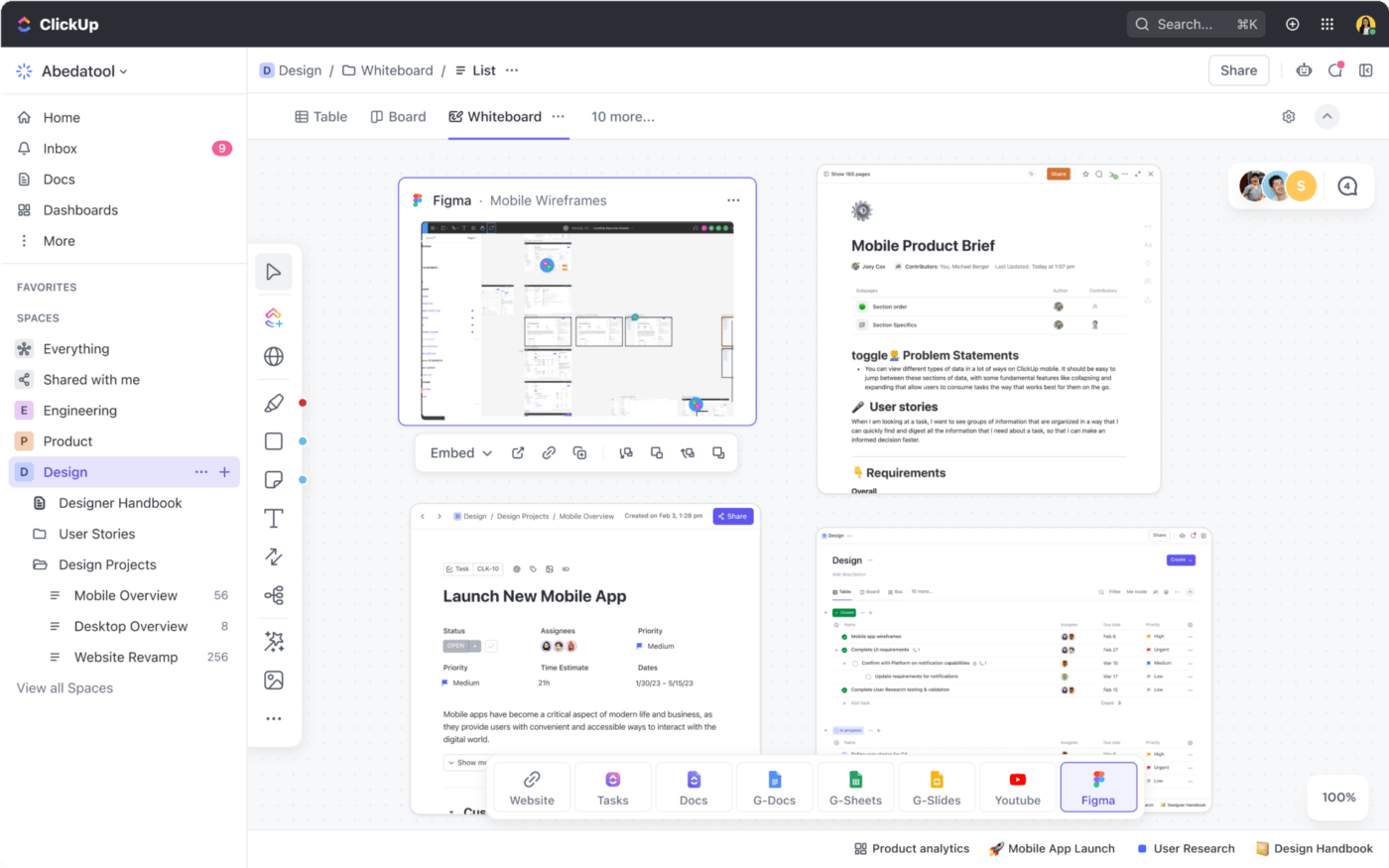
For real-time collaboration and quick discussions, ClickUp Chat sits alongside the work, so conversations do not drift into separate tools.
Sid Babla, a Wellbeing Program Coordinator at Dartmouth College – Student Wellness Center, reviewed ClickUp:
“ClickUp is great for when there are multiple tasks/subtasks for a particular project and all members of the team need to be kept updated. A well-designed folder or list can easily replace the need for communicating via email and Slack/MS Teams. The different views also help identify priorities and create timelines effectively.”
Workzone is purpose-built for approval workflows, and it works there. It offers multi-stage review processes that are ideal for creative teams who need formal sign-offs from multiple stakeholders. Its proofing tools support markup on creative assets.
It also provides client portals so external partners can submit requests and provide feedback without needing full access to the platform.
▶️ The verdict: Workzone is ideal for structured, formal approval cycles. ClickUp offers a broader and more flexible set of collaboration tools that work for any team, including powerful ClickUp Proofing and ClickUp Assigned Comments for creative reviews.
Customer Story: Shopmonkey
When marketing work lives across docs, messages, and personal notes, approvals slow down and visibility disappears. Shopmonkey used ClickUp to bring collaboration, approvals, and project visibility into one place, so work moved faster, and fewer details fell through.
There was no clear way to see a project’s status or each team member’s capacity at any given time.
With ClickUp, teams get one shared system for tracking work, collaborating across functions, and keeping approvals connected to execution.
🔎 Did You Know? Approximately 70% of employees report facing too many applications and context switching at least monthly—a clear symptom of Tool Sprawl.
Lack of coordination between tools while work is in progress can cause updates to stay locked inside individual systems. ClickUp Integrations bridge that gap.
For example, with the ClickUp HubSpot Integration, a deal marked as ‘Closed’ can automatically create a new onboarding structure inside ClickUp using a predefined template. With assigned Tasks and defined deadlines, the delivery team can start with a fully structured project rather than build it from scratch.
Similarly, the ClickUp GitHub Integration keeps the development progress visible without status updates. When a pull request is opened or merged, the linked task can be automatically updated, keeping product and engineering aligned without additional coordination.
There is also a ClickUp Figma Integration. It embeds the design files directly into tasks, so reviewers and stakeholders always access the latest version in the same place where feedback and execution happen.
For workflows that extend beyond native integrations, ClickUp Zapier Integration and ClickUp Make Integration allow you to connect thousands of tools and automate multi-step processes. This includes turning form submissions into tasks, syncing support tickets, or triggering updates across systems.
💡Pro Tip: If your team requires deeper customization, ClickUp API and ClickUp Webhooks provide full control to build internal workflows that connect ClickUp with proprietary systems, financial tools, or internal dashboards.
Workzone supports integrations with tools like Google Drive, Dropbox, and Slack, which cover common needs for storing files and coordinating communication. It also provides an API for custom connections.
However, there is a limit on integrations, making it complex to drive multi-step workflows across tools. Teams often need to manage updates manually or rely on external systems to maintain consistency.
▶️ The verdict: ClickUp uses integrations to keep work in sync across tools as it evolves. Workzone connects essential tools but relies more on manual coordination when workflows span multiple systems.
The decision comes down to how your work structure is and how it changes once it’s in motion.
Workzone operates best for teams within defined creative pipelines. Projects move through clear stages, approvals follow a set order, and client feedback is a core part of the process. If your primary goal is to bring consistency and control to review cycles, Workzone fits that model well.
ClickUp does not confine your work to one function or one structure. Tasks move across departments, inputs change mid-cycle, and execution depends on keeping docs, conversations, and updates aligned. Instead of adding more tools to handle each layer, ClickUp keeps everything connected inside a single workspace.
Here’s a simple way to decide:
Choose Workzone if your work follows repeatable approval flows, your team depends on structured sign-offs, and your focus is on managing creative production with clear stages and client visibility.
Choose ClickUp if your work spans multiple teams, your processes evolve as projects progress, and you need tasks, documentation, communication, and automation to stay connected without manual coordination.
ClickUp consolidates the systems most teams end up stitching together. Tasks, Docs, Chat, Automations, and AI operate in the same environment, so updates in one place carry across the rest of your workflow.
If reducing tool-switching and keeping execution aligned are priorities, you can start using ClickUp for free and see how it fits into your existing workflows.
ClickUp Brain works inside your tasks, Docs, and Chat to generate summaries, create content, and answer questions based on your workspace data. Workzone focuses on rule-based automation, such as task routing, notifications, and approval triggers, without built-in AI for content or context handling.
ClickUp is better for growing teams because it supports multiple departments, workflows, and project types within one flexible structure. Workzone works well for marketing and creative teams, but is less adaptable when scaling across different functions like product, engineering, or operations.
Yes, ClickUp can replicate structured workflows using project templates, required custom fields, and multi-step approval automations. You can enforce consistent processes where needed while still keeping flexibility for other types of work.
ClickUp combines Docs, Whiteboards, Chat, and Proofing inside tasks, so discussions and feedback stay connected to the work. Workzone focuses on structured approval workflows and client portals, making it strong for formal reviews but less flexible for broader team collaboration.

Manasi Nair
Max 14min read
Manasi Nair
Max 9min read

Arya P Dinesh
Max 17min read

© 2026 ClickUp