Sorry, there were no results found for “”
Sorry, there were no results found for “”
Sorry, there were no results found for “”
Base44 has quickly become the go-to for teams who want to turn a simple prompt into a custom internal tool. It’s an exciting promise, but as workflows become more complex, a “build-it-yourself” app often starts showing its limits in governance and scalability.
What happens when your custom-built tool needs to talk to your project timelines, your team’s actual communication, and your high-level goals? That’s where ClickUp, the world’s first converged AI workspace, enters the showdown.
This comparison takes an honest look at both platforms. Let’s explore where Base44 excels at quick prototyping and how ClickUp leads in reliable, production-ready execution. Most importantly, you’ll discover why more teams are moving away from fragmented “micro-apps” toward a single, unified system. ✨
Base44 is a no-code app builder. Type a prompt, and it generates a working business application. That’s the core value proposition, and it does it well.
ClickUp, on the other hand, is a single, secure platform where projects, documents, conversations, and analytics live together, with AI embedded as the intelligence layer.
Teams searching “Base44 vs. ClickUp” are really asking one question: do you need a tool that builds custom apps or one that runs your entire workflow? This breakdown covers every major category, so you can make an informed decision.
| Feature/category | ClickUp | Base44 |
|---|---|---|
| Core purpose | Converged AI workspace that runs projects, docs, communication, and workflows in one system | AI-powered no-code builder that generates standalone internal apps from prompts |
| Best for | Teams managing end-to-end workflows across projects, people, and data | Individuals or teams building quick, single-purpose internal tools |
| AI and automation | Context-aware AI (ClickUp Brain) across tasks, docs, and chat + autonomous agents that execute workflows | AI focused on app generation; basic in-app automations and conditional logic |
| Workflow management | Full project management suite with dependencies, timelines, dashboards, and reporting | No native project management; workflows must be built manually inside apps |
| App building | Build custom tools within your workspace using AI, agents, and codegen with full context | Generates complete apps (database + UI) instantly from prompts for specific use cases |
| Collaboration | Built-in chat, docs, whiteboards, video, and async communication tied directly to work | No native collaboration layer; relies on external tools like Slack or email |
| Data and context | Unified system where tasks, docs, conversations, and AI share the same context | Each app operates independently; limited cross-app context without integrations |
| Integrations | 1,000+ native integrations with centralized, searchable data via Connected Search | Primarily relies on Zapier and connectors; less native depth |
| Scalability | Designed for production workflows, cross-team alignment, and enterprise use cases | Best suited for lightweight tools and MVP-style internal apps |
🧠 Fun Fact: One of the earliest ancestors of today’s prompt-to-app tools was not a no-code platform at all. It was VisiCalc, the first electronic spreadsheet, created after Dan Bricklin got tired of manually reworking business models line by line.
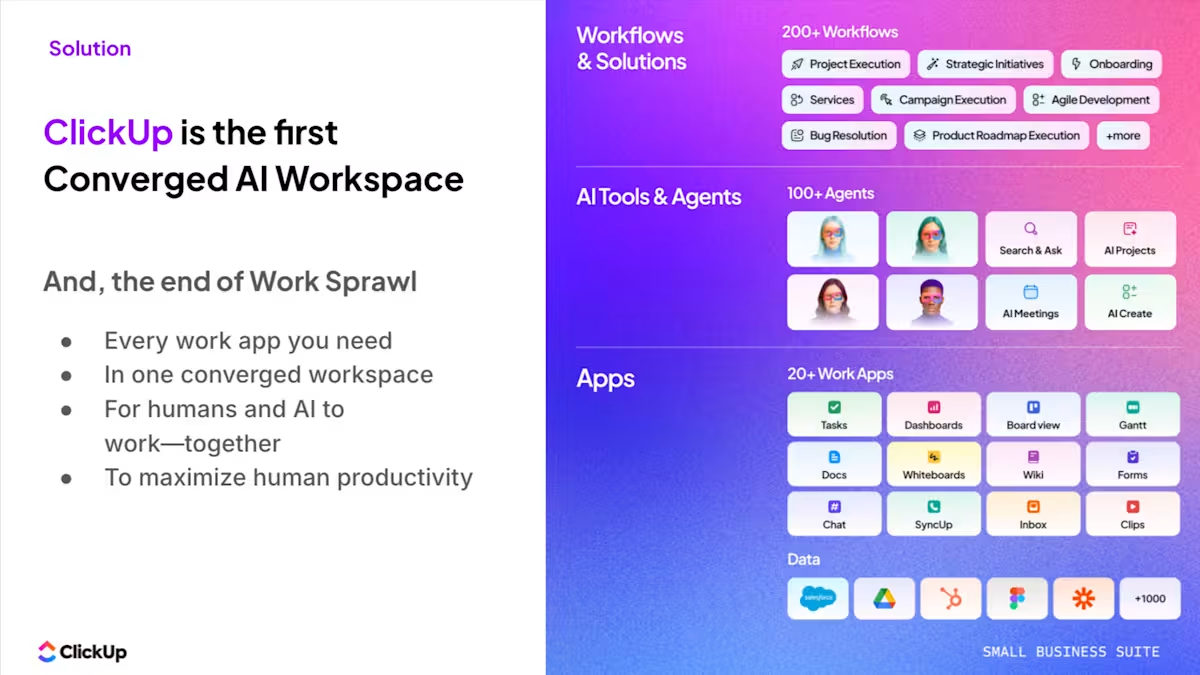
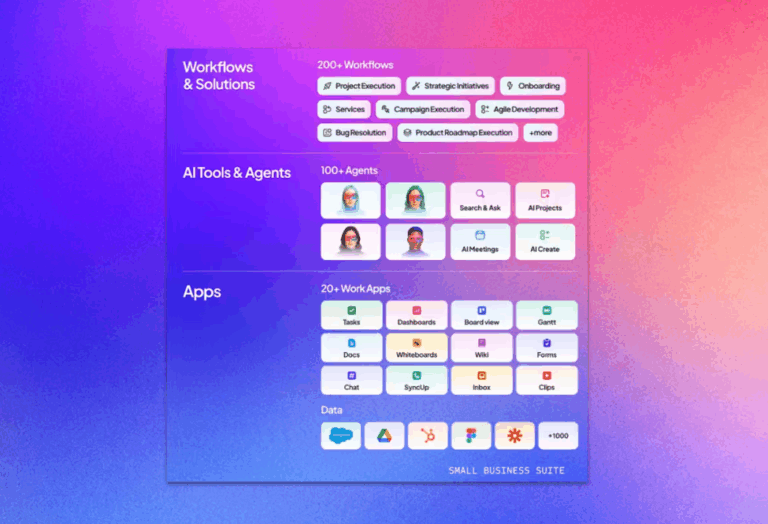
As a Converged AI Workspace, ClickUp brings your tasks, projects, docs, team communication, and contextual AI and agents into one platform.
Even more, it eliminates context sprawl. Context sprawl happens when teams waste hours switching between apps, hunting down files, and repeating the same updates across multiple platforms. ✨
Pros:
Cons:
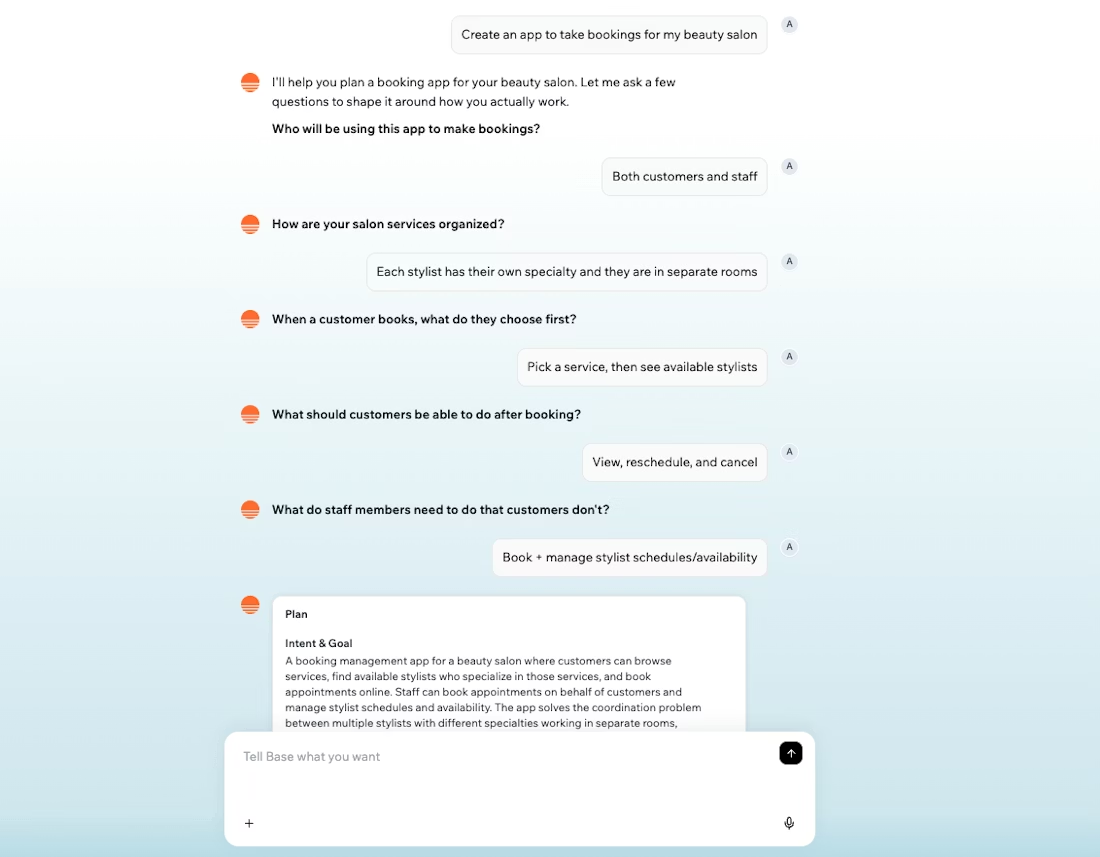
Base44 is an AI-powered no-code platform that turns plain-language prompts into working business applications with database backends, forms, and user interfaces. It’s built for non-technical users who need custom internal tools fast.
👀 Did You Know? Wix acquired Base44 and explicitly framed the move around the rise of “vibe coding”—a shift from manual development to intent-driven software development.
Pros:
Cons:
Customer story: Atrato scaled product work without adding more tool sprawl
As teams grow, the challenge usually is not building one more internal tool. It is keeping product work, documentation, communication, and execution aligned as complexity increases. Atrato used ClickUp to centralize product development and cross-functional collaboration, resulting in a 30% increase in speed of product development, a 20% decrease in developer overload, and a 24-hour reduction in ticket MTTR.
ClickUp not only allows me to keep projects on track and detect risks early, it also helps me as an individual contributor with my daily tasks.
To understand which platform fits your workflow, we need to go beyond the hype and compare their features head-to-head. So here we go:
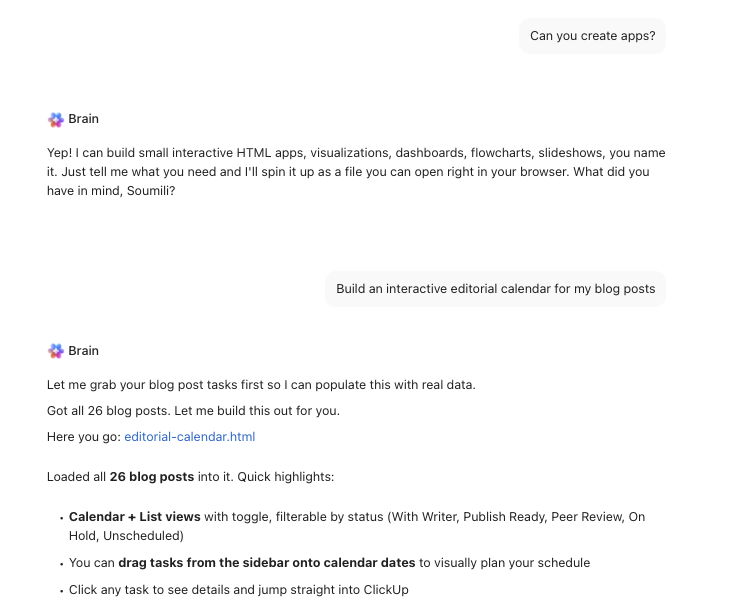
ClickUp Brain is the world’s first context-aware work AI. It reads across your docs, tasks, comments, and wikis to give you direct, sourced answers.
Beyond answering questions, ClickUp Brain can generate interactive HTML apps, custom dashboards, or calendars populated with your real workspace data. It creates a file you can open in your browser to drag, drop, and manage your tasks in a completely custom interface.
For repetitive work, deploy AI Autopilot Agents. These intelligent agents act autonomously based on natural-language instructions you provide. You can trigger an agent to act when a status changes, a message is posted in Chat, or a specific date arrives.
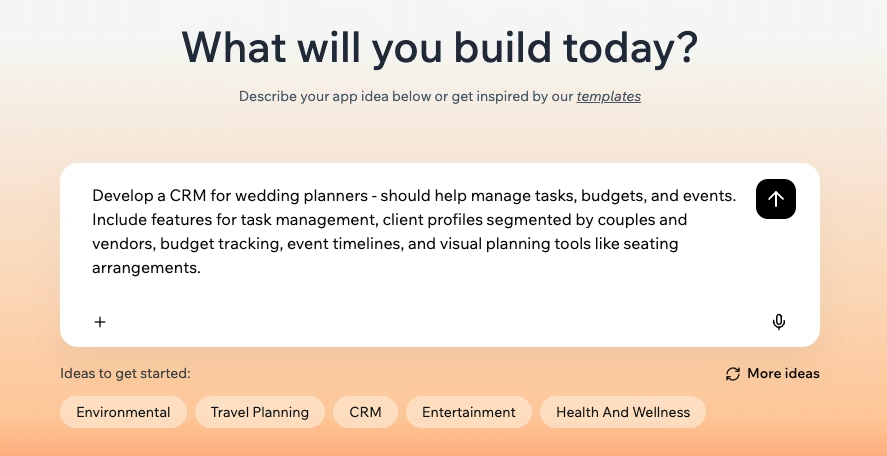
Base44’s AI is built specifically for app generation. Instead of managing tasks, it focuses on building the custom tools you need to run your business.
It acts as a digital architect for your internal software needs:
While Base44 is powerful for building standalone tools, it doesn’t search across your other company apps natively. If you want to connect your new app to the rest of your tech stack, you’ll typically need to set up a third-party bridge like Zapier.
🏆 Winner: ClickUp takes the lead because its AI and agentic workflows act as both an autonomous project manager and a custom solution builder.
📮 ClickUp Insight: 34% of workers say the biggest barrier to automation is uncertainty about which tools to use. While many want to work smarter, they’re overwhelmed by the choices and lack the confidence to take the first step. 😓
ClickUp removes this confusion by offering intuitive, user-friendly AI Agents that can automate your work within a single platform—no need to juggle multiple tools. With features like ClickUp Brain, our AI assistant, and custom AI agents, teams can automate processes, plan, prioritize, and execute tasks without advanced technical expertise or tool overload.
💫 Real Results: Lulu Press saves 1 hour per day per employee using ClickUp Automations, leading to a 12% increase in overall work efficiency.
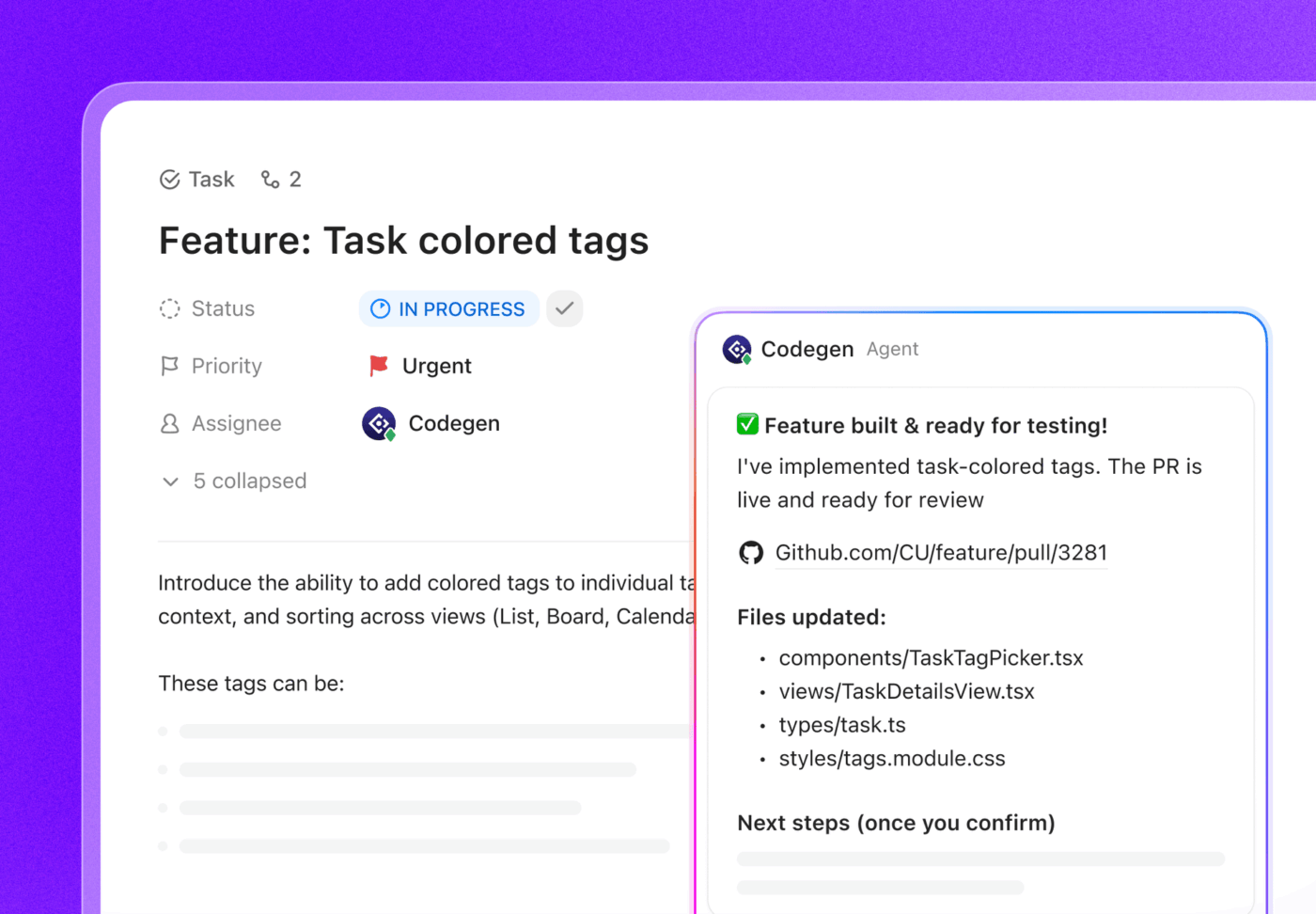
ClickUp has evolved into an extensible platform that lets you build entire software ecosystems. It provides the infrastructure to build intelligent, autonomous tools that live where your team works.
The real power lies in ClickUp Codegen. You can think of this as your resident AI developer. You can assign a task to the Codegen agent or @mention it to have it build features, write production-ready code, or even open pull requests.
Because it understands your entire workspace context, it can execute technical tasks that usually require a human developer.
To take things further, you can build custom AI teammates called ClickUp Super Agents. Using a natural-language builder, you can give these agents specific “skills” to make decisions and handle data routing across your tasks and Docs.
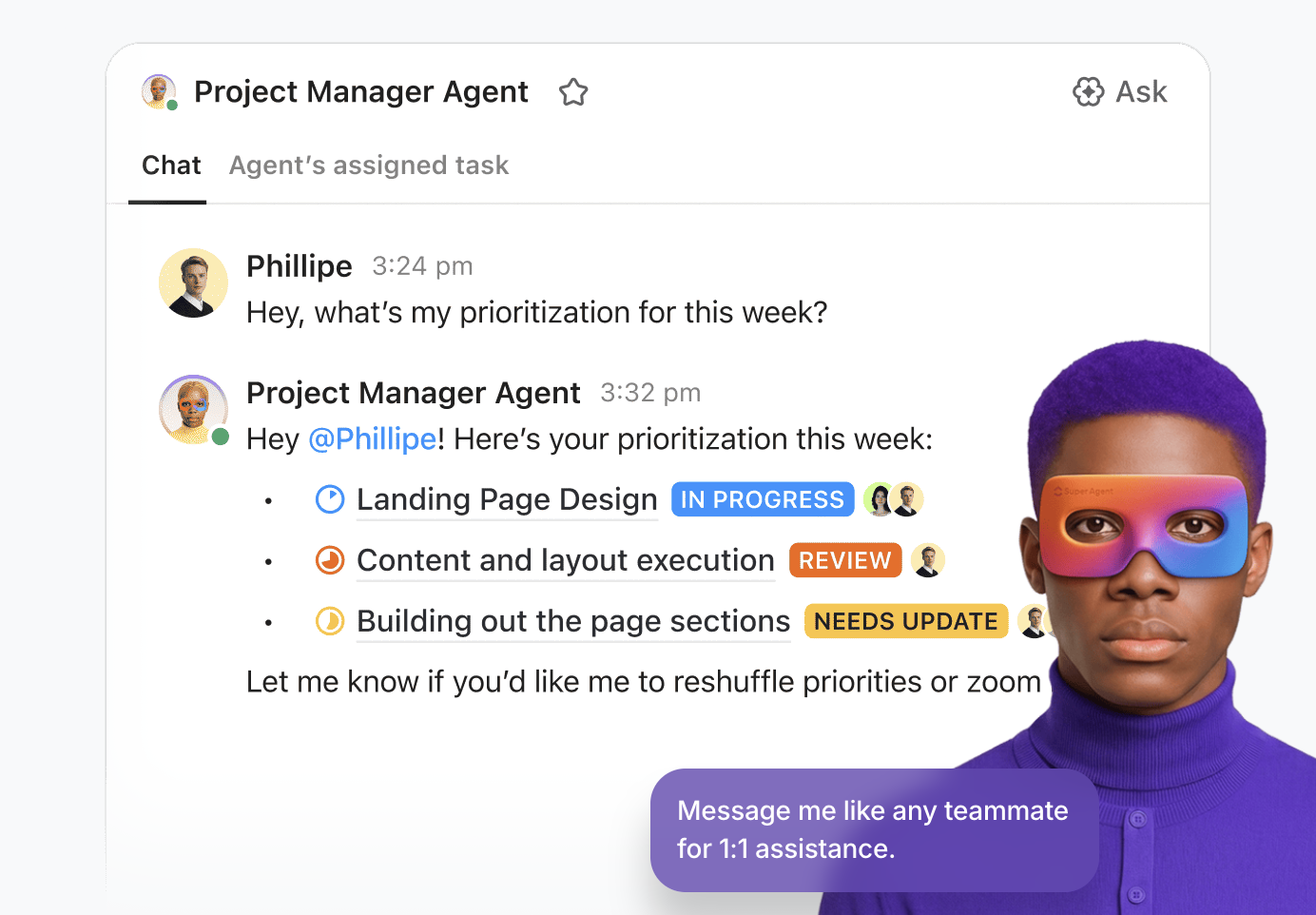
📌 For example, you could deploy a Bug Triage Prioritizer Agent that monitors incoming tickets. The agent can cross-reference your GitHub repository to find the cause, assign the task to the right developer, and draft a response with the fix timeline.
Hear how this Reddit user is using Super Agents:
I am using Agents with success. Simple but effective. In our project lists with our schedules, we have a task named “Weekly Status.”
In this task, the PM adds a comment with a narrative status, meaningful accomplishments (since hundreds of tasks could be completed or milestones), and any risks or issues. I have the superagent review these, comment with suggestions for formatting, and then copy this latest status and place it into a document that is used for our weekly status.
This document then has a summary of each project’s status for review. I then have a dashboard that shows the document in one of the tiles, and I have another AI create a cartoon based on the statuses for a lighthearted overview of the goings-on of the week.
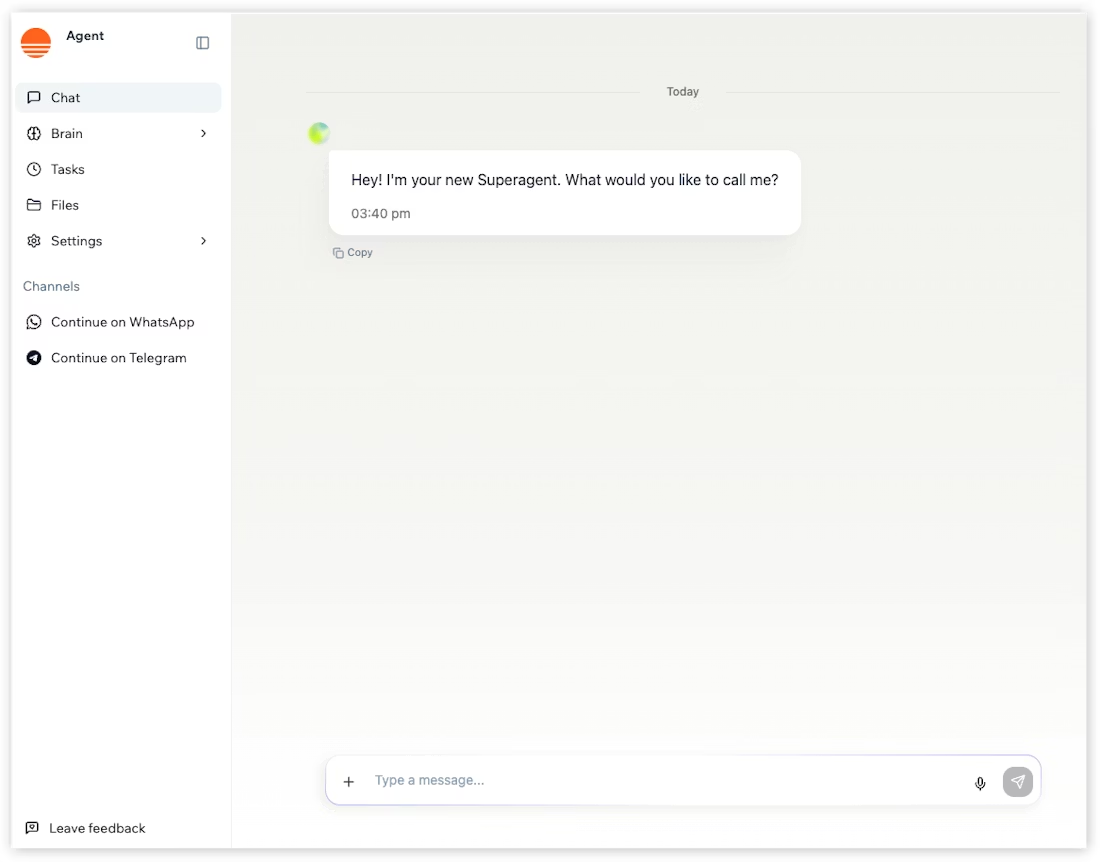
Base44 is a dedicated AI app builder designed for high-speed development. It’s great at “vibe coding,” where your natural language descriptions are instantly translated into functional web applications. This is a great choice for teams that need to ship a single-purpose tool without any technical overhead.
It also includes AI agents embedded directly into your generated apps to handle specific tasks, such as customer support or data entry.
When you describe a tool, such as a client portal or an inventory system, Base44 generates the relational database and user login in seconds. It lets you ship an MVP faster than with traditional no-code platforms by automatically handling hosting and schema design. You can even change how the application looks or behaves just by chatting with the builder.
🏆 Winner: It depends on your use case. ClickUp wins for building integrated AI systems that execute work within and beyond your workspace. But Base44 is useful for generating standalone applications from a single prompt.
💡 Pro Tip: Think of ClickUp Super Agents as the teammates you’ve always wanted but never had the budget to hire. From triaging messy bug reports to drafting weekly executive summaries, there is an agent for almost every high-frequency task that currently clogs your calendar.
Ready to offload your busy work?
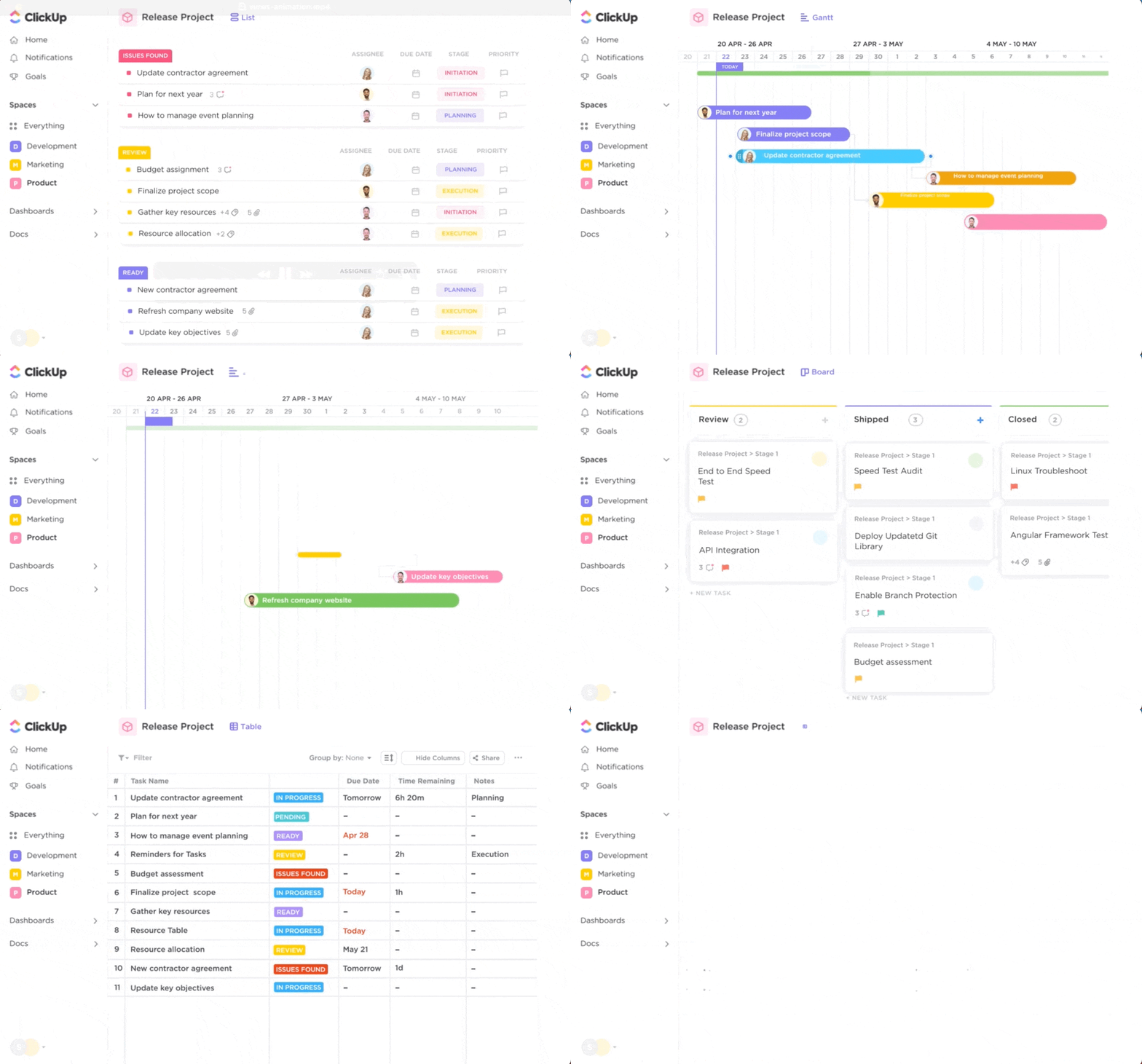
ClickUp has an organized hierarchy system that helps keep your projects well-organized, while giving you the flexibility to view your data however suits you best.
You can then flip between 15+ ClickUp Views—using a Gantt chart to track the timeline, a Board view for the sprint, and a List view for daily tasks, among several others.
While you work, ClickUp Time Tracking runs in the background to keep your team’s capacity in check. Everything is documented in ClickUp Docs, which are linked directly to your tasks, ensuring your strategy and your execution stay in the same place.
Base44 shifts the focus from managing tasks to building the management tool itself. Instead of adjusting to a pre-set workflow, you use AI to generate a custom application that fits your team’s requirements.
When you describe a project, Base44 builds an interface with the exact fields and forms you need. For example, a construction firm might prompt for a “Job Site Tracker” that includes specific data points such as weather conditions and equipment logs.
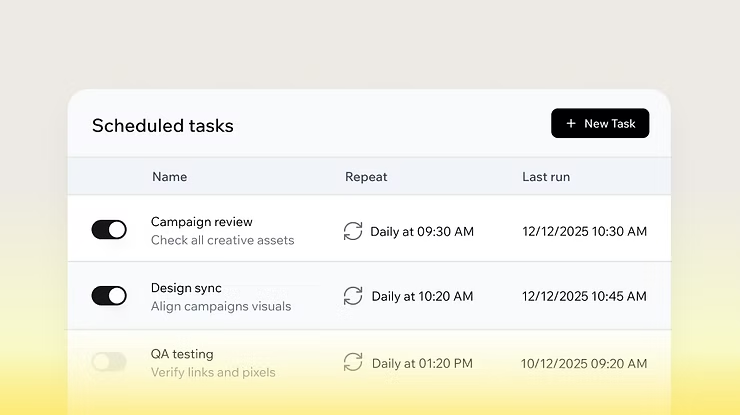
You can still handle repeatable actions using Scheduled Tasks, which let your generated app run backend logic or send automated alerts on a set cadence. However, because Base44 builds standalone apps, it doesn’t come with a native document editor or built-in time tracking. It is a good choice for teams that want a bespoke, focused tool for a specific niche, but it requires more “builder” effort.
🏆 Winner: It boils down to your needs. ClickUp is the winner for professional project management with a full suite of native tools. Base44 is better for those who want to build a custom, single-purpose management app from scratch.
💟 ClickUp does more than help teams manage tasks and timelines. Because your docs, notes, project details, and client context live in the same place, it gives AI something solid to work with, too.
Watch the video below to see how HybridHELIX Consulting uses ClickUp Super Agents to make faster, better-informed decisions.
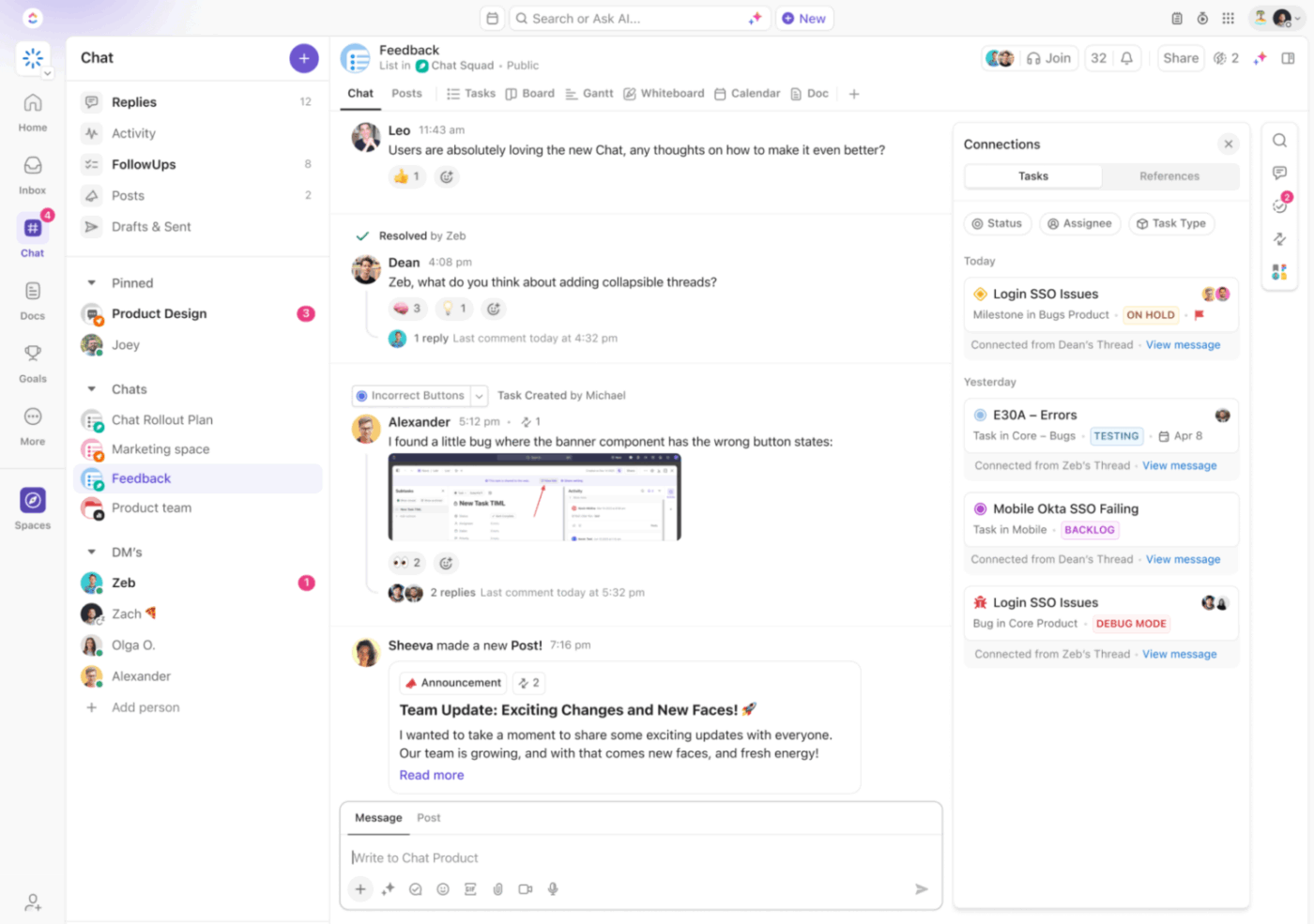
ClickUp Chat serves as your central hub for team discussions. You can create dedicated channels for specific projects or message teammates directly. Because it’s integrated, you can turn any message into a task with a single click.
And for quick face-to-face decisions, ClickUp SyncUp allows you to start an instant audio or video call right from a List or Chat. These are AI-powered sessions in which ClickUp Brain automatically transcribes the call, summarizes key takeaways, and assigns action items.
When text isn’t enough and a meeting is too much, you have ClickUp Clips. This lets you record your screen and voice to explain a complex bug or provide design feedback. These clips are searchable and can be embedded directly into tasks or docs, making asynchronous work feel seamless and clear.
Base44 approaches communication as a functional layer of the apps you build. For instance, you can use built-in email sending to reach registered users directly from your app or set up SMS messaging for quick alerts.
It also offers Slack connectors, allowing your generated app to post automated notifications or summaries to specific channels.
For more advanced interactions, Base44 supports AI agents that can be connected to WhatsApp. This allows your app’s users to interact with your data or support agents directly through their phones. While these features are powerful for building customer-facing tools, they are primarily designed to facilitate app interaction rather than serving as a general-purpose internal team hub.
🏆 Winner: ClickUp wins here because it allows you to create workflows and deploy agents, all while having discussions inside the tool itself.
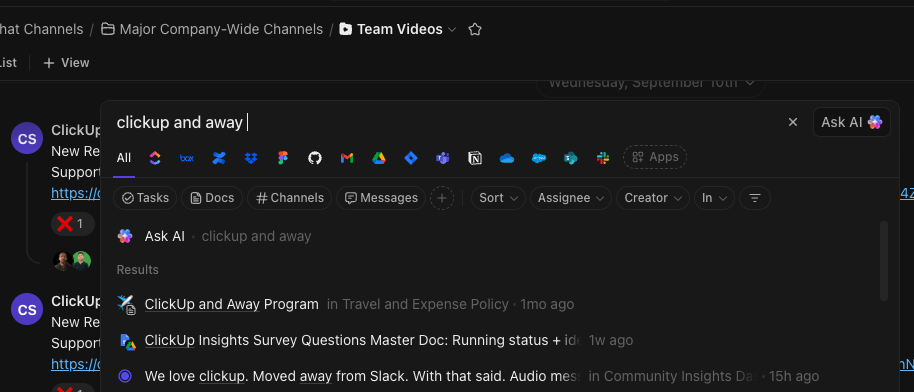
ClickUp serves as the center of your digital ecosystem, offering native integrations with over 1,000 apps, including Google Drive, Slack, GitHub, and Salesforce. Because these connections are native, they don’t require third-party middleware to function smoothly.
One of its most powerful features is ClickUp Enterprise Search. Instead of jumping between tabs, ClickUp indexes and catalogs files from all your connected apps. This means you can search for a Figma design, a HubSpot lead, or a Jira ticket directly from your ClickUp search bar.
For specialized needs, ClickUp offers a robust API and webhook support to build custom integrations with your proprietary software.
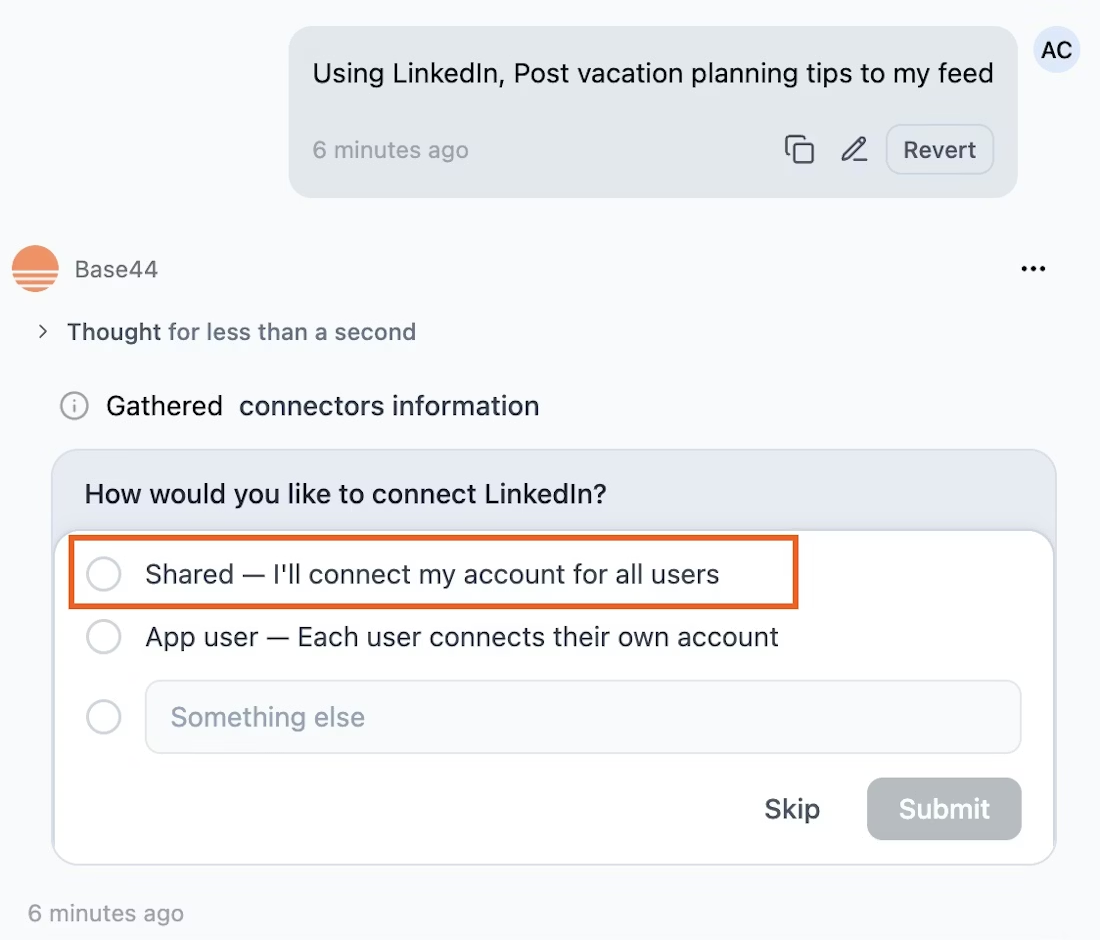
Base44 is built to be an open architect. While it relies on Zapier for over 6,000 external services, it has recently added one-click Connectors for platforms like HubSpot, Slack, and Google Workspace.
These connectors allow your generated apps to securely access external data using OAuth, so you don’t have to manage complex API keys. Choose between Shared Connectors, where everyone uses one central account, or App User Connectors, which let users link their private data.
🏆 Winner: ClickUp is the winner here because it provides a unified, searchable ecosystem that centralizes your work across all the apps you use.
The right choice depends entirely on your team’s technical needs and workflow philosophy. There is no single “best” tool, only the one that aligns with how you execute.
Choose Base44 if:
Choose ClickUp if:
💟 And if ever need be, use both solutions side-by-side. Build an internal tool in Base44, then manage the broader project and workflows in ClickUp.
The choice between Base44 and ClickUp comes down to one question: do you want to build a custom tool, or run a unified business? While a custom app feels tailored, it often becomes just another silo for your team to manage.
ClickUp eliminates that fragmentation. It is a converged workspace where everything you need for a business lives in one place—with AI layered on top to keep everything connected.
Ready to move past fragmented micro-apps and start executing at scale? Get started for free with ClickUp and bring your entire workspace together. ✨
Yes—you can connect Base44 and ClickUp through Zapier to create ClickUp tasks when new records are added in a Base44 app, or trigger other cross-platform actions.
ClickUp offers no-code development with ClickUp Codegen and AI capabilities, which can generate interactive HTML apps, dashboards, and tools from your real workspace data. While it quickly creates functional custom interfaces, it emphasizes integrated solutions that work within your team’s existing environment rather than standalone software.
Base44 handles basic task tracking within generated apps but lacks task dependencies, Gantt charts, workload views, time tracking, and cross-project Dashboards that cross-functional projects require.
ClickUp provides workspace-wide AI automation through ClickUp Brain (for writing and search), AI Autopilot Agents (for autonomous workflows), and ClickUp Automations (for rule-based triggers)—all of which work across projects rather than within a single app.

Manasi Nair
Max 14min read
Manasi Nair
Max 9min read

Arya P Dinesh
Max 17min read

© 2026 ClickUp