Sorry, there were no results found for “”
Sorry, there were no results found for “”
Sorry, there were no results found for “”
Keeping track of project milestones should be simple—hit the deadline, check it off, move on. But somehow, it never is.
Timelines shift, dependencies pile up, and before you know it, you’re buried under outdated spreadsheets and conflicting project team updates. Well, that’s where a solid project milestone template can help. The right template saves you from last-minute confusion, missed deadlines, and the dreaded ‘Where are we on this?’ emails.
Here’s a roundup of the best free milestone templates from ClickUp, which keep your projects moving without chaos.
Milestone templates are structured frameworks that support the project management timeline by clearly outlining key achievements and deadlines. Most timeline templates feature a horizontal visual chart paired with a time-ordered spreadsheet, allowing you to input project milestones, timeframes, and completion status.
They turn complex projects into manageable phases, making project management smoother. Teams can easily track progress, focus on priorities, and keep deliverables on schedule.
Additionally, milestone templates improve communication between team members and stakeholders, streamline project planning processes, and contribute to project success while aligning efforts with broader business objectives.
🔍 Did You Know? Finland’s Olkiluoto Nuclear Power Plant set a new record…for delays. 😐 Construction started in 2005 and was supposed to be done by 2009. Instead, it dragged on for 18 years, with costs rising from €3 billion to €10 billion.
Let’s break down the key elements that make a project roadmap template work for you.
🔍 Did You Know? Berlin Brandenburg Airport was almost a decade late. Initially set to open in 2011, it finally welcomed passengers in 2020—after costs ballooned from €2.83 billion to nearly €10 billion.
Milestones keep your project on track, but keeping up with them all? That’s where things get tricky. A good template lays everything out—what’s done, what’s next, and what needs your attention—so you’re never left guessing.
The good news? ClickUp, the everything app for work, is a powerful project management tool that has got you covered. Its milestone templates help you plan smarter, stay on schedule, and enjoy hitting your goals.
Here are 11 free milestone templates to choose from.
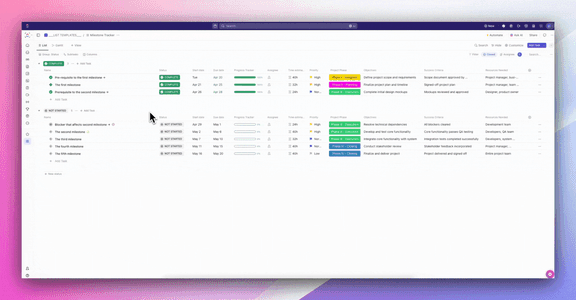
Track project milestones with ClickUp’s Milestone Tracker Template. Includes statuses, timelines, priorities, progress tracking, and objectives to ensure clear planning, accountability, and seamless execution across all project phases.
Here are some key features:
📌 Ideal for: Project managers, team leads, and cross-functional teams who need a structured, visual way to plan, track, and execute project milestones with clarity and accountability.
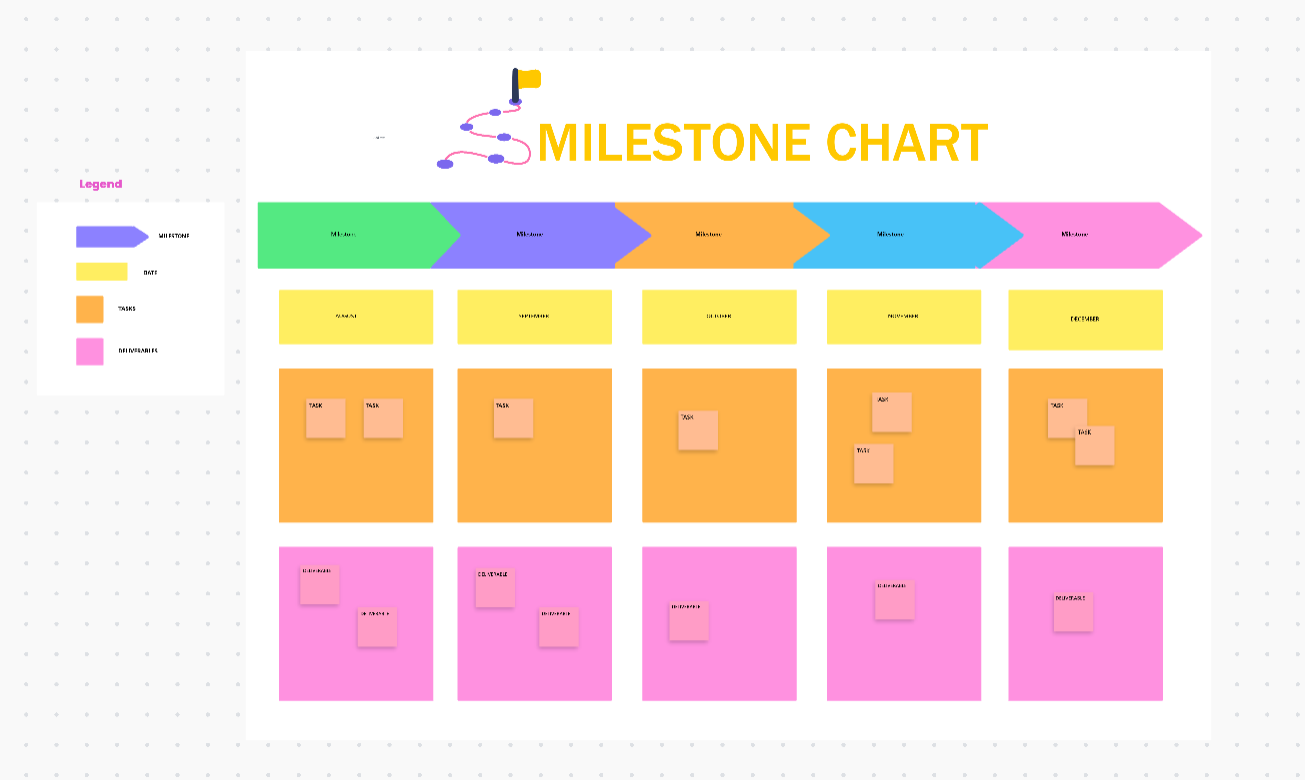
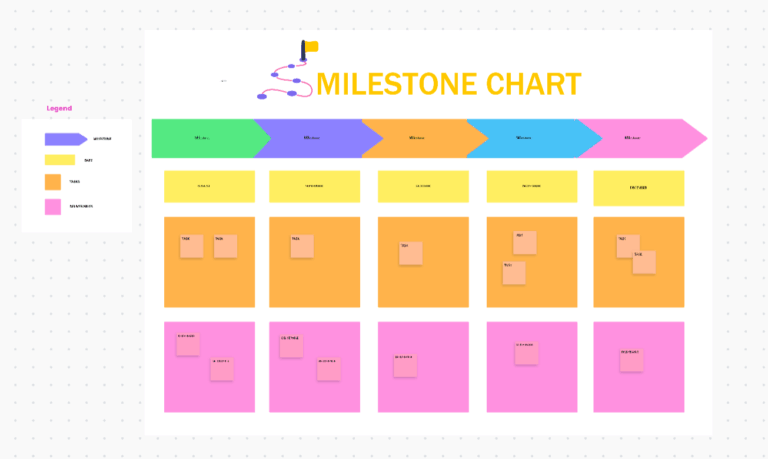
The ClickUp Milestone Chart Template offers a clear, structured view to convert intricate projects into manageable segments, ensuring that each phase is monitored and adjusted as necessary.
Here are some key features:
📌 Ideal for: Teams tracking critical project milestones, ensuring key deadlines aren’t missed, and keeping stakeholders aligned on long-term goals.
🧠 Fun Fact: The term ‘milestone’ comes from ancient Rome. The Romans placed stone markers (miliarium) along roads to indicate every 1,000 paces (about a mile). The Milliarium Aureum (Golden Milestone) in Rome was considered the starting point of all roads.
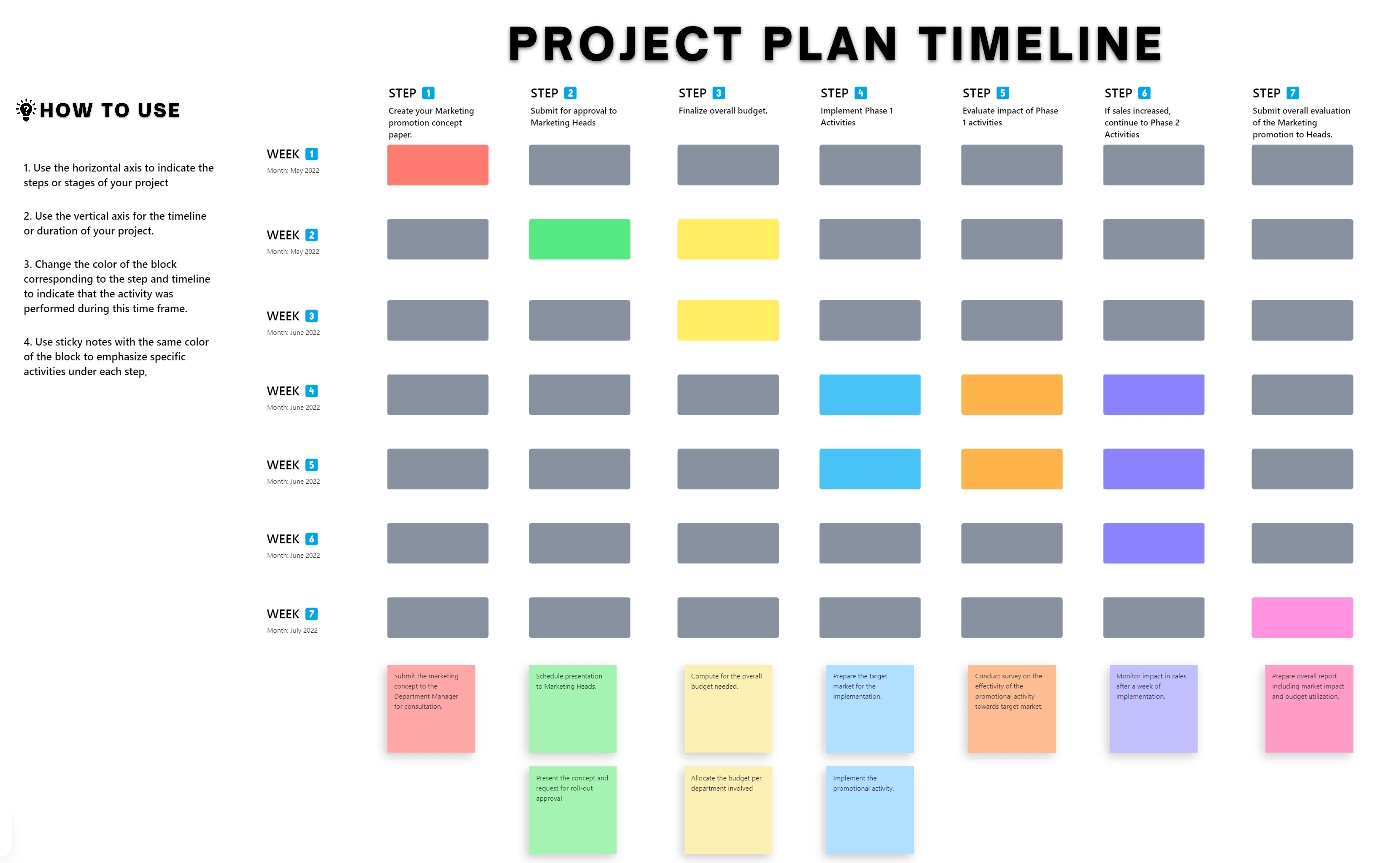
Project timelines can be complex, especially when handling multiple tasks, dependencies, and deadlines. Milestone templates like the ClickUp Project Timeline Whiteboard Template simplify this process by offering an interactive, big-picture view of the entire project.
Here are some ways this project timeline template simplifies planning:
📌 Ideal for: Project managers who need to map out tasks, dependencies, and timelines in a structured way while keeping their teams organized.
🔍 Did You Know? The idea of setting milestones is rooted in goal-setting psychology. Breaking a large goal into smaller, measurable steps improves motivation and increases the likelihood of success.
Marketing campaigns can get chaotic fast—tight deadlines, overlapping tasks, and shifting priorities can delay even the best-laid plans. The ClickUp Marketing Project Timeline Template eliminates the hassle by keeping everything in one intuitive workspace. It helps you create repeatable timelines and marketing plans that can be easily adapted for different strategies.
Unlike Microsoft Excel timeline templates, this one offers these project views to organize marketing activities:
📌 Ideal for: Marketing teams juggling multiple campaigns, promotions, and content schedules while ensuring everything stays on track.
🧠 Fun Fact: The Gantt chart popularized visual milestone tracking. Introduced by Henry Gantt in the early 1900s, this chart made it easier to see deadlines, dependencies, and key progress points.
The ClickUp Fillable Timeline Template is perfect for teams that already have a list of tasks but need a logical way to organize them into a timeline. It offers a pre-designed, customizable layout, making it a better alternative to creating timelines in Excel and other platforms, with the flexibility for real-time adjustments.
Here are some features of this template:
📌 Ideal for: Teams looking to sort project timelines without spending hours on setup. Perfect for those who need a flexible, drag-and-drop solution.
🔍 Did You Know? Agile methodologies use milestones differently. Instead of fixed checkpoints, Agile frameworks focus on iterative sprints, where milestones can be more flexible and based on deliverables.
The ClickUp Quarterly Roadmap Template helps your team stay focused on big goals without getting lost in scattered notes and spreadsheets. It lays everything out in one place, making it easy to see what’s happening, what’s coming up, and what needs more attention.
You can gain full visibility into quarterly goals, reallocate budget and staff as priorities shift, and keep every initiative aligned with business objectives. With a shared roadmap, collaboration becomes effortless, ensuring every department moves in sync toward broader organizational goals.
📌 Ideal for: Leaders who need to plan quarterly goals, align cross-functional teams, and prioritize strategic initiatives without losing sight of long-term objectives.
🧠 Fun Fact: Before becoming a standard in business, project milestones were heavily used in military operations to track progress in large-scale projects, such as building ships or deploying infrastructure.
Leverage the ClickUp Simple Gantt Template to get a clear, color-coded visual of project tasks, dependencies, and progress. This template automatically pulls tasks from your List into ClickUp’s Gantt Chart View, so you don’t have to manually input data.
Task bars are color-coded by status—open, in progress, or complete—so you can see the entire project’s development at a glance.
With four different project views, this template works for almost any use case. Whether you’re in design, engineering, HR, operations, IT, or product development, it provides a systematic way to track tasks, timelines, and team responsibilities.
📌 Ideal for: Beginners or teams who want to use milestone templates as an easy way to track tasks and deadlines without the complexity of a full-scale Gantt chart.
ClickUp has transformed the way our team works, providing one source of truth that aligns our team and ensures we stay focused on our goals. Using templates, automations, and getting our workflows properly setup has been a game-changer in terms of efficiency and communication.
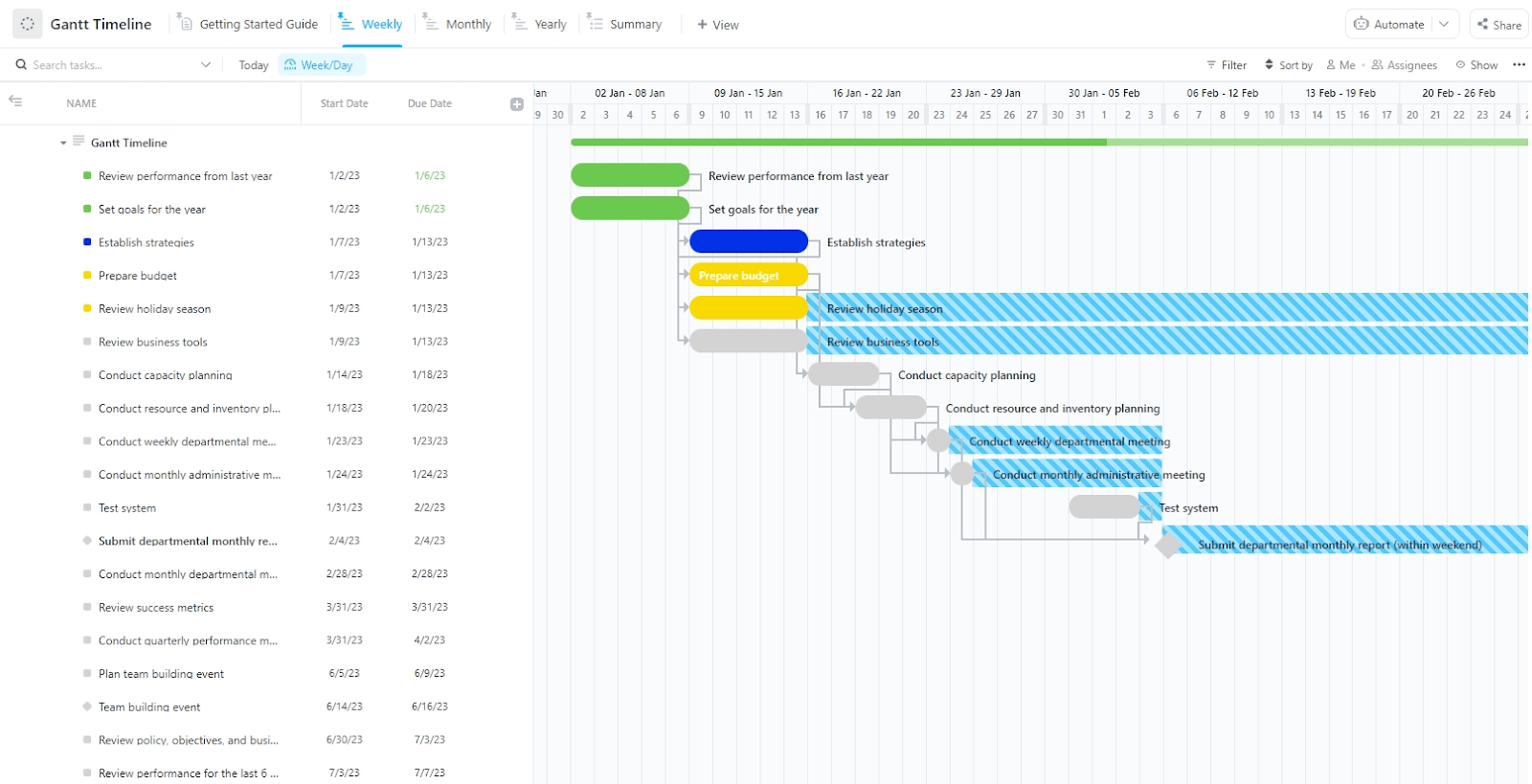
Long-term projects require clear timelines, a cohesive framework, and real-time tracking. The ClickUp Gantt Timeline Template offers just that.
With the Multiple Timeframe View, you can create and adjust tasks on the timeline with drag-and-drop functionality. For instance:
📌 Ideal for: Project managers handling complex workflows, multiple dependencies, and large-scale projects that need precise tracking of milestones in Gantt charts.
🧠 Fun Fact: The Sydney Opera House was way off schedule, and budget! What was supposed to be a $7 million, four-year project ended up taking 14 years and costing $102 million!
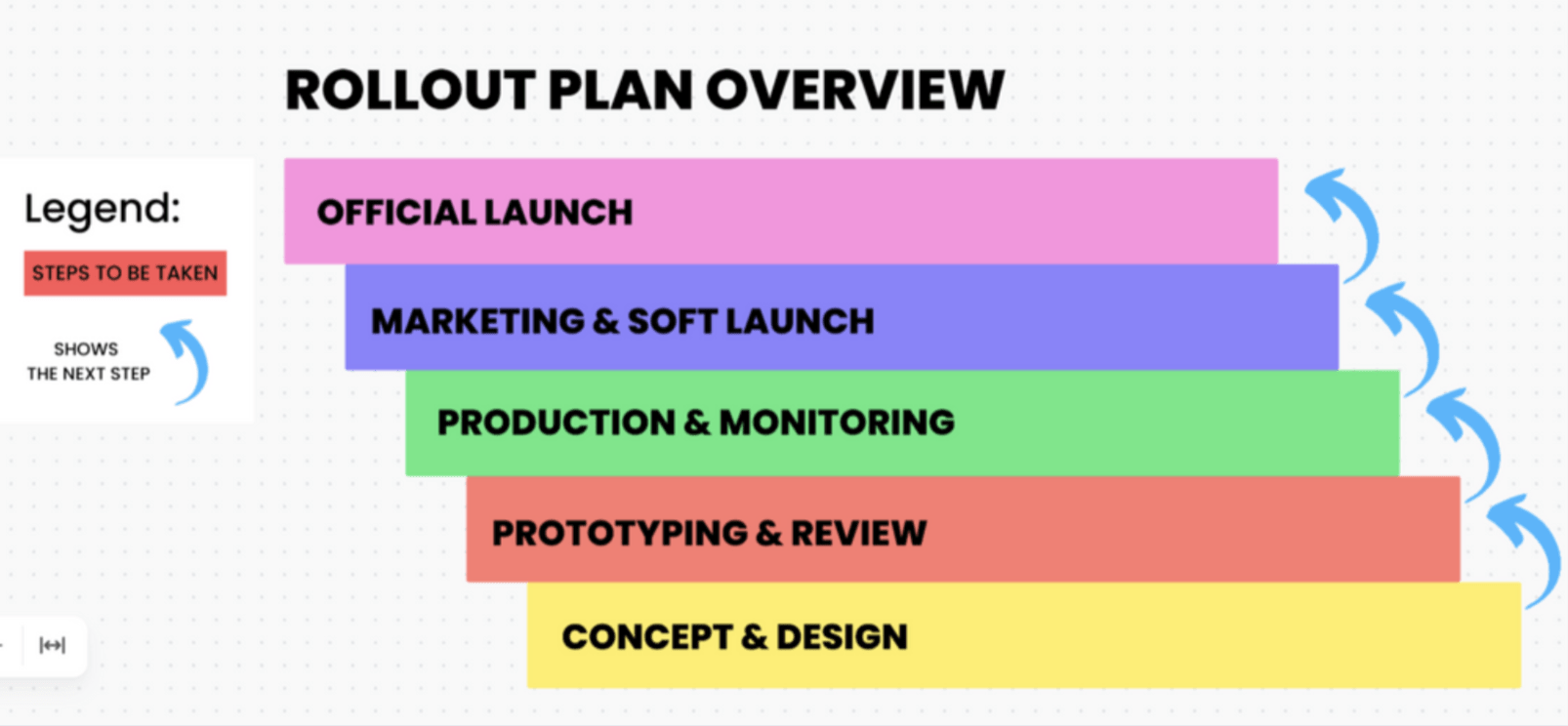
Launching new software is a complex process that requires careful coordination across multiple teams. The ClickUp Software Rollout Timeline Template helps teams map out every phase of the rollout, track the project lifecycle in real time, and make quick adjustments to stay on schedule.
These are some additional benefits of this template:
📌 Ideal for: IT and product teams launching new software or updates, ensuring a smooth rollout process without last-minute chaos.
🔍 Did You Know? When a critical milestone is missed, teams may resort to crashing, which means adding extra resources to speed up progress at a higher cost.
Are you planning a project and need a clear visual roadmap? The ClickUp Timeline Whiteboard Template helps you map everything out, so you’ll never second-guess deadlines or task dependencies.
Tasks and events stay neatly organized in chronological order, making it easy to see how everything connects. Estimated completion times? Check. Task dependencies? Clear as day. Whether you’re launching a product or rolling out a content campaign, this template keeps everything moving and helps you stay ahead of potential roadblocks.
With the timeline whiteboard, you can adjust timelines on the fly, add tasks as plans evolve, and keep stakeholders in the loop without constant status meetings.
📌 Ideal for: Teams managing time-sensitive projects with multiple moving parts, making it easy to map out tasks, track progress, and spot potential bottlenecks before they cause delays.
📖 Also Read: How to Create a Roadmap in Excel
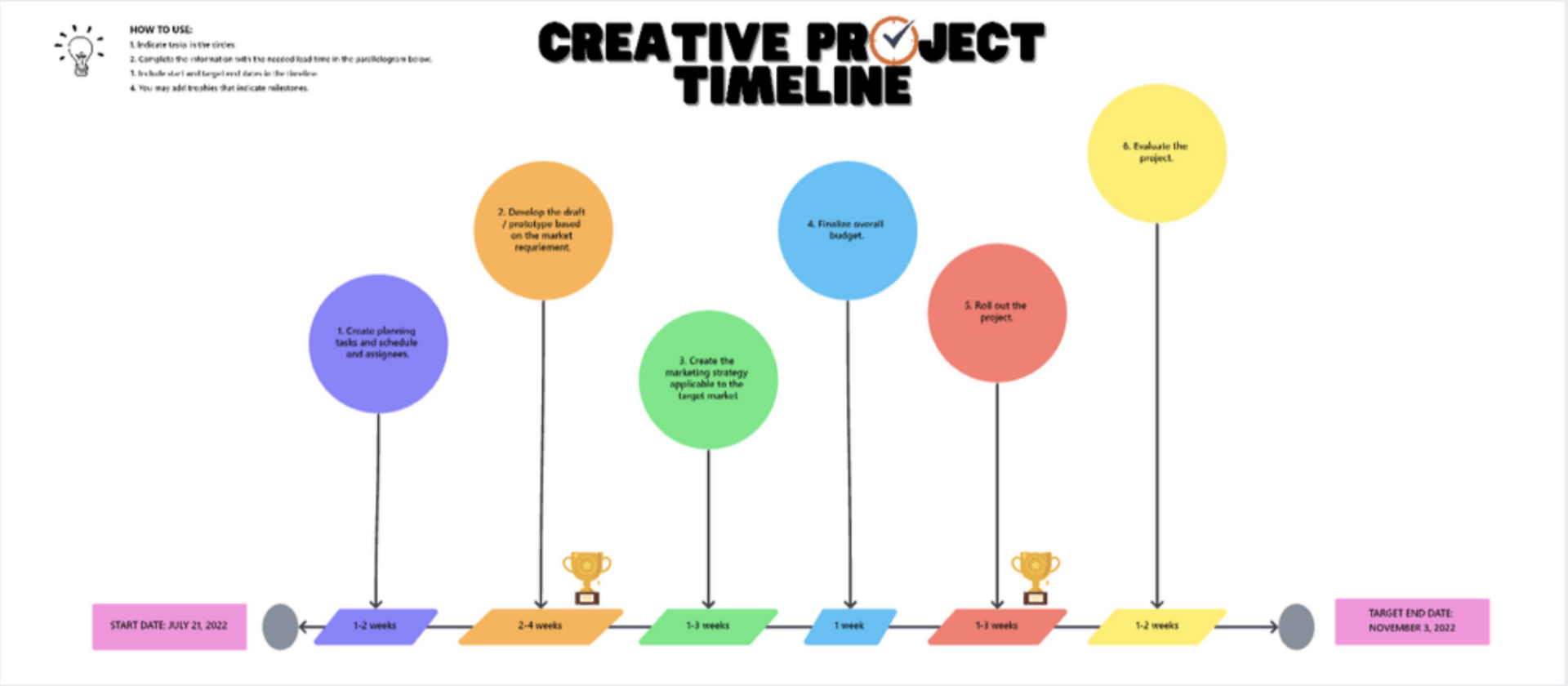
Creative projects don’t follow a linear path, and this template adapts to that reality.
The ClickUp Creative Project Timeline Template helps teams break down complex projects into clear, actionable steps, ensuring ideas turn into results with a seamless execution process.
It gives teams the clear roadmap they need without limiting creativity, making it easier to plan, execute, and deliver standout projects on time and with clarity. With ClickUp Custom Task Statuses like ‘Open’ and ‘Complete,’ you can track progress at a glance without digging through endless updates.
To ensure smooth collaboration and keep everyone aligned, you can leave comments, assign work, and react to tasks in real time.
📌 Ideal for: Creative heads wanting a visual, flexible way to manage design, video, or content projects while maintaining creative flow.
Tracking milestones shouldn’t feel like a full-time job. The right milestone templates give you a clear roadmap, better visibility, and fewer last-minute surprises.
There are plenty of options to choose from, but if you want something more dynamic, trust ClickUp. It takes milestone tracking to the next level with automation, real-time updates, and full project visibility—all in one place.
With ClickUp Brain, the AI assistant integrated into ClickUp, you don’t need to track milestones and projects manually. Generate standups, automated task updates, project progress reports, and more, saving tons of time and effort!
So why stick to manual tracking when you can manage milestones effortlessly? Sign up for ClickUp for free today!

Praburam Srinivasan
Max 27min read

PMO Team
Max 9min read
Praburam Srinivasan
Max 16min read

© 2026 ClickUp