Sorry, there were no results found for “”
Sorry, there were no results found for “”
Sorry, there were no results found for “”
Your research team spent days (weeks?) collecting mountains of data. However, you couldn’t use most of it. While it’s natural to blame the quality of interviews or surveys, that’s not the problem.
On average, a company uses over 100 SaaS applications. With information scattered in this way, it is nearly impossible to be decisive. What you need is a way to bring information together so it leads to real insight.
This article walks you through 10 insight synthesis workflow templates in ClickUp. They’ll help you move from fragmented data to connected workflows your team can use.
| Template name | Download link | Ideal for | Best features | Visual format |
| Data Analysis Findings Template by ClickUp | Get free template | Data analysts and product researchers | Scannable summary reports; embedded Table views; metadata tagging with Custom Fields | Structured ClickUp Doc with linked data tables |
| Analytics Report Template by ClickUp | Get free template | Operations managers and department heads | KPI tracking; real-time visual widgets; recurring reporting tasks; automated alerts | Professional Doc with integrated Dashboard visuals |
| Heuristic Review Template by ClickUp | Get free template | UX/UI designers and product managers | Usability audit checklists; visual friction mapping; task prioritization for bug fixes | Collaborative Whiteboard for user journey mapping |
| Discovery Phase Template by ClickUp | Get free template | Project managers and consultants | Milestone tracking; requirement gathering; dependency mapping; stakeholder role assignment | Gantt Chart and List-based project roadmap |
| Jobs to Be Done Template by ClickUp | Get free template | Product managers and marketers | Functional/emotional job mapping; barrier identification; persona categorization; AI sentiment analysis | Strategic framework Doc with connected task lists |
| Decision-Making Framework Template by ClickUp | Get free template | Business leaders and ops managers | Pros/cons matrix; asynchronous approval threads; traceable audit trails; side-by-side comparisons | Table-based evaluation grid within a Doc |
| Design Review Template by ClickUp | Get free template | Creative leads and product designers | Native proofing and annotation; review pipeline tracking; feedback-to-task conversion | Kanban Board with visual file attachments |
| Brainstorming Template by ClickUp | Get free template | Creative teams and product managers | Real-time ideation; timeline-based execution; department-specific views; priority tagging | Multi-view workspace (Whiteboard, Timeline, List) |
| Squad Brainstorm Template by ClickUp | Get free template | Agile teams and cross-functional squads | Interactive Team Work Canvas; Milestones for top ideas; live @mentions for collaboration | Visual Whiteboard with integrated task cards |
| DMAIC Template by ClickUp | Get free template | Six Sigma practitioners and ops managers | Process flow mapping; root cause analysis; automated milestone notifications; metric tracking | Structured Whiteboard with tactical project phases |
🔎Did You Know? An average worker spends 9% of their year, almost 200 hours, switching between workplace apps. This makes workflow standardization important!
An insight synthesis workflow template is a pre-built framework for making decisions. It helps you collect, organize, and distill raw data into clear, actionable insights. It’s your repeatable process for moving from data chaos to decision clarity.
This also solves the problem of context sprawl—the time teams waste searching for information and switching between apps.
📮 ClickUp Insight: The average professional spends 30+ minutes a day searching for work-related information—that’s over 120 hours a year lost to digging through emails, Slack threads, and scattered files. An intelligent AI assistant embedded in your workspace can change that. Enter ClickUp Brain. It delivers instant insights and answers by surfacing the right documents, conversations, and task details in seconds—so you can stop searching and start working.
💫 Real Results: Teams like QubicaAMF reclaimed 5+ hours weekly using ClickUp—that’s over 250 hours annually per person—by eliminating outdated knowledge management processes. Imagine what your team could create with an extra week of productivity every quarter!
🎥 AI agents help you get clearer answers from your data, faster. This video shows you the best AI agents for the job.
Different kinds of synthesis tasks need specific formats. Deep data analysis needs different treatment than a quick brainstorm. A generic template gives you inconsistent results, and your analytics reports are ineffective.
These 10 ClickUp templates cover the full spectrum of synthesis needs. Each is customizable to fit your team’s unique workflow.
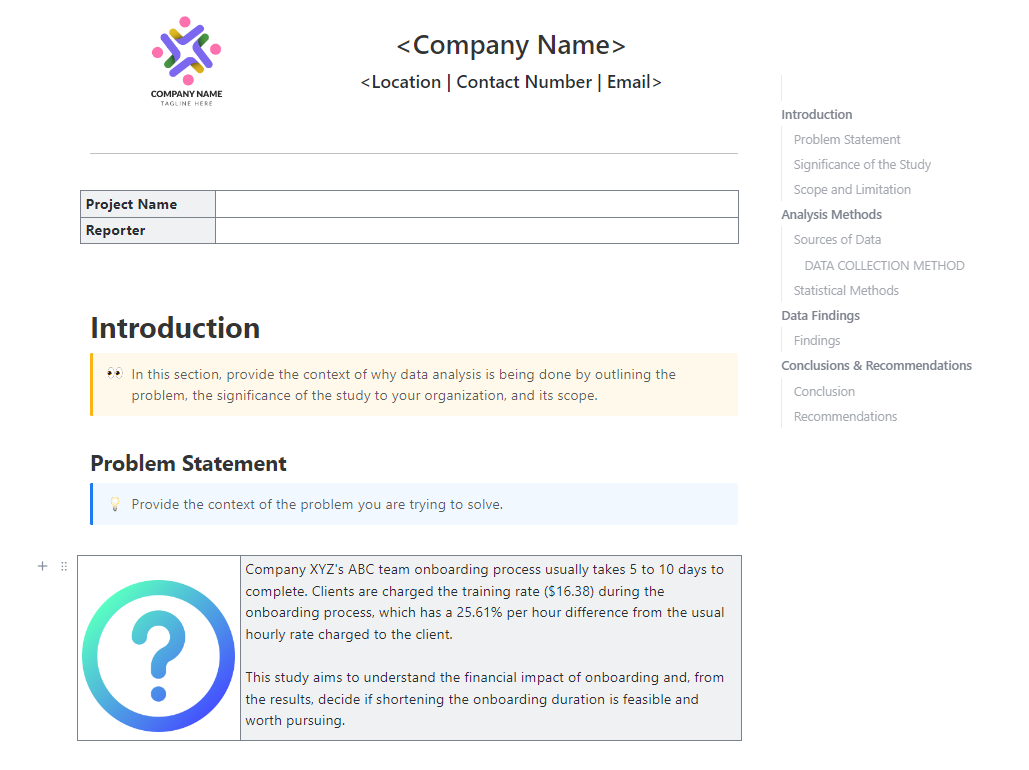
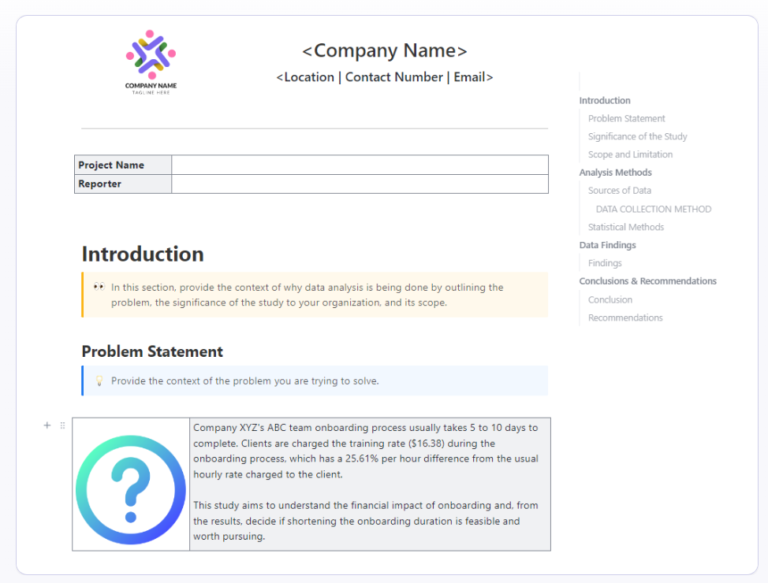
Sharing a big spreadsheet with stakeholders rarely works. It’s hard to read and even harder to act on. With the ClickUp Data Analysis Findings Template, present your findings in a way that works for all. It helps keep everything in one place.
Add a quick summary for context, then back it up with detailed data. This makes your insights easier to follow and trust. This way, you don’t start from scratch every time you build a report.
ℹ️ Ideal for? Data analysts and product researchers building reports from raw data.
🧠 Fun Fact: In 1890, US Census data was expected to take 10 years to process. This would make it obsolete before the Census ended. Herman Hollerith’s Tabulating Machine reduced that time to just 2.5 years using punch cards.
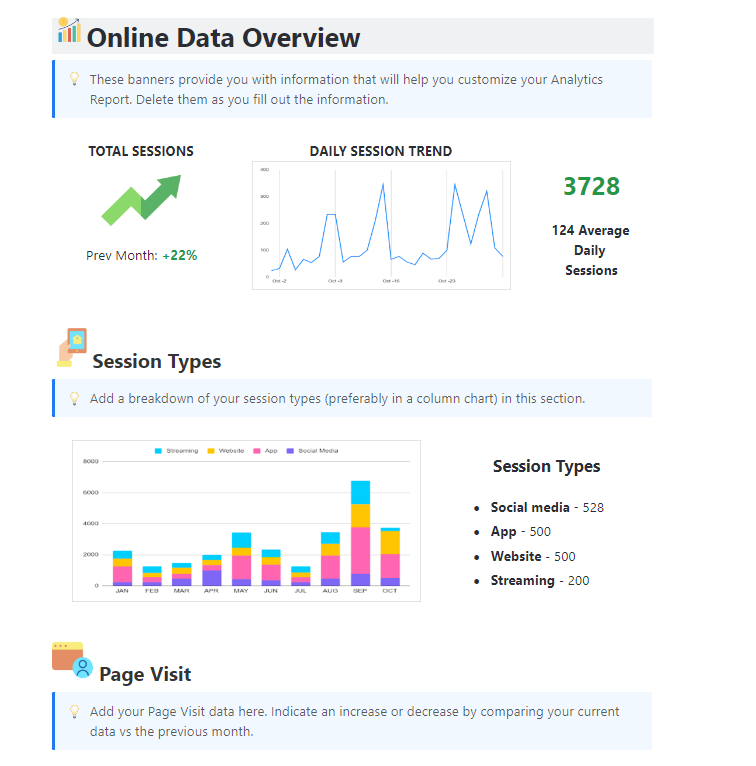
Creating weekly or monthly reports from scratch takes time. And it often feels repetitive. The ClickUp Analytics Report Template gives you a simple reporting structure.
Track your key metrics and connect them to the work behind them. This helps you explain what’s working, what’s not, and where to improve. Over time, it also builds a clear story of your growth.
ℹ️ Ideal for? Operations managers and department heads who need to share regular, clear performance updates
🧠 Fun Fact: A London hat maker named John Graunt was the first to synthesize fragmented data—during the bubonic plague. Analyzing death records, he created the first early warning system. This was the world’s first automated insight dashboard.
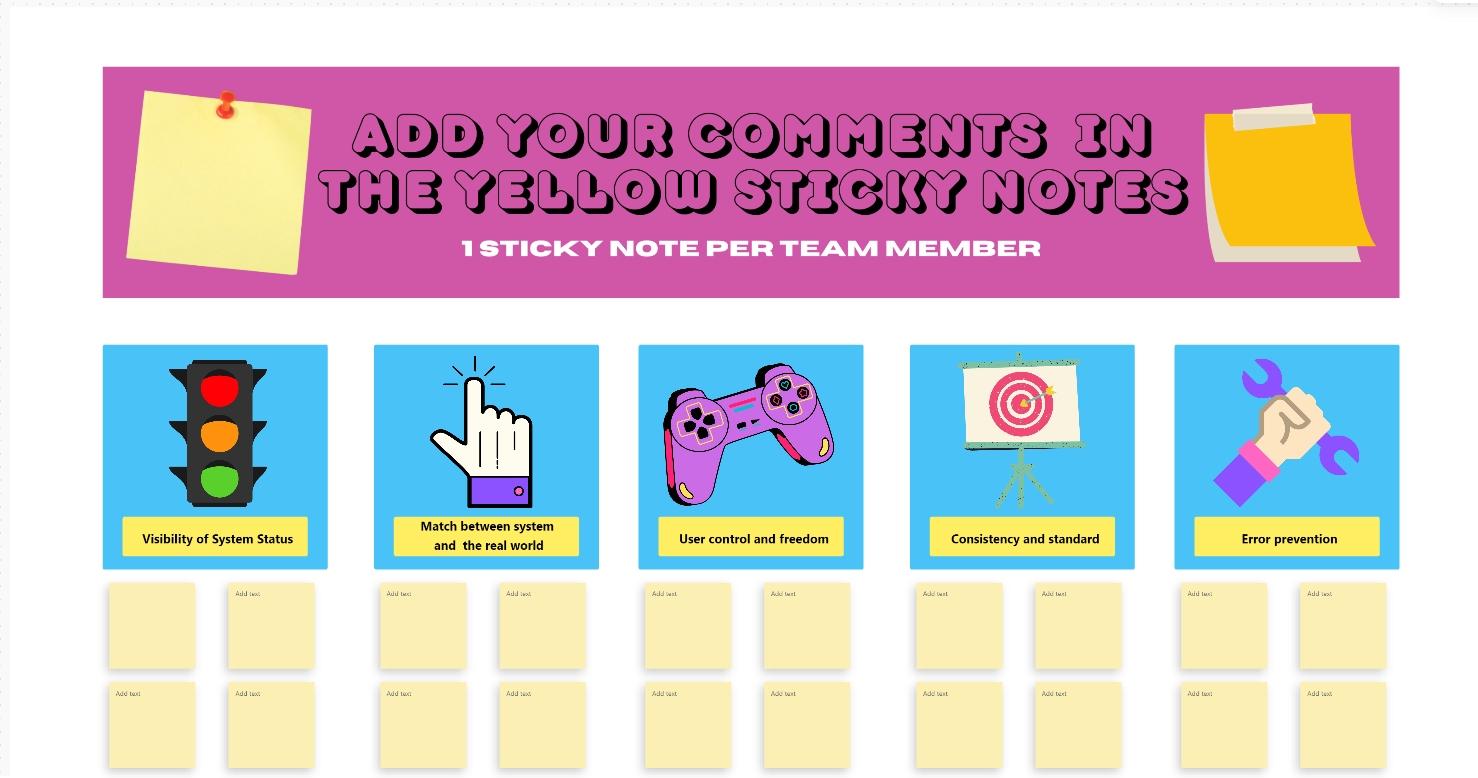
Catching usability issues early can save you from a flood of support tickets later. The ClickUp Heuristic Review Template makes this easy to do before launch.
It helps you assess your product against usability principles like ease of use and user control. Map them using a whiteboard, so it’s easier to see where users get stuck and why.
ℹ️ Ideal for? UX/UI designers and product managers who want a simple, visual way to improve usability
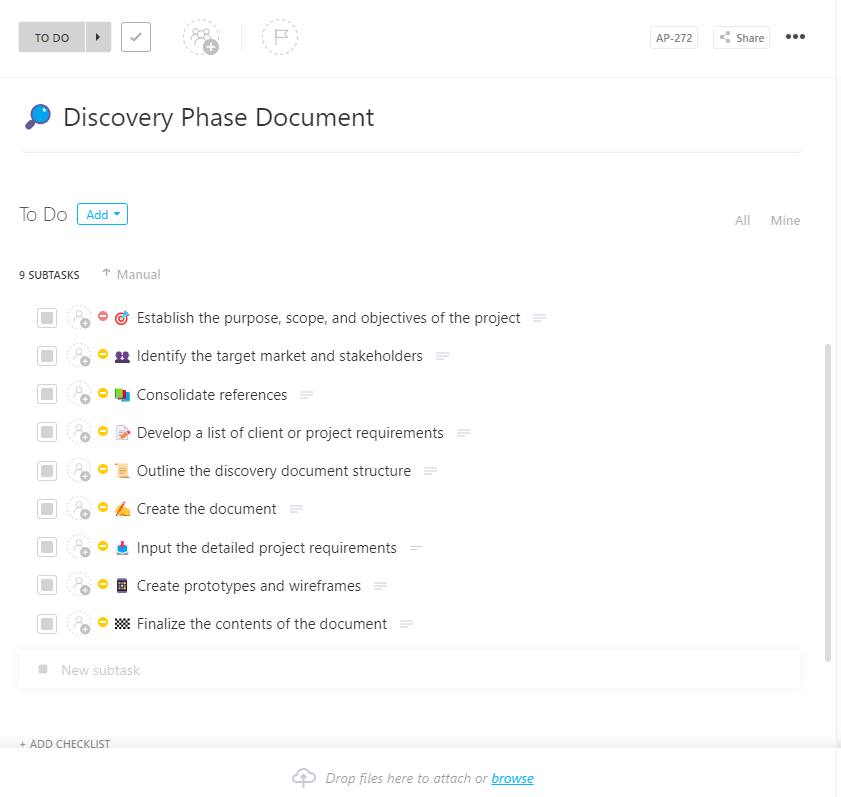
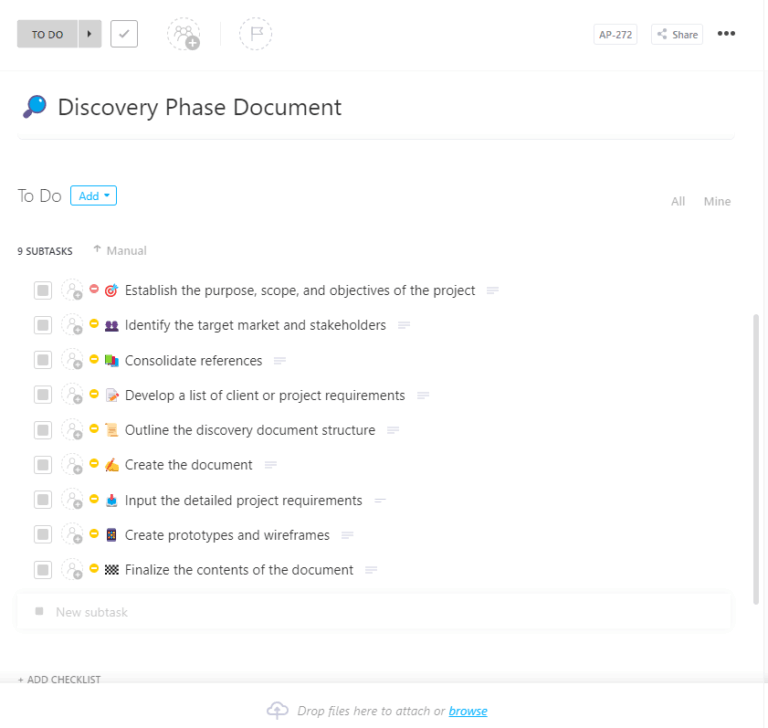
The early stages of product discovery can get messy fast. Notes, ideas, and feedback end up scattered across tools. It becomes hard to see the full picture. The ClickUp Discovery Phase Template helps you bring everything together in one place.
Track your research, define goals, and assign responsibilities with this Task template. With everything connected, it’s easier to stay focused and avoid scope creep. Your team can move forward with a clear, shared direction.
ℹ️ Ideal for? Project managers and consultants running discovery with large teams.
A well-crafted Product Requirements Document bridges the gap between product, design, and engineering. Learn how to write one.
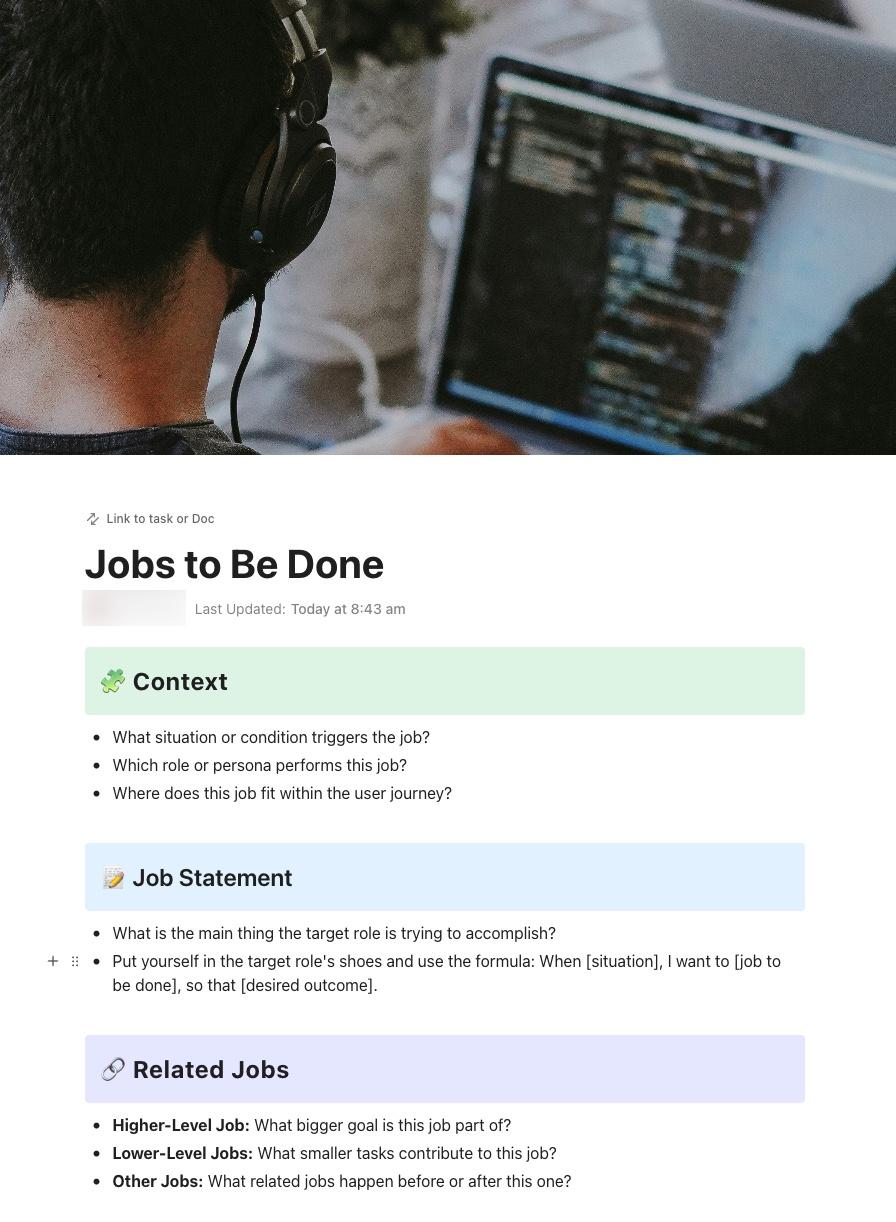
Building based on feature requests can lead to clutter. To create better products, build based on customer goals. The ClickUp Jobs to Be Done Template uses the JTBD framework to help you focus on what users are trying to achieve.
It captures the functional, emotional, and social reasons behind user decisions. This gives your team a clearer view of what truly matters.
It also helps you document insights in a consistent way. When teams understand user needs, they can better solve real problems.
ℹ️ Ideal for? Product managers and marketers who want to focus on customer outcomes.
💡Pro Tip: Don’t spend hours combing through hundreds of interview transcripts. Instead, use ClickUp Brain to run a sentiment analysis on your research tasks.
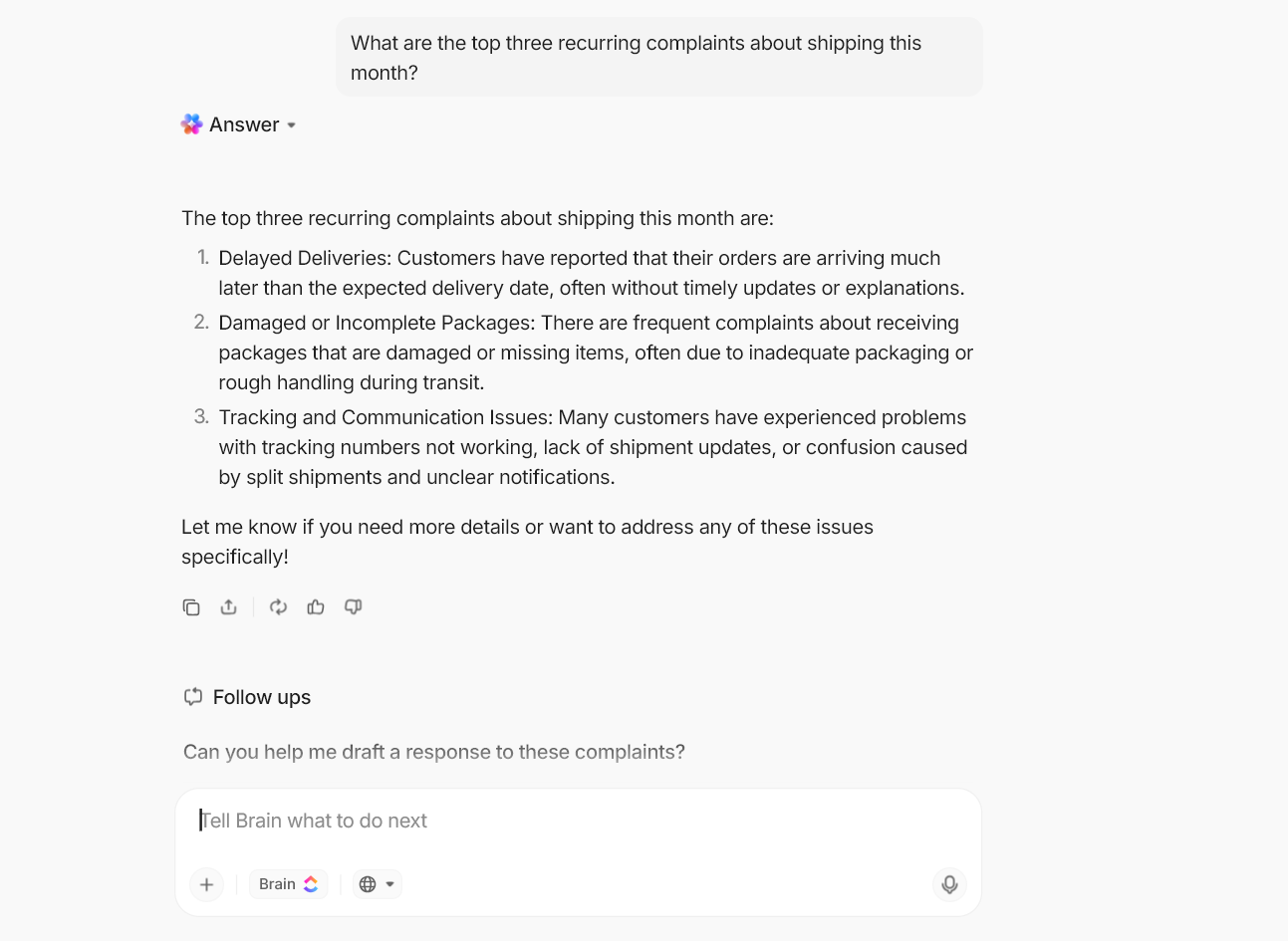
Ask the AI to summarize the general tone of feedback. This lets you identify the highest-impact pain points in seconds, rather than days.
ClickUp Super Agents can do even more. They are your autonomous AI teammates who close the loop between insights and action. For example, @mention a Data Analyst Agent to analyze sentiment and create follow-up tasks.
They operate with infinite memory. Hence, they remember every piece of customer feedback ever logged in your workspace.
See how this works:
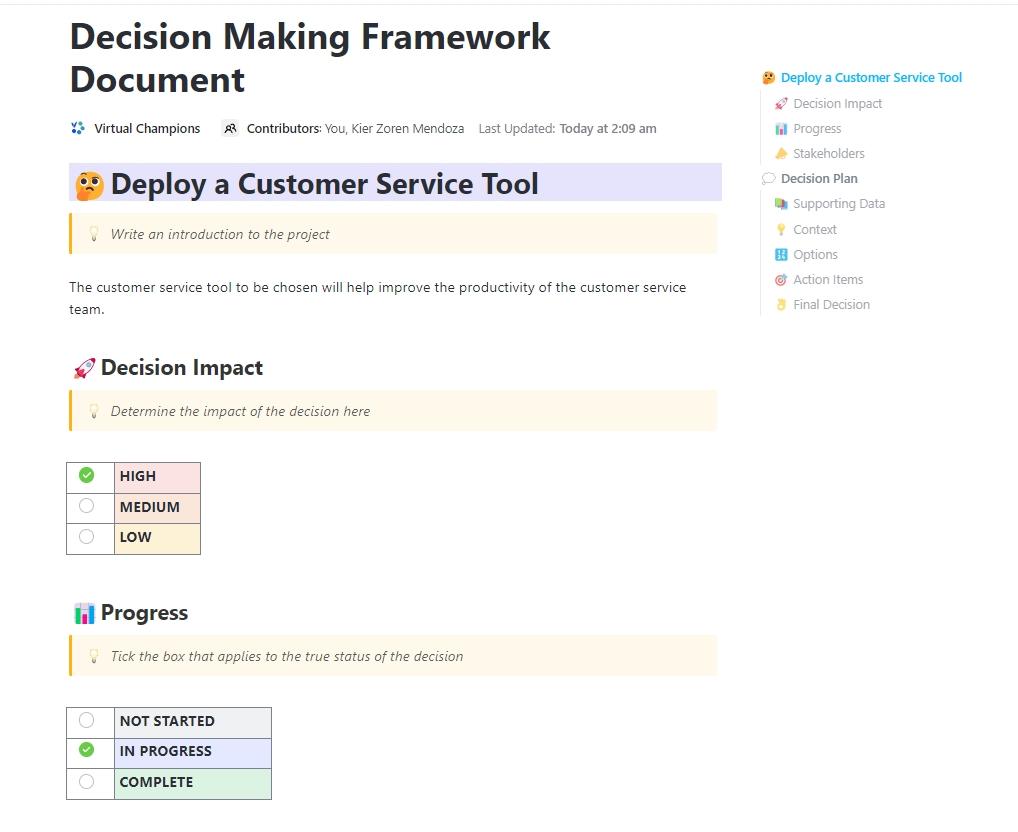
Ever tried to revisit a past decision and no one remembers why it was made? That usually happens when context gets lost. The ClickUp Decision-Making Framework Document Template ensures you always have the full picture.
It lays out your options, compares pros and cons, and helps assess risks in one place. This gives your team a repeatable way to make rational decisions. It also keeps a record, so future teams understand the ‘why’ behind every choice.
ℹ️ Ideal for? Business leaders and operations managers who want more structure and clarity in decision-making
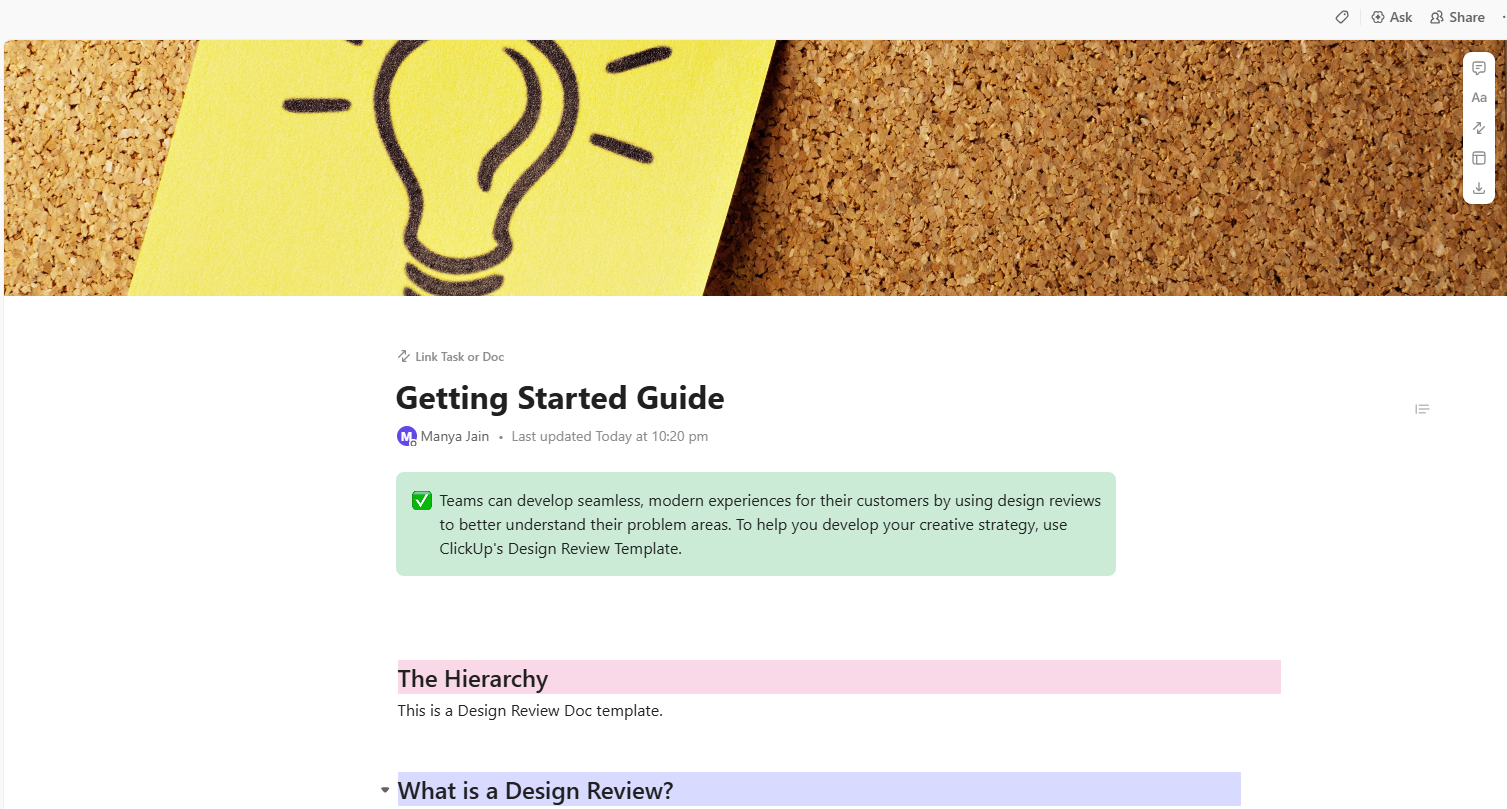
Design feedback means conflicting opinions scattered across Slack, email, and Figma comments. It’s hard to track what’s done and what’s still pending. However, the ClickUp Design Review Template brings everything into one place.
Manage the full review process from first draft to final approval. Keep feedback clear, track changes, and avoid confusion. Your team can now move faster and stay aligned on design decisions.
ℹ️ Ideal for? Product designers and creative leads managing feedback and iterations.
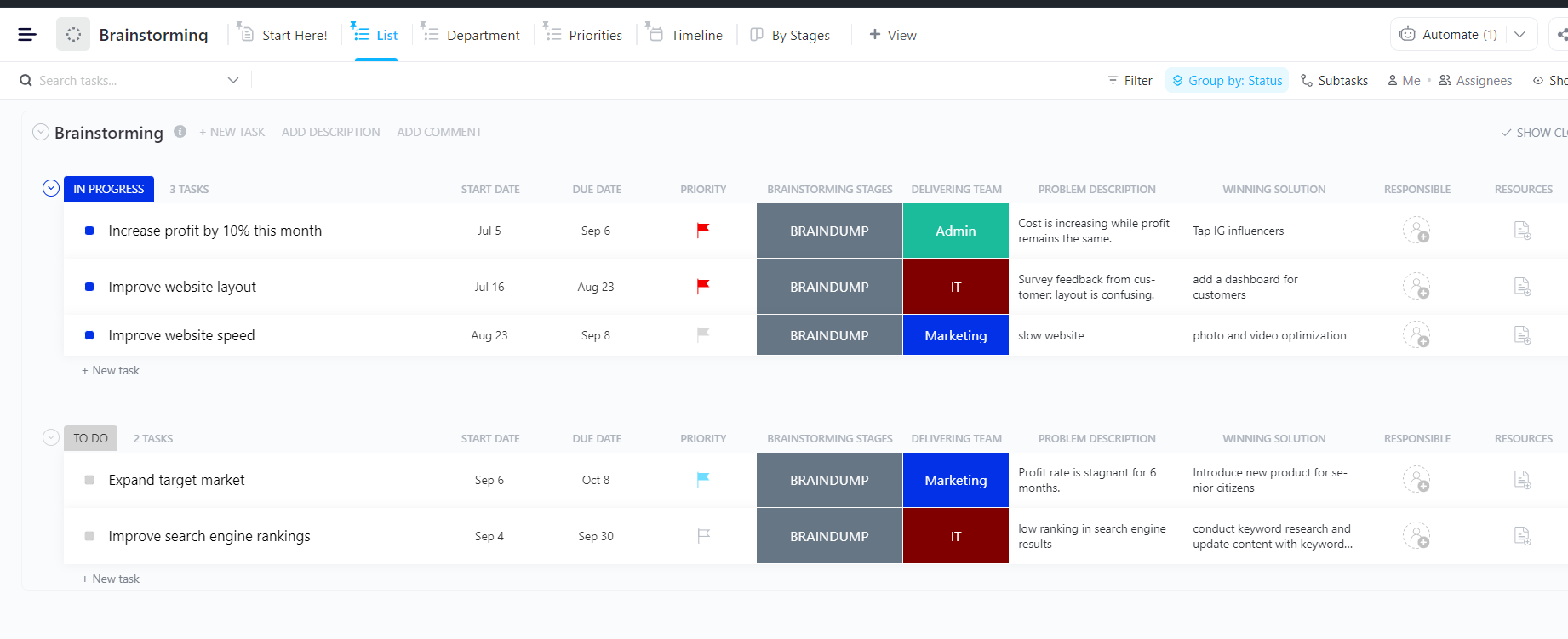
After a fantastic team brainstorming session, don’t just leave ideas on a whiteboard. It leaves them with no clear path to action. Instead, use the ClickUp Brainstorming Template to rank them and take things further.
Map out ideas, refine them, and keep the momentum going after the session. Everything stays organized and easy to build on.
ℹ️ Ideal for? Creative teams and product managers who want to act on ideas without losing momentum.
Effective team brainstorming needs a space where ideation meets execution. It needs the ClickUp Squad Brainstorm Template.
Start with a blank canvas, then build toward a clear plan. The Team Work Canvas helps you see how ideas connect to bigger goals. This keeps everyone on the same page.
ℹ️ Ideal for? Agile teams and cross-functional squads who want to turn brainstorms into action plans.
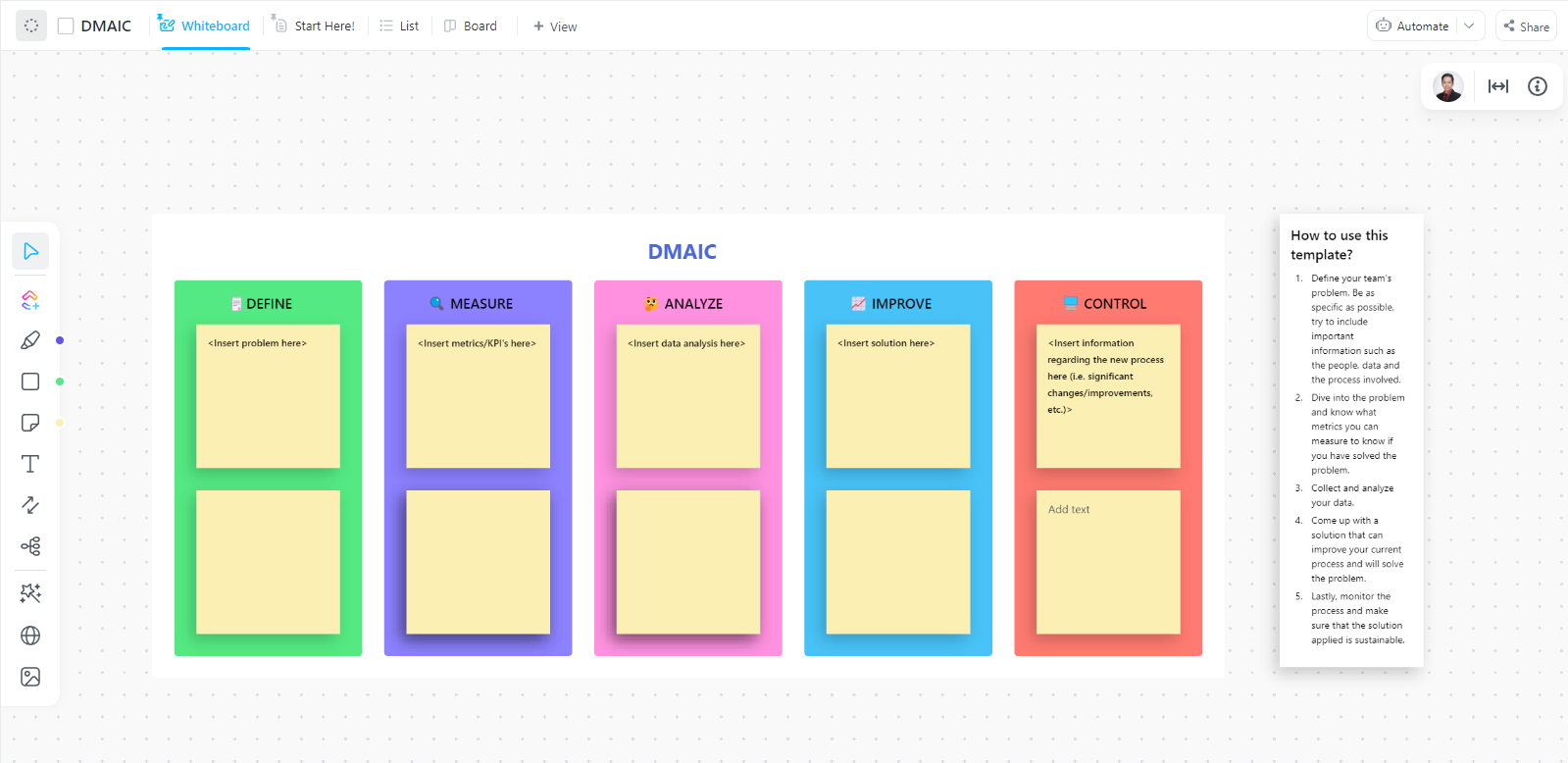
Running a process improvement project can feel complex. That’s why we have the ClickUp DMAIC Template. It helps you follow the DMAIC process in a clear, structured way.
Work through each stage—Define, Measure, Analyze, Improve, and Control—in one place. Use data to guide decisions. Spot gaps, fix issues, and track results with confidence.
The template helps your team stay consistent. It ensures that results are easier to measure and repeat.
ℹ️ Ideal for? Six Sigma practitioners and operations managers looking to improve processes.
A template gives you the structure, but your process determines the impact. Here is how to best use these templates for an actionable strategy:
Here is how to move from raw data to an actionable strategy:
Brandon Fitch, the Director of Product Development at Flyin’ Miata, reviewed ClickUp:
We use ClickUp as a fancy to-do list, basically. It’s especially helpful for multi-step processes that we do repeatedly that involve multiple different people. We create a template for that process, which helps ensure we don’t miss anything and it easily communicates (automatically) between people when they’re able to do their tasks.
The biggest frustration for any research team is doing great work that goes nowhere. This usually happens when insights are presented in a vacuum. Stakeholders may agree with them, but the disconnect between the research and the roadmap prevents real change.
Templates provide your insights structure, but they aren’t enough. You want to tie the findings directly to action plans. ClickUp’s converged AI workspace makes this possible.
Bring your synthesis into the same environment as your projects and roadmaps. Get started with ClickUp for free.
A research repository stores raw research artifacts, such as transcripts and reports. An insight synthesis template is how you process those artifacts into actionable insights.
Yes, the best templates are designed to handle both. Most modern synthesis templates use a triangulation approach. This means they provide specific “zones” to help you see if your numbers and your stories match up.
ClickUp Brain acts as a “connective tissue” between your raw data and your final insights. It reads, tags, and cross-references information across different tasks and documents. This helps to speed up insight synthesis workflows.

Praburam Srinivasan
Max 20min read
Praburam Srinivasan
Max 27min read

PMO Team
Max 9min read

© 2026 ClickUp