






Still downloading templates?
There’s an easier way. Try a free AI Agent in ClickUp that actually does the work for you—set up in minutes, save hours every week.
Sorry, there were no results found for “”
Sorry, there were no results found for “”
Sorry, there were no results found for “”

Nearly 40% of professionals manually track action items, a time-consuming and error-prone process. This can lower employee engagement and adversely affect organizational goals.
Blitzit promises a fast, no-frills way to manage tasks, which can be refreshing for solo users or small teams.
However, businesses need stronger collaboration, deeper integrations, and smarter analytics—core areas where Blitzit may be limited. It lacks the planning depth, reporting power, and customization that serious workflows demand. Features like bulk editing, task dependencies, and mobile support are either underdeveloped, in beta, or missing altogether.
So, if Blitzit isn’t meeting your workflow needs, what do you do?
Simple. You look for alternatives that are upgrades to it. And, don’t worry—you’ve got plenty of options.
Whether you need custom workflows, real-time collaboration, or automation, this guide will break down the best Blitzit alternatives, helping you eliminate busywork and stay organized.
Blitzit is a productivity app designed to help users stay organized and focused throughout the day. Blitzit’s user-friendly interface tackles high-impact tasks with built-in focus-enhancing tools, time blocking features, and a simple to-do list.
Its task prioritization feature ensures that important work gets done, no excuses entertained. Additionally, the Pomodoro timer encourages deep focus through structured work intervals and breaks.
For extra motivation, Blitzit gamifies productivity. As you check off tasks, you earn points and level up, reinforcing a sense of accomplishment.
Despite all this, Blitzit is most suitable for individuals, not teams. It keeps solo users on track, but can’t handle complexity in your projects—a key feature present in advanced task management software.
Despite its minimalist interface and productivity-focused tools, many users seek more robust, feature-heavy alternatives to streamline their workflow.
It doesn’t have advanced planning features like mass edits, dependencies, and natural-language task creation, which are becoming table stakes in an era of AI productivity tools.
Additionally, several Blitzit core features and its mobile apps are still to be released. The iOS app, for example, is in beta, with the Android version not out yet, resulting in gaps between Blitzit and its competitors.
Here are the most concerning Blitzit limitations for you to consider:
Despite its advantages, Blitzit lacks the polish of more established tools. Various alternatives are available if you’re looking for advanced task automation, deeper integrations, or even a free task manager.
Here is a quick summary of alternatives for Blitzit and their use cases:
| Tool | Key features | Best for | Pricing* |
| ClickUp | Automations, AI assistant (ClickUp Brain), time tracking, goal tracking, Gantt charts, customizable tasks and views | Small to enterprise teams seeking an all-in-one task and workflow management platform | Free plan available; Customizations available for enterprises |
| Trello | Kanban-style boards, Butler automation, real-time collaboration, integrations with Slack, Drive, Jira | Visual-first teams and individuals managing lightweight projects | Free plan available; Paid plans start at $6/user/month |
| Asana | Portfolios for project grouping, Gantt charts, task dependencies, real-time updates | Cross-functional teams tracking complex projects | Free plan available; Paid plans start at $13.49/user/month; Custom pricing for enterprises |
| Monday.com | Workload dashboard, drag-and-drop scheduling, automations, timeline/calendar integration | Managers and teams balancing employee workloads and schedules | Free plan available; Paid plans start at $12/user/month; Enterprise: Custom pricing |
| Notion | Custom workflows, task properties, real-time views (boards, tables, timelines), automation, templates | Individuals and small teams needing deep customization | Free plan available; Paid plans start at $12/user/month; Enterprise: Custom pricing |
| Todoist | Natural language task entry, project hierarchy, shared dashboards, team access control | Individuals and teams organizing complex workflows with a simple interface | Free plan available; Paid pans start at $5/user/month |
| Wrike | Form-based workflows, task automation, templates, real-time alerts | Teams managing requests or approvals using structured workflows | Free plan available; Paid plans start at $10/user/month; Enterprise: Custom pricing |
| Hive | AI assistant (HiveMind), performance reports, chat integration, time tracking | Marketing and client teams automating workflows and tracking progress | Free plan available; Paid plans start at $7/user/month; Enterprise: Custom pricing |
| MeisterTask | Kanban boards, workflow automation, Slack/Teams/Zapier integrations, mobile support | Small teams needing basic project management with automation | Free plan available; Paid plans start at $9/user/month; Enterprise: Custom pricing |
| Basecamp | Message boards, hill charts, automatic check-ins, file sharing | Teams needing simplified communication and task tracking | Free plan available; Paid Plans start at $15/user/month |
| Microsoft To Do | Task suggestions, reminders, checklist templates, Outlook integration | Individuals and teams within the Microsoft ecosystem | Free forever |
Our editorial team follows a transparent, research-backed, and vendor-neutral process, so you can trust that our recommendations are based on real product value.
Here’s a detailed rundown of how we review software at ClickUp.
Disconnected tools slow you down, frustrate employees, and contribute to increased exhaustion.
Burned-out employees are 2.6 times more likely to quit, costing companies 33% of their annual salary in replacements.
The best alternative to Blitzit will manage operations, reduce manual work, and keep your team engaged. Here are some top options:
ClickUp is the everything app for work that combines project management, documents, and team communication, all in one platform—accelerated by next-generation AI automation and search.
It is a highly recommended, solid Blitzit alternative. Let’s see why!
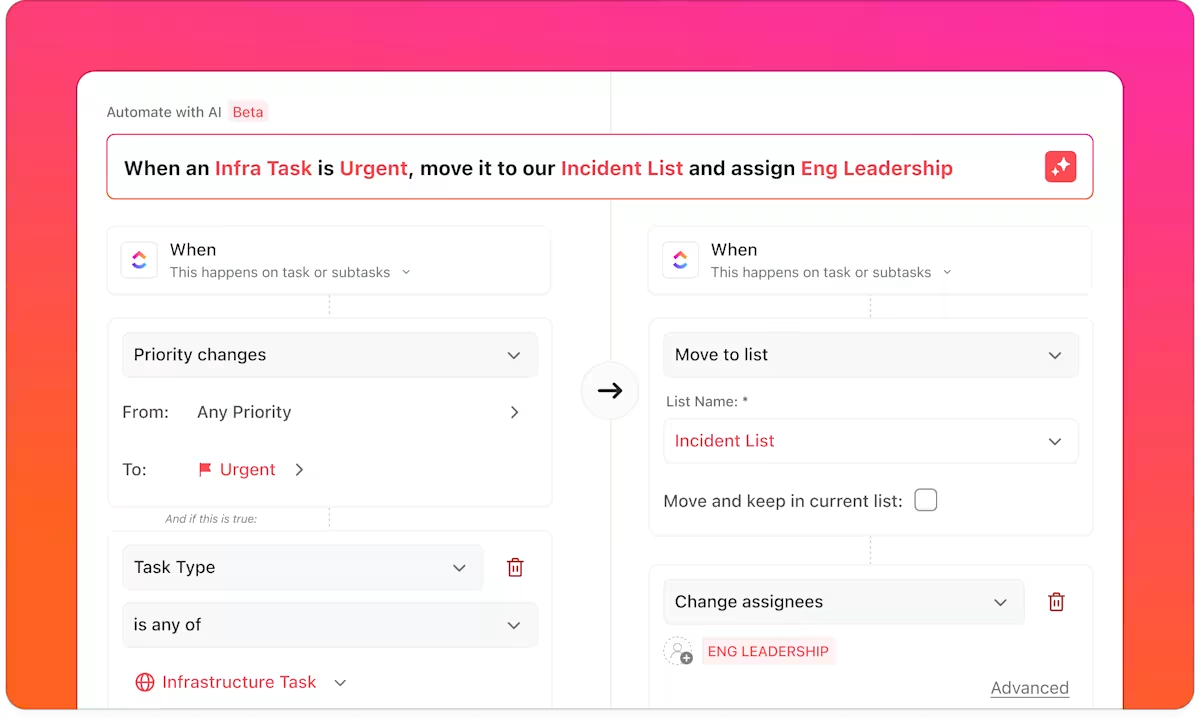
ClickUp Automations eliminate repetitive work by automatically creating tasks and subtasks, assigning them, and notifying stakeholders, based on specified triggers and conditions.
📌 For example, when HR adds a new hire’s profile in ClickUp, ClickUp generates a task list for document verification, training, and welcome meetings for the hiring manager.
This feature is invaluable in compliance-heavy industries with multi-stage approval processes.
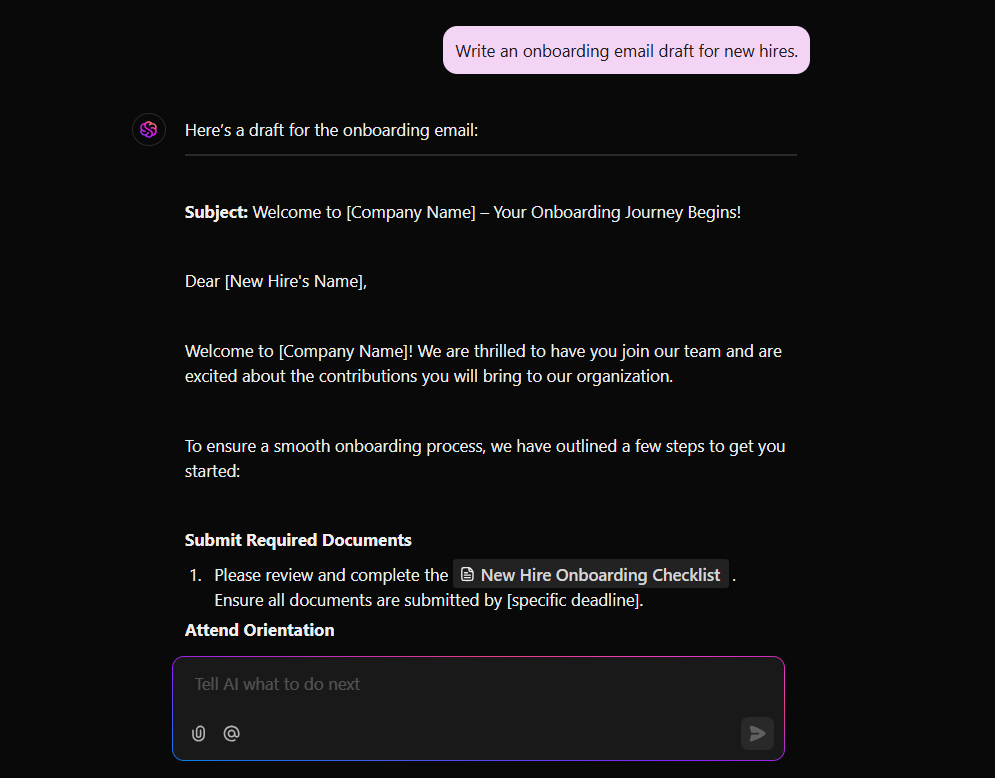
ClickUp Brain, its built-in and context-aware AI assistant, is a one-of-a-kind productivity tool that makes your day easier with AI-powered writing, document and activity summarization, and natural language task automation. Teams can use it to generate task descriptions, subtasks, and summaries for projects using simple prompts. They can draft emails, reports, and standup updates instantly. And even brainstorm ideas and analyze workspace data within one tool.
By using AI for productivity and workflow management, you can save hours of manual work every single week.
💡 Pro Tip: By using Autopilot Agents, ClickUp lets you automate not just simple workflows—but intelligent, context-aware actions. Unlike Blitzit’s manual task logging, ClickUp brings AI-assistance that adapts, learns, and saves hours of rote work.
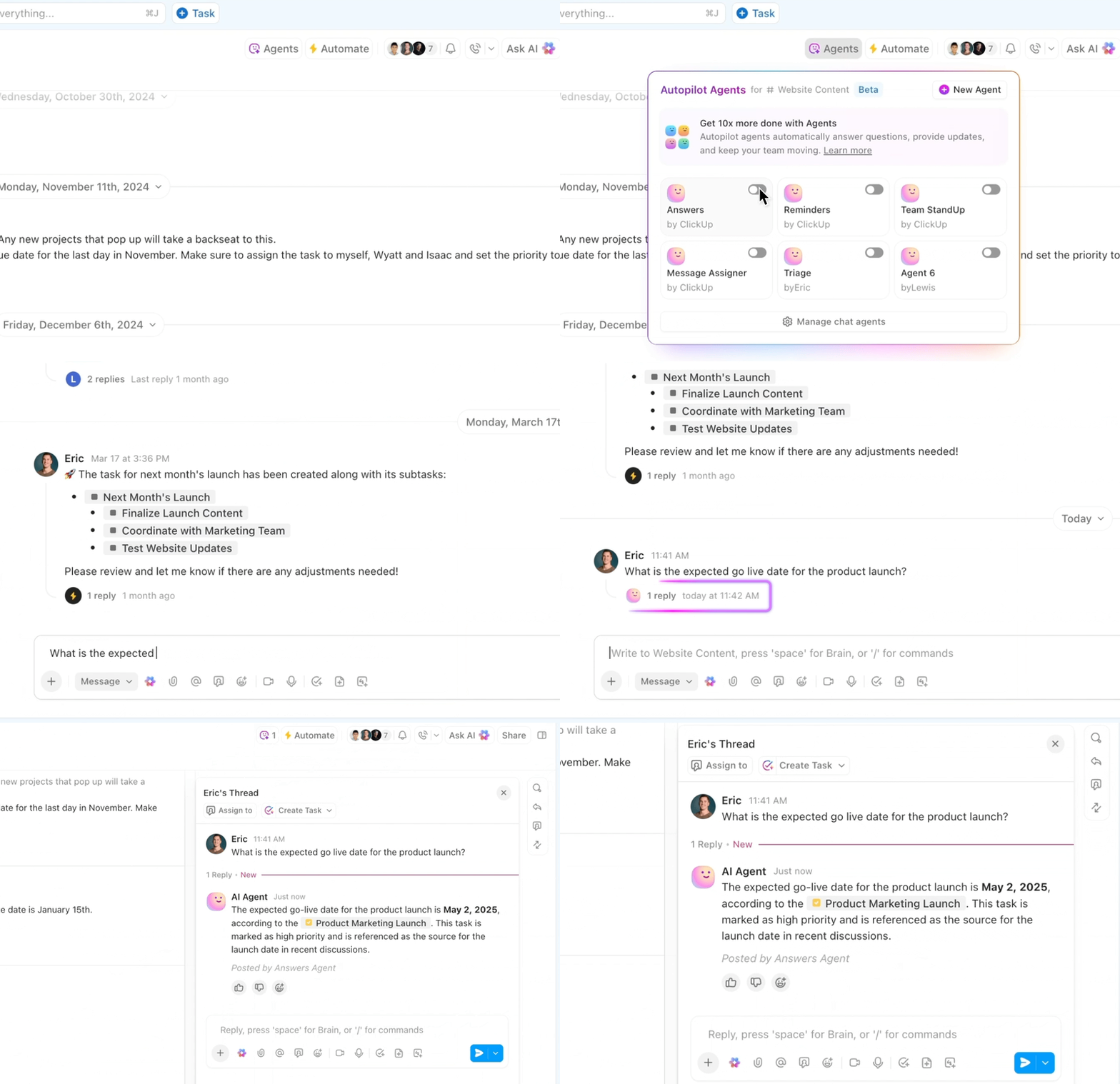
Here are some examples:
You can list your to-dos as ClickUp Tasks and set priorities, due dates, dependencies, and Custom Fields to record all context within the task. Progress is easy to view via 15+ ClickUp Views, including lists, boards, or calendars.
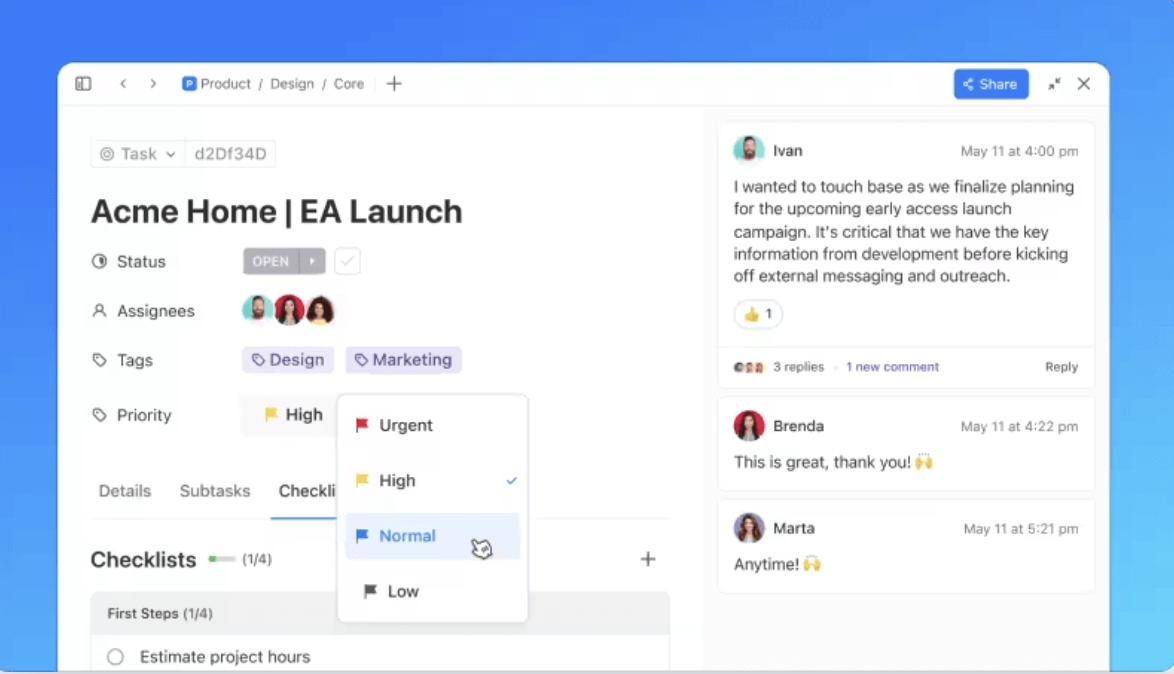
📌 For example, a marketing team planning a product launch can break a campaign launch task into subtasks for content creation, proofing, publishing, and monitoring. After this, they can assign these individual tasks with deadlines to copywriters, graphic designers, editors, and social media managers, etc., to ensure clarity and accountability.
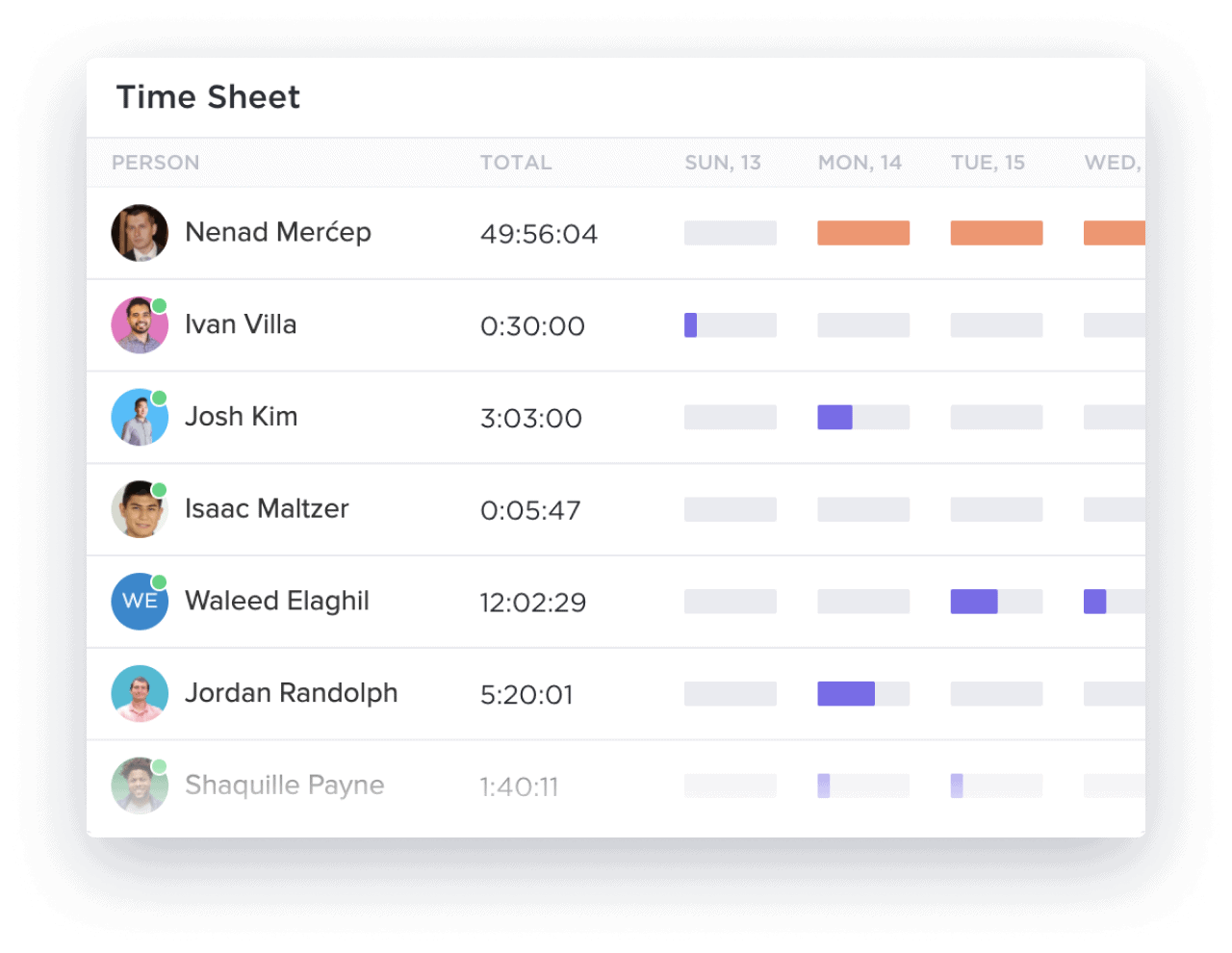
What about tracking productivity, you ask?
Unlike Blitzit’s basic reports, ClickUp’s Project Time Tracking features let you track the time spent on each task down to the second and accurately measure individual and team productivity. This helps you allocate resources effectively.
📌 For instance, a design agency working on multiple client projects can track time spent on each task—brainstorming, designing, and revisions. This results in accurate billing, prevents overwork, and improves future project estimates.
A TrustRadius review shares:
To any organization struggling with how to manage their projects, ClickUp will help in task collaboration. With this software, people can keep track of the to-do list items and work on those tasks within the stipulated time. It also helps the project management team to track the overall progress of the projects to ensure deadlines are kept.
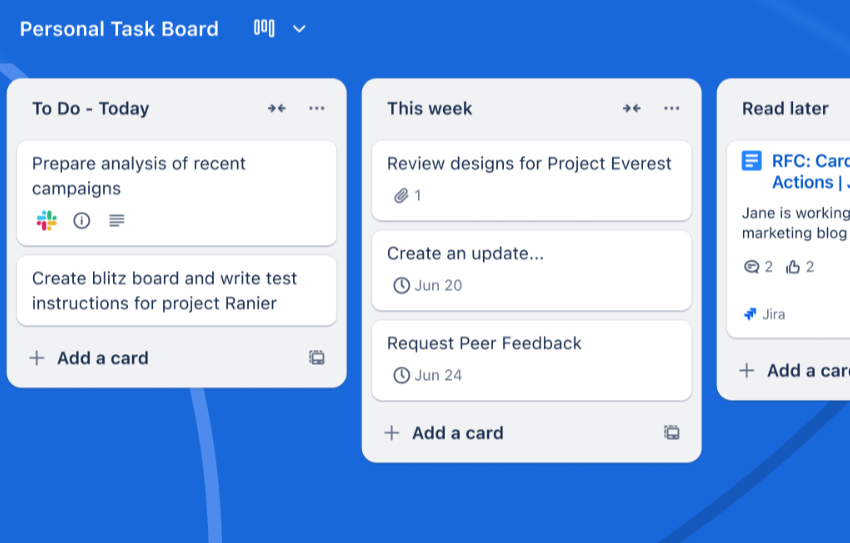
Trello addresses teams’ need for a lightweight yet feature-rich task management tool with its highly visual, Kanban-style boards. It makes tracking tasks natural and intuitive. Each task becomes a card that moves smoothly across your workflow stages, represented by individual boards.
You can add checklists, due dates, attachments, and labels to each card, turning simple tasks into detailed action items. Team members can collaborate in real time by commenting on cards, tagging others, and integrating tools like Slack, Google Drive, or Jira for added context.
A G2 review reads:
Its really great for handling multiple projects. Its method of arranging tasks with boards, lists, and cards is very user friendly.
💡 Pro Tip: Start with a basic board layout in Trello and gradually add Power-Ups (add-ons or integrations) like AI calendars or Slack integration as you identify specific needs. It ensures you have the right tools without overcrowding.
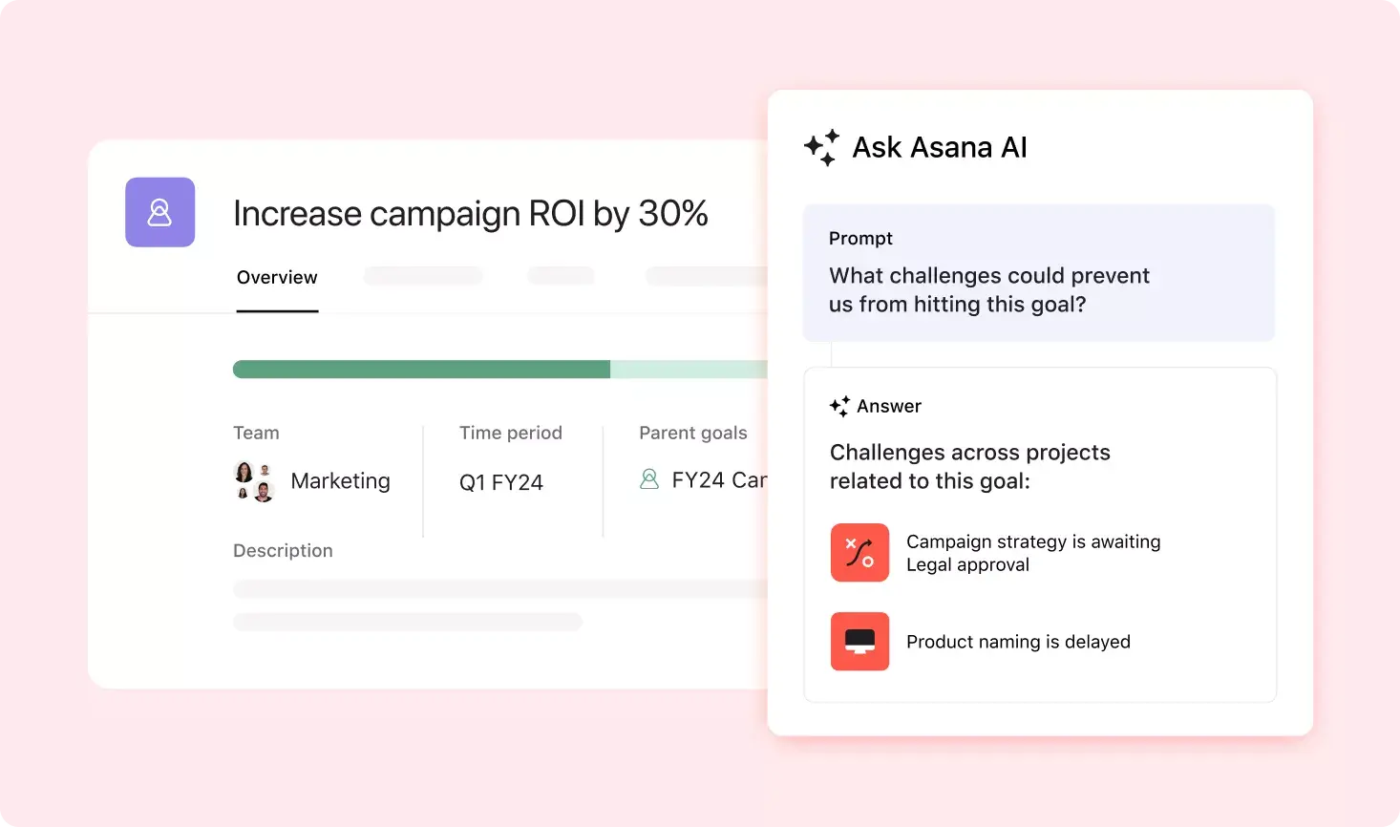
Asana’s portfolio feature helps you organize multiple projects in one place. For example, if you manage three marketing campaigns, you can add them all to a single portfolio and view their progress in a dashboard. Tracking everything gets easier this way!
Each project shows real-time status, priority, and custom fields so you can quickly spot blockers or delays. From the same view, you can also set goals, assign owners, and drill into individual tasks.
A G2 review reads:
Its intuitive interface makes it easy to organize tasks, track progress, and collaborate in real time — even across departments.
🧠 Fun Fact: Unlike most other task management tools, ClickUp allows you to assign comments to team members, turning discussions into actionable tasks. The assignee can resolve the comment upon task completion, ensuring clear communication and accountability.
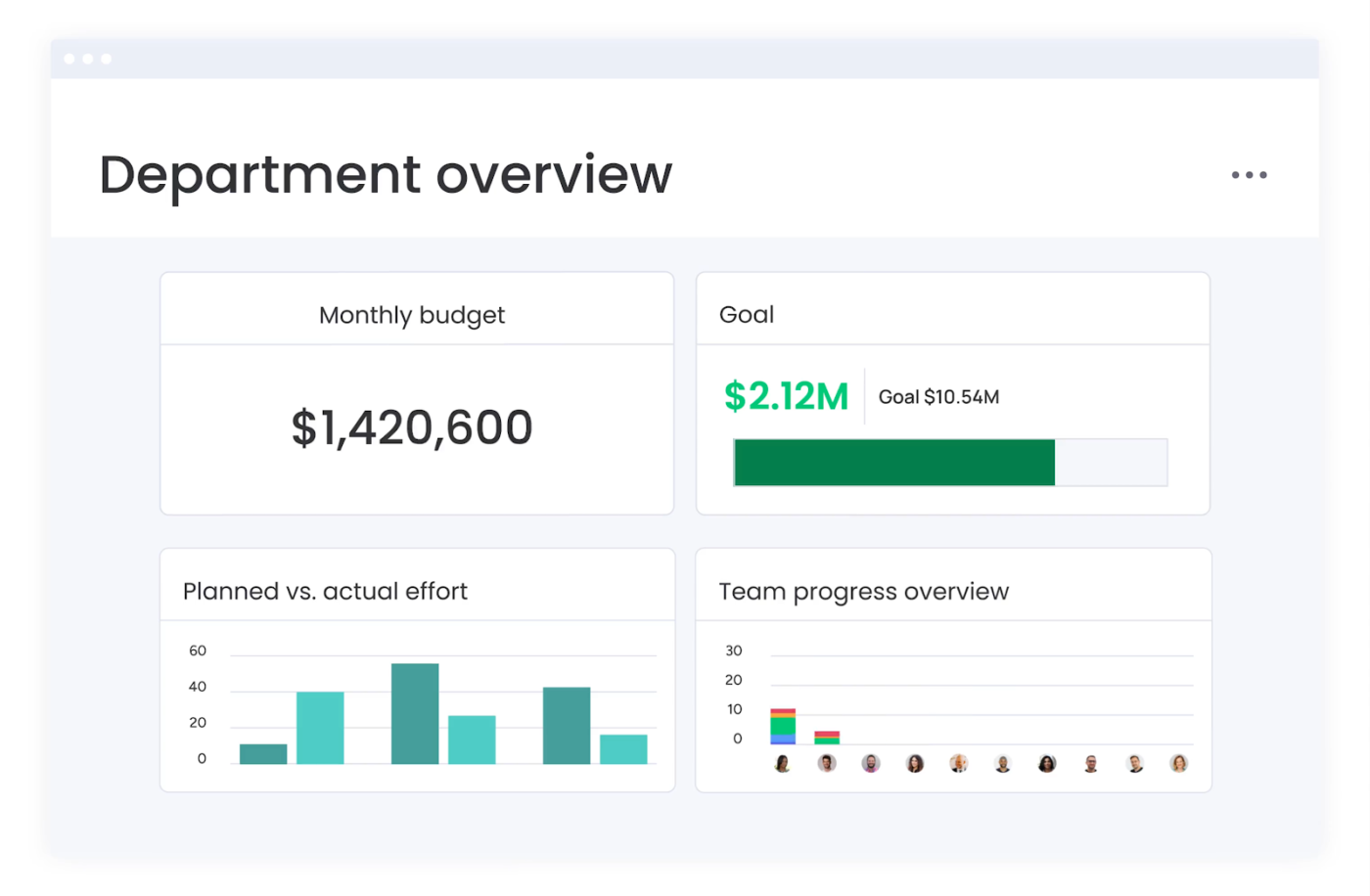
Monday.com’s workload dashboard gives managers a real-time overview of employee tasks, schedules, and overall capacity. It allows a balanced distribution of responsibilities, preventing employee burnout, often caused by uneven workloads. Drag-and-drop adjustments make it easy to reassign tasks or shift deadlines.
A Capterra review reads:
I like how quick and easy it was to get our monday.com account set up and running. The ability to have different workspaces makes it easy to organize contacts and project information.
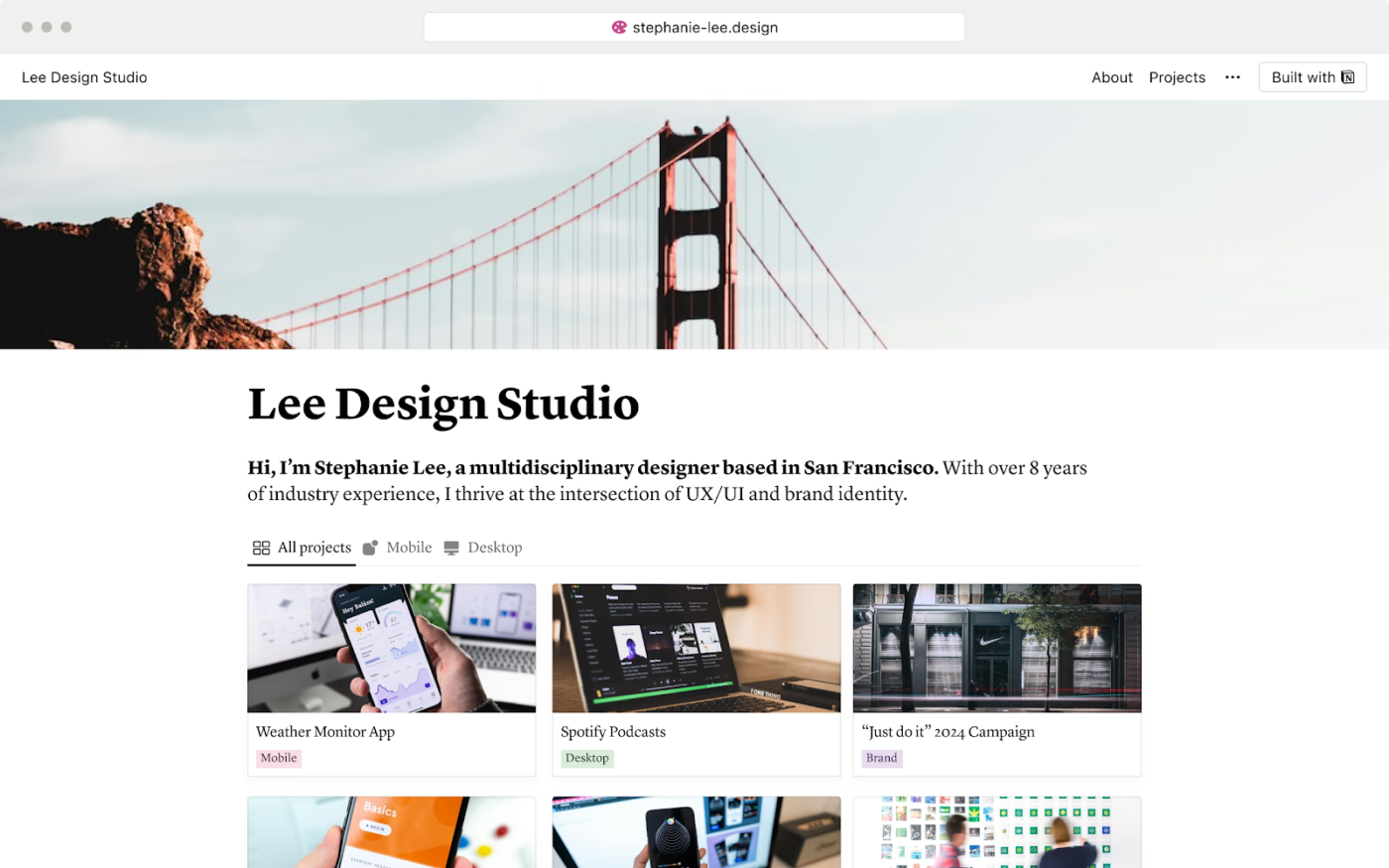
Don’t like being a part of a fixed task management system? Try Notion.
You don’t need technical skills to access its customizable features. Track complex projects with custom fields, set up detailed reporting dashboards, and more without writing a single line of code. Plus, with hundreds of ready-to-use templates for everything from project trackers to content calendars, getting started is easy and fast.
A Capterra review reads:
Notion has made productivity tasks and note taking much more efficient for me. It allows me to write ideas and draft emails effectively.
📮ClickUp Insight: 92% of knowledge workers risk losing important decisions scattered across chat, email, and spreadsheets. Without a unified system for capturing and tracking decisions, critical business insights get lost in the digital noise.
With ClickUp’s Task Management capabilities, you never have to worry about this. Create tasks from chat, task comments, docs, and emails with a single click!
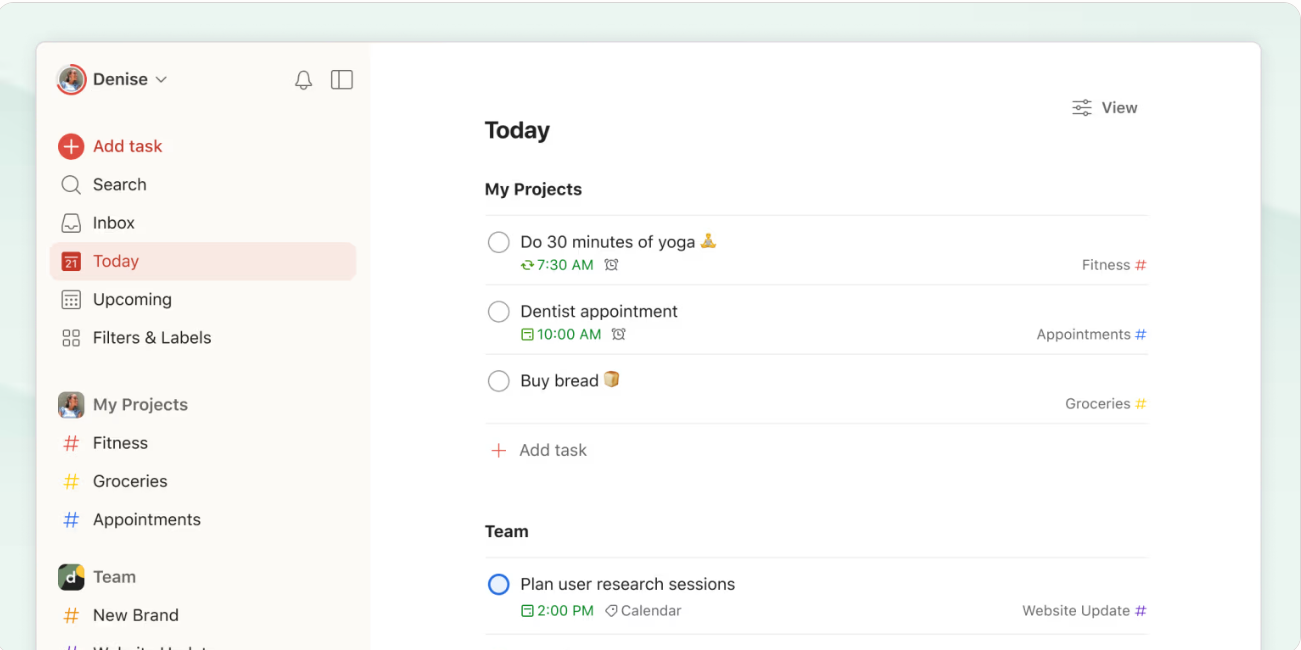
Looking for a more mature, flexible alternative to Blitzit? Todoist might be your answer. It’s designed to act as your central command center, where all your tasks, schedules, and priorities live in one intuitive interface.
Its natural language processing ability makes it easy to log tasks and reminders. Type ‘Update blog every Tuesday at 10 AM’ or ‘Review designs with Sarah next Wednesday,’ and Todoist will set the dates and schedules.
You can also organize tasks using labels, priorities, and nested subtasks, making it much easier to manage complex workflows than Blitzit’s minimal setup allows.
A Capterra review reads:
I have managed to get my tasks in good order all thanks to Todoist. The experience using it has been so smooth and simple.
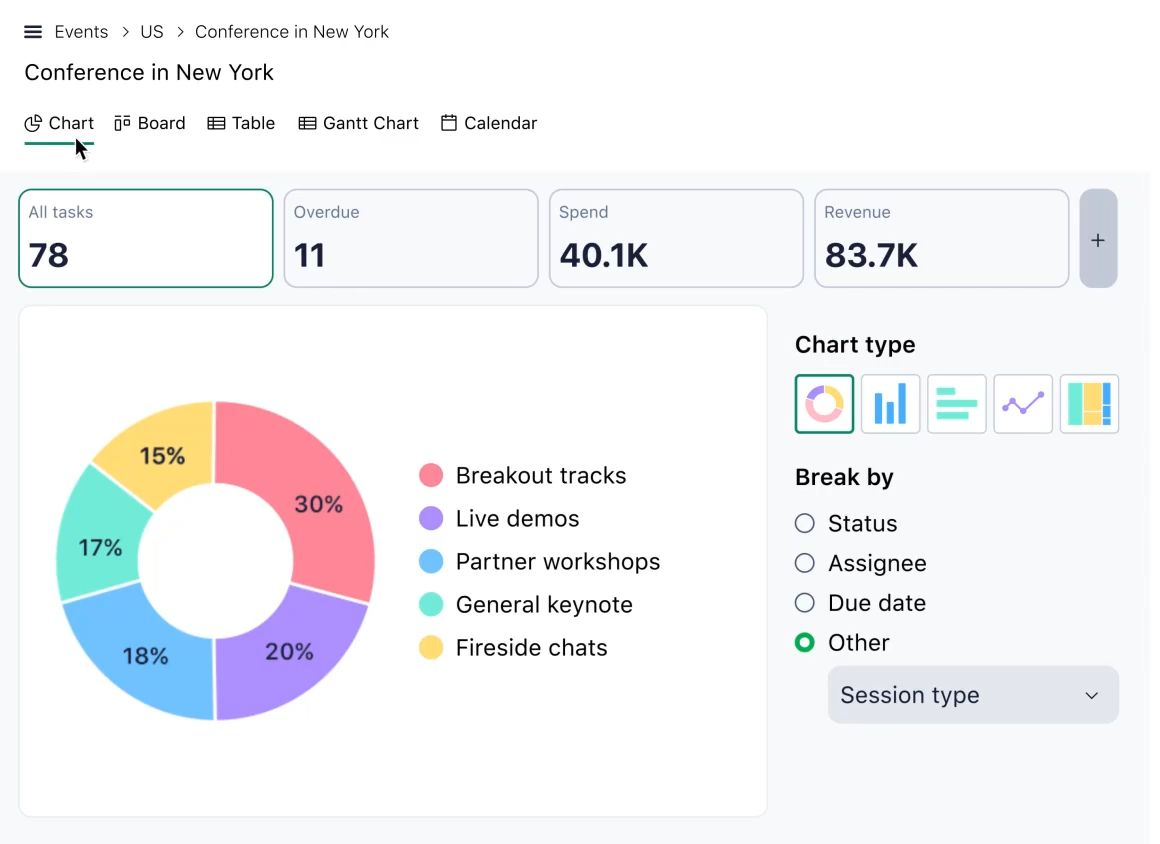
If Blitzit feels too lightweight for managing structured requests or cross-functional workflows, Wrike brings more power to the table—especially with its ‘Create a Form’ tool. With Wrike, you can build custom intake forms. Name the form, add a description, and choose from various question types. Responses can be in the form of single-line text, multiple-choice, or a paragraph.
Feel free to assign forms directly to specific team members or projects, routing incoming requests to the right people for efficiency.
A G2 review reads:
Wrike allows you to list out specific tasks with individual deadlines as part of a larger project.
💡 Pro Tip: Use ClickUp Forms to collect requests and automatically route them to the right team. You can assign tasks, apply tags, set priorities, and drop them into specific lists or folders—all from a single form submission. Add conditional logic to show or hide fields based on previous answers, so you only collect the info you need. This is perfect for intake workflows like IT tickets, creative briefs, or client onboarding.
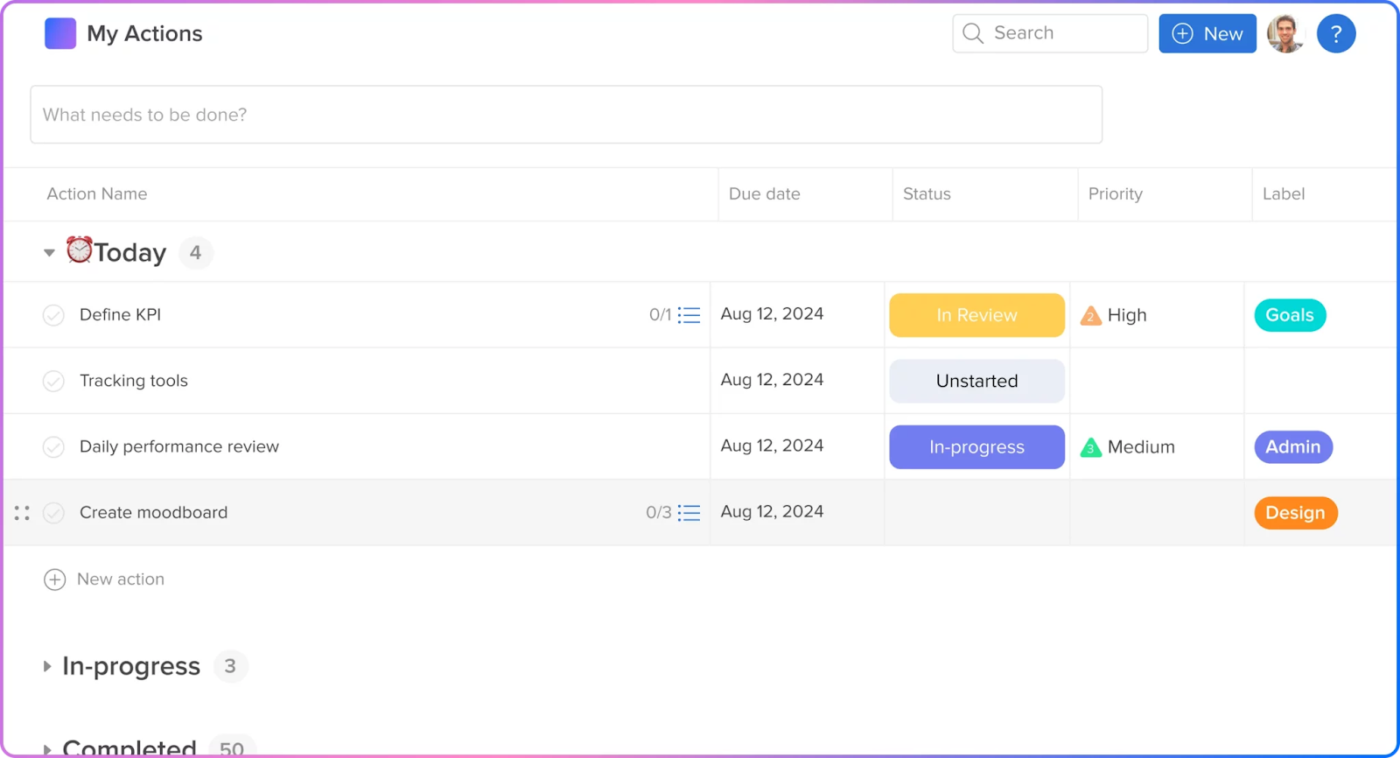
Hive’s AI tool, HiveMind, generates content ideas, drafts captions, and creates royalty-free images. For example, a marketing team launching a social media campaign can use it to develop a structured project plan with tasks, deadlines, and dependencies.
Hive assigns next steps based on emails and chats to speed up execution, while keeping the campaign on track with minimal manual effort.
A Capterra review reads:
Using this technology has helped us streamline our processes, which has resulted in better projects completed faster.
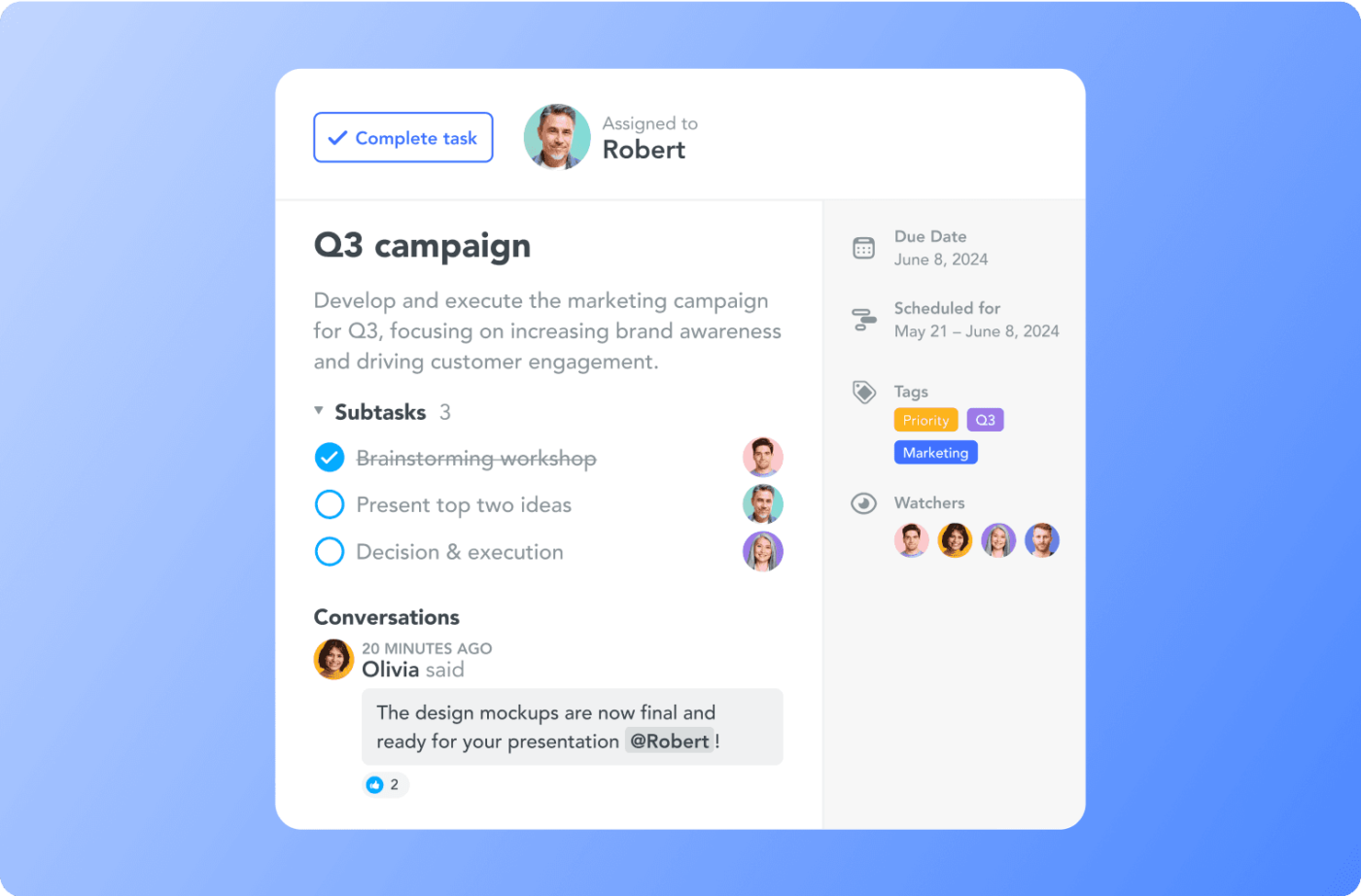
You can manage repetitive tasks by setting up triggers and actions within project boards in MeisterTask. For example, teams can automate status updates, assign recurring tasks based on workflow changes, or send notifications when deadlines approach.
This reduces manual effort, minimizes errors, and keeps projects moving smoothly without constant oversight. It also makes MeisterTask a great fit for teams that want simplicity without sacrificing control or scalability.
A G2 review reads:
The program is visually elegant, simple to use, and has all of the features required to get started in the free edition.
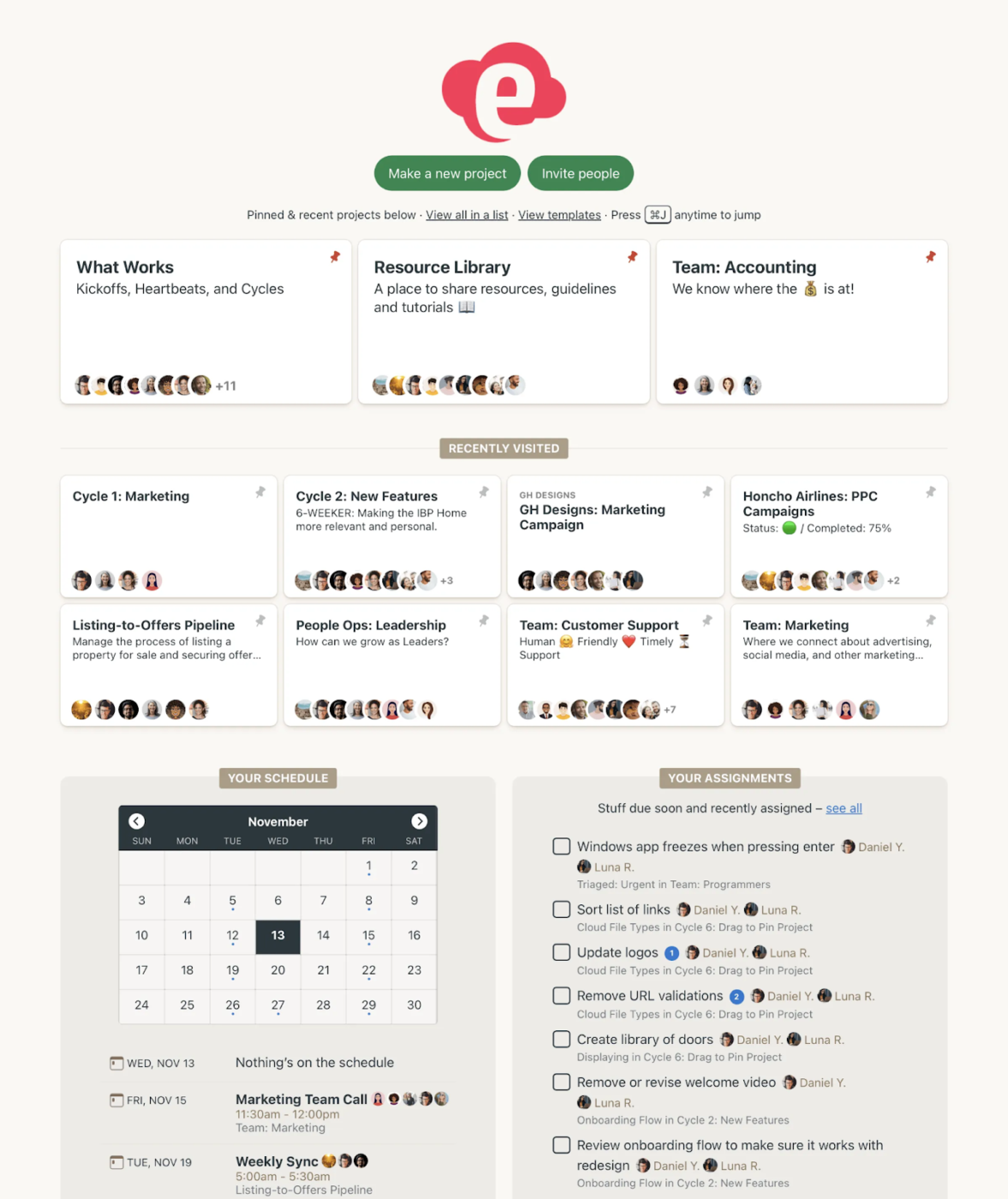
Struggling to keep team discussions organized and accessible? Basecamp’s message boards structure conversations by topic, keeping replies neatly threaded under each message. It prevents crucial updates from getting lost in endless chat threads.
You can pin important posts, attach files, and loop in specific team members—so everyone stays on the same page without the chaos of scattered messages or email overload.
A G2 review highlights:
Basecamp does a great job making it easy for others to complete tasks and network. It significantly cuts down on meeting time and creates transparancy where silo’s often exist in a manufacturing and production environment.
📮ClickUp Insight: ClickUp’s meeting effectiveness survey data suggests that nearly half of all meetings (46%) involve just 1-3 participants. While these smaller meetings may be more focused, they could be replaced by more efficient communication methods, such as better documentation, recorded asynchronous updates, or knowledge management solutions.
Assigned Comments in ClickUp Tasks let you add context directly within tasks, share quick audio messages, or record video updates with ClickUp Clips—helping teams save valuable time while ensuring important discussions still occur—just without the time drain!
💫 Real Results: Teams like Trinetrix are experiencing a 50% reduction in unnecessary conversations and meetings with ClickUp
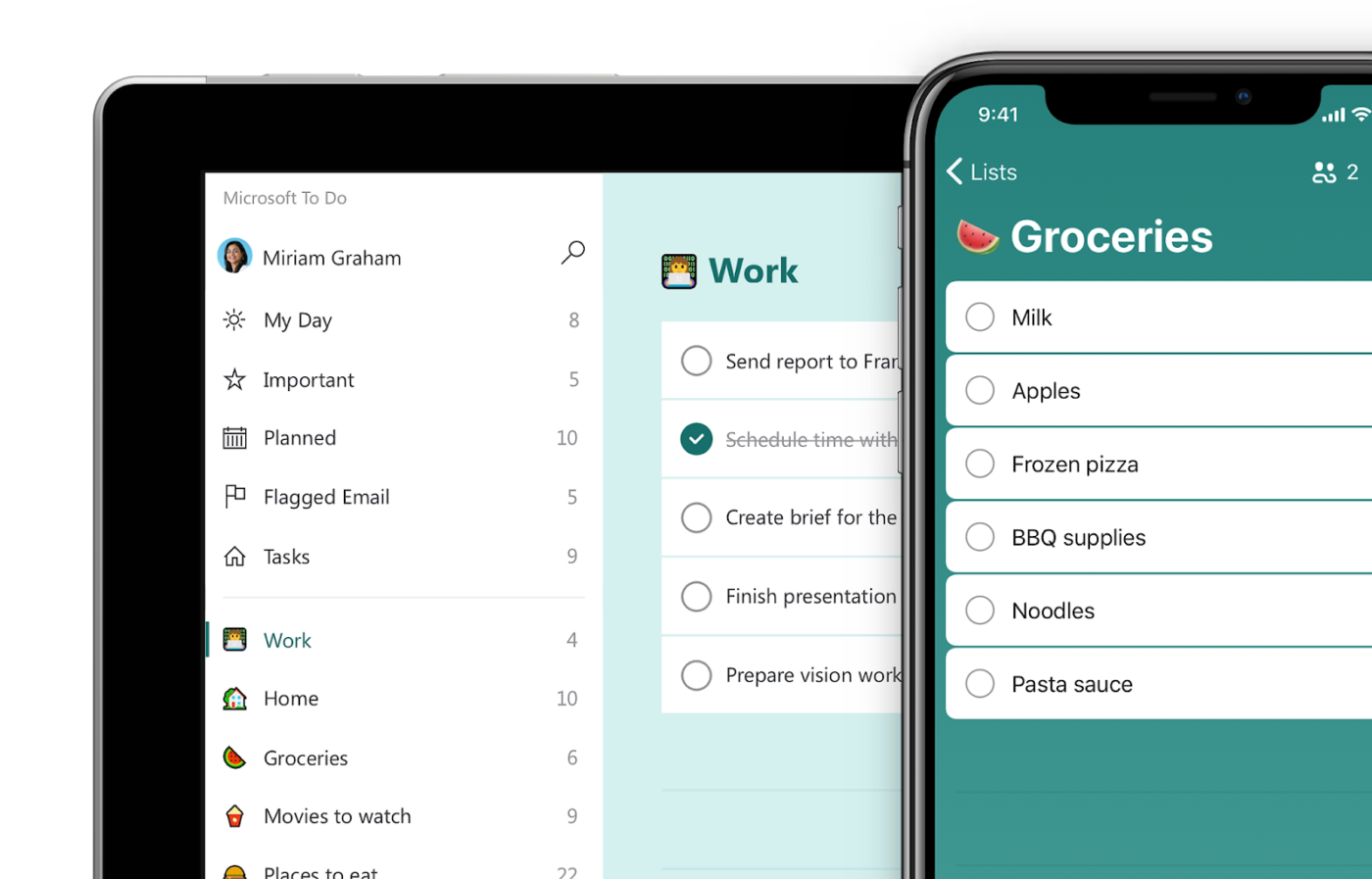
Looking for a free task organization app that integrates deeply into Microsoft’s ecosystem? Microsoft To Do is purpose-built for improving your daily workflow.
For example, your task will automatically appear in your Microsoft To-Do when you flag an email in Outlook, keeping your action items in sync.
A G2 review shares:
It helps me manage my tasks. I have created multiple lists within the app to manage both my personal and professional life.
👀 Did You Know? 85% of employees forward the same messages in multiple places weekly to ensure visibility. Communication can be extremely scattered in disconnected tools!
Work today is broken. Modern work has become synonymous with complexity. A staggering 61% of employees’ time is spent updating, searching, and managing information across scattered systems.
The result? Disorganization, lost productivity, and frustration.
Blitzit may work for tracking individual tasks, but challenges grow when managing entire teams, complex workflows, and cross-functional collaboration.
This is where ClickUp steps in!
It’s designed to centralize your work in one place, eliminating the need to switch between tools, apps, and endless tabs. Automations and AI act as the cherry on the top—getting you to the finish line more quickly and efficiently.
Want to reclaim all the time you lost to busywork? Sign up for ClickUp today!

© 2026 ClickUp

There’s an easier way. Try a free AI Agent in ClickUp that actually does the work for you—set up in minutes, save hours every week.