







Still downloading templates?
There’s an easier way. Try a free AI Agent in ClickUp that actually does the work for you—set up in minutes, save hours every week.
Sorry, there were no results found for “”
Sorry, there were no results found for “”
Sorry, there were no results found for “”
Let us ask you a question: How do you manage your projects?
Teams do it in all sorts of ways. They use emails or documents to make their plans. Many use Spreadsheets to keep track of tasks. Enterprise tools like Google Suite have inbuilt checklist features that some teams use.
Despite how common these arrangements are, they are often ineffective. As a project manager, you understand that, which is why you’re reading this blog post!
So, let’s get right to it and explore the ten benefits of project management software. And how you can integrate the best project management tool into your projects.
A project management software is a digital tool to manage every aspect of your project, including tasks, team members, resource allocation, goals, and reporting dashboards.
Best project management tools can benefit absolutely any kind of activity or team. Whether you’re planning your wedding party, a kitchen renovation, or a complex tech product launch, project management solutions will serve your needs. Let’s see some examples in the workplace.
IT: IT projects are highly technical, with complex specifications. Tasks are often interdependent. Managing projects involves detailed and intricate planning, along with collaboration among cross-functional stakeholders, such as business analysts, developers, testers, system administrators, and end-users.
Project management software helps IT teams define requirements, map out timelines, set milestones, allocate resources, track progress, and visualize dependencies using features like Gantt charts.
Human resources: The HR department has a wide range of responsibilities across hiring, onboarding, compensation, performance management, employee engagement, terminations, and more.
They need a project management software to coordinate all the activities throughout the employee lifecycle, from posting ads and scheduling interviews to creating retention plans and clearing final payments.
Marketing: Marketing teams manage multiple campaigns, creative tasks, iterations, and optimization. Project management platforms help marketing teams collect briefs from other departments, evaluate creatives, iterate on ad copy, and track success on metrics like engagement rates, lead generation, and ROI.
Sales: Once marketing generates the lead, it needs to effortlessly pass it on to the sales team to close.
Sales teams use project management software to set up funnel stages, monitor statuses, identify bottlenecks, and prioritize efforts to move leads through the pipeline efficiently. You can also integrate with customer relationship management (CRM) systems for granular analysis.
Construction: Construction projects involve numerous raw materials, machinery, skilled resources, and quality compliances. Construction project management software helps manage all this, from initial groundwork to final inspections, including risks around safety hazards and environmental impacts.
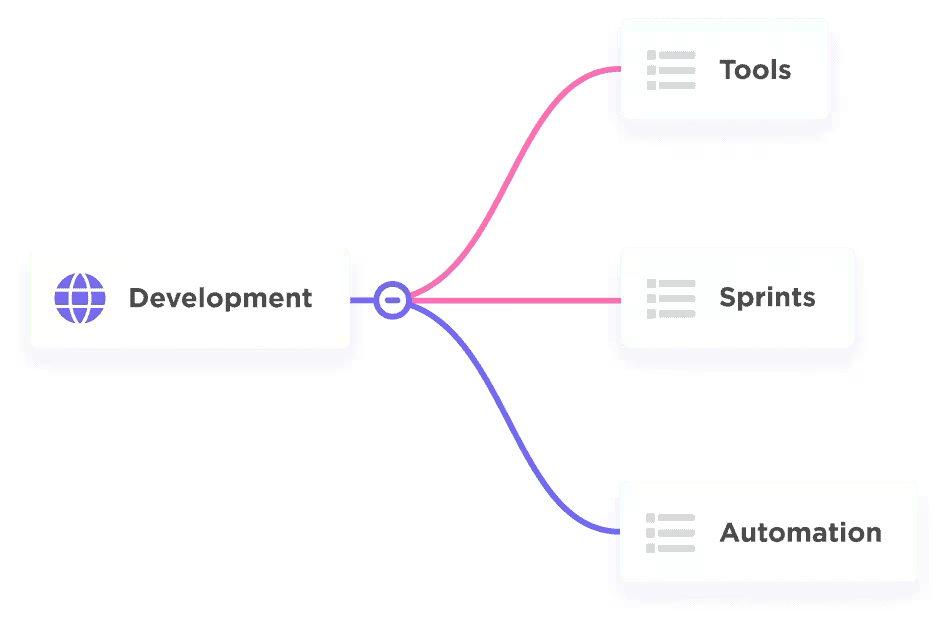
Operations: Good operations depends on having clear and repeatable workflows. A project management software enables operations teams to design, implement, and monitor their workflows. For instance, you can use mindmaps to design, tasks/sub-tasks to set them up, checklists for quality control, reporting for risk management, etc.
Finance: From budgeting to auditing, finance teams manage multiple projects, just like HR. Project management tools offer purpose-built features and templates for budget planning, expense tracking, forecasting, and monitoring the organization’s financials.
Some tools can automatically generate reports like cashflow statements and categorize expense statements as well.
Whichever function you perform within your organization, the best project management software can be immensely beneficial. Here’s how.
The name ‘project management software’ hides the innumerable benefits that the tool offers, from team collaboration and communication to risk mitigation. Let’s look at the top ten.
Unlike Spreadsheets and emails, project management software offers better visibility and control. You can see every task, every team member’s workload, project progress, dependencies and bottlenecks in granular detail.
This allows you to adjust and recalibrate your efforts so you’re always on track.
In essence, project management software consolidates all information about a project in one place. It allows users to find what they need within their workspace. For instance, your task can include a description, user story, acceptance criteria, deadlines, and dependencies.
This creates clarity of thought and action for every member of the project team.
Cloud-based project management software allows access to project files and communications anywhere, anytime. A tool that is accessible 24/7 is particularly beneficial for teams spread across different time zones.
This creates a common and collaborative workspace online for remote/hybrid teams to work efficiently.
A project management software is a great productivity companion for your teams. In addition to organizing tasks based on your project management structures, it also nudges towards desirable workplace behaviors. For instance:
This frees team members to focus on more critical aspects of the project, thus increasing overall productivity and reducing the chance of human error.
For a project or operations to be efficient, the teams need to know:
A project management tool enables all this and more. It gets team members ready before taking on a task. It helps teams stack work on a timeline and plan well. It helps maximize output without creating unnecessary bottlenecks. Over time, it creates repeatable processes that consistently improve efficiencies.
Good project management depends on allocating the right people to the right tasks, without burdening them with too much. A software allows you to see each person’s current workload and availability.
It enables teams to estimate how long a task might take and set limits on how much work they can do. This is fundamental to reducing employee overload and burnout.
Project management software helps identify potential risks early in the lifecycle. For example, if you’ve scheduled a project for three months, but one of your developers is on leave throughout the second month, you’d know well ahead of time.
This allows teams to develop strategies to mitigate risks before they become issues, saving costs and keeping the project on track.
It’s extremely common for a team member working in a high-activity project to sometimes lose track of what they were doing. This is especially true when markets evolve and priorities change rapidly.
A project management software acts as an anchor to the team. The project manager can make changes and assign new priorities which the teams can see in real time.
A team member can then open up their project management tool and know clearly what they need to accomplish each day, anchoring themselves to what matters.
In the world of modern work, the skills and tacit knowledge each person possesses is the organization’s biggest asset. Sharing such knowledge is fundamental to project success.
A good project management tool documents this knowledge in active and passive ways. For example, contracts, agreements, and processes can be actively written down in documents. On the other hand, chats, comments, and conversations record tacit knowledge—a way of doing things that isn’t explicitly documented.
With an effective project management software, you can now document a treasure trove of knowledge you previously couldn’t have.
You might think a project management software simply records work as it happens, so what’s that got to do with foresight? Well, it does.
When you use a project management tool, you create benchmarks for how you work, drawn from an extended period of time. For instance, you will know:
Depending on what information you need, you can also track metrics that matter to you. Based on these metrics, you can forecast what it would take to deliver the next project efficiently, giving you accurate predictability. From this, you can create your own project plan templates for new managers.
To reap these benefits, you need the right project management software. Here’s how you can choose one.
The features you must have in your project management software are those that matter to you most. If you have retainer projects with a specific number of deliverables each week, you need task management. If you’re managing a sales project, you need CRM capabilities.
However, irrespective of your specific needs, there are some features that are crucial in any good free project management software. Here they are.
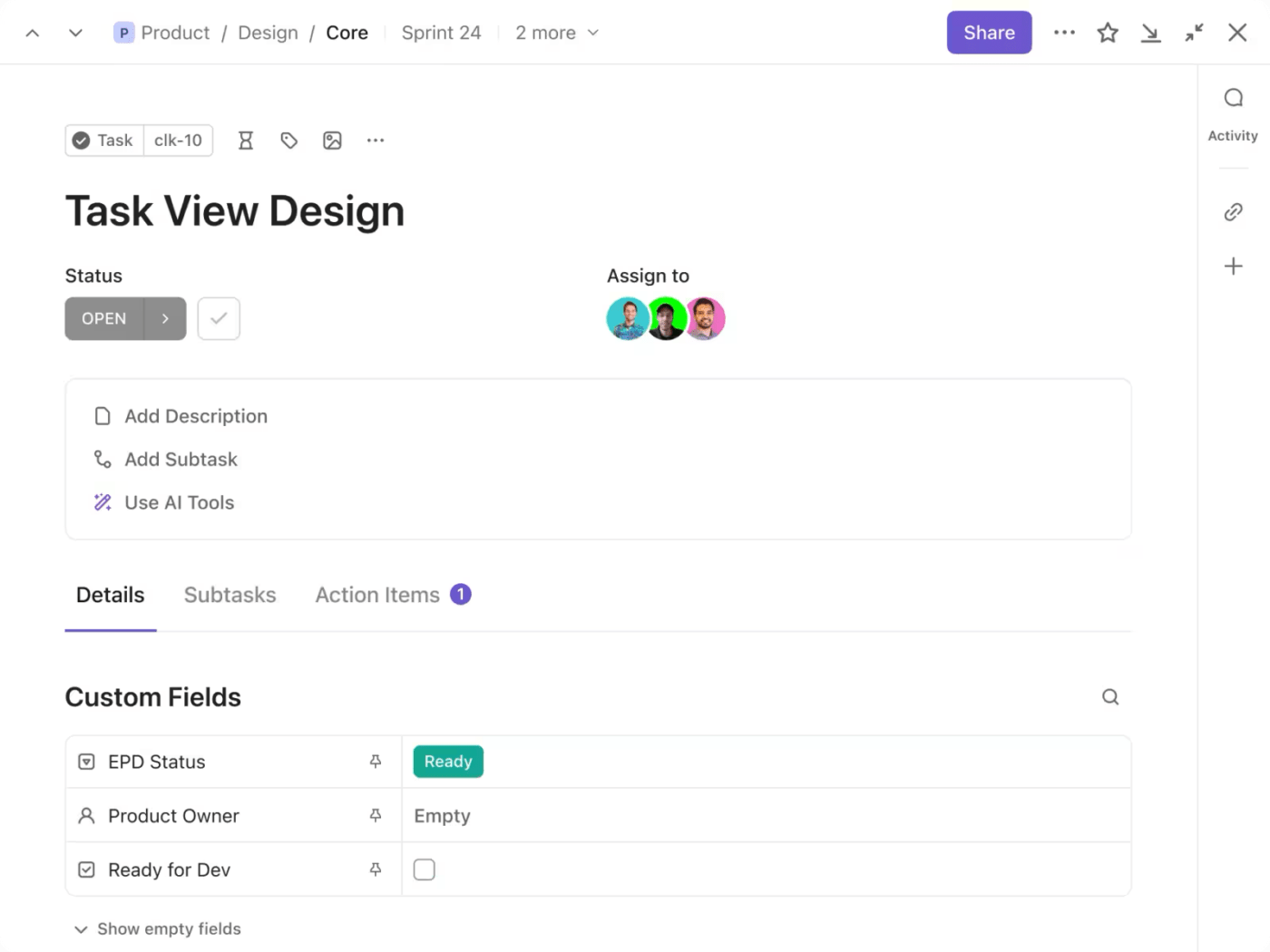
First things first, the capability to break large and complex projects down into small, manageable tasks is one of the most important project management software features.
With ClickUp tasks, you can break your project down into lists, tasks, sub-tasks, and checklists.
More than a task? No sweat. Categorize them as milestones, features, defects, or feedback.
Add description, assign users and set deadlines to each task or sub-task. Link dependencies so you can be notified when there’s a delay that would push multiple tasks forward. Automate recurring tasks like weekly reviews or payment dates.
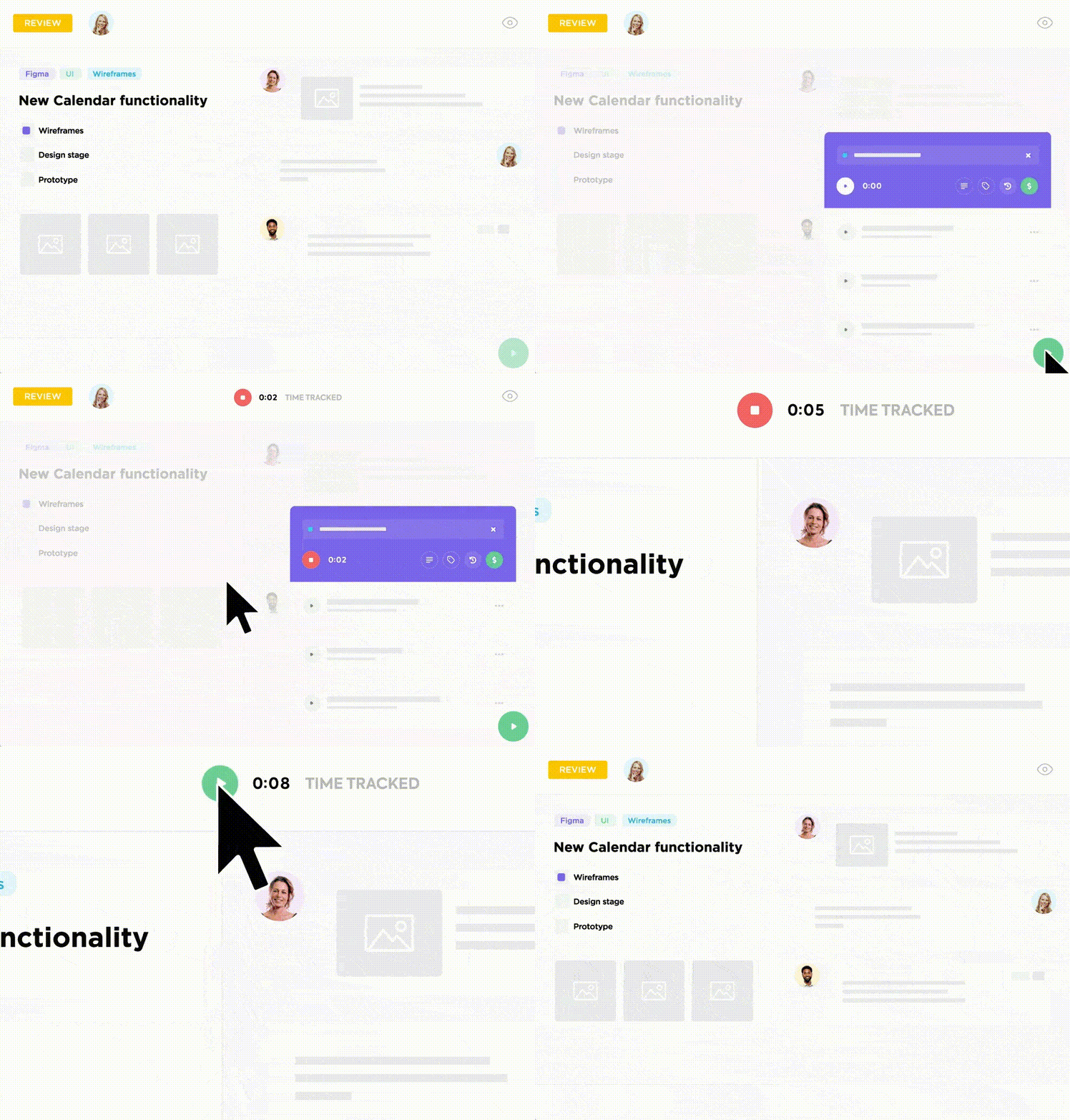
Most projects follow the time and material model of billing, which means time is money. In such cases, look for a software that allows you to accurately track time.
ClickUp’s time management includes several thoughtful features.
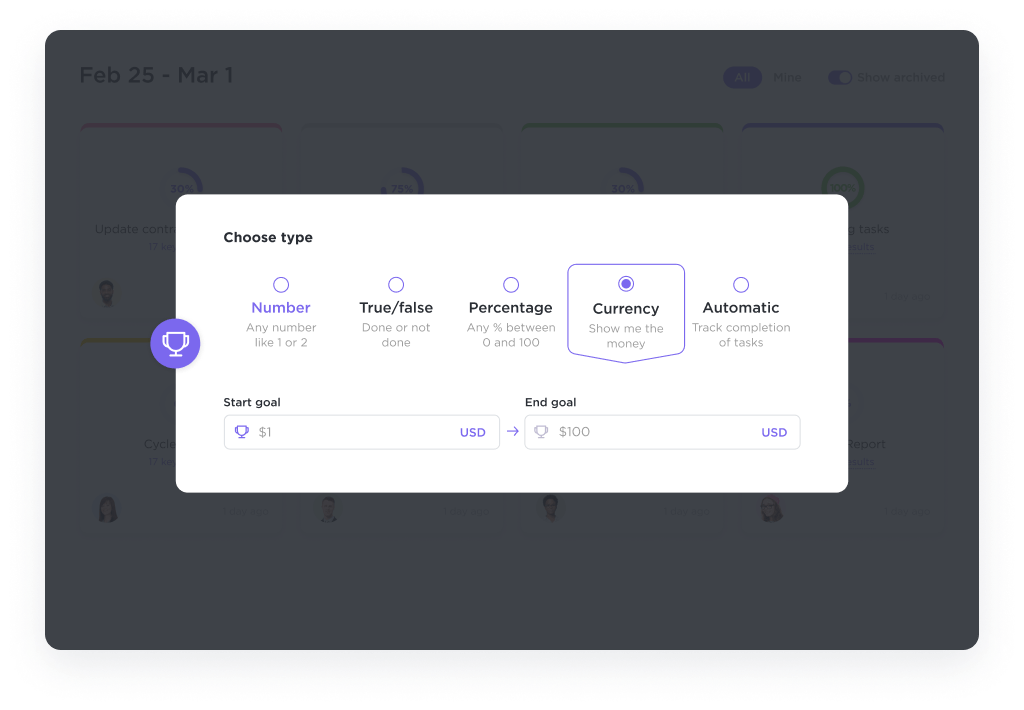
Setting clear project goals and targets give teams the purpose and direction in their everyday tasks. Your project management tool needs to enable you to set targets, key responsibility areas (KRAs) and key performance indicators (KPIs) for teams and individuals.
ClickUp Goals is designed to be flexible to a number of goal-setting frameworks. Track project progress with numerical, monetary, true/false, and task targets. Sales teams can set revenue targets, engineering teams can set sprint targets, marketing teams can set lead generation targets, and more.
For teams to communicate contextually, they need a virtual workplace, which your project management software needs to be. Look for communication and collaboration features extensively.
ClickUp’s comprehensive communication features allow teams to work together in real-time or asynchronously. Some popular communication features include:
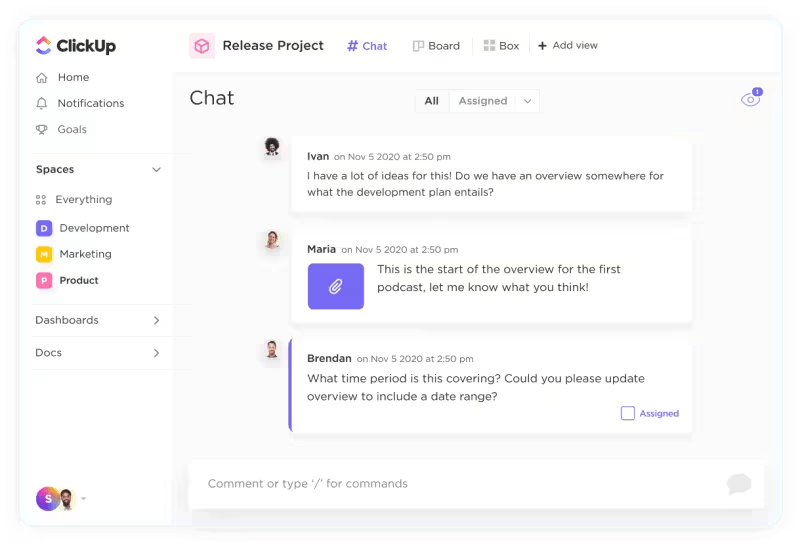
ClickUp collaboration detection helps you see who’s online. Whether you’re viewing the same task or editing a ClickUp Doc together, ClickUp shows you who you’re working with.
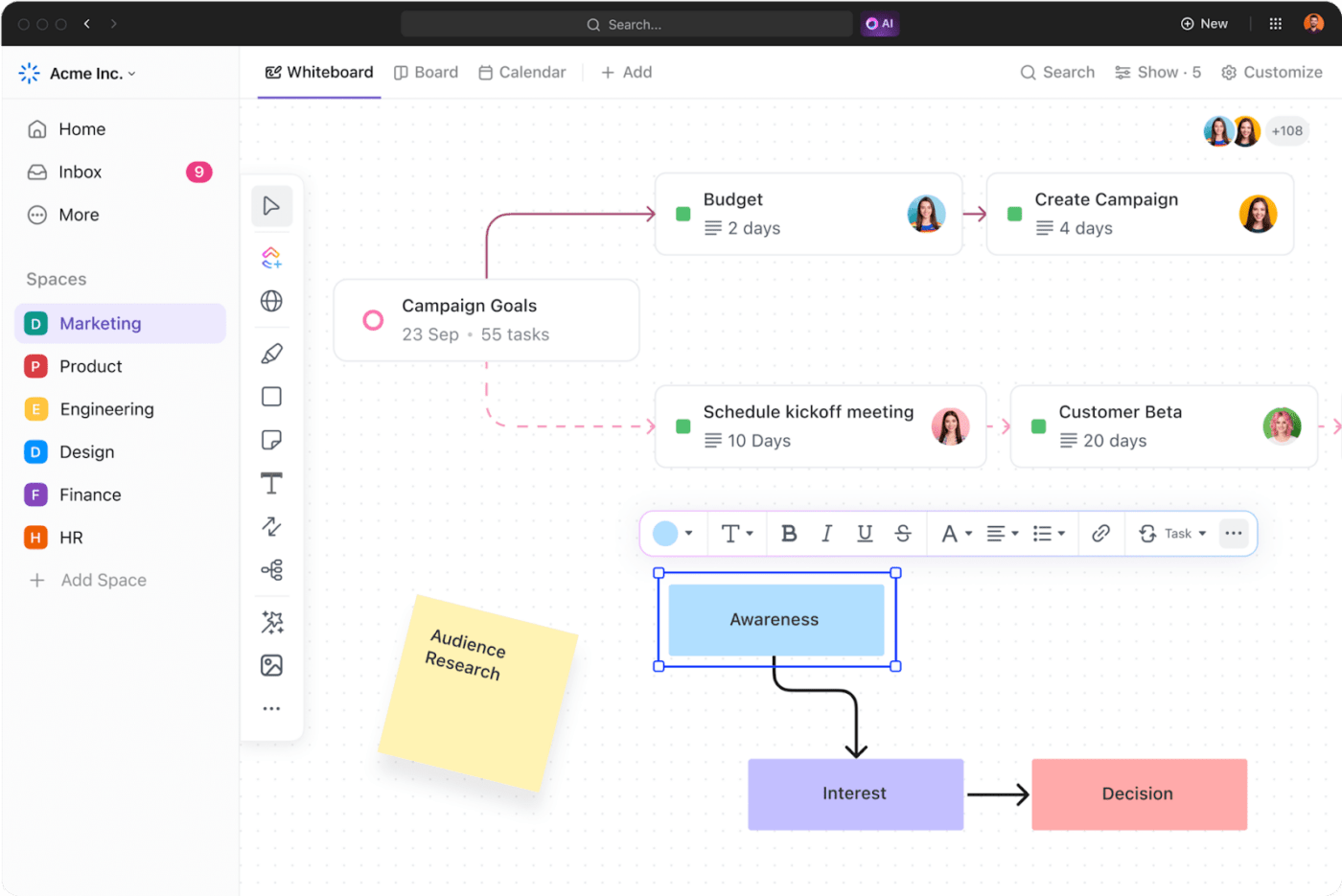
ClickUp Whiteboards allows you to come together and map processes/workflows, brainstorm ideas, and even create moodboards before making design decisions.
Tag users or assign tasks right from the Whiteboard to put your ideas to action.
Project managers need to see their projects their way. You might want a list view to see every upcoming task, Kanban view for tasks by status, calendar view for scheduling, and the timeline view to monitor overlaps and dependencies.
While choosing project management software solutions, ensure that you have all the views you need. ClickUp’s 15+ views empower you to track work from any angle!
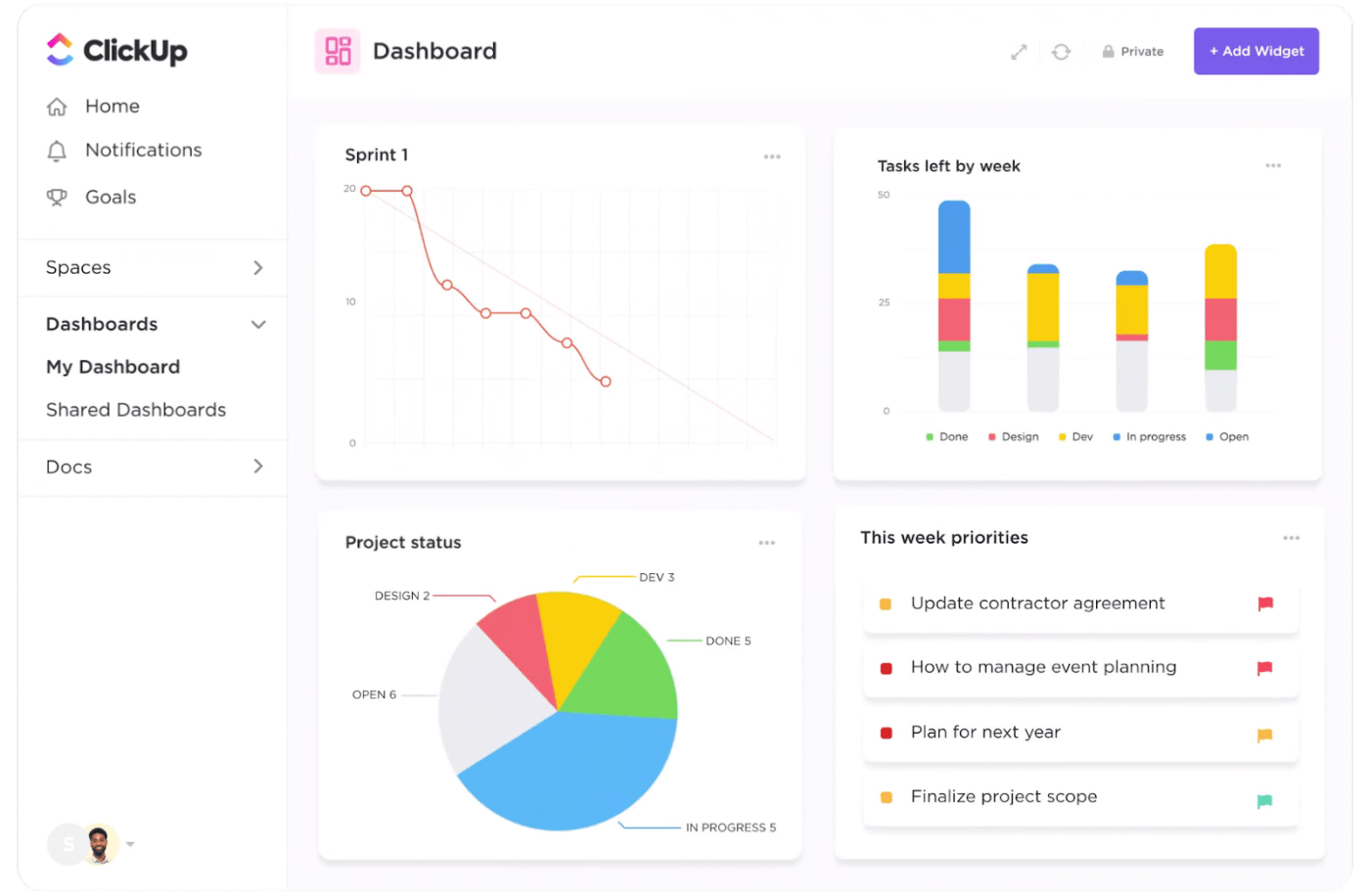
How would you measure the success of your project? Ensure that the tool you choose has all the analytics features you need to track progress.
ClickUp Dashboards offers real-time insights into metrics of your choice. Customize the dashboard to see what matters to you to make data-driven decisions towards achieving your project management goals.
Your software should empower you to follow your own unique project management methodology. ClickUp is designed to be flexible.
With generative AI boosting capabilities across fields, project management shouldn’t be left behind. AI project management tools enhance various aspects of your work.
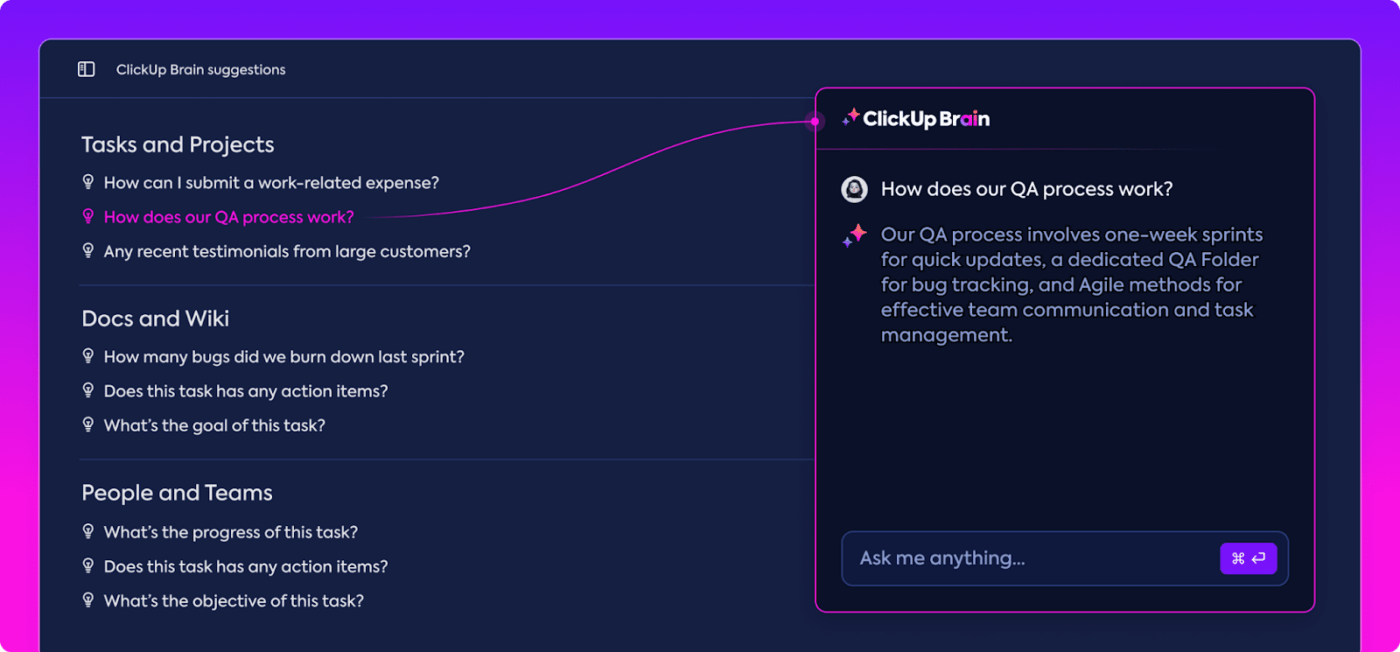
ClickUp Brain acts as your 24/7 virtual assistant, helping you with various everyday tasks—summarize meeting notes, proofread documents, ask questions about processes, and get suggestions for optimization.
Repeatable processes form the foundation of good project management, which is why your tool must offer the right templates.
ClickUp includes multiple free project management templates and project overview templates for different use cases.
The ClickUp project management template is one of the most popular ones. With 25 statuses and five different views, and comprehensive project structure, it helps manage complex project needs like a breeze.
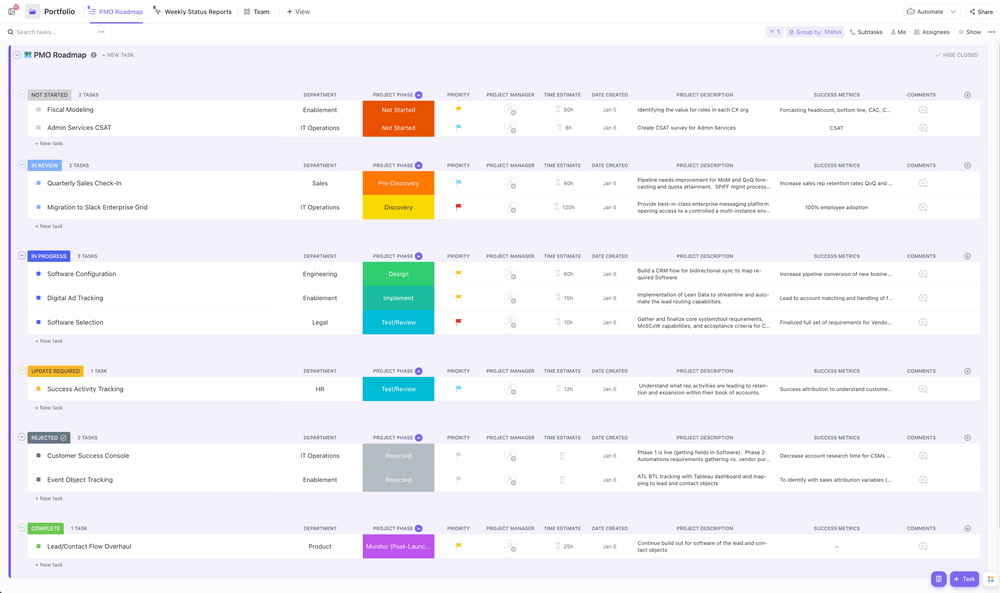
The most crucial factor to consider when choosing a project management tool is affordability. Choose the plan that offers maximum value at the best price.
ClickUp offers free and paid plans to suit your needs.
Check out ClickUp’s pricing with a detailed list of features of all the plans.
Everyone manages their projects—one way or another. Large events have been planned and executed with only a notebook and a pen. Except, this is extremely inefficient and stressful.
Today’s professional projects need more than just ‘management.’ They need to be managed with clarity, transparency, agility, and efficiency. This needs a purpose-design project management software like ClickUp.
With its fully customizable features, ClickUp acts as an all-in-one project management tool for modern teams.
The various benefits of project management are:
Project management software helps individuals and teams organize, manage, and streamline their project-related tasks and communications. It provides tools for planning, scheduling, resource allocation, task management, risk management, and decision-making.

© 2026 ClickUp

There’s an easier way. Try a free AI Agent in ClickUp that actually does the work for you—set up in minutes, save hours every week.