
Sorry, there were no results found for “”
Sorry, there were no results found for “”
Sorry, there were no results found for “”
When managing a project or simply brainstorming, your thoughts and new ideas can get tangled up like yarn after a cat’s finished playing with it. A mind map is like a knitting needle—it helps you weave ideas into a beautiful sweater of a plan! 🧶
Mind map templates let you visualize and organize concepts and information by providing a ready-made framework you can use right away. Anyone from students to project managers can benefit from such a tool for planning, decision-making, and problem-solving.
In this article, we’ll share 10 of our favorite mind map templates. Take advantage of their numerous benefits and witness your learning, teaching, or project planning process unravel!
Use our free Mind Map Maker to map concepts, break down topics, structure plans, and bring scattered ideas into one clear view.
Feeling overwhelmed by scattered ideas or tangled project plans? Mind map templates can help you bring clarity and structure to your thoughts—fast.
This blog features 10 free mind map templates for project managers, creatives, educators, and anyone who needs to organize ideas visually. Whether you’re mapping a project workflow, brainstorming a story, or outlining bugs and user flows, there’s a template here for you.
Top Picks Include:
📌 Why ClickUp Stands Out
ClickUp offers dynamic mind map templates integrated with task management, real-time collaboration, and automation—so your ideas don’t just stay ideas—they become action.
Start mapping smarter with ClickUp—your everything app for work. 🚀
A mind map template is a pre-built digital mind map that gives you a framework to start your brainstorming sessions. These digital maps have many advantages over pen-and-paper ones.
Ideas all over the place? ClickUp’s free Mind Map Template helps you organize and plan with clarity—fast. Try it now!
They allow more space and freedom to make mistakes and modifications. They also provide additional functionality, such as adding media, links, and other elements.
Mind maps are similar to concept maps, which are great for outlining complex relationships between several main concepts. Another related tool is the flowchart, which is a diagram depicting a step-by-step of a process or system.
Be it for personal use, teaching in school, or project planning, a mind map template helps bring concepts to life! 🌱
We’ve selected 10 of our favorites to get you started. They work in ClickUp, Word, and Google Docs, and the best part is—most of them are free. Take a look at our top list and choose a template that matches your thinking style.
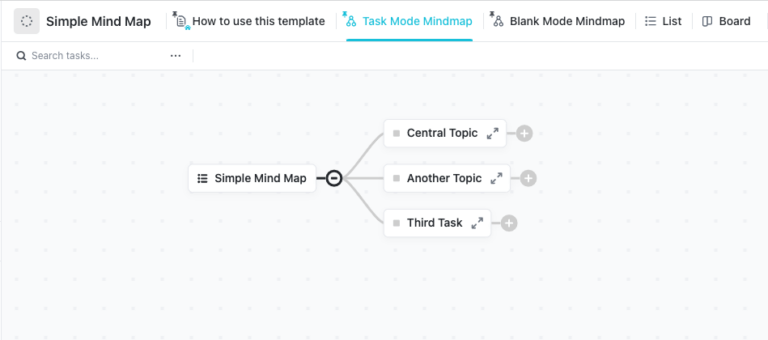
The Simple Mind Map Template by ClickUp stays true to its name—it’s our most straightforward thought-mapping tool for visualizing ideas and tasks.
In this mind-mapping template, the main concept is called the root, whereas the subtopics are nodes. Their relationships are represented by connectors, which you can color-code to introduce an additional layer of information.
The template comes in two modes:
This mind-mapping template is as intuitive as it can get—all options are a click away. Drag and drop nodes to move them around and double-click on them to edit the text. Zoom in and out and navigate the template by expanding and collapsing layers—for note-taking, idea generation, and real-time collaboration with your team.
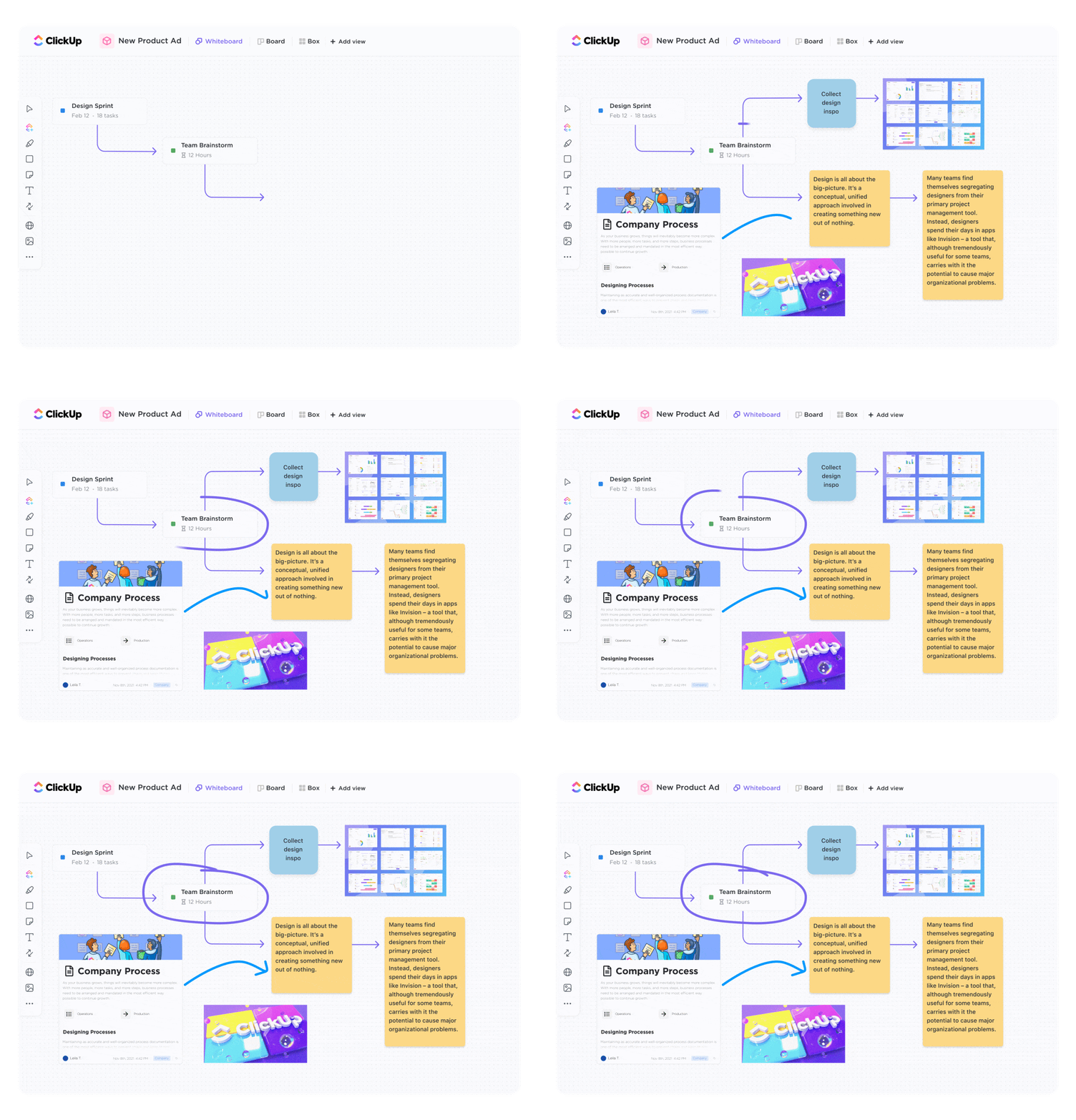
If you prefer something more colorful and interactive, give this ClickUp Blank Mind Map Whiteboard Template a try and start from a blank canvas. It’s a mind map in ClickUp’s Whiteboard, allowing for more flexibility and freedom to express your creativity. 🌈
With a mind map design in Whiteboards, you can not only create multiple mind maps but also decorate them with other elements, such as:
The template’s visual elements provide additional insights without overcrowding the map. Feel free to doodle, add other shapes, and modify the color scheme—anything to get your point across!
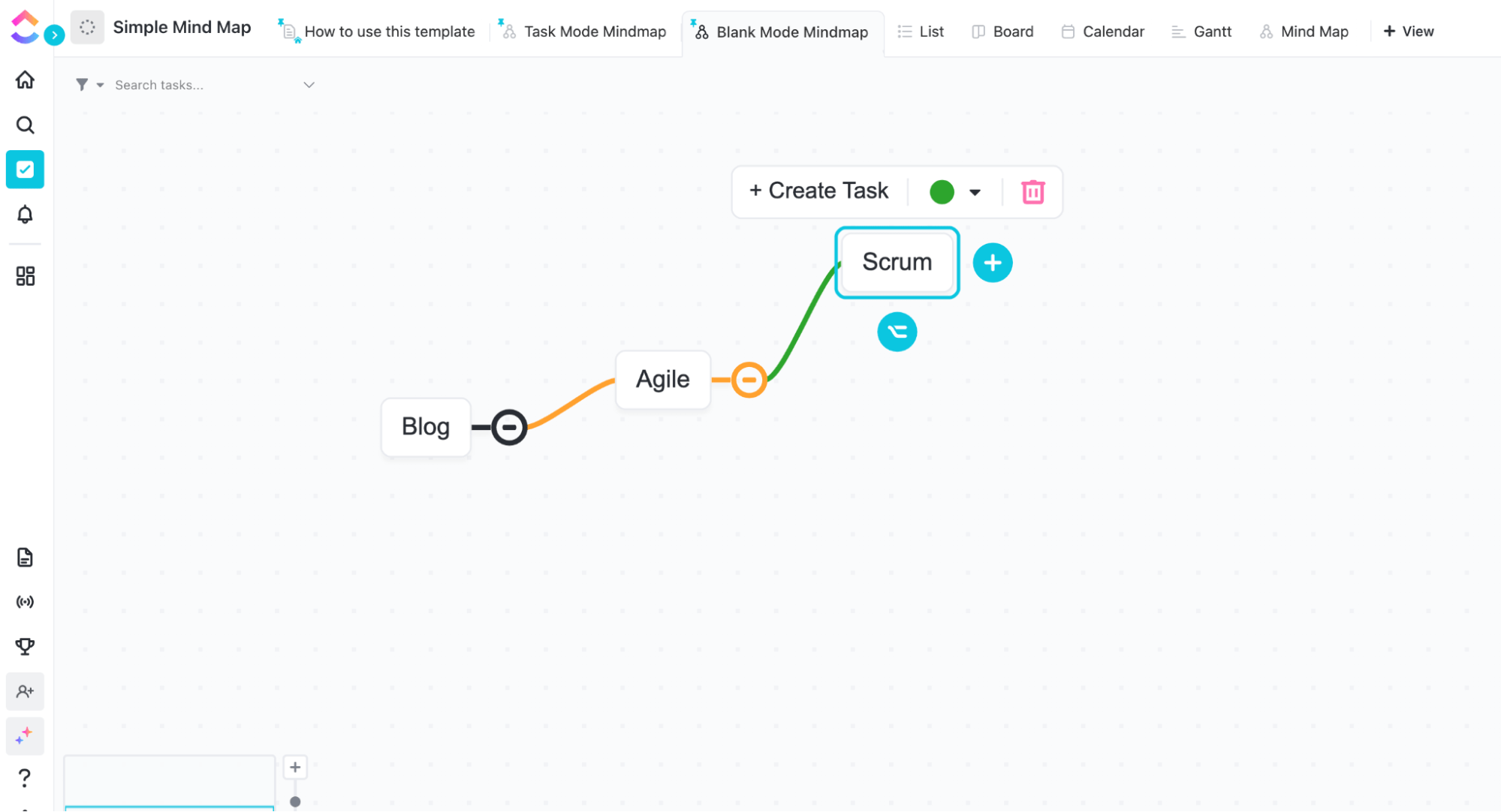
As in the previous template, you can move the nodes where you need them. Select the plus sign next to the node to add a sub-node. You can add connectors (arrows) to indicate a relationship between the nodes, regardless of their layer or position.
Create a mind map online in blank mode by default, so nodes aren’t tied to tasks. You can create tasks separately and place them around the map if you need to.
When dealing with complex projects, it’s helpful to break them down into components to get a clearer picture of the tasks at hand and understand their dependencies. The ClickUp Project Mapping Template happens to be the perfect tool for that.
This free mind map comes with several views. The first is the Getting Started Guide, a document explaining the different elements and how to use them.
The next one is the Ideas List view. It’s the home of all your data. In the fields, you can sum up key information about each task, such as status, assignee, team, and comment. You can then group, filter, and sort tasks to prioritize them.
Finally, the template contains a Mind Map view in task mode. Nodes and connectors appear in different colors, indicating their statuses. You can change the categories and colors to better suit your project workflow. Click on the two arrows next to the node text to manage all the task details.
Note that you can effortlessly create a mind map for any other project as well. Create a hierarchy of tasks in List view, then add a new mind maps view, and voila—the map will magically appear in seconds. ✨
Managing an agency is like conducting an orchestra. It requires skill, precision, creativity, and a sense of rhythm to make the performance harmonious and dynamic.
This Agency Management Mind Map Template by ClickUp helps you bring together all ideas, tasks, and strategies to create a symphony of productivity. 🎶
While the previous mind mapping templates are easy to use for even the most inexperienced users, this one is more advanced and takes some getting used to. Luckily, the template comes with a comprehensive guide to help you master all its features.
It takes up an entire space and consists of numerous folders, each containing several lists and views. The folders cover the most important aspects of agency management:
The template comes with eight pre-built automations to streamline your workflow. You can edit them and create custom automated actions.
📮ClickUp Insight: 37% of workers send follow-up notes or meeting minutes to track action items, but 36% still rely on other, fragmented methods.
Without a unified system for capturing decisions, key insights you need may get buried in chats, emails, or spreadsheets. With ClickUp, you can instantly turn comments, chats, emails, and whiteboard discussions into actionable tasks easily—ensuring nothing falls through the cracks.
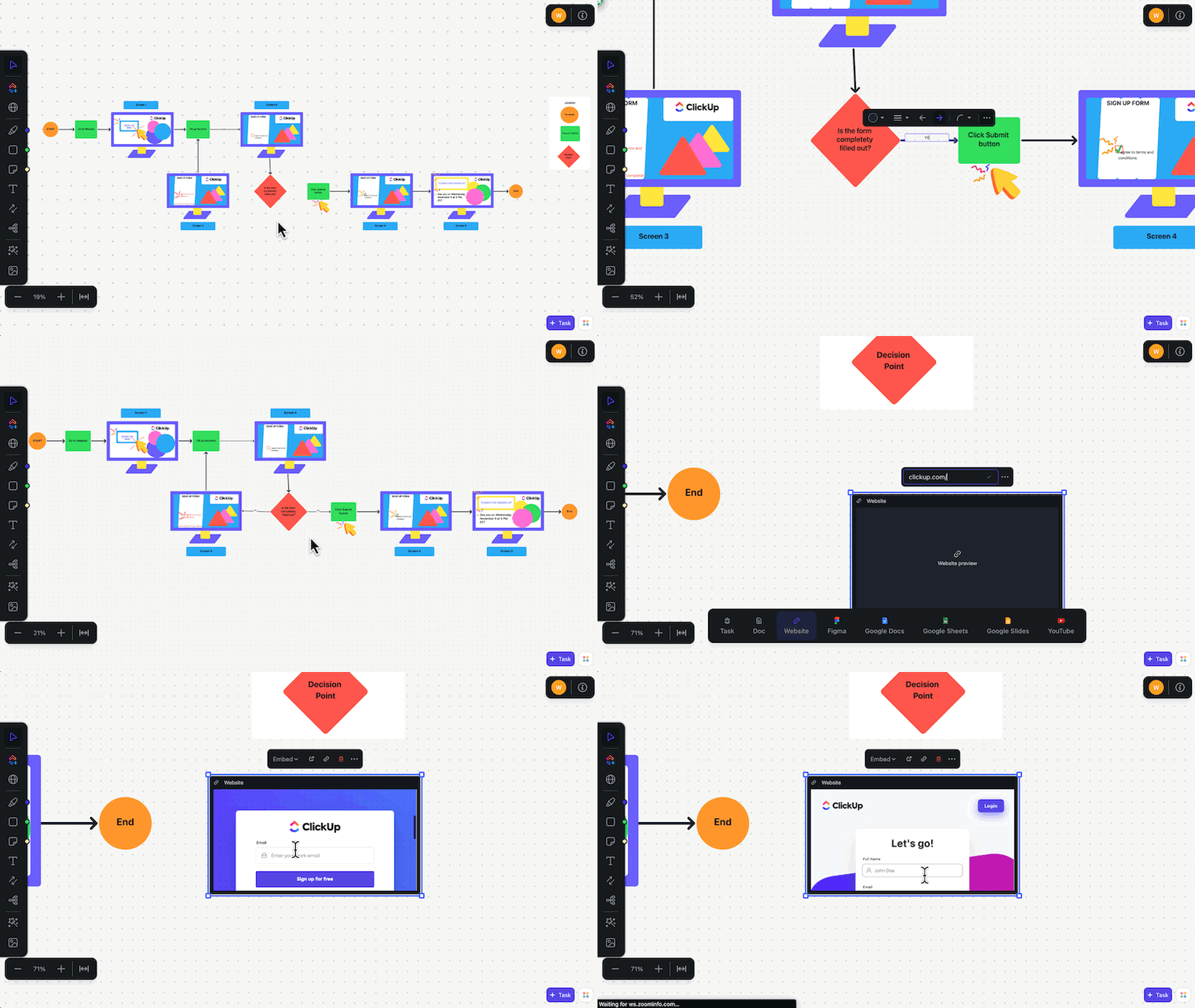
To create the best possible user experience, you need to design it carefully. With this User Flow Template by ClickUp, you can map out the process to understand what it looks like for the user. That way, creative professionals can catch inconsistencies and gaps in logic and fix them before the app or website goes live.
That task may sound boring, but this mind-mapping template isn’t. It uses fun shapes, colors, and graphics to convey different steps and elements, making the process much more dynamic to showcase your main idea.
In this template, the different shapes represent terminals, activities, and decision points. You can add connectors to indicate the direction of the flow and attach screenshots to show what each step looks like from the user’s perspective. As with other Whiteboard templates, you can insert additional elements, work from different styles, and views to provide more value.
To ensure their product runs and sells well, developers need to constantly work on perfecting it. As that involves a lot of information, they need a way to organize and visualize it. That’s what the ClickUp Bug & Issue Tracking Template is all about!
It’s a powerful communication tool connecting engineering, support, and product teams, as well as customers and other stakeholders. It helps cut down on those mundane and unnecessary meetings while ensuring everyone follows the correct steps involved to track issues and bugs.
This folder-level template contains several lists and views:
In the main folder, you can also find the Bug Submission Form. Distribute it among users to collect feedback. After completion, ClickUp will automatically turn it into a task to save you time. You can also add automations and integrate with your favorite dev tools such as GitHub, GitLab, and BitBucket.
Create a mind map out of any of the lists to visualize the work ahead of you or outline the bug reporting and resolution processes. To do so, go to your list of choices and add a new Mind Map view. Select the task structure to use the existing hierarchy and keep the map interactive.
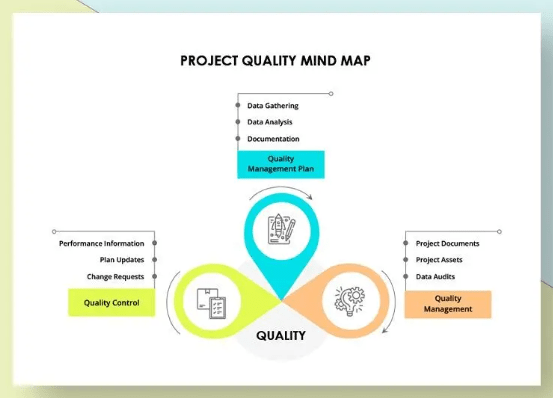
As a product or service provider, it’s your duty to make sure your customers are getting their money’s worth. That keeps them coming back, fosters long-term loyalty, and strengthens your brand. 💪
The most effective way to achieve that is through a solid project quality assurance plan. Use the Project Quality Mind-Mapping Session Template in Word by Template.net to devise the plan and visualize its structure.
The template has three main branches:
To download this template or other mind map examples, you need to subscribe to one of Template.net’s paid plans.
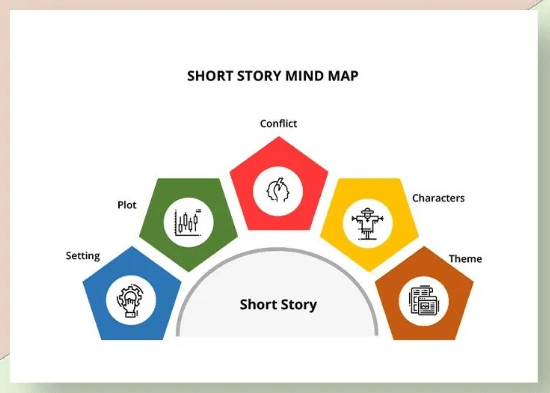
Although less grandiose in size than novels, short stories still take an enormous amount of work. After all, you have to pack a whole universe of creativity into a small constellation. 🌌
Luckily, there are many helpful tools to help you organize information and craft an engaging story. One such is this Short Story Mind Maps Template in Word by Template.net.
The diagram branches out into five parts, each representing an essential aspect of storytelling:
You can add more branches to map out specific ideas. This intuitive Word mind map allows you to visually connect and expand upon your story elements, ensuring a cohesive and compelling narrative for marketing or any other purpose.
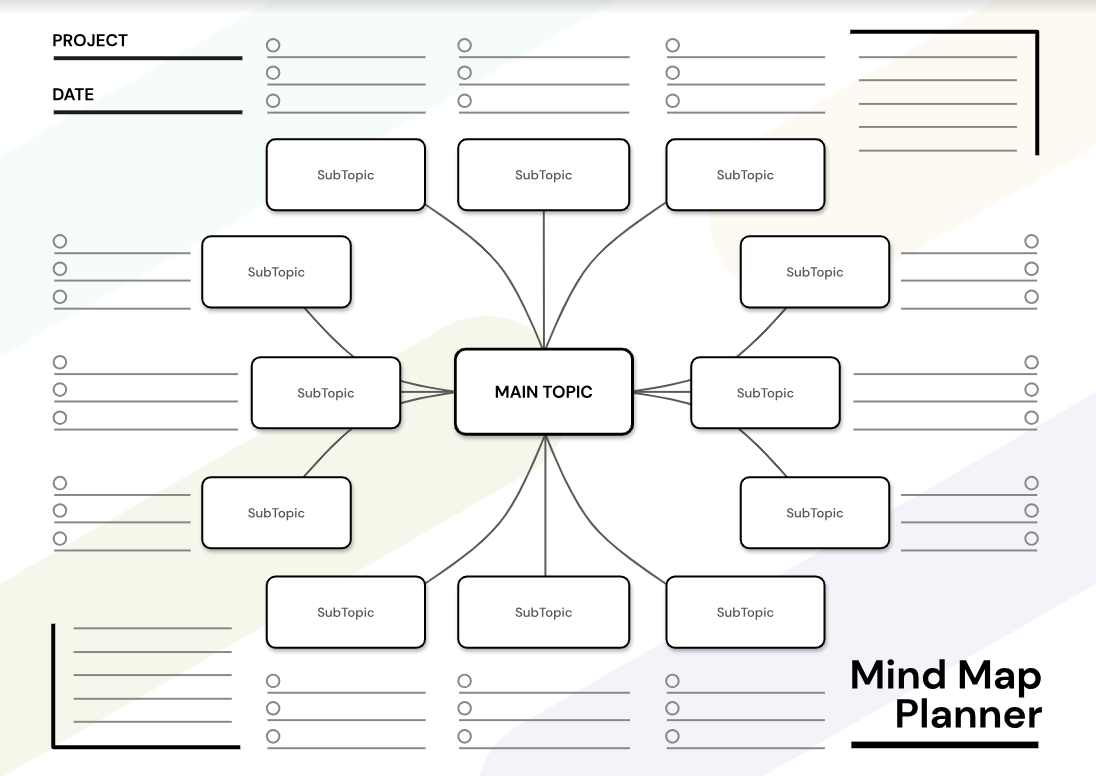
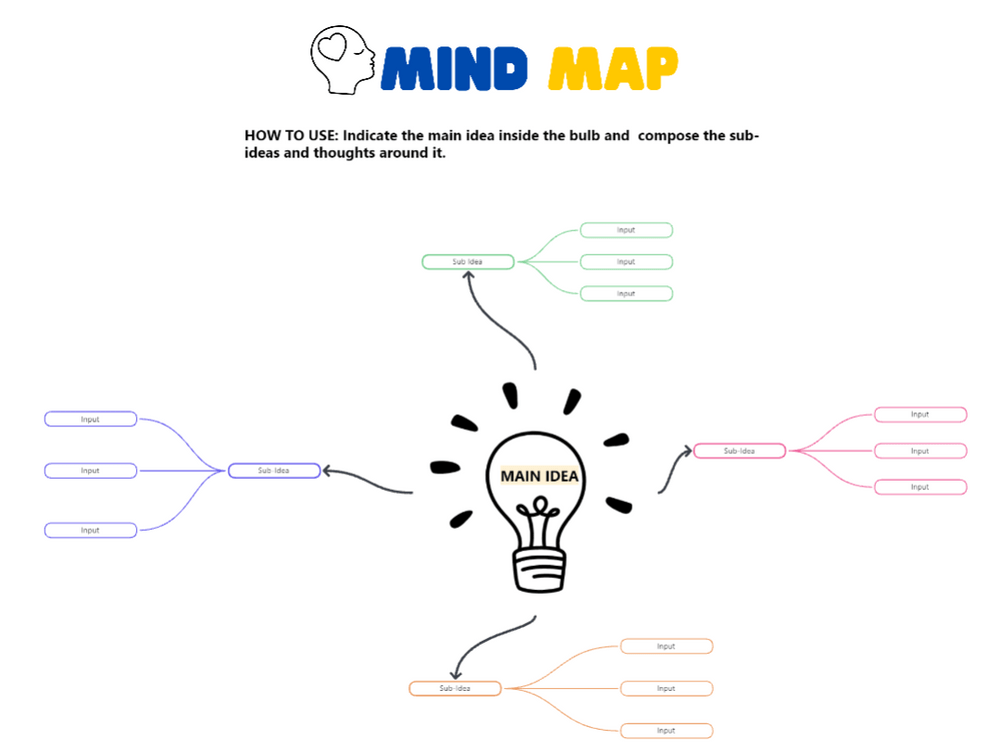
If planning is a pain point for you, try this Blank Mind Map Template in Google Docs by GDoc. It provides a solid, multi-purpose framework for structuring and arranging your ideas and plans. 🛠️
Of the mind map examples in this list, this one couldn’t be any easier. Follow the downloading instructions and launch the template in Google Docs. Fill it out box by box, tick the checkboxes next to the tasks as you complete them, and see everything come to fruition as you log more ideas to the doc.
With over 12 sub-topic nodes, the template gives you plenty of room to ideate, but you can always expand it. Its minimalistic design is clean and doesn’t distract from important issues.
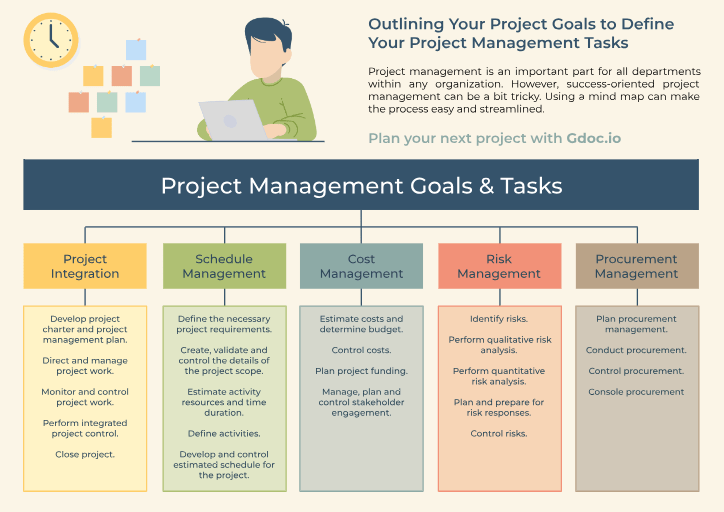
Beginnings are often the most difficult part of project management. Even if you have an exceptional idea, putting it into words and defining actionable goals can feel like a never-ending marathon at times. 😮💨
That’s where the GDoc Project Management Mind Map Template in Google Docs comes in. It’s your go-to tool for strategizing the next steps of any project and tracking all of its crucial aspects.
This template comes pre-filled, giving you a robust baseline to work off of when starting to plan and allows you to insert your brand logo to make it your own. The template includes the following project steps:
You can always modify the template to make it fit better with the current project or your preferred workflow.
Bonus: Mind Map Examples for Students!
An effective mind map should follow and allow you to visualize your thought process. To serve that purpose, a good mind map template needs to:
Not sure which template to choose? Check out a brief rundown of their most notable benefits:
| Template | Benefits |
| ClickUp Simple Mind Map Template | Allows you to create interactive or static mind maps to suit any purpose |
| ClickUp Blank Mind Map Whiteboard Template | Encourages creativity by providing a flexible and colorful organization framework |
| ClickUp Project Mapping Template | Helps you visualize and break down complex projects for easier planning and execution |
| ClickUp Agency Management Mind Map Template | Provides you with all the tools you need for effective agency management |
| ClickUp User Flow Mapping Template | Gives you an idea of how users experience your product to help you improve the process |
| ClickUp Bug & Issue Tracking Template | Facilitates efficient bug tracking and resolution through effective communication |
| Microsoft Word Project Quality Mind Map Template by Template.net | Enables comprehensive project quality assurance planning in three steps |
| Microsoft Word Short Story Mind Map Template by Template.net | Organizes your thoughts to help you craft gripping short stories |
| Google Docs Blank Mind Map Template by GDoc | Gives you plenty of room to store and organize your ideas and tasks |
| Google Docs Project Management Mind Map Template by GDoc | Streamlines project management and provides suggestions for planning |
No matter the purpose or project scope, mind maps make complex concepts and processes more clear and more manageable. Start using these templates today and map your way to brilliance! 🦸
You might also like our take on the top 10 AI Tools for Mind Mapping and Brainstorming

Praburam Srinivasan
Max 16min read
Praburam Srinivasan
Max 21min read
Praburam Srinivasan
Max 21min read

© 2026 ClickUp