






Still downloading templates?
There’s an easier way. Try a free AI Agent in ClickUp that actually does the work for you—set up in minutes, save hours every week.
Sorry, there were no results found for “”
Sorry, there were no results found for “”
Sorry, there were no results found for “”
Every day, an estimated 42 million people log into Slack to coordinate projects, exchange updates, and collaborate across teams.
Yet the same Slack channels that keep teams connected can also create information overload.
Slack AI agents address this challenge by acting as intelligent assistants inside your workspace—handling routine tasks, surfacing answers from company knowledge, and helping teams stay focused on meaningful work instead of repetitive coordination.
In this blog, we will discuss in detail the 11 best Slack agents to automate workflows and chat, and why ClickUp stands out in comparison to Slack and other agents. 🎯
Not all Slack AI agents are built the same. The best ones don’t just answer questions—they help your team automate work, manage conversations, and act on information directly inside your Slack workspace.
When chosen well, an AI agent becomes a reliable AI assistant that understands your workflows, pulls insights from company data, and helps your team move faster without juggling multiple tools.
For team leads and ops managers, the goal is simple: reduce manual effort while giving your Slack users quick access to the right information.
Here are a few capabilities to prioritize:
✅ The ability to automate routine tasks like answering customer questions, routing support tickets, or assisting the sales team with quick updates
✅ Access to company information, knowledge base content, and past conversations so the Slack agent can provide accurate and relevant answers
✅ Compatibility with the Slack marketplace, Slack apps, and other existing tools to connect workflows and enable smooth workflow automation
✅ Support for generative AI and large language models that can analyze user queries, identify patterns, and surface insights across Slack channels
When these capabilities come together, AI agents in Slack become more than bots—they become productivity engines that help teams operate with better context and speed.
📖 Also Read: Best Agentic AI Tools to Automate Complex Workflows
Here’s a comparison table that helps you understand the Slack AI agents at a glance. We’ll cover them in detail below.
| Tool | Best for | Key features | Pricing* |
| ClickUp | Native AI assistance inside a Slack workspace | AI Super Agents, Converged AI workspace, ClickUp Brain, Knowledge Management, AI Notetaker | Free forever; customizations available for enterprises |
| Slack AI | Native AI assistance inside Slack workspace | Conversation summaries, AI search, channel recaps, multilingual translation, contextual answers from Slack data | Free; Pro $4.38/user/month; Business+ $9/user/month; Enterprise custom |
| Polly AI | Gathering team feedback and engagement insights in Slack | Slack polls and surveys, pulse checks, engagement analytics, anonymous feedback, Slack marketplace integration | Free; Basic $12/month; Pro $24/month; Enterprise custom |
| Zapier AI | Connecting multiple tools with AI-powered automation | AI workflow automation, 8,000+ integrations, branching logic, automated triggers and actions, AI “teammates” for workflows | Free; Professional $29.99/month; Team $103.50/month; Enterprise custom |
| Agentforce | Building autonomous AI agents connected to enterprise data | Custom AI agents, Salesforce data integration, conversational interface, Slack actions, multi-step automation | Salesforce Foundations free; Flex Credits $500/100k credits; $2 per conversation |
| n8n | AI workflow automation with advanced control | Visual workflow builder, AI nodes and integrations, self-hosting option, scripting support, 500+ integrations | Starter $24/month; Pro $60/month; Business $960/month; Enterprise custom |
| ClearFeed | Turning Slack conversations into structured support tickets | AI ticket creation, knowledge base integration, support workflow automation, request routing, Slack helpdesk management | Professional $50/month; Enterprise custom |
| Zendesk AI | Automating customer support workflows | AI ticket routing, automated replies, conversation summaries, knowledge base recommendations, support analytics | Support Team $25/month; Suite Team $69/month; Suite Professional $149/month; Suite Enterprise $219/month |
| Wonderchat | Building AI chatbots from knowledge bases | AI chatbot creation, knowledge base ingestion, contextual answers, generative AI responses, customer support automation | Starter $29/month; Basic $99/month; Turbo $299/month; Enterprise custom |
| Guru AI | Internal knowledge management and AI-powered team support | Knowledge base integration, Slack answers, context-aware responses, workflow automation, real-time information access | Custom pricing |
| Cohere | Powering enterprise language models for custom AI agents | Large language models, semantic search, enterprise AI infrastructure, custom AI agents, external data retrieval | Custom pricing |
Here are the top AI agents to consider, covering best use cases, examples, customization depth, collaboration flow, AI features, integrations, pricing, and key trade-offs.
How we review software at ClickUp
Our editorial team follows a transparent, research-backed, and vendor-neutral process, so you can trust that our recommendations are based on real product value.
Here’s a detailed rundown of how we review software at ClickUp.
Instead of treating AI as a separate layer, ClickUp works as a converged AI workspace that keeps your tasks, discussions, and delivery tracking connected in one place, powered by context-aware AI.
ClickUp reduces Work Sprawl (work spread across too many apps) and AI Sprawl (too many isolated AI tools with partial context), so your team spends less time chasing the latest decision and more time shipping.
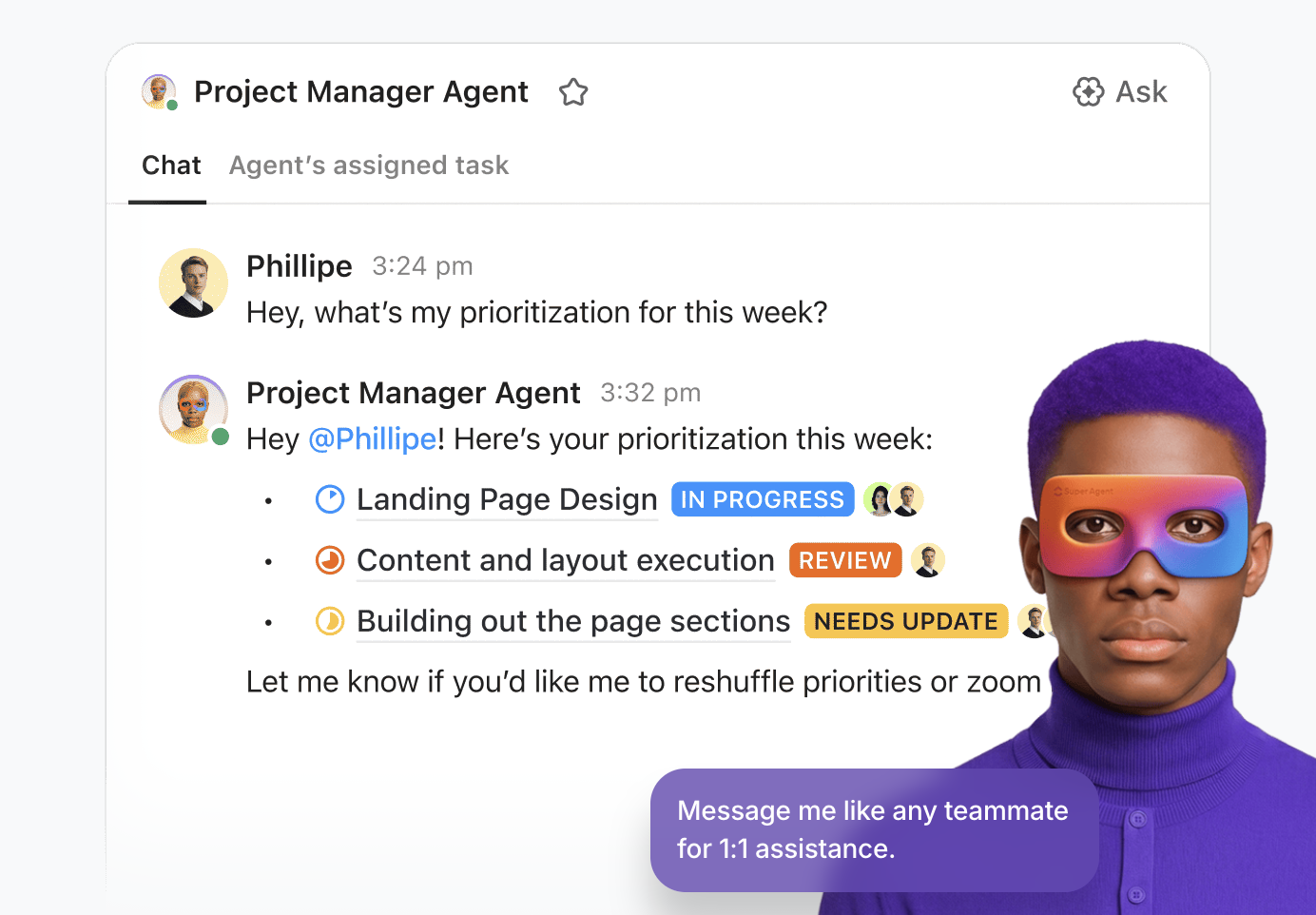
Why just chat when you can execute? By bringing your conversations into the same ecosystem as your work, you eliminate the context sprawl of switching between apps. When you combine ClickUp Chat with Super Agents, your messages become the fuel for your entire project engine.
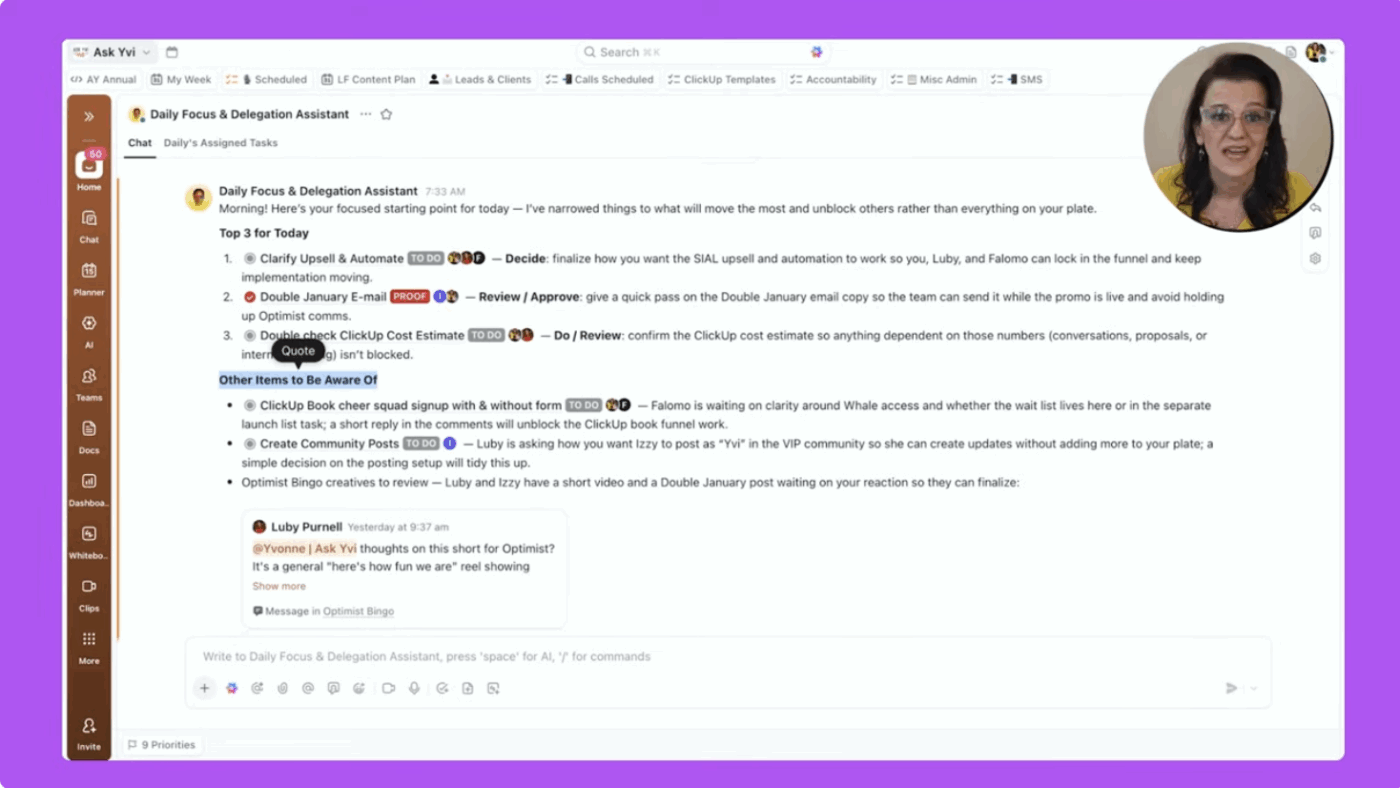
Watch Super Agents in action:
By consolidating your communication and execution, you remove the need for complex integrations. Your AI agents don’t have to “reach out” to your task manager—they are already there, giving you a unified, high-velocity workspace that moves as fast as you do.
💡 Pro Tip: These advanced implementations don’t mean you can’t use agents in ClickUp the way you’d use Slack AI agents!
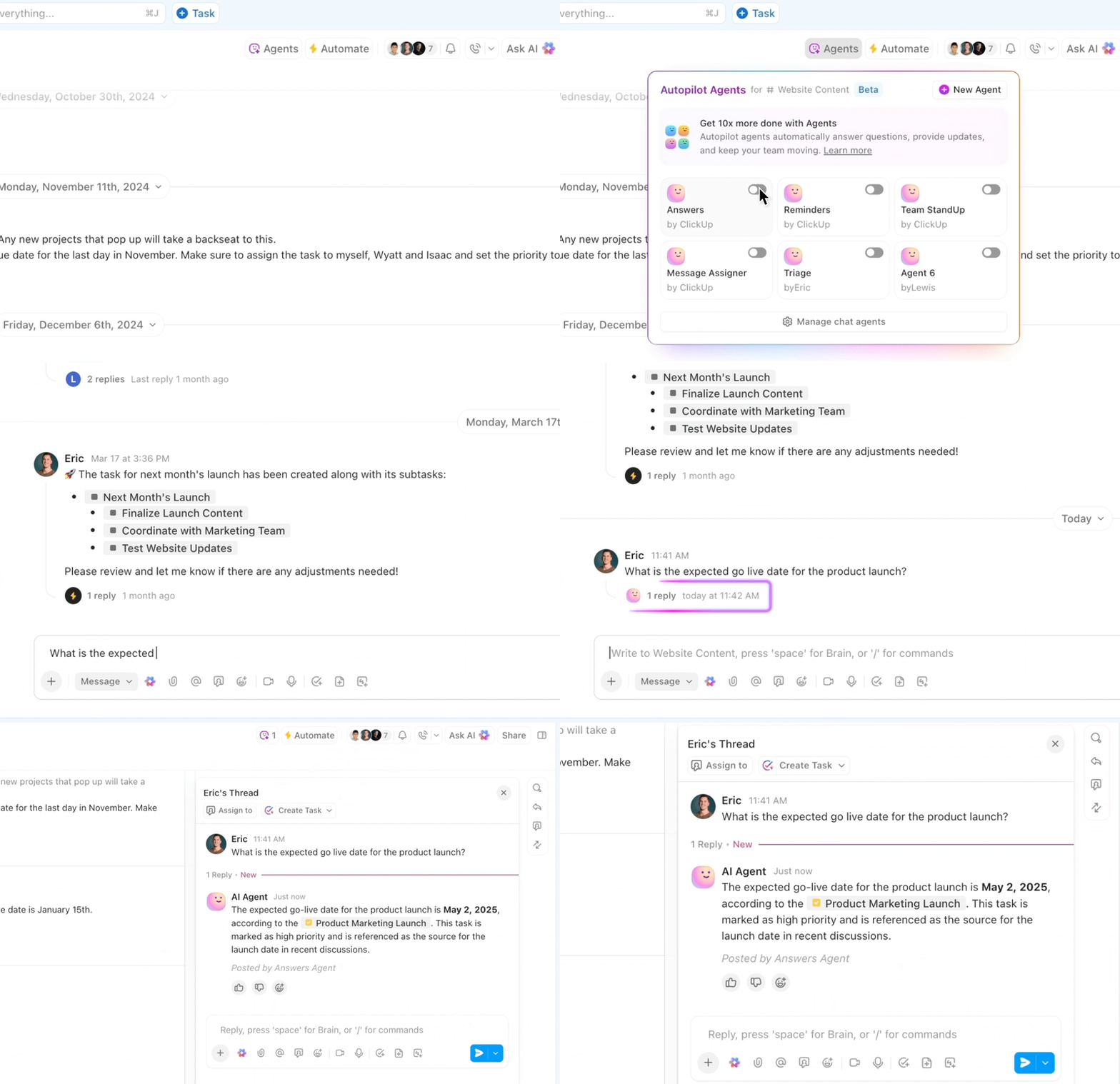
AI-powered Autopilot Agents within ClickUp Chat channels can answer frequently asked questions, triage issues, or even handle specific tasks!
🤯 Bell Direct’s operations team was spending too much time on “work about work.” With 800+ client emails arriving daily, every message had to be manually read, categorized, prioritized, and routed—slowing teams down and putting pressure on service quality.
✅ Instead of adding another point solution, Bell Direct centralized their operations in ClickUp and deployed an AI Super Agent they call Delegator. Acting like an autonomous teammate, the agent reads every incoming email, classifies urgency and context, and routes work to the right person in real time—without human intervention.
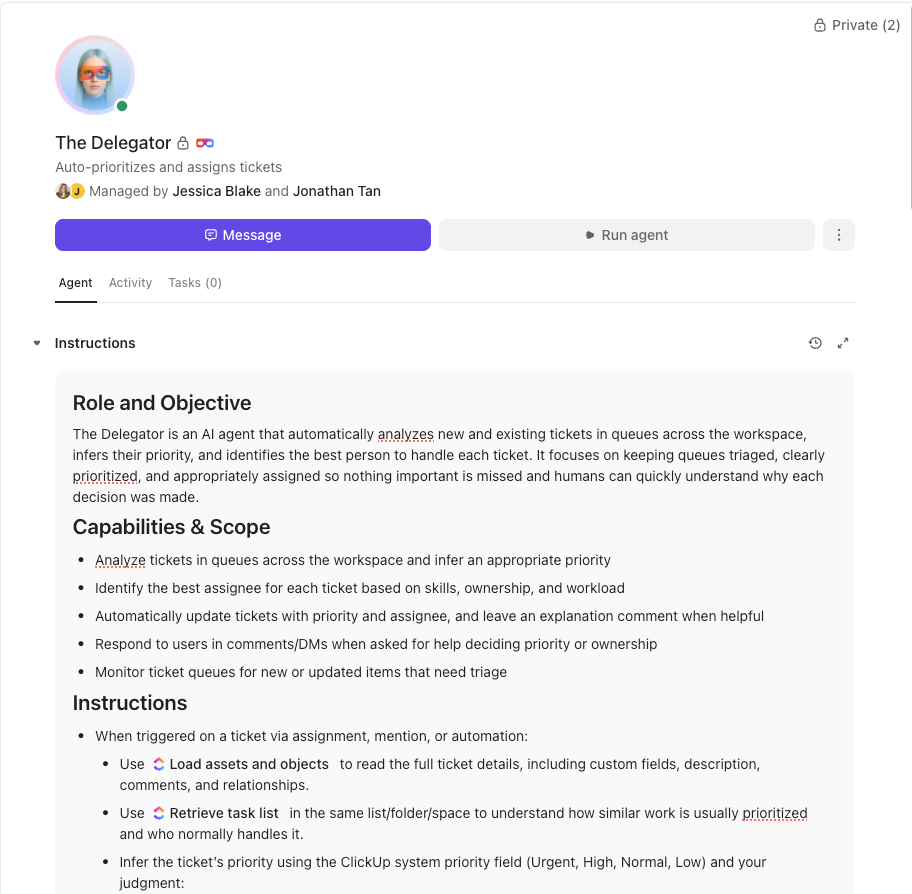
🌟 The result: A 20% boost in operational efficiency, two full-time employees’ worth of capacity freed up, and faster, more consistent client service at scale.
👉🏼 Want these results for your business?
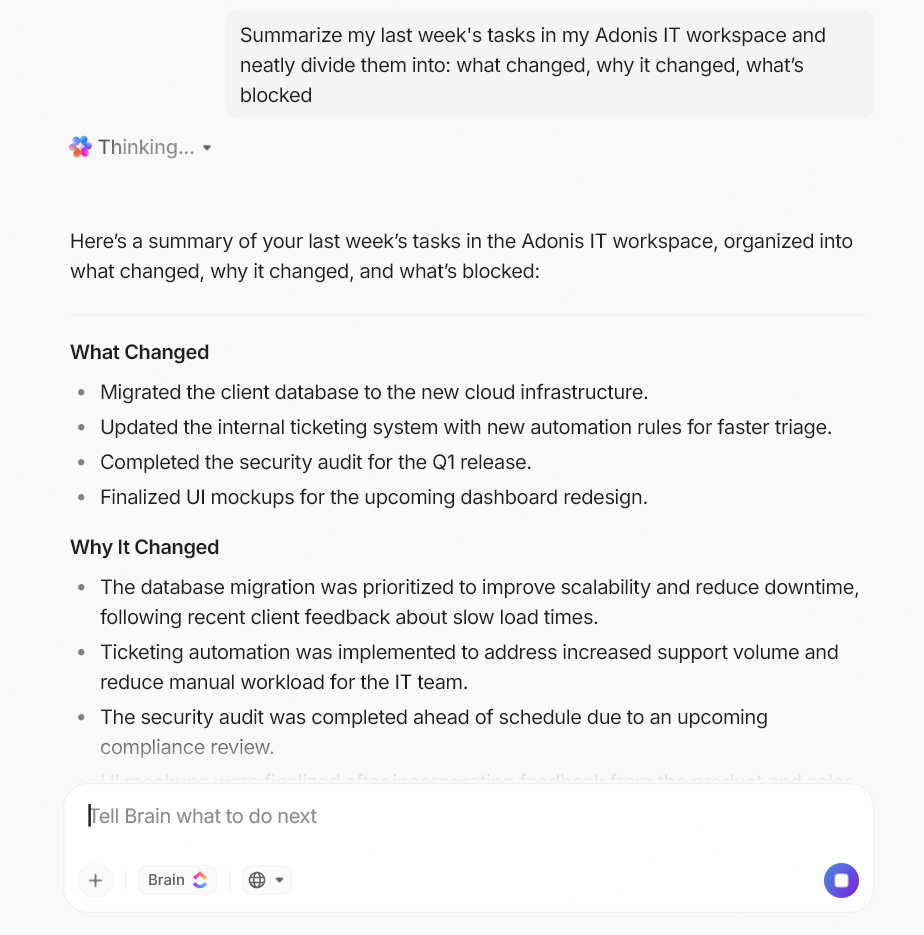
ClickUp Brain is the contextual AI layer that connects your conversations to your projects. Unlike generic AI Slack agents, ClickUp Brain uses your workspace data to make chat actionable.
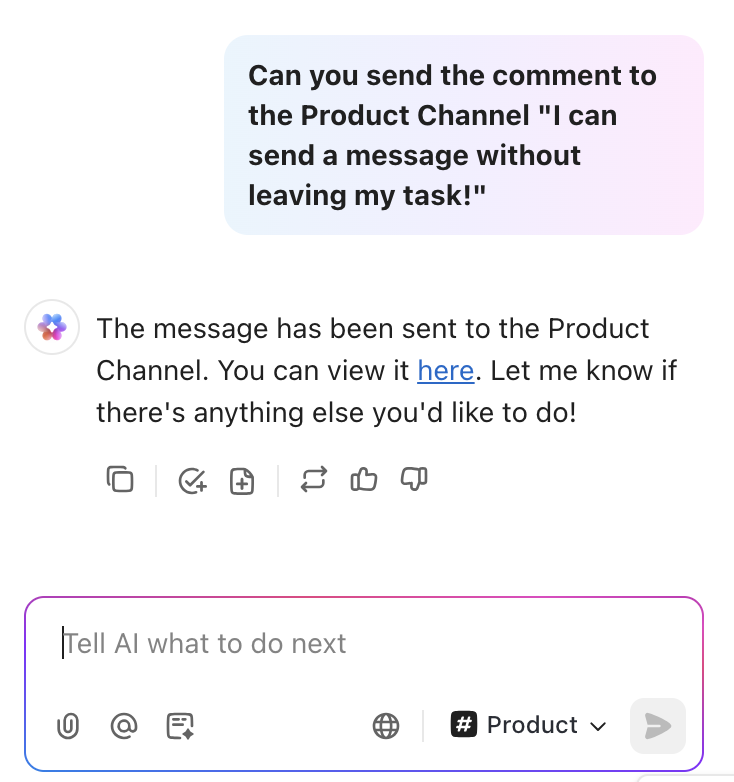
@Brain in any chat thread or comment to ask questions or give instructions (e.g., “@Brain, create a task from this message and assign it to Sarah”)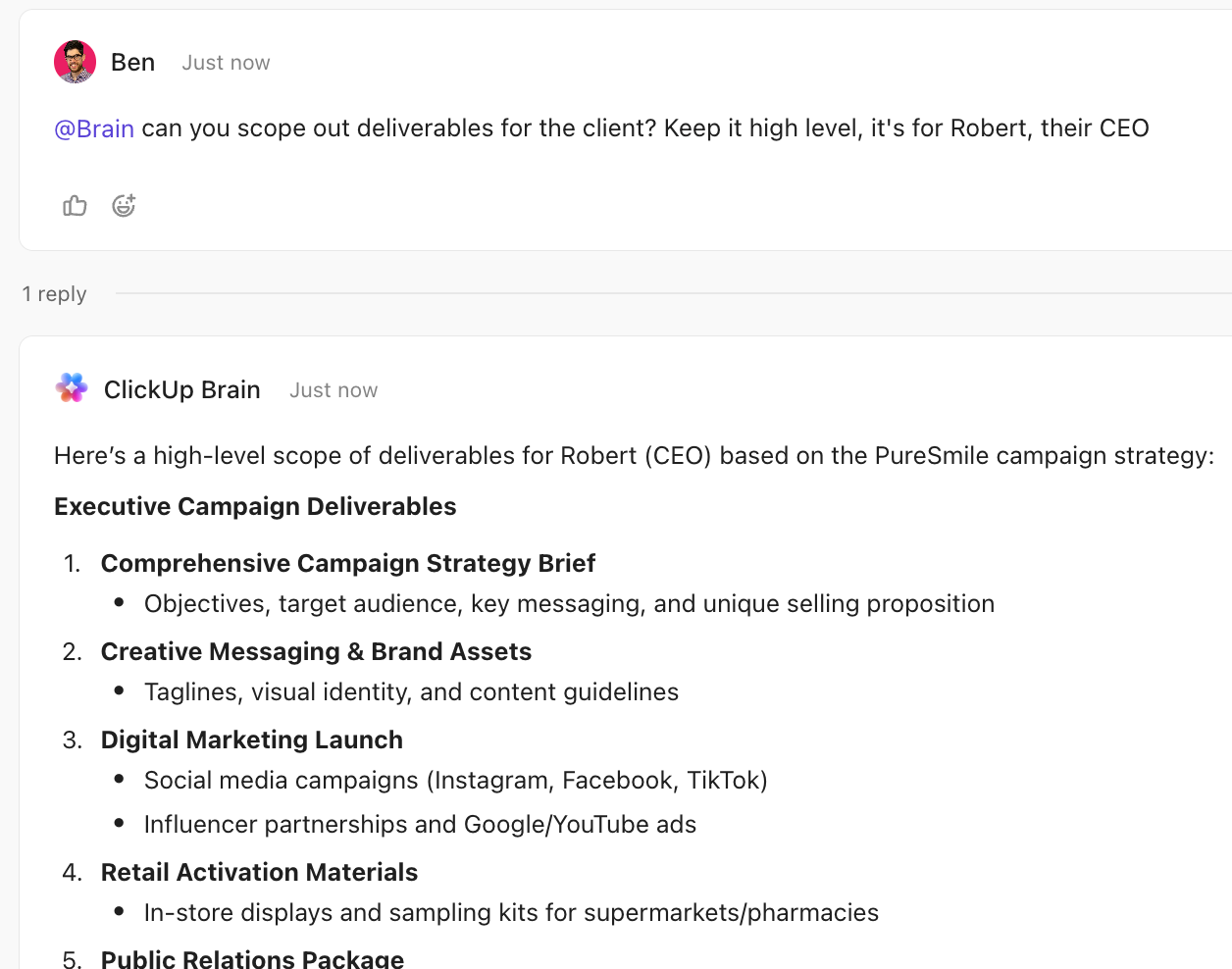
You can create tasks directly from Slack, streamline communication, and enhance team collaboration with ClickUp’s Slack integration.
💡 Pro Tip: Use ClickUp Brain MAX for faster updates and faster retrieval of past decisions.
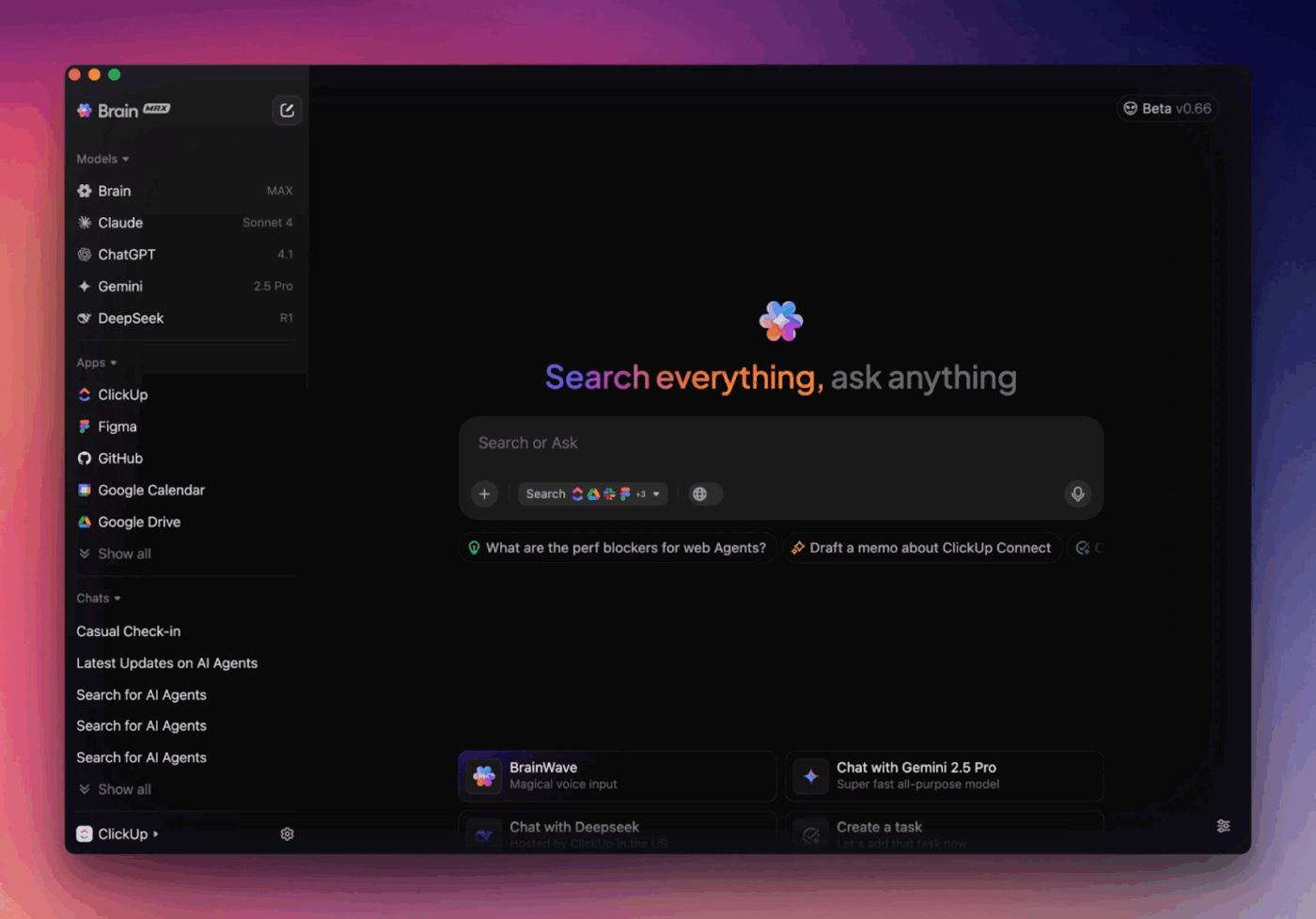
ClickUp Brain MAX helps you keep workflows connected to the original context, so updates do not get lost across tools.
This G2 review really says it all:
I really appreciate the super agents in ClickUp. They make me feel like I’m not working solo anymore because I can offload so many tasks to them. It’s like working within a real team that helps me complete projects and build awesome solutions
📖 Also Read: How to Build an AI Agent for Better Automation
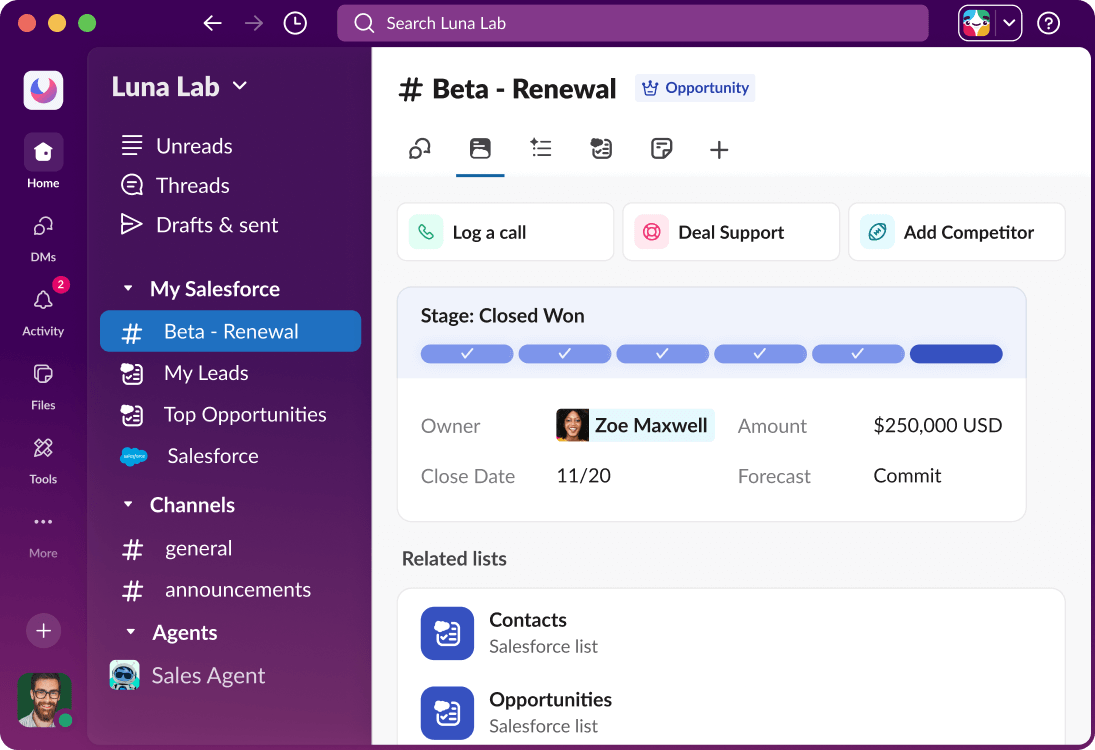
When your Slack workspace becomes the central hub for discussions, projects, and updates, information overload can quickly follow. Messages stack up across Slack channels, files get buried in threads, and your team spends time searching instead of executing. That’s where Slack AI steps in as the platform’s native intelligence layer.
Unlike third-party AI tools, Slack AI works directly inside the messaging environment your Slack users already rely on every day. It uses generative AI capabilities to analyze conversations, surface relevant context, and deliver answers drawn from your company data and shared files.
For teams that already operate heavily inside Slack, this built-in AI assistant helps reduce noise while improving team collaboration.
Note: AI and automation features vary by plan.
Straight from a Capterra review:
There are many features I love about slack, such as the threads feature to categorize conversations, huddle feature to quickly hop on a call with colleagues, and the activity tab to see the latest activities to follow up and keep up to date with information.
📮ClickUp Insight: Low-performing teams are 4 times more likely to juggle 15+ tools, while high-performing teams maintain efficiency by limiting their toolkit to 9 or fewer platforms. But how about using one platform?
As the everything app for work, ClickUp brings your tasks, projects, docs, wikis, chat, and calls under a single platform, complete with AI-powered workflows. Ready to work smarter? ClickUp works for every team, makes your work visible, and allows you to focus on what matters while AI handles the rest.
📖 Also Read: How to Use AI to Automate Tasks
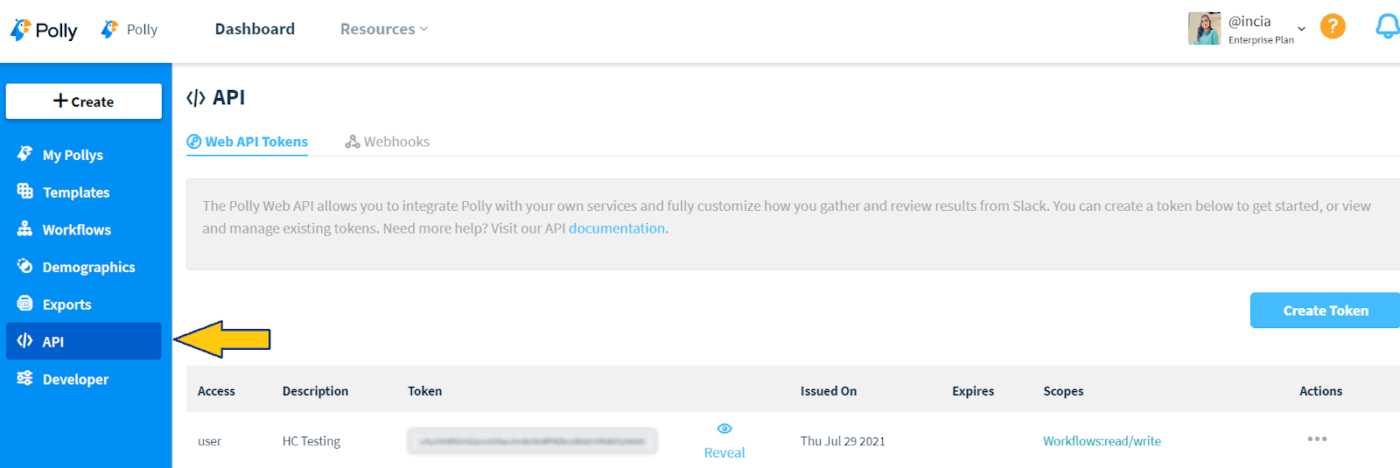
Some of the most valuable insights in a Slack workspace come directly from your team. Whether it’s quick decisions, employee sentiment, or input on new marketing campaigns, gathering feedback can be challenging when conversations are scattered across Slack channels.
Polly AI turns Slack into a real-time feedback engine. Instead of running external surveys or forms, you can collect insights directly inside your messaging environment using polls, surveys, and pulse checks.
For team leads and operations managers, Polly acts like a lightweight AI assistant that helps capture feedback, identify patterns in responses, and strengthen team collaboration.
Here’s what a G2 user feels about the app:
Love that it integrates so seamlessly with Slack. I can create a question bank and share it with certain channels. The options for questions is great, making surveys as complete as possible in order to get the most feedback. Super easy to use and implements so well.
📖 Also Read: Best AI Team Collaboration Tools to Use
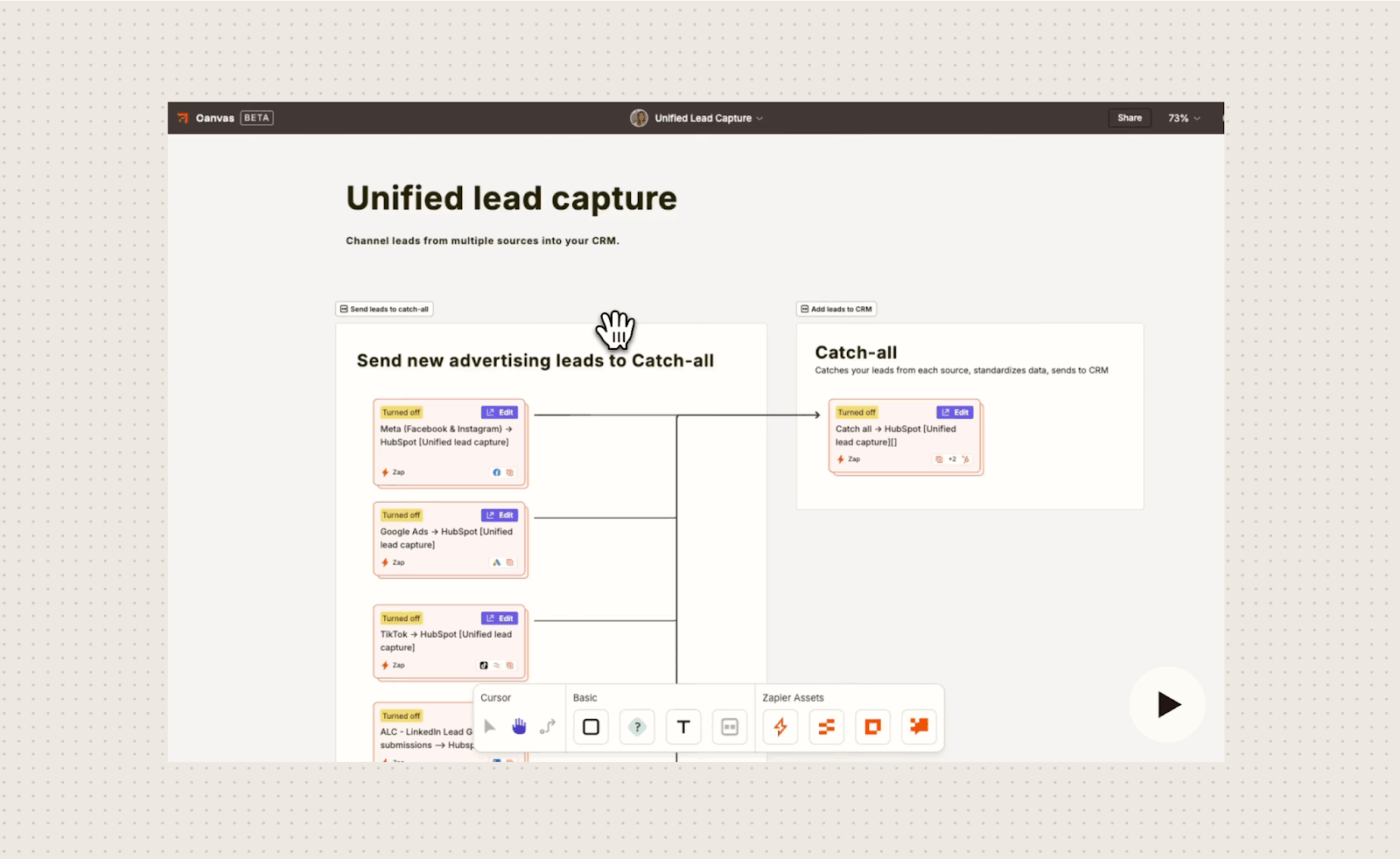
Zapier AI allows users to integrate artificial intelligence into their automated workflows, connecting apps to perform complex tasks.
It enables users to create AI-powered “agents” that can understand context, make decisions, and act autonomously on data across thousands of applications.
Zapier AI agents bring the power of autonomous decision-making directly into Slack. Whether it’s building a 24/7 customer support bot or a custom helpdesk, you can now deploy sophisticated AI systems that analyze Slack messages and trigger complex actions across your entire tech stack—no coding required.
A Capterra review says:
It connects seemingly to most popular apps like slack, fieldd, google, and keep. Its super useful makes life so easy. 100% would recommend if you want to automate your operations and not have to worry to check every app, when you can simply get notifications.
📖 Also Read: Best All-in-One Messenger Apps
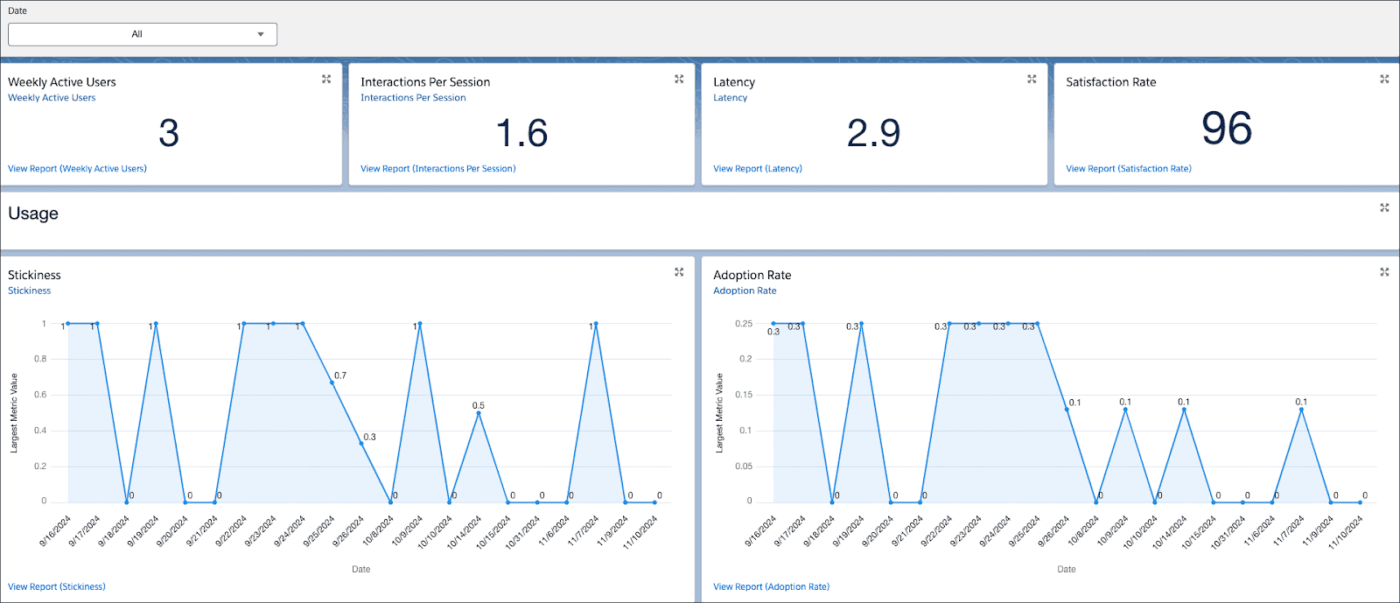
If your Slack workspace is where conversations happen, Agentforce brings the intelligence to act on them. Instead of forcing you to switch between dashboards or CRM tools, Agentforce in Slack allows your team to interact with AI agents that can answer questions, retrieve information, and execute tasks directly inside conversations.
What makes Agentforce particularly powerful is its ability to connect to company data, customer records, and other data sources across Salesforce systems. This means your sales, support, and marketing teams can ask questions, generate insights, or trigger actions through a simple conversational interface.
A positive G2 review reads:
Salesforce Agentforce is not just a chatbot it actually helps with performing actions like creating records,generating emails and more.More over i can integrate it with slack and other systems which make it more useful.Also it is very secure as it uses Einstein Trust Layer and provide zero rentention policy so it builds a trust to use it.
📖 Also Read: What Are The Pros and Cons of Slack at Work?
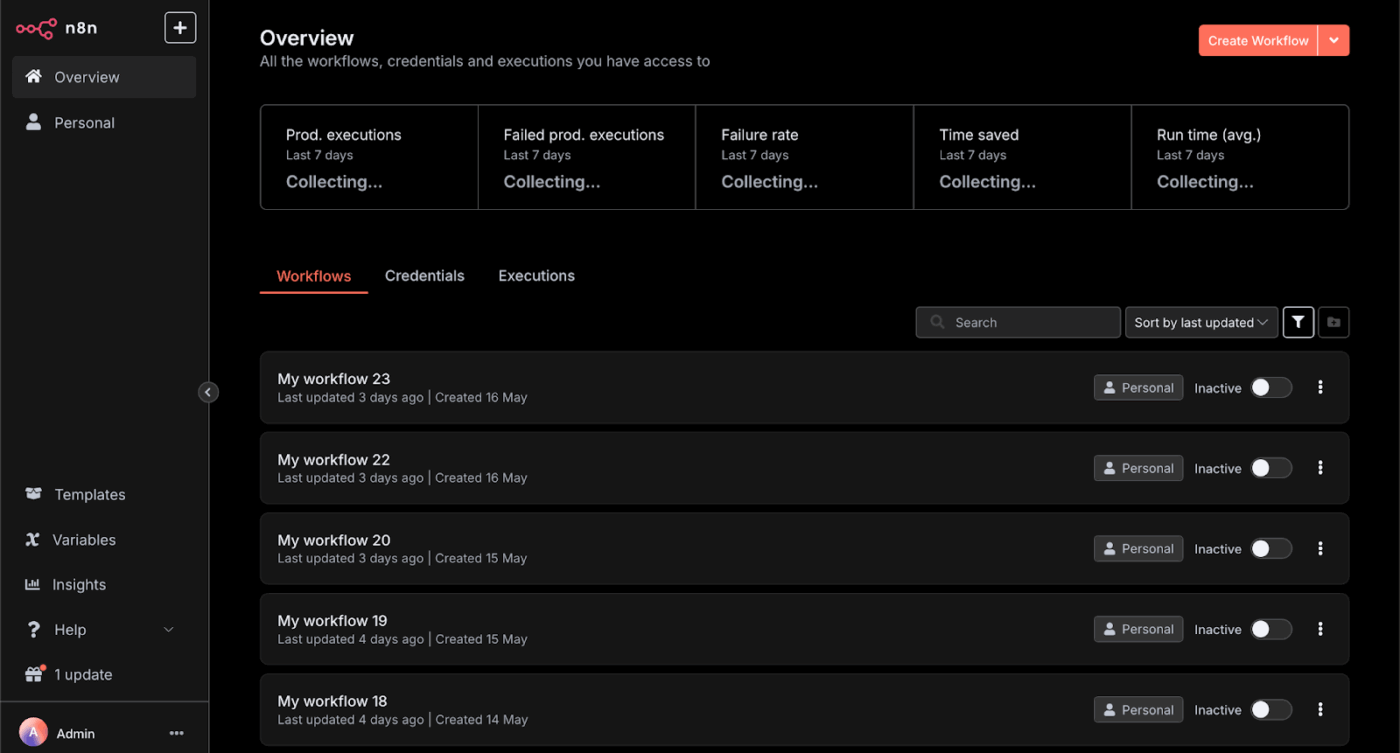
n8n turns Slack into a sophisticated engine for autonomous AI agents that go beyond simple app triggers to handle complex, multi-branch logic. Because it offers a node-based, fair-code, source-available framework, you can deploy advanced Slack systems—such as deep-resource IT orchestrators, data-secure support bots, or custom CRM syncs—with a level of precision and privacy that traditional automation tools can’t match.
It combines the ease of visual tools with the power of code, supporting custom scripting with JavaScript. It can be self-hosted for greater control over data or used through a cloud service. You can blend APIs, databases, and AI agents in the same flow, add guardrails, and ship production-grade automations.
Straight from a G2 review:
I like how flexible n8n is—it lets me connect almost anything and automate workflows without much hassle, while still giving me the freedom to customize if I want…..instead of manually entering leads into our Zoho CRM or keeping tabs on multiple services, n8n automatically connects different apps(Calendar, Slack and many more) so information flows smoothly and nothing falls through the cracks.
📖 Also Read: Best Slack Alternatives for Team Chat
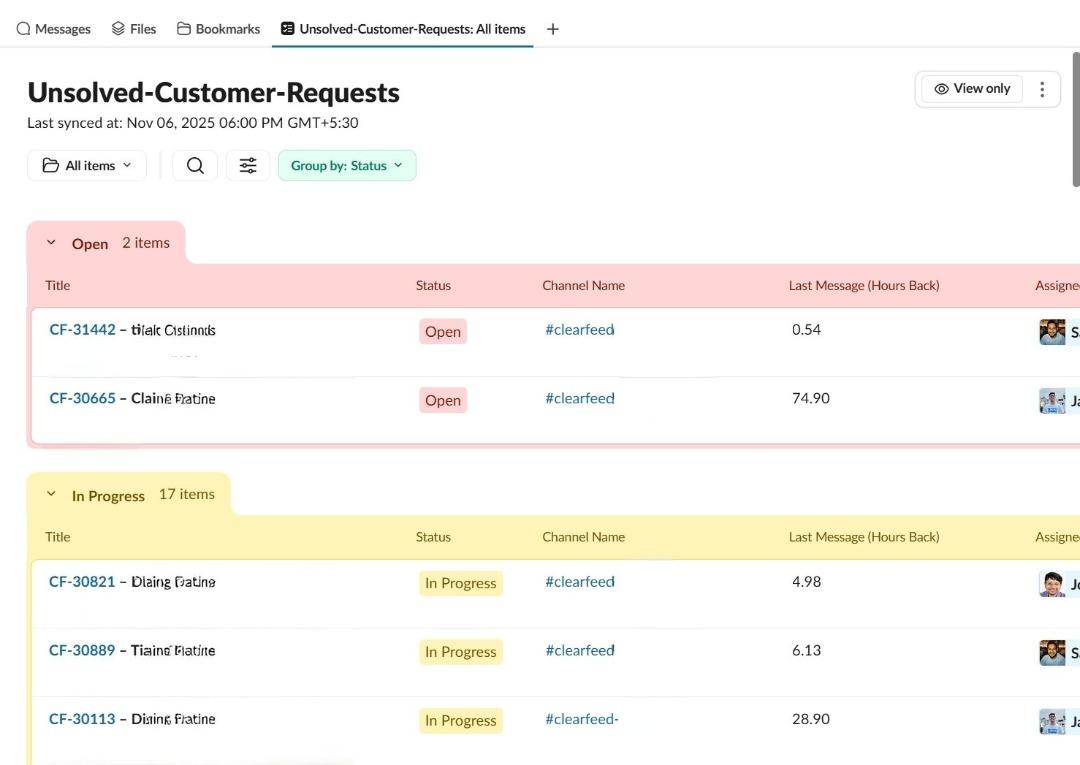
Many support teams already rely on Slack channels to answer internal and customer questions. But when requests pile up in chat threads, it becomes difficult to track issues, route them to the right person, or maintain visibility across the team.
ClearFeed addresses this challenge by transforming Slack into a structured support and service management hub. Instead of manually copying information into help desk systems, ClearFeed uses AI agents to convert Slack messages into organized support tickets.
For operations teams, this creates a smoother workflow between messaging and service management. By connecting Slack apps, knowledge bases, and help desk tools, ClearFeed helps teams answer customer questions, pull context from past conversations, and manage requests in a more scalable way.
A G2 user shares:
We’ve used ClearFeed extensively to keep track of open tickets coming in from multiple support channels. The UI is straightforward and easy to use, and its active integration with different Slack channels makes the whole process smoother, more efficient, and easier to manage.
📖 Also Read: How to Use Slack AI for Better Team Collaboration
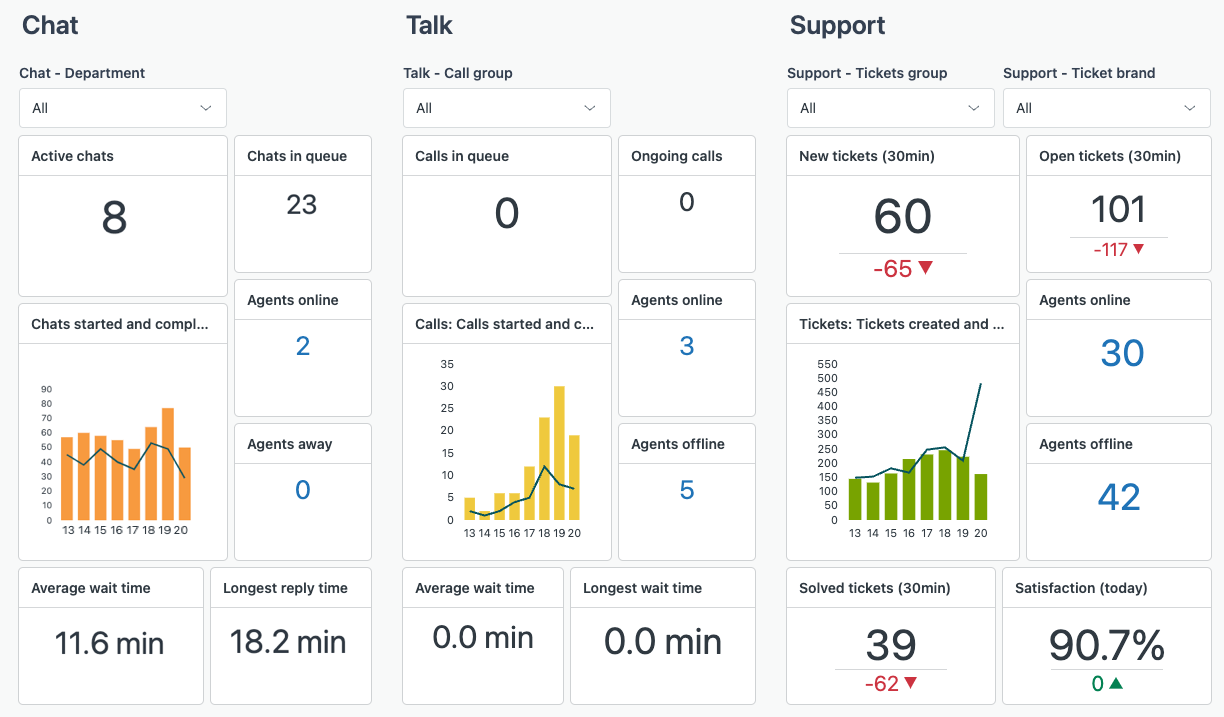
Support conversations rarely live in one place. Customer questions come through chat, email, and help desk platforms, while internal discussions often happen across Slack channels. Without the right automation, support teams spend hours switching between multiple tools just to answer simple requests.
Zendesk AI introduces intelligent AI agents that automate customer service workflows and help teams respond faster. Built into the Zendesk service platform, these agents use generative AI and machine learning to analyze user queries, route support tickets, and provide accurate responses based on your knowledge base and company documentation.
For companies that use Slack alongside Zendesk, this combination helps connect support conversations with internal collaboration. Teams can surface insights, retrieve company data, and respond to customer questions with better context.
A review on G2 shares:
If you want AI-assisted support and structured ticket workflows instead of just an inbox, this is also a good choice. Centralized ticketing, omnichannel support, automation, and reporting are the best things about Zendesk’s customer service
🔎 Did You Know? Only one in five consumers will forgive a bad experience at a company whose customer service they rate as “very poor.”
Fret not, as we have a way to save you from anything like that. In this ClickUp video, you’ll see how to pair human agents with AI to respond faster, keep customer interactions consistent, and avoid dropped balls. It walks through using:
This is a quick, practical walkthrough of what modern AI-powered support can look like in ClickUp—beyond just chatbots.
📖 Also Read: How to Automate Slack Messages (Step-by-Step)
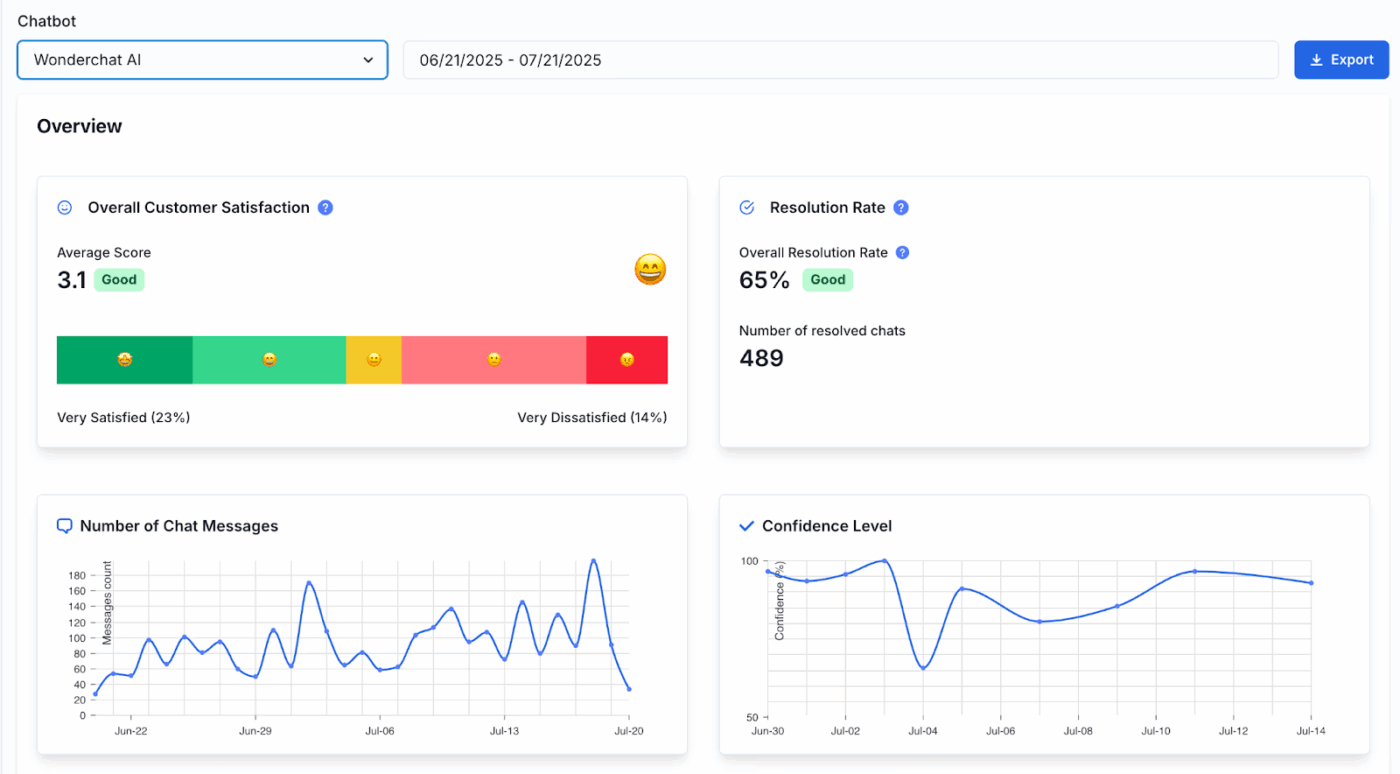
Customers expect quick answers, whether they’re asking about product details, documentation, or onboarding resources. But manually responding to every question can slow down your team, especially when similar customer questions recur across conversations.
Wonderchat helps you solve this by turning your knowledge base, website content, and internal documentation into an intelligent AI assistant. Instead of manually replying to each request, Wonderchat delivers relevant answers based on your company information and existing resources.
For teams using Slack alongside customer support and internal communication tools, Wonderchat acts as a smart Slack agent that can assist with answering questions, retrieving document content, and helping employees or customers find information quickly.
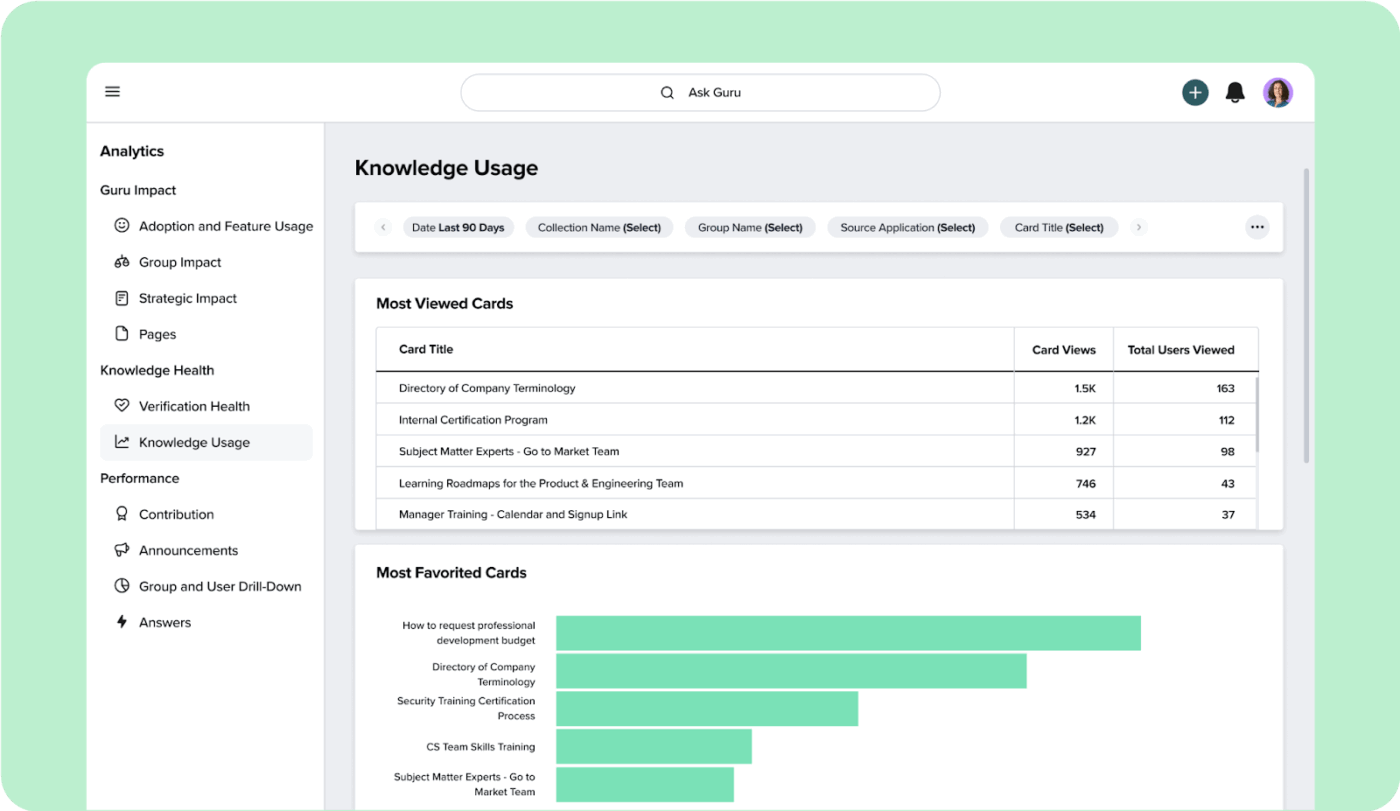
Guru AI turns your company’s knowledge into instantly accessible answers within your Slack workspace.
Instead of having you manually switch between docs, tools, and threads to find answers, Guru surfaces verified information directly where your team works. It acts as an AI assistant that connects your company’s data, tools, and conversations into a single, reliable source of truth.
For teams building or using Slack AI agents, this means faster answers, fewer interruptions, and more consistent decision-making across workflows.
A review on Capterra says:
We use Guru as an internal knowledge base – anything from product guides and process outlines to company policies and team announcements. It’s very easy to organize and update, and the “verify feature” helps us see what is up-to-date…I like the fact that Guru integrates with Slack. When someone asks a question in Slack, Guru will respond with a suggested answer.
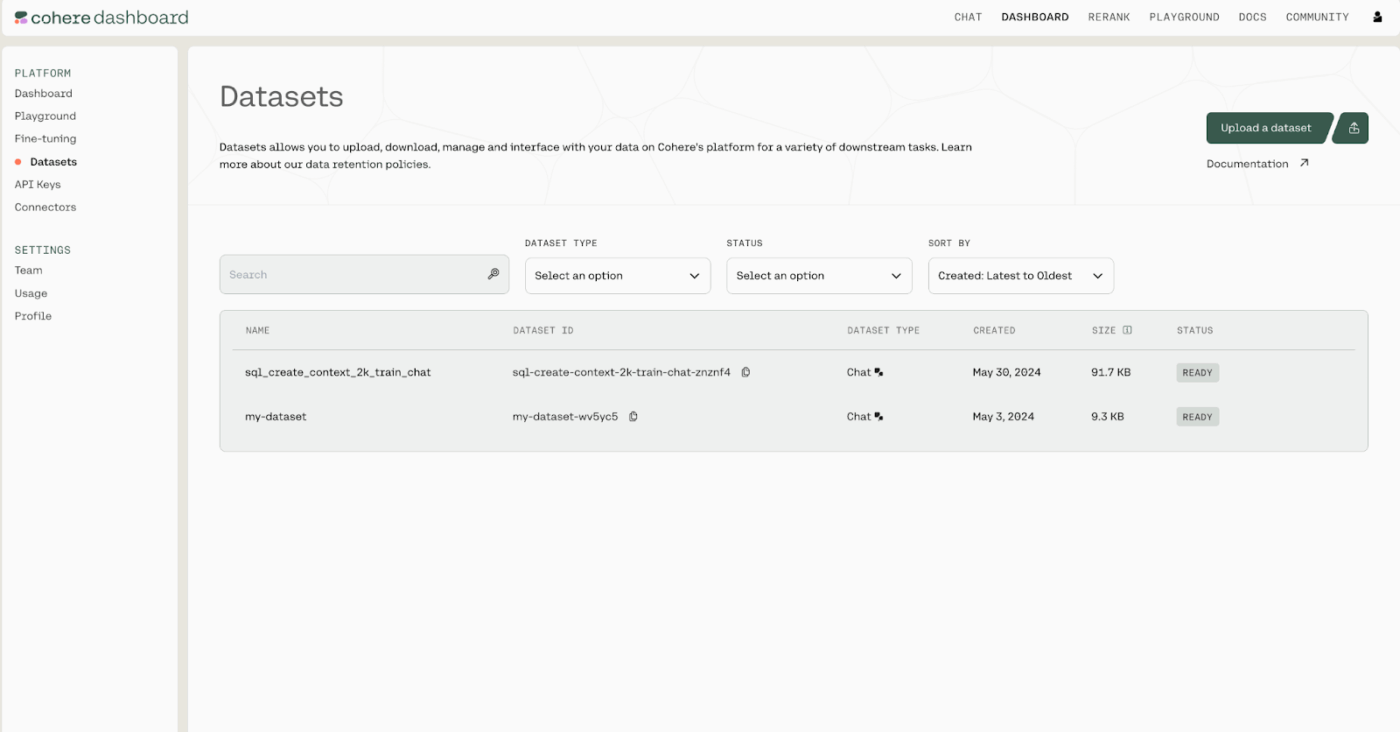
Many modern AI agents rely on powerful language models to understand conversations, analyze information, and generate responses. If your organization wants to build advanced custom agents that interact with users inside communication platforms like Slack, the technology behind the models matters just as much as the interface.
Cohere focuses on exactly that layer. Known for its enterprise-grade large language models, Cohere helps businesses build intelligent AI tools that understand user queries, retrieve knowledge from external data, and generate relevant answers with strong contextual awareness.
For teams exploring Slack AI agents, Cohere can act as the underlying intelligence that powers them. By connecting models to company data, documents, and internal systems, organizations can build their own AI agent that understands conversations across Slack channels and delivers insights with full context.
📖 Also Read: Best Team Communication Apps
From summarizing conversations and automating routine tasks to managing support tickets and answering customer questions, Slack AI agents help teams work faster with better context inside their Slack workspace.
But, the real productivity advantage comes when AI doesn’t just respond in chat but helps teams act on information across projects, conversations, and workflows.
That’s where ClickUp stands apart. Instead of leaving insights scattered across Slack channels and multiple tools, ClickUp brings AI agents, work management, and collaboration into one unified environment where tasks, discussions, and decisions stay connected. For teams aiming to reduce operational friction and keep work moving with clarity, ClickUp turns AI-driven collaboration into real progress.
Try ClickUp for free and start transforming conversations into coordinated work across your team.
Yes, many Slack AI agents can handle repetitive routine tasks like summarizing conversations, answering customer questions, routing support tickets, and generating updates. However, teams still play a key role in reviewing outputs and making strategic decisions.
Not necessarily. Many AI Slack agents available through the Slack marketplace offer no-code or low-code setup. Teams can install Slack apps, configure automations, and start using an AI assistant inside their Slack workspace without technical development.
Most Slack AI agents are added through the Slack marketplace as Slack apps. Once installed, they can be invited to Slack channels, respond to user queries, connect with existing tools, and start supporting workflows inside your workspace.
Security depends on the platform and configuration. Many AI agents use enterprise safeguards, access controls, and encrypted connections to protect company data. Teams should review permissions and integrations to ensure AI tools align with internal security and compliance standards.

© 2026 ClickUp

There’s an easier way. Try a free AI Agent in ClickUp that actually does the work for you—set up in minutes, save hours every week.