Sorry, there were no results found for “”
Sorry, there were no results found for “”
Sorry, there were no results found for “”
According to the World Economic Forum’s Future of Jobs Report, 63% of employers identify skills gaps as a major barrier to business transformation. However, very few have a clear, up-to-date view of skills available across their workforce.
That’s where skill learning trackers can help.
This article walks you through 10 free, ready-to-use skill learning tracker templates. They cover everything from individual development plans to team-wide skills and competencies matrices. We’ll also show you how to use them so your team’s capabilities are always visible and actionable.
| Template name | Download link | Ideal for | Best features |
| Skills Mapping Template by ClickUp | Get free template | Visual overview of skills across departments or roles | Customizable proficiency scales, multiple Views, Custom Fields filtering, Brain-powered gap analysis |
| Training Matrix Template by ClickUp | Get free template | Tracking mandatory training and compliance | Certification tracking, automated expiry alerts, Dashboard Widgets, Master List View |
| Technical Skills Matrix Template by ClickUp | Get free template | Assessing technical competencies in engineering or product teams | Language/tool/framework columns, proficiency rankings, Dependencies, Brain skill summaries |
| IT Skills Matrix Template by ClickUp | Get free template | Managing specialized IT competencies | Function-based grouping, Custom Statuses, HR integrations, expert filtering |
| Board Skills Matrix Template by ClickUp | Get free template | Assessing board composition for governance and nonprofits | DEI capability tracking, recruitment gap analysis, Privacy Controls, Brain summaries |
| Employee Development Plan Template by ClickUp | Get free template | Building structured career development plans | Growth milestones, percentage completion tracking, contextual Comments, AI resource suggestions |
| Capability Matrix Template by ClickUp | Get free template | Assessing team-level or departmental capabilities | Strategic/operational/technical assessment, Rollup Views, cross-department comparison |
| Skills Matrix Template by HiBob | Download template | HR teams using HiBob for people management | Spreadsheet-style layout, detailed people records, HR ecosystem integration |
| Training Matrix Template by Smartsheet | Download template | Simple, spreadsheet-based tracking | Grid-based tracker, conditional formatting, visual status indicators |
| AG5 Skills Matrix Template | Download template | Regulated industries like manufacturing or healthcare | Audit-ready documentation, industry-specific categories, certification tracking |
📚 Also Read: Top Training Tracking Software for Teams
A skill learning tracker template is a pre-built framework that helps individuals and teams document, monitor, and measure progress toward acquiring new skills.
Most organizations struggle with scattered data about their employees’ skills and capabilities. Information is scattered across spreadsheets and folders, and managers lose track of who’s trained on what.
This fragmentation creates massive blind spots when you’re planning projects, deciding on promotions, or making training investments. Teams end up duplicating training efforts and missing critical skill gaps because they lack data.
With structured templates, you don’t have to guess who knows what. Using these skill matrices, you can see current competencies, track learning milestones, and identify where development is needed. 👀
💡 Pro Tip: Eliminate tool sprawl and consolidate your workforce development data with ClickUp Custom Fields. You can format, organize, and add context to tasks by creating dropdown menus for proficiency levels or adding date fields for certification tracking.
📮ClickUp Insight: 33% of our respondents point to skill development as one of the AI use cases they’re most interested in. For example, non-technical workers may want to learn to build code snippets for a web page using an AI tool. In such cases, the more context the AI has about your work, the better its responses will be.
As the everything app for work, ClickUp’s AI excels at this. It knows what project you are working on and can recommend specific steps or even perform tasks like creating code snippets easily.
🎥 Building consistent learning habits is essential for skill development, and AI-powered tracking tools can help automate this process. Watch this video to explore how AI habit trackers complement skill learning systems by monitoring your daily progress and keeping you accountable.
Building a tracking system from scratch typically takes 4-8 hours of setup time, plus ongoing maintenance. And most DIY spreadsheets get abandoned within three months.
Instead, launch your competency tracking instantly using ClickUp Templates. Browse pre-made frameworks for Spaces, Folders, and Lists, then customize them to fit your exact workflow.✨
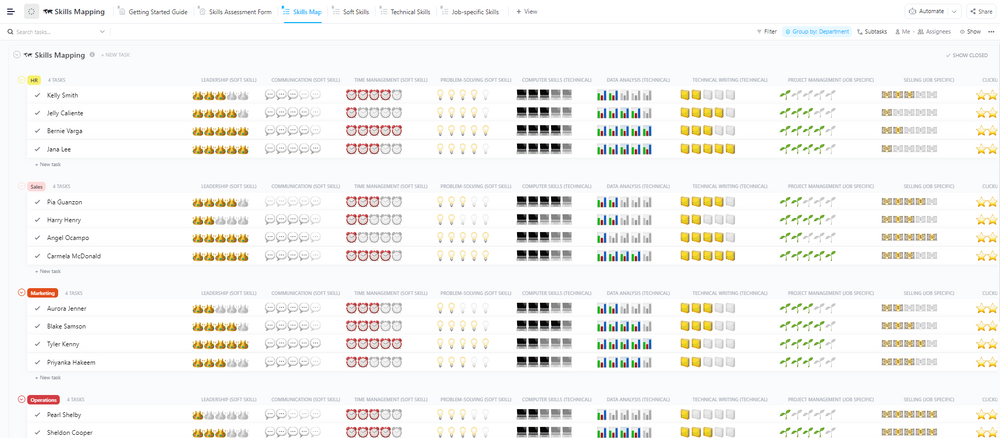
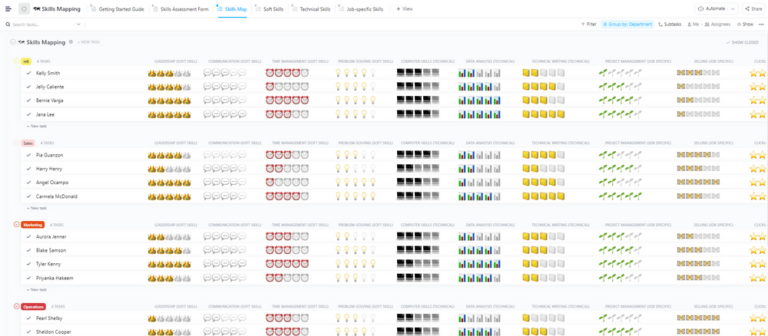
The Skills Mapping Template by ClickUp gives you a bird’s-eye view of your team’s skill sets. You can use it to organize competencies by department, role, or project to spot gaps instantly.
An engineering manager can use this to map technical competencies across a growing team and quickly identify training priorities.
🌻 Why use this template:
🚀 Ideal for: Teams needing a visual overview of skills across departments or roles.
💟 Bonus: Turn your skills tracker into a live “skills command center” with ClickUp Brain MAX.
With Brain MAX, you can treat your skills and competencies matrix like a queryable system. Instead of filtering manually, ask questions like:
Brain MAX scans your tasks, fields, and docs to give instant answers. This way, your tracker becomes something you use in real decisions like staffing, promotions, and training prioritization.
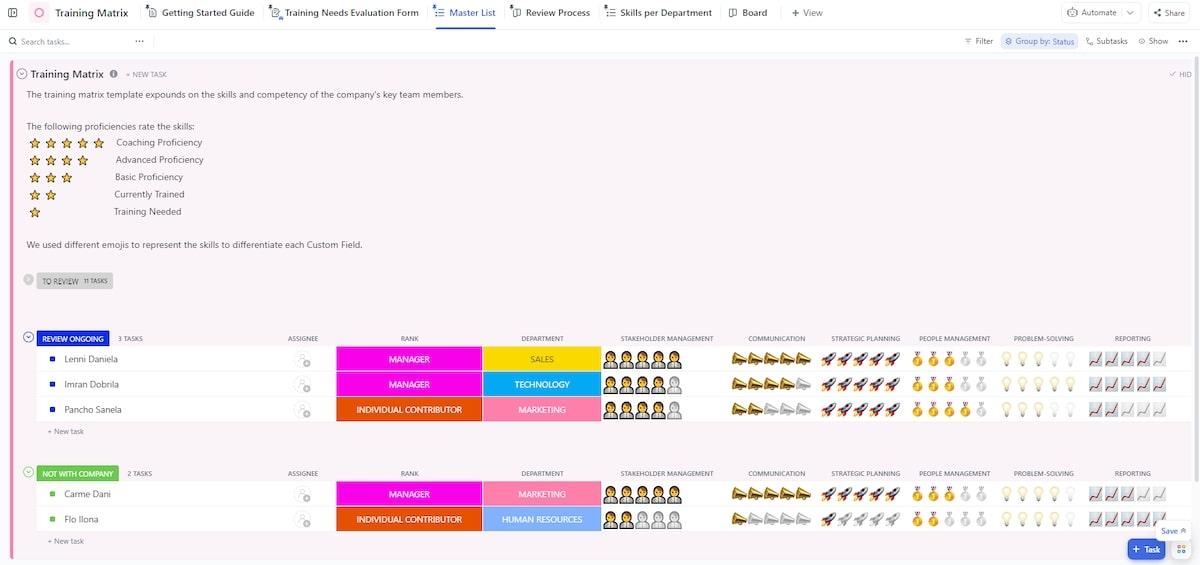
Keeping tabs on who completed which mandatory training shouldn’t require detective work. All you need is the Training Matrix Template by ClickUp.
It tracks training status by employee and course with built-in accountability. HR teams can use it to ensure all employees complete annual compliance training without manual follow-ups.
🌻 Why use this template:
🚀 Ideal for: Organizations tracking mandatory training and compliance.
💡 Pro Tip: Build a team of AI teammates that support your L&D goals. Create your own Super Agents in ClickUp to:
See how you can start building your own Super Agents today:
📚 Also Read: Employee Management Software for HR Teams
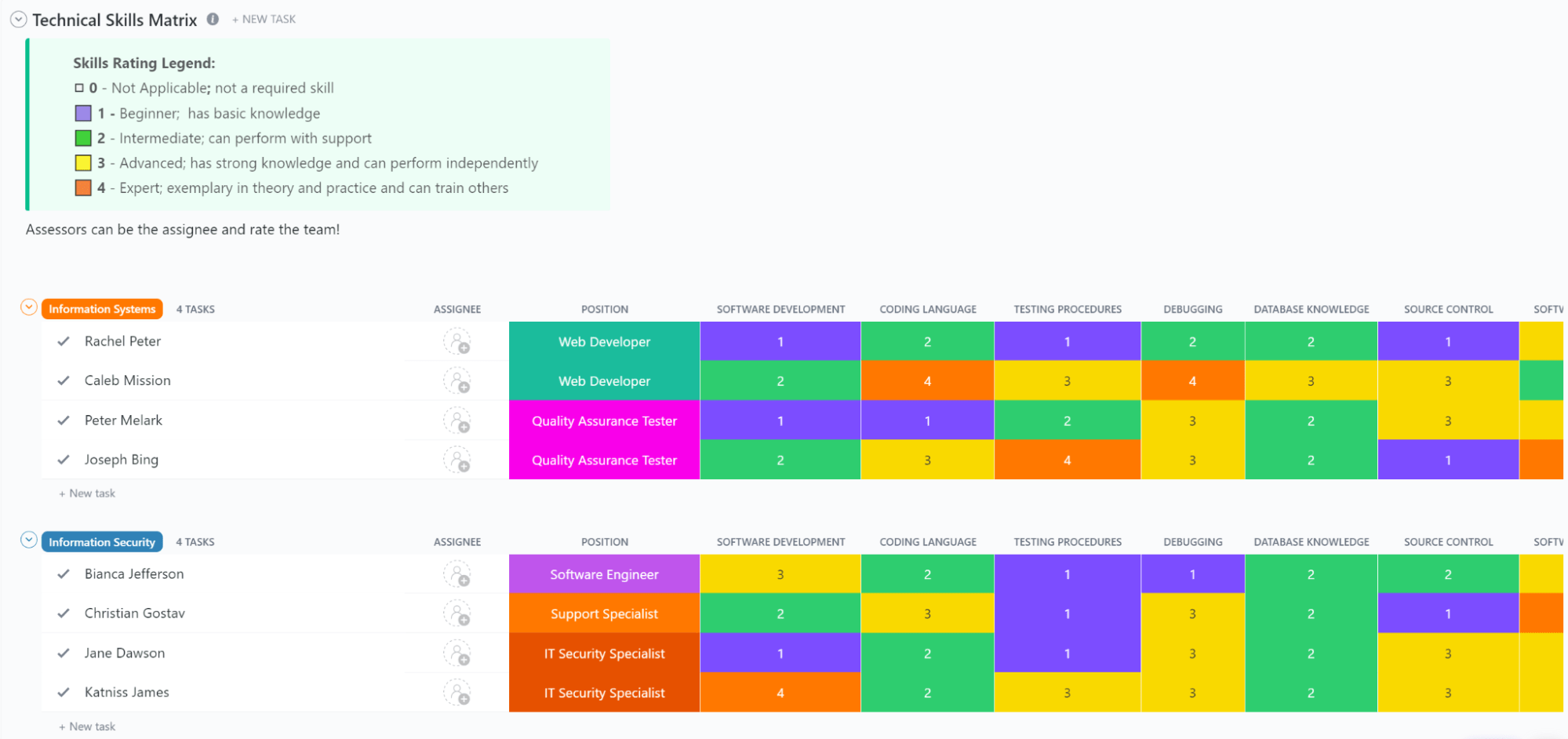
When you need to know if your team can handle a cloud migration, the Technical Skills Matrix Template by ClickUp gives you answers fast. It evaluates specific technical competencies across your engineering or product departments. 🛠️
It can help a CTO evaluate whether the team has enough cloud expertise before starting a migration initiative.
🌻 Why use this template:
🚀 Ideal for: IT, engineering, or product teams assessing technical competencies.
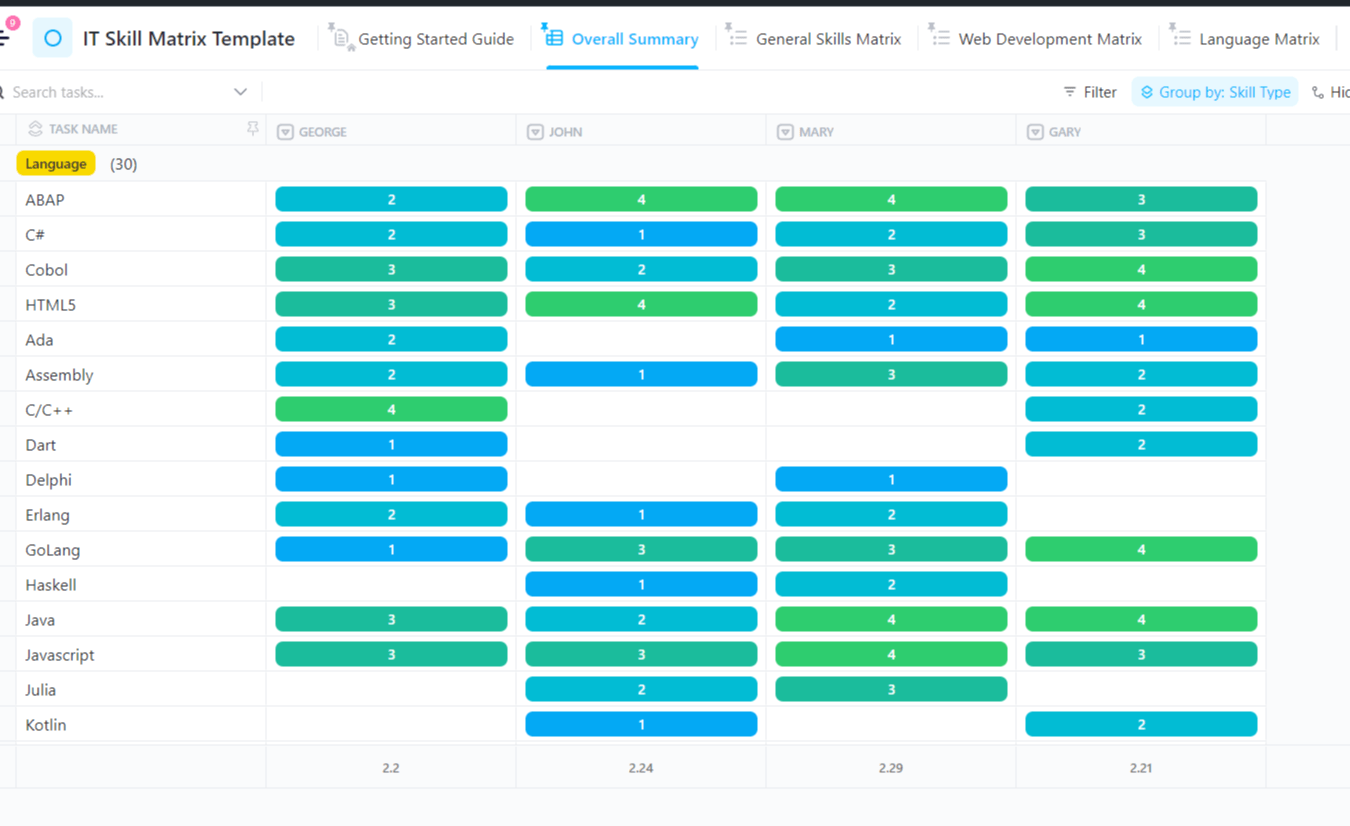
IT departments deal with specialized skills like cybersecurity and networking that change rapidly, which is where the IT Skills Matrix Template by ClickUp comes in. It organizes those specialties, so you always know your team’s current capabilities.
Use this template to plan cross-training to reduce single points of failure in critical systems.
🌻 Why use this template:
🚀 Ideal for: IT teams managing specialized competencies like cybersecurity or system administration.
Board composition matters for governance teams and nonprofits, which is exactly why the Board Skills Matrix Template by ClickUp exists.
This template helps you evaluate what expertise your board already has and what’s missing for your next recruitment cycle.
🌻 Why use this template:
🚀 Ideal for: Governance teams and nonprofits assessing board composition.
📚 Also Read: How to Build an Effective Team at Work
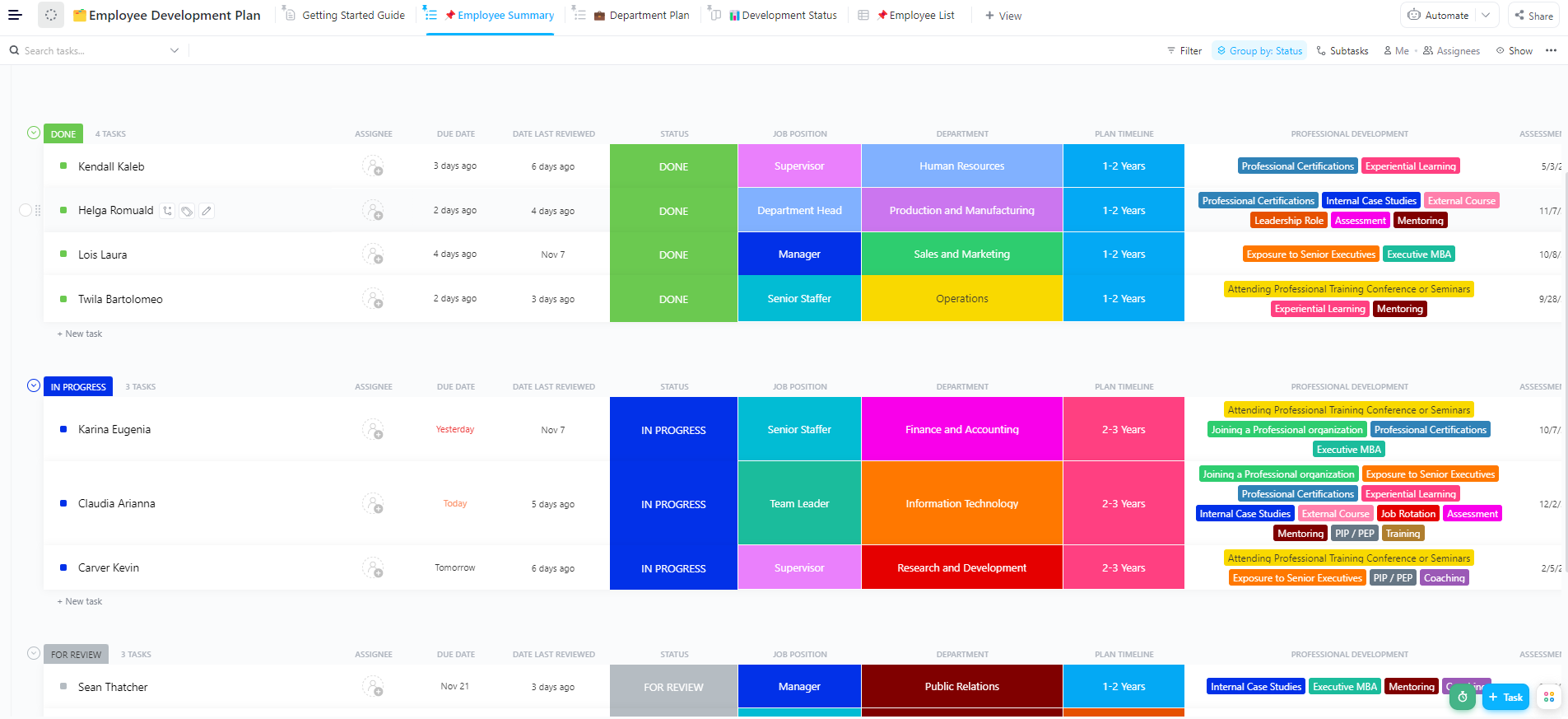
Skill tracking without a development plan is just documentation. The Employee Development Plan Template by ClickUp connects the dots between where an employee is now and where they need to go.
Team managers can use this template to create a leadership development plan for high-potential employees.
🌻 Why use this template:
🚀 Ideal for: Managers building structured career development plans.
📮ClickUp Insight: For 32% of employees, performance reviews spark real growth.
But for another 32%, they’re just background noise—a sign that half of all reviews aren’t moving the needle. That’s hours of conversation and paperwork with little to show for it.
With ClickUp—the everything app for work— you get to make every review count. AI Notetaker captures your review call, pulls out action items, and instantly turns them into tasks linked to goals. You get to track progress at every step, while AI-powered cards give you a live snapshot of employee performance at any given point.
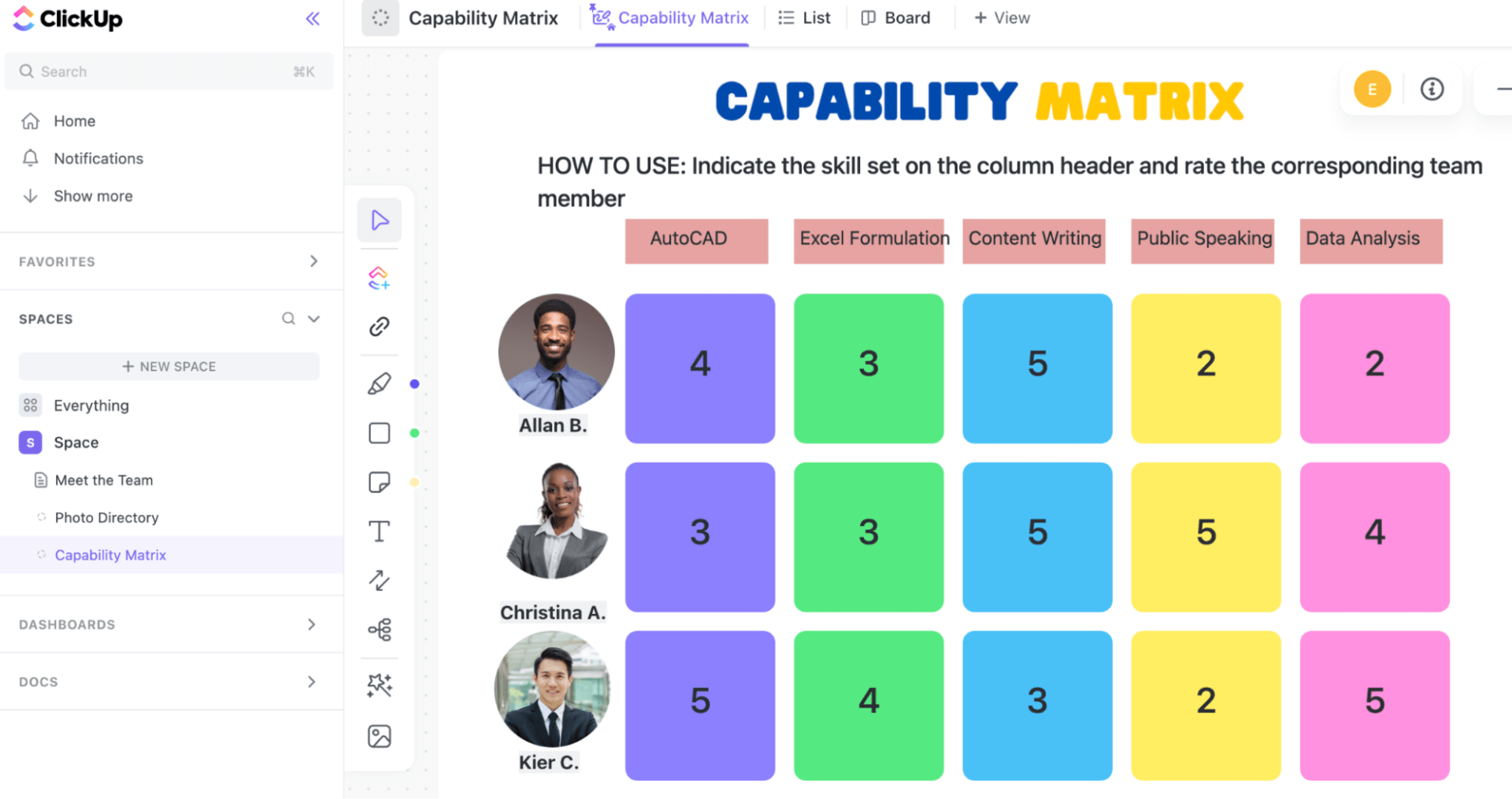
Sometimes you need to zoom out from individual skills and look at what entire departments can do. The Capability Matrix Template by ClickUp aggregates individual competencies into a bigger picture.
For example, it helps you evaluate whether operations teams are ready to support a new product launch.
🌻 Why use this template:
🚀 Ideal for: Organizations assessing team-level or departmental capabilities.
👀 Did You Know: AI and digitization will eliminate over 80 million jobs and create nearly 70 million new jobs in the coming years. Nearly 44% of workers’ skills will need to be updated to keep up with the change.
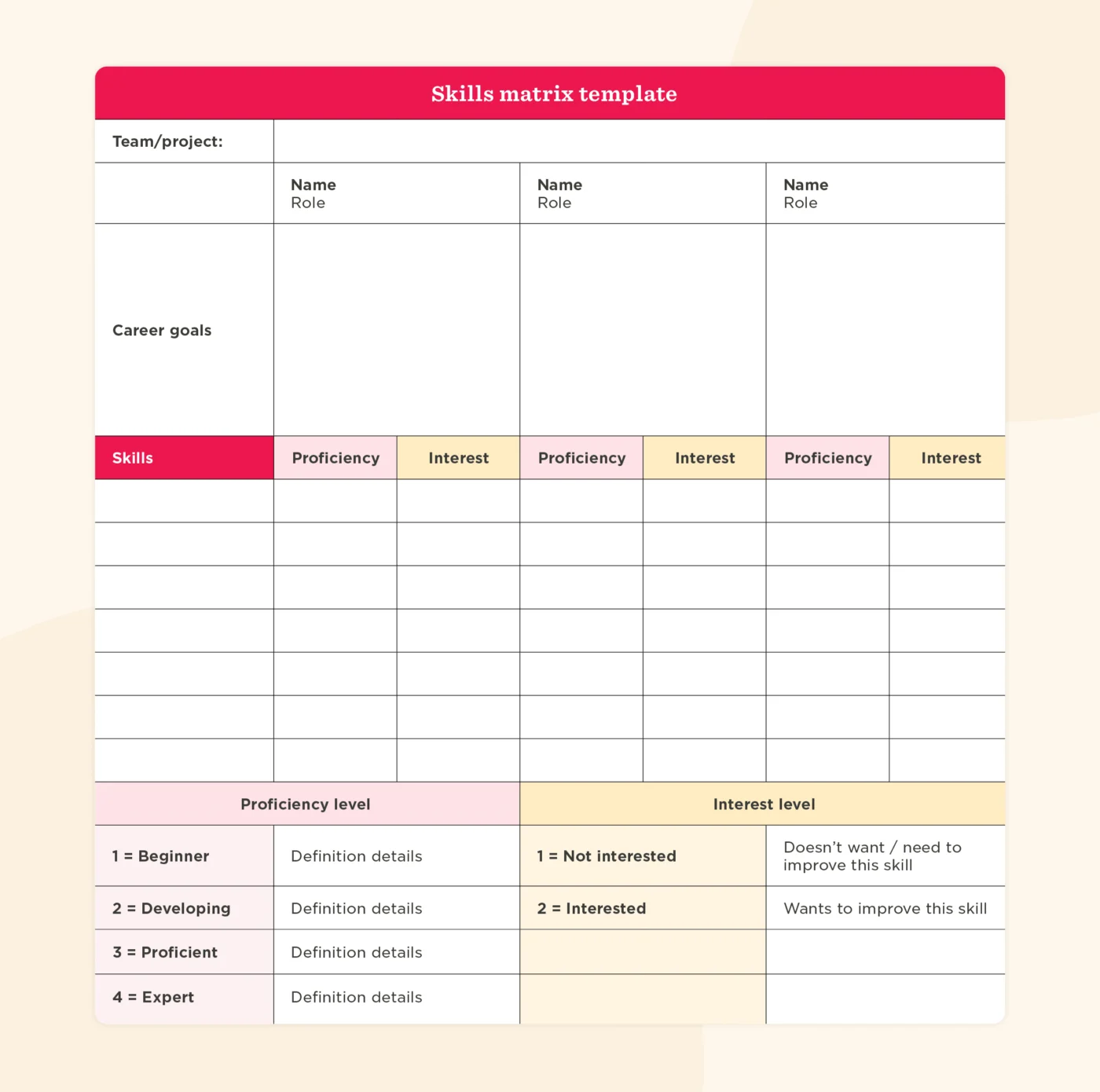
The Skills Matrix Template by HiBob is designed to complement HiBob’s people management platform.
This spreadsheet-style layout focuses on employee-level skill documentation within HiBob’s broader HR ecosystem. It is familiar to HR professionals and works well for straightforward competency tracking.
🌻 Why use this template:
It works best for organizations fully committed to the HiBob ecosystem, but offers less flexibility if you want deeper project management integration.
🚀 Ideal for: HR teams using HiBob for people management.
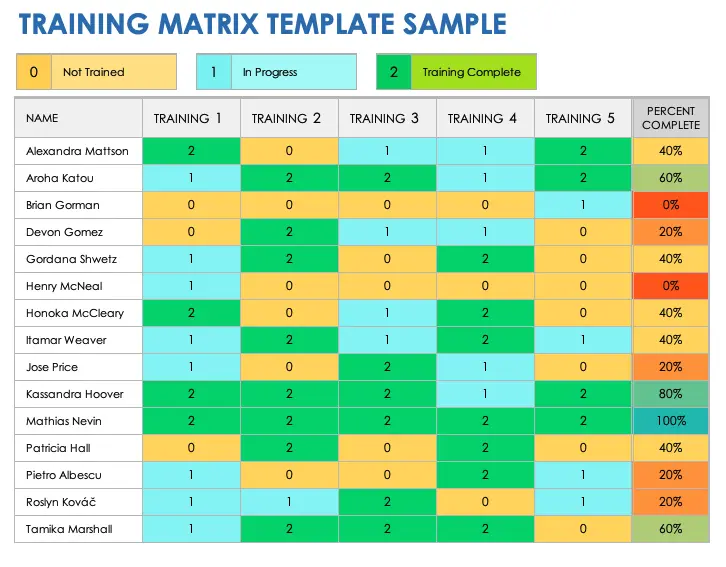
The Smartsheet Training Matrix Template uses a familiar grid layout with conditional formatting for visual status indicators. It handles straightforward training compliance tracking well.
🌻 Why use this template:
This requires manual updates and lacks AI-powered insights, making it better suited for teams with simple tracking needs rather than complex development programs.
🚀 Ideal for: Teams that prefer simple, spreadsheet-based tracking.
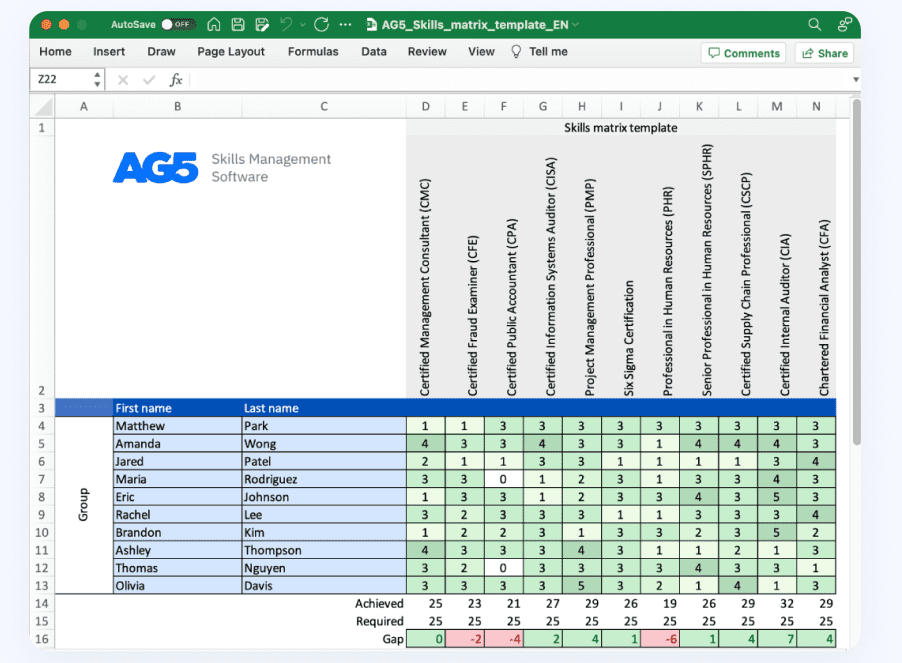
The AG5 Skills Matrix Template specializes in industry-specific skill categories with audit-ready documentation structures. If your organization faces heavy regulatory requirements, this is built for that.
🌻 Why use this template:
While powerful for compliance, it may feel overly complex for general business use cases.
🚀 Ideal for: Regulated industries like manufacturing or healthcare.
📚 Also Read: Master HR Compliance Tracking with ClickUp
A template is useless if you don’t have a standardized process for implementing it across a diverse team. Without a clear implementation strategy, the tracker becomes a static document, rarely updated.
This renders the data completely useless for real-time decision-making. It also leaves employees feeling that their growth isn’t actually being monitored.
Solve this with a converged AI workspace like ClickUp. ClickUp Brain, the AI integrated through the platform, connects your tasks, docs, people, and your company’s knowledge. You can ask it questions about your workspace content to surface insights without manually filtering through rows of data.
This way, your tracker becomes a living, breathing system. You can instantly pull up skill summaries, identify gaps, and make strategic staffing decisions in seconds. 🤩
Here is how to get the most value from your skills and competencies matrix:
⭐️ See how AI is transforming the way HR teams work today!
Most teams don’t struggle with a lack of training—they struggle with a lack of clarity. Without a reliable view of who knows what, training becomes guesswork, hiring becomes reactive, and growth slows down.
A well-structured skill learning tracker changes that. These templates turn scattered data into actionable insights. They help teams staff projects smarter, plan training investments, and give employees clear visibility into their growth.
And when you layer in AI with tools like ClickUp Brain, you move from static tracking to real-time insight without manual effort.
As skills become the currency of workforce planning, having a system to track and develop them is foundational. Get started for free with ClickUp to make skill development across your company more intentional.
A skills matrix is a snapshot showing who has which skills at a given moment. A skill learning tracker adds a time dimension to monitor progress, learning activities, and skill development over time.
Quarterly updates work well for most teams, alongside ad-hoc updates when someone completes training. Fast-moving industries or teams with heavy upskilling initiatives should use monthly reviews to keep data actionable.
Yes, most templates support custom skill categories. You can track technical competencies like programming languages alongside soft skills like communication in the exact same system.
By documenting current skill levels against required competencies, the template makes gaps visible at a glance. This shows exactly where individuals fall short and where training investments should focus.

Praburam Srinivasan
Max 10min read
Praburam Srinivasan
Max 19min read
Praburam Srinivasan
Max 20min read

© 2026 ClickUp