


Besides food and water, every software developer needs a code editor to survive. 🖥️
Code editors are essentially text editors that enable developers and programmers to write and edit code. They’re packed with features like syntax highlighting, auto-completion, and bug tracking that streamline the development process and minimize the risk of errors.
But with so many options, finding the perfect editor can feel like looking for a needle in a haystack. That’s why we’ve scoured the market for you and cherry-picked the 10 best code editors. We’ll break down their standout features and pricing models to help you find the one that suits your coding needs like a glove.
As a bonus addition to our list, we’ll introduce you to an exceptional project management tool that can be your trusty sidekick on your software development adventures.
Developers’ Paradise: 10 Outstanding Code Editors

 Summarize this article for me please
What Are Code Editors?
Code editors are programs developers use to write and edit code (no surprises there). They’re typically equipped with options such as auto-completion and code navigation that help you write and test code, reduce the risk of errors, and improve productivity and efficiency.
Code editors come in all shapes and forms, catering to various programming needs and experience levels. For example, if you’re a beginner or want to focus on simplicity, you can choose basic editors.
They’re like regular text editors but with a few extra features like syntax highlighting and line numbering. Such code editors are typically suitable for any programming language.
You can also find code editing tools for specific languages and frameworks or those that can be used on mobile devices or a console.
The options are endless—consider your requirements, level of experience, and the programming language(s) you work with to find your match. 🧩
Summarize this article for me pleaseWhat Should You Look for in Best Code Editors?
Code editors must have certain qualities to enhance your workflow. Focus on the following characteristics when choosing the best tool:
- Flexibility and customization: Your code editor should have a flexible interface that you can customize to your preferences. It should be adaptable and enable quick changes
- Code management features: Code navigation, code folding, auto-complete, and syntax highlighting are some of the many options that make coding more manageable
- Real-time collaboration: This is a must if you’re working in a team—the tool should offer options, such as version control, that help you collaborate with your coworkers in real-time
- Speed and performance: The right code editor must handle all kinds of codes without lagging. No developer enjoys working in a slow code editor
- Extension support: The selected editor should support different plugins and extensions for maximum functionality
- Find and replace option: With this feature, you can edit your code more efficiently
Summarize this article for me please10 Fantastic Code Editors for a Straightforward Development Process
After exploring dozens of code editors, we’ve shortlisted the top 10 that offer the most functionality and are incredibly easy to use. Check them out and pick the one that ticks all the boxes. ✔️
1. Visual Studio Code
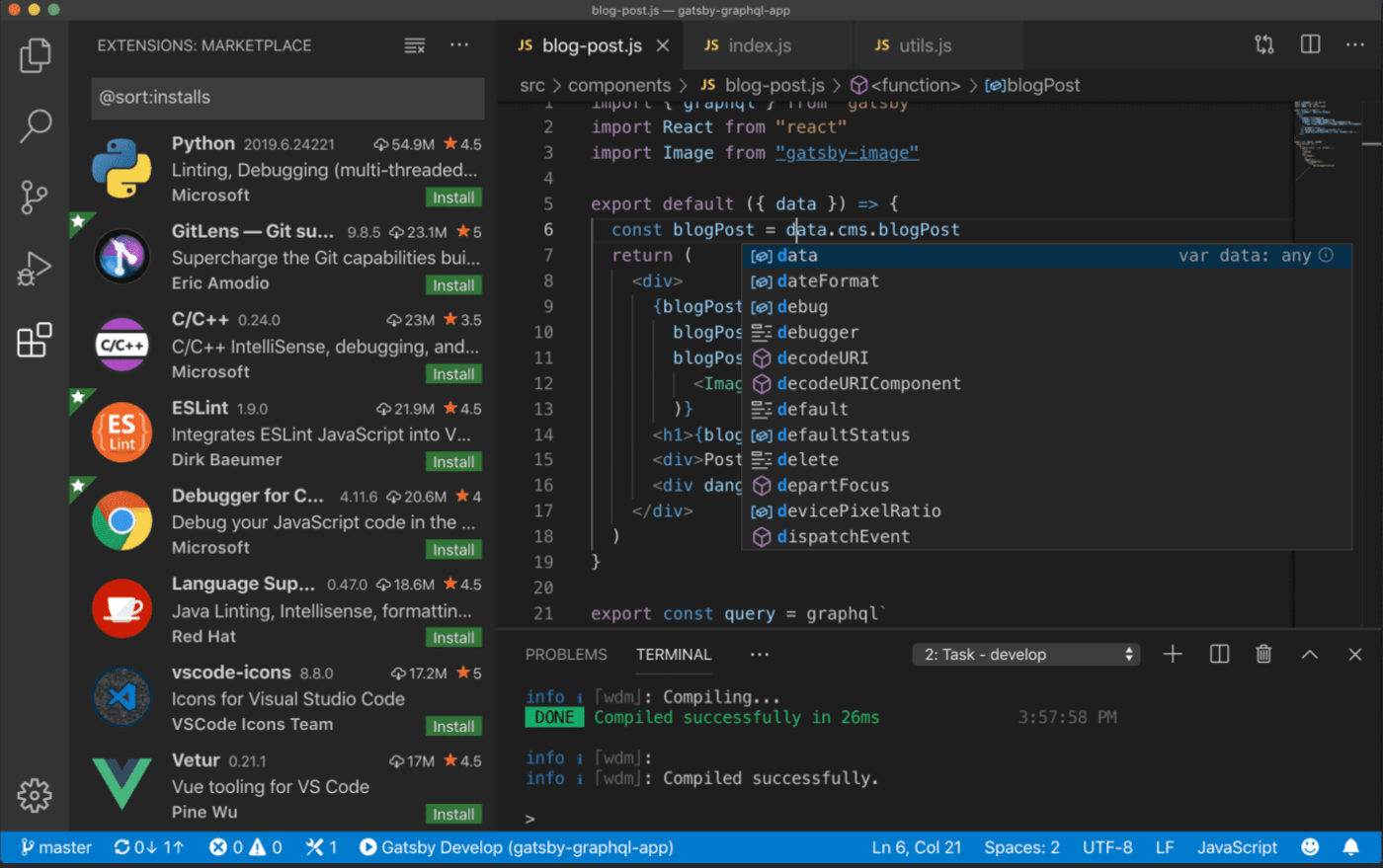
Looking for an open-source code editor with rich cross-platform functionality? The Visual Studio Code is the way to go!
The tool works seamlessly on Windows, Linux, and Mac, so it’s excellent for developers who write code for different operating systems.
Its standout feature is IntelliSense, which lets you go beyond autocomplete and syntax highlighting. This amazing option analyzes variable types, imported modules, and function definitions to provide smart completions and make your work easier. 😍
Visual Studio Code also lets you debug code directly from the editor and use built-in Git commands.
You can extend the editor’s functionality by installing extensions—they won’t slow you down as they run in separate processes.
Visual Studio Code best features
- Works on Windows, Linux, and Mac
- Smart completions with IntelliSense
- Seamless code debugging with a feature-rich code editor
- Supports extensions, multiple programming languages, and file formats
- One of the few free version options in this list of code editors
Visual Studio Code limitations
- Memory optimization could be improved
- Potential performance issues when working with large codebases
Visual Studio Code pricing
- Free
Visual Studio Code ratings and reviews
- G2: 4.7/5 (2,100+ reviews)
- Capterra: 4.8/5 (1,500+ reviews)
2. Vim
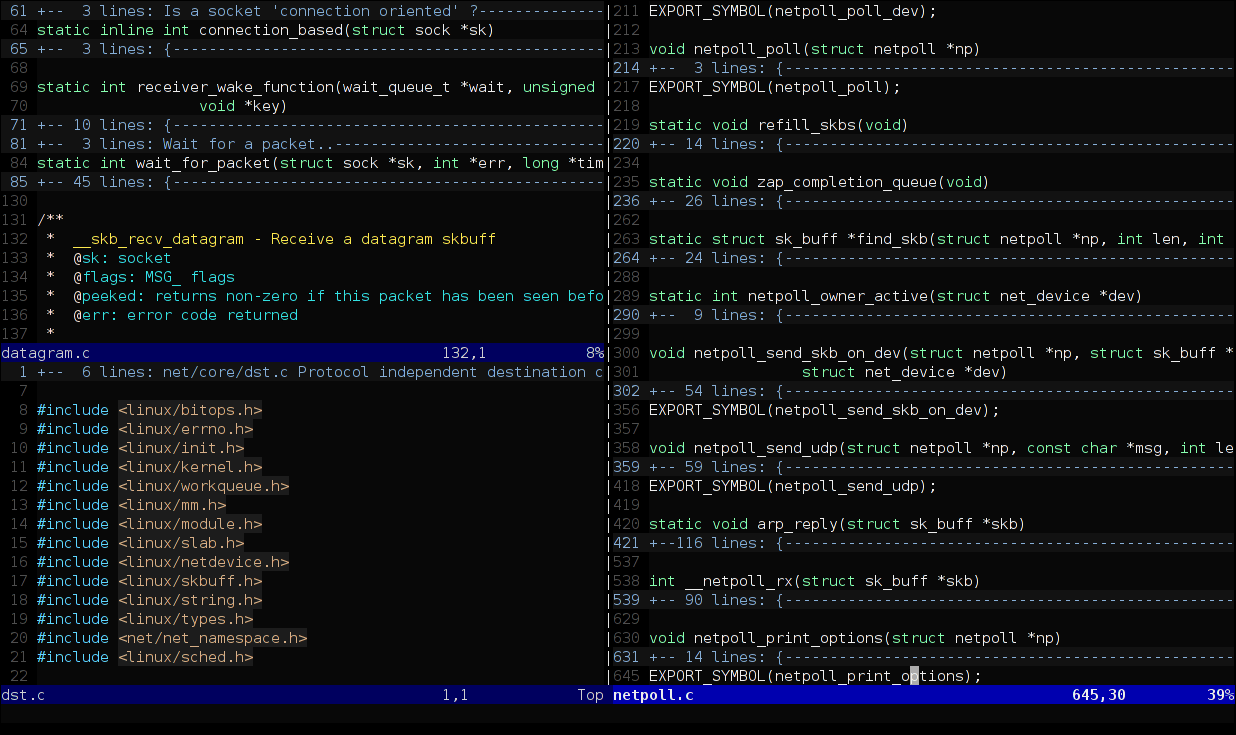
If you’re an experienced developer or programmer looking for an advanced version of the UNIX vi editor, you’ve found it! Vim is a highly configurable text editor with more advanced features than the vi editor, so it’s excellent for those who want to take their development game a step further.
Many consider Vim an integrated development environment (IDE) because of its extensive plugins and extensions, integrated terminal, and high customization. You’ll enjoy a robust search and replace feature, numerous integrations, and incredible versatility.
The tool is free, but if you find it helpful, the people behind Vim request you to donate to help orphaned children in Uganda.
Vim best features
- Various customization options
- Supports numerous plugins and extensions
- In-terminal editing
- Suitable for hundreds of programming languages
Vim limitations
- Steeper learning curve
- Interface can seem outdated
Vim pricing
- Free
Vim ratings and reviews
- G2: 4.4/5 (250+ reviews)
- Capterra: 4.7/5 (less than 5 reviews)
3. Sublime Text
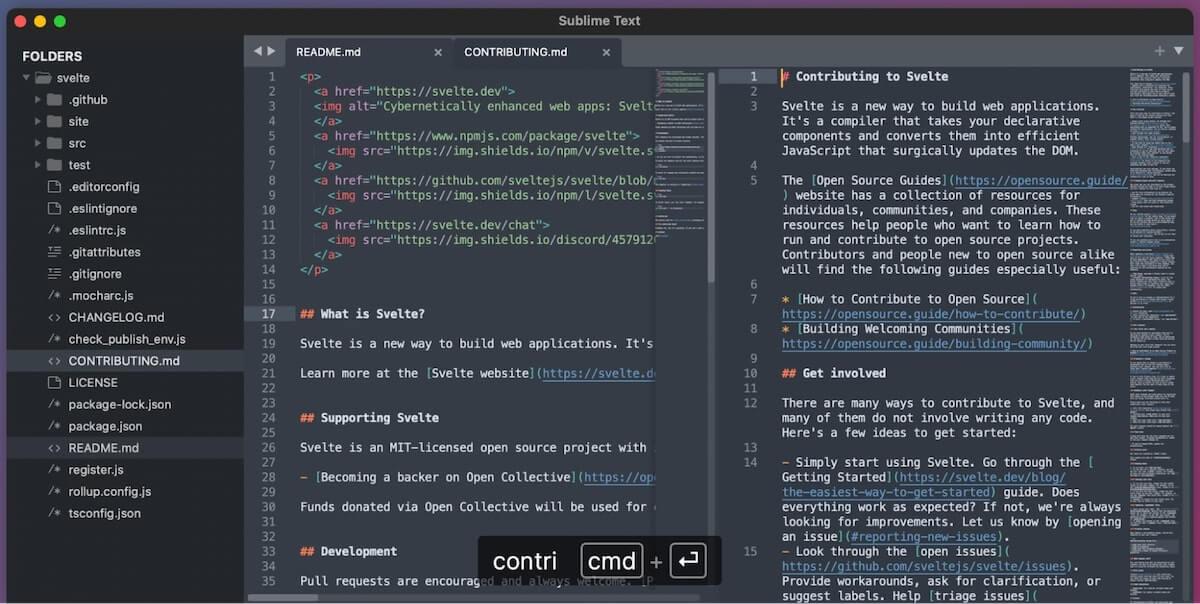
Sublime Text offers the whole package—it’s simple, powerful, and highly customizable, with plenty of intuitive shortcuts.
The tool’s latest version (Sublime Text 4) has some nifty features like the Tab Multi-Select functionality that lets you divide the interface to display multiple tabs and skyrocket your productivity. You can also take advantage of the updated auto-complete option that provides intelligent line completion based on the existing code.
Other notable features include upgraded syntax highlighting, Python API, and a refined interface with numerous new themes. The code editor is available on Windows, Mac, and Linux, so you can use it regardless of your operating system.
Sublime Text best features
- Tab Multi-Select functionality
- Robust auto-complete option and syntax highlighting capabilities
- Available on Windows, Mac, and Linux
- Numerous shortcuts
- Free version available
Sublime Text limitations
- No built-in extensions
- The number of options can be overwhelming compared to other code editors
Sublime Text pricing
- Free trial
- License: $99/year
Sublime Text ratings and reviews
- G2: 4.5/5 (1,200+ reviews)
- Capterra: 4.6/5 (1,300+ reviews)
4. Nova

Are you on the hunt for an excellent macOS code editor? You’ve found it! Nova (a replacement for Coda) is a native Mac platform that makes the entire editing experience a breeze with options like smart autocomplete, editor overscroll, and multiple cursors.
Nova offers native support for 20+ programming and markup languages and formats, which you can extend thanks to an API and a built-in extension browser. 😎
Besides writing and editing code, you can use Nova to run your code via custom scripts and debug. And, with plenty of customization options, workspace layouts, and gorgeous themes and syntax colors, you can create an environment you’ll love working in.
Nova best features
- Advanced extensions
- Built-in debugging support for multiple languages
- Various customizations
- Built-in Git source control tools
Nova limitations
- Available only on Mac operating systems, which might be limiting to other code editors
- Can be overwhelming for first-time users
Nova pricing
- $99 + tax: a year of updates and new features
- $79 + tax: if you’re upgrading from Coda
Nova ratings and reviews
- G2: 3.8/5 (less than 5 reviews)
- Product Hunt: 4.1/5 (10+ reviews)
5. PyCharm

More than a code editor, PyCharm is a robust integrated development environment (IDE) for Python. As such, it’s not geared toward beginners and caters more to experienced professionals.
Several features place PyCharm among the top Python IDEs on the market. It offers intelligent Python assistance—the tool can complete code lines for you, highlight errors, and help you navigate your code.
The platform offers remote capabilities, allowing you to develop apps on virtual machines or remote hosts. 😍
With a built-in terminal, integrated debugger, test runner, and numerous integrations, PyCharm is everything a seasoned Python developer needs to code effectively.
PyCharm best features
- Available on Mac, Windows, and Linux, which sets it apart from other code editors
- Python IDE
- Smart assistance
- Supports several web development frameworks (like Flask, Django, or Pyramid)
PyCharm limitations
- Handling complex code can be challenging
- Launching or switching projects can be somewhat slow for the coding process
PyCharm pricing
- PyCharm: $249/year per user for the first year (second year is $199, third year onwards is $149)
- All Products Pack (includes 16 tools): $779/year per user for the first year (second year is $623, third year onwards is $467)
PyCharm ratings and reviews
- G2: 4.6/5 (700+ reviews)
- Capterra: 4.7/5 (300+ reviews)
6. BBEdit

BBEdit is an award-winning Mac HTML and text editor. Developers and programmers aren’t the only ones who love this tool—thanks to its versatility and robust features, it’s also used by web authors, writers, and other professionals.
What does BBEdit have in store for you?
For starters, it offers an advanced search and replace option across multiple files simultaneously, streamlining your productivity and saving time. It’s also equipped with grep pattern matching, various project definition tools, syntax coloring for different source code languages, and text and code completion.
As BBEdit is also an HTML editor, it has a whole set of HTML markup tools. 🔧
BBEdit best features
- Pattern Playgrounds for experimenting with grep patterns
- Git and Subversion integration
- Shell Worksheets
- Useful code editor for web designers
BBEdit limitations
- Works only on Mac devices
- Tab switching can be slower
BBEdit pricing
- BBEdit 14 Individual: $49.99
- BBEdit 14 upgrade from 13.x: $29.99
- BBEdit 14 upgrade from 12.x or prior: $39.99
- BBEdit 14 upgrade from Mac App Store: $39.99
- Multi-user pricing: Contact for pricing
BBEdit ratings and reviews
- G2: 4.5/5 (50+ reviews)
- TrustRadius: 7.7/10 (10+ reviews)
7. Atom

Atom is a code editor oriented toward real-time collaboration and maximum productivity. It offers cross-platform compatibility, so you and your coworkers can code together regardless of your operating system.
Atom also has a screen-splitting option—perfect for multitaskers who want to overview multiple projects simultaneously. The tool is powered by an excellent file system browser that will let you dig up the desired file in an instant.
Some “standard” options you’ll enjoy are search and replace, auto-complete, and syntax highlighting.
The problem with Atom? It doesn’t exist anymore. On December 15, 2022, the editor was officially retired. You can keep using it, but only if you already have older versions—versions 1.63.0 and 1.63.1 don’t work.
Atom best features
- Focused on collaboration
- Screen-splitting feature
- Best code editor for its file system browser
- User-friendly
Atom limitations
- It can’t be downloaded anymore as it was retired
Atom pricing
- Free
Atom ratings and reviews
- G2: 4.4/5 (750+ reviews)
- TrustRadius: 8.7/10 (80+ reviews)
8. IntelliJ IDEA
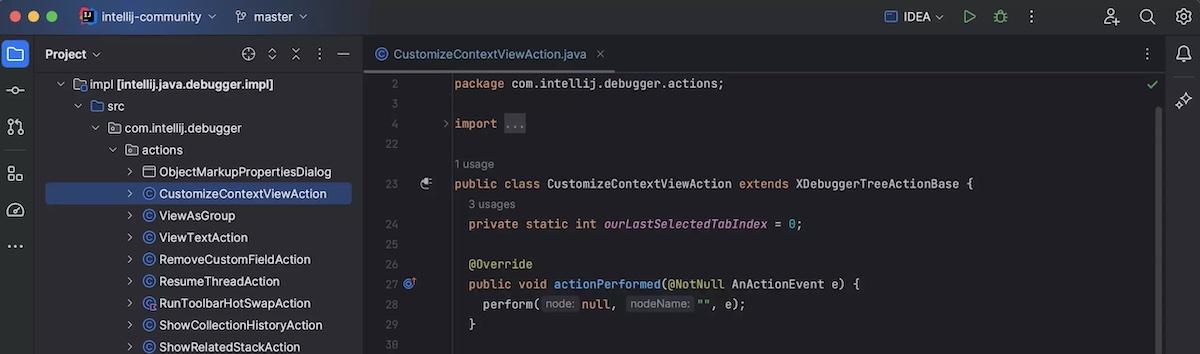
This Java and Kotlin integrated development environment (IDE) is bound to make the development process fun and enjoyable! 🥳
It’s an AI-powered coding tool that boosts your productivity by helping you write squeaky-clean code with features that search for potential errors and offer suggestions for fixing them.
IntelliJ IDEA is all about collaboration—create shared sessions to review and debug or move your projects to a remote machine to unleash the tool’s potential.
The tool’s outstanding feature is AI Assistant with an integrated chat. Use it to write documentation comments, generate commit messages, and make your work easier overall.
IntelliJ IDEA best features
- Encourages collaboration
- Context-based suggestions
- Chat-enabled AI Assistant
- GitLab integration
IntelliJ IDEA limitations
- Larger projects consume a lot of system resources compared to other code editors
- The complex interface can be confusing to new users
IntelliJ IDEA pricing
- The platform has several pricing plans and special offers—visit the website for details
IntelliJ IDEA ratings and reviews
- G2: 4.5/5 (1,100+ reviews)
- Capterra: 4.8/5 (1,100+ reviews)
9. Notepad++
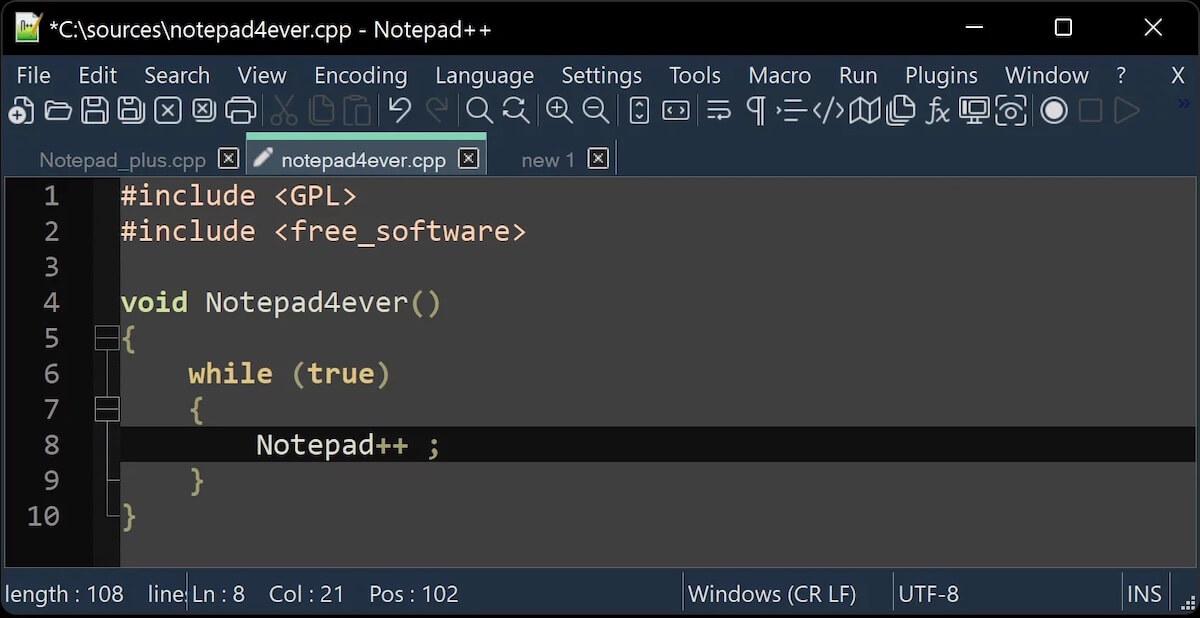
Many developers will agree—Notepad++ has it all. This code editor supports multiple programming languages and offers features that make creating quality code a breeze.
Its biggest appeal is lightning-fast performance and optimal system resource usage. Notepad++ uses pure Win32 API and STL, which allow it to be incredibly fast while maintaining a small size. This means you don’t have to worry about overwhelming your system. In fact, since it’s so lightweight, Notepad++ is suitable for low-end systems. 🥰
If you’re working on huge codes, you’ll like the document map feature—it lets you get an overview of the entire code and jump to the desired section without endless scrolling and losing your spot.
Notepad++ best features
- Lightweight
- Document map
- Multi-language support
- Best code editor for longer codes
Notepad++ limitations
- User interface and key features could benefit from an upgrade
- Works only on Windows
Notepad++ pricing
- Free
Notepad++ ratings and reviews
- G2: 4.6/5 (2,300+ reviews)
- Capterra: 4.7/5 (1,700+ reviews)
10. Eclipse

Writing, debugging, and testing code are a whole lot easier with Eclipse, a powerful IDE with loads of features for boosting your efficiency and reducing mistakes.
Eclipse has been a favorite of many developers thanks to its versatility and customizability. Besides the reliable Git integration, the platform offers a lot of plugins, so you can adjust the IDE to your needs and customize workflows.
The platform offers everything you need for thorough code testing. If it pinpoints a potential error, it will provide a detailed message with an explanation, helping you resolve the issue in no time.
Eclipse best features
- Git integration
- Rich selection of plugins
- Excellent error detection
Eclipse limitations
- Heavy in terms of RAM usage
- Can be laggy
Eclipse pricing
- Contact for pricing
Eclipse ratings and reviews
- G2: 4.3/5 (2,800+ reviews)
- Capterra: 4.3/5 (150+ reviews)
Summarize this article for me pleaseOther Tools for Software Developers
While a code editor is vital for every developer and programmer, it can’t manage tasks and projects and keep your team in the loop about the latest changes.
This is where tools like ClickUp shine—they help you stay on top of tasks and projects, track progress and workloads, and ensure the development process goes as planned. 🔍
Let’s see how ClickUp can become a valuable ally of any software development team!
ClickUp
ClickUp is one of the best task and project management tools, with options for time tracking, organization, collaboration, communication, and maximum transparency. This platform works on Windows, Mac, and Linux, and can be installed as a Chrome extension, so you can use it side-by-side with your favorite code editor.
How can you benefit from it?
For starters, use the ClickUp Software suite of features specifically designed to streamline the entire development process. One of the standout options is ClickUp AI, the platform’s top-notch AI writing assistant and content creator, ideal for creating project plans and the necessary documentation in a jiff.

ClickUp AI is a built-in option within ClickUp Docs, a superb document management tool that lets you keep all project documents in one place, create a knowledge-sharing platform, and organize info related to your software development projects.
In terms of collaboration, ClickUp’s number one option is ClickUp Whiteboards. This digital canvas is ideal for brainstorming ideas, moving from design to development, and coming up with optimal strategies and plans. Every update is made in real time so that you can work with your team without interruptions and lags.
Want to get your team’s feedback on a particular aspect of the software development project? Use ClickUp Forms to collect their input and convert it into an easy-to-manage information hub. They can come especially in handy for feature requests and code reviews.

ClickUp supports agile workflows with a dedicated feature set called ClickUp Agile. Customize your workflows, integrate with other apps, use automations, and visualize your work for maximum functionality and efficiency. ✨
ClickUp templates for smooth software development
ClickUp knows your time is valuable, and there’s always a fire to put out. 🔥
So, instead of doing everything from scratch, you can take shortcuts with ClickUp templates.
For example, you can use agile templates, like the ClickUp Agile Project Management Template, to collect and streamline requests, create backlogs, and prioritize and implement agile methodologies without hiccups.
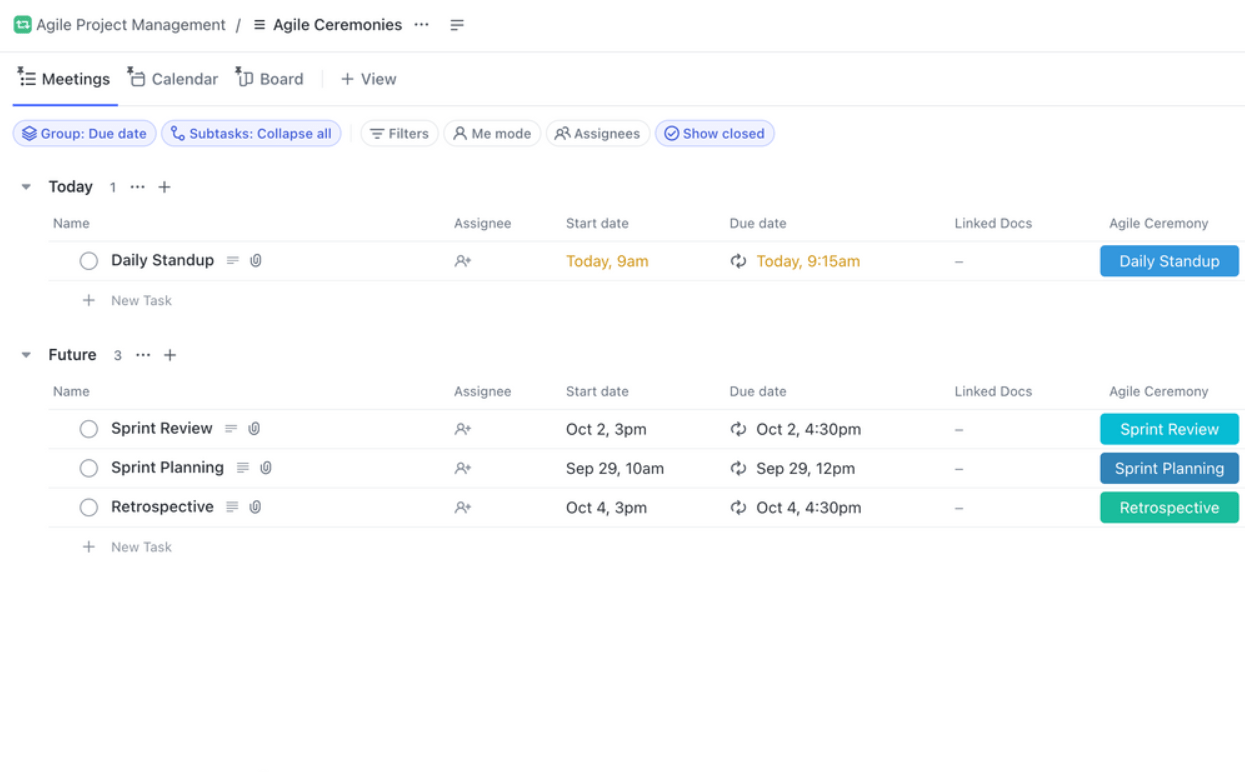
Of course, this is just the tip of the iceberg—ClickUp’s library has over 1,000 options for various purposes, from managing technical documentation to creating roadmaps and handling software projects.
Summarize this article for me pleaseClickUp: Your Software Development Wizard
The code editors on our list help you write and edit code effortlessly, with minimal mistakes and maximum precision.
But if you want to ensure every aspect of the software development process is clearly outlined and well-managed, turn to ClickUp.
Thanks to its versatile features, ClickUp can take on many roles. It can revolutionize your software development processes and help you reach productivity and efficiency levels you never thought were possible.
Sign up for ClickUp, explore its options, and harness its power to maximize your development team’s performance and success. 💪


Everything you need to stay organized and get work done.

Recent Articles
7 Best Zoom Alternatives in 2026: Free Plans and Meeting Limits 
7 Best Zoom Alternatives in 2026: Free Plans and Meeting Limits
How to Create a Fillable Form in Microsoft Word (With Templates)
How to Create a Fillable Form in Microsoft Word (With Templates)
