
Sorry, there were no results found for “”
Sorry, there were no results found for “”
Sorry, there were no results found for “”
A deep research report can look airtight and still fail once you open the footnotes.
In a 2026 benchmark of 14 LLMs, citation links worked more than 94% of the time, yet factual support for the claims beside them ranged from 39% to 77%.
And deeper searching didn’t automatically help. Across two frontier models, factual citation accuracy fell by about 42% as tool use increased.
That shifts the buying question away from “which tool produces the longest report with citations.”
The better deep-research tool is the one that can find the evidence you need, show you where the citations come from, and make it easy to use the findings afterward.
TL;DR: The best deep research tool depends on what you need verified and where the evidence lives. ChatGPT Deep Research is strongest for multi-source arguments. Gemini Deep Research covers the widest source surface. Perplexity makes every citation traceable. ClickUp Brain² researches company work and public sources in the same run, then turns findings into tasks. Claude handles long, conflicting source packs without losing nuance. Copilot Researcher fits teams already on Microsoft 365. Grok catches stories on X before conventional coverage. Elicit screens academic literature systematically. Gemini Notebook grounds answers in sources you’ve already chosen.
| Tool | Best for | Standout feature | Starting price* | Where it taps out |
|---|---|---|---|---|
| ChatGPT Deep Research | Arguments and analysis | Multi-step research plans, web and connected-source research, trusted-site restrictions, code execution, memory, and editable reports | Free; paid from $8/mo where available | It can overbuild narrow questions, leaving you to trim a dense report afterward |
| Gemini Deep Research | Broad source coverage | Web, files, Workspace, MCP sources, source lockdown, audio overviews, visualizations, and background research runs | Free; paid from $4.99/mo | Broad research can spread into adjacent threads and become less decisive unless you tighten the plan first |
| Perplexity Deep Research | Citation-first research | Inline sourcing, model choice, Model Council, premium data sources, focus modes, and project files | Free; paid from $20/mo | A long citation list can still represent a narrow evidence base when several sources repeat the same point |
| ClickUp Brain² | Research spanning company work, connected apps, and public sources | Enterprise Search, Deep Research, model switching, code-backed analysis, Super Agents, memory, and Brain MAX | Free tier available; Enterprise is custom pricing | It’s only as complete as the company context your team has documented |
| Claude Research | Long documents and reasoning | Long-context research, Projects, remote MCP connectors, file and code tools, and delegated work | Free; paid from $17/mo | Heavy research runs can burn through plan limits quickly |
| Microsoft Copilot Researcher | Microsoft 365 organizations | Internal and public research, Critique mode, Copilot Notebooks, Computer Use, and report visuals | Paid from $9.99/mo | It’s strongest when Microsoft 365 already holds the company’s working history, and Researcher usage is capped |
| Grok DeepSearch | Real-time and social signal | Live web and X research, media-aware search, document collections, persistent agents, and scheduled research | Free; paid from $30/mo | Live social sources can mix reporting with reactions, speculation, and weak evidence, so the source mix needs more pruning |
| Elicit | Academic literature | Scholarly search, PRISMA-style workflows, sentence-level citations, extraction tables, auditable screening, and Research Agent | Free; paid from $11/user/mo for academic users | Its scholarly focus won’t cover much of the market, company, regulatory, or practitioner evidence outside academic databases |
| Gemini Notebook | A fixed set of your own sources | Passage-level grounding, Studio artifacts, Deep Research, code-backed analysis, and cross-app notebooks | Free; paid from $4.99/mo | Its output is only as strong and balanced as the source set you choose |
Our editorial team follows a transparent, research-backed, and vendor-neutral process, so you can trust that our recommendations are based on real product value.
Here’s a detailed rundown of how we review software at ClickUp.
Deep research tools are AI agents that turn a question into a multi-step investigation.
They plan what to search for, gather evidence from multiple sources, revise the search as new information emerges, and synthesize the findings into a cited report.
They are well-suited for use cases like market research, literature reviews, due diligence, and other questions that require comparison across many sources. A standard AI search is faster for a single fact. Deep research trades speed for breadth, synthesis, and a research trail you can inspect.
For example, if you ask, “How is the AI coding market changing?”, the system might generate separate queries for market size, major competitors, pricing, developer adoption, recent product launches, and analyst forecasts. These queries can run in parallel, often across different sources.
The system then brings the results back together, identifies overlaps and gaps, and uses them to inform the next round of searches.
Score every deep search tool against these four criteria before you compare output length. Together, they predict whether the report saves you time or just moves the work somewhere harder to see.
The nine tools below take very different routes to the same job, from broad web research and citation-heavy reports to internal company search. Here’s where each one fits, what it does best, and where it starts to fall short.
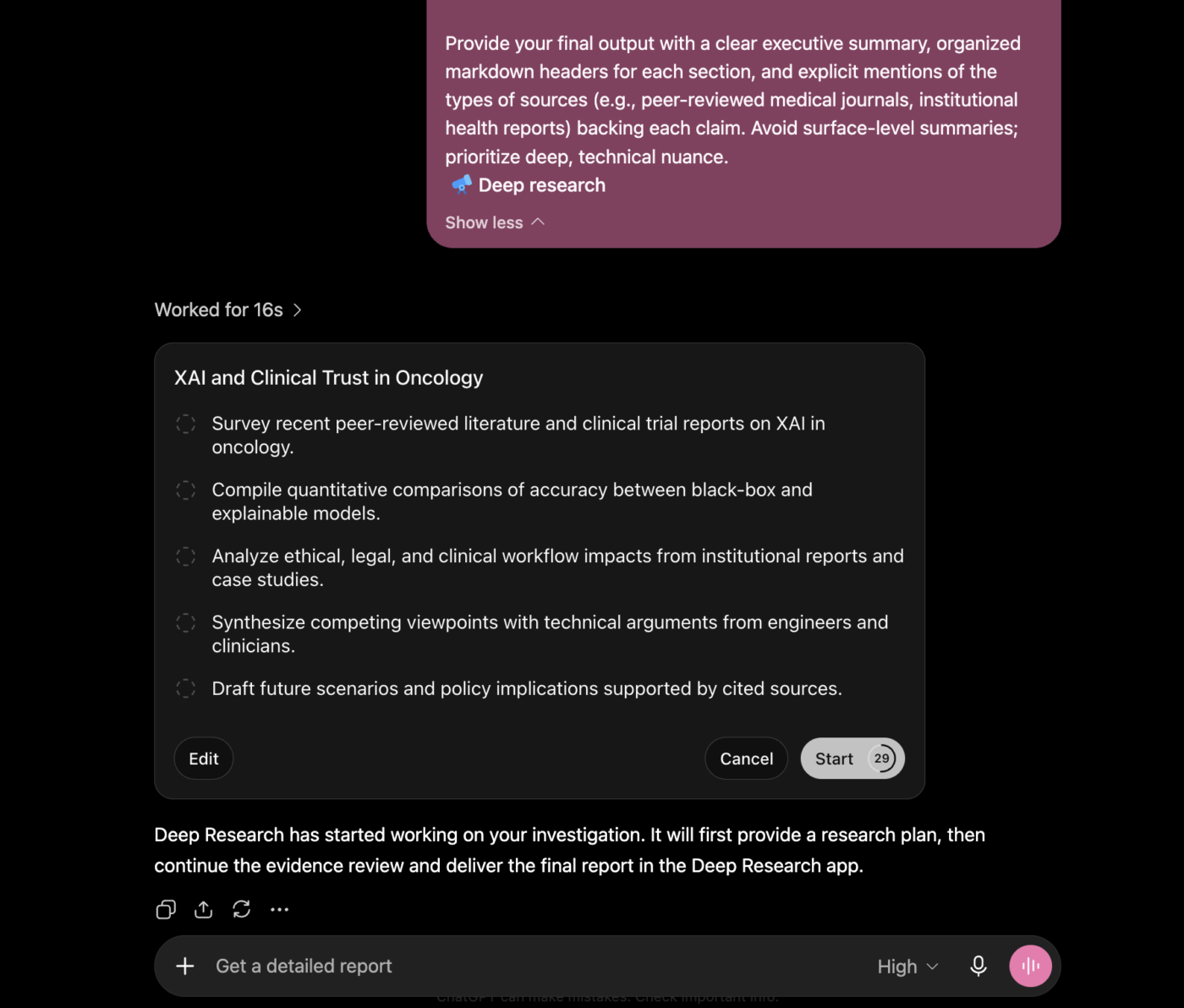
ChatGPT Deep Research builds arguments across sources.
Give it a broad question, and it writes a multi-step research plan, runs searches across the web, follows useful leads through several rounds, and hands back a cited report that takes a position. You can watch each step as it runs, steer the direction with follow-ups, or drop in new sources while the research is still in progress.
It’s strongest when the answer depends on reconciling several positions. The agent changes direction when a search path dries up, compares competing evidence, weighs trade-offs, and keeps building toward a conclusion across dozens of sources.
Its research surface has widened too. Deep Research can pull from the public web, uploaded files, and supported connected apps, so a single run can combine external market data with internal documents. The access, though, varies by plan, region, permissions, and workspace settings.
The output format helps as well. Reports come back structured with sections, inline citations, and a clear thread from question to conclusion. That structure helps you hand the report to a stakeholder or drop it into a brief. But the citations still need a verification pass before anything goes out the door.
A G2 user said:
I use ChatGPT for my project research, content writing, and SEO strategies. It gives me updated data of articles and information in one click, which I use in my research. I find its data mostly authentic and research-based, especially when I’m using deep research or online search methods. ChatGPT helps me a lot by creating my project images and analyzing my SEO strategies.
Where it taps out: ChatGPT can overbuild narrow questions. A research plan that makes sense for a market study can produce far more investigation than a focused question needs, leaving you to trim a dense report after the run.
Best for: Strategy work, market research, policy questions, literature reviews, and problems where the value comes from comparing evidence and building an argument across many sources.
Skip it if: You need a workflow that takes a generated report to a published deliverable with minimal human review.
Also Read: ChatGPT Alternatives
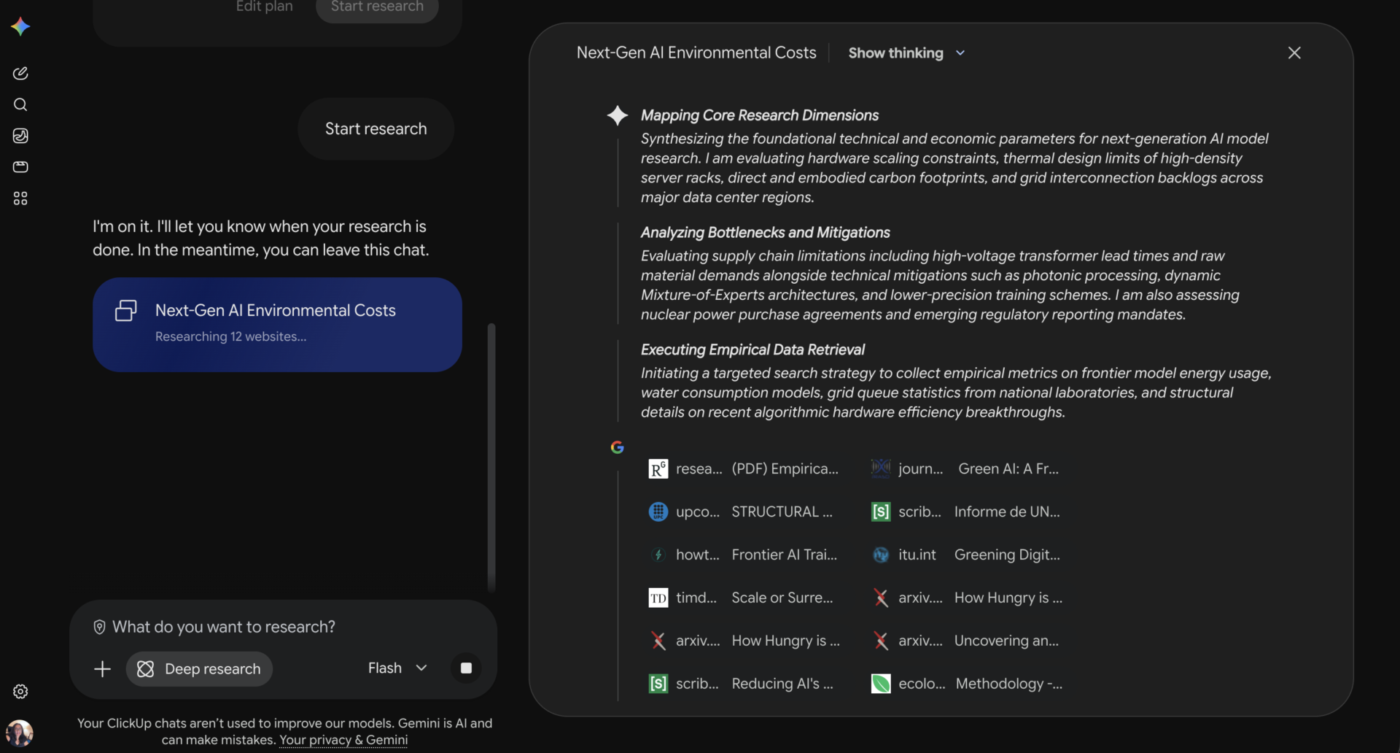
Gemini Deep Research is built for breadth. It searches public sources, uploaded files, connected file stores, and remote MCP servers in a single run, giving it one of the widest research surfaces in this list. In 2026, Google extended that reach with Deep Research Max, a Gemini 3.1 Pro-based agent designed for long-running investigations across the web and custom sources.
That breadth pays off for landscape scans, market mapping, and any question where missing one source can skew the whole picture. Gemini drafts a visible research plan before it starts, so you can reshape the scope before the agent commits time to the wrong direction.
The output stays inside the Google ecosystem. Gemini can draw from Gmail threads and Drive files during a run and push the finished report into Docs or Drive when it’s done. That keeps the research connected to the tools dozens of teams already use for editing, review, and handoff.
Note: Deep Research is available to free users. Pro and Ultra plans unlock higher run limits and access to stronger models for reports.
A G2 user said:
I use Gemini for a variety of tasks, from creating images and documents to conducting thorough research. I love how Gemini’s deep research capabilities allow me to find detailed information about any concept, providing me with comprehensive details and citations, which is amazing.
Where it taps out: Gemini can spread a question across too many adjacent threads when the scope is broad. The result is thorough, but sometimes less decisive about which evidence should carry the most weight. It works better when the research plan is tightened before the run starts.
Best for: Analysts, marketers, researchers, and strategy teams running landscape scans or working across large collections of sources.
Skip it if: You want a tight, opinionated conclusion and would rather trade some breadth for a shorter report.
Also Check: Google Gemini Alternatives
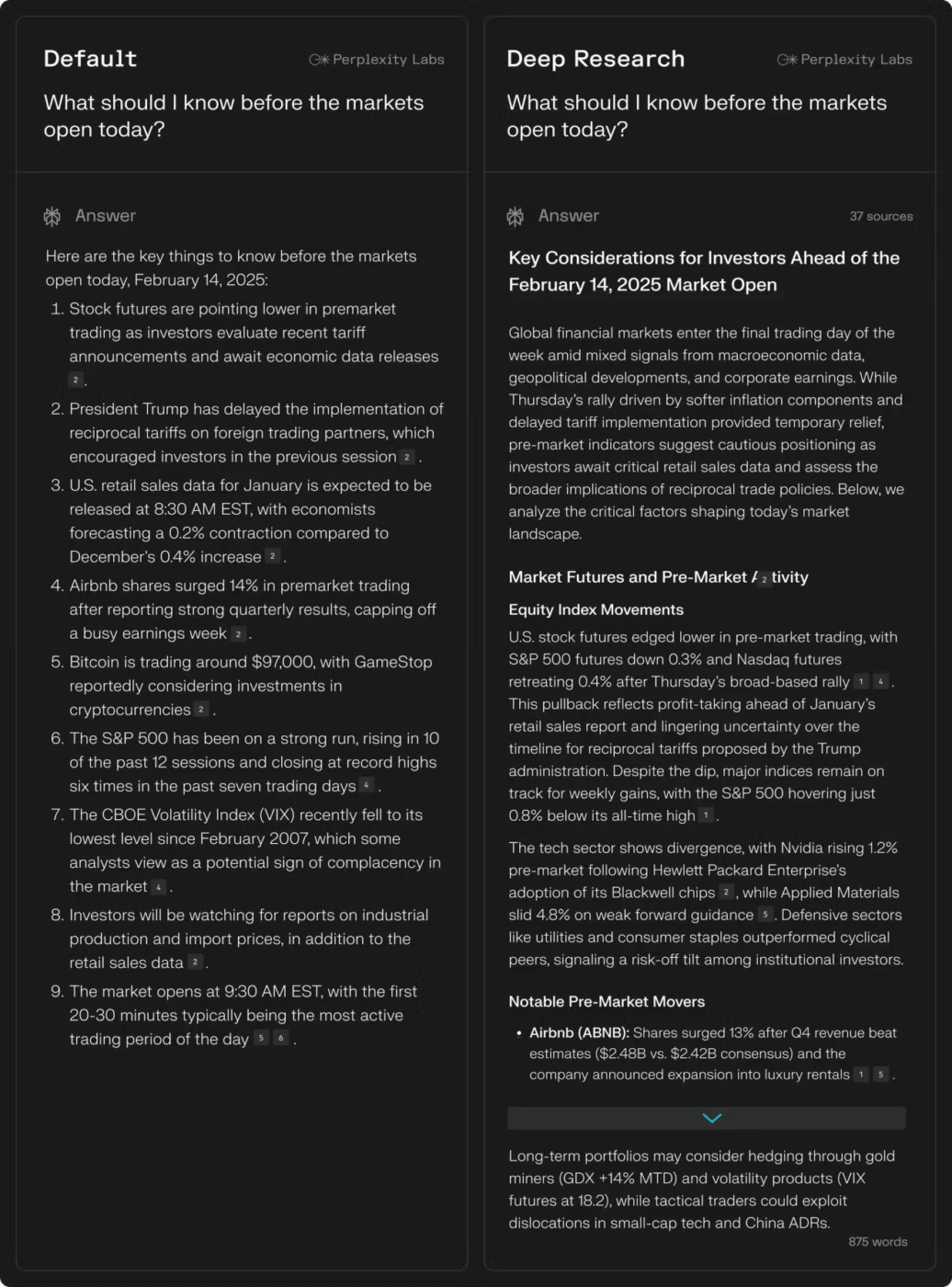
Perplexity Deep Research is the one to reach for when you want the sources to get as much scrutiny as the answer. Its workflow is built around retrieval first, with citations attached directly to the claims they support. Perplexity also upgraded Deep Research to use stronger reasoning models, including Claude Opus 4.6 for Max plan users and a gradual rollout to the Pro plan.
The experience is faster and more search-led. Perplexity runs multiple searches and reads across articles, papers, forums, videos, and other sources. It then synthesizes the useful parts into a report with inline citations. You can see how it broke the question down and keep refining the same thread afterward.
The tool also gives paid users more control over the model behind the research. For example, higher plans include access to models from OpenAI, Anthropic, Google, and Perplexity, while Research mode automatically picks the combination it thinks best fits the question.
A G2 user said:
It has completely replaced standard Google searching for my day-to-day work. Instead of opening 10 tabs, scanning through fluff, and manually compiling answers, Perplexity gives a synthesized summary with clear footnotes to the original pages right away. The Pro search feature is great when I need a multi-step dive into complex topics, and the Focus modes (like Academic or Writing) help narrow the scope so I don’t get irrelevant web clutter. It essentially functions as a hyper-efficient research assistant.
Where it taps out: Several Perplexity citations can trace back to sources making the same underlying point. A report with 20 footnotes may still represent a fairly narrow evidence base if those sources repeat one another.
Best for: Research that will be checked by an editor, client, professor, or stakeholder who wants to trace claims back to the source quickly.
Skip it if: The deliverable needs a distinctive argument or recommendation, and a sourced briefing alone won’t get you there.
Also Read: Perplexity AI Alternatives
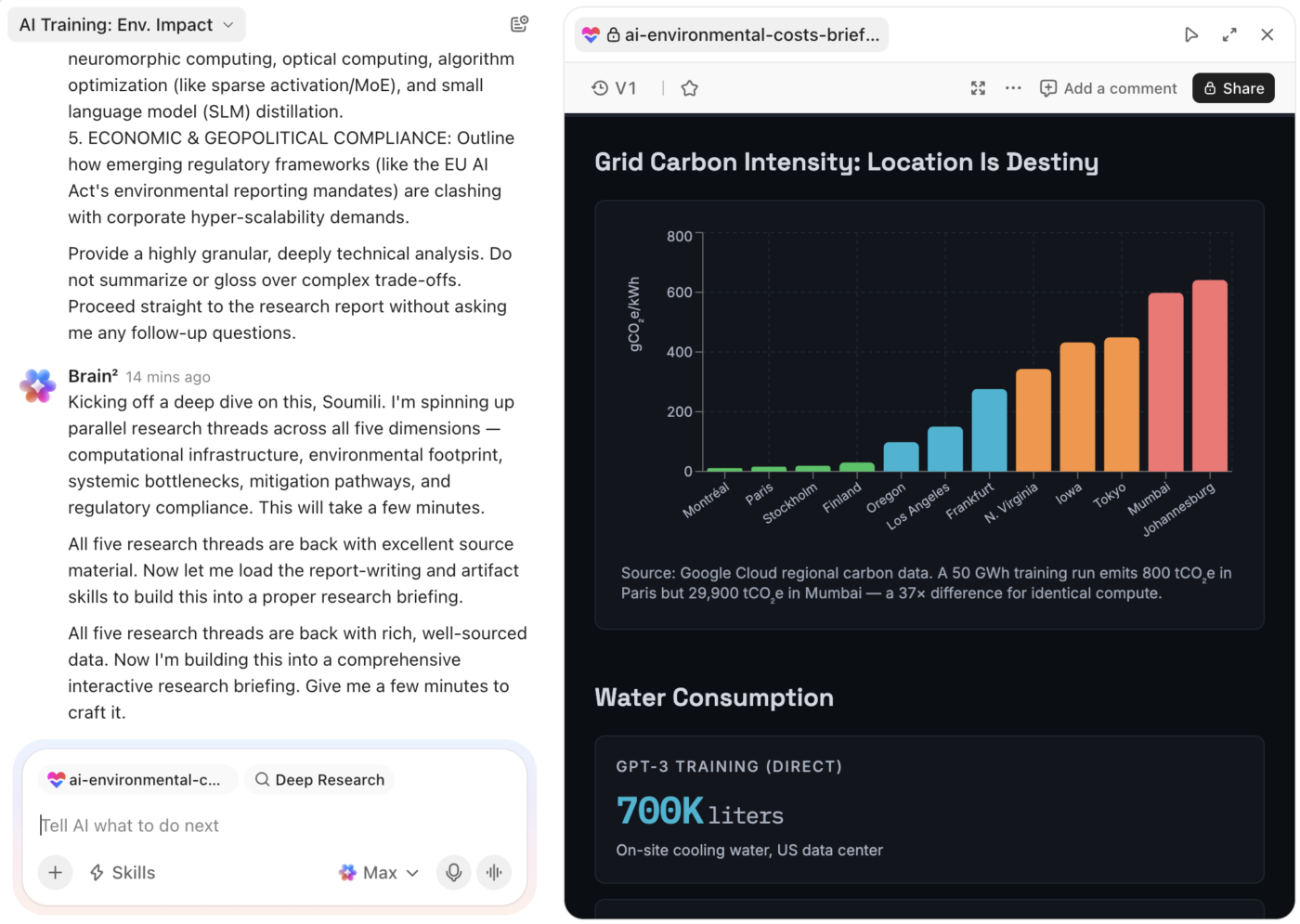
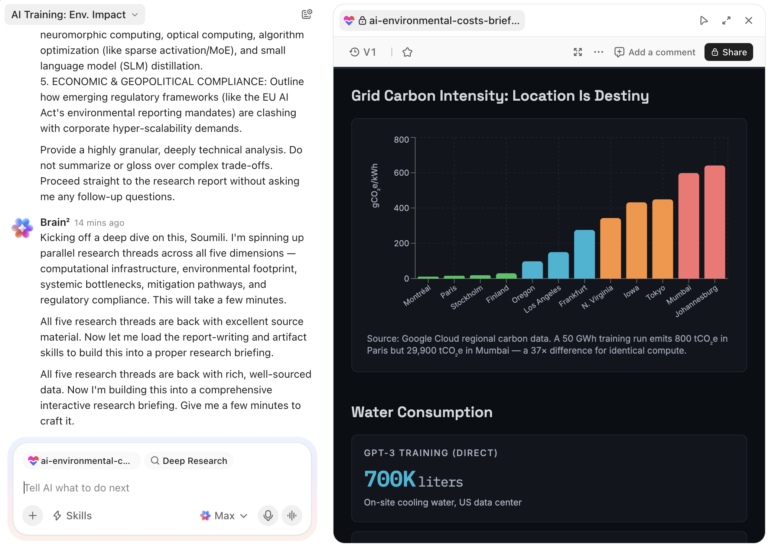
ClickUp Brain² starts from a different research surface. It can search the web, but its bigger advantage is the work already sitting inside ClickUp: tasks, docs, chats, files, decisions, and data from connected apps.
That makes it a strong fit for digging into questions like “Why did this launch move?” or “Which blockers keep showing up across project A?” The answer can pull from the work’s history and shared sources in the same run. What’s more, it can research any topic under the guidelines you set, including specific files to account for and public sources to pull from.
ClickUp Enterprise Search goes further when that information is hard to find. It searches across the Workspace, connected apps, and MCP servers, including material buried in older Docs, tasks, and attachments. It then surfaces the files with findings in Brain². From there, you can turn the response into a task or doc without leaving your workspace.
Brain² can also run Deep Research across multiple external and internal sources, returning cited findings. The more nuanced difference comes after the research. You can turn a conclusion into a brief, task, deck, dashboard, interactive prototype, or workflow inside the same Workspace where the underlying decisions were made.
A G2 user said:
I love the versatility and the number of options ClickUp offers for each role. The automations are quite useful, and the AI helps me understand or find information. Additionally, it’s very easy to customize everything according to the needs of each project and create our own templates, which speeds up projects with similar characteristics. The ability to configure lists for generic or specific tasks stands out for its flexibility.
Where it taps out: Brain² gets stronger as your Workspace gets richer. If decisions still live in private inboxes, meeting side chats, or tools that are not connected to ClickUp, the AI has less history to work with. The research is only as complete as the context your team has recorded.
Best for: Teams researching project history, account context, internal decisions, operational patterns, and questions that span both company knowledge and current work.
Skip it if: Your research lives almost entirely outside your company’s work systems and rarely needs internal context.
Watch how Brain² works with the context already inside ClickUp, then notice what happens after the answer appears:
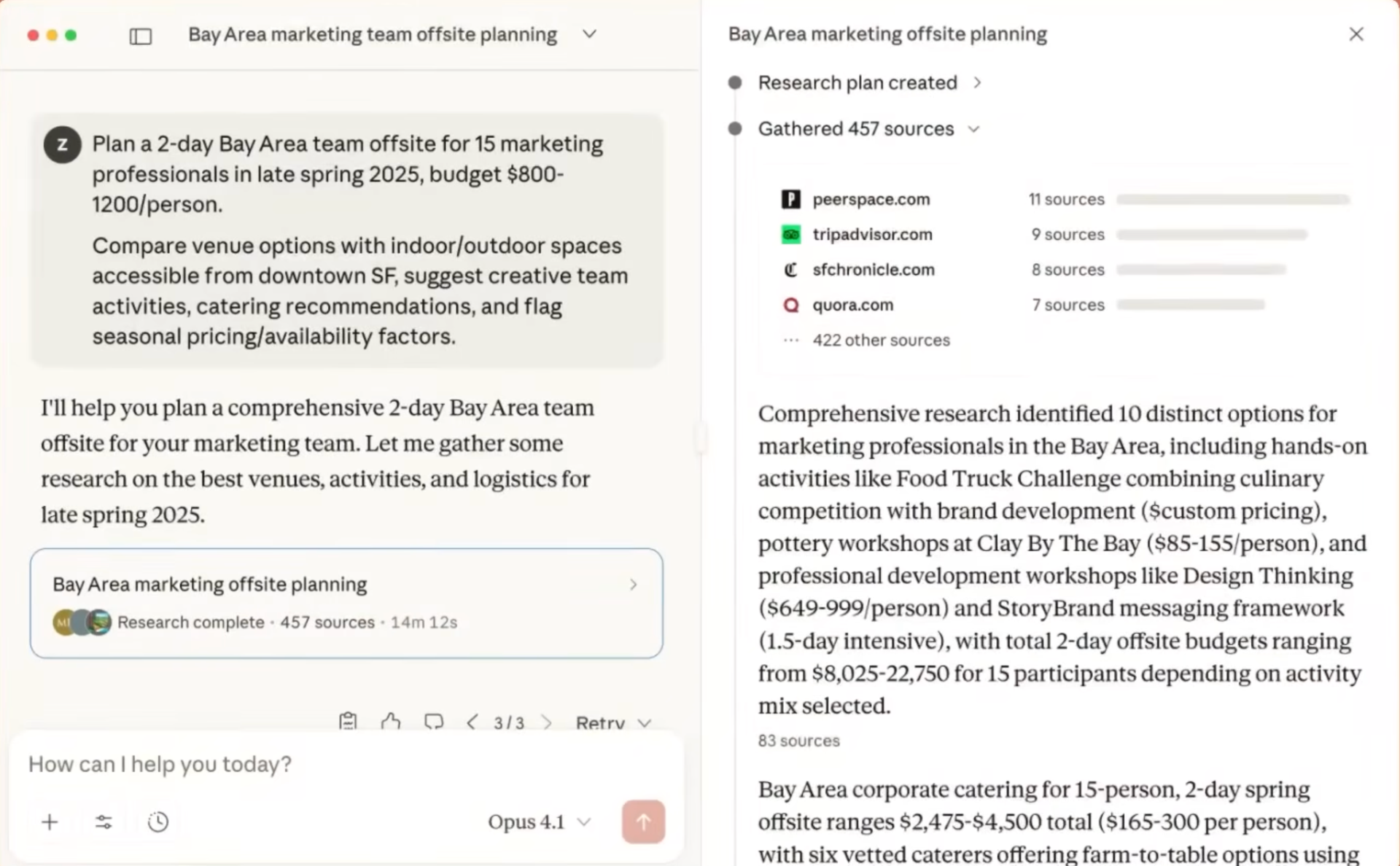
Claude Research is a strong fit when the research job starts with a large pile of material and the risk is losing the nuance halfway through.
Anthropic’s Research mode runs multiple searches that build on one another, then combines the web with connected internal sources like Gmail, Google Calendar, and other apps exposed through connectors. A complex run can keep researching for up to 45 minutes before returning a cited report.
Claude’s context window now varies by model, with newer paid-plan models supporting up to 1 million tokens. That gives Research plenty of room for long reports, transcripts, PDFs, and source packs alongside live web research. Research can work across that material progressively, revisiting earlier findings as new evidence changes the picture.
The reasoning style is a big part of the appeal. Claude is comfortable sitting with qualifications, conflicting claims, and ambiguous evidence, keeping the tensions intact until the evidence earns a conclusion. That’s pretty useful for literature reviews, legal or policy research, investment analysis, and any assignment where the caveats deserve as much attention as the conclusion.
A G2 user said:
What I like most about Claude is that it is useful when I have to work through a detailed client query or understand a topic before giving my advice. I use it for researching Companies Act provisions, FEMA/RBI matters, compliance requirements and also for reviewing or improving documents and explanations prepared for clients.
It is particularly helpful when I have a lot of information to go through because I can discuss the matter step by step and ask follow-up questions. In my day-to-day consulting work, this saves me time in the initial research and helps me look at a client issue from different angles before I finalize my advice.
Where it taps out: Long Research runs can burn through a Pro plan’s allowance surprisingly quickly. A few document-heavy sessions back-to-back make the limits noticeable, especially if Claude is also handling everyday work throughout the day.
Best for: Literature reviews, long source packs, policy research, legal analysis, investment research, and questions where qualifications and conflicting evidence need careful handling.
Skip it if: You expect to run several heavy research jobs every day and would rather avoid hitting usage limits often.
Also Read: Claude AI Alternatives
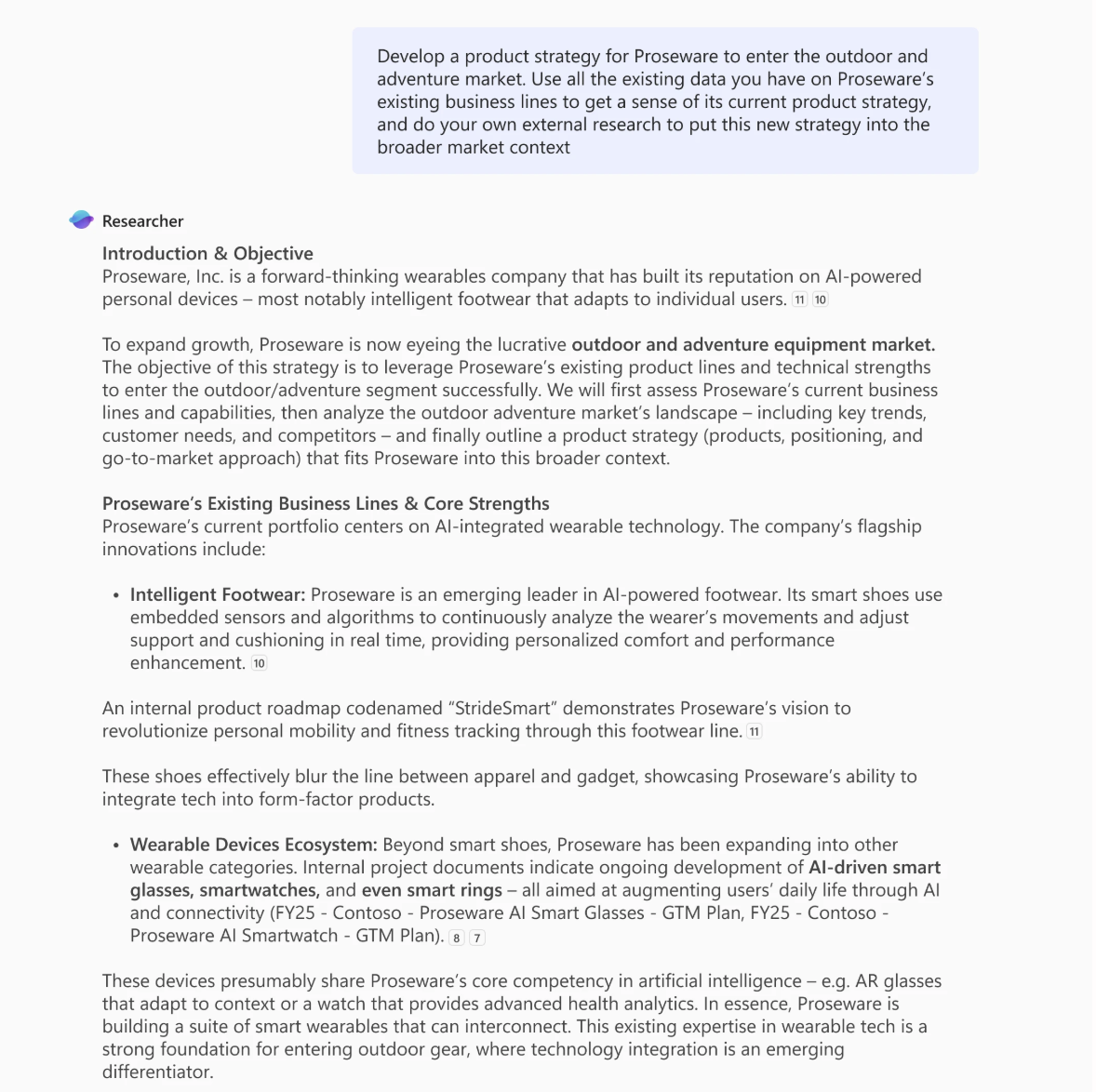
Microsoft Copilot Researcher makes the strongest case for companies that already run on Microsoft 365. It can research the public web and, with the right license, pull from files, emails, meetings, chats, OneDrive, SharePoint, and other work data the user already has permission to access. The result is a structured, cited report built from both sides of the question: what’s happening outside the company and what the company already knows internally.
The trade-off is volume. Microsoft currently caps Researcher at 25 queries per user per month, so each run needs to count. It makes more sense for questions you’d normally hand to someone for a few hours than for everyday search.
The workflow has moved on from Microsoft’s older consumer Deep Research feature, which was retired in August 2026. Researcher is now the in-depth research experience across the Microsoft 365 Premium plan, Pro plan, and licensed business and enterprise accounts. You can now edit, share, or use a finished report to start a document or presentation in the same Copilot environment.
A G2 user said:
Microsoft Copilot has become an essential part of my day-to-day workflow as a QA and Production Supervisor. It helps me streamline documentation, audit responses, and regulatory analysis with real precision and clarity. I especially value how seamlessly it integrates with Microsoft 365, making it easier to produce structured, data-driven writing while quickly pulling up verified information when I need it.
Where it taps out: Researcher makes the most sense when Microsoft 365 already holds the company’s working history. In a mixed stack where key context lives across several unrelated tools, the experience feels more fragmented and requires more deliberate source setup.
Best for: Microsoft 365 organizations researching across Outlook, Teams, SharePoint, OneDrive, meetings, files, and the public web in one workflow.
Skip it if: Your company’s important work mostly happens outside the Microsoft ecosystem and you’d be buying the license primarily for research.
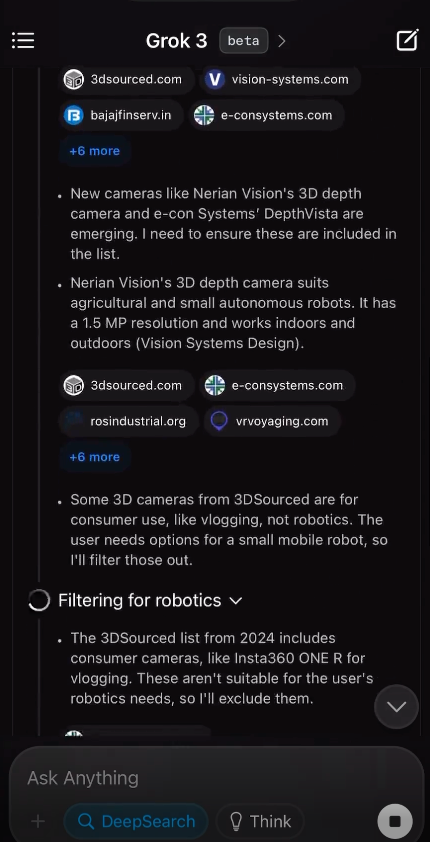
Grok DeepSearch earns its place here for something unique: it can research the live web and X at the same time. That gives it a real-time social layer the other tools don’t have. When a story is still forming across posts, threads, and live coverage, that layer changes what the research can find.
That difference shows up in fast-moving research. Product launches, breaking stories, community reactions, and early sentiment often appear on X before they show up in indexed articles. Grok can fold those signals into web research, reason across conflicting claims, and return a concise report from both sources in a single run.
SpaceXAI has also kept expanding the surface around Grok. Connectors bring work sources into the research alongside the web and X, while persistent agents and scheduled automations let Grok keep working on longer monitoring and research tasks in the background.
A G2 user said:
The main thing I like about Grok is the AI assistance. It’s good, easy to understand, and provides realistic information. What I find especially interesting is that if I post something or an article on X and it gets a lot of comments and shares, Grok helps me identify the comments and segment them. That makes it easier for me to focus on the negative comments and work on them.
Where it taps out: X can surface a story early, but early information is messy. A research run can pull in reactions, speculation, eyewitness accounts, and reporting side by side. That means the source mix needs more deliberate pruning when the final deliverable demands a clean evidentiary hierarchy.
Best for: Breaking news research, product launches, community reaction, brand monitoring, emerging narratives, and anything where the latest social signal matters.
Skip it if: Your source policy excludes social posts or requires every important claim to come from established primary or institutional sources.
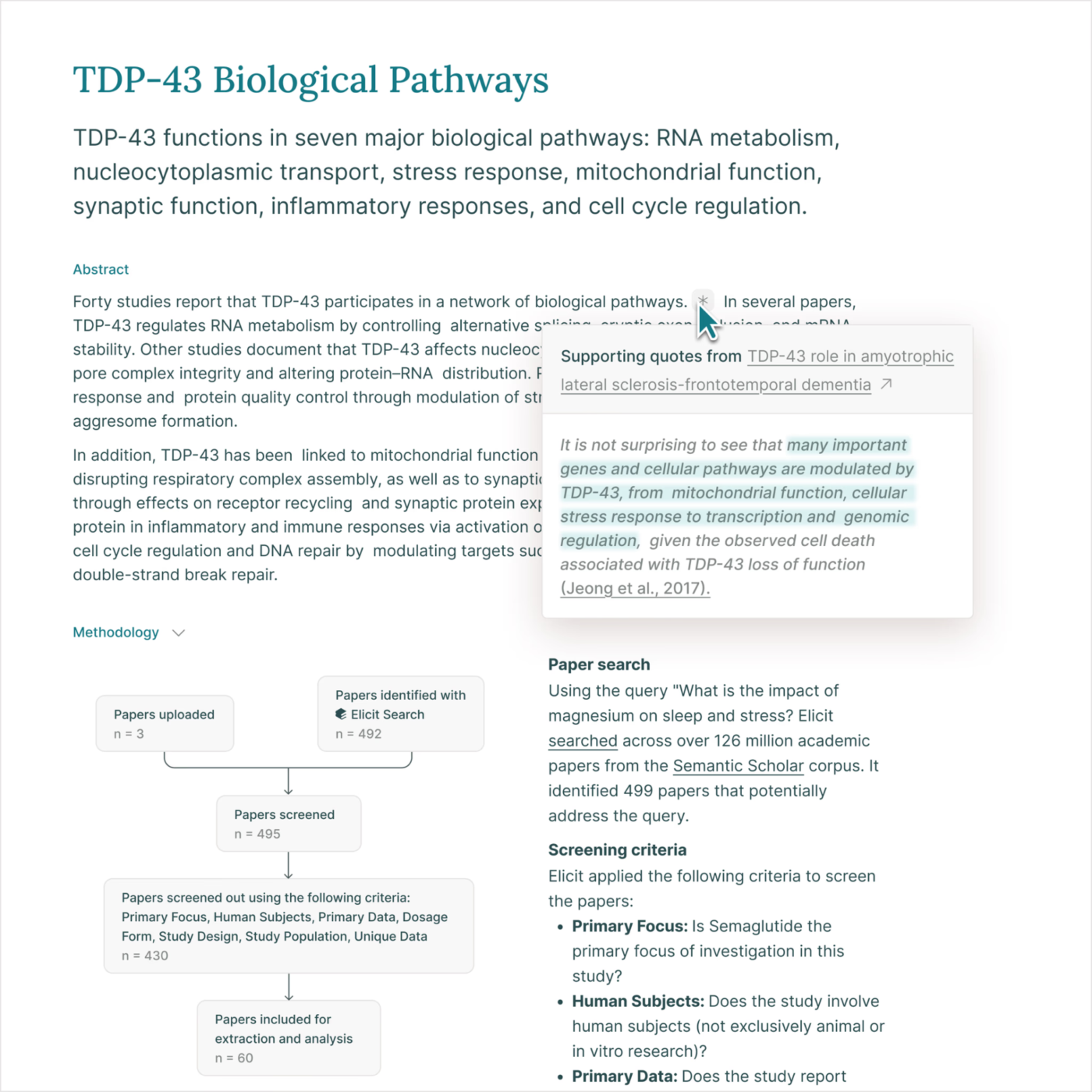
Elicit works in a much narrower research universe, and that’s exactly why it belongs here. It searches scientific literature directly: a corpus of more than 138 million academic papers, PubMed, ClinicalTrials.gov, and even documents you upload yourself.
The workflow more closely reflects how an academic review is actually done. A question can move from search to screening, extraction, and synthesis, with inclusion criteria and exclusion reasons visible throughout. Elicit now supports PRISMA-style systematic review workflows, which makes it well-suited for formal evidence reviews where audit trails and reproducibility matter as much as the conclusions.
The accuracy holds up too. In May 2026, Elicit reported 95% search recall, 96.9% abstract-screening accuracy, 99.5% full-text screening accuracy, and 95.6% extraction accuracy across an evaluation of 994 Cochrane reviews.
Academic pricing:
Those prices apply to Elicit’s Academic category. For industry users, the annual pricing is:
Elicit still has too little third-party review volume for aggregate ratings to say much. Capterra currently lists a single review, while G2 has no product reviews for meaningful buying insight.
A Reddit user said:
I started using Elicit recently to get a general overview of a specific question I have in mind. For my field (evo bio) it seems working quite good.
Where it taps out: Elicit’s strength is also its boundary. Its workflow is built around scholarly literature, so it won’t give the same weight to company filings, news coverage, practitioner commentary, or other evidence that lives outside academic databases.
Best for: Systematic reviews, literature reviews, clinical research, policy evidence, academic writing, and research that depends on comparing studies across a body of literature.
Skip it if: Your final answer needs to combine peer-reviewed research with current market, company, regulatory, or industry evidence.
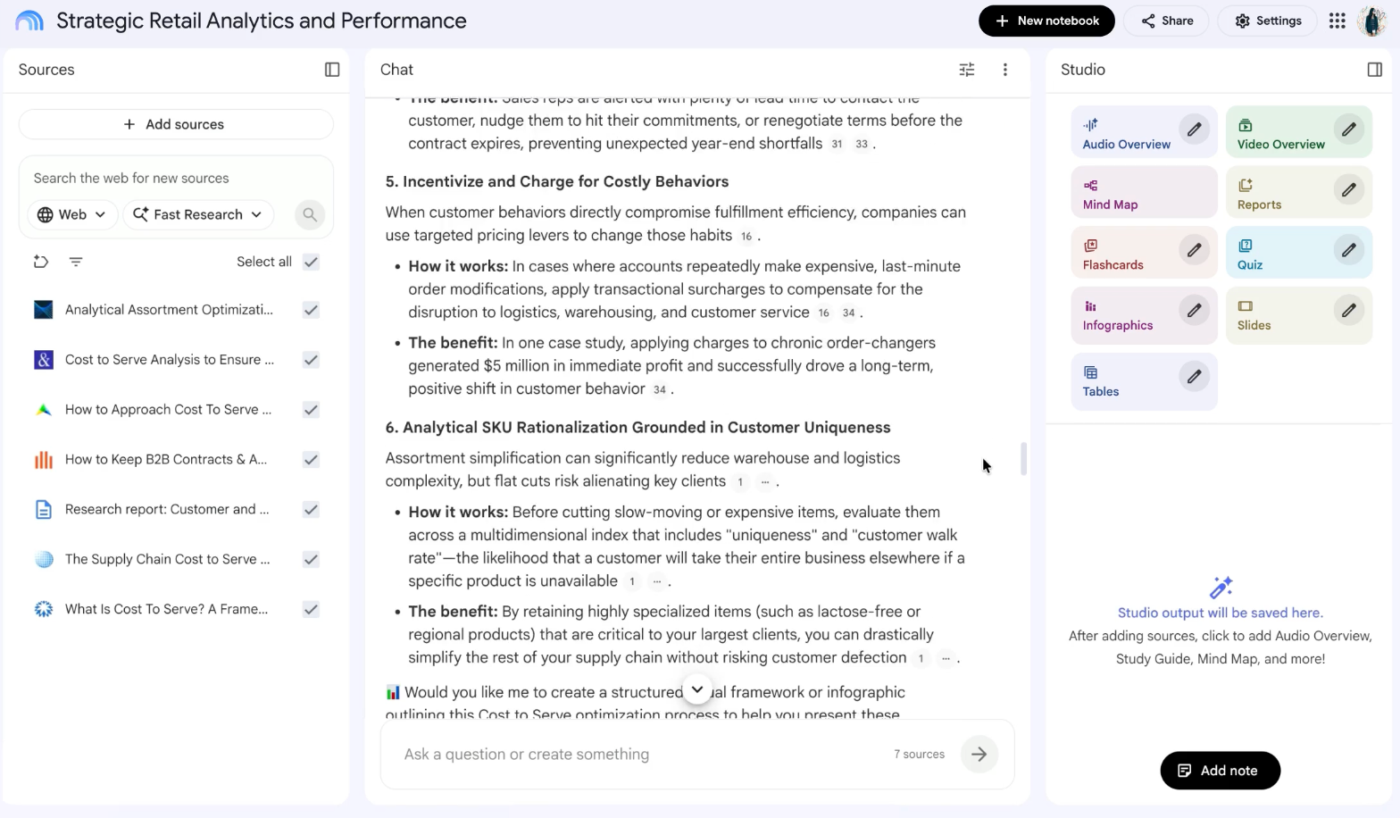
Yes, this is Google again. NotebookLM was renamed Gemini Notebook in July 2026, and it now sits much closer to the Gemini ecosystem than it did at launch. It’s still a standalone research product though, and it solves a different problem from Gemini Deep Research.
Gemini Deep Research goes out and discovers sources. Gemini Notebook starts after you’ve already chosen yours.
That distinction has blurred a little. Gemini Notebook now includes its own Deep Research capability, so a notebook can search for additional material when its current sources fall short. Gemini Deep Research can also accept Notebook sources going the other direction. But the core workflow remains source-grounded: add your material, ask questions across the collection, and get answers cited back to specific passages.
It’s grown well beyond chat and summarization too. Google upgraded the product with stronger Gemini models, agentic research features, and a secure cloud computer that can run code for deeper analysis. That turns Notebook into a working environment where the same curated source set can produce multiple deliverables, all grounded in the same evidence base.
Note: Google folds Gemini Notebook access into its AI subscriptions, with no standalone plan.
Gemini Notebook doesn’t yet have enough standalone reviews on G2 or Capterra to make those ratings useful, so this assessment relies more heavily on hands-on testing.
A Reddit user said:
I load academic research papers and use the audio podcast as my first run through each. I have some reading heavy courses and vision/migraine issues, so it really helps!
Where it taps out: Notebook quality depends heavily on source selection. Feed it five documents that all repeat the same assumption, and the notebook will become very good at explaining that assumption with zero awareness of what the collection is missing. The research burden shifts toward curating a source set that deserves to be trusted.
Best for: Research packs, due diligence folders, course material, interview transcripts, policy documents, customer research, and any job where the source set is known before the questioning begins.
Skip it if: You want the tool to discover the field for you and continuously decide which outside sources belong in the research set.
A 2026 benchmark put Claude Opus 4.6, OpenAI o3 Deep Research, and Gemini 3.1 Pro Deep Research through 70 expert-written consulting tasks. Under a strict acceptance threshold, none cleared even 16% of the tasks: o3 reached 15.7%, while Claude and Gemini each reached 12.9%. The researchers also found different failure patterns across the three, from fabricated data to cascading computation errors and severe verifier failures.
That gap is verification debt. The agent saves time on gathering, reading, and synthesis, then hands some of that time back as checking. The awkward part is that the second job arrives dressed up as a finished report.
A separate study found that deep research agents revising reports across multiple turns could regress on 16% to 27% of previously covered content and citation quality. Fixing one section can weaken another, which is exactly the kind of error that slips through once the report already looks polished.
The better way is to match the tool to the failure you can least afford.
Start with the research job, then choose the tool whose strengths line up with the part you can’t afford to get wrong.
| If you need to… | Choose | Why |
|---|---|---|
| Build an argument across conflicting evidence | ChatGPT Deep Research | It follows leads across multiple searches and works toward a conclusion, which suits strategy, market research, and questions with competing positions |
| Cover as much of a landscape as possible | Gemini Deep Research | Its broad research surface spans public sources, uploaded files, connected stores, and Workspace data, with an editable plan before the run starts |
| Make every claim easy to trace back | Perplexity Deep Research | Retrieval and inline citations sit at the center of the experience, which makes source checking faster |
| Research company context alongside the public web | ClickUp Brain² | It can work across tasks, Docs, Chats, files, connected apps, and public sources, then turn the findings directly into work |
| Work through long documents and conflicting evidence | Claude Research | Its large context window and reasoning style fit source-heavy research where qualifications and caveats need to survive the synthesis |
| Research across a Microsoft 365 organization | Microsoft Copilot Researcher | It combines web research with Outlook, Teams, SharePoint, OneDrive, meetings, and other permitted Microsoft 365 data |
| Catch a story while it’s still developing | Grok DeepSearch | Live X data adds social reaction and emerging signals that can appear before conventional coverage catches up |
| Review academic literature systematically | Elicit | It’s built around scholarly search, screening, extraction, and synthesis across scientific literature |
| Analyze a source set you’ve already chosen | Gemini Notebook | It keeps answers grounded in a curated collection and cites them back to specific passages in those sources |
A good deep research tool saves time on gathering and gives it back as confidence in the results. The right fit depends on where your evidence lives, how closely you need to check the sources, and what you need to do with the findings once the report is done.
For teams, that last step is easy to overlook. Research usually turns into a task, decision, project update, or another round of questions. If those handoffs happen across separate tools, the context thins out with every copy-paste.
That’s where ClickUp has an advantage. Brain can research across your Workspace and connected sources, then turn the findings into work inside the same system. The report stays close to the project it came from, and the next step is just one click away.
GPT Researcher, STORM, DeerFlow, and Hugging Face’s Open Deep Research are some open-source options. GPT Researcher is built for recursive web research and cited reports. STORM focuses on long-form, perspective-driven research. DeerFlow supports broader agent workflows with tools, memory, and sub-agents. Hugging Face’s Open Deep Research suits developers who want to experiment with and customize the research stack. Open source doesn’t always mean free. You may still pay for models, search APIs, crawling, or infrastructure.
Yes, but they shouldn’t be your final source of truth. They’re good for finding papers, mapping a field, spotting competing arguments, and building a first-pass bibliography. You should still check the original paper before using any important claim, especially around methodology, sample size, limitations, and statistical results.
ClickUp Brain² is a strong fit because it can research across your team’s existing work in ClickUp and connected sources, while keeping findings tied to the original context. That’s useful when the question depends on internal history, ownership, or decisions that won’t exist on the public web.
Yes. Before connecting company data, check the tool’s retention policy, training policy, admin controls, permission model, and how it handles connected sources. For internal research, the tool should also respect the permissions already attached to the original files and systems. A research agent shouldn’t expose information to someone who couldn’t access it in the first place.
Not entirely. They can handle much of the searching, collecting, comparing, and first-pass synthesis. You still need human judgment to decide which evidence deserves more weight, catch weak assumptions, and determine whether the conclusion actually follows from the sources.
Anywhere from a few minutes to much longer, depending on the question. A narrow request may finish quickly. A broader run can take longer if the agent needs to search repeatedly, read many sources, or revise its research path. Longer doesn’t automatically mean better. The better measure is whether the run found enough evidence to answer the question well.
Deep research is built to investigate. Agent mode is built to execute.
A deep research run gathers sources, compares evidence, and returns a cited report. Agent mode can take the next step by completing actions such as updating a record, filling out a form, or carrying a workflow forward.
It depends on the research job. ChatGPT is stronger when you want to shape the research process as it runs. You can edit the plan, restrict websites, add sources, track progress, and redirect the run midstream. Gemini is stronger when breadth and source variety matter more. It can work across Google Search, uploaded files, Gmail, Drive, and NotebookLM sources, and you can edit the research plan before the run starts.

Manasi Nair
Max 26min read

Arya P Dinesh
Max 18min read
Arya P Dinesh
Max 20min read

© 2026 ClickUp




