Sorry, there were no results found for “”
Sorry, there were no results found for “”
Sorry, there were no results found for “”
Disclaimer: This article is intended to provide information on productivity tools and strategies. It is not intended to be a substitute for professional medical advice, diagnosis, or treatment of ADHD or any other health condition.
You start the day with good intentions, but distractions take over.
Tasks pile up, time slips away, and suddenly, you’re behind. ⏳
If you’re an adult with ADHD, this isn’t about willpower—your brain is wired differently, making routines feel overwhelming.
That’s where an ADHD schedule comes in. Far from being restrictive, the right schedule provides structure tailored to your needs, helping you focus and stay on track without feeling overwhelmed.
In this guide, you’ll learn how ADHD impacts daily routines and discover strategies for building a flexible schedule that works with your brain—not against it. ✅
ADHD challenges like time blindness, impulsivity, and task overload can make it hard to stay on track. A structured yet flexible schedule helps reduce overwhelm, improve focus, and create stability in daily life.
ClickUp makes ADHD scheduling easier with task tracking, time management tools, automations, and of course ClickUp Brain, to help you plan work. Stay productive without feeling overwhelmed with ClickUp.
🧠 ADHD, or Attention-Deficit/Hyperactivity Disorder, is a neurodevelopmental condition marked by differences in brain function that affect motivation, attention, and executive functioning.
ADHD can make organizing tasks, meeting deadlines, and maintaining consistency challenging. Frequent distractions and focus difficulties often lead to missed deadlines and frustration despite best efforts.
Adults with ADHD often struggle with executive functions like planning, focusing, and multitasking. Emotional self-regulation issues, such as heightened frustration or irritability, can strain workplace relationships and hinder decision-making.
Impulsivity can lead to frequent task-switching without completing projects, resulting in a scattered workflow.
Estimating time requirements and sticking to schedules can be particularly difficult. This often leads to procrastination or rushed work, which compromises output quality and elevates stress levels.
ADHD can feel chaotic due to time blindness, impulse control issues, and poor memory. A structured schedule adds predictability and control. Here’s how:
For adult ADHD, routines are especially crucial. They help balance work and personal responsibilities while enhancing focus, productivity, and overall well-being with reduced decision fatigue and clear priorities.
🔍 Did You Know? It is estimated that 5% of the world’s population has ADHD. In the United States alone, 11.4% of children are diagnosed with ADHD, and many continue to experience symptoms into adulthood.
A good routine can help reduce cognitive overload, improve focus, and strengthen working memory by providing clear task breakdowns. The goal is to build sustainable habits that help you complete tasks without added stress.
ClickUp, the everything app for work, helps you create structure, manage tasks, and stay on track—no matter the challenge.
Let’s dive into actionable strategies to create a routine that works for you with ClickUp. 👇
Creating a schedule in advance sets a clear roadmap for your day. Knowing what to expect reduces stress and decision fatigue. Allocate specific time slots for tasks, appointments, and leisure activities to create a balanced schedule.
ClickUp Calendar View streamlines this process by allowing you to organize tasks, create a daily agenda, and visualize it with color-coded views for better clarity. Preparing ahead of time helps you set clear expectations for yourself, making it easier to stay on track and manage time effectively.

Additionally, ADHD templates can make this even more effective with pre-structured layouts tailored to build focus and simplify task organization.
Large projects can be overwhelming, leading to procrastination or anxiety. Breaking tasks into smaller steps makes them easier to tackle and more rewarding to complete.
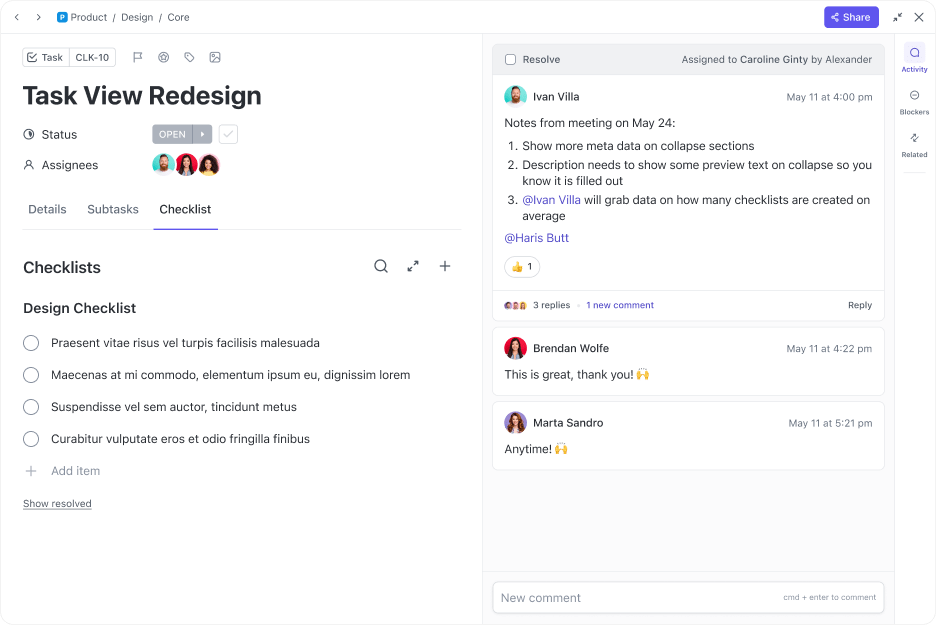
ClickUp Tasks enable you to create subtasks, assign deadlines, and monitor progress, ensuring that each project component is on track. This method enhances focus and builds momentum, making it easier to tackle complex assignments.
You can also create checklists within tasks to stay organized and focused as you move through your work.
A routine should be simple and flexible—overcomplication causes frustration, and rigidity makes changes stressful.
Design a routine that covers essential activities but allows room for adjustments. This keeps your schedule flexible and prevents you from being overwhelmed.
🔆 Friendly Nudge: Feeling stuck? Instead of pushing through frustration, change your environment—move to a different space, play some music, or take a short walk. A shift in scenery can reignite focus!
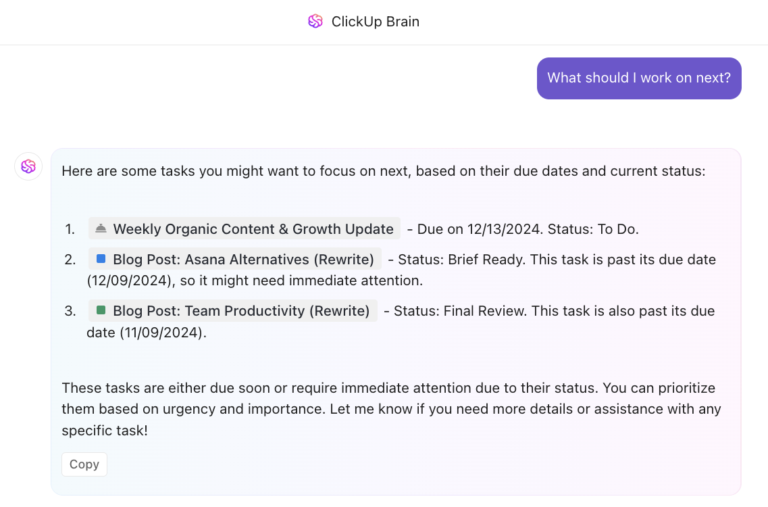
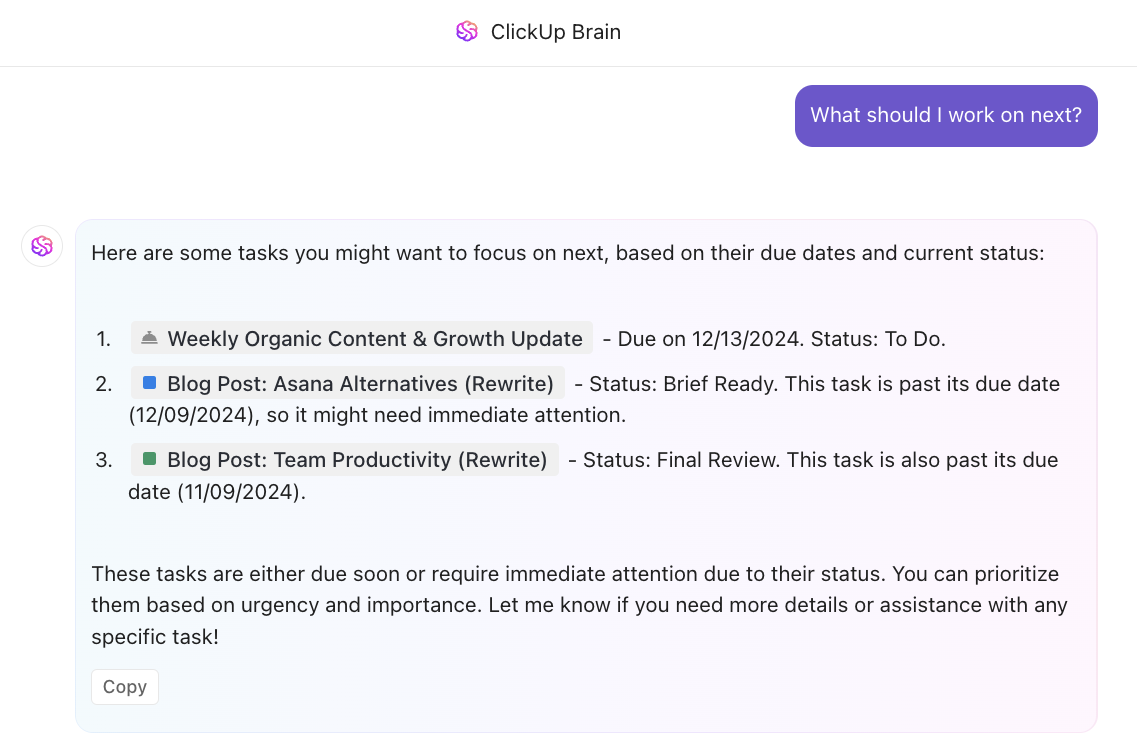
ClickUp Brain helps keep your routine simple and adaptable by automating tasks like progress reports and team updates. As an AI assistant, it simplifies your workflow, freeing up time for more important activities while maintaining flexibility and structure.
Let’s say you’ve set up a recurring task to review project progress regularly. Instead of manually tracking what’s been done and what’s left, ClickUp Brain can suggest adjustments to your schedule based on past behavior, upcoming deadlines, or team workload.
If unexpected changes occur, ClickUp Brain can quickly suggest alternatives or help you reassign tasks. This keeps your routine flexible and keeps you on track without overcomplicating your day.
🤝 Friendly Reminder: The goal is to create a sustainable routine that supports your lifestyle, not to adhere to a strict regimen that adds pressure.
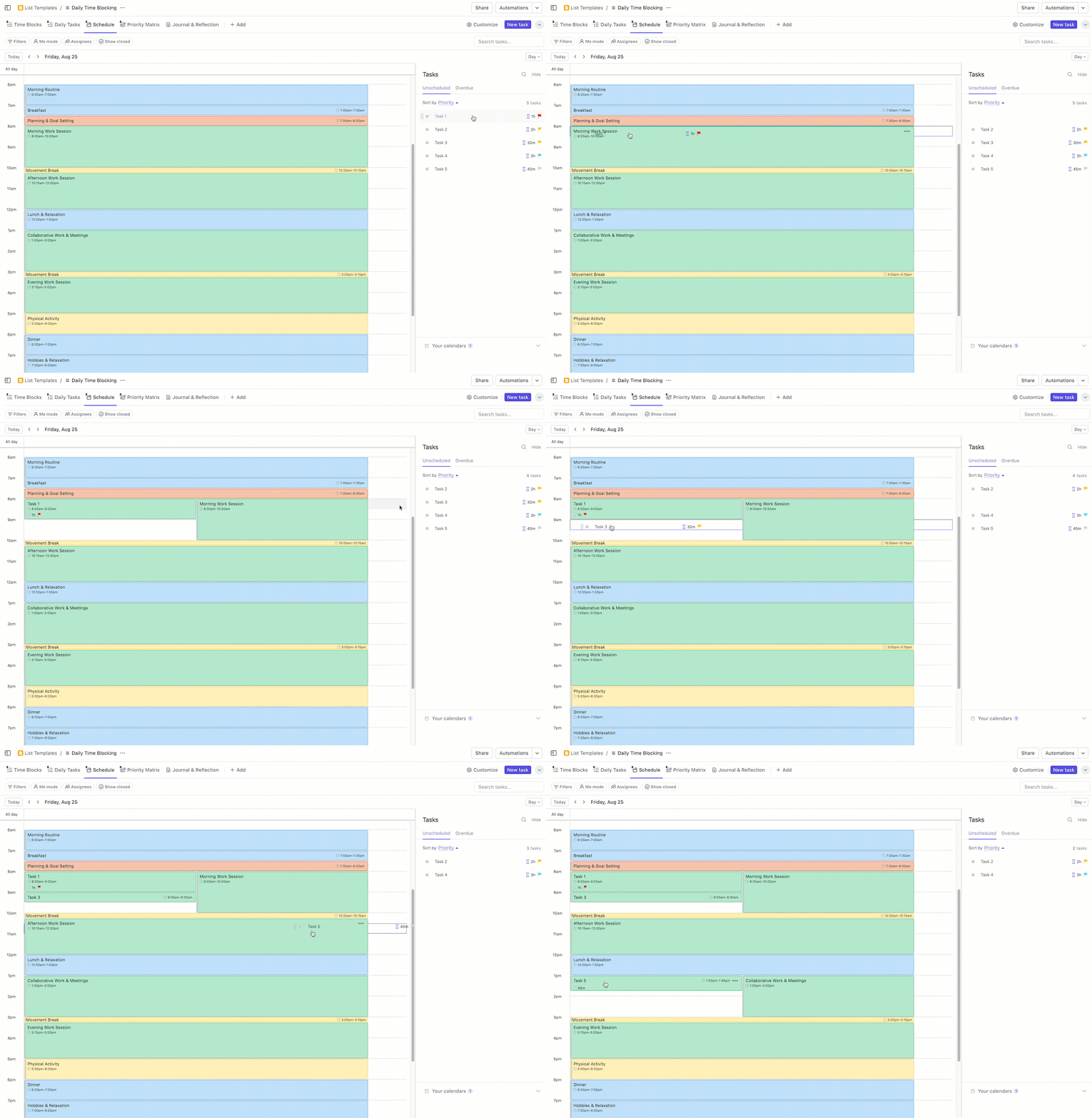
Time blocking is a great way to tackle time blindness and stay focused throughout the day. It involves setting aside specific periods for different activities, which helps improve focus and productivity. Blocking out time for tasks reduces distractions and improves focus.
The ClickUp Daily Time Blocking Template helps you plan your day precisely, ensuring you make meaningful progress toward your goals without overloading yourself.
This template allows you to:
💜 Productivity Hack: Your energy levels fluctuate throughout the day. Try tracking when you feel most alert and schedule focus-heavy tasks for those peak hours!
ADHD brains thrive on variety, so scheduling short, intentional breaks can help you recharge and refocus. Use these moments to stretch, grab a snack, or rest your mind.
Consider techniques like the Pomodoro method—work for a set time, then take a short break to stay focused. You can use ClickUp Brain to generate intervals at work.
Being the world’s first neural network, ClickUp Brain connects tasks, docs, and people, helping you create a customized Pomodoro schedule that meets your needs.
📖 Also Read: Best AI Tools for ADHD
ADHD often tends to jump between tasks, making prioritization a challenge. Determining the importance and urgency of tasks helps focus on what truly matters. Prioritization ensures that critical activities receive attention first, preventing less essential tasks from consuming valuable time.
To do this well, regularly review top priorities for the day. ClickUp Task Priorities allows you to label tasks as Urgent, High, Normal, or Low, ensuring you focus on what matters most.
For an extra boost, the ClickUp Priority Matrix Template visually organizes and ranks tasks by urgency and importance with color-coded blocks. Setting clear priorities allows you to allocate your energy efficiently, helping you progress on essential tasks without feeling overwhelmed.
Visual aids serve as effective prompts to keep you on track. Whether it’s sticky notes, alarms, or digital reminders, these cues help manage time and responsibilities.
ClickUp Reminders can be customized to alert you about upcoming tasks and deadlines, ensuring you’ve covered everything. With features available across your browser, desktop, and mobile device, you’ll never miss an important task or event, no matter where you are.
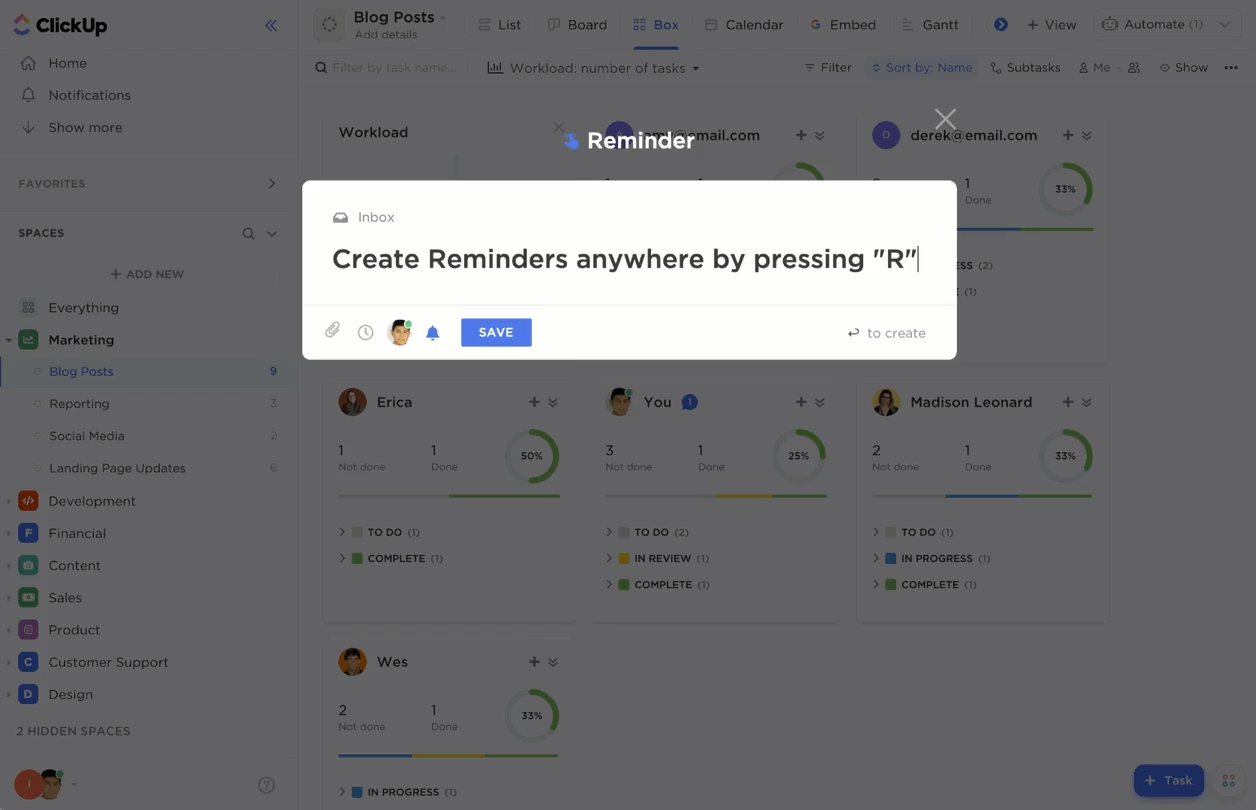
⚡
Transitions between activities can be tricky for those with ADHD. Planning these transitions by allocating buffer time can ease the process and reduce stress. This keeps tasks flowing smoothly, preventing a rushed feeling.
Incorporate transition periods into your schedule to allow time for mental adjustment, preparation, and reflection. This will facilitate a more seamless progression through your daily activities.
🤝 Friendly Reminder: Falling off your routine is okay; it happens to everyone. Experiment with different ADHD organization tools until you find one that fits. Celebrate your wins, big or small—progress is progress, no matter how you get there.
Creating a structured yet adaptable schedule can make daily life less chaotic and more productive for individuals with ADHD. Here’s a breakdown of time blocks for morning, workday, and evening routines designed to strike the right balance between structure and adaptability. ⚖️
💡 Pro Tip: Dedicate specific days of the week to certain types of tasks, such as planning on Mondays or creative brainstorming on Fridays, to streamline focus and reduce context switching.
💡 Pro Tip: Share your schedule with a trusted friend or family member who can provide support and encouragement to help you stay on track.
Here are some routines that have worked well for others with ADHD:
These sample schedules aren’t set in stone but can be adapted to your unique needs. The key is to find what works for you and stick to it.
🔍 Did You Know? Not everyone with ADHD is hyperactive. ADHD includes three types: predominantly inattentive, predominantly hyperactive-impulsive, and combined presentation. Many people with ADHD, particularly adults, may struggle more with attention and focus than with hyperactivity.
While ADHD routines lay the foundation, the right tools and techniques can help you stay consistent and adapt to daily challenges. Here’s how to keep your new routine on track:
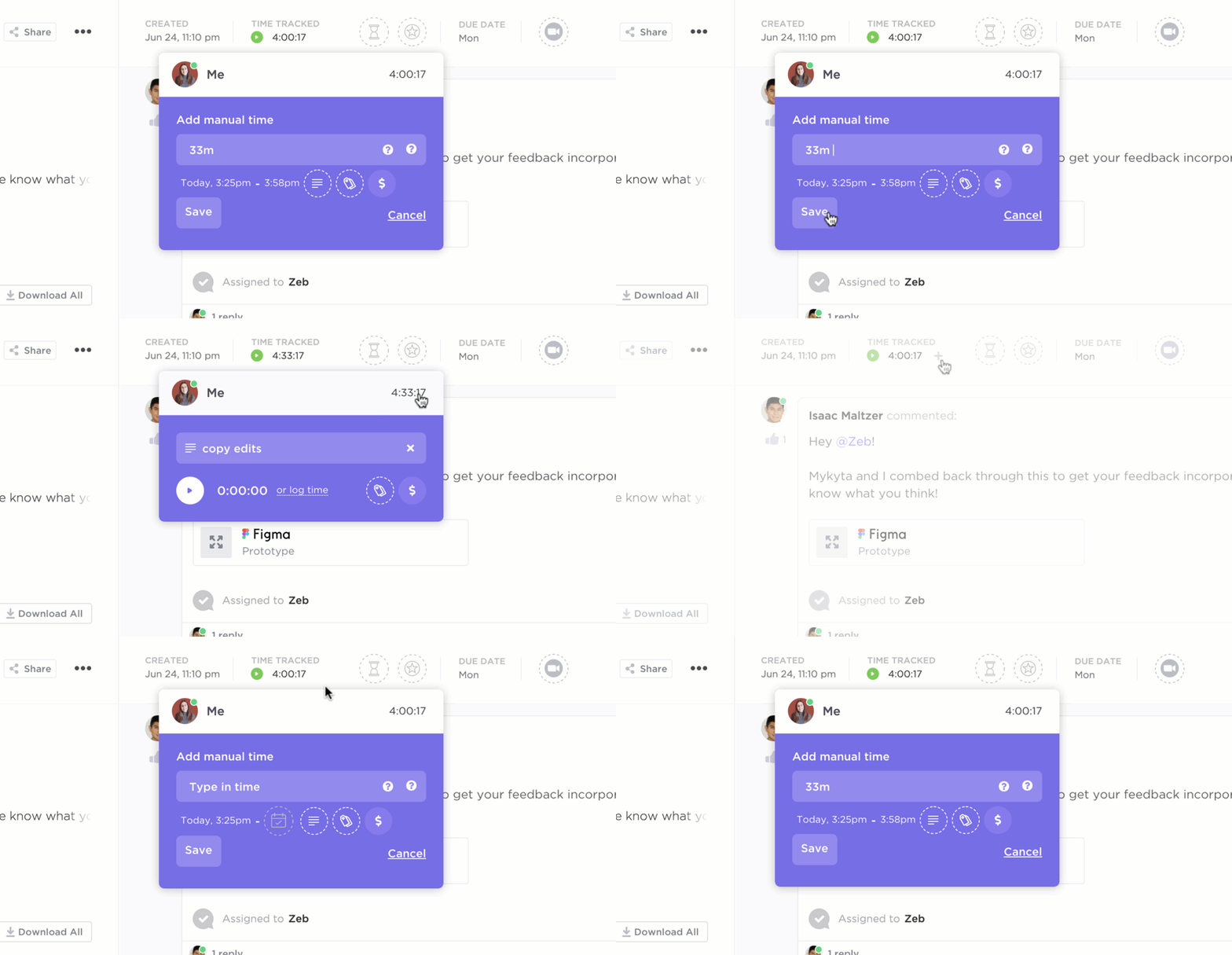
ClickUp Time Tracking offers a clear view of your time usage. It lets you categorize tasks with labels, take notes for clarity, and filter by priorities or dates.
With time estimates, detailed reports, and integrations with apps like Toggl and Harvest, it simplifies time management while ensuring tasks are manageable and deadlines are met.
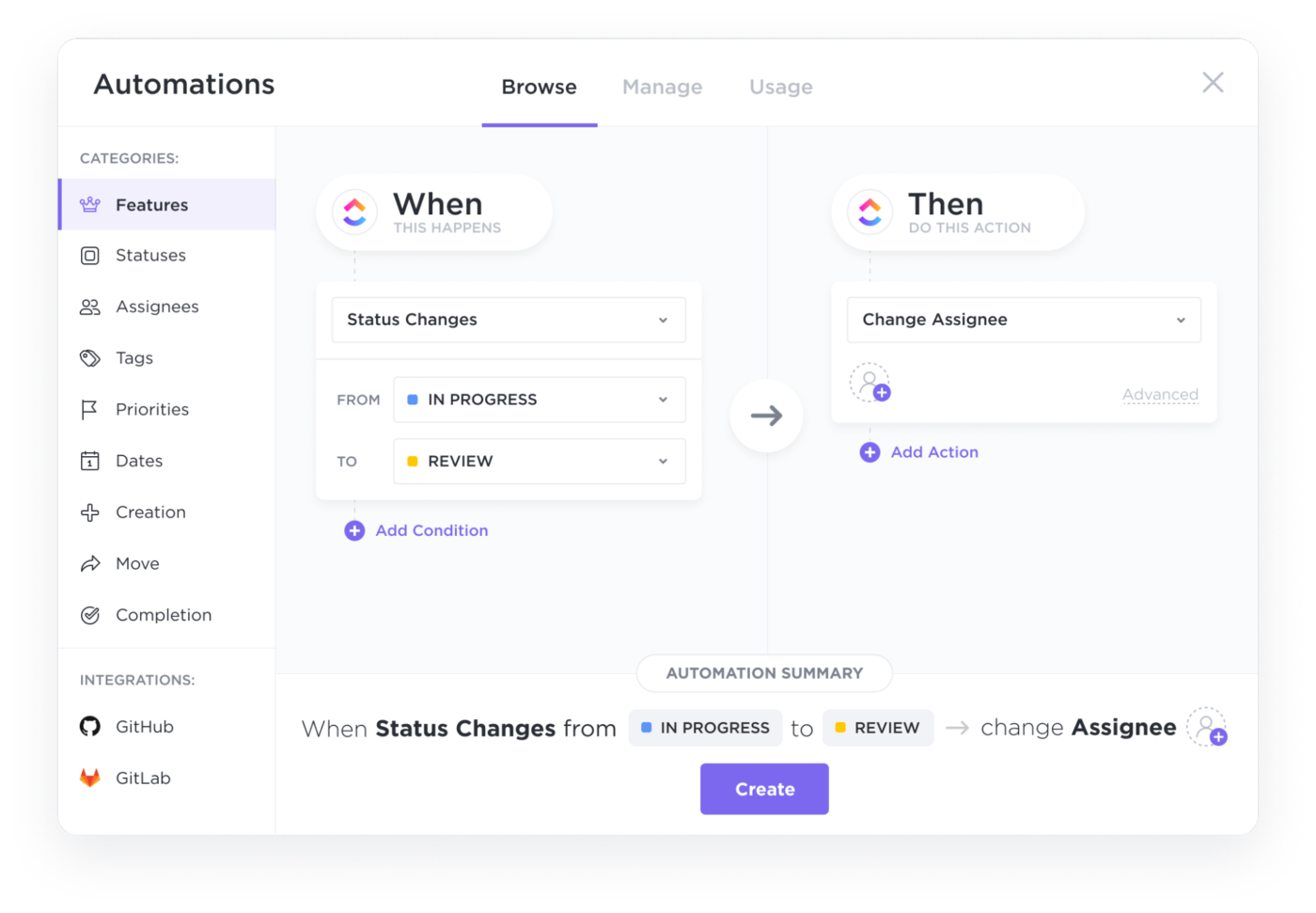
ClickUp Automation handles repetitive tasks, freeing up time for meaningful work.
For instance, you can set up automations to assign tasks, update statuses, or send reminders based on specific triggers, minimizing manual interventions and reducing cognitive load.
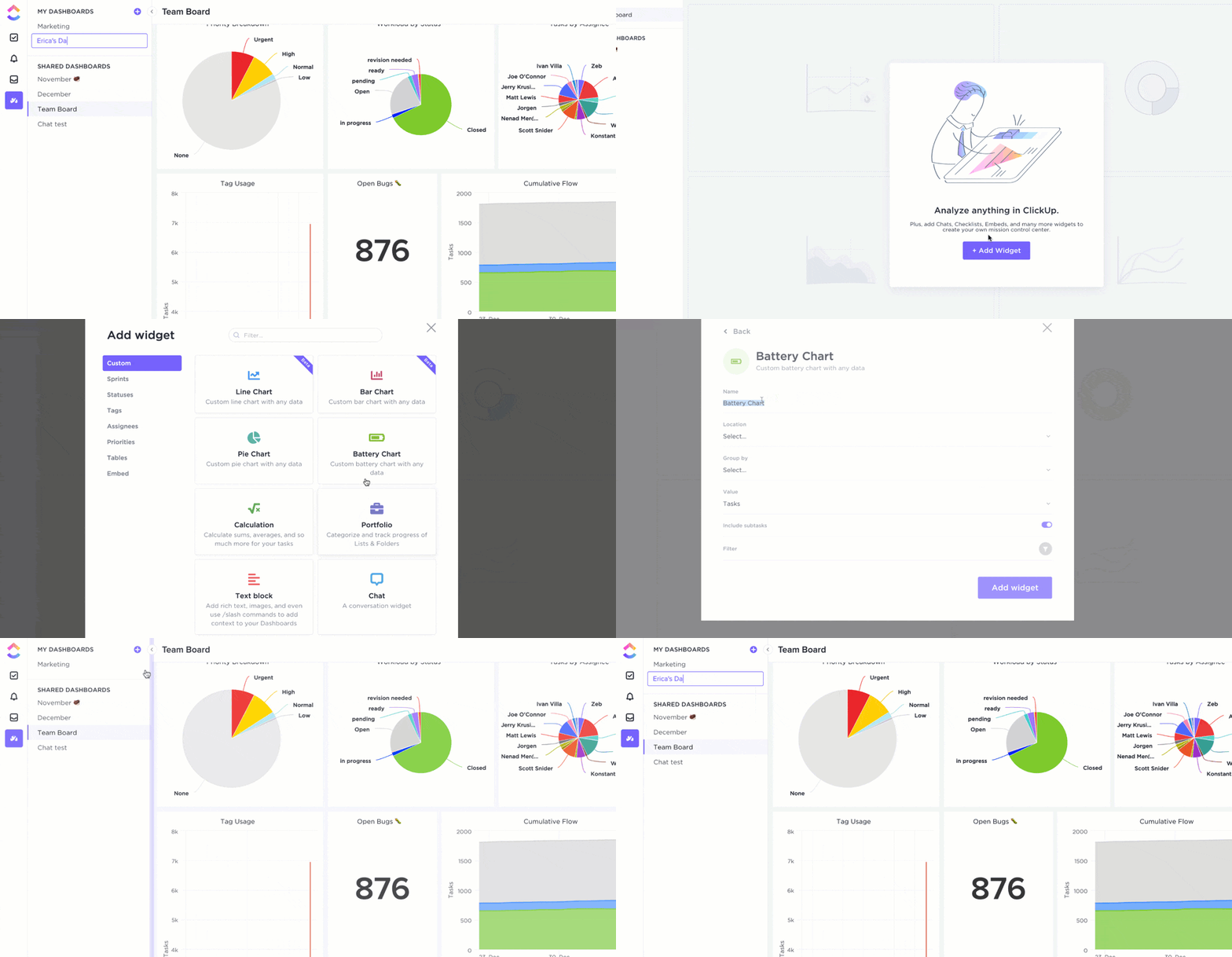
ClickUp Dashboards provide a centralized view of your projects, tasks, and deadlines. Customizable cards let you track progress, monitor essential metrics, and visualize your workload—all in one place.
Additionally, ClickUp Goals help you set clear milestones and track progress toward your objectives. Each milestone keeps you focused and motivated, showing how your efforts bring you closer to achieving your target.
Keep your schedule organized with the ClickUp Calendar Integration. Sync your tasks and deadlines seamlessly with Google, Outlook, or Apple Calendar to see everything in one view. This feature makes it easy to plan your day, avoid conflicts, and stay on top of priorities.
It’s a great way to align work and personal commitments without switching between apps.
📮ClickUp Insight: 18% of our survey respondents want to use AI to organize their lives through calendars, tasks, and reminders. Another 15% want AI to handle routine tasks and administrative work.
To do this, an AI needs to understand the priority levels for each task in a workflow, run the necessary steps to create or adjust tasks, and set up automated workflows. Most tools have one or two of these steps worked out. However, ClickUp has helped users consolidate up to 5+ apps using our platform!
Experience AI-powered scheduling, where tasks and meetings can be easily allocated to open slots in your calendar based on priority levels. You can also set up custom automation rules via ClickUp Brain to handle routine tasks. Say goodbye to busy work!
ClickUp Views offers a range of visual planning options—such as List, Board, Calendar, and Gantt views—each tailored to different work styles and needs. These views help you organize tasks and see project timelines at a glance. Whether you prefer:
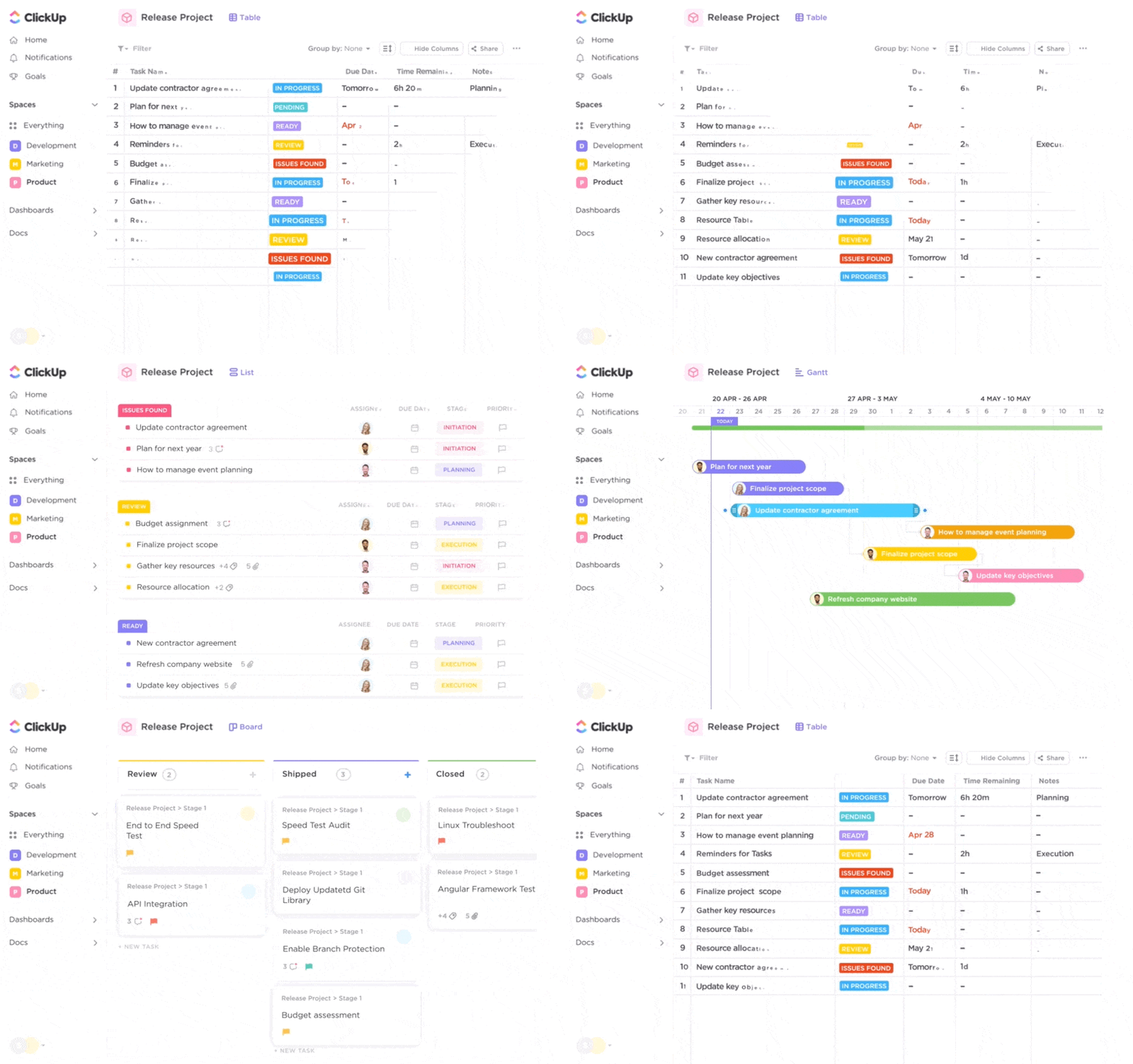
For those looking to keep work and personal life separate, ClickUp Private View lets you create personal task lists and notes visible only to you. This allows for better organization without overlapping personal and professional tasks, ensuring a clear boundary between work and relaxation spaces.
Beyond ClickUp, several ADHD apps and tools can aid in maintaining focus and productivity:
🧠 Fun Fact: People with ADHD often experience hyperfocus, a state where they become intensely absorbed in a task or activity. This can lead to remarkable productivity and creativity, especially in art, music, and problem-solving.
Sleep restores dopamine and norepinephrine, which help with focus and impulse control. Sleep disruptions can lead to imbalances in these chemicals, worsening ADHD symptoms like inattention, hyperactivity, and impulsivity.
Research has shown that sleep problems, such as poor sleep quality and duration, are strongly linked to increased ADHD symptoms, including difficulties with inhibition and reaction time.
Addressing sleep problems can significantly improve overall functioning and help reduce the severity of ADHD symptoms. To enhance the quality of sleep, consider these practical tips:
📖 Also Read: How to Use AI for Daily Life Tasks
Struggles with focus, time management, and impulsivity often create barriers that make building and maintaining routines difficult. Here are some common challenges and practical solutions to overcome them. ⚠️
ADHD often involves struggles with organization and time management, making it hard to stick to a routine.
✅ Solution: Break tasks into smaller, manageable steps and use visual aids like calendar management tools or planners to create a clear, structured schedule.
Routine tasks may feel monotonous, leading to procrastination and disengagement.
✅ Solution: Incorporate elements of novelty or reward into routines to maintain interest and motivation.
The desire to execute routines flawlessly can lead to stress and avoidance.
✅ Solution: Set realistic expectations and embrace imperfection to reduce pressure and encourage consistency.
🧠 Fun Fact: The first clinical description of ADHD dates back to 1902 when British pediatrician Sir George Frederick Still observed children with impulse control, attention, and hyperactivity difficulties.
Building a schedule that works for your ADHD brain isn’t about forcing yourself into a rigid routine—it’s about creating a structure that supports you, not stresses you. ✨
The key? Prioritize what matters, stay flexible, and find routines that help you focus without feeling overwhelmed. A good schedule should feel like a helpful guide, not a set of rules you have to follow perfectly.
You don’t have to do this alone! ClickUp makes it easier by giving you a clear visual plan with Calendar View, a space to brainstorm and organize your thoughts with Brain, and structured tasks to break things down into manageable steps.
Small steps add up. Start where you are, adjust as you go, and celebrate your progress—because every little win counts. 🎉
Sign up for ClickUp today and create a schedule that actually works for you! 💜

Manasi Nair
Max 47min read
Manasi Nair
Max 24min read
Manasi Nair
Max 20min read

© 2026 ClickUp