Sorry, there were no results found for “”
Sorry, there were no results found for “”
Sorry, there were no results found for “”
If your day often slips away without real progress, try time-blocking planner templates!
Time blocking organizes your day, whether it’s streamlining a demanding work and study schedule or carving out time for personal goals.
Cal Newport popularized the time-blocking method in his book Deep Work, highlighting how focused scheduling can dramatically increase productivity and reduce distractions.
Using this framework adds convenience to your week or even your entire month. It’s easy to customize, accessible from anywhere, and works well for anyone looking to manage their time more effectively.
Here are some easy-to-use Google Sheets time blocking templates to help you get started.
A good Google Sheets time-blocking template helps visually organize your daily, weekly, or monthly time into dedicated slots for essential tasks. An efficient Google Sheets planner template should have:
Watch this next: Got a solid time-blocked plan, but three calendars fighting for the same hour? Learn practical ways to manage overlapping calendars so that your focus blocks actually stay protected and visible across work and personal life.
A 40-hour time-blocked work week produces the same amount of output as a 60+ hour work week pursued without structure.
That’s the power of planning your time—less burnout, more meaningful progress. Let’s look at some ready-to-use Google Sheets time-blocking templates.
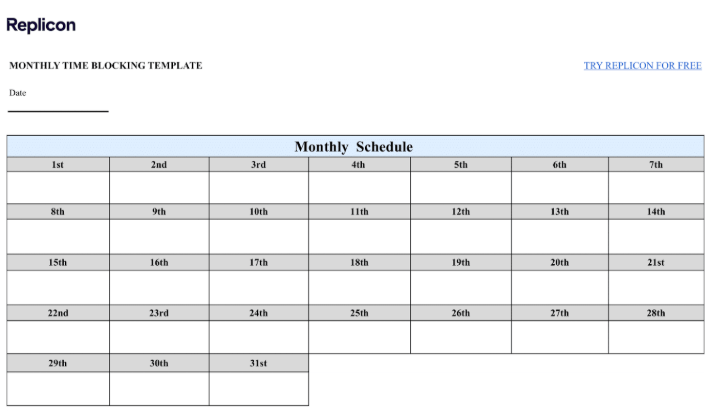
Get a bird’s-eye view of your monthly time with the Monthly Time Blocking Template by Replicon. It’s designed to support long-term projects, which makes it useful for managing ongoing projects or tracking progress over the entire week.
This time-blocking planner includes a dedicated to-do list that highlights key responsibilities and focus areas throughout the month.
💥 Best features
🔑 Ideal for: Freelancers and managers balancing diverse projects, wanting to prioritize effectively and stay ahead of every deliverable.
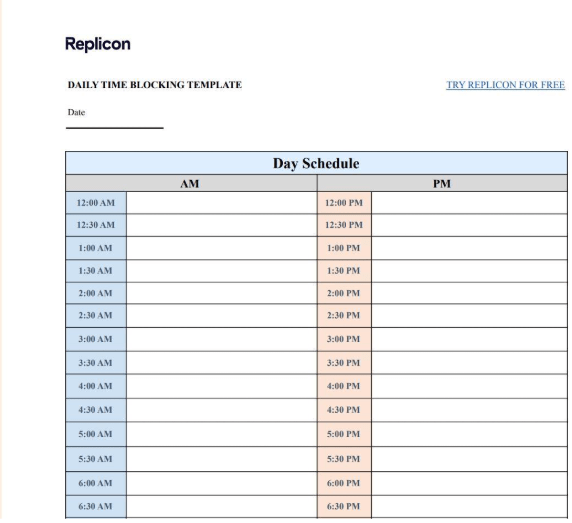
The next Google Sheets time blocking template users will find helpful is the Daily Time Blocking Template by Replicon. It breaks your day into 30-minute blocks, allowing you to map out tasks with greater precision.
There is a built-in to-do list at the end of this daily schedule template to organize tasks, while the time blocks ensure that you don’t overlook anything.
💥 Best features
🔑 Ideal for professionals such as business executives and consultants who need time tracking to manage multiple meetings and clients within their tight schedules.
💡 Pro Tip: Use the ‘description’ column to clarify each task, the ‘status’ column to track progress, and the ‘notes’ column to capture any extra details that might help later.
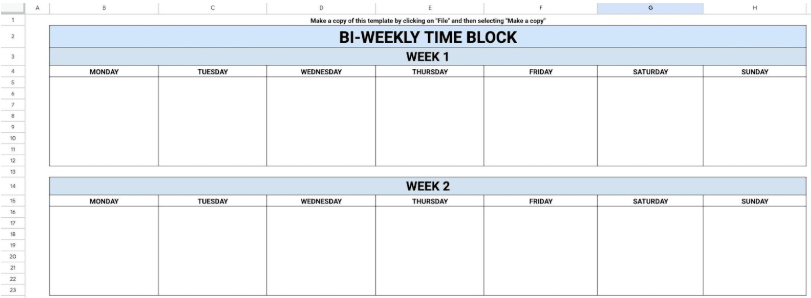
Working on something that’s too detailed for a weekly time plan but doesn’t stretch into a whole month? This Bi-Weekly Time Blocking Template by Float strikes that perfect middle ground.
Simple Week 1 and Week 2 layouts, along with daily columns from Monday to Saturday, offer just the right balance for short-term planning of your weekly goals.
💥 Best features
🔑 Ideal for: Teams or individuals handling multiple short-term deliverables, like content creation deadlines, client presentations, project updates, and more.
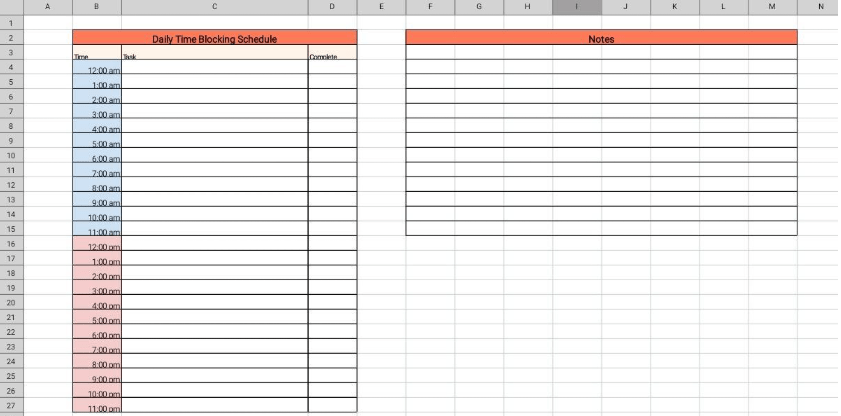
You start the day with a long to-do list, and slowly your focus begins to slip. This Google Sheets Time Blocking Template by HubSpot helps you create a schedule that works with your brain, not against it.
Time blocking with this template helps you take control by assigning tasks their own space in your day, so you no longer bounce between to-dos.
💥 Best features
🔑 Ideal For: Balancing admin tasks like handling emails, scheduling meetings, and managing document organization while keeping the daily schedule on track.
✨ Bonus tips for maximum efficiency
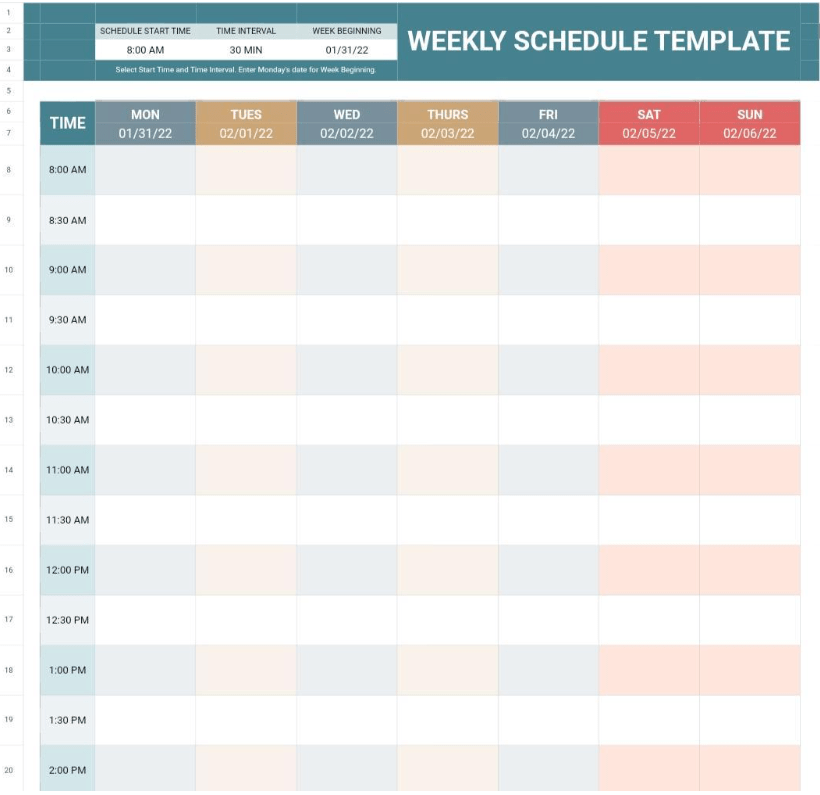
One weekly schedule template deserves a spot on your list, and the Weekly Schedule Template by Google Sheets Templates is just that.
When your week is packed with meetings, deadlines, and tasks flying in from all directions, this weekly time blocking template helps bring order to the chaos. Its clean, no-fuss layout is just perfect for mapping out your week at a glance.
💥 Best features
🔑 Ideal for: Managing recurring weekly tasks like team check-ins, client meetings, or project updates so that everything runs smoothly.
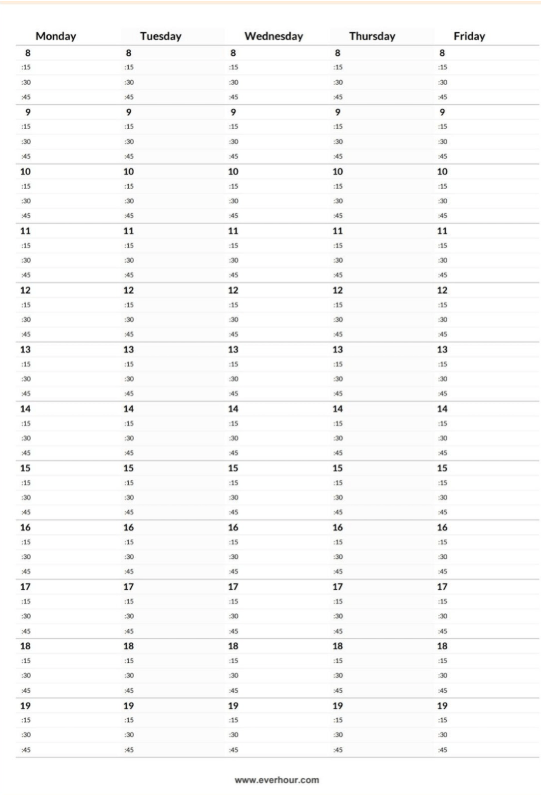
The Google Sheets Weekly Time Blocking Template by Everhour is another weekly time blocking template. It comes with a digital calendar layout that makes planning feel super intuitive.
Instead of a cluttered grid, you get wide columns for each day of the week, broken down into hourly slots and further into 15-minute intervals. That means you can block time down to the tiniest detail without feeling overwhelmed.
💥 Best features
🔑 Ideal for: Professionals who want more granular control over their daily work schedule, like consultants and remote workers.
Google Sheets for time blocking is free, flexible, and effective. But it does come with a few limitations:
If you’re starting to feel like Google Sheets just isn’t cutting it anymore, it might be time to level up. Check out these time-blocking template alternatives by ClickUp that are more advanced and efficient:
Curious how time blocking can transform your productivity? Check out this video for a practical overview and actionable tips!
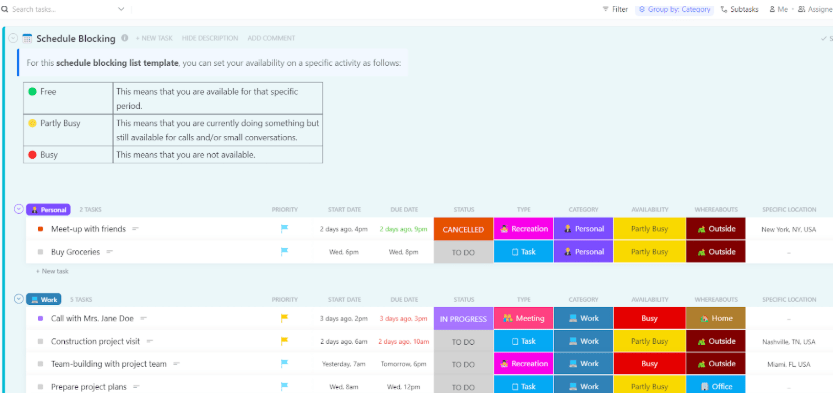
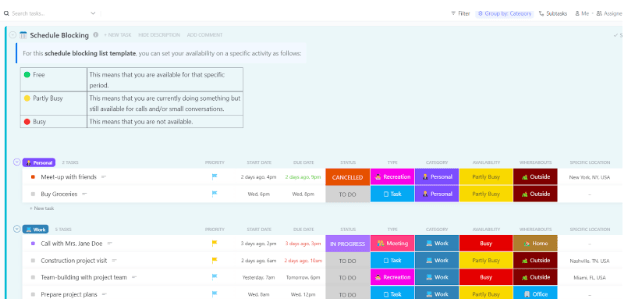
Stay ahead of your day with ClickUp’s Schedule Blocking Template—a flexible and visual way to plan tasks, meetings, and downtime. With a clear timeline in place, it becomes easier to prioritize what matters, avoid overscheduling, and make room to recharge.
Seeing how your time is really spent helps you stay focused and organized. Packed with smart features, this time-blocking template makes time blocking effortless, even on your busiest days.
Want to make your days more productive? Use the ClickUp Calendar to automatically suggest the best times for meetings, prioritize tasks, and avoid scheduling conflicts. It allows you to reorder your task list based on priority and deadline before they become a headache!
Here’s a fantastic video that walks you through how ClickUp’s Calendar works with your tasks, priorities, and even events—keeping everything contextually connected so you can stay focused and productive.
💥 Best features
🔑 Ideal for: Team leads and project managers who want a clear visual breakdown of their workday, including task statuses and availability, for better time management.
💡 Pro Tip: Use the Daily ClickUp Calendar View to plan and organize key tasks and routines. Add placeholders or reminders to ensure you don’t miss anything important in your day.
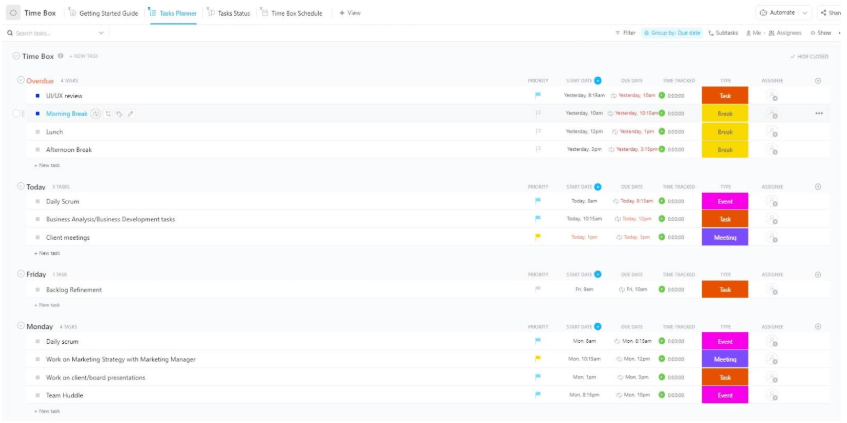
Time boxing is one way to take back control, and the ClickUp Time Box Template makes it easy. Its structured time blocks help you set clear priorities and maximize your daily productivity.
Use this time boxing template to break down larger goals into focused time blocks and treat them like non-negotiable appointments. It helps eliminate decision fatigue and keeps you from aimlessly jumping between tasks.
💥 Best features
🔑 Ideal for: Professionals and teams who want a template that gets easily filled out to ditch distractions and get more done with structured, high-impact work sessions.
📖 Read more: How to Use Time Boxing to Improve Productivity
👀 Did You Know? The average worker spends over 50% of their day on low or no-value tasks. That’s a huge productivity leak!
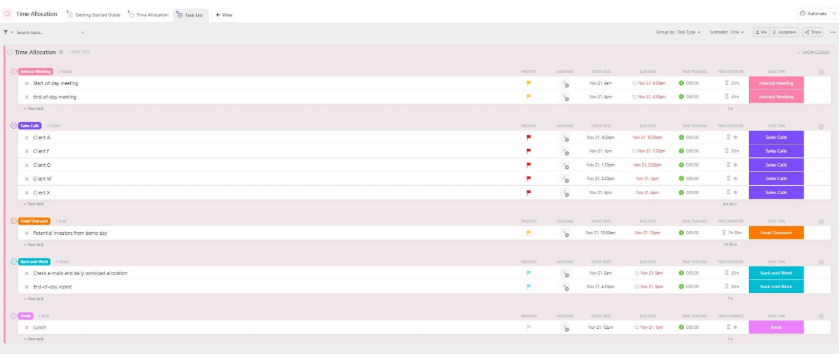
When it comes to project success, how you spend your time matters just as much as the amount of time you have. ClickUp’s Time Allocation Template helps you map your hours, so your big-picture planning and daily execution stay aligned.
You can add a priority level, assignee name, and due date to the tasks for a comprehensive task status view that includes key details.
💥 Best features
🔑 Ideal for: Project leads, planners, and operations teams who need a systematic way to block time and manage tasks while enhancing collaboration and efficiency.
The ClickUp Block Scheduling Template is ideal for beginners looking to manage their time, projects, and team workload effectively. The template is a ready-to-use folder that lets you break your day into focused time blocks.
With this time blocking planner, assign valuable resources across different teams with just a few clicks. You can use the drag-and-drop feature to adjust priorities and timelines throughout the day.
💥 Best features
🔑 Ideal for: Cross-functional managers who want a bird’s-eye view of multiple schedules and resource allocation.
📖 Read more: Best Time-Blocking Apps
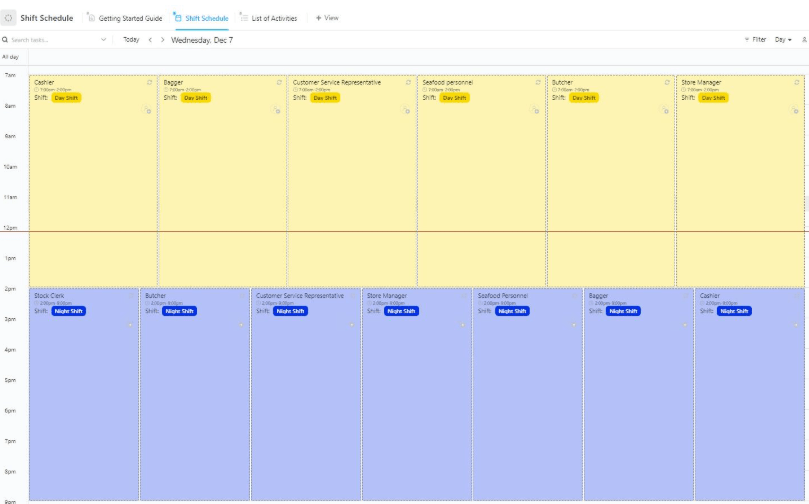
ClickUp’s Shift Schedule Template helps teams stay aligned with a clear and organized view of who’s working when, minimizing last-minute changes, and maximizing productivity. It’s a ready-to-go time blocking schedule that makes shift planning easy.
Managers can use the Shift Schedule view to adjust employee coverage based on peak hours and availability. This ensures that no shift is understaffed and that team productivity stays consistent throughout the day.
💥 Best features
🔑 Ideal for: Operations managers and team leads who need a clear overview of team capacity and task progress to keep everything running smoothly.
👀 Did you know? A whopping 86% of employees blame poor communication for workplace failures, and unclear schedules are often a big part of the problem. That’s where smart shift planning comes in.
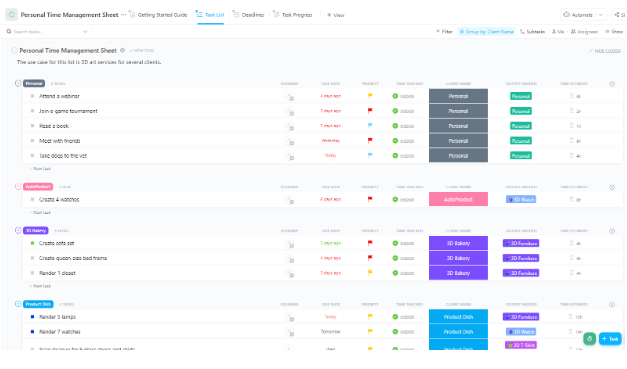
Personal time management plays a key role in improving productivity. ClickUp’s Personal Time Management Sheet Template is your go-to tool for taking back control of your day. It helps you plan, track progress, and make the most of every minute.
This template is especially helpful for setting clear boundaries between work and personal time, allowing you to stay balanced and avoid burnout.
Utilize dedicated Time Management in ClickUp that offers smarter tools for business owners to track all tasks, schedules, and productivity in one place for the best results. Get the best results for all the tasks of your projects by splitting time between team members with the daily, weekly, and monthly views.
💥 Best features
🔑 Ideal for: Freelancers, remote workers, and anyone looking to stay productive without compromising personal commitments.
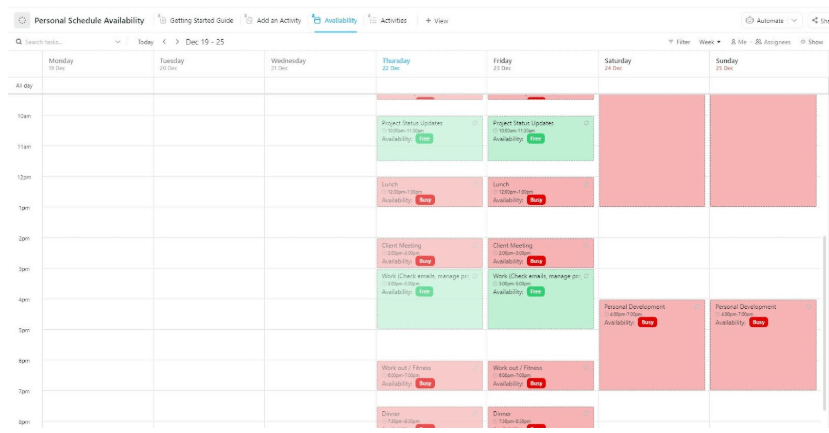
One can never have too many personal schedule templates, and here’s another one worth adding to your productivity toolkit! The ClickUp Personal Schedule Template is great for beginners and can get you started in seconds.
Easily track upcoming activities and commitments, recognize priority tasks, and ensure they get done on time. This time blocking schedule makes it easier to organize your day, helping you stay focused.
💥 Best features
🔑 Ideal for: Students, working professionals, or anyone juggling multiple commitments who wants to keep their personal schedule clear and conflict-free.
📖 Read more: Best Time Management Software and Tools Available
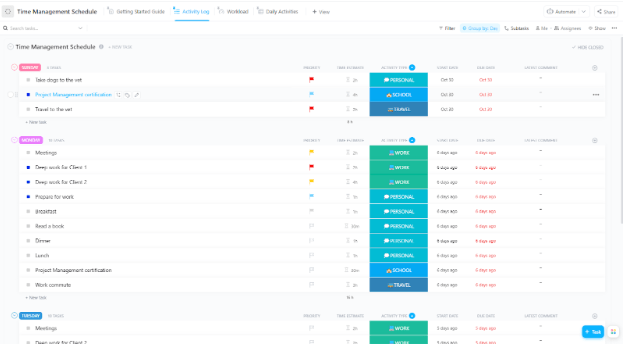
Sticking to a schedule just got easier, thanks to ClickUp’s Time Management Schedule Template. It’s built for clarity, consistency, and getting things done. Use this template to quickly plan and visualize task durations, set goals, and meet deadlines.
Manage your morning routine by creating time blocks for workouts, scheduling grocery runs, or setting aside specific slots for family time. Bring structure to all these daily tasks by using this template!
💥 Best features
🔑 Ideal For: Individuals looking to take control of their day and stay on schedule without the stress while building habits that support balance and productivity.
💡 Pro Tip: Boost focus and prevent burnout with the Pomodoro technique: work for 25 minutes, then take a 5-minute break. For more such tips, check out our guide to improving time management skills at work.
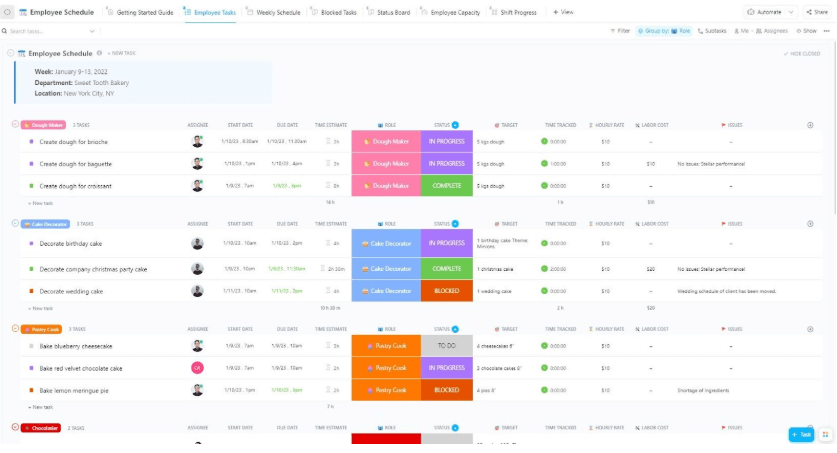
Managing employee schedules doesn’t have to be chaotic. ClickUp’s Employee Schedule Template streamlines the process, allowing you to focus on running a productive team.
This template enables you to create, assign, and manage employee shifts with ease. You can track labor costs and time distribution with a single template. There is no need for back-and-forth manual updates; plus, real-time visibility keeps everyone on the team aligned.
💥 Best features
🔑 Ideal For: Small and mid-size businesses with freelance workers or rotating teams who need flexible and clear scheduling to keep everything organized.
📮 ClickUp Insight: Our work-life balance survey found that 46% of workers put in 40-60 hours per week, while a staggering 17% exceed 80 hours! Yet, the grind doesn’t stop there—31% struggle to carve out personal time consistently. It’s a perfect recipe for burnout. 😰
But you know what? Balance at work starts with visibility! ClickUp’s built-in features like Workload View & Time Tracking make it easy to visualize workload, distribute tasks fairly, and track actual hours spent—so you always know how to optimize work and when.
💫 Real Results: Lulu Press saves 1 hour per day, per employee using ClickUp Automations—leading to a 12% increase in work efficiency.
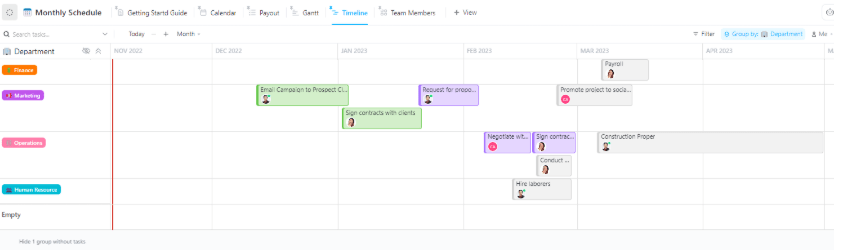
The Monthly Schedule Template by ClickUp turns your to-dos into a clean visual format. This helps you stay ahead of deadlines and prioritize specific tasks to improve productivity.
With this free monthly time-blocking template, you can manage and gain a better understanding of your monthly activities. Additionally, the structured framework enables you to keep all your tasks aligned with their deadlines.
💥 Best features
🔑 Ideal For: Freelancers and project managers who need to allocate resources wisely and keep everything neatly on track.
💡 Pro Tip: Make your goals Specific, Measurable, Achievable, Relevant, and Time-bound (SMART) to stay focused and avoid common time management pitfalls in the long run.
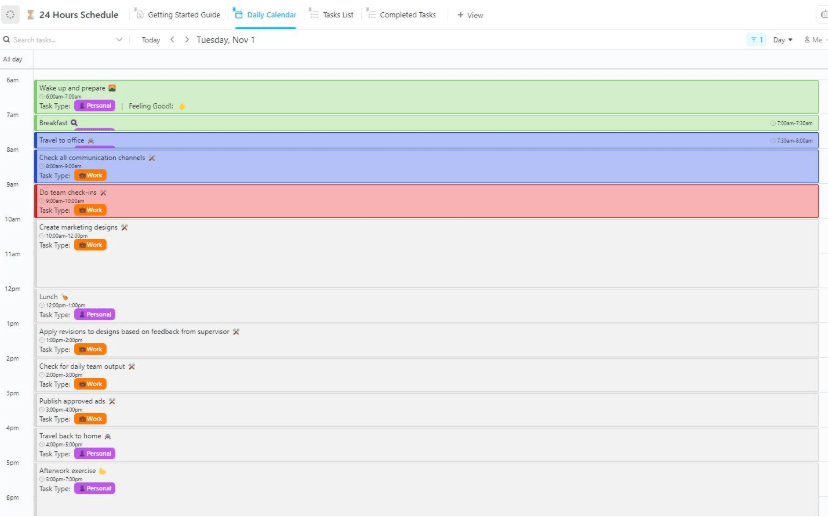
When you’ve got time-sensitive goals or a packed day ahead, a daily time blocking template is your best friend. The ClickUp 24-Hour Schedule Template helps you break down your day into multiple manageable blocks, ensuring you don’t miss out on anything.
This daily time-blocking template helps you clearly map out how much time each task will require. You can then set reminders for start times, deadlines, and even breaks in this template.
💥 Best features
🔑 Ideal For: Professionals and college students with a goal-driven day who want to turn chaotic to-do lists into focused, actionable plans.
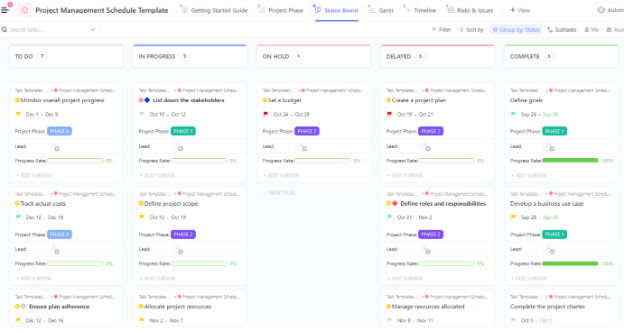
Managing a project without a clear schedule is like navigating a maze with a blindfold on. The ClickUp Project Management Schedule Template gives you the roadmap you need (complete with milestones, deadlines, and real-time updates) to steer your team toward success.
With this time blocking planner, lay out your entire project timeline in one visual sweep and keep everyone in the loop with live progress updates.
💥 Best features
🔑 Ideal For: Social media marketing agencies with multiple client projects and freelancers juggling varied work schedules and deadlines.
💡 Pro Tip: Utilize project scheduling software tools like ClickUp to schedule multiple projects simultaneously and manage their timelines.
Here’s how ClickUp is making a difference for teams in the real world:
ClickUp is a great way to stay on-track and on-time with client deliverables, time management, and project management.
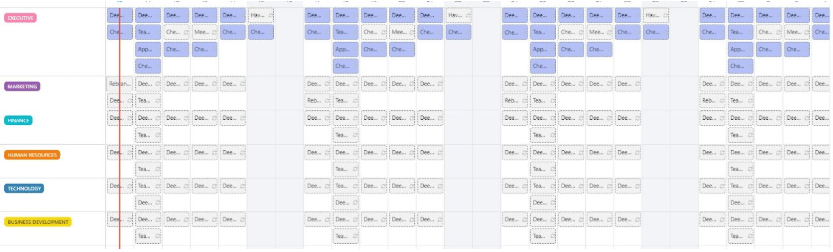
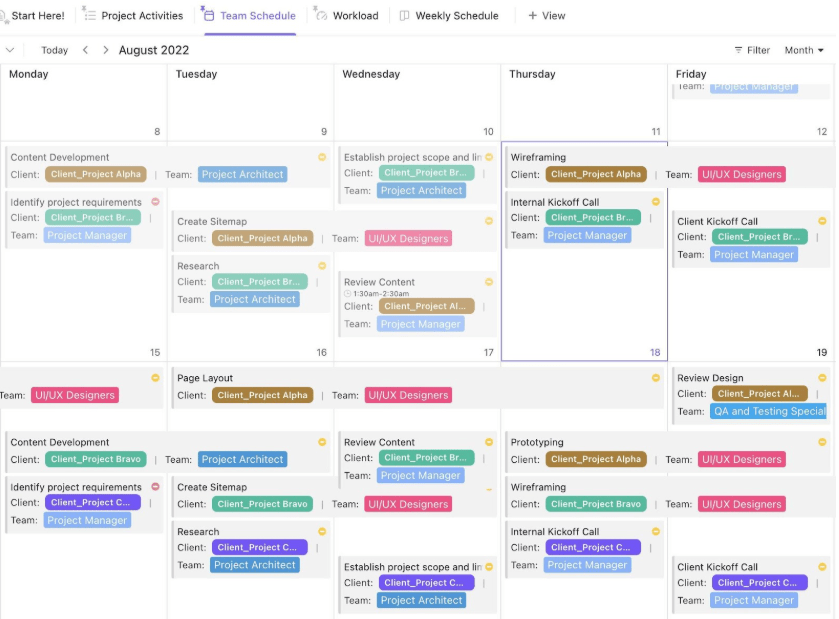
The last template we have is perfect for team scheduling. The ClickUp Team Schedule Template makes it easy to visualize and plan your team’s workload with real-time calendar views.
This time-blocking schedule enables you to align all tasks to balance workloads efficiently. It brings clarity and organization to your team’s work schedule. Therefore, it makes it easier to manage cross-functional teams and handle multiple rotating shifts.
💥 Best features
🔑 Ideal For: Remote teams and growing startups that need visibility into task ownership and proper workload distribution.
If you’re tired of feeling like your to-do list is running your day, ClickUp is the game-changer you’ve been looking for. With its daily and monthly templates, you can organize and complete tasks, manage your time, and track progress, whether you’re working solo or leading a team.
These templates are designed to give you clarity and structure, helping you stay focused and in control of various tasks. Sign up on ClickUp today to explore these powerful templates and start making every minute count!

Praburam Srinivasan
Max 10min read
Praburam Srinivasan
Max 19min read
Praburam Srinivasan
Max 20min read

© 2026 ClickUp