Sorry, there were no results found for “”
Sorry, there were no results found for “”
Sorry, there were no results found for “”
You know your services are worth the investment. But how clear is your service package pricing? If your client is piecing it together from old PDFs and confusing spreadsheets, you’re slowing down your own sales cycle.
If you want to appear professional and close deals faster, this is for you. We’re giving you 10 service package pricing templates, all pre-built inside ClickUp. They standardize everything from your price list to your service agreements.
| Template name | Download link | Ideal for | Best features | Visual format |
| Price List Template by ClickUp | Get free template | SMB owners and sales ops managers needing a scalable pricing catalog | Automated review cycles; public sharing for rates; tiered service categorization | List-based product/service menu |
| Service Quote Form Template by ClickUp | Get free template | Agencies and consultants streamlining client intake and project estimation | Lead intake via Forms; automated status tracking; capacity planning via Gantt | Actionable intake workflow with 6 statuses |
| Services Proposal Template by ClickUp | Get free template | Agency leads pitching high-value, fixed-scope or hourly service tiers | Collaborative Doc editing; milestone tracking; embedded task breakdowns | Professional Doc-to-Workflow framework |
| Services Agreement Template by ClickUp | Get free template | Operations managers formalizing legal terms and payment schedules | Payment milestone tracking; stakeholder data fields; project start Milestones | Legally-structured Doc with Task sync |
| Master Services Agreement Template by ClickUp | Get free template | Legal and procurement teams managing recurring or long-term vendor contracts | Linked Task connectivity; real-time legal reviews; IP and liability tracking | High-level foundational Doc |
| Services Discovery Document Template by ClickUp | Get free template | IT professionals and analysts auditing client needs and risk factors | Inventory database; dependency mapping; health check Dashboards | Investigative Table and Gantt views |
| Work Package Services Template by ClickUp | Get free template | Project managers breaking complex projects into priced, manageable units | Granular task ownership; Board-view progress tracking; centralized file storage | Folder-based structure for task packages |
| Competitive Analysis Pricing Template by ClickUp | Get free template | Product marketers benchmarking market rates and value gaps | Spatial market mapping; feature gap plotting; collaborative sticky notes | Visual Whiteboard canvas |
| Business Offer Template by ClickUp | Get free template | Sales leads launching and tracking time-sensitive special promotions | Automated outreach; performance analytics; due date visibility for offers | Sales-enablement Doc and Table view |
| Product Pricing Template by ClickUp | Get free template | E-commerce teams and PMs managing large catalogs with fixed unit costs | Production cost auditing; 10 custom pricing fields; margin trend reporting | Dynamic database with brand/category views |
Service package pricing templates are pre-built pricing documents. They standardize how you present service offerings and pricing tiers.
Without such templates, your teams waste hours manually creating pricing documents for each new client. This leads to messy work and can confuse clients as well.
Worse, when pricing information is scattered across emails and spreadsheets, you get context sprawl. The fragmentation forces teams to waste hours searching files, slowing down your entire sales pipeline.
ClickUp’s converged AI workspace fixes this. It brings your pricing data, project workflows, and AI-powered insights together. This ensures your data is always searchable and in context.
🔎 Did You Know? 95% of seller research begins with AI. This means your team won’t be digging through old spreadsheets to find pricing; they’ll be using AI to surface insights about prospects instantly. If your service packages aren’t structured in a centralized system like ClickUp, your team loses the speed advantage that AI provides.
Each template below is built inside ClickUp, so you can go from browsing to quoting in minutes.
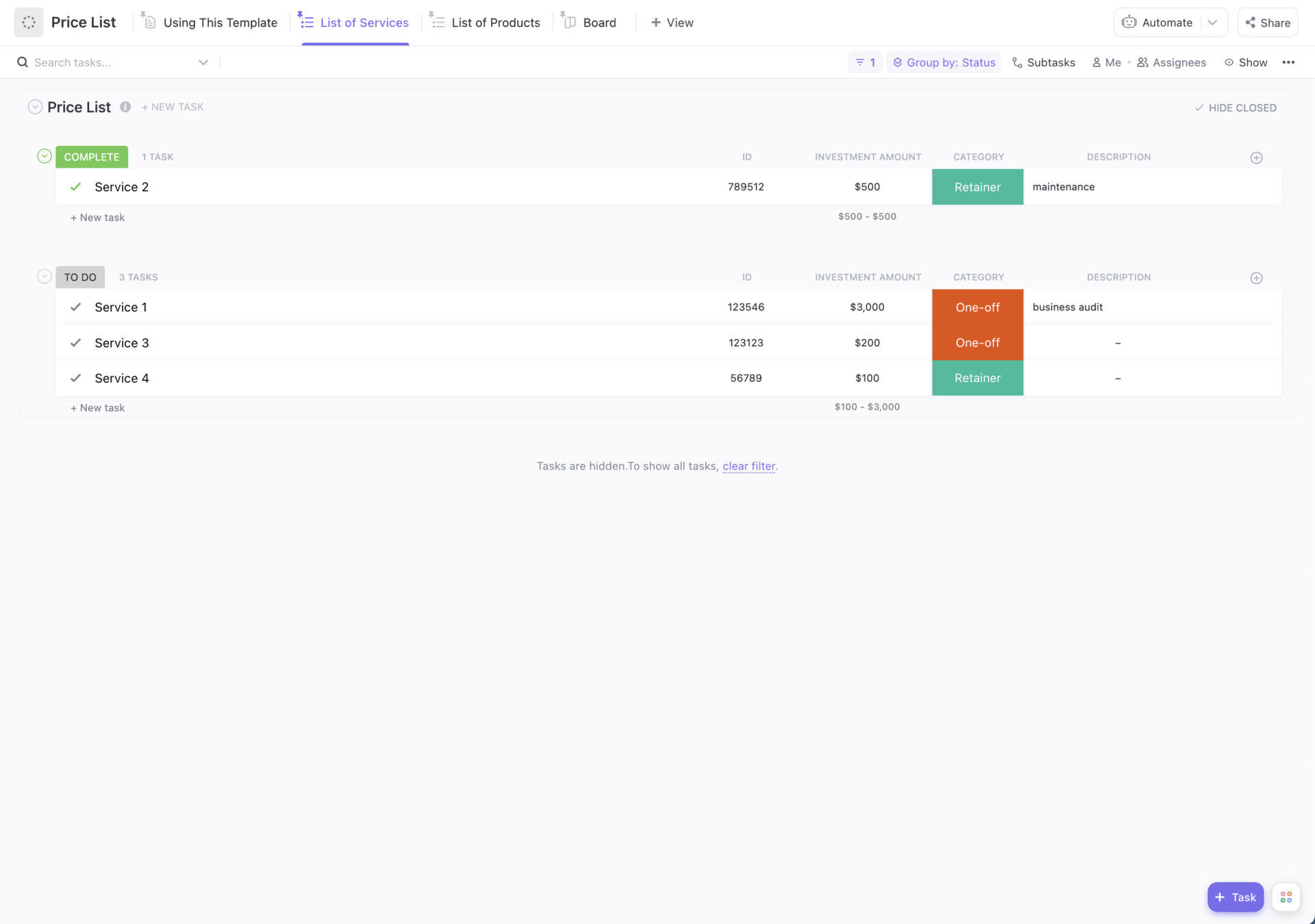
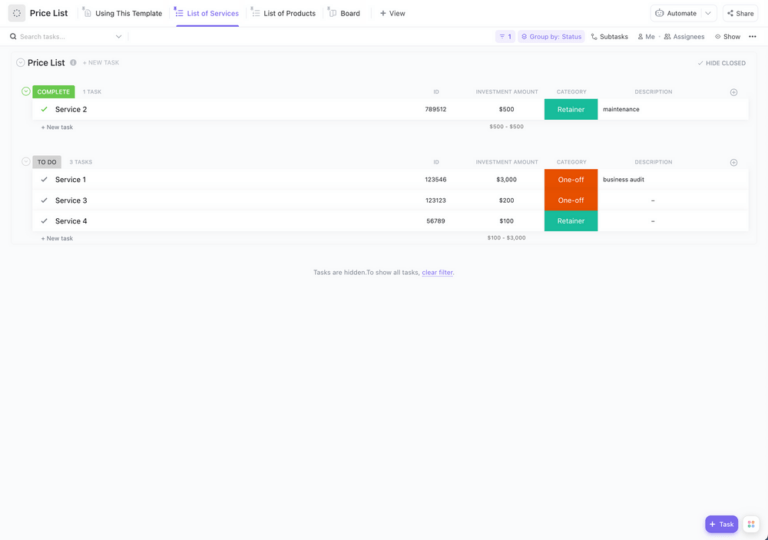
Pricing details scattered across spreadsheets, emails, and random docs? That’s a recipe for confusion. The ClickUp Price List Template gives you one clean place to manage all your product and service pricing, so nothing gets lost or outdated.
Set it up in seconds, then customize it to fit your business. Whether you’re listing products, services, or both, this template keeps everything organized and easy to update as your pricing changes. Plus, with your pricing now centralized, your team can also quote with confidence and speed.
🤑 Ideal for: Small to medium-sized business owners and sales operations managers who need a scalable way to manage product and service pricing.
Burnout due to context switching? Watch this video to see how you can fix it.
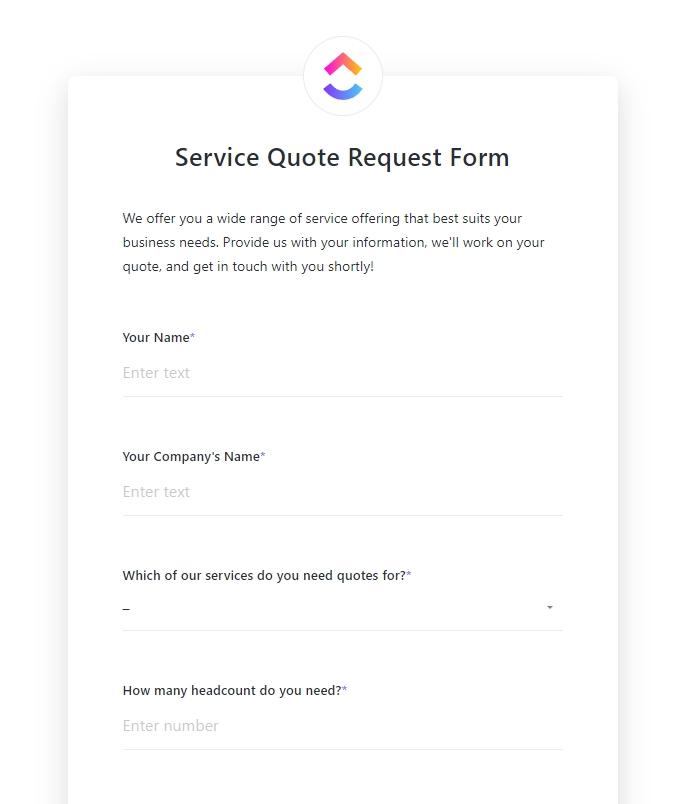
Winning a deal often comes down to speed. But manual data entry can slow things down. The ClickUp Service Quote Form Template collects all client details from the start, without the back-and-forth.
Turn requests into organized tasks right away. Keep track of key details like scope, timelines, and requirements in one place. This helps you respond faster and look more professional. It also creates a smooth experience for clients.
🤑 Ideal for: Consultants, agencies, and service providers who want a faster, more organized way to handle client quotes.
📖 Also Read: Free Client Intake Form Templates in Word & ClickUp
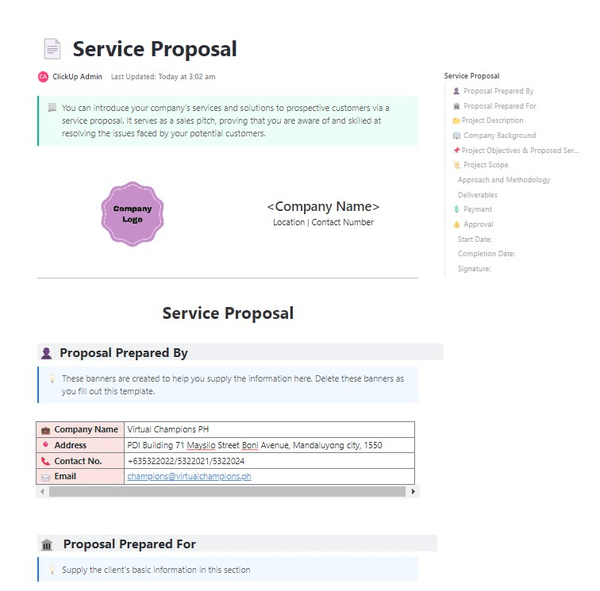
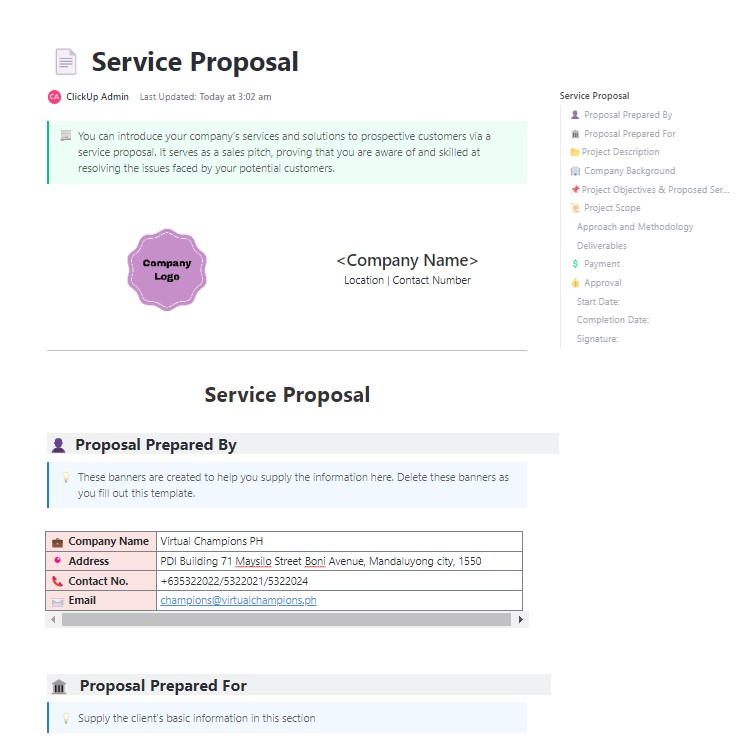
A strong proposal does more than list prices. It shows clients how you’ll solve their problems. The ClickUp Services Proposal Template does so in a clear, structured way.
Use it to lay out your scope, approach, and deliverables in one place. With everything aligned from pitch to execution, there are no surprises later. It also saves time by giving you a repeatable format for every sales proposal. The result? Faster drafts and polished proposals that build trust with clients.
🤑 Ideal for: Agency leads and consultants who want a professional way to win client projects.
🔎Did You Know? We’ve entered the era of Agentic AI. In fact, Gartner identifies Multiagent Systems as a top trend. It’s a shift from AI that just writes to AI that acts (like an agent that automatically flags a pricing discrepancy in your contract).
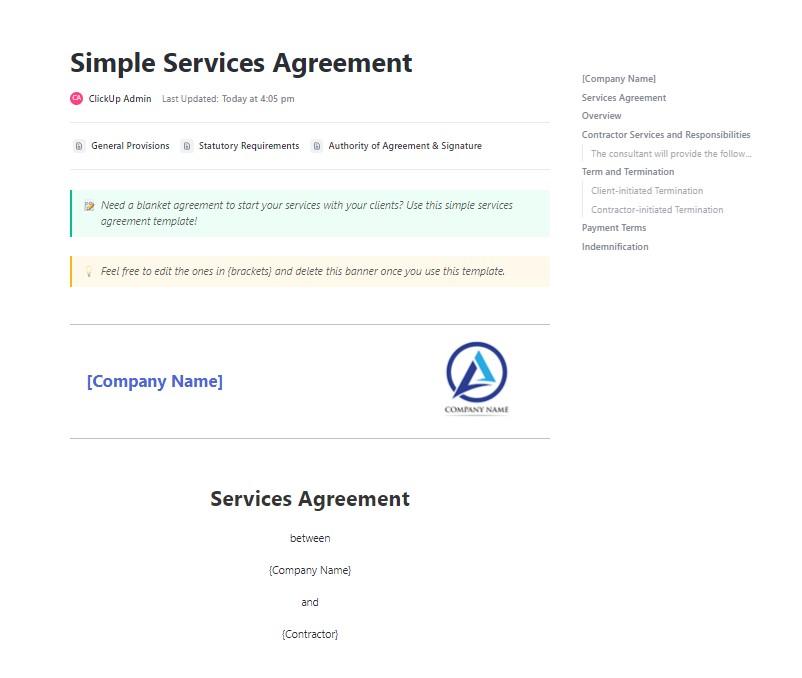
Starting work without an agreement can lead to confusion. Scope, pricing, and timelines can easily get muddy. The ClickUp Services Agreement Template outlines all your project details before you begin.
This template replaces the dreaded ‘I thought that was included’ conversations. It lets you define terms, payment details, and boundaries in one place.
This keeps you and your client on the same page. It also reduces disputes later. When everyone knows what to expect, there are no awkward surprises.
🤑 Ideal for: Operations managers and business owners who want a reliable way to manage client agreements.
💡Pro Tip: A service agreement is only effective if it’s accurate. Before sending a contract to a client, use ClickUp Brain as your internal Quality Checker. It scans the document for inconsistencies and errors. For example, ask it to ‘Compare this draft to our Standard Price List and flag any discrepancies in our revision policy or payment terms.’
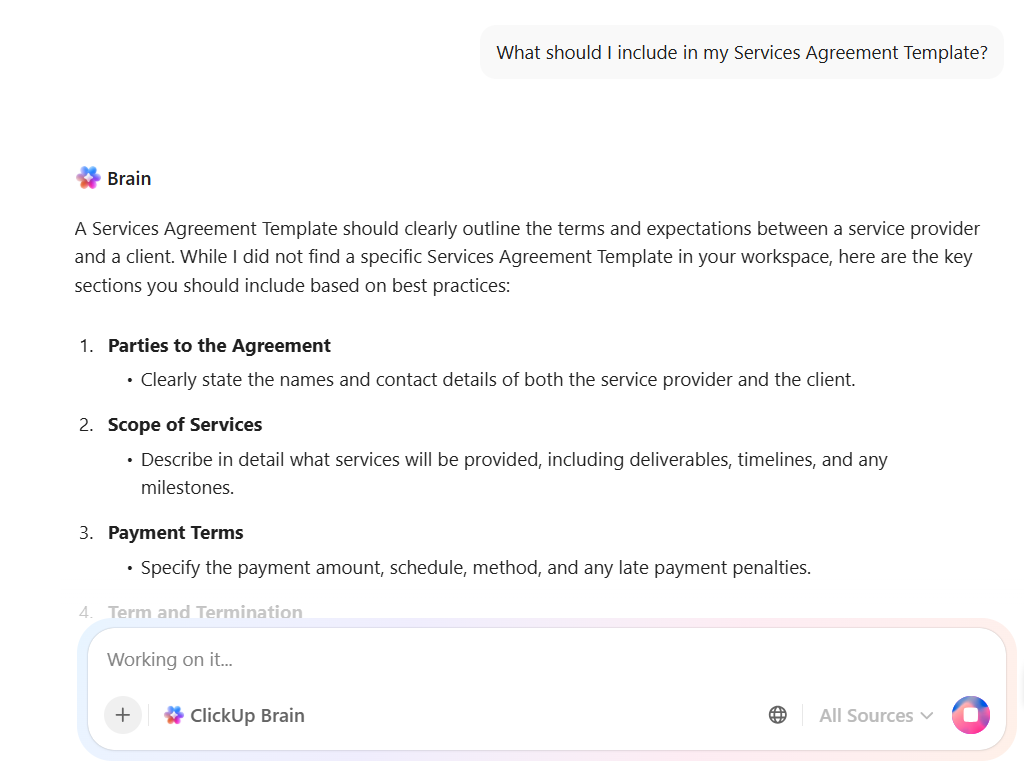
Plus, Brain has the complete context of your workspace. It automatically turns milestones and steps in your agreement into tracked ClickUp Tasks or Milestones. This way, your work moves forward on autopilot. The AI handles the admin work of project setup the moment the deal is finalized.
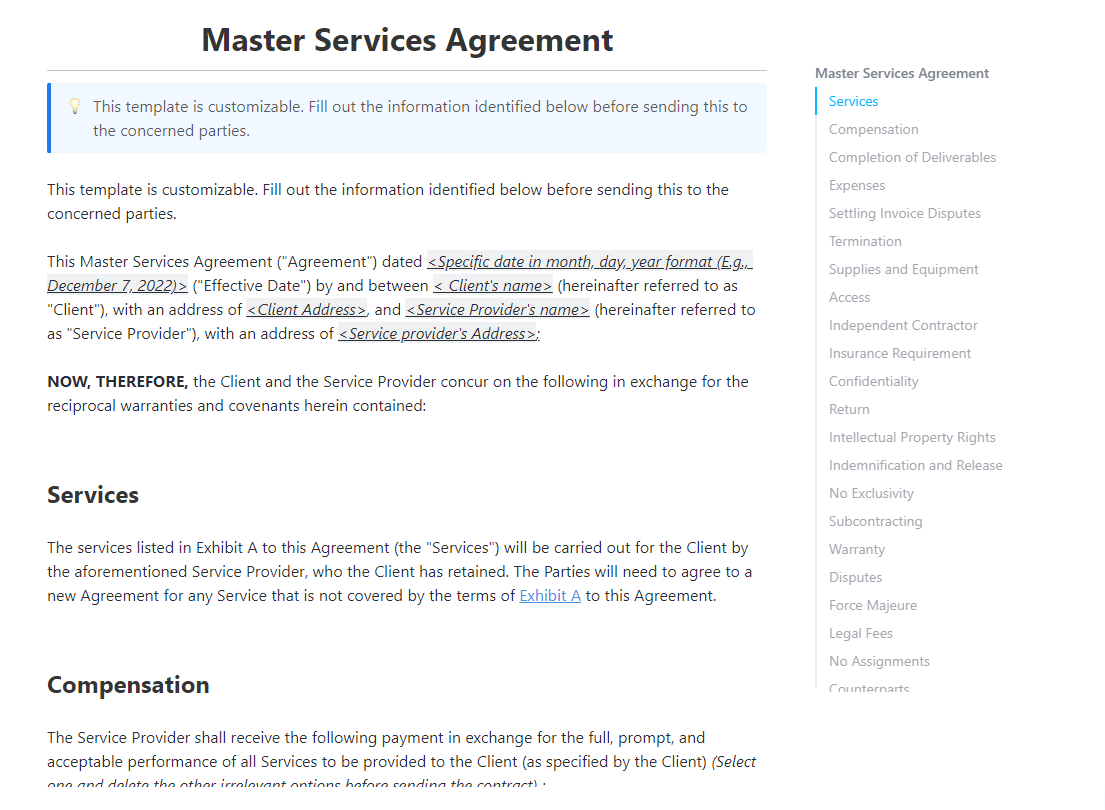
Picking up another project with the same client? You don’t want to renegotiate terms every time. With the ClickUp Master Services Agreement Template, you won’t need to.
Define key terms like scope, ownership, and confidentiality once. Then reuse them across projects. This saves time and keeps everything consistent as the relationship grows.
Since this is a ClickUp template, it also organizes these details in your workspace. You can connect projects, assign work, and keep everything linked in one place.
🤑 Ideal for: Legal and procurement teams or business owners who need to manage long-term client agreements.
🧠Fun Fact: The average B2B buying group now includes 10+ unique decision-maker functions. This is why your Services Proposal Template needs to be modular; it has to speak to the CFO (budget), the IT lead (security), and the end-user (utility) all in one document.
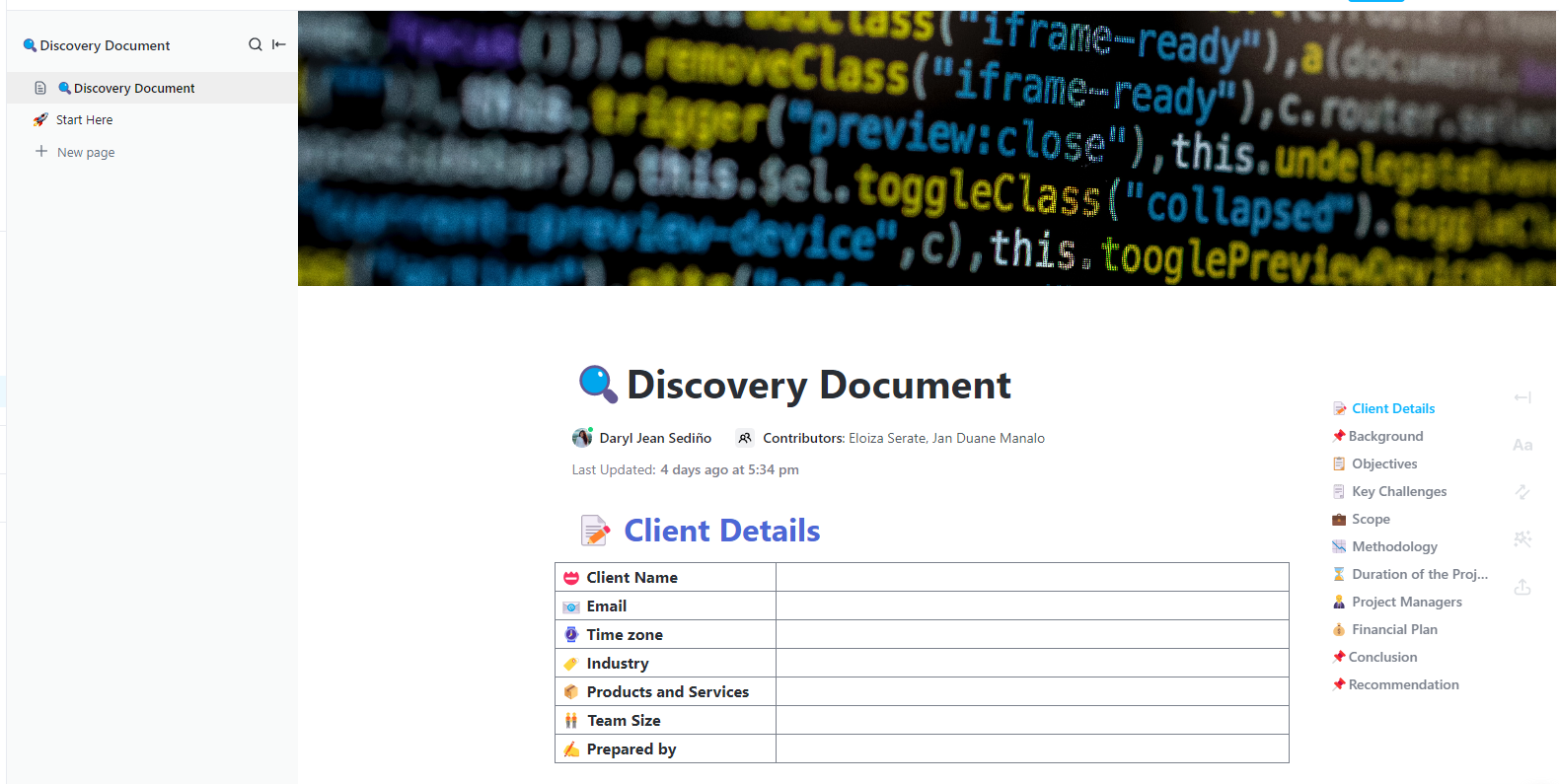
A detailed discovery sets your project up for success. With the ClickUp Services Discovery Document Template, you can do this early on. It helps create a shared idea of what success looks like.
Dig into client needs, identify risks, and map out available resources. This keeps your scope accurate and your stakeholders aligned throughout the project.
🤑 Ideal for: IT teams, product managers, and analysts who want a structured way to define requirements before starting a project.
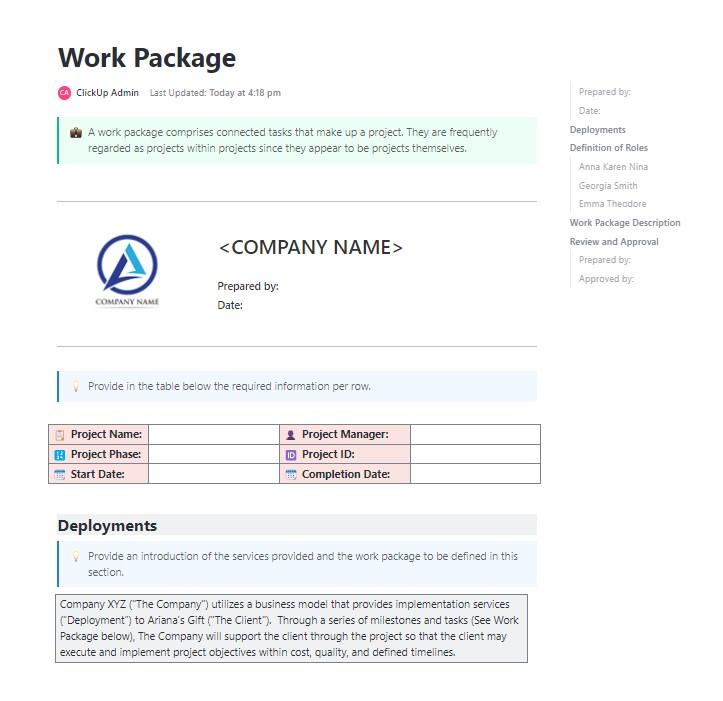
Large projects can feel overwhelming without structure. The ClickUp Work Package Services Template helps you break work into smaller, well-defined packages.
Each package has a clear owner, timeline, and scope. This way, your team knows exactly what to do and when. It makes execution smoother and reduces confusion.
The template also helps improve planning. You can estimate costs better and show stakeholders how each piece contributes to the outcome.
🤑 Ideal for: Project managers and operations leads who want a structured way to manage complex projects.
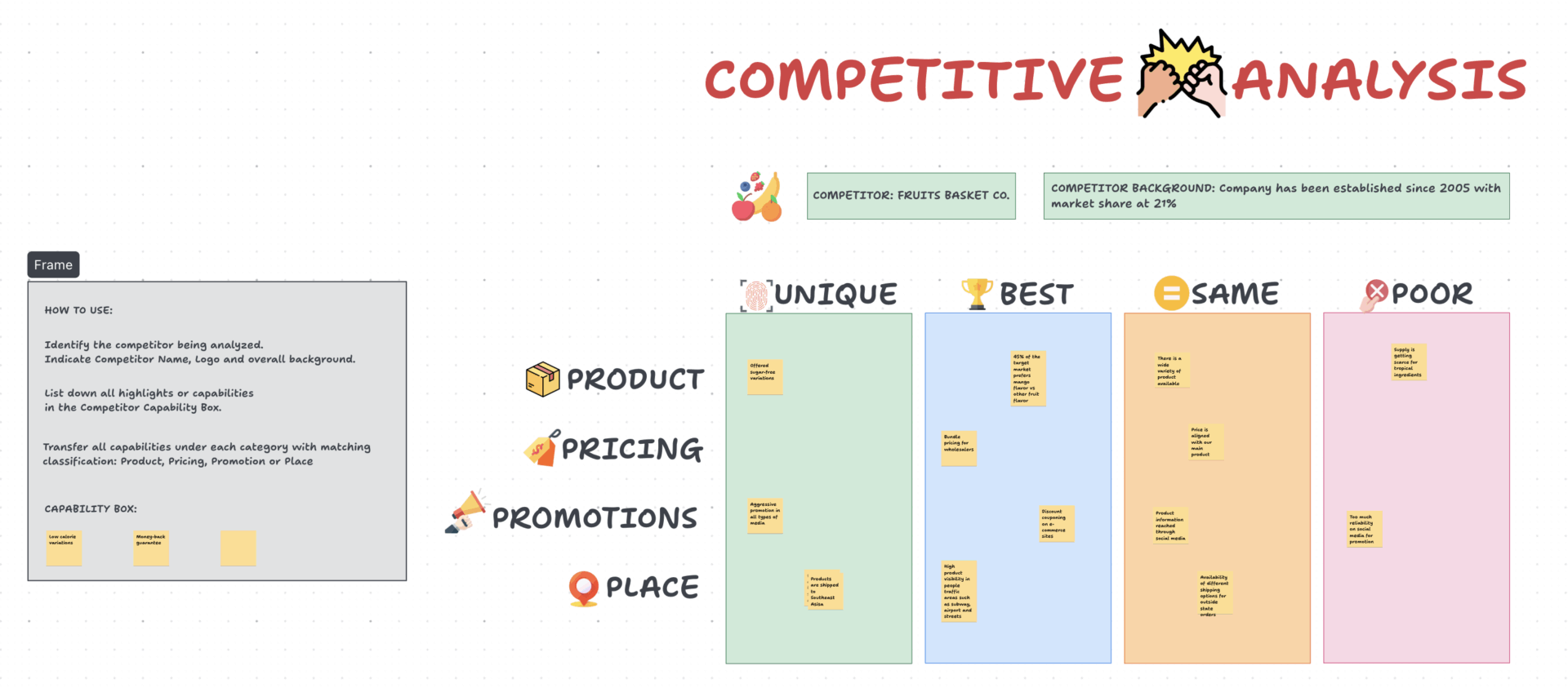
Pricing without competitor insight is a gamble. This is why you need the ClickUp Competitive Analysis Pricing Template. It helps you see where you stand and where you can improve.
Compare your pricing, features, and positioning with competitors in one place. Spot gaps, find opportunities, and adjust your strategy with confidence.
It also makes complex data easier to understand. You can turn competitor analysis research into clear visuals and take action faster.
🤑 Ideal for: Product marketers and growth teams who need a visual, collaborative way to benchmark competitors and refine their own pricing strategy.
Creating offers from scratch every time can slow you down. Use the ClickUp Business Offer Template instead. It gives you a simple, repeatable way to build and share offers quickly.
The template brings all your information in one place. Plan your offer, define terms, and track progress without context switching. It also helps your team keep offers consistent and professional. Over time, it helps you manage your pipeline and focus on closing deals.
🤑 Ideal for: Sales professionals and business development leads who want a faster, more organized way to create and manage offers.
📮 ClickUp Insight: 21% of people say more than 80% of their workday is spent on repetitive tasks. And another 20% say such tasks consume at least 40% of their day.
That’s nearly half of the workweek (41%) spent on tasks that don’t require strategic thinking or creativity (like follow-up emails 👀).
ClickUp AI Agents help eliminate this grind. Think task creation, reminders, updates, meeting notes, drafting emails, and even creating end-to-end workflows! All of that (and more) can be automated in a jiffy with ClickUp, your everything app for work.
💫 Real Results: Lulu Press saves 1 hour per day, per employee using ClickUp Automations—leading to a 12% increase in work efficiency.
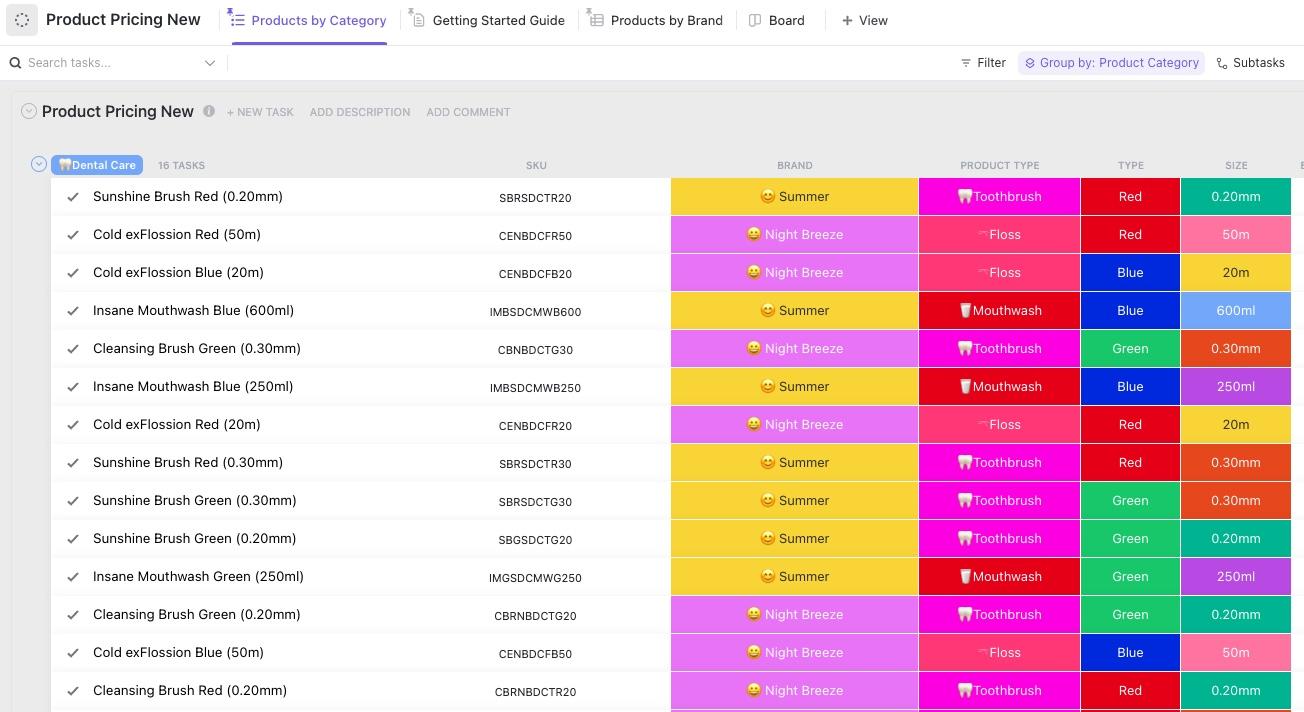
The ClickUp Product Pricing Template brings structure to your pricing decisions.
It helps you track costs, compare competitors, and set your margins in one place. You can test different pricing strategies and see their impact.
The template replaces static spreadsheets, so your team always works with up-to-date pricing and consistent data.
🤑 Ideal for: Product managers and e-commerce teams who need a repeatable system to manage costs and set profitable prices across a large product catalog.
Use these tips to create pricing sheets that win clients and prevent scope creep:
Jessie Whitman, a Sr. Director, Events at Convene, appreciates ClickUp’s templates:
“The biggest game changer for me with ClickUp has been the customizable templates and being able to bring that consistency across all of our properties in any region so that the client experience is the same no matter which Convene location they go to.”
Scattered documentation and context sprawl do more than just slow you down. They eat into your margins and create a disjointed client experience. This is especially true when your price lists, proposals, and project workflows are siloed in different apps.
Avoid unclear offers, quoting errors, and administrative burnout with ClickUp. With your offers, pricing, project tasks, documents, and team chat in one place, you’ll never lose context. Plus, the native AI takes over much of the grunt work. You can move from a raw lead to an agreement in minutes, not days.
Ready to kill the pricing chaos? Start with ClickUp for free and bring your entire service delivery process into one connected workspace.
Every service package price list should include service names with clear descriptions, pricing (per unit, project, or retainer), what’s included vs. excluded, payment terms, and validity dates. Also, it’s helpful to include revision limits and contact information for questions.
A price list template is a general catalog of all your services and their standard costs, like a menu. A service proposal template is a custom document. It presents a specific solution to a client’s unique problem, combining scope, timeline, and pricing tailored to them.
You should review your pricing templates at least quarterly. Or whenever your internal costs, market conditions, or service offerings change significantly. Using outdated templates is a common way businesses undercharge and leave money on the table.

Praburam Srinivasan
Max 10min read
Praburam Srinivasan
Max 19min read
Praburam Srinivasan
Max 20min read

© 2026 ClickUp