
Sorry, there were no results found for “”
Sorry, there were no results found for “”
Sorry, there were no results found for “”
Ever thought about switching careers? You may have wanted to pursue a new passion, achieve a better work-life balance, or just make a fresh start. Maybe you’ve taken the plunge and started applying, but now you are lost in a web of job postings and application deadlines. You’re not alone.
According to an SHRM report, only 8% of applicants complete the interview process.
Messy systems are to blame. Organizing, tracking, and following up on job applications is a job in itself.
But, there is a tool that can be your trusty ally in the process—Microsoft Excel. It’s not just about keeping things neat; it’s about ensuring you never miss an opportunity to land your dream job.
This article will guide you through setting up a simple yet effective job application tracker in Excel. It includes tips to help you stay organized, keep track of important details, and follow up with the recruiter.
A job application tracker helps you categorize and organize your job applications and stay on top of your job search process. It helps you keep track of every job you’ve applied to, where you are in the application process, and what your next steps should be.
The purpose of this tracker is simple—to ensure you never miss a deadline, forget to follow up, or lose track of your progress during a job hunt.
Traditionally, job seekers would rely on handwritten notes or simple Google Docs or MS Word to keep track of the jobs they applied to. However, this method often leads to missed opportunities, forgotten interview or follow-up dates, and lost contacts.
In contrast, modern job application trackers offer a more efficient way to manage your search. These tools allow you to store key details—such as company names, contact information, interview dates, and application deadlines—all in one place.
According to a survey conducted by Lincoln College, most job seekers who follow up after one week increase their chances of a response by 30%.
No wonder many modern trackers provide features like automated reminders, color-coded status updates, AI tools to help with interview preparation, and seamless integration with email, making the process much smoother.
Excel might get the job done, but it’s not built for follow-ups, reminders, or easy updates. The ClickUp Job Search Template gives you a smoother way to stay on top of applications, interviews, and outreach. Try it for free!
This everyday tool transforms into a customizable and easy-to-update job application tracker with just a few tweaks.
Let’s break down how to use Excel effectively for your job search.
Using Excel as your job application tracker is simpler than you think. Compared to other task management software, it offers flexibility with minimal setup
Start by creating an Excel workbook. If you’re new to Excel, a workbook is a file that contains one or more spreadsheets. To do this, launch Excel, click File, select New, and choose Blank Workbook. Following the next steps, you can tailor this workbook according to your job search needs.

A typical job application tracker in Excel will have the following columns:
Here is what a typical job application tracker Excel spreadsheet will look like:

💡Pro Tip: Use Excel spreadsheet templates to speed up your job application tracking. These pre-built layouts save time by letting you organize key details without investing time in the setup.
A neglected tracker won’t help you land that dream job, so keeping it up to date is key. Here are a few tips:


You can also consider using Google Sheets to support your job hunt.
Using Excel as a job application tracker has its perks, but it’s not without its challenges. Let’s talk about the advantages first:
Excel allows you to create a job application tracker that fits your unique needs. You can customize columns to track what’s most important to you, from application deadlines to the hiring manager’s contact details. This flexibility makes it easy to tailor your tracker based on your job search strategy.
If you already have Microsoft Office, using Excel for tracking applications doesn’t cost you anything extra. It’s a simple, budget-friendly solution that anyone can implement.
Most people are comfortable using Excel, making it easier to create your tracker without a steep learning curve. You can easily input data, sort it, and analyze trends in your job search progress.
Excel’s built-in functions enable you to analyze your job search data effectively. You can create charts to visualize your application status or use formulas to calculate metrics like the average time taken to hear back from employers.
Let’s now take a closer look at some of the drawbacks that may have you considering other Excel alternatives:
One of Excel’s biggest drawbacks is its limited collaboration capabilities. While you can share files, real-time collaboration is cumbersome compared to modern task management tools. If you’re working with a career coach or a friend, you’ll have to manually inform them each time you make changes to the tracker.
Excel requires manual data entry and updates, which can consume valuable time. Without automation, you might spend more time on spreadsheets than doing the required research for your job hunt.
With manual entry comes the risk of human error. Typos, incorrect dates, or misplaced information can throw your job search off course. Nobody wants to miss an interview because they mistyped a date.
While Excel is a handy tool for tracking job applications, its limitations can impede your job search progress. The need for improved collaboration, automation, and real-time updates can be addressed effectively by transitioning to other software for job tracking, like ClickUp.
ClickUp is a versatile project management tool that enhances productivity through customizable workflows and real-time collaboration. Features like task management, automation, and extensive integrations simplify the job application tracking process, ensuring you stay on top of your job search.
Here are a few ways in which ClickUp can help you make a successful career change:
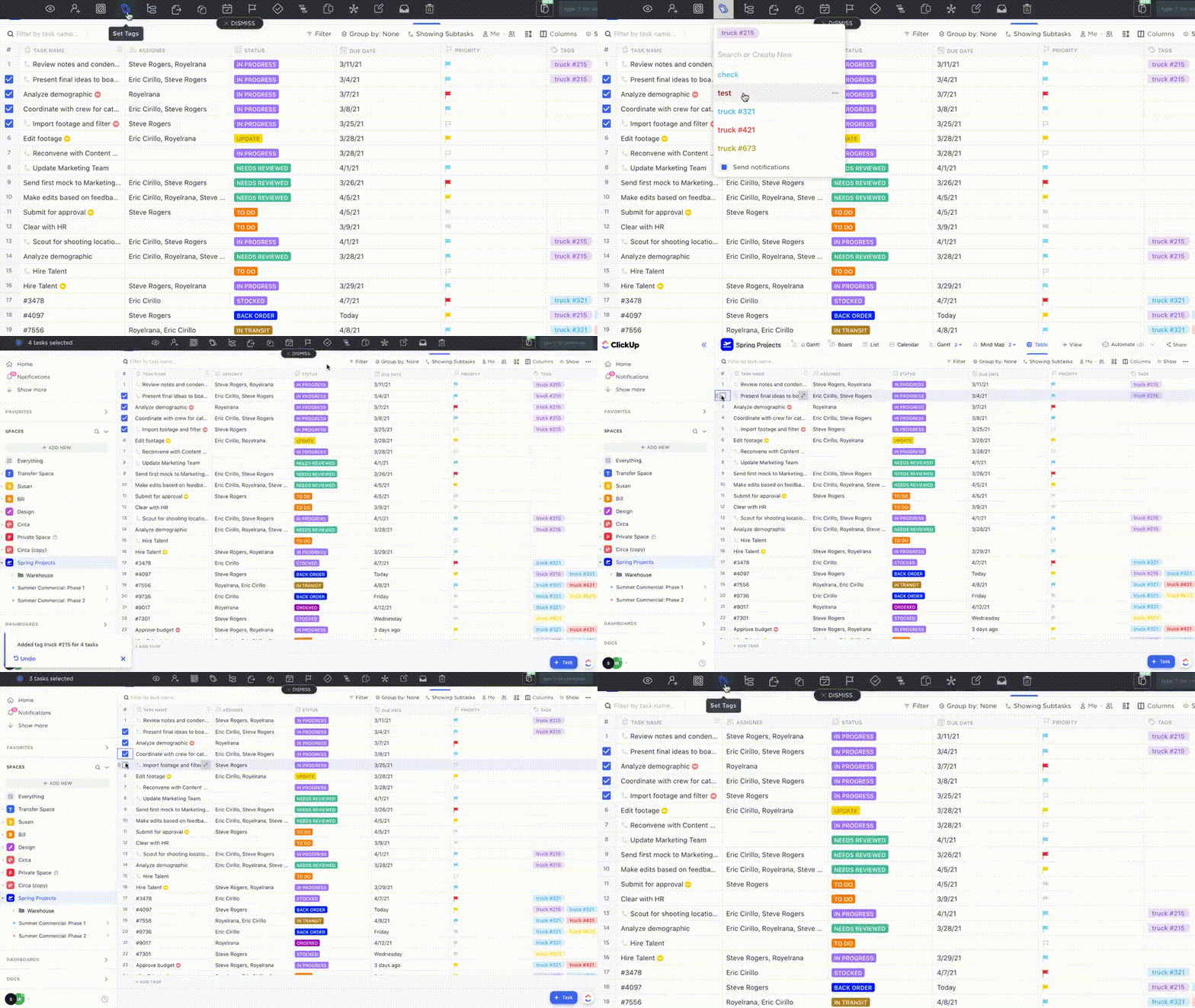
ClickUp’s Table View provides a single pane of glass view, making it an ideal choice for those transitioning from Excel. Create a dedicated Table View in ClickUp to manage your job application data. ClickUp also offers free database templates to give you a headstart.
Add ClickUp Custom Fields to capture key details like job title, company name, application date, and follow-up dates. Set up Custom Task Statuses such as “Applied,” “Interview Scheduled,” and “Offer Received” to monitor the progress of each application, giving you a clear overview of where you stand.
Add due dates to remind yourself of important follow-up actions and deadlines. Use ClickUp Time Tracking to log the time spent on each application, helping you analyze your job search efforts and focus on your most promising and sought-after opportunities.

Take advantage of ClickUp Automation to set up triggers to automatically move applications to the next status, send reminders for follow-ups, or assign tasks when specific conditions are met, enhancing your productivity.
📌Example:
Let’s say you’ve set up a Kanban Board in ClickUp to track your job applications. With Automations, you can create triggers that automatically move applications from ‘Applied’ to ‘Interview Scheduled’ as soon as you receive an interview invite—keeping you organized without extra effort. You can even set reminders for follow-up emails if you haven’t heard back in a week, so you never lose track of opportunities.

ClickUp Docs can help you draft cover letters, resumes, and job proposals, keeping all your application-related documents organized in one place. You can also track different versions of your documents, ensuring you have access to the latest updates and changes.
The best part? You can share these Docs with those who may be supporting you in the job search and collaborate with them in real time to refine your applications.

Leverage various views like the ClickUp Board View or the ClickUp List View to visualize your applications in formats that suit your preferences. This flexibility allows you to manage your job search and find what works best effectively.

Make the most of ClickUp Brain, ClickUp’s AI-powered personal assistant, to ease your interview prep. Use it to generate potential interview questions, brainstorm personalized answers, and create structured outlines. It can also help you update your resume by sharing examples of resume formats.
Want to stay sharp and ready for your interviews? Brain will assist you in organizing your research on companies, refining your responses, and suggesting ways to stand out to hiring managers.

ClickUp offers free templates to help you manage every stage of the job search process.
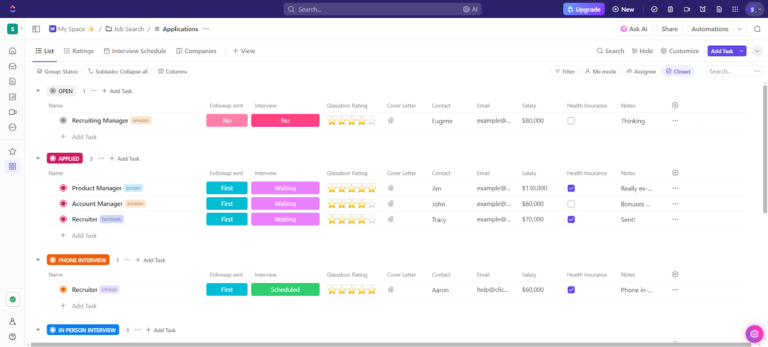
ClickUp’s Job Search Template is designed to keep your application process organized and efficient.
With ClickUp’s Job Search Template, you can:
You can also use the advanced ClickUp Job Search Template to customize the process further.
With this template, you can:
👀 Fun Fact
Besides supporting candidates in their job hunt, ClickUp also supports HR teams, allowing them to focus more on finding, training, and retaining the right talent and less on logistics.

Here’s how HR teams use ClickUp to be more productive:
ClickUp is excellent for managing projects that have multiple activities and require the monitoring of human resources since each member can report the progress of the activities, whether in projects based on agile or waterfall methodologies.
You are never too old to set another goal or to dream a new dream.
As you start your job search journey, remember that each application brings you closer to new opportunities. Creating a job application tracker Excel template can be helpful. However, as your job search progresses, Excel can quickly become both insufficient and overwhelming, lacking the flexibility to manage tasks or reminders.
ClickUp offers a more robust solution with features like task tracking, automation, and document management for every aspect of your job search.
From tracking applications to preparing for interviews, using ClickUp’s powerful features will keep you on top of every step in the process.
Get one step closer to your dream job. Try ClickUp today!

Praburam Srinivasan
Max 18min read

Arya Dinesh
Max 11min read
Praburam Srinivasan
Max 45min read

© 2026 ClickUp