
Sorry, there were no results found for “”
Sorry, there were no results found for “”
Sorry, there were no results found for “”
The fastest way to slow a team down is to split work across tools that don’t share context. Tasks live in one place, docs in another, decisions in chat, and updates in yet another tab.
This guide compares ClickUp and Asana across AI, documentation, collaboration, integrations, and workspace structure so you can choose the platform that keeps work connected.
Here’s a ClickUp vs. Asana feature comparison to help you decide quickly. If you care about time tracking, dashboards, customization, and connected documentation, the differences become obvious fast:
| Feature Category | ClickUp | Asana |
|---|---|---|
| AI Capabilities | ClickUp Brain with cross-app search, AI Notetaker, Talk to Text, and AI Agents | Asana AI with Smart Chat, Smart workflows, AI Studio, and project assistance |
| AI execution model | Contextual AI across workspace data, Enterprise Search, Brain MAX desktop AI, and Super Agents for multi-step autonomous workflows | AI assistance inside Asana for smart chat, project generation, status updates, goals, and workflow support |
| Documentation | Built-in ClickUp Docs with wikis, nested pages, and knowledge bases | Project briefs, project overviews, and status updates, with less depth than dedicated docs or wiki-style tools |
| Communication | ClickUp Chat, Clip screen recording, and SyncUps video calls | Comments, messages, status updates, and AI-powered chat, though many teams still pair it with Slack or Microsoft Teams for broader real-time communication |
| Views Available | 15+ views including Gantt, Mind Maps, Workload, Timeline, Table, and more | Core views including List, Board, Timeline, Calendar, Workload, and Portfolio |
| Workspace Structure | Workspace → Spaces → Folders → Lists → Tasks → Subtasks | A flatter structure centered on organizations, teams, projects, tasks, and subtasks, with higher-level planning layers for broader alignment |
| Integrations | 1,000+ integrations with connected search and AI context | 300+ integrations |
| Reporting and dashboards | Custom Dashboards tied to tasks, workloads, goals, and workspace activity | Reporting dashboards across projects, portfolios, goals, and tasks |
Why this matters: The more your work is spread across disconnected tools, the harder it becomes to keep documentation, conversations, automations, and AI aligned.
Our editorial team follows a transparent, research-backed, and vendor-neutral process, so you can trust that our recommendations are based on real product value.
Here’s a detailed rundown of how we review software at ClickUp.
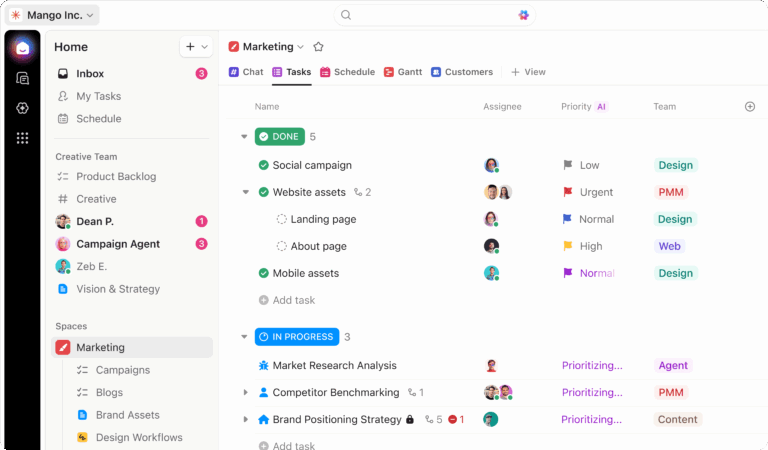
Before diving into feature-by-feature comparisons, it helps to understand how each platform is positioned. ClickUp is built to bring more of your work into one connected workspace, while Asana is designed as a more focused project management platform. That difference shapes everything from documentation and collaboration to AI and workflow flexibility.
ClickUp is a converged AI workspace—a single, secure platform where projects, documents, conversations, and analytics live together. It’s built for teams of all sizes and scales, from small teams to enterprise organizations.
The real advantage is not just having more features. It keeps the work context, communication, documentation, reporting, and AI in the same operating system, so teams spend less time stitching tools together.
Best for: Teams that want to consolidate project management, documentation, communication, and AI into one workspace.
Asana is a dedicated project management platform known for its clean interface and strong workflow automation. It’s built on a Work Graph data model and focuses on task coordination rather than all-in-one functionality.
Pros:
Cons:
Best for: Teams that want a more focused project management platform and are comfortable using separate tools for docs and communication.
💡 Pro Tip: The fastest way to compare work tools is to follow one real workflow all the way through. Take something small but messy, like a product launch, a campaign, or a hiring process, and map where the task lives, where the brief lives, where feedback happens, and where reporting happens. The tool that forces the fewest handoffs usually creates the least friction later.
Both platforms are strong, but they are optimized for slightly different priorities. The better choice depends on whether your team wants a more connected all-in-one workspace or a more focused project management system.
Here are six areas where the differences show up most clearly.
An AI assistant that only understands one slice of your work can create just as much friction as it removes. Teams still end up copying information from chat threads, docs, and external tools just to give AI enough context to be useful. That is how AI sprawl starts: too many disconnected assistants, too little shared context, and too much manual stitching between systems.
ClickUp Brain brings AI directly into the workspace, with features for search, summaries, writing, meeting notes, and workflow support. This is especially useful for teams that want AI to work with project data, docs, and connected tools without constantly switching contexts.
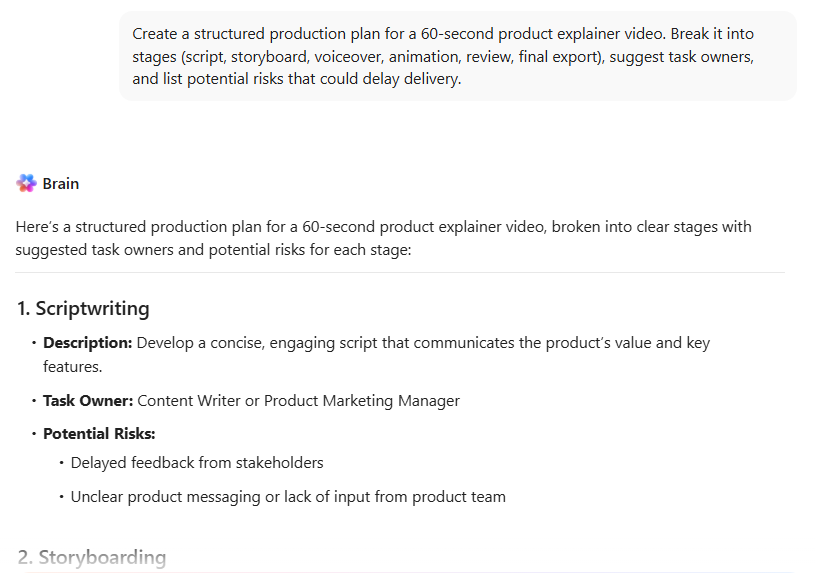
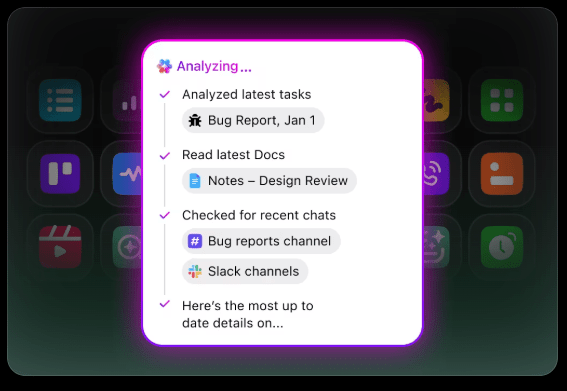
ClickUp Enterprise Search is built to do more than surface files. It pulls context from tasks, docs, chats, meetings, and connected apps to return answers with citations and next-step actions, helping teams reduce the time spent piecing information together across tools.
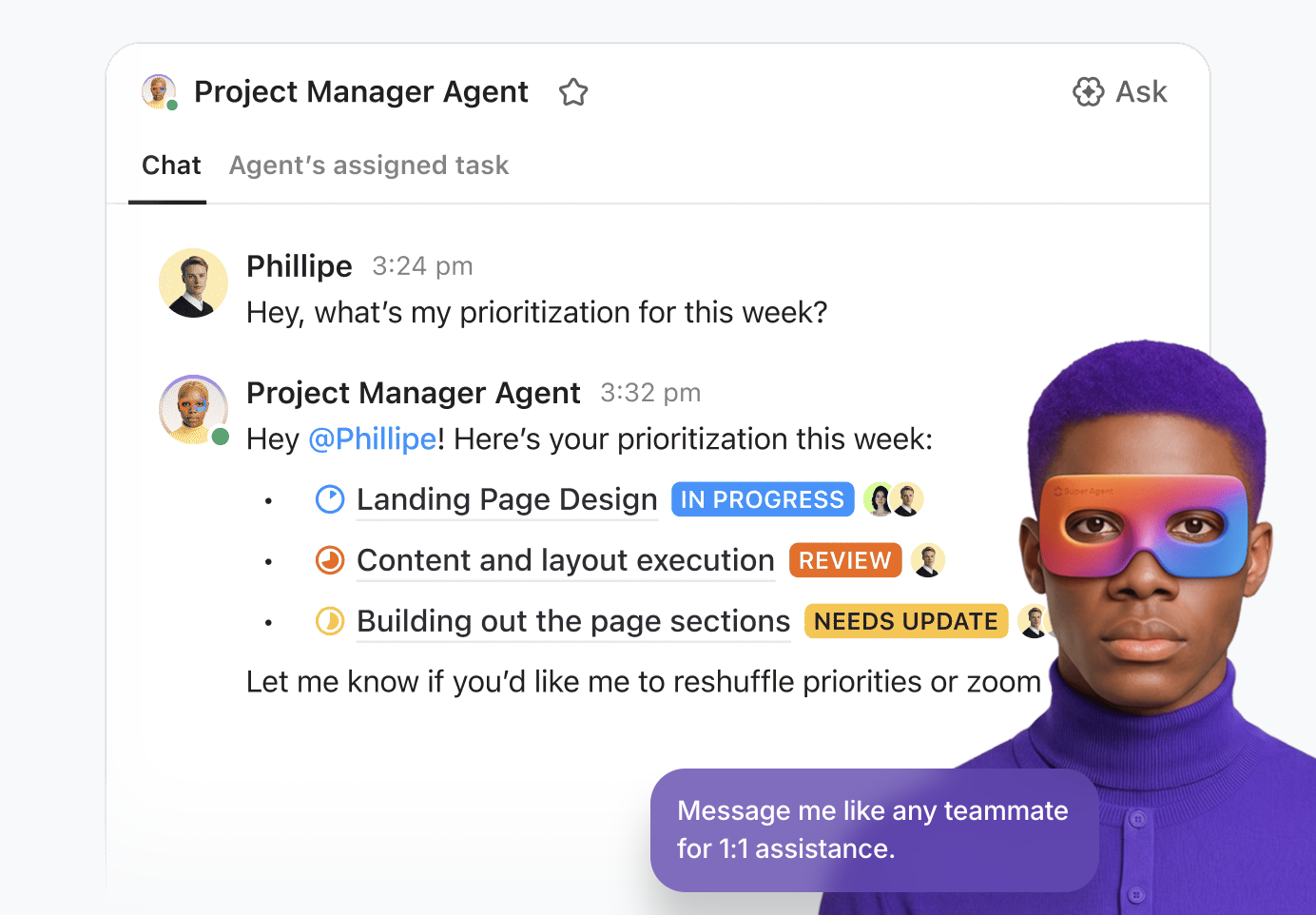
ClickUp also now pushes deeper into agentic workflows. ClickUp Super Agents are designed to understand goals, break them into steps, choose tools, and carry work forward inside the workspace. ClickUp’s AI increasingly supports both idea generation and execution.
Asana takes a more contained approach. Its AI features, including Smart Chat, Smart Status, Smart Summaries, Smart Rule Creator, AI Studio, and AI Teammates, are designed to improve the work already happening inside Asana rather than act as a broader cross-tool AI layer.

That makes Asana a good fit for teams that want help with planning, status updates, workflow creation, and execution inside one project management system, while ClickUp remains the stronger option for teams that want contextual AI to work across docs, communication, reporting, and connected tools.
The biggest difference between ClickUp and Asana today is no longer just which one has more AI features. It is how deeply AI is woven into the way work gets done.
ClickUp’s newer AI direction is built around contextual execution. ClickUp Brain MAX is positioned as a desktop AI super app that can search across your workspace, connected apps, and the web. This gives teams a stronger path to reducing AI sprawl, where note takers, search tools, writing assistants, and automation bots all live in separate systems with fragmented context.
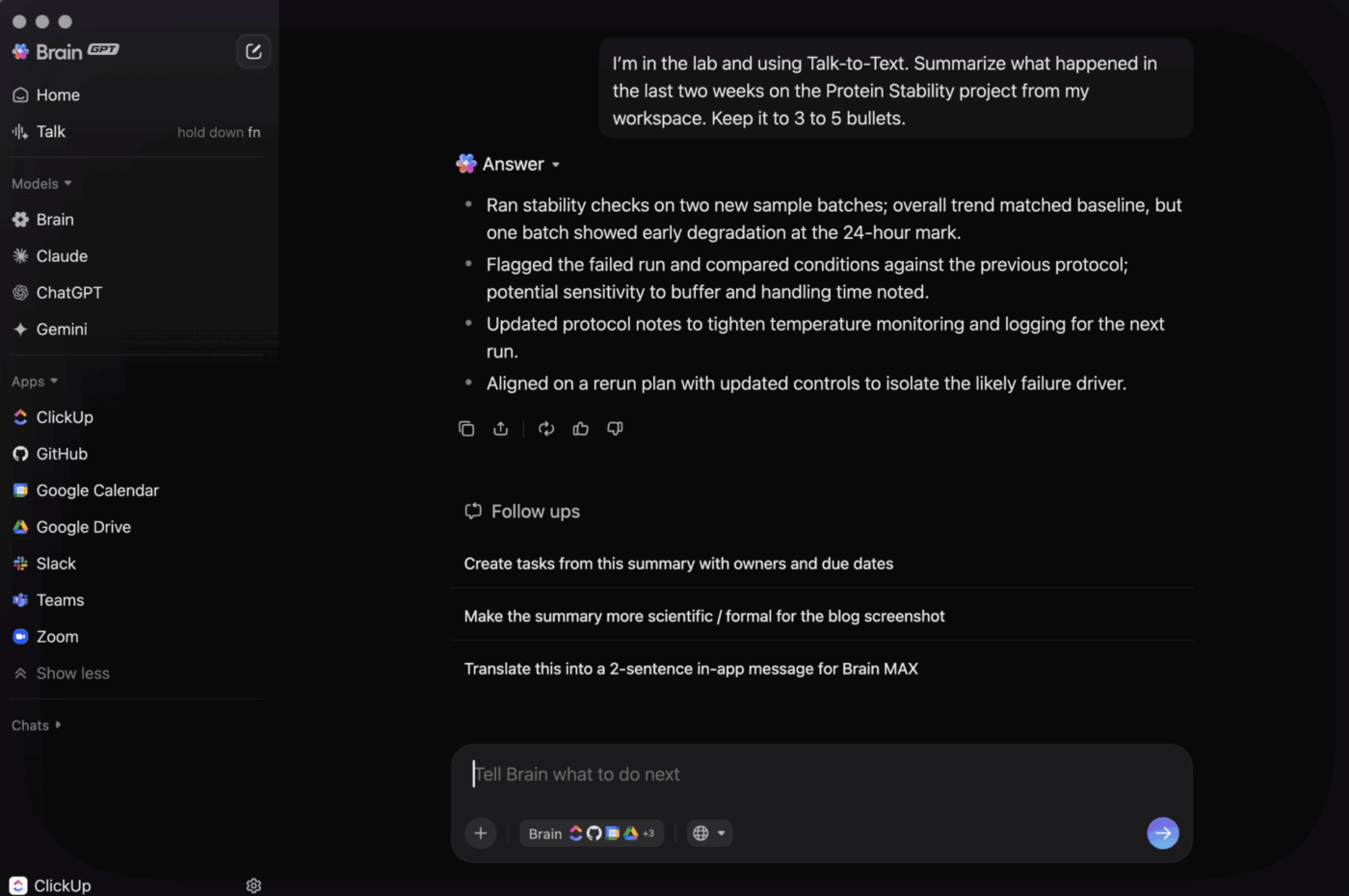
Asana’s AI-native model is narrower, but still useful in the right context. Features like AI Studio, AI Teammates, Smart Chat, Smart Status, and Smart Summaries help teams create workflows, ask questions across work, and reduce manual project coordination inside Asana. For teams that mainly want AI to support project execution inside the platform they already use, that approach can feel simpler and easier to roll out.
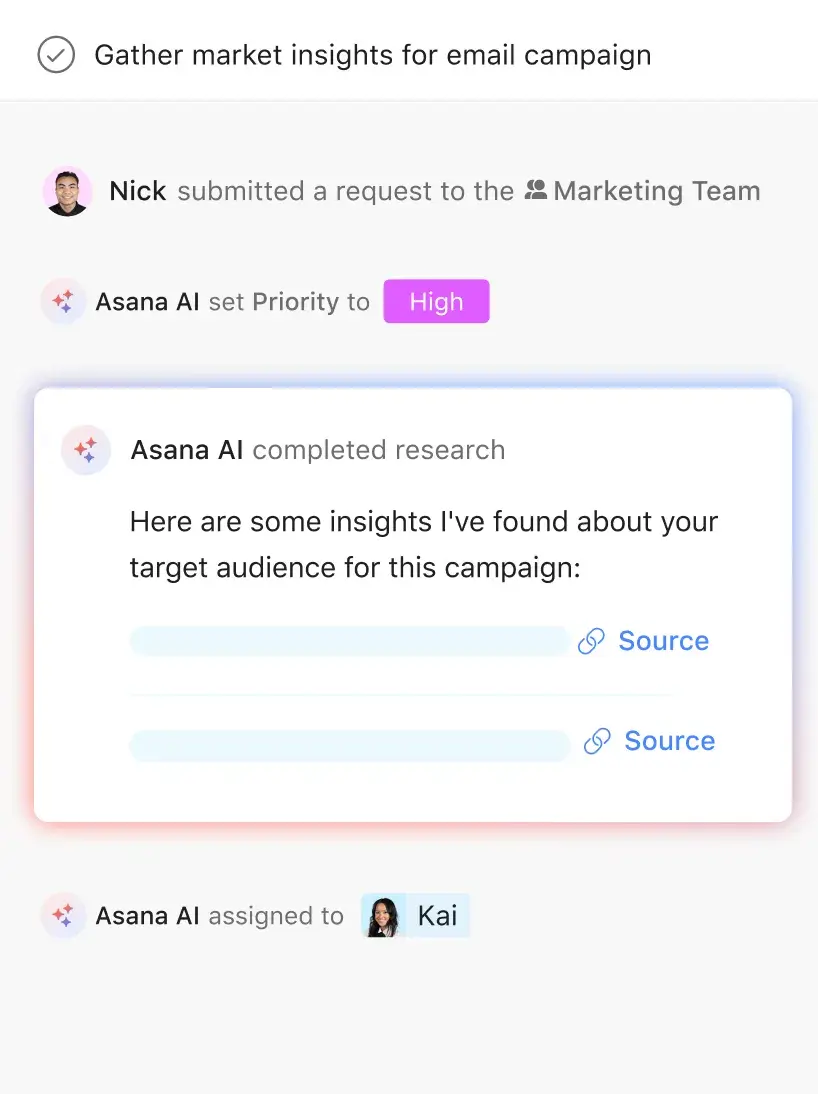
ClickUp still has the stronger story for teams that want AI to search, reason, and act across a broader work stack. Asana makes more sense for teams that want AI to stay close to projects, goals, and workflow execution inside a more focused project management environment.
⚡ Watch this video to learn how AI-powered project management tools help distributed teams reduce manual work and stay aligned.
See how ClickUp’s AI features assist with writing, summaries, planning, and updates—so teams can collaborate across time zones without constant context switching.
When your project plans are in one tool, and your documentation is scattered across Google Docs and Notion, you create information silos. This leads to team members working from outdated specs and constantly asking for links, which kills productivity.
Find your documentation instantly with ClickUp Docs. It’s a full-featured documentation tool built directly into your workspace, so your knowledge lives right next to your work.

Asana offers project briefs and status updates to capture context, but its documentation capabilities are more limited than tools with dedicated docs or wiki-style knowledge management.
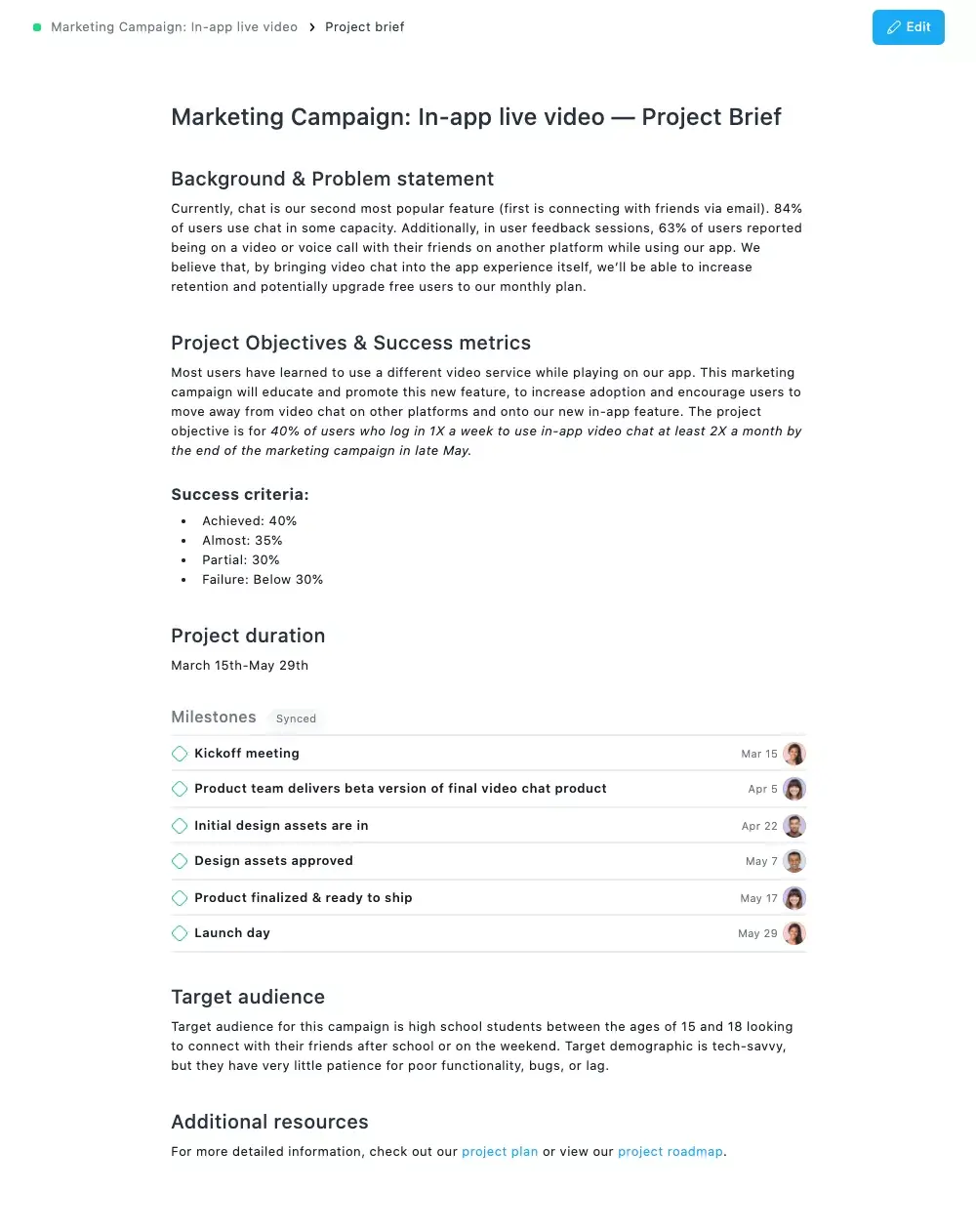
ClickUp is the stronger choice for teams that want documentation, tasks, and knowledge management tightly connected in one workspace. Asana can capture project context through briefs and status updates, but teams with more extensive documentation or wiki-style needs may still rely on external tools.
For many teams, project management is not just about tasks. It is also about understanding where time goes, how capacity is distributed, and which projects are absorbing the most effort.
ClickUp includes native time tracking and workload visibility within the workspace, making it easier to connect execution, reporting, and planning in one place.
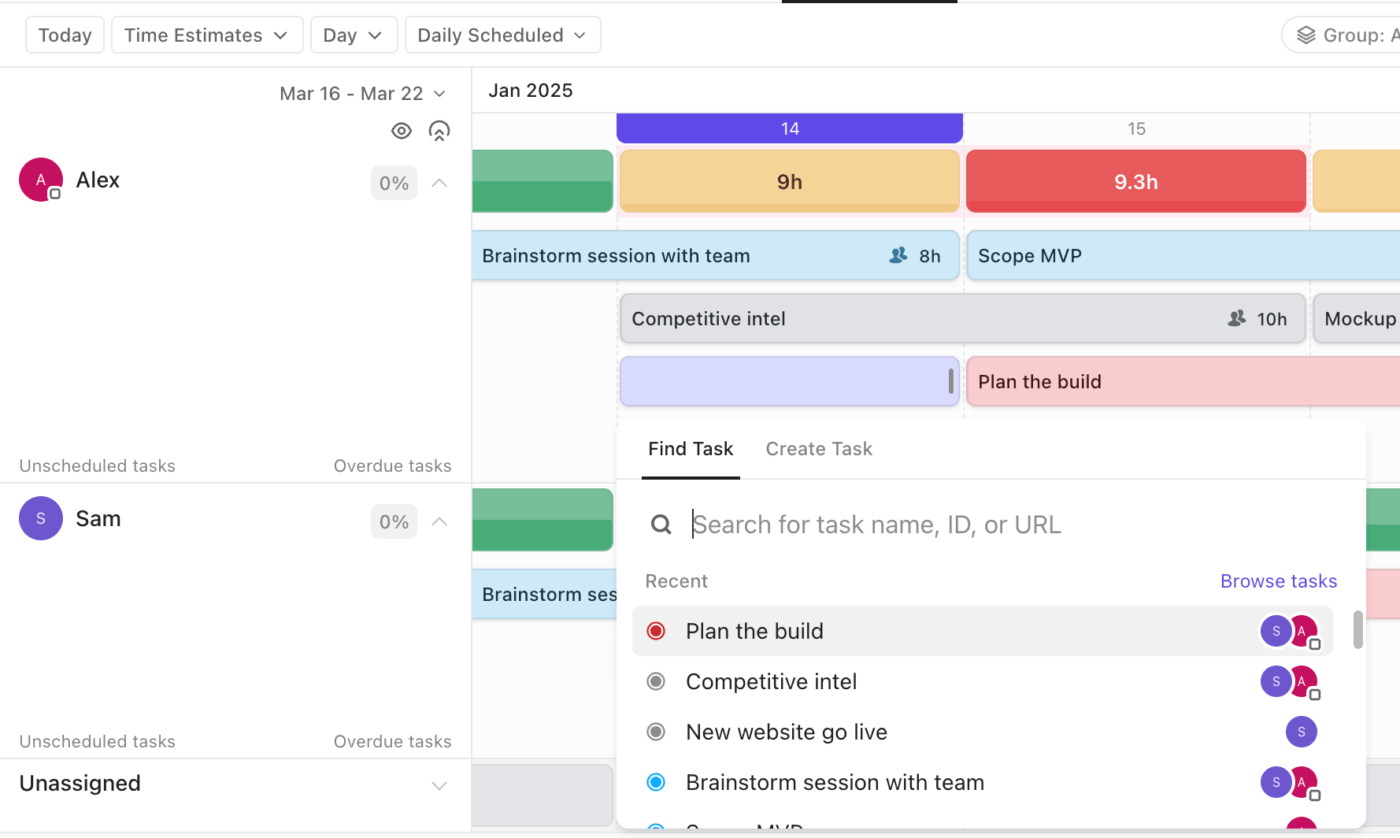
That is especially useful for teams managing billable work, service delivery, or capacity across multiple projects.
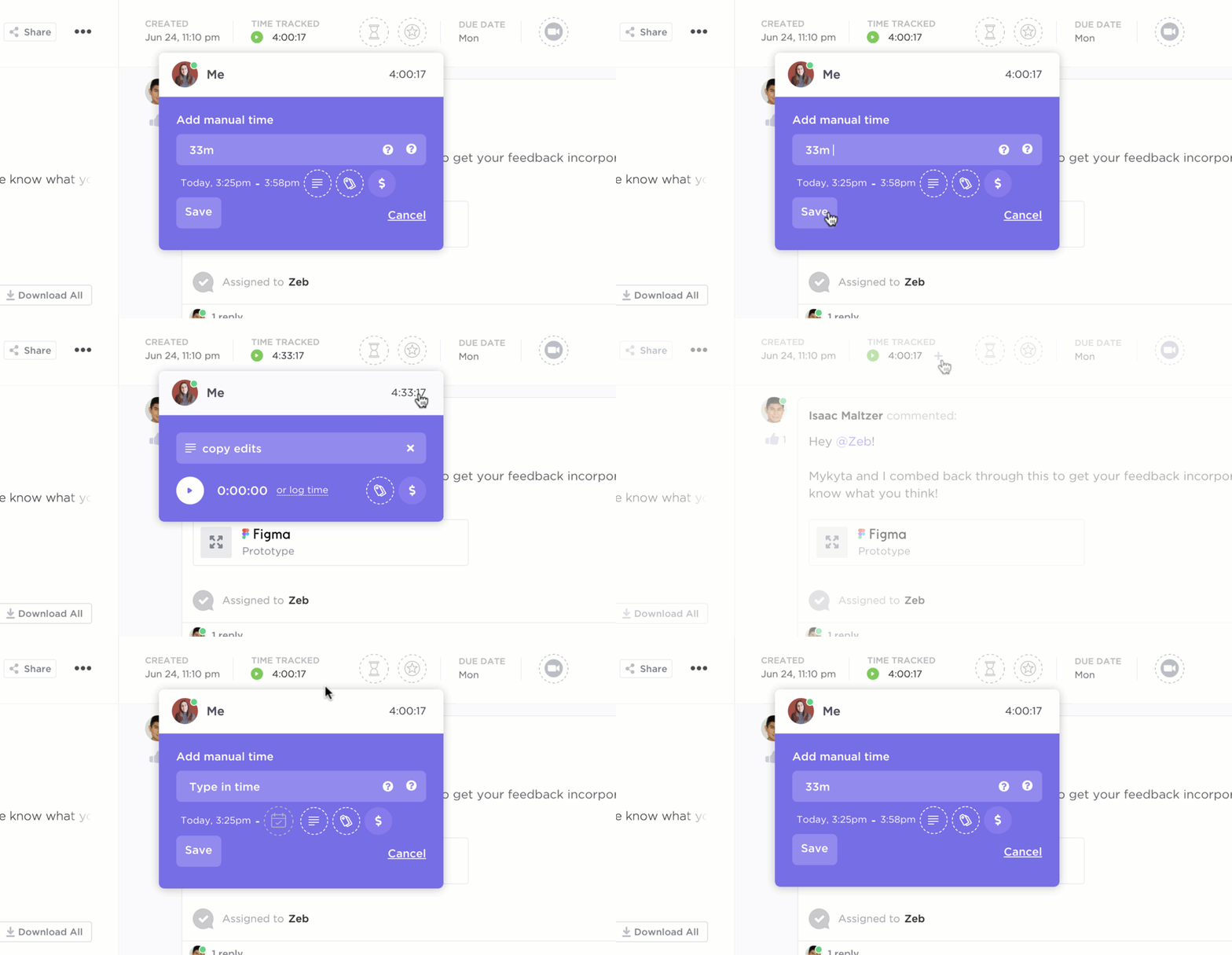
Asana offers strong workload and project visibility through Workload, Portfolios, and reporting dashboards, but teams with more detailed time-tracking needs may need extra tools or a different setup depending on how they manage reporting.
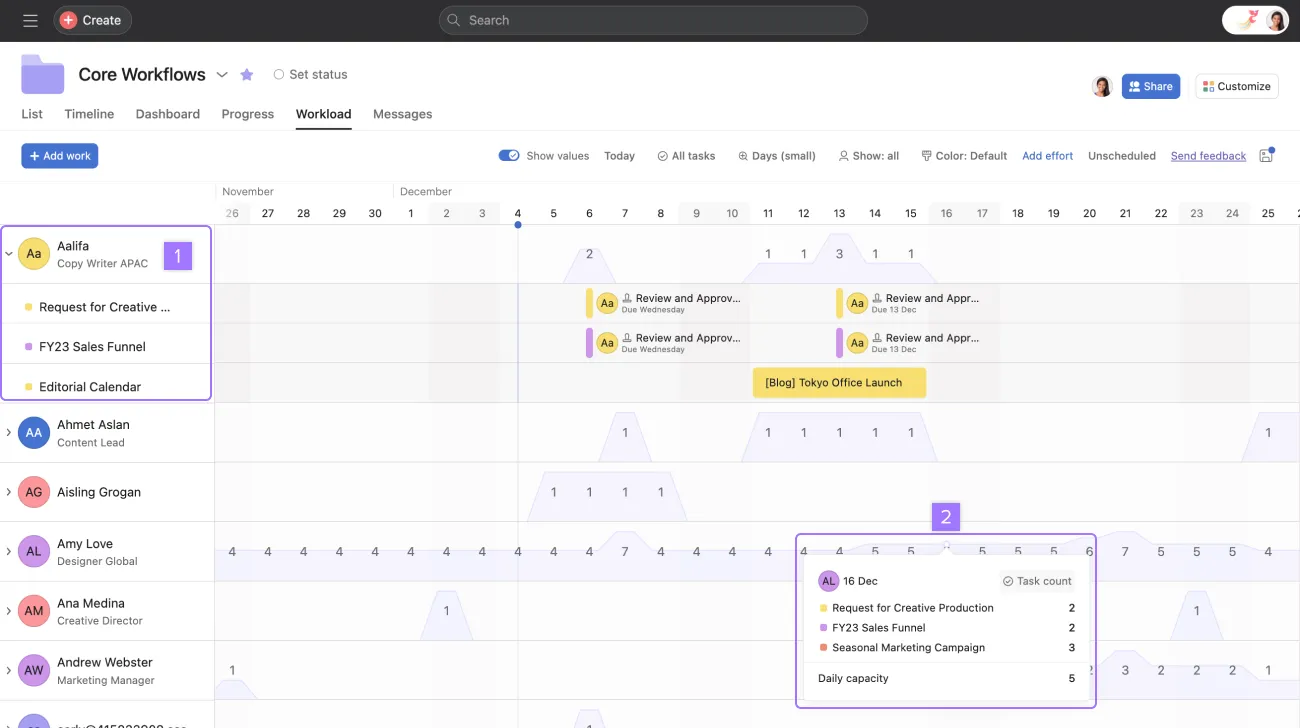
If your team wants time tracking, workload planning, and reporting to live inside the same workspace as tasks and docs, ClickUp has the stronger advantage here.
A limited view of your projects can hide bottlenecks, dependencies, and capacity issues. Different roles need different perspectives, and a one-size-fits-all setup rarely works.
See your work from every angle with over 15 customizable ClickUp Views. You can create and save views for any workflow, allowing your team to switch between perspectives without altering the underlying data.
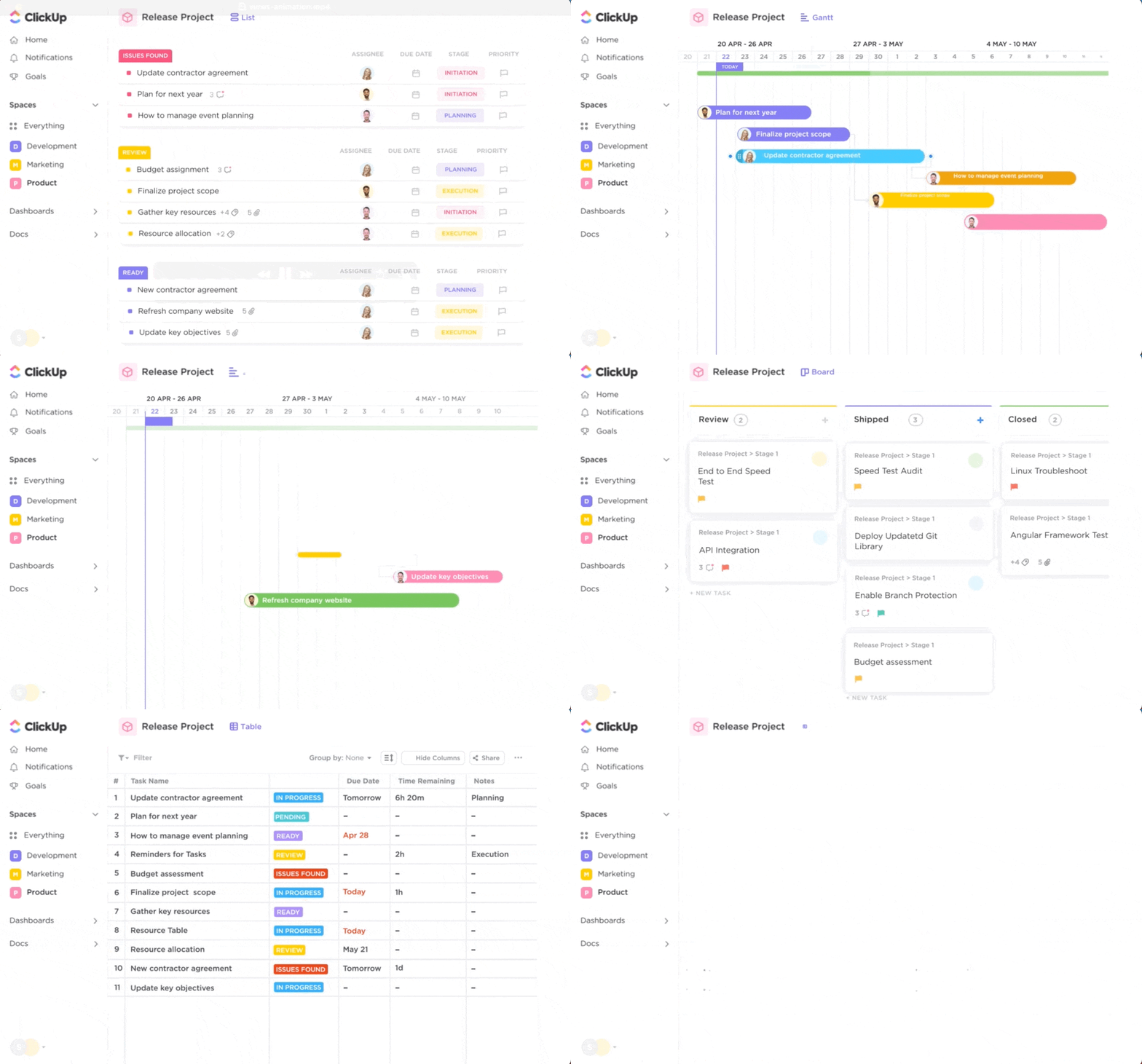
Beyond standard List, Board, and Calendar views, ClickUp offers:
ClickUp also gives teams a stronger built-in reporting layer through ClickUp Dashboards, which can pull live data from tasks, workloads, goals, and workspace activity into customizable cards and charts. For teams that want project execution and reporting to live in the same platform, this makes ClickUp more flexible in this comparison.

Asana’s project-visibility layer is more capable than a quick comparison might suggest. In addition to List, Board, Timeline, Calendar, Workload, and Portfolio views, it also includes reporting dashboards and Universal Reporting for project, portfolio, and goal visibility. For teams that want straightforward reporting with less setup, Asana can be a strong fit, even though ClickUp still offers more flexibility and a broader all-in-one reporting story.
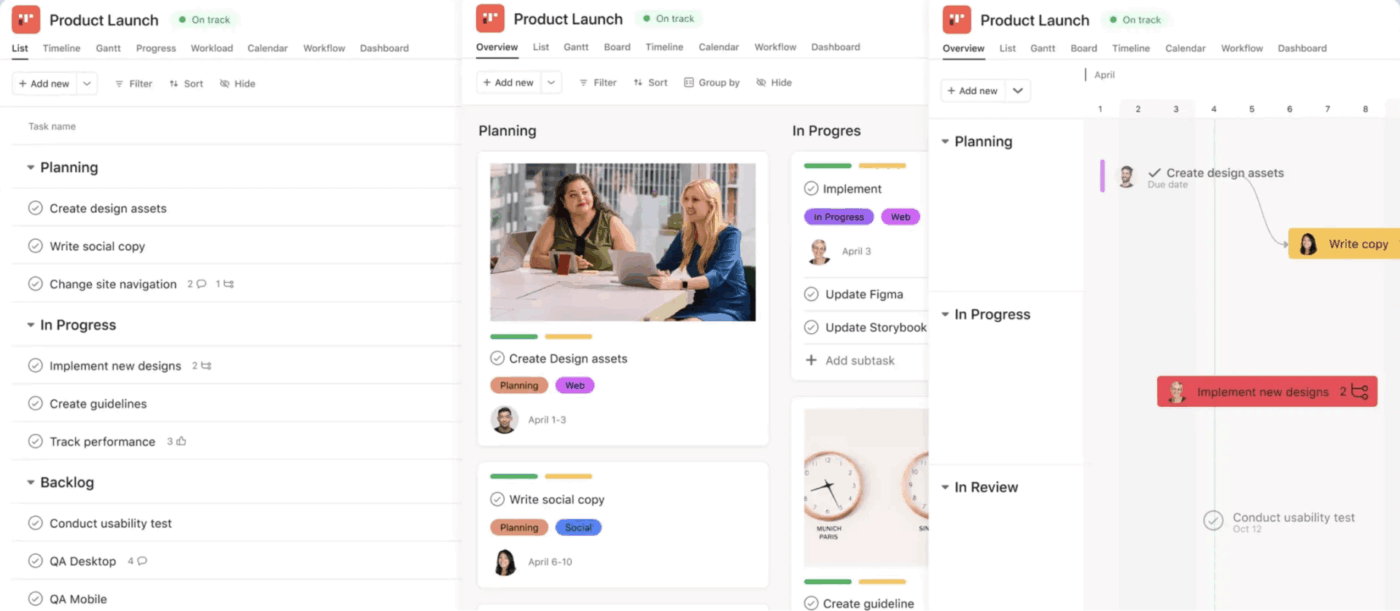
In this category, ClickUp has the broader all-in-one reporting and visualization story, while Asana has a strong case for teams that want polished project views and straightforward reporting without as much complexity.
🧠 Fun Fact: A modern Kanban board might look digital and polished, but the underlying idea comes from visual signaling systems that helped teams see work in progress and bottlenecks more clearly. That is why boards still feel instantly intuitive even inside modern project tools.
A rigid hierarchy can make it difficult to organize cross-functional projects or give teams the autonomy they need.
Build a structure that mirrors your organization with ClickUp’s flexible hierarchy. You can organize your work across multiple levels, ensuring every project, team, and department has a logical home.
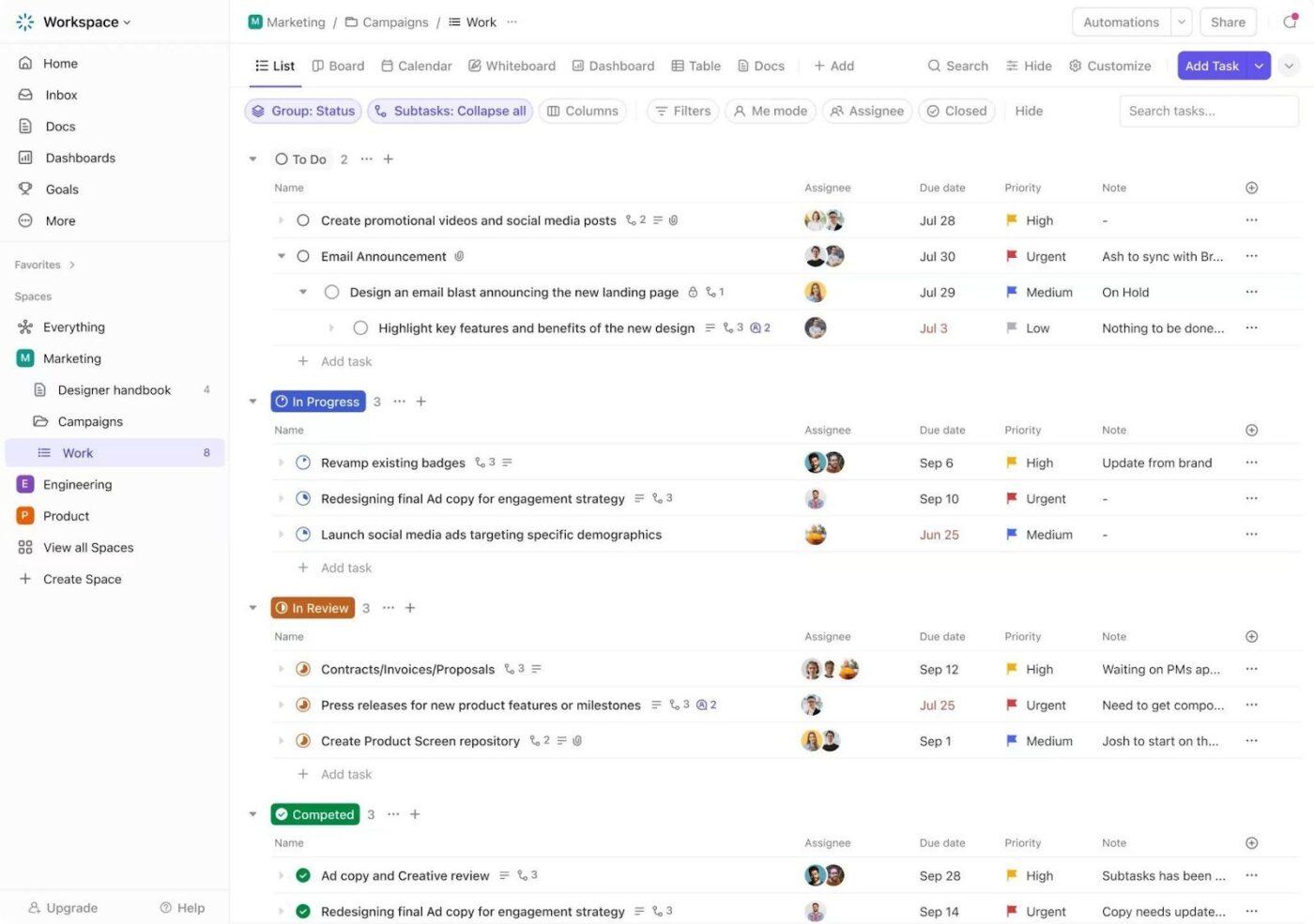
The hierarchy flows from:
Asana uses a flatter, more straightforward structure centered on organizations, teams, projects, tasks, and subtasks. This is easier to grasp initially and quicker to set up, but it offers less flexibility for complex organizations with overlapping teams, layered documentation needs, or intricate operational structures.
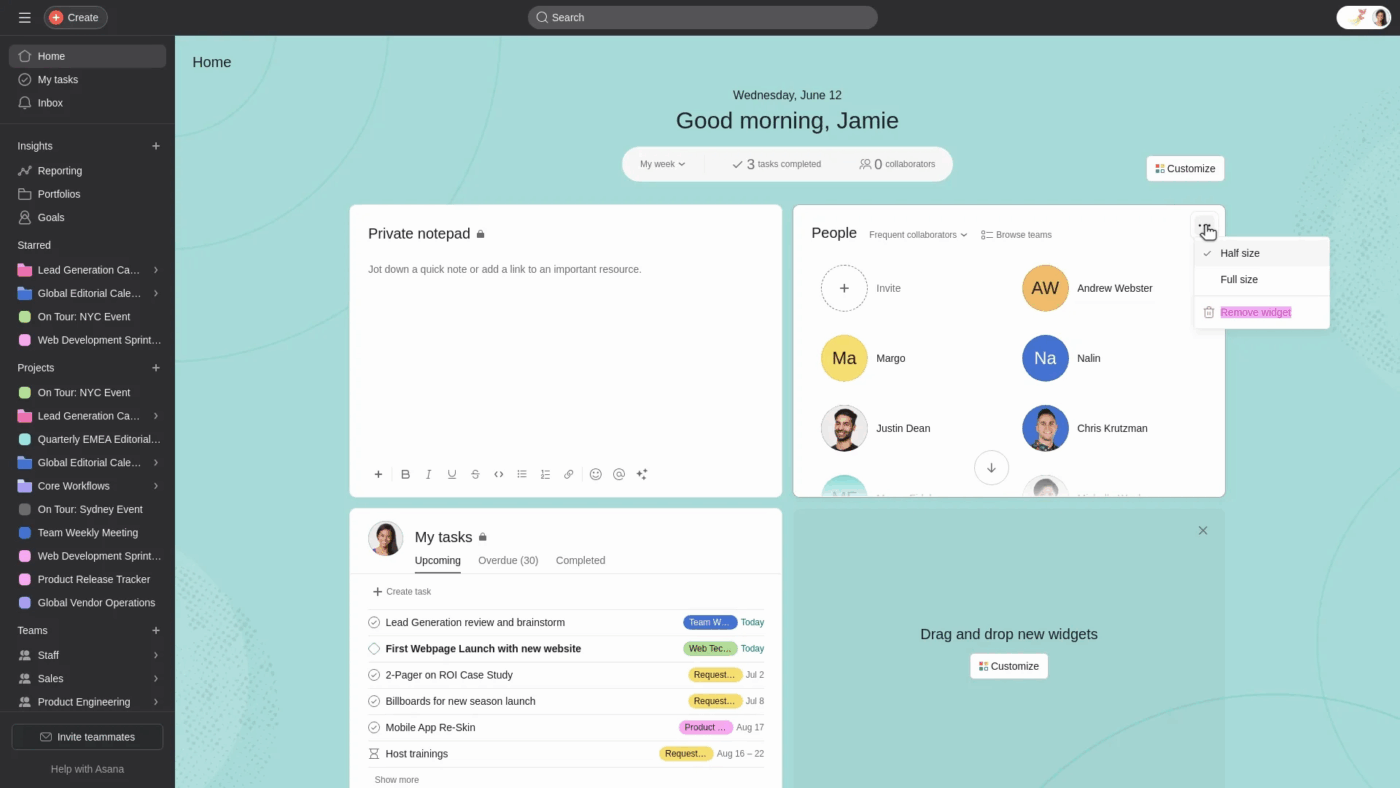
This is one of Asana’s clearest strengths. Teams that want less configuration overhead and a simpler operating model may find Asana easier to adopt and maintain.
ClickUp’s deep hierarchy is ideal for larger or more complex organizations that need to model their unique structure. Asana’s simpler setup is faster for smaller teams and startups.
💡 Pro Tip: Do not confuse a simpler structure with a better structure. Simpler systems are easier to adopt quickly, but deeper systems tend to scale better once more teams, processes, and dependencies enter the picture.
The right question is not “Which one feels lighter today?” It is “Which one will still feel clear six months from now?”
How quickly a team can get started matters almost as much as what the platform can do long term. Some teams need a fast rollout with minimal setup, while others need room to build more layered systems over time.
ClickUp offers a broader range of templates, views, and workspace-building options for teams that want to shape project management around their own processes. That gives teams more depth to work with, especially once workflows become more cross-functional or operationally complex.
Asana may feel faster to set up for teams that want a simpler starting point. Its more focused structure can make onboarding easier, especially for teams that do not need docs, chat, dashboards, and AI all deeply connected from day one.
The difference comes down to short-term simplicity versus long-term flexibility. Asana is often easier to roll out quickly, while ClickUp gives teams more room to scale once work becomes more layered.
When your work management platform becomes just another silo, you lose visibility and create more manual work. Teams end up copy-pasting updates and trying to connect the dots between disconnected systems.
Bring your tools together with ClickUp’s extensive integration ecosystem. With over 1,000 native integrations, you can connect your entire tech stack. More importantly, you can use ClickUp Enterprise Search to find information across all your connected apps—including Google Drive, Slack, and Figma—from a single search bar.
You can also use ClickUp Email in ClickUp to send and receive emails directly from tasks, or set up two-way sync with developer tools like GitHub. For everything else, there are robust Zapier and Make integrations.
Asana offers 300+ integrations, with strong connections to major platforms like Microsoft, Google, and Salesforce.
ClickUp offers a larger number of integrations and unique cross-app AI search capabilities that solve context sprawl—when teams waste hours searching for information across disconnected apps and platforms. Asana provides a smaller but highly reliable set of deep integrations, especially for enterprise needs.
📮 ClickUp Insight: 1 in 4 employees uses four or more tools just to build context at work. A key detail might be buried in an email, expanded in a Slack thread, and documented in a separate tool, forcing teams to waste time hunting for information instead of getting work done.
ClickUp converges your entire workflow into one unified platform. With features like ClickUp Email Project Management, ClickUp Chat, ClickUp Docs, and ClickUp Brain, everything stays connected, synced, and instantly accessible. Say goodbye to “work about work” and reclaim your productive time.
💫 Real Results: Teams are able to reclaim 5+ hours every week using ClickUp—that’s over 250 hours annually per person—by eliminating outdated knowledge management processes. Imagine what your team could create with an extra week of productivity every quarter!
As teams grow, work stops living neatly inside one department. Marketing, product, operations, support, and leadership all need different views, documentation, workflows, reporting, and AI support.
ClickUp’s broader workspace model becomes more compelling here. Its hierarchy, Docs, Dashboards, Chat, Whiteboards, and AI features make it easier to support cross-functional work without forcing teams to bounce between separate systems for planning, communication, and reporting.
Asana remains strong for structured project coordination, especially for teams that want a cleaner project management layer. But for organizations that need multiple departments to work from the same source of context, ClickUp offers the more expansive system.
When decisions live outside the work, teams waste time hunting for context and approvals.
Keep your conversations and work in the same place with built-in collaboration tools. Replace multiple communication apps and keep all your conversations in one place.
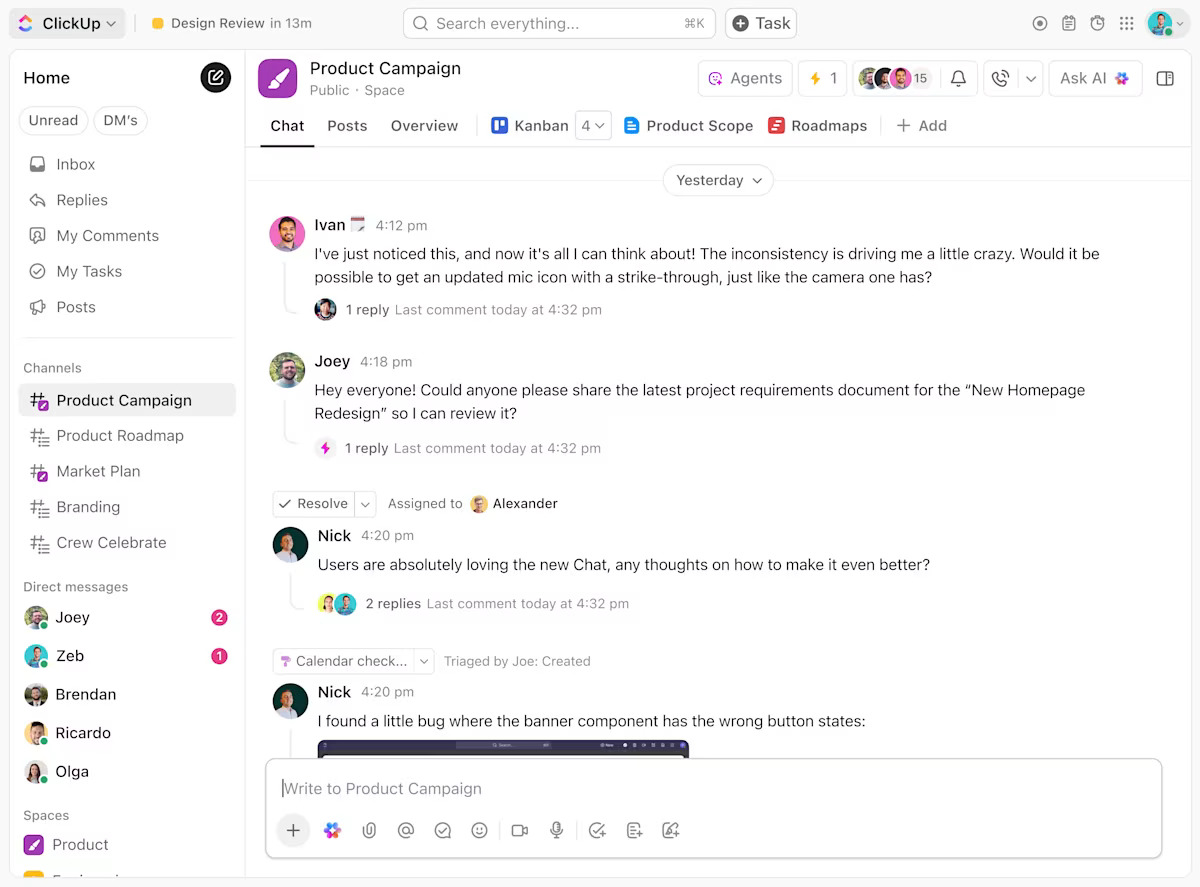
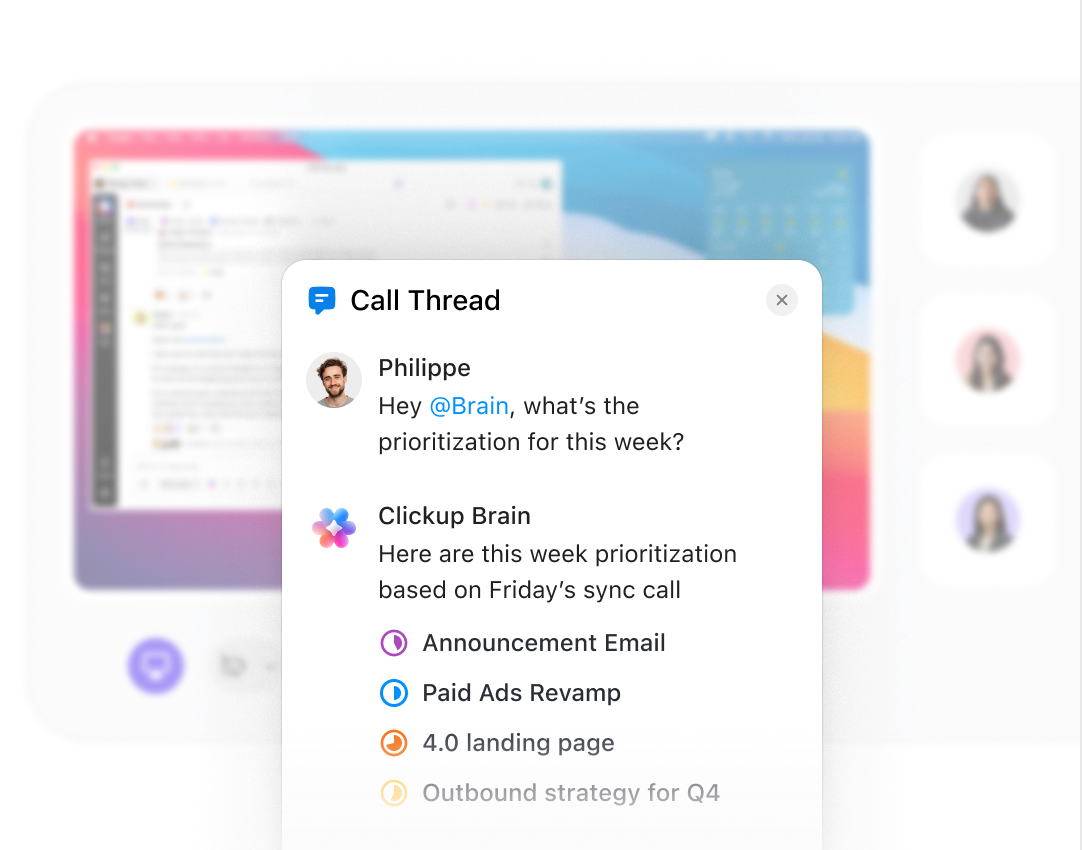
SyncUps bring live collaboration into the same workspace, while Call Threads and ClickUp Brain keep meeting follow-ups, action items, and updates connected to the work itself.
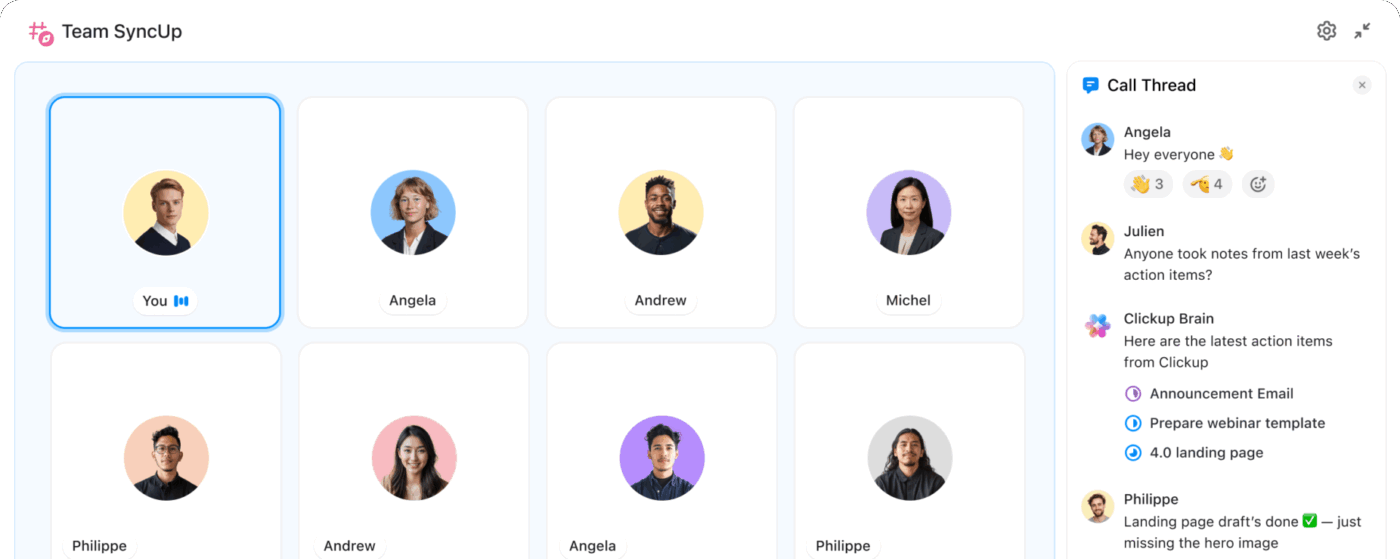
Teams can also pull ClickUp Brain directly into the conversation to surface priorities, action items, and context without leaving the thread.
Asana handles collaboration in a more structured way through Comments, Messages, Status Updates, Smart Chat, and video messaging.
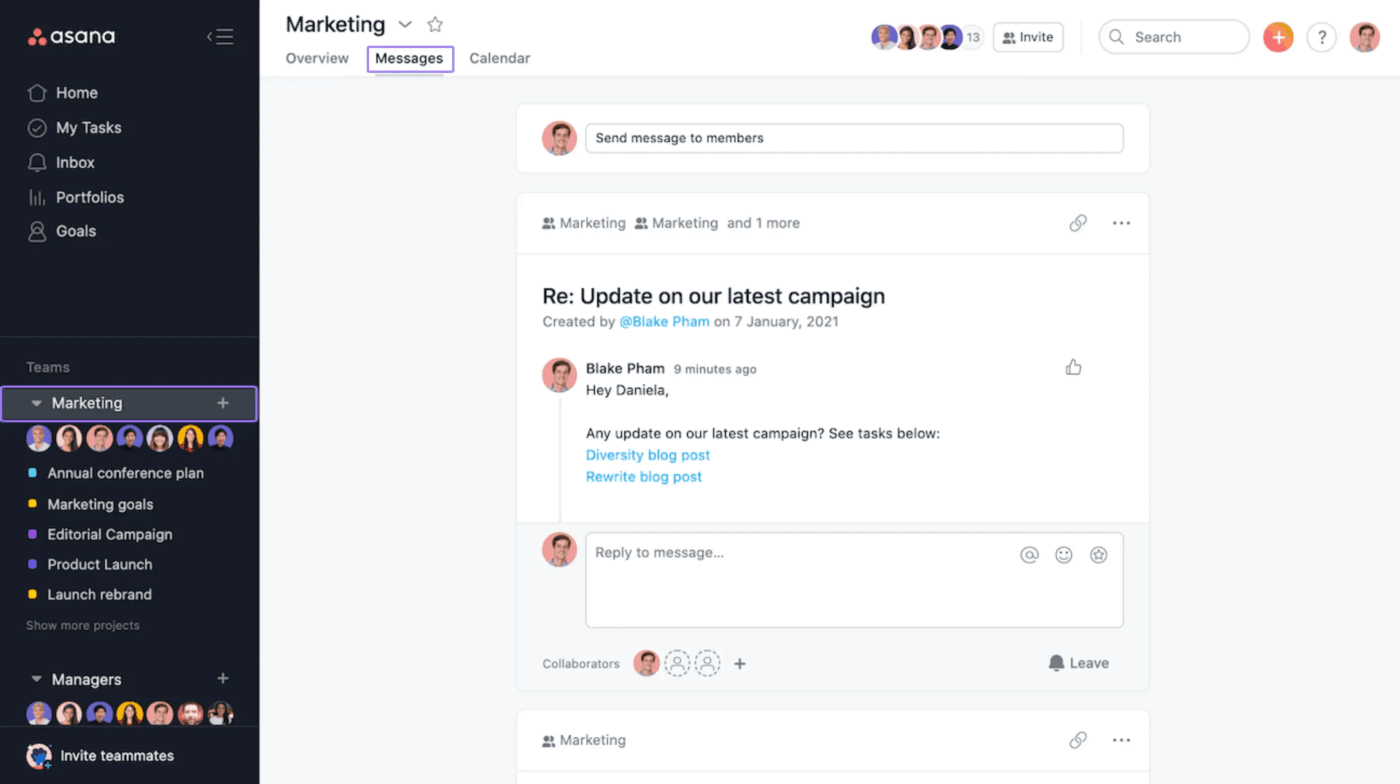
That works well for teams that want project communication tied closely to tasks and updates instead of pulling more real-time chat into the platform.
ClickUp is a strong choice for teams looking to consolidate their communication and project management into one platform. Asana is suitable for teams who prefer to keep their communication tools separate from their work management system.
Choose ClickUp if your team wants one place to manage work, create docs, communicate, brainstorm, search knowledge, and run agentic workflows. What sets ClickUp apart is not just its wide feature set, but the deep context shared across every part of the platform. With Brain MAX and Super Agents, ClickUp goes beyond project management to support AI-native execution.
Choose Asana if your team wants a more streamlined project management solution with less configuration and a stronger emphasis on structured execution. It is a strong choice for teams that prioritize Smart Chat, AI Studio, AI Teammates, Goals, Portfolios, reporting dashboards, and a refined mobile experience, but do not need the fully connected workspace model ClickUp provides.
In the end, the decision depends on whether your team wants a project management tool or a connected system for work. For teams aiming to reduce tool sprawl and unify tasks, docs, chat, whiteboards, dashboards, and AI, ClickUp is the stronger choice. Get started for free today.
ClickUp Brain is designed to work across workspace content and connected tools, helping teams search, summarize, and take action with broader context. Enterprise Search adds cited answers, context, and actions across tasks, docs, chats, meetings, and connected systems. Asana AI is strongest for AI-assisted work inside Asana, including chat, workflow support, planning, and status generation.
Yes, you can use ClickUp import functionality to bring projects, tasks, and attachments directly from Asana. Some custom field mappings may require manual adjustment, and our migration support resources and ClickUp University can guide you through the process.
Teams can connect ClickUp and Asana using third-party automation platforms for specific workflows, but setup depth and sync behavior depend on the tools and recipes you choose. For full migration, ClickUp also offers native import from Asana.
ClickUp does have more features, which can mean a longer onboarding period. However, this investment allows you to consolidate multiple tools into one workspace, and you can start simple with our templates and add more complexity as your team grows.

Arya P Dinesh
Max 15min read

Manasi Nair
Max 15min read
Manasi Nair
Max 19min read

© 2026 ClickUp




