Sorry, there were no results found for “”
Sorry, there were no results found for “”
Sorry, there were no results found for “”
Managing volunteers in spreadsheets can turn simple scheduling into hours of avoidable admin work. Double-booked shifts, missed follow-ups, and scattered records all pull time away from the work that actually matters.
With a single hour of volunteer service now valued at $34.79, even a few hours lost each week to manual coordination can add up quickly. That is why choosing the right volunteer management software matters.
We’ve rounded up the 20 best volunteer management software tools to help you simplify scheduling, improve communication, and make better use of every volunteer hour. 📊
Here’s a quick comparison of all the volunteer management software on this list:
| Tool | Best for | Key features | Pricing* |
| ClickUp | Nonprofits of all sizes that want an all-in-one operations platform for teams of all sizes and scales | Volunteer intake forms, shift scheduling with Calendar & Gantt views, time tracking, dashboards, AI-powered summaries | Free forever; Customization available for enterprises |
| VolunteerHub | Large enterprises managing high-volume volunteer scheduling and CRM syncing | Self-service volunteer portal, CRM integrations (Blackbaud), SMS reminders, OnSite check-in kiosks | Plans start at $143/month |
| SignUpGenius | Individuals and small groups coordinating simple, one-off volunteer sign-ups | Drag-and-drop shift builder, payment collection, waitlists, automated reminders | Free; Paid plans start at $11.99/month |
| Bloomerang Volunteer | Mid-sized nonprofits focused on converting long-term volunteers into financial donors | Volunteer-donor CRM sync, engagement scoring, background checks, mobile volunteer management | Plans start at $119/month |
| CERVIS | Small to mid-sized organizations managing large volunteer databases with rotating participants | Unlimited volunteers, group registrations, automated thank-you messages, onboarding support | Plans start at $25/month |
| GetConnected by Galaxy Digital | Enterprises and large networks (municipalities, universities) managing city-wide volunteer hubs | Multi-agency volunteer hub, service learning tracking, disaster response workflows | Custom pricing |
| Volgistics | Mid-sized nonprofits needing deep customization and flexible, modular volunteer databases | Custom fields, milestone automation, multi-site volunteer management | Plans start at $9/month |
| iVolunteer | Small to mid-sized organizations running recurring, ad-free events | Ad-free scheduling, event wizard, volunteer portal, mobile check-in | Free; Custom pricing |
| Track It Forward | Individuals and schools prioritizing hour logging and graduation milestone tracking | Mobile hour logging, GPS verification, milestone tracking | Plans start at $15/month |
| WhenToHelp | Mid-sized to enterprise teams managing complex, math-heavy shift rotations | AutoFill scheduling algorithm, volunteer trade board, preference-based assignments | Subscription pricing |
| Volunteero | Mid-sized mobile-first nonprofits focused on engagement and retention | Automated references, gamification badges, Zapier integrations | Custom pricing |
| VolunteerLocal | Enterprises managing large-scale public events needing fast, low-friction registration | Password-free sign-ups, kiosk check-in, waitlist automation | Plans start at $200/event |
| Mobilize | Mid-sized to enterprise advocacy groups and political campaigns recruiting from networks | Event promotion network, peer-led events, advocacy tools | Free; Custom pricing |
| Better Impact | Established mid-sized nonprofits tracking program impact and financial ROI | Self-scheduling portal, volunteer ROI reporting, training modules | Custom pricing |
| Rallly | Individuals and small teams coordinating meetings or one-time project hours | Time polling, timezone sync, anonymous participation | Free; Paid plans start at $7/month |
| TimeCounts | Small to mid-sized teams prioritizing modern community hubs and onboarding | Branded volunteer portals, onboarding checklists, skill filters | Free; Paid plans start at $59/month |
| Rosterfy | Global enterprises and major world events needing end-to-end automation | Recruitment automation, volunteer mobile app, ESG reporting | Custom pricing |
| HandsOn Connect | Large enterprises requiring a Salesforce-native solution for multinational coordination | Salesforce-based CRM, multilingual interface, SDG tracking | Custom pricing |
| Givlly Volunteer Management | Mid-sized social service agencies needing integrated compliance training | Built-in LMS, CSR reporting, volunteer mobile apps | Custom pricing |
| Jotform Volunteer Management Suite | Small to mid-sized teams turning form submissions into automated task boards | Form automation, e-signatures, visual boards for task tracking | Free; Paid plans start at $19.50/month |
Our editorial team follows a transparent, research-backed, and vendor-neutral process, so you can trust that our recommendations are based on real product value.
Here’s a detailed rundown of how we review software at ClickUp.
To find a volunteer management solution that makes your life easier, look for these five must-have features:
📮 ClickUp Insight: 33% of respondents say they use spreadsheets mostly because they’re familiar with the tool or it is already included in their existing setup.
For many teams, especially smaller ones, cost and convenience guide decisions more than feature sets. When budgets are limited, it’s natural to stick with the tools everyone already has access to and is familiar with, even if they require extra manual effort to stay organized.
ClickUp offers an alternative that keeps things simple without adding more apps to the stack. Tasks, Docs, Dashboards, Chat, and even video updates with Clips all live in one workspace, supported by built-in AI for summaries and automation.
Instead of managing data and updates across multiple tools, teams get a single workspace to coordinate projects, share updates, and stay aligned, without creating new layers of complexity.
Some volunteer management tools are free, while others offer nonprofit discounts or more advanced paid plans. The list below highlights the best options for teams of different sizes, workflows, and budget needs.
ClickUp is the world’s first Converged AI Workspace that brings volunteer coordination, documentation, communication, and reporting into a single workspace. It helps your team move from intake to impact without juggling multiple platforms, ultimately avoiding Work Sprawl.
It is also designed to support nonprofit operations more broadly, including volunteer coordination, stakeholder reporting, and cross-functional planning, with nonprofit-specific pricing available for eligible organizations.
Let’s see how! 🤩
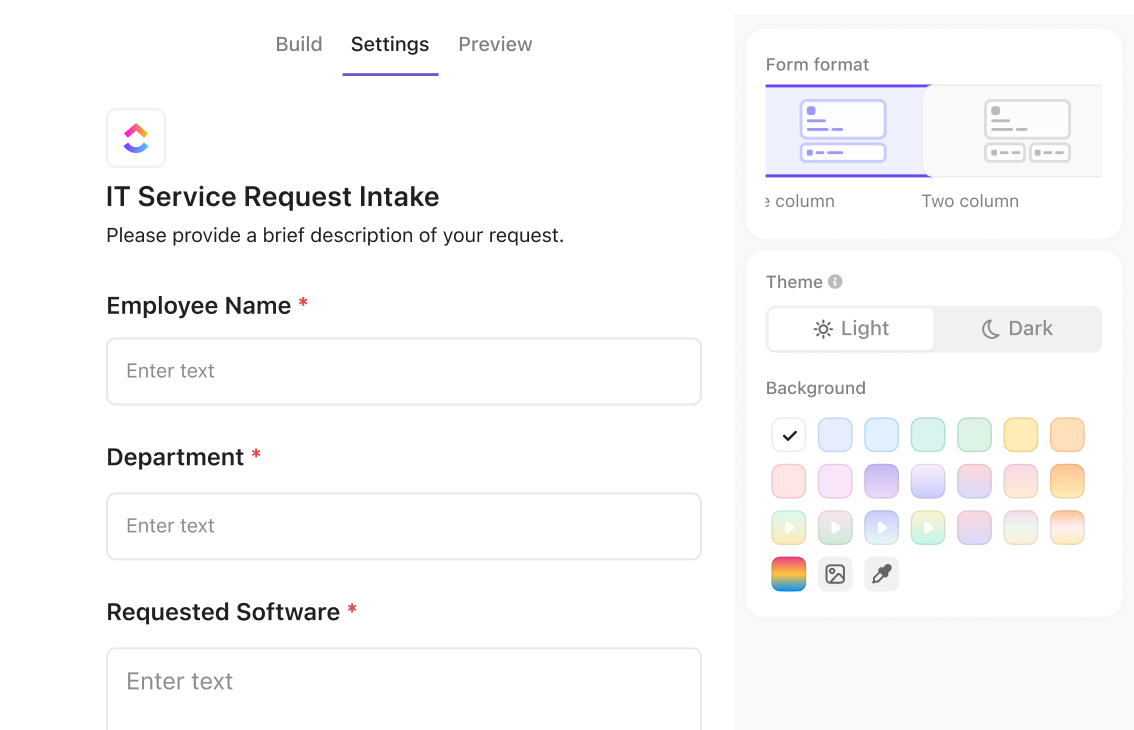
ClickUp Forms removes the gap between collecting information and organizing the work that follows. Each form submission can immediately create a ClickUp Task in the workspace where events, schedules, and volunteer coordination already live.
Beyond event registration, Forms can also help teams collect volunteer applications, feedback, waivers, and program suggestions without chasing information across inboxes or spreadsheets.
Suppose a nonprofit is organizing a weekend food distribution drive. The volunteer coordinator shares a registration form asking for availability, preferred roles, and prior experience. As responses come in, each submission automatically creates a Task with the volunteer’s information attached.
The task contains the details needed to organize participation. Custom Fields store information like preferred shifts, certifications or training, contact information, and transportation availability.
When you need an answer, like how many volunteers are available or which events still need coverage, you usually have to review several places before finding it.
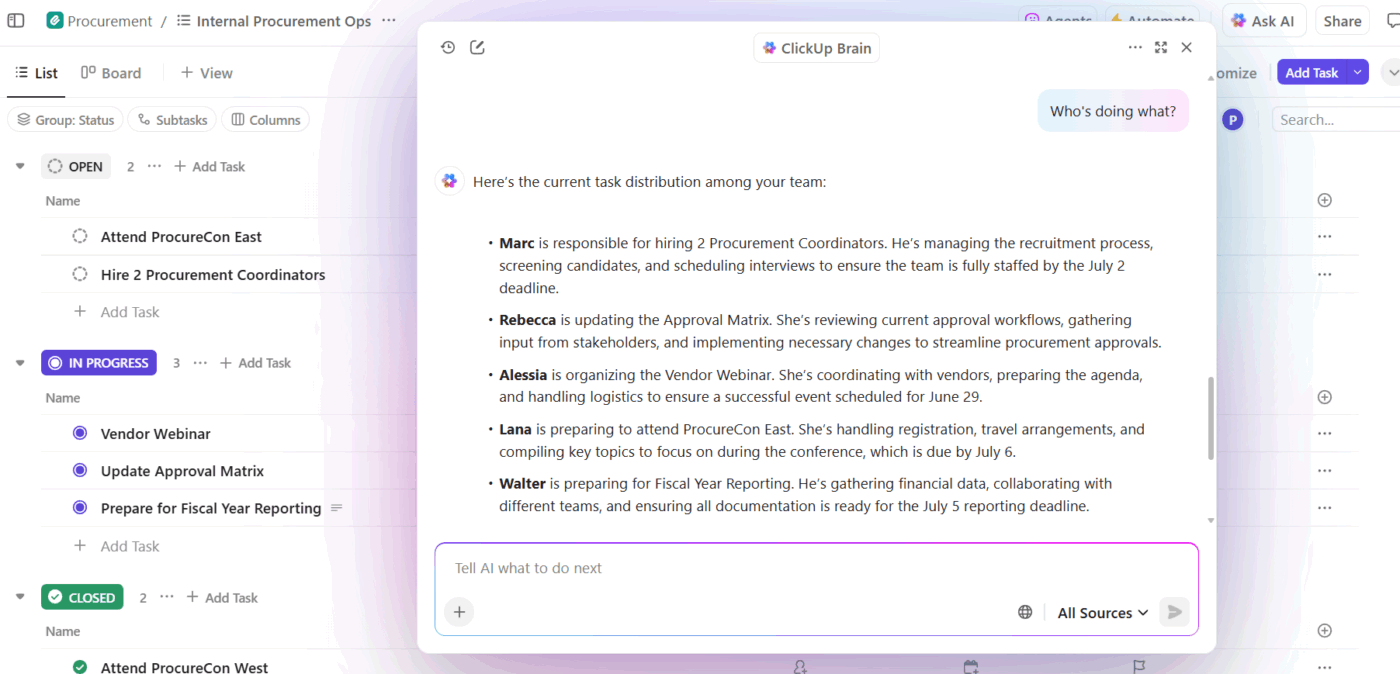
ClickUp Brain reduces that work by analyzing the information already inside your workspace and across connected tools. It works directly inside your volunteer workspace, reading Tasks, Docs, comments, and Form responses to summarize information and surface the details you need to make decisions.
Say you’re preparing a community health camp. As sign-ups increase, you can ask ClickUp Brain to review those tasks and summarize how many volunteers signed up for each role. It will produce a quick overview showing where coverage is strong and if gaps remain. In case the event requires more volunteers, you can spot the shortage immediately and adjust assignments.
📌 Example prompt: ‘Review all volunteer tasks for the health camp event and summarize how many volunteers signed up for each role. Highlight roles with fewer than five volunteers.’
Plan volunteering campaigns:
Keeping track of how each program is progressing often requires checking several spreadsheets or waiting for updates from coordinators.
ClickUp Dashboards give you a real-time view of everything happening across your volunteer operations.
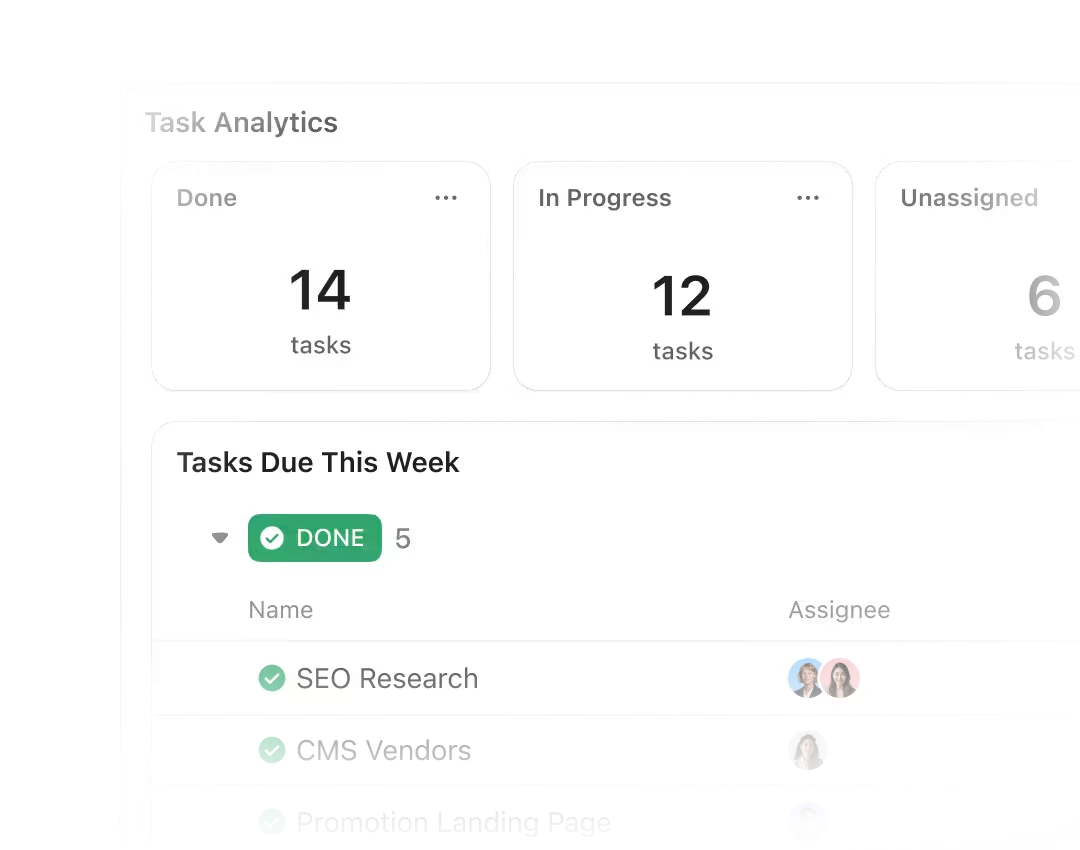
Instead of manually collecting updates, you can build a Dashboard that pulls data directly from the tasks and volunteer records already in your workspace. As coordinators assign roles, update task statuses, or add new volunteers, the Dashboard updates automatically.
Additionally, Dashboards also help you monitor participation across your programs. You can track total volunteer hours logged during events or compare attendance across initiatives.
They can also help you track repeat participation, recognition efforts, and overall engagement trends so you can improve volunteer retention over time.
ClickUp offers an exclusive discount for non-profit Workspaces.
This is what a Capterra user said about ClickUp:
Since it houses the files in one place, I’m not having to dig through 500 emails like a lunatic. I can visually see how much work the creative people are doing and whether or not they are drowning. It’s nice I no longer have to manually repeat the same tasks each Monday morning because the automation actually works…It was very fast to set up for our group of ten people. The person they sent to teach us was relentless and so everybody eventually figured it out. Connecting to Slack wasn’t as bad of an experience as I thought it would be either.
🚀 ClickUp Advantage: Searches across tasks, Docs, files, and connected apps to locate information using ClickUp Brain MAX.
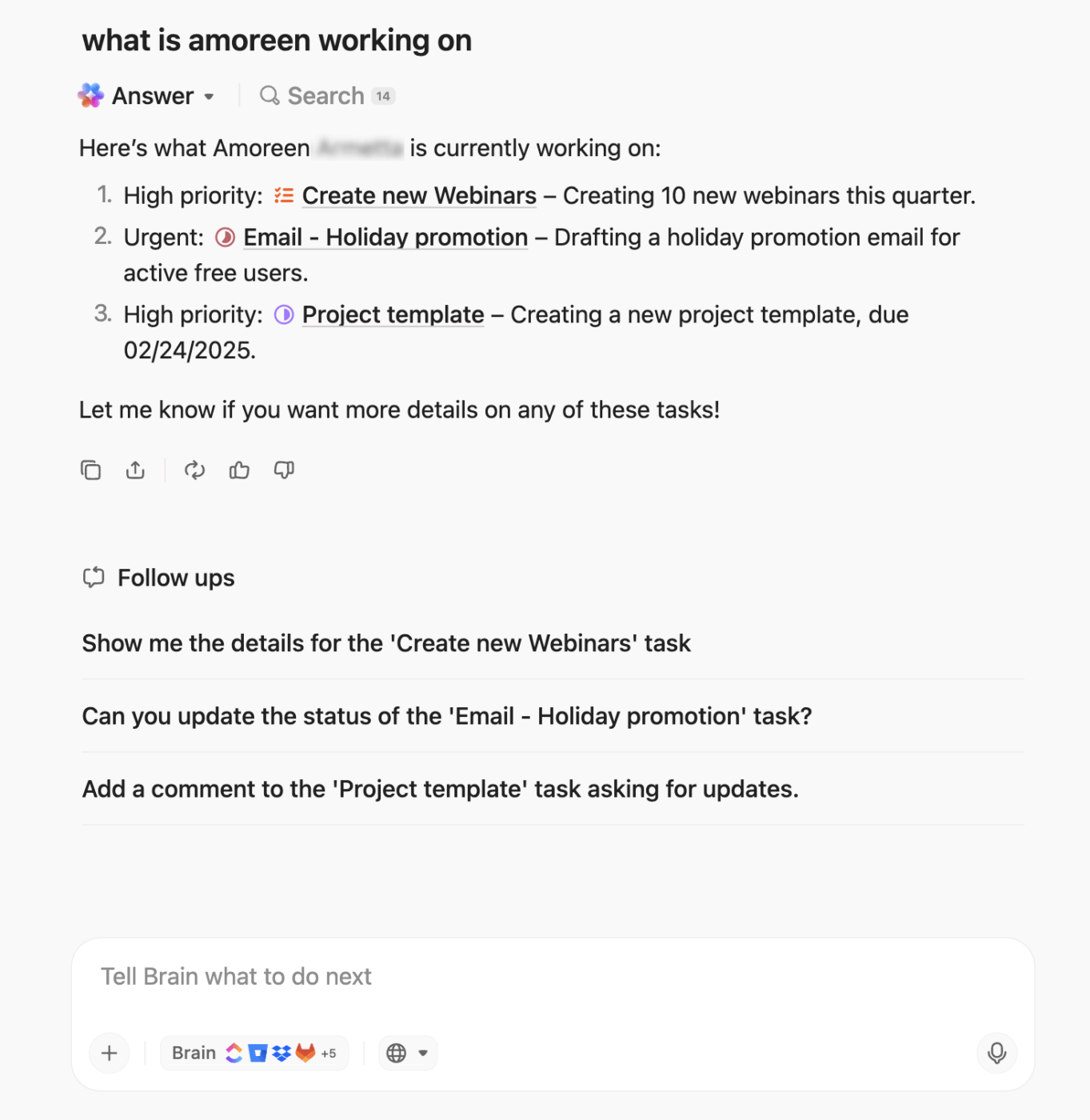
For example, if you’re planning this year’s fundraising marathon and want to reconnect with volunteers who handled registration and logistics last year, you can ask Brain MAX to locate those records. From there, you can create follow-up Tasks to contact those volunteers, assign coordinators to outreach, or reuse the same role structure for the upcoming event.
📌 Example prompt: Find volunteers who worked on last year’s fundraising marathon and summarize the roles they handled.
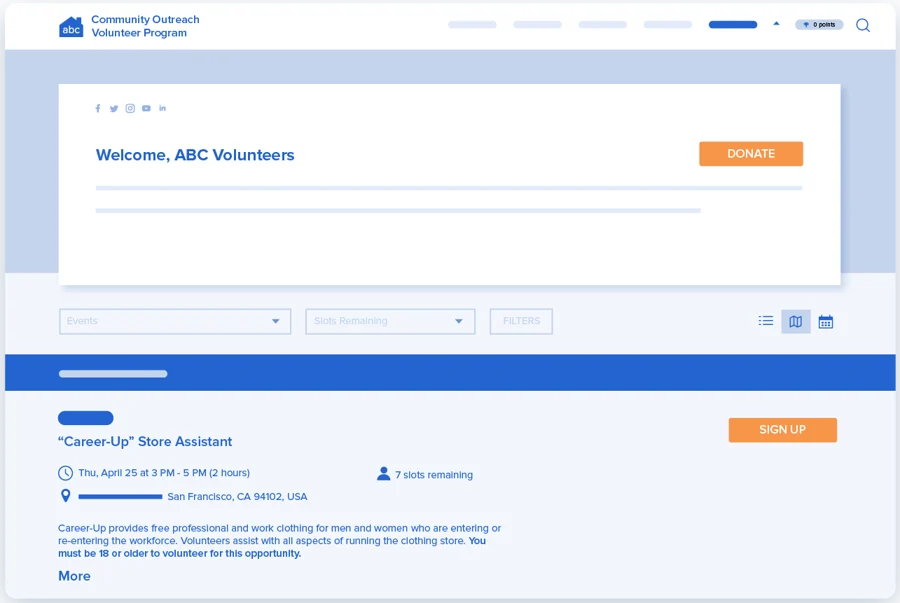
VolunteerHub replaces manual sign-up sheets with a digital portal where people register themselves, sign waivers, and pick their own shifts. This moves administrative work away from your staff and into the hands of volunteers.
It is a particularly strong choice for food banks or shelters that run the same shifts every week. The platform also syncs directly with nonprofit CRMs like Blackbaud, which means your volunteer data and donor engagement records stay in the same loop.
Here’s what a Capterra reviewer has to say:
VolunteerHub has a nice volunteer interface that’s easy to navigate and simple to use. For administrators as well the features require little training and are very user-friendly. We have been using this platform for a very long time so the pricing has always been very reasonable.
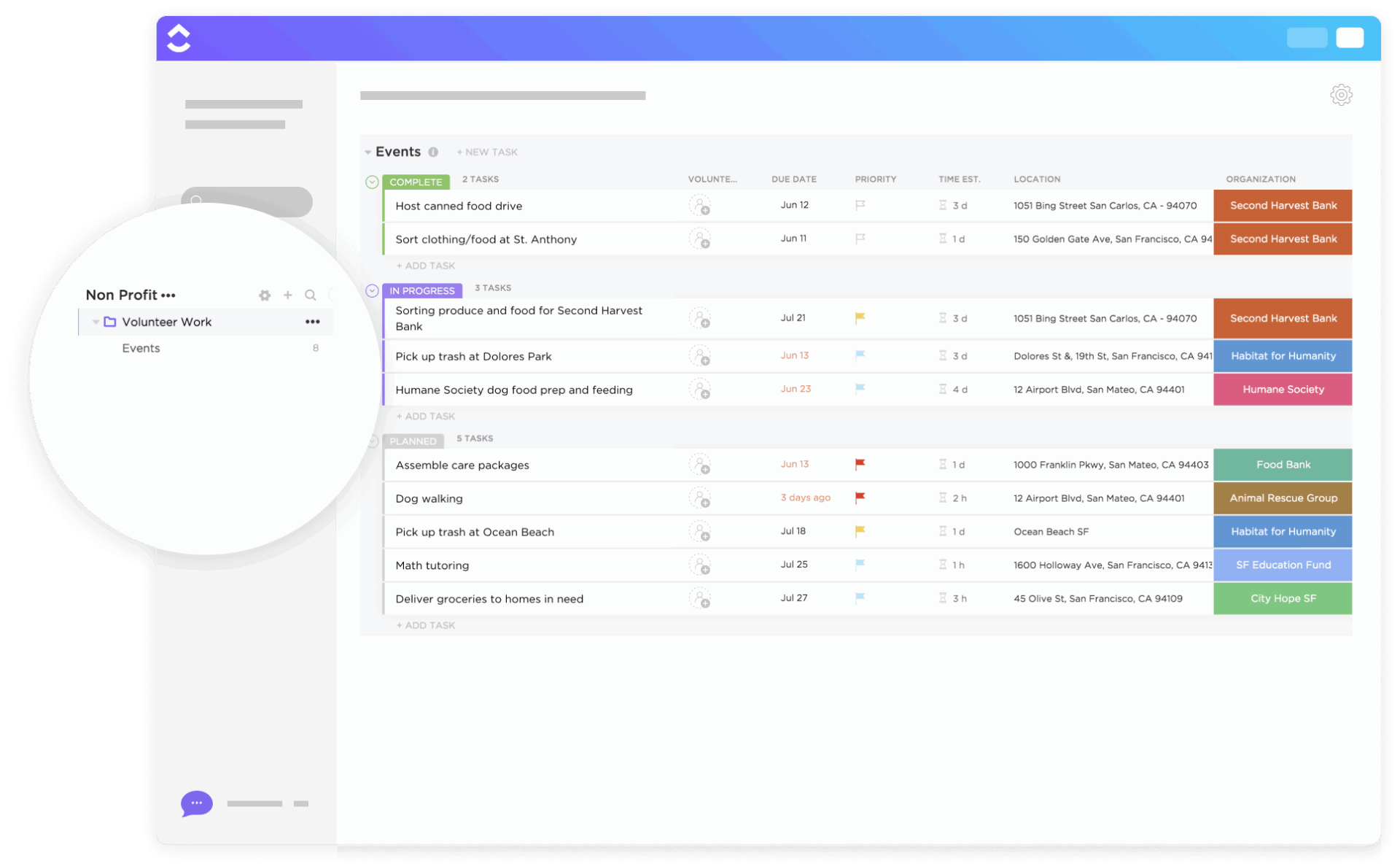
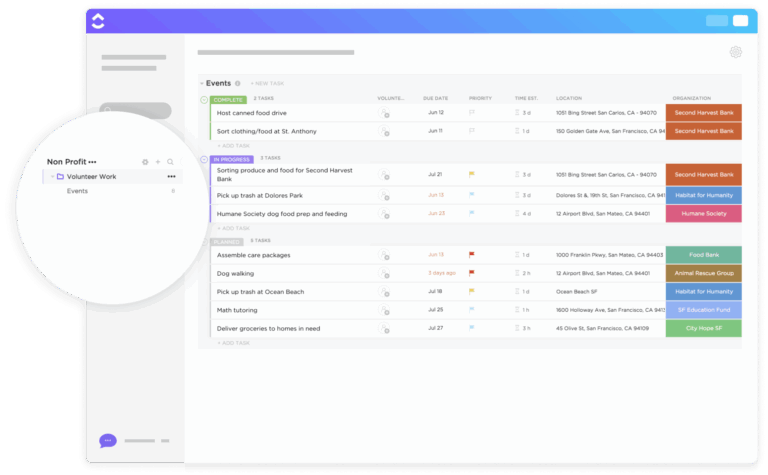
💡 Pro Tip: If you are transitioning from spreadsheets to a centralized system, you don’t have to build your volunteer database from scratch. The ClickUp Volunteer Management Template provides a preconfigured workspace you can modify to fit your nonprofit’s specific requirements.
It acts as a structural foundation, grouping your recruitment, scheduling, and impact reporting into one location so you can start organizing your team immediately.
With a nonprofit project management solution, volunteer managers can:
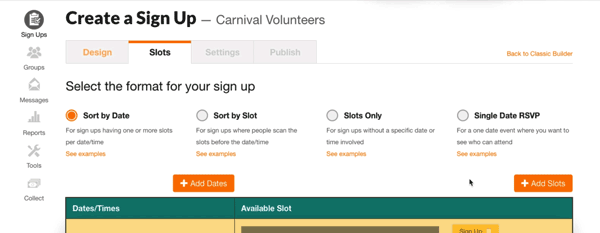
SignUpGenius link is the go-to for basic coordination because it is easy to set up. You choose a template, add volunteer time slots, and send the link; your volunteers don’t even need to create an account to claim a spot.
This low barrier to entry is essential for community groups that rely on one-time helpers who might be deterred by a multi-step registration process. The platform also bridges the gap between simple scheduling and light fundraising. This also lets you sell t-shirts or collect small donations directly on the signup page.
This is what a G2 reviewer thinks:
Signup Genius lets teachers easily organize multiple conferences on the same day. When a parent requests a conference, I can send them an email with a link to sign up. This allows the parent to choose the best available time that works for them. It helps keep me organized when I have 15+ back to back meetings in one day.
📖 Also Read: Free Event Planning Templates & Checklists
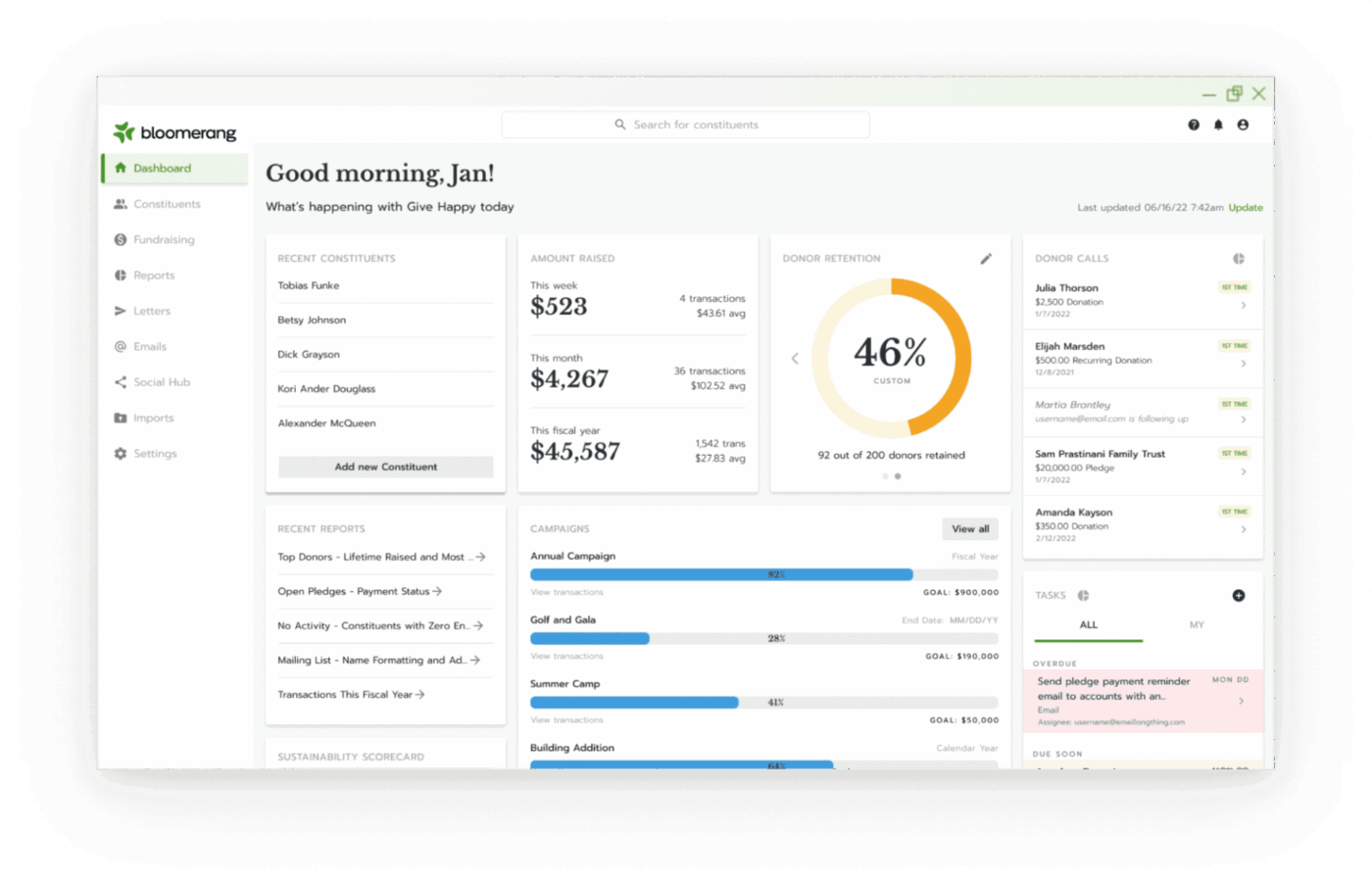
Bloomerang Volunteer handles the complex logistics of large-scale events, where you need to manage hundreds of people simultaneously.
The nonprofit tool operates as an integrated extension of the broader Bloomerang CRM, which means volunteer activity is automatically logged on the same constituent profile used for fundraising.
This synchronization allows you to use engagement scoring to identify supporters who contribute significant time but haven’t yet made a financial gift. You can centralize this data and trigger specific outreach campaigns based on a volunteer’s history, such as inviting long-term mentors to join a recurring giving circle.
This is what a G2 reviewer thinks:
It enhanced data synchronization with Bloomerang CRM, a new Central Schedule feature to manage scheduling issues across an organization, and improved recurring shifts functionality.
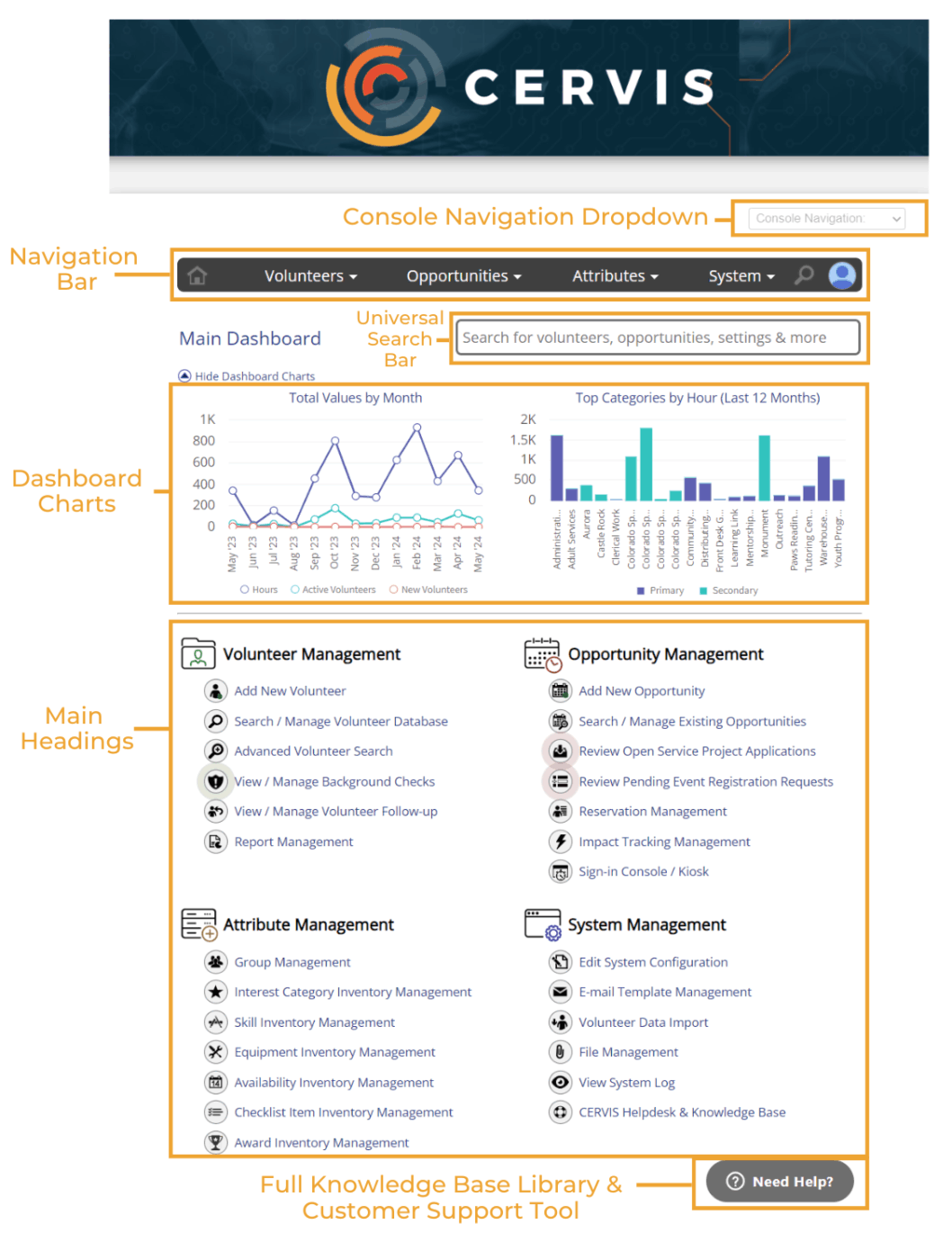
CERVIS (Community Event Registration and Volunteer Information System) is built for coordinators who want a balance between automation and a human touch.
While many platforms gate their records behind paywalls, it offers unlimited volunteer records across all its tiers. This pricing model is a significant advantage for organizations that maintain a massive database of thousands of supporters.
You can use the software in scenarios requiring complex group management, such as coordinating corporate volunteer days or church ministry teams. It includes specialized features, such as a web-based sign-in/sign-out console that turns any tablet or mobile device into an on-site kiosk.
Hear about it from a G2 reviewer:
It’s completely customizable, easy to set up, maintain and use, and allows volunteers to engage more deeply. It allows us to communicate with larger groups of people and enables new volunteers to sign up for opportunities independently. We searched for other platforms for years until we found Cervis. I would not use anything else.
🧠 Fun Fact: Only 19% of first-time volunteers return to give a second time when associations lack a structured stewardship and follow-up process. Digital platforms that automate thank-you messages for personalized outreach and offer future opportunities can bridge this gap.
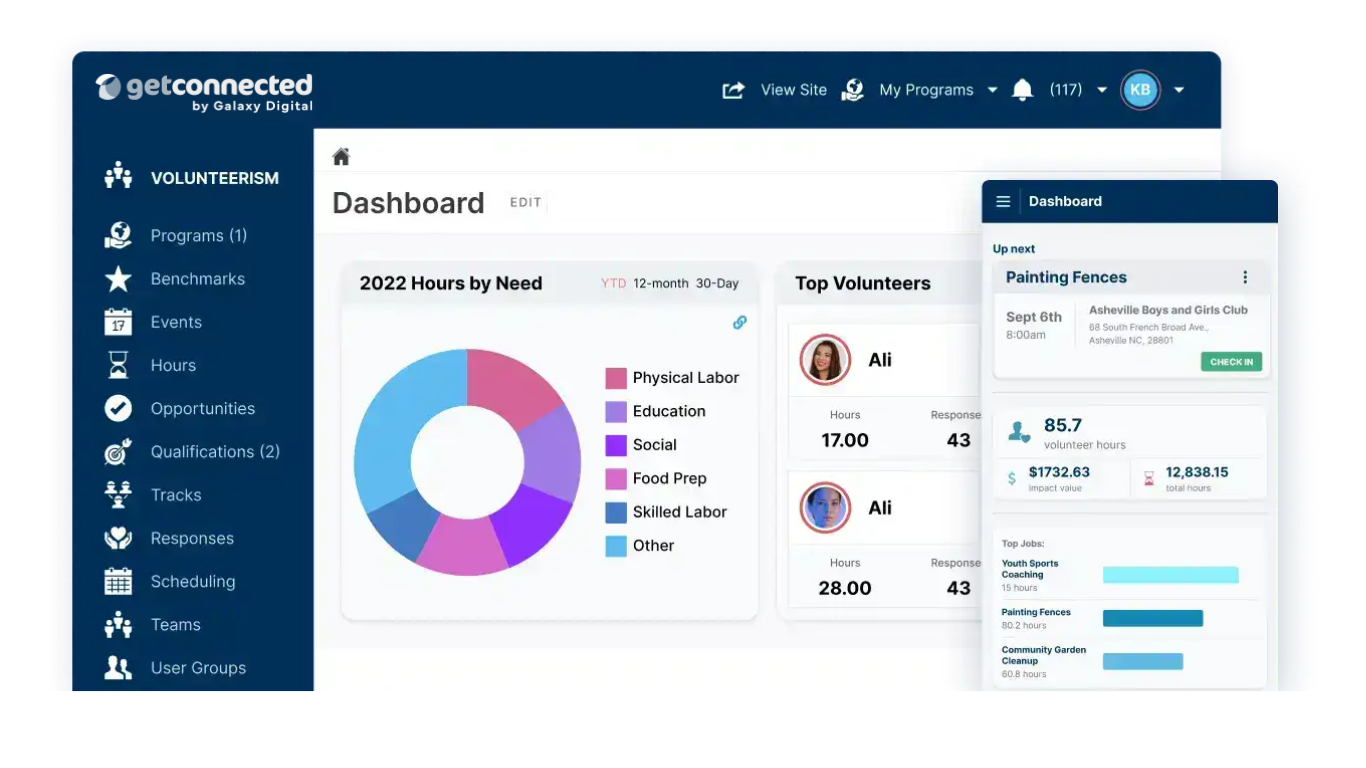
While most tools focus on a single organization, GetConnected allows you to post opportunities for a shared pool of volunteers in a shared hub. It’s the standard choice for United Ways and large municipal departments that need to see the big picture of service across an entire city or region.
The platform is divided into specific tiers: Shift, Sustain, and Amplify, so you can start with basic sign-up tools. Then it lets you move into complex Service Learning features for universities or corporate impact-tracking for businesses. To ensure data accuracy across these large networks, the system includes a Check-in Kiosk that works offline.
This is what a Capterra reviewer thinks:
It’s great for managing volunteer opportunities and community events. I am a primary user for a non-profit and we have been pleased with it overall.
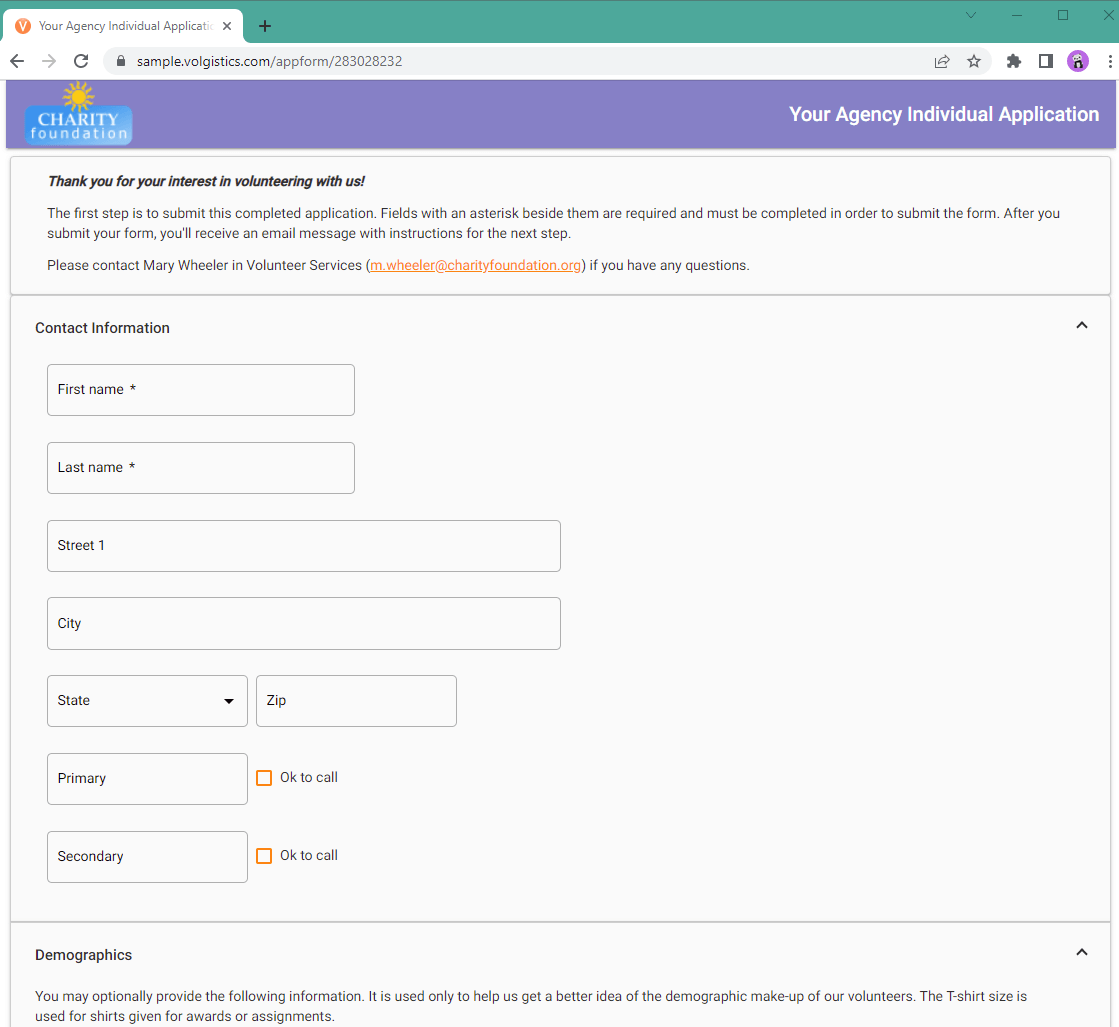
If you like the idea of building your own management system but don’t want to start from scratch, Volgistics is a good tool to try. It allows you to turn features on or off like a light switch. You only pay for what you actually use, which is a breath of fresh air compared to all-or-nothing enterprise suites.
You can hide fields you don’t need, rename tabs to match your organization’s lingo, and scale your plan up or down month-to-month. Beyond standard scheduling, Volgistics includes a Tickler checklist feature that helps you track time-sensitive requirements, such as background check expirations, so no volunteer hits the floor without proper clearance.
This is according to a G2 reviewer:
Volgisifics is very simple and easy to use! It has a lot of flexibility with the customizations and what can be selected!
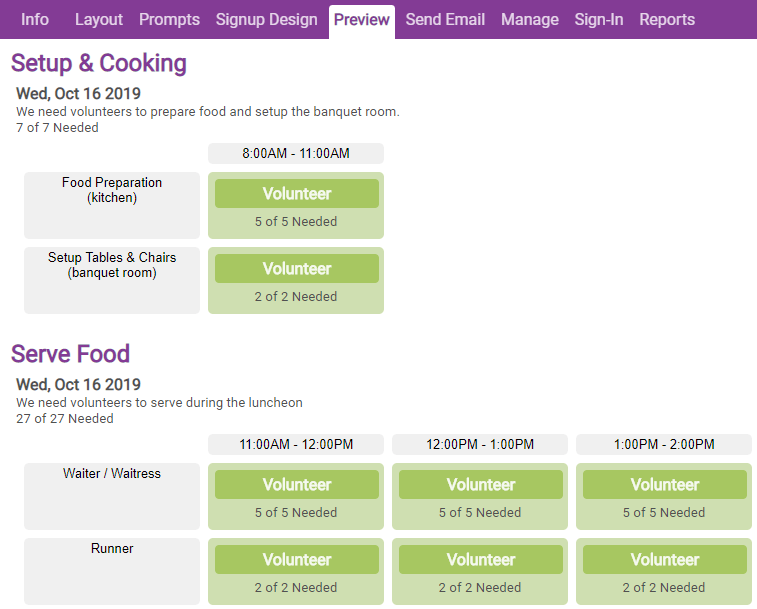
iVolunteer is one of the platforms that remains completely ad-free, even on its basic subscription. This makes it a good choice for nonprofits that want to maintain a professional, distraction-free environment for their supporters without committing to high-tier enterprise costs.
The platform is built specifically for task-based scheduling, allowing you to manage anything from a one-day theater production to a recurring vaccine clinic. Its interface is minimalist but functional. For instance, the New Event Wizard helps you copy previous event structures in seconds, saving you from repetitive setup work.
Here’s how it helped a Capterra reviewer:
This provided me a way to organize about 100+ volunteers for a 2 day event each year. Very simple and easy to set up. Provided a great grid of open slots for volunteers to see what areas needed more help and which ones were pretty well filled.
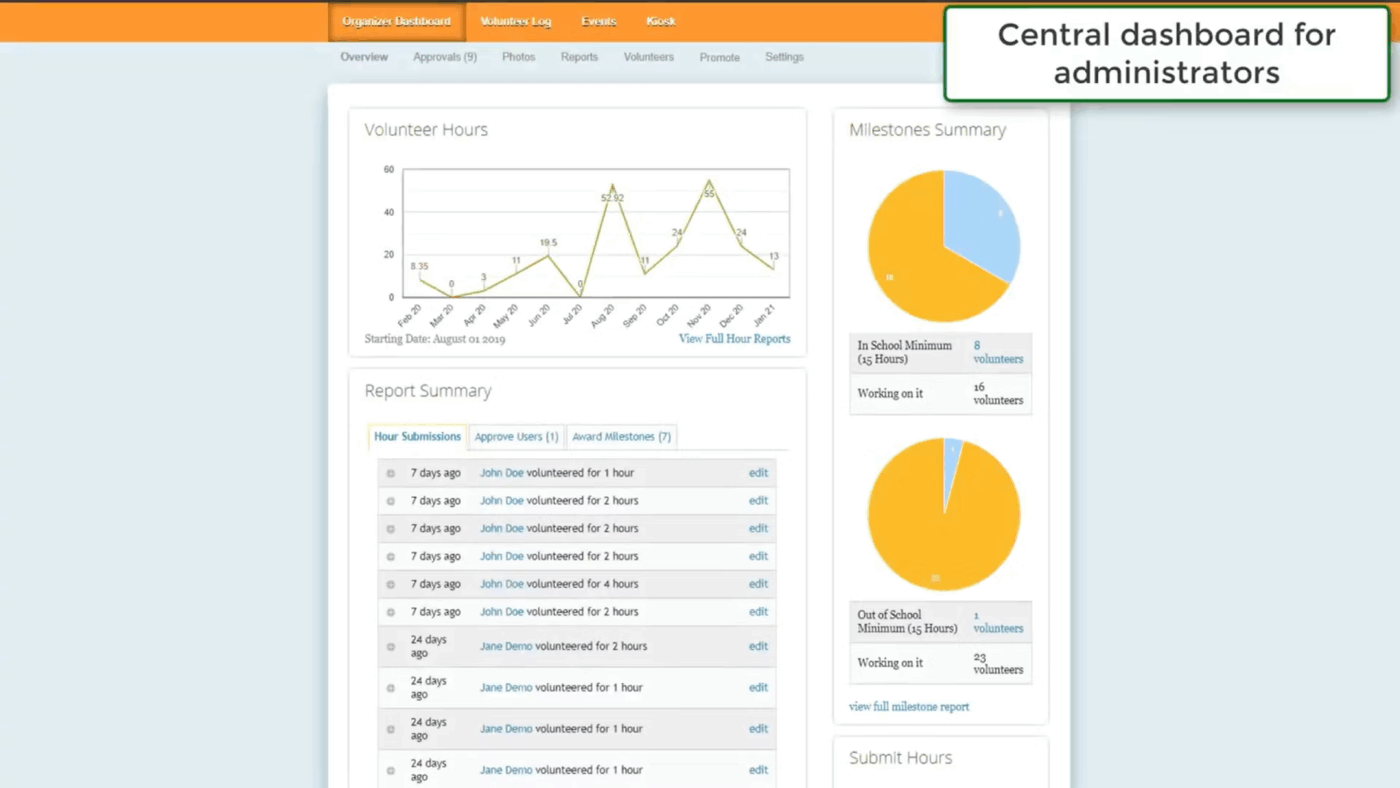
Track It Forward focuses on making it easy for volunteers to log their own time. It is a favorite for K-12 schools and university programs where students need to hit a specific number of service hours to graduate. Instead of a coordinator manually entering data, volunteers use the mobile app or a web widget to submit their hours for approval.
This self-service approach shifts the administrative burden away from staff, ensuring service records are updated in real time rather than piling up as paperwork at the end of a semester.
Its Milestones feature allows you to set specific goals for individuals or groups. For instance, a school can set a 40-hour graduation requirement, and both the student and the coordinator can see a live progress bar toward that goal.
Here’s what a Capterra reviewer thinks:
This software is easy to use and gives you an opportunity to sign up for volunteering events at different places and keep track of all your hours and dates of volunteering.
WhenToHelp uses a proprietary AutoFill algorithm that takes everyone’s preferences: who prefers to work, dislikes certain times, and who cannot help. Then it builds the most logical schedule for you with one click.
The platform handles the mental load of scheduling by ensuring your most flexible supporters get the shifts they prefer while preventing overtime or burnout.
This is what a Capterra reviewer thinks:
I love that after approval from whentohelp.com this program is free for Non Profits! What an awesome thing for a company to help out Non Profits who have small budgets!
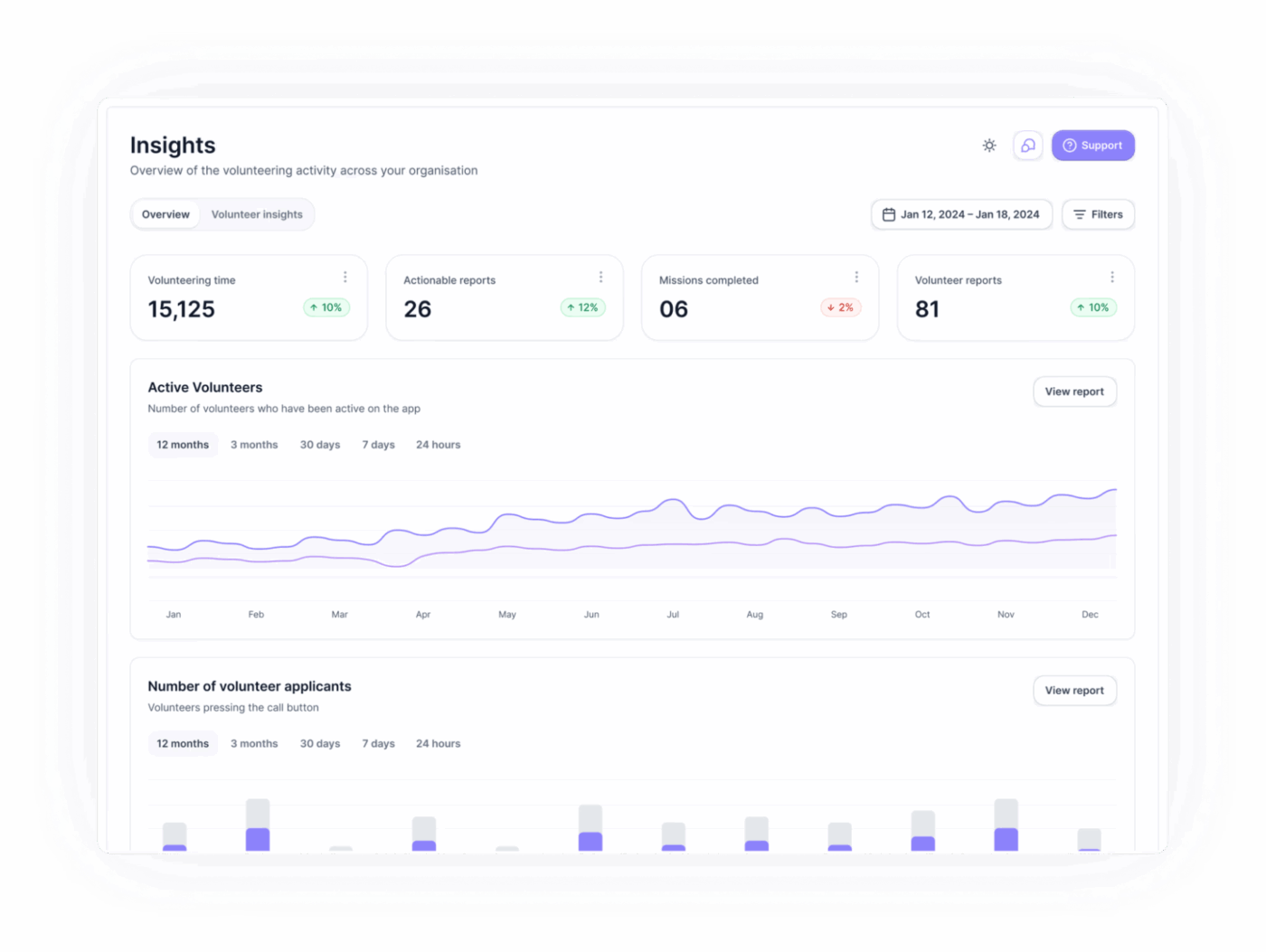
Volunteero is designed to act as a complete engagement system rather than just a database. The platform focuses on reducing the administrative burden of onboarding and coordination, claiming to save staff over 100 hours per month by automating manual tasks like reference collection and shift reminders.
It also targets the participation paradox by allowing you to gamify your supporter’s journey. Volunteers earn automated digital badges for hitting service milestones, which are then prominently displayed on their mobile profiles.
This is according to a Capterra reviewer:
A very user-friendly volunteer management platform providing complete control over volunteer records and activity. Web/App based interactive platform for volunteers to sign up to missions and send in reports. One stop for both admins and volunteers with a lot of automation to streamline what we do.
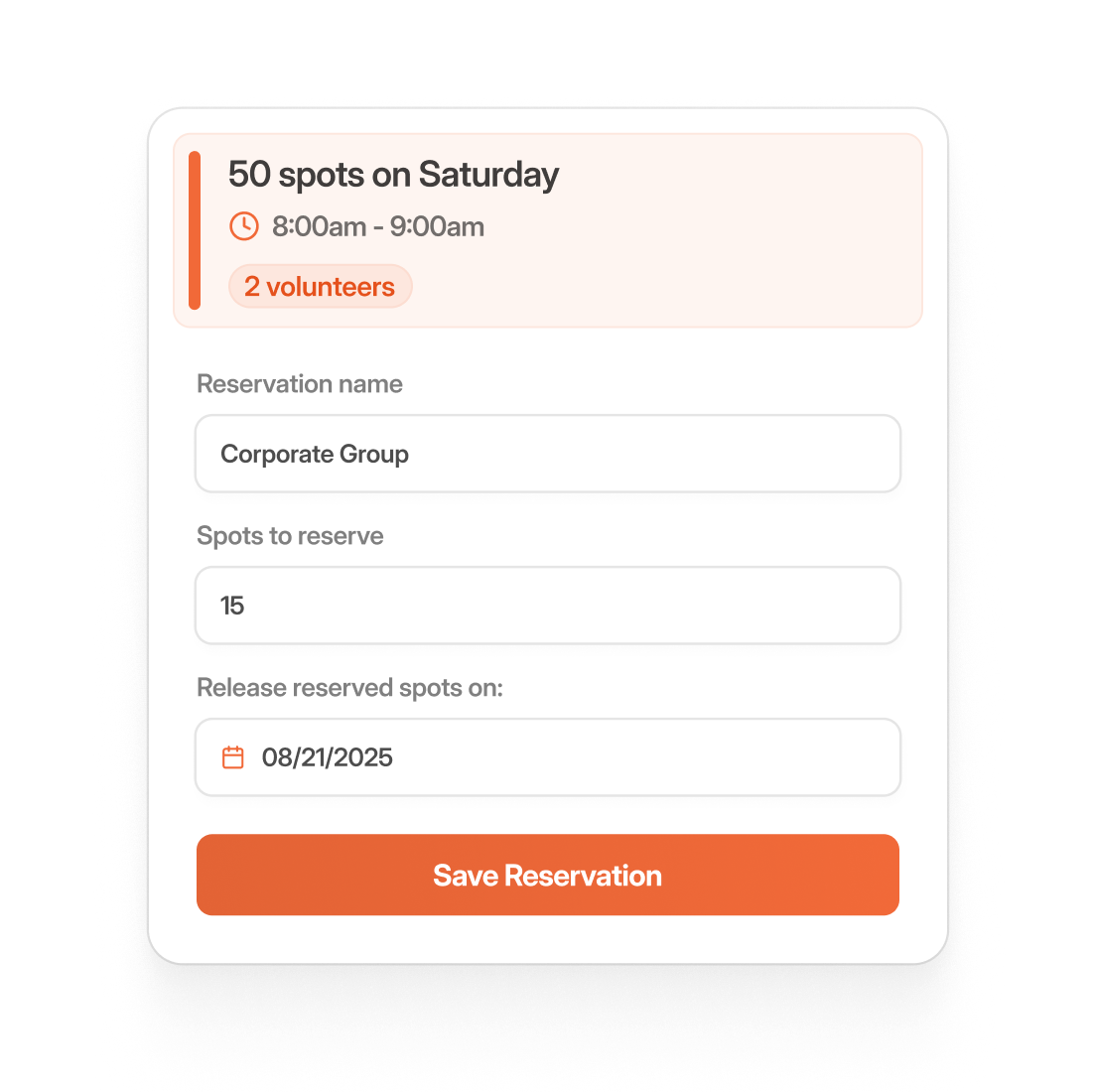
VolunteerLocal is designed for high-volume, low-barrier signups. You can get a public link live in minutes, and volunteers can claim a shift without even setting a password.
Plus, because it integrates with credit card processors, you can also handle micro-fundraising during the registration flow. This allows volunteers to buy their own event t-shirts or make a small donation at the exact moment their engagement is highest. These features streamline the transition from a one-time helper to a financial supporter.
Here’s what a Capterra reviewer thinks:
We like the ability to have all our volunteer data in one software and that it communicates with our donor database. The customized fields and different applications allow us to create separate events for certain types of people we have in our organization. The customer service and their ability to help us problem solve for the software to fit our organization better is top notch.
📖 Also Read: Best Free Process Workflow Templates
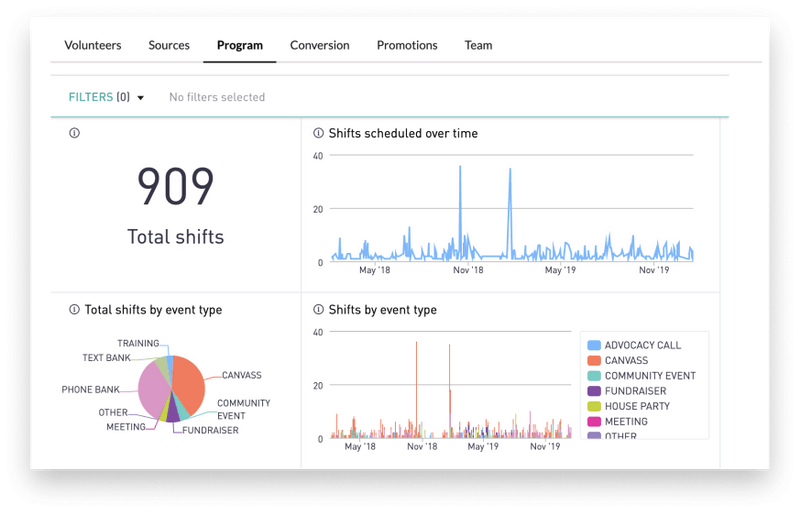
While other platforms require you to bring your own audience, Mobilize helps you find one by cross-promoting your events to supporters of similar causes. This network effect means your events are automatically surfaced to supporters who are already engaged with similar movements, lowering your recruitment costs.
Additionally, the platform is built to combat flake rates with a data-backed nudge cycle, using automated SMS and email reminders. It is a good choice for high-stakes advocacy and rapid-response organizing, designed specifically to turn one-time event sign-ups into long-term activists.
This is what a G2 reviewer thinks:
Mobilize is a great tool for tracking event sign-ups and managing RSVPs by reducing flake rates with auto-confirm texts and emails.
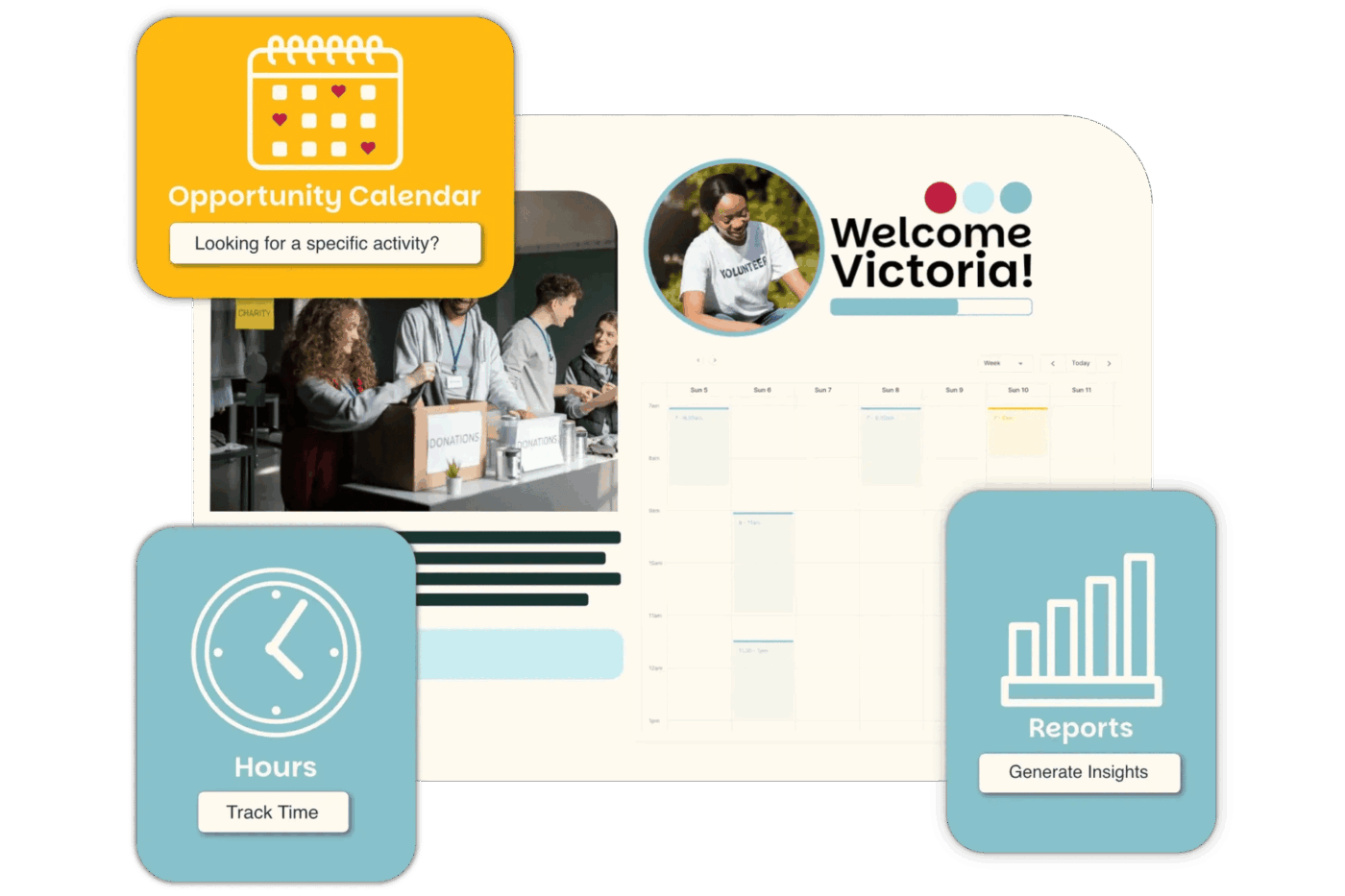
If you want a full-service database that lets volunteers manage their own profiles, Better Impact can be an option to consider. It keeps your records accurate without requiring your staff to manually enter data. In a nutshell, Better Impact focuses on saving time, specifically, claiming to give coordinators back up to 15 hours a week by automating scheduling logistics and reminders.
Its defining feature is the Volunteer Software ROI Calculator, which lets you translate raw service hours into a measurable business case for your board or donors.
By moving your onboarding and training into their built-in eLearning modules, you can set up automated qualification paths, meaning a volunteer is only permitted to sign up for a specific shift once they have passed your required training quizzes.
This is what a G2 reviewer thinks:
It’s user-friendly for volunteers who appreciate phone apps. Customer service is top notch. They also have user groups to learn more about how others in your sector are utilizing Better Impact.
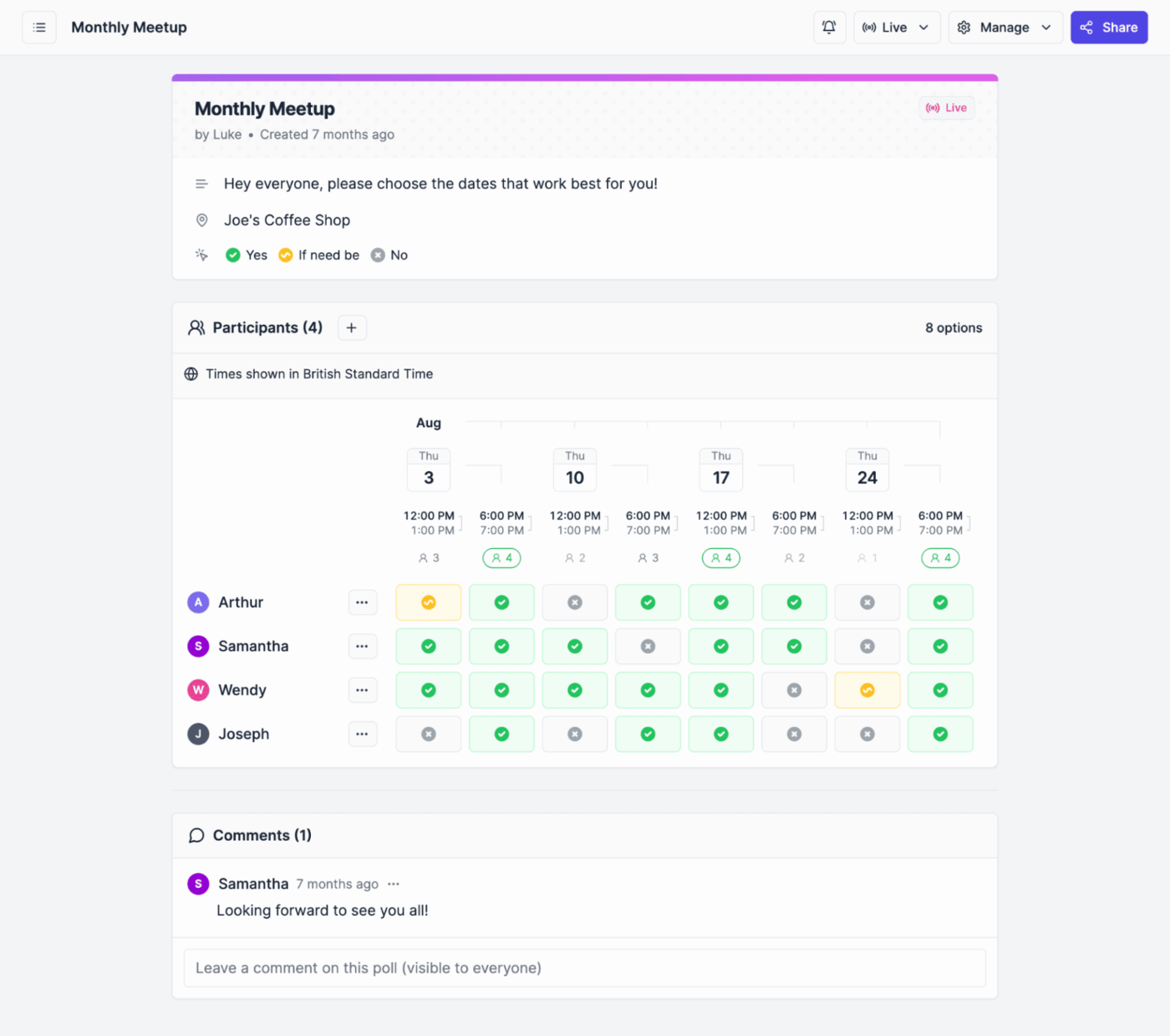
Rallly is a practical choice if you need to find time for a volunteer meeting or a one-off service project without the overhead of a full database. It is a lightweight polling tool designed to eliminate back-and-forth emails. You simply pick a few potential dates on a calendar, send the link to your team, and let them vote on the one that works best for them.
It treats scheduling as a collaborative process; once a poll is finalized, it can automatically send calendar invites to everyone who voted, effectively closing the loop on the administrative work without you having to manually update your team.
While Rallly doesn’t track long-term service hours, its ability to handle multi-region coordination through automatic timezone detection makes it a good micro-tool for distributed teams.
This is from a G2 reviewer:
It allows teams to customize their works and reporting to fit needs and integrates with other tools.
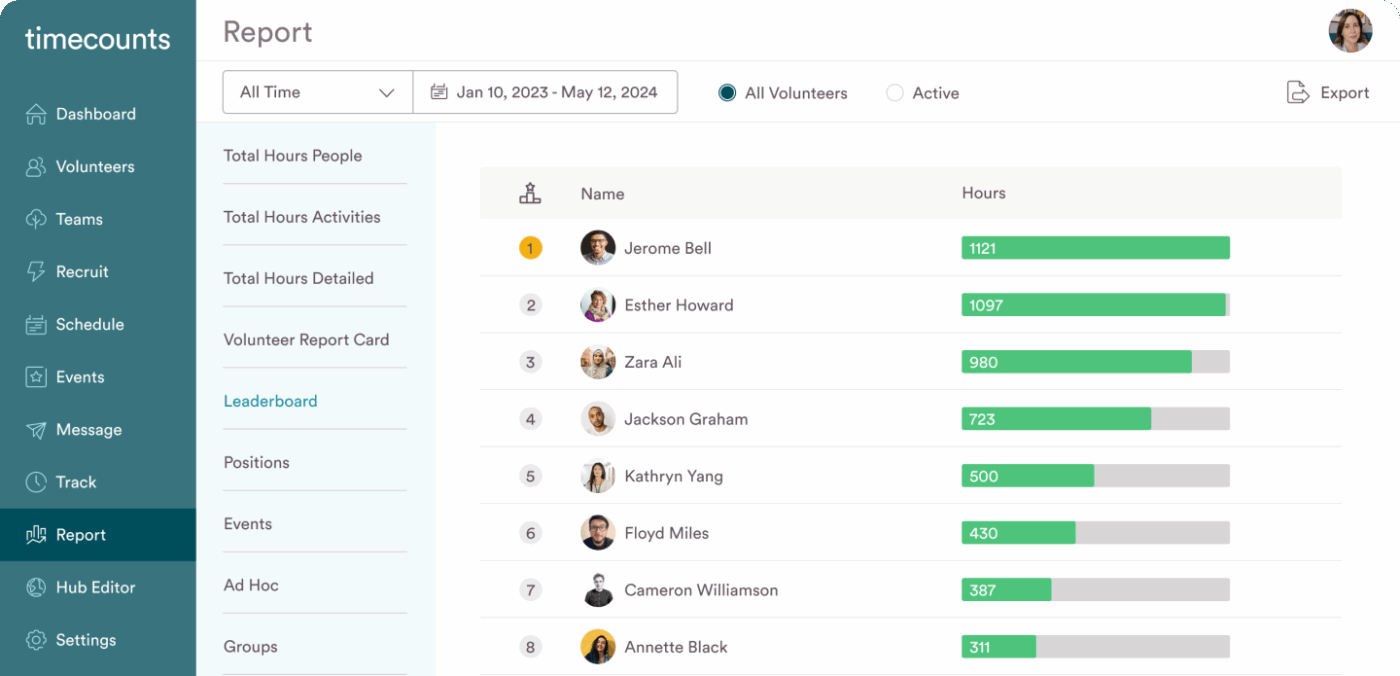
Timecounts replaces traditional volunteer databases with a public-facing portal where supporters browse and sign up for roles. The platform focuses on the onboarding process, allowing you to create mandatory checklists for new recruits.
You can require volunteers to watch training videos, upload certifications, or sign digital waivers before the system permits them to join a shift.
It also has an integrated Double the Donation partnership, which identifies a volunteer’s employer during registration. This allows your organization to automatically track and claim Dollars for Doers grants, where companies donate money for employee volunteer hours without any extra manual reporting.
This is what a G2 reviewer thinks:
The customer support is unparallel. I have had a lot of questions that were answered or addressed between 10 minutes and 24 hours. Very impressive.
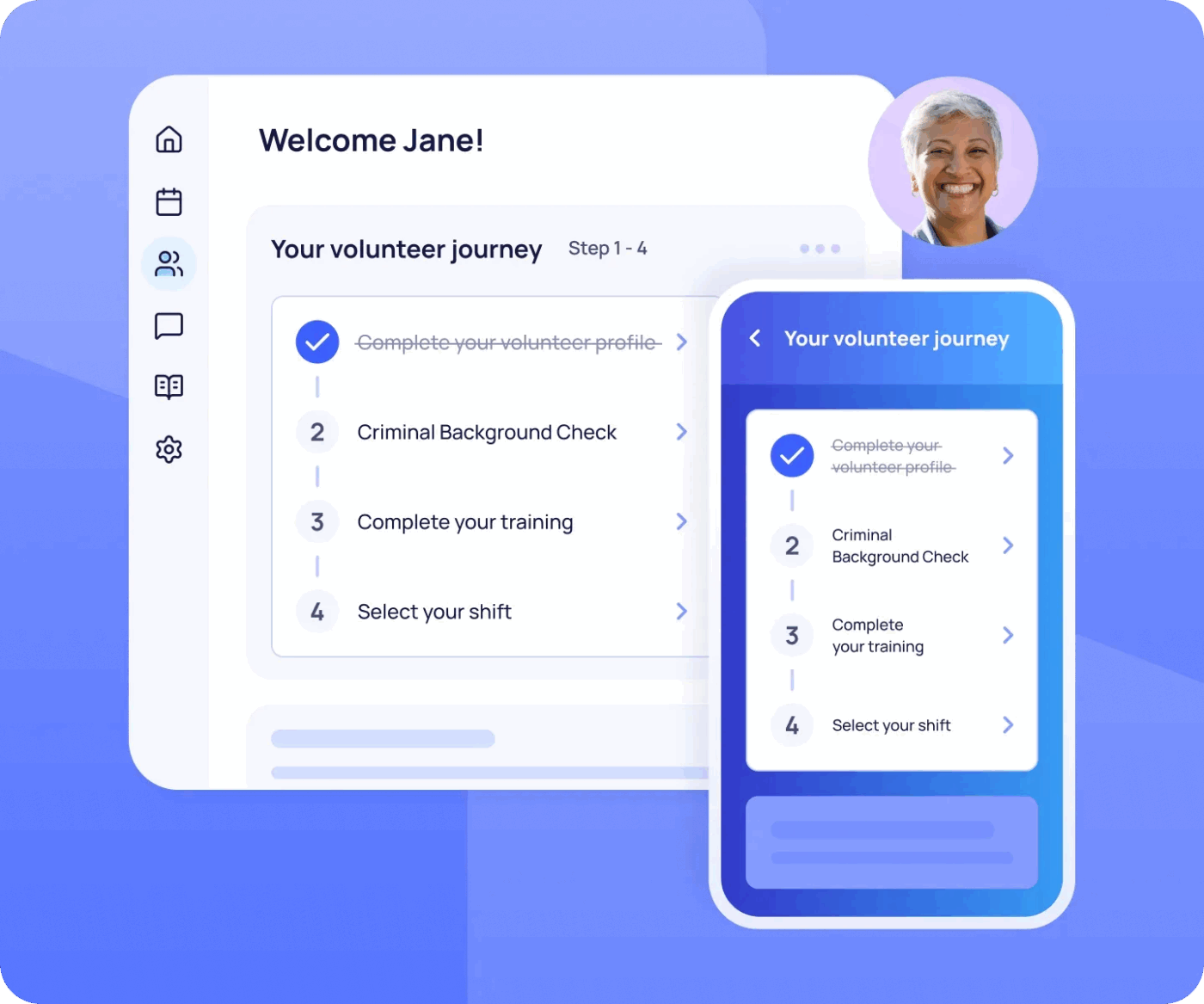
Rosterfy is the enterprise-grade solution for high-stakes volunteer coordination. It is the platform behind major world events like the Sydney Marathon and SXSW, where managing thousands of people requires more than just a calendar. It uses intelligent automation to handle the entire lifecycle of a volunteer, from the first application through training and on-site scheduling.
This platform also includes specialized modules for Corporate Social Responsibility (CSR) and Service Learning. This allows organizations to manage individual volunteers and also entire employee cohorts and university departments in a single dashboard.
A Capterra reviewer reviewed this tool:
It is easy to use and the staff who work at rosterfy are always helping me and suggesting ways to improve our portal that make everything streamlined. It is user friendly, not only on an admin end but also for our users, which is very important. We have set up automations for reminders and incorporated a feedback system.
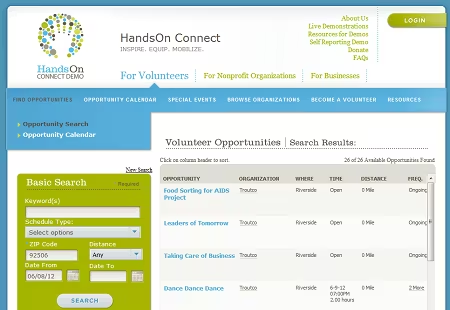
Use HandsOn Connect if your organization has outgrown simple sign-up sheets. Now part of the Galaxy Digital family, it is built directly on Salesforce, enabling it to handle massive datasets across multiple locations. If you need to manage thousands of volunteer records alongside complex donor campaigns, advocacy work, and international programs, it is a good choice.
For global organizations, the platform’s Sustainable Development Goals (SDG) dashboard is working over time. It automatically categorizes your project impact data into exportable metrics for annual CSR reports.
And to bridge the technical gap often found with Salesforce, they also offer a Virtual System Admin service, providing you with a dedicated expert to handle your backend configuration.
This is what a Capterra reviewer thinks:
The ease with which we can edit our public site and the ease with which non-admin staff can interact with the partner portal. The update to 3.0 made it so much better!
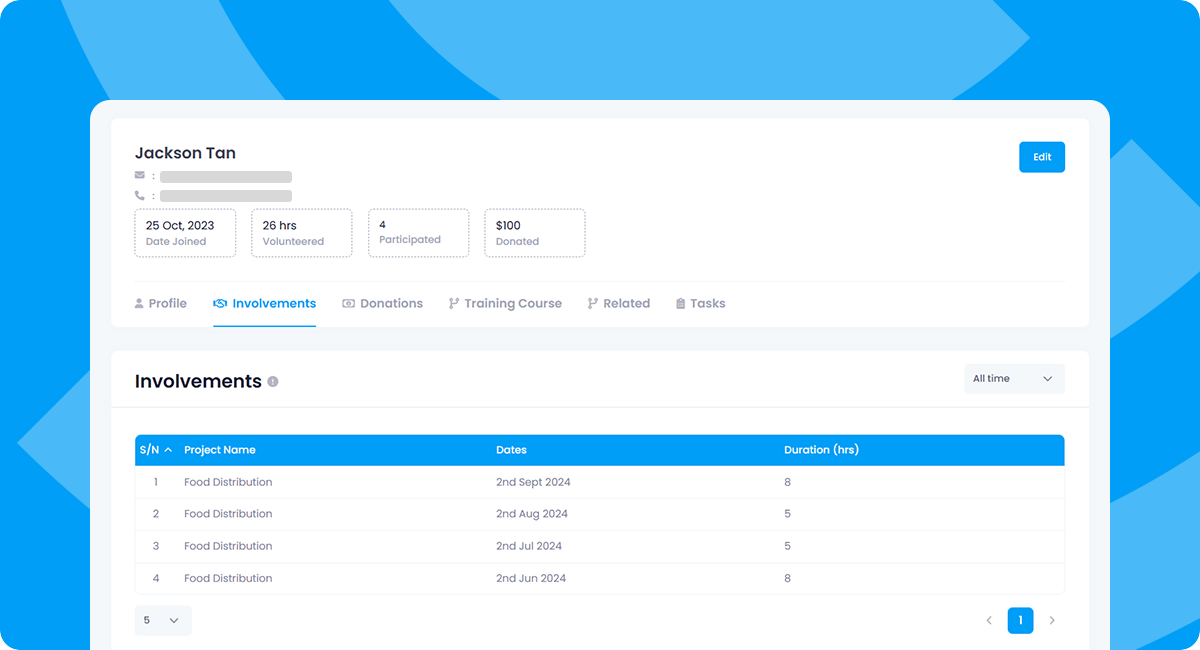
Givlly focuses on the entire volunteer lifecycle. It handles everything from custom onboarding and interviews to deploying volunteers into specific roles and tracking their attendance via a dedicated mobile app. Because it also includes a donor management module, you can see how your volunteer engagement directly correlates with your fundraising campaigns.
Its integrated Learning Management System (LMS) supports automated learning paths. This allows you to host mandatory compliance training, such as safeguarding or data privacy courses, directly in the platform. A volunteer is moved to the ‘Cleared’ status only after successfully completing their assigned modules and passing the associated quizzes.
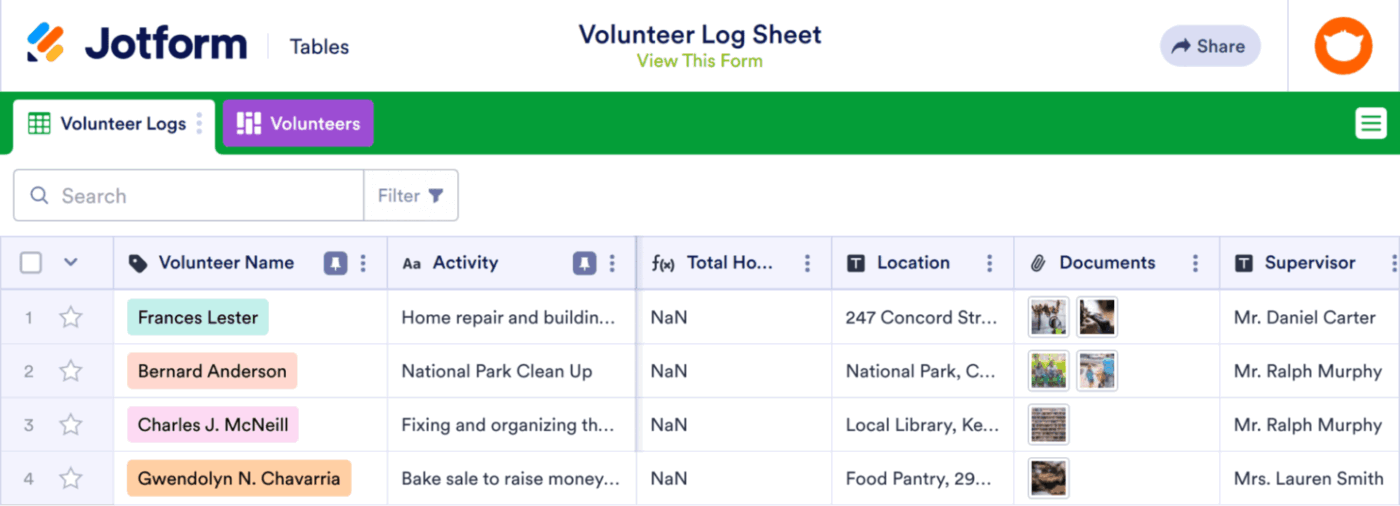
Jotform is widely known for its forms, but its Boards feature turns it into a legitimate project management tool for nonprofits. It is designed to close the gap between a volunteer filling out an application and a coordinator actually assigning them a task.
When someone submits a sign-up form, the software can automatically generate a task card on a visual board, ensuring no new recruit gets stuck in an unread inbox.
Its AI Agents can handle initial volunteer inquiries 24/7, providing personalized guidance before they even fill out an application. To prevent data silos, their updated Salesforce Dynamic Prefill allows you to pull real-time data from your CRM to populate form fields, ensuring volunteer information remains consistent across platforms.
This is what a Capterra reviewer thinks:
Ease to set up and collect data, design of form is quite easy to follow. No technical downtime. It’s very accessible.
Volunteer management is about keeping everything connected so your team can focus on real impact. The tools on this list can help in different ways, but when your workflows are split across forms, spreadsheets, chats, and reports, things start to get missed.
That’s where ClickUp changes the game, bringing your entire volunteer workflow into one place. From collecting sign-ups with Forms to instantly turning them into actionable tasks, everything stays organized from the start. As your programs grow, ClickUp Brain helps you make sense of it all by summarizing volunteer data, spotting gaps, and helping you plan smarter.
And when it’s time to track progress, Dashboards give you a real-time view of participation, hours logged, and program performance without chasing updates. Sign up to ClickUp for free today! ✅

Manasi Nair
Max 14min read
Manasi Nair
Max 9min read

Arya P Dinesh
Max 17min read

© 2026 ClickUp