
Sorry, there were no results found for “”
Sorry, there were no results found for “”
Sorry, there were no results found for “”
Construction budgets have a mind of their own. The moment you lose track, costs explode. McKinsey reports 98% of megaprojects exceed budgets by over 30% and face severe delays. Picture mid-build blueprint changes, missing timesheets, and one Excel error spiraling into a six-figure disaster.
Yet 80% of contractors still rely on manual tracking, inviting errors and chaos. The fix? Construction cost control software that automates expenses, flags anomalies in real time, and pulls every line item into one clean dashboard.
In this guide, we’ll explore the best construction cost control tools to help you stay ahead of overruns, make data-driven decisions, and keep every project on schedule and under budget. 🏗️
One minute you’re on track; the next, your budget’s off the rails. These tools help you stay ahead—spotting issues early and keeping costs in check.
| Tool | Best for | Best features | Pricing |
|---|---|---|---|
| ClickUp | Construction project management and cost tracking Team size: Individuals to enterprises | Custom Views, Task hierarchies, Gantt charts, RFIs & approval forms, Finance Dashboards | Free forever; Enterprise customization available |
| Procore | Controlling documents and collaborating across teams Team size: Mid-size to enterprise contractors | Budget tracking, Integrated timesheets, Role-based access, 400+ integrations | Custom pricing |
| RedTeam | Real-time financial visibility and operational efficiency Team size: General contractors, commercial builders | Estimate-to-budget conversion, Change orders, Bid comparisons, Mobile access | Custom pricing |
| CoConstruct | Managing residential construction with client collaboration Team size: Custom home builders, remodelers | Two-way QuickBooks sync, Selection sheets, Budget vs. actual, Client portals | Custom pricing |
| Autodesk Build | Tracking project performance and field-office sync Team size: Large contractors, AEC firms | PCOs & change orders, RFIs/submittals, Accounting integrations, Rule-based approvals | From $140/user/mo; unlimited-user options custom |
| Fieldwire | Jobsite task management and field coordination Team size: Field crews, subcontractors, small GC teams | Budget module, Cost-code import, Plan markups, API for BI integrations | Free plan available; Paid from $54/user/mo |
| CMiC | Unifying financial data with ERP-grade controls Team size: Enterprise construction firms | General ledger, Payroll, Procurement, Mobile field data, Analytics | Custom pricing |
| Sage Intacct | Cloud accounting and real-time financial visibility Team size: Multi-entity contractors, finance teams | GL/AP/AR, WIP tools, Smart Events & Rules, AI-assisted automation | Custom pricing |
Construction sites are like orchestras—one wrong note and the whole performance derails. You need more than a ledger; you need a conductor’s baton to harmonize budgets, deadlines, and resources in real time.
🧠 Did You Know: In 1989, Hard Dollar dropped the first digital hammer on old-school estimating, swapping tedious math for automated magic.
Here’s what a construction cost management software should help you with:
Our editorial team follows a transparent, research-backed, and vendor-neutral process, so you can trust that our recommendations are based on real product value.
Here’s a detailed rundown of how we review software at ClickUp.
We’ve selected the best cost control software that streamlines work processes for construction companies, project managers, estimators, finance teams, and contractors. Whether you’re building large-scale projects or managing residential projects, these tools can help you stay on budget.
Let’s see what each one has to offer.
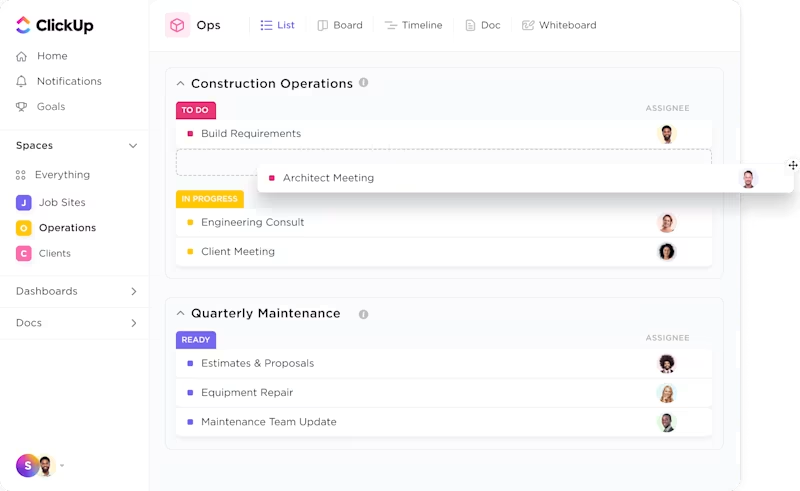
ClickUp is a leading cloud-based project management platform, trusted by thousands of teams worldwide, including those in construction. It streamlines complex workflows with real-time updates, automation, dashboards, and integrated tools according to your business needs.
ClickUp’s Construction Project Management Software helps teams manage projects by bringing everything from pre-sales to delivery into one intuitive platform. Teams can centralize all project-related documents, such as blueprints, contracts, approvals, and permits, within ClickUp Docs. To make work more collaborative in real-time, ClickUp Chat keeps discussions connected to work by letting you embed tasks and docs in an AI-powered chat interface.

Tracking your team’s time is easy with a global timer. Plus, you can set estimates and create reports that show how your projects are working. Also, you send custom RFIs and approval forms to contractors and designers, assign tasks, and keep workflows moving smoothly.
ClickUp’s Finance dashboards reveal where you are spending your money by letting you monitor budget allocations, actual expenditures, and profits in real-time. You can also create custom dashboards to track key performance indicators (KPIs), such as project completion percentages and budget adherence.

Within ClickUp, you get fully customizable construction management templates that include tools for task, project, and resource management, along with budgeting features.
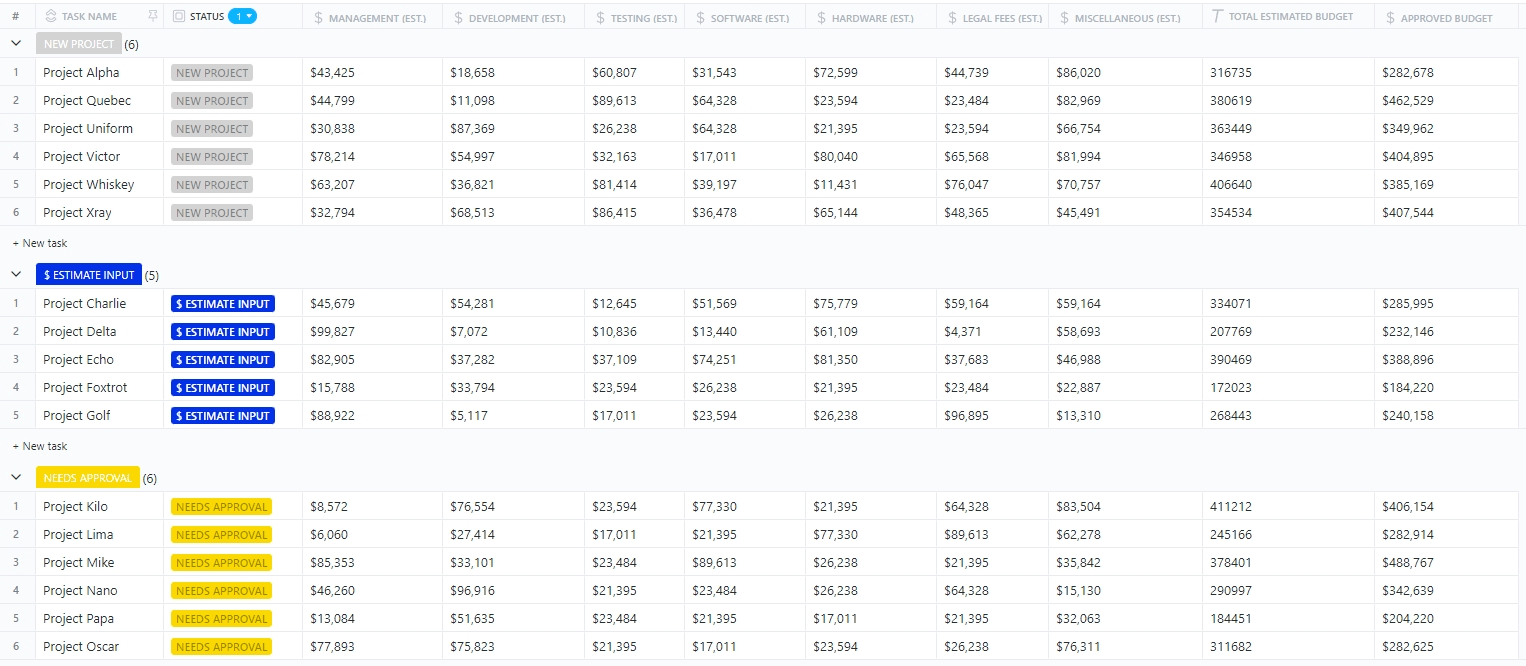
One such template is the ClickUp’s Project Cost Management Template. It helps you track and control every dollar spent during your project.
It includes six custom statuses to track project costs and lets you categorize tasks with attributes to manage your tasks. It also offers custom views such as Projects List, Project Costs Table, and Approval Process Board, making it easy to access and organize information.
You can use this template to:
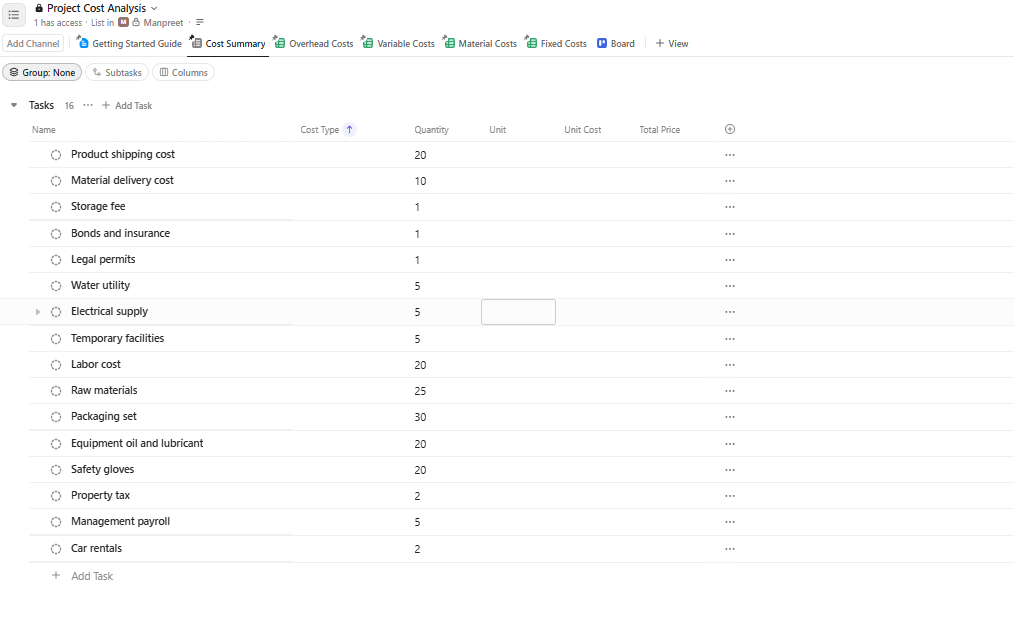
Another helpful template is ClickUp’s Project Cost Analysis Template, which helps you compare costs across multiple projects.
It includes custom statuses like Complete, In Progress, and To Do to track all cost elements; five custom fields for capturing key cost details; and customizable views to keep everything organized and easy to access.
You can use this template to:
Want to know how you can save time with Automations? Take a look at this video.
Here’s a G2 review:
ClickUp delivers exactly what it promises, being a truly all-in-one tool to manage everything I need. It integrates with most of the other tools that my clients use, and it’s a daily necessity for many years now.
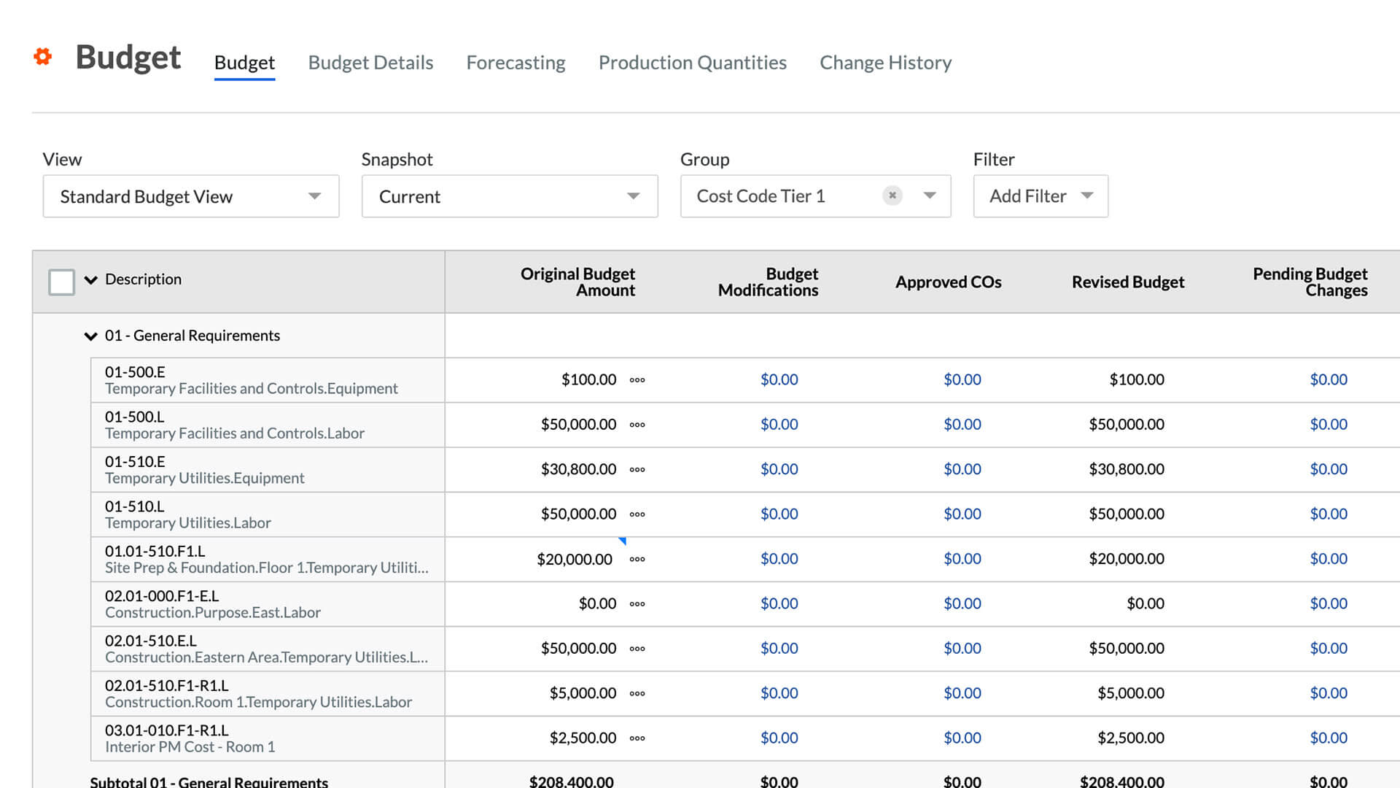
Procore is a construction project management software that helps construction teams minimize errors from data duplication and disconnected spreadsheets by storing all your financial data, such as budgets, contracts, change orders, and invoices, in one system. Integrated timesheets help track labor hours and associated costs directly against your budget.
Moreover, with owner- and executive-level dashboards, you can instantly generate cost reports, variance reports, and profitability snapshots to enhance transparency.
Here’s a G2 review:
We’re a commercial general contractor, and Procore has become essential to how we operate. We use it for project management, scheduling, contracting, invoicing—you name it. We rely on nearly every function it offers, and frankly, we couldn’t run our business without it.
💡 Pro Tip: Use a software that provides real-time dashboards, automated alerts, and forecasting capabilities, allowing construction teams to identify cost deviations early. This helps manage project costs risks, take remedial actions, and maintain project profitability.
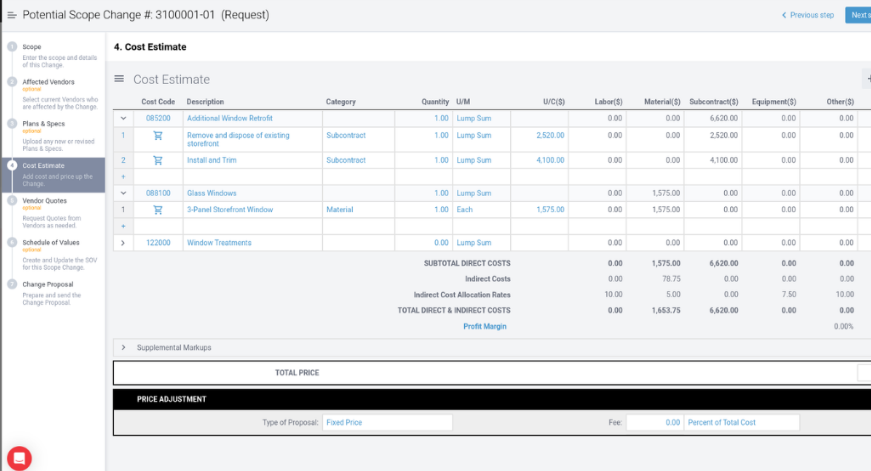
RedTeam allows you to convert your cost estimates into real project budgets, making it easy to track any changes from the original bid to the final numbers. You can segment your budget by divisions, cost codes, and other custom criteria to improve cost control.
With the mobile app, teams operating in the construction industry can access project information, update statuses, and manage tasks from anywhere, enhancing on-site productivity and communication.
Here’s a G2 review:
Integration with project stakeholders like architects, engineers, and subcontractors in one place. It definitely saves my time and effort.
⚡ Template Archive: Outstanding Estimate Templates for Accurate Cost Predictions in ClickUp, Excel, and Word
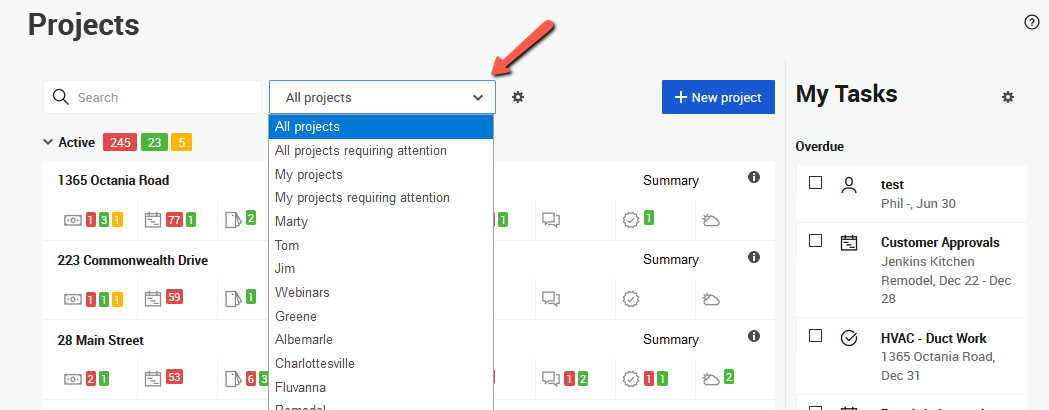
CoConstruct is specifically designed for custom home builders and remodelers. This construction cost control tool organizes budgets by cost codes, giving managers a clear view of expenses, what has been spent, and what is pending.
The tool offers a centralized selection sheet that integrates design, estimating, and production processes in one location. As clients make selections, financials update in real-time to give everybody immediate visibility into project costs.
Here’s a G2 review:
CoConstruct is a very useful tool. The software is very thoughtfully designed. The Budgets, Purchase Orders, and Change Orders are all relatively smooth and easy to use.
💡 Pro Tip: Want to master effective client budget management? Start with these steps:
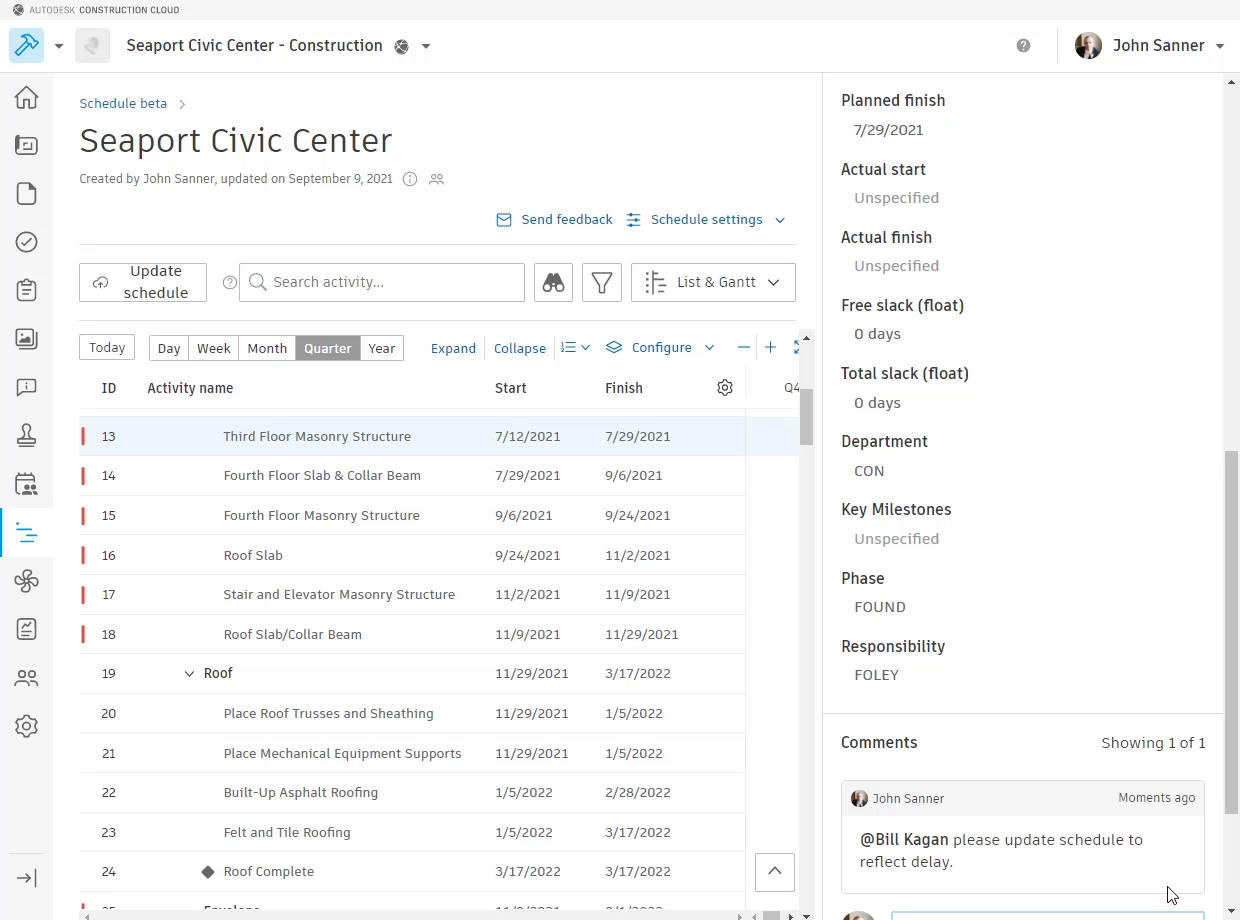
Autodesk Build connects data from both the site and the office so you can identify what’s driving budget changes. Contractors can also use it to resolve project management challenges, such as cost overruns and lack of smooth coordination between architects, subcontractors, design and field teams.
Scheduling and progress tracking features help monitor the project’s timeline, while quality and safety management tools ensure compliance with regulations and standards.
The tool also lets you create rule-based approval workflows and custom templates to handle contracts and changes easily.
Here’s a G2 review:
Everything is fluid; I know where all docs are, I can navigate through the drawings and make all kinds of notes and measures I need and check them when needed, I can see who and when to make changes and coordinate them, I can use the app on the go, so far I don’t have to use the customer support because is really intuitive and easy to use.
🎯 Productivity Hack: Instead of manually building your Cost Breakdown Structure (CBS) from scratch for every project, use a digital CBS template for the construction business.
How this helps?
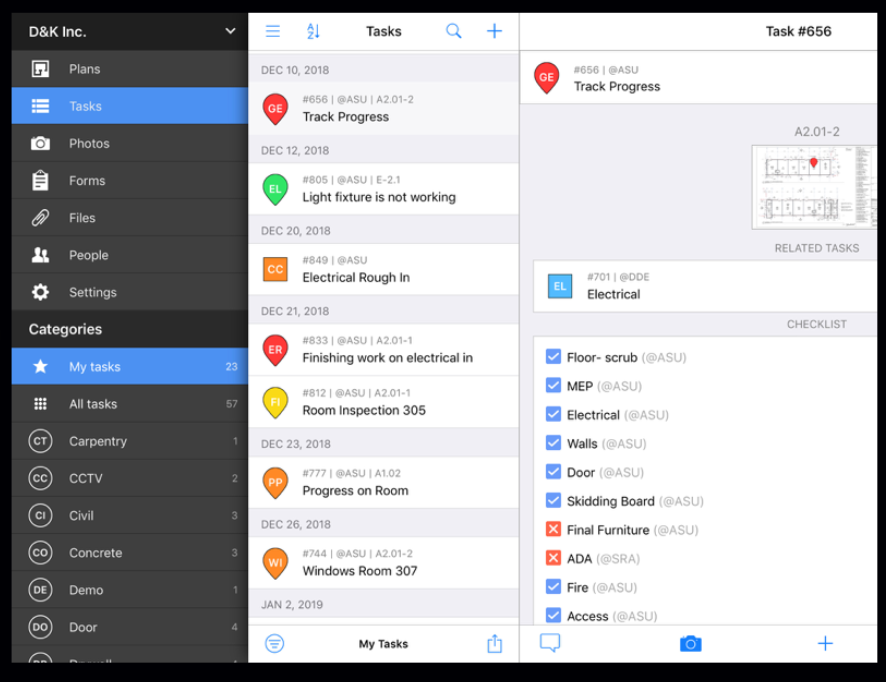
Fieldwire offers a dedicated budget module that enables construction professionals to manage project budgets across the entire project lifecycle. You can organize expenses by defining cost codes for various categories, such as materials, labor, equipment, and subcontractors. These can also be imported from an Excel template for faster setup.
For each budget line item, the tool lets you enter actual costs incurred and attach supporting documents, such as receipts and invoices. Since these entries update in real-time, all stakeholders get immediate visibility into how actual spending compares to the original budget.
Here’s a G2 review:
I use Fieldwire for most of the jobs at my company. It is a great way to keep track of any project, time management, and worker accountability. As well as proof of work and before and after pictures with metadata like time and GPS locations.
📮 ClickUp Insight: 30% of workers stick to set hours, but 27% regularly work overtime, and 19% don’t have a set schedule at all.
When work is unpredictable, how do you ever truly clock out? 🕰️
Automated task scheduling in ClickUp Calendar can help bring more structure to even the most unpredictable schedules. Plan your week, set firm work hours, and automate reminders to log off—because your time should be yours to control!
💫 Real Results: Lulu Press saves 1 hour per day, per employee using ClickUp Automations—leading to a 12% increase in work efficiency.
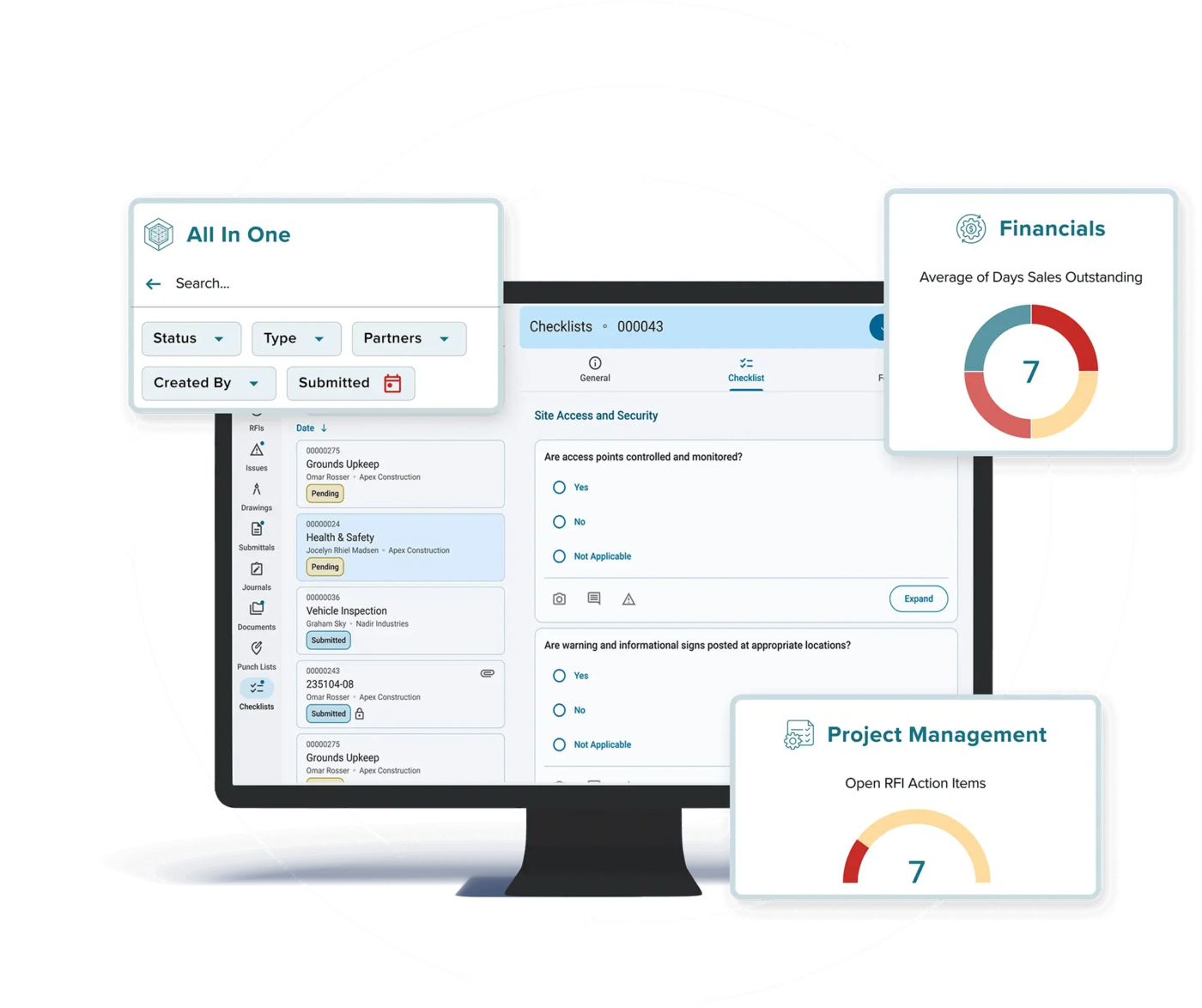
CMiC is an enterprise resource planning (ERP) software that provides financial tools for construction project cost management, including general ledger, accounts payable and receivable, and financial reporting. It integrates accounting, procurement, payroll, and data from project management systems within a single database platform, so that all teams work from one source of truth.
For field workers, features like time tracking, equipment usage monitoring, and work order management help improve productivity and send real-time updates to the central system.
Here’s a G2 review:
CMiC is easy to navigate. The layout is intuitive, and it’s relatively customizable. Downloading and uploading files is easy, with multiple ways to access files.
📚 Read More: Best Reporting Tools & Software
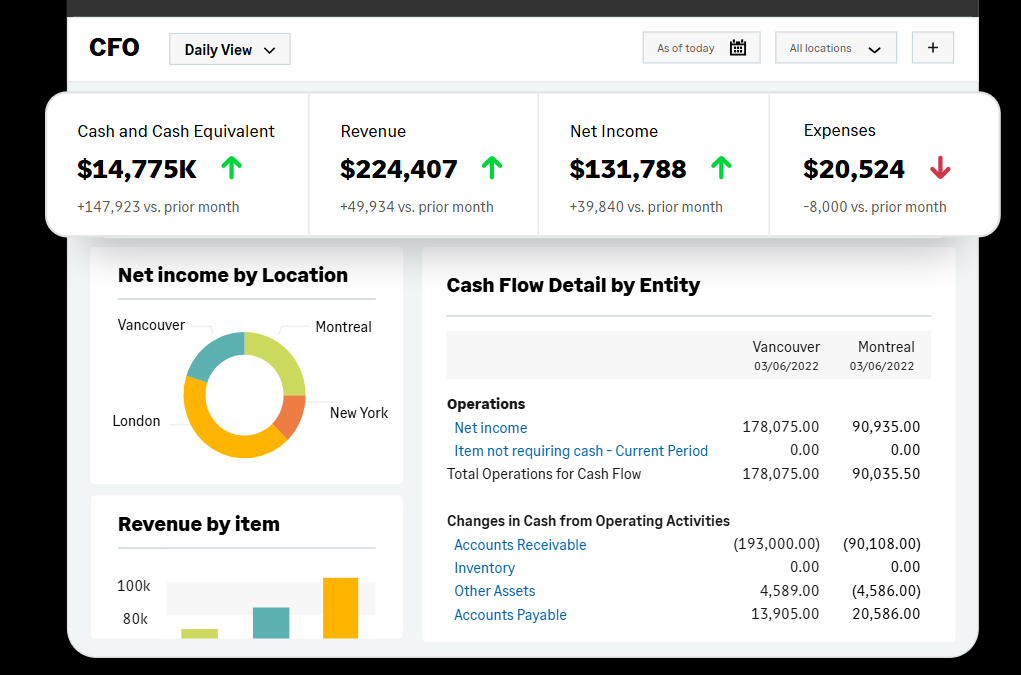
Sage Intacct is a comprehensive suite of financial modules, including general ledger, accounts payable, accounts receivable, cash management, order management, purchasing, invoicing, and billing. Real-time dashboards offer a granular analysis of data and trends, helping improve data-backed, strategic decision-making.
The tool consolidates multiple entities, subsidiaries, and currencies, making it a good choice for global operations. With Smart Events and Smart Rules, you can even automate report sharing and alerting.
Here’s a G2 review:
Sage Intacct has enabled us to streamline nearly every account process we previously performed in other software systems. It has eliminated the need for paper and filing cabinets: automated Company credit card systems, ACH Payments, and Automated Budgeting through integration with Martus.
Buildertrend is built around the homeowner-facing side of construction: selections, client communication, and simple scheduling that keeps projects and clients aligned. It ties selections to budgets and change orders so you can show a client how a chosen upgrade affects the bottom line without digging through a dozen spreadsheets. If your business is heavy on client interaction and you want a modern, mobile-friendly tool that keeps owners in the loop, Buildertrend does that smoothly.
Viewpoint is an ERP-first platform that leans into deep financials, payroll, and job-cost accounting for large contractors and heavy civil work. It’s built to handle multi-entity accounting, union payrolls, and complex project hierarchies — the kind of back-office plumbing bigger firms actually need. Expect robust reporting and tight integrations with accounting workflows; it’s the kind of engine you run when spreadsheets and small apps just stop cutting it.
Foundation Software is a job-cost accounting suite that puts AIA billing, payroll, and project costing front and center. It’s straightforward and focused: enter costs, match them to jobs, and get reliable financial reports without a lot of fluff. For teams that want rock-solid accounting controls and clear audit trails, Foundation is a practical, no-nonsense choice.
Choosing the right cost-control platform comes down to three things: fitting seamlessly into your team’s workflow, dovetailing with your existing systems, and giving you crystal-clear financial visibility. With so many options on the market, the smartest move is to test-drive a few demos—only then will you know which one truly clicks with your process.
If you need a flexible, user-friendly solution built for construction, ClickUp checks all the boxes. It consolidates estimates, schedules, budgets, and communications into one intuitive hub—so you can spot overruns before they happen and keep every project on track.
Ready to build smarter? Try ClickUp today and take control of your bottom line.

Manasi Nair
Max 26min read

Arya P Dinesh
Max 18min read
Arya P Dinesh
Max 20min read

© 2026 ClickUp