
Sorry, there were no results found for “”
Sorry, there were no results found for “”
Sorry, there were no results found for “”
If you use Salesforce, a project management tool that “integrates with Salesforce” can mean multiple things. Some tools are on the Salesforce AppExchange with a two-way sync: a Closed Won opportunity creates a project, and status changes flow back to the account record. Other tools push in one direction only.
But before you compare features and pick a tool, ask yourself: Does everyone who will touch these projects already have a Salesforce license?
If the answer is yes, then the native AppExchange apps win. TaskRay, Mission Control, Inspire Planner, Cloud Coach, and Milestones PM+ store projects as Salesforce records, so reporting, permissions, and automation work the way the rest of your org already works.
If the answer is no, then you want an external project management platform with a Salesforce connector: ClickUp, Asana, monday.com, Wrike, or Jira.
Once you have those answers, your shortlist gets smaller. Your considerations then become: Which Salesforce objects actually sync, since several tools cover Accounts and Opportunities and nothing else? Do updates flow in both directions or only out of the CRM? What plan tier unlocks the connection?
Below, you’ll find ten tools rated on what each one syncs, what it costs, and where it stops working.
Tool Best for Standout feature Pricing* Where it falls short TaskRay Client onboarding teams running templated implementations natively in Salesforce A Closed Won flow launches a templated project that inherits the account’s fields, so onboarding starts with deal context intact Custom pricing External collaboration moved into Collaboration Hub, a separately licensed add-on, so client-facing visibility isn’t part of the base package ClickUp Delivery teams outside the CRM that need deal context, execution, and AI agents in one workspace Connected Search pulls up Leads, Opportunities, and other records from the AI Command Bar, and Super Agents monitor synced accounts to flag stalled onboardings before a client asks Free forever; paid from $7/user/mo Native sync covers accounts and opportunities only, so custom objects need a third-party connector like Zapier or Make Mission Control Professional services firms tracking every project hour from quote through invoice Rate cards and revenue recognition trace any billable hour back to the deal that sold it, with Agentforce assembling health checks from live data From $39/month/user (annual) Built around billable work, so internal projects mean turning off financial machinery you’re paying for Inspire Planner Implementation teams whose projects live and die by dependencies and critical path Interactive Gantt recalculates every dependent date the moment a task slips, keeping the plan accurate without manual rework From $25/month/user (annual); free for non-profits (first 10 licenses) No AI at all, so status updates and progress chasing are entirely manual Cloud Coach Enterprise PMOs running waterfall and agile programs side by side at scale Delivery Intelligence includes Project Copilot, AI Meeting Manager, and Customer Signal Intelligence that reads communication patterns for churn risk From $39/month/user Scoped for programs and typically partner-led, so a small team faces setup overhead it won’t use Milestones PM+ Small teams that need native project tracking working this week, not this quarter Projects launch from any standard or custom object, so a Case, Contract, or Campaign spawns a templated plan the same way an Opportunity does Custom pricing No billing, capacity, or portfolio layer, so teams that outgrow it migrate twice Asana Cross-functional teams connecting closed deals to the company goals they fund Work Graph threads any delivery task up through the project to the quarterly goal and the opportunity that funded it Free (up to 2 users); paid from $10.99/user/mo Salesforce connection is built entirely from Rules, so data moves only in scenarios someone explicitly configured monday.com Ops and delivery teams that read status as board colors while sales stays in Salesforce Two-way sync brings accounts, opportunities, and custom objects onto boards with per-field mapping rules in both directions Free (up to 2 seats); paid from $9/user/mo Salesforce sync is a paid add-on on monday’s Enterprise plan and needs Salesforce Enterprise or Unlimited, so smaller setups on either side are locked out Wrike Enterprise PMOs pairing resource management with CRM context Salesforce widget surfaces live Wrike project progress directly on Lead, Opportunity, and Account record pages reps already open daily Free Forever; paid from $10/user/mo Widget works with selected record types only, so workflows built on custom objects sit outside its reach Jira Software development teams connecting sprints to Salesforce data Marketplace connectors like Exalate sync any Salesforce object in real time both ways, including comments and attachments Free (up to 10 users); paid from $7.91/user/mo No first-party Salesforce integration, so every connection depends on a marketplace connector with its own support relationship *Please check the tool’s website for the latest pricing. How we review software at ClickUp
Our editorial team follows a transparent, research-backed, and vendor-neutral process, so you can trust that our recommendations are based on real product value.
Here’s a detailed rundown of how we review software at ClickUp.
Project management software that integrates with Salesforce connects your CRM data, such as accounts, contacts, opportunities, and deals, directly to project workflows, tasks, and timelines. This creates a continuous sales pipeline from the sales cycle into execution.
Without a native Salesforce integration, the transition from sales to delivery is a manual bottleneck. For instance, once an opportunity hits Closed/Won, your team has to:
Project management software that integrates with Salesforce uses workflow automation to solve this. This includes a Closed/Won trigger that automatically syncs customer data and maintains a two-way sync that keeps sales and delivery teams aligned in real time.
It depends. If your project team needs a Salesforce license to get work done, then keep projects inside Salesforce. If not, move them outside. Most delivery teams ae composed of designers, engineers, contractors, clients etc., and don’t hold or need Salesforce CRM seats. They should work on a dedicated project management platform that connects with Salesforce.
Like we discussed, native apps (TaskRay, Mission Control, Inspire Planner, Cloud Coach, Milestones PM+) store projects as Salesforce records. Reporting, permissions, and automation work exactly like other functions in your company. There is nothing to sync, because nothing leaves the Salesforce universe. But every project member needs a seat, and actual project features are not as robust as those found in dedicated project management platforms.
External platforms (ClickUp, Asana, monday.com, Wrike, Jira) give delivery teams a full workspace and sync a slice of Salesforce data into it. Stakeholders work without CRM licenses. The cost: the connector becomes infrastructure that you need to configure, monitor, and maintain.
Judge every option on six things: sync direction, object coverage, trigger support, license requirements, AI scope, and implementation lift.
This list covers TaskRay, ClickUp, Mission Control, Inspire Planner, Cloud Coach, Milestones PM+, Asana, monday.com, Wrike, and Jira. Each entry breaks down the integration, AI capabilities, pricing, limitations, and who it’s actually built for.
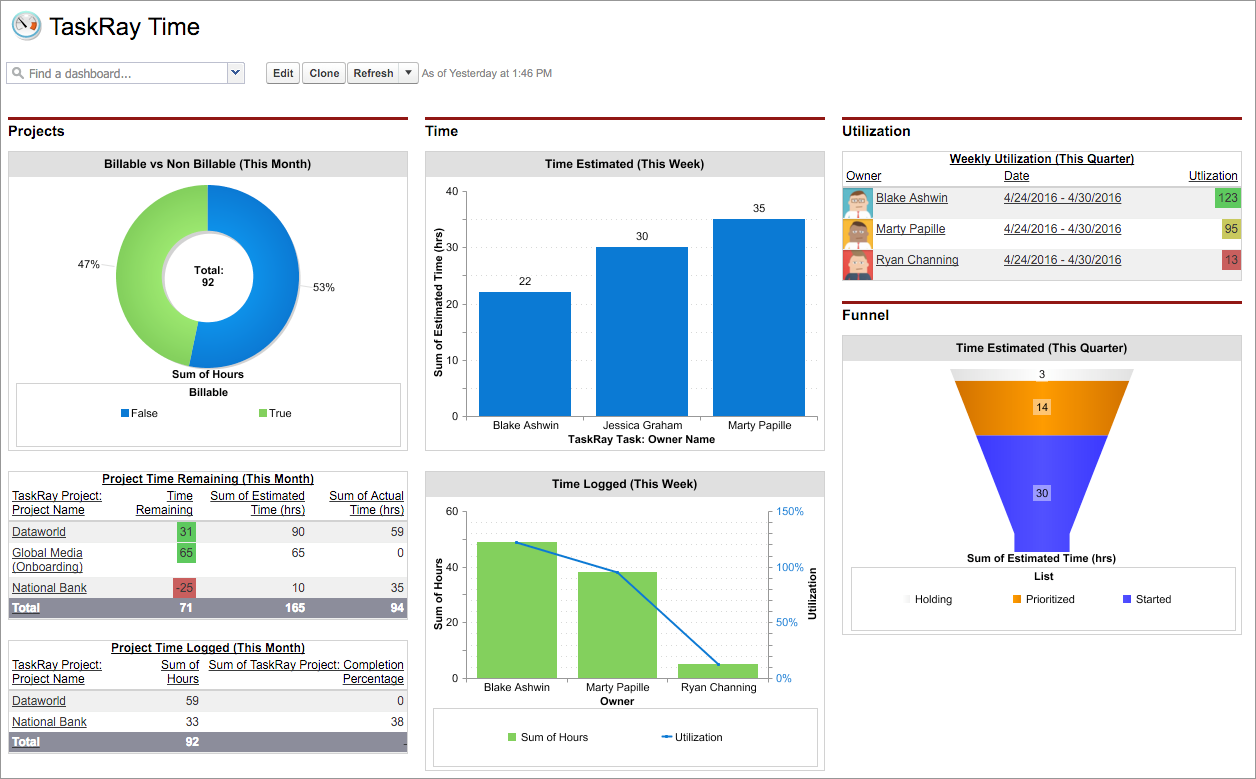
TaskRay builds projects, tasks, and templates as standard Salesforce objects. This means the reports, dashboards, and permission rules an org already runs on apply automatically to project work.
Handoff becomes seamless in this scenario. When an opportunity hits Closed Won, a flow launches a templated project that inherits the account’s fields. Next, the onboarding begins with the context the sales team captured during the deal. It saves you from referring to a blank plan someone rebuilds from memory.
The same context feeds its Agentforce-powered assistant, which handles the connective work between meetings and execution. For example, notes from a kickoff meeting become assigned follow-up tasks, and staffing suggestions draw on who actually has room. Once a plan is live, Plan View lays it out on a Gantt-style timeline where dragging a date reshuffles the schedule and progress rolls up to milestones.
Where it falls short: TaskRay retired External Sharing and moved full external collaboration into Collaboration Hub, a separately licensed add-on. The built-in replacements, Collaboration View and Collaboration Connect, cover shared read-only views and one-off task completion, but a client working inside the live project plan sits behind that extra license.
Skip it if: Your onboarding depends on every client working inside the plan, not just viewing it. High-volume implementation teams will either budget Hub licenses per engagement or ration which clients get real access.
A G2 reviewer shared their experience of using TaskRay:
I love that TaskRay is native to Salesforce. It’s a huge advantage to be able to create reports not only from TaskRay, but as well as combining them with other objects and fields that we already use in Salesforce even prior to using TaskRay.
ClickUp puts tasks, docs, chat, and goals in one workspace. That consolidation matters for Salesforce teams: deal context doesn’t scatter across four tools as soon as delivery starts.
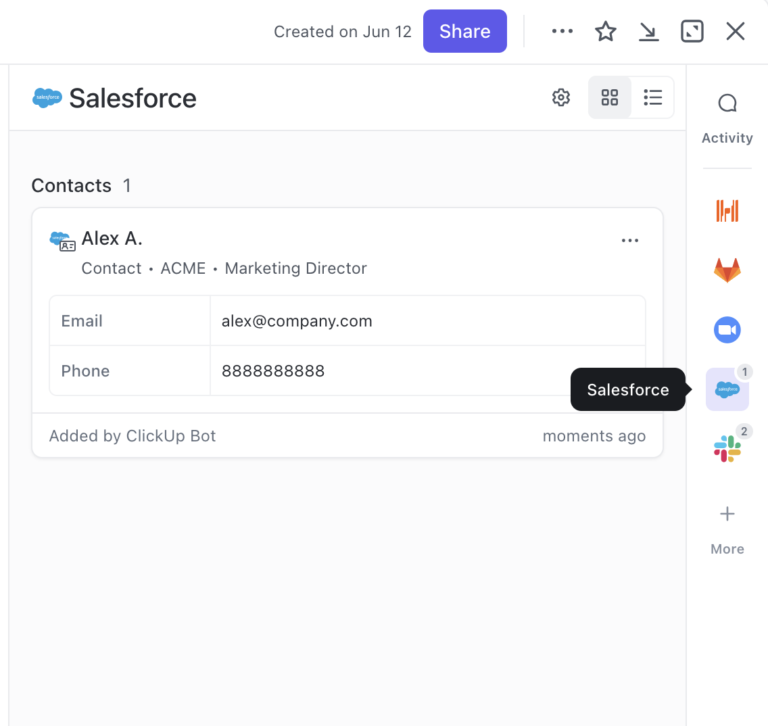
The Salesforce Sync integration connects the two systems with two-way updates. Accounts and opportunities appear as ClickUp Tasks. If a field changes in the CRM, the task updates. Similarly, when a task gets completed, the rep sees it on the record. Both teams stay current without asking each other.
That shared data layer makes ClickUp Automations useful. Set a Closed/Won trigger. The system builds a templated project, assigns owners, and applies due dates pulled from the deal. Your delivery team opens ClickUp and the work is already structured.
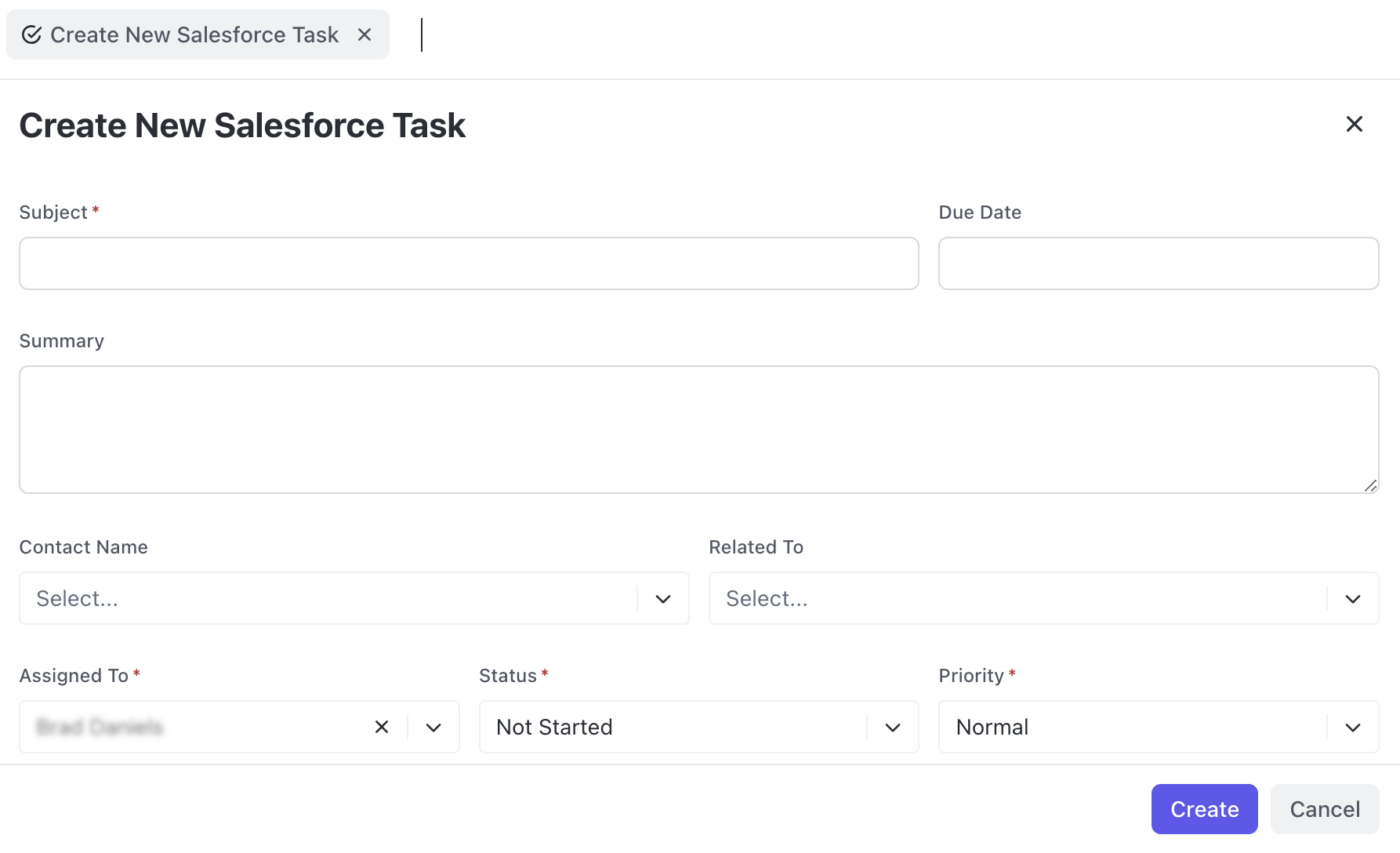
ClickUp Brain then sits on top of everything: synced Salesforce records, project tasks, docs, and chat. Ask it for a kickoff summary of the deal. Ask it where a client’s onboarding stands. It reads across all of it because it all lives in one place. Connected Search extends that reach into Salesforce itself, so your team can search and preview Leads, Opportunities, Cases, Contacts, and other records without leaving ClickUp, and spin up new Salesforce tasks and leads from the same command bar.
Where it falls short: The native Salesforce Sync is available on Business Plus and Enterprise plans only and is currently in beta. It covers accounts and opportunities; custom objects, Cases, and Campaigns need a third-party connector like Zapier or Make, which adds configuration overhead.
Skip it if: Your delivery triggers fire from custom Salesforce objects. Teams whose handoff depends on syncing non-standard records will build and maintain a middleware layer on top of the native integration.
Don’t take our word for it. Hear about ClickUp from a G2 reviewer:
I like that ClickUp has helped us structure our delivery process, from onboarding all the way through delivery and post delivery. We use whiteboards and lists quite a lot. We’ve been able to build our own custom integration with Salesforce, which helps continue our support processes and communication between our delivery and teams. I’m very eager to get more projects into ClickUp so we can start building some really complex and interesting dashboards. The initial setup was very simple, and I’m very likely to recommend ClickUp to a friend or colleague.
See how Super Agents turn synced deal data into automated delivery workflows:
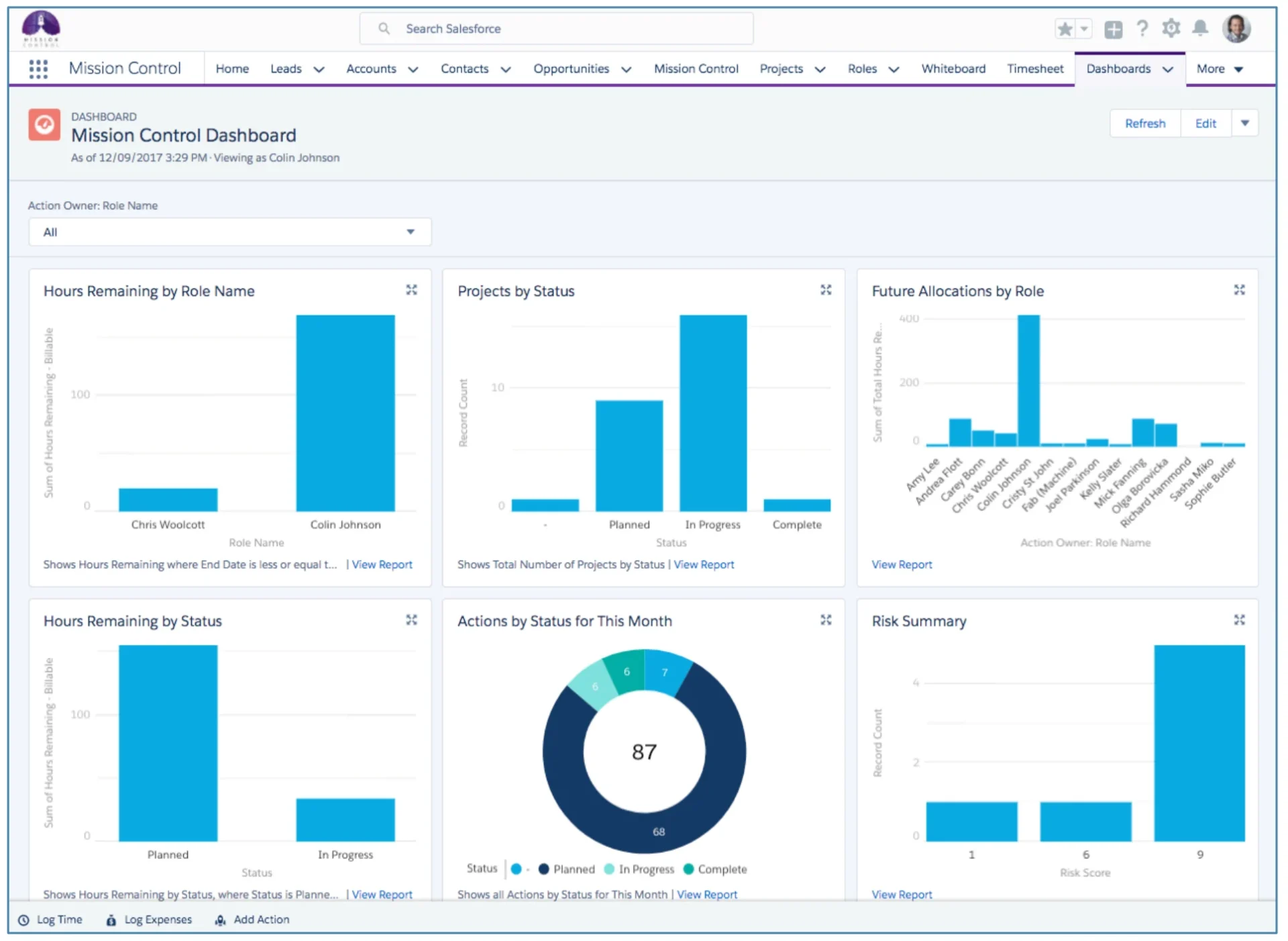
With Mission Control, treat a project as one link in a longer chain that starts at the opportunity and ends at the invoice. Because the whole chain lives natively in Salesforce, a services firm can trace any billable hour back to the deal that sold it.
The Resource Scheduler sits in the middle of that flow, showing team capacity on a calendar where bottlenecks surface early. Teams can reshuffle work with drag-and-drop before anyone burns out in the background.
The v1.80 release added a PERT estimator and a RACI matrix. These tools are for teams that already run formal delivery discipline and want the system to enforce it. Agentforce picks up the review work that discipline creates: a health check on any project assembles itself from live data instead of a PM’s Friday afternoon. Or lessons learned compile from project history rather than dying in a doc.
Where it falls short: Mission Control is built around billable work, with rate cards, invoicing, and revenue recognition woven through the data model. And implementations typically lean on consulting support to configure it all.
Skip it if: You run internal projects like IT rollouts or ops initiatives. You’d spend the setup effort turning off financial machinery instead of using it, and simpler native tools get you tracking in days.
This G2 reviewer described what it is like to use Mission Control:
Our SF admin found it easy enough to install and integrate with Salesforce, and our project manager and I as the project lead were able to get the basics set up, and are managing to set up customizations. Once we ramp up, we’ll be using this with all of our projects.
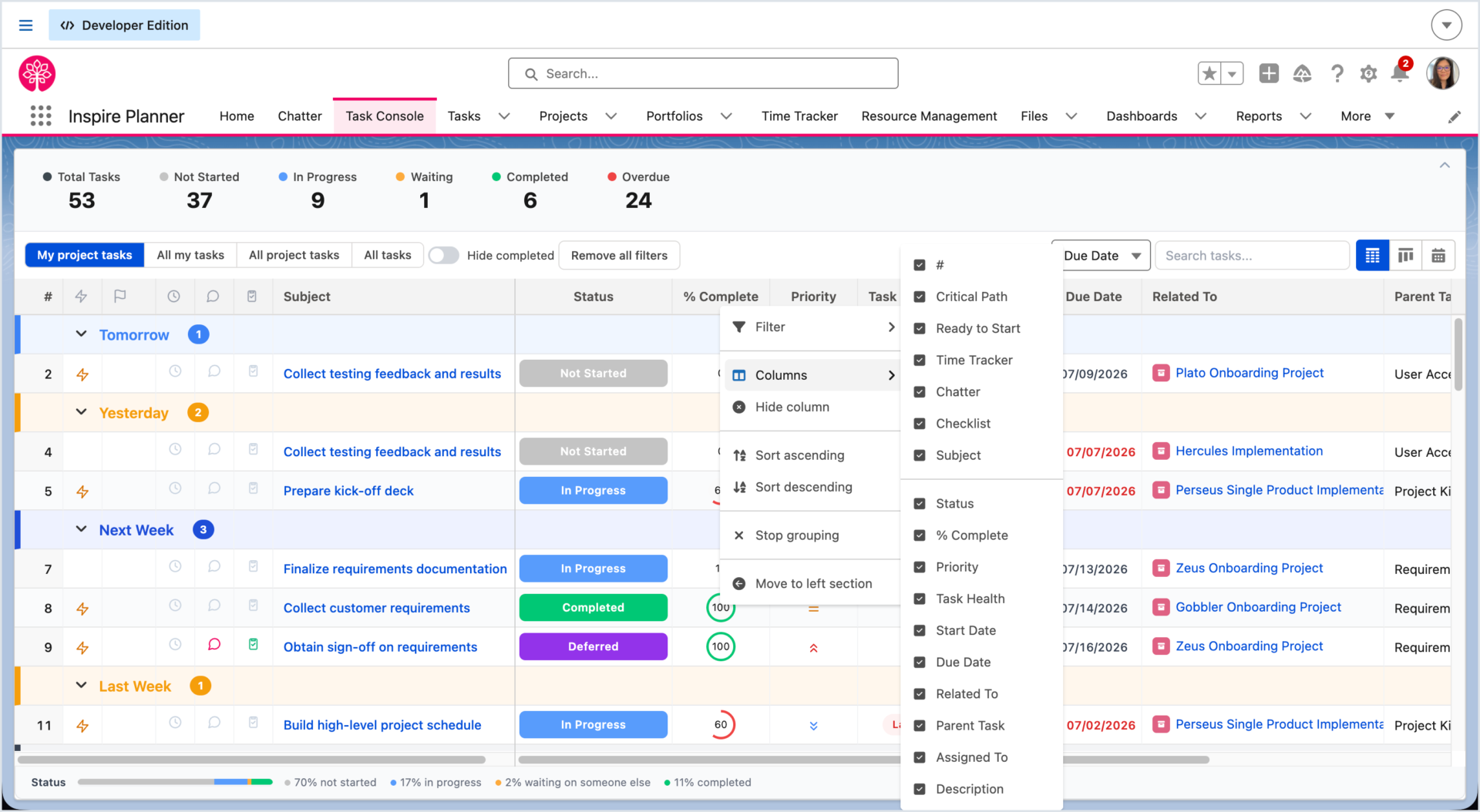
Teams managing multi-phase implementations pick Inspire Planner for its scheduling engine. The interactive Gantt chart supports predecessors and critical path analysis natively in Salesforce. When a task slips, every dependent date recalculates immediately and the plan stays accurate without manual rework. Because projects link directly to Opportunities and Accounts, that live schedule sits next to the deal it came from, and Salesforce reports can combine both.
Reassigning the slipped work is part of the same motion. Capacity planning color-codes each person’s workload, accounting for PTO and skills. You see who can take on the moved tasks before committing to a new date.
For the client’s side of an implementation, the External Portal closes the gap that native apps usually leave open: customers and contractors update task status, log effort, and comment on the plan directly. Their progress feeds the schedule instead of arriving later through an account manager’s email.
Where it falls short: Inspire Planner ships no AI at all. Dependency-driven planning also takes real ramp-up for teams arriving from flat task lists.
Skip it if: Your PMs lean on AI to draft status updates and chase progress. All of that is manual here, and teams coming from agent-assisted tools will feel the regression in week one.
Here’s how a Capterra reviewer described their experience with Inspire Planner:
The ability to share information both to Salesforce users and non-Salesforce users is a great way to quickly give people the ability to see the status of every project. At the same time, connecting project tasks to Salesforce is a great way to make sure that the status is up to date.
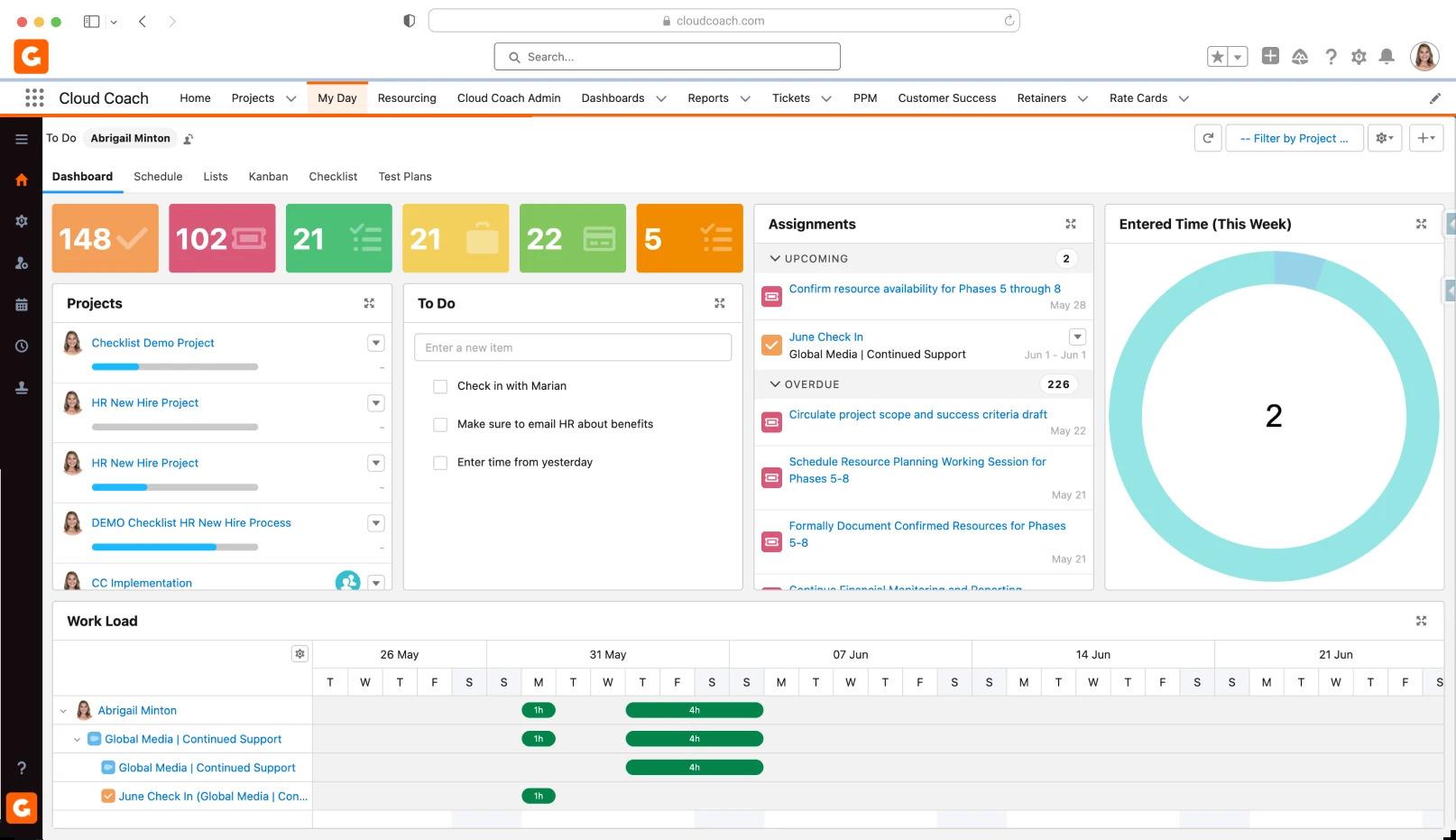
A global services organization rarely runs one kind of project. Cloud Coach handles that spread by supporting waterfall, agile, and water-scrum-fall in the same native platform. This way, a regulated implementation and an iterative product stream live in one system with shared reporting.
Capacity planning works at the same scale: it forecasts resource demand against availability, with skills and role matching. It turns hiring conversations into something backed by usage data instead of a gut feeling.
Delivery at that size generates questions faster than PMs can answer them. Project Copilot answers plain-language questions from live project data. Meanwhile, the AI Meeting Manager captures agendas, decisions, and action items as meetings happen. And Customer Signal Intelligence reads communication patterns for churn risk, flagging the account that’s gone quiet.
Where it falls short: Cloud Coach is scoped for programs, not quick wins. Implementations usually run through partners, and the configuration surface dwarfs what a small team needs.
Skip it if: You’re a ten-person team that wants projects live by Friday. The platform assumes an organization with a PMO, and lighter native tools will fit before this one does.
Here’s a review of Cloud Coach by a G2 reviewer:
The platform has unified system that combines project management, CRM and customer support that streamlines workflows, track progress efficiently and track progress.The software offers users with clear view of capacity and workload in Sales force, making it simple to track availability and optimize resource use in real time. Cloud coach enhances efficiency across teams by streamlining workflows and automating processes, enabling more time and focus on activities that deliver meaningful value to clients.
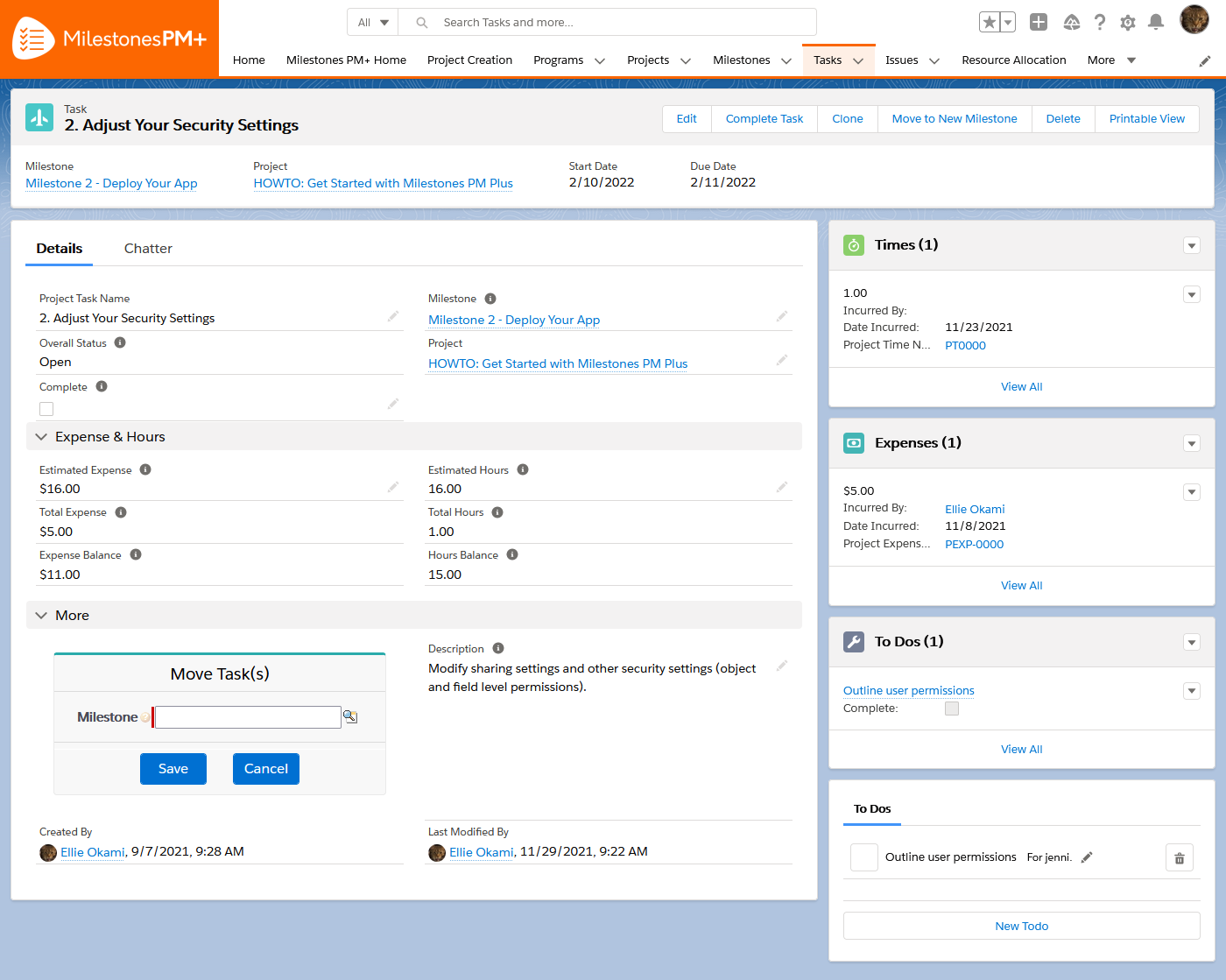
Not every team needs a Professional Services Automation (PSA) software suite. Milestones PM+ installs from the AppExchange and gets a working project structure live the same week. Projects launch from any standard or custom object, so a Case, Contract, or Campaign can spawn a templated plan the same way an Opportunity does. And templates tied to opportunity record types mean closed deals generate the right task structure without anyone building it by hand.
Moving in is just as fast. Plans your team already maintains in Microsoft Project or spreadsheets come over through Instant Import, so adopting the tool doesn’t mean rebuilding months of scheduling work. Once inside Salesforce, those tasks land on user calendars as events, where a deadline next to real meetings gets treated like one.
That speed-to-adoption carries through to its Agentforce extension, which answers product questions based on the Project or Task open on screen. New users learn the tool while working in it, instead of pulling a teammate into every question.
Where it falls short: Resource management is minimal, and there’s no billing, capacity, or portfolio layer to grow into as delivery gets more complex.
Skip it if: Your roadmap includes workload balancing or multi-project reporting within the year. Teams that outgrow it migrate twice, and the second move costs more than starting heavier would have.
Hear about Milestones PM+ from this G2 reviewer:
Tasks/milestones are linked so vital steps along the way are not forgotten. All project notes are in one place for everyone to see. Because of the integration with Salesforce there is a community of users available for support and assistance. You can’t create reports off of a spreadsheet, so we now have historical reporting as well as up to date timelines available for everyone to see.
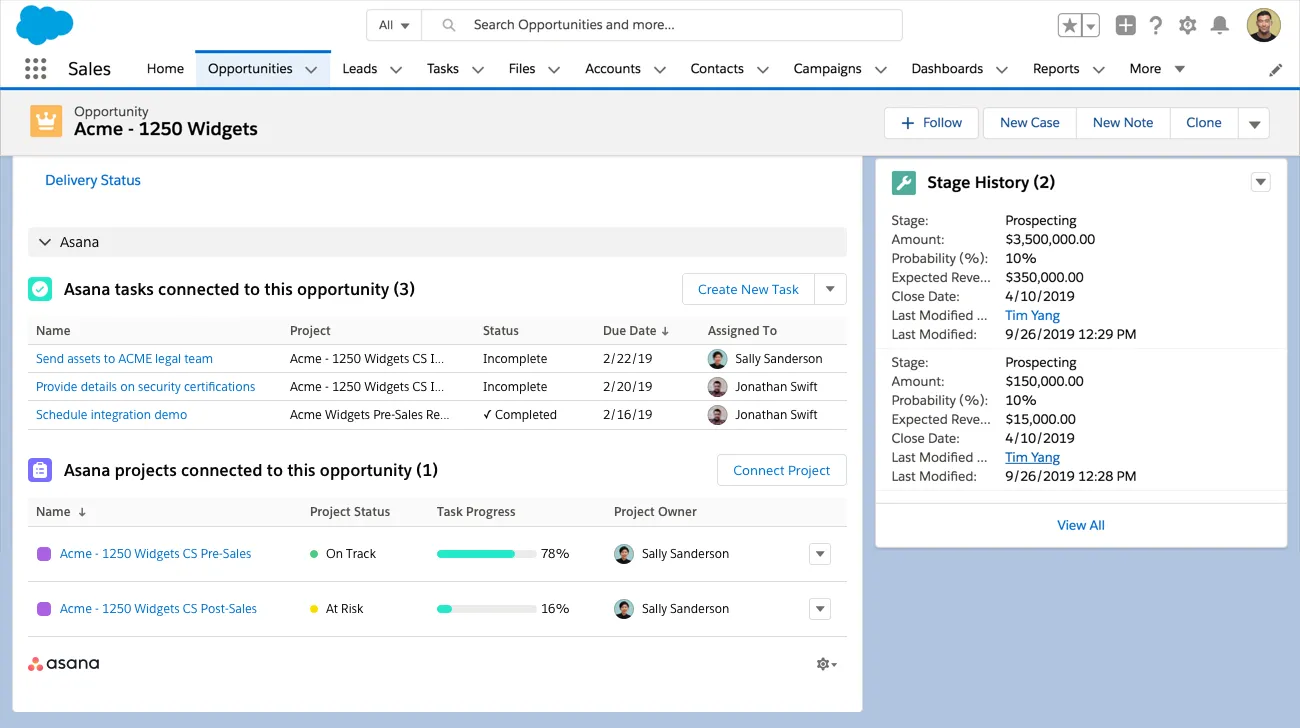
Asana answers a specific question: which company goal does this task serve? Its Work Graph maps how work connects to people and objectives. Meanwhile, the native Salesforce in Asana app extends that thread down to the deal itself.
A closed opportunity triggers Asana Rules that create the templated project, assign owners, and map fields between both systems. An account manager can trace delivery progress from the record they already work in, and an executive can tie it to the quarterly goal it funds.
The routing that used to need a human dispatcher now runs through AI Studio, where workflows read Salesforce record data. It sends work to the right team and summarizes deal requirements before kickoff. AI Teammates go a step further as governed agents your team assigns work to, with the same visibility and accountability as a human assignee. The handoff from sales stops being a message someone forgets to send and becomes a workflow that runs the same way every time.
Where it falls short: The Salesforce connection is built entirely from Rules. Data moves only in scenarios someone has explicitly configured. There’s no continuous background sync; without a built trigger, updates never arrive.
Skip it if: You want the CRM and project workspace mirrored automatically. Teams without an admin to map every stage change and field update will find gaps between what Salesforce knows and what Asana shows.
Here’s a Capterra user’s review of Asana:
Asana is simple to use, powerful and flexible. Has a mobile app as well that supports both the android and IOS operating systems. Integrate nicely with other tools thus making tracking of tasks and getting results much easier. Easy to organise and share all projects ad lists or boards. Allow one to break tasks into smaller parts and assign them to different team members.
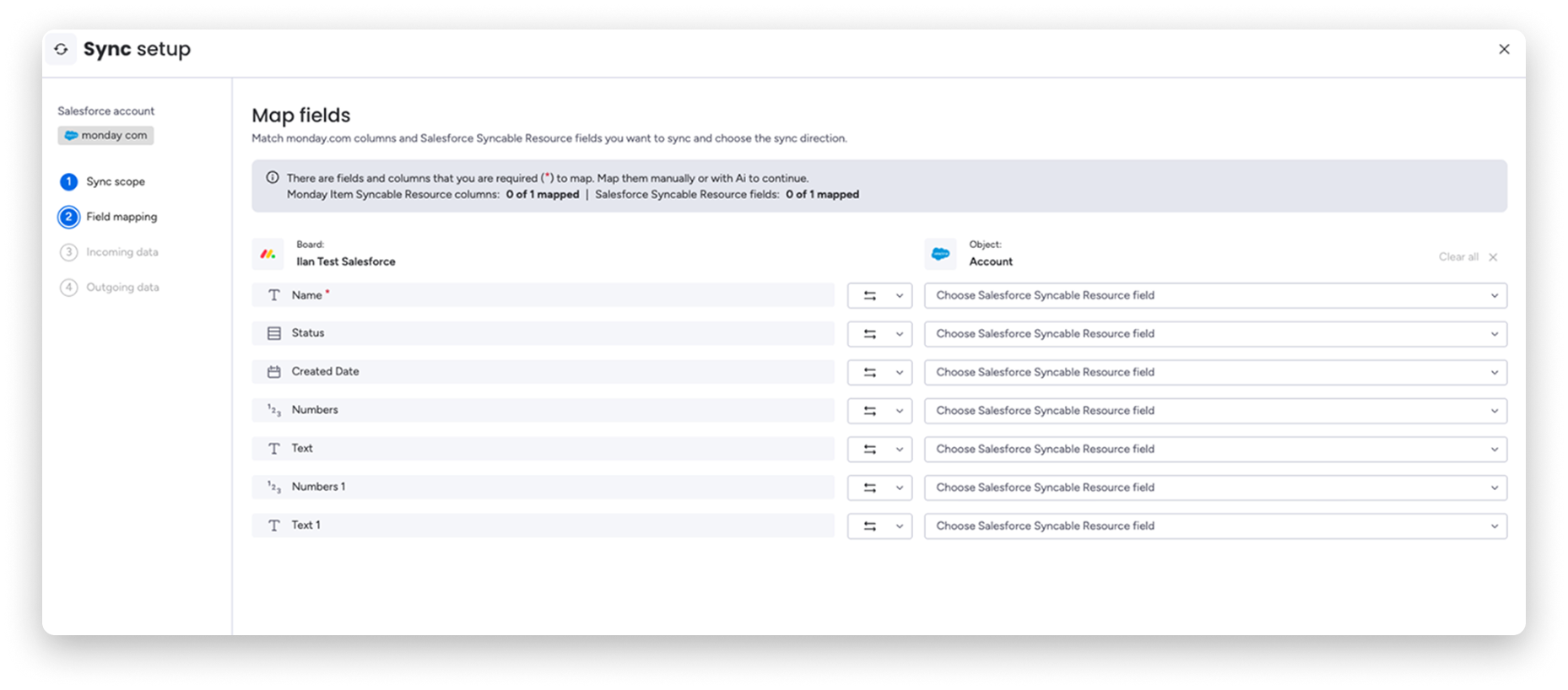
Status on a monday.com board is a color before it’s a word, which is why delivery teams that don’t live in Salesforce adopt it so quickly. The two-way Salesforce sync brings accounts, opportunities, and custom objects onto those boards with per-field mapping rules.
A stage change in the CRM recolors the board, and a delivery update flows back without anyone writing a status email. Sales keeps its system of record; delivery gets a view it actually wants to look at. Plus, watching those boards no longer has to be a person’s job.
AI agents monitor activity continuously and act within guardrails you set, so a stalled onboarding gets flagged and escalated before the client notices, not after. For everything shorter-lived, monday AI covers the daily grind. AI blocks categorize and transform synced data mid-workflow, and the sidekick assistant summarizes a project or drafts the update the account manager keeps asking for.
Where it falls short: The Salesforce sync is a paid add-on available only on monday.com’s Enterprise plan, and it requires Salesforce Enterprise or Unlimited on the CRM side. monday.com is also migrating everyone off its legacy one-way integration, so older setups need rebuilding on the new package.
Skip it if: You’re on a lower tier of either product. You’d be upgrading two contracts before the first record syncs, and workflows built on the old templates start over regardless.
This G2 reviewer reflected on monday.com’s integration capability:
I like the integrations in monday Work Management, especially with Salesforce. Although there were times when it was a bit limited in pulling information from Salesforce, overall, it streamlined my process in setting up campaigns. It helped by having a lot of information already preloaded, which I could then provide to our operations team.
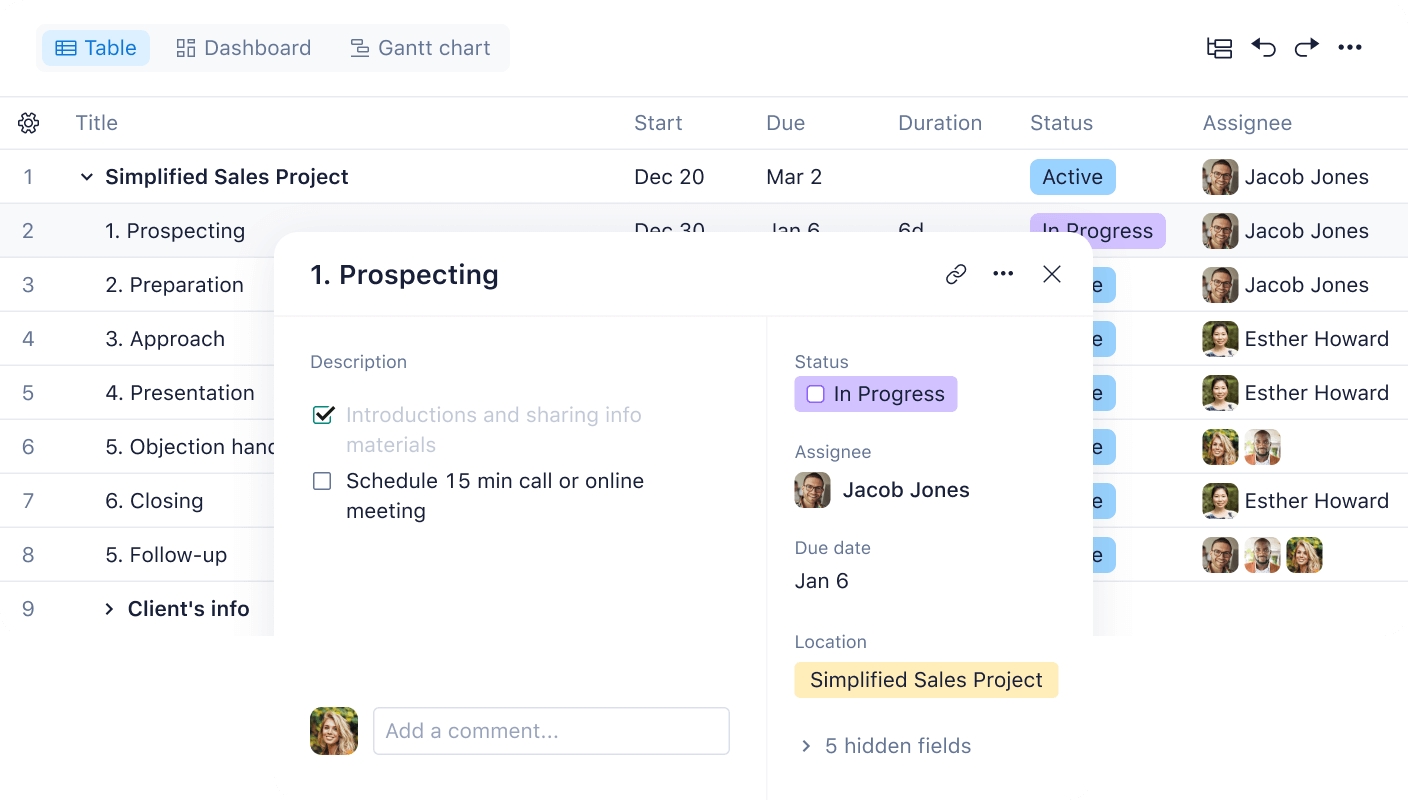
Wrike is an antidote to overallocation, where enterprise delivery quietly fails. Workload management views show each person’s real capacity against everything assigned across projects. So resource leveling happens before a missed deadline forces it. The Salesforce widget puts that delivery picture inside the CRM itself, surfacing live Wrike tasks and projects on record pages for Leads, Opportunities, and Accounts.
Chasing that rollout is increasingly not a human’s job either. Wrike’s AI agents classify and route incoming work, update fields, manage approvals, and post notifications. And the prebuilt ones ship ready for the least-loved PM duties: a Missed Deadline agent that follows up on late work, a Revision Tracker, and a Project Coordinator.
For a PMO, that turns AI from a chat window into staff, and cross-tagging rounds it out by letting one task appear in several project views. Sales-facing and delivery-facing teams read the same work in their own context.
Where it falls short: The Salesforce widget works with selected record types like Lead, Opportunity, and Account, not any object. Workflows built on custom objects sit outside its reach.
Skip it if: Your Salesforce org runs on custom objects, like a healthcare team tracking enrollments or a fintech tracking applications. The records your business actually revolves around won’t show delivery status at all.
A Capterra reviewer shared their review of Wrike:
Wrike has enabled us to create a central source of truth and build greater transparency of our project portfolio. The automation has eliminated manual activities and the ability to integrate with other platforms drive efficiency.
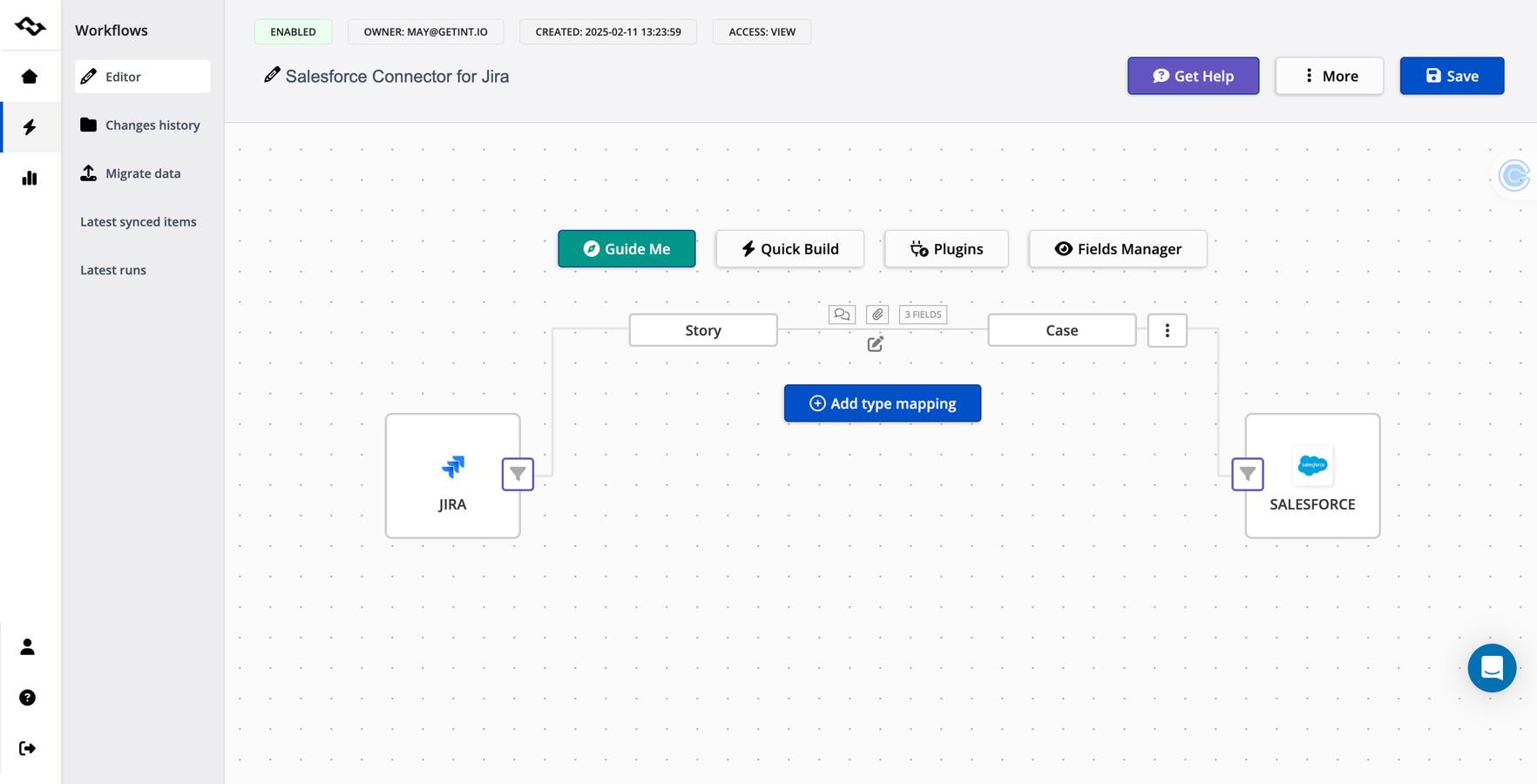
An escalated case in Salesforce and the bug fix shipping in a sprint are the same piece of work, but the account manager can see only one half. Jira closes that split through connectors: Peeklogic’s free connector pushes Salesforce records into Jira one-way; its PRO tier adds two-way sync with configurable field mapping. Exalate, another product, goes further with real-time bidirectional sync of any Salesforce object, including comments and attachments.
A case escalation spawns a Jira issue with field mapping intact. When the fix merges, the rep who owns the account sees it without asking engineering. Sprint boards, backlog grooming, and advanced roadmaps with dependency mapping remain the reason development teams tolerate no substitute.
Rovo Search reads across Jira and connected apps, Chat answers questions with that context, and Rovo Agents take on the decomposition work. It breaks an epic into scoped tasks so the synced Salesforce case becomes sprint-ready faster than a grooming session.
Where it falls short: There’s no first-party Salesforce integration. Every connection runs through a marketplace connector you evaluate, configure, and maintain as a separate product with its own support relationship.
Skip it if: You don’t have an admin who can own that connector long-term. When the sync breaks mid-quarter, ‘which vendor do we call’ becomes your problem.
This is what a G2 reviewer has to say about Jira:
Jira offers excellent cross-team collaboration. I appreciate how easy it is to create a ticket and assign it to the appropriate team. Being able to track all progress and updates in one place means I no longer have to chase anyone for information. If a customer reaches out for an update, I can quickly provide it. I also like that I can see the real-time status of what is being worked on.
Every project management software on this list solves the Salesforce handoff differently, so the right pick comes down to what your delivery team’s core job looks like day-to-day.
If your delivery team spans more than one of these jobs, ClickUp brings it all into one place instead of four: the Salesforce handoff, project execution, docs, chat, and the agents watching it all.
Try ClickUp for free and put your next Closed Won on autopilot.
No, Salesforce is a CRM, not a dedicated project management tool. It tracks tasks and activities but lacks native Gantt charts, resource management, and project templates. Teams add these with AppExchange apps like TaskRay, Cloud Coach, and Mission Control, or by connecting external platforms such as ClickUp, Asana, and monday.com.
Native apps run inside Salesforce on standard objects, so data never leaves the CRM, but every user needs a paid Salesforce license. Third-party tools (ClickUp, monday.com, Asana) connect through an API or connector, letting non-Salesforce staff work without seats. Native apps inherit Salesforce’s security model and reporting. Choose native for compliance-heavy, Salesforce-first teams; choose third-party for lower cost and richer PM features.
Most tools connect one of three ways: a native AppExchange package, a first-party connector, or an automation layer like Zapier or Make. ClickUp offers native Salesforce Sync plus Zapier/Make; Jira uses connectors such as Peeklogic. Setup maps Salesforce fields (Opportunity, Account, Case) to project fields, then set a Closed/Won trigger to auto-create the project.
Yes. PSA-grade apps, like Mission Control, Cloud Coach, and Inspire Planner, include capacity planning, skills-based scheduling, and billable time tracking against Salesforce accounts. Lightweight apps like Milestones PM+ cover tasks but offer limited resourcing. Connected tools such as Wrike and ClickUp add workload views and time tracking that sync status back to the CRM.
Native AppExchange apps like Milestones PM+ install in days, while PSA-grade tools like Mission Control or Cloud Coach typically run partner-led rollouts measured in weeks. Connected platforms sit in between: ClickUp’s Salesforce Sync or Asana’s Rules take an admin a few hours to map fields and set a Closed/Won trigger, plus testing before delivery teams rely on it.

Manasi Nair
Max 17min read

Arya P Dinesh
Max 20min read
Manasi Nair
Max 22min read

© 2026 ClickUp




