






Still downloading templates?
There’s an easier way. Try a free AI Agent in ClickUp that actually does the work for you—set up in minutes, save hours every week.
Sorry, there were no results found for “”
Sorry, there were no results found for “”
Sorry, there were no results found for “”
Complexity is overrated. We all crave those advanced features, but if using them takes more energy than the actual work, are they really worth it? Productivity should feel natural. 🌟
Take a small design studio, for example. If updating a Gantt chart feels harder than finishing the project itself, the software has already failed them.
For most teams, the truth is simple. You don’t need a heavy system filled with complex project management features. You need a project management tool that feels light, easy, and supportive, and can scale as you grow.
In this article, we’ll talk about why simple PM software and tools work best and what to look for when choosing the right project management software.
Here’s a quick comparison of the best project management software that is easy to use. To help you choose the right fit, we’ve collated their key features, pros and cons, pricing, and user ratings.
| Tool Name | Best For | Key Features | Pricing* | Why It’s Great for Managing Multiple Priorities |
| ClickUp | AI-powered project management and collaboration for teams of all sizes | ClickUp Brain for AI assistance; Collaborative, task-linked docs; flexible task views; integrated chat; workflow automation Pros: 🌟 Highly customizable to fit any workflow 🌟 Combines multiple apps in one 🌟 AI tools reduce manual work Cons: 🧐 Wide feature set can feel overwhelming if not tailored 🧐 Mobile app is less smooth than the desktop | Free plans; customizations for enterprises | ClickUp grows with you. This everything app for work brings all your tasks, files, apps, and conversations together in a Converged AI Workspace so you can handle multiple priorities without context switching. |
| Basecamp | Straightforward, client-friendly project management for freelancers and client-facing teams | Unified home screen; To-dos, message boards, chat, and file sharing; Hill Charts, Mission Control, Lineup for progress tracking; Automatic check-ins; Client collaboration Pros: 🌟 Simple interface 🌟 Easy onboarding 🌟 Clear structure for tasks and communication Cons: 🧐 Missing advanced features like Gantt and dependencies 🧐 Limited customization 🧐 No built-in AI or native time tracking | Free plan available; Paid plans start from $15/month per user | By keeping communication, tasks, and files in one place, Basecamp reduces scattered updates and makes juggling multiple priorities less stressful . |
| Nifty | Unifying roadmaps, tasks, and collaboration in one place for cross-functional teams managing projects with many moving parts | Roadmaps with auto-updating timelines; task management with milestones, dependencies, and custom fields; chat and discussions; collaborative docs; reporting dashboards; workflow automation Pros: 🌟 Clean interface with strong collaboration tools 🌟 Smooth imports for easy switching 🌟 AI assistance built in Cons: 🧐 Reporting is less customizable 🧐 Mobile app is less functional than the desktop 🧐 Can slow down with large projects | Free plan available; Paid plans start from $49/month per user | Nifty ties together roadmaps, tasks, and conversations in one place. It’s especially helpful for avoiding tool overload, keeping big goals visible while ensuring daily tasks stay on track. |
A Reddit user summed it up well when they wrote,
I’m looking for simple project/planner software. I’ve experimented with a couple and found them clunky and unnecessary for my use. I don’t have time to invest in a deep search, so I’m asking for your recommendations.
More and more project managers yearn for simple project management software that serves their specific needs. So, what do you look for in a comprehensive tool that isn’t overwhelming but still supports a diverse team?
Here are a few qualities to look for:
📮 ClickUp Insight: Only 7% of professionals say they rely on AI mainly for task management and organization. One reason could be that most tools only cover narrow areas like calendars, to-do lists, or email.
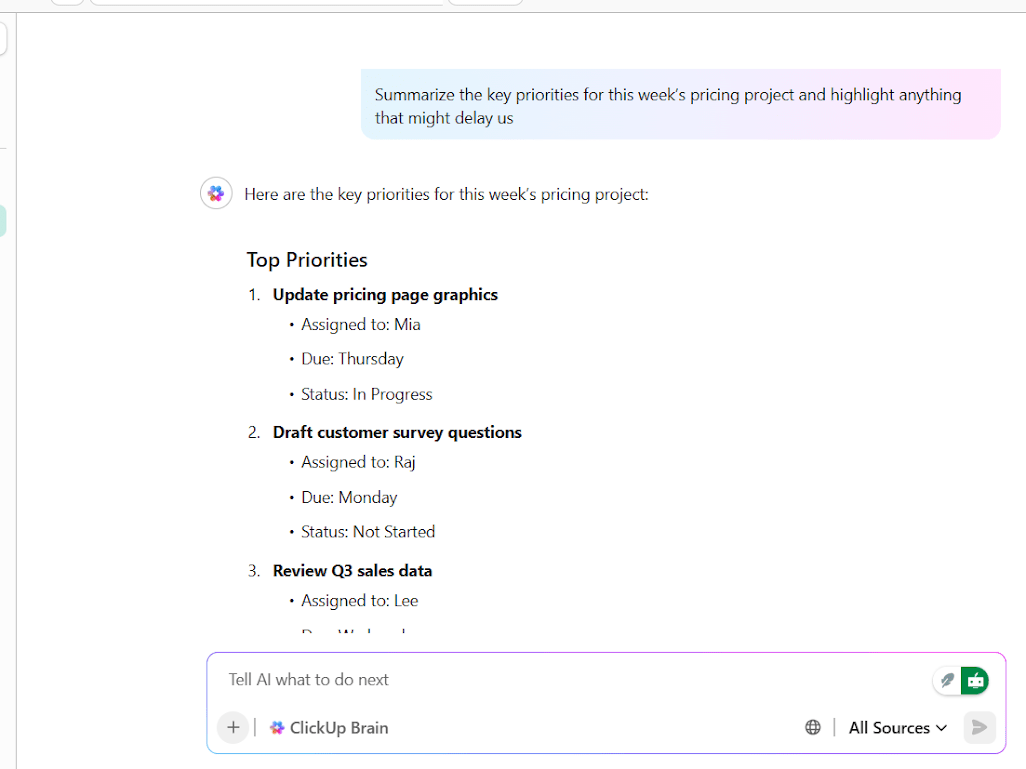
With ClickUp, AI stretches further. It connects your email, communication, calendar, tasks, and docs in one place. You can even ask, “What are my priorities today?” and ClickUp Brain will scan your workspace to give you a clear, urgency-based list. In doing so, ClickUp brings together the power of five or more apps into one simple super app.
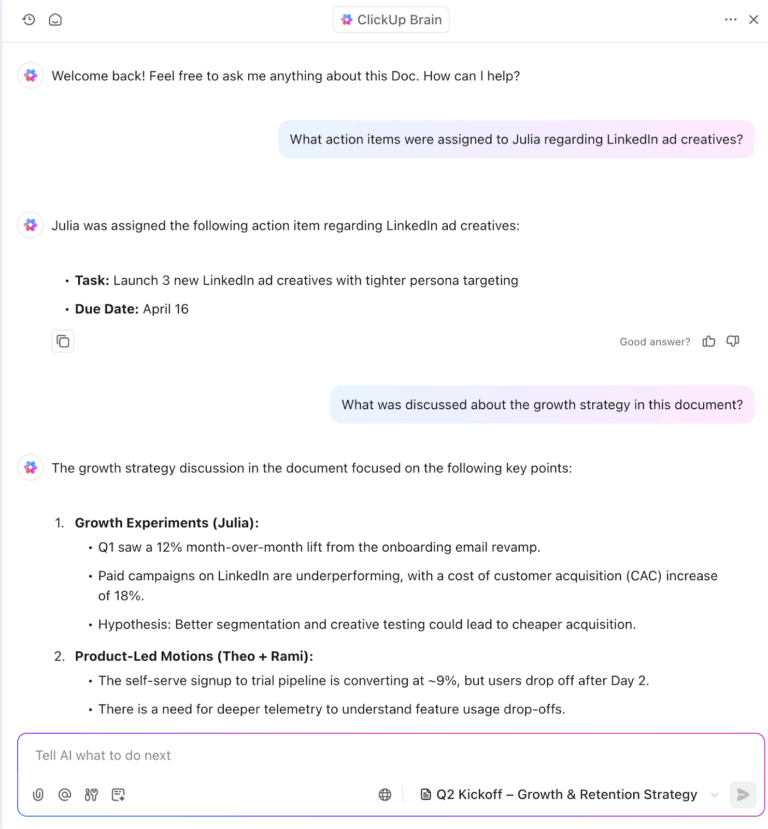
If you’ve ever opened a project management tool and felt lost in tabs, this is for you. Here are three project management tools that keep things simple without cutting out what your team really needs.
A lot of people try project management software and walk away frustrated. Jira can feel too complex to set up and maintain, while Trello, though simple, can feel too light once work picks up.
That leaves managers and freelancers stuck in between, wanting a tool that is powerful enough to manage projects but not overloaded with complexity. This is where ClickUp shines.
It gives you the essentials to manage tasks, collaborate with your project team, and track project progress, while letting you scale up when you’re ready. Let’s see exactly how project management teams benefit from using ClickUp.
Offer your team an extra mind with ClickUp Brain
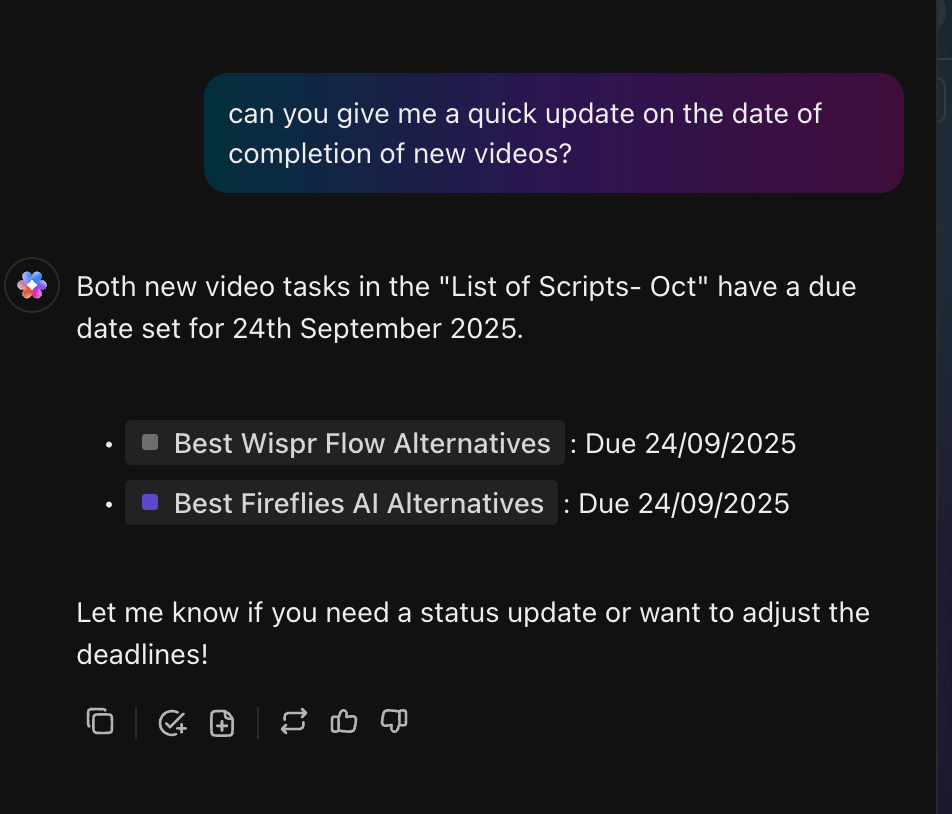
ClickUp Brain is AI built into your workspace. It reads the room, not just a prompt. It catches blockers, suggests reassignments, updates priorities, and keeps projects on schedule without constant status meetings.
Imagine you’re preparing for a product launch but have been away for a few days. Instead of scrolling through endless updates, just ask Brain, “What happened this week?” In seconds, you get a summary of what moved forward, what’s stuck, and what needs your attention.
💡 Pro Tip: ClickUp Brain MAX can feel like an extra hour hidden in your day. Talking is about four times faster than typing, which means even short voice notes using Talk to Text quickly add up to nearly a full day saved each week.
Plus, Brain MAX connects with models like GPT-5, Claude, and Gemini, so you can do away with your AI Sprawl and consolidate all your work in one screen.
Here’s a YouTube video that shows how ClickUp Brain makes project management processes feel seamless in a few steps:
🧠 Did You Know: JLL introduced a measurement system using 16 KPIs to guide marketing projects. This led to tripled pipeline results, quadrupled revenue impact, and improved overall effectiveness by more than 20%, all while using fewer resources.
Act on ideas with ClickUp Docs and Tasks
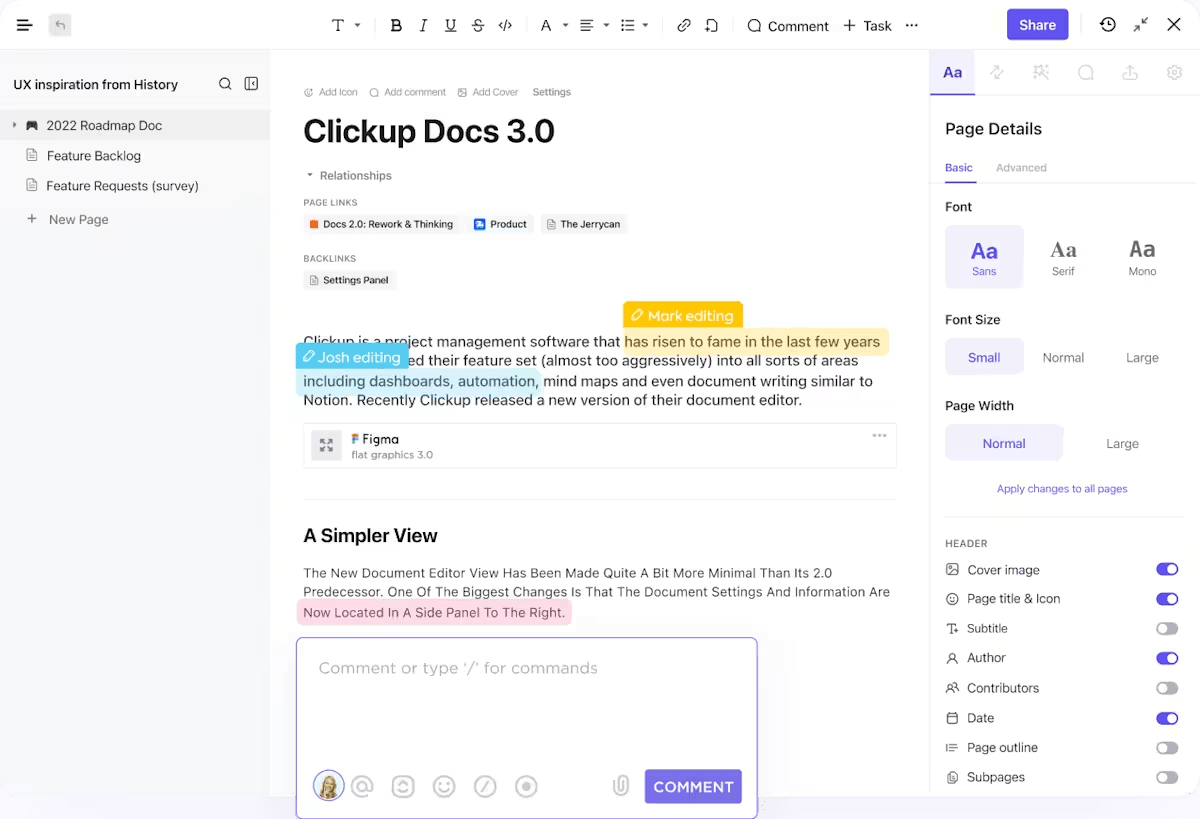
ClickUp Docs connects documentation to workflows. You can co-edit in real time, convert comments into tasks, embed files, and add mini widgets to change a task status or assign work without leaving the doc.
💡 Pro Tip: Create a verified wiki in Docs Hub, keep templates for briefs and handoffs, and let new teammates search one place for answers. That keeps your project data tidy and your project manager free to focus on project planning rather than hunting for links.
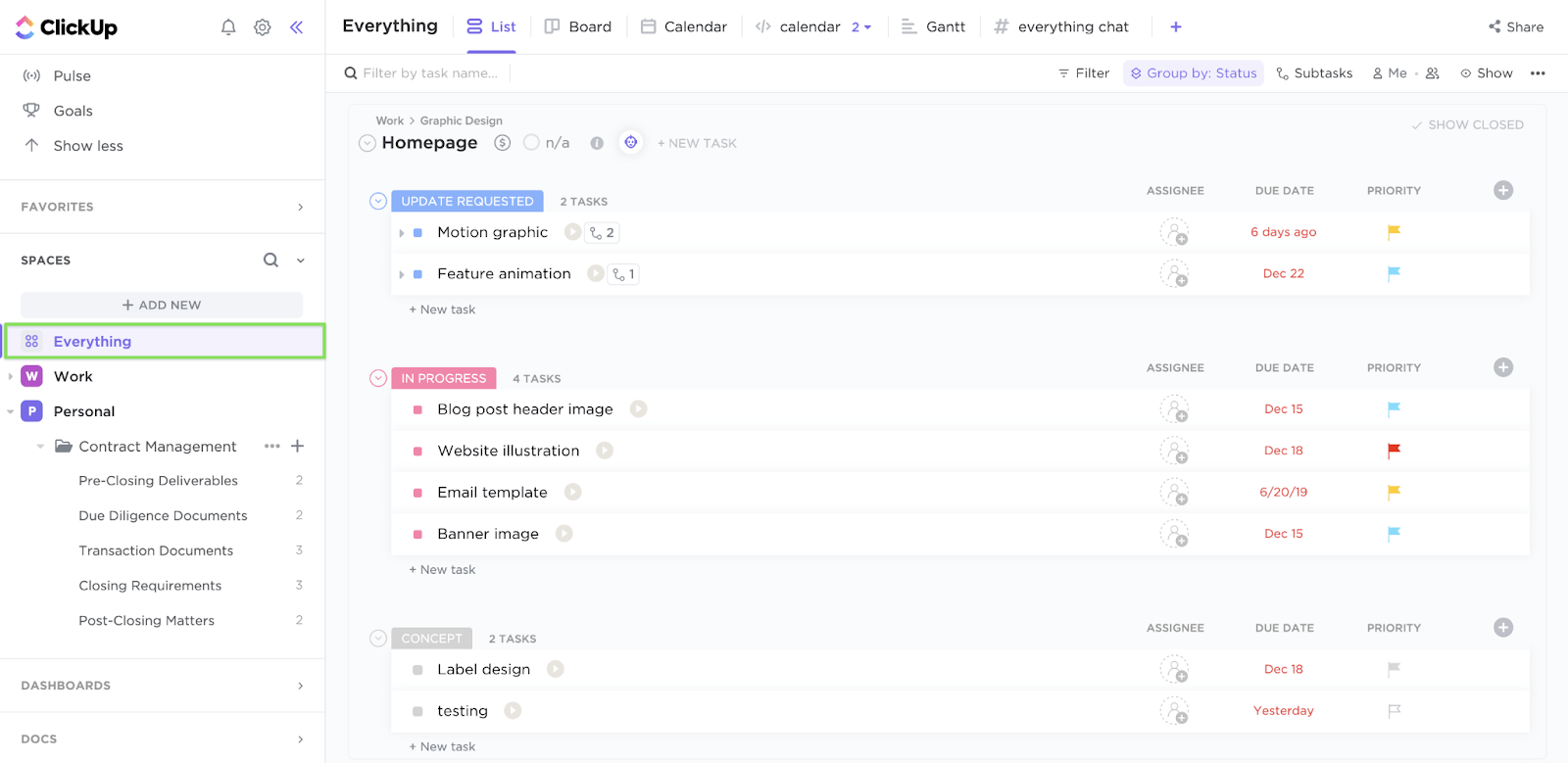
ClickUp Tasks help you start with essentials like due dates, project prioritization, and checklists.
When you need more advanced features, add custom fields, automation, and dashboards to track project performance without building a new system from scratch.
📌 Example: A creative studio manages client deliverables in a List View, flips to a Board for flow, and switches to Calendar as deadlines approach. A simple dashboard shows which tasks are slipping and where resource allocation is tight. The project manager can balance capacity without jumping between Excel or Google Sheets and resource management tools.
Conversations that live alongside work with ClickUp Chat
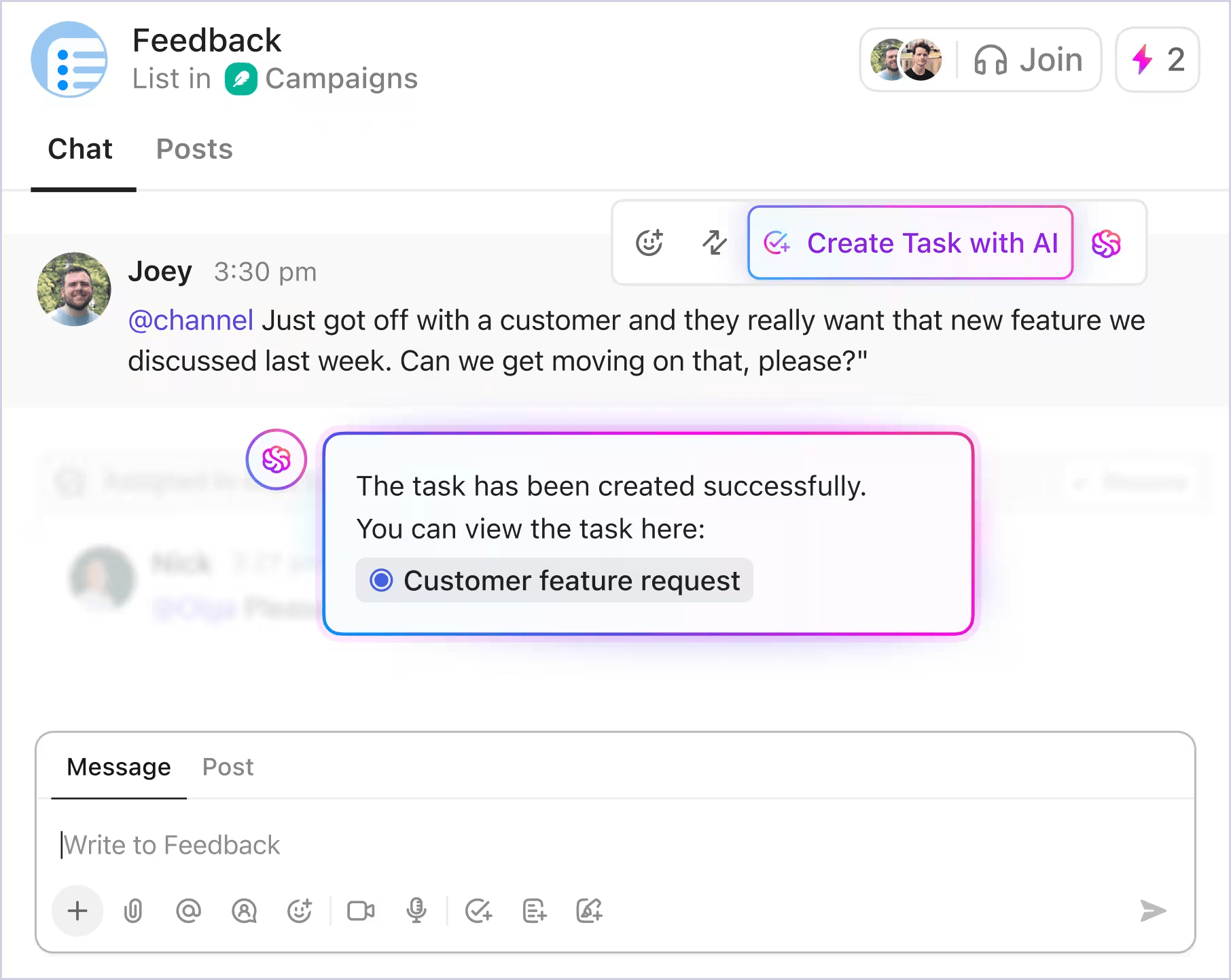
We’ve all lost decisions in Slack threads or email chains. ClickUp Chat ensures that conversations remain connected to the task at hand.
Imagine your team is working on a client proposal. Instead of bouncing between chat apps and project boards, feedback happens right next to the proposal doc. A user proposes a modification, instantly converts it into a task, and automatically saves the context.
When you look back, every conversation, file, and decision is already linked to the project.
This G2 review noted:
ClickUp brings everything we need into one place: task management, documentation, chat, and project planning. It replaced tools like Asana, Slack, and Notion for us, which simplified our workflow a lot.
📖 Also Read: Free Multiple Project Tracking Templates
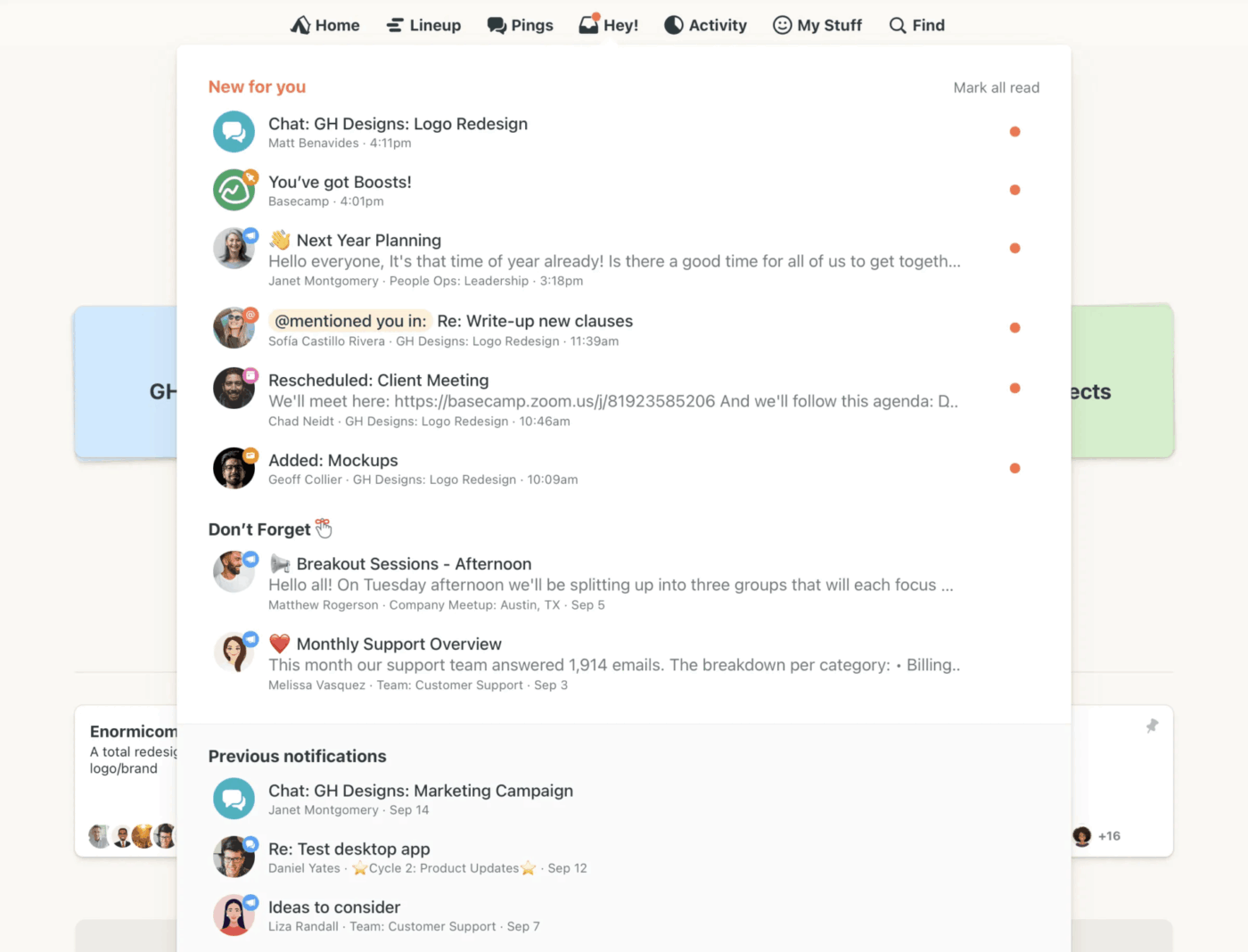
Some task management software feels like it was built for giant corporations with endless layers of approval.
If you’re a small team or a freelancer, you don’t need all that. You just need a space where tasks, files, and conversations live together so nothing gets lost. That’s the promise of Basecamp.
The platform is a no-nonsense choice for people who want to organize projects without the steep learning curve.
Whether you’re planning a website redesign, coordinating with a client, or simply keeping your team focused, Basecamp keeps things straightforward, according to Basecamp reviews.
This G2 review noted:
Basecamp makes project management simple and organized. I like how everything—tasks, documents, discussions, and deadlines—lives in one place, which cuts down on scattered communication.
📖 Also Read: Top Basecamp Alternatives
One of the true tests of leadership is the ability to recognize a problem before it becomes an emergency.
Those words from Arnold Glasow feel especially true in the world of projects.
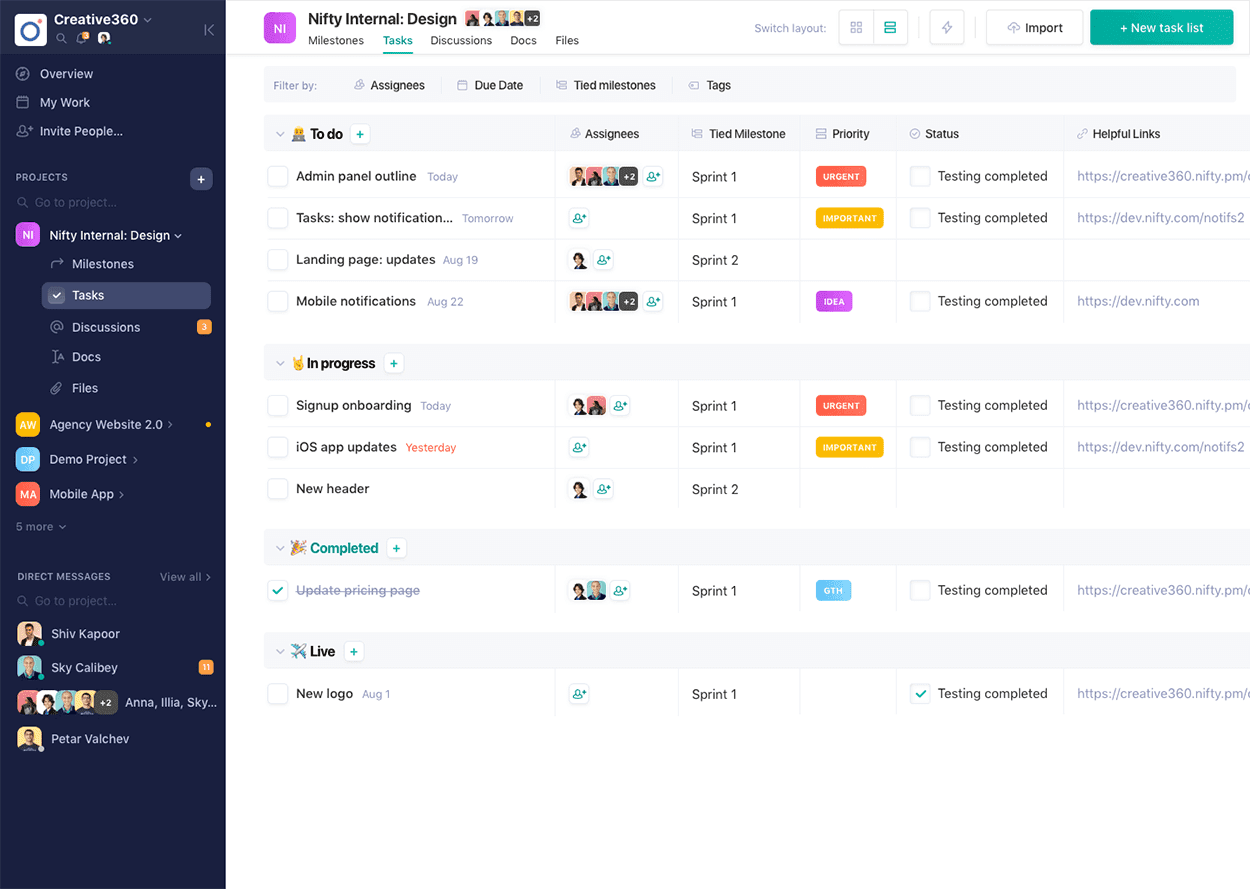
Without the right system, small issues quickly turn into bigger fires. Nifty helps teams avoid that spiral.
Instead of scattering your work across too many project management solutions, it brings everything together in one place.
Tasks, roadmaps, conversations, and documents sit side by side, while small automations quietly take care of the busywork in the background. The Orbit AI assistant cuts down manual effort by generating project documents, creating tasks, and more.
This Capterra review stated:
Nifty has been a game-changer for us. As a result of their usefulness in facilitating communication and streamlining document management, Collaborative Docs have quickly become an integral element of our project workflows.
📖 Also Read: Nifty Project Management Review
If you’re still exploring options beyond these three, several other project management software tools are worth considering.
If you like a visual, flexible way to manage projects and sales work in one place, Monday feels natural. Boards are easy to read, automations take care of small chores, and the newer AI helpers make it quicker to set up workflows and keep everyone aligned without extra fuss.
Wrike is a robust project management tool that helps creative teams and agencies streamline their workflows and gain better visibility across all their projects.
Requests come in cleanly, work routes to the right people, and reports show where time is going so a project manager can adjust early rather than after the fact.
🧠 Did You Know: The U.S. military signed a deal with Scale AI, Microsoft, and Google to create “Thunderforge,” an AI assistant that helps commanders plan ship and aircraft movements. The AI drafts summaries and recommendations but leaves final decisions to humans.
Picture an agency with a small creative team planning a product launch. Hive helps teams start a campaign workspace, drop in a checklist of deliverables and key metrics, chat beside each action card, and tag the client for quick approvals.
Avoiding complex feature sets, Hive’s simple automations guide the owners as tasks progress, proofs undergo review, and a shared view displays what’s ready and what requires attention.
📖 Also Read: How to Use AI for Workflow Management
Some days, it feels like everything is important and urgent. This constant conflict can scatter your efforts, preventing you from completing one task before another demands your focus.
The truth is, managing multiple projects and priorities isn’t about doing it all at once but about choosing what matters most in the moment. Here are some tips on how to manage multiple projects:
✨ Bonus: Let AI Fields in ClickUp make task management and tracking even simpler! This video shows you exactly how.
👀 Fun Fact: In the 1950s, DuPont and Remington Rand developed the Critical Path Method (CPM) while trying to figure out how to shut down chemical plants for maintenance without losing too much money. That experiment gave us the Gantt charts and scheduling practices we still use today.
Project managers need a task management tool that’s simple to use and comes with powerful features.
The ideal software solutions combine task management features with resource management, capacity planning, project scheduling, and team collaboration.
After all, the ideal PM tool is about keeping team communication clear, managing project risks, and ensuring that other team members stay aligned. Basecamp and Nifty show that ease has its place, but ClickUp quietly edges ahead because it adapts to you.
Start with a simple List or Board View that suits your team’s workflow and add more when you’re ready. Instead of overwhelming your team, you can grow at your own pace.
If you’ve ever wished your workdays felt a little lighter and your projects a little less tangled, ClickUp might be that difference. Try it yourself by signing up on ClickUp now!

© 2026 ClickUp

There’s an easier way. Try a free AI Agent in ClickUp that actually does the work for you—set up in minutes, save hours every week.