
Sorry, there were no results found for “”
Sorry, there were no results found for “”
Sorry, there were no results found for “”
You’re handling three critical projects at the same time. The deadlines are looming, your inbox is flooded, and your team—spread across time zones—has questions round the clock. It’s easy to feel overwhelmed, but you don’t have to live in constant chaos!
Project management software can help. Studies reveal that task management and time tracking can boost productivity by up to 20%.
Even organizations that haven’t adopted these tools recognize the potential benefits of improved tracking and organization.
Given these proven productivity benefits, let’s explore how to use project management solutions to help you and your team achieve better project outcomes.
Follow these steps to use project management software effectively:
Project management software helps project managers and their teams plan, execute, and monitor projects in a centralized environment. With dedicated features for everything from task management and collaboration to resource allocation and reporting, these tools ensure projects stay on schedule and within scope.
👀 Did You Know? Project management isn’t a modern process but a skill rooted in history. Even ancient Egyptians employed project management techniques while building the pyramids, organizing their workforce into crews and units for better efficiency.
With the increasing complexity of managing projects—especially in remote or hybrid environments—project management software has become more important than ever.
Here’s why:
Today, workers toggle between apps 1,200 times a day, requiring nearly 4 hours a week of attention resetting, or 9% of their annual work time.
Investing in project management software can reduce these hidden costs of disconnected work, giving you room to breathe even as you get more done.
A great tip for finding the right project management software is to look for one that improves, not disrupts, your team’s existing workflow and optimizes project planning from the start. With numerous options available, assessing your team’s needs—in terms of features, scalability, integrations—is vital.
Begin by identifying your team’s unique requirements and project management methodology. Consider the following:
Choose a project management solution that fits your team size and the scope of your projects.
For smaller teams or less complex projects, you may prefer simple software that’s easy to set up and use. You can even experiment with free project management tools to understand basic functionality and clarify your project requirements.
However, larger teams or projects with more moving parts may require more advanced features to manage tasks, workflows, and collaboration effectively.
Popular options such as ClickUp, Trello, Monday.com, and Asana offer various features designed to enhance team collaboration and improve workflows. However, ClickUp is the only one that eliminates siloed work and acts as a single source of truth for your entire project team.
In an age where our projects, documentation, and communication are scattered across disconnected tools that drain productivity, 60% of our time is spent sharing, searching for, and updating information across these tools.
ClickUp solves this problem with the everything app for work that combines projects, knowledge, and chat in one place—all powered by the world’s most cohesive work AI. And it’s flexible enough to handle all types and sizes of projects.
Simply adapt it to your team’s needs and manage multiple projects in one centralized space.
📮ClickUp Insight: Low-performing teams are 4 times more likely to juggle 15+ tools, while high-performing teams maintain efficiency by limiting their toolkit to 9 or fewer platforms. But how about using one platform?
As the everything app for work, ClickUp brings your tasks, projects, docs, wikis, chat, and calls under a single platform, complete with AI-powered workflows. ClickUp works for every team, makes work visible, and allows you to focus on what matters while AI handles the rest.
Once you’ve picked the best project management software for your team, it’s time to set up your account and workspace for easier collaboration.
Start by signing up and inviting your team. Most tools offer a free trial or free version you can experiment with. Assign roles and permissions so everyone has the right level of access to manage tasks and projects efficiently.
Next, personalize your workspace to fit your team’s needs—add custom branding, create project and task hierarchies, and organize project documentation. Outlining processes, tasks, and goals clearly will help everyone stay aligned.
Most platforms also let you customize workflows, task priorities, and project timelines, making project tracking smoother. With a well-organized workspace, your team will have everything they need to stay productive and on track.
👀 Did You Know? There’s a principle that defines a project’s success. The Project Management Triangle illustrates the relationship between three key constraints: scope, time, and budget. Adjusting one impacts the others, with scope often being the most flexible to adapt to changes.
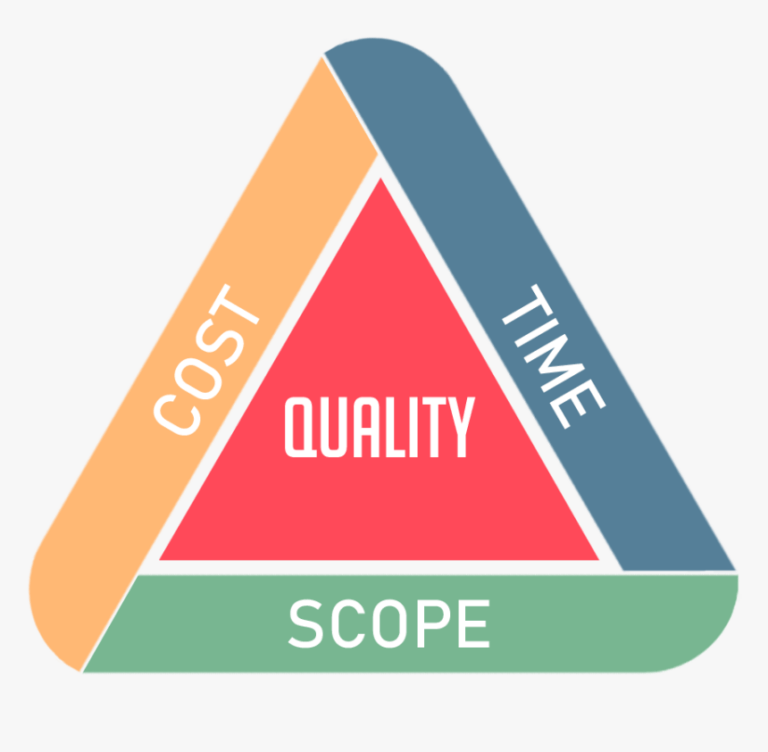
Project management software can boost productivity and keep teams aligned with project goals, but setting it up effectively is the key to smooth execution and tracking.
Here’s how to use ClickUp and make the most of it, starting with ClickUp Goals to set project objectives and monitor progress.

Break down long-term goals into actionable milestones and keep your team accountable by linking goals to tasks. Track progress in a way that works for you—whether you prefer visual progress bars or percentage completions.
To keep everyone in the loop, easily share goals with stakeholders and team members across your organization. Prioritize these goals based on importance and urgency so you can tackle top priorities first and avoid project delays.
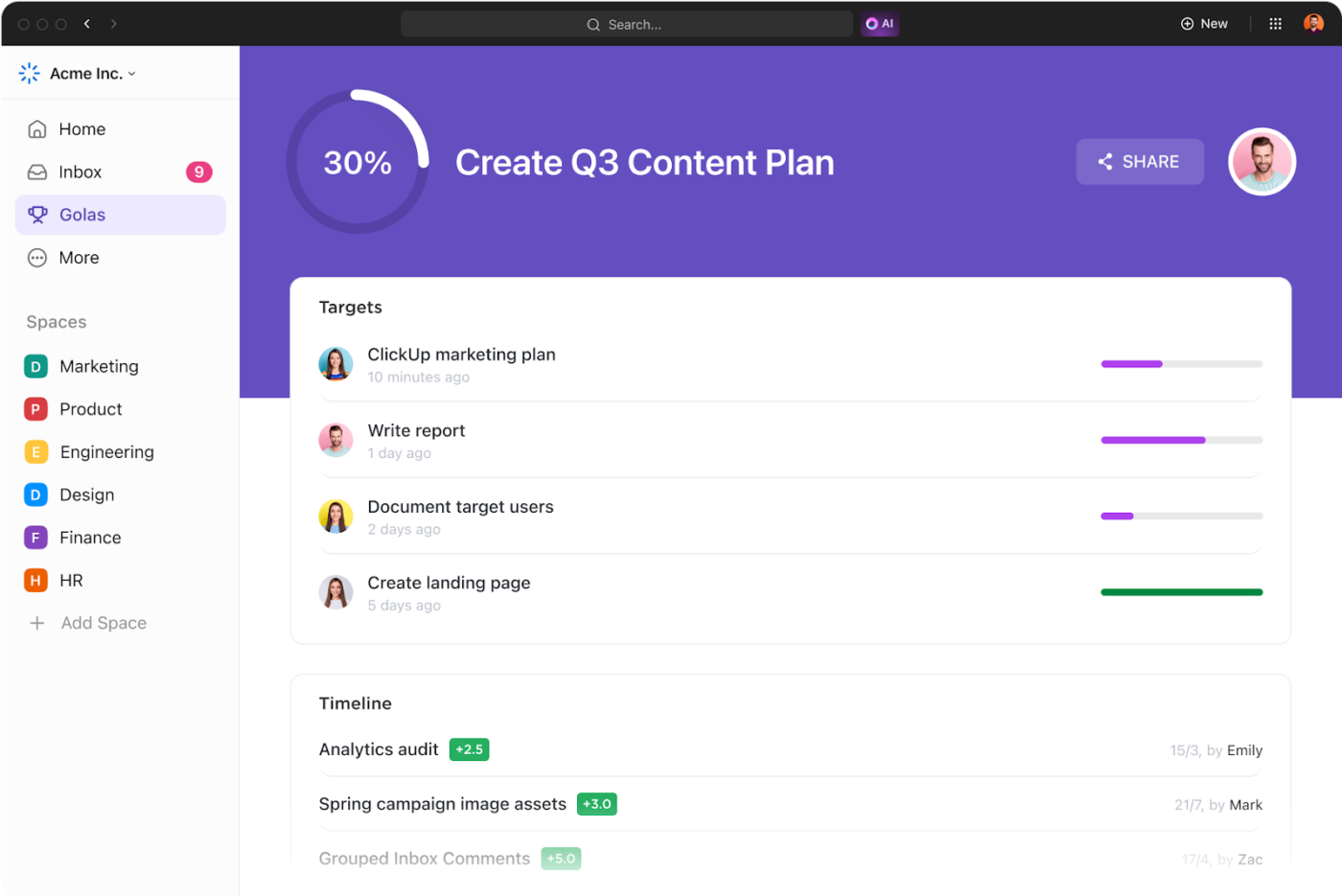
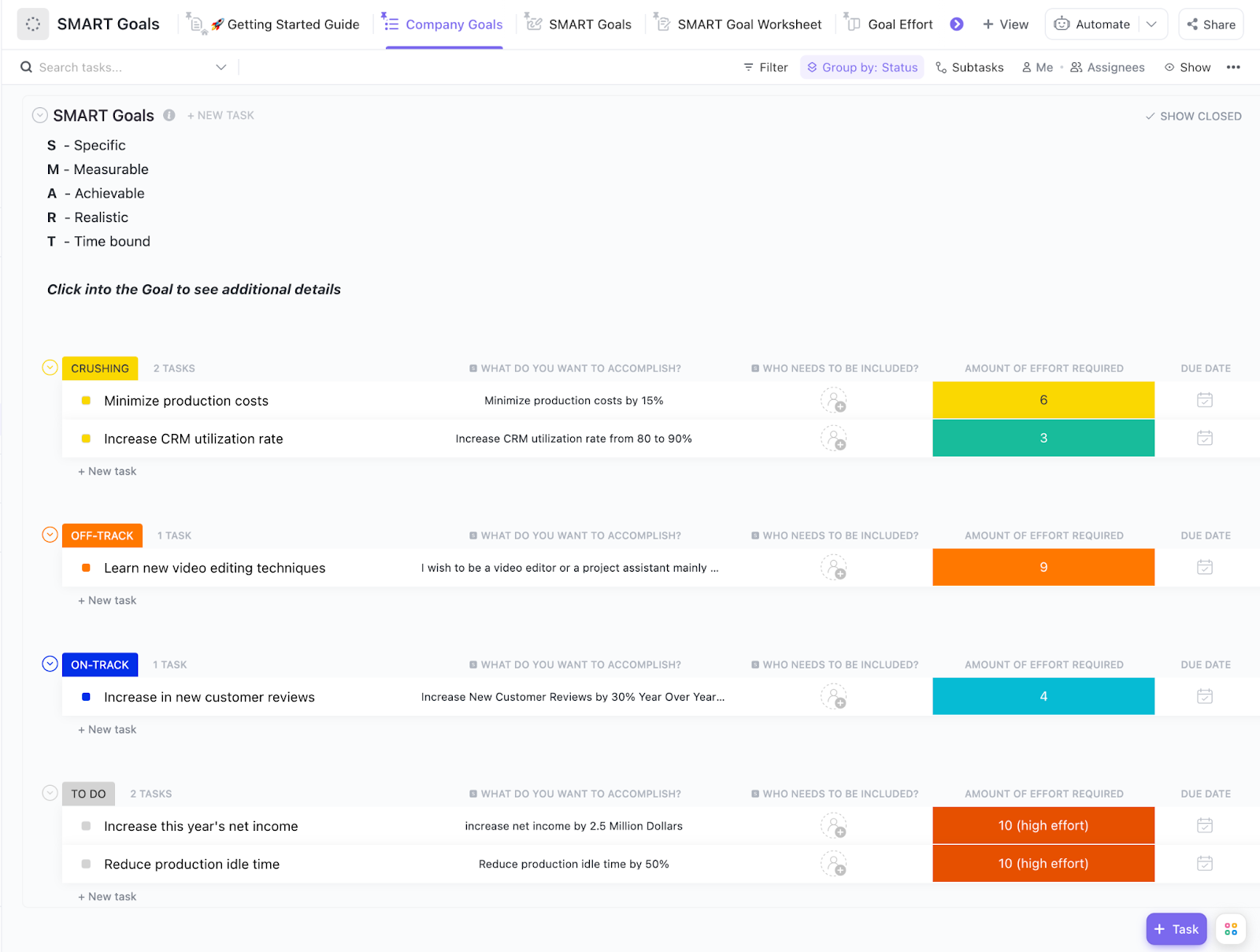
Wondering how to create these goals? There’s a smart way. Use the specific, measurable, achievable, relevant, and time-bound (SMART) framework to develop clear, actionable objectives that minimize ambiguity and clarify expectations.
The ClickUp SMART Goals Template makes it even easier by letting you:
This template helps teams set clear objectives, boosting accountability and project performance.
The next step is creating and assigning tasks. Breaking down the project into manageable actions ensures each team member knows their responsibilities and deadlines, keeping everything on track.
💡 Pro Tip: Always assign tasks to a specific individual rather than a team to avoid confusion and ensure accountability.
ClickUp Tasks help teams manage priorities easily. You can set clear deadlines, stay organized, and assign responsibilities so everyone knows what to focus on. Don’t forget to set Custom Statuses to track project progress and make adjustments as needed.
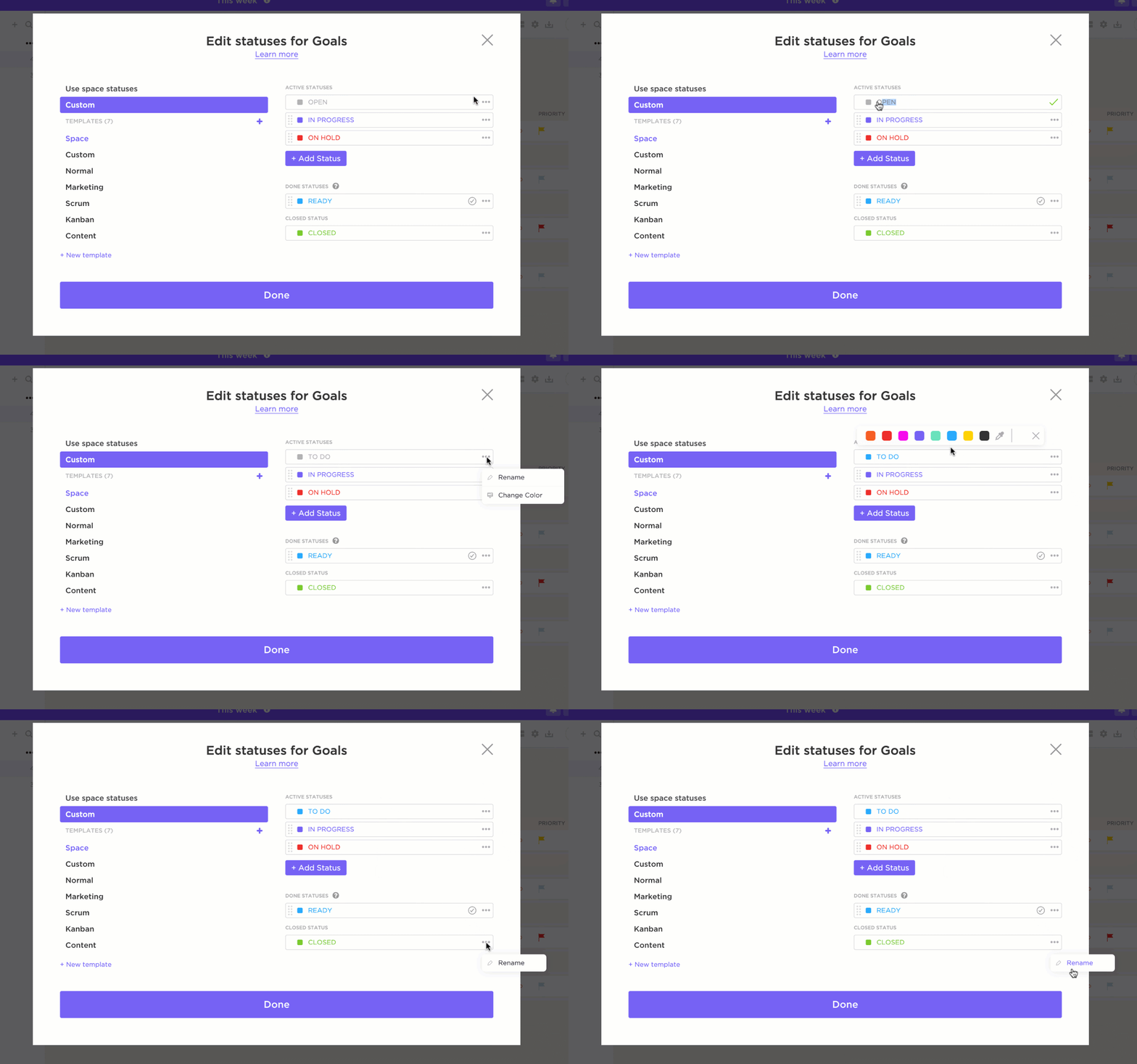
Also Read: How to Use AI to Automate Tasks
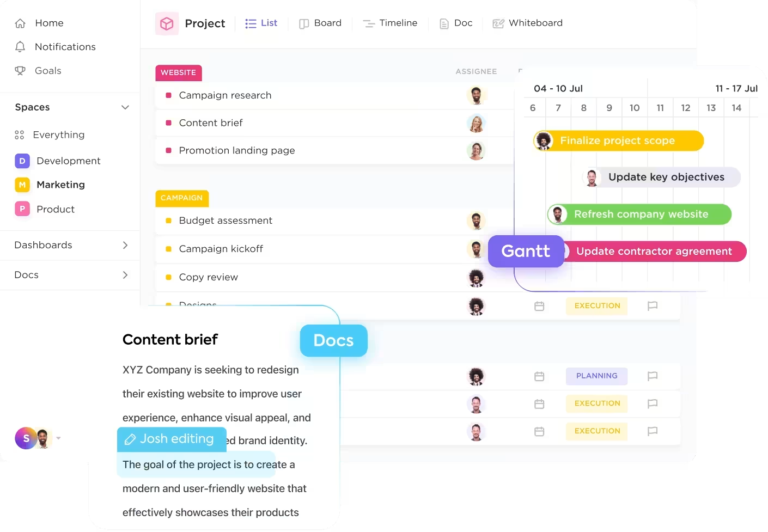
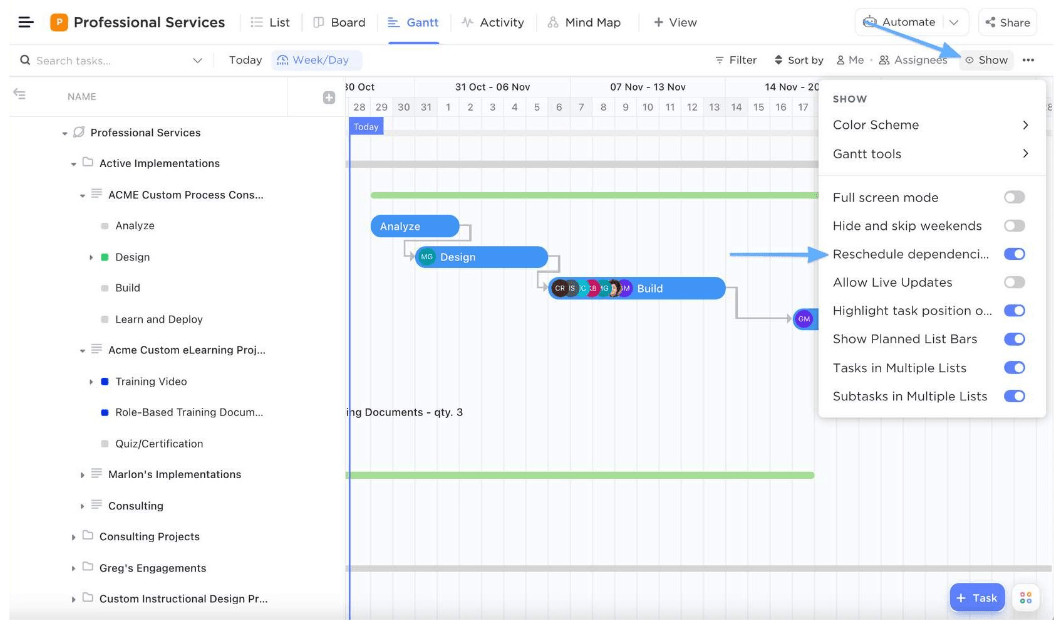
Want to see your entire project timeline at a glance? ClickUp’s Gantt Charts provide a comprehensive view, making it easier to manage deadlines, optimize time management, and ensure tasks are on track.
It gives your project a visual roadmap to success, showing tasks, timelines, dependencies, and potential roadblocks.
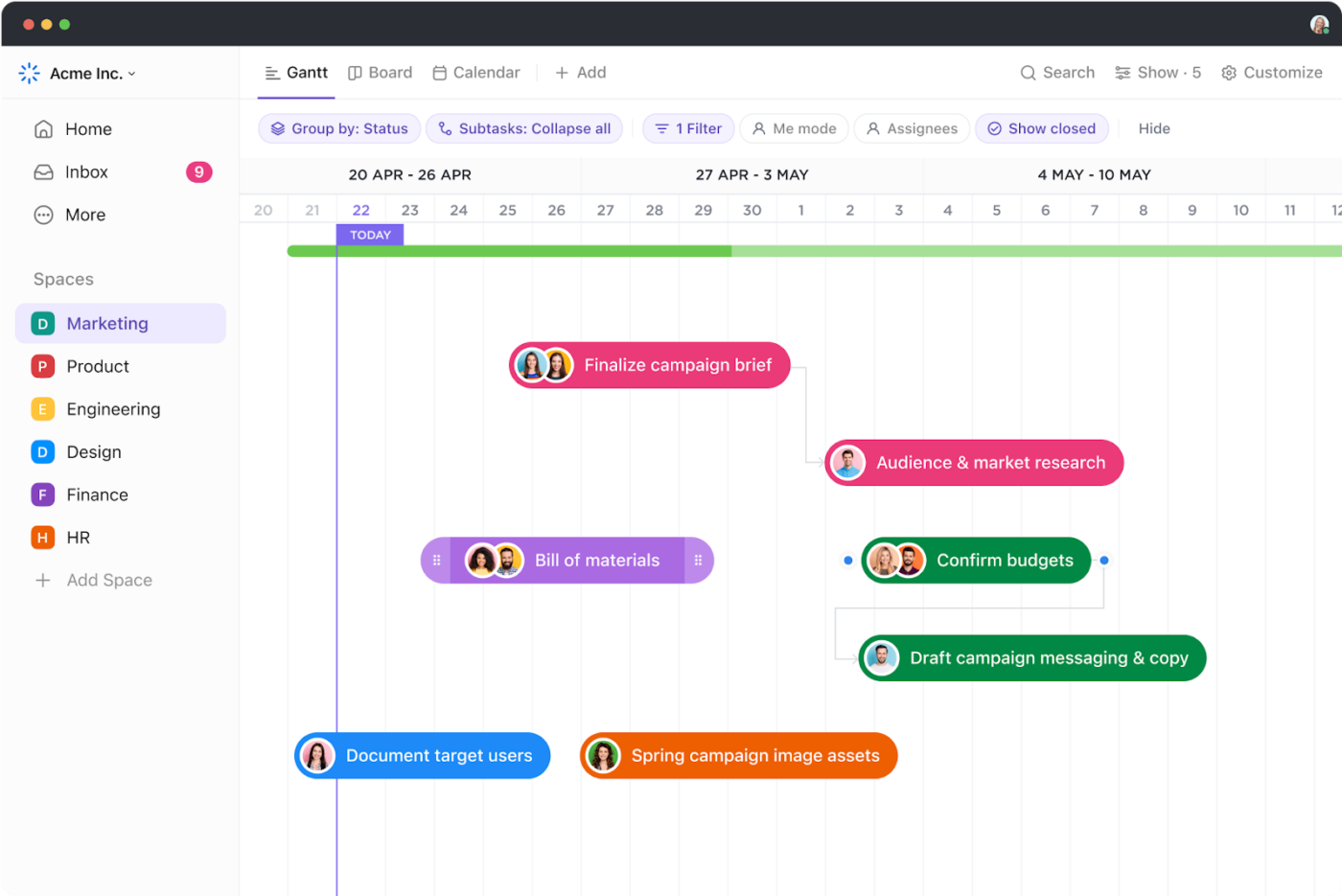
You can also use Gantt charts to link dependent tasks. So, any delay in one automatically updates the subsequent tasks, ensuring a smooth project flow.
Need to adjust planned timelines? Simply drag and drop tasks on the chart for flexible scheduling as priorities change.
💡Pro Tip: Be realistic when assigning deadlines. Factor team bandwidth and potential roadblocks to avoid overburdening anyone or jeopardizing task quality.
With tasks clearly defined, you can move on to tracking progress. How can you ensure every step is completed on time? Choose a task management tool to make the process smoother and more efficient.
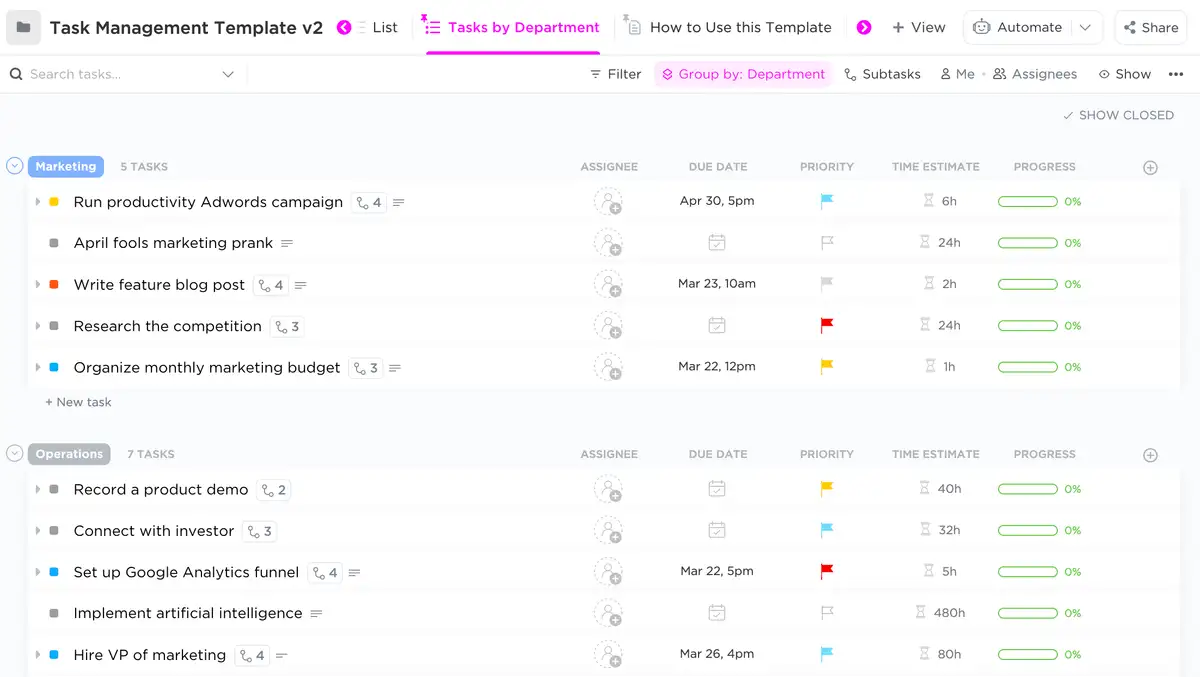
Or, get started quickly with the ClickUp Task Management Template.
The template offers built-in tools for organizing, prioritizing, and tracking tasks that require minimal setup time. The biggest advantage is it organizes tasks by priority level, allowing team members to focus on critical items first.
💡 Pro Tip: Assign backup owners or define alternative workflows for high-risk tasks to minimize delays if something goes off-track.
Tracking and organization of company projects is very easy and effective with ClickUp software. From simple lists to complicated projects, ClickUp software has been used to get things done as expected. It is a very effective software when addressing task management problems and tracking the progress of organization ongoing tasks and projects.
As a project manager, you’ll need practical tools for tracking tasks, fostering team collaboration, and automating workflows.
To visualize progress, use ClickUp Kanban Board or ClickUp List Views. These views organize tasks across stages like To-do, In Progress, and Done, giving you and your team clear insights into the project’s status and making it easy to adjust and meet deadlines.
For smooth communication, say hello to ClickUp’s in-app messaging tools to keep everyone on the same page.
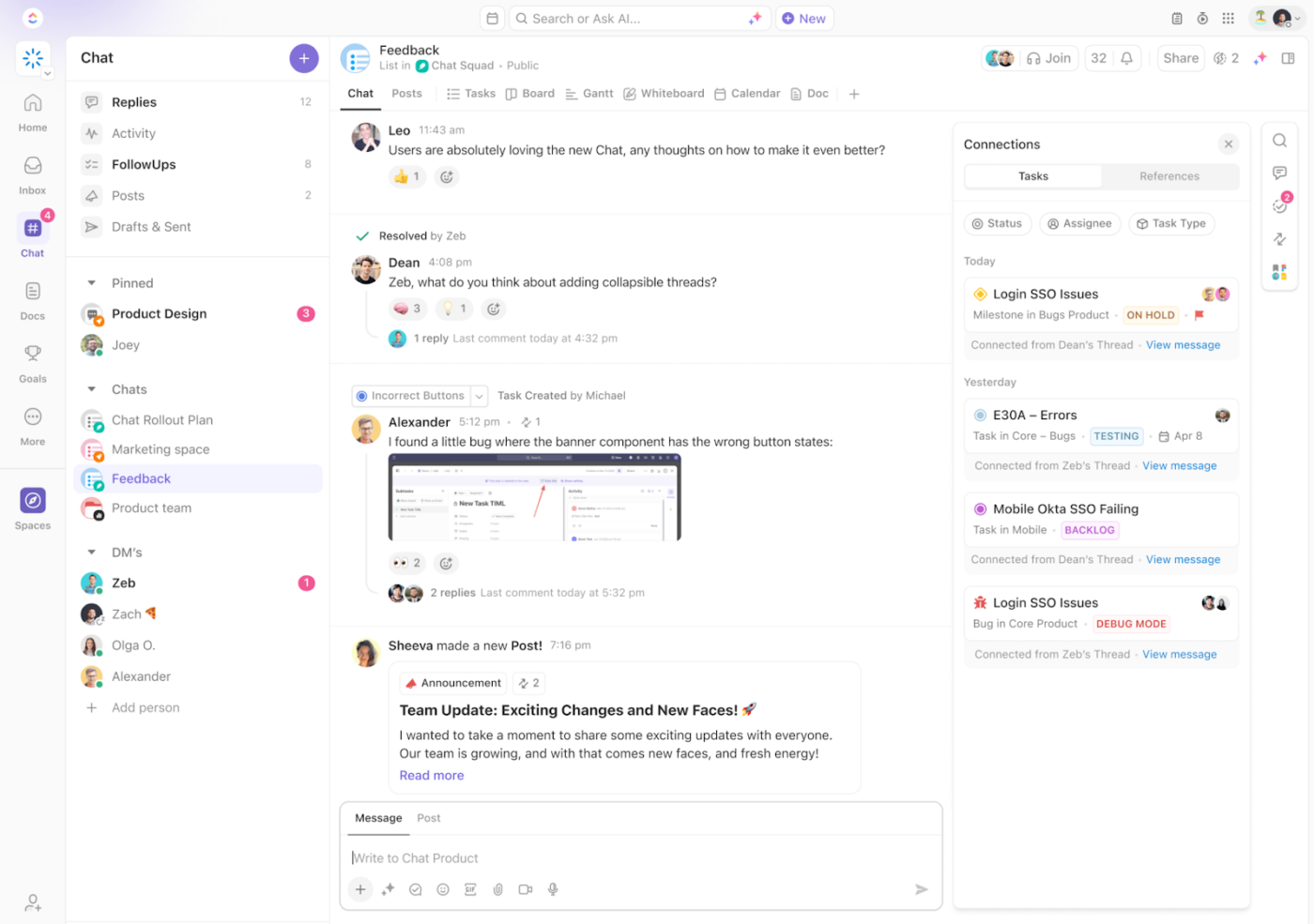
ClickUp Chat combines communication and collaboration. It transforms simple conversations into powerful productivity tools by keeping context centralized. Convert chats into tasks, launch voice or video calls with automated summaries, and use AI to suggest action items—from within your chat window.
Customize your chat spaces and link chats to tasks, documents, and projects for easy navigation by department or project.
Your remote and on-site team can also use ClickUp Whiteboards and ClickUp Mind Maps for collaborative brainstorming. These versatile options help teams visualize ideas, strategize, and make collaborative decisions effectively.
💡Pro Tip: Encourage team members to share what’s working well and what isn’t when using project management software solutions. Regular feedback helps improve processes and boosts adoption.
Use automation and AI to manage recurring tasks and eliminate manual work. ClickUp Automations allow you to set custom rules to automatically update statuses, assign tasks, or send notifications when specific conditions are met.
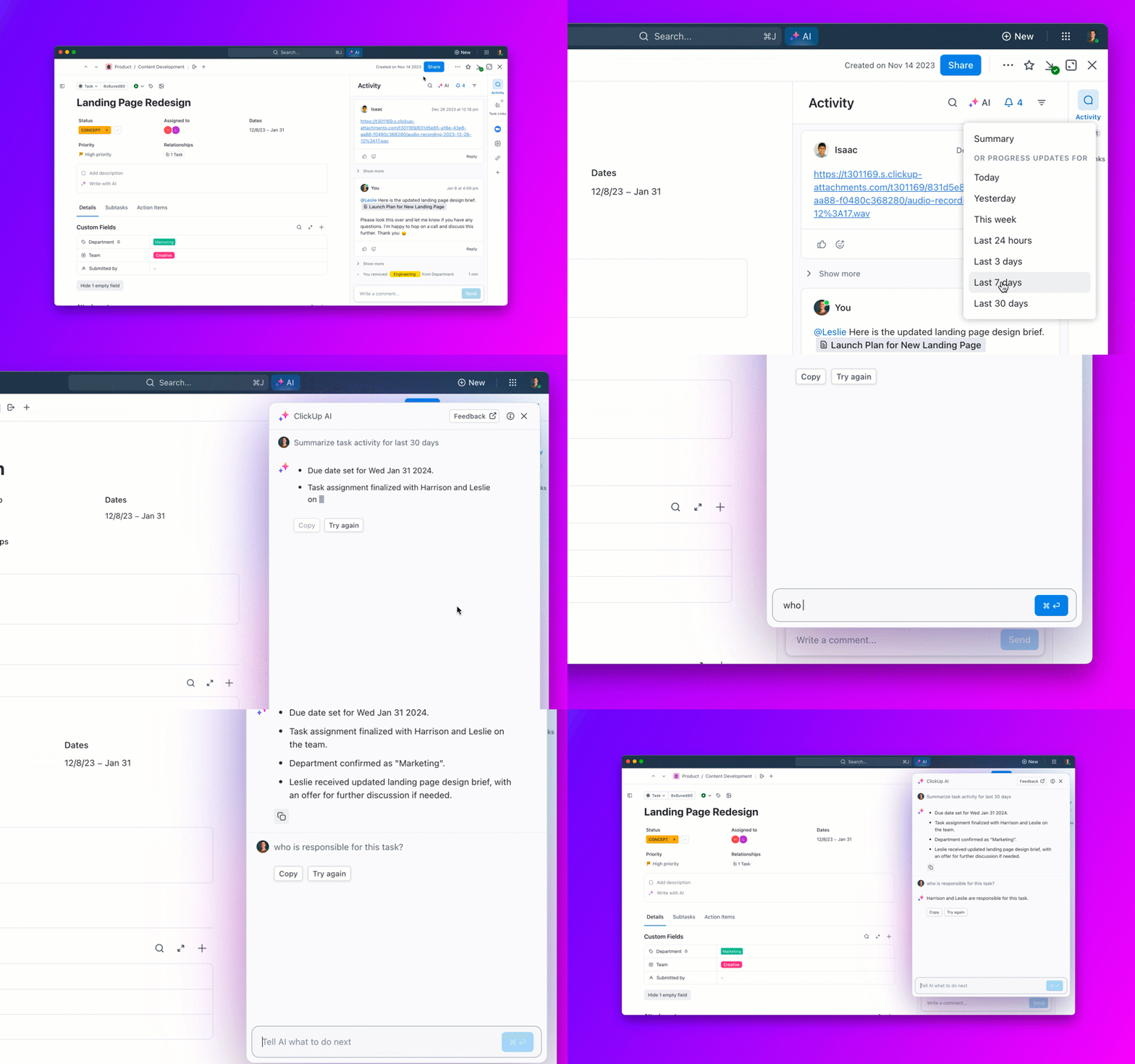
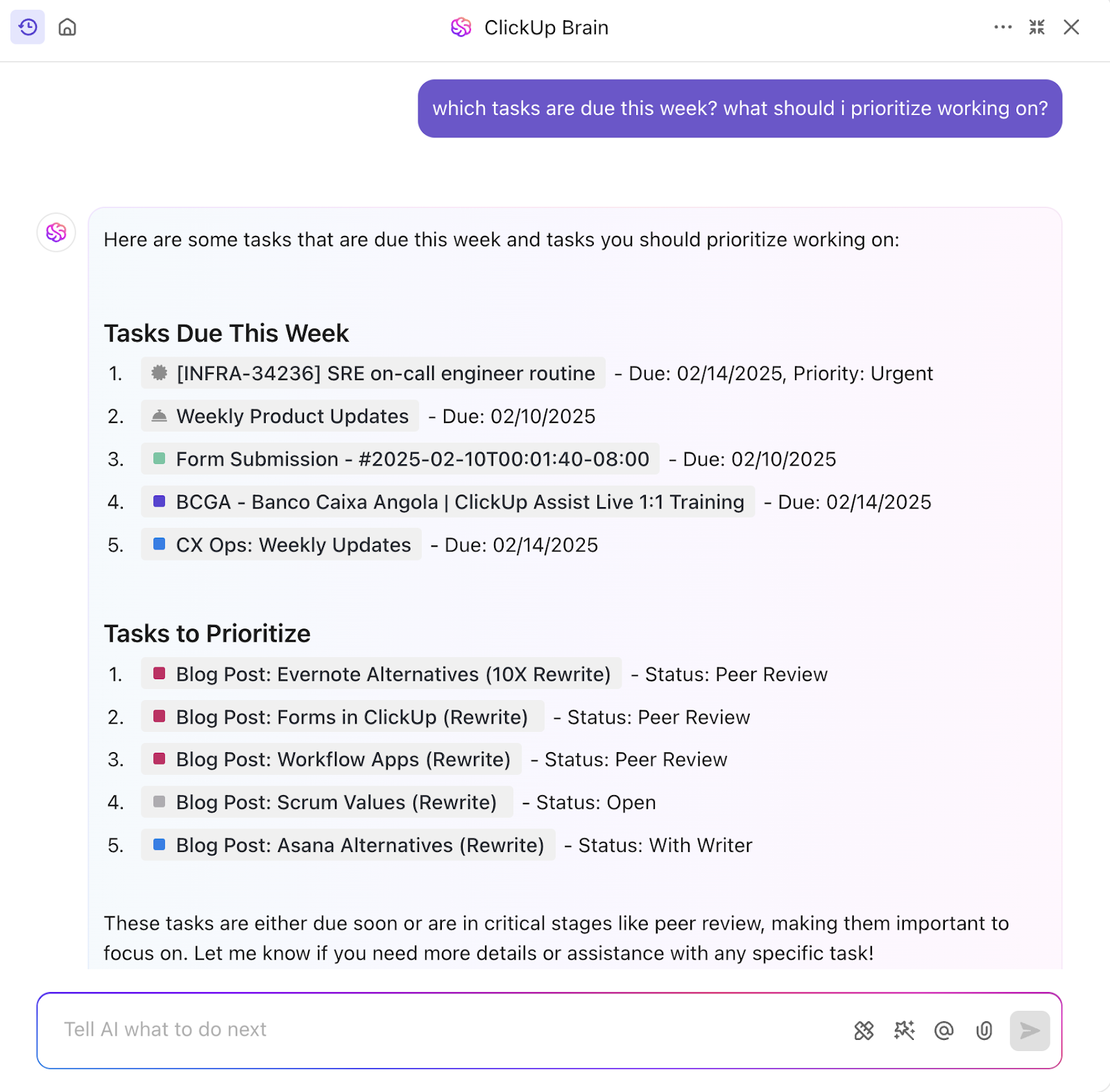
And ClickUp Brain, ClickUp’s native AI, doubles as your project manager with:
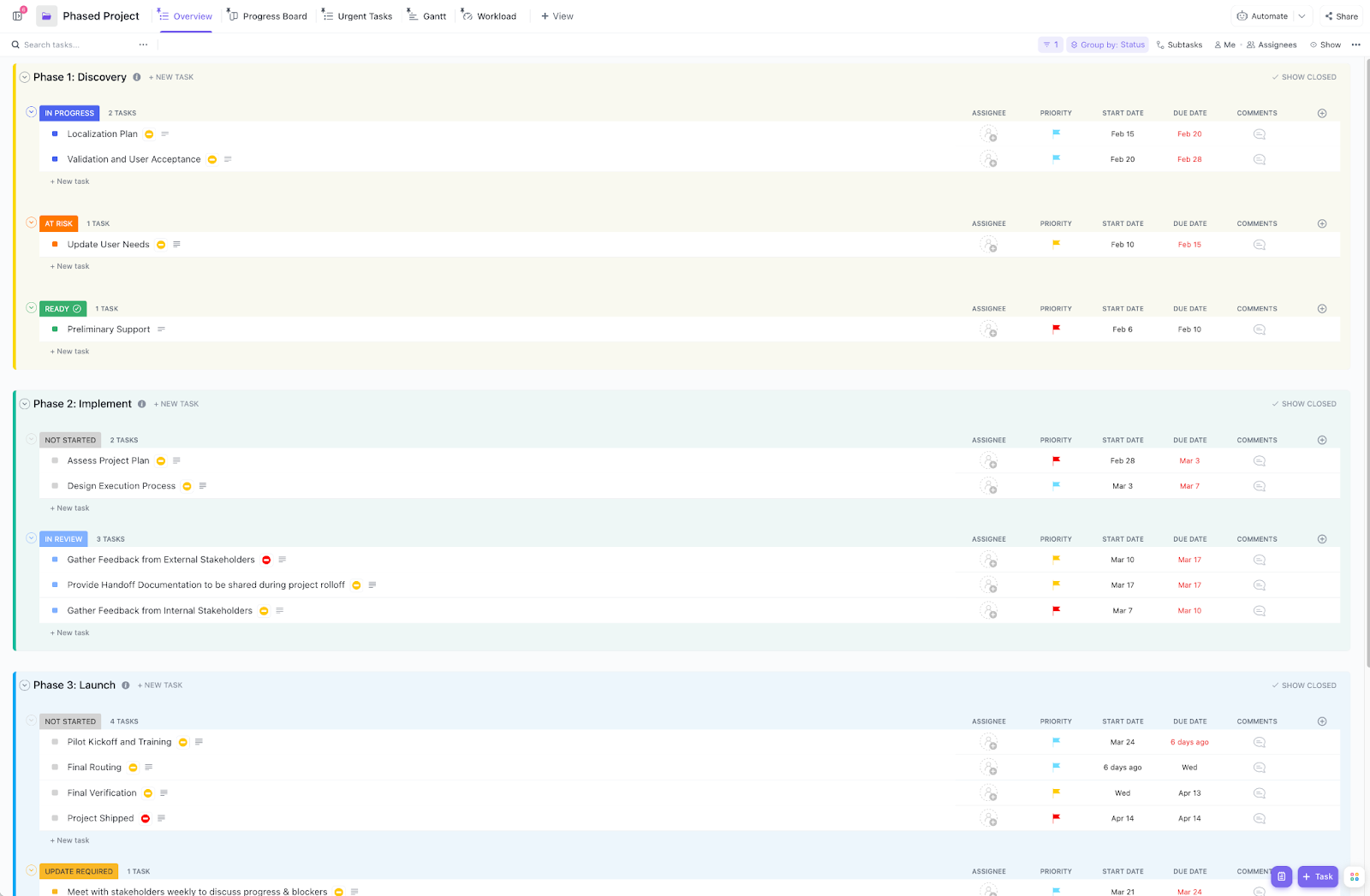
After establishing methods for managing tasks and team collaboration, the next step is to choose a solid project management template that fits your team’s workflow.
The ClickUp Project Management Template offers a comprehensive solution for planning and tracking all project phases, making it ideal for teams aiming to improve efficiency.
Its key benefits include:
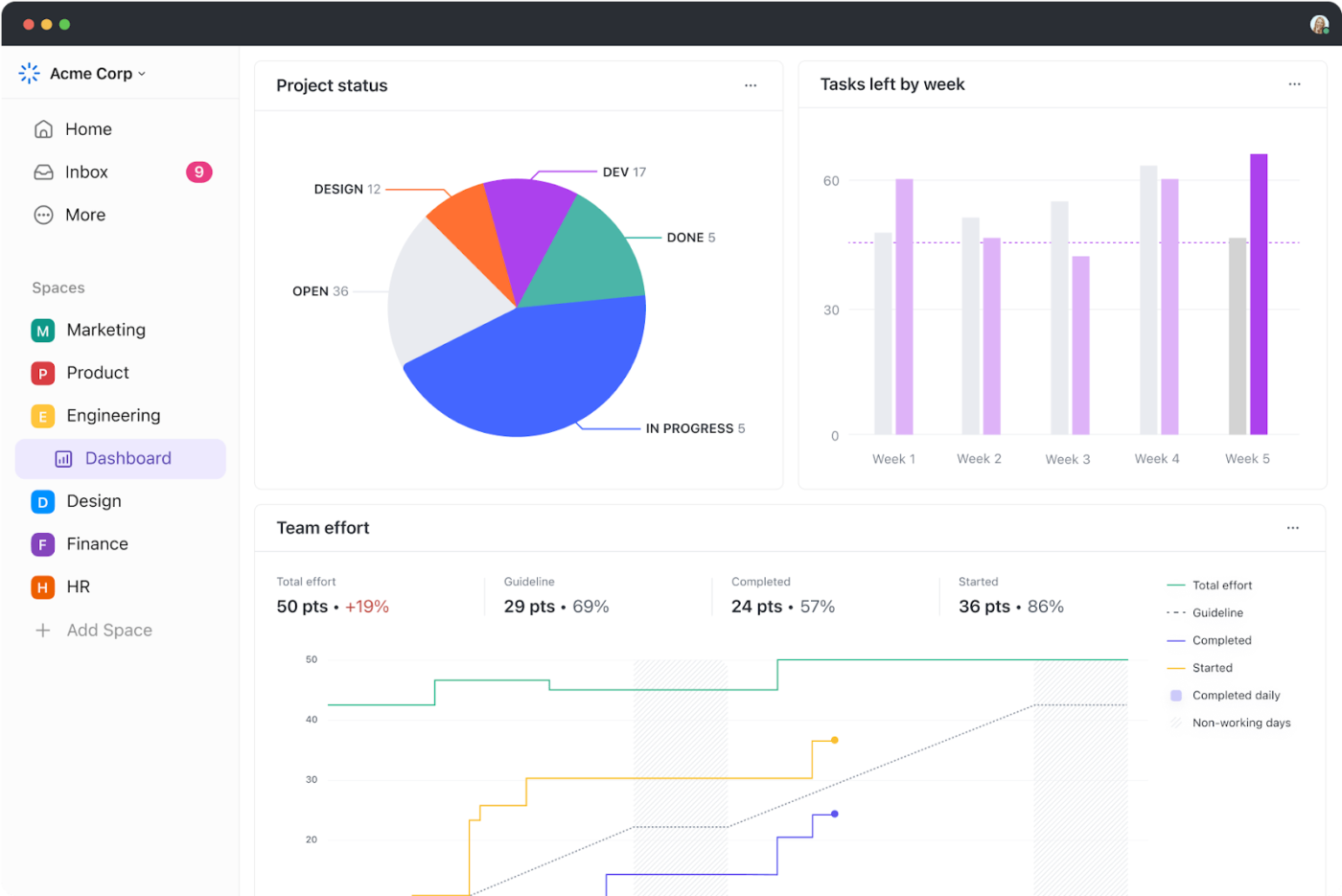
Effective project management relies on consistent monitoring and reporting to help everyone meet project goals.
Here’s how ClickUp Dashboards support seamless tracking and reporting:
We are amazed by ClickUp’s customization and integration capabilities. Most importantly, ClickUp’s Dashboards have transformed our reporting process. We can now easily monitor workload, present data, and get a high-level overview of all our projects in one single view.
Want to set up comprehensive project dashboards for your team? Watch this quick explainer video to get started!
Your project management system is set up—now let’s make it work for you. Establishing a few best practices will create smoother workflows, boost collaboration, and drive successful project outcomes.
Start small. Focus on basic features like task assignment and tracking before diving into advanced functions. By keeping things simple at first, your team can get comfortable with the platform, ensuring smoother adoption and more efficient planning.
Try free project management software to test the waters before upgrading to more advanced features.
Make it a habit to review your project plans. Check that goals, tasks, and deadlines are on track, and dashboards are in place to monitor progress. It is also essential that all team members are on the same page.
Regular updates will help you identify roadblocks early and keep everything running smoothly.
Empower your team with the knowledge they need to succeed. Offer training sessions to help them master the software and encourage exploration of advanced features like automation and integrations.
A well-trained team means higher productivity for everyone.
If you’re serious about getting things done, don’t just adopt project management software—use it intentionally. Set clear structures, automate where you can, and make visibility a priority.
ClickUp makes all of it much simpler by eliminating data silos, context switching, and the drudgery of manual project management. Start by setting clear goals in ClickUp. Then, break them down into tasks and assign them to the right people.
Create custom dashboards for reporting, and automate status updates. Use AI as your productivity partner to get more done in less time.
What results can you expect? Zero confusion, deadlines that are met, and a team that actually has time to focus on work instead of chasing updates.
96.7% of teams report better efficiency as a result of using ClickUp for project management.
Ready to make every project a success? Get started with ClickUp today!

Sudarshan Somanathan
Max 22min read

Praburam Srinivasan
Max 23min read
Praburam Srinivasan
Max 21min read

© 2026 ClickUp