
Sorry, there were no results found for “”
Sorry, there were no results found for “”
Sorry, there were no results found for “”
Did you know that about 32% of global workers now expect or prefer a fully remote work model? The corner office and the daily commute are becoming relics of the past. The modern workplace is undergoing a welcome transformation, and a significant portion of the workforce is embracing it.
Many factors drive this shift, including technological advancements, a growing desire for work-life balance, and an understanding of workflow beyond the office. As employees worldwide re-evaluate their work environments, you may want to explore the possibility of working remotely.
There are numerous reasons why you may want a work-from-home arrangement. Maybe you desire a more flexible schedule to manage childcare or parental responsibilities. Some of you may be more productive in a distraction-free home office environment.
Regardless of the motivation, approaching management regarding asking the boss to work from home requires careful planning and a professional presentation. Here’s a comprehensive guide of tips to help you navigate this conversation and advocate for a successful work-from-home arrangement.
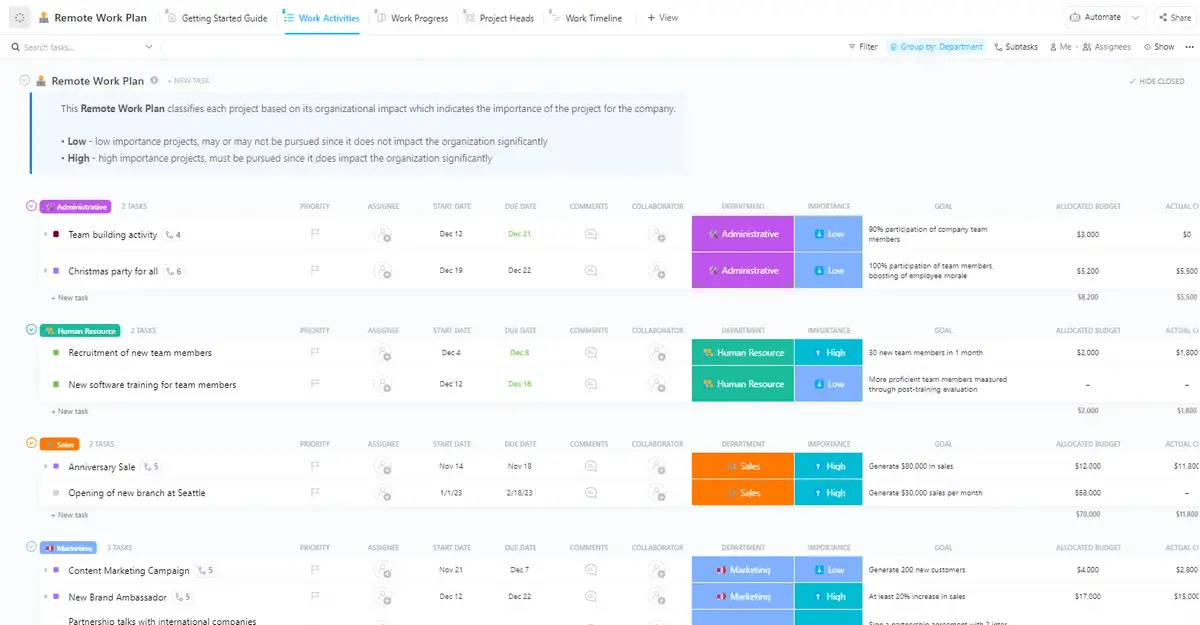
Want to ask for remote work but not sure how? Try ClickUp’s free Remote Work Plan Template to present your request clearly, professionally, and with confidence.
Once regarded as the cornerstone of productivity, the traditional office environment is dramatically shifting. A recent study found that 80% of Gen Z and Gen X workers and 76% of millennials report being more productive working from home.
This leads to the question: Is the physical office truly the sole option for peak performance? Before starting your remote work journey, a period of self-reflection and research is crucial.
By understanding your work style and company culture, you can tailor your approach for optimal success.
While a strong work ethic and effective communication are essential for remote work success, having the right remote work tools at your disposal significantly enhances your productivity and overall experience. Evaluate your work style and living situation. Begin with a few simple questions:
If you answered yes to these questions and the benefits of remote work align with your career goals, you might be a good candidate for a remote work arrangement.
If the freedom of remote work excites you, bring ClickUp onboard as your trusted partner. Use ClickUp’s Remote Work Tools to build a valuable asset in streamlining your transition to working from home. Its built-in time tracking and task management allow you to be laser-focused, revealing exactly how much time each task demands.
ClickUp also fosters seamless collaboration, letting you chat with colleagues and share documents in real time. The platform can help streamline your workflows while enabling end-to-end visibility and transparency for your remote team.
By investing some time in research, you’ll be well-positioned to present your boss with a compelling case for a work-from-home arrangement.
After all, 54% of young employees reported to employers that flexible working hours make a new job opportunity very attractive. Before diving into your request, it’s crucial to gather information. Here’s how:
Knowing the growing popularity of remote workers’ work arrangements strengthens your case for implementing or expanding the option of asking to work from home within your company.
Studies consistently highlight the advantages of remote work arrangements, including increased employee productivity, improved morale, and reduced overhead costs. Demonstrating that remote work is not an anomaly but a growing trend bolsters your request and positions you as someone attuned to the evolving workplace landscape.
Review your employee handbook or company intranet to see if existing policies address remote work options. Understanding your company’s stance and any established guidelines will help tailor your proposal for remote work implementation.
Doing research helps provide concrete examples of successful remote work policies already implemented. You can use these examples to tailor your proposal to your specific role and company needs.
Equipping yourself with potential benefits can help convince your manager of remote work’s positive impact on the company’s bottom line.
You’ve gathered your research and are ready to present your case for working from home. Now comes the question of delivery: Should you schedule an in-person meeting or send an email request?
Both methods have advantages, and the best choice depends on your situation and relationship with your manager. Let’s explore each approach:
An in-person meeting lets you directly express your enthusiasm for working remotely and elaborate on its benefits to your role. Here’s why a personal approach is advantageous:
While an in-person request is often ideal, it’s not always the most feasible option. Here’s when considering an email approach might be more suitable.
An email is a great way to formally present your request, especially if you have a well-established communication style with your manager via email. Here are some reasons why an email approach might be preferable:
Ultimately, the best approach depends on your circumstances. However, one of the biggest challenges of remote work is staying on top of communication.
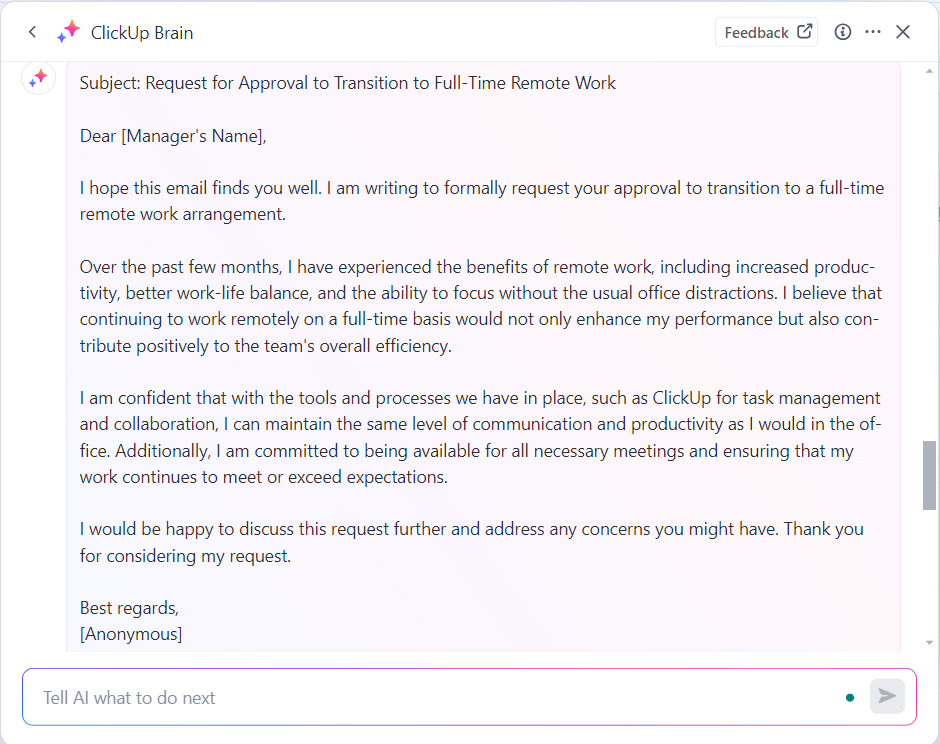
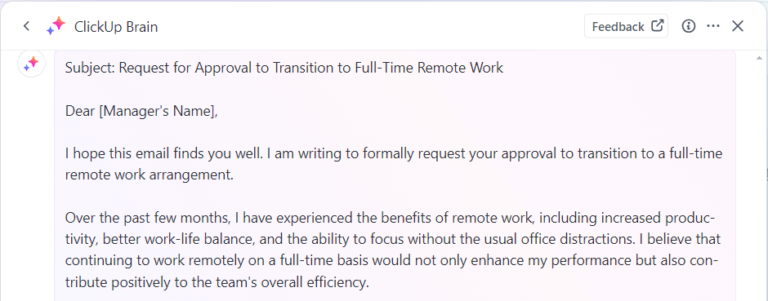
Here’s an example of an email request sent on autopilot by leveraging ClickUp Brain, ClickUp’s AI assistant. Type in your prompt and the AI writer will generate the email request for you.
Personalization is crucial. Use the example below as a starting point and tailor it to your office situation and company culture. With ClickUp Brain, you will confidently craft a well-structured email request that paves the way for a successful work-from-home arrangement.
Subject: Request for Occasional Work-From-Home Flexibility
Dear [Manager Name],
I’m writing to inquire about possibly working remotely on [Specific Days] each week. This occasional flexibility in work responsibilities would allow me to [Explain Reason for Request, e.g., manage childcare appointments more efficiently].
I’m confident I can maintain my productivity while working remotely and fully commit to meeting all deadlines. I’ll ensure clear communication and remain accessible throughout these days.
Would you be available to talk and discuss this further?
I appreciate your understanding.
Sincerely,
[Your Name]
Pro tip: Whether remote or hybrid, email is a component of our work lives. ClickUp’s Email Project Management Tool lets you turn emails into actionable tasks directly from your inbox. No more copying and pasting; simply convert the email, assign it to team members, and set deadlines. Discussions and attachments stay conveniently linked to the task, keeping everything organized and accessible.
Being ready to address potential concerns showcases your confidence and commitment to making remote work successful. While crafting your initial request, consider how you might respond to potential counterpoints from your manager. Here’s what to consider when formulating your initial request:
While a flexible schedule might be a perk, highlight the company’s advantages. Research studies show increased productivity and employee satisfaction in remote work environments.
Propose solutions for staying connected and collaborative. Mention utilizing video conferencing tools or project management platforms with real-time communication features.
Ensure your manager understands your work style and how you’ll maintain clear communication. Emphasize your dedication to staying reachable during core business hours, even remotely.
Suggest a test period to demonstrate your ability to thrive in a remote work environment. This will allow your manager to assess your effectiveness while you transition. Maintaining productivity in a remote environment requires self-discipline and the right tools.
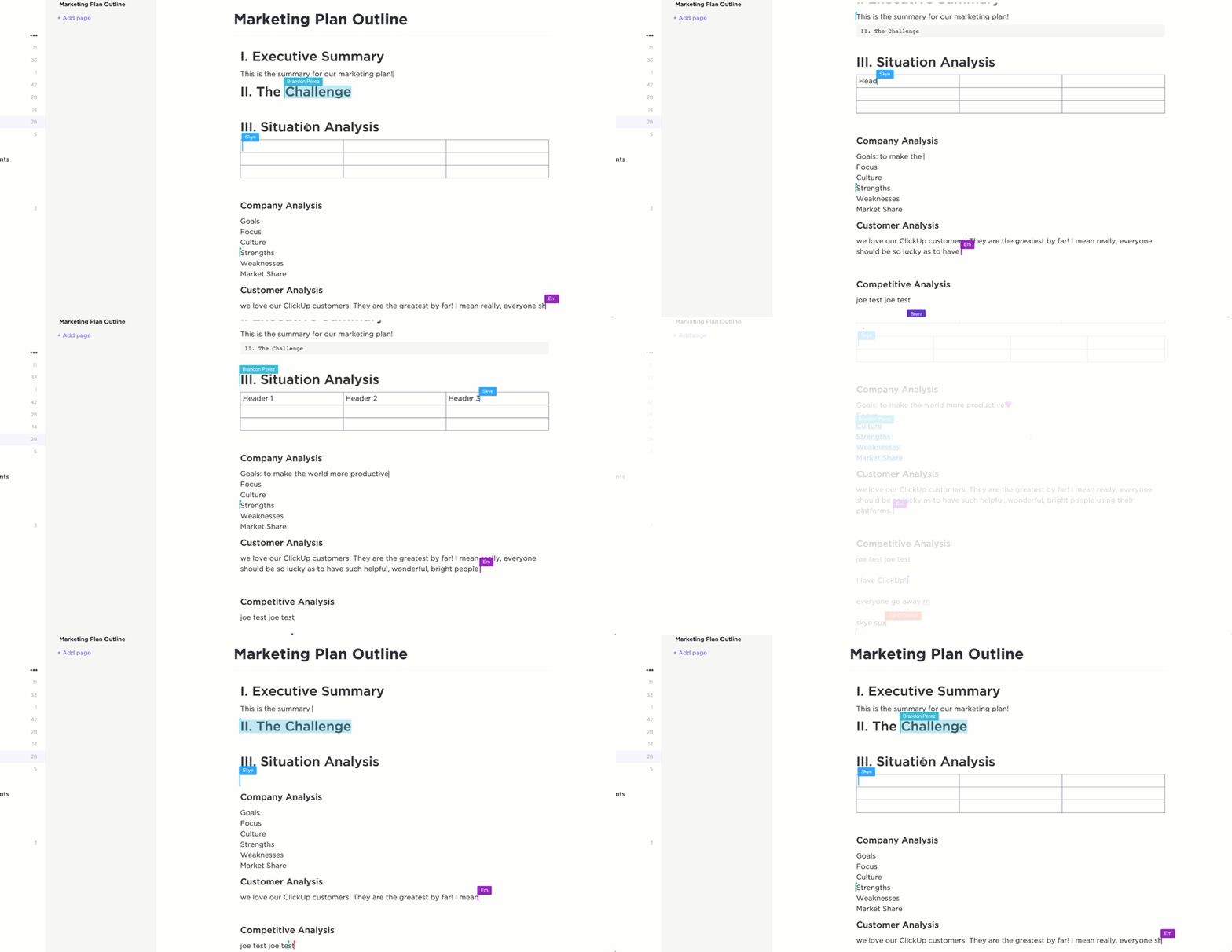
Certain tools, like ClickUp Tasks, have robust task management features that will support you by facilitating task organization, collaboration, and communication with your team. This helps ensure everyone stays aligned and projects move forward smoothly. ClickUp Docs helps you collaborate with colleagues, control who views and edits your documents, and ensure confidentiality and information security.
Ideally, present your request when your manager is receptive to new ideas. Avoid making your case during busy times or after a company setback.
Choosing the right moment to approach your manager significantly impacts the outcome. Here are some things to consider:
During a conversation about a project or workload, casually mention the benefits you’ve observed from flexible work arrangements. This reveals your manager’s openness to the concept without a formal proposal.
Pay close attention to their response. Do they seem intrigued by the potential benefits, or do they express concerns about possible disruptions? This initial reaction will help you tailor your next steps.
If your manager seems receptive, frame the conversation around exploring solutions to existing challenges.
When discussing potential benefits, quantify them whenever possible. For instance, while talking to your manager, you can subtly highlight certain studies or statistics that support you.
A well-defined remote work plan demonstrates your proactiveness and commitment to a successful transition. This plan doesn’t need to be a lengthy document, but it should clearly outline your approach to working remotely.
Think of it as a roadmap that helps you stay organized, manage your time effectively, and collaborate seamlessly with your team, even when miles apart. ClickUp can be used to structure and plan your workday here, showcasing a visual remote work roadmap for your manager.
ClickUp goes beyond basic to-do lists, offering features designed to empower remote teams. Here’s how ClickUp helps you build your remote work plan:
Once you’ve secured your manager’s approval for a remote work arrangement, the next step is to take a proactive approach. Create a clear and concise plan outlining your proposed schedule, communication preferences, and how you’ll ensure you stay aligned with team goals.
This is where ClickUp’s Remote Work Plan Template, a pre-made resource, is a valuable tool. The template provides a structured framework to define your expectations, communication channels, and how you’ll track progress while working remotely.
Here’s how ClickUp’s Remote Work Plan template adds value to remote employees’ work plans:
Securing a remote work trial period is a significant step toward a permanent work-from-home arrangement. Leverage this time to build immediate trust and demonstrate your effectiveness in a more remote working setting.
Here’s how to leverage this time to build trust with your manager and solidify your case for working from home:
Set up regular check-in meetings to discuss ongoing tasks, roadblocks, and upcoming deadlines. Proactive communication builds trust and demonstrates your commitment to clear and consistent collaboration.
Strive to deliver exceptional work that meets or exceeds expectations. Pay close attention to deadlines and communicate any potential delays proactively. Consistent, high-quality work is a cornerstone of building trust in a remote environment.
Be readily available during your designated work hours and promptly respond to messages and emails. Utilize video conferencing for meetings whenever possible to maintain a sense of connection and real-time collaboration with your team.
Working remotely requires a level of self-management. Discuss your work schedule and availability with your manager and colleagues. Set clear boundaries between work hours and personal time to avoid burnout. However, be transparent about your progress and any unforeseen circumstances impacting your work.
Maintaining clear communication, seamless collaboration, and staying on top of tasks is easier said than done in a remote work environment. This is where a powerful project management tool like ClickUp comes into play.
ClickUp equips you with a comprehensive suite of tools to excel during your remote work trial. It leads to seamless collaboration and keeps everyone on the same page, even when working in different locations.
Here’s a glimpse into some of ClickUp’s features that make it perfect for remote work:


While a well-prepared proposal significantly increases your chances of getting approved for remote work, there’s always a possibility your initial request might not be granted. Here’s what you can do in such a scenario:
Schedule a follow-up meeting with your manager to discuss the trial period (if applicable) and their specific concerns. Their feedback is invaluable for strengthening your case in the future.
Also, track and document any quantifiable improvements to strengthen your case for remote work in the future. Ask open-ended questions like:
Explore the possibility of a hybrid work model, where you split your time between the office and working remotely. This could be a stepping stone toward a full-time remote work arrangement. Demonstrating your reliability and productivity in a hybrid model will pave the way for a more permanent remote work agreement.
While exploring remote job opportunities, showcase your ability to manage time effectively, communicate online, and excel in a self-directed work environment. Many companies across various industries are now offering flexible work arrangements.
Following the steps outlined above, you can initiate a productive conversation with your manager about working-from-home possibilities. You’ll present a well-thought-out approach focusing on solutions and quantifiable benefits, making your proposal more persuasive.
Once you’ve secured your work-from-home agreement, ClickUp ensures a smooth and successful transition. ClickUp’s project management and time-tracking features can help you demonstrate that working from home doesn’t compromise productivity or team dynamics.
Final thoughts: Sooner or later, huge chunks of our work will become remote or hybrid. Don’t adapt to remote work; thrive on it.
Sign up for a free account and experience ClickUp’s powerful tool suite to help you excel in the new world of work.

Praburam Srinivasan
Max 11min read

Sudarshan Somanathan
Max 12min read
Sudarshan Somanathan
Max 16min read

© 2026 ClickUp