The best thing about AI’s rapid growth is that competitors keep raising the bar.
Every new AI model pushes the limits, giving users better options and keeping businesses, CEOs, and investors on their toes.
DeepSeek AI is a prime example. Unlike ChatGPT and other large language models, which thrive on monthly subscription fees, DeepSeek AI offers its core models as free, open-source alternatives that challenge the traditional AI revenue model. DeepSeek AI also boasts lower memory usage, reducing the cost of running AI tasks—something business professionals and data analysts appreciate.
While DeepSeek offers strong reasoning and cost-effective access, the concerns around data security, reliability, censorship, and feature limitations drive users toward more transparent, secure, and versatile alternatives that are just as efficient (and won’t burn a hole in your wallet).
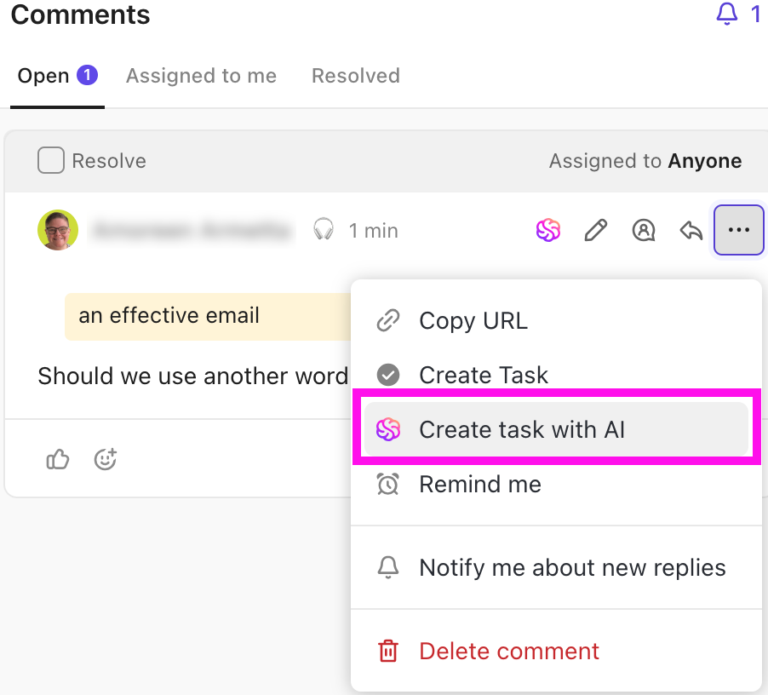
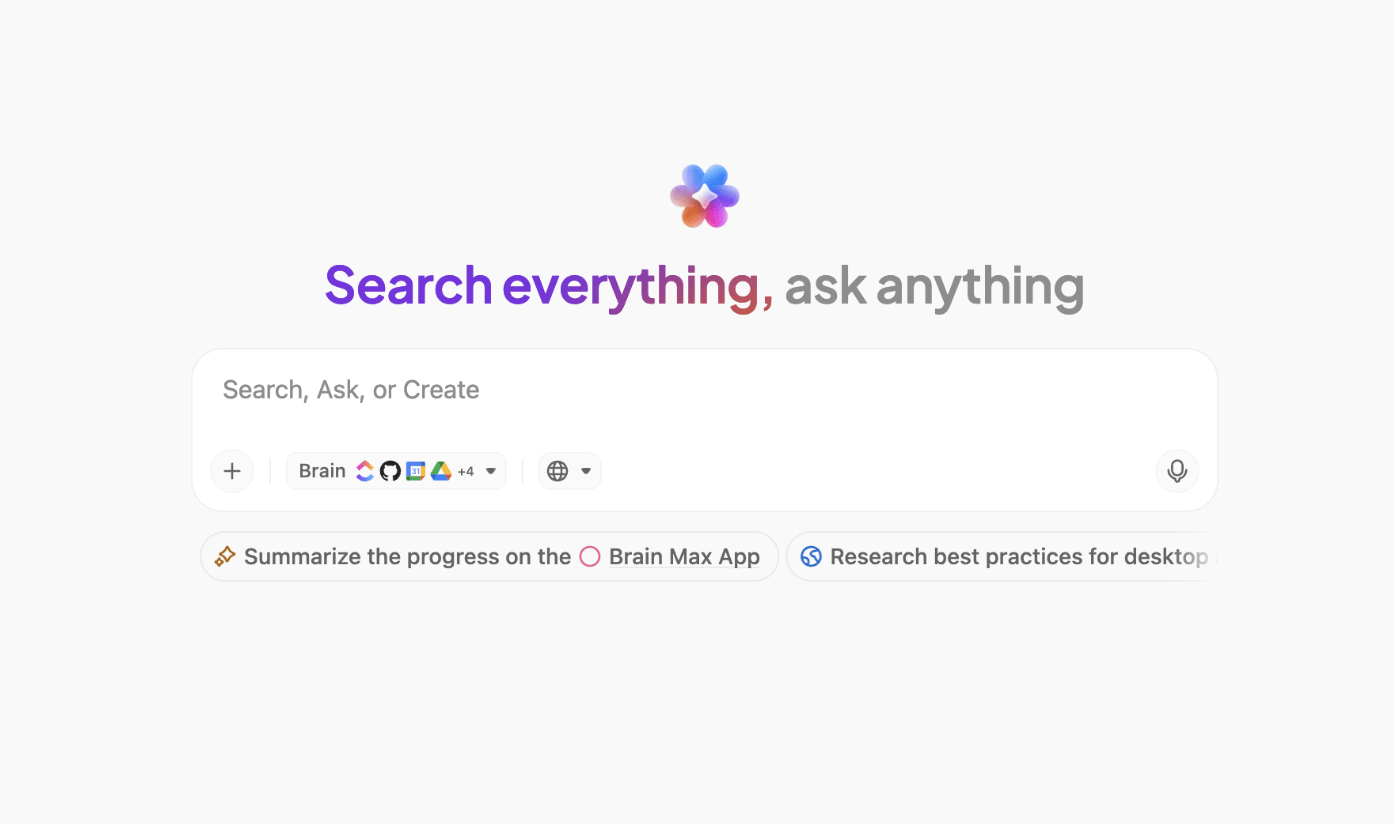
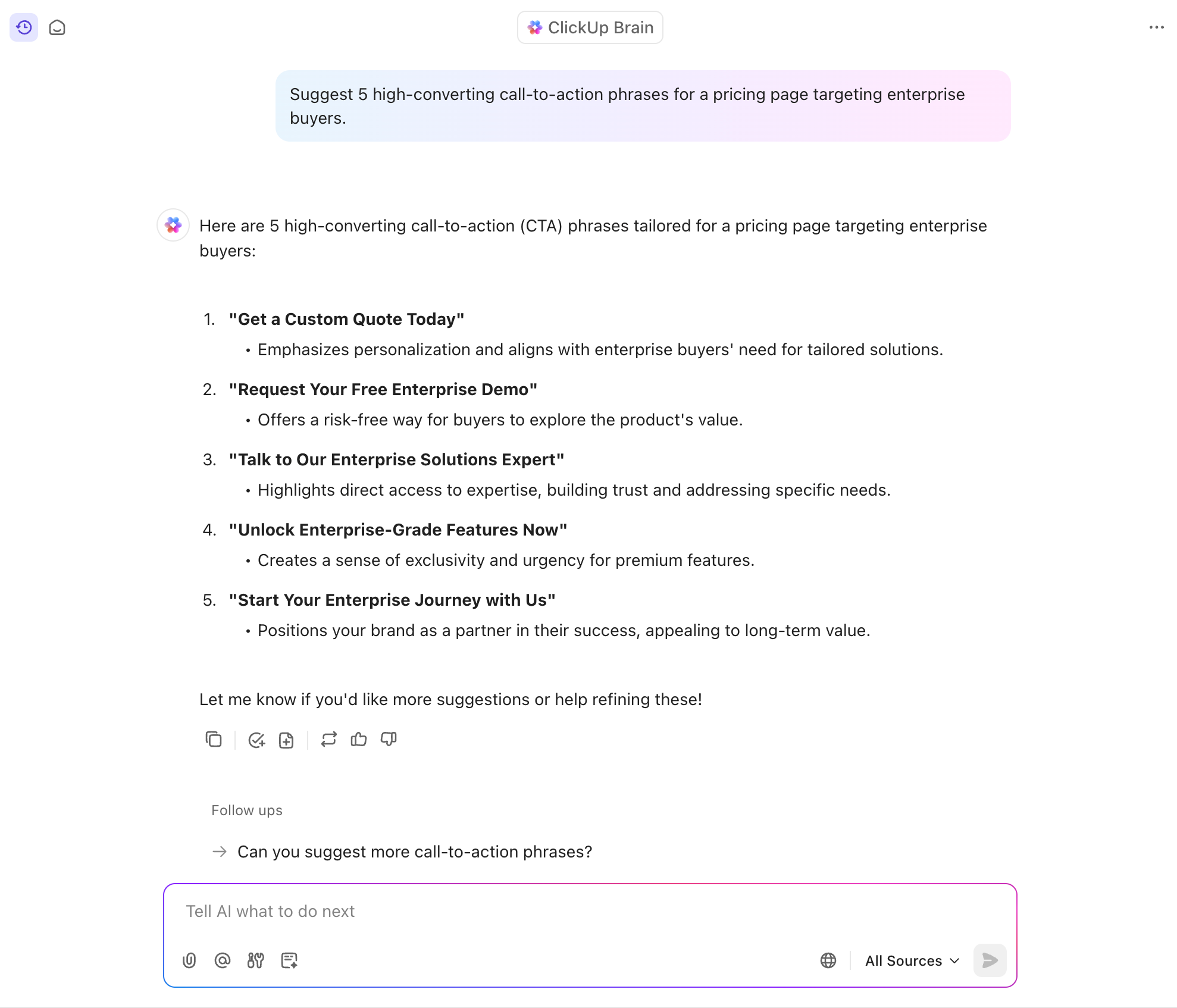
Summarize this article with AI ClickUp Brain not only saves you precious time by instantly summarizing articles, it also leverages AI to connect your tasks, docs, people, and more, streamlining your workflow like never before.
Summarize this article for me please
So, Why Look for an Alternative to DeepSeek AI?
DeepSeek’s AI capabilities have made waves, but if we go through user reviews, we will begin to find many flaws. Here are the biggest challenges that make people reconsider:
1. Server issues: When “free” means “unavailable” 😥
DeepSeek AI might be open source and cost-effective, but if you’ve ever tried using it during peak hours, you know the struggle. Many users report frequent server downtime and sluggish response times.
2. Privacy concerns: Who’s watching? 👀
DeepSeek AI has sparked concerns over data security and ethical AI practices. Researchers from Cisco, the University of Pennsylvania, and Cybersecurity firms found that DeepSeek fails nearly all jailbreak and prompt-injection tests. In one study, 100% of malicious attempts bypassed guardrails.
Due to its security vulnerabilities, businesses handling sensitive customer data or proprietary information may hesitate before integrating it into their workflows.
3. Limited API access: Paywalls lurking in the shadows 👤
Sure, the web chatbot is free, but API key access? Not so much. If you’re a developer using DeepSeek for AI-powered automation, software development, or conversational AI, expect to hit a paywall quickly.
4. Performance gaps: Impressive but not unmatched 📉
While DeepSeek excels in cost efficiency, it still lags behind premium AI tools like OpenAI’s latest large language models when it comes to advanced reasoning and optimal performance. Users also report subpar performance in languages beyond Chinese and English, making it ineffective for multilingual tasks.
💡 Pro Tip: Want to make your AI smarter, faster, and more efficient? LLM agents can automate workflows, enhance decision-making, and personalize user experiences.
5. Hardware dependencies: Not everyone has a supercomputer 🧑💻
Yes, DeepSeek AI is open source, meaning you can run it locally—if you have a high-end GPU farm. Otherwise, you’re stuck with the web version, which, as we mentioned, is often down or rate-limited compared to other AI tools.
🧠 Fun Fact: John McCarthy coined the term “artificial intelligence” in 1956 and drove the development of the first AI programming language, LISP, in the 1960s. Early AI systems were rule-centric, which led to the development of more complex systems in the 1970s and 1980s, along with a boost in funding.
Summarize this article with AI ClickUp Brain not only saves you precious time by instantly summarizing articles, it also leverages AI to connect your tasks, docs, people, and more, streamlining your workflow like never before.
Developers and ML teams building and deploying custom NLP/vision models
Free plan available; Paid plans start at $9/month; Custom pricing for enterprises
Mistral AI
Open-weight models (e.g., Mistral-7B), private/self-hosted deployment, fast inference, commercial licensing
AI infra teams and privacy-conscious orgs building local/custom AI apps
Free plan available; Paid plans start at $14.99/month; Custom pricing for enterprises
Poe
Unified interface to GPT-4, Claude, LLaMA, etc.; create custom bots; mobile/web access; multilingual support
Individuals, solopreneurs, and hobbyists experimenting with multiple AI models
Free; Paid plans start at $4.99/month
*Please check the tool website for the latest pricing
Summarize this article with AI ClickUp Brain not only saves you precious time by instantly summarizing articles, it also leverages AI to connect your tasks, docs, people, and more, streamlining your workflow like never before.
Summarize this article for me please
The 11 Best DeepSeek Alternatives to Use
How we review software at ClickUp
Our editorial team follows a transparent, research-backed, and vendor-neutral process, so you can trust that our recommendations are based on real product value.
DeepSeek AI might not be your cup of tea, and that’s okay.
Whether it’s server downtime, privacy concerns, or the urge to try something new, plenty of DeepSeek AI alternatives can match—or even outperform it. Here’s a curated list:
1. ClickUp (Best for AI-powered project management and knowledge management)
ClickUp is the everything app for work—a single platform where project management, documents, and team communication collide with next-gen AI automation and search capabilities.
ClickUp has reined in our tool sprawl by giving every team one source of truth; replaced status meetings and manual updates with real-time dashboards; cleared busywork through smart automations and built-in AI; ended permission headaches with granular, role-based sharing; and turned once-murky OKRs into live, connected goals that update themselves.
ClickUp Brain
If you’re seeking a DeepSeek alternative that trulyunderstands your work, ClickUp Brain is a game‑changer. Unlike standalone AI tools, Brain is built right into your workspace, accessing tasks, docs, chats, meetings—and even your connected apps like Slack, Google Drive, Notion, and more.
With Brain, you can write briefs in ClickUp Docs, generate images that match your brand, and create tasks and subtasks automatically from a single prompt—no need to juggle tools.
Kick off your day with AI StandUps, powered by real updates pulled from active tasks, while AI Fields auto‑fill task metadata so nothing falls through the cracks. Add AI Cards in ClickUp Dashboards to spotlight projects and priorities at a glance.
Get instant summaries and answers from your workspace with ClickUp Brain
🚀 Here’s more about what ClickUp Brain does for you:
Automatic summaries = less reading, more doing: Workplace content is overwhelming, and no one wants to scroll through mile-long task threads. ClickUp Brain summarizes long emails, project updates, and meeting notes
Personal standups, minus the meetings: AI StandUp generates bite-sized status updates so teams can stay aligned without unnecessary syncs
Emails, marketing collaterals, and content: Brain writes excellent marketing copy, from emails to presentation content to social media posts, when you get stuck
Natural language automations: ClickUp takes automation to the next level by letting users create workflows just by describing them in plain English
💡 Pro Tip: Toggle between the latest AI models—from ChatGPT and Claude to Gemini and DeepSeek—with ClickUp Brain! Yes, it’s all accessible right within your ClickUp workspace or the Brain MAX app. You can also use Voice-to-text in the Brain MAX app to execute 4x faster!
ClickUp Knowledge Management
One of the biggest reasons business professionals, project managers, and data analysts love ClickUp is its effortless ability to centralize information.
Simply ask questions and find answers along with resources using ClickUp’s AI-powered knowledge management system
🚀 Here’s how it helps:
Import team knowledge: Securely import Docs and knowledge from any tool
Use Wiki templates: Speed up your team’s work with a bunch of wiki templates, which include live editing and integrated comments
Advanced permissions: Maintain control of your knowledge with comprehensive permissions and version history
ClickUp Enterprise Search
However, ClickUp’s knowledge management capabilities are incomplete without the ClickUp Enterprise Search feature.
If you’re deep in a critical project and suddenly need a document from two months ago that you barely remember, ClickUp’s Connected Search will surface it in seconds. If this were buried in Slack or lost in an email thread, you’d either spend hours searching or end up asking a coworker to resend it.
Find documents and files with a simple search across databases using ClickUp Connected Search
Connected Search scans all your integrated apps, from Google Drive to Jira and Salesforce, bringing you the right information in seconds. With these features, ClickUp offers an organized, accessible, and useful workspace.
ClickUp Autopilot Agents
ClickUp’s native AI also replaces repetitive busywork with Autopilot Agents—AI-powered workflows that handle task creation, routing, status changes, and more, so you don’t have to. Choose from Prebuilt Agents or create Custom Agents that help you get more done in less time.
Use ClickUp’s AI Agents to automate busywork—from answering FAQs in Chat to preparing a daily summary of your tasks
Ideal for
Team size
Small teams of 5-20, growing startups, mid-sized companies, or enterprise-level organizations
Who is ClickUp a good fit for?
Teams of all sizes managing projects that range in size and complexity and require cross-functional collaboration
Features
AI-powered knowledge management: Get intelligent searches, automated summaries, and real-time AI-powered insights with ClickUp Brain
Connected Search for unified access: Search across Google Drive, Slack, Jira, Salesforce, and other integrated tools to instantly find what you need
Real-time collaboration: Edit on ClickUp Docs, assign tasks, and communicate with your team in one place without switching between apps
Automated workflows and task prioritization: Use AI-powered automation to update statuses, assign tasks, and organize work based on urgency
Highly customizable workspace: Personalize ClickUp to your specific project management needs with flexible categories, tags, and dashboards
Pros
ClickUp Brain really is a time-saver. The built-in AI can now summarize lengthy threads, draft docs, and even transcribe voice clips right inside a task, which lets my team cut down on context-switching and chase fewer add-on tools.
New calendar & Gantt upgrades make planning less painful. The March 2025 refresh merged tasks, docs, chats, and meetings into a single calendar view and added AI-powered time blocking; Gantt charts load noticeably faster and keep the zoom level persistent.
Everything in one workspace. We run agile sprints, publish docs, and manage OKRs without shuffling between apps. Native integrations (Slack, Drive, GitHub) are quick to wire up.
Access multiple advanced AI models—including Claude, ChatGPT, DeepSeek, and more—in one app, at a fraction of the cost
Cons
Sometimes it can be overwhelming due to the number of options and ways to do things. It’s not that it’s bad, on the contrary, it’s part of its potential, but it requires time, patience, and constant learning
Yes. If you need a scalable, all-in-one work hub with task and knowledge management plus generative and agentic AI capabilities, ClickUp is the top choice. Since it has all your work context, ClickUp’s AI unlocks compounding gains. It gets progressively smarter as you use it and more tailored to the way you work!
📮 ClickUp Insight: 62% of our respondents rely on conversational AI tools like ChatGPT and Claude. Their familiar chatbot interface and versatile abilities—to generate content, analyze data, and more—could be why they’re so popular across diverse roles and industries. However, if a user has to switch to another tab to ask the AI a question every time, the associated toggle tax and context-switching costs add up over time.
Not with ClickUp Brain, though. It lives right in your Workspace, knows what you’re working on, can understand plain text prompts, and gives you answers that are highly relevant to your tasks! Experience 2x improvement in productivity with ClickUp!
2. Google Gemini (Best for AI-powered workflow automation and content generation)
Google Gemini works like an extra set of hands inside Google Workspace, handling the busy work so you don’t have to.
One of Gemini’s advantages is its deep integration with Google’s ecosystem. If you already use Gmail, Calendar, or Drive, Gemini seamlessly fits into your workflow and leverages real-time data access to create or write, summarize and highlight, and even share suggestions about your work.
Need to extract action items from a long email thread? Gemini can summarize it for you. Want a quick project timeline? It can generate a structured table in Sheets and outline the project’s key features.
Ideal for
Team size
Individuals, freelancers, and small teams experimenting with AI
Who is Gemini a good fit for?
Best for teams already using Google Workspace and needing fast drafting or summarization inside Docs, Gmail, or Sheets; also fits developers using Gemini Pro in AI apps via Vertex AI
Features
Generate task lists, project reports, and summaries in Google Docs, reducing manual work
Automate email responses and action items in Gmail to keep projects moving
Extract insights from long email chains and turn them into organized to-do lists
Create custom visuals in Slides using AI-powered text-to-image generation
Enhance risk assessment and forecasting by analyzing data trends in Sheets
Pros
Gemini advanced reasoning and content creation capabilities are particularly impressive. Gemini provides Multimodality such as text, code, audio, image, and video. Gemini assists you to create and build integrations using your natural language statements as input. Easily identify patterns and generate logical responses.
Solid contextual understanding for optimized responses
Multimodality—work with text, code, audio, image, and video formats in one app
Cons
I wish the best features weren’t locked behind a paid plan. The free version is fine for basic stuff, but if you want full power (like longer memory or Gemini 1.5 Pro), you have to pay for the Google One AI Premium plan.
Also, creatively, it’s not always the most exciting. It tends to play it safe and sometimes gives very “by-the-book” answers, especially compared to something like ChatGPT.
3. Perplexity AI (Best for AI-powered search and research insights)
Traditional search engines often require users to sift through multiple links to find reliable information. Perplexity AI changes that by acting as an AI-powered research assistant that delivers instant, well-cited responses.
Moreover, unlike standard search engines, Perplexity AI pulls from multiple sources in real time, summarizes key insights, and even refines results through follow-up questions.
Ideal for
Team size
Individuals, researchers, or small research-focused teams
Who is Perplexity AI a good fit for?
Great for researchers or analysts who need real-time citations and summarized insights
Ideal for journalists, students, and policy teams doing deep exploratory work
Useful for those replacing traditional search with AI Q&A
Queries the web in multiple languages using advanced natural language processing (NLP)
User-friendly interface that addresses informational needs via simple Q&A
Suggests smart follow-up questions to plug knowledge gaps
Cons
The main downside I encountered was the occasional inaccuracy with highly specialized queries. While the tool performs well for general information, it sometimes struggles with niche topics that require detailed insights.
4. ChatGPT (Best for AI-driven project assistance and automation)
It’s almost a given that you are familiar with ChatGPT. It’s one of the most versatile DeepSeek alternatives that lets you write, research, brainstorm, automate tasks, and analyze data with AI.
Unlike DeepSeek, which is more developer-focused and open-source-oriented, ChatGPT offers out-of-the-box usability with powerful models like GPT-4 and custom GPTs that act as virtual project, writing, and coding assistants.
Its Pro plan adds web browsing, file analysis, and image generation, making it a practical choice for marketers, product teams, and content creators who want fast, high-quality output without needing to host or fine-tune models themselves.
🍪 Bonus: ChatGPT’s ability to integrate with various business tools further makes it a valuable asset for corporate teams looking to improve efficiency.
Ideal for
Team size
Individuals to enterprise teams across functions
Who is ChatGPT a good fit for?
Best for generalist knowledge workers, content creators, and teams using AI to write, code, summarize, and brainstorm
Features
Automate project planning by generating task lists, schedules, and risk assessments based on context
Get instant answers and insights from web searches, reducing dependency on manual research
Upload and summarize reports and meeting notes, improving knowledge sharing within teams
Access predictive analytics to anticipate project risks
Pros
If I have a question, I can ask and know that I’m going to get an answer that I can trust. And if I don’t trust the answer, chat gpt will provide me with.There’s many links as I need.
Go from idea to execution faster with ChatGPT’s intelligent suggestions and recommendations—for household chores, work projects, and everything else in between
Ask for citations to ensure that the answers you get are trustworthy
Cons
I wish it could handle more assistant style tasks, such as if we are in the middle of a rather in depth discussion and I decided my colleague would enjoy this too I could say “Hey, send so and so a chat invite and pull a third perspective into the chat or at the very least be able to search online or write and send an email.
5. Meta LLaMa 3 (Best for open-source AI development and experimentation)
For businesses and developers looking for a customizable AI model without vendor lock-in, Meta Llama 3 offers a strong open-source alternative.
Unlike proprietary models like GPT-4 or Claude, Llama 3 allows organizations to fine-tune and deploy AI models on their own infrastructure, ensuring greater control over data privacy and cost.
🍪 Bonus: Its extensive scalability, multilingual potential, and integration with platforms like AWS, Azure, and Hugging Face make it a flexible choice for AI-driven projects.
Ideal for
Team size
Research labs, AI-first startups, or enterprises with in-house ML expertise
Who is Meta LLaMa 3 a good fit for?
Suitable for developers or research teams building custom AI applications
Ideal for orgs seeking an open-weight LLM for private deployment
Not beginner-friendly—requires infrastructure and model fine-tuning experience
Features
Enable customization and fine-tuning with open-source availability for businesses
Enhance reasoning, coding, and instruction-following tasks with strong performance in multiple programming languages
Access multimodal capabilities, including vision-based AI models
Optimize efficiency with grouped query attention (GQA) and token compression
Ensure flexible and scalable deployment on major cloud platforms
Pros
I use it every day to supplement OpenAI and Anthropic models as a low cost alternative for narrow use cases. easy accessibility and strong position as an open-source competitor.
Lower costs compared to OpenAI and Anthropic models
Reliable, high-speed performance
Cons
1. High Setup & Infrastructure Cost. Might stretch your current infra/resources. 2. No Out-of-the-Box Safety. Unlike proprietary models, LLaMA 3 needs careful prompt filtering, moderation, and alignment layers – more responsibility on you.
🧠 Fun Fact: In 1980, John Searle explained the division between ‘’weak’’ and ‘’strong’’ AI. Weak AI focuses on one narrow task, while strong AI is similar to full human intelligence.
6. Claude AI (Best for programming assistance and idea exploration)
Claude AI, developed by Anthropic, is designed with a strong emphasis on reasoning, safety, and ethical AI use. Unlike many AI models focusing on speed and versatility, Claude excels at logic-heavy tasks, coding assistance, and in-depth philosophical discussions, reflected in its user interactions.
Claude’s ability to handle complex prompts while maintaining a conversational and structured response style makes it a good choice for developers, researchers, and deep thinkers alike.
Ideal for
Team size
Small teams to enterprise-level organizations
Who is Claude AI a good fit for?
Excellent for legal, compliance, or enterprise teams valuing privacy and long-context memory
Great for summarizing large documents, legal contracts, or internal knowledge bases
Best for organizations needing high safety and transparency in AI outputs
Features
Leverage advanced debugging and code generation with strong programming capabilities
Handle long documents and multi-turn conversations with a large context window (up to 200,000 words)
Interpret images and charts with enhanced vision capabilities in newer models
Minimize biases and harmful outputs with ethical AI alignment based on constitutional principles
Use the API access for developers to build custom AI-driven applications
Pros
Richer language. Great humanistic approach. Less lists, more concepts.
Detailed, helpful, context-aware responses with rich language
Thorough analysis and reasoning for coding tasks
Learns from and adapts to your writing styles
Cons
The inability to learn between “chats” as well as the discouragement from “long” chats, means I have to retrain Claude on a topic every time I start a new project chat.
7. Qwen 2.5 (Best for cost-effective AI coding and automation)
Developed by Alibaba Cloud, Qwen 2.5 is relatively new in the market but is winning over crowds with its advanced AI model designed for natural language processing, reasoning, and code generation.
This Chinese AI model competes with top-tier models like GPT-4o, Claude 3.5 Sonnet, and DeepSeek V3 while maintaining a significantly lower cost per million tokens.
Ideal for
Team size
Individual developers, small AI research teams, or large organizations in APAC
Who is Qwen 2.5 a good fit for?
It’s suitable for enterprises that want to experiment with open models from a regional provider and are looking for LLM sovereignty.
Features
Indulge in text, images, and audio processing with a 128,000-token context window
Perform coding tasks with 92.7% accuracy on HumanEval, outperforming GPT-4o and DeepSeek V3
Fine-tune and integrate it into applications with open-source flexibility
Get support for 29 languages, including Mandarin, Arabic, and Hindi
Pros
It even performs as good as if not better than other local models I’ve tried on my personal translation task (technical Japanese to English) which requires complicated instruction following (hf.co/bartowski/Qwen2.5-Coder-32B-Instruct-GGUF:IQ4_XS). Impressive results for a coding model in a non-coding task.
Performs well on coding as well as non-coding tasks
Cons
Closed-source for enterprise versions, limiting third-party customization
Slightly weaker performance in creative writing compared to Claude’s 3.5 Sonnet
Performance degradation beyond 100K tokens in highly complex tasks
Pricing
Free
API Access: $0.38 per million tokens
Enterprise Plans: Custom pricing
G2 and Capterra reviews
G2: Not enough reviews
Capterra: Not enough reviews
Do I recommend Qwen 2.5?
For most global teams, it may not be the best choice. It’s powerful in research, but lacks ease-of-use, accessibility, and real-world integrations outside Alibaba Cloud.
🧠 Fun Fact: The “Portrait of Edmond Belamy” is the first painting created by artificial intelligence (AI) to be auctioned in the art world. The collective created a painting using an AI method called Generative Adversarial Network (GAN), and it was so realistic that it sold for a whopping $432,500!
8. Elicit AI (Best for AI-powered academic research and literature reviews)
Elicit is an AI-powered research assistant designed to facilitate literature reviews and automate tedious academic research tasks.
With access to a database of over 125 million research papers, it helps users find relevant studies, extract key insights, and synthesize findings. This makes it particularly valuable for systematic reviews, meta-analyses, and hypothesis generation.
Ideal for
Team size
Individual academic researchers, policy think tanks, and PhD students
Who is Elicit AI a good fit for?
Best for individual researchers or small academic teams for early-stage project exploration or paper writing
Features
Find relevant papers and get one-sentence summaries with its AI-powered search engine
Extract key data points from papers and organize them into structured tables
Generate thematic syntheses across multiple papers to identify research trends
Upload PDFs and receive automated summaries and insights
Access systematic review workflows, supporting academic and professional research
Pros
It helps me understand papers at a glance and decide if they are relevant or not, whether I need to go through them in detail. It summarises the main points- objective, method, sample size, quantitative techniques, variables, no of citations and even its criticism in other papers.
When you star a search, you cannot go back to it and download it. It needs to be downloaded while going through it. If you want to modify your search a little, the previously starred papers won’t remain and need to be searched for again in order to get their info.
9. Hugging Face Transformers (Best for machine learning and NLP model deployment)
Hugging Face has become the GitHub of machine learning, providing an open-source platform where developers and researchers can easily share, fine-tune, and deploy natural language processing (NLP) models.
The cool part is that it hosts over a million models and datasets, making it a go-to resource for AI enthusiasts and professionals looking for state-of-the-art pre-trained models.
Ideal for
Team size
Small to mid-sized developer teams, research labs, and AI product builders who are deploying models in production or training custom LLMs
Who is Hugging Face a good fit for?
It’s perfect for startups building AI-native products with open-source foundation models, but not suitable for no-code or non-technical teams.
Features
Access a vast collection of pre-trained models, including GPT, BERT, and RoBERTa
Access the Transformers library for seamless NLP model implementation in PyTorch, TensorFlow, and JAX
Leverage fine-tuning capabilities to adapt models to specific use cases
Enable easy access to datasets and the ability to showcase AI models in interactive applications
Use Inference Endpoints for deploying models on scalable cloud infrastructure
Pros
Their “swiss army knife” libraries grew from focusing on NLP to extending to computer vision and other ML tasks, and have also released libraries for collecting training and inference patterns. if you want “standard” and you want “options”: chances are you want the huggingface toolkit.
Built for ML engineers with robust APIs, libraries like transformers, datasets, and accelerate, and support for custom training or fine-tuning
Backed by a vibrant global community contributing models, datasets, and research—making experimentation faster and more collaborative
Cons
They provide some wonderful services to the community, but unfortunately the API design is very unintuitive and hard to work with, as well as the documentation being outdated.
10. Mistral AI (Best for building custom AI apps with open-weight models)
Mistral AI is a great DeepSeek alternative if you want full control over how your AI runs. It gives you access to fast, open-weight models like Mistral-7B and Mixtral that you can deploy locally—no black boxes, no vendor lock-in.
If you’re building custom AI apps or care about speed and privacy, Mistral gives you the tools to do that. Just a heads-up: it’s not beginner-friendly. You’ll need some engineering firepower to set things up and keep things running smoothly.
Ideal for
Team size
AI researchers, infrastructure teams, and privacy-conscious enterprises
Who is Mistral AI a good fit for?
Ideal for companies looking to run lightweight, open-weight models on private infra
Best for use cases needing local inference, speed, and control over IP
A strong fit for edge deployments and secure AI workflows
Features
Run lightweight models locally (e.g., Mistral-7B, Mixtral)
Deploy fast inference with minimal infrastructure
Build secure, self-hosted AI applications
Use permissive licensing for commercial projects
Pros
It has web search and canvas,the vision model is almost as good as Gemini. You can also set agents and call them in chat with @. Everything is free and gpt4 quality likeWanna add the fact that it is actually open?
Mistral’s Le Chat is reported to be faster and cheaper than mainstream AI tools like ChatGPT
State-of-the-art open-weight models
Agentic AI capabilities
Cons
Limited documentation and community
Pricing (Le Chat AI Assistant)
Free
Pro: $14.99/month
Team: $50 (for 2 users/month)
Enterprise: Custom pricing
G2 and Capterra reviews
G2: Not enough reviews
Capterra: Not enough reviews
Do I recommend Mistral AI?
Only if you’re building with it. It’s not built for non-technical users or general knowledge work—unlike tools such as ClickUp Brain or Claude.
💡 Pro Tip: Want to stop digging through endless files to find what you need? Connected AI makes everything searchable and accessible in seconds—no more guesswork.
11. Poe (Best for experimenting with multiple LLMs)
Poe by Quora is perfect if you want to play with different AI models in one spot—without switching tabs or setting up anything technical. You can chat with GPT-4, Claude, LLaMA, and more, all in a clean, easy-to-use interface. It’s great for exploring ideas, writing drafts, or just seeing how different models respond. You can even build your own bots.
But if you’re managing team workflows or need something business-grade, Poe might feel a little lightweight. Think of it more like an AI sandbox than a serious work tool.
Ideal for
Team size
Individuals, solopreneurs, and casual AI users
Who is Poe a good fit for?
Great for people who want to try multiple AI models (GPT-4, Claude, etc.) in one interface
Useful for content creators or hobbyists experimenting with LLM outputs
Features
Chat with GPT-4, Claude, LLaMA, and more in one interface
Create your own bots with specific instructions
Access AI on web and mobile with synced history
Experiment with prompts across models
Pros
All the Chatbots available on Poe understand my native language, Hindi’, when I put questions to them in my native language, which further becomes helpful for me. One of the best things is that it can also be accessed through Android app.
The credit system can be more expensive than using individual models
Some users report it to be slow
Pricing
Free plan available
Starts at $4.99/month
G2 and Capterra reviews
G2: Not enough reviews
Capterra: Not enough reviews
Do I recommend Poe?
While it’s fun to play with, Poe may lack the structure, security, and features for team-based productivity.
📖 Also Read: Managing paperwork shouldn’t take over your workweek. The right document management software can streamline organization, approvals, and collaboration—here’s how to find the best one!
Summarize this article with AI ClickUp Brain not only saves you precious time by instantly summarizing articles, it also leverages AI to connect your tasks, docs, people, and more, streamlining your workflow like never before.
Summarize this article for me please
Final Verdict: DeepSeek-ing a Better Option? ClickUp’s Happy to Help
Remember when we talked about ClickUp Brain and how all you have to do is ask a question, and it just knows exactly what you need?
“I was prepping for a meeting and asked ClickUp Brain who my power users were and which teams’ usage had jumped. In seconds, it told me our growth marketing team grew engagement 140% from February to May. That’s a stat we might never have surfaced otherwise.”
Mariah Wilcox, Chief of Staff to the CBO & CMO, Seismic
But that’s just another day in ClickUp’s world—where AI and automation aren’t just a feature, they’re integrated seamlessly into work.
Once you are on board ClickUp, it becomes your team’s central brain. It automates tasks, manages knowledge, centralizes search, and keeps projects moving without constant back-and-forth.
Summarize this article with AI ClickUp Brain not only saves you precious time by instantly summarizing articles, it also leverages AI to connect your tasks, docs, people, and more, streamlining your workflow like never before.
Summarize this article for me please
FAQs (Frequently Asked Questions)
Why do people switch from DeepSeek AI even though it’s free?
Because “Free” often means limited uptime, poor data privacy, and missing features. Many users face server crashes, weak moderation, and unreliable APIs, making open-source feel more like a hassle than an advantage.
How does ClickUp Brain differ from standalone AI tools like DeepSeek?
ClickUp Brain isn’t just a chatbot; it’s embedded inside your workspace. It connects tasks, docs, meetings, and apps, so AI isn’t working next to you, it’s working with you, eliminating context-switching and manual updates.
Which DeepSeek alternative is best for business teams?
ClickUp leads for business teams; it combines generative AI, automation, and real-time project tracking. Unlike single-function AIs, it connects every layer of work: brainstorming, planning, and execution, all in one place.
Is ClickUp Brain secure compared to open-source models like DeepSeek?
Yes. ClickUp Brain runs within your ClickUp workspace, not on public servers. That means enterprise-grade encryption, access controls, and data residency, keeping your company’s sensitive info private, unlike open, self-hosted models.
Everything you need to stay organized and get work done.