









Still downloading templates?
There’s an easier way. Try a free AI Agent in ClickUp that actually does the work for you—set up in minutes, save hours every week.
Sorry, there were no results found for “”
Sorry, there were no results found for “”
Sorry, there were no results found for “”
Gartner predicted that in another two years, 50% of organizations will adopt a “zero-trust” posture for data governance as unverified AI-generated data continues to grow.
That’s the direction of travel. More data, more automation, more stakeholders asking the same questions:
A data governance strategy template helps you answer those questions. It gives you a starting structure for ownership, standards, access, quality checks, and how decisions get made when things get messy.
In this post, we’ll share some of the best free data governance strategy templates, what each one helps you set up, and how to choose the right fit for your organization.
Here’s a quick overview of the templates covered in this guide and the governance challenge each addresses 👇
| Template | Download Link | Ideal For | Key Features |
|---|---|---|---|
| Governance Plan Template by ClickUp | Get free template | Centralizing governance scope and program structure | Governance charter, stakeholder roles, program maturity tracking |
| RACI Planning Template by ClickUp | Get free template | Assigning ownership across governance activities | RACI matrix structure, role assignments, linked governance tasks |
| DACI Model Template by ClickUp | Get free template | Structuring governance decision-making | Driver and Approver roles, decision accountability, task dependencies |
| Audit Policy Template by ClickUp | Get free template | Documenting governance audit policies | Audit scope definition, version-controlled policies, compliance checks |
| Audit Plan Template by ClickUp | Get free template | Planning recurring data audits | Audit timelines, recurring tasks, findings documentation |
| Internal Control Checklist Template by ClickUp | Get free template | Verifying governance controls | Control testing checklist, verification timestamps, review reminders |
| Implementation Management Template by ClickUp | Get free template | Rolling out governance programs across teams | Implementation tracking, rollout stages, governance dashboards |
| Data Analysis Findings Template by ClickUp | Get free template | Documenting data quality findings | Findings documentation, remediation tracking, root cause analysis |
| Business Requirements Document Template by ClickUp | Get free template | Aligning governance initiatives with business needs | Business drivers, functional requirements, stakeholder collaboration |
| Strategic Plan Whiteboard by ClickUp | Get free template | Mapping governance strategy visually | Strategic planning whiteboard, initiative mapping, roadmap visualization |
A data governance strategy template is a framework that helps organizations plan how to manage data across the business. It defines the rules, roles, and processes that govern how data is owned, maintained, protected, and shared.
It typically includes:
For example, a company might use a data governance strategy template to assign ownership of customer data, set rules for maintaining records, and define who can access sensitive information.
📚 Also Read: How to Create a Compliance Checklist
👀 Did You Know? More than 25% of organizations report annual losses exceeding USD 5 million from poor data quality, with 7% suffering losses of USD 25 million or more.
Summarize this article with AI ClickUp Brain not only saves you precious time by instantly summarizing articles, it also leverages AI to connect your tasks, docs, people, and more, streamlining your workflow like never before.10 Free Data Governance Strategy Templates
These templates cover various aspects of data governance, from high-level planning and role assignment to audit preparation and implementation. Each one targets a specific challenge, so you can mix and match them to create a program that suits your team’s unique needs. Plus, all templates are fully customizable in ClickUp. 🛠️
Your governance efforts are scattered across different documents, teams, and email threads, with no single source of truth. This creates confusion, leads to conflicting priorities, and makes it nearly impossible to track progress or demonstrate compliance to leadership.
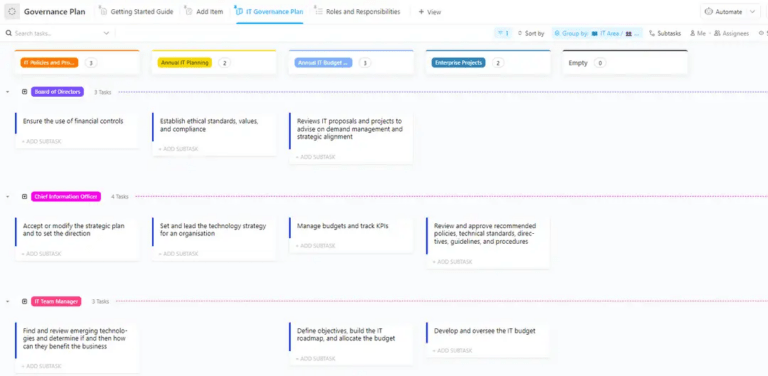
Let go of this chaos with the Governance Plan Template by ClickUp. This template centralizes your governance charter, objectives, scope, stakeholder roles, and success metrics in one place. Now, everyone is aligned on the same plan, and your governance program has a clear home.
✅ Ideal for: IT governance managers rolling out policies, controls, and review cycles across multiple teams.
🎥 To help you centralize your governance information, watch this walkthrough of how to structure a project management database in ClickUp that can serve as the backbone for your governance program.
“I thought you were handling that.” When it comes to data governance, that phrase is a red flag indicating a breakdown in accountability. Without clearly defined roles, critical tasks like data quality checks and access reviews are dropped, and progress grinds to a halt due to murky ownership.
Put an end to the confusion with the RACI Planning Template by ClickUp.
RACI is a framework that clarifies who is Responsible, Accountable, Consulted, and Informed for each governance activity. This template provides a simple matrix structure with governance tasks in rows and team members in columns, allowing you to assign a role for every intersection.
✅ Ideal for: Data governance teams assigning clear ownership across policies, access, and quality controls.
💡 Pro Tip: Color-code your RACI matrix by department to instantly spot cross-functional dependencies. If one governance task requires consultation across five different teams, that’s a signal to simplify the workflow or assign a dedicated coordinator.
📮ClickUp Insight: One in five employees says that simply knowing when decisions will be made would help them work faster.
Yet, in the rush of a busy day, communicating timelines often falls through the cracks.
That’s where ClickUp Brain steps in.
Acting as your AI-powered work copilot, it automatically gathers updates from tasks, threads, and docs—delivering daily digests, decision briefs, and summary comments.
Here’s to never having to chase people (or information). 💨
Your governance decisions get stuck in endless review cycles because too many people have a say. When multiple stakeholders are “Accountable” in a RACI model, it can create bottlenecks that slow down the entire program and leave teams frustrated while they wait for a final decision.
This is when you need the DACI Model Template by ClickUp. This framework assigns a Driver to oversee the decision process and one Approver with final authority. Meanwhile, Contributors provide input, and Informed parties are kept in the loop, but the power to move forward rests with just two key roles.
✅ Ideal for: Governance leaders running cross-functional data decisions that need a clear driver and a single final approver.
✨ Bonus: Pull a ready-made workflow from ClickUp’s AI Agents Directory, pick the use case that matches your DACI flow, and put it to work.
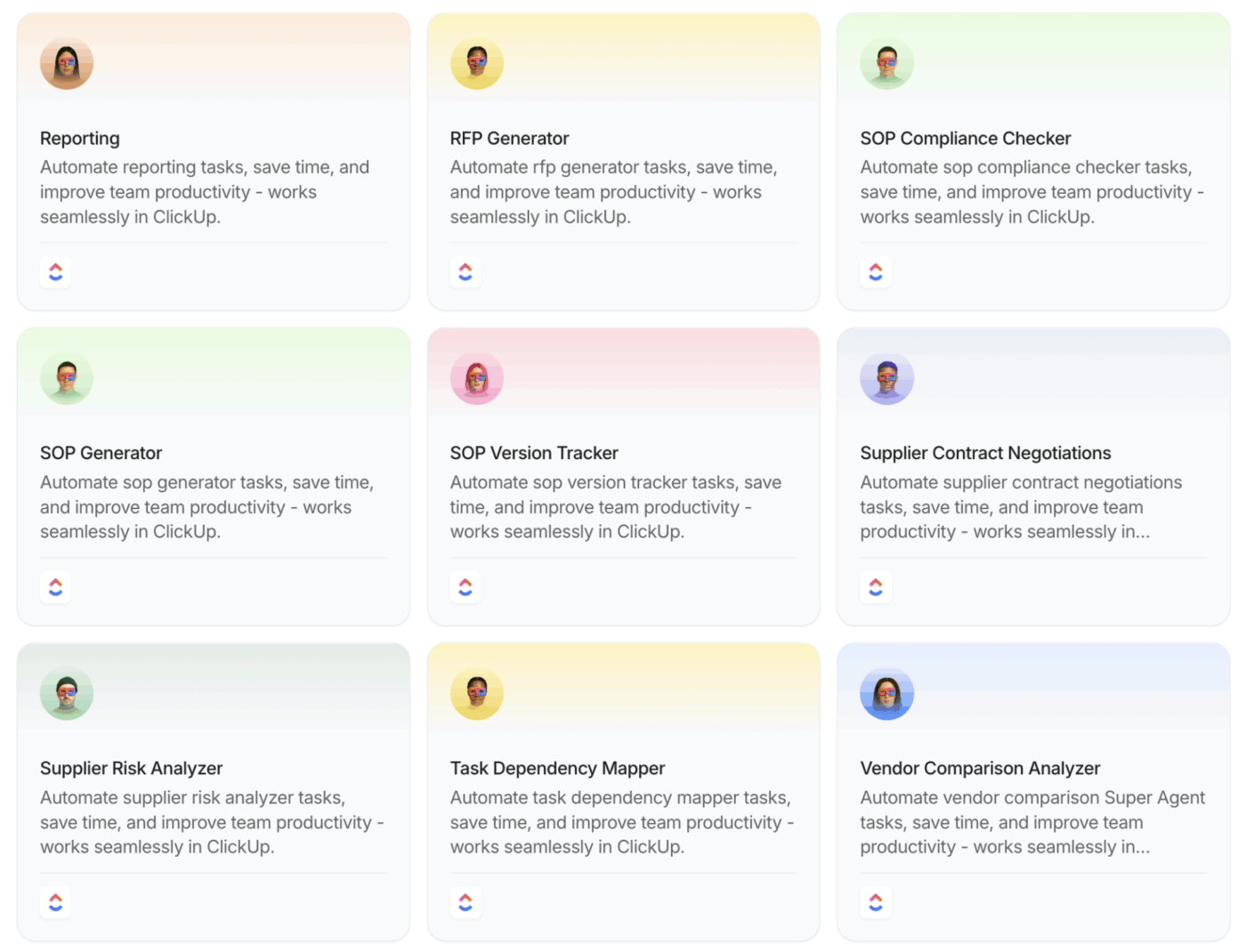
Use it to surface blockers before your Approver review, summarize stakeholder input for the Driver, or compile decision notes into an auditable record.
The email arrives: ‘Audit scheduled for next month.’ Suddenly, your team is scrambling to find—or worse, create—documentation that should have existed all along. This last-minute rush is stressful, looks unprofessional, and significantly increases the risk of non-compliance findings because your policies are inconsistent or incomplete.
Get ahead of the audit cycle by documenting your data audit policies and procedures in the Audit Policy Template by ClickUp. This template helps you define audit scope, frequency requirements, documentation standards, and escalation procedures.
✅ Ideal for: Compliance managers preparing for recurring data audits.
👀 Did You Know? IBM’s Cost of a Data Breach report puts the global average breach cost at $4.88M (a record high 😱).
Is your team’s approach to audits ad-hoc and inconsistent? Each time you reinvent the wheel, you miss steps, waste time, and can’t guarantee comprehensive coverage.
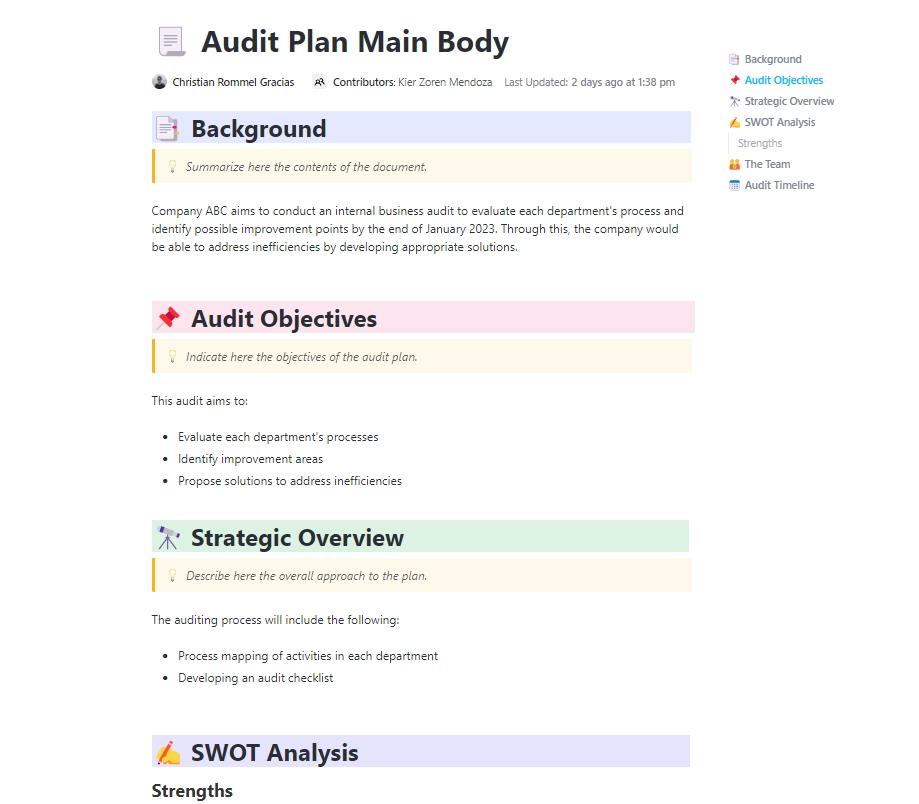
Standardize your entire audit workflow with the Audit Plan Template by ClickUp. This template provides a project plan for executing specific audits, with sections for defining objectives, setting timelines, allocating resources, and documenting findings.
✅ Ideal for: Compliance managers and data governance program owners running quarterly internal audits across multiple data systems.
🔮 ClickUp Advantage: Add ClickUp Super Agents to your audit plan, so the workflow stays active between review meetings. Super Agents can use your Workspace context and handle multi-step work. You can also configure exactly what tools, data, and permissions they can access.
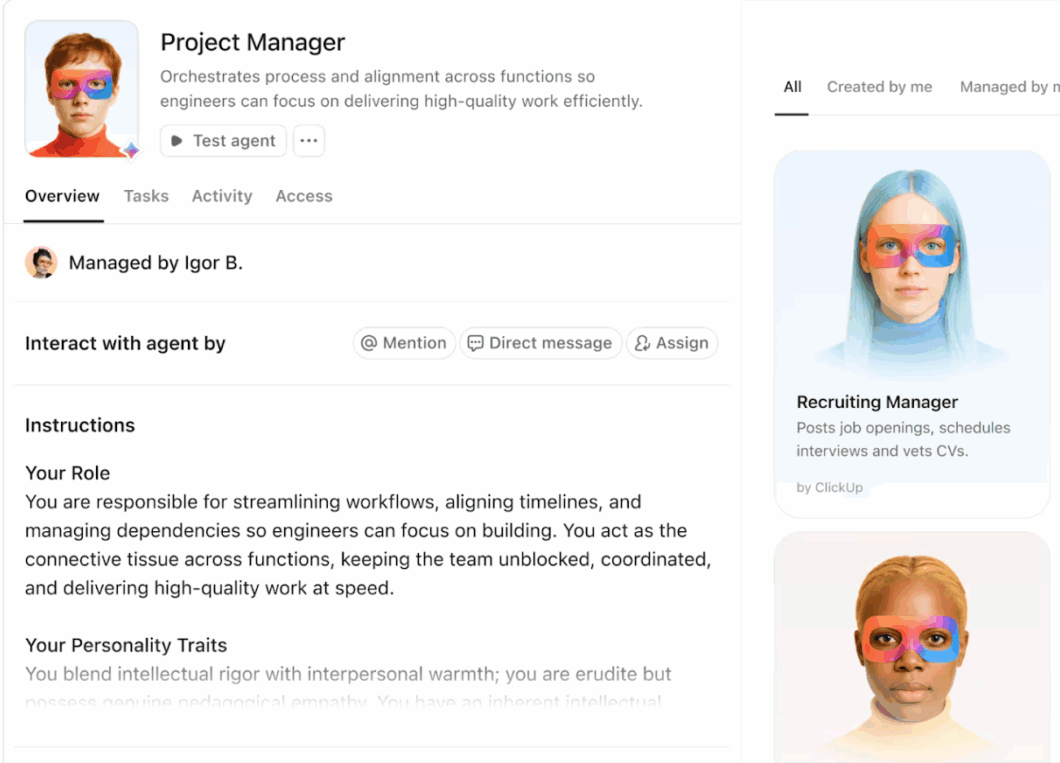
Set one up to monitor upcoming audit milestones, flag overdue evidence requests, and compile findings into a clean summary.
Want to learn more about Super Agents? Look here:
You’ve written data governance policies, but you have no way to know whether anyone is actually following them. Without a verification system, your organization is exposed to the same data risks you were trying to prevent.
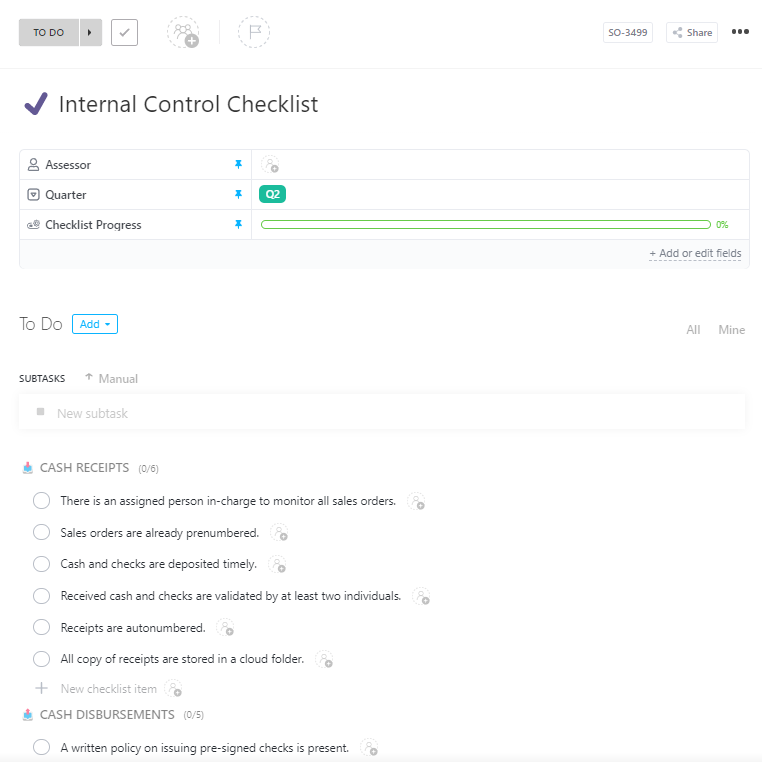
Turn your policies into verifiable actions with the Internal Control Checklist Template by ClickUp. Internal controls are the specific checks and balances that ensure your rules are being followed. This template provides a ready-made checklist for key control areas like access management, data quality validation, and change management procedures.
✅ Ideal for: Internal audit leads who need a repeatable control-testing checklist before quarterly reviews.
👀 Did You Know? MI5 accidentally pulled data for 134 incorrect phone numbers because a spreadsheet formatting error changed the last three digits to “000.” That’s a governance failure caused by cell formatting!
📚 Also Read: SOX Compliance Checklist: The Ultimate Guide
A brilliant strategy means nothing if the rollout fails. And right now, different teams are getting conflicting messages about your governance program.
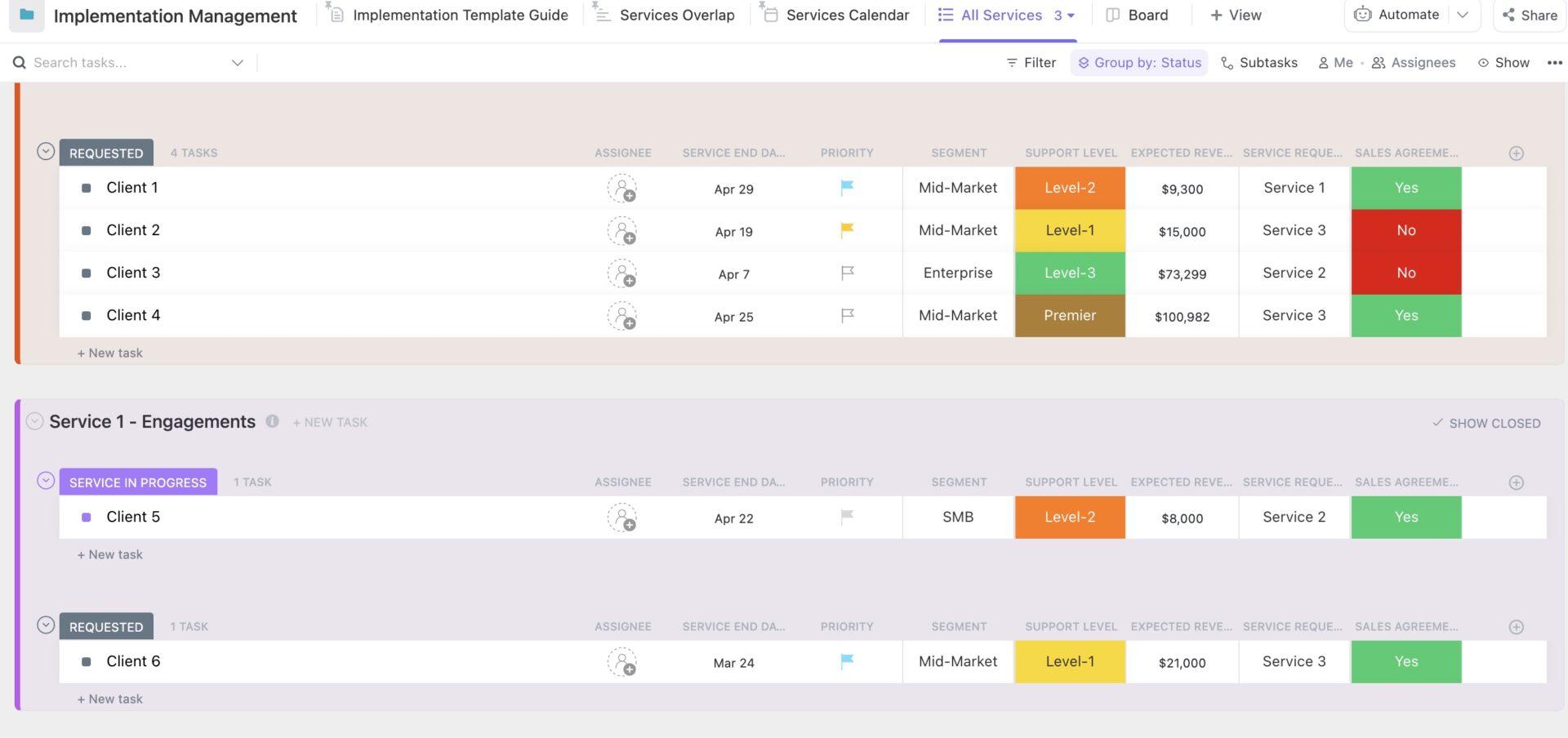
The Implementation Management Template by ClickUp helps governance leads run a rollout by tracking deliverables as requests, moving through stages, and keeping key details visible. It’s best for data governance program managers rolling out new standards across departments.
✅ Ideal for: Data governance program managers coordinating a cross-department rollout of new policies, tooling changes, and training.
Your data analysts are doing great work identifying quality issues, but their findings get lost in email chains or buried in slide decks that are never seen again. As a result, the same data problems keep popping up, the analysis work is wasted, and no real improvements are made.
Create an actionable, permanent record of all data quality assessments with the Data Analysis Findings Template by ClickUp. This template gives you a format for documenting the data source, the analysis methodology, a summary of the findings, and concrete recommendations.
✅ Ideal for: Analytics managers and data stewards who need a single place to document data quality findings, assign fixes, and track follow-through.
Are your governance initiatives getting deprioritized because their value to the business isn’t clear? You struggle to get the budget and resources you need because stakeholders don’t understand how a new governance tool or process will help them achieve their goals.
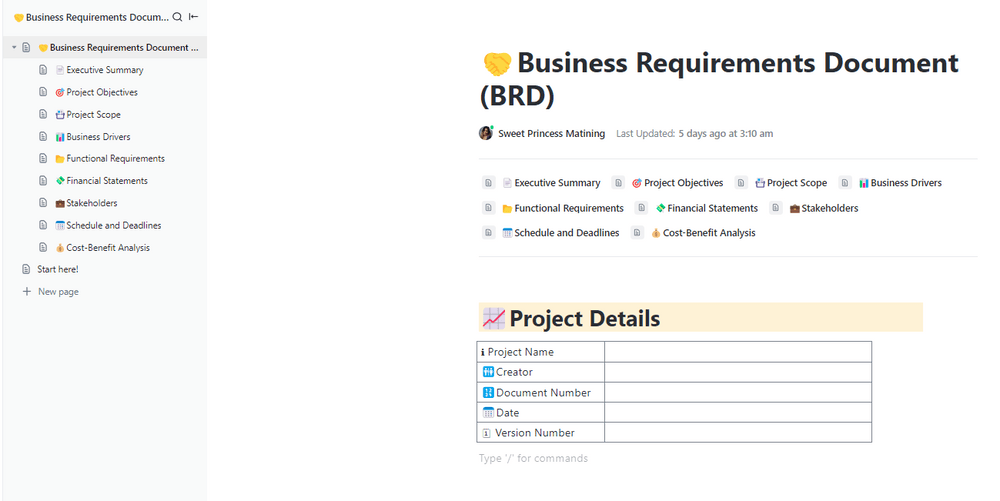
Ensure your governance efforts have a clear business justification with the Business Requirements Document (BRD) Template by ClickUp. This template helps you link each governance initiative to clear business goals, specific functional needs, and data requirements.
It makes technical governance work easier to understand by framing it in terms of business value.
✅ Ideal for: Cross-functional data and compliance initiatives where Security, Data, Legal, and Engineering must align before work begins.
The Strategic Plan Whiteboard by ClickUp helps teams turn high-level data governance goals into easier-to-explain plans. It lays everything out visually in ClickUp Whiteboards, starting with a central goal and branching into plans, components, and measurable outputs.
That structure works well for governance strategy because it shows how broad priorities connect to actual work. You can map a goal, such as improving data quality or strengthening access controls, into initiatives, building blocks, and measures that support it.
✅ Ideal for: Data leaders mapping governance goals into clear initiatives and success measures.
Having the right templates is a strong starting point, but implementation is what determines whether your governance program works. One of the biggest mistakes teams make is trying to do everything at once, which often creates confusion, resistance, and slow adoption. A phased approach works better.
Here’s how to do that:
Before drafting policies or assigning controls, get leadership and key stakeholders aligned on the purpose of the governance program. Use the Strategic Plan Whiteboard or Governance Plan Template to define the business objectives behind the effort.
Once stakeholders are aligned, clarify who is responsible for what. The RACI Planning Template or DACI Model Template helps establish ownership before any policies are rolled out. This reduces ambiguity and makes the governance structure easier to follow from the start.
After roles are defined, use the Audit Policy Template to formalize your standards and expectations. Clear documentation makes governance feel structured and transparent. It also gives teams a reference point for how policies will be applied.
💡 Pro Tip: Build a secure and shareable hub for your governance policies in ClickUp Docs. Not only can they stay connected to tasks, but with ClickUp Brain integrated in Docs, teams can ask policy-related questions and get instant answers, no digging around required!

Governance changes are easier to adopt when they are introduced gradually. The Implementation Management Template helps you sequence activities over a period, so teams are not overwhelmed by too many new requirements at once.
As new processes go live, ensure you have a way to verify whether governance is followed. The Internal Control Checklist and Audit Plan Template can help you track compliance, review progress, and identify issues before they become larger problems.
Governance is not complete once an audit or review is finished. Use the Data Analysis Findings Template to document insights, recommendations, and next steps so assessments lead to real improvements. This closes the loop and supports continuous improvement over time.
💡 Pro Tip: Organize, automate, and optimize your data governance efforts in one place with ClickUp. We built a playbook to show you exactly how.
A governance strategy template is a strong start. The real test is whether it becomes a living system your teams use when they create data, request access, log issues, and make decisions.
ClickUp helps you run that system in one place. Start with one of ClickUp’s many templates, map your governance model in Whiteboards, and document policies in Docs. Then add AI Agents to summarize updates, route requests, and maintain consistent follow-through as the program scales.
Ready? Get started with ClickUp for free!
A data governance framework is the high-level structure and principles for how your organization manages data, while a policy template is a specific document for capturing individual rules within that framework. The framework is the “how,” and the policies are the “what.”
You list each governance activity, like policy approval or data quality reviews, and then assign team members as Responsible, Accountable, Consulted, or Informed for each one. This creates a clear matrix that eliminates confusion about who owns what part of your program.
RACI focuses on task execution with one “Accountable” party, while DACI is built for decision-making speed by designating a single “Driver” to move the decision forward and an “Approver” with final authority. DACI is often better for fast-paced governance decisions, where consensus can delay decision-making.
While you can set up the initial templates in a matter of days, a full data governance implementation typically takes several months, depending on your organization’s size and complexity. Templates significantly accelerate the process by providing structure, but achieving cultural adoption and maturity takes time.

© 2026 ClickUp

There’s an easier way. Try a free AI Agent in ClickUp that actually does the work for you—set up in minutes, save hours every week.