Sorry, there were no results found for “”
Sorry, there were no results found for “”
Sorry, there were no results found for “”
If you need to turn an idea into a functional application, the choice between Base44 vs. Replit comes down to how much code you want to touch. Base44 is a no-code, prompt-to-app builder designed for non-technical users who need a polished MVP in minutes.
While Replit is a cloud IDE with an autonomous AI agent built for developers who require full code access and deployment control. You are essentially choosing between the speed of a managed environment and the flexibility of a professional development suite.
But for many teams, the real bottleneck starts after the first build: managing requirements, feedback, bugs, handoffs, and reporting across the app delivery workflow. This guide breaks down the feature and workflow trade-offs of both platforms, plus a third option—ClickUp—for teams that need to coordinate everything around the build, not just generate the app itself.
| Category | Base44 | Replit |
|---|---|---|
| Primary approach | No-code, prompt-to-app builder | Cloud IDE + autonomous AI agent |
| Target user | Non-technical founders, ops, marketers | Developers and technical makers |
| Supported languages | Abstracted (no direct language choice) | 50+ programming languages |
| AI capabilities | Prompt-based generation and refinement | Agent 3 (plans, writes, tests, deploys) |
| Deployment | Built-in hosting, limited config | One-click deploy, autoscaling, custom domains |
| Collaboration | App sharing via links | Real-time multiplayer editing, team workspaces |
| Learning curve | Minimal | Moderate to steep |
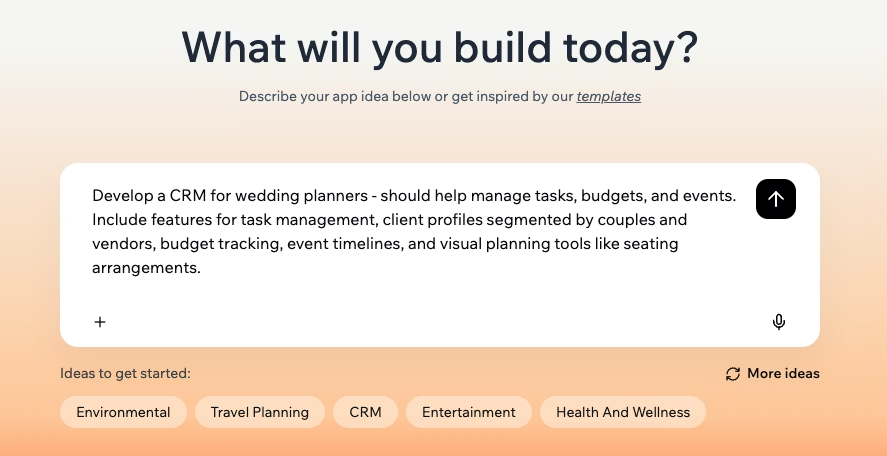
Base44 is a browser-based AI app builder that turns natural-language prompts into full-stack web apps, complete with databases, authentication, and UI, in about a minute. Put simply, it is a complete no-code app where you refine output through follow-up prompts, telling the AI what to change rather than editing files directly.
Non-technical teams, like founders validating an idea, ops managers who need an internal tool, or marketers building a landing page, can benefit from this app.
⚠️ While the output is visually polished and ready for immediate sharing, there is a clear trade-off: prompt-based refinement gives you less granular control. Once your app’s logic becomes complex, Base44 can hit its limits. In fact, its own docs note that apps with more than 600 pages may stop working properly.
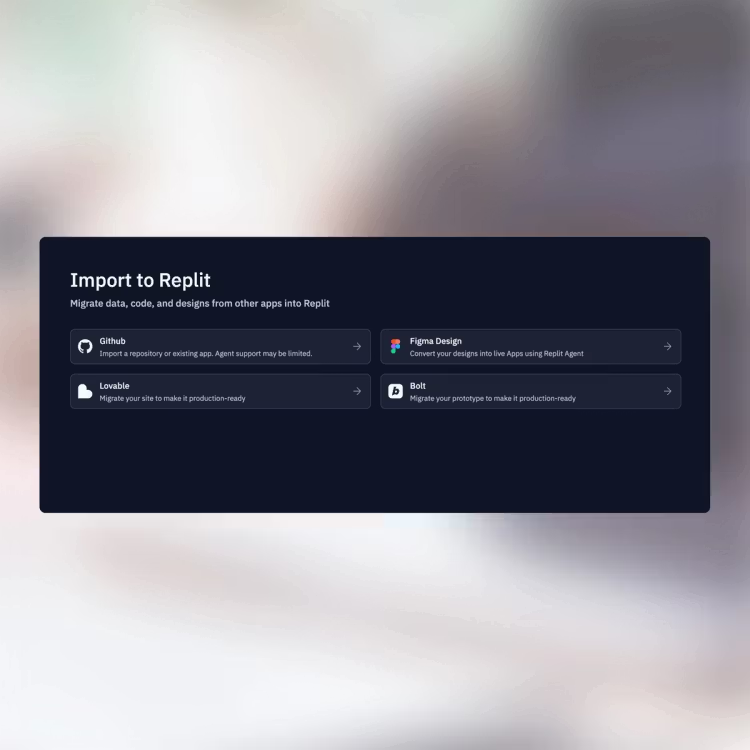
Replit is a cloud-based IDE that supports over 50 programming languages and includes an autonomous AI agent that can build, test, and deploy full-stack apps from natural-language instructions. It’s built for developers who want browser-based convenience without giving up code-level control.
While you can start a project with a prompt just like in Base44, the similarities end there. Replit gives you full access to the codebase for manual edits, GitHub integration, package management, and terminal access.
You can also bypass the AI entirely and start from pre-built project structures to skip boilerplate setup.
⚠️ You can access one-click deployment in Replit with built-in databases, live previews, and autoscaling, but the learning curve is steeper. On top of that, its effort-based agent billing can make costs unpredictable on complex projects.
📖 Also read: Replit alternatives for cloud development
🔎 Did You Know? 84% of respondents are currently using or planning to use AI tools in their development process. AI has shifted from a ‘nice-to-have’ experimental tool to the industry standard for building software.
Choosing the right tool depends on where you want that AI to sit in your workflow. While both platforms use LLMs to generate code, they serve entirely different masters: one prioritizes the final result, while the other prioritizes the developer’s environment.
Each subsection below compares how these two heavyweights handle the core pillars of app development.
Base44’s core promise is speed. You type a description, and the platform generates your frontend, backend, database schema, and auth layer in roughly one pass. Since there is no code editor in the traditional sense, you iterate by chatting with the AI.
For example, you tell it to ‘add a search bar’ or ‘change the user permissions,’ and it rewrites the underlying architecture for you.
Replit takes a more granular, step-by-step approach with Agent 3. Instead of a single-pass generation, the Agent plans, writes, tests, and deploys code autonomously. You can watch it open a browser to test your app, identify its own bugs, and fix them in real-time.
Unlike Base44, you can intervene at any second to edit the files manually.
Neither system is foolproof. Base44 can struggle when your app logic becomes highly layered, sometimes requiring repetitive prompting to get complex features right.
Replit’s Agent is significantly more powerful but can be prone to hallucination loops. These can consume your usage credits (checkpoints) if you don’t keep a close eye on its progress.
👀 The verdict: Base44 is best for fast, polished app generation when you want minimal technical involvement. Replit is better for complex logic, custom development, and developer oversight. If your team also needs to manage the work surrounding the app—from scoping to release—neither tool replaces a workspace built for delivery coordination.
📮 ClickUp Insight: 33% of our respondents point to skill development as one of the AI use cases they’re most interested in. For example, non-technical workers may want to learn to build code snippets for a web page using an AI tool.
In such cases, the more context the AI has about your work, the better its responses will be. As the everything app for work, ClickUp’s AI excels at this. It knows what project you are working on and can recommend specific steps or even perform tasks like creating code snippets easily.
If you’ve never opened a terminal, Base44 can help. The interface is entirely prompt-driven and features a visual drag-and-drop editor for UI tweaks.
There is no file tree to manage, no package manager to configure, and no Git commits to track. The learning curve is nearly flat; if you can describe a feature in a chat box, you can build it.
Replit lowers the barrier with its AI agent. But getting the most from the platform still means understanding code structure, debugging output, and working with version control. While Replit templates help reduce initial friction with working starting points, you’ll still need to read and edit code.
👀 The verdict: Base44’s simplicity works until you hit a technical wall you can’t prompt your way past. Replit’s complexity is a hurdle on day one, but it’s a help when you need to perform a custom hack or a manual override.
Replit is built on a multiplayer philosophy—multiple people can work in the same file with shared cursors and a shared terminal. Team workspaces let you organize projects, and the Enterprise tier adds SSO/SAML and role-based access control.
Base44 focuses on simpler, link-based collaboration. While you can share your project and preview URLs with stakeholders for feedback, it lacks the deep, synchronous co-editing environment found in a professional IDE. Real-time collaboration here is about sharing the final result rather than co-authoring the prompting process.
📌 Important: Base44 and Replit help teams build applications. They do not replace the operational layer required to ship them. You still need a system for capturing requirements, assigning owners, tracking bugs, managing approvals, and keeping stakeholders aligned.
👀 The verdict: Replit is the clear winner for teams who need to build together in real-time. However, neither platform solves the broader challenge of team coordination and project tracking.
📌 ClickUp Advantage: Turn conversations into action with ClickUp Chat, SyncUps, and Clips
The biggest risk with multiplayer builders like Replit isn’t collaboration—it’s fragmentation. Technical decisions get buried in terminal logs, ad hoc chats, and disconnected docs. ClickUp solves this by bringing conversations, tasks, docs, and AI into one workspace, so decisions stay attached to the work they affect.
For example, if a quick huddle is needed to solve a blocker, you can jump into an AI-powered ClickUp SyncUp directly within that same chat. ClickUp AI automatically captures transcripts, summarizes key takeaways, and assigns next steps, so no manual meeting notes are needed.
For asynchronous feedback, record your screen with ClickUp Clips and walk a stakeholder through a new Base44 UI or a Replit bug without scheduling a call. These transcripts are searchable for every Clip; your video feedback becomes just as discoverable as your code.
You can also maintain trackable context in the connected workspace with ClickUp Chat. It links every conversation directly to your tasks and docs, turning any message into an actionable to-do with a single click, so good ideas stay close.
ClickUp becomes the operational layer that ensures those real-time sessions turn into trackable project milestones, documented decisions, and clear follow-through.
Replit gives you one-click autoscale deployment with built-in hosting, custom domains, and integrated PostgreSQL databases. You can scale resources up to meet traffic spikes or down to zero when idle to save on costs. For larger organizations, the Enterprise tier adds advanced security features such as VPC peering and single-tenant options to meet strict compliance requirements.
Base44 also offers a fully managed hosting and deployment experience. But it prioritizes simplicity over granular control. Your app is live the moment it’s generated, and SSL and caching are handled automatically.
However, your infrastructure is tied to the Base44 ecosystem. While you can link a custom domain on paid plans, you cannot tweak the server or optimize database indexes manually. You are trading the ability to manage your backend for the peace of mind of never having to touch a server.
👀 The verdict: Base44’s deployment is simpler but less flexible. Replit offers production-grade infrastructure at a higher complexity.
Replit functions as an open ecosystem. You have full access to package managers like npm and pip, allowing you to install any library or framework available to modern developers. It supports Git for version control and provides a full Linux terminal, making it highly extensible for technical users.
If you need to build a custom integration with a legacy system or a niche third-party API, Replit gives you the raw tools to code it from scratch.
Base44 takes a curated, one-click approach. It features a library of Connectors for popular services like Notion, Google Workspace, HubSpot, LinkedIn, and Slack. It also integrates with Zapier, opening the door to over 6,000+ other apps without requiring you to manage API keys or write custom webhooks.
While this is significantly faster for common workflows, you cannot drop into the code to build a bespoke integration if a pre-built connector doesn’t exist.
📌 Important: Base44 and Replit help teams build applications. They do not replace the operational layer required to ship them. You still need a system for capturing requirements, assigning owners, tracking bugs, managing approvals, and keeping stakeholders aligned.
👀 The verdict: Replit is more extensible for complex, custom requirements. Base44 trades that deep flexibility for instant, no-code connectivity to the most common business tools.
The real tension in the Base44 vs. Replit debate is not just how you build—it’s how you manage everything around the build. Base44 and Replit can help you generate and ship apps, but they do not solve the coordination problem that slows most teams down: scattered requirements, bug reports in chat, feedback in docs, and status updates spread across tools.
That fragmentation is a form of work sprawl. ClickUp is built to eliminate it by giving teams one converged AI workspace for planning, executing, and reporting on app delivery.
The core tension in the Base44 vs Replit debate usually centers on ‘how’ you build. But the real friction starts after the app is generated. Base44 and Replit are exceptional at technical execution, but they are work islands.
They don’t manage the human-centric processes that surround development: the pivoting roadmaps, the frantic bug reports, the stakeholder feedback, and the scattered documentation. This is a recipe for work sprawl. Your code lives in Replit, your basic UI is in Base44, your project requirements are in a third disconnected application.
🧠 Fun Fact: Workers toggle between apps 1,200 times a day—nearly 4 hours a week in attention resetting, or 9% of workers’ annual work time.
ClickUp is a converged AI workspace built to eliminate that sprawl by bringing tasks, docs, chat, meetings, dashboards, AI, and connected knowledge into one place. Instead of adding another disconnected tool to your stack, it becomes the system that keeps software delivery aligned from idea to launch.
Teams like Atrato have used ClickUp to operationalize product delivery at scale—speeding up product development by 30%, reducing developer overload by 20%, and cutting ticket resolution time by 24 hours.
That’s the real gap Base44, and Replit don’t solve on their own: not app generation, but the coordination required to ship reliably.
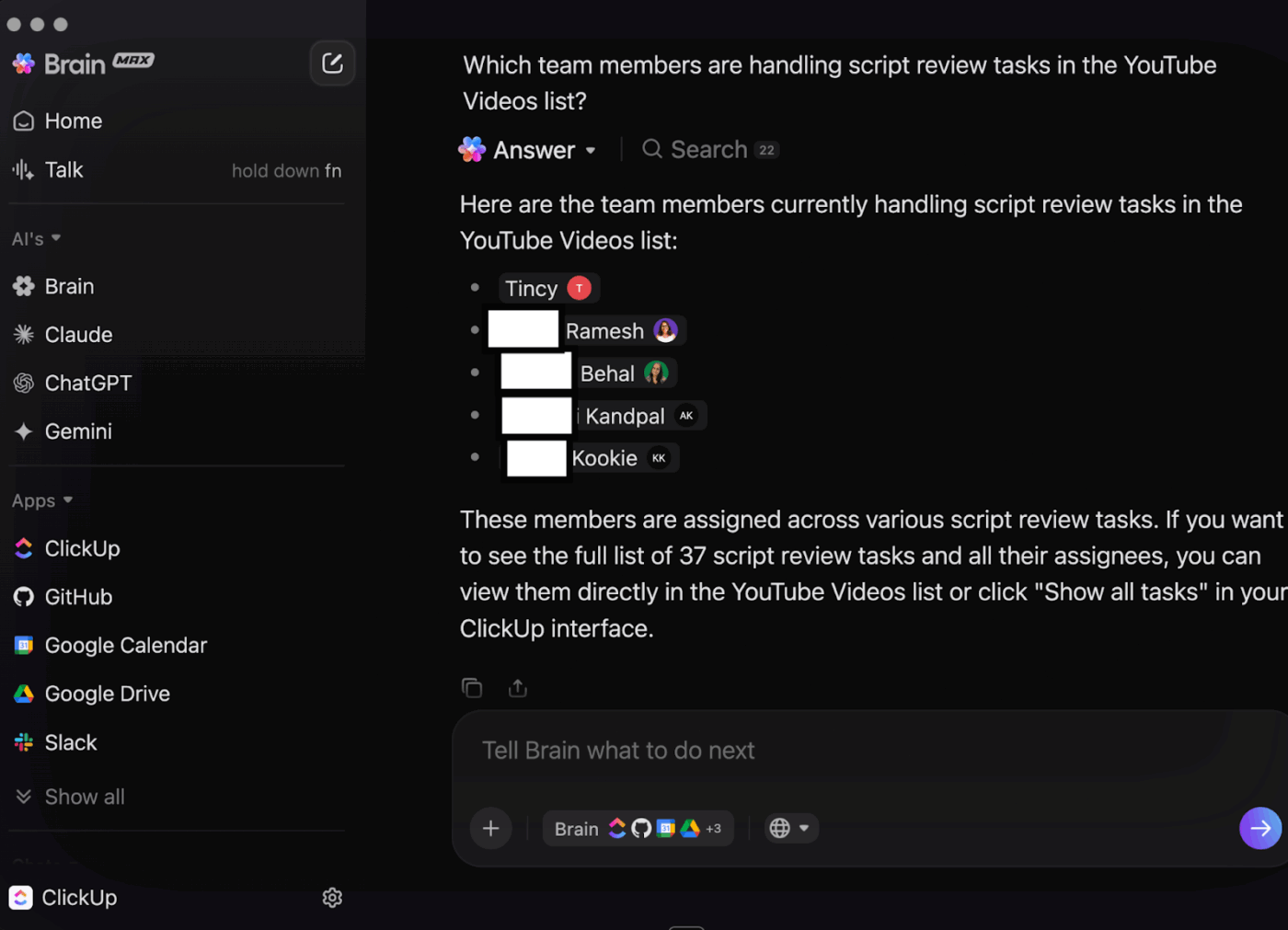
The limitation of AI inside Base44 and Replit is not just capability—it’s context. These tools can generate code or UI, but they don’t understand the full chain of work behind the build: the PRD, stakeholder decisions, bug backlog, meeting notes, launch checklist, and task dependencies. ClickUp Brain connects that context across tasks, docs, chat, meetings, and connected apps, so AI can support the work around software delivery—not just isolated prompt sessions.
Unlike standalone bots, ClickUp Brain uses the ClickUp Brain MAX framework to give you multi-LLM access (including Claude, GPT, Gemini, and DeepSeek) to synthesize information from your entire workspace. It provides the strategic oversight that app builders lack:
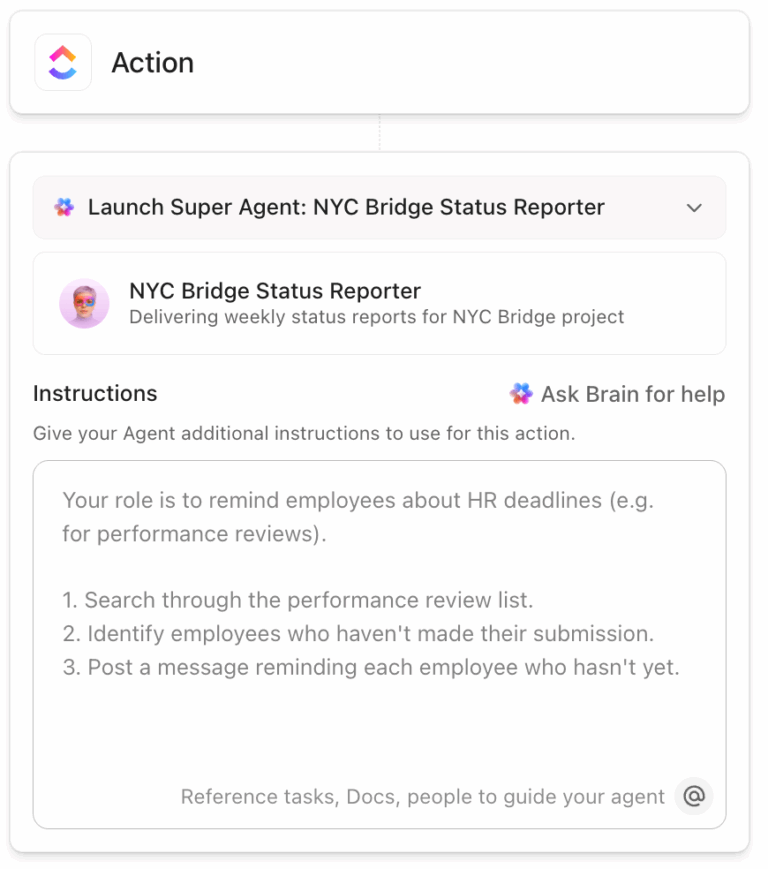
💡 Pro Tip: While Replit has an agent that codes, ClickUp allows you to deploy AI Super Agents that function like context-aware teammates with infinite memory. You can:
Instead of adding another disconnected AI tool, teams can use Super Agents inside the same workspace where their product plans, tasks, docs, and communication already live.
A common mistake teams make with Base44 or Replit is automating product behavior while leaving delivery operations manual. You may automate the app experience for users, but still rely on people to chase approvals, move tasks forward, summarize meetings, and update stakeholders. ClickUp Automations removes that operational drag.
It ensures the project moves forward on its own by automating your internal workflows:
Our take: Use app-level automation for your users, but leverage ClickUp Automations to ensure your team isn’t bogged down by manual coordination when building it.
📖 Also read: How to create a task webhook automation
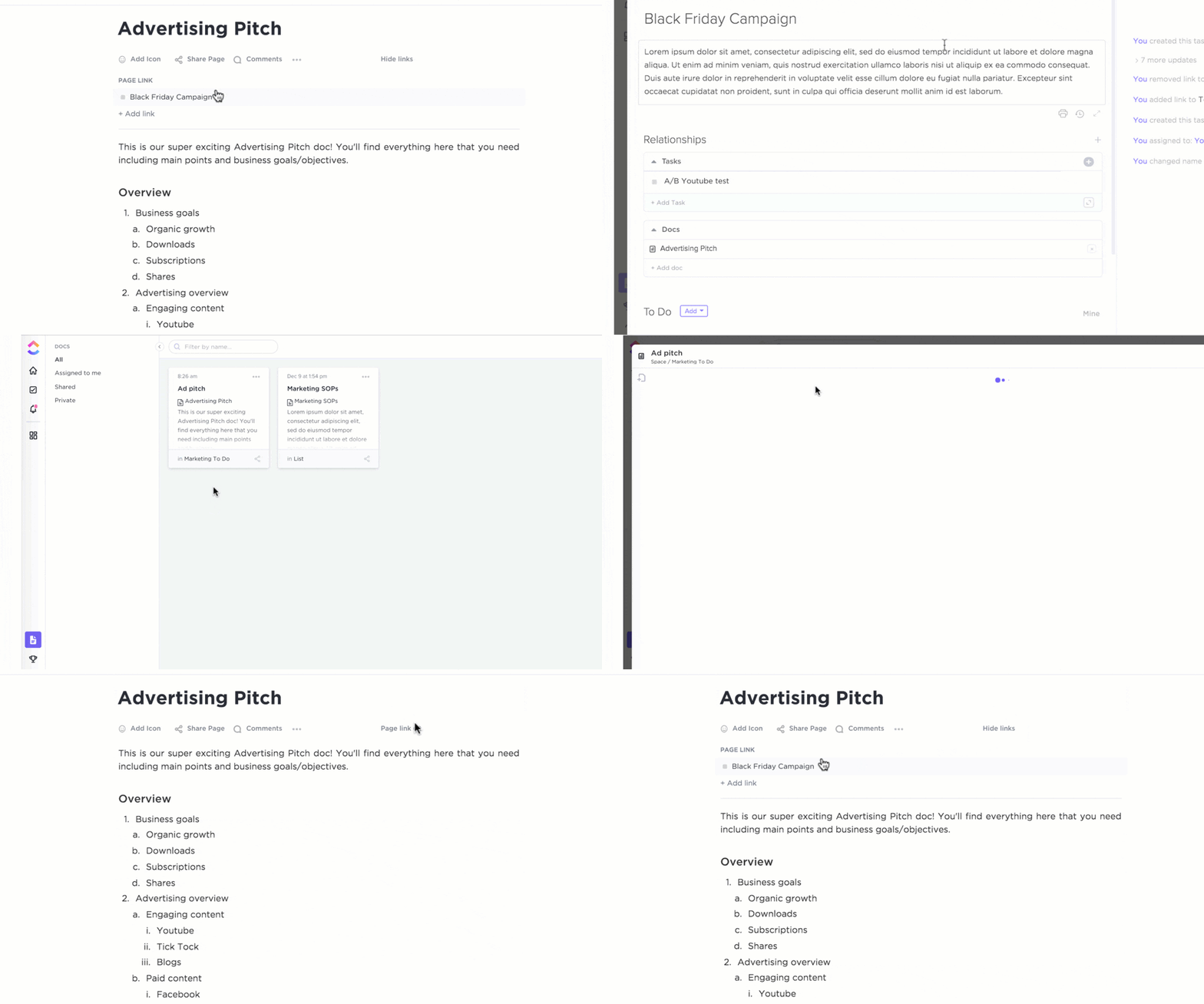
In software projects, execution breaks when documentation and delivery drift apart. ClickUp keeps technical specs, decisions, tasks, and sprint work connected, so teams can move from requirement to release without losing context.
ClickUp Docs and ClickUp Tasks converge to eliminate the process of hunting through folders for decisions made weeks ago:
Put simply, while you use Base44 or Replit to iterate on code, ClickUp keeps the rest of your team aligned with the latest requirements and deadlines.
While AI builders speed up development, they often reduce visibility for everyone outside the coding flow. Product leaders, operators, and stakeholders still need to know what changed, what is blocked, and whether the release is on track. ClickUp Dashboards provide that reporting layer in real time.
ClickUp Dashboards provides the oversight needed to ensure that the speed of AI-powered building doesn’t lead to a lack of accountability.
Nick Foster, Director, Product at Lulu Press, reviewed ClickUp:
ClickUp helps us organize our product and feature roadmap so we can easily introduce new features and functionality to customers, and continually check to see how we’re progressing toward our goals. At the end of the day, our number one goal is to make better products for our customers, and ClickUp helps us do that.
The Base44 vs. Replit decision comes down to who’s building and how complex the project is. Base44 fits non-technical users who need a polished MVP or minimum marketable product fast. Replit fits developers who want AI-assisted coding with full control and production-grade deployment with advanced software development tools.
But the bigger question is: how will you manage the software development workflow around what you build? Planning sprints, writing specs, tracking bugs, and communicating across functions—none of that lives inside an AI app builder.
ClickUp becomes your go-to solution in this case. You can plan, track, document, and communicate across your entire product lifecycle in one AI-powered workspace with ClickUp.
ClickUp doesn’t replace Base44 or Replit. It replaces the fragmented system teams use to manage everything around them.
✅ Get started for free with ClickUp
Yes, you can build functional apps with both, but they serve different production needs. Replit is better for scalable, complex applications. It provides full code access, professional deployment controls, and autoscaling infrastructure. Base44 is ideal for production-ready internal tools and MVPs. It is better suited to internal tools and MVPs where speed and a polished UI matter more than backend flexibility. But it lacks the backend configurability required for high-traffic or highly customized enterprise systems.
Replit is the superior choice for developer collaboration. It features a multiplayer environment that allows multiple users to co-code in the same file with shared cursors and a native terminal. Base44 allows you to share app links and preview URLs with stakeholders. But it does not support real-time, synchronous co-authoring of the application’s logic or code.
If your team needs help managing planning, documentation, feedback, sprint execution, and release coordination around app development, ClickUp is a strong alternative. Rather than acting as another app builder, it gives teams one AI-powered workspace to centralize requirements, bugs, tasks, docs, meetings, and reporting.

Arya P Dinesh
Max 18min read
Arya P Dinesh
Max 20min read

Praburam Srinivasan
Max 45min read

© 2026 ClickUp