


Sorry, there were no results found for “”
Sorry, there were no results found for “”
Sorry, there were no results found for “”
You can now manage projects, write docs, search company knowledge, automate workflows, and use AI in both ClickUp and Notion. That makes the old “project management tool vs. docs app” framing outdated.
From a distance, the two platforms overlap heavily. The difference comes down to where each one puts its center of gravity.
ClickUp starts with work execution. Tasks, owners, dependencies, timelines, workload, reporting, communication, AI, automation, and docs all connect around the work being done. Notion starts with pages and databases. Teams can shape those building blocks into wikis, project trackers, workflows, dashboards, and AI-powered systems.
Neither approach automatically makes one the better tool. The better choice depends on how much structure you want out of the box, how much you want to build yourself, and where your work tends to begin.
TL;DR
Using both: You don’t have to pick one. You can run delivery in ClickUp and keep your Notion wiki connected through the integration.
ClickUp is the better fit for teams that run projects with owners, deadlines, capacity, and reporting. Gantt charts, sprints, time tracking, and Workload views come built in.
Notion is the better fit for teams whose work starts in docs, wikis, and custom databases they want to design themselves.
Head-to-head: ClickUp wins on task management, collaboration, and AI (by a narrow margin). Notion wins on documentation and on how quickly a team can get started.
AI: Both now offer contextual search, reusable Skills, and agents. ClickUp’s Brain² and Super Agents act on tasks and project data. Notion AI works best inside pages and databases, and full Notion AI starts on the $24/month Business plan.
One platform vs. Notion + a PM tool + time tracking + whiteboards + chat. The math is clear.👇🏼
| Category | ClickUp | Notion |
|---|---|---|
| Best for | Teams running structured projects with clear owners, deadlines, capacity, and reporting | Teams building flexible docs, knowledge bases, databases, and custom internal systems |
| Core approach | Task-first work management with project controls built in | Page- and database-first workspace that teams shape around their own processes |
| Task management | Deeper native controls for dependencies, time tracking, sprints, workload, and custom workflows | Flexible database-based tasks with subtasks, dependencies, properties, and multiple views |
| Views and reporting | Broad set of project views plus Dashboards for workload, time, sprints, and project health | Database views, charts, timelines, and dashboards built around structured database data |
| Docs and knowledge | Docs stay closely connected to Tasks and project execution | Stronger fit for interconnected docs, wikis, and knowledge systems |
| AI and agents | Brain², Enterprise Search, AI Skills, Artifacts, and Super Agents focused heavily on work execution | Notion Agent, Enterprise Search, AI Skills, and Custom Agents centered around pages, databases, and knowledge workflows |
| Collaboration | Docs, comments, persistent Chat, SyncUps, Clips, and Whiteboards in one workspace | Strong real-time and async collaboration through pages, comments, mentions, Teamspaces, and permissions |
| Workflow flexibility | More structure out of the box, with Custom Fields, statuses, Views, and Automations layered on top | More freedom to build the underlying system yourself with databases, relations, forms, and automations |
| Ease of use | More setup up front, with ClickApps and templates to trim it down; less to build as work gets complex | Quick to start with pages and templates; complex trackers take design work and a clear owner |
| Pricing* | Free forever; Enterprise pricing available | Free; Plus starts at $12/user/month |
| Ratings | G2: 4.6/5; Capterra: 4.6/5 | G2: 4.6/5; Capterra: 4.7/5 |
Our editorial team follows a transparent, research-backed, and vendor-neutral process, so you can trust that our recommendations are based on real product value.
Here’s a detailed rundown of how we review software at ClickUp.
ClickUp is a work management platform that reduces work sprawl by bringing tasks, docs, and team communication into one place. Plus, AI automates routine work, surfaces relevant information, and keeps projects moving without constant manual coordination.
Deep within, ClickUp is designed for project execution. Features like Gantt charts, sprint planning, time tracking, and workload views are ready to use, so teams don’t have to build a project management system from scratch.
We’ll focus on three core areas: project management, native AI and agents, and collaboration tools.
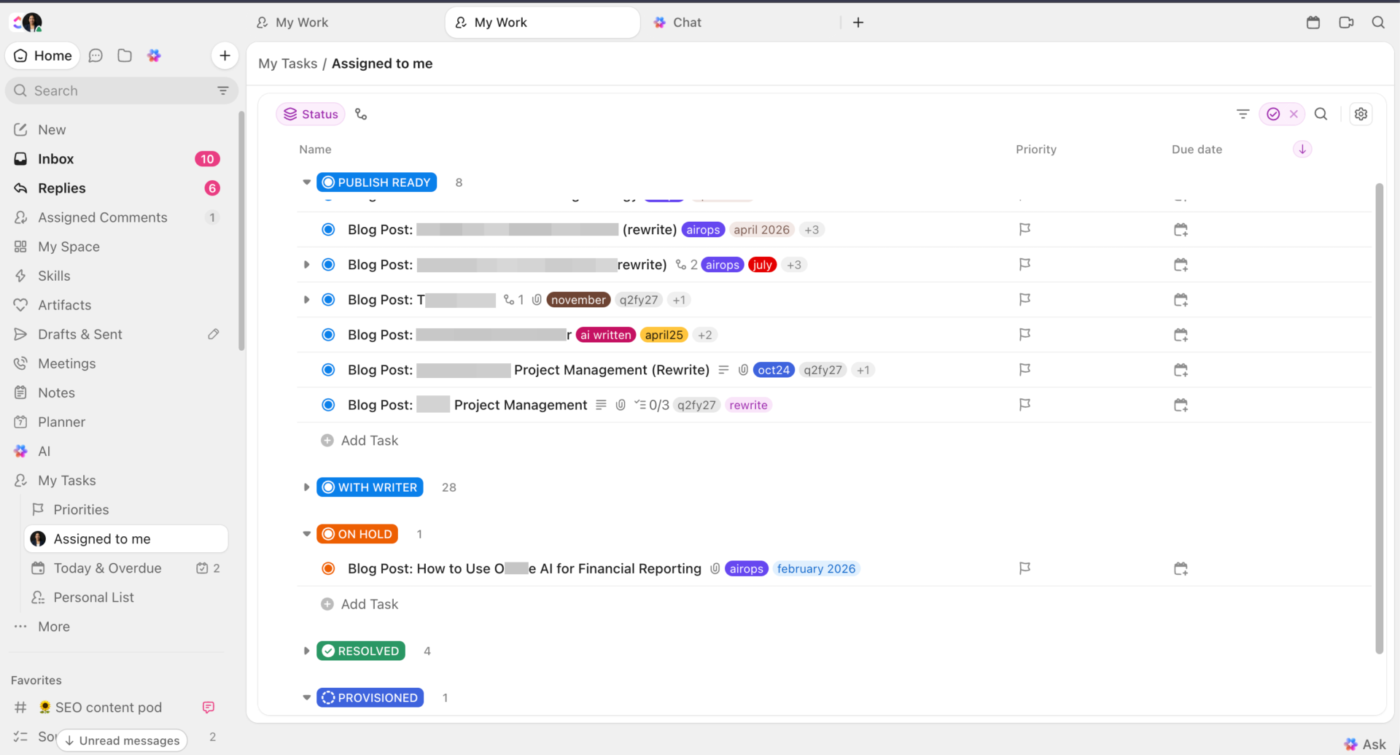
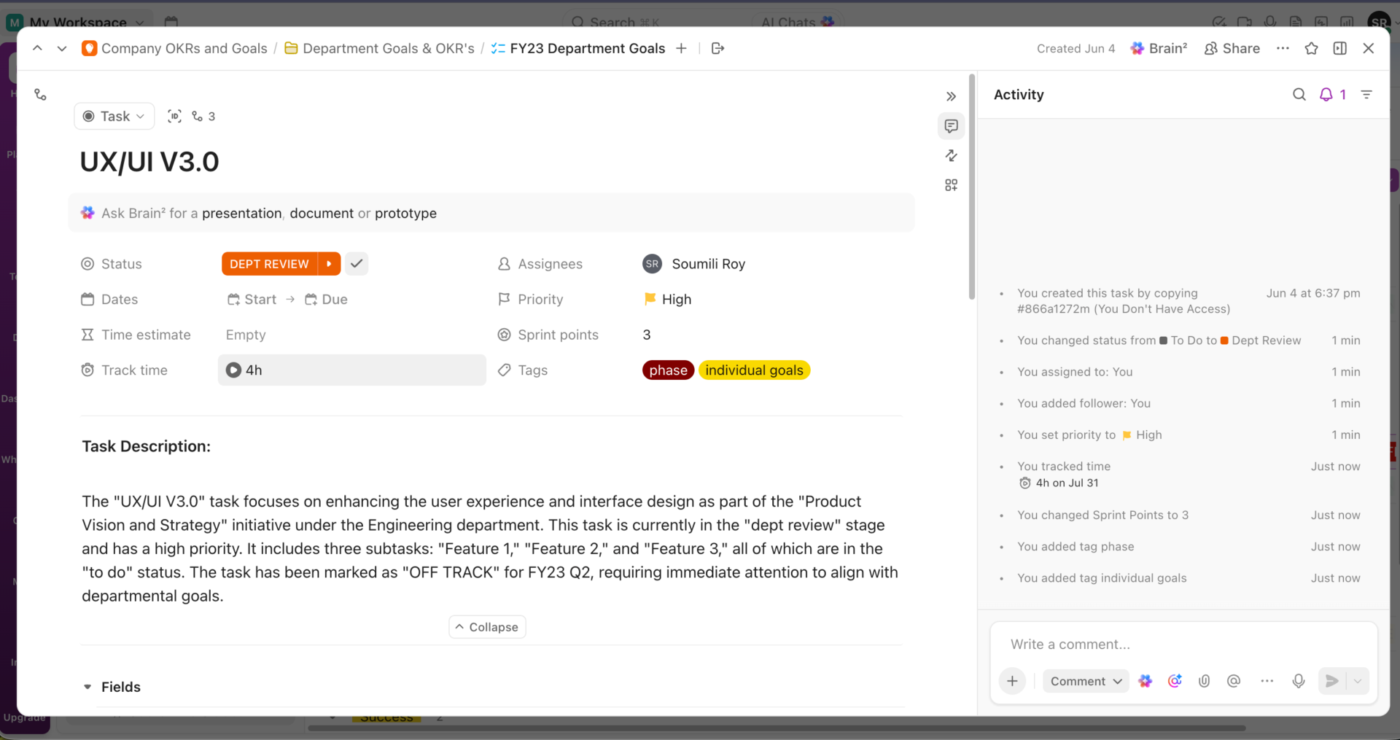
Every piece of work in ClickUp starts as a ClickUp Task. A task can hold the brief, assignee, start and due dates, subtasks, comments, files, time estimates, and tracked time. Dependencies show which tasks are waiting on others, while Relationships connect tasks that belong together, like a blog post and its design request, even when they live in different Lists. Custom Fields, then add the details your workflow depends on, from campaign type and budget to customer tier or sprint points.
ClickUp Views let each team view work the way they need. List View is built for detailed task management, Board View turns statuses into a drag-and-drop workflow, and Calendar View lays deadlines out on a schedule. For larger projects, Gantt Chart View maps dates and dependencies, while Team and Workload Views show managers how work is spread across people. You can filter, group, sort, and save any view for later.
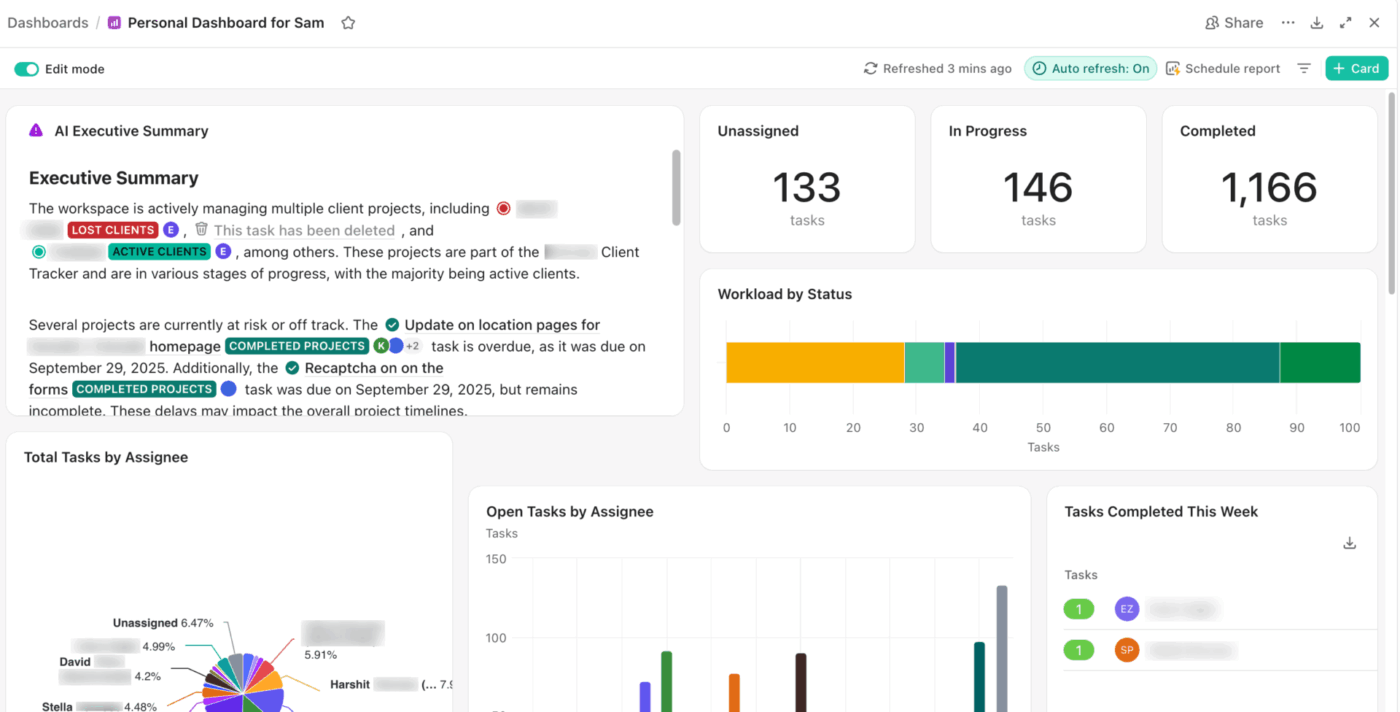
ClickUp Dashboards bring reporting into the same space. Teams build them from cards for project status, task progress, time tracking, sprints, and workload. When a number looks off, you can drill into the tasks behind it. A Dashboard can also sit right inside the Space, Folder, or List it reports on, keeping the numbers next to the work they describe.
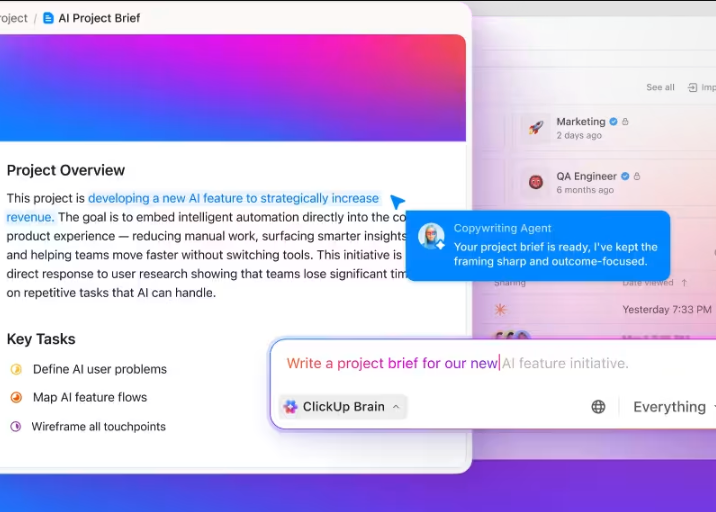
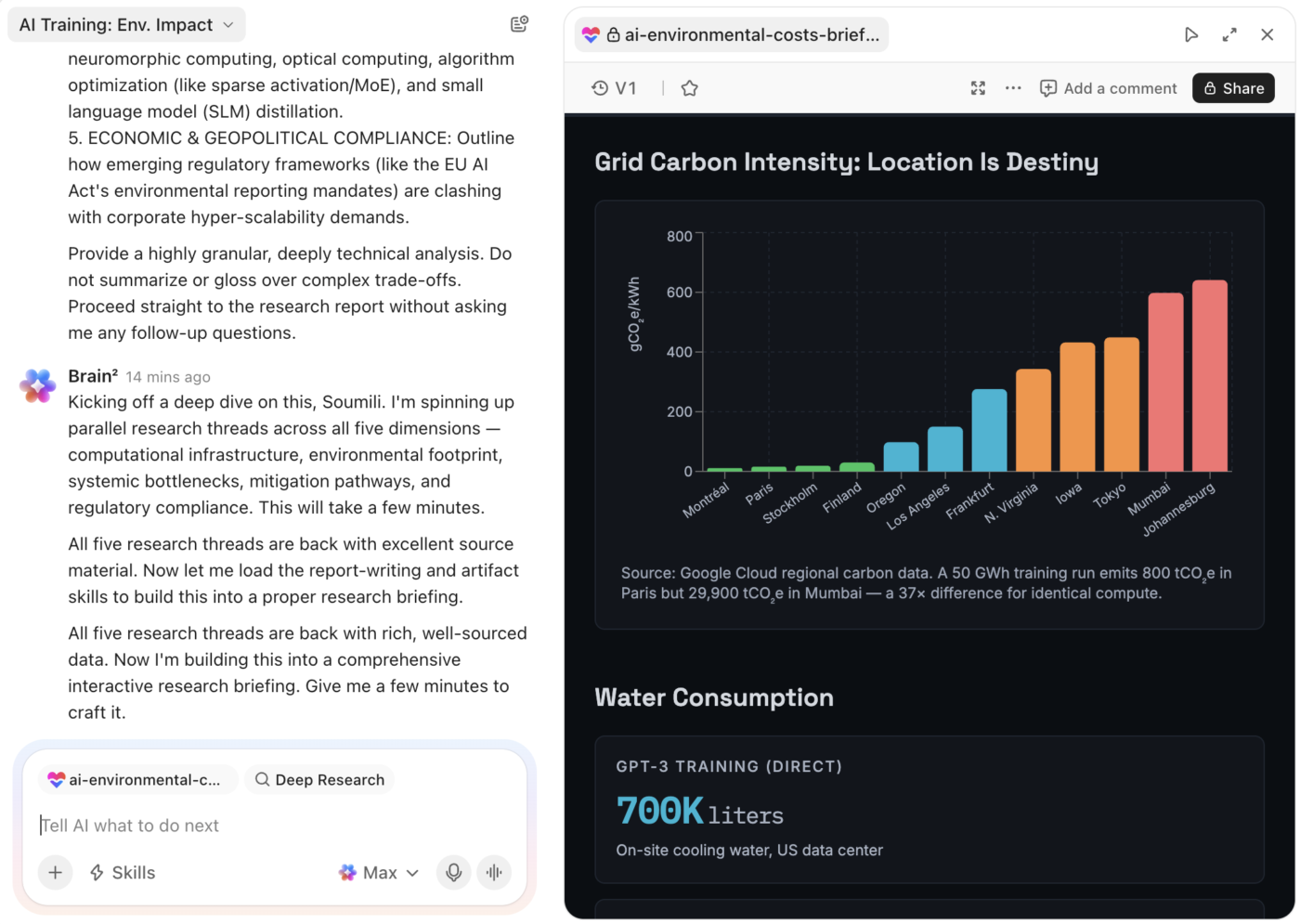
Brain² works from the context already in your Workspace. It can answer questions about your work, summarize projects, research topics, analyze data, draft content, and create Tasks or Docs. It draws on the projects, conversations, and docs you already keep in ClickUp.
Artifacts turn that context into finished work. Brain² can build slide decks, interactive dashboards, reports, landing pages, prototypes, calculators, and mini-apps from a prompt, uploaded files, or live Workspace data. Each Artifact stays saved, so you can come back and refine it later.
ClickUp Enterprise Search extends that context to connected tools like Google Drive, Slack, GitHub, Jira, Gmail, SharePoint, and more. Brain² also lets you switch between models such as ChatGPT, Claude, and Gemini, and your ClickUp context carries over.
ClickUp AI Skills work like reusable playbooks for repeat work. You save the steps, context, tone, and format once. Brain² or a Super Agent can then reuse them. ClickUp Super Agents can then carry out that work. You give an Agent instructions, tools, knowledge, memory, and triggers. Then you can assign it work, @mention it, DM it, or run it on a schedule.
See ClickUp Super Agents in action:
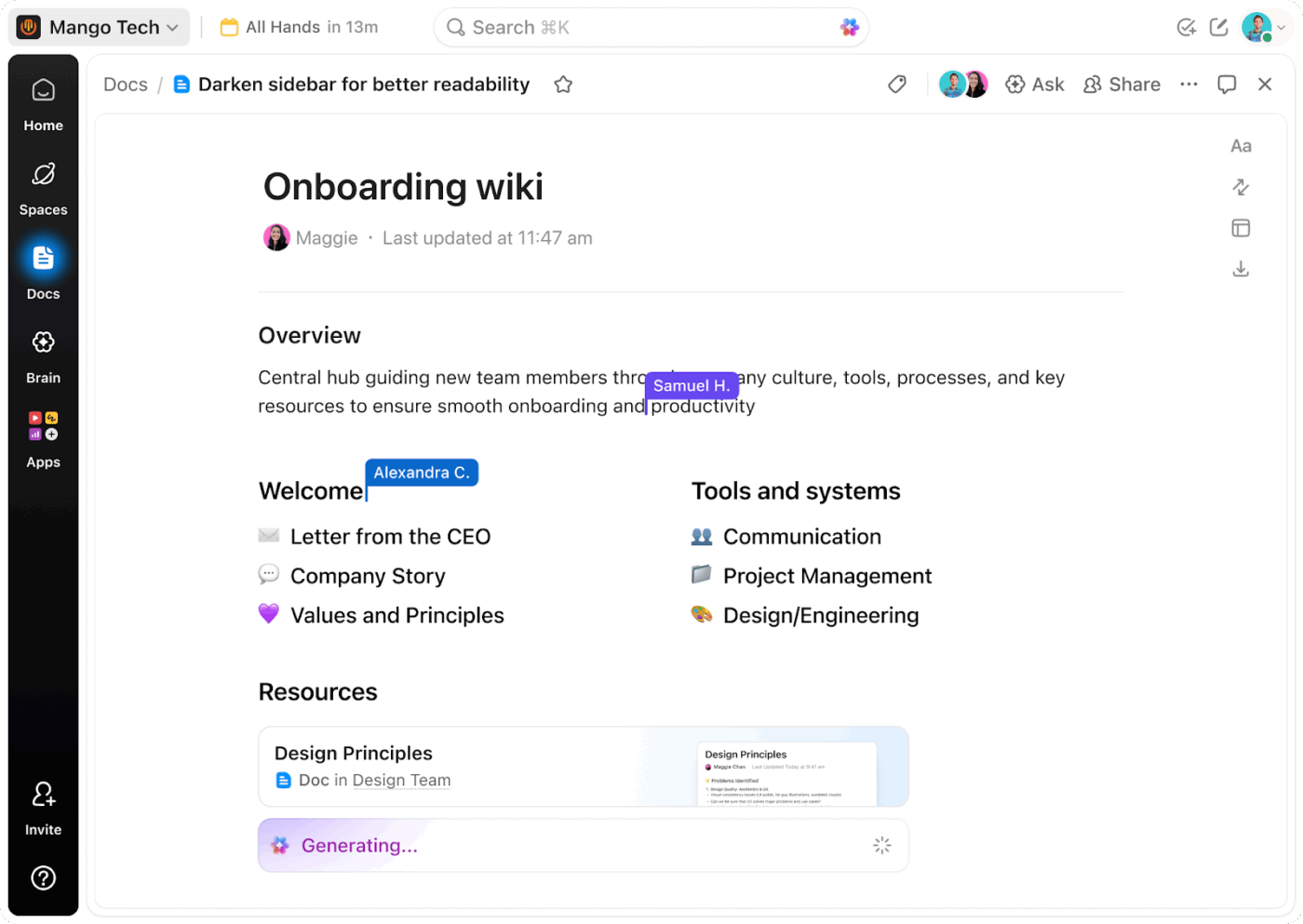
ClickUp Docs gives teams a shared place for briefs, plans, SOPs, and wikis. People can edit together, comment, mention teammates, and link Docs to Tasks. That keeps decisions and requirements attached to the project that they affect.
For everyday conversation, ClickUp Chat brings Channels and direct messages into the same workspace. Teams can link work into a conversation, ask Brain² to summarize a busy thread, and turn a message into a task. ClickUp SyncUps add voice, video, and screen sharing inside Chat, and recorded calls save as Clips.
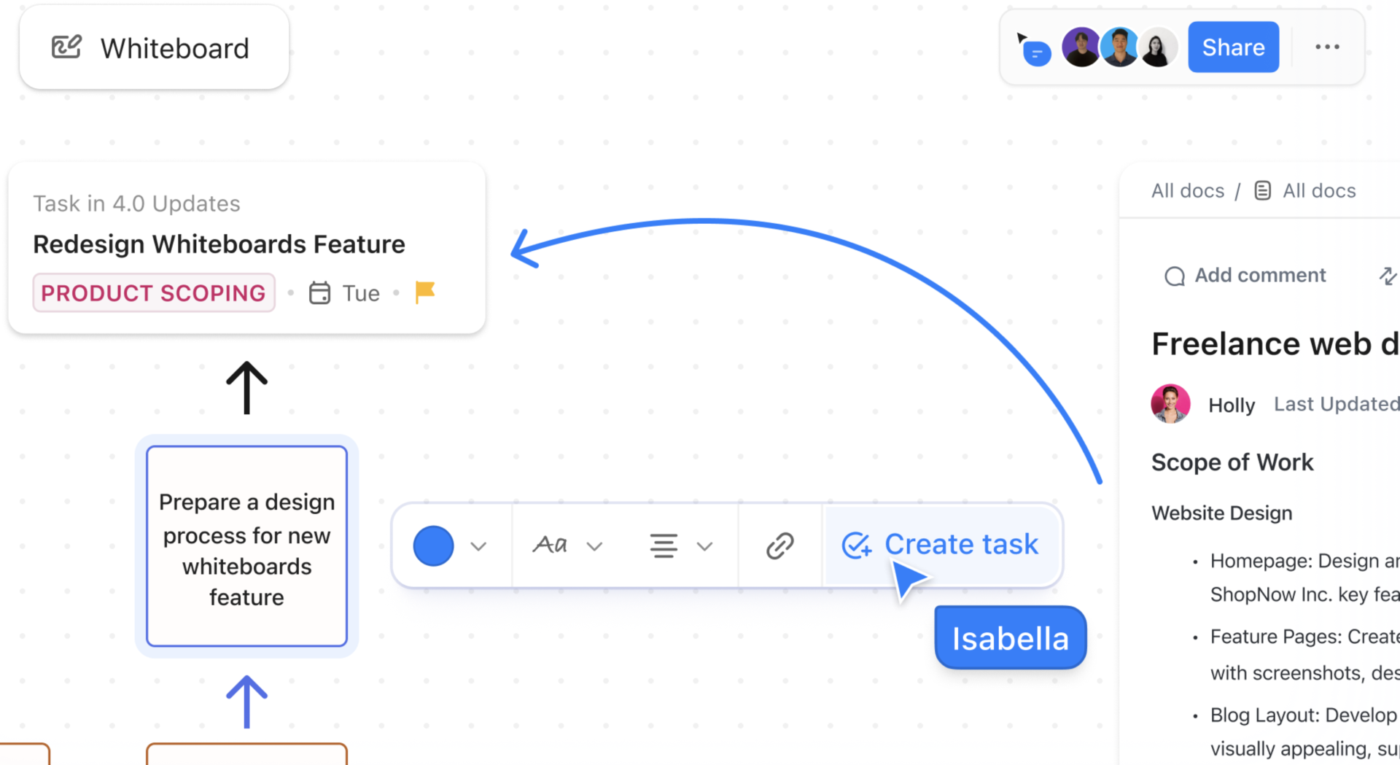
ClickUp Clips cover async updates. Record your screen and voice to explain a design, walk through a bug, or give feedback. Then attach the recording to a task or share it. Viewers can comment at specific timestamps. ClickUp Whiteboards give teams a shared canvas for brainstorming, diagrams, and planning. You can add Tasks and Docs to the board and edit them there. When an idea is ready, turn a sticky note, shape, or text block into a task.
What a G2 reviewer says:
ClickUp helps streamline my day-to-day project management by keeping tasks, documentation, communication, and workflows in one place. I regularly use its customizable task views, statuses, automations, integrations, and dashboards to organize work and track progress. The integrations reduce the need to switch between different tools, while ClickUp’s AI features are useful for summarizing information, generating content, and speeding up routine tasks. Overall, it makes collaboration more structured and gives better visibility into ongoing work.
Best for: Teams that need structured project execution, with tasks, dependencies, workload, reporting, collaboration, and AI all tied to the same work.
Skip it if: You mainly want a flexible space for docs, wikis, and custom databases and don’t need deeper project controls, time tracking, or built-in team communication.
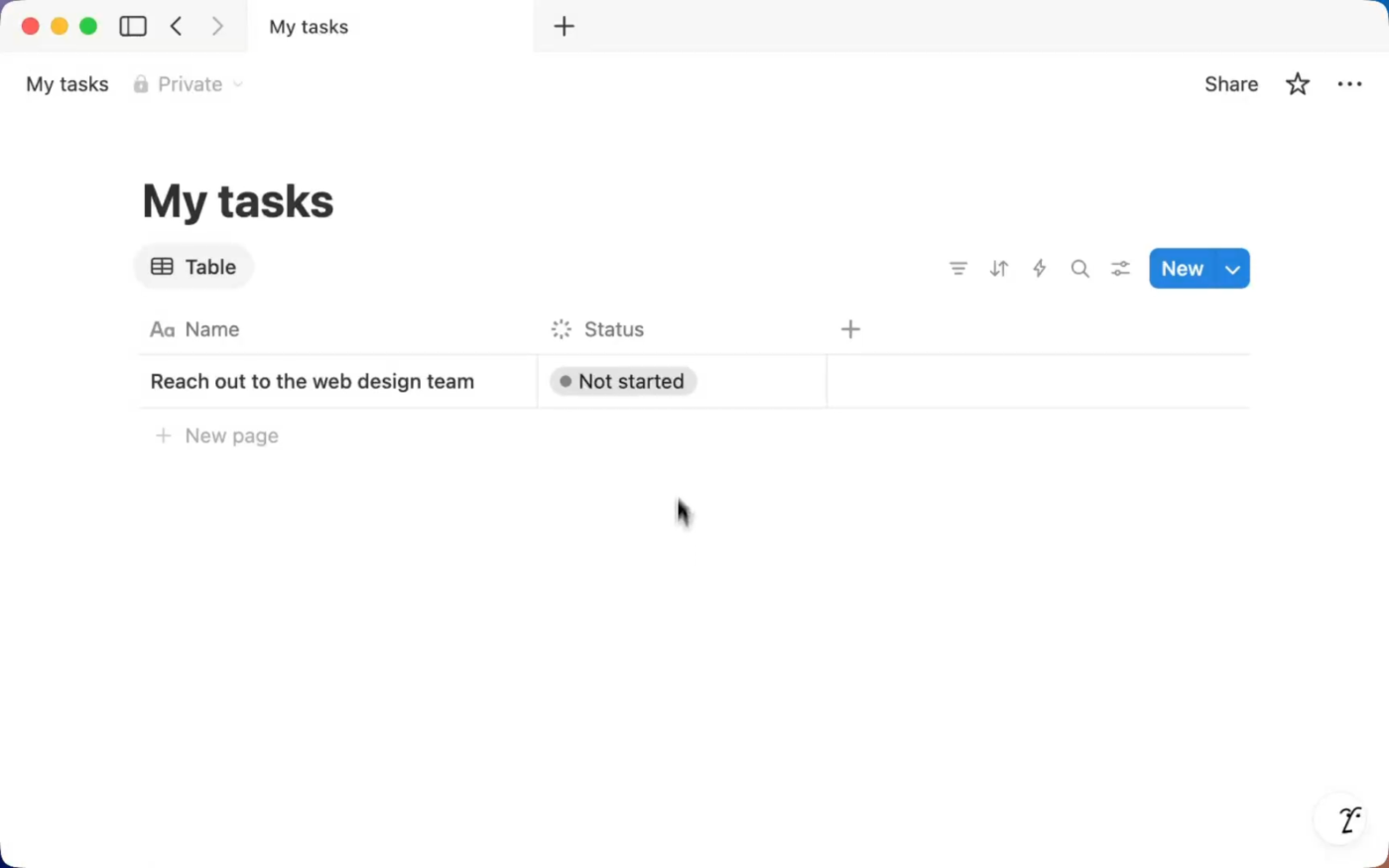
Notion is a connected workspace built on pages and databases. A page can hold text, tables, images, code, embeds, and live database views, and pages can nest inside or link to one another. Teams use those pieces to build wikis, project trackers, CRMs, and request systems with their own automation workflows.
The appeal is how far one page can grow. A team can start with a single meeting-notes page and turn it into a full internal system over a few months. The trade-off is ownership: someone has to design the databases, relations, and views, then keep them tidy as the team scales.
We’ll focus on three core areas: docs and project management, databases and workflow automation, and native AI and agents.
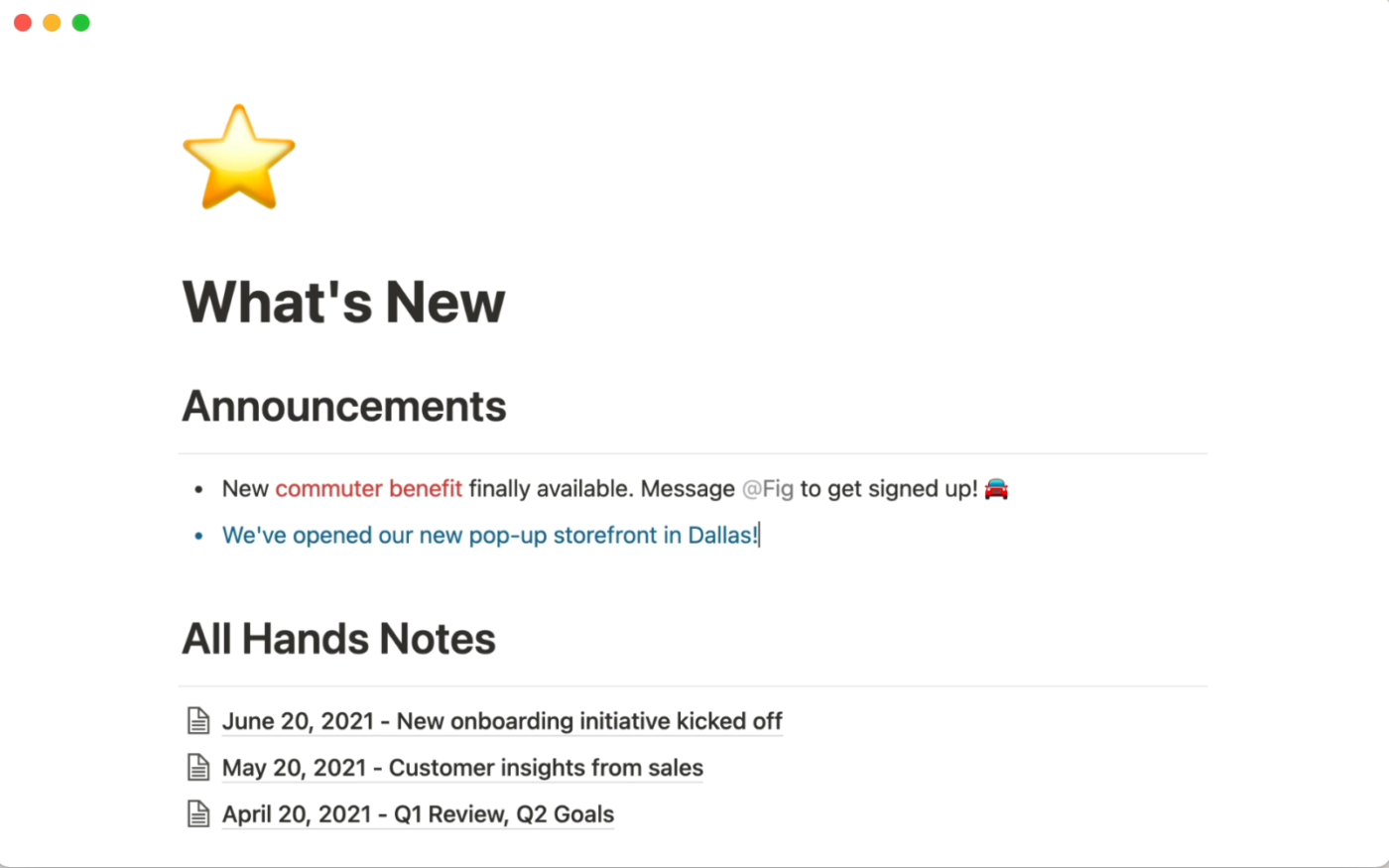
Docs are one of Notion’s strongest areas. Pages use a block-based editor, so text, tables, images, code, callouts, and database views can live in the same document. Teams edit together, leave inline comments, mention teammates, and organize pages into shared wikis and Teamspaces.
Notion Projects uses the same page-based system. Every project or task is a database entry with its own assignee, status, dates, sub-items, and dependencies. Because each entry is also a page, it can hold the task brief, research notes, and related docs.
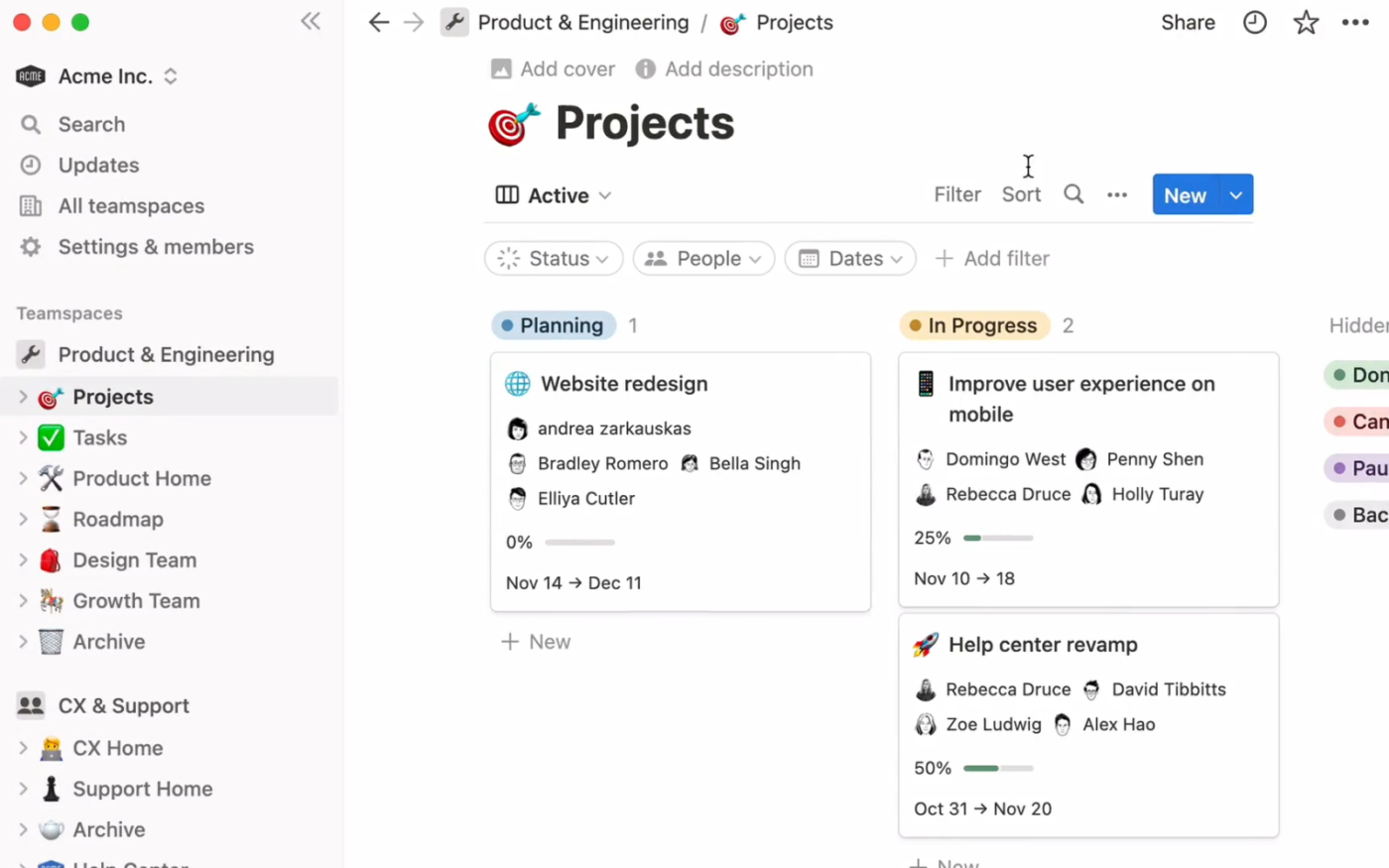
Database views let teams look at that work as a table, list, board, calendar, timeline, chart, or dashboard. Each view can show the same underlying information with its own filters, sorts, groups, and layout.
For software teams, Notion also has native Sprints. Once set up as a Task database, teams can create sprint cycles, plan backlog work, track sprints, and decide how to handle unfinished tasks at the sprint close. The accompanying Sprints database also includes a Timeline view for seeing work across cycles.
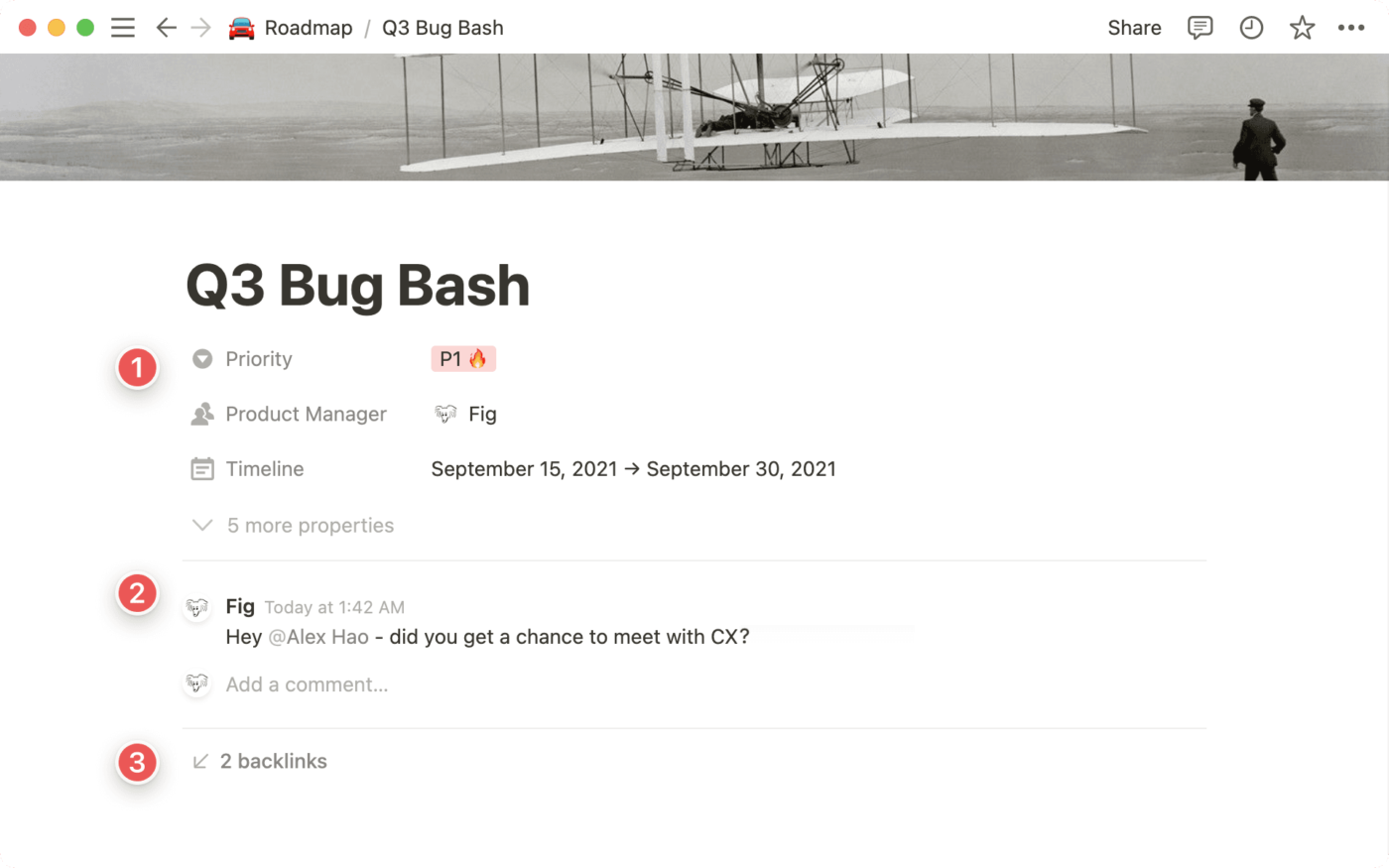
Notion databases turn pages into structured systems. You add properties, connect related databases with relations and rollups, and build separate views for projects, content calendars, CRMs, or request queues. A manager and an individual contributor can look at the same data through different views.
Notion Forms send responses straight into a database. Database automations then act on them: a new entry, a property change, or a recurring schedule can assign an owner, update properties, or create a linked page.
Notion Agent works from your workspace and connected apps to finish multi-step tasks. It can search for information, create and edit pages, and build or change databases and views. Ask it to turn last week’s meeting notes into entries in your Projects database, and it can create the tasks with owners and dates.
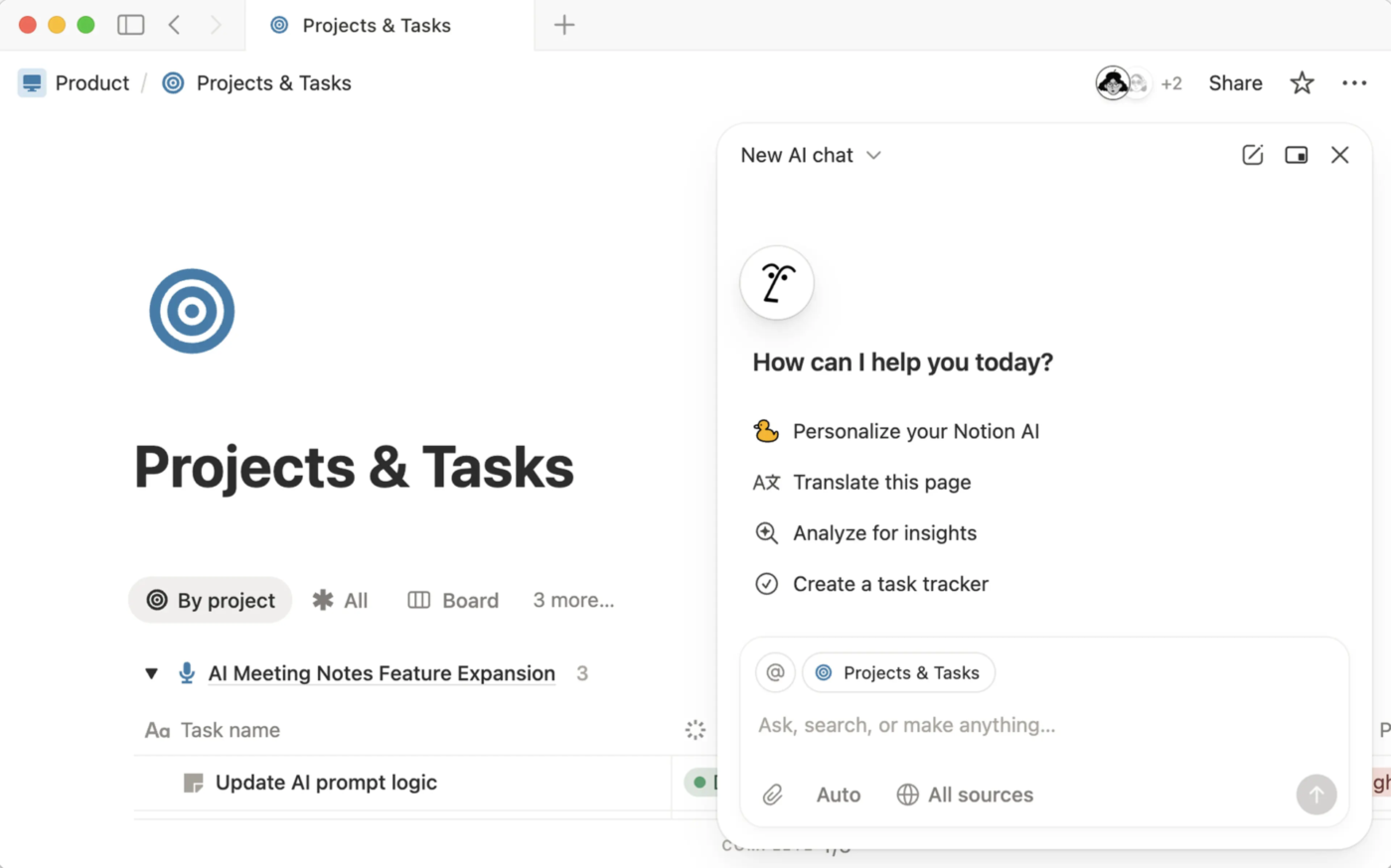
Custom Agents take that further. They run on schedules or triggers and handle repeat work across your workspace and connected tools. For example, a Custom Agent could check a bug-intake database each morning, tag new reports by product area, and post a summary for the team. Custom Agents run on Notion credits, which are an add-on to Business and Enterprise plans.
On Business and Enterprise plans, Notion Enterprise Search expands context across your workspace and connected tools such as Slack, Google Drive, Jira, and Microsoft Teams. Those plans also include AI Meeting Notes, which transcribe and summarize calls into pages. Notion Skills lets teams save instructions for repeat tasks and share them across the workspace for the agent to use.
What a G2 reviewer says:
As a UI/UX designer, Notion is my central workspace for design documentation and content strategy. Its block-based system makes it easy to structure design specs, user research, and wireframe flows in a way that feels seamless and intuitive.
Being able to switch between Kanban boards for design sprints and calendar views for content planning helps me keep everything organized. The clean visual hierarchy, paired with flexible databases, also makes it straightforward to manage design systems, client handoffs, and team wikis all in one place.
Best for: Teams that want flexible docs, wikis, databases, and internal systems they can shape around their own workflows.
Skip it if: You need more project structure out of the box, including deeper workload management, live team communication, and execution-focused reporting.
Now that we’ve covered how each tool works on its own, let’s look at how their features compare side by side.
Notion and ClickUp often get grouped together because they solve many of the same problems. The differences become clearer once you look at how each one handles the work itself.
ClickUp wins on task management because it includes time tracking, workload views, sprints, and Gantt charts. Notion covers dependencies, sprints, and timelines through databases, and your team builds and maintains the rest.
ClickUp ships Gantt charts, sprints, custom statuses, dependencies, and native time tracking on day one. Workload and Team views show who has capacity, and 15+ views let each team see the same tasks in its own way. For agencies and services teams, tracked time sits on the task itself, so billable hours and project status stay in one place.
Notion handles tasks through databases, with sub-items, dependencies that can auto-shift dates, custom status groups, and a timeline view for Gantt-style planning. It doesn’t include native time tracking or a dedicated workload view. Teams track hours through integrations or formulas and check capacity with timelines or boards grouped by assignee.
Winner: ClickUp.
Notion suits teams that prefer to design their own system, while teams tracking hours, capacity, or client time get those tools in ClickUp from day one.
Notion wins on documentation because its block editor and page linking make large wikis easier to build and navigate. ClickUp Docs are the better pick when a doc needs to turn into assigned work.
ClickUp Docs connects to your project workflow. You can create formatted documents, edit together in real time, and link Docs directly to tasks and projects. While writing a project brief, you can turn selected text into a task or an assigned comment for a teammate without leaving the Doc.
Notion’s blank canvas and easy interlinking make it more user-friendly for text-heavy work. The note-taking app’s block-based system makes it flexible for creating complex knowledge bases, wikis, and interconnected documentation.
Winner: Notion.
ClickUp has an advantage when documentation needs to move directly into project execution. Notion gives teams more flexibility for building interconnected docs, wikis, and knowledge bases.
ClickUp wins on AI by a narrow margin because Brain² and Super Agents act on tasks, schedules, and project data. Notion AI is the stronger pick when the work mainly lives in pages and databases.
ClickUp’s AI pulls ahead when the question is about delivery. Brain² can spot a blocked task in a sprint, suggest who could take it based on team availability, and reassign it. Super Agents can own tasks, and Automations can call them in when a task changes status. Every run is logged with its trigger, status, and the actions the Agent took. Brain² works within your plan’s limits, while each Super Agent run uses AI Credits.
Full Notion AI starts on the Business plan at $24 per member per month, while Free and Plus get a limited number of AI responses. Custom Agents run on Notion credits at $10 per 1,000 credits per month. Both work best inside pages and databases, where they draft docs, reshape databases, and fill in properties.
Inside that space, Notion AI handles everyday work well, including writing help, summaries, and meeting notes. It can reference other pages in your workspace and help with translations. However, its reach is limited once work moves beyond pages and databases, prompting you to consider Notion alternatives.
Winner: ClickUp, by a narrow margin.
Both now offer contextual search, reusable Skills, and agents that can act on work. ClickUp has the edge when AI needs to stay closely tied to project execution across tasks, communication, reporting, and ongoing workflows. Notion is a strong choice when the work centers on pages, databases, and knowledge systems.
ClickUp wins on collaboration because Chat, SyncUps, Clips, and Whiteboards sit in the same workspace as the tasks. Notion is stronger for async, page-based work on shared docs.
ClickUp brings chat, calls, and follow-ups into the same place as the tasks. Each Space, Folder, or List can have its own Channel, and a SyncUp starts straight from a project view. All the conversations are next to the work they’re about. Assigned comments land in your Home Sidebar alongside the rest of your work. The trade-off is adoption: the payoff depends on the whole team moving its conversations into ClickUp.
Notion leans more heavily on page-based, asynchronous collaboration. Teams can edit the same page together in real time, leave inline or page-level comments, @mention teammates, and track changes as they happen. Teamspaces and granular page permissions help organize shared knowledge across groups.
Winner: ClickUp.
Notion is strong for collaborative docs and async knowledge sharing. ClickUp covers a wider range of collaboration in one workspace, from Docs and comments to persistent Chat, live calls, screen recordings, and visual brainstorming.
Notion wins for getting started because a page or template works right away. ClickUp takes more setup up front and asks for less building later.
ClickUp gives you a full project setup on day one: a Spaces, Folders, and Lists hierarchy, 15+ views, Custom Fields, and Automations. That’s a lot to learn in the first few weeks, especially for teammates who only need to update their own tasks. ClickUp lets admins disable features a team doesn’t use, and templates give new Spaces a ready-made structure. The setup effort comes early, and it drops as the team grows.
Notion feels familiar right away: a blank page works just like a doc, and a template can give you a project tracker in a single click. The extra effort comes later. Creating a solid tracker with relations, rollups, and formulas takes thoughtful design. And without a clear workspace owner, it can become harder to find your way around as pages pile up.
Winner: Notion, for getting started.
Notion is quicker to pick up for individuals and small- to mid-size teams that start with docs. ClickUp requires more upfront setup, but it saves teams from building and maintaining project controls as their work gets more complex.
Reddit users who have spent time in both tools describe the difference less as a feature contest and more as a question of where the work lives.
One Reddit user who was moving project management from Notion and Obsidian to ClickUp described the split clearly. They planned to keep Notion for their knowledge base and long-term storage but wanted ClickUp as a dedicated system for execution and task management.
I’ve started moving my project management workflow into ClickUp.
My Context:
Background: I “main” Notion and Obsidian for my knowledge base and long-term storage. I am keeping them for that purpose.
The Gap: I needed a dedicated engine for execution and task management.
Why ClickUp: I attempted to use Asana and Jira, but I could never stick with them. ClickUp is the first one that feels right—the UI/UX is intuitive, and the balance of structure vs. aesthetics actually works for my brain.
Another longtime Notion user made a similar distinction after switching to ClickUp. They preferred ClickUp for task management but still missed Notion’s documentation organization.
I was a die hard Notion user for years. Switched to ClickUp about 2 years ago because their task management is WAY better. That said, as much as I’ve tried to love the Docs, I miss Notion for some of that organization.
Key takeaway: ClickUp gives teams more upfront project structure, while Notion gives them more freedom to shape the workspace itself. That makes ClickUp stronger when execution controls drive the system, while Notion remains compelling when docs, knowledge, and custom databases sit at its center.
Also Read: Task Management Tools
Choose ClickUp if your team runs projects with deadlines, owners, capacity, and reporting, and you want those controls ready on day one. Choose Notion if your work starts in docs, wikis, and custom databases you’d rather design yourself.
The deciding question is where your work begins.
If it starts as a task with a due date, ClickUp keeps the brief, conversation, tracked time, and dashboard attached to it. If it starts as a page, Notion gives you more room to shape it. Teams that need both can run delivery in ClickUp and keep an existing Notion wiki connected through the integration.
Yes. ClickUp has a dedicated Notion importer available on all plans. You first export your Notion workspace or selected pages as HTML, then import that file into ClickUp. Databases, fields, documents, users, and much of the underlying structure can carry over, but the migration isn’t a one-to-one match. Page history, attachments, and comments inside database items don’t carry over, and some Notion formatting imports as plain text.
Yes. You don’t have to migrate right away or choose just one. ClickUp’s Notion integration is available on every plan and lets you search connected Notion pages and databases, preview Notion links, and access linked Notion content from tasks. That can work well if your team keeps an existing knowledge base in Notion while managing projects in ClickUp.
Both have offline support, but they handle it differently. ClickUp lets you create tasks offline and view tasks and notes you opened before, on web, desktop, and mobile, though you can’t edit them until you reconnect. New items sync when you’re back online. Notion lets desktop and mobile users download pages for offline use, then view and edit them without a connection. Paid plans can automatically download recently visited and favorited pages. Some online-dependent blocks, including AI, forms, and embeds, remain unavailable offline.
Yes. Both support guest access without giving an external collaborator full workspace access. In ClickUp, you can restrict guests to specific shared locations and grant view, comment, edit, or full-edit permissions on paid plans. In contrast, Notion guests are invited to individual pages rather than the whole workspace. You can give them view, comment, or edit access.

Manasi Nair
Max 16min read
Manasi Nair
Max 13min read
Manasi Nair
Max 20min read

© 2026 ClickUp




