Sorry, there were no results found for “”
Sorry, there were no results found for “”
Sorry, there were no results found for “”
Migration projects don’t fail because the technology is hard.
They struggle with coordination across teams; context gets lost in scattered spreadsheets instead of a single source of truth, deadlines slip, and nobody knows who owns what.
Most teams cobble together a data migration plan from a generic spreadsheet or copy-paste from old projects. The result looks complete on paper but has no live connection to the actual work.
When your server migration depends on a database migration that depends on a vendor contract, a static doc can’t surface that chain.
This article walks you through 10 platform migration plan templates built in ClickUp, covering everything from website and data center moves to UAT, change management, and post-migration handover.
Here’s a quick summary to get you started:
| Template Name | Download Template | Best Features | Ideal For | Visual Format |
| Website Migration Project Plan Template by ClickUp | Get free template | URL redirect map, content audit checklist, SEO baseline snapshot, DNS cutover tasks, post-launch QA | Web development teams and SEO managers moving hosts, CMS, or domains | ClickUp List, Custom Fields |
| Data Center Project Plan Template by ClickUp | Get free template | Asset inventory, network topology tasks, vendor coordination tracker, power/cooling validation, cutover runbook | IT infrastructure teams and network engineers coordinating large-scale hardware or cloud migrations | ClickUp List, Custom Fields |
| Deployment Plan Template by ClickUp | Get free template | Pre-deployment checklist, staged rollout with go/no-go gates, monitoring setup, rollback procedure, post-deployment validation | DevOps teams and release managers deploying software or infrastructure changes | ClickUp List, Automations |
| Software Rollout Timeline Template by ClickUp | Get free template | Phased rollout schedule, training milestone tracker, feature enablement roadmap, feedback checkpoints, success criteria | IT project managers and change management leads rolling out enterprise software | ClickUp Whiteboard, Gantt |
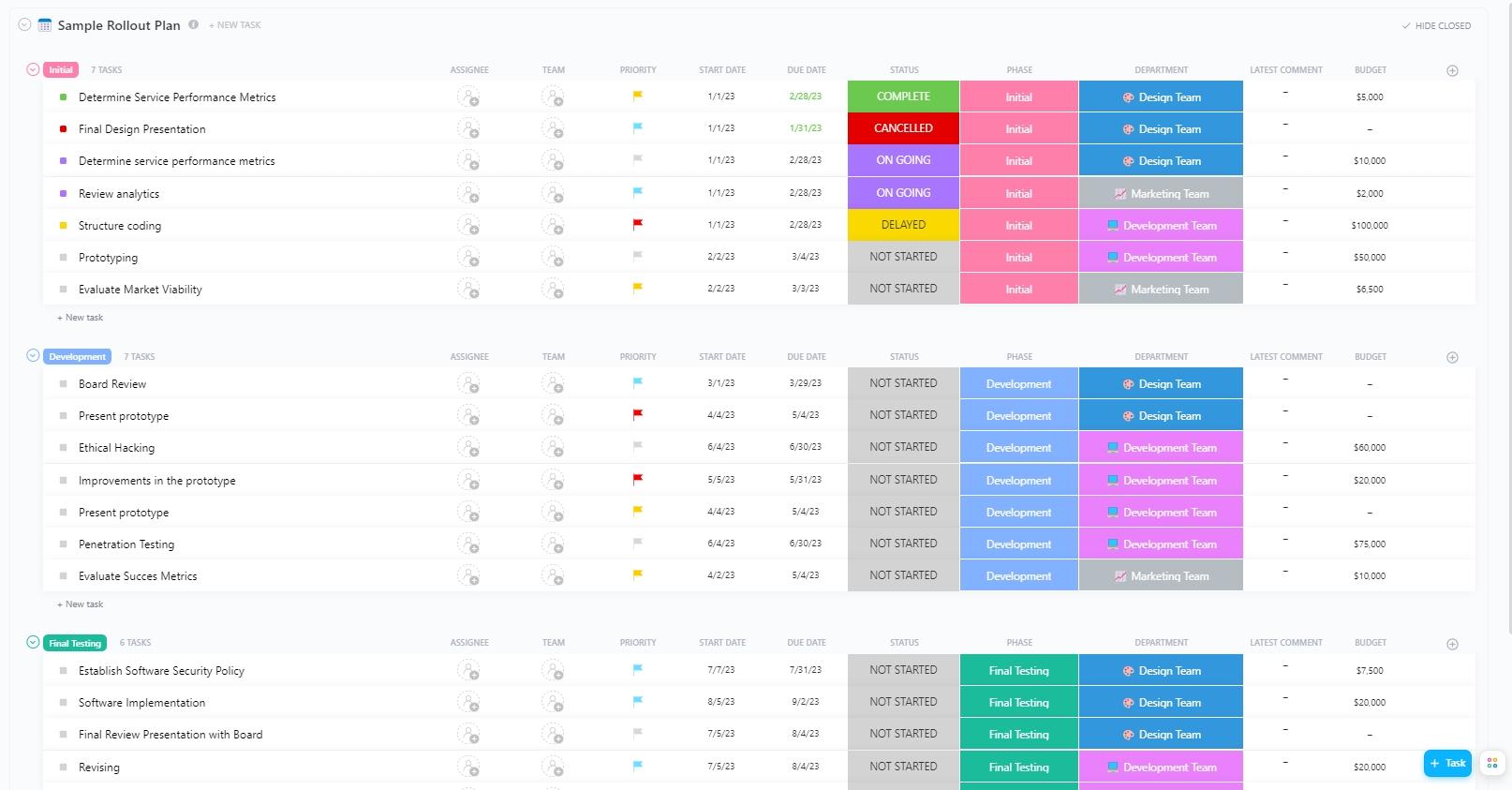
| Sample Rollout Plan Template by ClickUp | Get free template | Rollout objectives/scope, stakeholder map, phase gates, resource allocation, risk and mitigation log | Teams rolling out any type of change (policy, portal, workflow) needing a flexible starting framework | ClickUp List, Custom Fields |
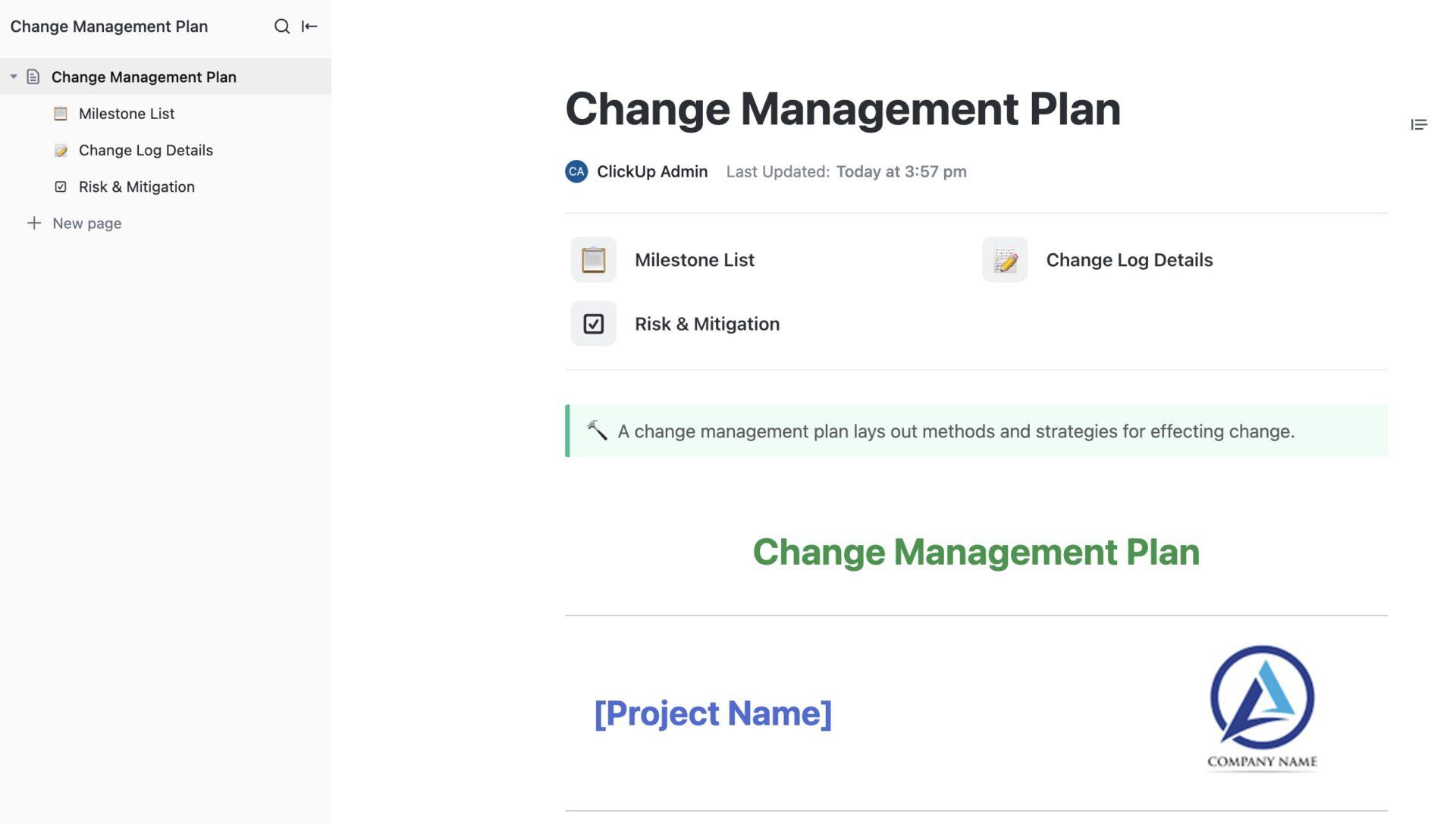
| Change Management Plan Document Template by ClickUp | Get free template | Stakeholder impact assessment, communication plan, training strategy, resistance management, reinforcement tasks | Change management leads and HR teams managing the people side of a migration | ClickUp Doc |
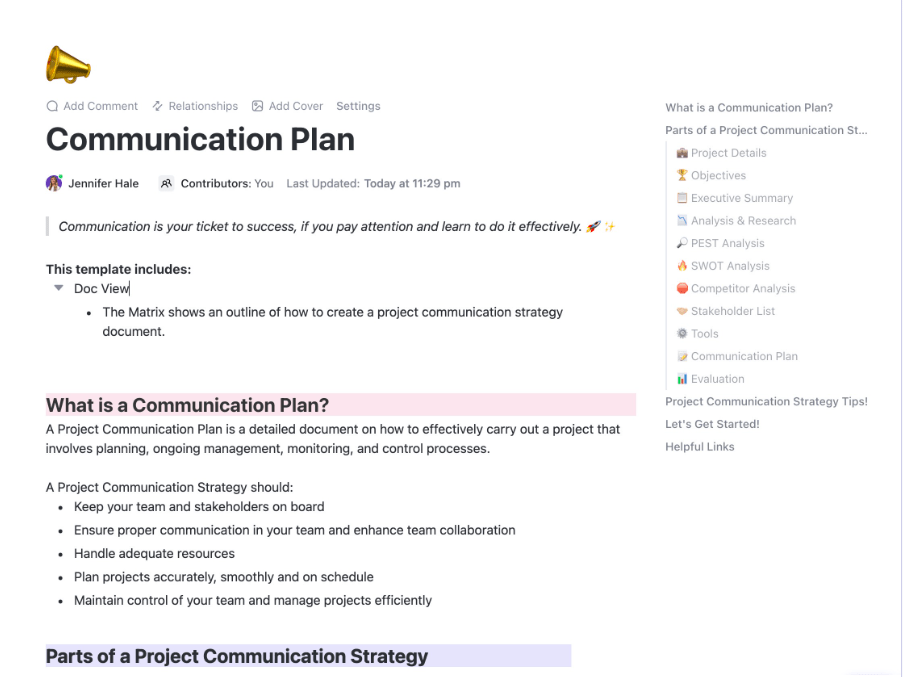
| Communication Plan Template by ClickUp | Get free template | Audience segmentation, message calendar, channel matrix, approval workflow, feedback loop | Project managers and comms leads coordinating stakeholder updates across a migration | ClickUp List, Automations |
| User Acceptance Testing Checklist Template by ClickUp | Get free template | Test case inventory, tester assignments, pass/fail tracking, defect log, sign-off checklist | QA teams and business stakeholders validating migrated systems before go-live | ClickUp List, Custom Fields |
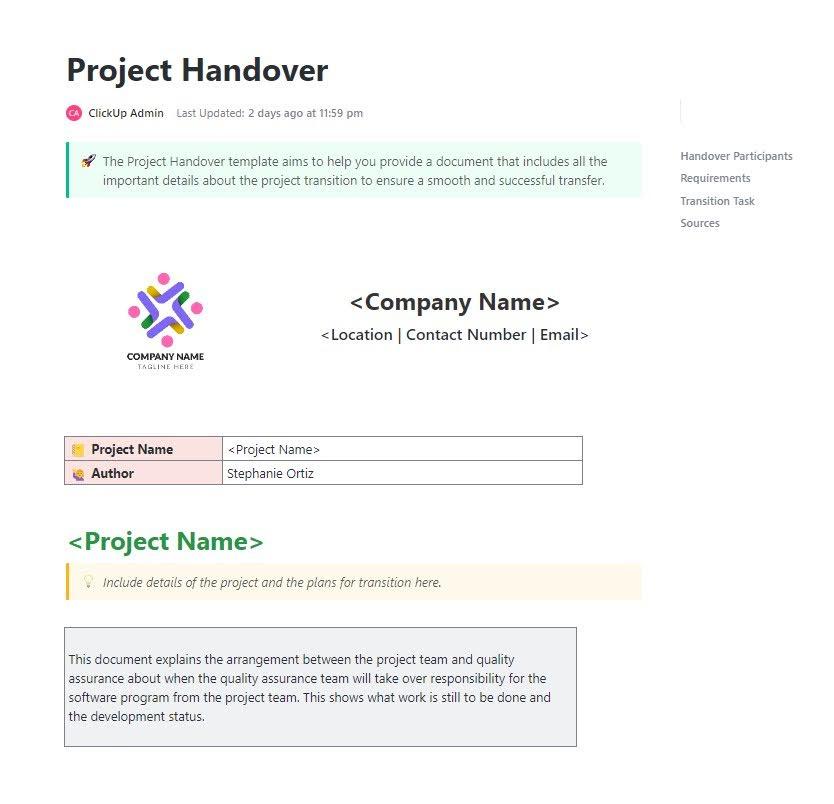
| Project Handover Template by ClickUp | Get free template | System architecture summary, known issues/workarounds, runbook and escalation paths, access inventory, open items | Implementation teams handing off to ops teams after a completed migration | ClickUp Doc, List |
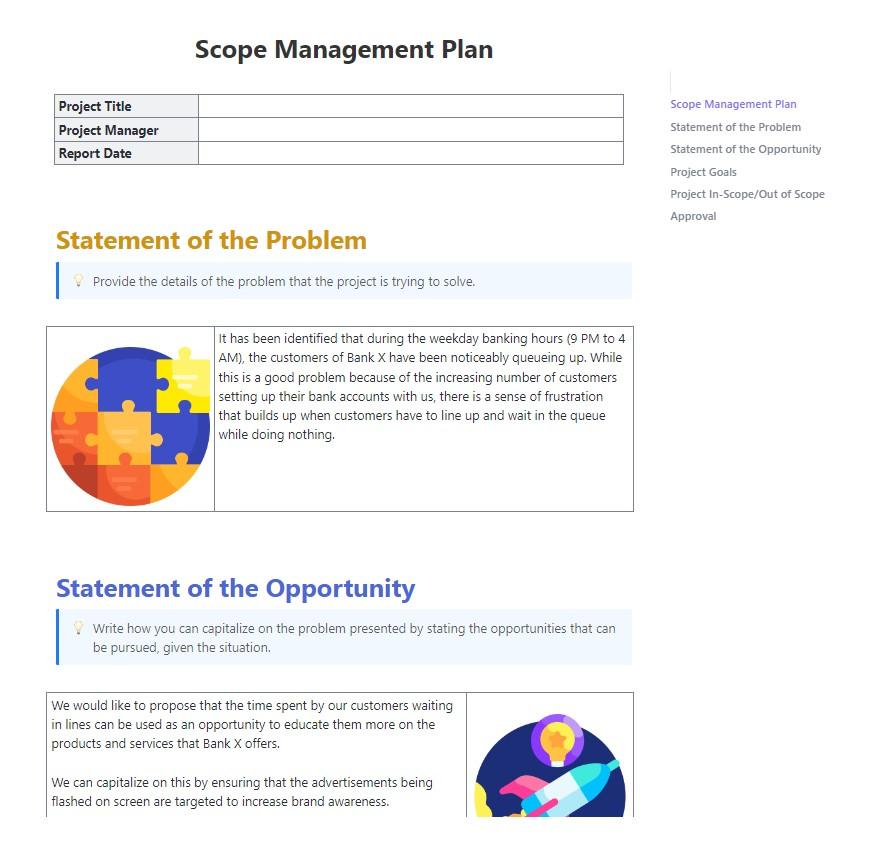
| Scope Management Plan Template by ClickUp | Get free template | Scope statement, change request workflow, impact assessment framework, scope baseline/version history, stakeholder sign-off | Project managers and ops leads defending migration boundaries against scope creep | ClickUp Doc, List |
A platform migration plan template is a pre-built document that maps every task, dependency, timeline, and owner involved in moving systems, data, or applications from one environment to another.
These platform migration planning templates matter for IT teams, project managers, and ops leads who need to coordinate cross-functional work without starting from a blank page every time.
The culprit is almost never the technology itself—it’s the absence of a structured, repeatable project management plan your whole team can actually follow.
Uptime Institute’s 2025 analysis reinforces this: 85% of human-error outages stem from staff not following procedures or from flaws in those procedures. Here’s what every migration plan template should include:
The 10 templates below cover every phase of this process, from initial scoping through post-migration handover.
These platform migration planning templates span the full migration lifecycle—from the initial project plan through testing, communication, and handover.
Each one is built inside ClickUp and connects directly to task management, automations, and ClickUp Brain for real-time context. 👀
A single missed 301 redirect (a rule telling browsers where a page moved) can tank organic traffic overnight. Most teams don’t discover the damage until weeks later.
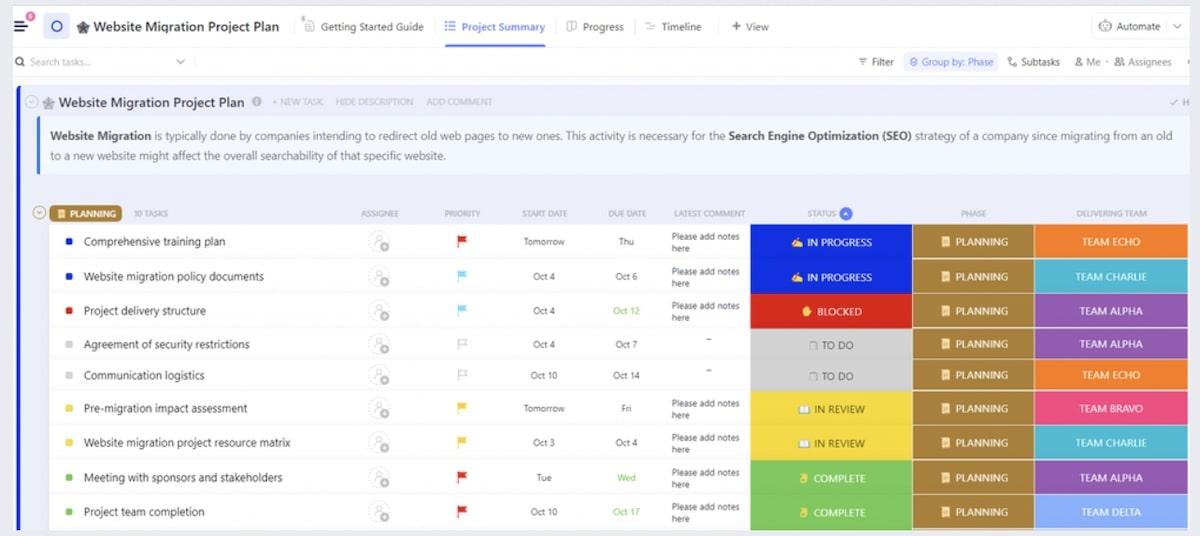
The Website Migration Project Plan Template from ClickUp is perfect for moving a website from one host, CMS, or domain to another. It covers URL mapping, redirect rules, SEO preservation, content audits, and QA testing—built for web development teams and SEO managers.
Running a migration with a lean team?
Most migration frameworks were designed for enterprise IT departments with dedicated project managers, change management consultants, and a stack of specialized tools for every phase.
Small businesses don’t have that luxury—and they shouldn’t need it.
ClickUp’s Small Business Suite replaces all of it with a single, centralized workspace:
See what it looks like in action. 👇🏼
Data center migrations involve dozens of interdependent workstreams across multiple vendor contracts. One overlooked firmware version can cause hours of unplanned downtime.
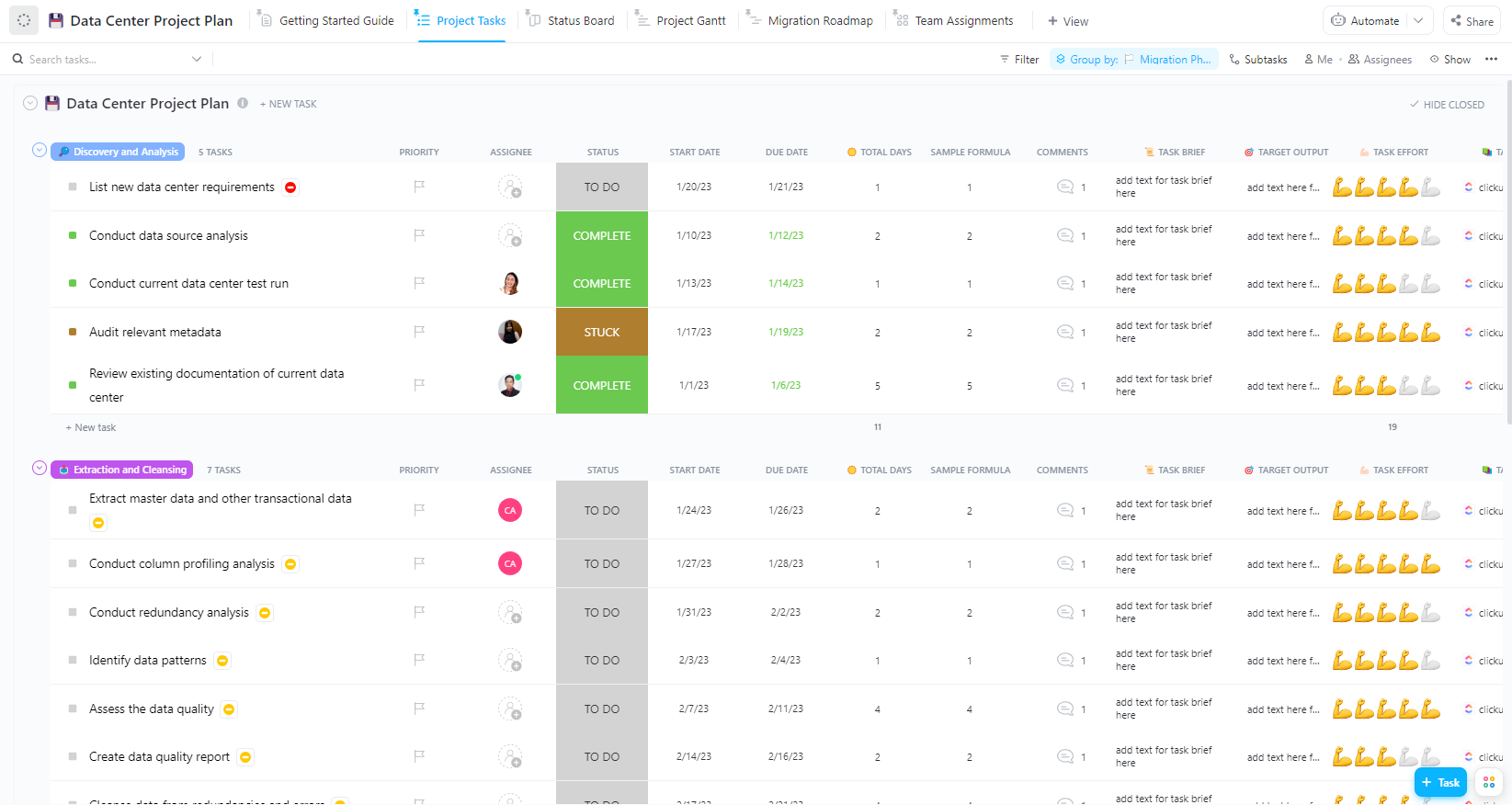
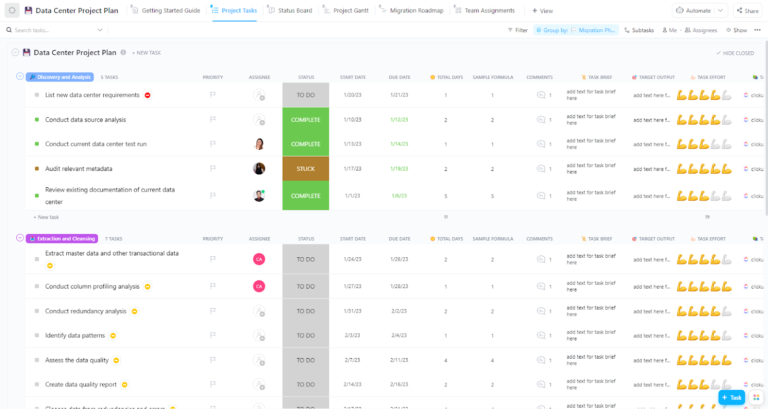
This Data Center Project Plan Template plans the physical or virtual relocation of servers, storage, and networking equipment between facilities. It’s designed for IT infrastructure teams and network engineers coordinating large-scale hardware moves or cloud migrations.
👉🏽 Why you’ll love this template
🎥 To see how project planning templates work in ClickUp and understand the foundation these migration tools are built on, watch this quick walkthrough:
Deployments fail fast when the plan lives in one tool, and the actual work happens in three others—context sprawl at its worst.
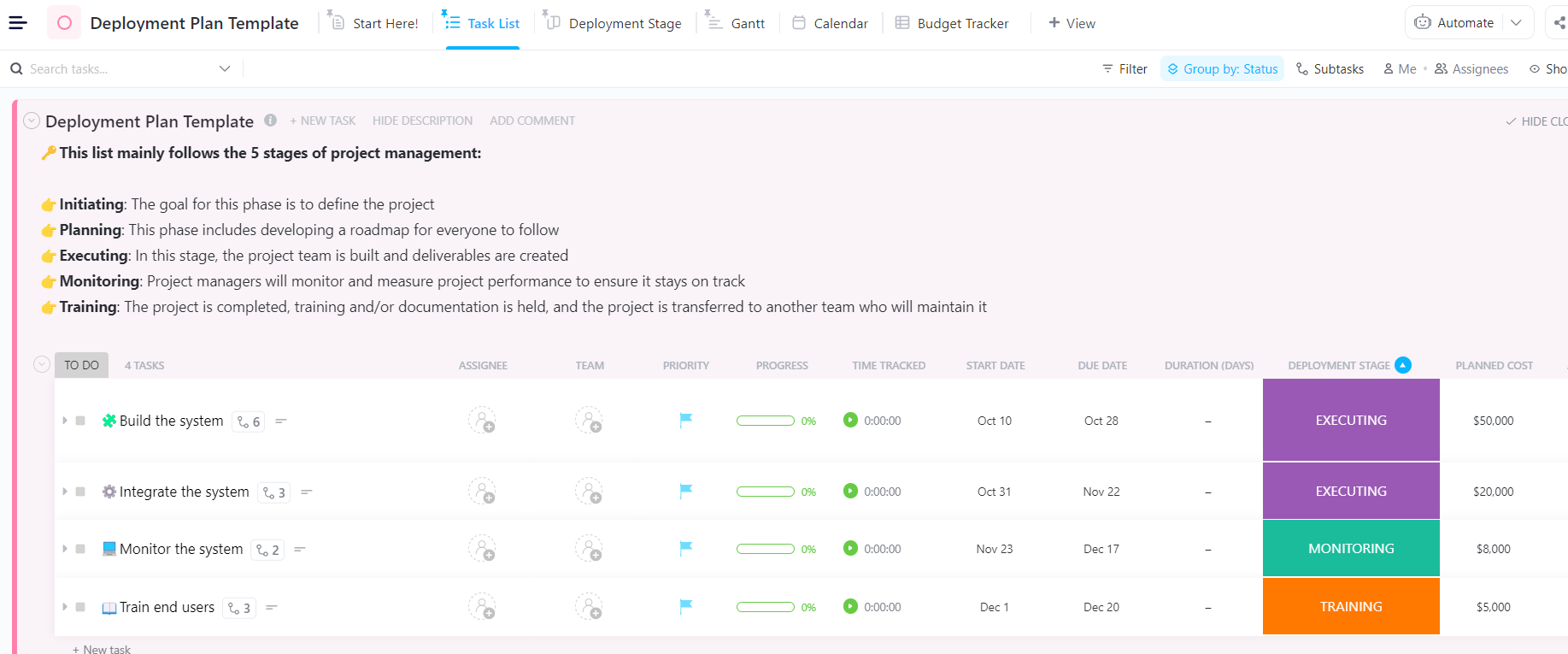
ClickUp’s Deployment Plan Template coordinates releasing new software or infrastructure changes into production. It covers pre-deployment checks, staged rollouts, and post-deployment monitoring for DevOps teams and release managers.
👉🏽 Why you’ll love this template
🎉 The ClickUp Advantage: Enforce deployment gates automatically with ClickUp Automations—block the Full Rollout task from starting until all canary validation subtasks are marked complete.
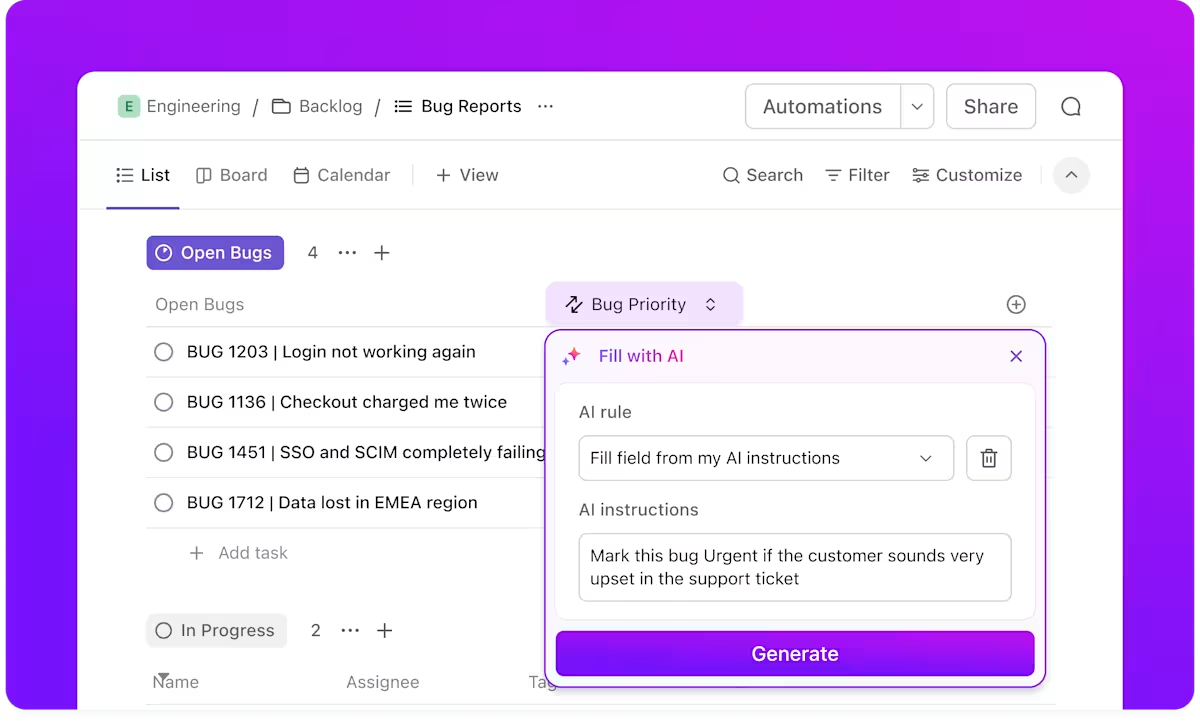
Most software rollouts stall because product adoption planning is an afterthought. Teams get access with no training schedule, no feedback loop—so they quietly keep using the old system.
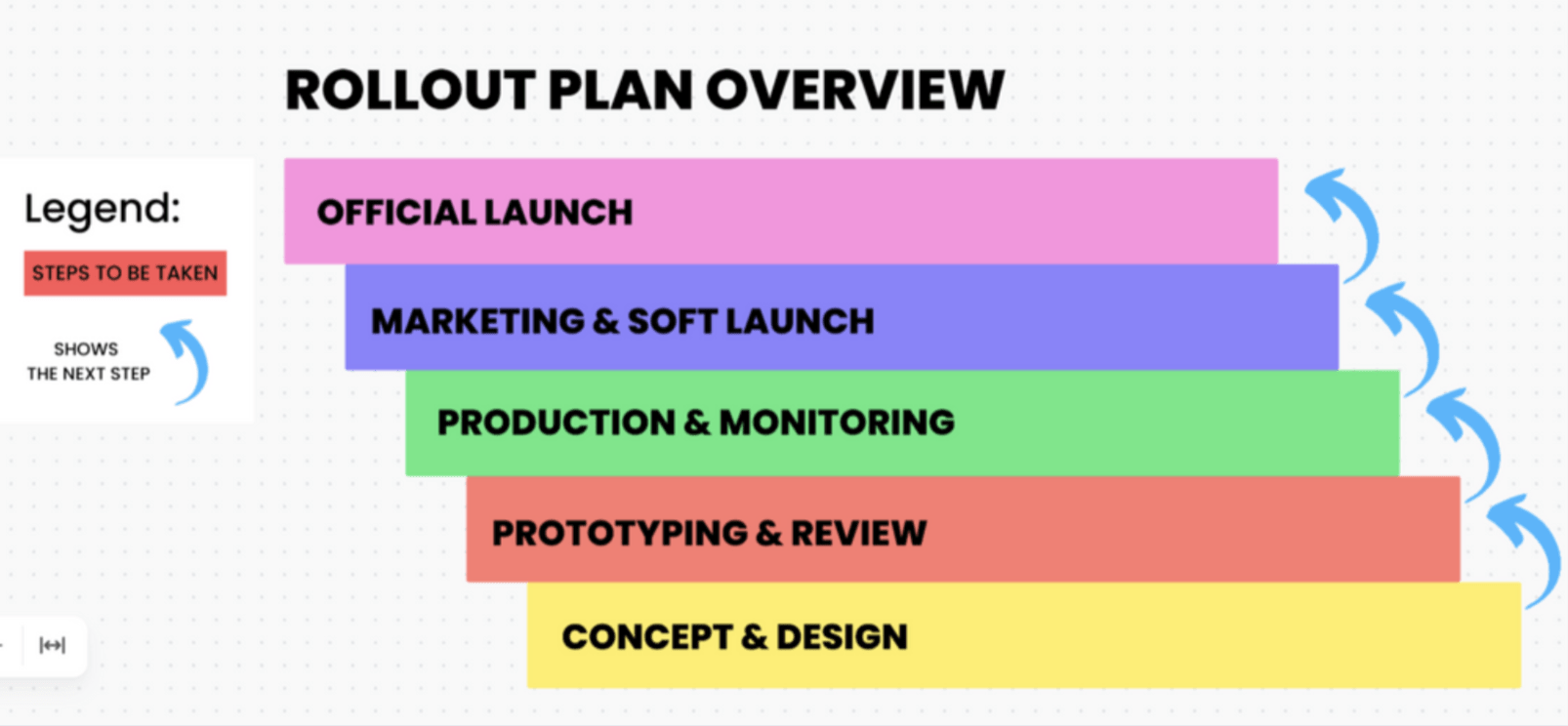
Tools like this Software Rollout Timeline Template focuses on the timeline and sequencing of rolling out enterprise software (ERP, CRM, HRIS) across teams or regions. It’s for IT project managers and change management leads.
👉🏽 Why you’ll love this template
💡Pro Tip: Visualize the phased timeline and drag a training session to automatically shift all downstream dependencies with ClickUp Gantt View. Generate rollout status summaries for leadership in seconds with ClickUp Brain, which pulls context from task progress across all phases. ✨
ClickUp’s Sample Rollout Plan Template is a general-purpose rollout plan that works as a starting framework for any type of change—not just software.
Unlike the template above (which is purpose-built for software adoption with training baked in), this one flexes to accommodate a new expense policy, a rebranded portal, or a restructured support workflow.
💡Pro Tip: Adapt this template on the fly with ClickUp Custom Fields—add a Region field for a geographic rollout or a Department field for an internal process change without breaking the underlying structure.
🚀 The ClickUp Advantage: If you’re rolling out changes across multiple departments at once, the ClickUp Accelerator includes pre-built Super Agent packs for PM, HR, Marketing, and more to help you coordinate and execute faster! See how it works!
Migration plans obsess over data and infrastructure but treat change management as a slide deck and a town hall. The result: shadow IT, workarounds, and a slow drift back to the old platform.
A technically flawless migration still fails without proper change management to help people adopt the new system—Gartner found that only 32% of business leaders reported achieving healthy change adoption in their last initiative.
The Change Management Plan Document Template from ClickUp manages the people side of a migration—covering stakeholder analysis, resistance planning, and training strategy.
💡Pro Tip: Build this plan as a living document inside the same workspace where migration tasks are tracked with ClickUp Docs—no more version-control nightmares with a Word doc floating through email. 📚
Migration communication usually starts strong and then goes silent until something breaks—leaving stakeholders blindsided. The Communication Plan Template from ClickUp helps you plan, schedule, and track every touchpoint in your communication plan across a migration project.
💡Pro Tip: Stop missed deadlines on announcements by using ClickUp Automations to trigger reminder tasks when a communication milestone approaches—so the comms lead gets a nudge three days before the cutover announcement is due.
UAT (user acceptance testing) is the final validation phase where end users test the migrated system against real-world scenarios before going live.
But if often gets compressed into the last week because earlier phases ran long. The result is rushed testing and a go-live decision based on hope rather than evidence.
This User Acceptance Testing Checklist Template keeps it organized.
The handover is where institutional knowledge goes to die.
The migration team spent months building context about architecture decisions and workarounds—then they move on, leaving the ops team to reverse-engineer everything.
The ClickUp Project Handover Template transfers ownership of a completed migration from the implementation team to the operations team that will manage the system going forward.
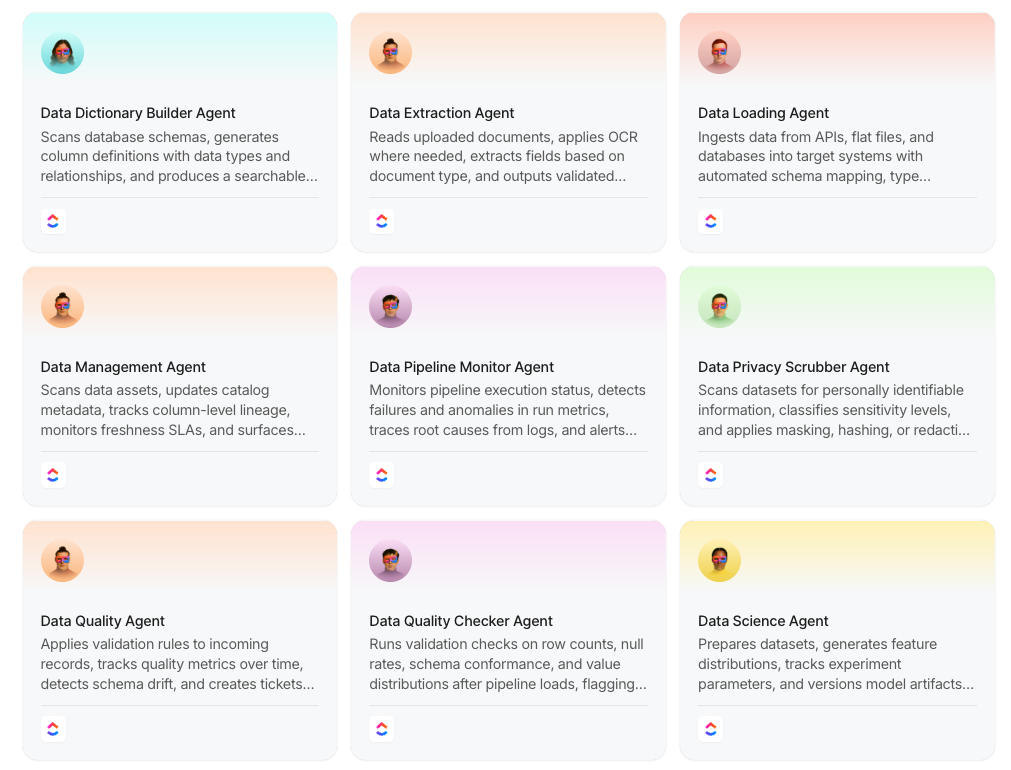
🚀 The ClickUp Advantage: Leverage these data management agents to breeze through your migration projects!
Scope creep is the silent killer of projects. Every system or dataset added mid-flight compounds risk and extends timelines. A Scope Management Plan Template allows you to define, control, and defend the boundaries of a migration project effectively.
Migration projects succeed or fail based on the quality of their planning, not on technical complexity.
The right templates give your team a repeatable structure that turns a high-risk initiative into a manageable sequence of well-defined phases.
As migrations grow more complex, the teams that standardize their planning process now will move faster and break less later.
Get started for free with ClickUp and put these templates to work on your next migration. 🙌
It depends on complexity—a website migration might take a few weeks, while a full data center migration can span several months. The biggest variable is how well the project is scoped and how many dependencies exist between workstreams.
A migration plan is the full strategic document covering scope, timeline, ownership, risks, and communication. A migration checklist is a tactical subset—a list of specific tasks to complete at a particular phase, like a pre-cutover verification or post-migration QA checklist.
Yes—and you probably should. Most migration projects benefit from layering a project plan for the overall timeline, a communication plan for stakeholder updates, a UAT checklist for testing, and a handover template for the transition to ops.
Swap the website-specific tasks (URL redirects, SEO baseline, CMS configuration) for cloud-specific ones (workload assessment, network architecture, identity and access management). Keep the same underlying structure of phased planning, dependency tracking, and post-migration validation.

Praburam Srinivasan
Max 10min read
Praburam Srinivasan
Max 19min read
Praburam Srinivasan
Max 20min read

© 2026 ClickUp