Sorry, there were no results found for “”
Sorry, there were no results found for “”
Sorry, there were no results found for “”
We’ve all been there—wrapping up a meeting feeling productive, only to discover a few days later half the team remembers different key points, action items are lost in a sea of emails, and follow-up is haphazard at best.
Though they should propel development, some meetings quickly devolve and become time-consuming without a methodical approach for recording discussions and next steps.
A well-written meeting recap ensures clarity, responsibility, and follow-through instead of haggling to piece together what was covered. An effective meeting recap template helps everyone stay in line and on target.
This article will discuss why meeting recap templates matter, what to include, and how ClickUp helps you build simplified, action-driven summaries that propel projects forward.
🔮 Bonus: In addition to tons of free templates you can get started with right away, we’ll also introduce you to ClickUp AI Notetaker, a meeting assistant that transcribes, summarizes, and analyzes your meetings for the perfect recap!
A meeting recap template lists the main elements to include in a meeting summary. It provides a consistent structure to ensure thorough and consistent records of meeting information.
Typically, online meeting tools and templates include the following components:
Using such templates guarantees that all participants share a common understanding of the meeting’s results, helping to ensure responsibility and clarity.
If you’re having trouble conducting effective meetings, check out this quick video on how to write a meeting agenda BEFORE you schedule your next catch-up:
A well-made meeting recap template is actionable, orderly, and clear. It should ensure everyone involved remains aligned with conversations and future actions, capturing important elements free from needless complications.
A good meeting summary helps avoid misunderstandings and holds team members accountable. Taking a disciplined approach to writing, whether for a project kickoff or a project update meeting recap, simplifies procedures and increases general effectiveness.
🔎 Did You Know? According to a Harvard Business Review article, 70% of professionals find meetings to be barriers to completing their work.
A structured template for recording team meeting ideas and summaries ensures clarity, accountability, and effective follow-up. These 11 meeting recap templates from ClickUp, the everyday app for work, are highly effective for simplifying the documentation process, depending on your specific needs:
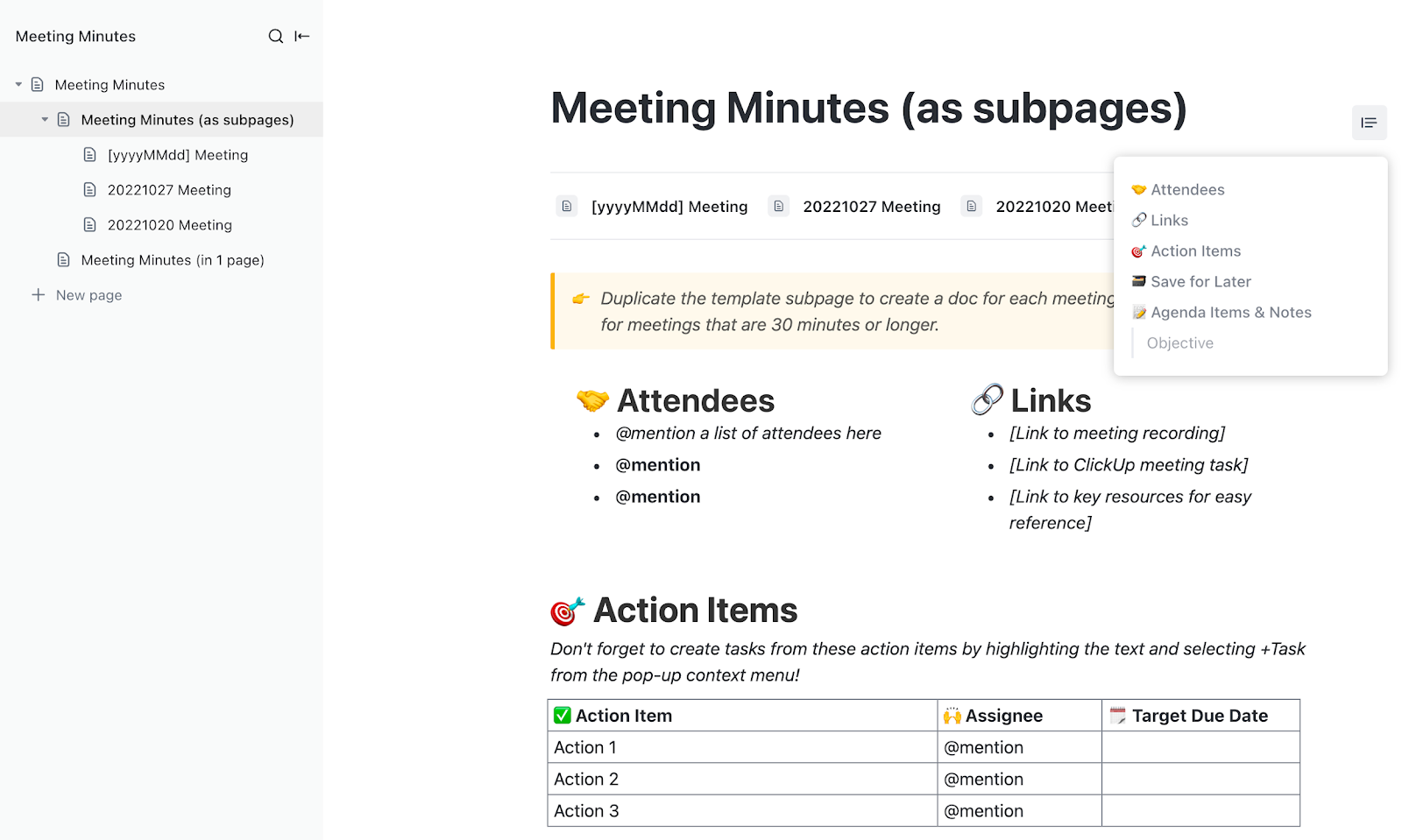
The ClickUp Meeting Minutes Template is a structured yet flexible tool designed to capture every essential meeting detail in one place. It ensures that conversations result in practical actions, unlike conventional meeting minutes, which are sometimes buried in emails or forgotten in papers.
The preformatted structure addresses all aspects, from agenda points and meeting specifics to important decisions and designated action items.
Plus, assigning action items to team members with due dates and tracking them within your process helps ensure that follow-ups never go unnoticed. Teams may quickly access past meeting notes and link them to long-term goals and project kickoff templates since they fit ClickUp Docs, ClickUp Goals, and ClickUp Whiteboards.
Ideal for: Teams looking for an interactive, highly customizable meeting minutes solution that keeps follow-ups organized and on track.
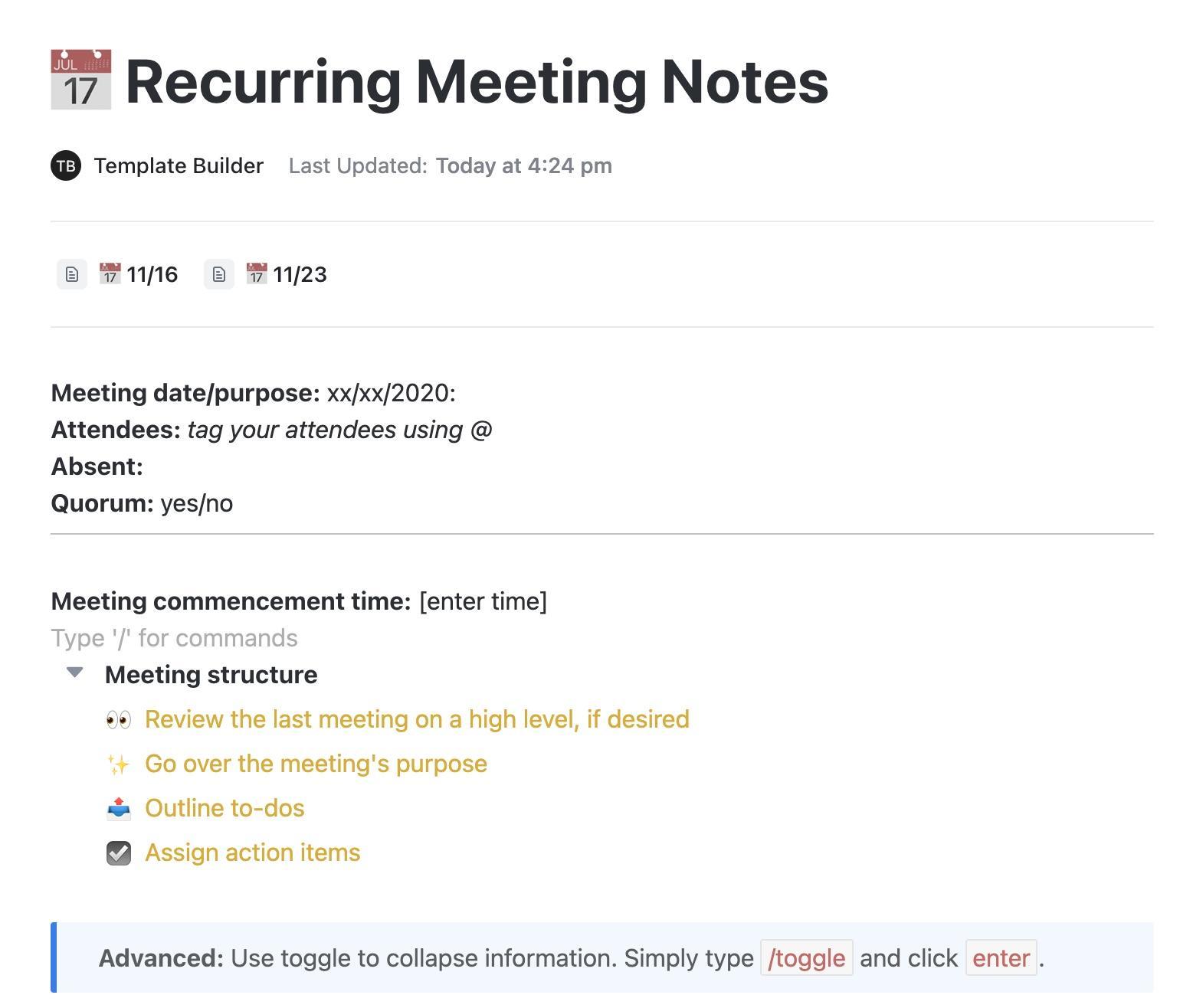
The ClickUp Recurring Meeting Notes Template is designed to optimize the process of documenting and tracking recurring meetings. This template provides a structured approach to capturing discussions, tracking action items, and ensuring accountability for the next meeting.
The template integrates with ClickUp’s task management system, allowing users to convert action items into tasks, assign them to team members, and track their progress directly within ClickUp. This eliminates the need for separate to-do lists and ensures that every meeting leads to concrete actions.
Ideal for: Teams looking for a structured and efficient way to document recurring meetings, track follow-ups, and maintain consistency across discussions.
➡️ Read More: Best AI Note-Taking Apps for Meeting
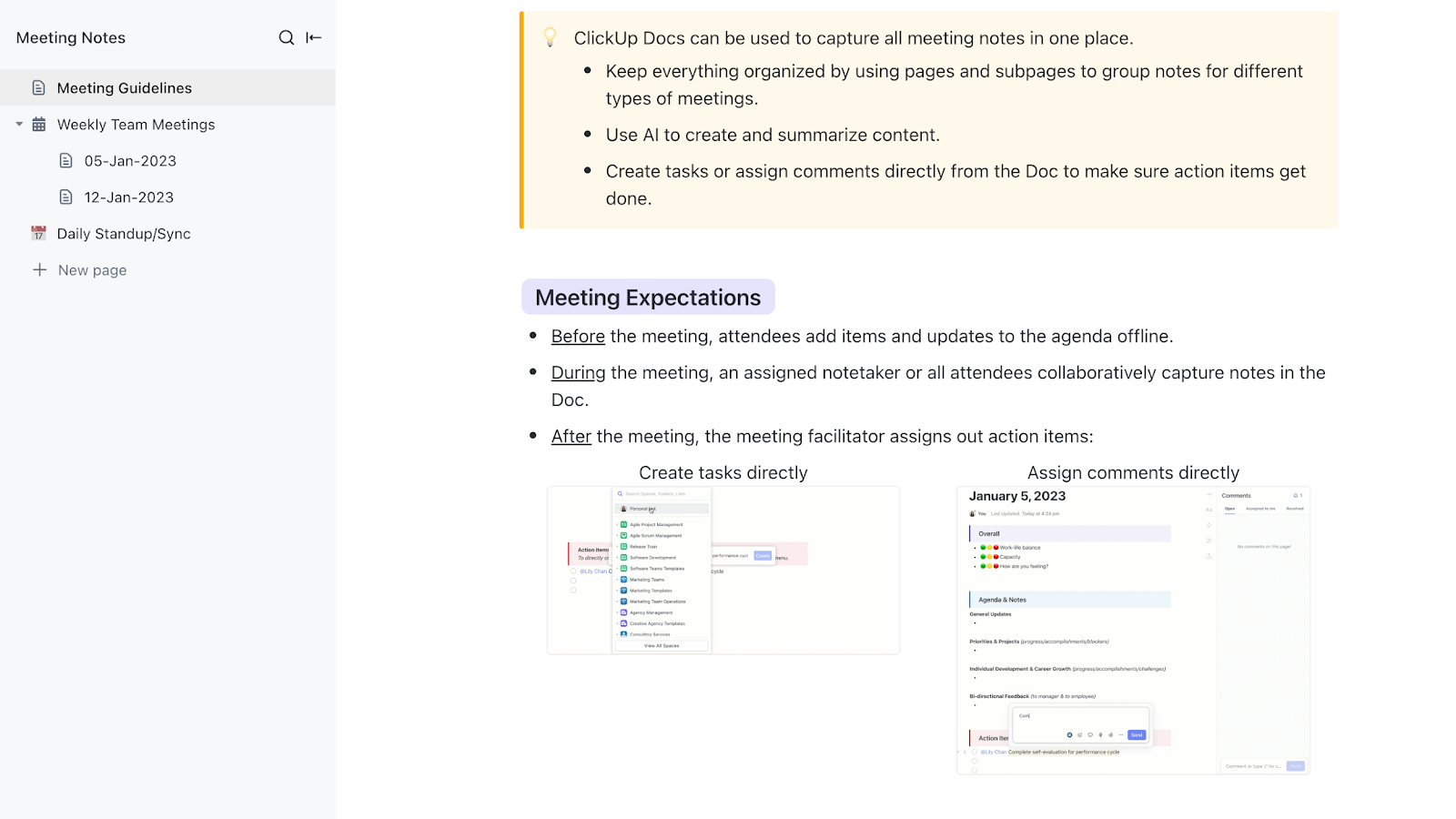
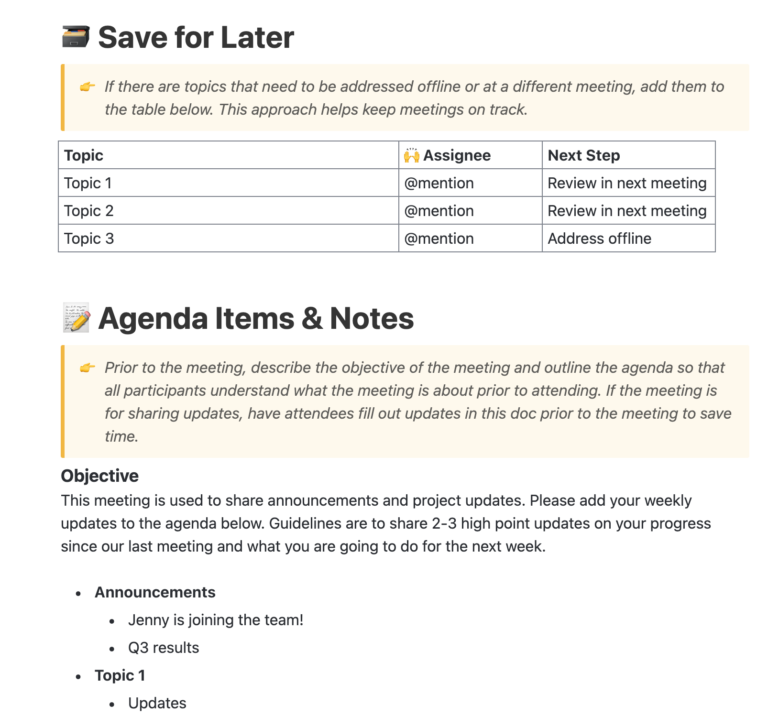
The ClickUp Meeting Notes Template is designed to help teams document meeting discussions, decisions, and next steps in a structured and organized manner. Instead of scrambling to piece together fragmented notes from different sources, this template provides a single, centralized resource that keeps supporting documents in one place.
Moreover, the template’s clear format allows teams to outline the meeting agenda, capture key discussion points, and document important decisions as they occur.
Ideal for: Teams looking for a structured yet flexible way to document meetings.
💡 Pro Tip: If you want to streamline your meetings by planning, taking detailed notes, and converting them into meeting minutes for easy reference, start using meeting note templates to save time, boost efficiency, and effortlessly organize key takeaways!
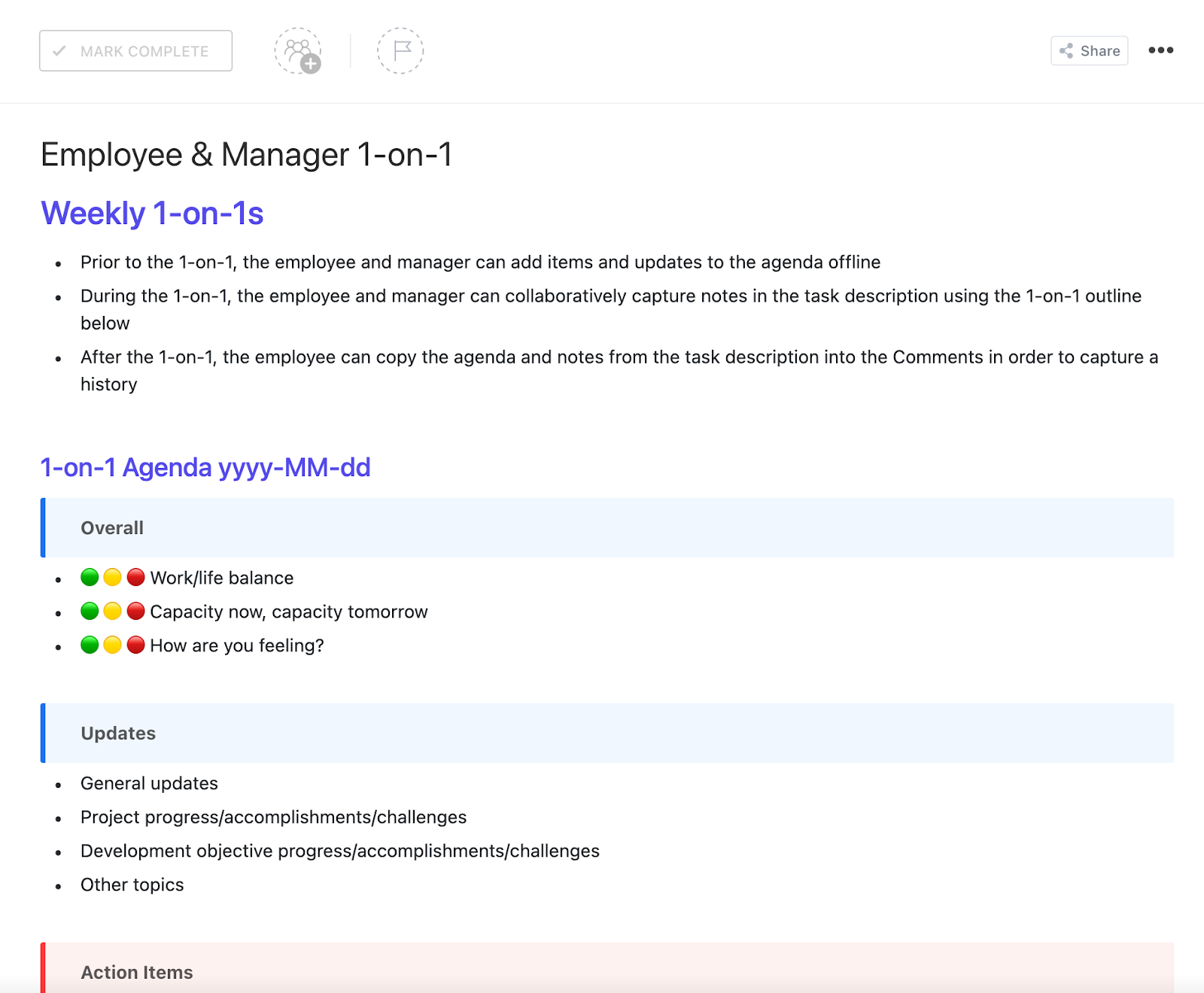
The ClickUp Employee & Manager 1-on-1 Template is designed to make one-on-one meetings between managers and employees more structured, productive, and meaningful. It helps managers and employees focus on key topics like career growth, project updates, challenges, and feedback.
The template makes it easy to document discussion points, discuss progress, and revisit previous conversations to ensure commitments are followed.
Ideal for: Teams that want a structured, actionable approach to employee-manager one-on-one meetings without losing flexibility or personalization.
With ClickUp, we reduced the time it takes to dispatch tasks and execute them from a couple of days to a couple of hours. Now people know which tasks are pending for their onboarding and what they have to do—which is a nightmare to try to organize by email. Managers are one click away, thanks to templates, from creating onboarding boards for each new joiner. Game changer.
📮 ClickUp Insight: 37% of workers send follow-up notes or meeting minutes to track action items, but 36% still rely on other, fragmented methods. Without a unified system for capturing decisions, key insights you need may get buried in chats, emails, or spreadsheets.
With ClickUp, you can instantly turn conversations into actionable tasks across all your tasks, chats, and docs—ensuring nothing falls through the cracks.
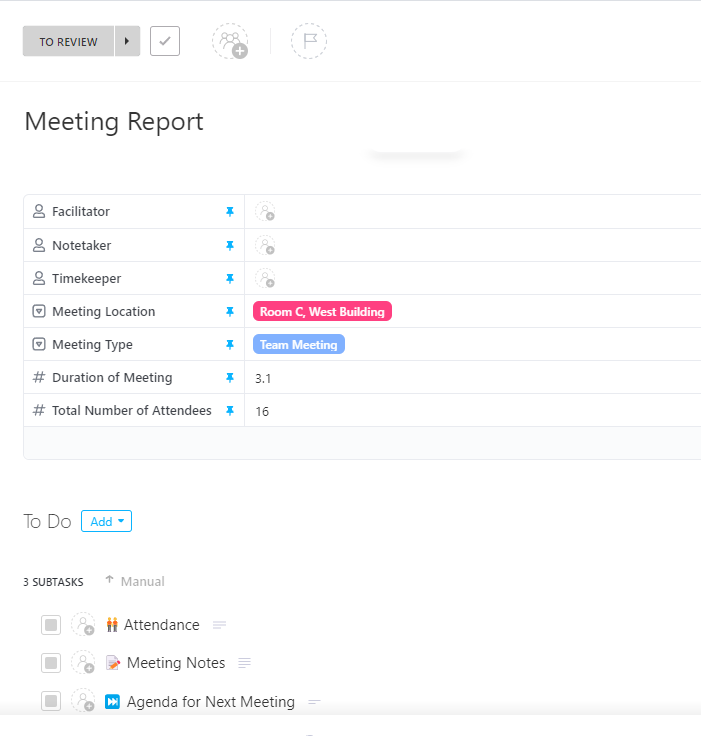
The ClickUp Meeting Report Template helps managers communicate and document meeting outcomes effectively, ensuring everyone is informed and aligned. This ready-to-use, fully customizable task template simplifies closing the feedback loop with customers, team members, and leadership.
The structured format guides users through recording essential meeting details such as objectives, key discussion points, decisions made, and action items. The template’s flexibility ensures that it remains a valuable tool for different types of meetings.
Ideal for: Managers requiring a structured and customizable solution to document meeting outcomes and enable clear communication across all levels of the organization.
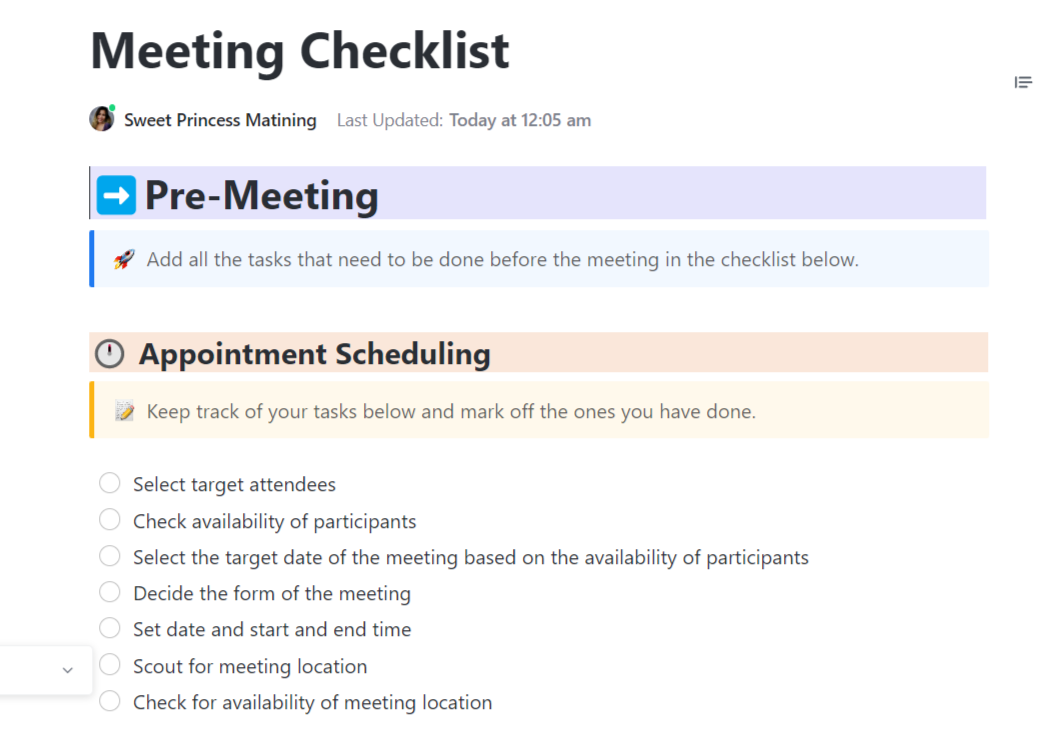
The ClickUp Meeting Checklist Template transforms unproductive meetings into organized and efficient sessions. The comprehensive agenda creation guides you in outlining all important topics to be discussed, ensuring that meetings stay focused and on track.
The template enables effective agenda-setting, note-taking, and action item assignment. Whether conducting a weekly team check-in or a quarterly performance review, this handy tool will keep you organized and focused on what truly matters.
Ideal for: Professionals and teams needing a structured, all-in-one solution to plan, execute, and follow up on meetings.
🌻 Imagine if you had a tool that transcribes your meetings perfectly, summarizes them, pulls out relevant action items, and the people accountable for them. That’s exactly what ClickUp AI Notetaker does.
Watch it in action here:
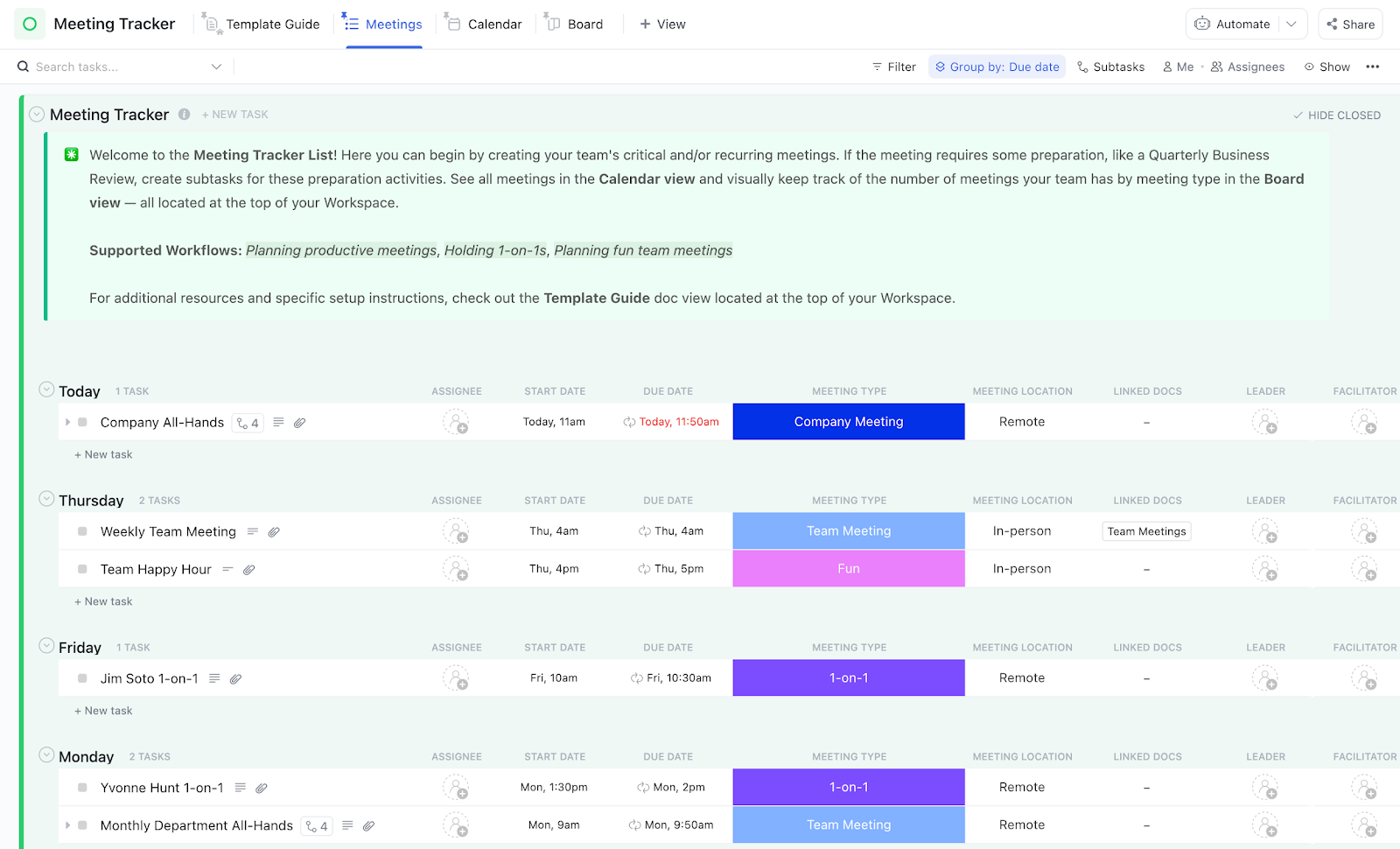
The ClickUp Meeting Tracker Template helps teams organize and monitor productive meetings. It provides a centralized platform for preparing agendas, documenting discussions, and tracking action items.
By integrating this template into your workflow, teams can enhance meeting efficiency and ensure accountability. In addition, update statuses as meetings progress to keep stakeholders informed, then monitor and analyze them to ensure maximum productivity.
Ideal for: Teams seeking a structured, customizable solution to manage and track meetings effectively.
Here’s what Philip Storry, Senior System Administrator at SYZYGY, thinks about using ClickUp templates:
Coordination at SYZYGY improved across the board. The best example is our new starters process, which requires coordination between four departments – HR, Finance, IT, and Facilities. Using a template and a form has allowed us to quickly capture the details of a new starter joining our organization and then create a task with subtasks assigned to each department for the work required.
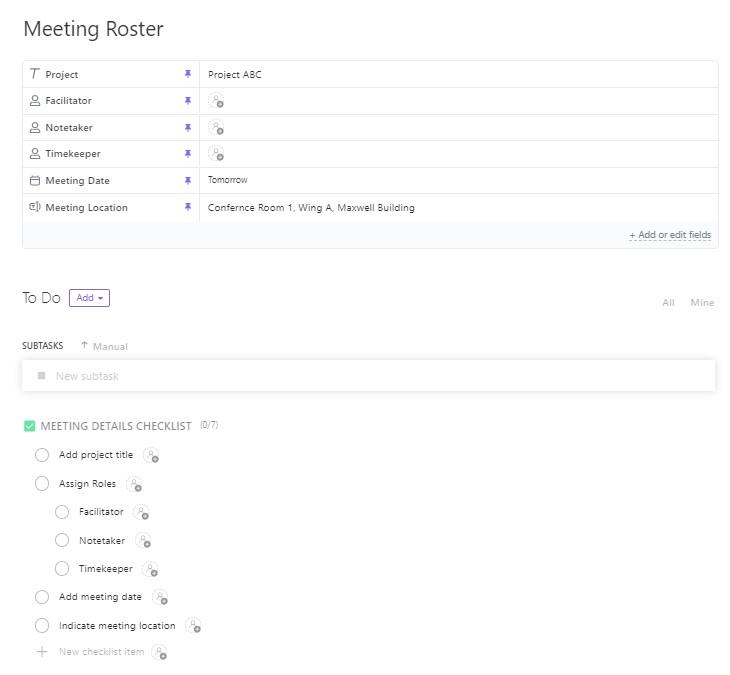
The ClickUp Meeting Roster Template simplifies tracking meeting attendance and organizing agenda items. The ability to record attendance by date, time, and meeting category allows teams to maintain accurate records of who attended each meeting.
The template also promotes transparency by allowing attendance data to be easily shared with meeting attendees and non-attendees. This ensures everyone stays informed about participation levels and can access meeting details as needed.
Ideal for: Teams seeking an efficient way to manage meeting attendance and keep discussions on track.
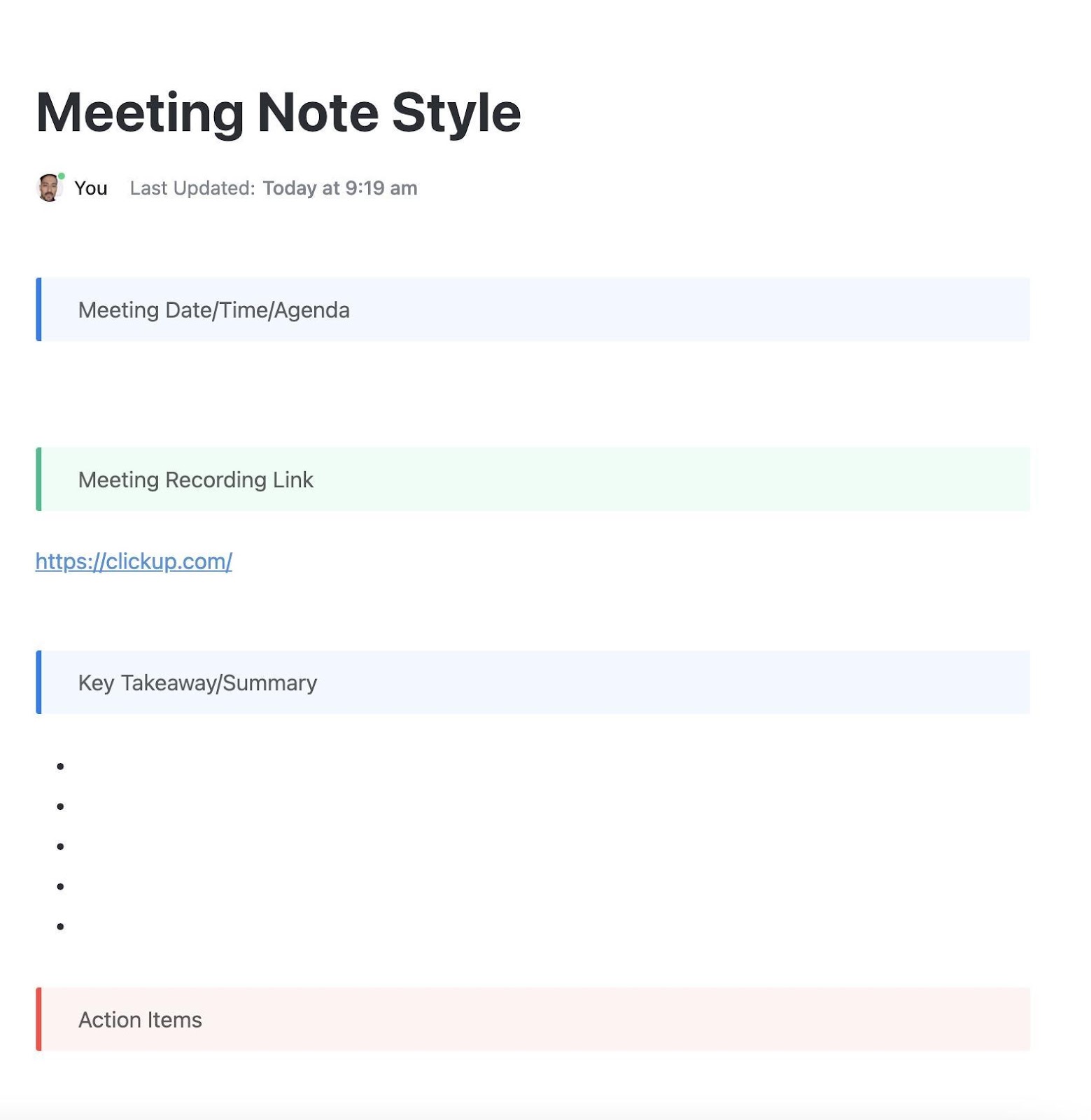
The ClickUp Meeting Note Style Template provides a consistent framework for organizing meeting discussions, ensuring that key takeaways, decisions, and action items are documented efficiently. It includes sections for meeting objectives, attendee lists, agenda items, discussion points, and action items. This organized layout helps users focus on essential information.
Assign tasks directly from the meeting notes, set due dates, and monitor the status of action items within ClickUp. The collaborative nature of the template allows multiple team members to contribute in real-time, promoting collective ownership of meeting outcomes.
Ideal for: Teams looking for a structured and collaborative approach to documenting meetings and managing follow-up tasks.
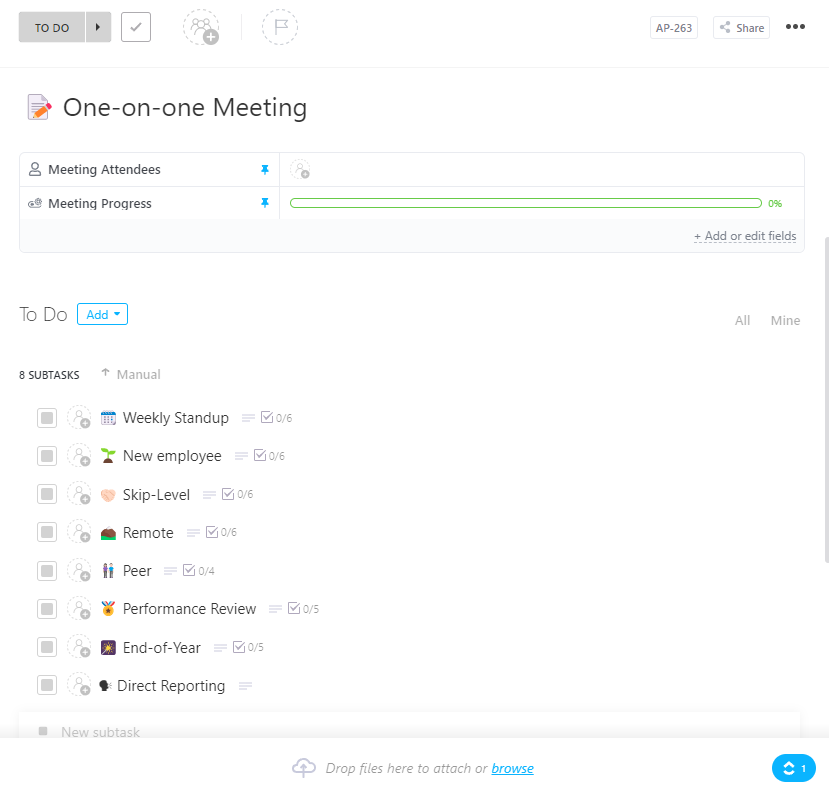
The ClickUp One-on-One Meeting Template enhances the productivity of individual meetings between managers and team members. Its versatility in catering to various meeting purposes allows it to provide customizable agendas to suit different objectives.
The template’s structured format includes predefined sections for setting meeting objectives, noting discussion points, and outlining actionable items. By documenting key takeaways and assigning responsibilities within the template, teams effectively enhance accountability and track progress.
Ideal for: Managers and team members requiring a structured and adaptable solution to conduct one-on-one meetings.
➡️ Also Read: How to Prepare for a Meeting in 5 Steps
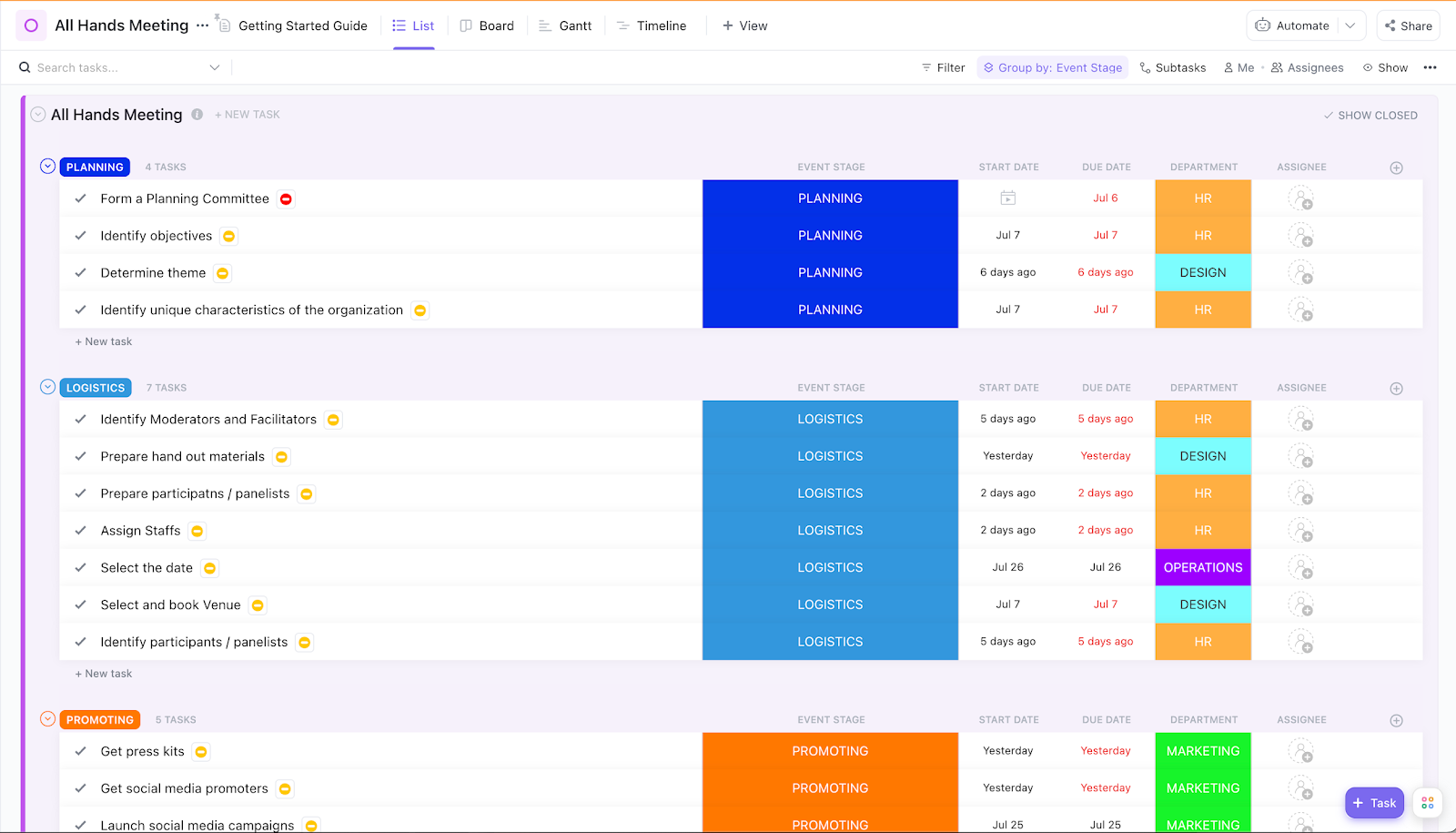
The ClickUp All Hands Meeting Template helps teams plan, organize, and execute effective all-hands meetings. It includes predefined sections for setting the meeting agenda, tracking key decisions, and assigning action items. Enhance meeting efficiency, maintain an official record of important discussions, and ensure that all action items are tracked by incorporating this template into your routine.
Additionally, the template offers multiple views, such as List, Board, Timeline, and Gantt, providing flexibility in how information is presented and managed. The template integrates with ClickUp, allowing users to assign tasks directly from the meeting agenda, set due dates, and monitor progress.
Ideal for: Teams looking for a structured and collaborative approach to conducting all-hands meetings.
🧠 Fun Fact: The London School of Economics estimated that unproductive meetings cost US companies more than $250 billion annually.
Selecting the right meeting recap template depends on your workflow, team structure, and the level of detail you need to capture. If you’re looking for a simple yet effective way to document meeting discussions, the ClickUp Meeting Notes Template is a great starting point.
For recurring meetings that require tracking ongoing action items, note-taking apps and ready-made templates ensure continuity and accountability.
Do you need a more structured approach to tracking attendance and participation? The ClickUp Meeting Roster Template has you covered.
Plus, ClickUp’s AI-powered platform is ideal for those who want to turn meetings into actionable outcomes with automated task assignments and follow-ups. Its real-time collaboration and updates, deep integration with project management, and AI tools for meeting notes transform how teams handle meetings from start to finish.
Sign up for free today to experience how ClickUp helps your team run more effective and productive meetings.

Praburam Srinivasan
Max 27min read

PMO Team
Max 9min read
Praburam Srinivasan
Max 16min read

© 2026 ClickUp