


Knowledge management makes the world go round. When you manage your own projects, you need notes and outlining tools to keep your thoughts in order. This is especially key when you work with a team since robust note-taking capabilities help keep everyone on the same page within and across projects.
This is where Logseq comes in for many individual and business users. If Logseq doesn’t match your thought processes or business operations, it’s time to explore the best Logseq alternatives in 2024. This article lists ten high-performance Logseq alternatives to choose from.
10 Best Logseq Alternatives & Competitors in 2024

 Summarize this article for me please
What is Logseq?
Logseq is an open-source knowledge management platform that helps users take and store notes, house different types of information, and organize that information.
The platform integrates with various plugins so that it can fit in with your work processes or company tech stack, and it works well as both a task management tool and a knowledge management tool.
Users love Logseq because it’s free and prioritizes user privacy. However, Logseq has serious limitations. There’s no mobile app, so users who need to make notes on the go are out of luck. Users also can’t collaborate in Logseq, making it a hard tool to work with if you need to share ideas with a team or build an organization-wide knowledge resource.
While its open-source construction approach made it popular in the knowledge management space, today’s Logseq alternatives offer much more in terms of collaborative tools, mobile use cases, and ease of use.
Summarize this article for me pleaseWhat Should You Look for in Logseq Alternatives?
Logseq has numerous strengths you won’t want to miss out on, so look for Logseq alternatives that offer those same capabilities. At the same time, you’ll want to address the platform’s core weaknesses, such as its well-known performance problems and limited collaboration and mobile functionality. Prioritize these must-have features as you shop around for a replacement note-taking or knowledge-management app:
- Ease of use: Above all else, choose a note-taking app that’s easy to use. A simple interface, versatile tools for different ways of ideating, and simple organization structures are key
- Task management: Professional and personal users work best when they can jot down their to-dos. Look for software that lets you turn bullet points into tasks
- Artificial intelligence (AI) capabilities: AI strengthens note-taking by helping you brainstorm, creating intuitive structures, and recommending connections. Explore how different tools use AI to enhance knowledge management
- Writing options: If you like writing down thoughts, opt for note-taking tools that can effortlessly—and accurately—translate handwriting to text
- Collaboration capabilities: Switch to note-taking tools that facilitate group work, communication, and shared ideas. The last thing you want is for your knowledge to sit in an isolated program
Summarize this article for me pleaseThe 10 Best Logseq Alternatives to Use
Moving your notes and processes from one program to another is a major undertaking. We’ve outlined the strengths and weaknesses of some of the most popular Logseq alternatives so you can pick your favorite and only make that move once.
1. ClickUp
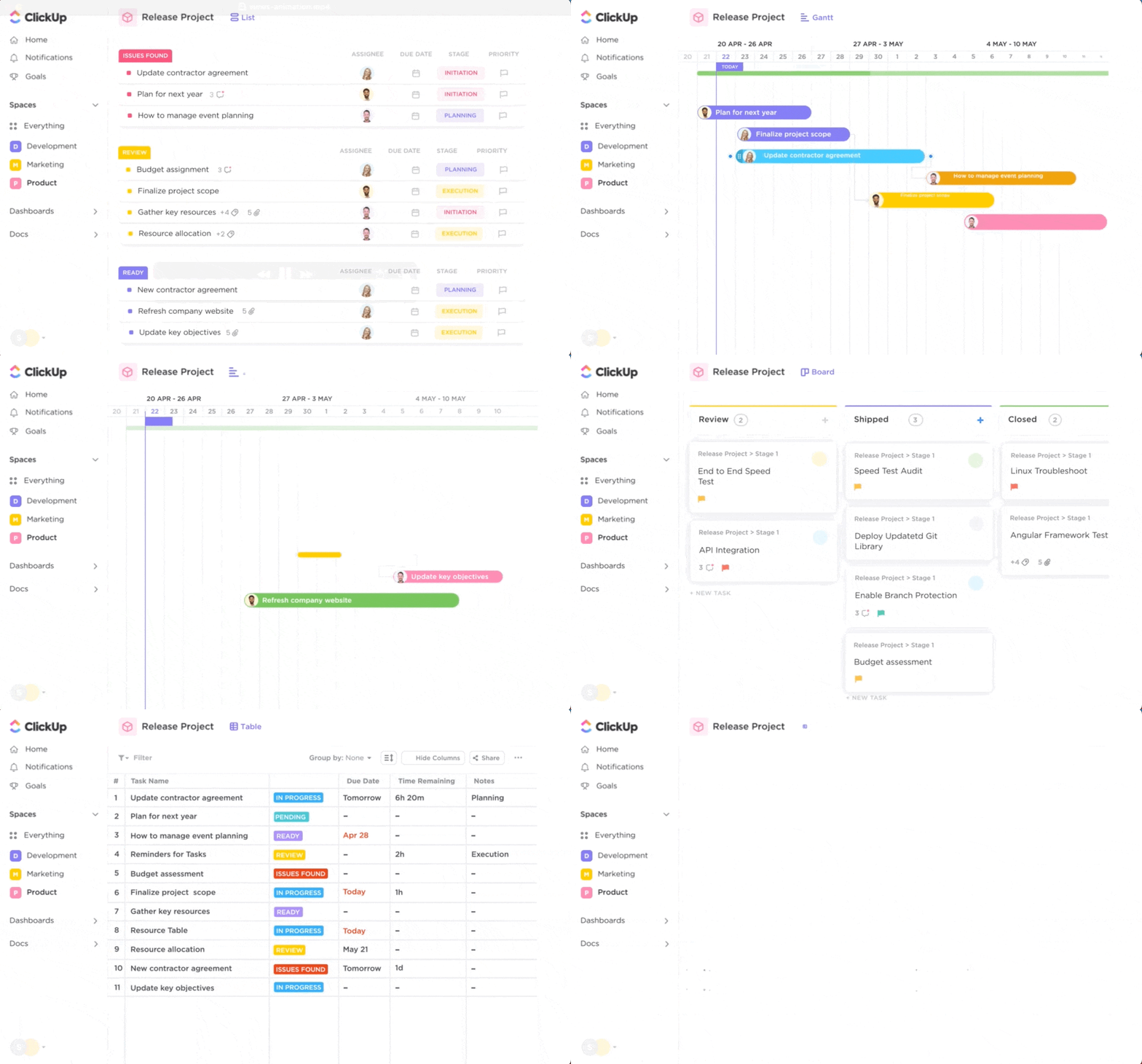
ClickUp is an all-in-one knowledge, task, and project management platform. You can take notes using note-taking templates, reorganize your notes into cohesive outlines and plans, and share your ideas with others.
It starts with ClickUp Docs, where you can build documents and wikis with nested pages. You can also build brief roadmaps, dive deep into specialized knowledge, and craft products from your accumulated knowledge.
For ideating, intuitive AI tools speed up the process of getting thoughts on paper. Then, refine and shuffle the notes into a robust knowledge center with ClickUp’s knowledge base software and templates to organize your ideas.
ClickUp’s task management tools enable you to turn your ideas into action. You can create to-do boards, transform them into Gantt charts with a single click, and assign tasks to yourself or your teammates. You can also stay on top of workflow management with easy timelines, comments, and time-logging tools as you work.
Whether you’re a writer, marketer, or manager, intuitive knowledge management software makes communicating ideas and completing tasks easier. Instead of simply storing knowledge, ClickUp lets you transform it into a valuable resource for future projects and workflows.
ClickUp best features
- Dozens of different templates and views to organize your thoughts, link notes, and build your knowledge base or wikis in just a few clicks
- AI-powered note-taking and task management functionalities for more productive creation
- Collaborative tools to share comments, tag management documents, and assign writing related tasks
- Thousands of integrations to make the most of your knowledge base
ClickUp limitations
- Multiple features and controls create a learning curve for new users
- Some views are not yet accessible on the mobile app
ClickUp pricing
- Free Forever
- Unlimited: $7/month per user
- Business: $12/month per user
- Enterprise: Contact for pricing
- ClickUp AI is available for purchase on all paid plans at the price of $5 per Workspace member and internal guest per month
ClickUp ratings and reviews
- G2: 4.7/5 (2,000+ reviews)
- Capterra: 4.7/5 (2,000+ reviews)
2. Obsidian
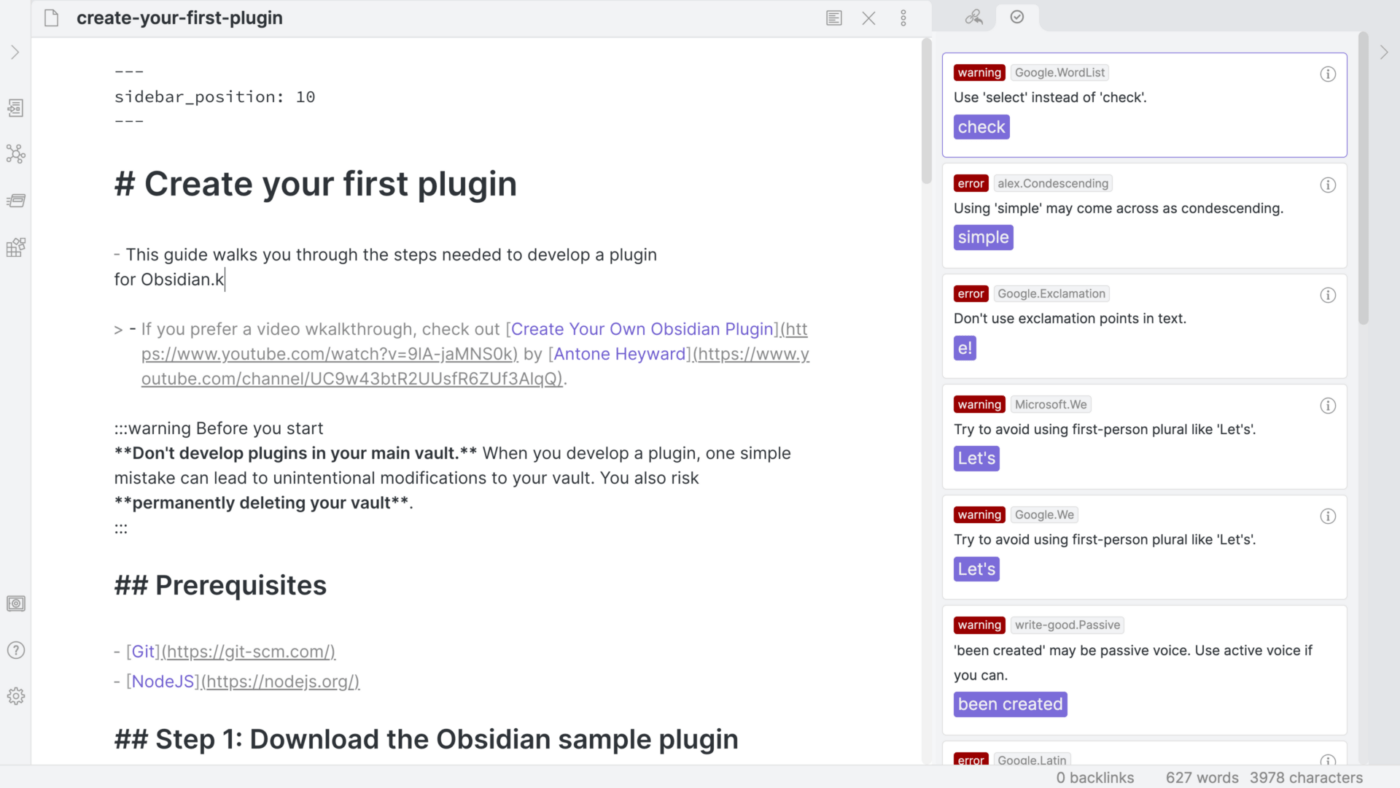
Obsidian is a robust note-taking app with versatile knowledge management and organization features. The app supports some plugins and has various user interface (UI) themes to choose from.
Users can interconnect their notes into a web of ideas, facts, and processes for bi-directional thinking and easy knowledge across applications. Obsidian is a popular tool well-known as a second-brain app, with a Discord community of over 50,000 members who are happy to discuss different strategies and applications.
Obsidian best features
- Markdown support
- External syncing for backup and control
- A wide range of officially produced and community-made plugins to create notes
Obsidian limitations
- The learning curve can be steep
- The app shares many of the limitations as other markdown writing apps
Obsidian pricing
- Personal: Free
- Commercial: $50/year per user license
Obsidian ratings and reviews
- G2: N/A
- Capterra: 4.6/5 (21 reviews)
3. Notion
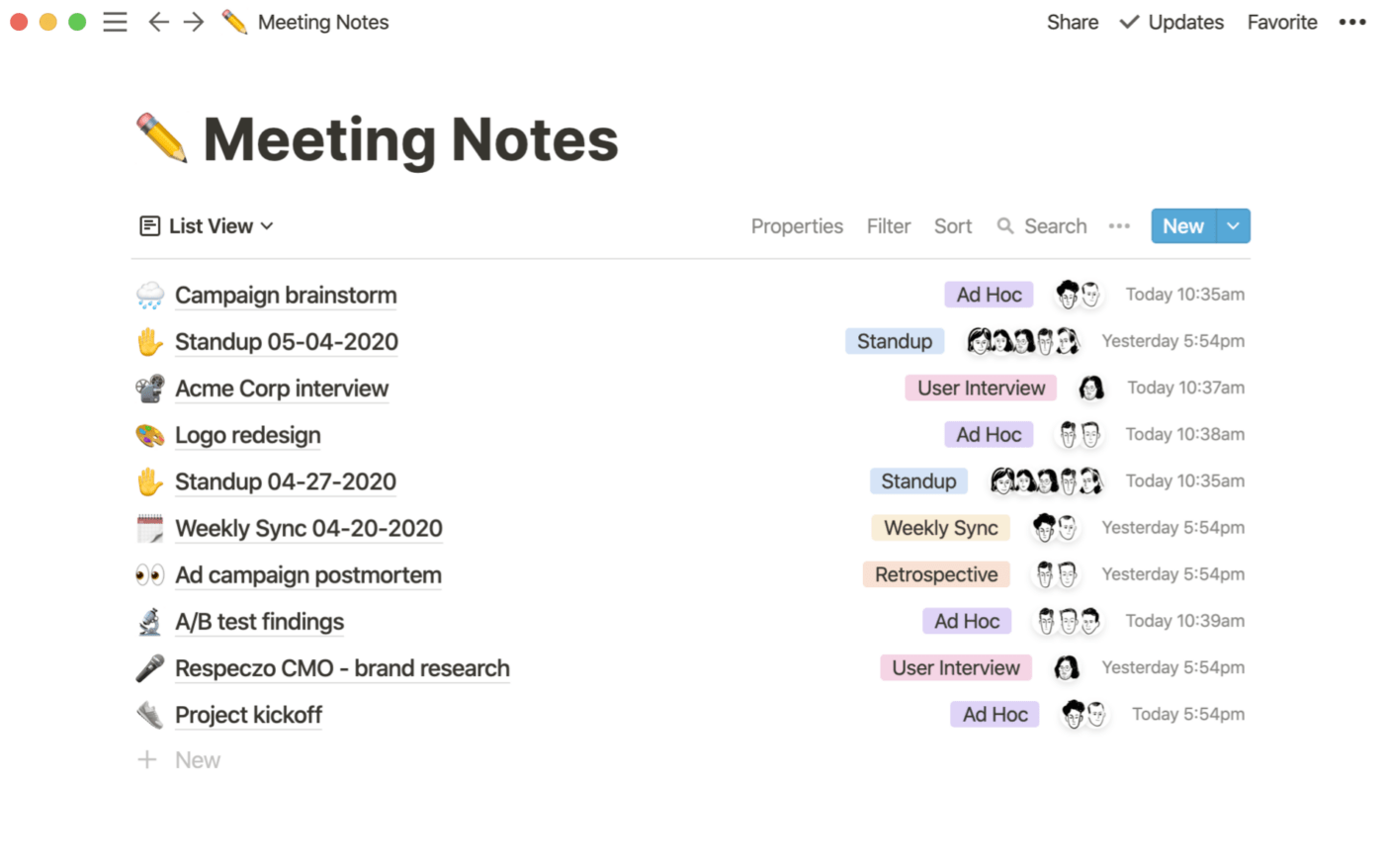
Notion is a popular second-brain app because of its versatile, free-form design options. The app’s organizational schema comprises databases or nested fields and blocks of information. Users can change database views, use them in different contexts, and bi-directionally link any field or detail.
Notion offers thousands of templates for different use cases and ways of thinking and can house different types of media, including text, videos, and to-dos.
Notion best features
- A simple but powerful UI
- Bi-directional backlinking for easy building and searching
- Notion AI, a powerful writing assistant
Notion limitations
- No-code construction creates a very steep learning curve
- The app can be overwhelming for beginners
Notion pricing
- Free
- Plus: $8/month per user
- Business: $15/month per user
- Enterprise: Contact for pricing
Notion ratings and reviews
- G2: 4.7/5 (4,800+ reviews)
- Capterra: 4.7/5 (1,900+ reviews)
4. Standard Notes
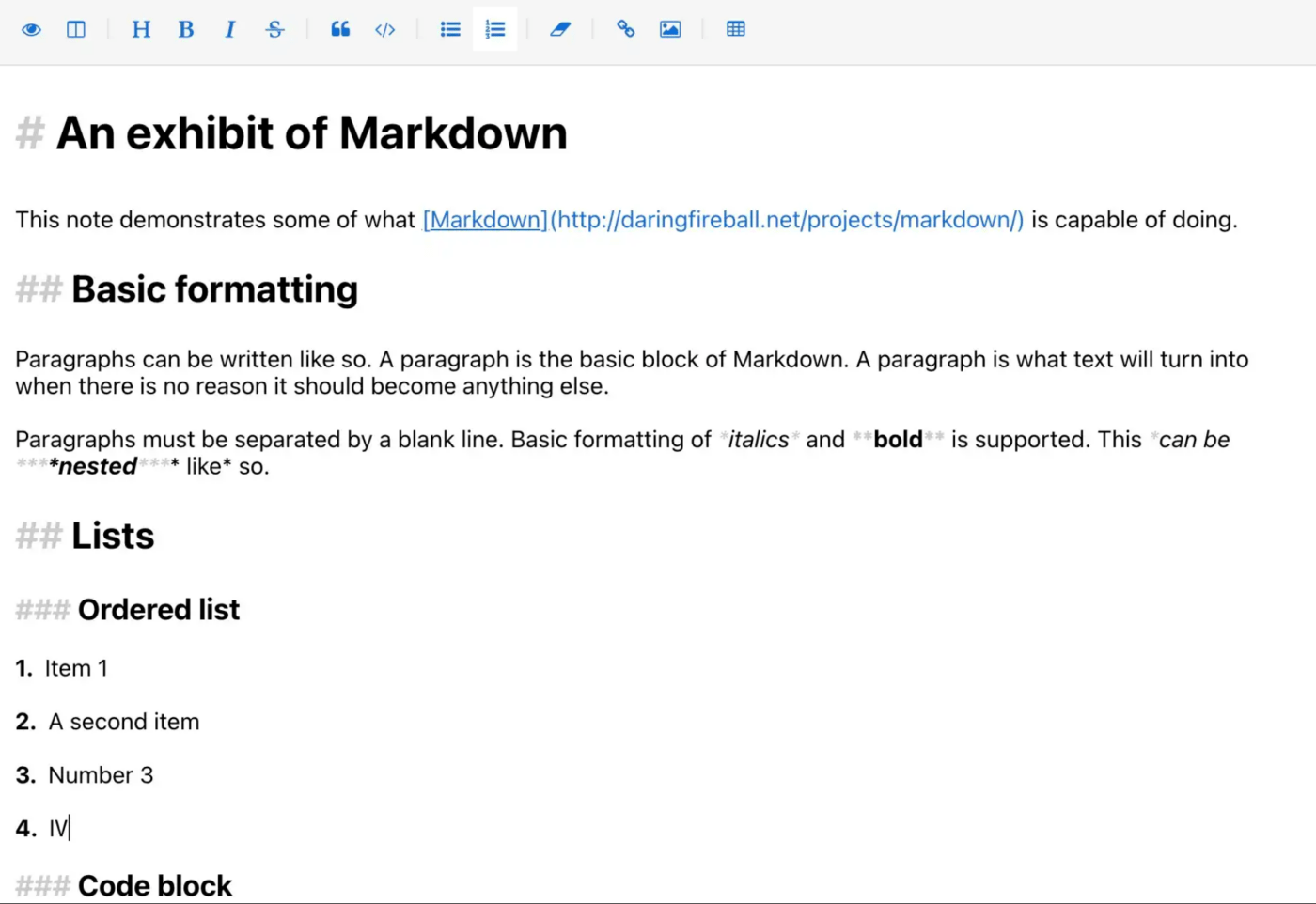
Standard Notes is an open-source note-taking application. Like Logseq, the app prioritizes privacy and uses comprehensive encryption and two-factor authentication. Users can create feature-rich notes and plaintext markdown files, access their notes offline, and export their data. Different plans offer more robust note-taking formats and capabilities.
Standard Notes best features
- XChaCha20-Poly1305 encryption to protect sensitive notes
- Real-time syncing across multiple devices to manage projects
- The option to back up notes in plain text files
- Tagging, starring, and pinning features in the free plan
Standard Notes limitations
- Some note-taking features are only available in the paid plans
- Navigating around the interface takes many clicks
Standard Notes pricing
- Standard: Free
- Productivity: $90/year
- Professional: $120/year
Standard Notes ratings and reviews:
- G2: 3.9/5 (12 reviews)
- Capterra: 4.6/5 (11 reviews)
5. Roam
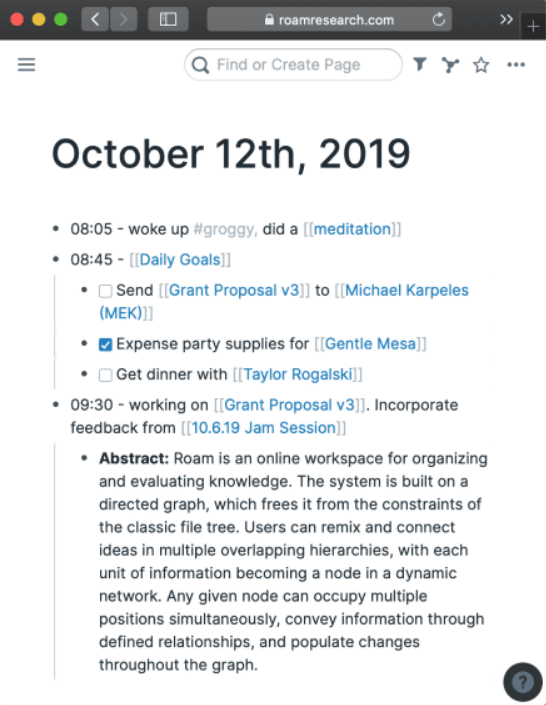
Roam Research is a second-brain application that bi-directionally links information for easy searching and organizing.
The app includes Markdown support, like many Logseq alternatives, and Markdown notes have similar tools and functions. Roam operates primarily as a personal knowledge base rather than a tool for teams or organizations. Users can customize their themes and add tasks to their notes, and the cloud stores the information.
Roam best features
- Easy bi-directional links for interconnected thoughts and ideas
- Hierarchy-based note organization for easy reorganizing and remixing
- A very simple interface
Roam limitations
- The collaboration capabilities are minimal
- The integration options are limited
- The support plan is expensive and requires a five-year commitment
Roam pricing
- Pro: $15/month or $165/year
- Believer: $500/5 years
Roam ratings and reviews
- G2: N/A
- Capterra: 4.4/5 (17 reviews)
6. Evernote
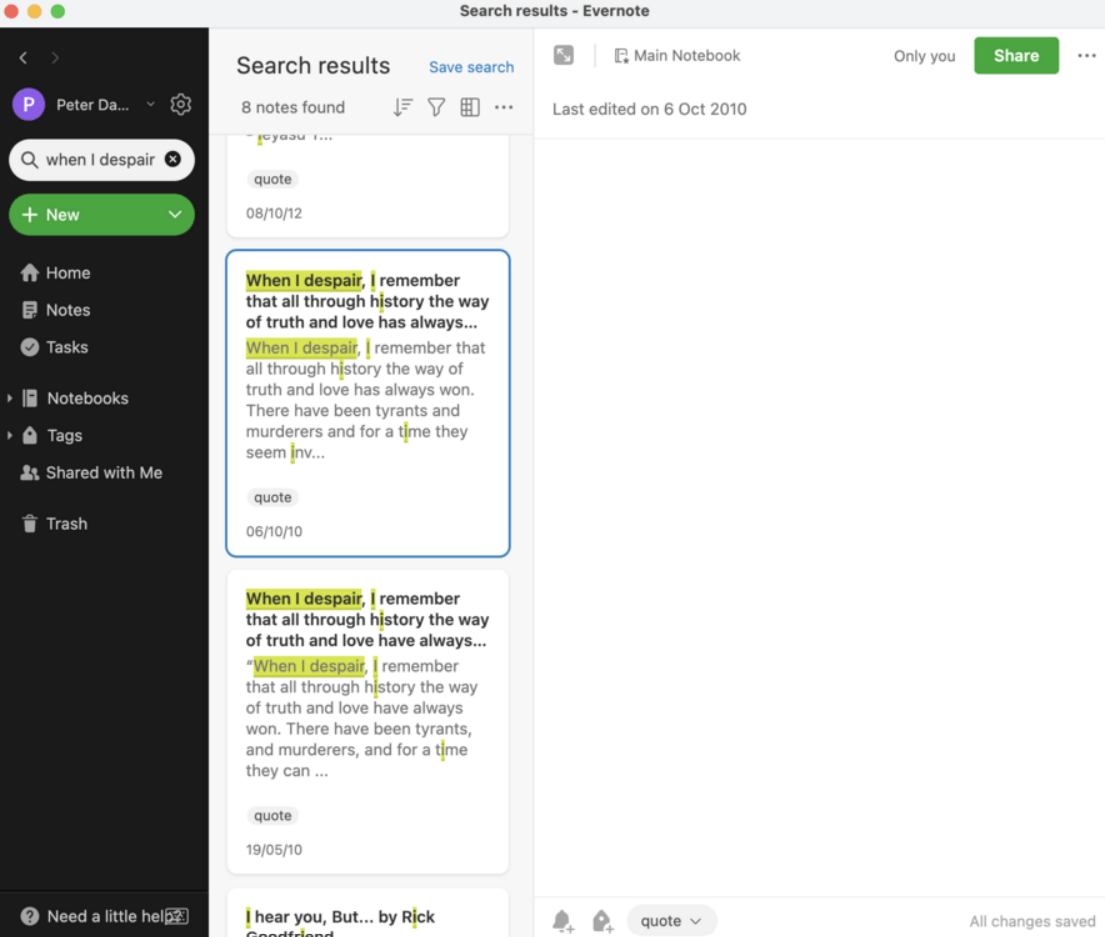
Evernote is a popular note-taking app that lets users save text-based notes, images, and other media. This freeform application includes handwriting features, notebook-style organization, and web-clipping tools for saving and organizing information.
Evernote has been a popular note-taking app for years, especially for personal users. You can build to-do lists, projects, and idea boards and even record audio notes. The app is easy to search through, and its search tool can recognize words in images, attachments, and handwriting to consolidate relevant information easily.
Evernote best features
- The option to store and find information in images, text, audio notes, handwriting, and more
- Offline accessibility
- An easy-to-use for taking digital notes and keeping notes organized
- The ability to use as your own text editor tool and to-do application
Evernote limitations
- Sharing notes outside Evernote is complicated
- The app has fewer features than comparable tools, especially in the free version
Evernote pricing
- Free
- Personal: $14.99/month
- Professional: $17.99/month
- Evernote Teams: $24.99/user/month
Evernote ratings and reviews
- G2: 4.4/5 (2,000+ reviews)
- Capterra: 4.4/5 (8,100+ reviews)
7. Workflowy
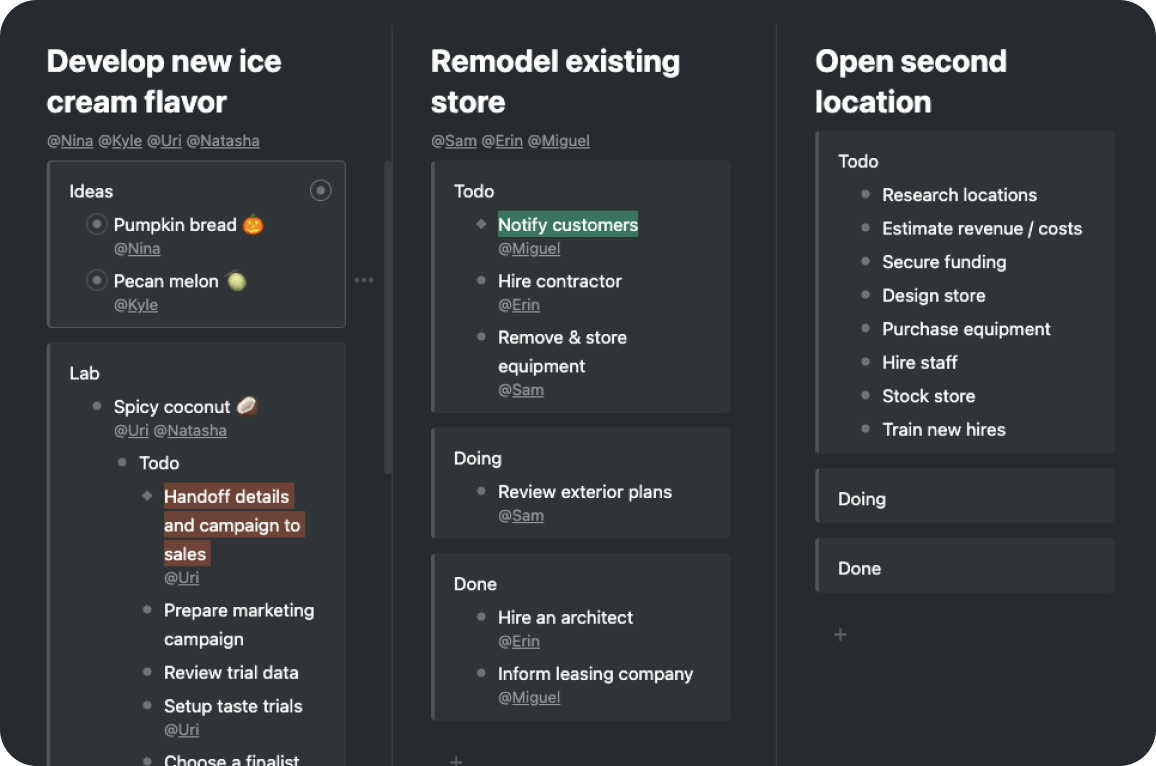
Workflowy is a popular project management tool for teams and businesses that must share and act on ideas. You can store information in outlines and tree-shaped structures, and the tool can house unlimited nested lists in its paid plans and has easy-to-use highlighting, filtering, and searching functions. Users can also export backups to Dropbox and access Workflowy across Windows, Mac, and Linux systems.
Workflowy best features
- Easy outline building and nesting tools for efficient note-taking
- The option to use Workflowy as a no-frills task management tool
- Collaboration tools that are part of the software
- A minimalist interface for distraction-free work
Workflowy limitations
- Moving notes to a new position can be difficult
- The formatting and design options are limited
- Referrals are necessary to circumvent the monthly bullet limit
Workflowy pricing
- Basic: Free
- Workflowy Pro: $4.99/month
Workflowy ratings and reviews
- G2: 4.4/5 (22 reviews)
- Capterra: 4.7/5 (12 reviews)
8. Joplin
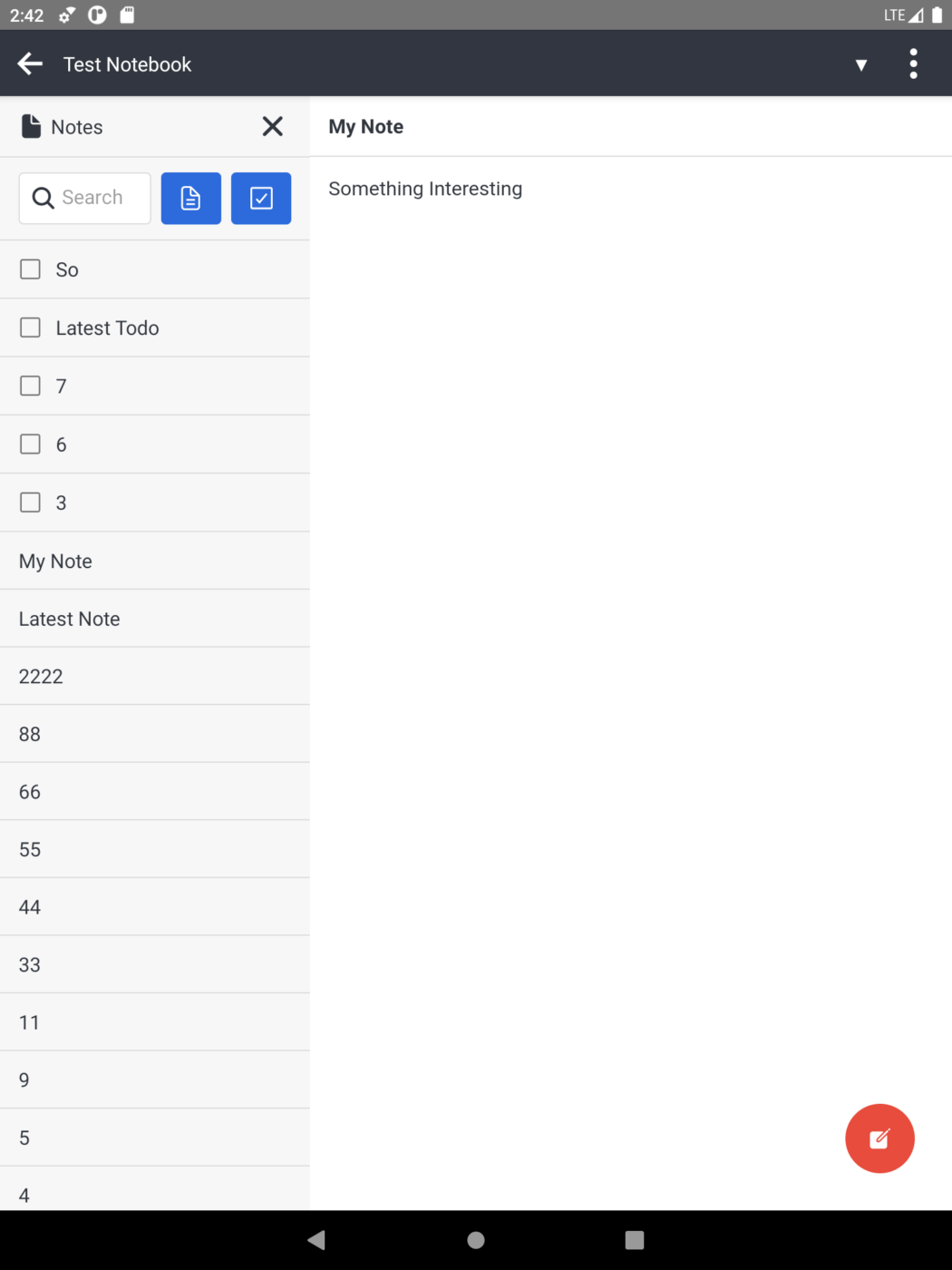
Joplin is a simple note-taking app that’s easy for beginners and offers more complex features for experienced digital note-takers. The open-source program is compatible with dozens of plugins for easy note-sharing and integration across different tools, has an active community, and offers end-to-end encryption for very secure notes.
Joplin best features
- Robust note security
- Easy Microsoft OneNote and Evernote importation into Joplin
- Collaborative note-sharing tools
- Web-clipping tools for easy note-taking
- A distraction-free writing environment
Joplin limitations
- The free plan’s size limits are restrictive
- The app has fewer features than other note-taking tools
Joplin pricing
- Basic: €2.99/month
- Pro: €5.99/month
- Teams: €7.99/month
Joplin ratings and reviews
- G2: N/A
- Capterra: N/A
9. Supernotes
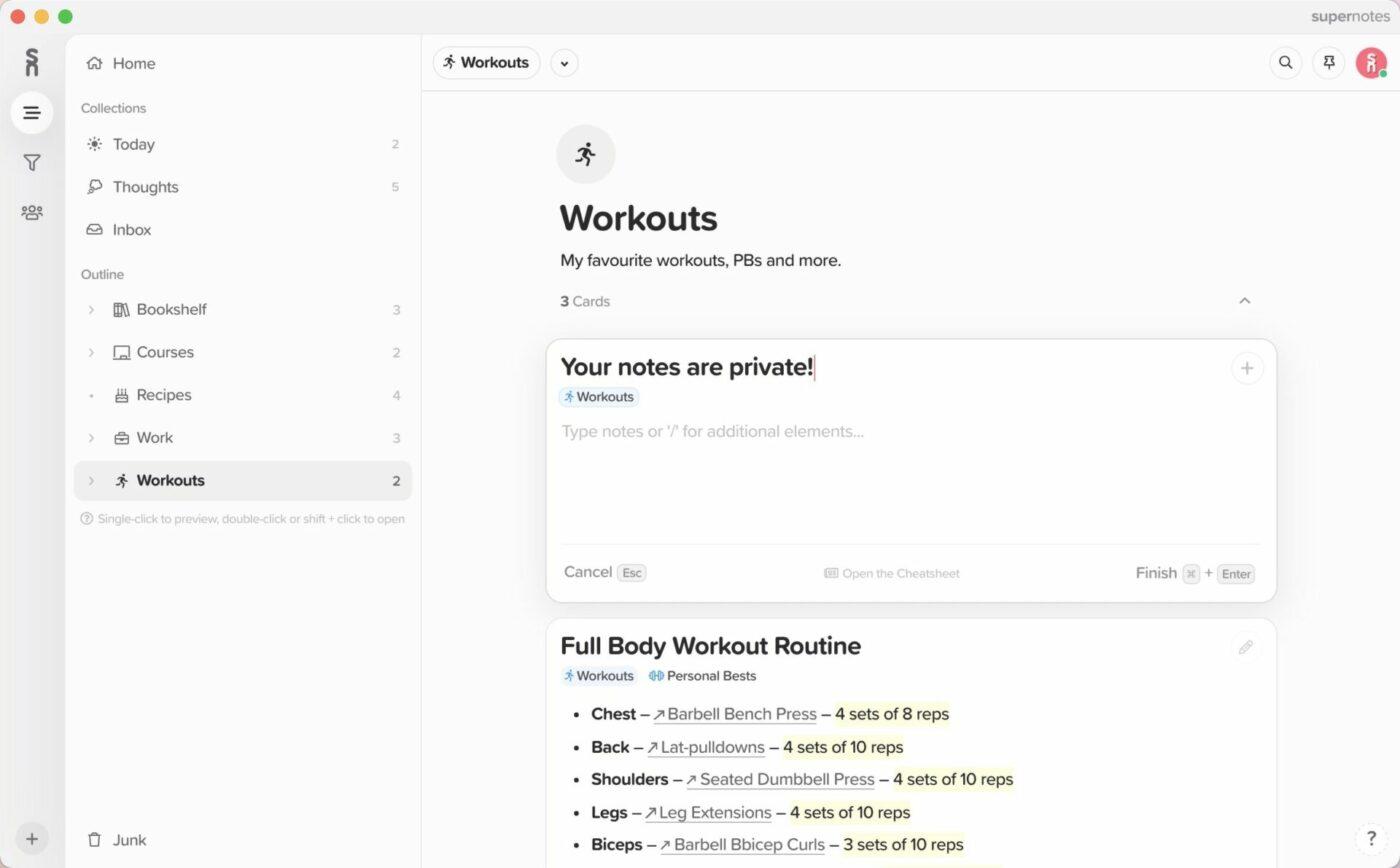
Supernotes is a unique note-taking application that stores notes as simple notecards instead of files or folders for reviewing and organizing information. The interface is user friendly, and reorganizing and tagging cards for different projects or exam preparation notes is easy.
Users can share cards, invite other users into their notecards, and work with their notes offline. The app includes features unavailable with other tools, such as a heatmap calendar to track work habits, a Thoughts collection for rushed notes on the go, and visual bi-directional linking. Supernotes is great for users who don’t like other popular note-taking tools.
Supernotes best features
- Multiple organizational tools and formats, such as multi-parent nesting, calendars, and broadsheet note views
- Multi-device syncing and offline access
- Easy-to-use task management tools
Supernotes limitations
- The development and feature release schedules are slow
- The free version only allows 100 cards
Supernotes pricing
- Starter: Free
- Unlimited: £8/month
Supernotes ratings and reviews
- G2: No reviews
- Capterra: N/A
10. Foam
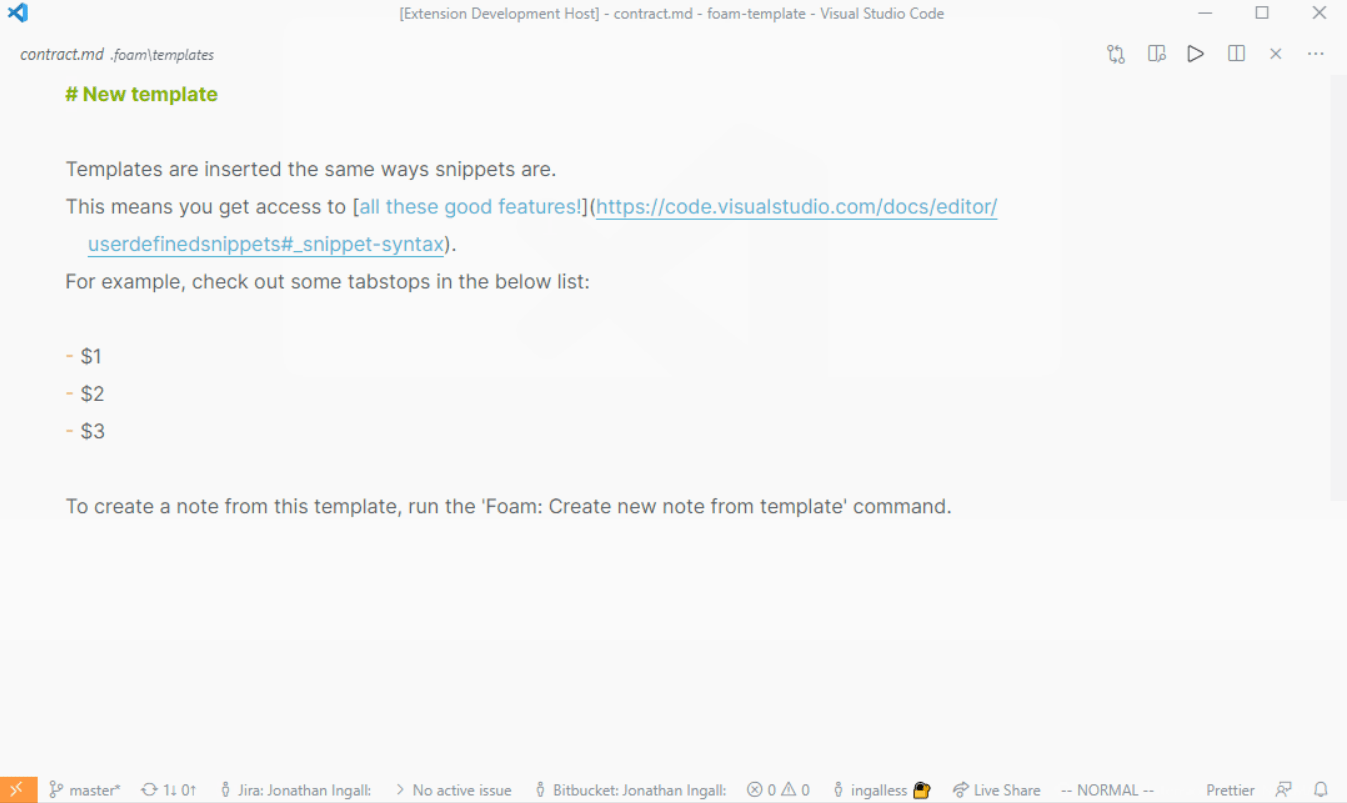
Foam is a free, open-source personal knowledge management application that uses Visual Studio and GitHub to publish notes. Users can create a Foam workspace and develop a series of Markdown documents that each cover a single topic.
The platform includes graph visualizations for backlinking and connecting topics. Roam Research inspired Foam, so expect to see some similarities. You can share content, access it on different devices, and post it on GitHub Pages.
Foam best features
- Notes that connect to create a second-brain-style organization schema
- The ability to auto-complete notes with Wikilinks
- Collaboration tools
Foam limitations
- Foam requires a GitHub account and familiarity with the platform
- The app is not user friendly for personal and professional users seeking a simple interface
Foam pricing
- Free and in development
Foam ratings and reviews
- G2: N/A
- Capterra: N/A
Summarize this article for me pleaseCreate Better Notes, Outlines, and Knowledge Bases in ClickUp
Don’t rely on your brain only—build a second brain with feature-rich note-taking and knowledge management applications. Today’s note-taking apps are versatile, so you can write notes, store information, and recall details in any way that suits your thought processes.
And with ClickUp, you can do more than put pen to paper. Start brainstorming with templates and AI tools, reconstruct your notes with cards and bi-directional linking, and keep your organization’s knowledge in a living database that everyone can use. Transform your notes into tasks, project ideas, and content with a free ClickUp account today, and see where your thoughts take you.


Everything you need to stay organized and get work done.

Recent Articles
How to Create a Fillable Form in Microsoft Word (With Templates) 
How to Create a Fillable Form in Microsoft Word (With Templates)
7 Best Perplexity AI Alternatives I Tested for Work in 2026 
7 Best Perplexity AI Alternatives I Tested for Work in 2026
Notion vs. Google Docs: Which One Actually Helps You Write in 2026?
Notion vs. Google Docs: Which One Actually Helps You Write in 2026?
