

Sorry, there were no results found for “”
Sorry, there were no results found for “”
Sorry, there were no results found for “”
Hugging Face has built an impressive ecosystem for ML developers, from its massive model hub to seamless deployment tools.
But sometimes your project calls for something different. Maybe you need specialized infrastructure, enterprise-grade security, or custom workflows that other Hugging Face alternatives handle better.
Whether you’re building chatbots, fine-tuning LLMs, or running NLP pipelines that would make your data scientist cry tears of joy, there are a bunch of platforms out there ready to swipe right on your AI needs.
In this blog, we’ve rounded up the top alternatives to Hugging Face, from powerhouse cloud APIs to open-source toolkits and end-to-end AI workflow platforms.
Here are the top Hugging Face alternatives compared. 📄
| Tool | Best for | Best features | Pricing* |
| ClickUp | Bringing AI directly into your day-to-day work management—from tasks to docs and automation Team size: Ideal for individuals, startups, and enterprises | AI Notetaker, Autopilot Agents, Brain MAX, Enterprise AI Search, image generation on Whiteboards, Claude/ChatGPT/Gemini access, automation via natural language | Free forever, customizations available for enterprises |
| OpenAI | Building with advanced language models and APIs for text, images, and embeddings Team size: Ideal for AI developers and startups building with LLMs | Fine-tuning, PDF/image processing, semantic file analysis, cost dashboards, temperature/system prompts | Usage-based |
| Anthropic Claude | Creating context-rich, safer conversations and thoughtful LLM responses Team size: Ideal for teams needing safety, long context, and ethical reasoning | Real-time web search, structured output generation (JSON/XML), high-context memory, math/statistics support | Usage-based |
| Cohere | Designing multilingual and secure NLP solutions at enterprise scale Team size: Ideal for compliance-driven teams with multilingual NLP needs | Fine-tuning on private data, 100+ language support, analytics dashboards, scalable inference, SSO/SAML/RBAC integration | Starts at $0.0375/1M tokens (Command R7B); custom pricing |
| Replicate | Exploring and running open-source models without worrying about setup or servers Team size: Ideal for devs testing AI models or building MVPs | Forkable models, version control with A/B testing, batch prediction, and webhook support | Pay-per-use; pricing differs per model |
| TensorFlow | Building fully custom machine learning systems with maximum control Team size: Ideal for ML engineers needing full model control | TensorBoard monitoring, ONNX/SavedModel conversion, custom loss functions, mixed precision training | Free (open-source); compute usage billed separately |
| Azure Machine Learning | Connecting ML models to the Microsoft ecosystem with automation and scalability Team size: Ideal for enterprise teams on the Azure ecosystem | AutoML, retraining triggers, model explainability with SHAP/LIME, drift detection, scalable compute clusters | Custom pricing |
| Google Gemini | Interacting with multiple data types—text, code, images, and video—through one AI model Team size: Ideal for multimodal research and analysis teams | Image/chart understanding, real-time Python execution, video summarization, reasoning across mixed inputs | Free; Paid plans available depending on model access |
| Microsoft Copilot | Boosting productivity inside Microsoft 365 apps like Word, Excel, and Outlook Team size: Ideal for business users in the Microsoft 365 ecosystem | Excel function automation, PPT slide generation, agenda/email drafting, Outlook task linking | Free; Paid plans start at $20/month |
| IBM WatsonX | Operating AI in highly regulated sectors with full auditability and control Team size: Ideal for banks, healthcare, and public sector orgs | Bias detection, prompt safety templates, adversarial robustness testing, human-in-loop workflows | Free; Paid plans start at $1,050/month |
| BigML.com | Building and explaining predictive models without any code or ML background Team size: Ideal for analysts and no-code users | Visual drag-drop modeling, ensemble learning, clustering, time series forecasting | 14-day free trial; Paid plans start at $30/month |
| LangChain | Building AI agents and workflows that combine multiple models, tools, and APIs Team size: Ideal for AI developers building agent-based tools | Tracing and logging, API call caching, fallback logic, streaming responses, custom eval frameworks | Free; Paid plans start at $39/month |
| Weights & Biases | Keeping machine learning experiments organized, reproducible, and performance-driven Team size: Ideal for ML research teams and AI labs | Hyperparameter sweeps, live dashboards, public experiment sharing, GPU profiling, and experiment versioning | Free; Paid plans start at $50/month |
| ClearML | Managing the full MLOps lifecycle from tracking to orchestration and deployment Team size: Ideal for ops-heavy ML teams and internal infra use | Audit logging, blue-green deployment, CI/CD integration, off-peak scheduling, model registry, reproducibility tools | Free; Paid plans start at $15/month per user |
| Amazon SageMaker | Running, tuning, and scaling ML models natively on AWS infrastructure Team size: Ideal for AWS-based teams building at scale | Ground Truth data labeling, managed notebooks, automatic hyperparameter tuning, scalable endpoints, CloudWatch monitoring | Unified Studio: Free; other pricing depends on compute and usage |
Our editorial team follows a transparent, research-backed, and vendor-neutral process, so you can trust that our recommendations are based on real product value.
Here’s a detailed rundown of how we review software at ClickUp.
Here’s why exploring Hugging Face alternatives makes sense:
🔍 Did You Know? Thanks to transformers, tools like GPT and BERT can read entire sentences together. They pick up on tone, intent, and context in a way older models never could. That’s why today’s AI sounds more natural when it talks back.
These are our picks for the best Hugging Face alternatives. 👇
Everyone’s using AI, but most of it lives in silos. You have one tool for writing, another for summarizing, and a third for scheduling, but none of them talk to your work. That creates more AI sprawl and unnecessary chaos.
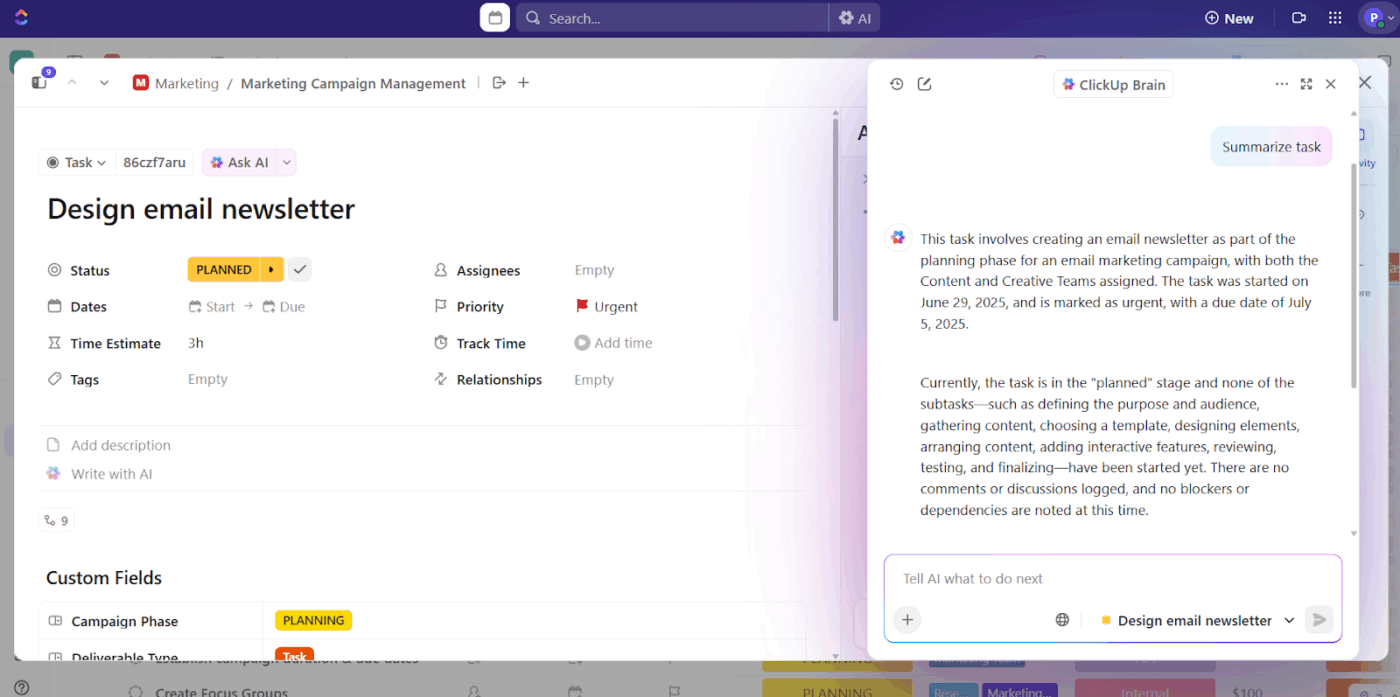
ClickUp solves that by embedding AI where it helps: inside your tasks, docs, and team updates.
ClickUp Brain is built into every part of the platform. It writes content, summarizes updates, generates reports, and rewrites messy task descriptions—right where the work happens.
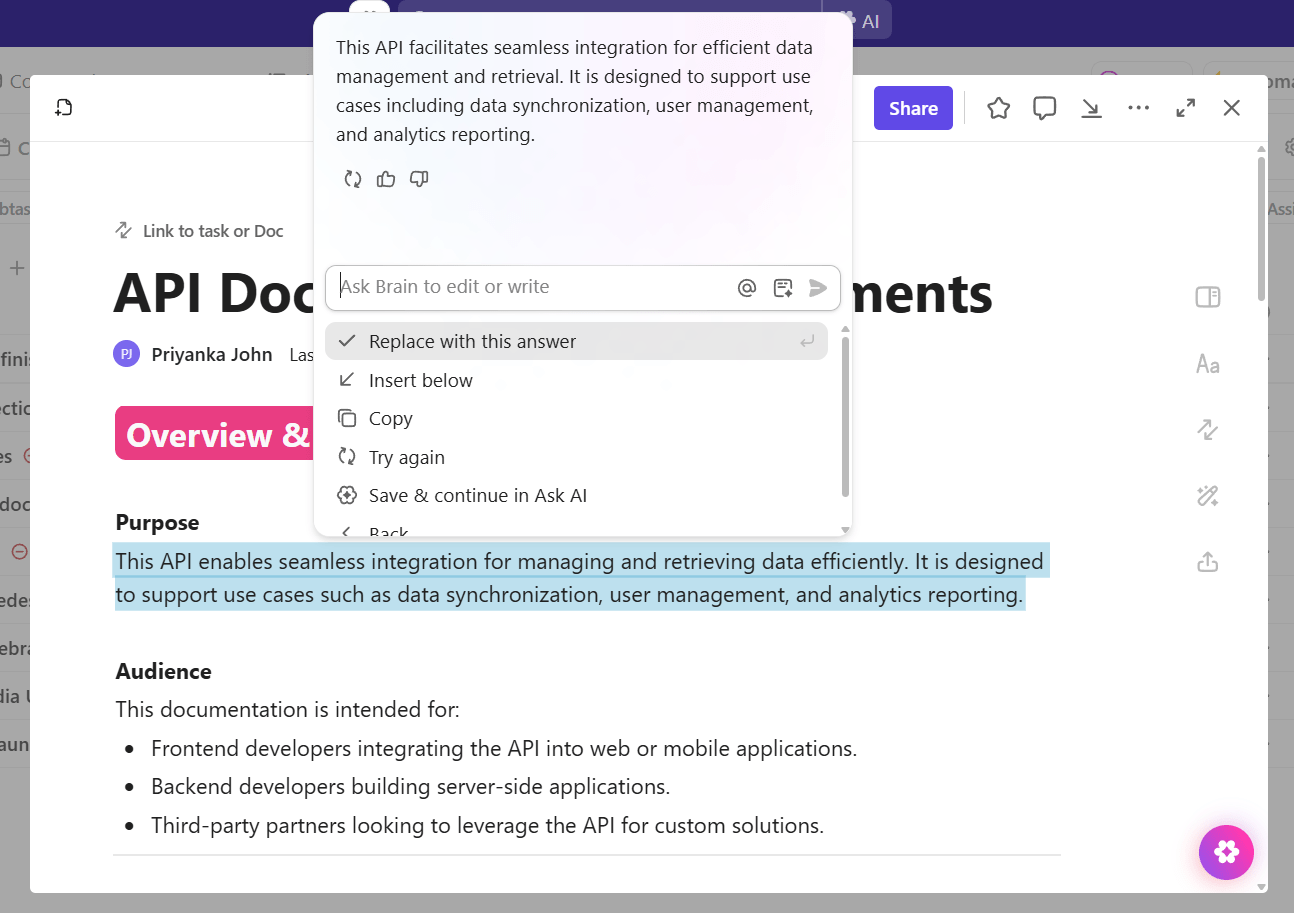
Say you’re documenting API requirements for developers.
You paste technical specs into a ClickUp Doc, add bullet points about authentication and rate limits, then prompt ClickUp Brain to create developer-friendly documentation with code examples.
The connected AI assistant structures your rough notes into clear sections while staying within the Doc, where your team will reference it.
Other examples:
Yes, ClickUp Brain helps you work inside tasks and Docs. But sometimes, you need a step back: a focused space to ask questions, get clarity, and move fast.
That’s exactly what ClickUp Brain MAX is built for.
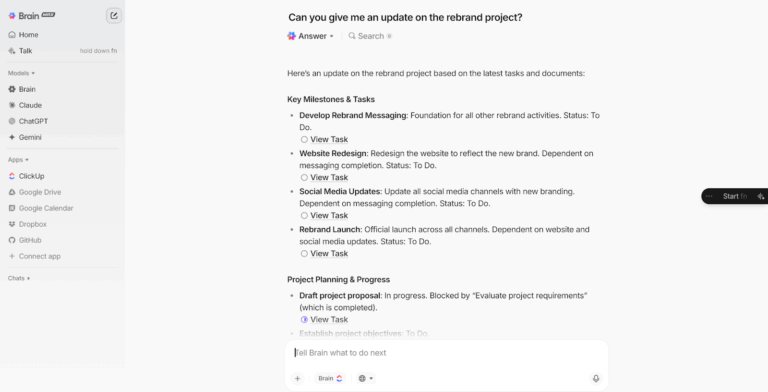
It gives you a dedicated space to work with AI, separate from your tasks and Docs, but fully connected to them. As your desktop AI companion, it helps you think through work, find answers, and move faster without switching tools or re-explaining context.
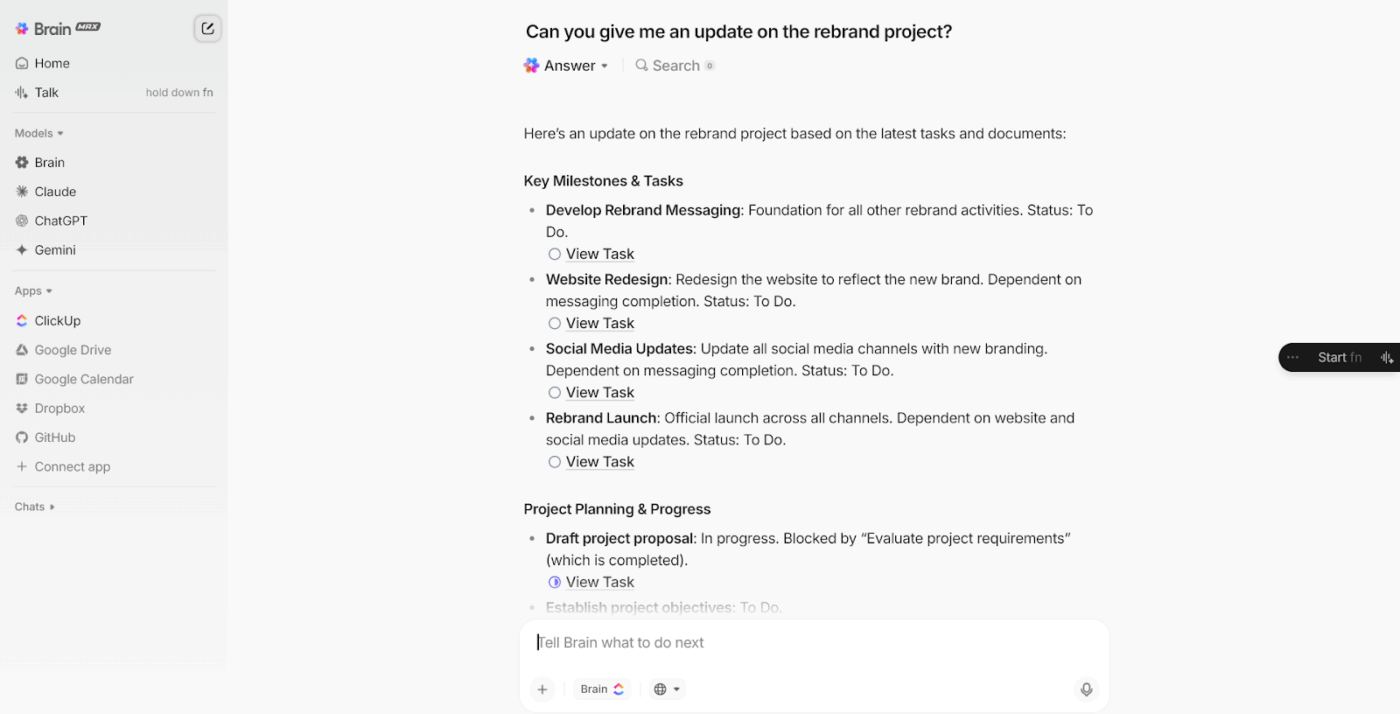
Type a question, and it pulls from live workspace data, not isolated AI outputs. It understands project context, priority levels, and owner assignments. You can even speak your query aloud.
ClickUp Brain MAX is voice-first, always at your fingertips, and built to reduce the mental load of managing work.
Let’s say you’re leading a cross-functional launch. You ask, “What’s blocking the campaign rollout?“ Brain MAX shows overdue tasks, assigned owners, linked Documents, and flagged comments ready to act on.
Other real-world use cases:
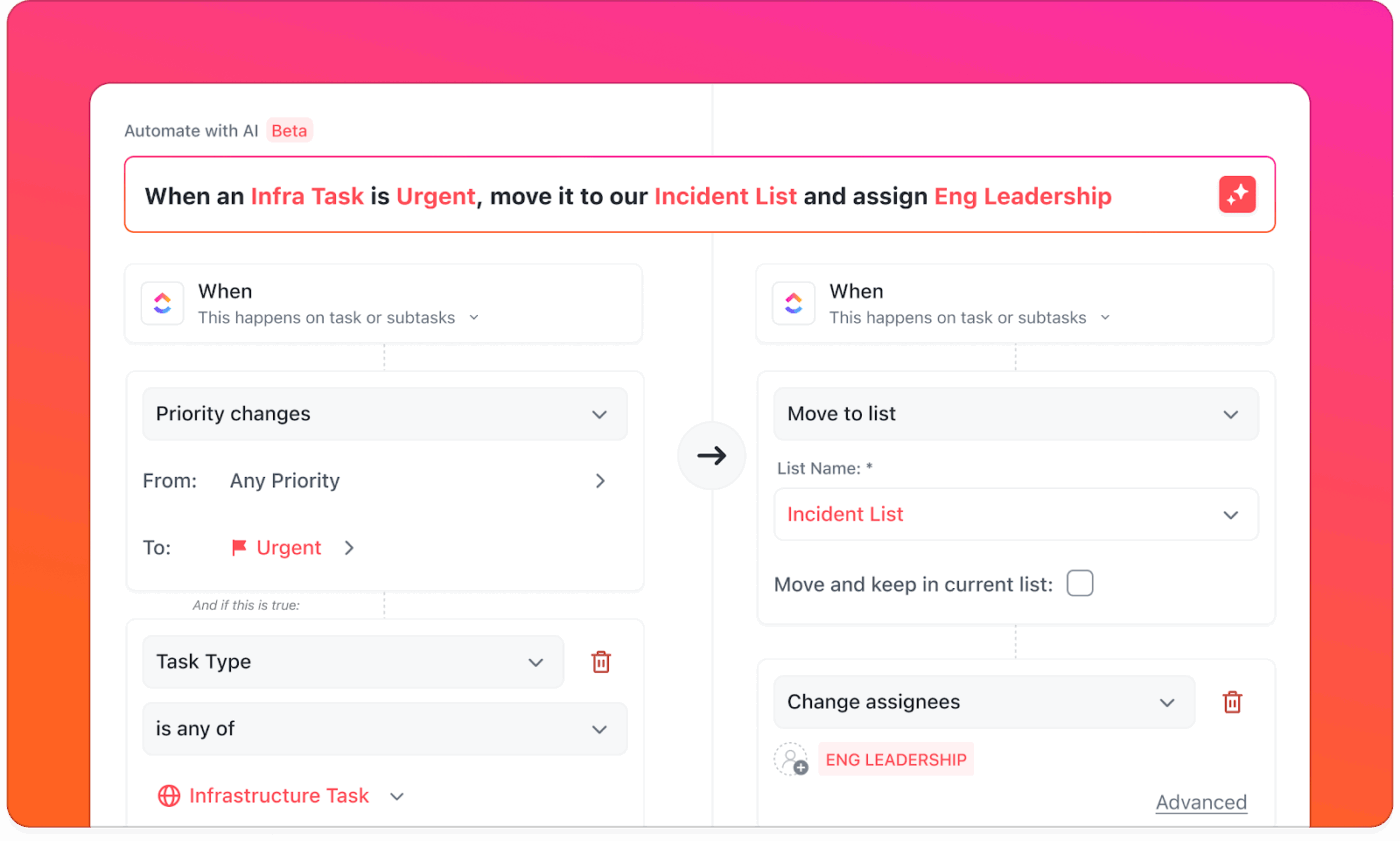
You don’t need to dig through triggers and actions anymore. Just describe what you want in natural language, and AI will build the Automation in ClickUp.
For example, your customer success team handles repetitive work every time an enterprise client signs up. You tell ClickUp Brain: When a task is tagged ‘Enterprise Onboarding’, create subtasks for kickoff call, welcome packet, technical assignment, and follow-up reminders.
AI builds this multi-step workflow automation and lets you test it before going live.
This G2 review really says it all about this AI collaboration platform:
The new Brain MAX has greatly enhanced my productivity. The ability to use multiple AI models, including advanced reasoning models, for an affordable price makes it easy to centralize everything in one platform. Features like voice-to-text, task automation, and integration with other apps make the workflow much smoother and smarter.
📮 ClickUp Insight: 30% of our respondents rely on AI tools for research and information gathering. But is there an AI that helps you find that one lost file at work or that important Slack thread you forgot to save?
Yes! ClickUp’s AI-powered Connected Search can instantly search across all your workspace content, including integrated third-party apps, pulling up insights, resources, and answers. Save up to 5 hours a week with ClickUp’s advanced search!
via OpenAI
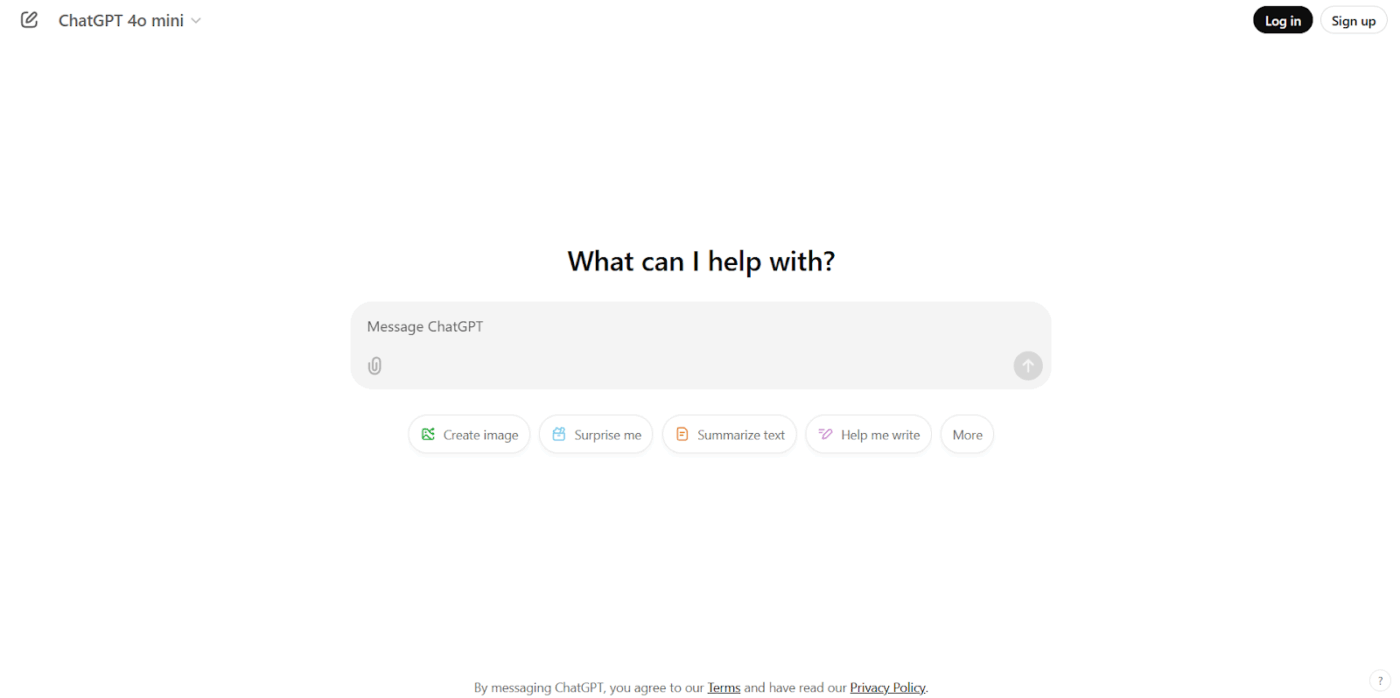
OpenAI made headlines when ChatGPT dropped, and suddenly, everyone was talking about AI again. Their GPT models handle everything from writing emails to debugging code, while DALL-E turns your wildest text prompts into actual images.
What sets OpenAI apart is how they’ve packaged AI. You get access to models that were previously locked away in research labs. Sure, you’re paying for the convenience, but when deadlines are tight and clients are breathing down your neck, that convenience becomes invaluable.
From a G2 review:
Its api is amazing, with an excellent user interface and i have not faced any issues while using chatgpt. Loved it and highly recommend to give a try and download it and make your decisions quick.
🎥 Watch: How to use ClickUp Brain as your personal assistant, anytime, anywhere.
💡 Pro Tip: Don’t rely on a single metric. Break down LLM evaluation into how well it handles structured inputs (e.g., tables, lists) vs. unstructured prompts (open-ended tasks). You’ll surface failure patterns faster.
via Anthropic
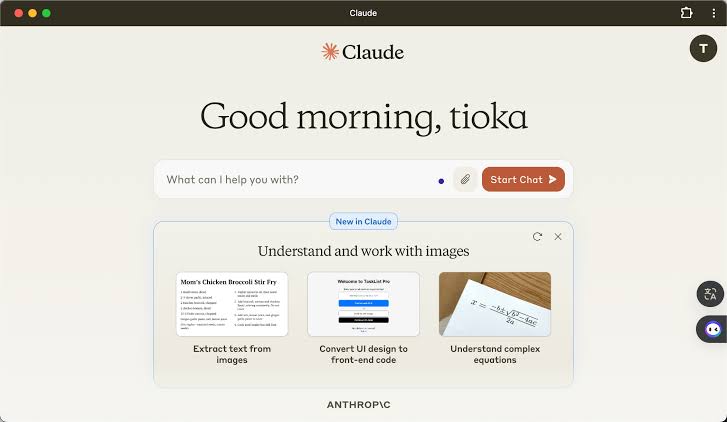
Claude takes a different approach to AI safety. Instead of slapping on content filters, Anthropic trained it to think through problems carefully. You’ll notice Claude considers multiple perspectives before responding, making it good at nuanced discussions about complex topics.
The context window is massive, so you can feed it entire documents and have real conversations about the content.
Think of those times you’ve wanted to discuss a research paper or analyze a long report. Claude handles these scenarios naturally. It remembers everything from earlier in your conversation, too, so you’re not constantly repeating yourself.
Based on a Reddit comment:
Honestly? Claude just seems like a good “person.” It considers human welfare in its decisions at a depth that isn’t seen natively in other models. If I was forced to choose an LLM to be the world leader, Claude would be my top pick. I wouldn’t necessarily trust the others to the same degree without ethical or personality constitution training.
🧠 Fun Fact: Back in 2012, a model called AlexNet beat humans at image recognition. It was faster, more accurate, and didn’t get tired. That moment changed how people saw AI’s potential in fields like healthcare, security, and robotics.
📖 Also Read: Best Anthropic AI Alternatives and Competitors
via Cohere
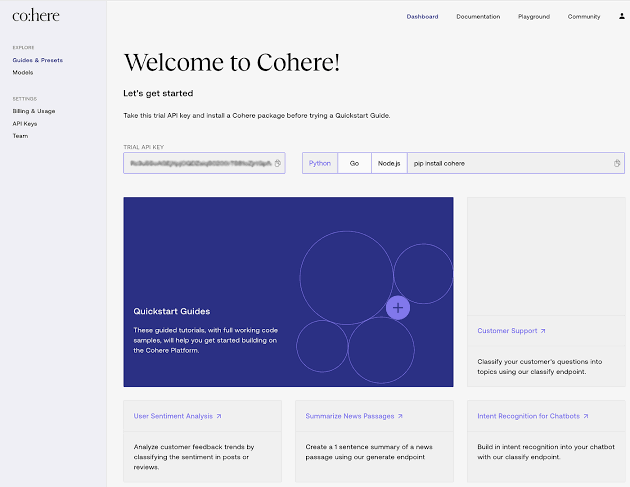
Cohere built its platform specifically for businesses that need artificial intelligence but can’t afford to compromise on data privacy. Their multilingual capabilities span over 100 languages, which is huge if you’re dealing with global customers or international markets.
The embeddings work particularly well for search applications where you need to understand meaning rather than just match keywords. You can also train your own AI custom classifiers, which makes it practical for teams that need AI solutions but don’t have dedicated data scientists.
According to a Capterra review:
Setting up Cohere was pretty easy and the documentation was quite simple to follow. Being able to see how our users are using the app was really useful and cool to begin with. […] The free version of the software has an extremely limited set of sessions and as our user base has grown, we are finding the application less useful as more sessions are hidden behind a paywall.
🔍 Did You Know? Models like GPT‑4 and Grok 4 changed their answers when given pushback (even if their first response was accurate). They started doubting themselves after seeing contradictory feedback. It’s eerily similar to how people behave under stress, and it raises questions about the reliability of their answers.
via Replicate
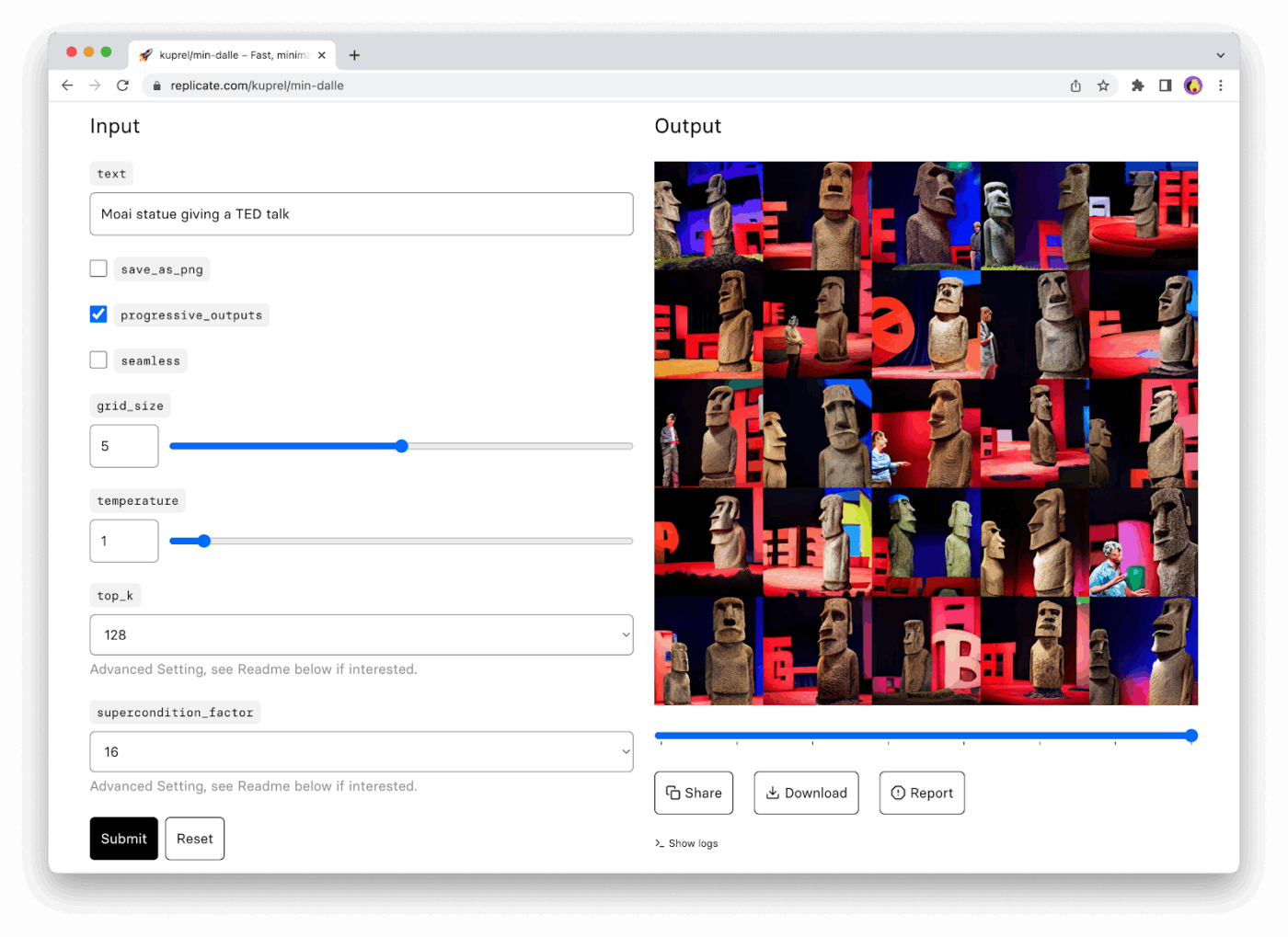
Replicate is like having a massive library of AI models without the headache of managing servers. Someone built an amazing image generator? It’s probably on Replicate. Want to try that new voice synthesis model everyone’s talking about? Just make an API call.
The AI app handles all the infrastructure complexity so you can experiment with dozens of different models without committing to one. You pay only when you use something, making it perfect for prototyping.
Plus, when you find a model that works, you can even deploy your own custom versions using their straightforward container system.
A Reddit review notes:
Anyway, replicate is the easiest to use option for trying out new image or video models in my opinion. I doubt it’s the most cost effective if you have a lot of users, but for an MVP it could save you a lot of hassle and money (as opposed to renting a GPU per hour).
💡 Pro Tip: Fine-tune with restraint. You don’t always need to fine-tune a model to get domain-specific outputs. Try smart prompt engineering + retrieval-augmented generation (RAG) first. Only invest in fine-tuning if you consistently hit accuracy or relevance ceilings.
via TensorFlow
TensorFlow gives you complete control over your machine learning destiny (both a blessing and a curse). Google open-sourced their production ML framework, which means you get the same tools they use internally.
The flexibility is incredible; you can build anything from simple linear regression to complex transformer architectures.
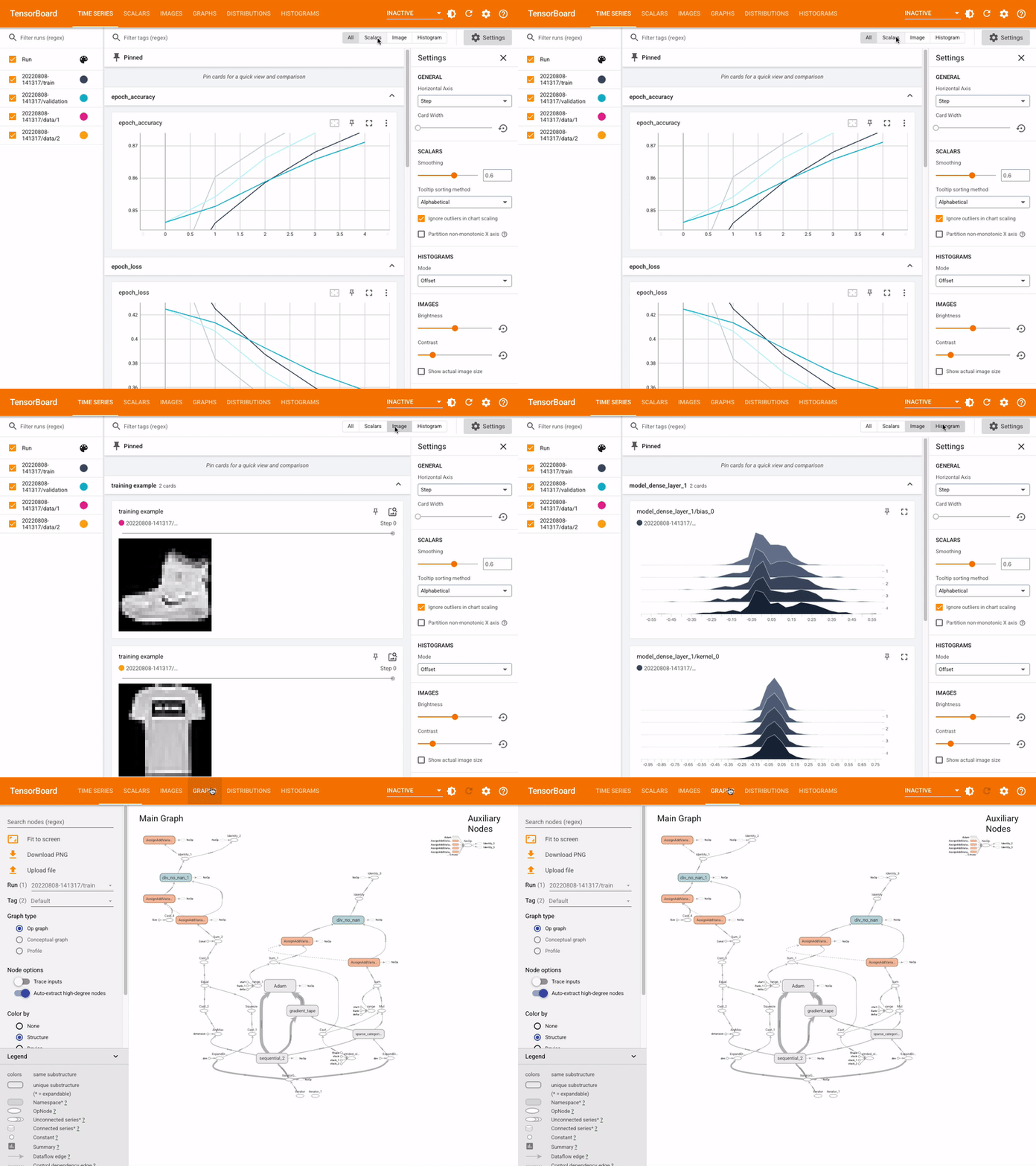
TensorFlow Hub provides pre-trained models you can fine-tune, while TensorBoard gives you real-time analytics into training performance. However, this power comes with complexity. You’ll spend time learning concepts that higher-level platforms abstract away.
A user on G2 highlights:
I love how powerful and flexible TensorFlow is for building and training deep learning models. Keras makes it a bit easier and pre-trained models save a lot of time. Plus the community is great when I get stuck. […] The learning curve is steep. Especially for beginners. Sometimes the error messages are too complicated to understand and debugging is frustrating. Also it requires a lot of computing power which can be a problem if you don’t have high end hardware.
🧠 Fun Fact: Researchers found that language models often suggest software packages that don’t exist. Around 19.7% of code samples included made-up names, which can lead for squatting attacks.
via Microsoft Azure
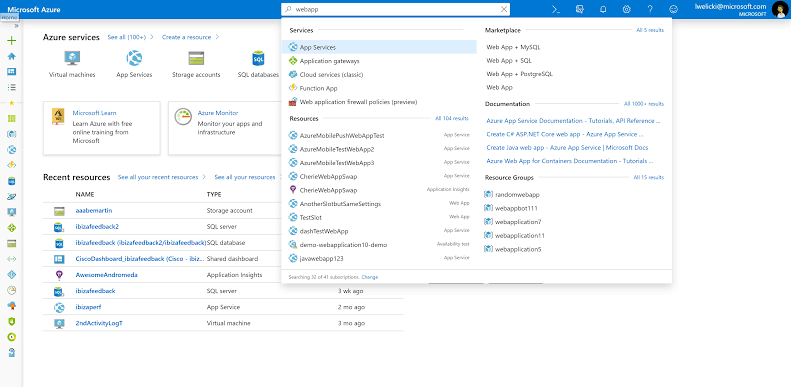
Azure ML clicks naturally if your organization already lives in Microsoft. The tool offers both point-and-click interfaces for business users and full programming environments for data scientists.
AutoML handles the heavy lifting when you need quick results, automatically trying different algorithms and hyperparameters. Meanwhile, the integration with Power BI means your models can feed directly into executive dashboards.
You get robust version control for models, automated deployment pipelines, and monitoring that alerts you when model performance starts degrading.
As shared on G2:
The service is easy to use and have many interesting features to upload data and catch patterns along them, the interface can be better but compliments my needs. If you have doubts about the implementation are many information in the web or you can request help from the microsoft support directly.
via Google Gemini
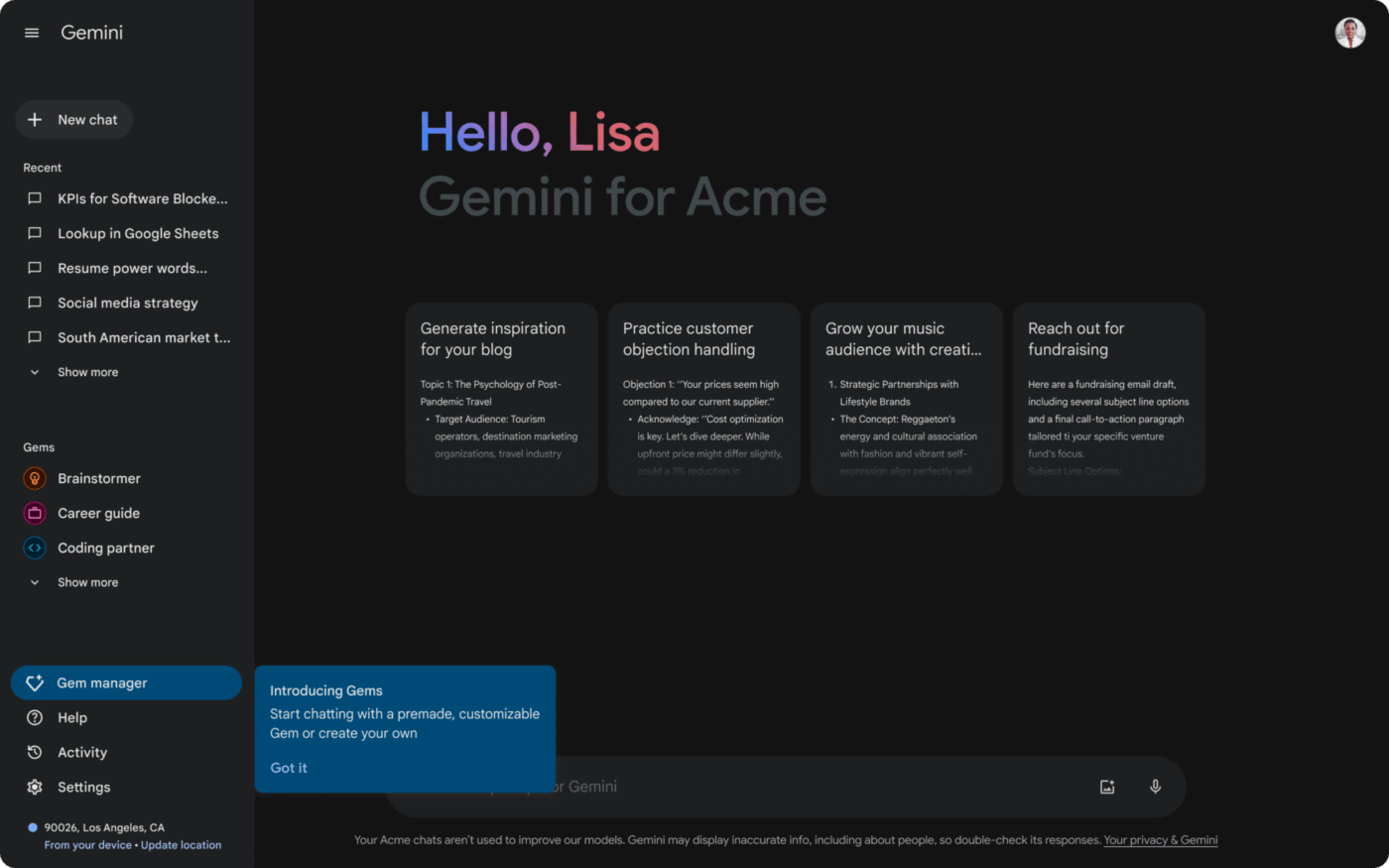
Google’s Gemini understands multiple types of content simultaneously. You can show a chart and ask questions about the data, or upload images and have conversations about what’s happening in them.
The math and coding capabilities are particularly strong. It works through complex equations step by step and explains its reasoning.
The context window handles massive amounts of text, making it useful for analyzing entire research papers or lengthy documents. What’s interesting is how it maintains conversational flow across different content types without losing track of what you’re discussing.
🧠 Fun Fact: You’d think better models would make fewer mistakes, but the opposite can happen. As LLMs get larger and more advanced, they sometimes hallucinate more, especially when asked for facts. Even newer versions show more confident errors, which makes them harder to spot.
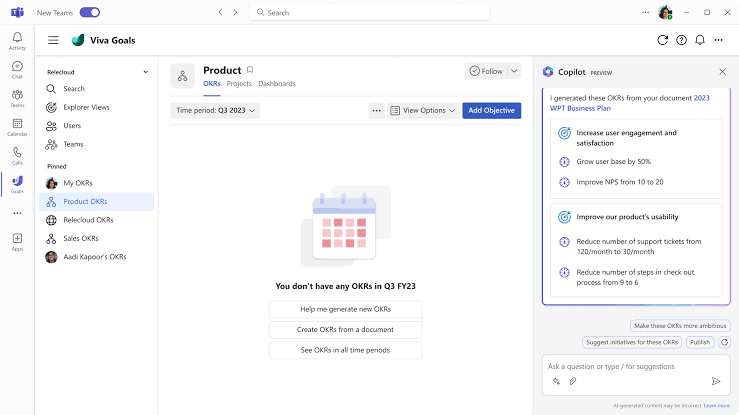
Copilot lives inside the Microsoft apps you use daily, which changes how AI feels in practice. It understands your work context—your writing style, the data you’re analyzing, even your meeting history.
Ask it to create a presentation, and it pulls relevant information from your recent documents and emails.
The Excel integration is particularly clever, helping you analyze data using natural language rather than complex formulas. The best part? Your learning curve is minimal because the AI collaboration tool’s interface builds on familiar Microsoft conventions.
A Redditor says:
I use it everyday to help me with tougher excel functions. If I have a conceptual idea of how I want to manipulate data I’ll lay out the situation and copilot almost always returns a practical and usable solution. It’s helped me get a lot more familiar & comfortable with array functions.
via IBM WatsonX
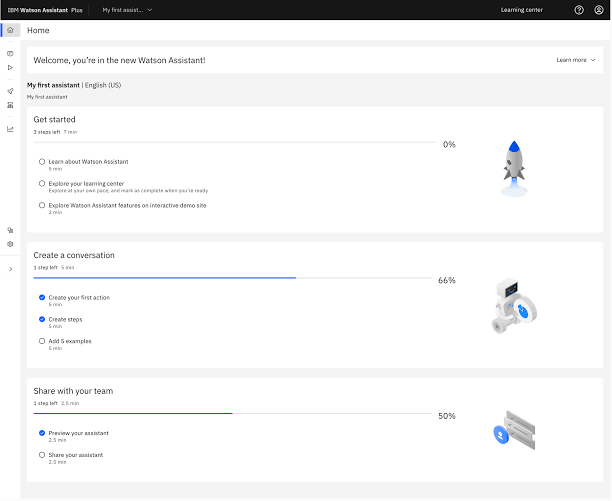
IBM designed WatsonX specifically for organizations that can’t take risks with AI—think banks, hospitals, and government agencies. Every model decision is logged, creating audit trails that compliance teams appreciate.
The platform offers industry-specific solutions, allowing healthcare organizations to utilize models trained on medical literature and financial services organizations to gain risk assessment capabilities.
Depending on your data sensitivity requirements, you can deploy models on-premises, in IBM’s cloud, or in hybrid configurations. The governance features let you set guardrails and monitor AI outputs for bias or unexpected behavior.
Based on a G2 review:
As a developer, I appreciate how it blends flexibility with structure, offering a wide range of model types from classical ML to large language models. The UI is clean, and the integration with existing cloud and security frameworks is straightforward, which helps in speeding up experimentation cycles without compromising governance. […] While the platform is powerful, it can feel overwhelming at first, especially when setting up more customized workflows. Additionally, pricing could be more transparent for users who are still exploring options before committing at an enterprise level. Improved onboarding tutorials for developers new to IBM’s ecosystem would be a welcome addition.
🎥 Watch: Try your first AI agent that responds contextually to your work. Hear it directly from Zeb Evans, founder and CEO of ClickUp:
via BigML
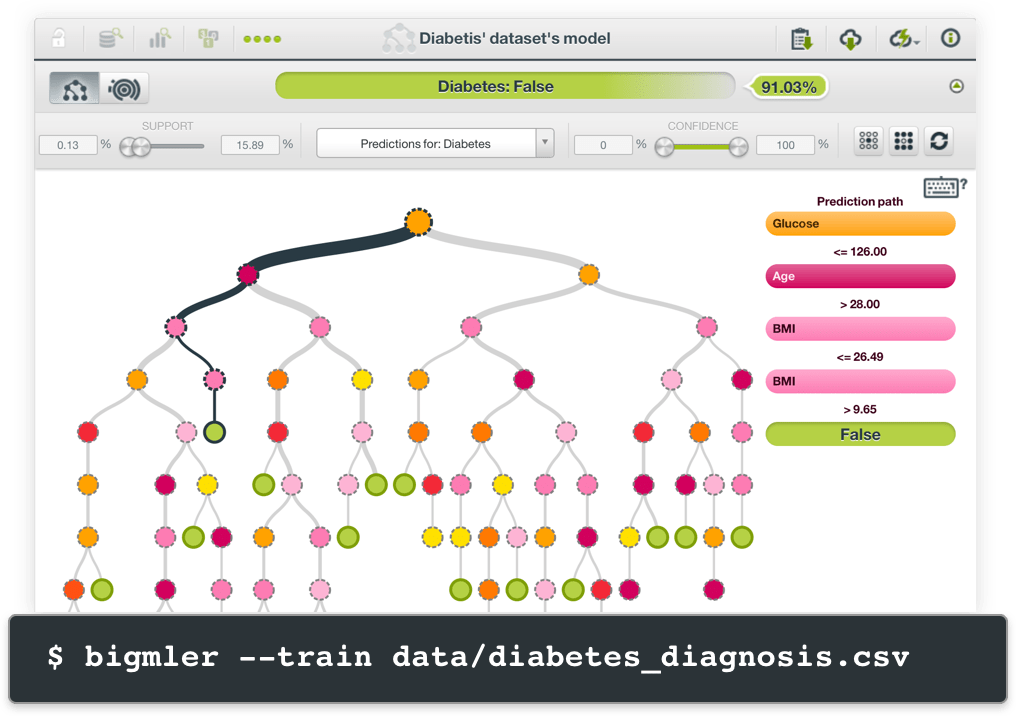
BigML’s visual interface lets you build predictive models by dragging and dropping datasets rather than writing complex code. Upload a CSV file of customer data, and BigML helps you predict which customers are likely to churn.
The platform automatically handles data preprocessing, feature selection, and model validation. What makes BigML reliable is how it explains its predictions. You get clear visualizations showing which factors influence model decisions, making it easy to present results to stakeholders who need to understand the ‘why’ behind AI recommendations.
📖 Also Read: How to Use AI for Productivity (Use Cases and Tools)
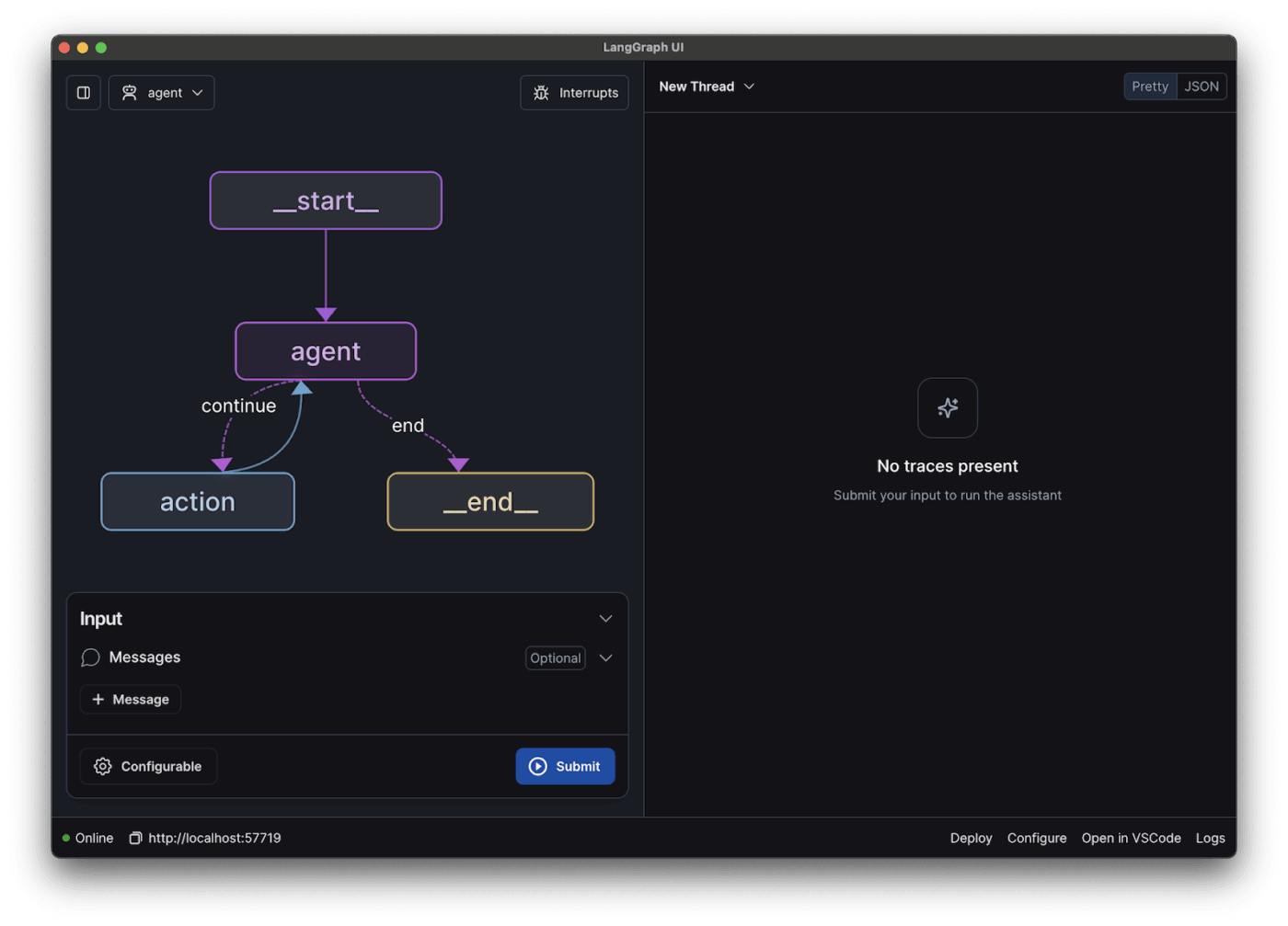
via LangChain
LangChain solves the problem of connecting AI models to real-world applications. You can build systems that look up information in databases, call external APIs, and maintain conversation history across multiple interactions.
The framework provides pre-built components for common patterns like RAG, where AI models can access and cite specific documents. You can chain together different AI services, maybe using one model to understand user intent and another to generate responses.
Additionally, LangChain’s LLM agent capabilities are open-source and model-agnostic, so you’re not locked into any particular AI provider.
💡 Pro Tip: Before pouring resources into a massive LLM, build a strong information retrieval pipeline that filters context with precision. Most hallucinations start with noisy inputs, not model limitations.
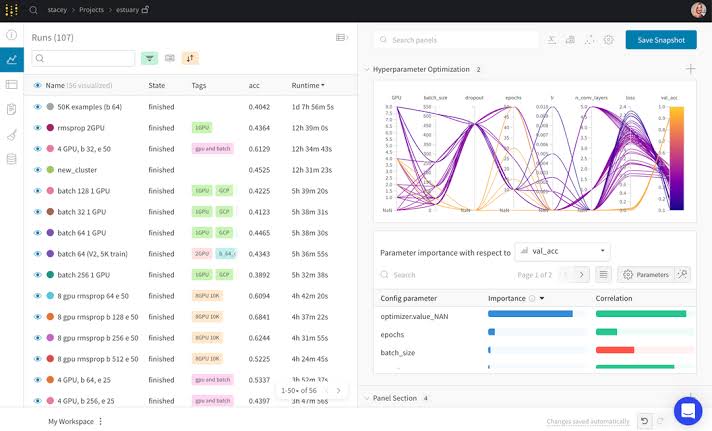
via Weights & Biases
Weights & Biases prevents ML from becoming a chaotic mess of forgotten experiments and lost results. The platform automatically captures everything about your model training: hyperparameters, metrics, code versions, and even system performance.
When something works well, you can easily reproduce it. When experiments fail, you can see exactly what went wrong.
The visualization tools help you spot trends across hundreds of training runs, identifying which approaches yield the best performance. Teams love the collaboration features because everyone can see what others are trying without stepping on each other’s work.
Cloud-hosted
Privately-hosted
On Reddit, one user said:
I use WandB in my job multiple hours per day. It’s the most feature-complete thing for this application out there, but its performance is soooooo gratingly bad.
📮 ClickUp Insight: Only 12% of our survey respondents use AI features embedded within productivity suites. This low adoption suggests current implementations may lack the seamless, contextual integration that would compel users to transition from their preferred standalone conversational platforms.
For example, can the AI execute an automation workflow based on a plain-text prompt from the user? ClickUp Brain can! The AI is deeply integrated into every aspect of ClickUp, including but not limited to summarizing chat threads, drafting or polishing text, pulling up information from the workspace, generating images, and more!
Join the 40% of ClickUp customers who have replaced 3+ apps with our everything app for work!
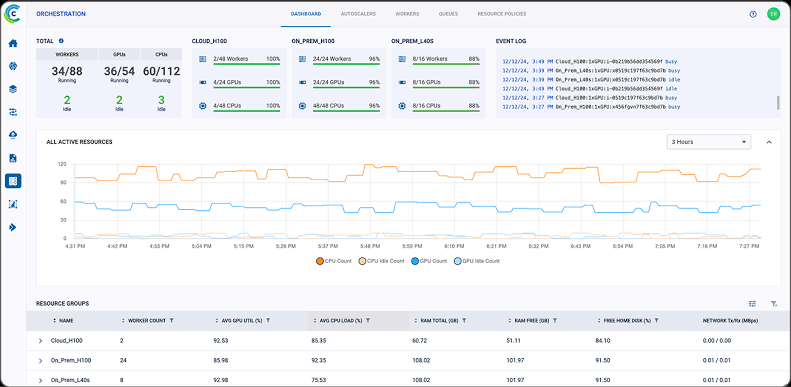
via ClearML
ClearML handles the operational nightmare of managing machine learning models in production. The platform automatically tracks every aspect of your ML workflow, from data preprocessing to model deployment, creating a complete audit trail without manual effort.
When models break in production, you can trace problems back to specific data changes or code modifications. The distributed training capabilities let you scale experiments across multiple machines and cloud providers seamlessly.
Additionally, pipeline orchestration automates repetitive tasks like data validation, model retraining, and deployment approvals.
As shared on Reddit:
We use ClearML exclusively for experiment tracking, and we’ve self-hosted both the ClearML Server and ClearML Agent on our internal infrastructure. So far, our experience with ClearML has been excellent—especially its experiment management, reproducibility, and deployment workflow.
🔍 Did You Know? Hybrid systems consistently outperform single-method retrieval. Integrate both approaches in your AI search engine to balance semantic understanding with exact match precision.
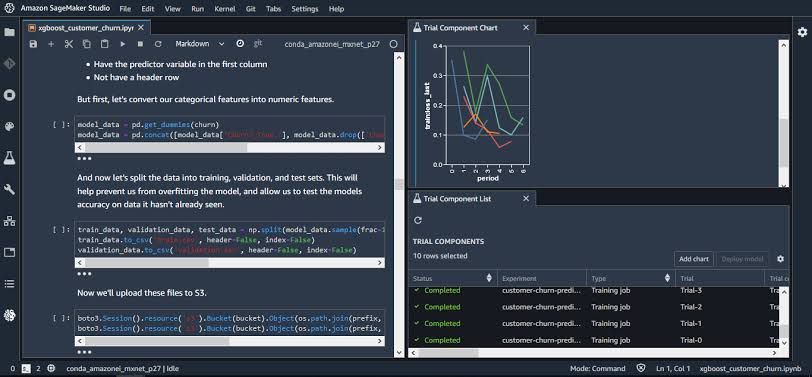
via Amazon SageMaker
SageMaker makes sense if you’re already living in AWS-land and need ML capabilities that work seamlessly with your existing infrastructure. The managed notebooks eliminate server setup headaches, while built-in algorithms handle common use cases without custom coding.
Ground Truth helps create high-quality training datasets through managed annotation workflows, which is particularly valuable when human labelers are needed for image or text data.
When models are ready for production, SageMaker handles deployment complexities like load balancing and auto-scaling. Everything is billed through your existing AWS account, simplifying cost management.
Per a G2 review:
What I like best about Amazon SageMaker is its ability to manage the entire machine learning lifecycle in one integrated platform. It simplifies model building, training, and deployment while offering scalability and powerful tools like SageMaker Studio and automated model tuning.
💡 Pro Tip: Don’t train what you cannot structure. Before jumping to fine-tuning, ask: Can this be solved with structured logic plus a base model? For example, rather than training a model to detect invoice types, add a simple classifier that filters based on metadata first.
There are tons of Hugging Face alternatives out there, but why stop at models and APIs?
ClickUp takes it up a notch.
With ClickUp Brain and Brain MAX, you can write faster, sum things up in seconds, and run automations that understand you. It’s built right into your tasks, docs, and chats, so you never have to jump between tools or tabs.
Sign up for ClickUp and see why it’s the smartest Hugging Face alternative in the room! ✅

Manasi Nair
Max 26min read

Arya P Dinesh
Max 18min read
Arya P Dinesh
Max 20min read

© 2026 ClickUp




