Sorry, there were no results found for “”
Sorry, there were no results found for “”
Sorry, there were no results found for “”
Managing customer relationships isn’t what it used to be.
Your CRM now needs to do more than store contact details—it should help you understand customer behavior, automate sales tasks, track the entire customer journey, and give your teams real-time insights to act faster and smarter.
The right CRM features can directly impact your team’s performance and your bottom line.
Let’s break down the must-have CRM features to look for, so you don’t settle for anything less than future-ready. Before we get into the features, let’s first understand a few basics.
📊 Industry Insights: CRM is nearly universal among larger businesses: 91% of companies with 10 or more employees use a CRM system to manage customer interactions.
Customer Relationship Management (CRM) software is a powerful tool designed to help businesses manage interactions with current and potential customers. At its core, CRM software stores detailed information about customers, including contact details, purchase history, preferences, and interactions, so that businesses can provide more personalized, efficient service.
CRM software plays a critical role in streamlining the management of customer relationships by centralizing data, automating processes, and providing real-time insights that can lead to smarter decision-making.
CRM software components enables businesses to:
A good CRM system helps businesses nurture customer relationships through:
The CRM market is booming!
📊 Industry Insights: The global CRM market size is expected to reach an impressive $262.74 billion by 2032, with a strong compound annual growth rate (CAGR) of 12.6%. This growth highlights the growing significance of CRM systems in enabling businesses to manage customer relationships effectively and efficiently.
When you’re evaluating a CRM for your business, here are the top CRM features to look for, each with distinct advantages for sales teams, marketing professionals, and customer service teams.
At the heart of any CRM is contact management, which serves as a central hub for all customer-related data. Contact management enables businesses to store detailed information about customers—such as names, email addresses, phone numbers, and interaction history—making it easy to personalize communication and improve customer engagement.
Benefits:
💡 Pro Tip: Tag customers with specific labels like ‘high priority’ or ‘repeat buyer’ to personalize outreach and improve conversion rates.
Lead management is a core CRM feature that helps businesses capture, track, and nurture leads as they move through the sales funnel. CRM tools allow you to track where each lead stands in the process, automatically assign leads to the appropriate team members, and follow up at the right time.
Benefits:
💡Pro Tip: Automate lead assignment based on criteria such as region, product interest, or deal value to ensure leads are distributed efficiently across your team.
🔎 Did you know? Companies that use lead management features in their CRM see a 29% increase in sales opportunities.
A sales pipeline in CRM allows businesses to visualize and track the stages of their sales process. From lead generation to closing deals, sales pipeline management helps ensure no opportunity slips through the cracks.
Benefits:
💡Pro Tip: Regularly update your pipeline stages and review deals to keep everything fresh and reflective of your current sales priorities.
Sales forecasting enables businesses to predict future sales based on historical data and current trends. A CRM that includes sales forecasting features will help teams plan their resources and set realistic sales targets.
Benefits:
💡Pro Tip: Regularly adjust your sales forecasts based on real-time data to improve their accuracy.
Marketing automation within CRM systems allows you to streamline marketing campaigns, trigger personalized email sequences, and track lead behavior across different platforms—all without manual input.
Benefits:
💡Pro Tip: Automate lead nurturing campaigns by setting up workflows that trigger emails based on customer actions like form submissions or product views.
Customer service tools integrated within CRM systems allow businesses to manage and track customer inquiries, resolve issues faster, and deliver exceptional support. Whether through email, live chat, or phone support, CRM helps service teams stay on top of customer needs.
Benefits:
💡Pro Tip: Integrate your CRM with live chat and social media platforms to provide immediate assistance to customers, wherever they are.
A mobile CRM lets your team access customer information, track sales activities, and manage relationships on-the-go, directly from their mobile devices. This is crucial for sales reps and customer support teams who spend a lot of time outside the office.
Benefits:
💡Pro Tip: Ensure your CRM mobile app is integrated with your existing software for a smooth and efficient experience.
CRM systems with workflow automation reduce manual processes by automating repetitive tasks. From assigning leads to sending follow-up emails, workflow automation makes it easier for teams to stay organized and focused.
Benefits:
💡Pro Tip: Set up automated reminders for follow-ups and tasks to ensure no step is missed, even when team members are busy.
Customizable dashboards allow users to create a personalized view of their CRM data, tracking key metrics like sales, customer satisfaction, and marketing performance. CRM reporting tools provide insights into these metrics, helping teams make informed, data-driven decisions.
Benefits:
💡Pro Tip: Create a customized dashboard that focuses on your team’s most important metrics, such as sales revenue, customer service tickets, or campaign performance.
A CRM with integration capabilities allows businesses to connect their CRM with other tools like email, social media, accounting software, and project management systems. This ensures that all customer data is centralized, allowing for a seamless workflow across departments.
Benefits:
💡Pro Tip: Look for CRM systems that offer pre-built integrations with tools you already use, like email providers or marketing platforms.
Customer analytics in CRM helps businesses track and analyze customer behavior, preferences, and past interactions to understand their needs better and create targeted marketing campaigns.
Benefits:
💡Pro Tip: Regularly update your customer analytics to stay on top of changing behavior and market trends.
Social CRM integrates social media with your CRM, allowing you to track customer interactions on platforms like Facebook, Twitter, and Instagram. This is crucial for businesses that want to engage customers where they are most active.
Benefits:
💡Pro Tip: Use sentiment analysis tools within your CRM to stay on top of customer moods and adjust your marketing or customer service strategy accordingly.
AI-powered insights in CRM help businesses use artificial intelligence to automate data analysis, predict customer behavior, and provide actionable insights that drive decision-making. By leveraging AI, CRM systems can recommend products, identify trends, and offer recommendations for improving customer experiences.
Benefits:
💡Pro Tip: Implement AI in your CRM to automate routine tasks and focus your team’s efforts on high-value activities.
📮 ClickUp Insight: 1 in 4 employees uses four or more tools just to build context at work. A key detail might be buried in an email, expanded in a Slack thread, and documented in a separate tool, forcing teams to waste time hunting for information instead of getting work done.
ClickUp converges your entire workflow into one unified platform. With features like ClickUp Email Project Management, ClickUp Chat, ClickUp Docs, and ClickUp Brain, everything stays connected, synced, and instantly accessible. Say goodbye to “work about work” and reclaim your productive time.
💫 Real Results: Teams are able to reclaim 5+ hours every week using ClickUp—that’s over 250 hours annually per person—by eliminating outdated knowledge management processes. Imagine what your team could create with an extra week of productivity every quarter!
When it comes to choosing the best CRM software, the key is to find one that aligns with your business’s specific needs, whether you are looking for advanced task management, detailed reporting, or team collaboration. One of the standout options is ClickUp, the everything app for work.
Let’s dive into the features that make ClickUp a powerful CRM choice.
ClickUp for CRM teams provides a comprehensive platform to manage customer relationships, streamline sales processes, and enhance collaboration across teams. Here’s what ClickUp does for CRM teams:
1. Customizable workflows
ClickUp’s customizable workflows allow you to tailor your CRM processes based on your unique business needs. Whether it’s for managing customer relationships, handling sales pipelines, or customer service requests, you can create workflows that reflect your team’s needs. These workflows are intuitive, allowing you to assign tasks, set due dates, and track progress with ease.
Here are some of these features:
💡 Pro Tip: Take advantage of ClickUp Automations to trigger actions like task assignments or follow-ups based on specific customer behavior or stages in your CRM pipeline
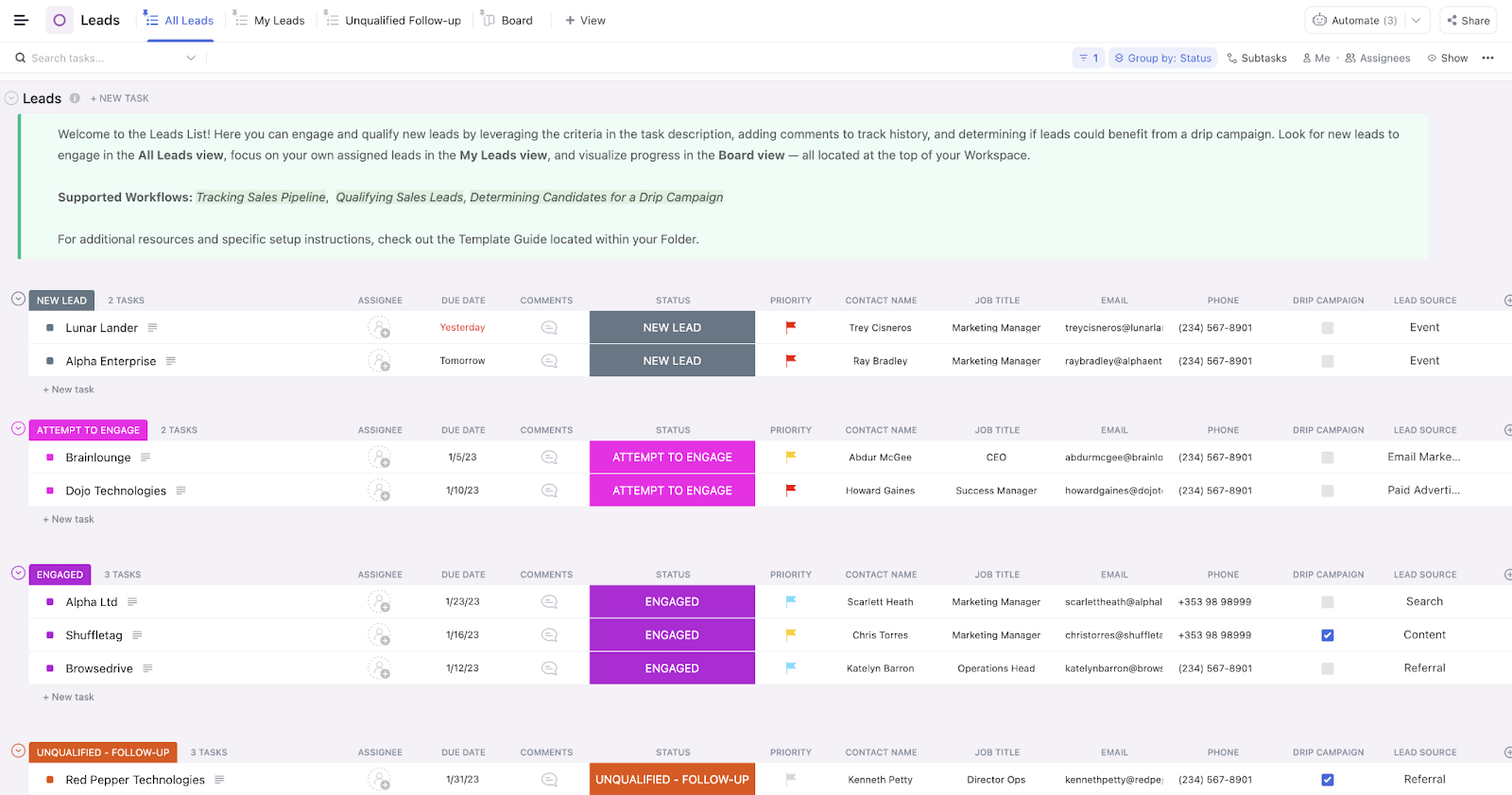
📌 Highlight: ClickUp CRM template offers pre-built workflows that you can quickly implement and adjust based on your team’s needs.
2. Task management
ClickUp’s task management tools are one of the most powerful CRM features. With these, you can create tasks related to each customer or lead and break them down into subtasks for more detailed tracking. These tasks can be assigned to different team members, given deadlines, and moved through customizable workflows, ensuring that no customer or opportunity is ever overlooked.
Here are the key features that make ClickUp’s task management ideal for CRM:
💡 Pro Tip: Use Recurring Tasks for routine activities like follow-up emails or weekly check-ins with leads, ensuring consistency in your customer relationships.
3. Reporting and analytics

ClickUp provides advanced reporting and analytics tools that give you valuable insights into your CRM performance. Whether you’re tracking sales, measuring customer satisfaction, or analyzing customer interactions, the reporting feature allows you to generate customized reports that provide actionable data to improve your sales strategy.
ClickUp’s reporting and analytics capabilities include:
💡Pro Tip: Set up automated report generation to save time and ensure that you and your team always have the most up-to-date data.
4. Team collaboration
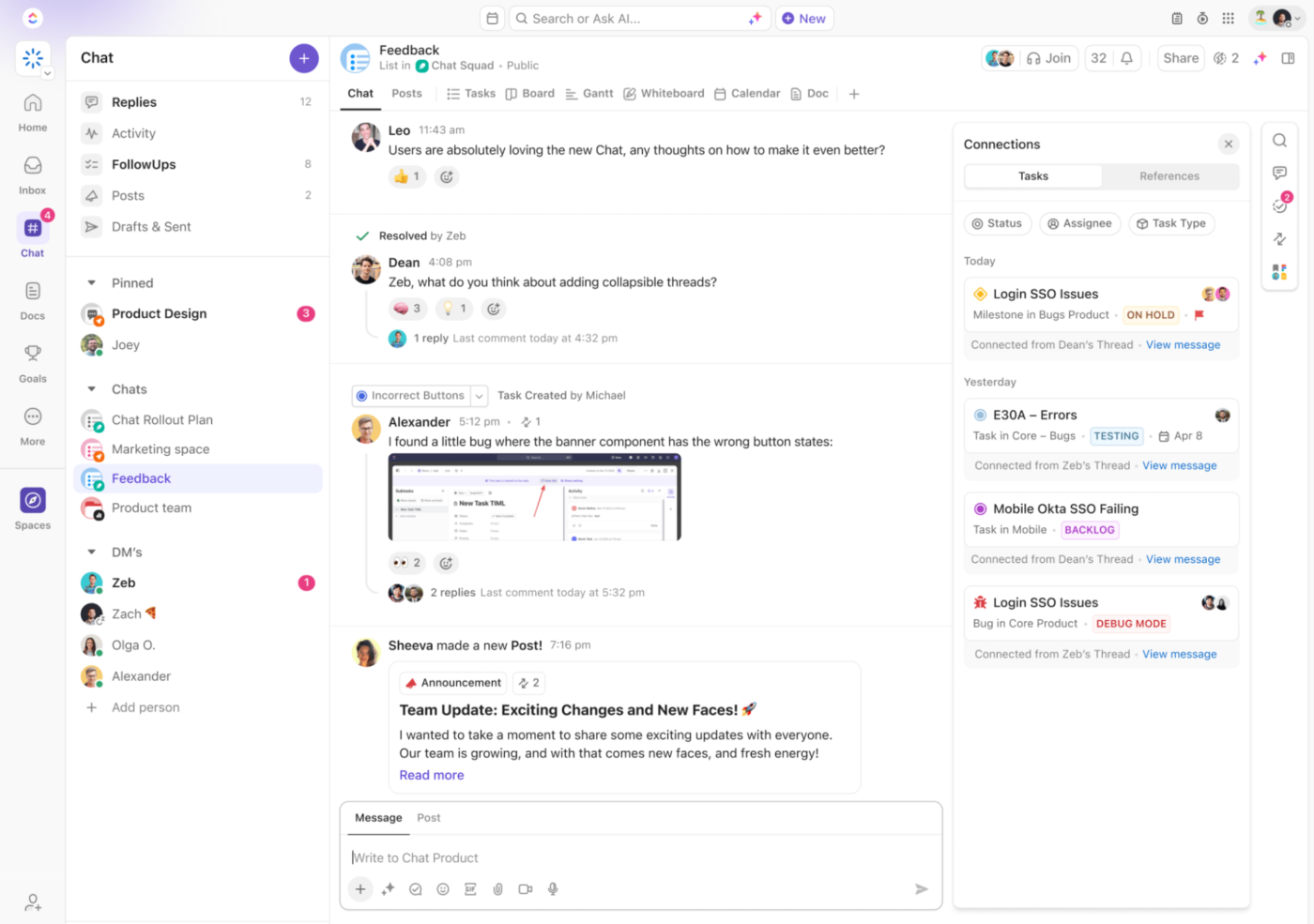
ClickUp is built for team collaboration, making it easier for multiple departments (sales, marketing, customer service) to work together on customer management strategies. With features like ClickUp Chat task comments, @mentions, and document sharing, ClickUp ensures that all team members stay aligned and have access to the information they need to support the customer.
The collaboration features include:
💡Pro Tip: Use ClickUp Docs to create collaborative documents for meeting notes, customer briefs, or team training resources, keeping everything organized and accessible.
5. Integration with existing tech stack
ClickUp integrates seamlessly with your existing tech stack, making it easy to connect other tools your team uses for email marketing, communication, and document storage. This ensures that customer data flows smoothly across platforms and that your team doesn’t need to update multiple systems manually.
Integrate tools like Salesforce, HubSpot, or other CRMs to bring all customer data into ClickUp, ensuring a single source of truth for your team.
💡Pro Tip: Integrate ClickUp with your email marketing software to send personalized follow-up emails or newsletters directly from the platform.
While ClickUp is a top choice for CRM due to its advanced task management and workflow capabilities, there are several other CRM software examples to consider, each with unique strengths. Here are some of the top alternatives:
Salesforce is one of the most well-known CRM platforms. It offers extensive features for sales, marketing, and service teams. It’s particularly useful for larger enterprises looking for highly customizable solutions.
HubSpot is an easy-to-use CRM for small to midsize businesses. It integrates seamlessly with HubSpot’s marketing automation and service tools, making it a great option for businesses looking for an all-in-one solution.
Zoho CRM is a versatile CRM that offers a wide range of features, including sales pipeline management, analytics, and AI-powered insights. It’s known for being an affordable solution that’s packed with features.
Pipedrive is a sales-focused CRM with a simple, intuitive interface. It’s designed to help sales teams manage their pipeline and close deals faster, with strong reporting and automation features.
Freshsales offers powerful CRM features, focusing on lead management, email tracking, and analytics. It’s great for teams that need a simple yet effective CRM solution.
By understanding the features and benefits of ClickUp and other top CRM options, you can choose the right platform to enhance your customer relationship management and drive business success. Whether you’re looking for task management, automation, or integrations, each CRM offers something unique to fit your business’s needs.
🔎 Did you know? Poor customer support is often the deal-breaker for many buyers. A good CRM ensures every query is handled quickly and efficiently, so your customers stay loyal and don’t go looking elsewhere.
A CRM system is essential for businesses of all sizes to manage customer relationships, streamline processes, and drive growth. With the right CRM features, you can enhance team collaboration, optimize workflows, and improve customer satisfaction.
Among the top CRM solutions, ClickUp, the everything app for work, stands out with its advanced task management, customizable workflows, robust reporting tools, and seamless integrations. It’s an all-in-one platform that helps teams stay organized and empowers them to work more efficiently and intelligently. Whether you’re a sales team looking for better pipeline management or a customer service team focused on improving response times, ClickUp’s CRM capabilities can cater to all your needs.
Ready to take your CRM to the next level? Get started with ClickUp for free today!

Melissa Shymko
Max 13min read

Praburam Srinivasan
Max 12min read

Sudarshan Somanathan
Max 18min read

© 2026 ClickUp